AYMEN DHEYAA KHALEEL
aymendheyaa@siswa.ukm.edu.my
1
1. Introduction on microstrip patch antenna (MPA)
2. Design MPA theoretically
3. Introduction on CST MICROWAVE STUDIO
4. Simulation MPA using CST MICROWAVE STUDIO
2
3
 In general Microstrip patch antennas are also known as
“PRINTED ANTENNAS ”.
 Operates on microwave frequencies ( f > 1GHz).
 Invented by Bob Munson in 1972.
 Became popular starting in the 1970s
4
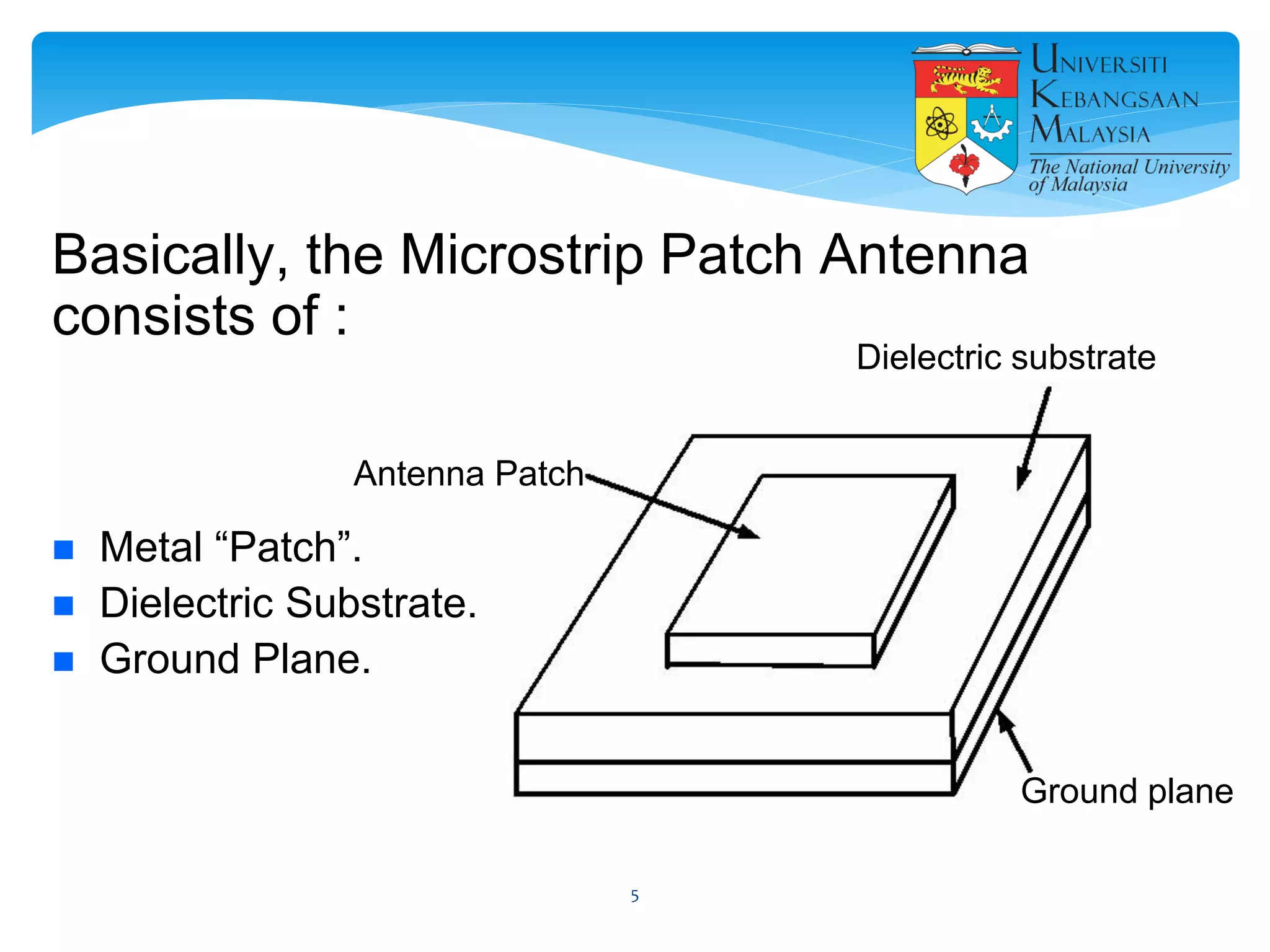
Basically, the Microstrip Patch Antenna
consists of :
 Metal “Patch”.
 Dielectric Substrate.
 Ground Plane.
Antenna Patch
Dielectric substrate
Ground plane
5
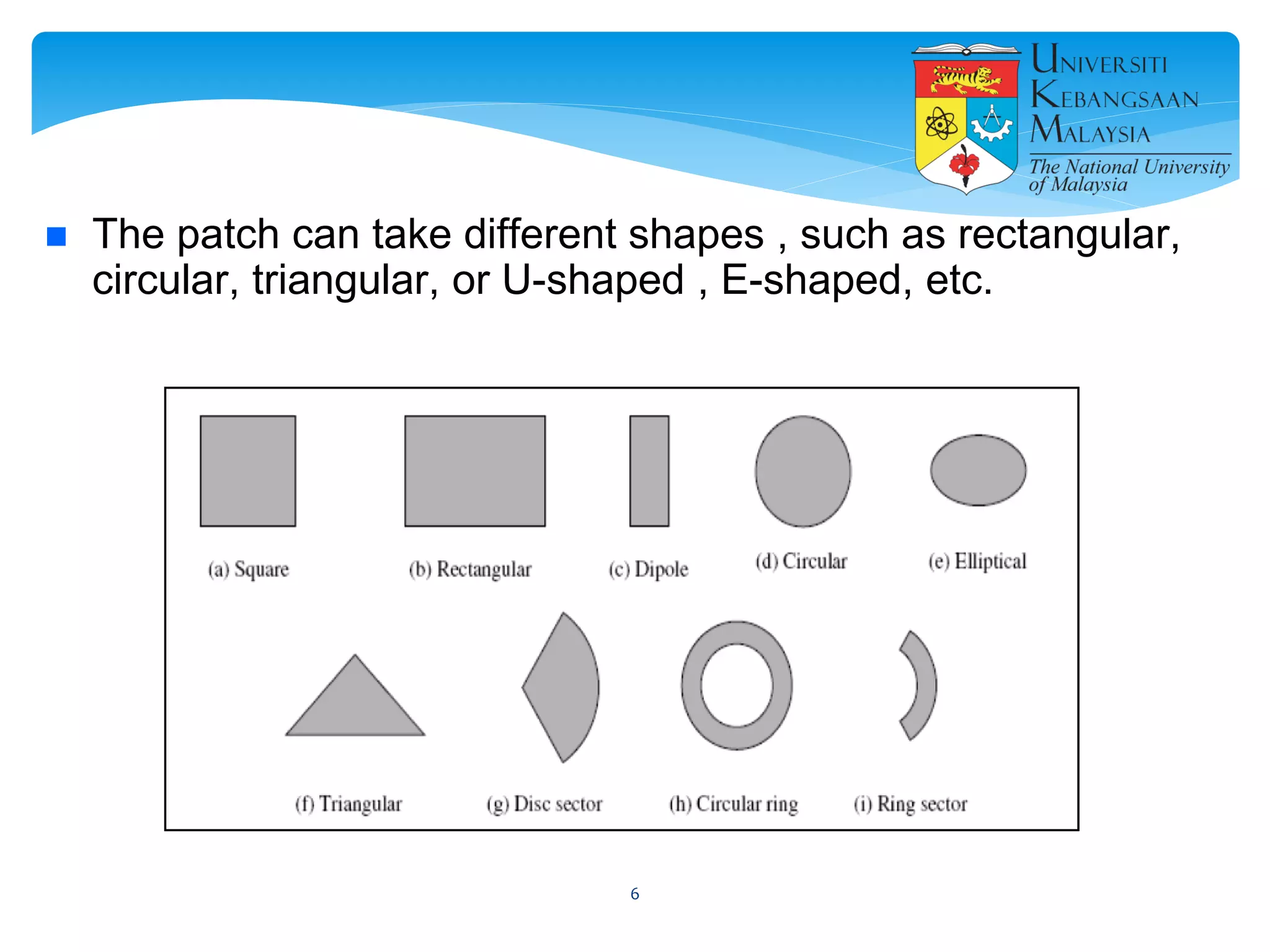
 The patch can take different shapes , such as rectangular,
circular, triangular, or U-shaped , E-shaped, etc.
6
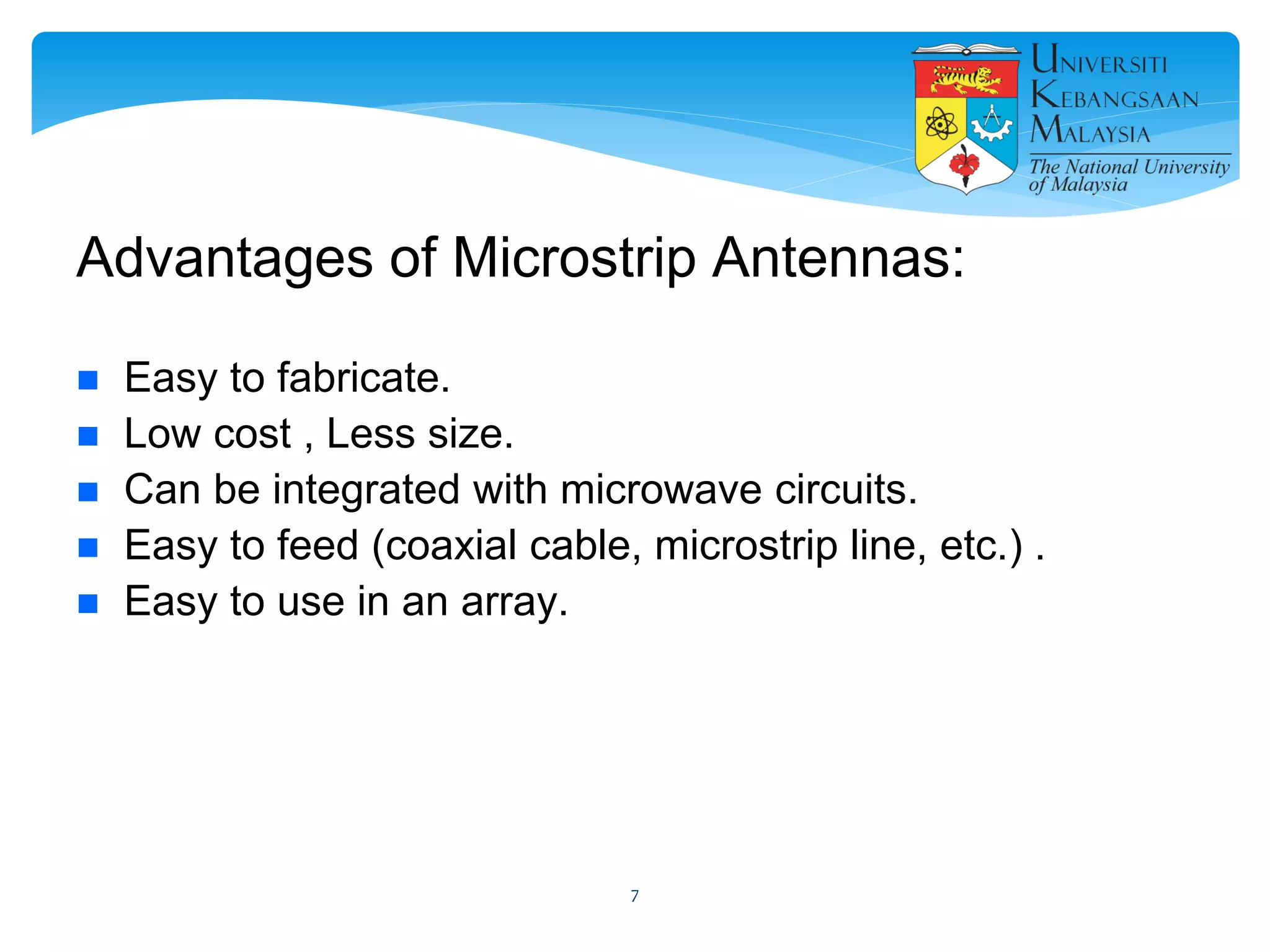
Advantages of Microstrip Antennas:
 Easy to fabricate.
 Low cost , Less size.
 Can be integrated with microwave circuits.
 Easy to feed (coaxial cable, microstrip line, etc.) .
 Easy to use in an array.
7
Disadvantages of Microstrip Antennas
 Low gain.
 Low efficiency.
 Narrow bandwidth.
8
Applications
 in mobile satellite communication system.
 Wireless LAN’S.
 GPS system.
 Missiles ……. etc.
9
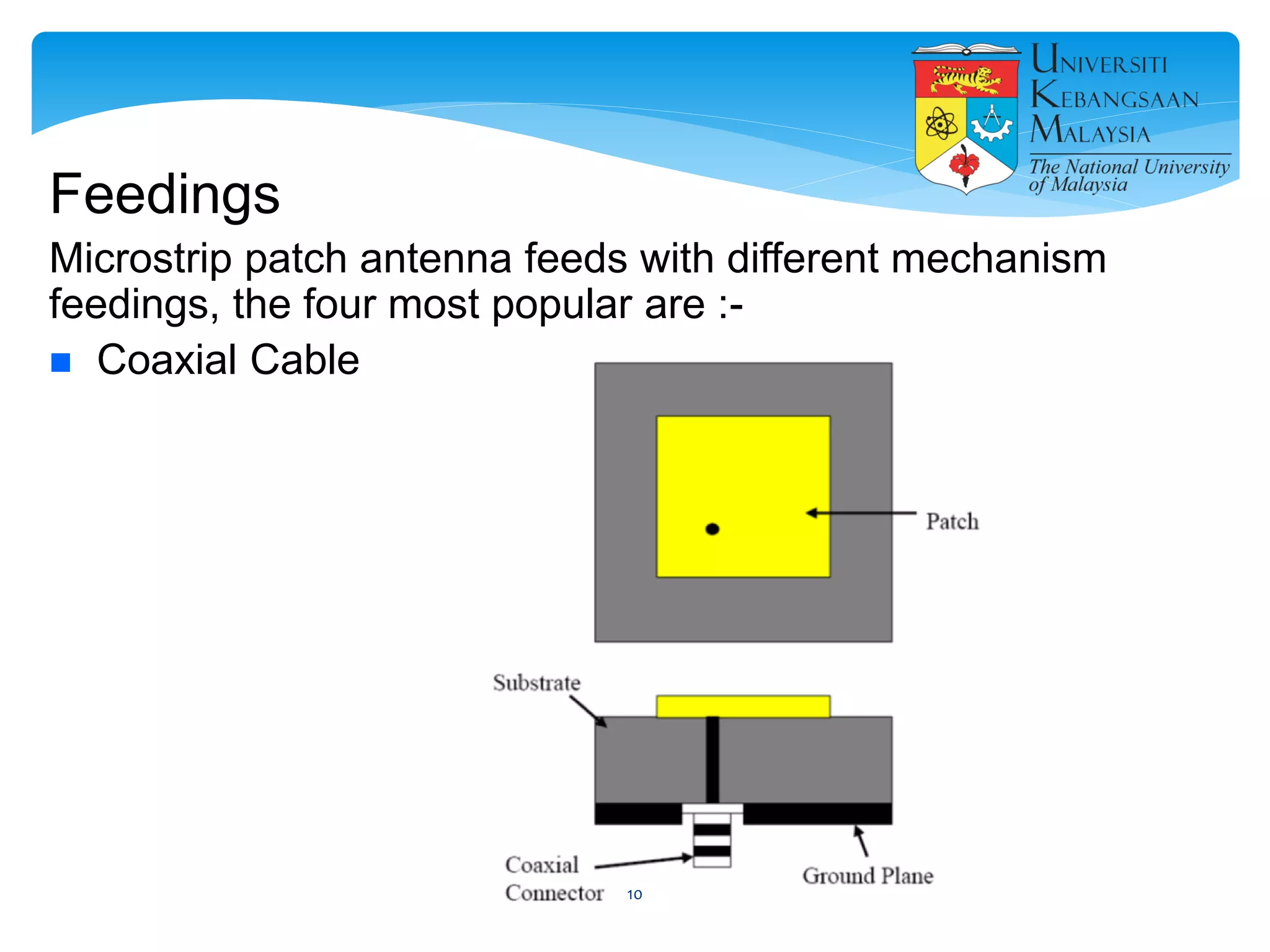
Feedings
Microstrip patch antenna feeds with different mechanism
feedings, the four most popular are :-
 Coaxial Cable
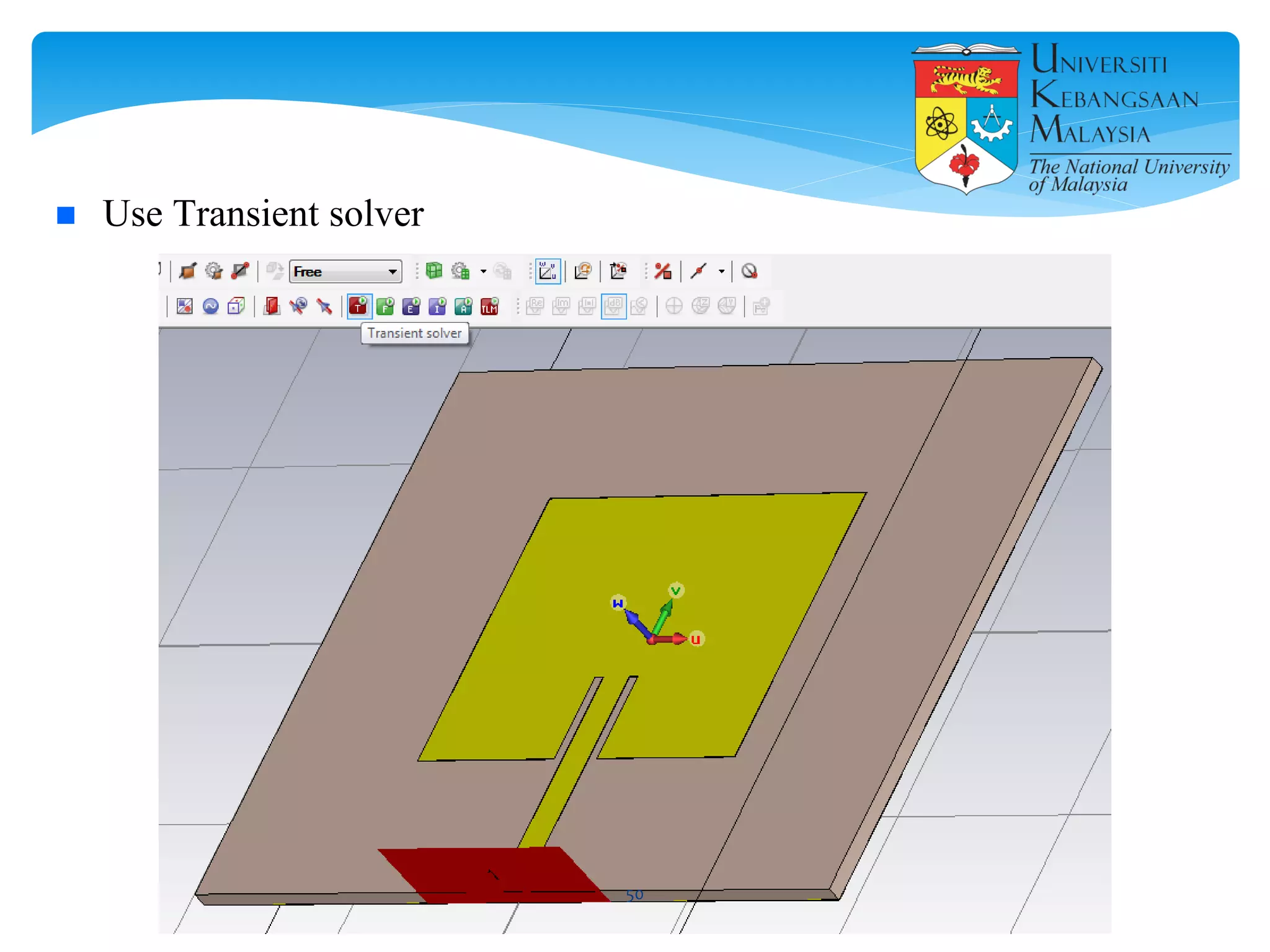
10
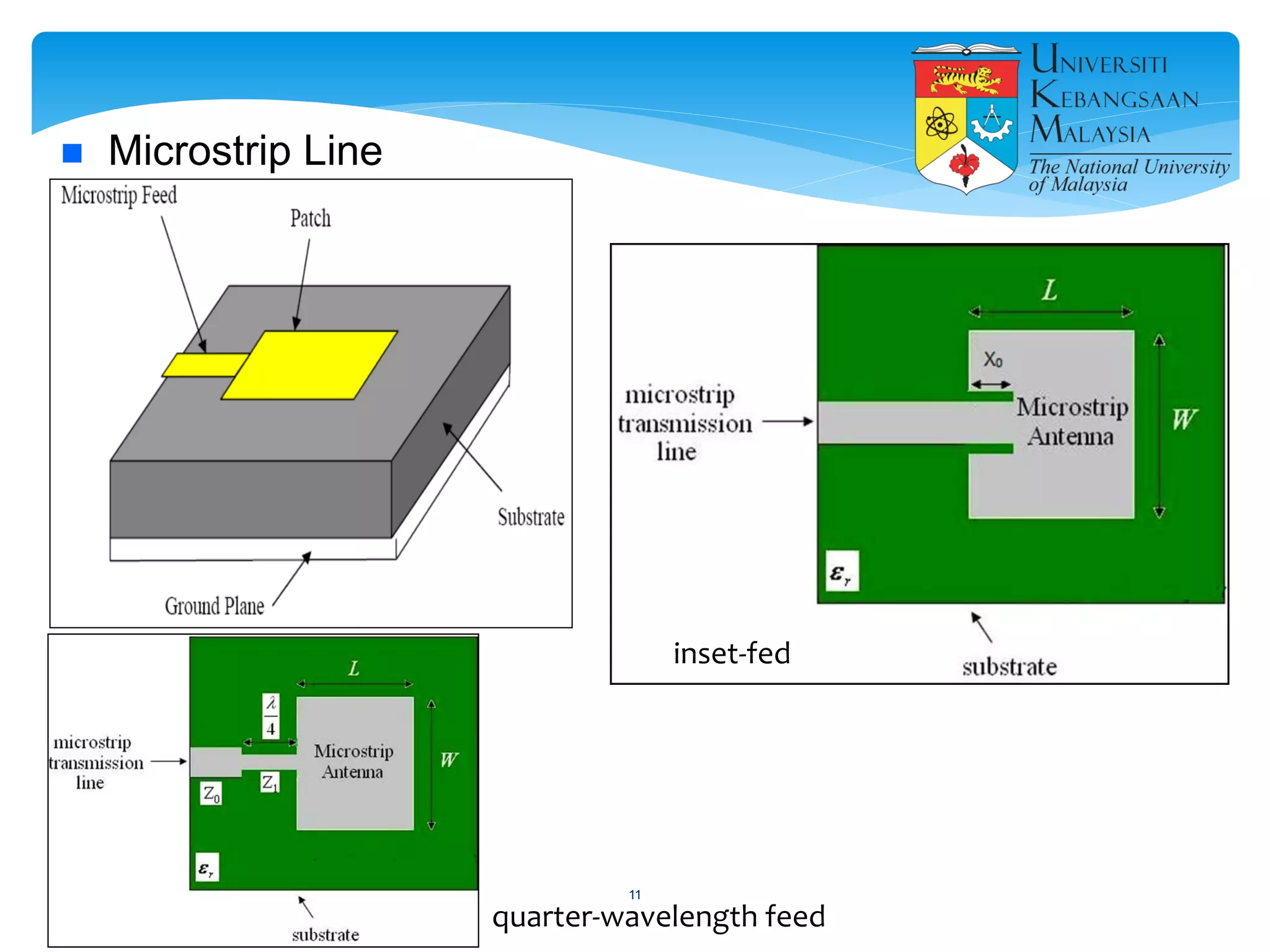
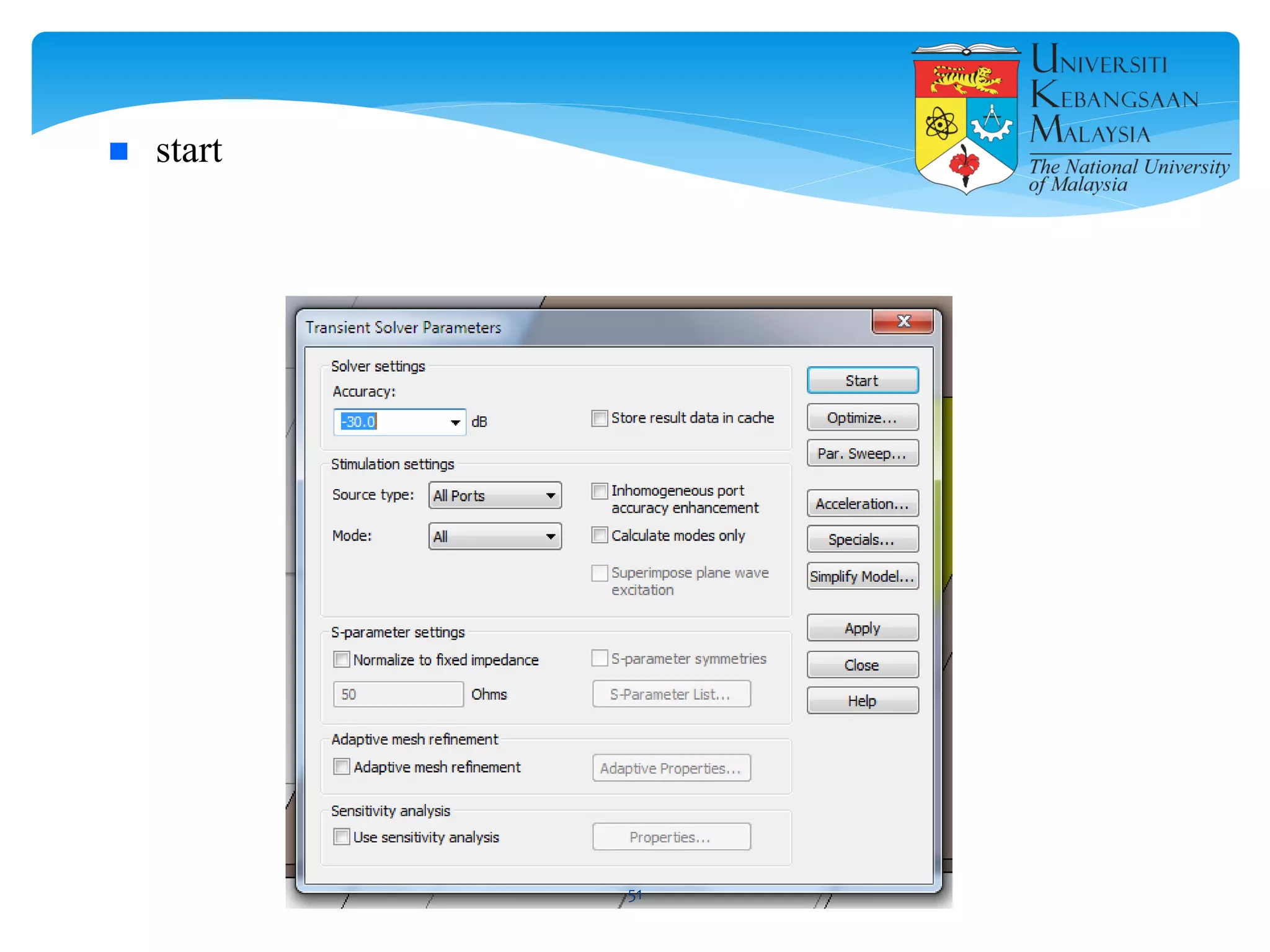
 Microstrip Line
quarter-wavelength feed
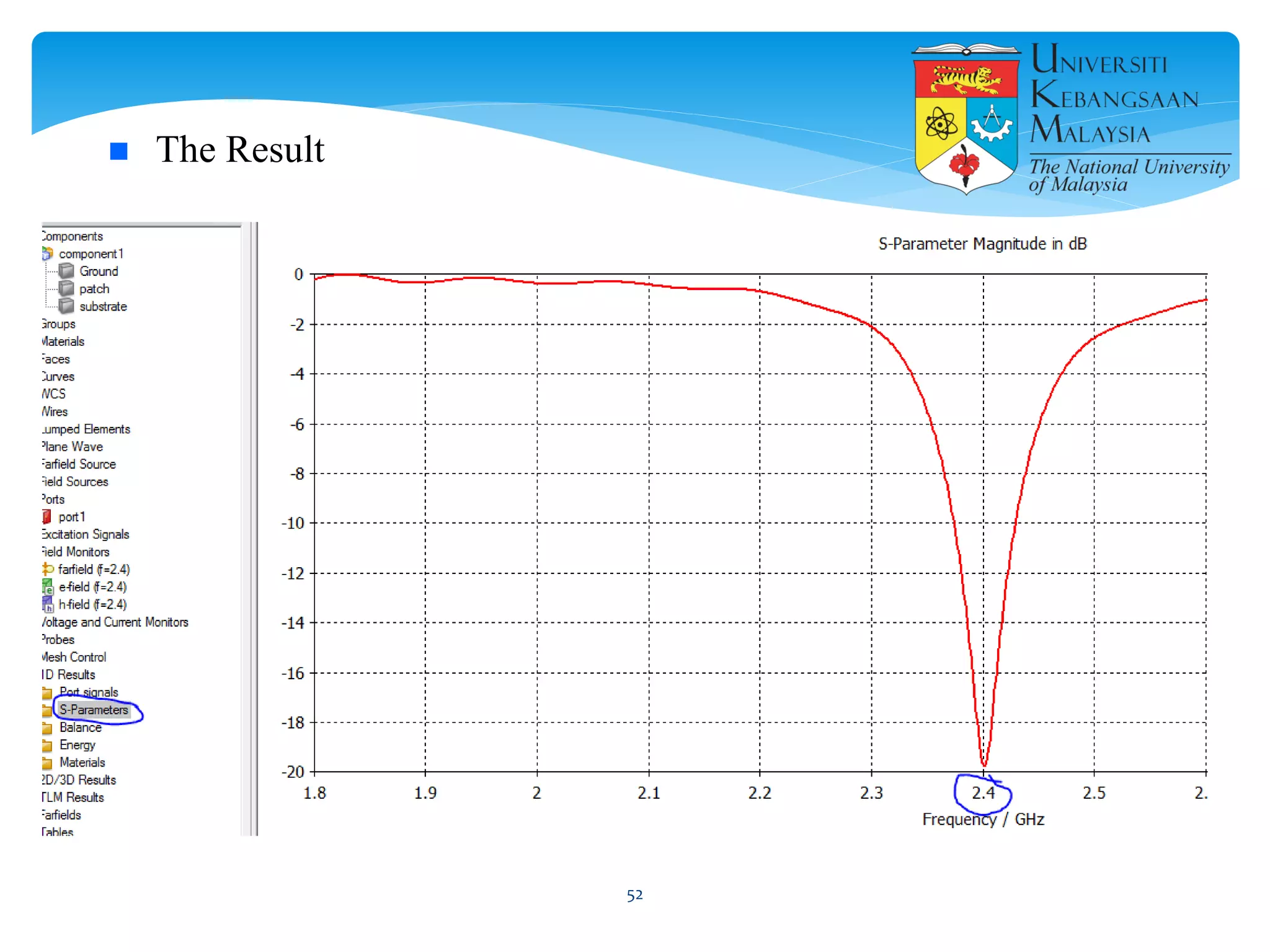
inset-fed
11
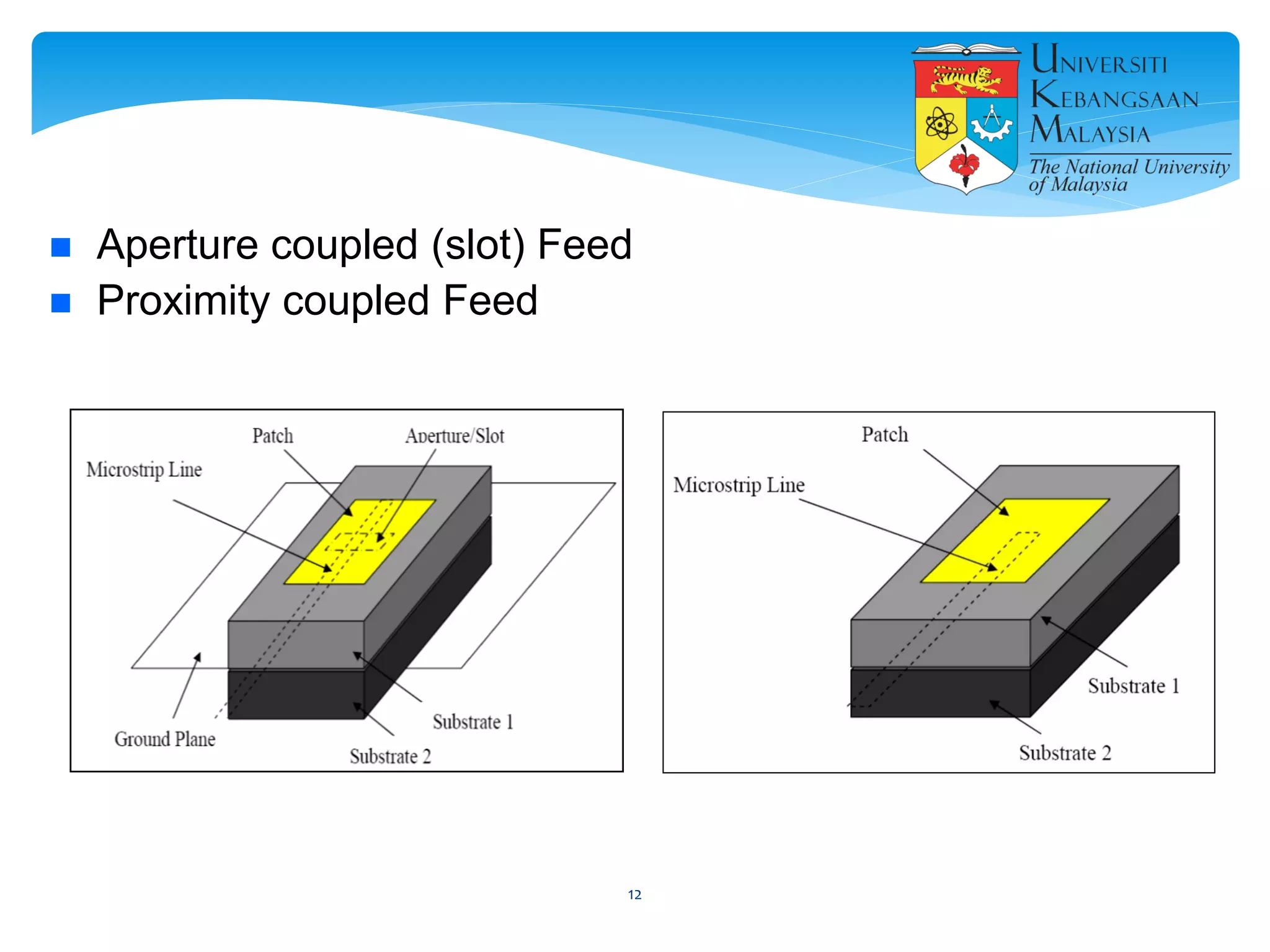
 Aperture coupled (slot) Feed
 Proximity coupled Feed
12
13
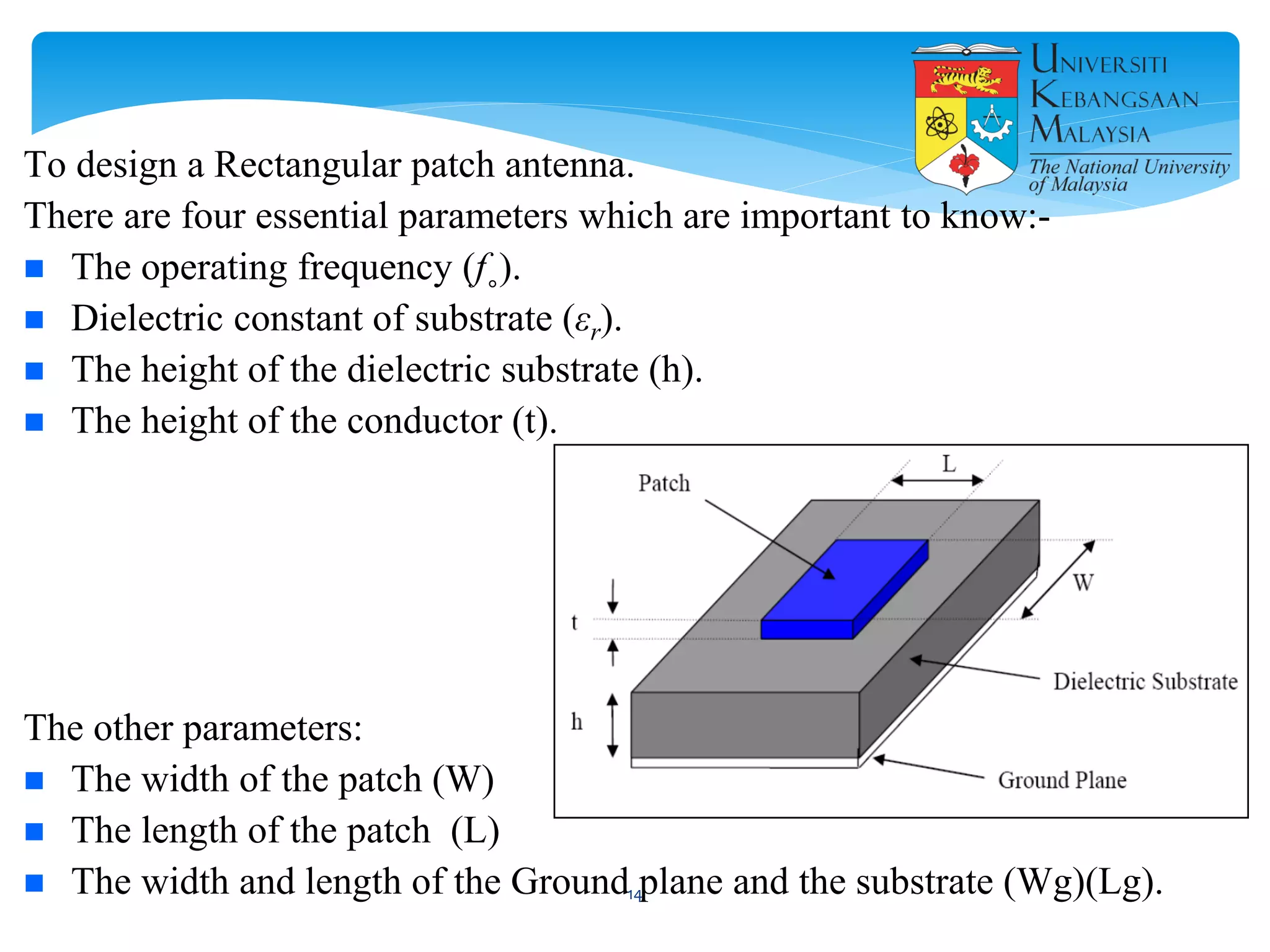
To design a Rectangular patch antenna.
There are four essential parameters which are important to know:-
 The operating frequency (f˳).
 Dielectric constant of substrate (εr).
 The height of the dielectric substrate (h).
 The height of the conductor (t).
The other parameters:
 The width of the patch (W)
 The length of the patch (L)
 The width and length of the Ground plane and the substrate (Wg)(Lg).14
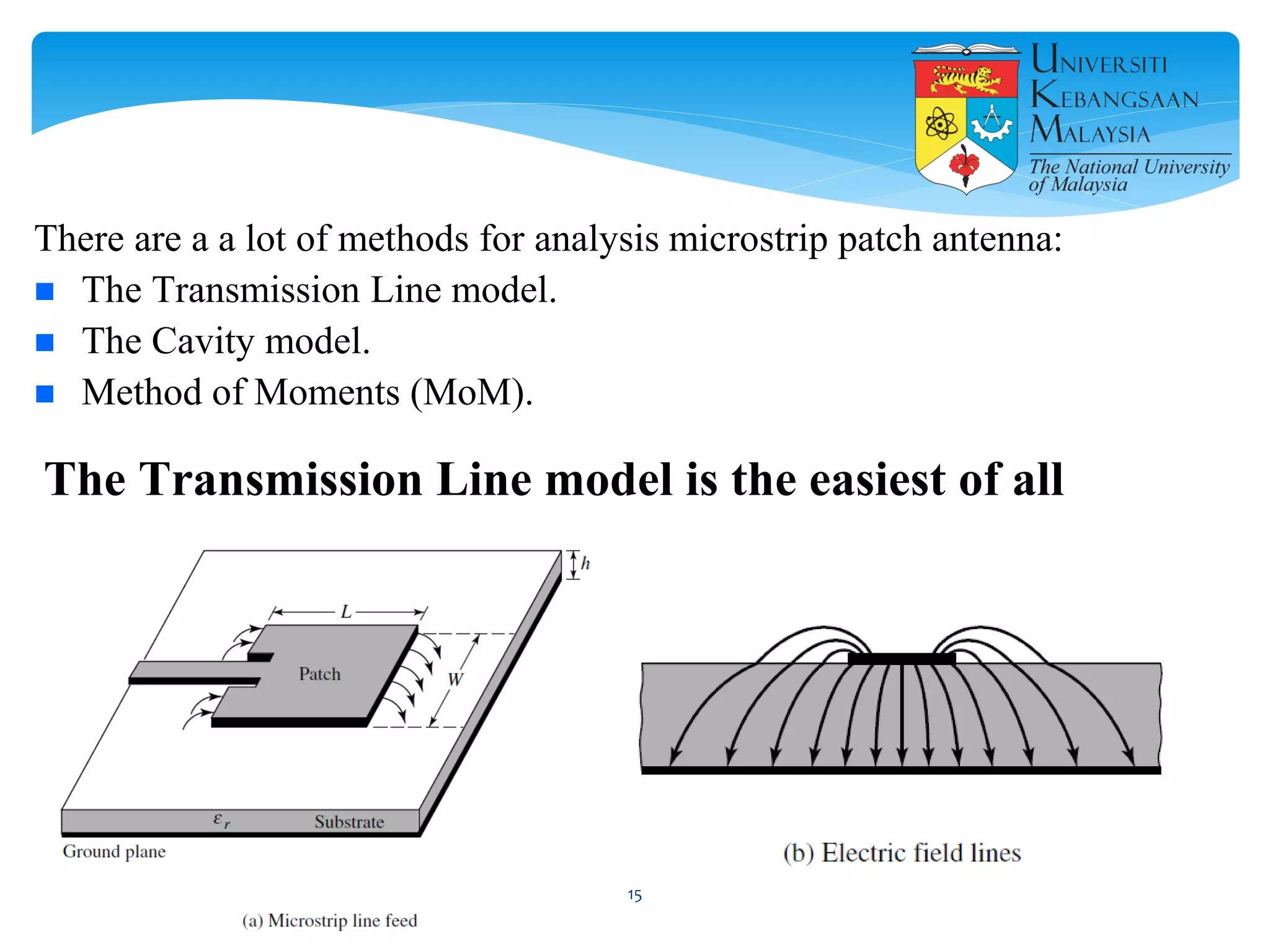
There are a a lot of methods for analysis microstrip patch antenna:
 The Transmission Line model.
 The Cavity model.
 Method of Moments (MoM).
The Transmission Line model is the easiest of all
15
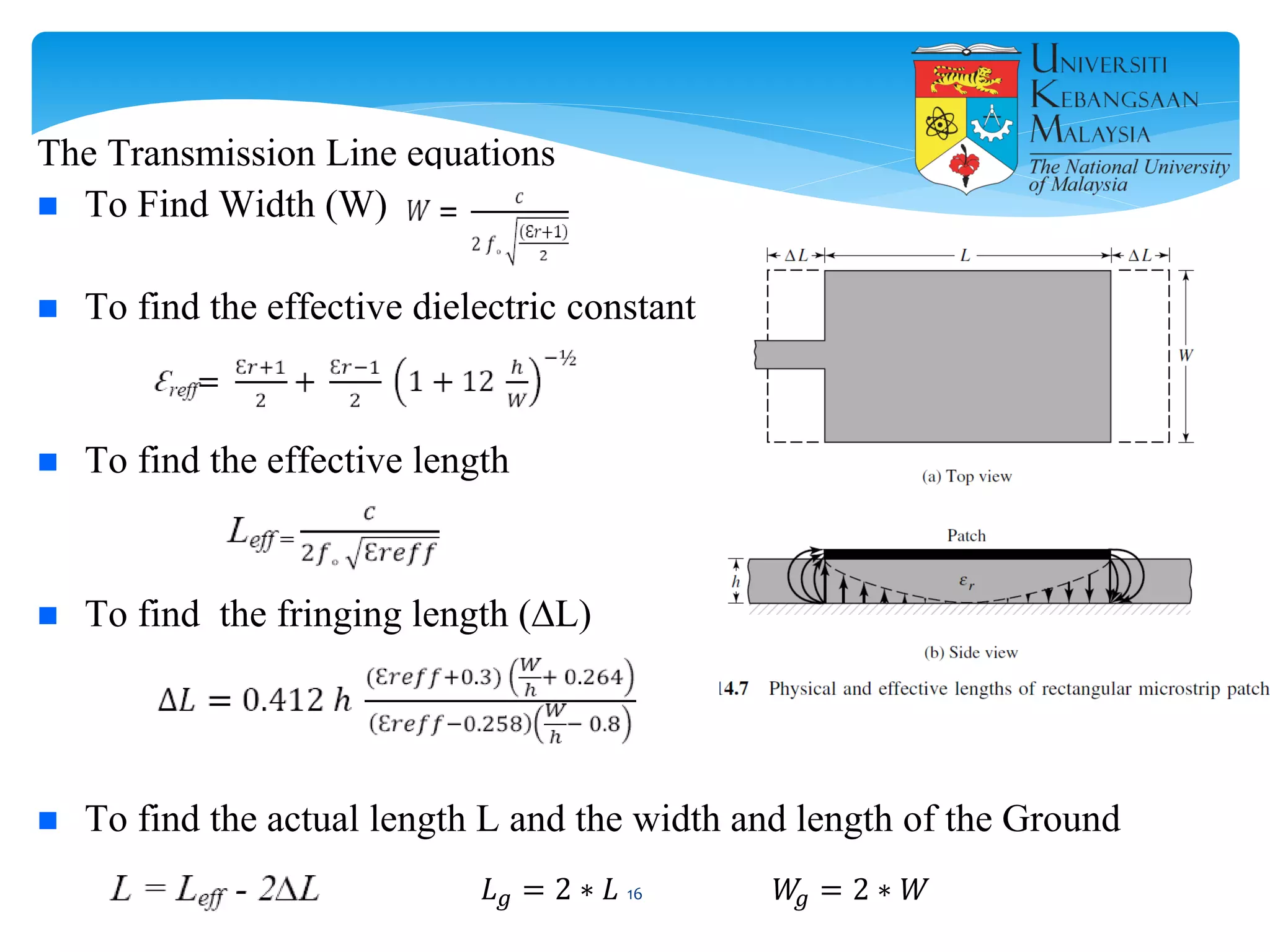
The Transmission Line equations
 To Find Width (W)
 To find the effective dielectric constant
 To find the effective length
 To find the fringing length (∆L)
 To find the actual length L and the width and length of the Ground
𝐿 𝑔 = 2 ∗ 𝐿 𝑊𝑔 = 2 ∗ 𝑊16
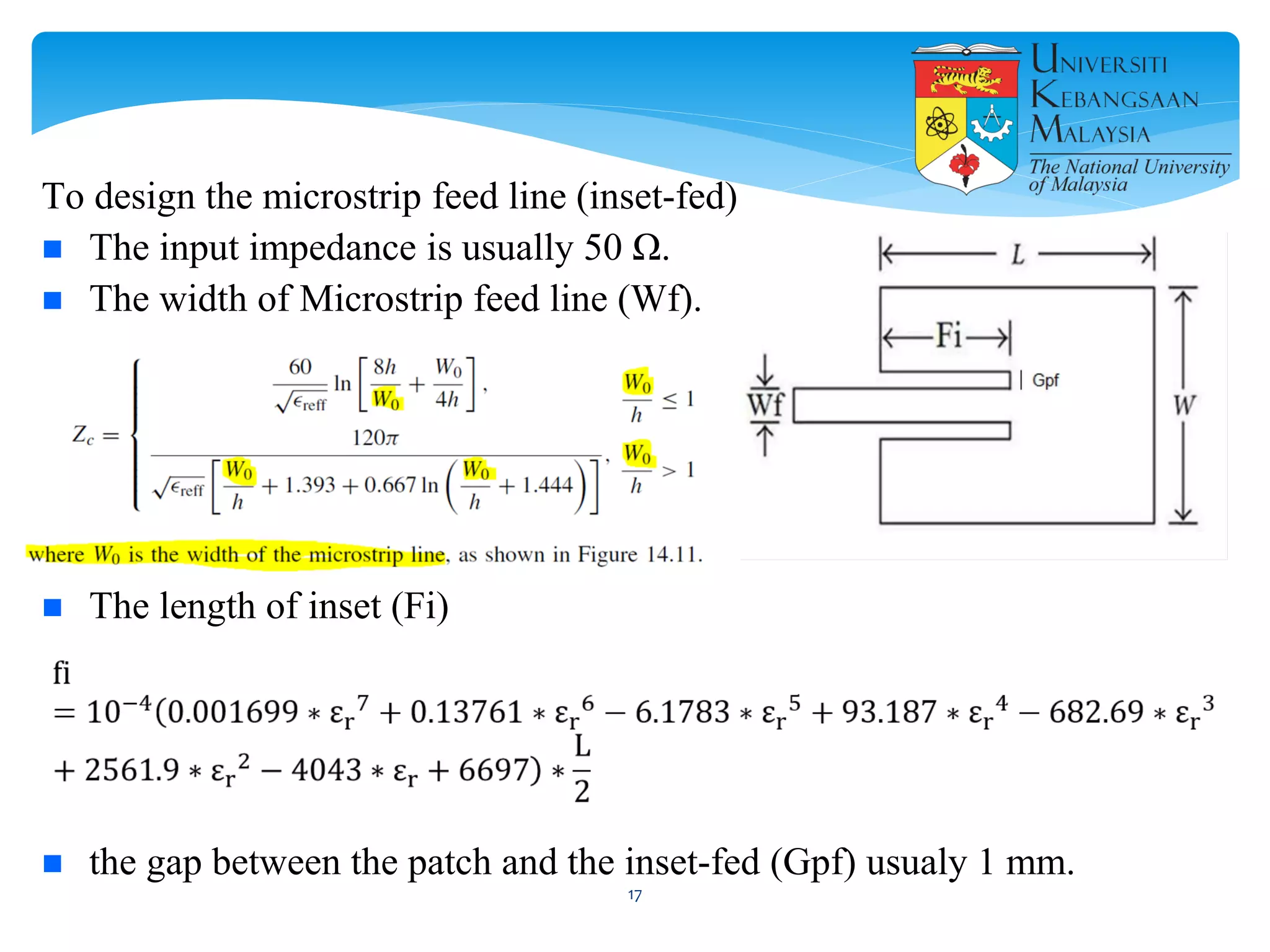
To design the microstrip feed line (inset-fed)
 The input impedance is usually 50 Ω.
 The width of Microstrip feed line (Wf).
 The length of inset (Fi)
 the gap between the patch and the inset-fed (Gpf) usualy 1 mm.
17
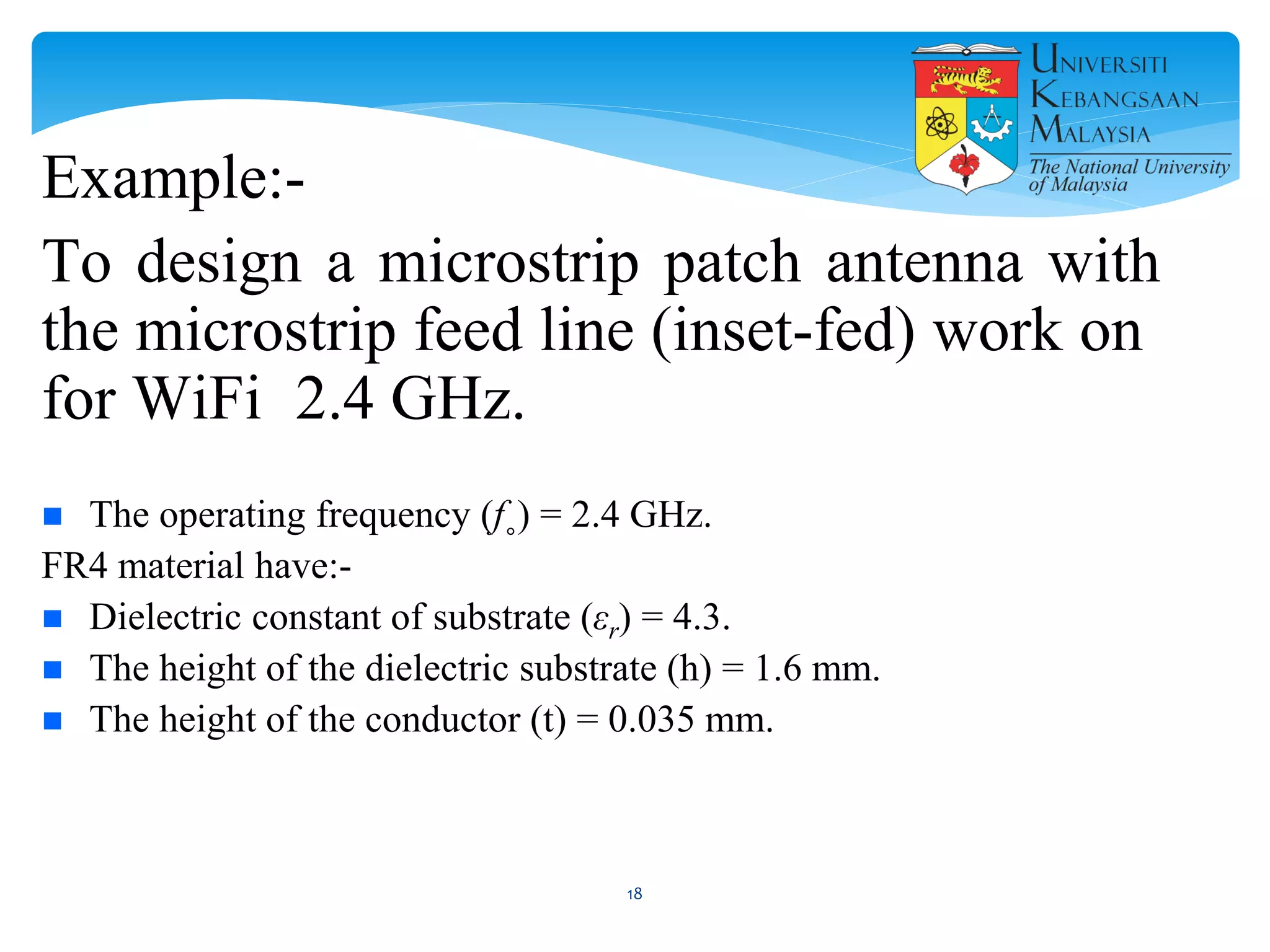
Example:-
To design a microstrip patch antenna with
the microstrip feed line (inset-fed) work on
for WiFi 2.4 GHz.
 The operating frequency (f˳) = 2.4 GHz.
FR4 material have:-
 Dielectric constant of substrate (εr) = 4.3.
 The height of the dielectric substrate (h) = 1.6 mm.
 The height of the conductor (t) = 0.035 mm.
18
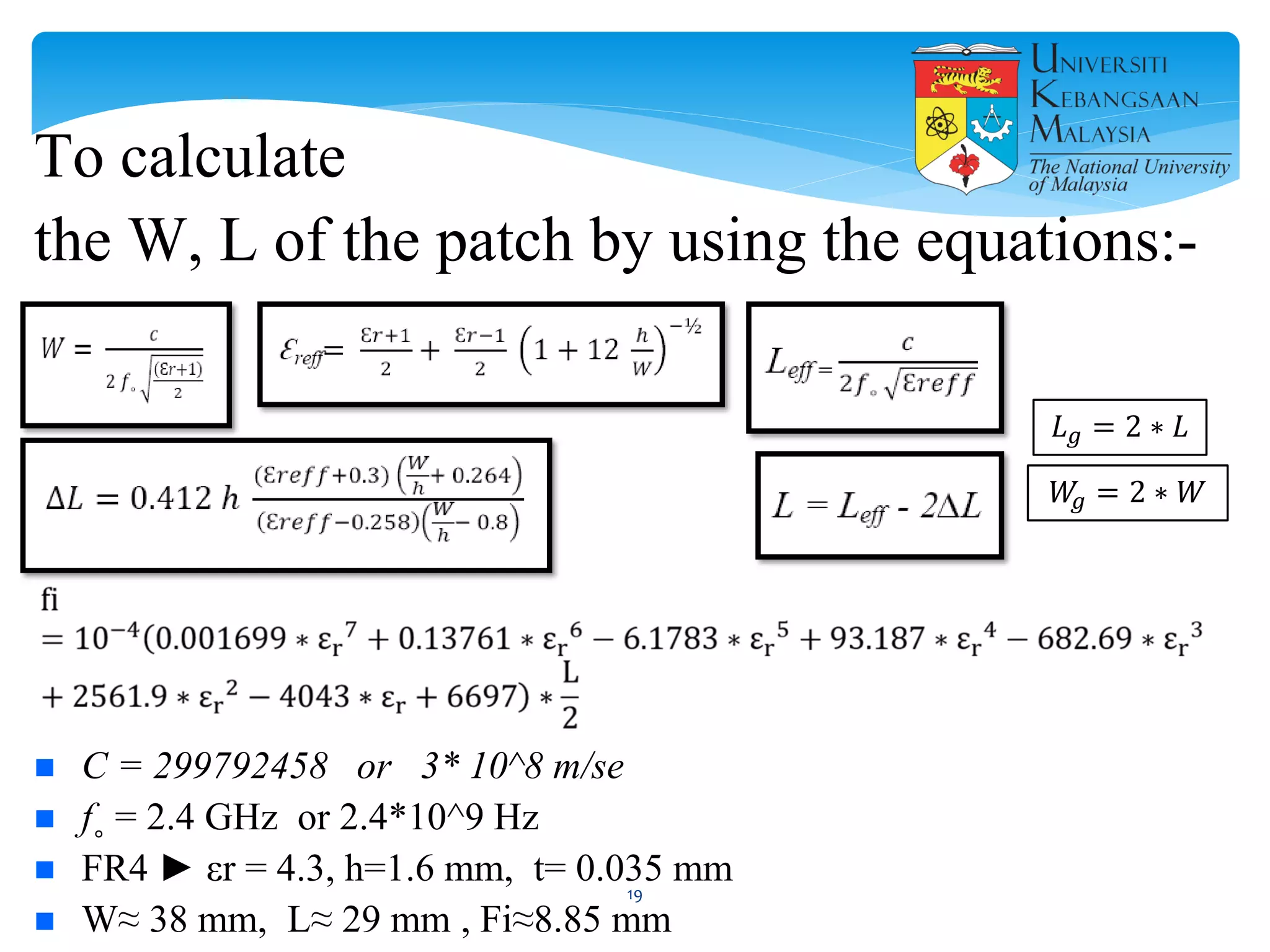
To calculate
the W, L of the patch by using the equations:-
 C = 299792458 or 3* 10^8 m/se
 f˳ = 2.4 GHz or 2.4*10^9 Hz
 FR4 ► εr = 4.3, h=1.6 mm, t= 0.035 mm
 W≈ 38 mm, L≈ 29 mm , Fi≈8.85 mm
𝐿 𝑔 = 2 ∗ 𝐿
𝑊𝑔 = 2 ∗ 𝑊
19
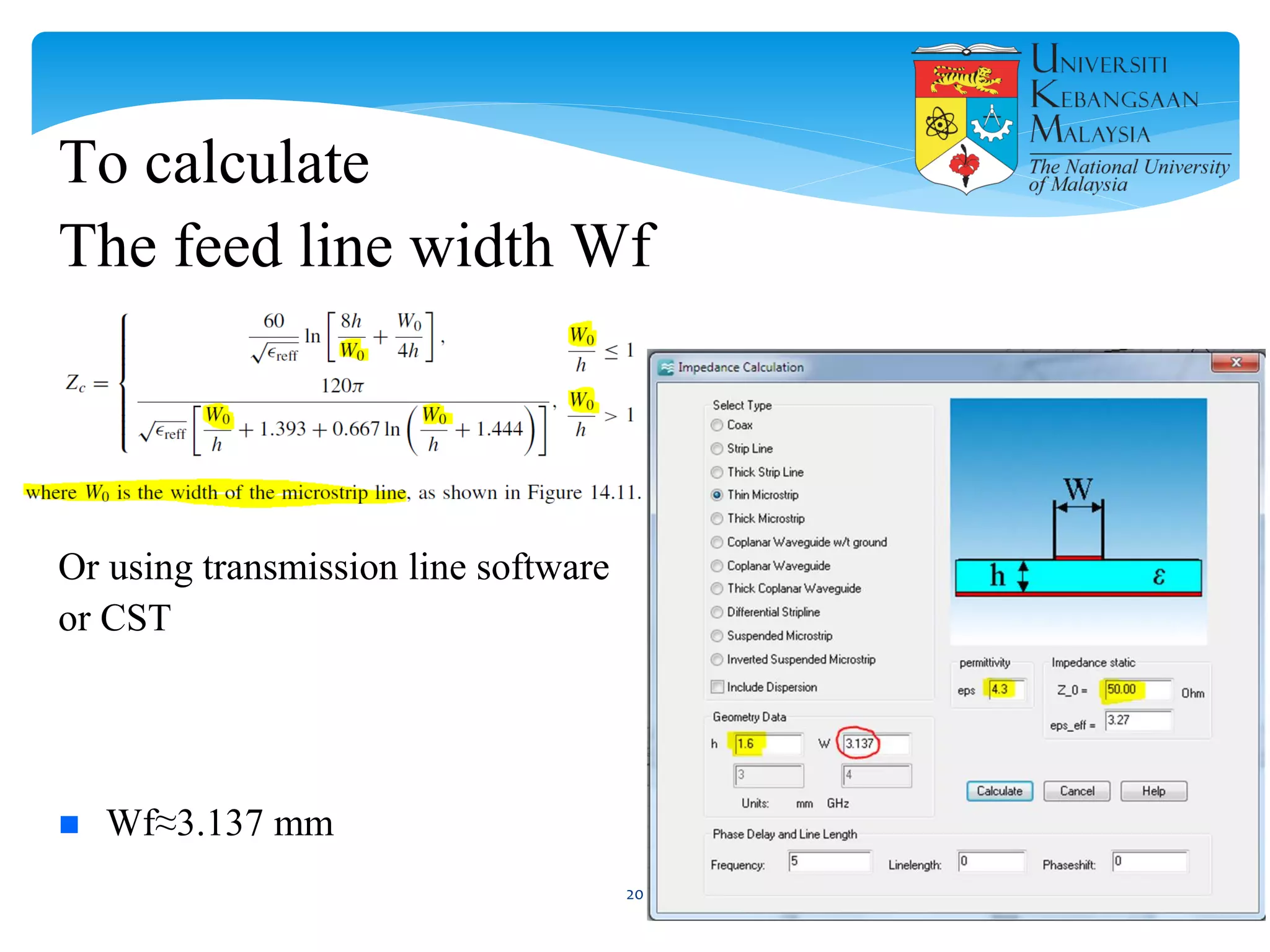
To calculate
The feed line width Wf
Or using transmission line software
or CST
 Wf≈3.137 mm
20
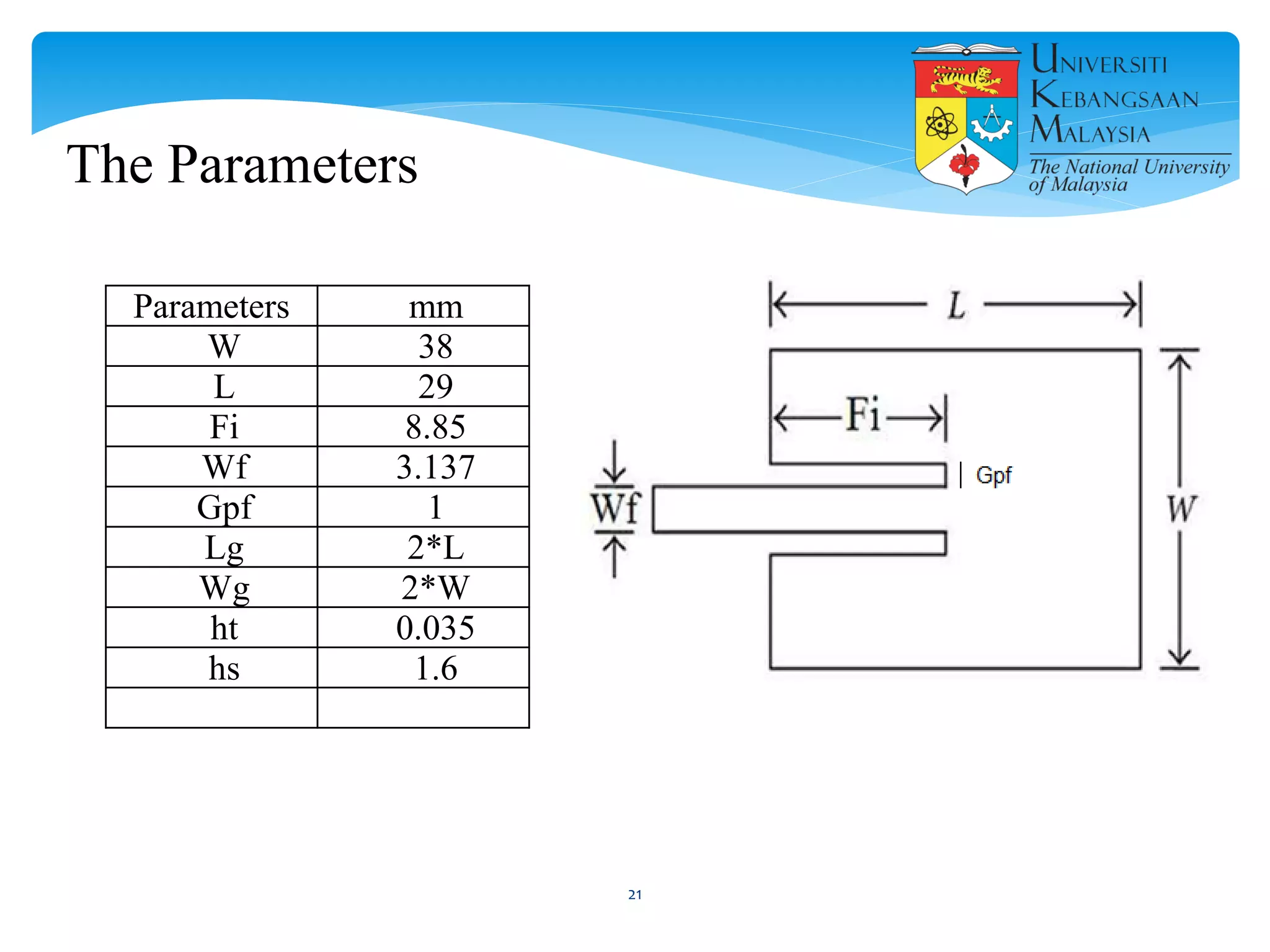
Parameters mm
W 38
L 29
Fi 8.85
Wf 3.137
Gpf 1
Lg 2*L
Wg 2*W
ht 0.035
hs 1.6
The Parameters
21
22
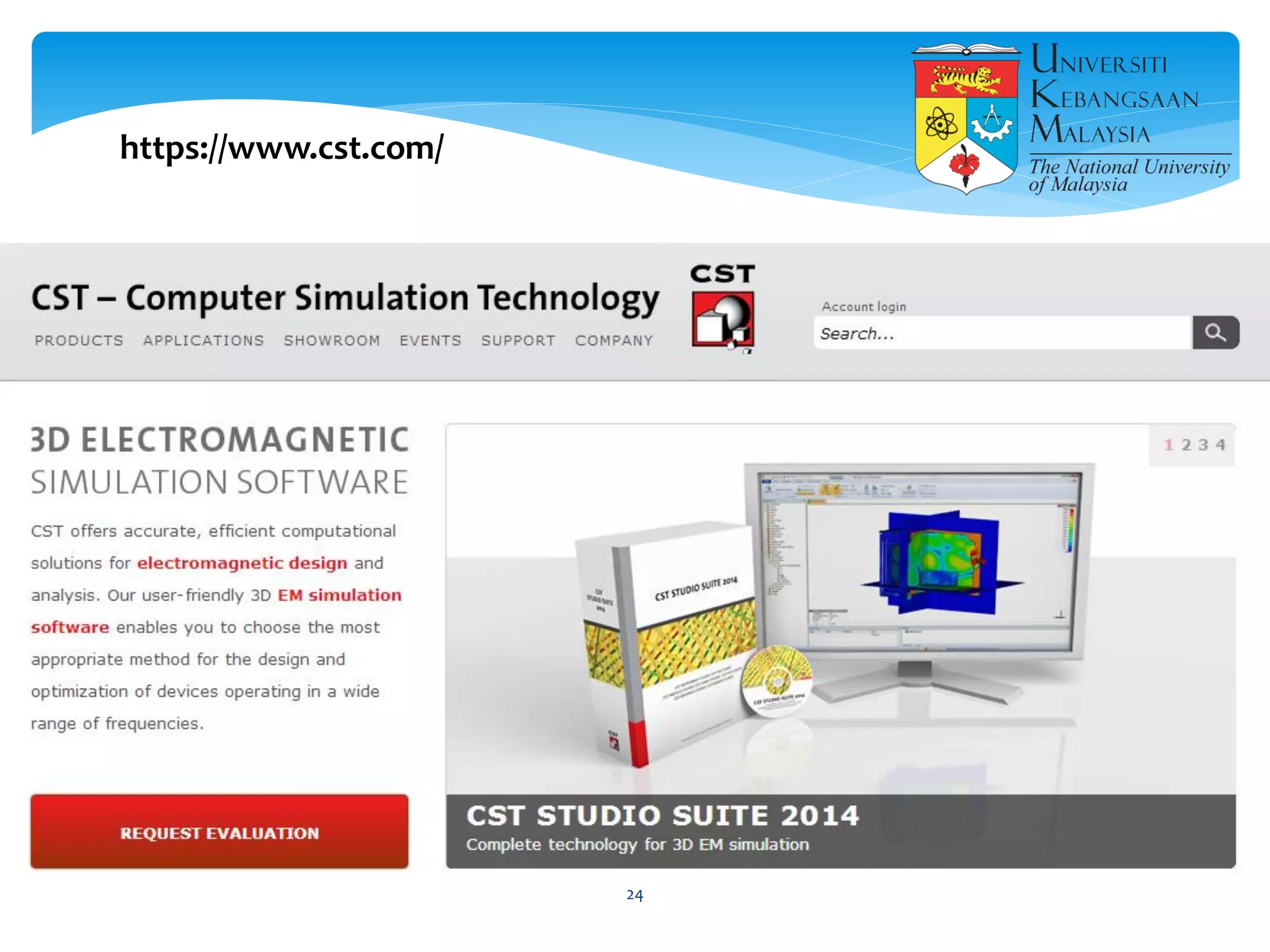
https://www.cst.com/
23
https://www.cst.com/
24
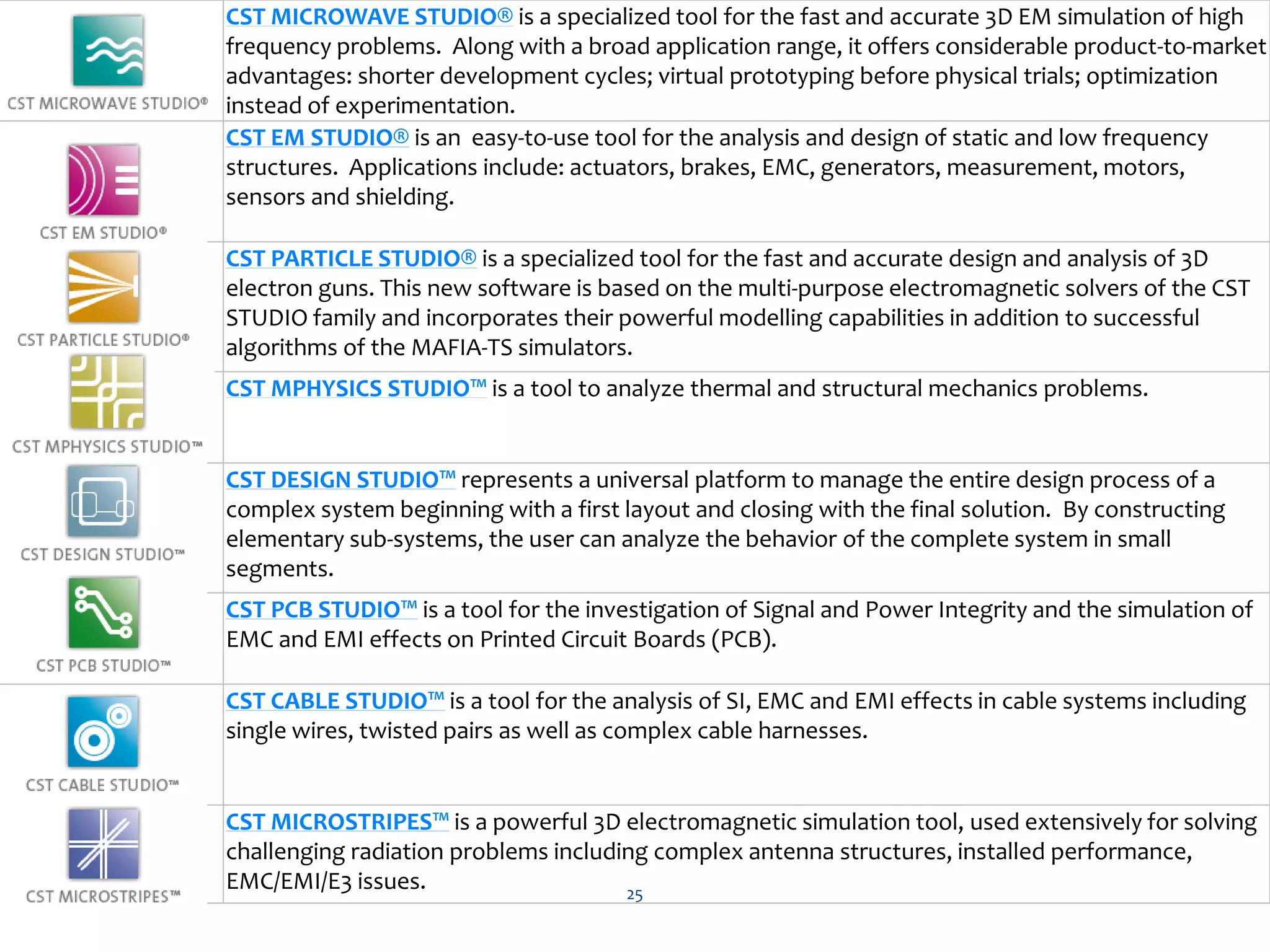
CST MICROWAVE STUDIO® is a specialized tool for the fast and accurate 3D EM simulation of high
frequency problems. Along with a broad application range, it offers considerable product-to-market
advantages: shorter development cycles; virtual prototyping before physical trials; optimization
instead of experimentation.
CST EM STUDIO® is an easy-to-use tool for the analysis and design of static and low frequency
structures. Applications include: actuators, brakes, EMC, generators, measurement, motors,
sensors and shielding.
CST PARTICLE STUDIO® is a specialized tool for the fast and accurate design and analysis of 3D
electron guns. This new software is based on the multi-purpose electromagnetic solvers of the CST
STUDIO family and incorporates their powerful modelling capabilities in addition to successful
algorithms of the MAFIA-TS simulators.
CST MPHYSICS STUDIO™ is a tool to analyze thermal and structural mechanics problems.
CST DESIGN STUDIO™ represents a universal platform to manage the entire design process of a
complex system beginning with a first layout and closing with the final solution. By constructing
elementary sub-systems, the user can analyze the behavior of the complete system in small
segments.
CST PCB STUDIO™ is a tool for the investigation of Signal and Power Integrity and the simulation of
EMC and EMI effects on Printed Circuit Boards (PCB).
CST CABLE STUDIO™ is a tool for the analysis of SI, EMC and EMI effects in cable systems including
single wires, twisted pairs as well as complex cable harnesses.
CST MICROSTRIPES™ is a powerful 3D electromagnetic simulation tool, used extensively for solving
challenging radiation problems including complex antenna structures, installed performance,
EMC/EMI/E3 issues. 25
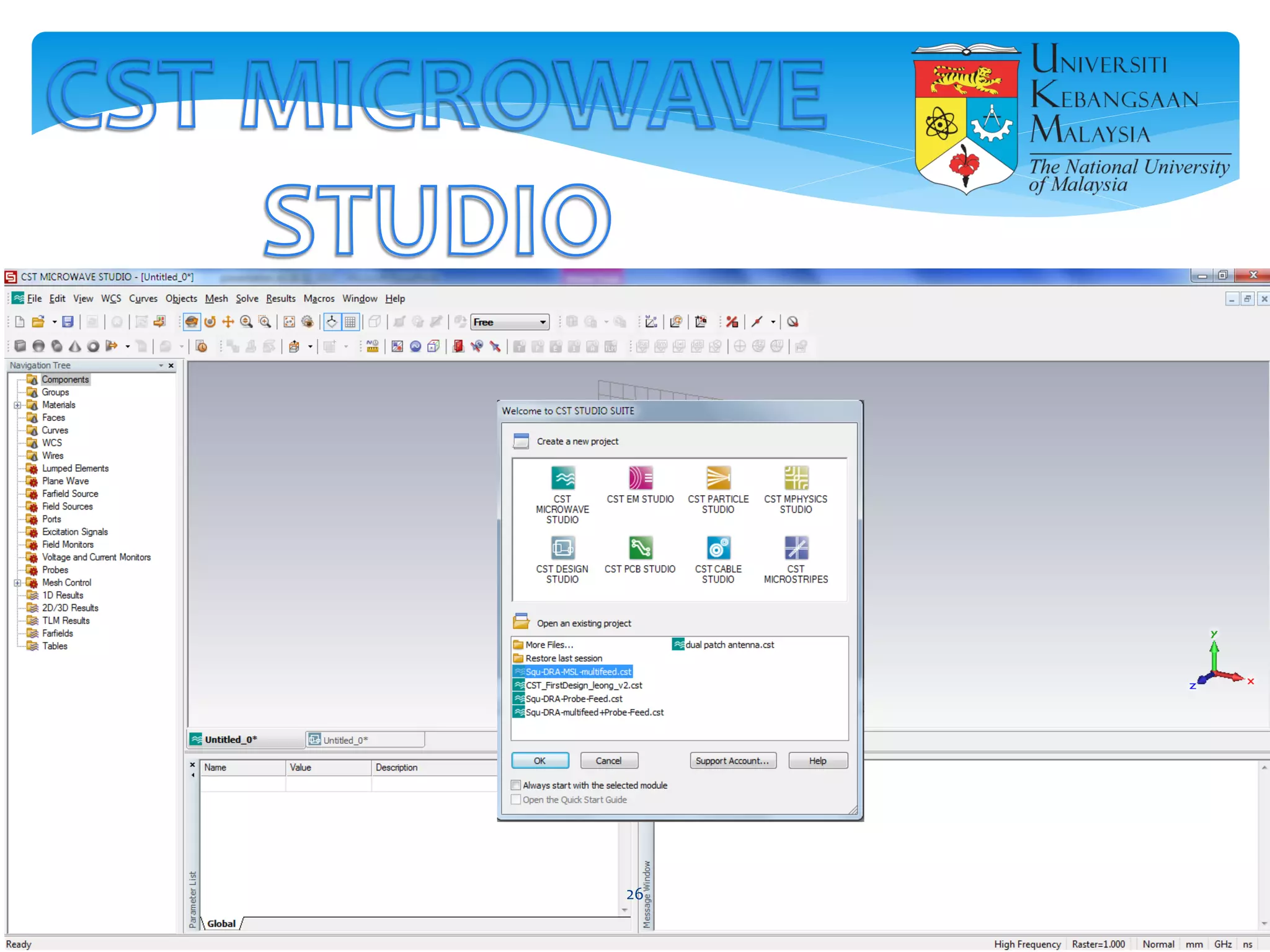
26
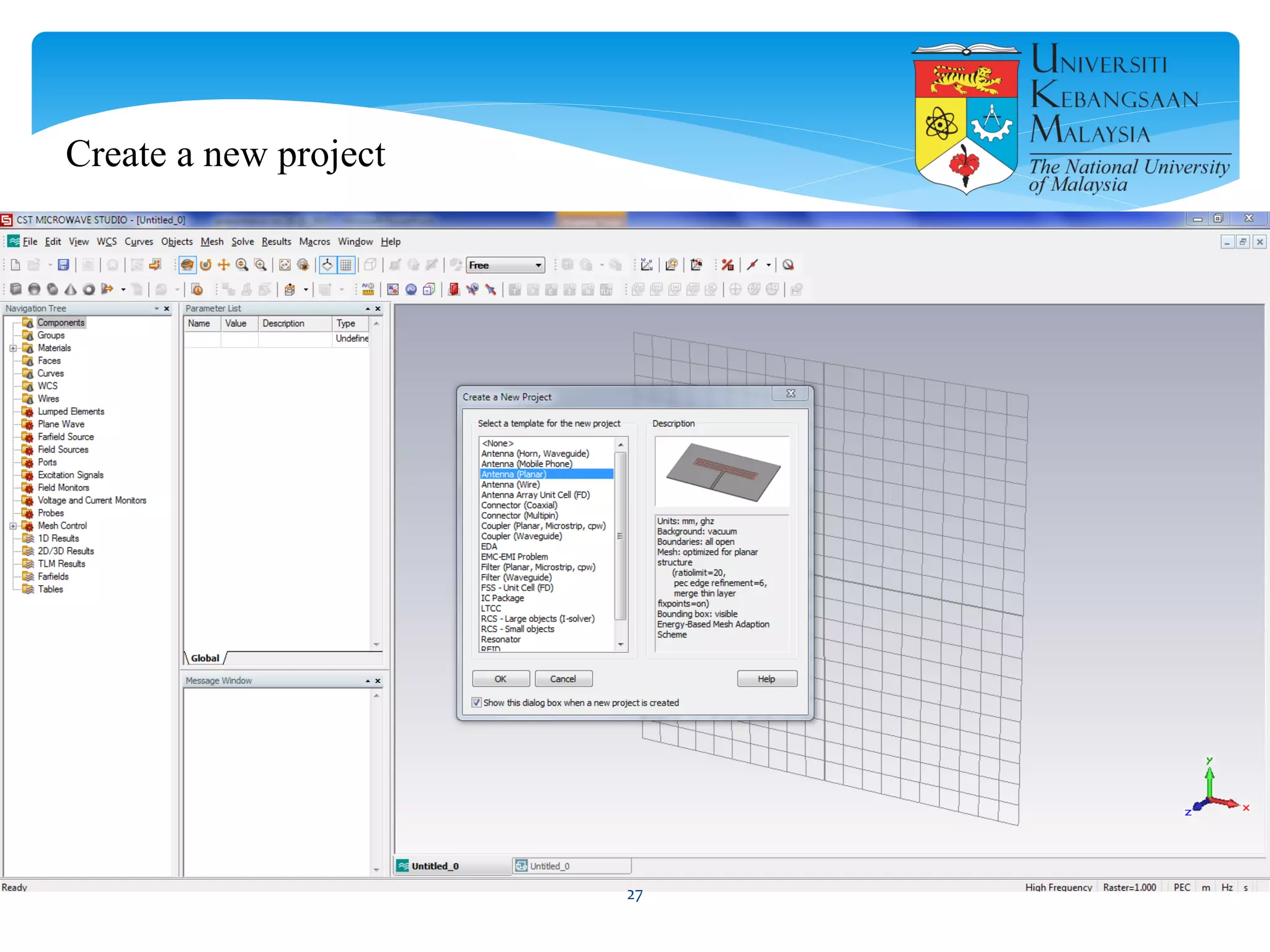
Create a new project
27
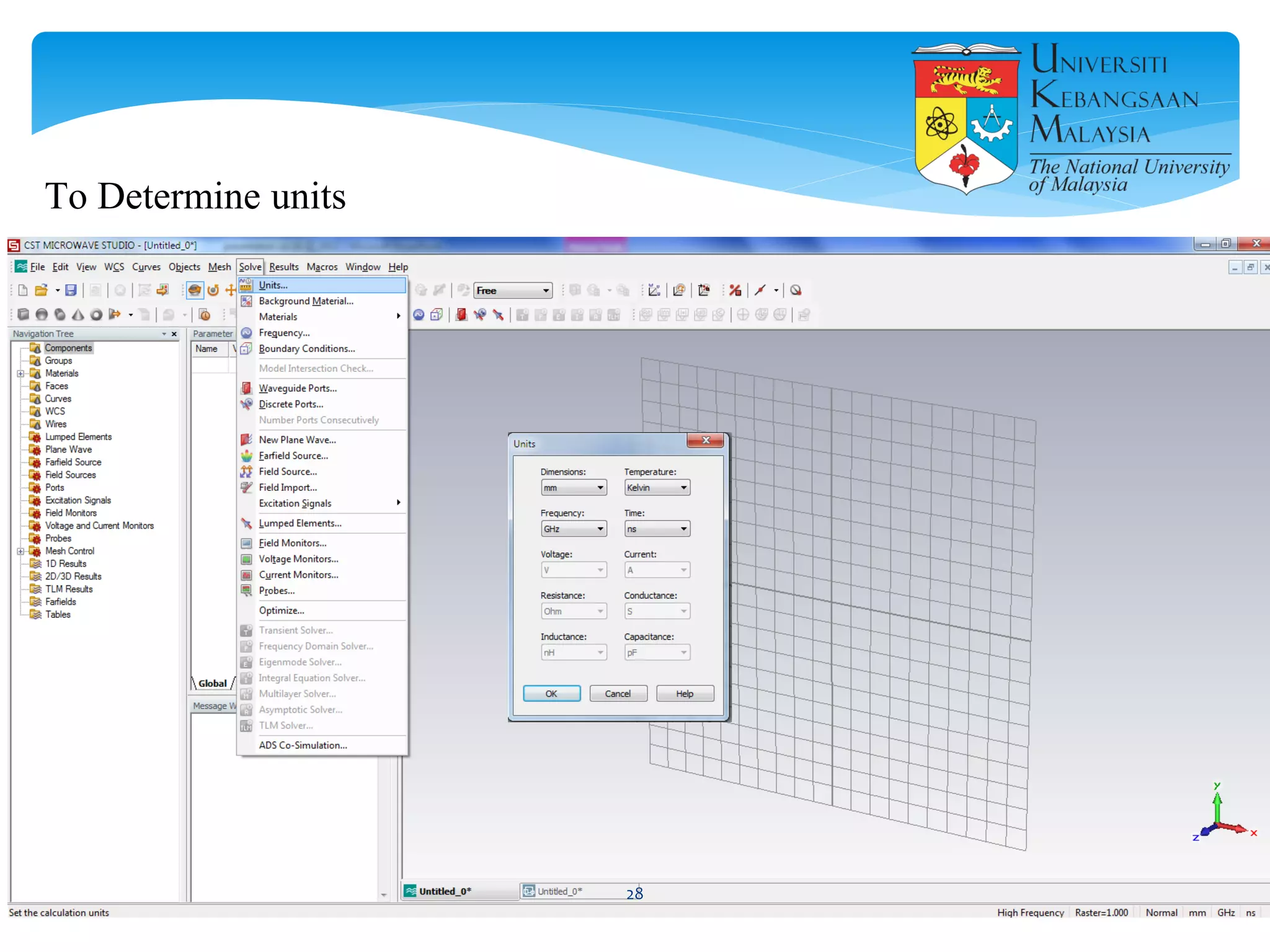
To Determine units
28
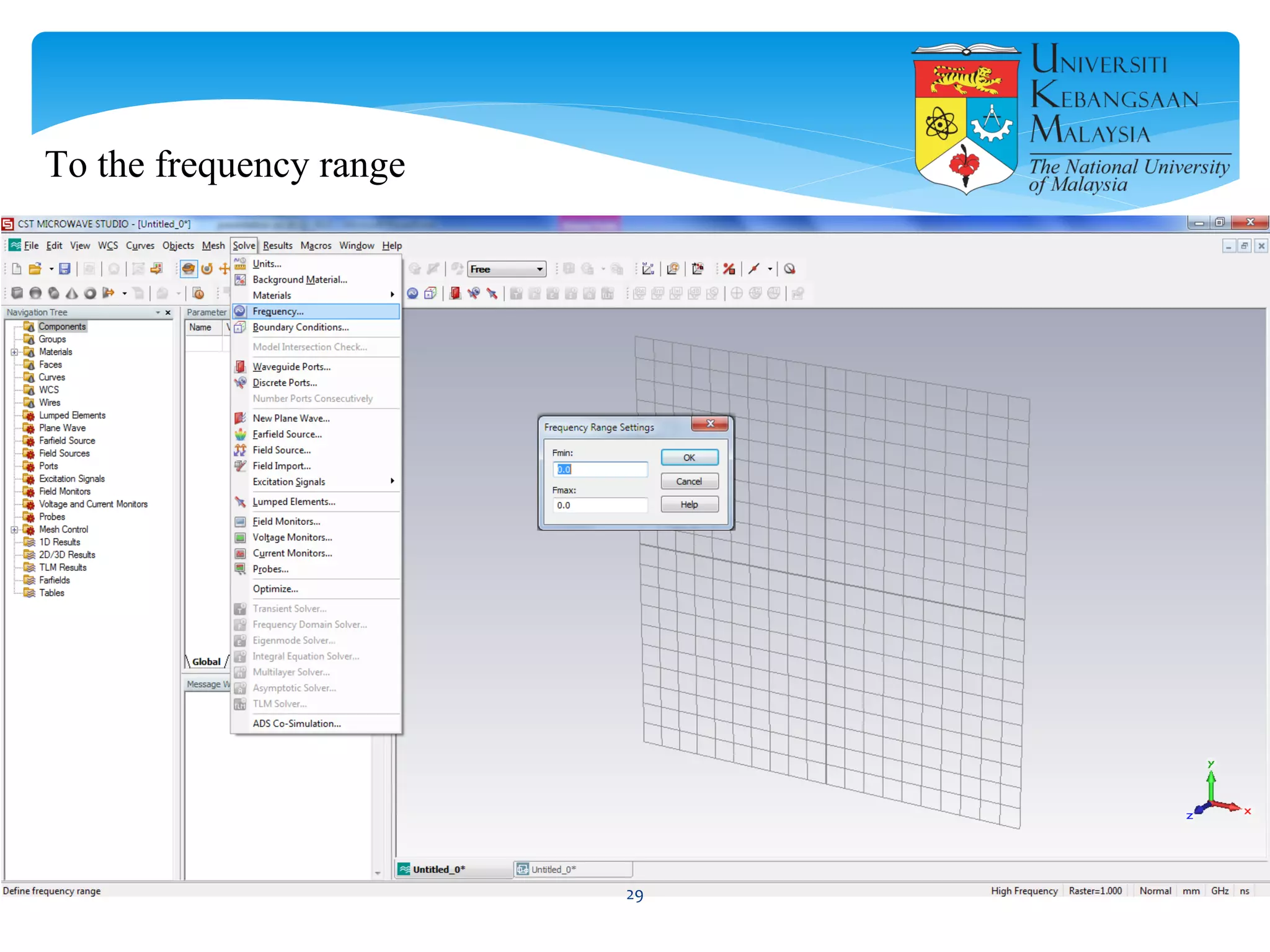
To the frequency range
29
30
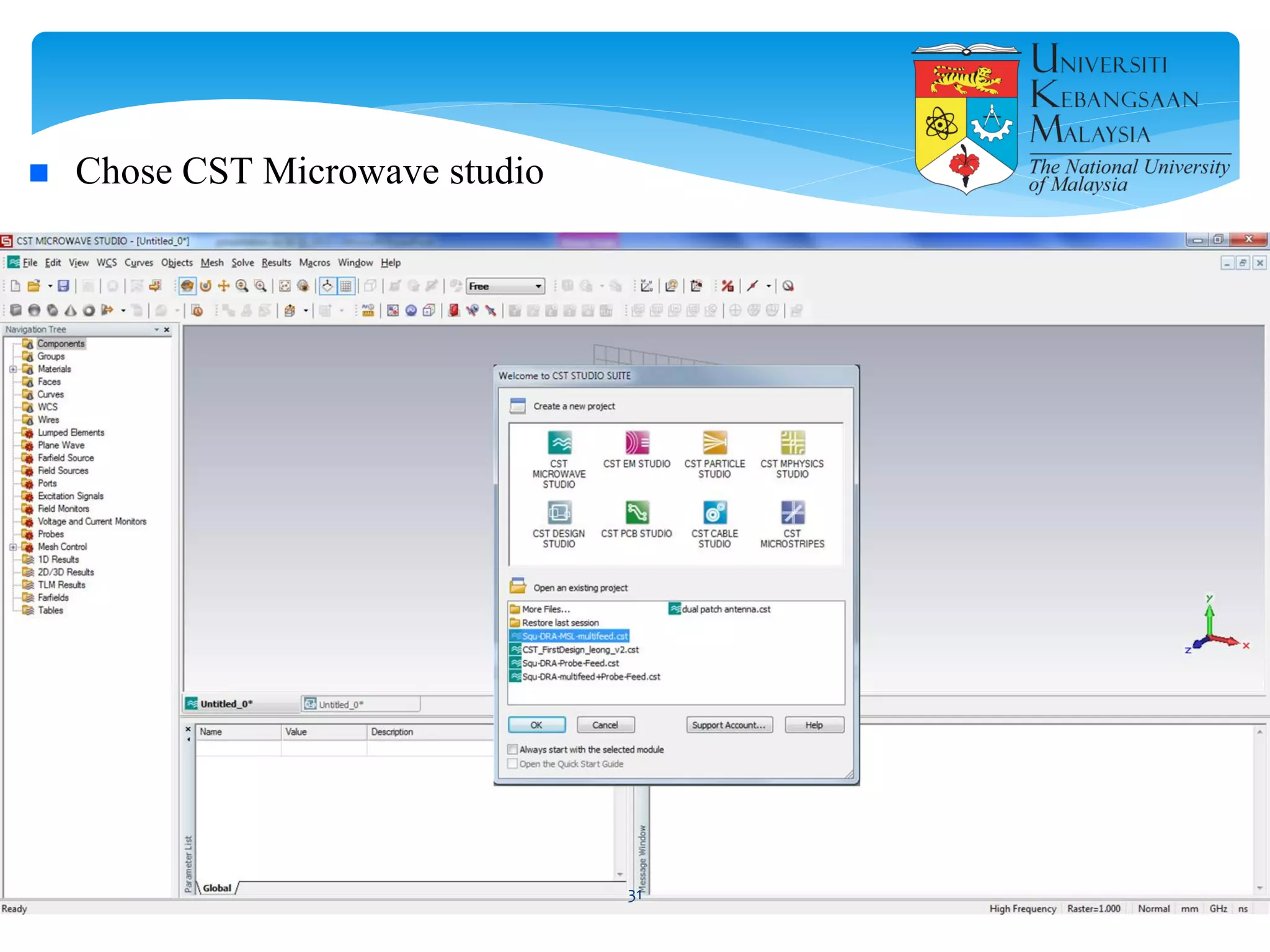
 Chose CST Microwave studio
31
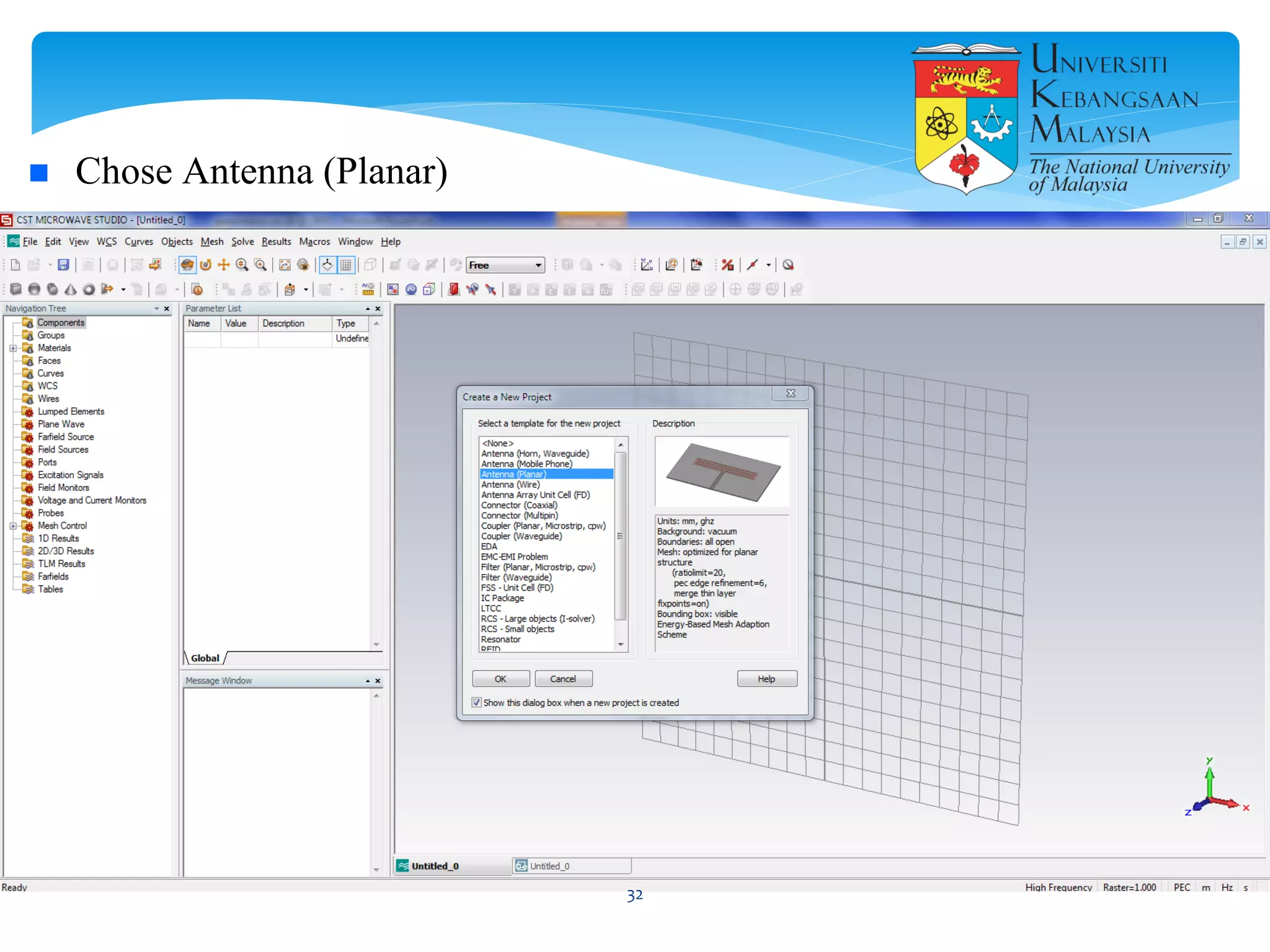
 Chose Antenna (Planar)
32
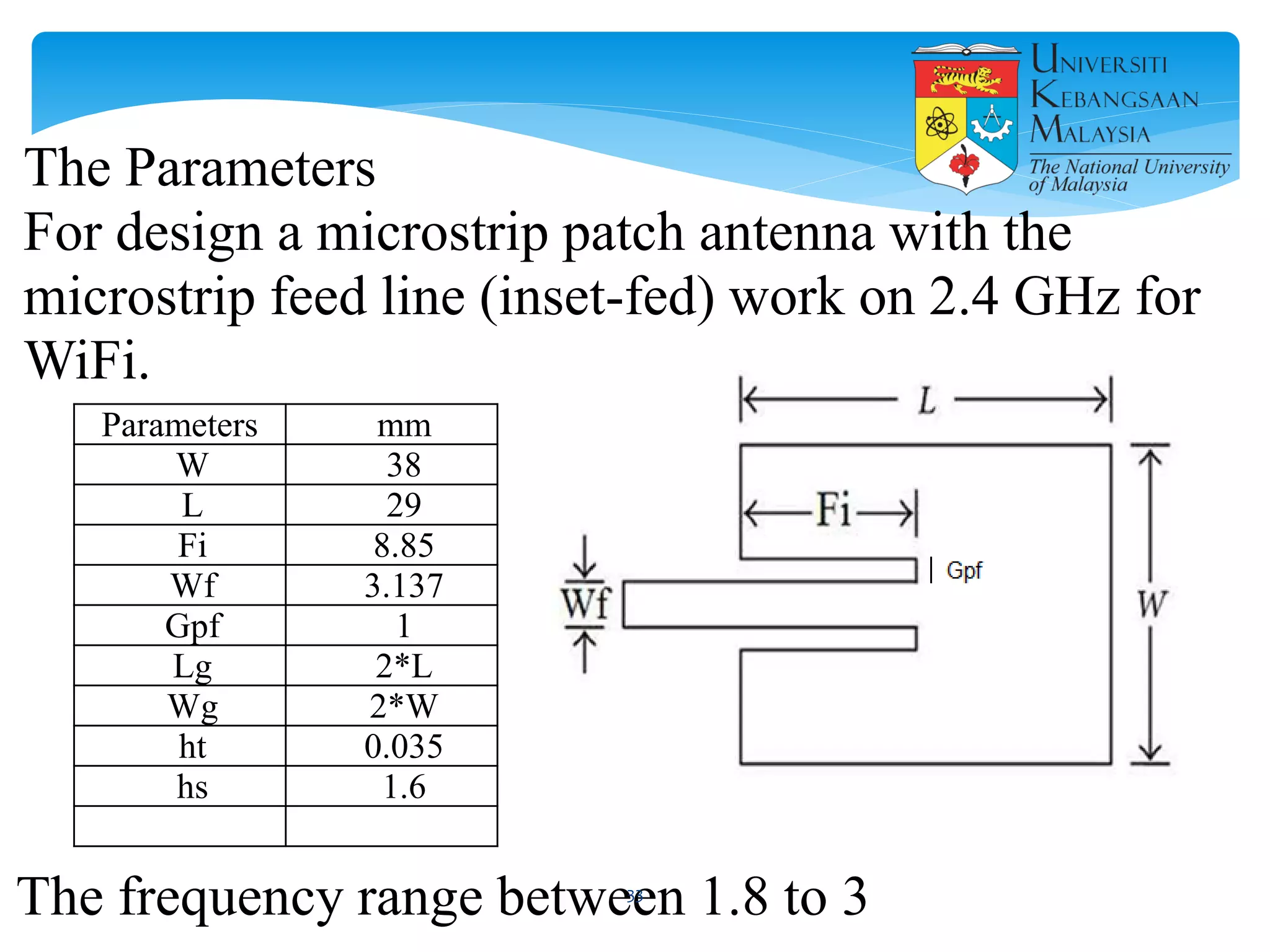
Parameters mm
W 38
L 29
Fi 8.85
Wf 3.137
Gpf 1
Lg 2*L
Wg 2*W
ht 0.035
hs 1.6
The Parameters
For design a microstrip patch antenna with the
microstrip feed line (inset-fed) work on 2.4 GHz for
WiFi.
The frequency range between 1.8 to 333
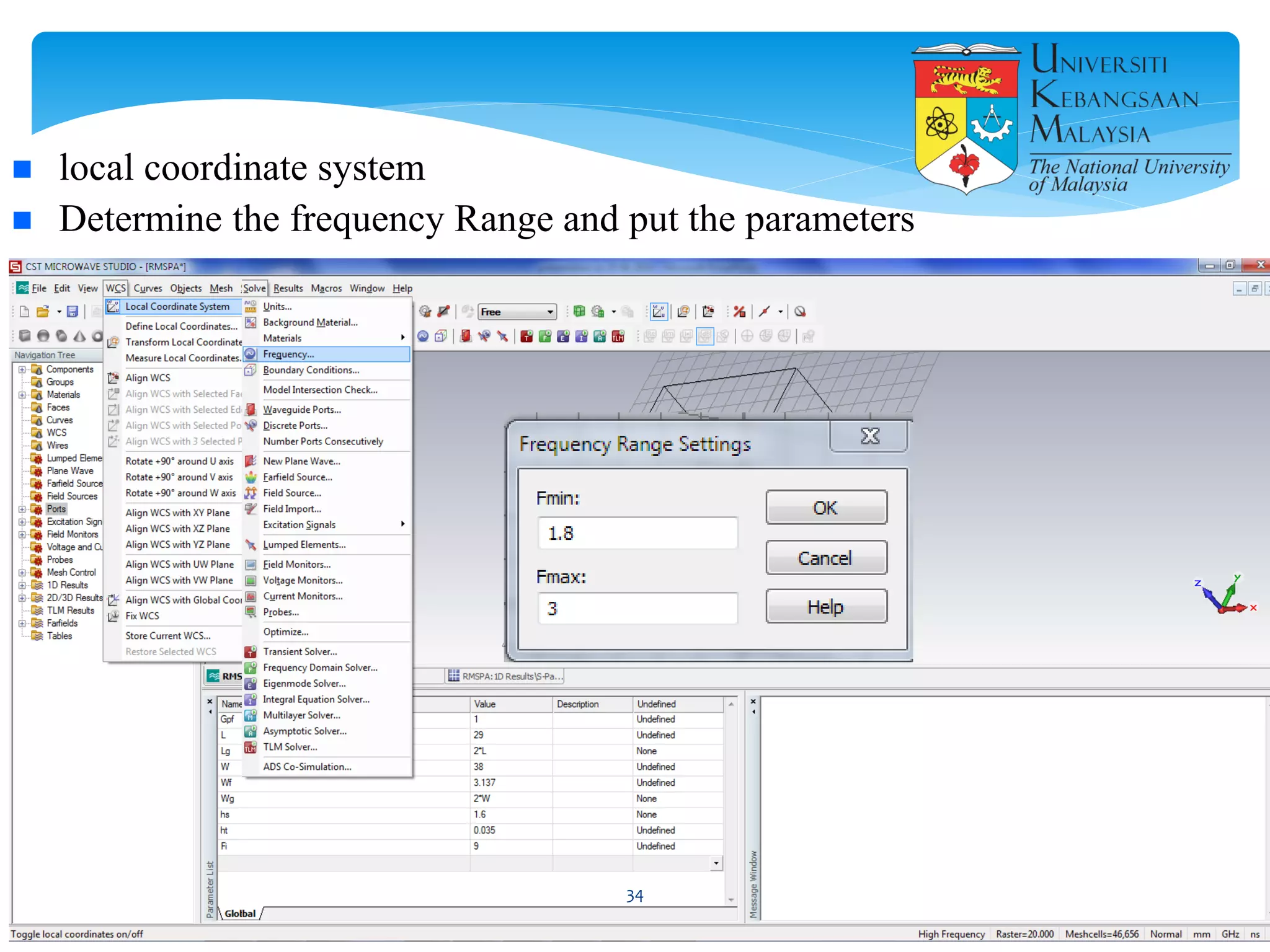
 local coordinate system
 Determine the frequency Range and put the parameters
34
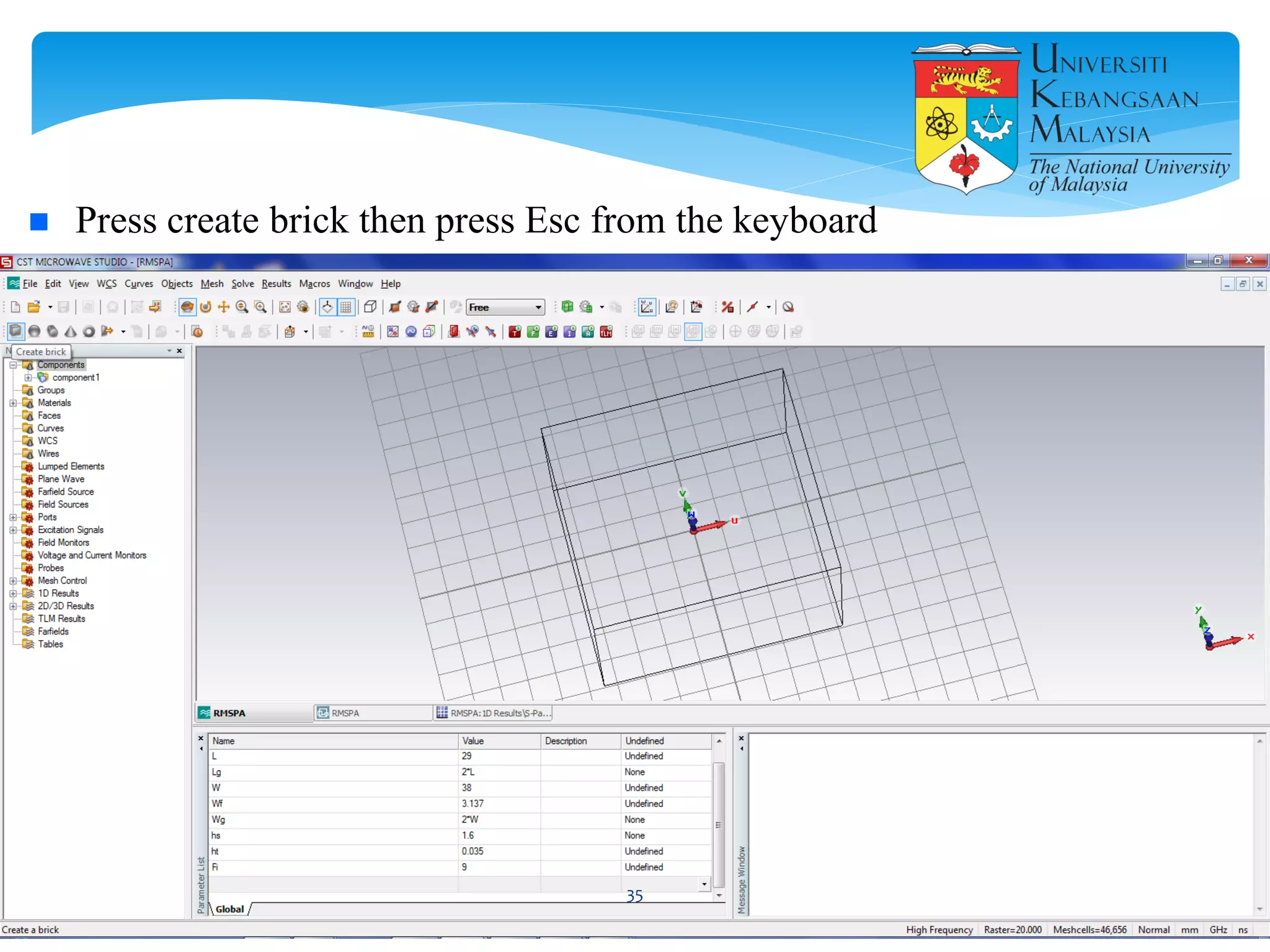
 Press create brick then press Esc from the keyboard
35
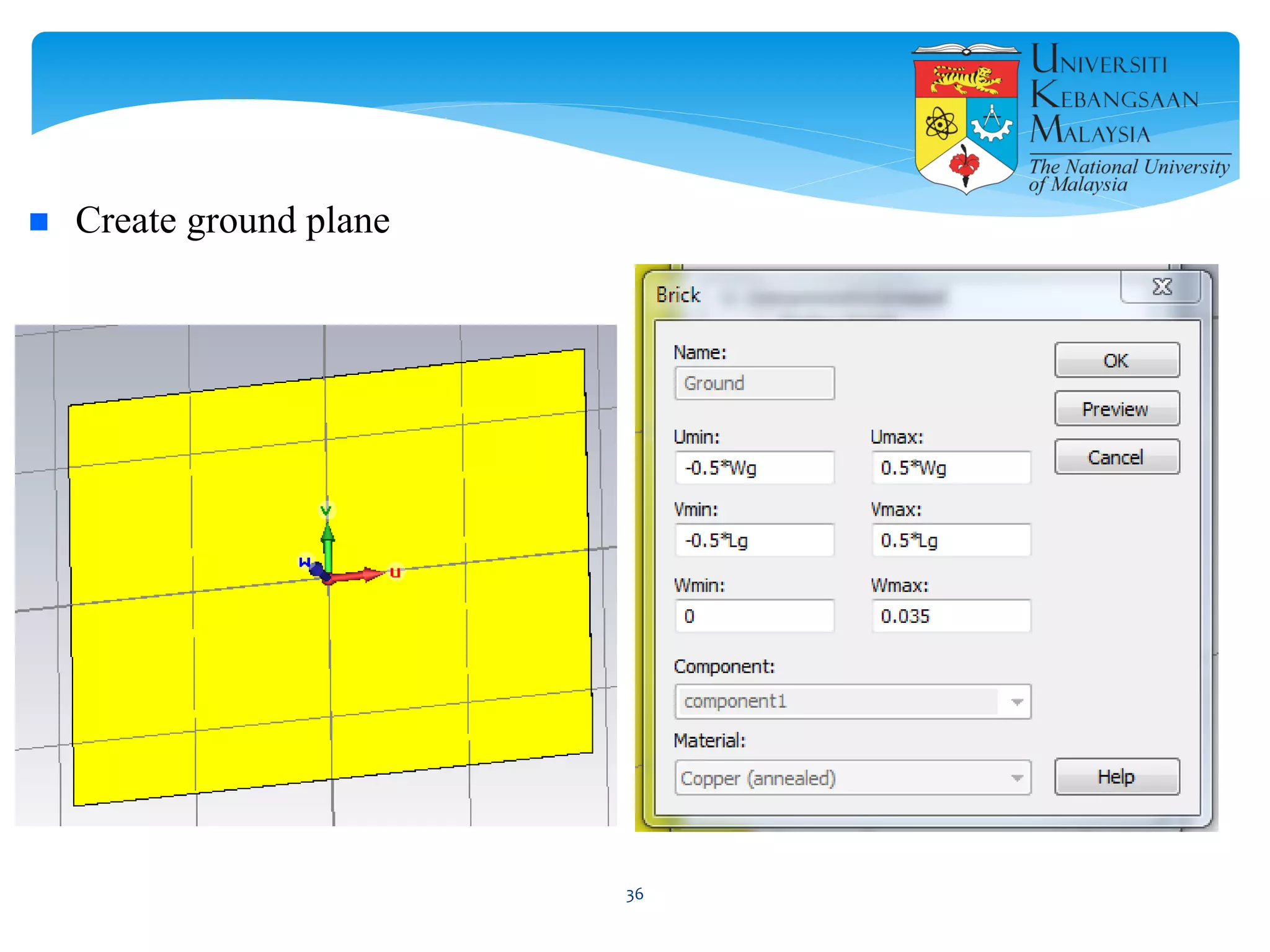
 Create ground plane
36
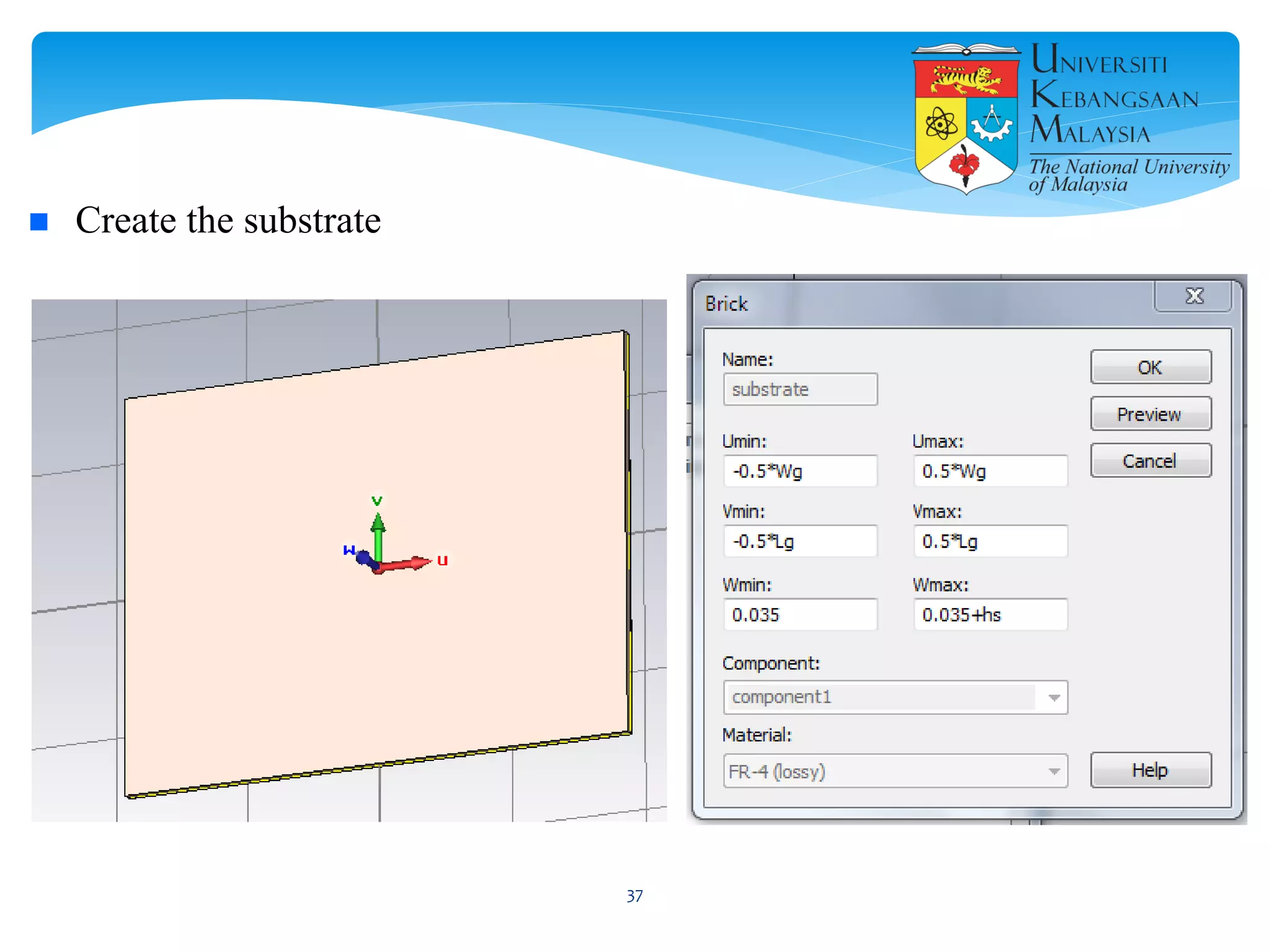
 Create the substrate
37
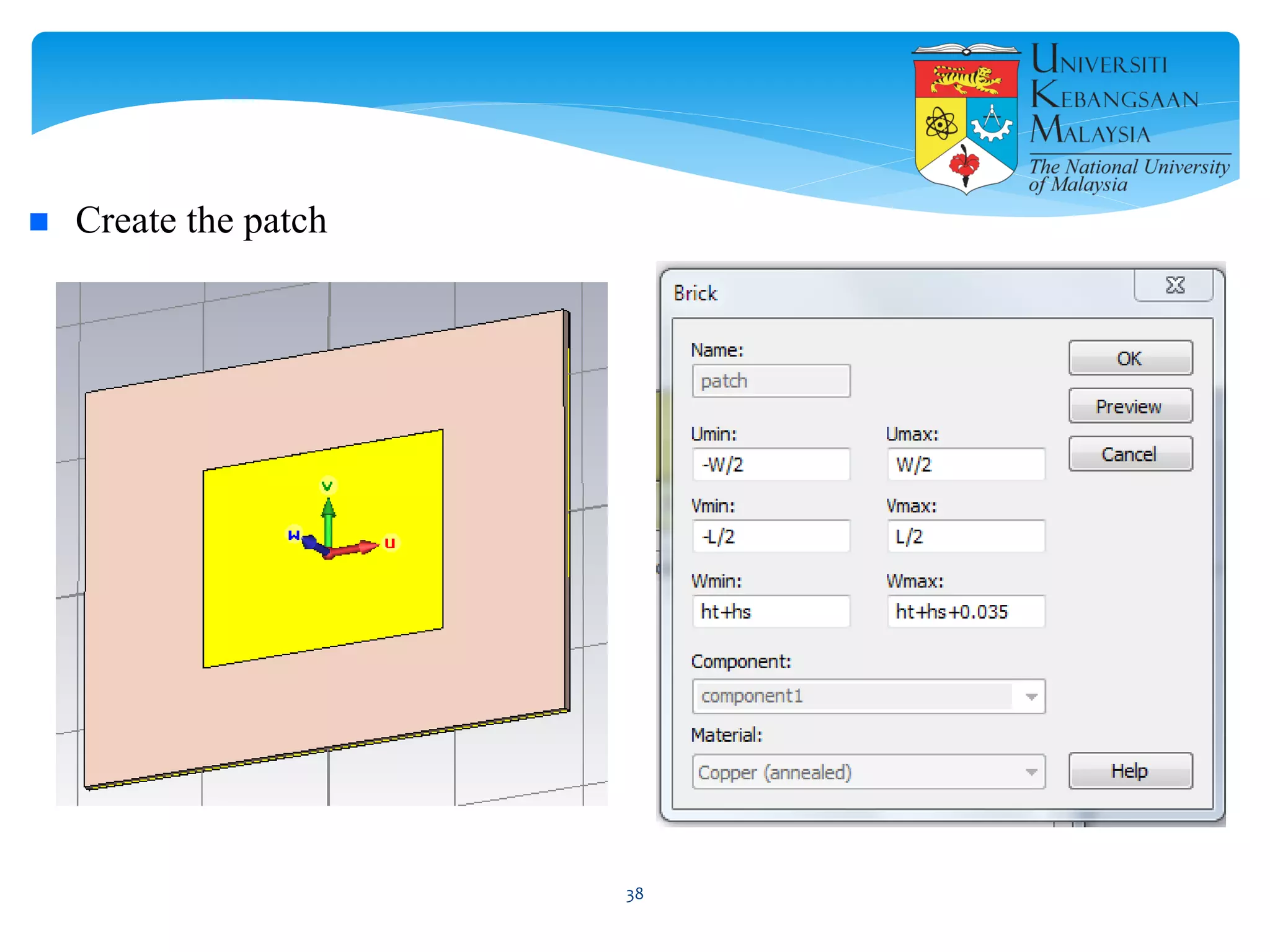
 Create the patch
38
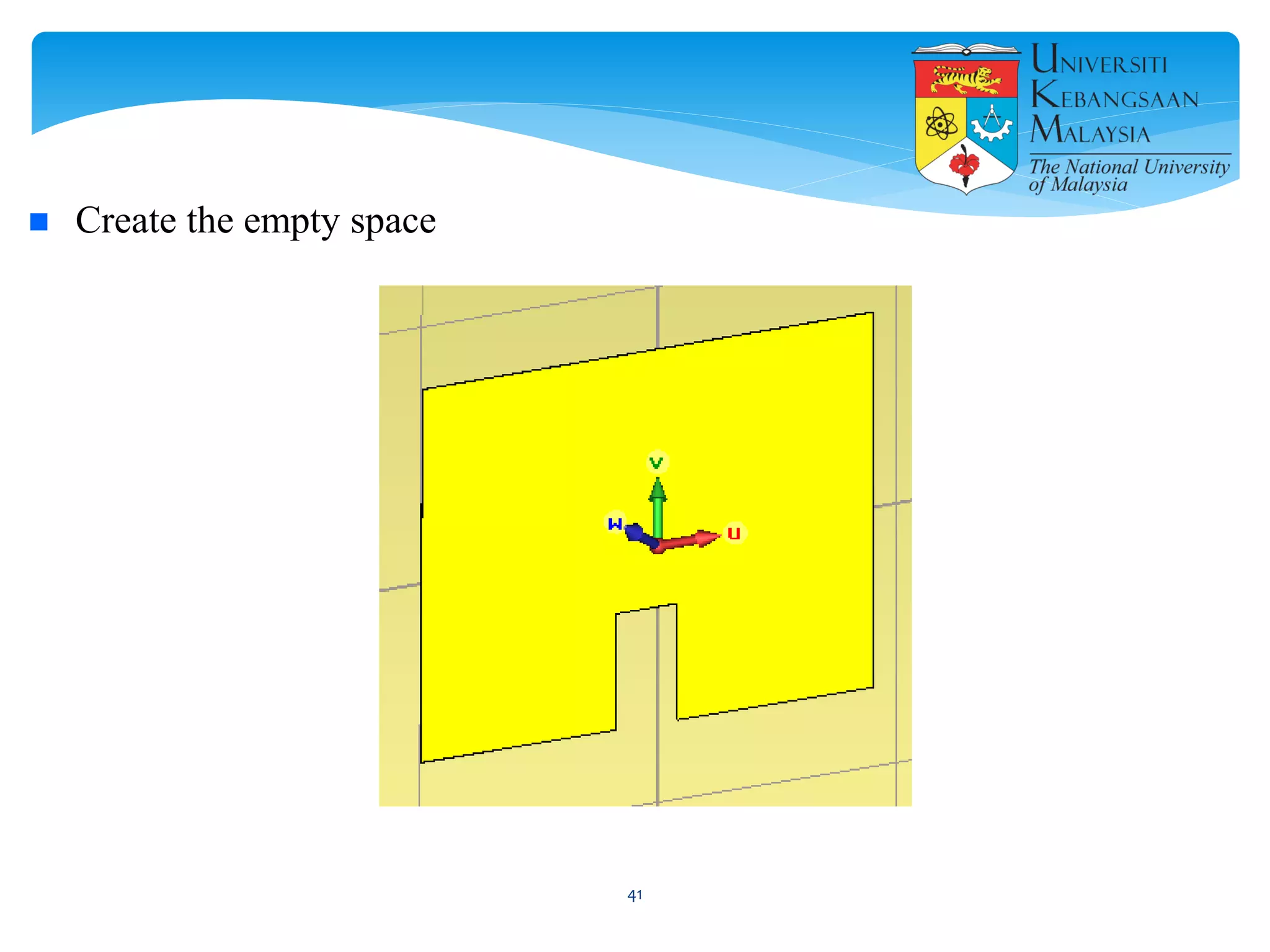
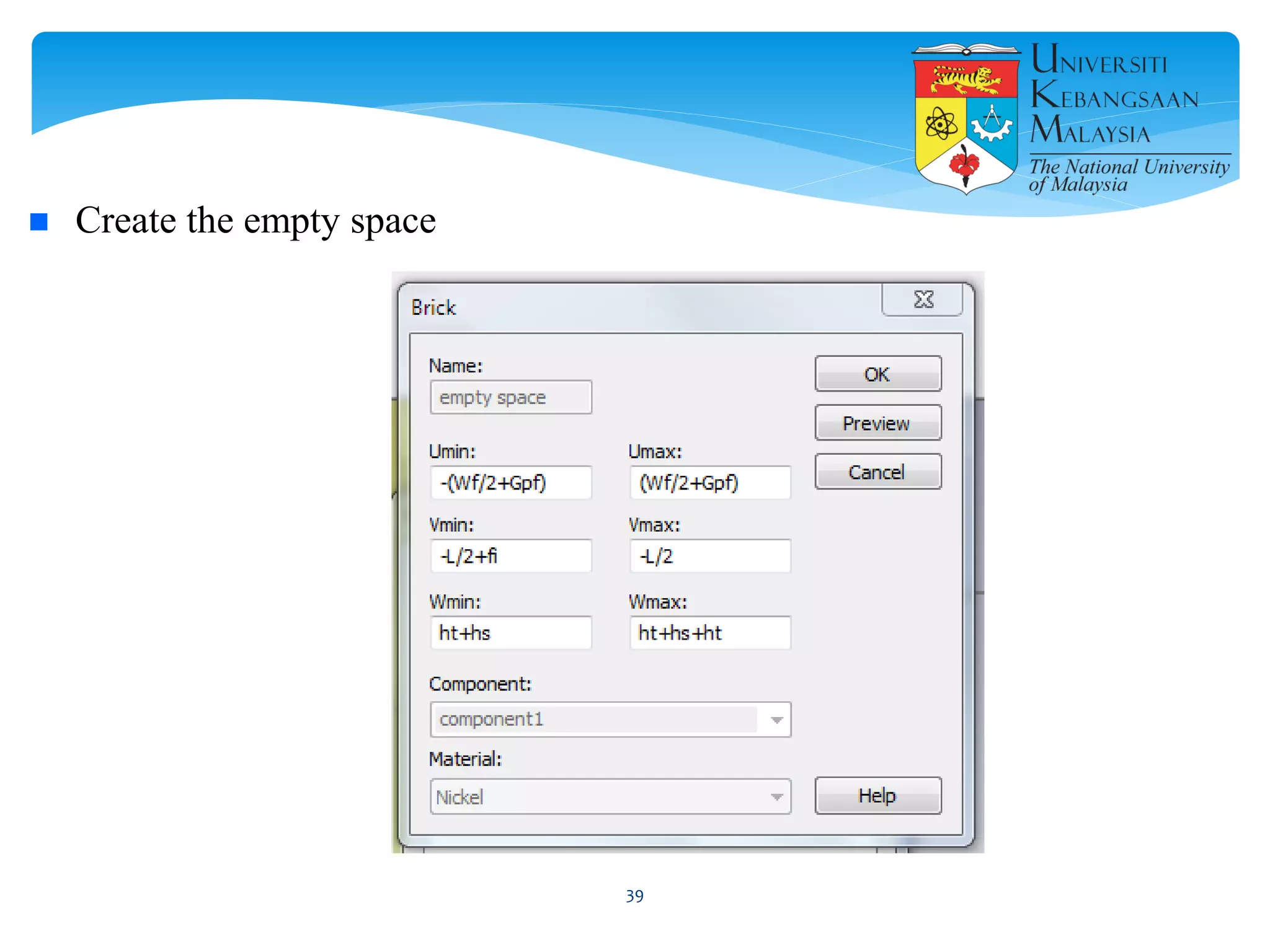
 Create the empty space
39
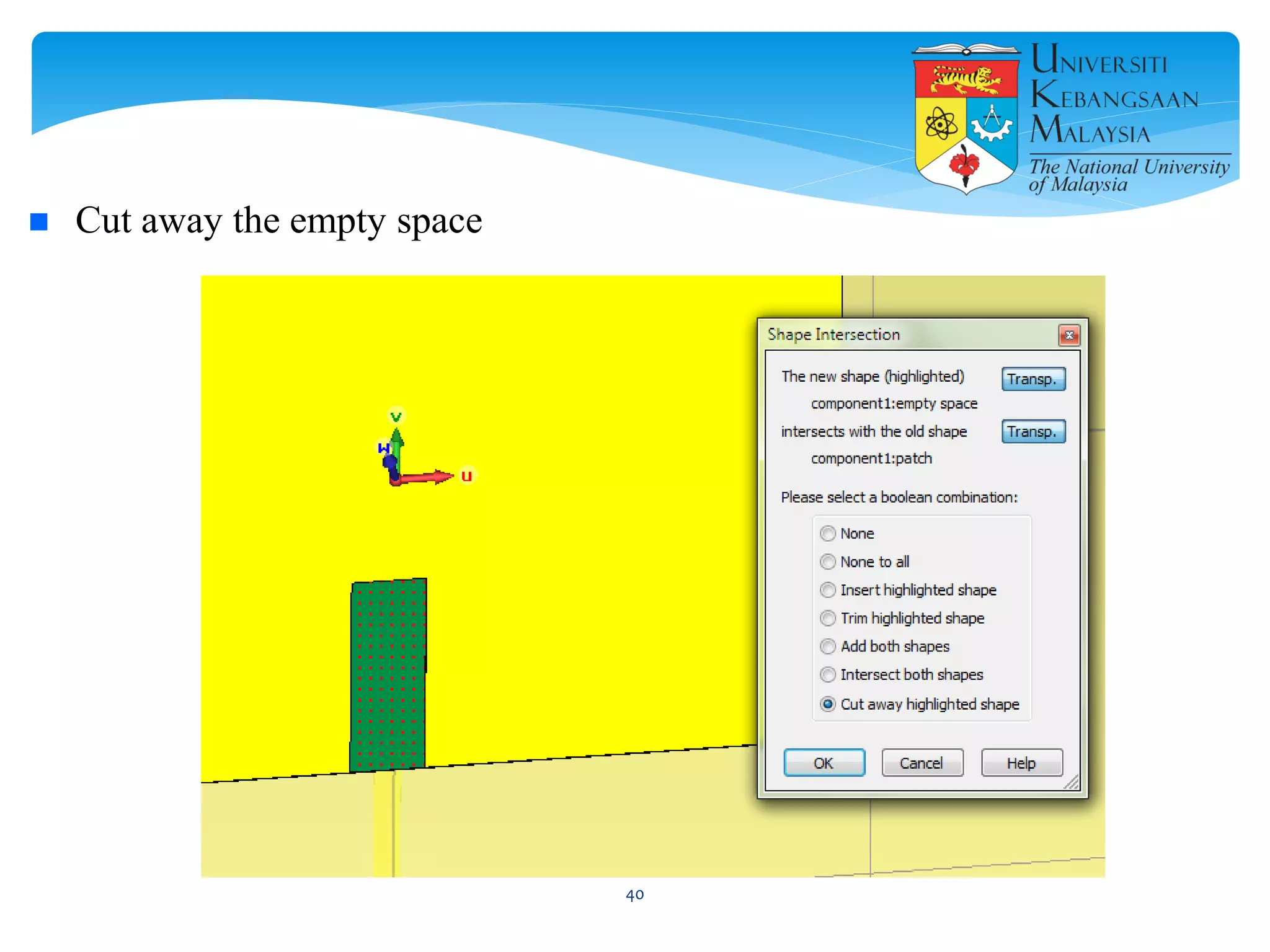
 Cut away the empty space
40
 Create the empty space
41
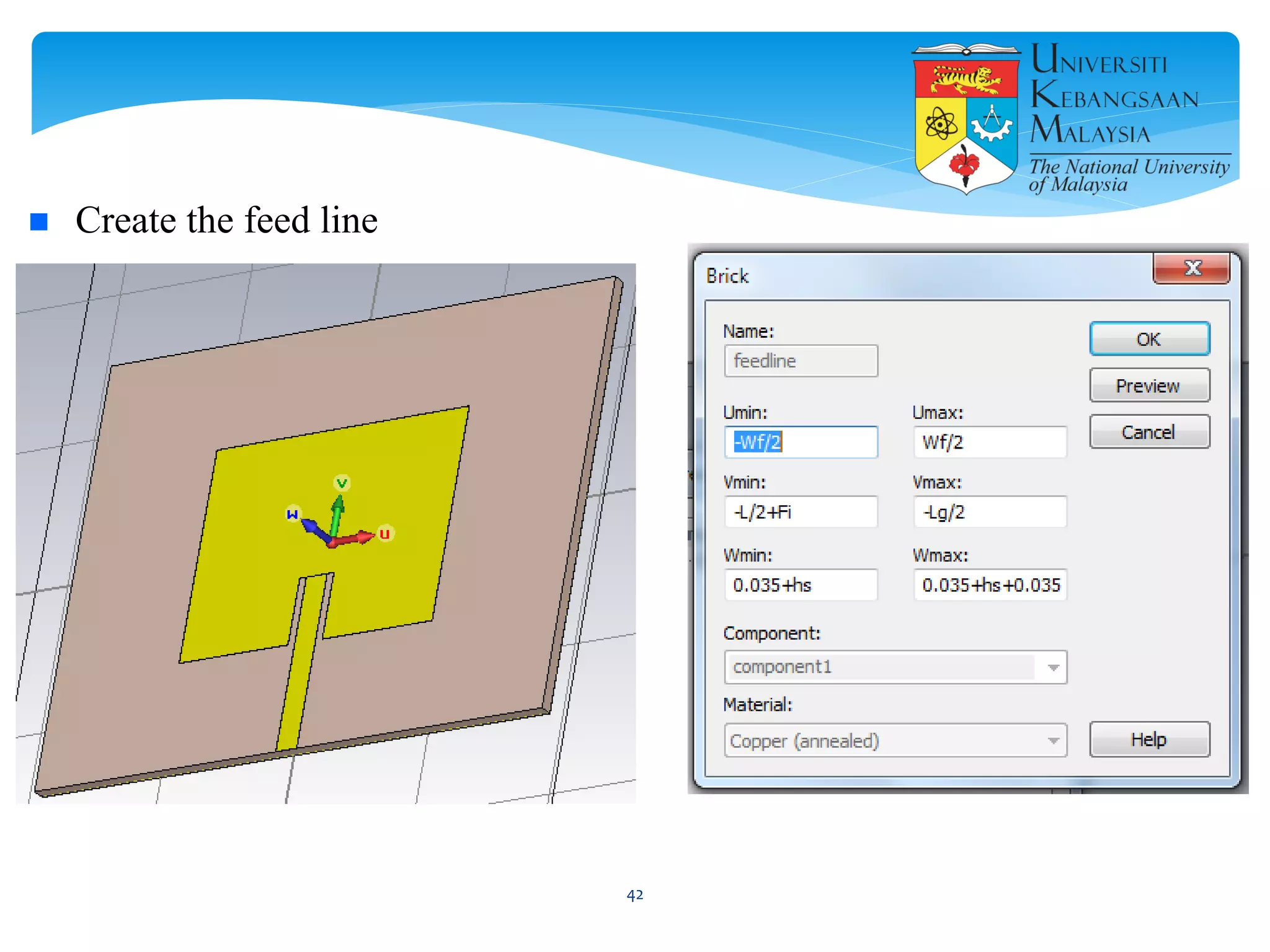
 Create the feed line
42
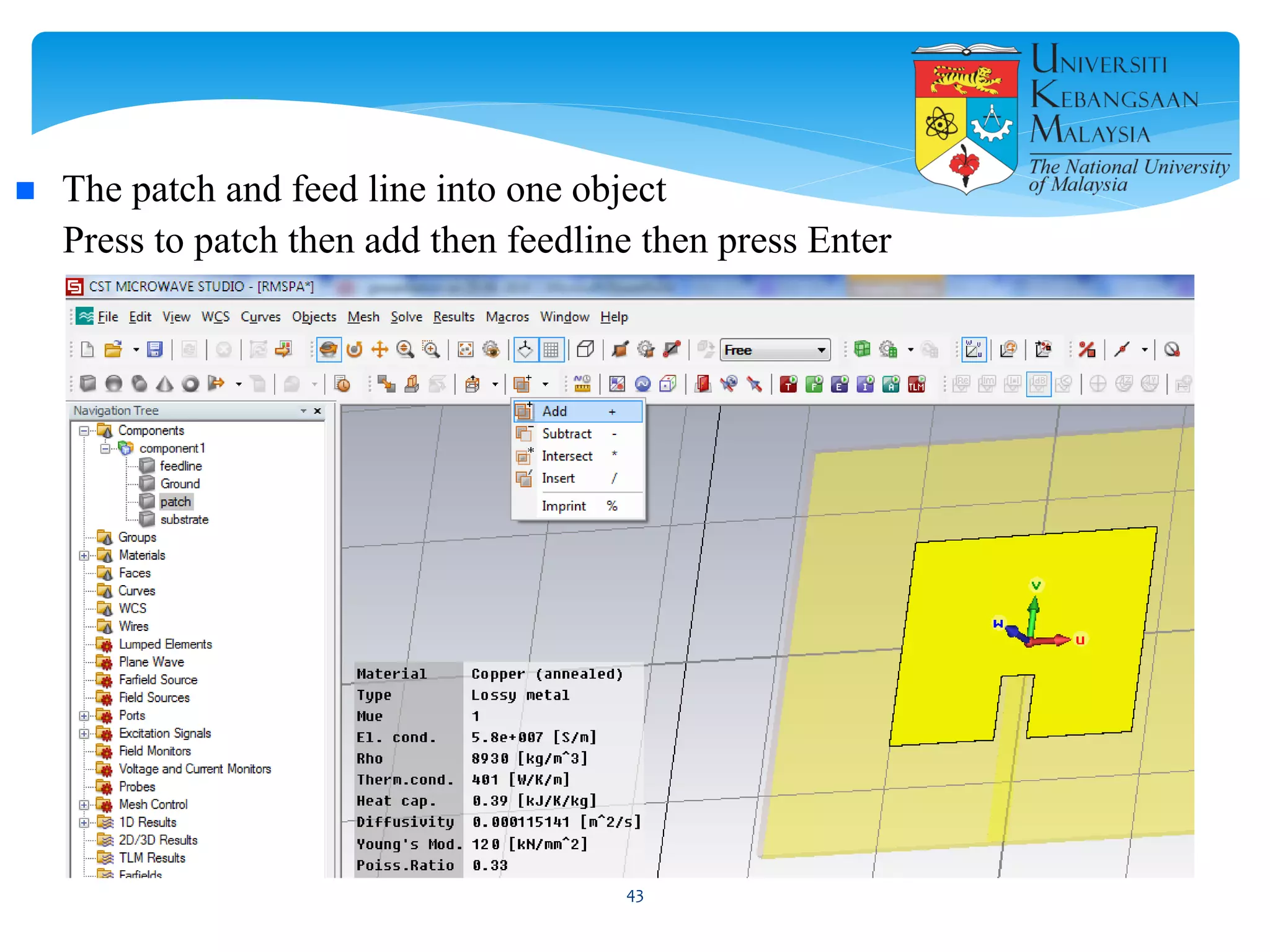
 The patch and feed line into one object
Press to patch then add then feedline then press Enter
43
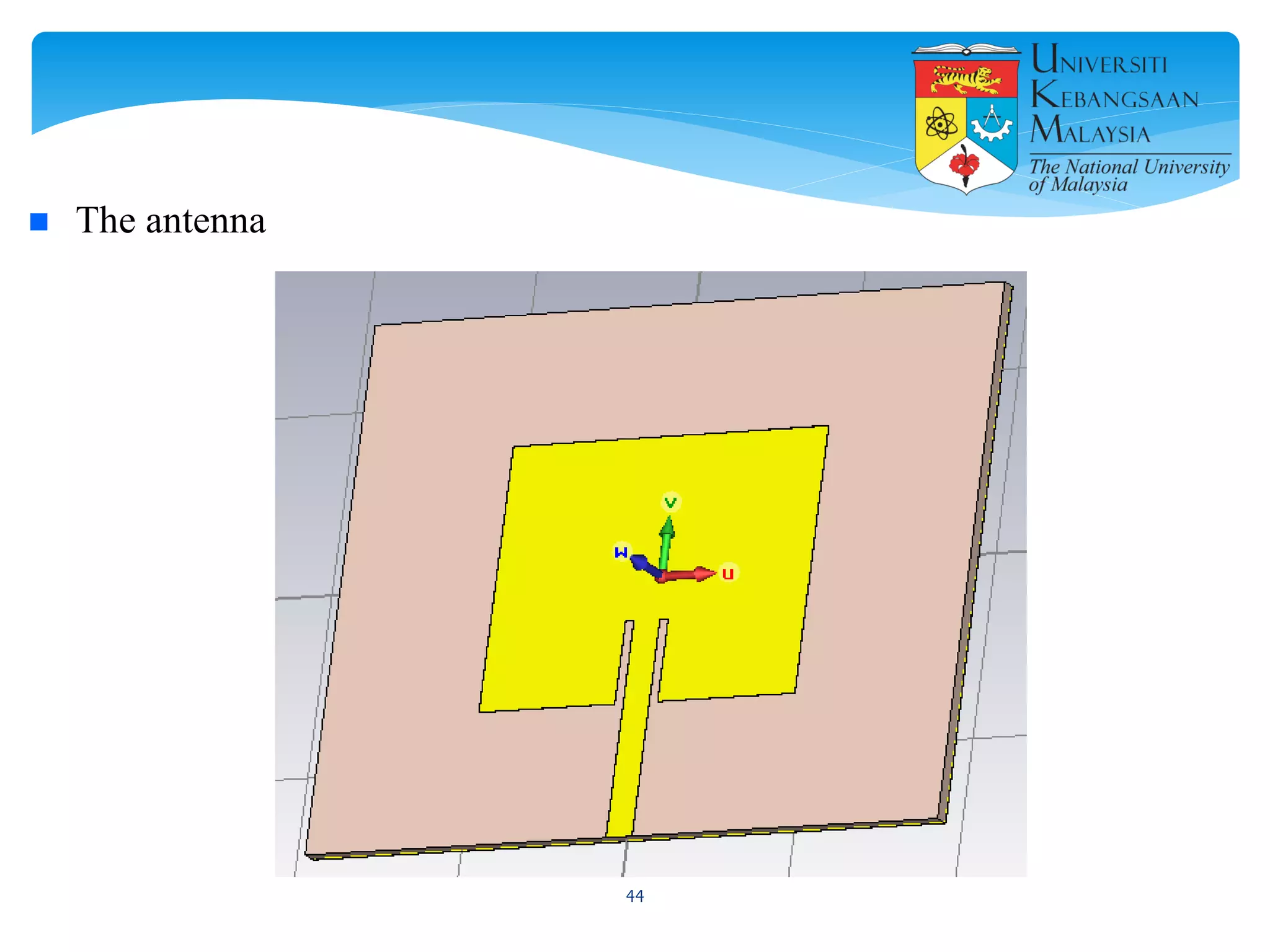
 The antenna
44
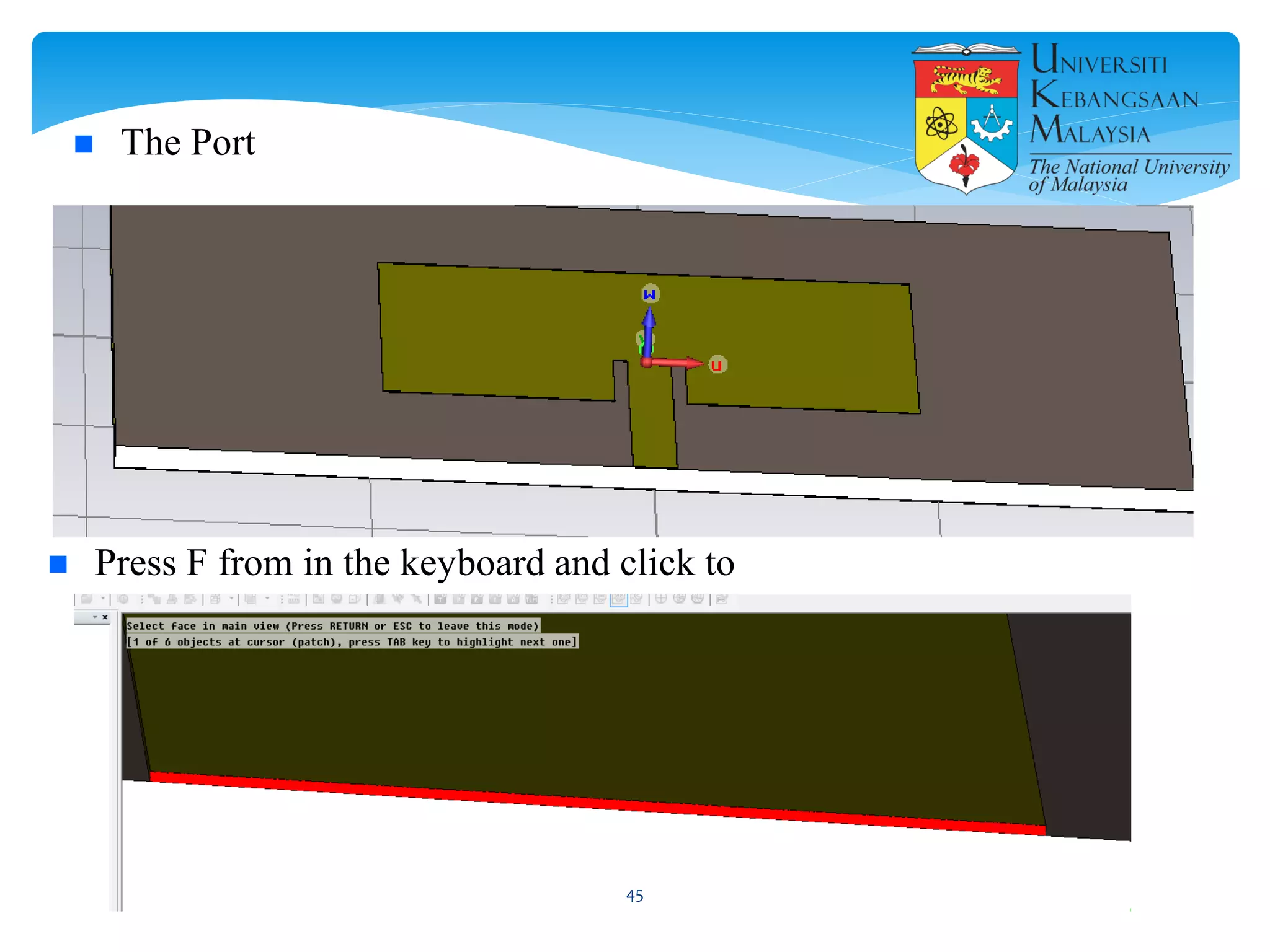
 The Port
 Press F from in the keyboard and click to
45
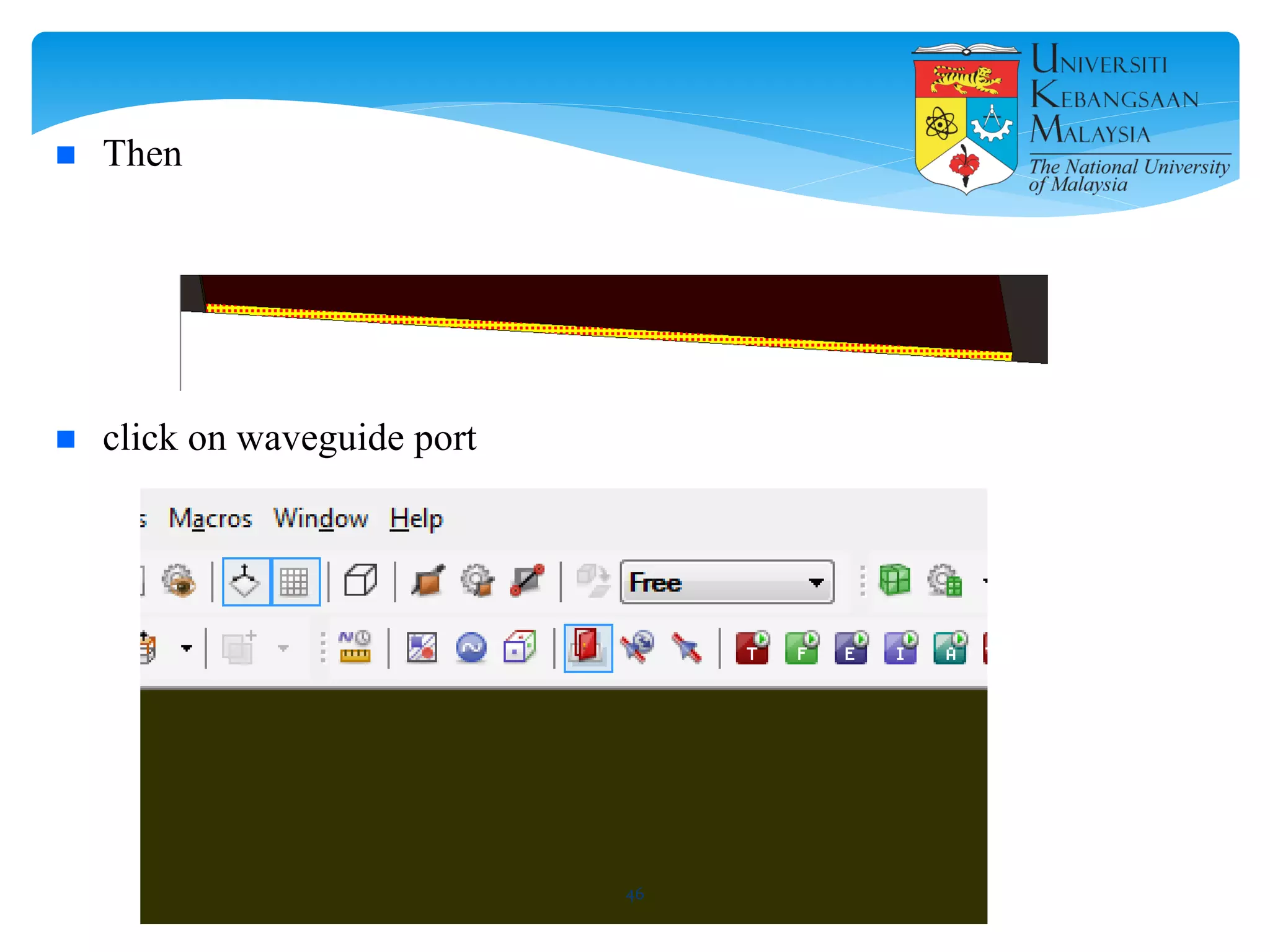
 Then
 click on waveguide port
46
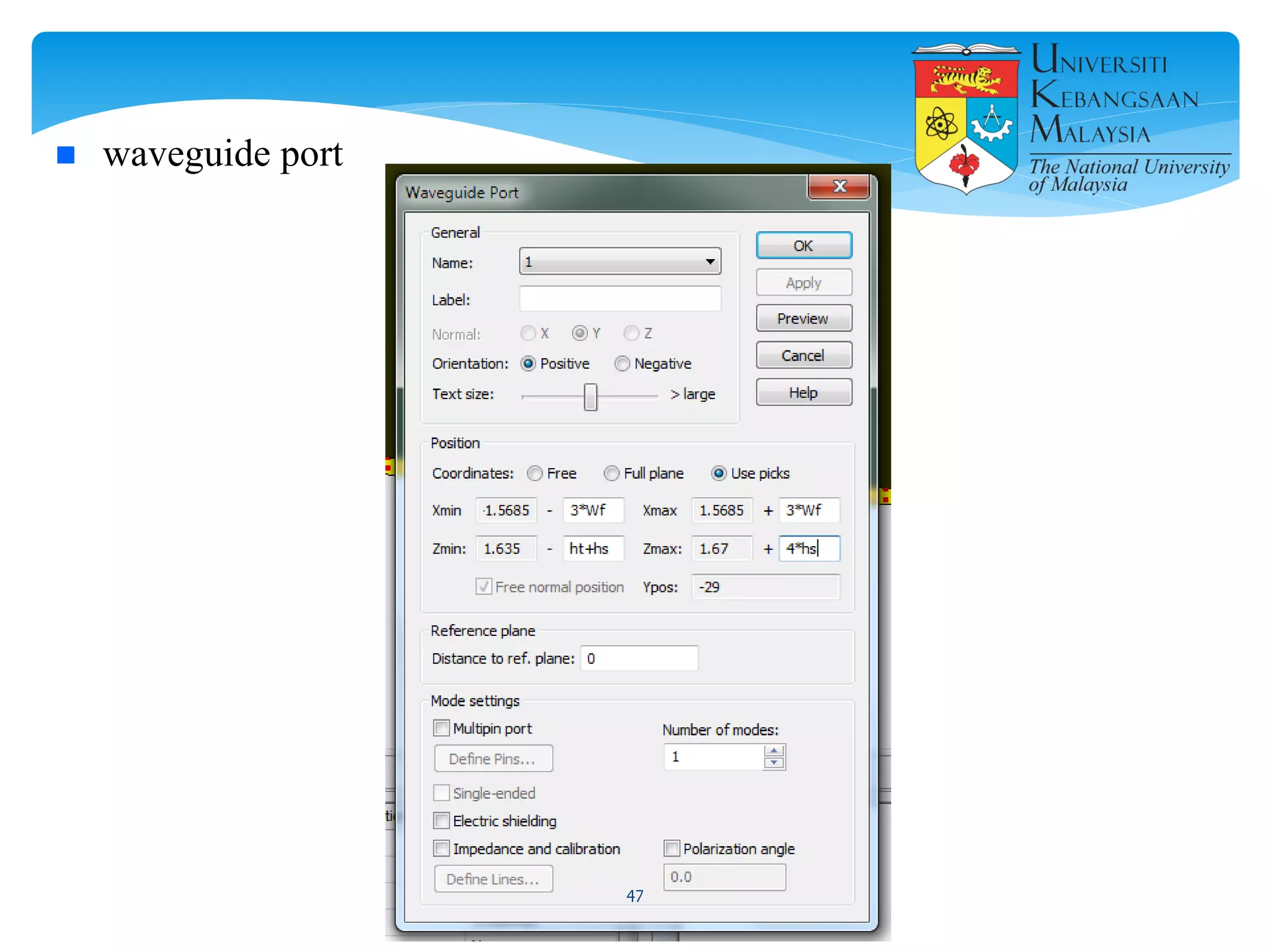
 waveguide port
47
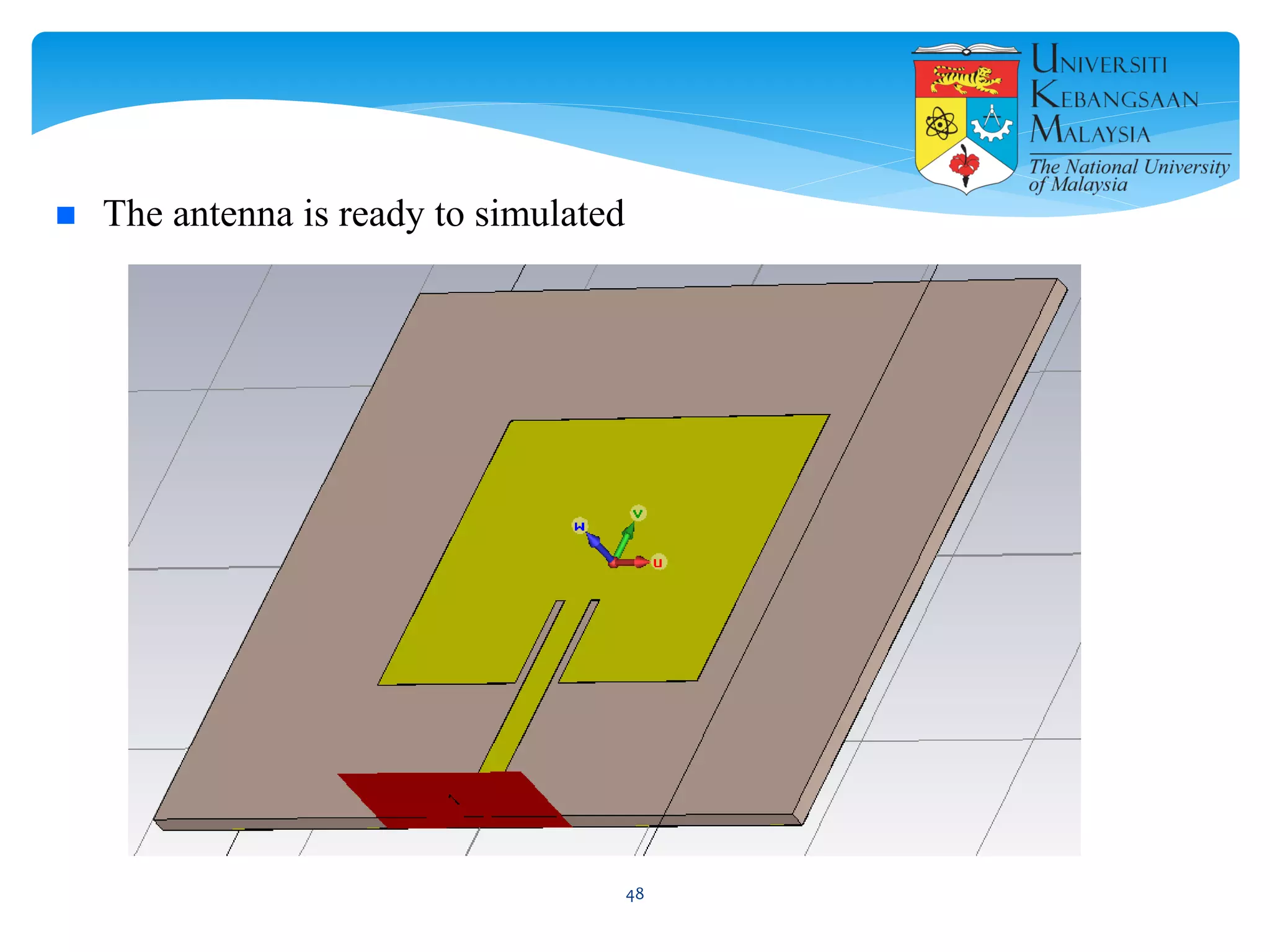
 The antenna is ready to simulated
48
 Field monitors
49
 Use Transient solver
50
 start
51
 The Result
52
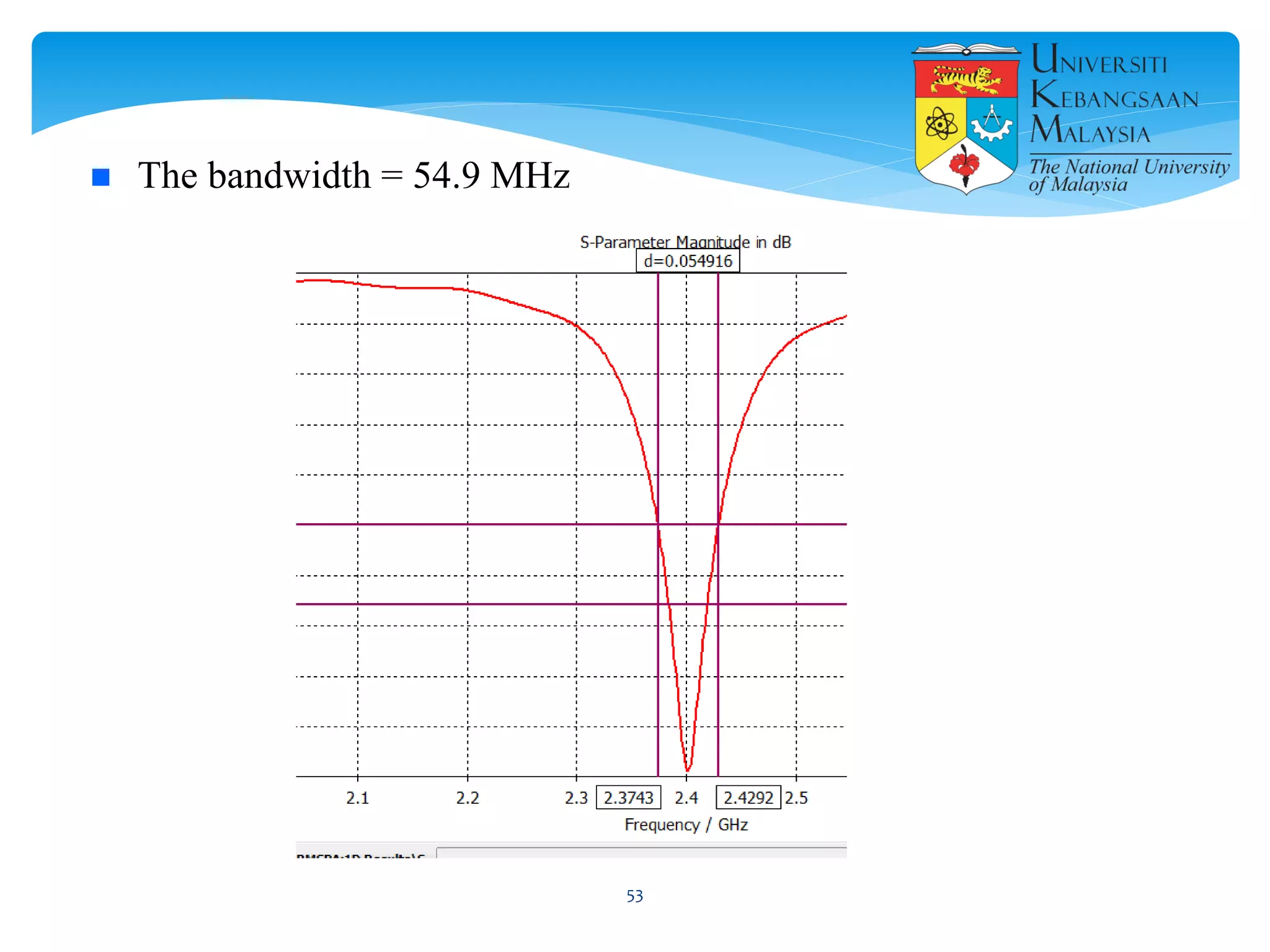
 The bandwidth = 54.9 MHz
53
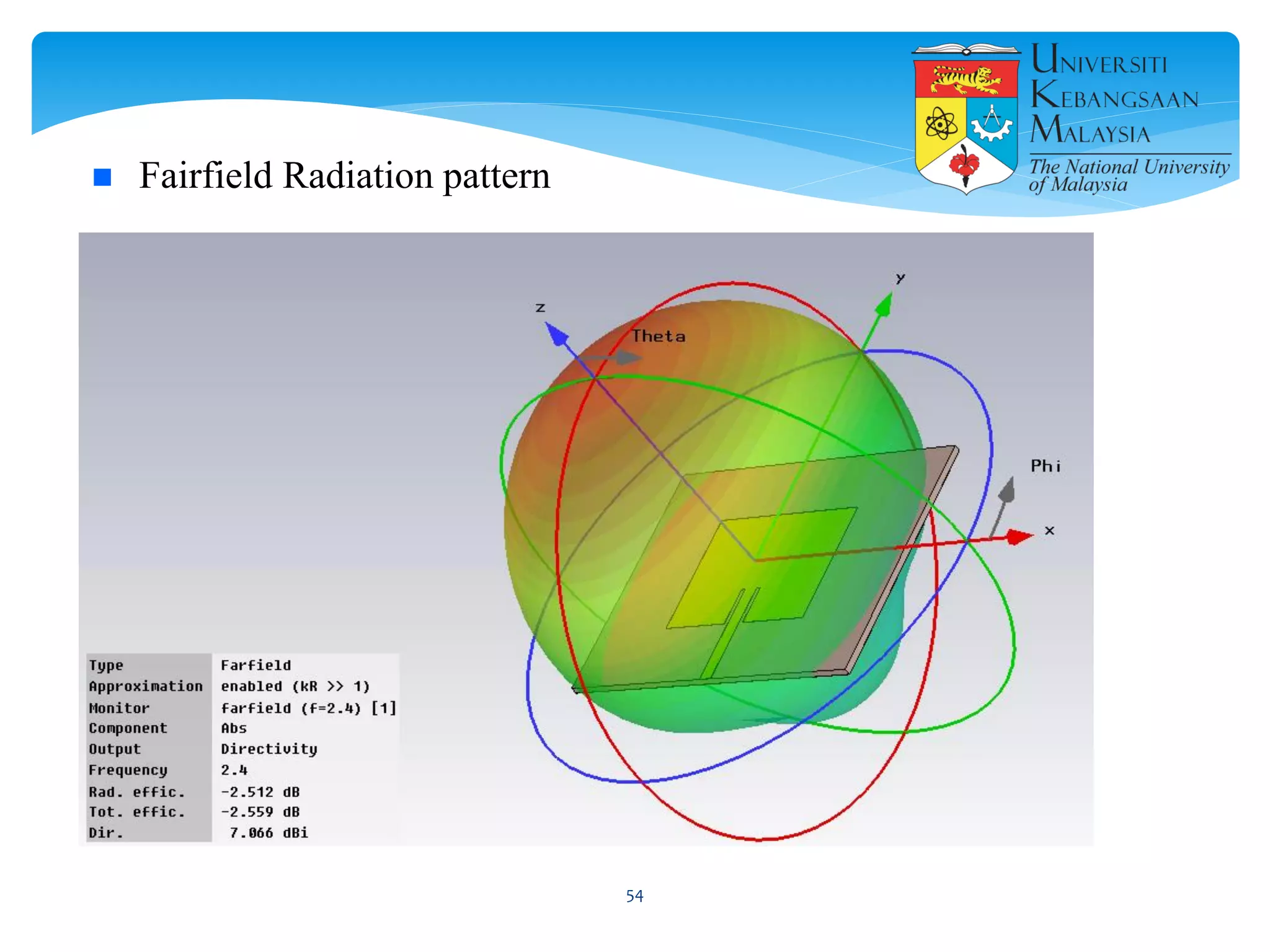
 Fairfield Radiation pattern
54
 C. A. Balanis. 1997. Antenna Theory, Analysis and Design. John Wiley and Sons, New
York.
 Garg, Ramesh. 2001 “Microstrip antenna design handbook”, Artech House
 Ramesh, M and Yip KB, "Design Formula for Inset Fed Microstrip Patch Antenna", Journal
of Microwave and Optoelectronics, Vol.3, No.3, December 2003.
 G. Devakirubai D et al., “Design and comparative study of pin feed and line feed microstrip
patch antenna for x-band applications,” International Journal of Applied Information
Systems, vol. 1, pp. 21–25, 2012.
55
 Design and simulate a dual-band antenna for LTE
applications. (LTE band 3 and LTE band 7)
 Write a report detailing your work.
 Last date 18/12/2016.
Send it to
aymendheyaa@siswa.ukm.edu.my
56
57

Design and Simulation Microstrip patch Antenna using CST Microwave Studio

  • 1.
  • 2.
    1. Introduction onmicrostrip patch antenna (MPA) 2. Design MPA theoretically 3. Introduction on CST MICROWAVE STUDIO 4. Simulation MPA using CST MICROWAVE STUDIO 2
  • 3.
  • 4.
     In generalMicrostrip patch antennas are also known as “PRINTED ANTENNAS ”.  Operates on microwave frequencies ( f > 1GHz).  Invented by Bob Munson in 1972.  Became popular starting in the 1970s 4
  • 5.
    Basically, the MicrostripPatch Antenna consists of :  Metal “Patch”.  Dielectric Substrate.  Ground Plane. Antenna Patch Dielectric substrate Ground plane 5
  • 6.
     The patchcan take different shapes , such as rectangular, circular, triangular, or U-shaped , E-shaped, etc. 6
  • 7.
    Advantages of MicrostripAntennas:  Easy to fabricate.  Low cost , Less size.  Can be integrated with microwave circuits.  Easy to feed (coaxial cable, microstrip line, etc.) .  Easy to use in an array. 7
  • 8.
    Disadvantages of MicrostripAntennas  Low gain.  Low efficiency.  Narrow bandwidth. 8
  • 9.
    Applications  in mobilesatellite communication system.  Wireless LAN’S.  GPS system.  Missiles ……. etc. 9
  • 10.
    Feedings Microstrip patch antennafeeds with different mechanism feedings, the four most popular are :-  Coaxial Cable 10
  • 11.
  • 12.
     Aperture coupled(slot) Feed  Proximity coupled Feed 12
  • 13.
  • 14.
    To design aRectangular patch antenna. There are four essential parameters which are important to know:-  The operating frequency (f˳).  Dielectric constant of substrate (εr).  The height of the dielectric substrate (h).  The height of the conductor (t). The other parameters:  The width of the patch (W)  The length of the patch (L)  The width and length of the Ground plane and the substrate (Wg)(Lg).14
  • 15.
    There are aa lot of methods for analysis microstrip patch antenna:  The Transmission Line model.  The Cavity model.  Method of Moments (MoM). The Transmission Line model is the easiest of all 15
  • 16.
    The Transmission Lineequations  To Find Width (W)  To find the effective dielectric constant  To find the effective length  To find the fringing length (∆L)  To find the actual length L and the width and length of the Ground 𝐿 𝑔 = 2 ∗ 𝐿 𝑊𝑔 = 2 ∗ 𝑊16
  • 17.
    To design themicrostrip feed line (inset-fed)  The input impedance is usually 50 Ω.  The width of Microstrip feed line (Wf).  The length of inset (Fi)  the gap between the patch and the inset-fed (Gpf) usualy 1 mm. 17
  • 18.
    Example:- To design amicrostrip patch antenna with the microstrip feed line (inset-fed) work on for WiFi 2.4 GHz.  The operating frequency (f˳) = 2.4 GHz. FR4 material have:-  Dielectric constant of substrate (εr) = 4.3.  The height of the dielectric substrate (h) = 1.6 mm.  The height of the conductor (t) = 0.035 mm. 18
  • 19.
    To calculate the W,L of the patch by using the equations:-  C = 299792458 or 3* 10^8 m/se  f˳ = 2.4 GHz or 2.4*10^9 Hz  FR4 ► εr = 4.3, h=1.6 mm, t= 0.035 mm  W≈ 38 mm, L≈ 29 mm , Fi≈8.85 mm 𝐿 𝑔 = 2 ∗ 𝐿 𝑊𝑔 = 2 ∗ 𝑊 19
  • 20.
    To calculate The feedline width Wf Or using transmission line software or CST  Wf≈3.137 mm 20
  • 21.
    Parameters mm W 38 L29 Fi 8.85 Wf 3.137 Gpf 1 Lg 2*L Wg 2*W ht 0.035 hs 1.6 The Parameters 21
  • 22.
  • 23.
  • 24.
  • 25.
    CST MICROWAVE STUDIO®is a specialized tool for the fast and accurate 3D EM simulation of high frequency problems. Along with a broad application range, it offers considerable product-to-market advantages: shorter development cycles; virtual prototyping before physical trials; optimization instead of experimentation. CST EM STUDIO® is an easy-to-use tool for the analysis and design of static and low frequency structures. Applications include: actuators, brakes, EMC, generators, measurement, motors, sensors and shielding. CST PARTICLE STUDIO® is a specialized tool for the fast and accurate design and analysis of 3D electron guns. This new software is based on the multi-purpose electromagnetic solvers of the CST STUDIO family and incorporates their powerful modelling capabilities in addition to successful algorithms of the MAFIA-TS simulators. CST MPHYSICS STUDIO™ is a tool to analyze thermal and structural mechanics problems. CST DESIGN STUDIO™ represents a universal platform to manage the entire design process of a complex system beginning with a first layout and closing with the final solution. By constructing elementary sub-systems, the user can analyze the behavior of the complete system in small segments. CST PCB STUDIO™ is a tool for the investigation of Signal and Power Integrity and the simulation of EMC and EMI effects on Printed Circuit Boards (PCB). CST CABLE STUDIO™ is a tool for the analysis of SI, EMC and EMI effects in cable systems including single wires, twisted pairs as well as complex cable harnesses. CST MICROSTRIPES™ is a powerful 3D electromagnetic simulation tool, used extensively for solving challenging radiation problems including complex antenna structures, installed performance, EMC/EMI/E3 issues. 25
  • 26.
  • 27.
    Create a newproject 27
  • 28.
  • 29.
  • 30.
  • 31.
     Chose CSTMicrowave studio 31
  • 32.
     Chose Antenna(Planar) 32
  • 33.
    Parameters mm W 38 L29 Fi 8.85 Wf 3.137 Gpf 1 Lg 2*L Wg 2*W ht 0.035 hs 1.6 The Parameters For design a microstrip patch antenna with the microstrip feed line (inset-fed) work on 2.4 GHz for WiFi. The frequency range between 1.8 to 333
  • 34.
     local coordinatesystem  Determine the frequency Range and put the parameters 34
  • 35.
     Press createbrick then press Esc from the keyboard 35
  • 36.
  • 37.
     Create thesubstrate 37
  • 38.
  • 39.
     Create theempty space 39
  • 40.
     Cut awaythe empty space 40
  • 41.
     Create theempty space 41
  • 42.
     Create thefeed line 42
  • 43.
     The patchand feed line into one object Press to patch then add then feedline then press Enter 43
  • 44.
  • 45.
     The Port Press F from in the keyboard and click to 45
  • 46.
     Then  clickon waveguide port 46
  • 47.
  • 48.
     The antennais ready to simulated 48
  • 49.
  • 50.
  • 51.
  • 52.
  • 53.
     The bandwidth= 54.9 MHz 53
  • 54.
  • 55.
     C. A.Balanis. 1997. Antenna Theory, Analysis and Design. John Wiley and Sons, New York.  Garg, Ramesh. 2001 “Microstrip antenna design handbook”, Artech House  Ramesh, M and Yip KB, "Design Formula for Inset Fed Microstrip Patch Antenna", Journal of Microwave and Optoelectronics, Vol.3, No.3, December 2003.  G. Devakirubai D et al., “Design and comparative study of pin feed and line feed microstrip patch antenna for x-band applications,” International Journal of Applied Information Systems, vol. 1, pp. 21–25, 2012. 55
  • 56.
     Design andsimulate a dual-band antenna for LTE applications. (LTE band 3 and LTE band 7)  Write a report detailing your work.  Last date 18/12/2016. Send it to aymendheyaa@siswa.ukm.edu.my 56
  • 57.