Dspace: Software for Window
Santosh Kumar Kori
Jr. Library Assistant
Indian Law Institute, New Delhi
Introduction
Universities and higher education institutions
around the globe install and maintain digital
libraries (DL)/ institutional repositories (IR)/
archives to store and provide online access to
a variety of materials produced as part of
learning and research. A DL/IR is a digital,
open access system established by a university
or other institution
Free/Open
Source Software(OSS). The following
are the popular OSS for DL/IR
1. DSpace (http://www.dspace.org/) by MIT
Libraries & Hp Lab
2. EPrints (http://www.eprints.org/) by University
of Southampton
3. Fedora (http://fedora-commons.org/) by
Cornell University
4. Greenstone (http://www.greenstone.org/) by
University of Waikato
Dspace
• DSpace is an open source repository software
package typically used for creating open
access repositories for scholarly and/or
published digital content.
Ability to customize or theme the
user interface
You can fully customize the look and feel of your
DSpace website so it will integrate seamlessly
with your own institution's website and can be
more intuitive for your users. DSpace provides
two main user interface options: the
traditional (JSP-based) interface, and Manakin
(XML-based).
Ability to customize the metadata
Dublin core is the default metadata format
within the DSpace application, however you
can add or change any field to customize it for
you application. DSpace currently supports
any non hierarchical, flat name space
Standards compatible
DSpace complies with many standard protocols
for access, ingest, and export. The standards
DSpace supports include: OAI-PMH, OAI-ORE,
SWORD, WebDAV, OpenSearch, OpenURL,
RSS, ATOM
Ability to configure Browse and
Search
You can decide what fields you would like to
display for browsing, such as author, title, date
etc. on your DSpace website
Ability to use local Authentication
mechanisms
• DSpace comes with plugins for most university
authentication methods, including: LDAP (and
hierarchical LDAP), Shibboleth, X.509, IP-
based. In addition, DSpace comes with its own
internal authentication method, or can be
configured to use multiple authentication
methods at once.
Configurable database
• You can choose either PostgreSQL or Oracle
for the database
• where DSpace manages its metadata
Ability to choose the default language
The DSpace web application is available in over
twenty languages. So if English is not your
local language, you can customize the
language which DSpace uses
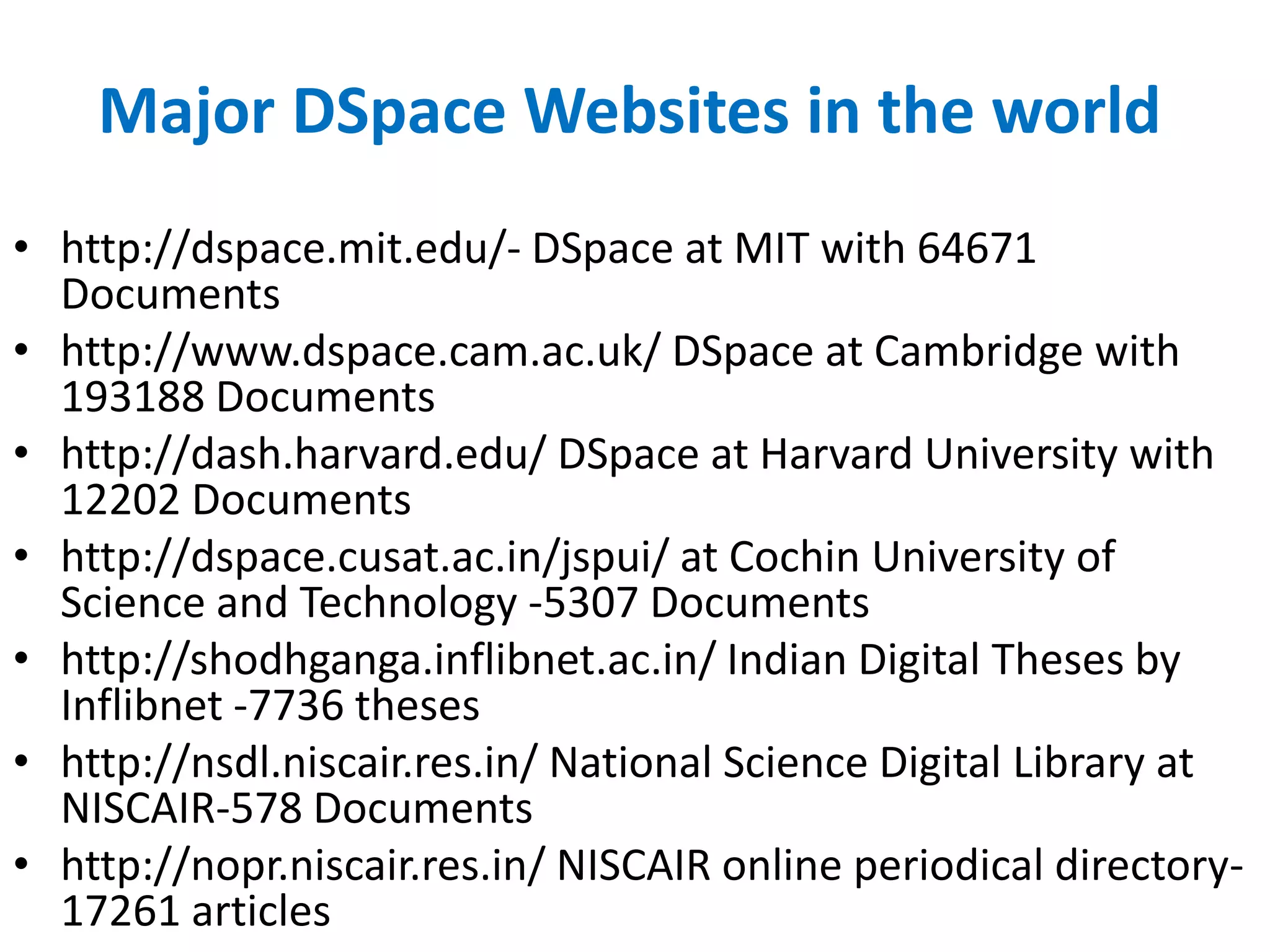
Major DSpace Websites in the world
• http://dspace.mit.edu/- DSpace at MIT with 64671
Documents
• http://www.dspace.cam.ac.uk/ DSpace at Cambridge with
193188 Documents
• http://dash.harvard.edu/ DSpace at Harvard University with
12202 Documents
• http://dspace.cusat.ac.in/jspui/ at Cochin University of
Science and Technology -5307 Documents
• http://shodhganga.inflibnet.ac.in/ Indian Digital Theses by
Inflibnet -7736 theses
• http://nsdl.niscair.res.in/ National Science Digital Library at
NISCAIR-578 Documents
• http://nopr.niscair.res.in/ NISCAIR online periodical directory-
17261 articles
Installing DSpace
available at http://liblivecd.sourceforge.net/ . It
can be used to install multiple OSS packages of
Koha, DSpace and Drupal. You can either
install the CD on your desktop/laptop or try
the OSS packages without installing If you
intend to install it, make sure to backup your
data and ensure partition of disc space to
retain existing operating system and your
documents Cont.
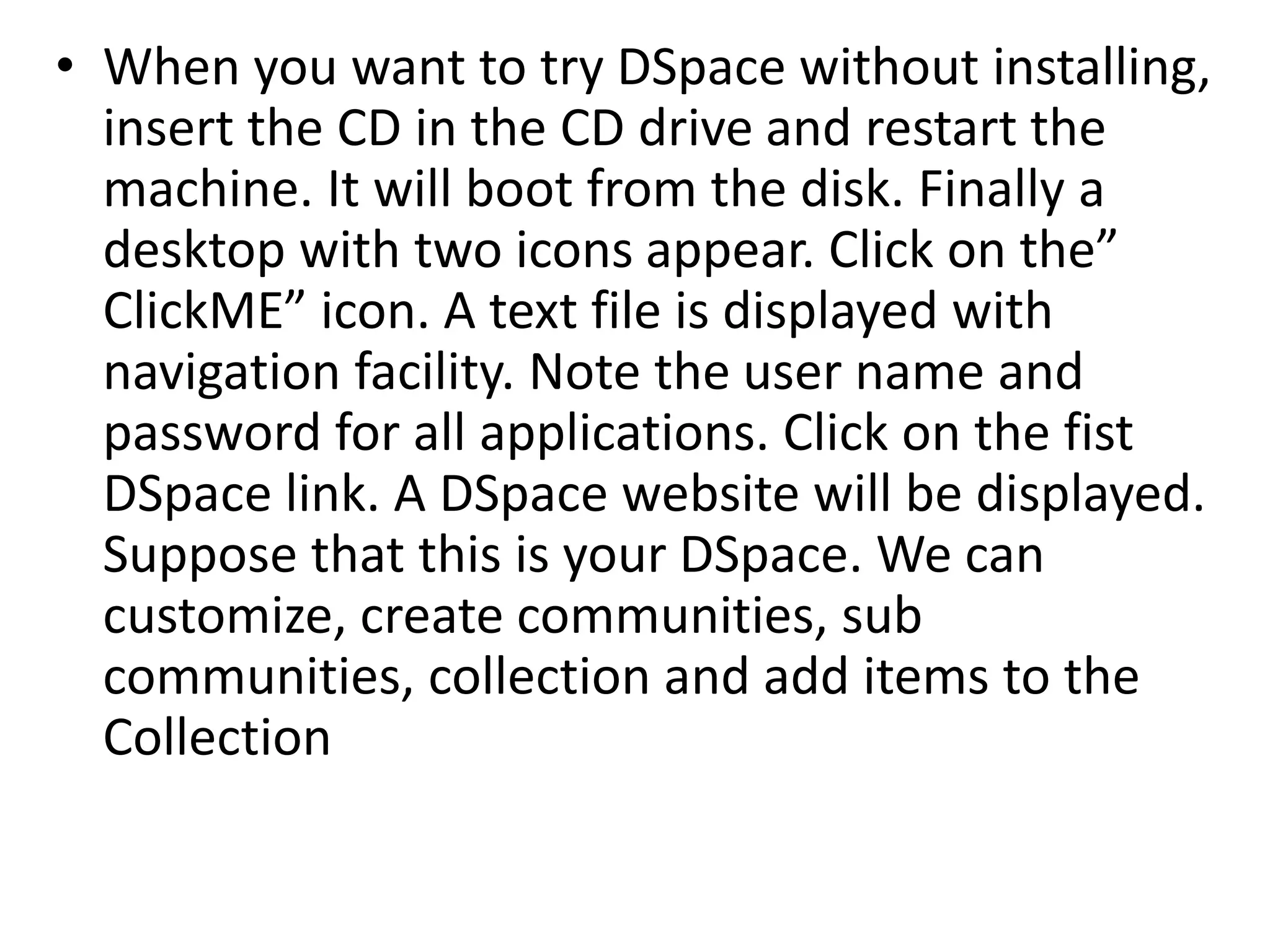
• When you want to try DSpace without installing,
insert the CD in the CD drive and restart the
machine. It will boot from the disk. Finally a
desktop with two icons appear. Click on the”
ClickME” icon. A text file is displayed with
navigation facility. Note the user name and
password for all applications. Click on the fist
DSpace link. A DSpace website will be displayed.
Suppose that this is your DSpace. We can
customize, create communities, sub
communities, collection and add items to the
Collection
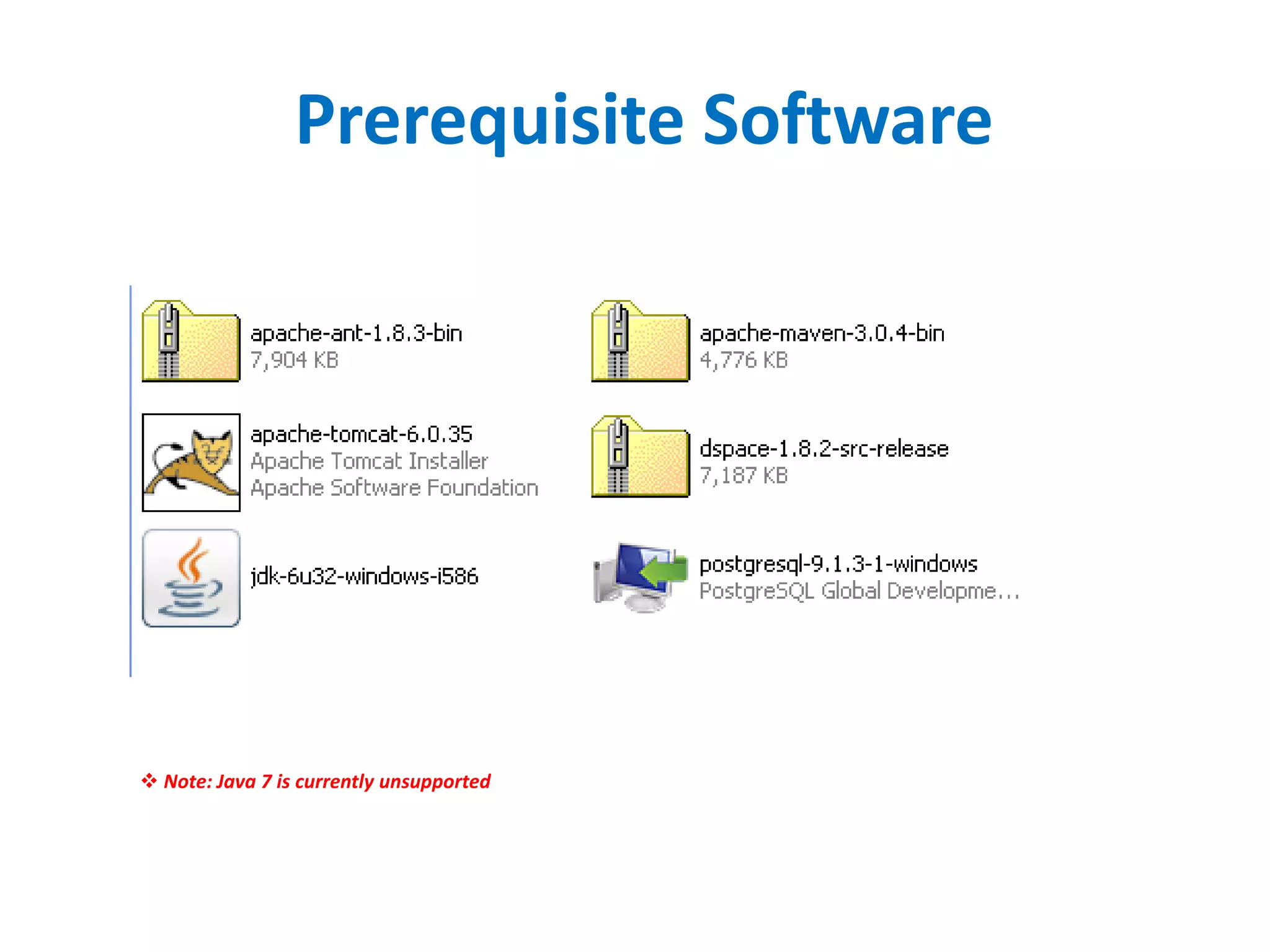
Prerequisite Software
 Note: Java 7 is currently unsupported
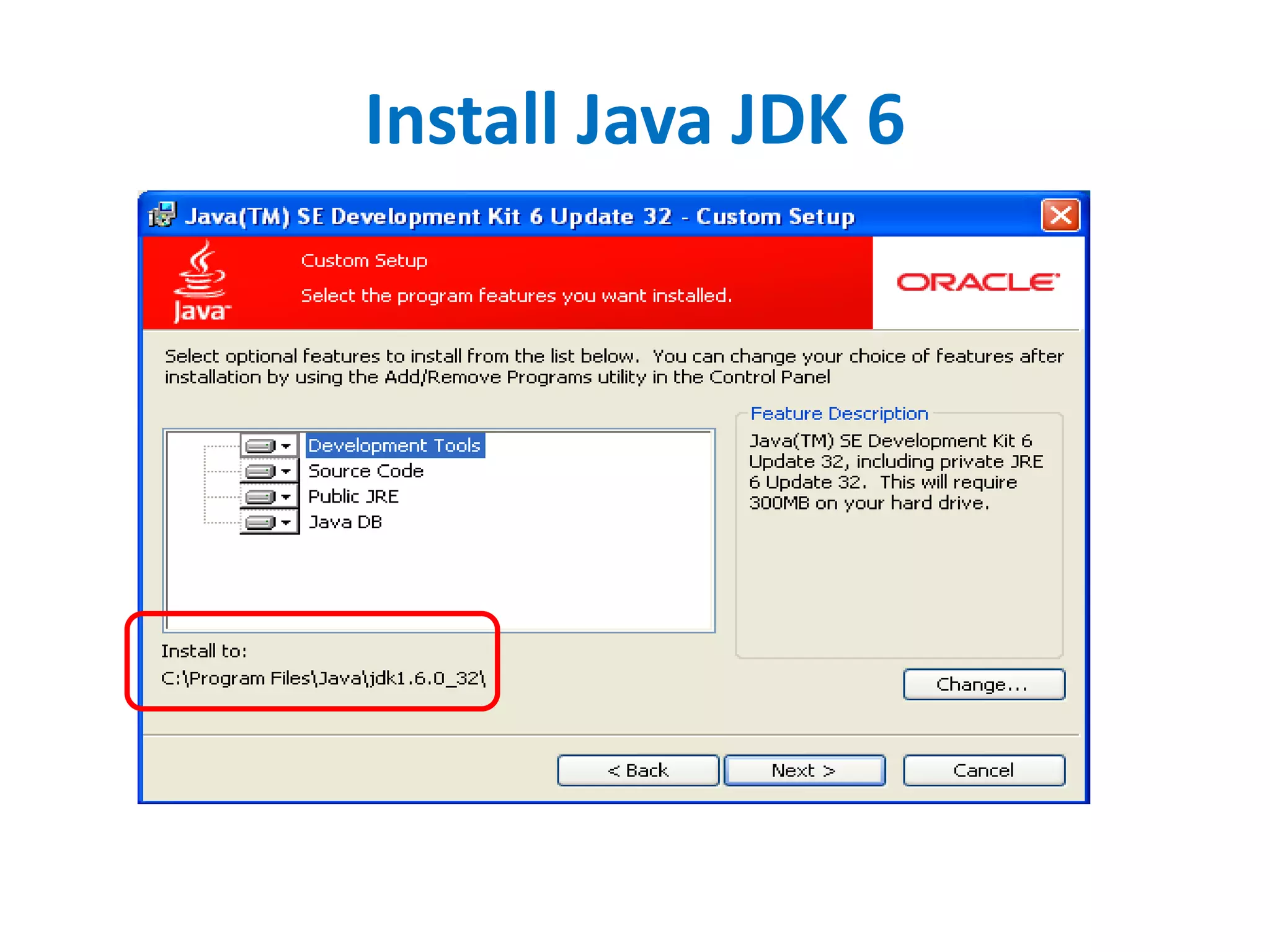
Install Java JDK 6
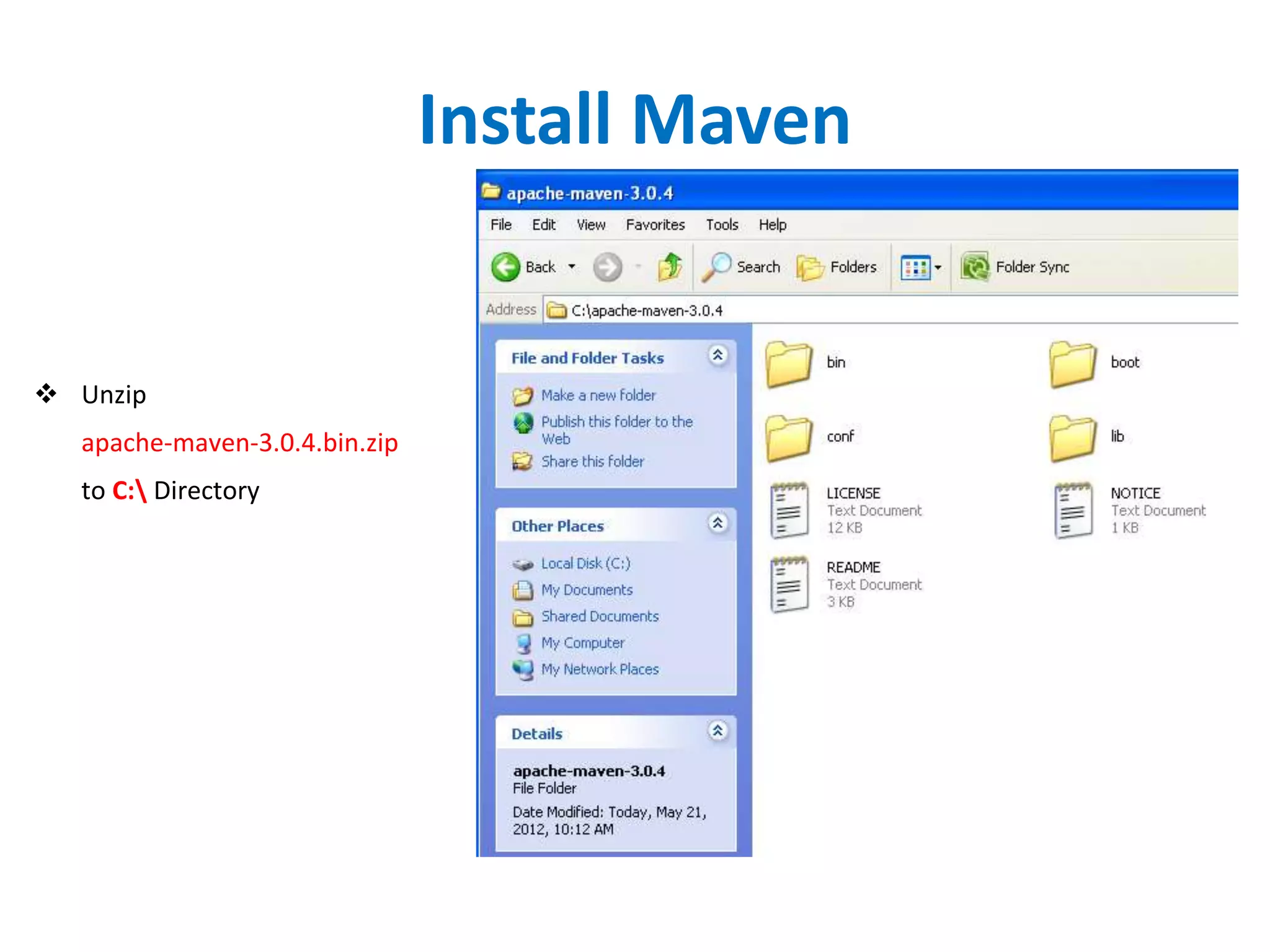
Install Maven
 Unzip
apache-maven-3.0.4.bin.zip
to C: Directory
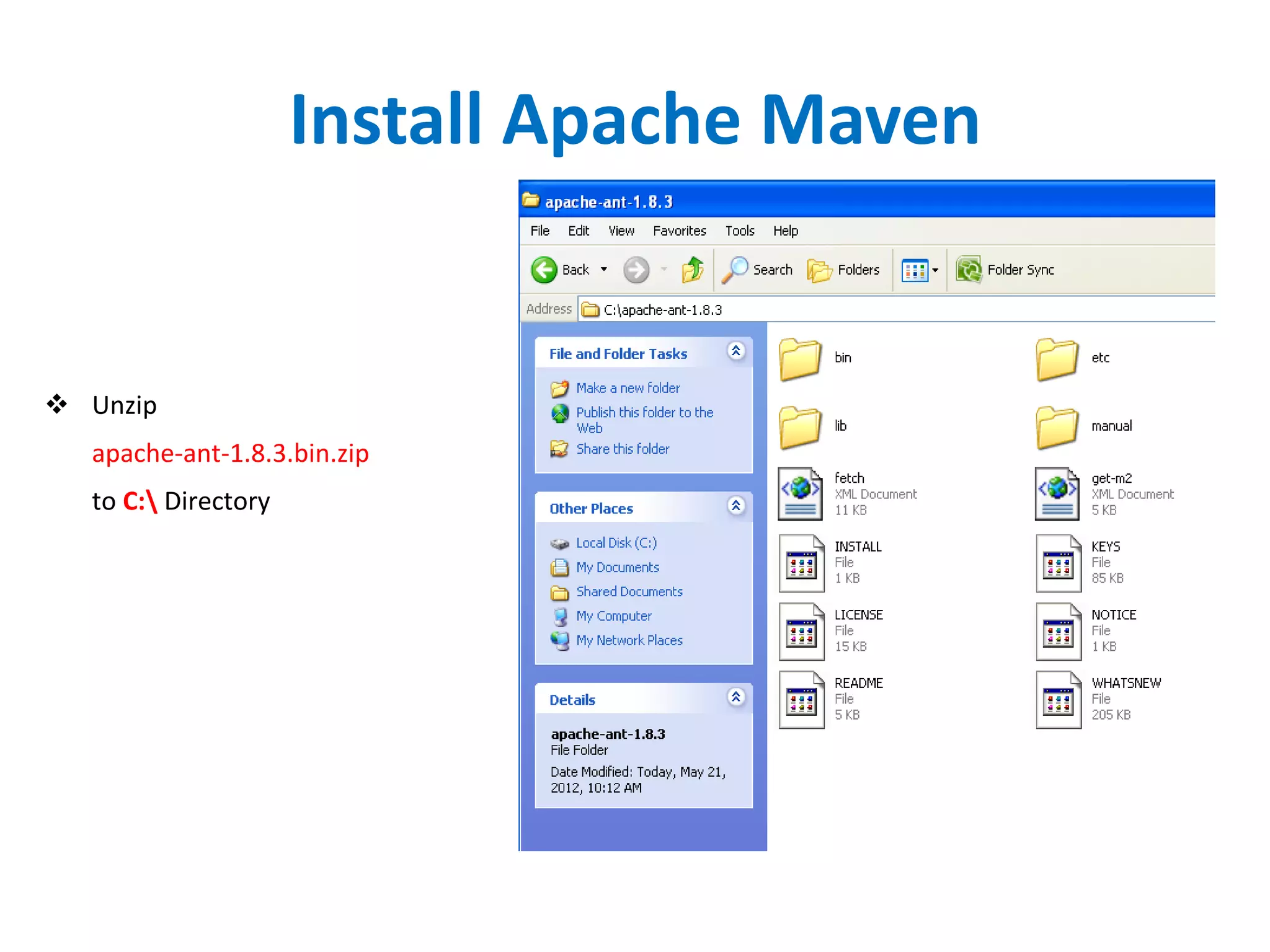
Install Apache Maven
 Unzip
apache-ant-1.8.3.bin.zip
to C: Directory
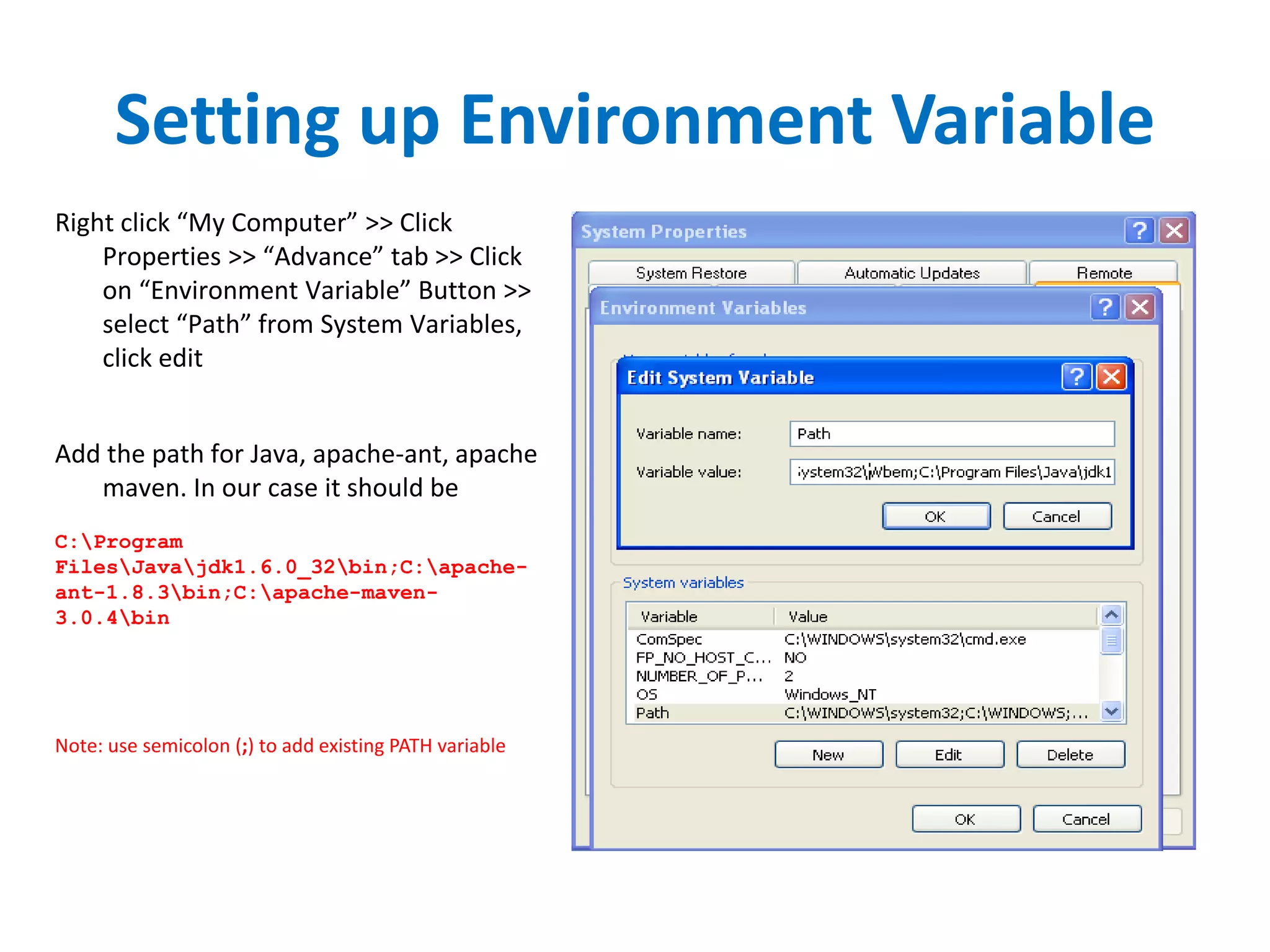
Setting up Environment Variable
Right click “My Computer” >> Click
Properties >> “Advance” tab >> Click
on “Environment Variable” Button >>
select “Path” from System Variables,
click edit
Add the path for Java, apache-ant, apache
maven. In our case it should be
C:Program
FilesJavajdk1.6.0_32bin;C:apache-
ant-1.8.3bin;C:apache-maven-
3.0.4bin
Note: use semicolon (;) to add existing PATH variable
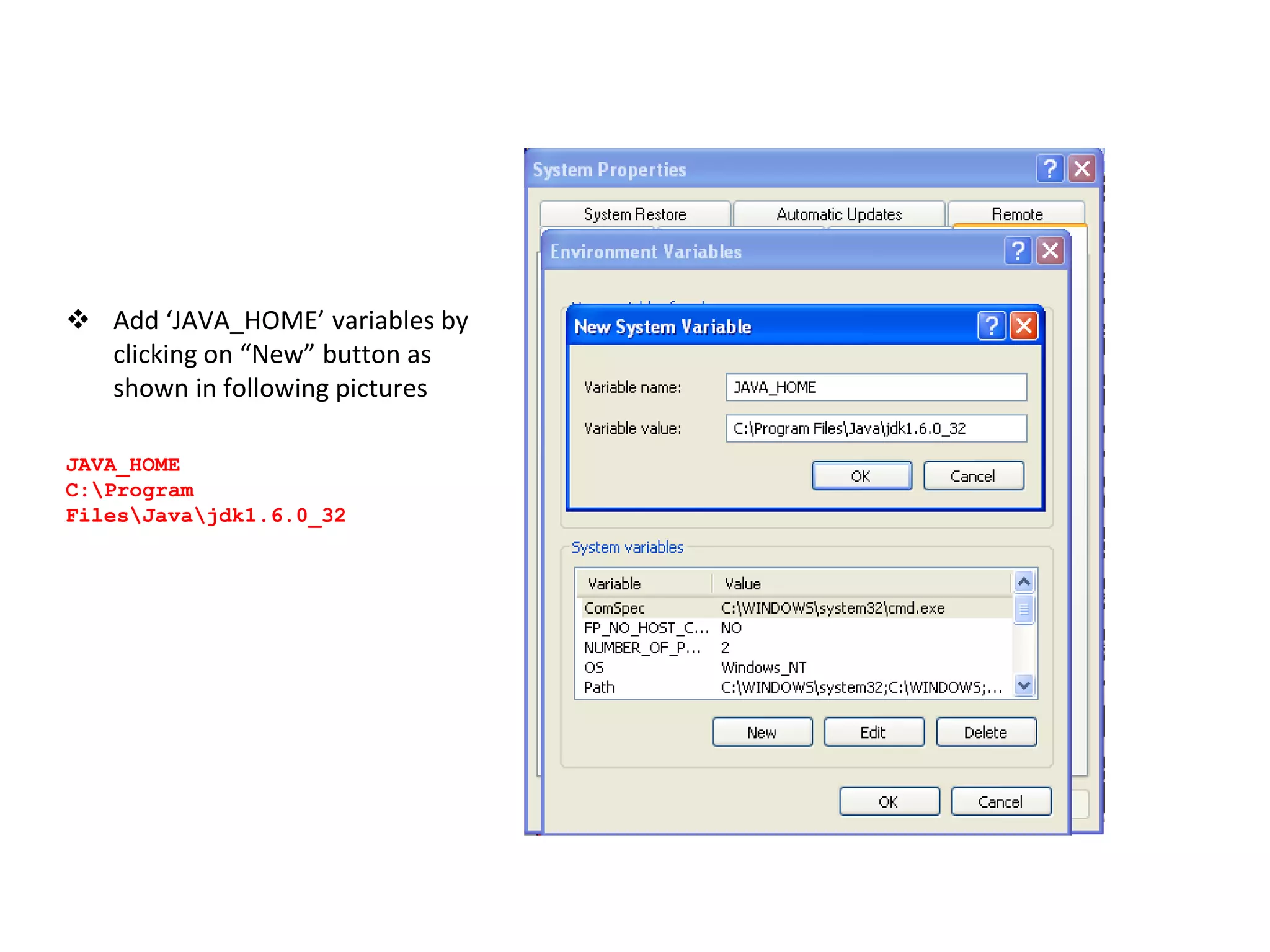
 Add ‘JAVA_HOME’ variables by
clicking on “New” button as
shown in following pictures
JAVA_HOME
C:Program
FilesJavajdk1.6.0_32
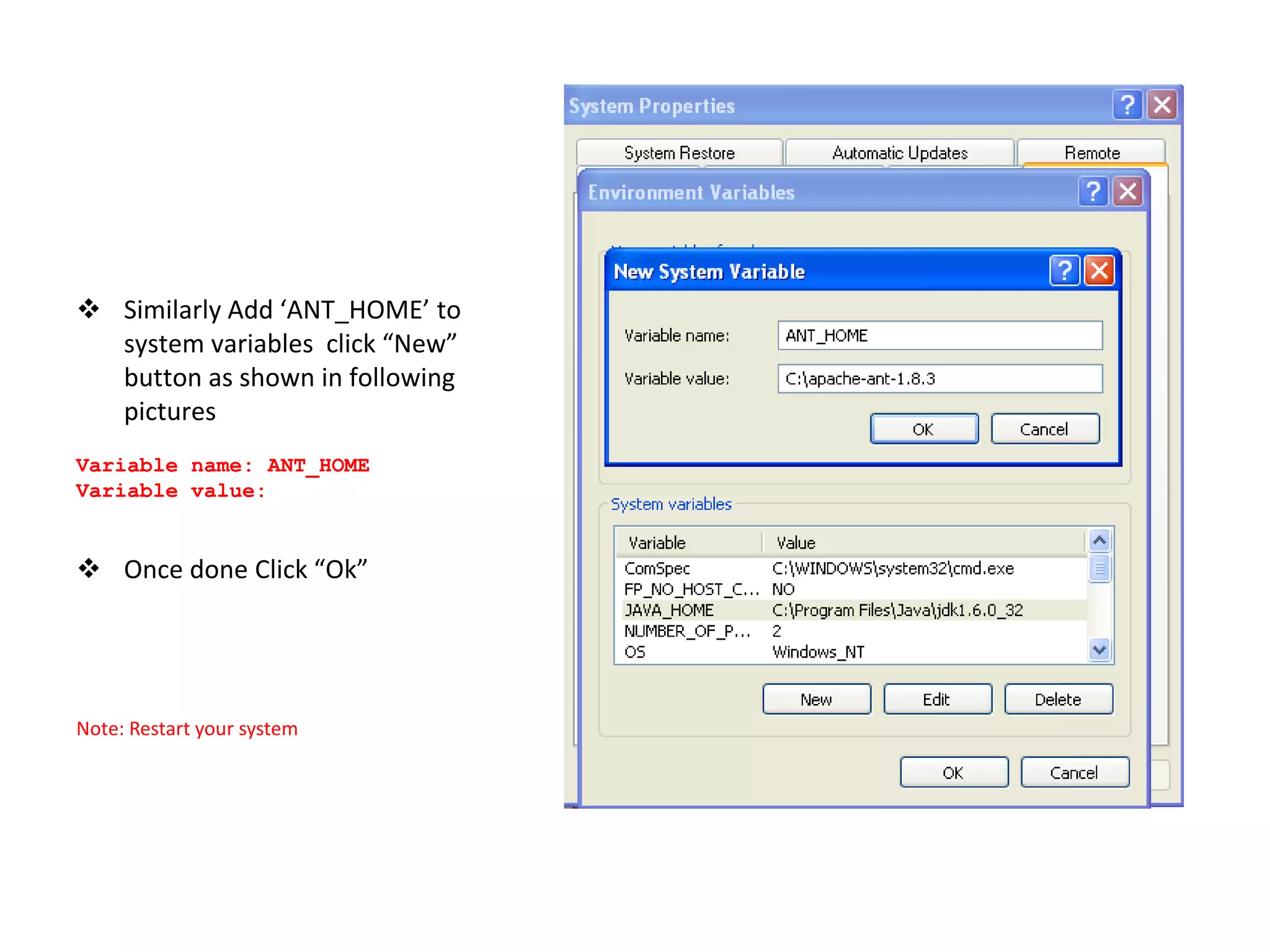
 Similarly Add ‘ANT_HOME’ to
system variables click “New”
button as shown in following
pictures
Variable name: ANT_HOME
Variable value:
 Once done Click “Ok”
Note: Restart your system
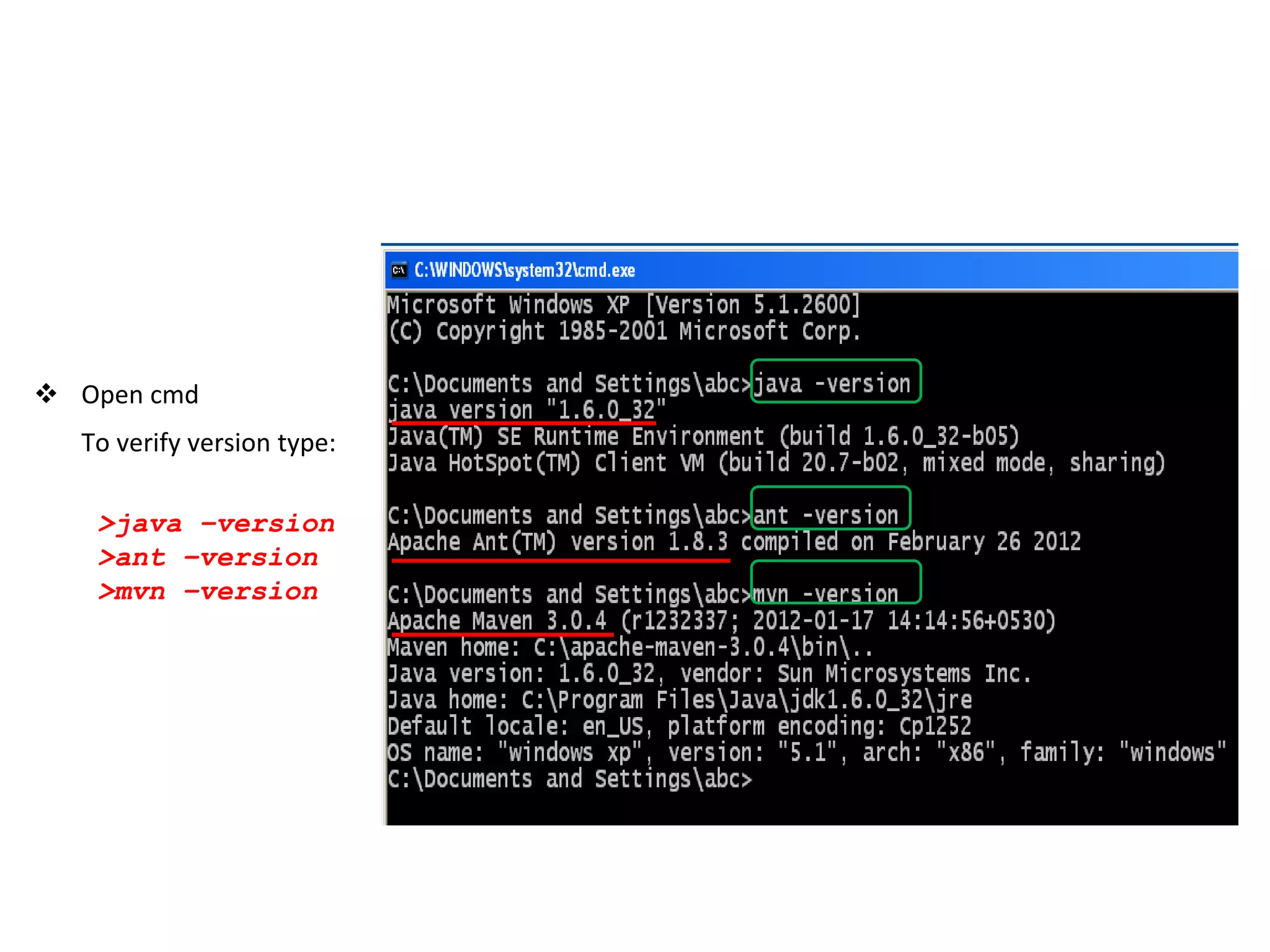
 Open cmd
To verify version type:
>java –version
>ant –version
>mvn –version
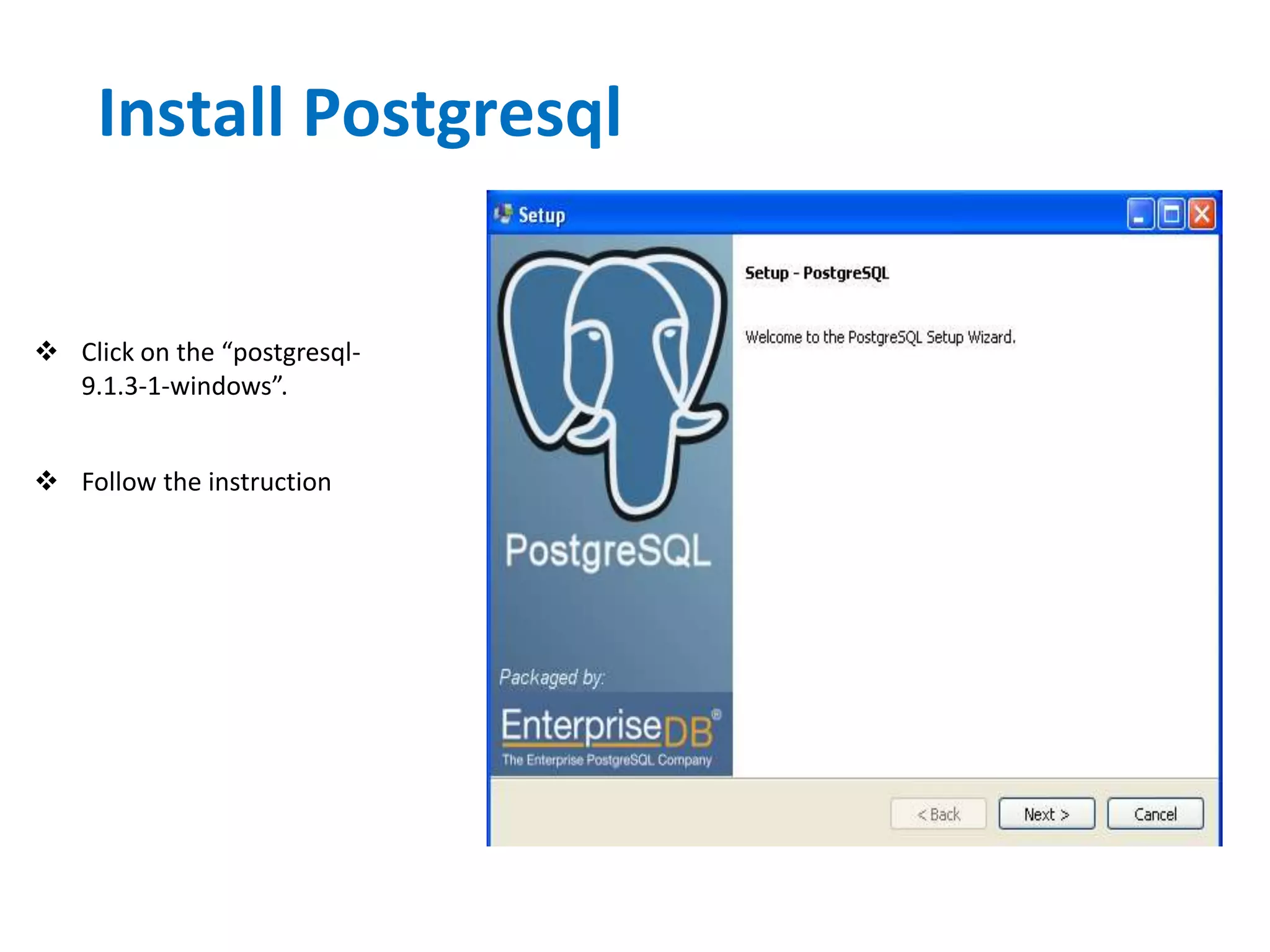
Install Postgresql
 Click on the “postgresql-
9.1.3-1-windows”.
 Follow the instruction
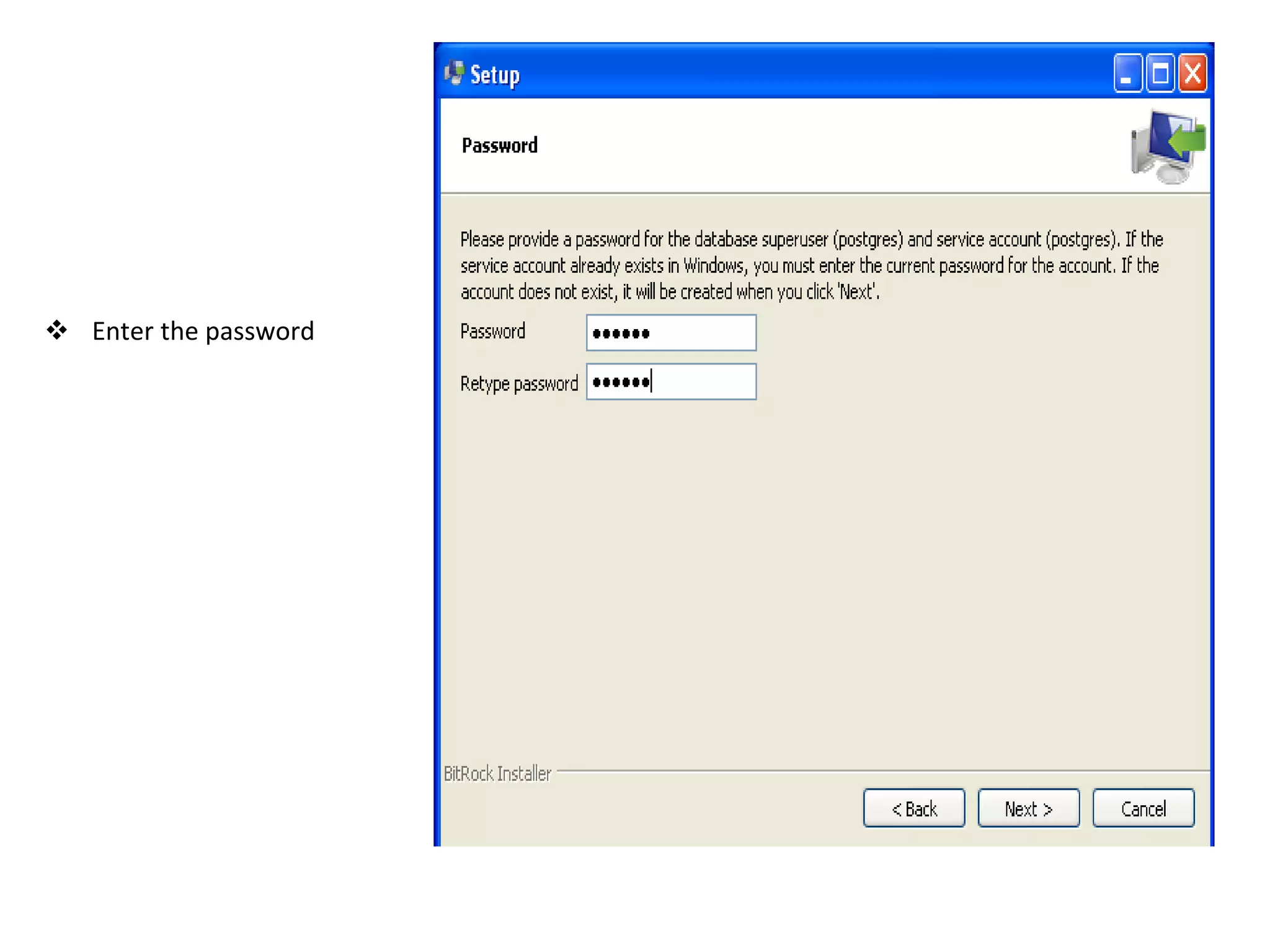
 Enter the password
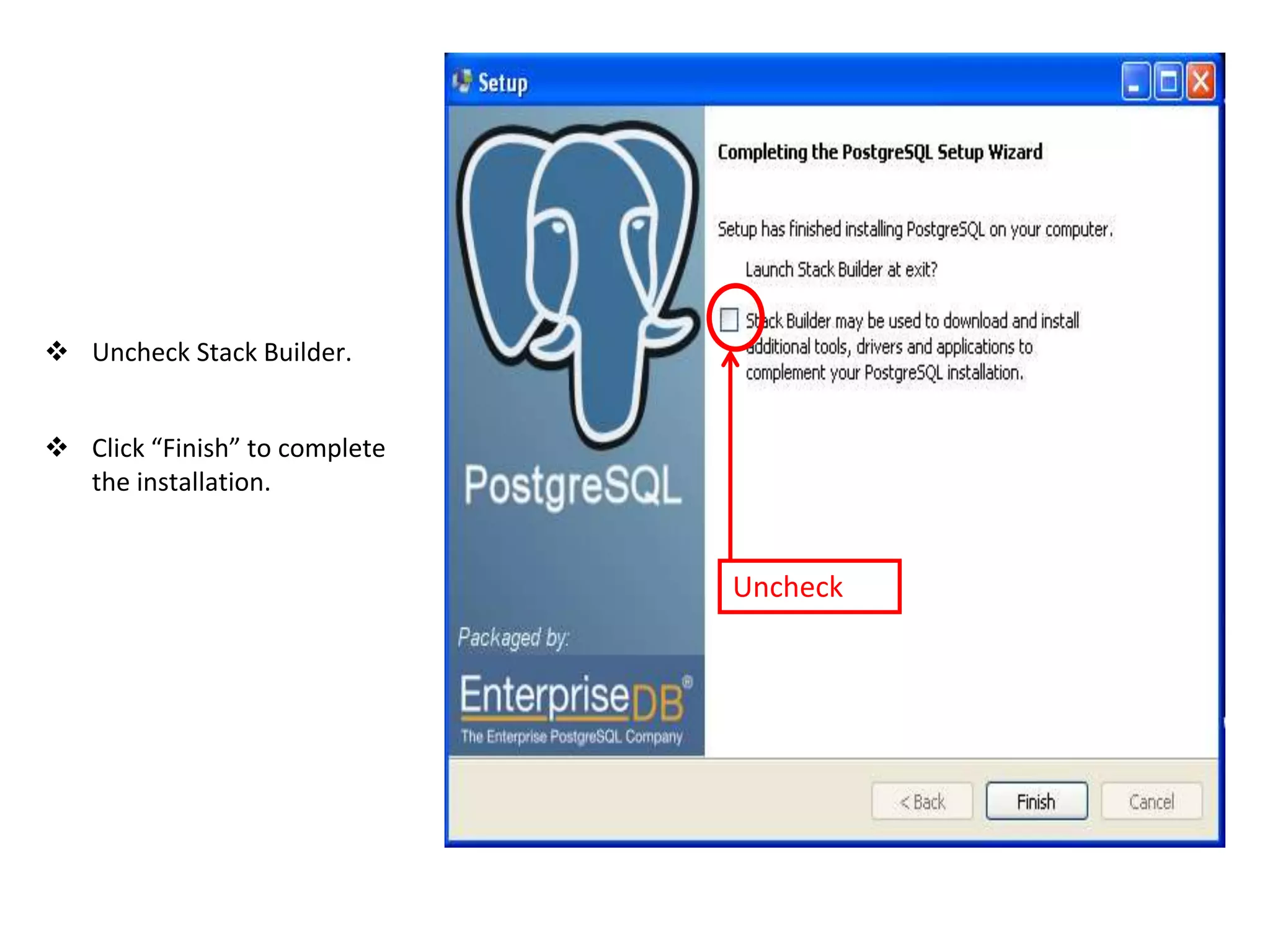
 Uncheck Stack Builder.
 Click “Finish” to complete
the installation.
Uncheck
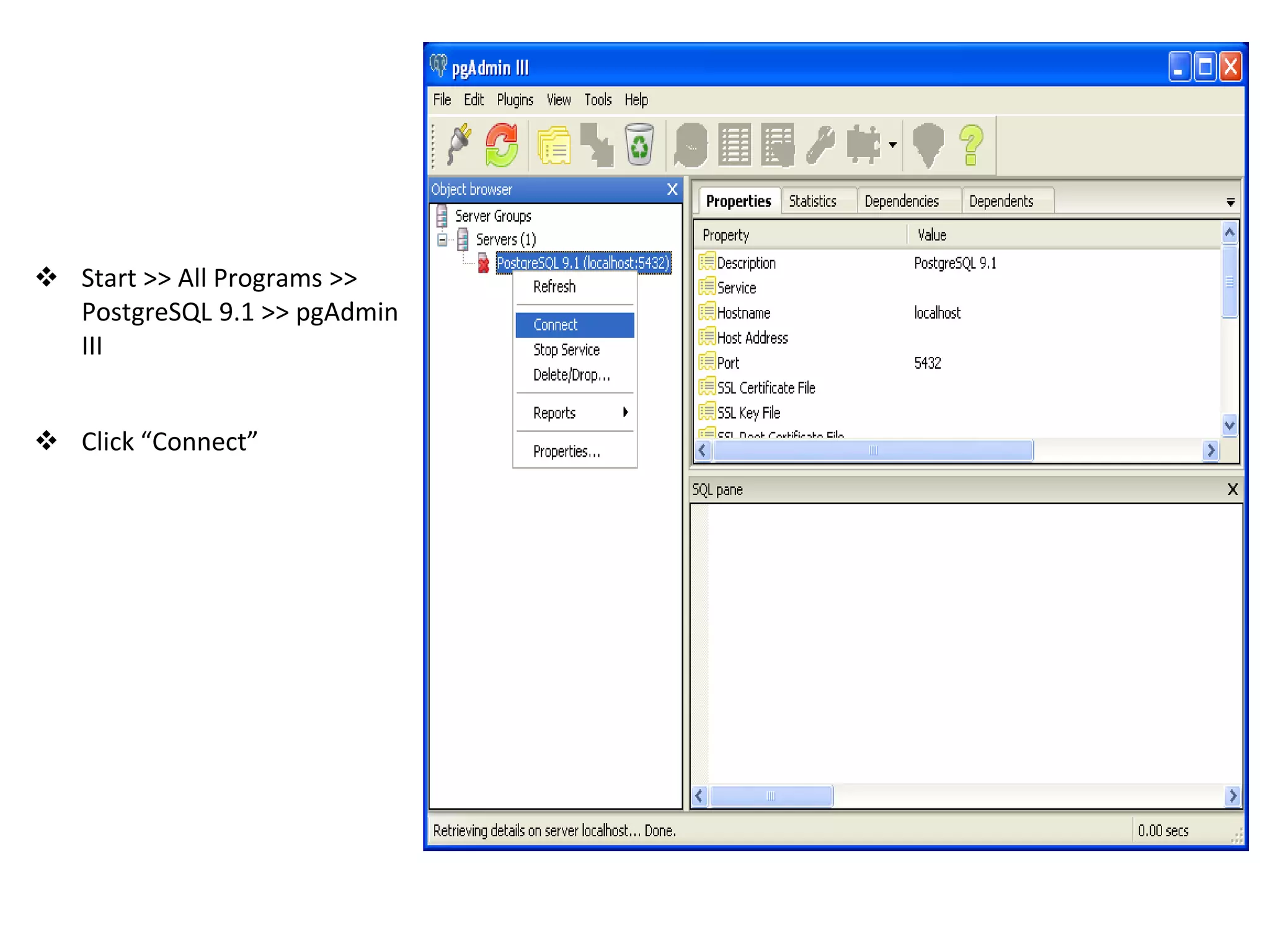
 Start >> All Programs >>
PostgreSQL 9.1 >> pgAdmin
III
 Click “Connect”
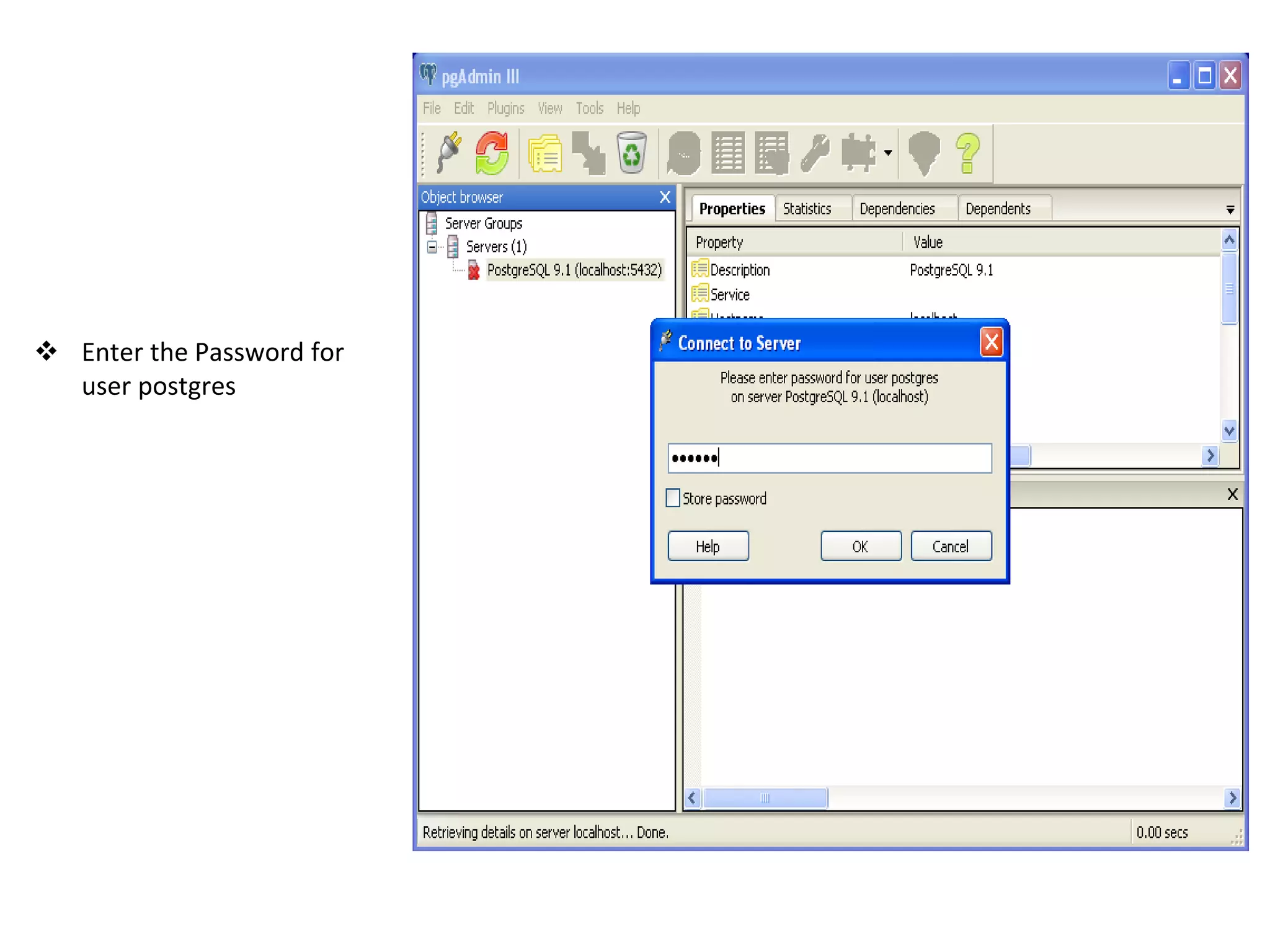
 Enter the Password for
user postgres
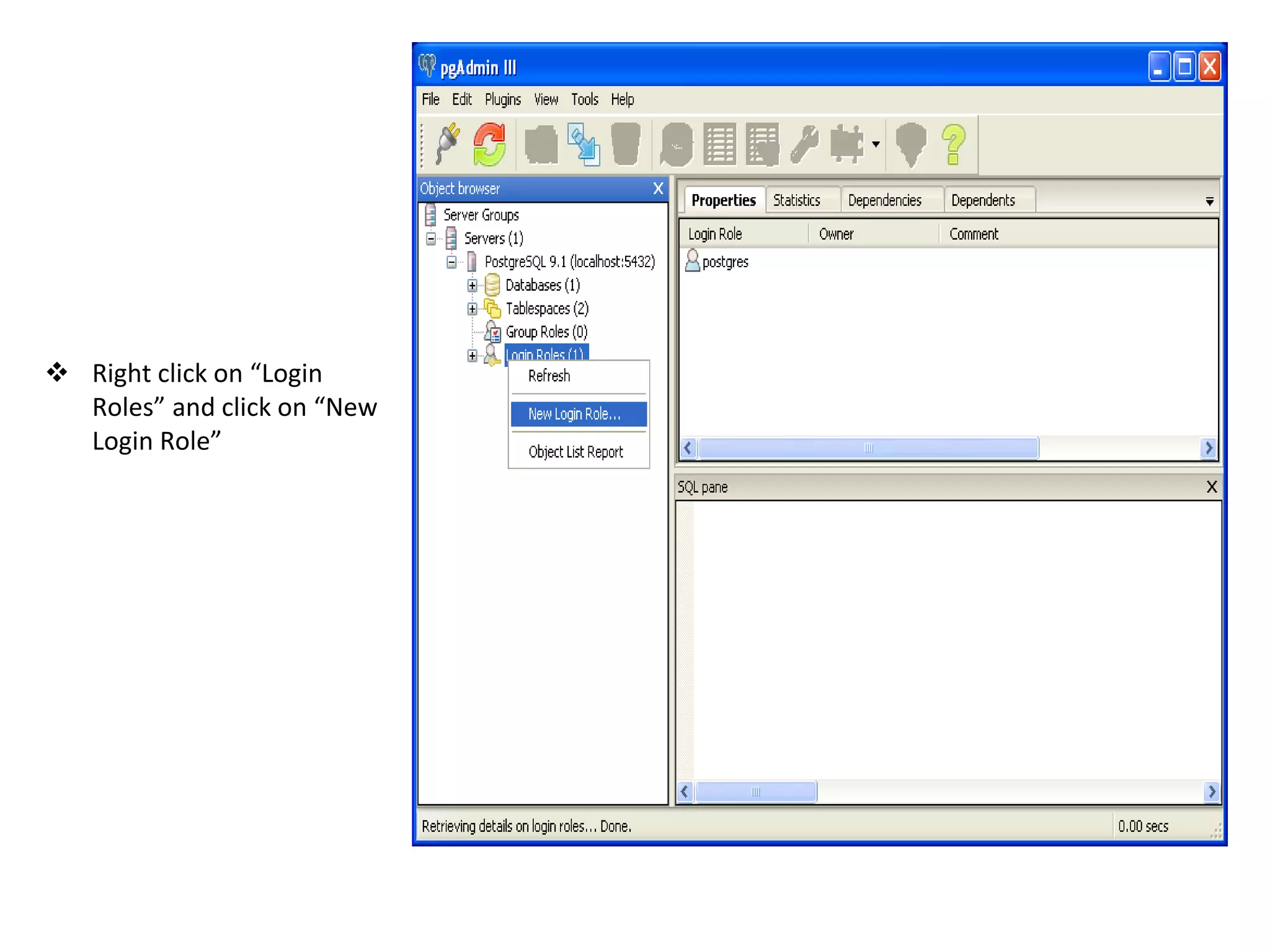
 Right click on “Login
Roles” and click on “New
Login Role”
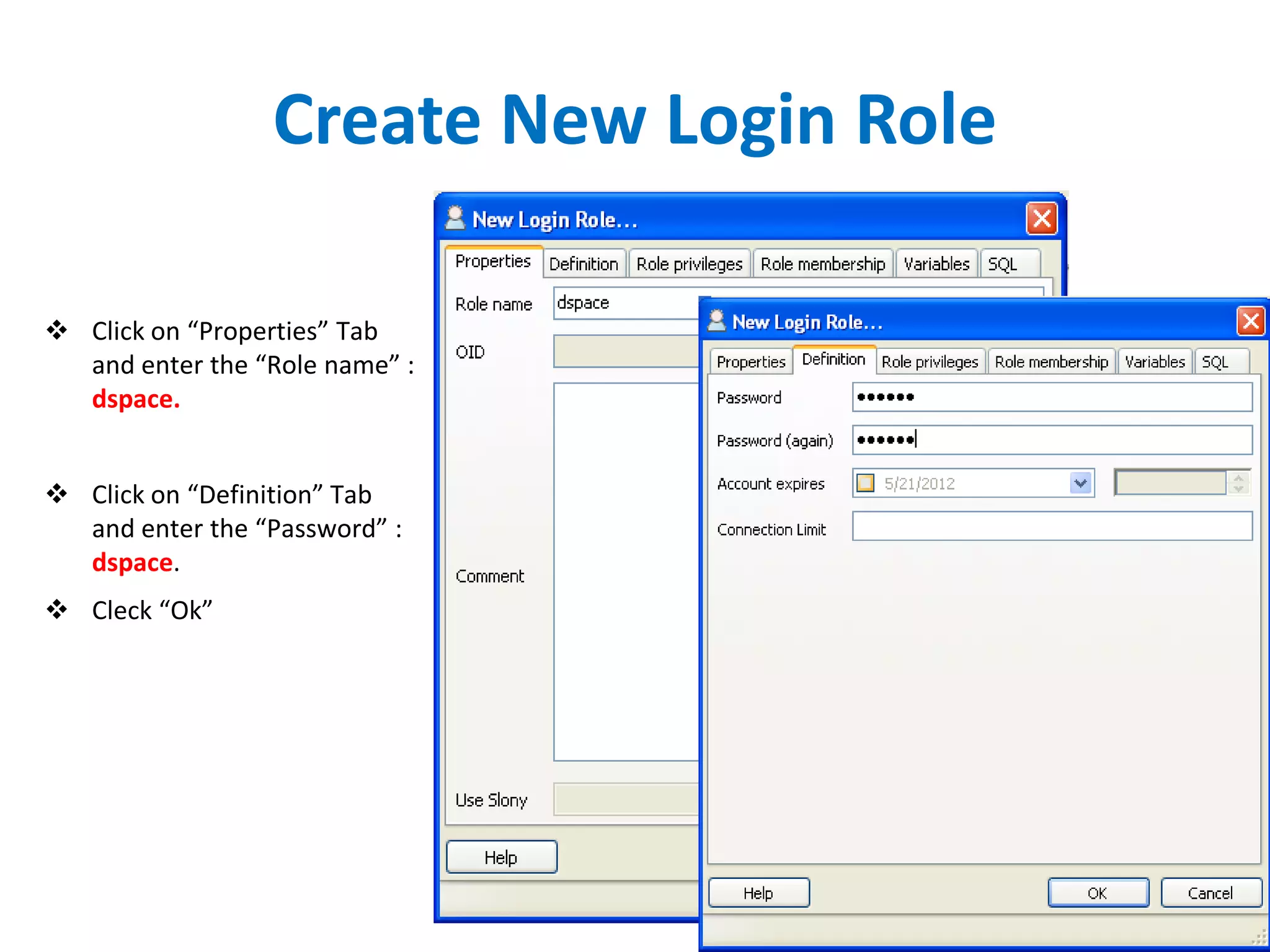
Create New Login Role
 Click on “Properties” Tab
and enter the “Role name” :
dspace.
 Click on “Definition” Tab
and enter the “Password” :
dspace.
 Cleck “Ok”
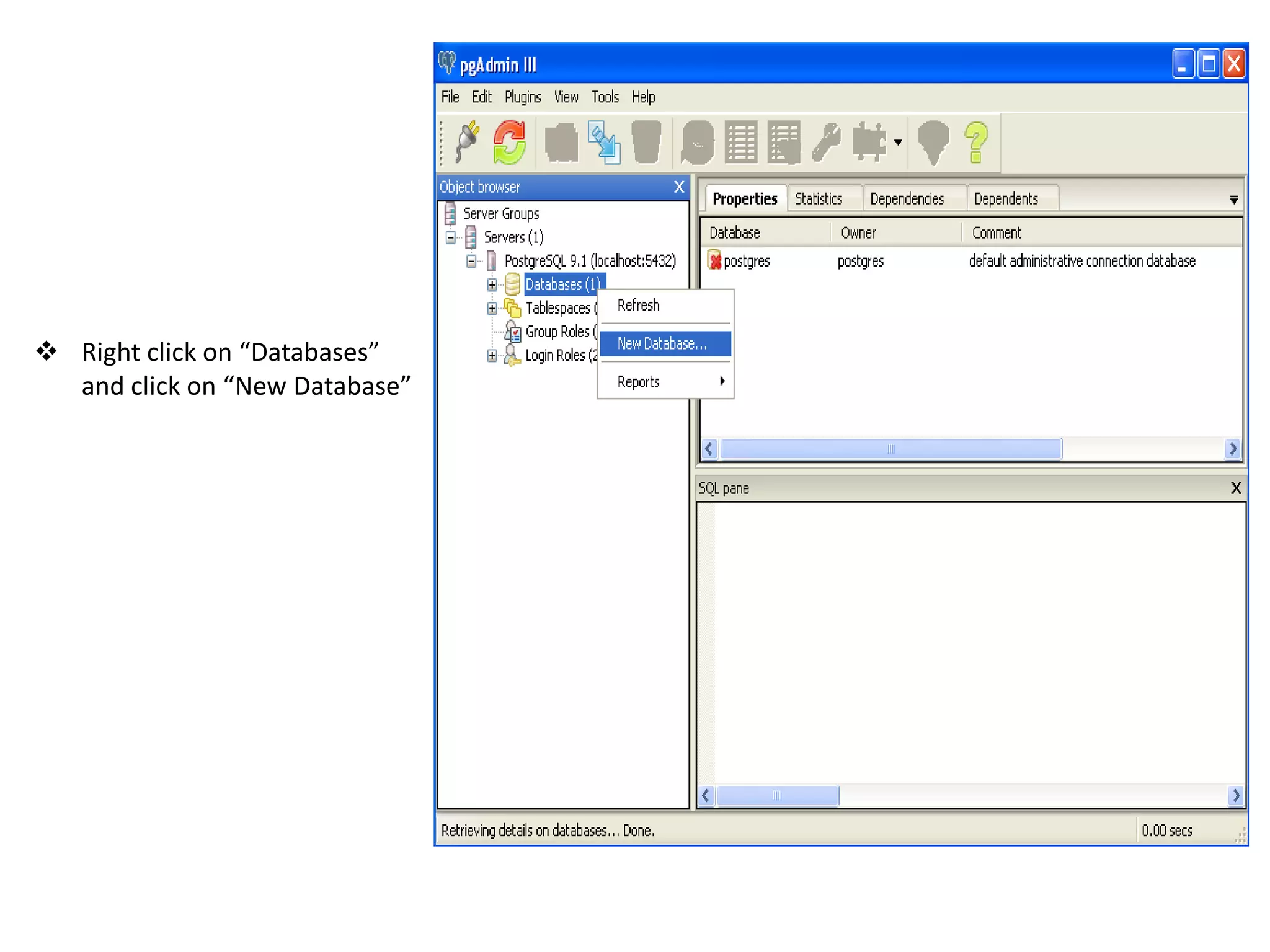
 Right click on “Databases”
and click on “New Database”
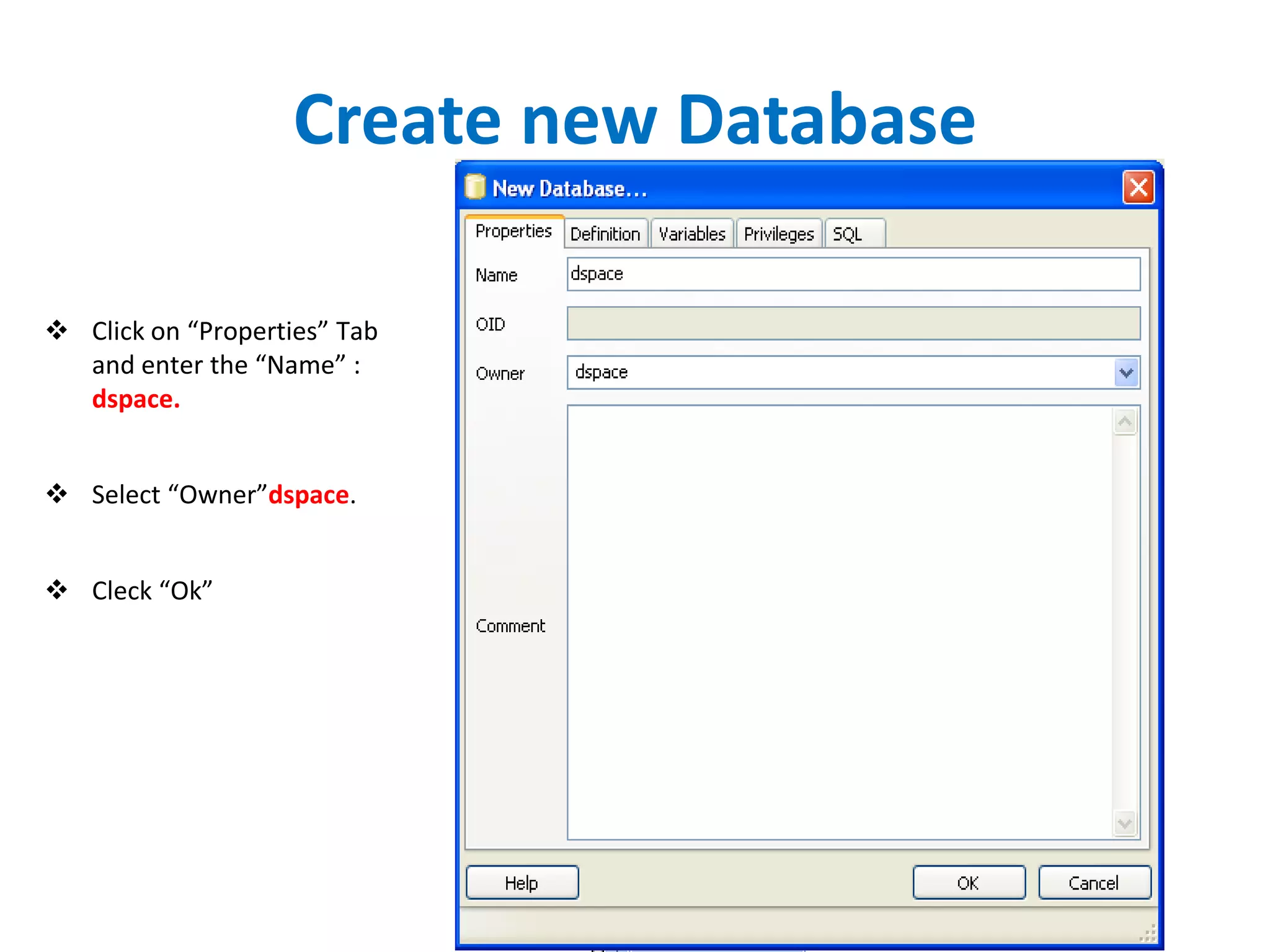
Create new Database
 Click on “Properties” Tab
and enter the “Name” :
dspace.
 Select “Owner”dspace.
 Cleck “Ok”
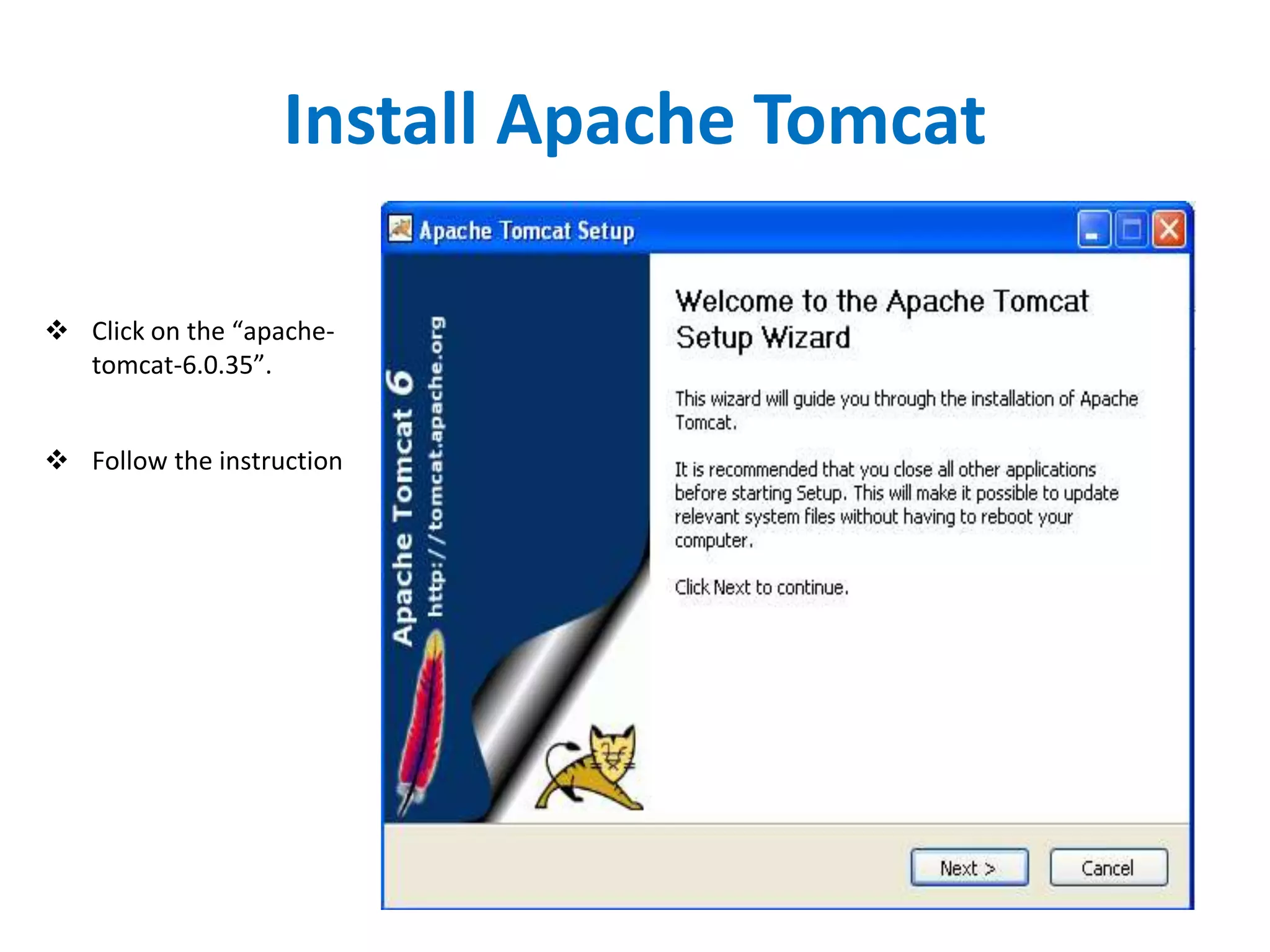
Install Apache Tomcat
 Click on the “apache-
tomcat-6.0.35”.
 Follow the instruction
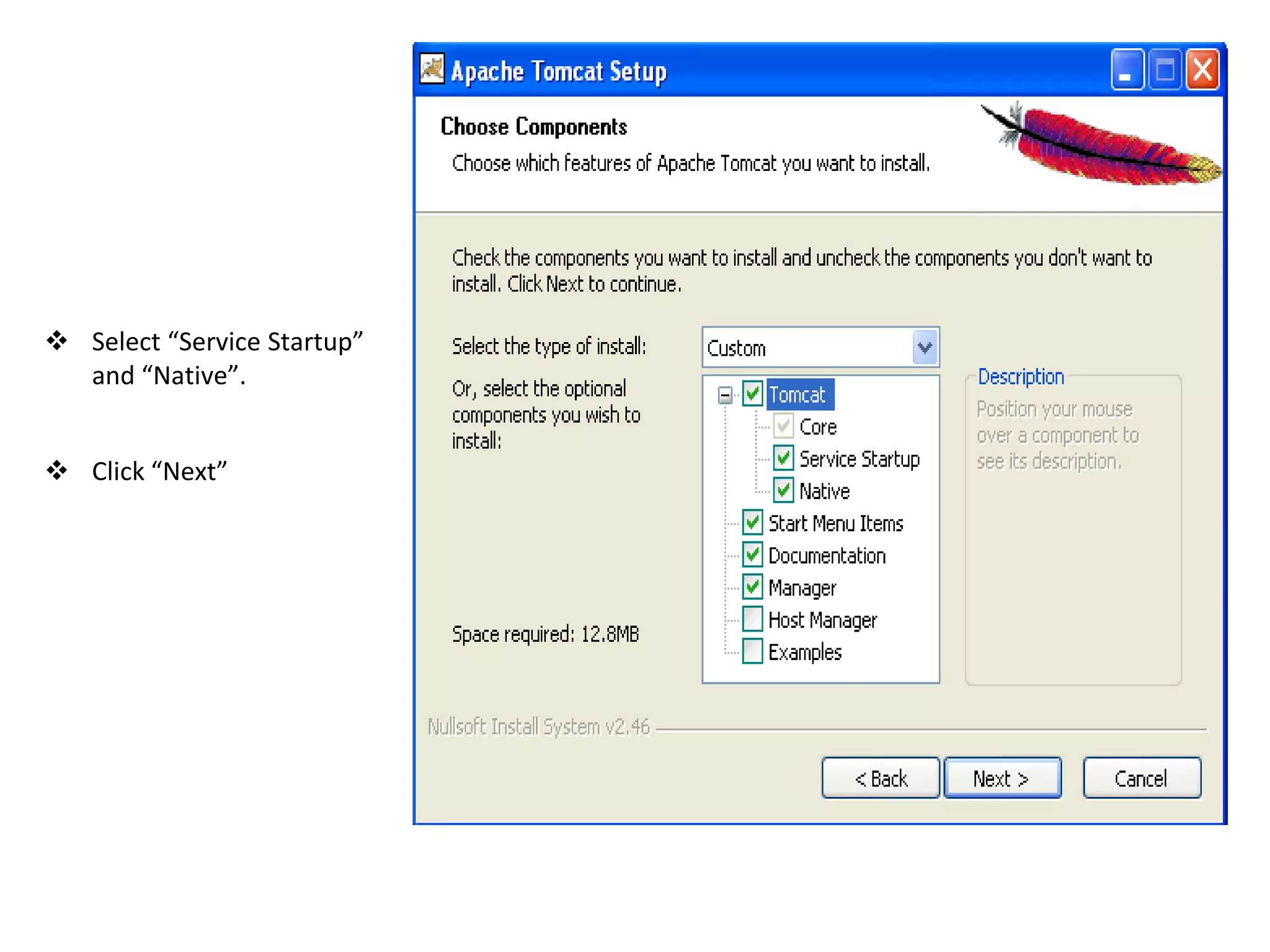
 Select “Service Startup”
and “Native”.
 Click “Next”
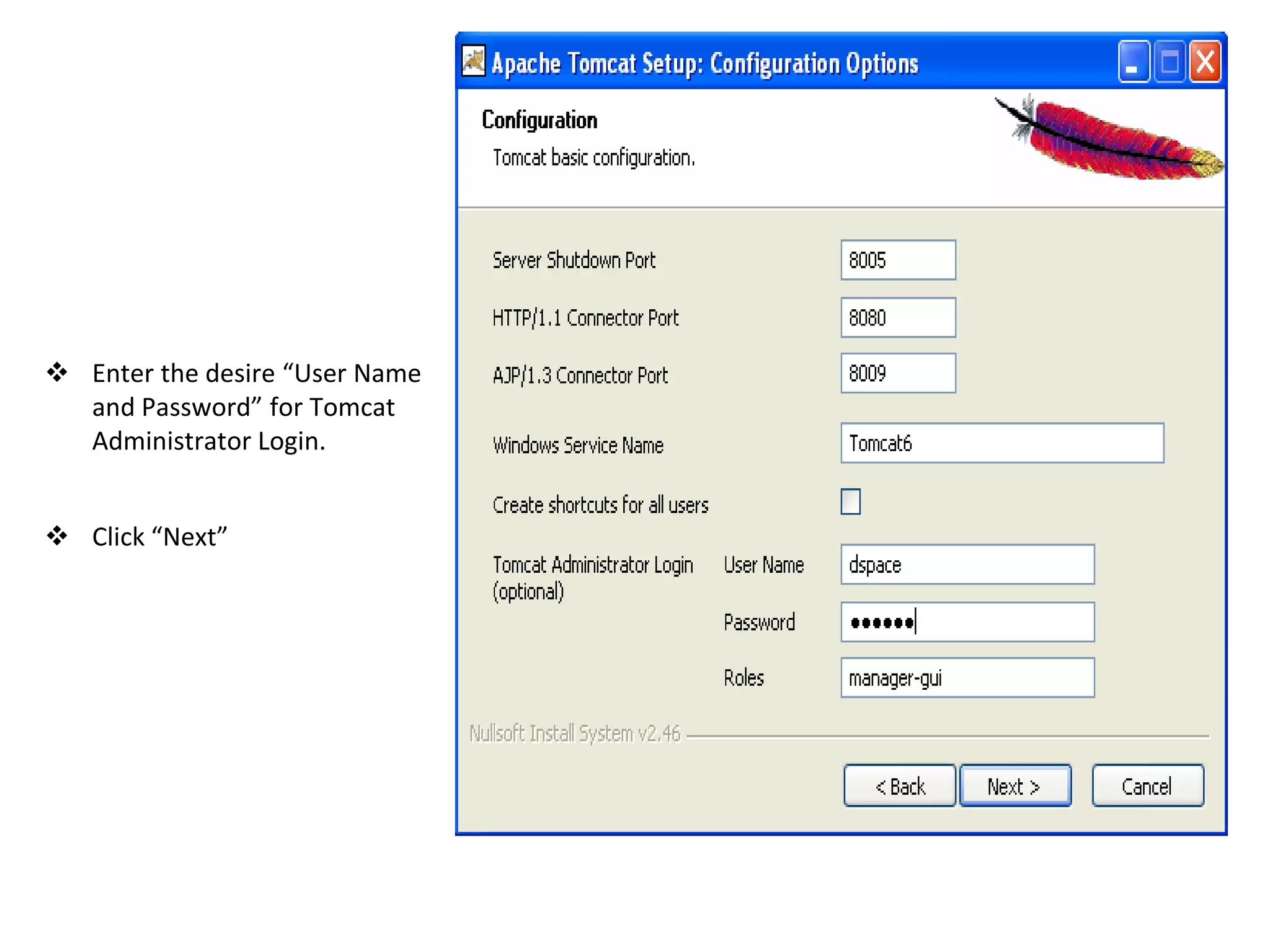
 Enter the desire “User Name
and Password” for Tomcat
Administrator Login.
 Click “Next”
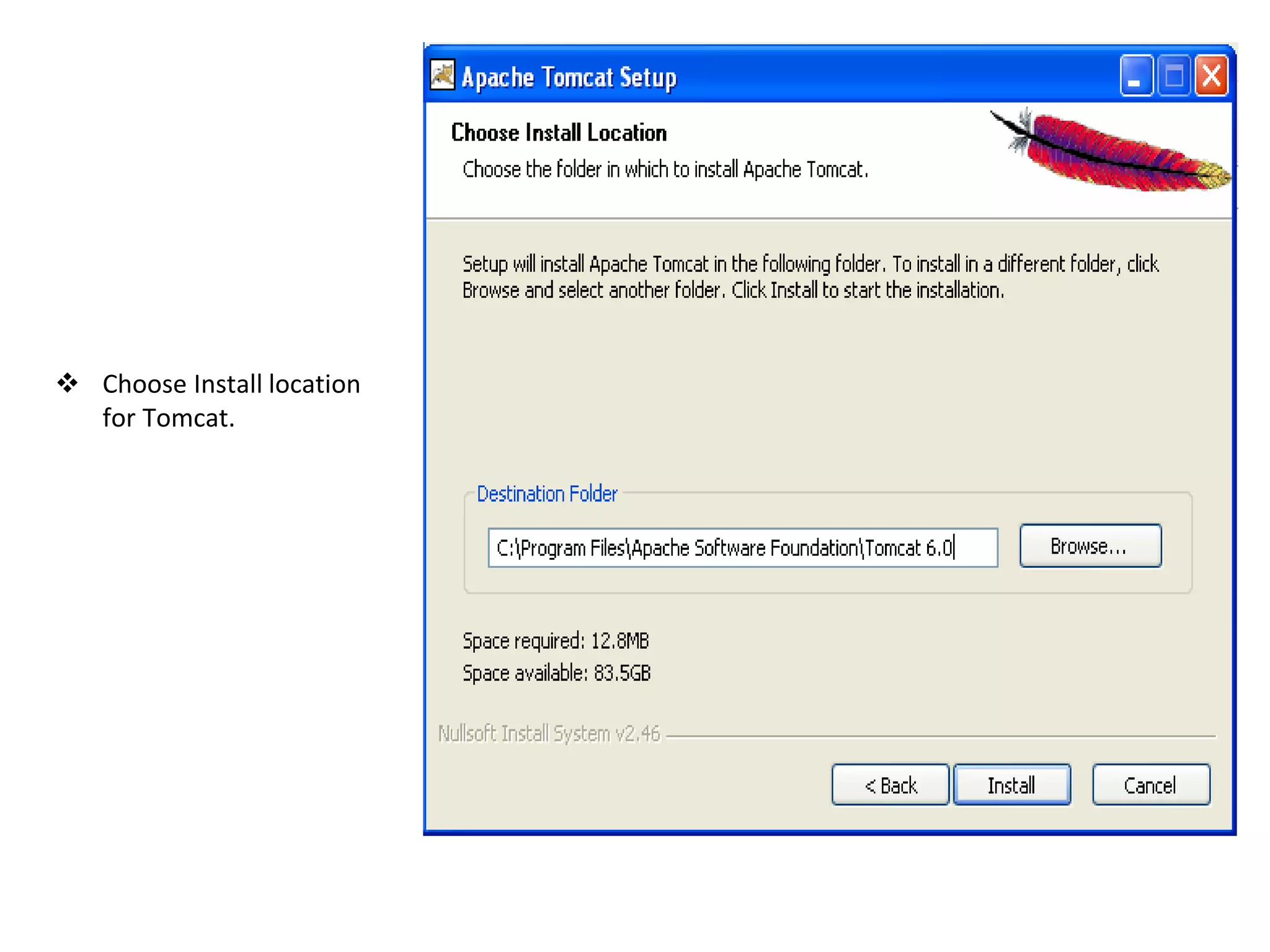
 Choose Install location
for Tomcat.
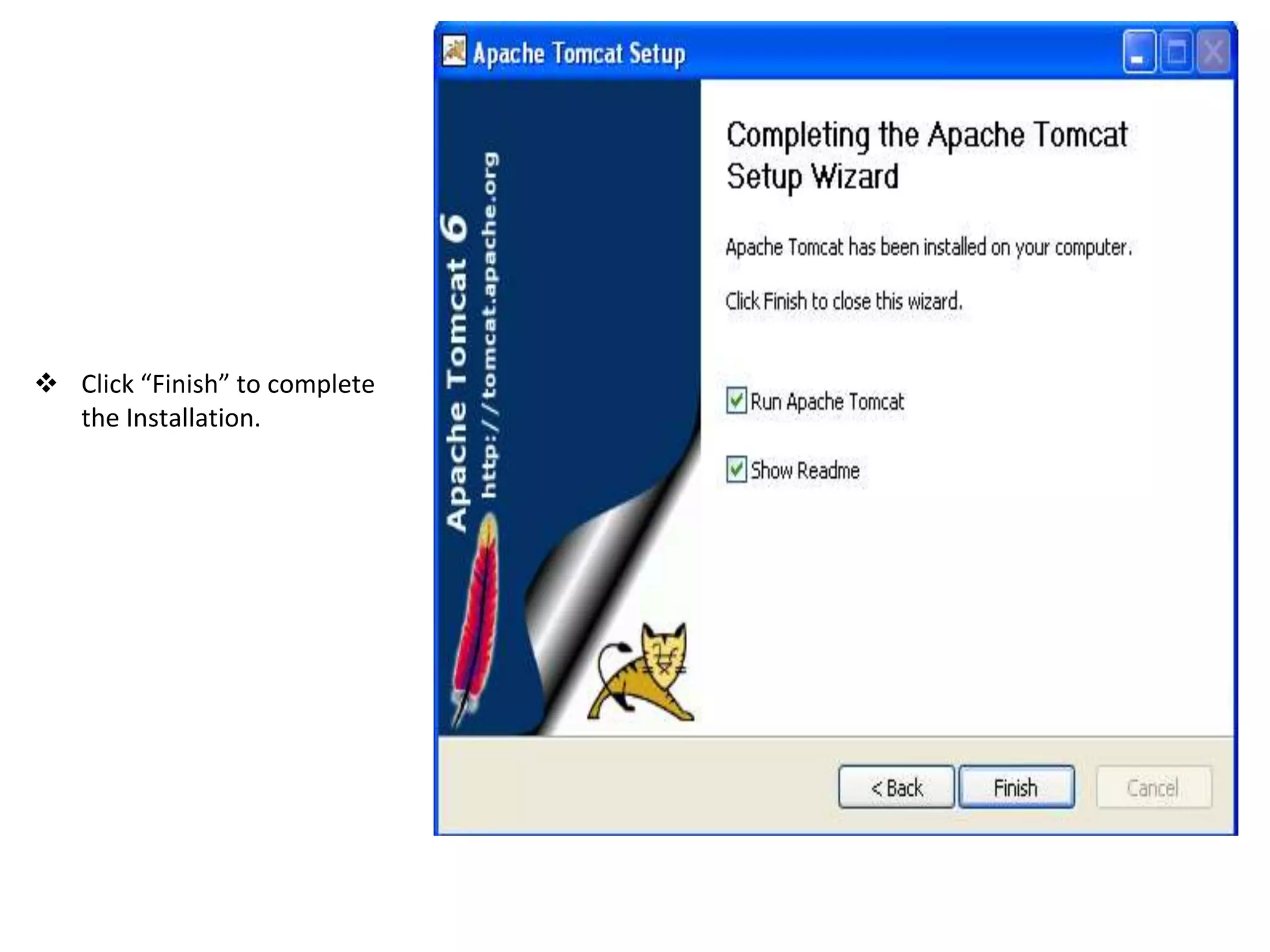
 Click “Finish” to complete
the Installation.
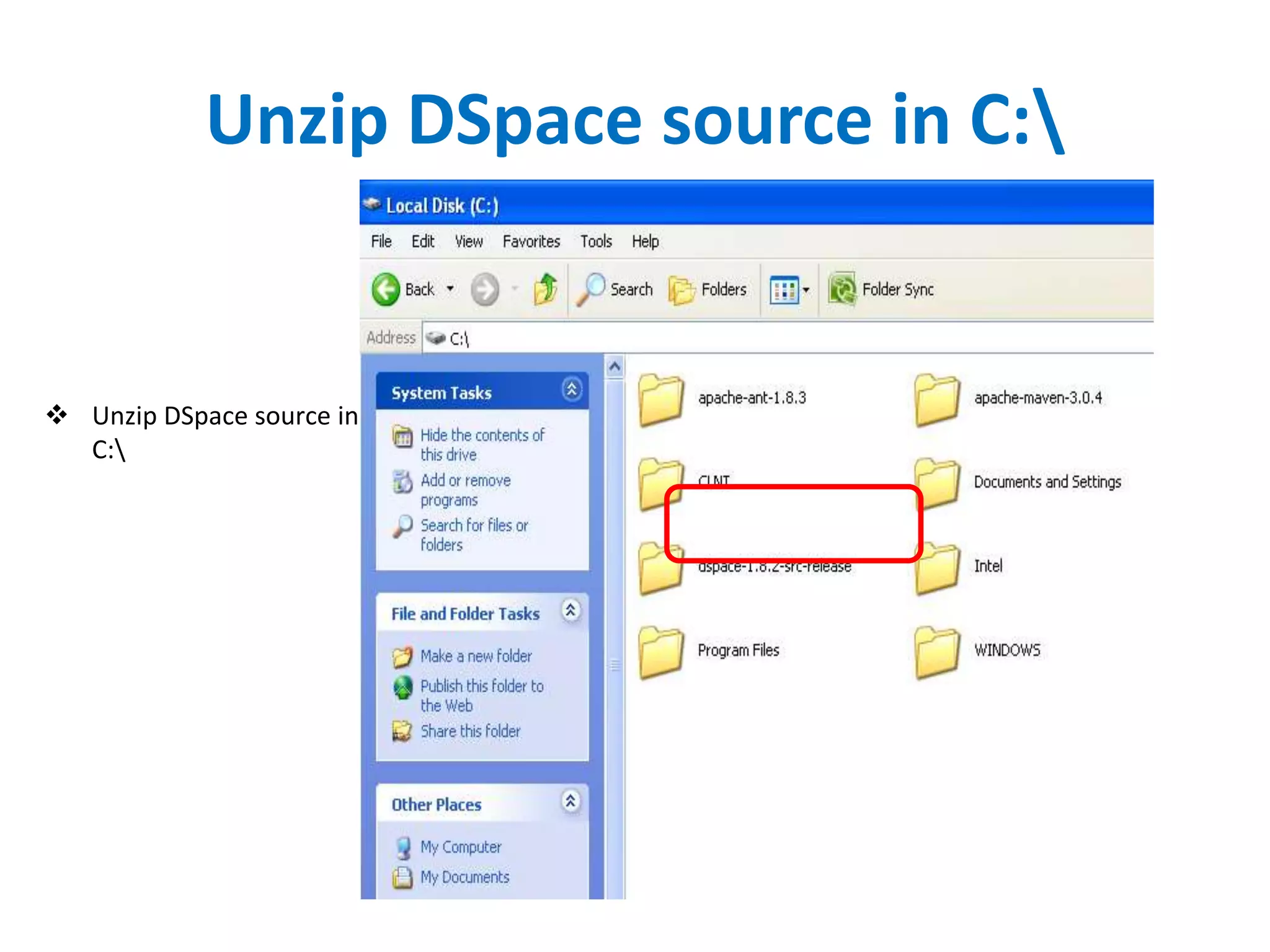
Unzip DSpace source in C:
 Unzip DSpace source in
C:
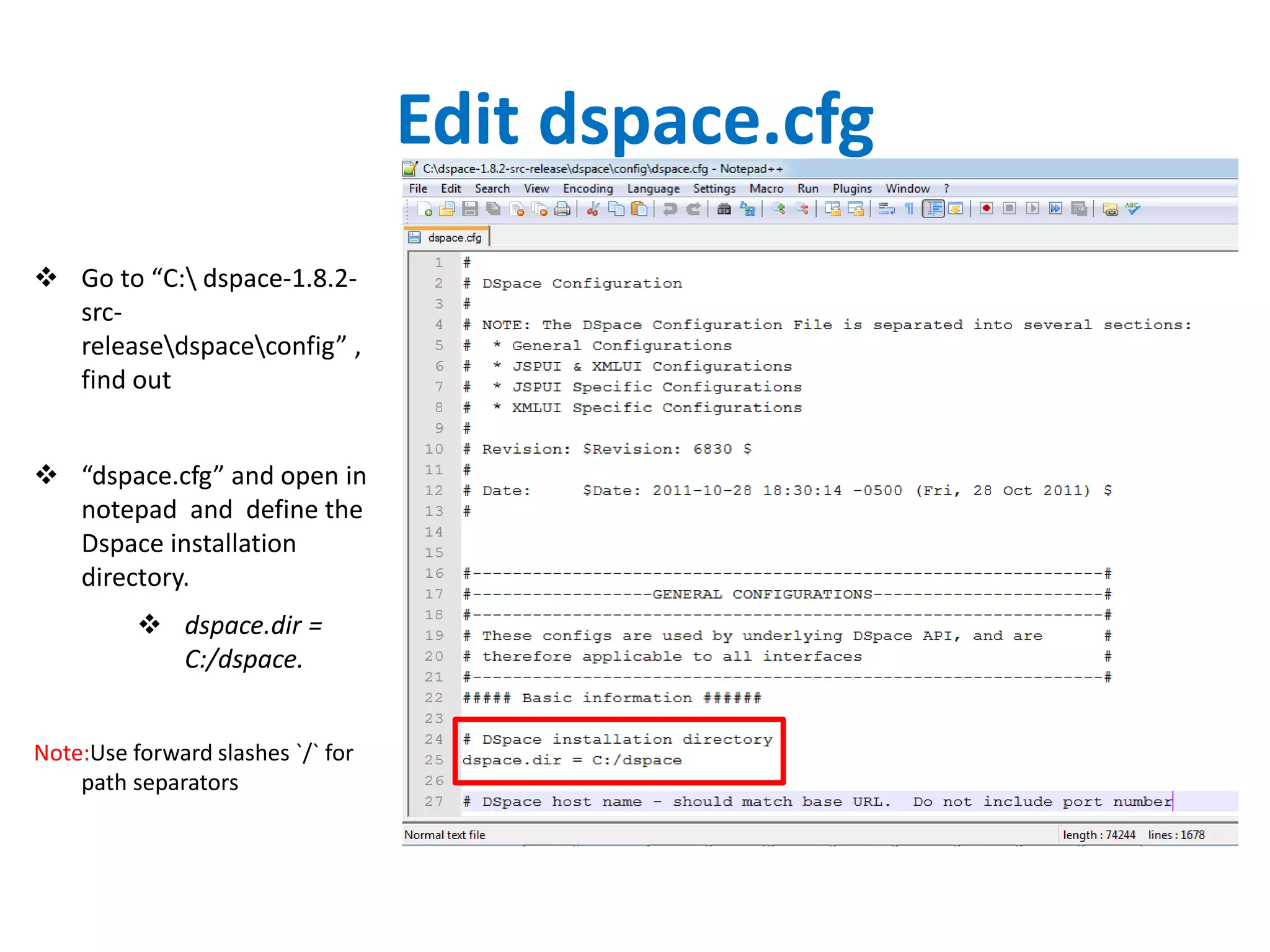
Edit dspace.cfg
 Go to “C: dspace-1.8.2-
src-
releasedspaceconfig” ,
find out
 “dspace.cfg” and open in
notepad and define the
Dspace installation
directory.
 dspace.dir =
C:/dspace.
Note:Use forward slashes `/` for
path separators
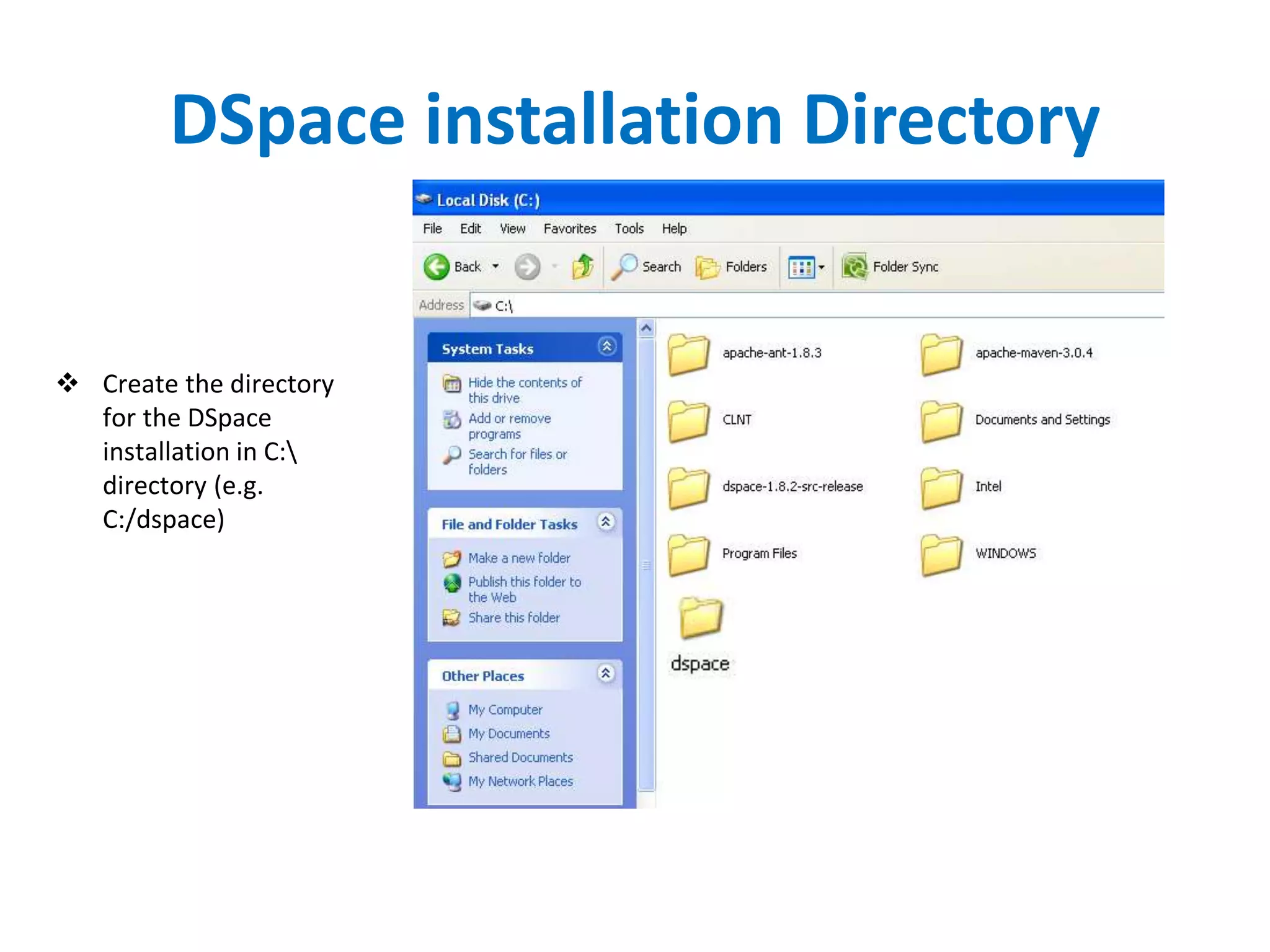
DSpace installation Directory
 Create the directory
for the DSpace
installation in C:
directory (e.g.
C:/dspace)
Generate the DSpace installation
package
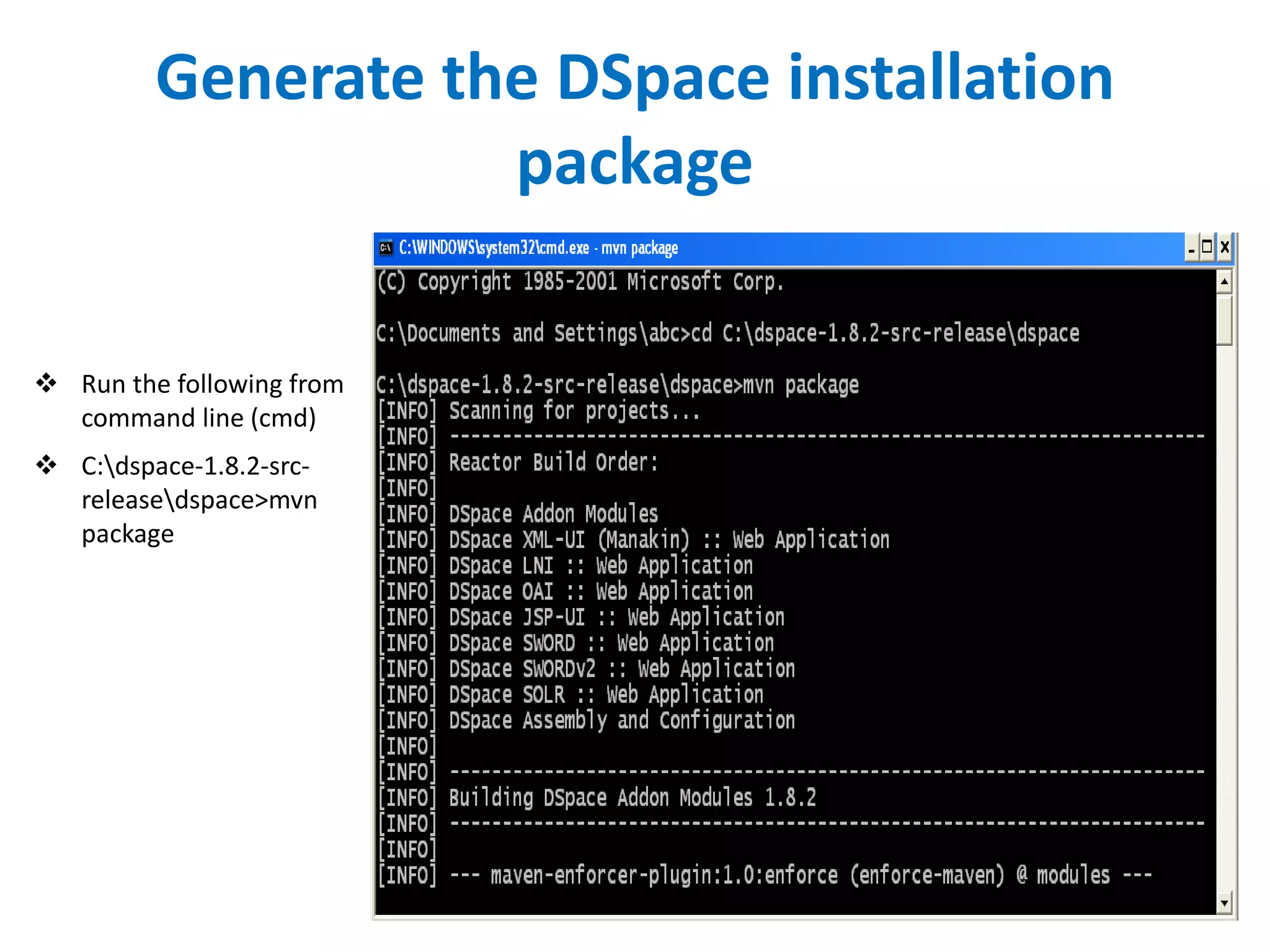
 Run the following from
command line (cmd)
 C:dspace-1.8.2-src-
releasedspace>mvn
package
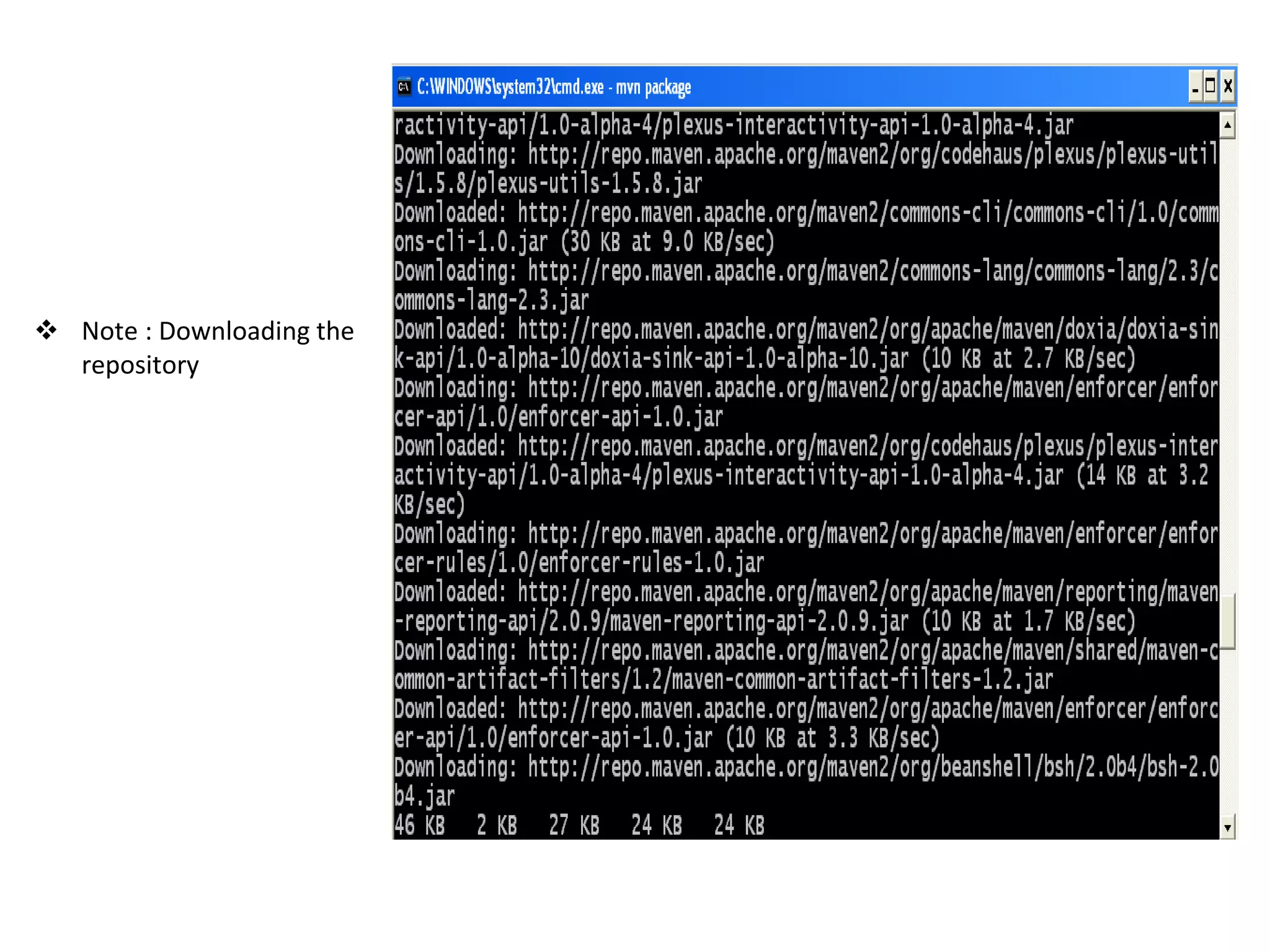
 Note : Downloading the
repository
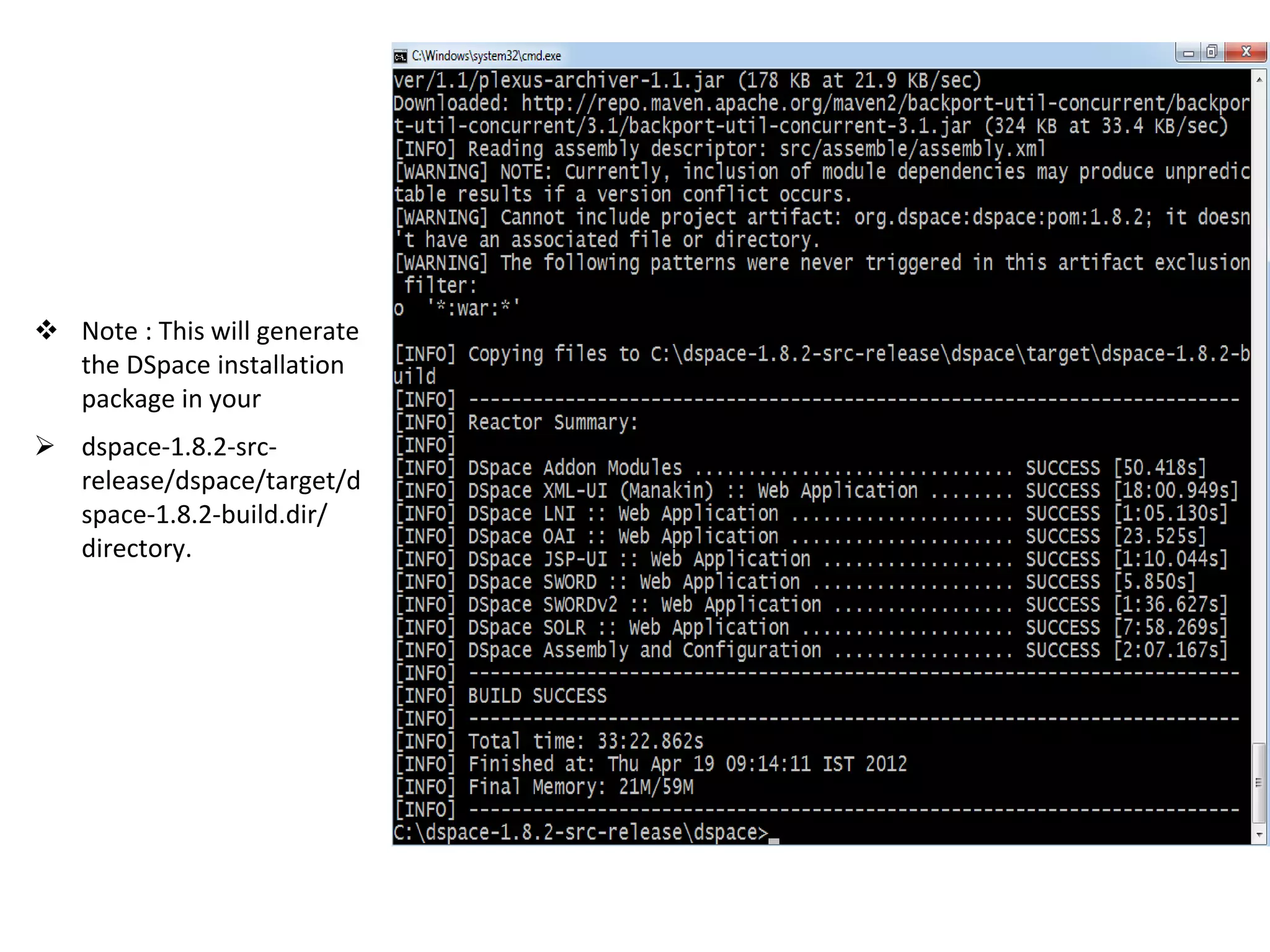
 Note : This will generate
the DSpace installation
package in your
 dspace-1.8.2-src-
release/dspace/target/d
space-1.8.2-build.dir/
directory.
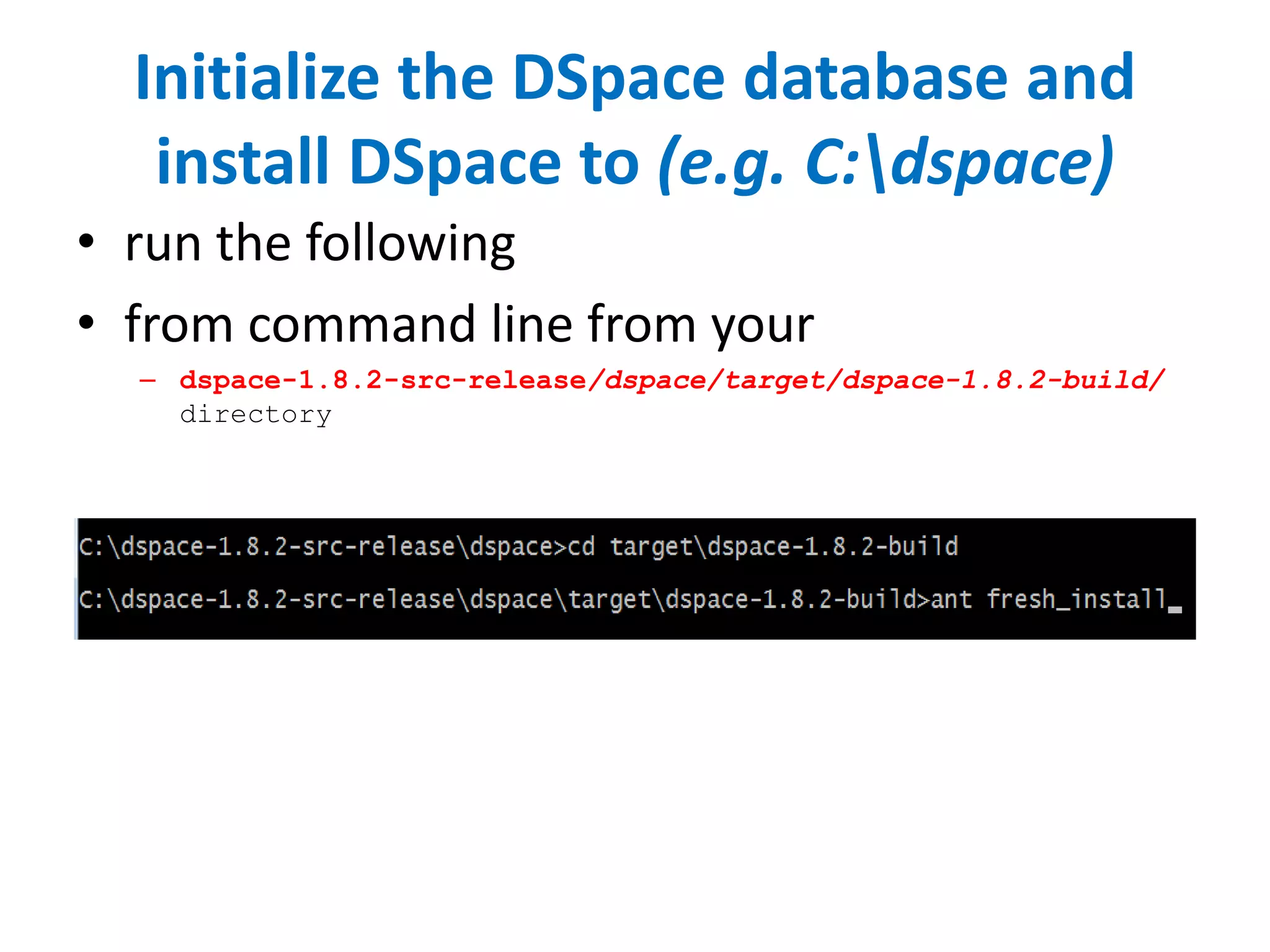
Initialize the DSpace database and
install DSpace to (e.g. C:dspace)
• run the following
• from command line from your
– dspace-1.8.2-src-release/dspace/target/dspace-1.8.2-build/
directory
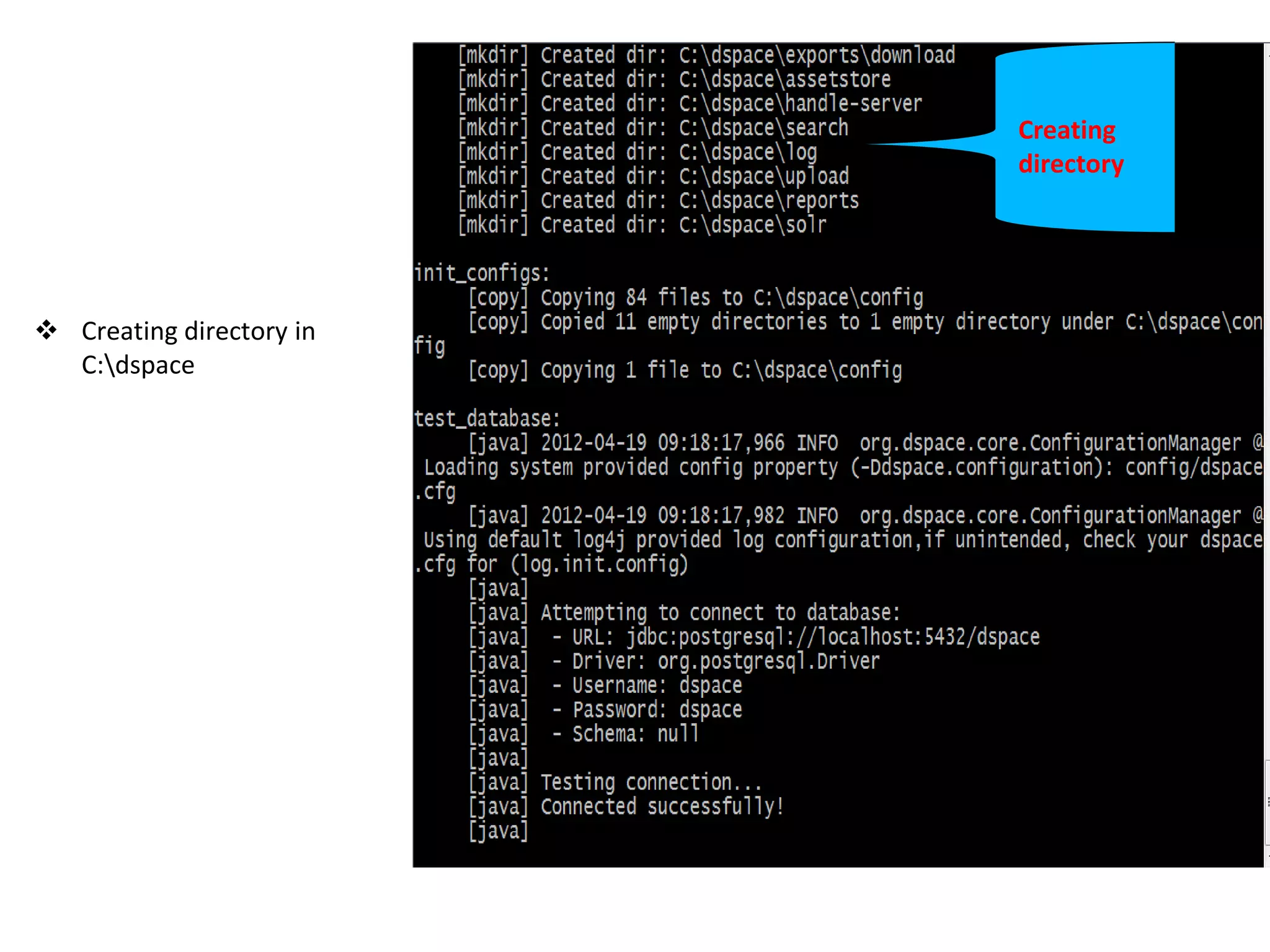
Creating
directory
 Creating directory in
C:dspace
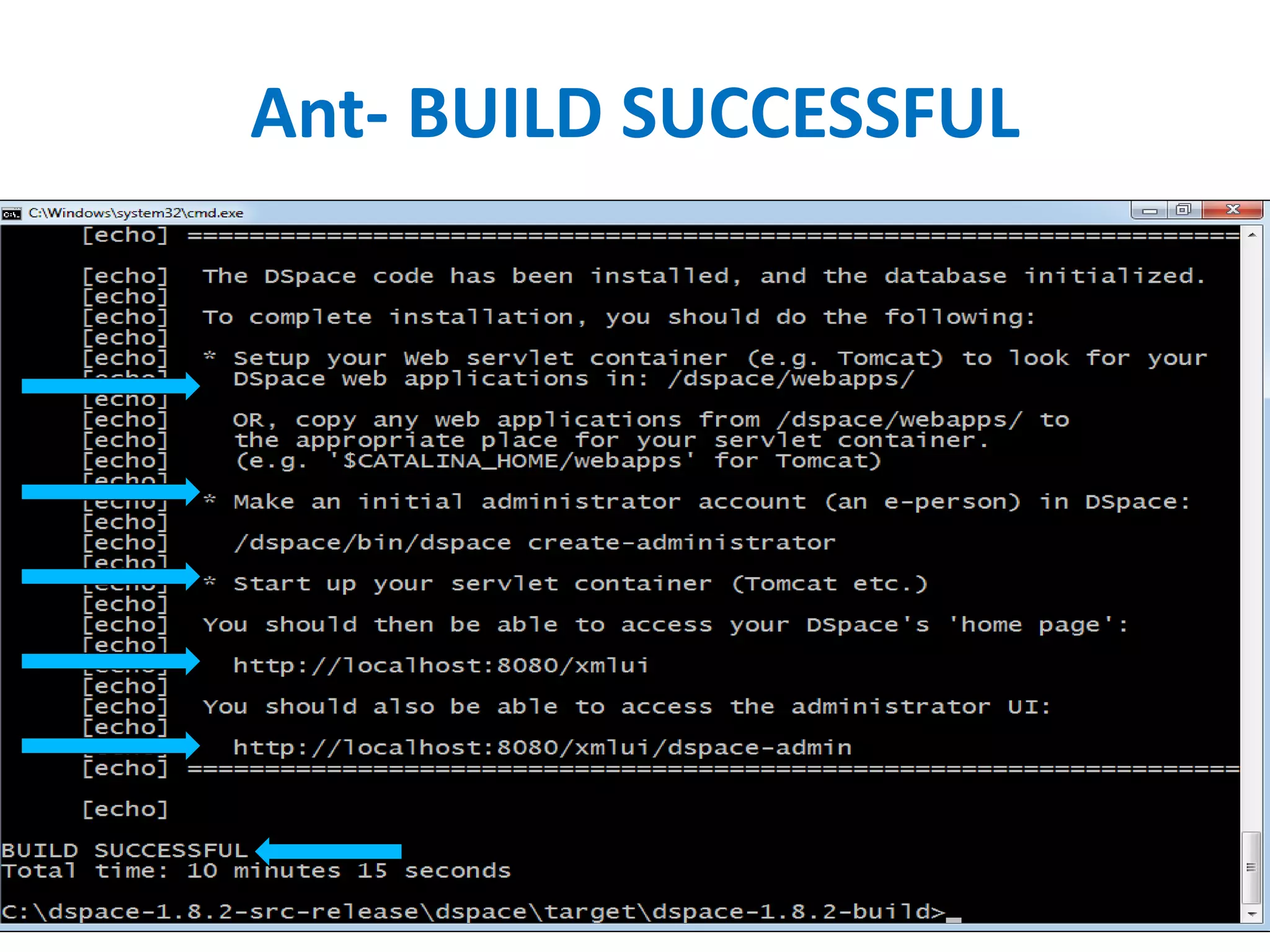
Ant- BUILD SUCCESSFUL
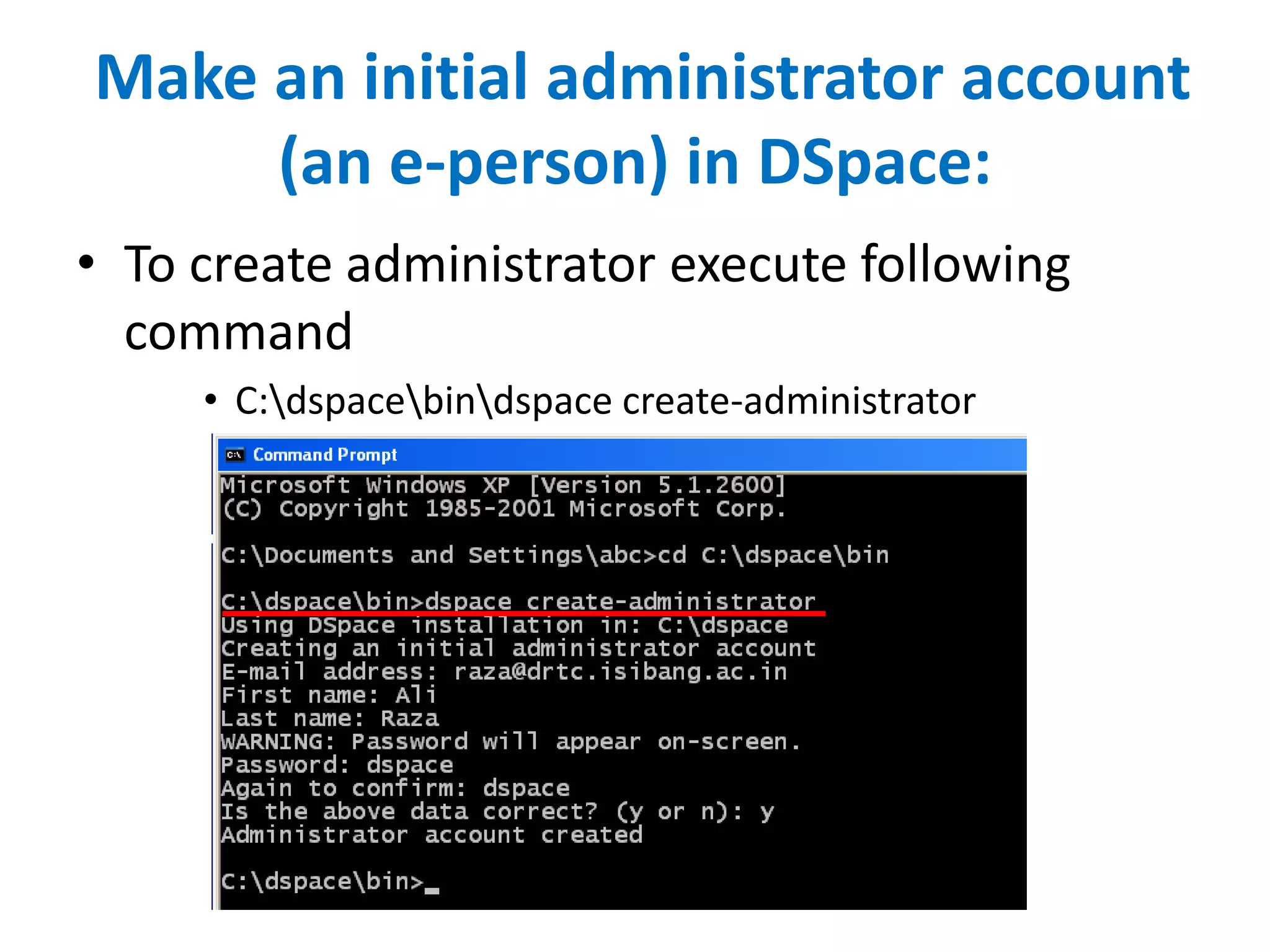
Make an initial administrator account
(an e-person) in DSpace:
• To create administrator execute following
command
• C:dspacebindspace create-administrator
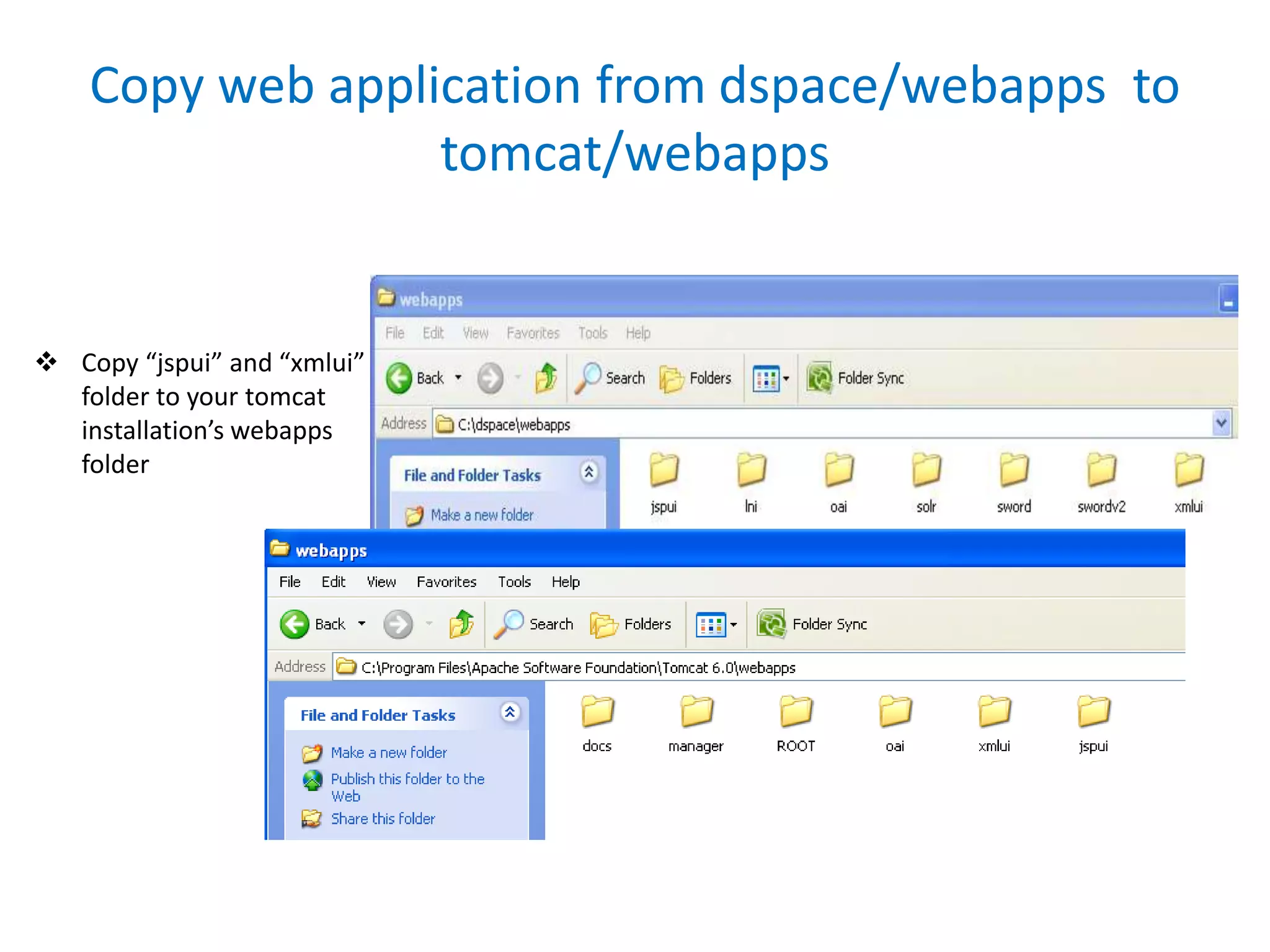
Copy web application from dspace/webapps to
tomcat/webapps
 Copy “jspui” and “xmlui”
folder to your tomcat
installation’s webapps
folder
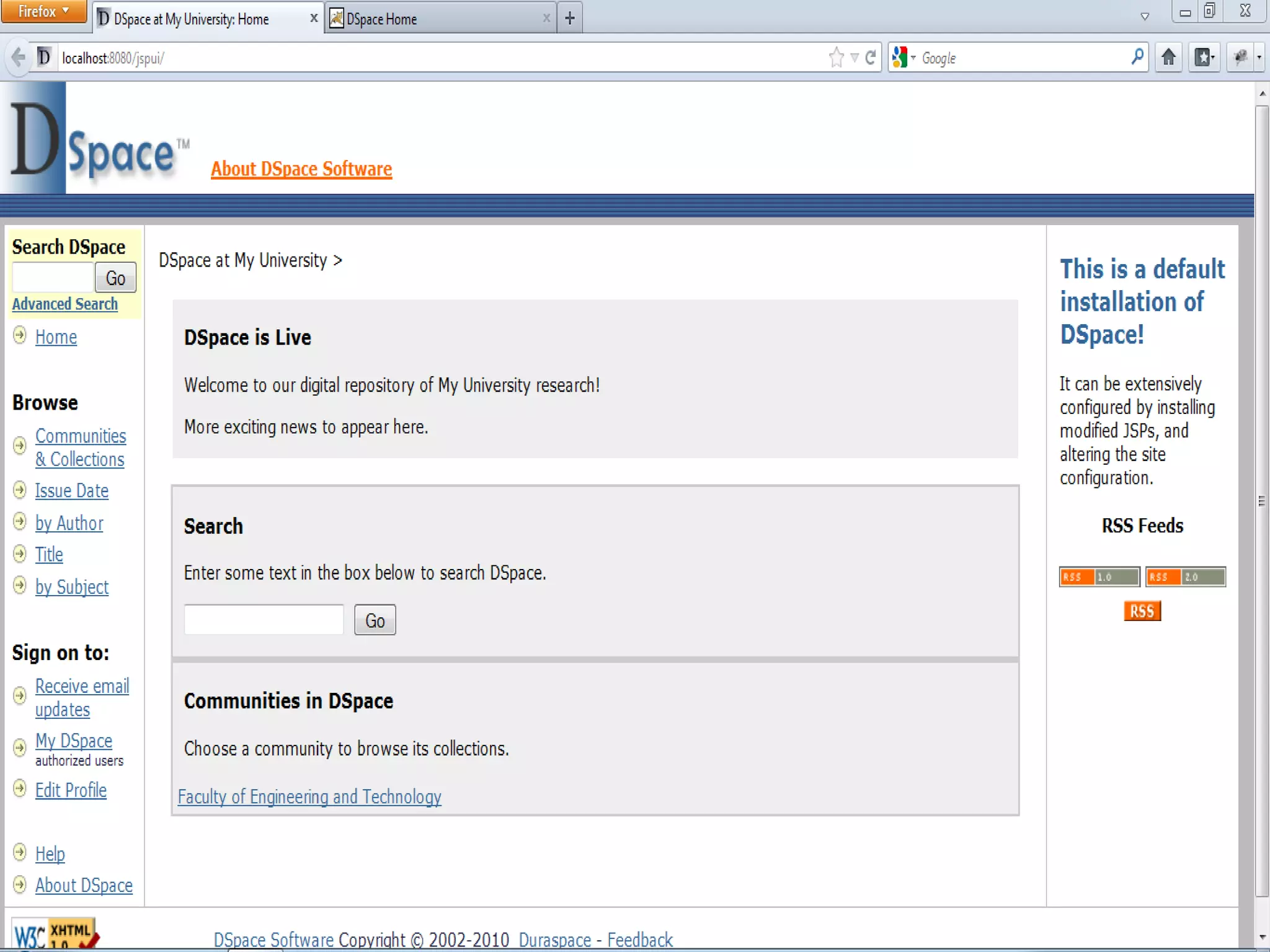
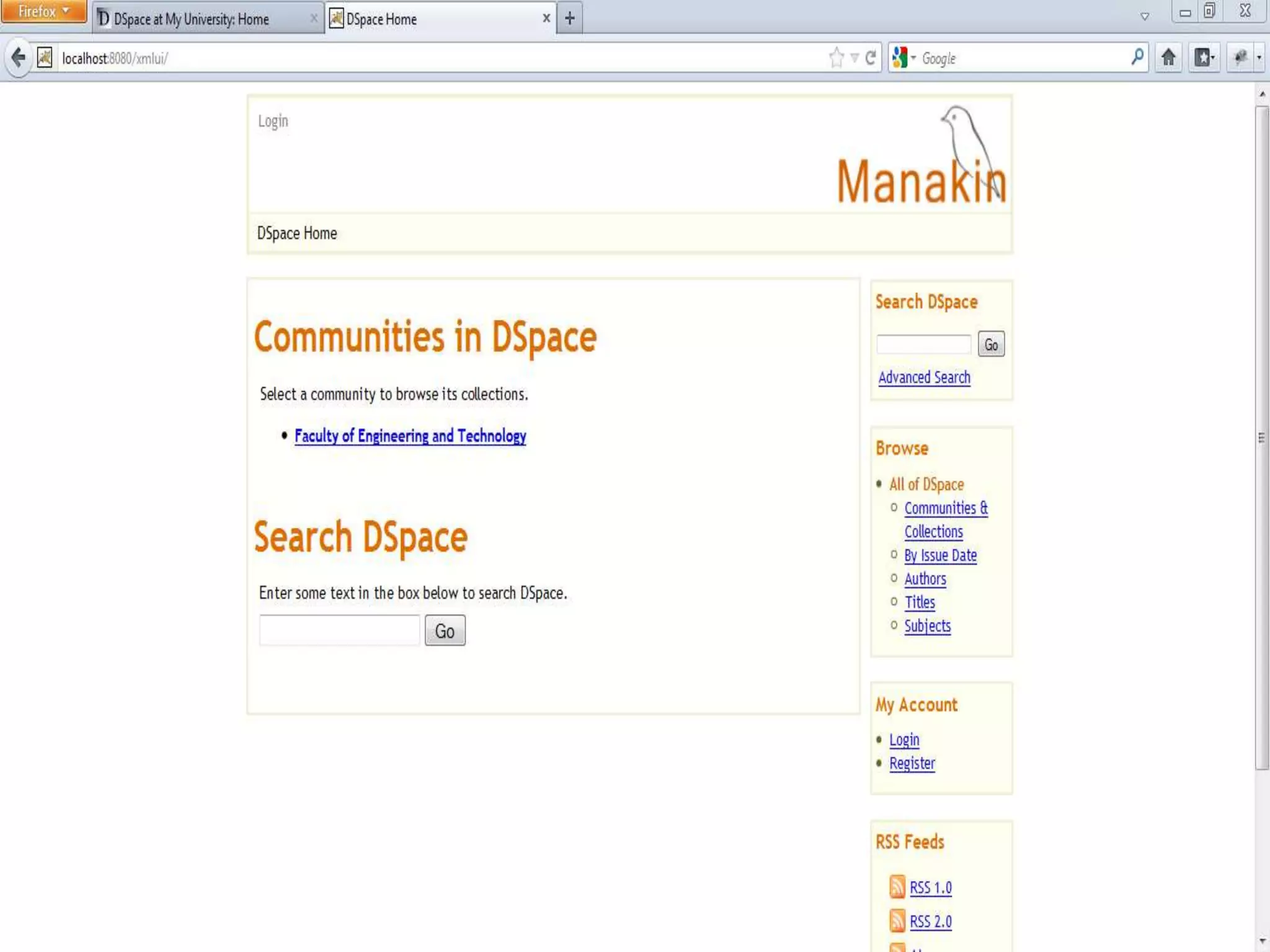
Test it out in your browser
• There are two interface of Dspace
• JSPUI http://localhost:8080/jspui
or
• XMLUI http://localhost:8080/xmlui
Reference
• Ali Raza.Dspace Installation On Windows .
Workshop on DSpace. May 25-27, 2012;
IGNCA, New Delhi
• 2. Training Programme on DSpace Software
For Library Professionals June 25-27, 2013
• 3. Yatrik Patel INFLIBNET.Centre. 2011
• 4. http://en.wikipedia.org/wiki/DSpace
Thanks

Dspace software

  • 1.
    Dspace: Software forWindow Santosh Kumar Kori Jr. Library Assistant Indian Law Institute, New Delhi
  • 2.
    Introduction Universities and highereducation institutions around the globe install and maintain digital libraries (DL)/ institutional repositories (IR)/ archives to store and provide online access to a variety of materials produced as part of learning and research. A DL/IR is a digital, open access system established by a university or other institution
  • 3.
    Free/Open Source Software(OSS). Thefollowing are the popular OSS for DL/IR 1. DSpace (http://www.dspace.org/) by MIT Libraries & Hp Lab 2. EPrints (http://www.eprints.org/) by University of Southampton 3. Fedora (http://fedora-commons.org/) by Cornell University 4. Greenstone (http://www.greenstone.org/) by University of Waikato
  • 4.
    Dspace • DSpace isan open source repository software package typically used for creating open access repositories for scholarly and/or published digital content.
  • 5.
    Ability to customizeor theme the user interface You can fully customize the look and feel of your DSpace website so it will integrate seamlessly with your own institution's website and can be more intuitive for your users. DSpace provides two main user interface options: the traditional (JSP-based) interface, and Manakin (XML-based).
  • 6.
    Ability to customizethe metadata Dublin core is the default metadata format within the DSpace application, however you can add or change any field to customize it for you application. DSpace currently supports any non hierarchical, flat name space
  • 7.
    Standards compatible DSpace complieswith many standard protocols for access, ingest, and export. The standards DSpace supports include: OAI-PMH, OAI-ORE, SWORD, WebDAV, OpenSearch, OpenURL, RSS, ATOM
  • 8.
    Ability to configureBrowse and Search You can decide what fields you would like to display for browsing, such as author, title, date etc. on your DSpace website
  • 9.
    Ability to uselocal Authentication mechanisms • DSpace comes with plugins for most university authentication methods, including: LDAP (and hierarchical LDAP), Shibboleth, X.509, IP- based. In addition, DSpace comes with its own internal authentication method, or can be configured to use multiple authentication methods at once.
  • 10.
    Configurable database • Youcan choose either PostgreSQL or Oracle for the database • where DSpace manages its metadata
  • 11.
    Ability to choosethe default language The DSpace web application is available in over twenty languages. So if English is not your local language, you can customize the language which DSpace uses
  • 12.
    Major DSpace Websitesin the world • http://dspace.mit.edu/- DSpace at MIT with 64671 Documents • http://www.dspace.cam.ac.uk/ DSpace at Cambridge with 193188 Documents • http://dash.harvard.edu/ DSpace at Harvard University with 12202 Documents • http://dspace.cusat.ac.in/jspui/ at Cochin University of Science and Technology -5307 Documents • http://shodhganga.inflibnet.ac.in/ Indian Digital Theses by Inflibnet -7736 theses • http://nsdl.niscair.res.in/ National Science Digital Library at NISCAIR-578 Documents • http://nopr.niscair.res.in/ NISCAIR online periodical directory- 17261 articles
  • 13.
    Installing DSpace available athttp://liblivecd.sourceforge.net/ . It can be used to install multiple OSS packages of Koha, DSpace and Drupal. You can either install the CD on your desktop/laptop or try the OSS packages without installing If you intend to install it, make sure to backup your data and ensure partition of disc space to retain existing operating system and your documents Cont.
  • 14.
    • When youwant to try DSpace without installing, insert the CD in the CD drive and restart the machine. It will boot from the disk. Finally a desktop with two icons appear. Click on the” ClickME” icon. A text file is displayed with navigation facility. Note the user name and password for all applications. Click on the fist DSpace link. A DSpace website will be displayed. Suppose that this is your DSpace. We can customize, create communities, sub communities, collection and add items to the Collection
  • 15.
    Prerequisite Software  Note:Java 7 is currently unsupported
  • 16.
  • 17.
  • 18.
    Install Apache Maven Unzip apache-ant-1.8.3.bin.zip to C: Directory
  • 19.
    Setting up EnvironmentVariable Right click “My Computer” >> Click Properties >> “Advance” tab >> Click on “Environment Variable” Button >> select “Path” from System Variables, click edit Add the path for Java, apache-ant, apache maven. In our case it should be C:Program FilesJavajdk1.6.0_32bin;C:apache- ant-1.8.3bin;C:apache-maven- 3.0.4bin Note: use semicolon (;) to add existing PATH variable
  • 20.
     Add ‘JAVA_HOME’variables by clicking on “New” button as shown in following pictures JAVA_HOME C:Program FilesJavajdk1.6.0_32
  • 21.
     Similarly Add‘ANT_HOME’ to system variables click “New” button as shown in following pictures Variable name: ANT_HOME Variable value:  Once done Click “Ok” Note: Restart your system
  • 22.
     Open cmd Toverify version type: >java –version >ant –version >mvn –version
  • 23.
    Install Postgresql  Clickon the “postgresql- 9.1.3-1-windows”.  Follow the instruction
  • 24.
     Enter thepassword
  • 25.
     Uncheck StackBuilder.  Click “Finish” to complete the installation. Uncheck
  • 26.
     Start >>All Programs >> PostgreSQL 9.1 >> pgAdmin III  Click “Connect”
  • 27.
     Enter thePassword for user postgres
  • 28.
     Right clickon “Login Roles” and click on “New Login Role”
  • 29.
    Create New LoginRole  Click on “Properties” Tab and enter the “Role name” : dspace.  Click on “Definition” Tab and enter the “Password” : dspace.  Cleck “Ok”
  • 30.
     Right clickon “Databases” and click on “New Database”
  • 31.
    Create new Database Click on “Properties” Tab and enter the “Name” : dspace.  Select “Owner”dspace.  Cleck “Ok”
  • 32.
    Install Apache Tomcat Click on the “apache- tomcat-6.0.35”.  Follow the instruction
  • 33.
     Select “ServiceStartup” and “Native”.  Click “Next”
  • 34.
     Enter thedesire “User Name and Password” for Tomcat Administrator Login.  Click “Next”
  • 35.
     Choose Installlocation for Tomcat.
  • 36.
     Click “Finish”to complete the Installation.
  • 37.
    Unzip DSpace sourcein C:  Unzip DSpace source in C:
  • 38.
    Edit dspace.cfg  Goto “C: dspace-1.8.2- src- releasedspaceconfig” , find out  “dspace.cfg” and open in notepad and define the Dspace installation directory.  dspace.dir = C:/dspace. Note:Use forward slashes `/` for path separators
  • 39.
    DSpace installation Directory Create the directory for the DSpace installation in C: directory (e.g. C:/dspace)
  • 40.
    Generate the DSpaceinstallation package  Run the following from command line (cmd)  C:dspace-1.8.2-src- releasedspace>mvn package
  • 41.
     Note :Downloading the repository
  • 42.
     Note :This will generate the DSpace installation package in your  dspace-1.8.2-src- release/dspace/target/d space-1.8.2-build.dir/ directory.
  • 43.
    Initialize the DSpacedatabase and install DSpace to (e.g. C:dspace) • run the following • from command line from your – dspace-1.8.2-src-release/dspace/target/dspace-1.8.2-build/ directory
  • 44.
  • 45.
  • 46.
    Make an initialadministrator account (an e-person) in DSpace: • To create administrator execute following command • C:dspacebindspace create-administrator
  • 47.
    Copy web applicationfrom dspace/webapps to tomcat/webapps  Copy “jspui” and “xmlui” folder to your tomcat installation’s webapps folder
  • 48.
    Test it outin your browser • There are two interface of Dspace • JSPUI http://localhost:8080/jspui or • XMLUI http://localhost:8080/xmlui
  • 51.
    Reference • Ali Raza.DspaceInstallation On Windows . Workshop on DSpace. May 25-27, 2012; IGNCA, New Delhi • 2. Training Programme on DSpace Software For Library Professionals June 25-27, 2013 • 3. Yatrik Patel INFLIBNET.Centre. 2011 • 4. http://en.wikipedia.org/wiki/DSpace
  • 52.