


Supporting Reflection

                                                      in ePortfolios
  University of Alaska Anchorage (retired)
    Seattle Pacific University (adjunct)                   Dr. Helen Barrett
      New England College (adjunct)                        electronicportfolios.org
  International Researcher & Consultant                    Twitter: @eportfolios
   Founder, REAL ePortfolio Academy                        Slideshare.net/eportfolios
http://images.cdn.fotopedia.com/flickr-3341813162-hd.jpg
Resources
• http://slideshare.net/eportfolios/
  (my slides)
• http://electronicportfolios.org/eportfolios/
• http://electronicportfolios.org/eportfolios/refl
  ection.html
• https://sites.google.com/site/reflection4learni
  ng/
• Twitter hashtag: #eportfolios
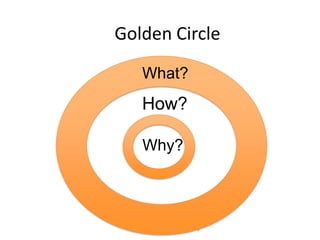
Golden Circle
   What?
   How?

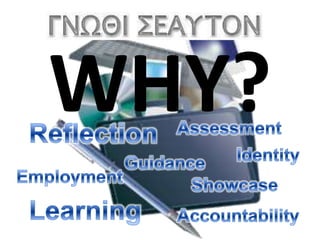
   Why?


           3
WHAT?
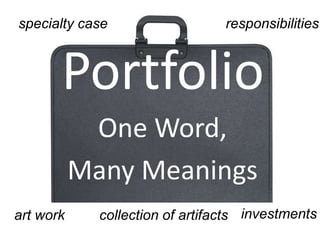
specialty case                   responsibilities


       Portfolio
            One Word,
           Many Meanings
art work     collection of artifacts investments
What is a Portfolio?
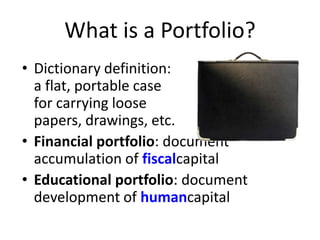
• Dictionary definition:
  a flat, portable case
  for carrying loose
  papers, drawings, etc.
• Financial portfolio: document
  accumulation of fiscalcapital
• Educational portfolio: document
  development of humancapital
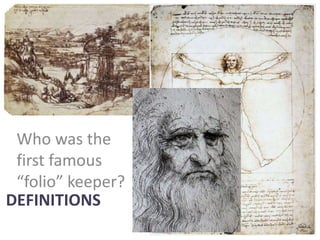
Who was the
 first famous
 “folio” keeper?
DEFINITIONS
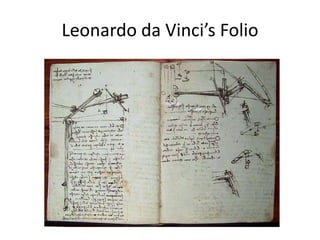
Leonardo da Vinci’s Folio
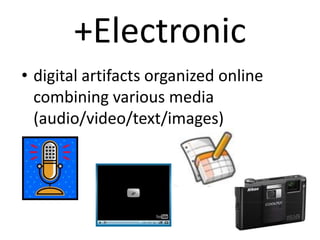
+Electronic
• digital artifacts organized online
  combining various media
  (audio/video/text/images)
WHY?
Help students find
their Purpose and Passion
      through Reflection &
           Goal-Setting in
 E-Portfolio Development
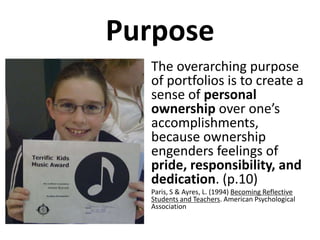
Purpose
  • The overarching purpose
    of portfolios is to create a
    sense of personal
    ownership over one’s
    accomplishments,
    because ownership
    engenders feelings of
    pride, responsibility, and
    dedication. (p.10)
  •   Paris, S & Ayres, L. (1994) Becoming Reflective
      Students and Teachers. American Psychological
      Association
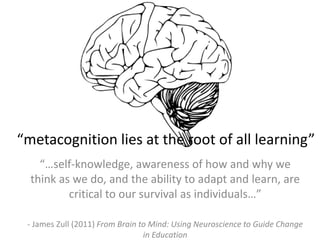
“metacognition lies at the root of all learning”
    “…self-knowledge, awareness of how and why we
  think as we do, and the ability to adapt and learn, are
          critical to our survival as individuals…”

 - James Zull (2011) From Brain to Mind: Using Neuroscience to Guide Change
                                 in Education
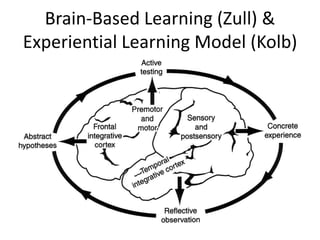
Brain-Based Learning (Zull) &
Experiential Learning Model (Kolb)
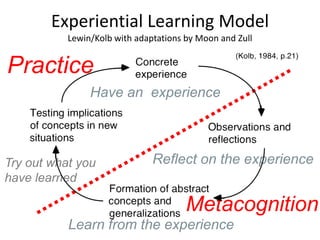
Experiential Learning Model
           Lewin/Kolb with adaptations by Moon and Zull


Practice
                Have an experience


Try out what you               Reflect on the experience
have learned

                                       Metacognition
           Learn from the experience
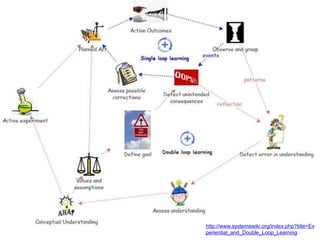
http://www.systemswiki.org/index.php?title=Ex
periential_and_Double_Loop_Learning
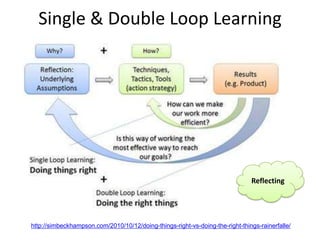
Single & Double Loop Learning


                                                                               Reflecting


http://simbeckhampson.com/2010/10/12/doing-things-right-vs-doing-the-right-things-rainerfalle/
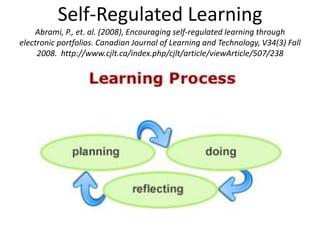
Self-Regulated Learning
    Abrami, P., et. al. (2008), Encouraging self-regulated learning through
electronic portfolios. Canadian Journal of Learning and Technology, V34(3) Fall
     2008. http://www.cjlt.ca/index.php/cjlt/article/viewArticle/507/238
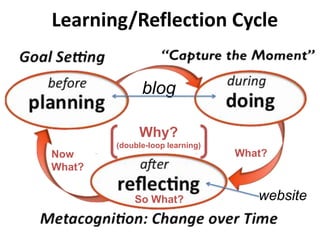
Learning/Reflection Cycle


              blog

             Why?
        (double-loop learning)
Now                              What?
What?


            So What?                website
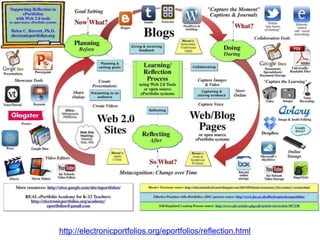
http://electronicportfolios.org/eportfolios/reflection.html
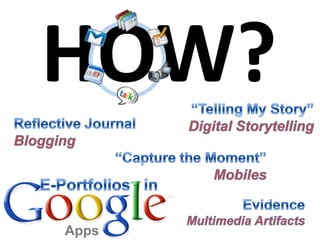
HOW?
Digital Tools?
   Expressive vs.
Structured Models
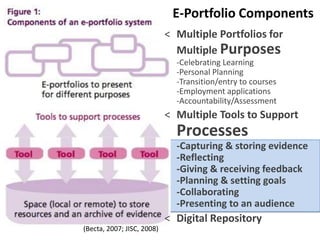
E-Portfolio Components
                            < Multiple Portfolios for
                              Multiple Purposes
                              -Celebrating Learning
                              -Personal Planning
                              -Transition/entry to courses
                              -Employment applications
                              -Accountability/Assessment
                            < Multiple Tools to Support
                              Processes
                              -Capturing & storing evidence
                              -Reflecting
                              -Giving & receiving feedback
                              -Planning & setting goals
                              -Collaborating
                              -Presenting to an audience
                            < Digital Repository
(Becta, 2007; JISC, 2008)
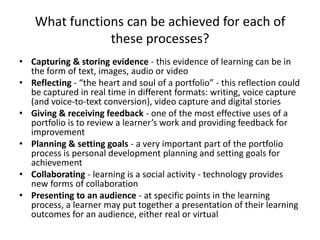
What functions can be achieved for each of
                these processes?
• Capturing & storing evidence - this evidence of learning can be in
  the form of text, images, audio or video
• Reflecting - “the heart and soul of a portfolio” - this reflection could
  be captured in real time in different formats: writing, voice capture
  (and voice-to-text conversion), video capture and digital stories
• Giving & receiving feedback - one of the most effective uses of a
  portfolio is to review a learner’s work and providing feedback for
  improvement
• Planning & setting goals - a very important part of the portfolio
  process is personal development planning and setting goals for
  achievement
• Collaborating - learning is a social activity - technology provides
  new forms of collaboration
• Presenting to an audience - at specific points in the learning
  process, a learner may put together a presentation of their learning
  outcomes for an audience, either real or virtual
Planning                    Doing


     Planning & Setting Goals
   Giving & Receiving Feedback
               Reflecting
Reflection with WordPress
Blogging* by eMail
                   *the act of sharing yourself

Tumblr                            Posterous
• Set up account on website       • Just email to
• Send email to:                    post@posterous.com
  myaccount.tumblr.com            • iPhone App
• iPhone App                      • Cross-post to Facebook&
• Call in your posts for audio      Twitter
  post to blog
• Cross-post to Facebook&
  Twitter
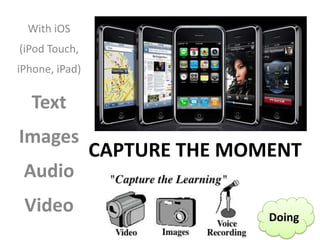
With iOS
(iPod Touch,
iPhone, iPad)

  Text
Images
                CAPTURE THE MOMENT
 Audio
 Video                         Doing
Capture       Store Online   Capture Voice
Images &
Video


    Storage
   Capturing & Storing Evidence

                Google
                Drive?

Google Docs                  DropBox
ePortfolio Tools &
Web/Blog Pages
        Collaborating
Doing    Reflecting     Reflecting
Online Video Editing


 Web 2.0 Sites
   Presenting to an Audience

Share Online            Reflecting
                                     Create Videos

 Create Presentations
Presenting to an Audience
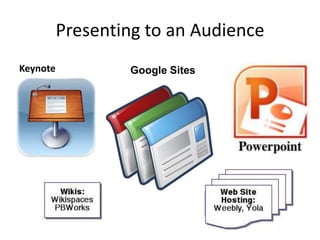
Keynote           Google Sites
Presenting to an Audience

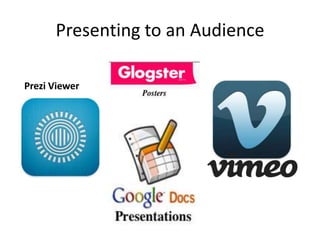
Prezi Viewer
Video Editing
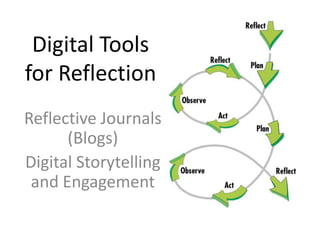
Digital Tools
for Reflection
Reflective Journals
      (Blogs)
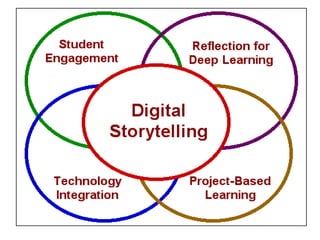
Digital Storytelling
 and Engagement
Portfolio as Story
"A portfolio tells a story.
It is the story of knowing. Knowing about
things... Knowing oneself... Knowing an
audience... Portfolios are students' own
stories of what they know, why they
believe they know it, and why others
should be of the same opinion.”
(Paulson & Paulson, 1991, p.2)
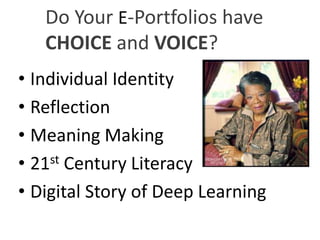
Do Your E-Portfolios have
   CHOICE and VOICE?
• Individual Identity
• Reflection
• Meaning Making
• 21 st Century Literacy

• Digital Story of Deep Learning
Convergence
Digital Storytelling Process
• Create a 2-to-4 minute digital video clip
  – First person narrative
    [begins with a written script ~ 400 words]
  – Told in their own voice [record script]
  – Illustrated (mostly) by still images
  – Music track to add emotional tone
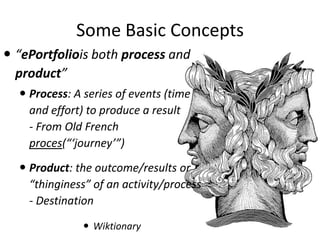
Some Basic Concepts
 “ePortfoliois both process and
  product”
   Process: A series of events (time
    and effort) to produce a result
    - From Old French
    proces(“‘journey’”)
   Product: the outcome/results or
    “thinginess” of an activity/process
    - Destination

                Wiktionary
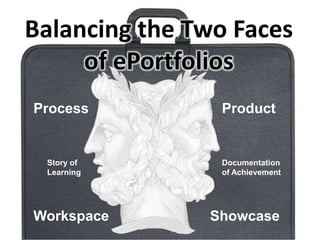
Balancing the Two Faces
     of ePortfolios
Process         Product


 Story of       Documentation
 Learning       of Achievement


Workspace      Showcase
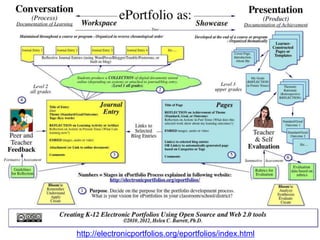
http://electronicportfolios.org/eportfolios/index.html
1. Purpose
• Purpose. Decide on the purpose for the
  portfolio. What are you trying to show with
  this portfolio? Are there outcomes, goals, or
  standards that are being demonstrated with
  this portfolio? In this example, steps 2-4
  represent an iterative process, using a blog to
  provide formative feedback on student work
  on a regular basis.
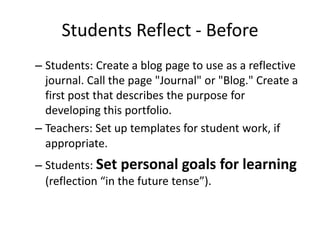
Students Reflect - Before
– Students: Create a blog page to use as a reflective
  journal. Call the page "Journal" or "Blog." Create a
  first post that describes the purpose for
  developing this portfolio.
– Teachers: Set up templates for student work, if
  appropriate.

– Students: Set personal goals for learning
  (reflection “in the future tense”).
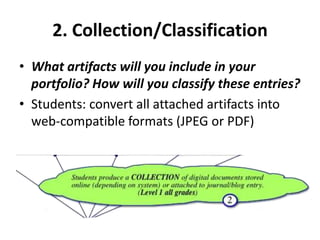
2. Collection/Classification
• What artifacts will you include in your
  portfolio? How will you classify these entries?
• Students: convert all attached artifacts into
  web-compatible formats (JPEG or PDF)
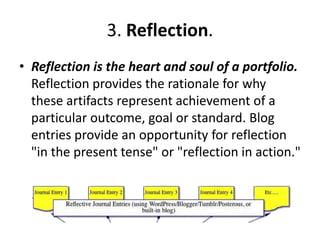
3. Reflection.
• Reflection is the heart and soul of a portfolio.
  Reflection provides the rationale for why
  these artifacts represent achievement of a
  particular outcome, goal or standard. Blog
  entries provide an opportunity for reflection
  "in the present tense" or "reflection in action."


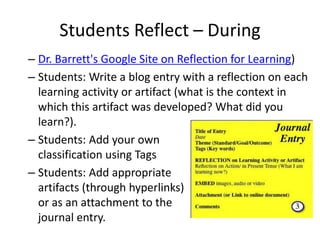
Students Reflect – During
– Dr. Barrett's Google Site on Reflection for Learning)
– Students: Write a blog entry with a reflection on each
  learning activity or artifact (what is the context in
  which this artifact was developed? What did you
  learn?).
– Students: Add your own
  classification using Tags
– Students: Add appropriate
  artifacts (through hyperlinks)
  or as an attachment to the
  journal entry.
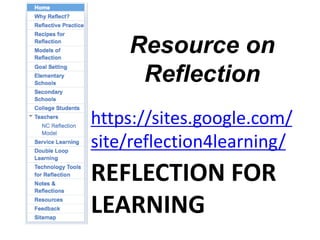
Resource on
     Reflection
https://sites.google.com/
site/reflection4learning/
REFLECTION FOR
LEARNING
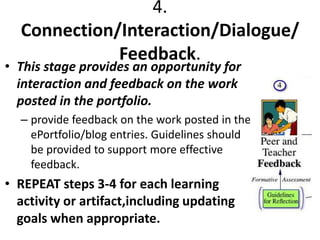
4.
  Connection/Interaction/Dialogue/
             Feedback.
• This stage provides an opportunity for
  interaction and feedback on the work
  posted in the portfolio.
  – provide feedback on the work posted in the
    ePortfolio/blog entries. Guidelines should
    be provided to support more effective
    feedback.
• REPEAT steps 3-4 for each learning
  activity or artifact,including updating
  goals when appropriate.

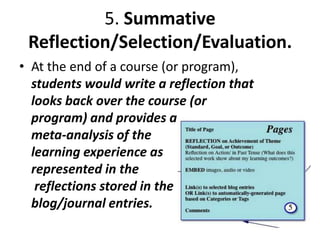
5. Summative
 Reflection/Selection/Evaluation.
• At the end of a course (or program),
  students would write a reflection that
  looks back over the course (or
  program) and provides a
  meta-analysis of the
  learning experience as
  represented in the
   reflections stored in the
  blog/journal entries.
Students Reflect - After
– Students: Review the blog/journal entries for that
  category, and write a "retrospective reflection"
  about the learning represented in the artifacts,
  selecting one or two examples that best represent
  achievement.
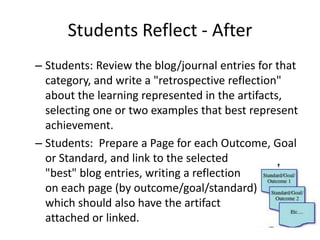
– Students: Prepare a Page for each Outcome, Goal
  or Standard, and link to the selected
  "best" blog entries, writing a reflection
  on each page (by outcome/goal/standard)
  which should also have the artifact
  attached or linked.
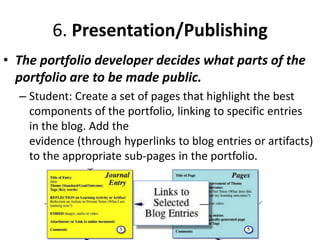
6. Presentation/Publishing
• The portfolio developer decides what parts of the
  portfolio are to be made public.
  – Student: Create a set of pages that highlight the best
    components of the portfolio, linking to specific entries
    in the blog. Add the
    evidence (through hyperlinks to blog entries or artifacts)
    to the appropriate sub-pages in the portfolio.
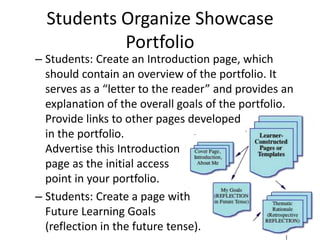
Students Organize Showcase
           Portfolio
– Students: Create an Introduction page, which
  should contain an overview of the portfolio. It
  serves as a “letter to the reader” and provides an
  explanation of the overall goals of the portfolio.
  Provide links to other pages developed
  in the portfolio.
  Advertise this Introduction
  page as the initial access
  point in your portfolio.
– Students: Create a page with
  Future Learning Goals
  (reflection in the future tense).
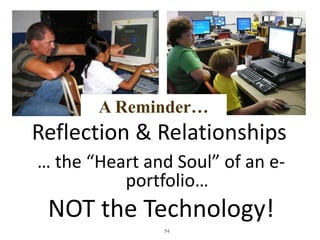
A Reminder…
Reflection & Relationships
… the “Heart and Soul” of an e-
          portfolio…
 NOT the Technology!
               54
My Final Wish…
• dynamic celebrations
• stories of deep learning
• across the lifespan
DR. HELEN BARRETT
@EPORTFOLIOS


Researcher & Consultant
Electronic Portfolios & Digital Storytelling for Lifelong and Life Wide Learning
Founder, REAL*ePortfolio Academy for K-12 Teachers
*Reflection, Engagement, Assessment for Learning


eportfolios@gmail.com
http://electronicportfolios.org/

http://slideshare.net/eportfolios

Generic e portfolios

  • 1.
    Supporting Reflection in ePortfolios University of Alaska Anchorage (retired) Seattle Pacific University (adjunct) Dr. Helen Barrett New England College (adjunct) electronicportfolios.org International Researcher & Consultant Twitter: @eportfolios Founder, REAL ePortfolio Academy Slideshare.net/eportfolios http://images.cdn.fotopedia.com/flickr-3341813162-hd.jpg
  • 2.
    Resources • http://slideshare.net/eportfolios/ (my slides) • http://electronicportfolios.org/eportfolios/ • http://electronicportfolios.org/eportfolios/refl ection.html • https://sites.google.com/site/reflection4learni ng/ • Twitter hashtag: #eportfolios
  • 3.
    Golden Circle What? How? Why? 3
  • 4.
  • 5.
    specialty case responsibilities Portfolio One Word, Many Meanings art work collection of artifacts investments
  • 6.
    What is aPortfolio? • Dictionary definition: a flat, portable case for carrying loose papers, drawings, etc. • Financial portfolio: document accumulation of fiscalcapital • Educational portfolio: document development of humancapital
  • 7.
    Who was the first famous “folio” keeper? DEFINITIONS
  • 8.
  • 9.
    +Electronic • digital artifactsorganized online combining various media (audio/video/text/images)
  • 10.
  • 11.
    Help students find theirPurpose and Passion through Reflection & Goal-Setting in E-Portfolio Development
  • 12.
    Purpose •The overarching purpose of portfolios is to create a sense of personal ownership over one’s accomplishments, because ownership engenders feelings of pride, responsibility, and dedication. (p.10) • Paris, S & Ayres, L. (1994) Becoming Reflective Students and Teachers. American Psychological Association
  • 13.
    “metacognition lies atthe root of all learning” “…self-knowledge, awareness of how and why we think as we do, and the ability to adapt and learn, are critical to our survival as individuals…” - James Zull (2011) From Brain to Mind: Using Neuroscience to Guide Change in Education
  • 14.
    Brain-Based Learning (Zull)& Experiential Learning Model (Kolb)
  • 15.
    Experiential Learning Model Lewin/Kolb with adaptations by Moon and Zull Practice Have an experience Try out what you Reflect on the experience have learned Metacognition Learn from the experience
  • 16.
  • 17.
    Single & DoubleLoop Learning Reflecting http://simbeckhampson.com/2010/10/12/doing-things-right-vs-doing-the-right-things-rainerfalle/
  • 18.
    Self-Regulated Learning Abrami, P., et. al. (2008), Encouraging self-regulated learning through electronic portfolios. Canadian Journal of Learning and Technology, V34(3) Fall 2008. http://www.cjlt.ca/index.php/cjlt/article/viewArticle/507/238
  • 19.
    Learning/Reflection Cycle blog Why? (double-loop learning) Now What? What? So What? website
  • 20.
  • 21.
  • 22.
    Digital Tools? Expressive vs. Structured Models
  • 23.
    E-Portfolio Components < Multiple Portfolios for Multiple Purposes -Celebrating Learning -Personal Planning -Transition/entry to courses -Employment applications -Accountability/Assessment < Multiple Tools to Support Processes -Capturing & storing evidence -Reflecting -Giving & receiving feedback -Planning & setting goals -Collaborating -Presenting to an audience < Digital Repository (Becta, 2007; JISC, 2008)
  • 24.
    What functions canbe achieved for each of these processes? • Capturing & storing evidence - this evidence of learning can be in the form of text, images, audio or video • Reflecting - “the heart and soul of a portfolio” - this reflection could be captured in real time in different formats: writing, voice capture (and voice-to-text conversion), video capture and digital stories • Giving & receiving feedback - one of the most effective uses of a portfolio is to review a learner’s work and providing feedback for improvement • Planning & setting goals - a very important part of the portfolio process is personal development planning and setting goals for achievement • Collaborating - learning is a social activity - technology provides new forms of collaboration • Presenting to an audience - at specific points in the learning process, a learner may put together a presentation of their learning outcomes for an audience, either real or virtual
  • 25.
    Planning Doing Planning & Setting Goals Giving & Receiving Feedback Reflecting
  • 26.
  • 27.
    Blogging* by eMail *the act of sharing yourself Tumblr Posterous • Set up account on website • Just email to • Send email to: post@posterous.com myaccount.tumblr.com • iPhone App • iPhone App • Cross-post to Facebook& • Call in your posts for audio Twitter post to blog • Cross-post to Facebook& Twitter
  • 28.
    With iOS (iPod Touch, iPhone,iPad) Text Images CAPTURE THE MOMENT Audio Video Doing
  • 29.
    Capture Store Online Capture Voice Images & Video Storage Capturing & Storing Evidence Google Drive? Google Docs DropBox
  • 30.
    ePortfolio Tools & Web/BlogPages Collaborating Doing Reflecting Reflecting
  • 31.
    Online Video Editing Web 2.0 Sites Presenting to an Audience Share Online Reflecting Create Videos Create Presentations
  • 32.
    Presenting to anAudience Keynote Google Sites
  • 33.
    Presenting to anAudience Prezi Viewer
  • 34.
  • 35.
    Digital Tools for Reflection ReflectiveJournals (Blogs) Digital Storytelling and Engagement
  • 36.
    Portfolio as Story "Aportfolio tells a story. It is the story of knowing. Knowing about things... Knowing oneself... Knowing an audience... Portfolios are students' own stories of what they know, why they believe they know it, and why others should be of the same opinion.” (Paulson & Paulson, 1991, p.2)
  • 37.
    Do Your E-Portfolioshave CHOICE and VOICE? • Individual Identity • Reflection • Meaning Making • 21 st Century Literacy • Digital Story of Deep Learning
  • 38.
  • 39.
    Digital Storytelling Process •Create a 2-to-4 minute digital video clip – First person narrative [begins with a written script ~ 400 words] – Told in their own voice [record script] – Illustrated (mostly) by still images – Music track to add emotional tone
  • 40.
    Some Basic Concepts “ePortfoliois both process and product”  Process: A series of events (time and effort) to produce a result - From Old French proces(“‘journey’”)  Product: the outcome/results or “thinginess” of an activity/process - Destination  Wiktionary
  • 41.
    Balancing the TwoFaces of ePortfolios Process Product Story of Documentation Learning of Achievement Workspace Showcase
  • 42.
  • 43.
    1. Purpose • Purpose.Decide on the purpose for the portfolio. What are you trying to show with this portfolio? Are there outcomes, goals, or standards that are being demonstrated with this portfolio? In this example, steps 2-4 represent an iterative process, using a blog to provide formative feedback on student work on a regular basis.
  • 44.
    Students Reflect -Before – Students: Create a blog page to use as a reflective journal. Call the page "Journal" or "Blog." Create a first post that describes the purpose for developing this portfolio. – Teachers: Set up templates for student work, if appropriate.
 – Students: Set personal goals for learning (reflection “in the future tense”).
  • 45.
    2. Collection/Classification • Whatartifacts will you include in your portfolio? How will you classify these entries? • Students: convert all attached artifacts into web-compatible formats (JPEG or PDF)
  • 46.
    3. Reflection. • Reflectionis the heart and soul of a portfolio. Reflection provides the rationale for why these artifacts represent achievement of a particular outcome, goal or standard. Blog entries provide an opportunity for reflection "in the present tense" or "reflection in action." 


  • 47.
    Students Reflect –During – Dr. Barrett's Google Site on Reflection for Learning) – Students: Write a blog entry with a reflection on each learning activity or artifact (what is the context in which this artifact was developed? What did you learn?). – Students: Add your own classification using Tags – Students: Add appropriate artifacts (through hyperlinks) or as an attachment to the journal entry.
  • 48.
    Resource on Reflection https://sites.google.com/ site/reflection4learning/ REFLECTION FOR LEARNING
  • 49.
    4. Connection/Interaction/Dialogue/ Feedback. • This stage provides an opportunity for interaction and feedback on the work posted in the portfolio. – provide feedback on the work posted in the ePortfolio/blog entries. Guidelines should be provided to support more effective feedback. • REPEAT steps 3-4 for each learning activity or artifact,including updating goals when appropriate.

  • 50.
    5. Summative Reflection/Selection/Evaluation. •At the end of a course (or program), students would write a reflection that looks back over the course (or program) and provides a meta-analysis of the learning experience as represented in the reflections stored in the blog/journal entries.
  • 51.
    Students Reflect -After – Students: Review the blog/journal entries for that category, and write a "retrospective reflection" about the learning represented in the artifacts, selecting one or two examples that best represent achievement. – Students: Prepare a Page for each Outcome, Goal or Standard, and link to the selected "best" blog entries, writing a reflection on each page (by outcome/goal/standard) which should also have the artifact attached or linked.
  • 52.
    6. Presentation/Publishing • Theportfolio developer decides what parts of the portfolio are to be made public. – Student: Create a set of pages that highlight the best components of the portfolio, linking to specific entries in the blog. Add the evidence (through hyperlinks to blog entries or artifacts) to the appropriate sub-pages in the portfolio.
  • 53.
    Students Organize Showcase Portfolio – Students: Create an Introduction page, which should contain an overview of the portfolio. It serves as a “letter to the reader” and provides an explanation of the overall goals of the portfolio. Provide links to other pages developed in the portfolio. Advertise this Introduction page as the initial access point in your portfolio. – Students: Create a page with Future Learning Goals (reflection in the future tense).
  • 54.
    A Reminder… Reflection &Relationships … the “Heart and Soul” of an e- portfolio… NOT the Technology! 54
  • 55.
    My Final Wish… •dynamic celebrations • stories of deep learning • across the lifespan
  • 56.
    DR. HELEN BARRETT @EPORTFOLIOS Researcher& Consultant Electronic Portfolios & Digital Storytelling for Lifelong and Life Wide Learning Founder, REAL*ePortfolio Academy for K-12 Teachers *Reflection, Engagement, Assessment for Learning eportfolios@gmail.com http://electronicportfolios.org/ http://slideshare.net/eportfolios

Editor's Notes

  • #6 Adjectives to describe purpose
  • #14 In his newest book still to be released, called From Brain to Mind: Using Neuroscience to Guide Change in Education, coming out in May
  • #17 How do portfolios and reflection fit into the learning process?BEFORE - goal-setting (reflection in the future tense), DURING - immediate reflection (in the present tense), where students write (or dictate) the reason why they chose a specific artifact to include in their collectionAFTER - retrospective (in the past tense) where students look back over a collection of work and describe what they have learned and how they have changed over a period of time (in a Level 3 portfolio)
  • #22 How do we implement ePortfolios in a manner that engages students and helps achieve the purposes?
  • #23 Common Tools vs. Proprietary systems
  • #26 Common Tools vs. Proprietary systems
  • #30 Common Tools vs. Proprietary systems
  • #31 Common Tools vs. Proprietary systems
  • #32 Common Tools vs. Proprietary systems
  • #35 Using the computing power we carry in our pockets can dramatically enhance student engagement in documenting and showcasing their own learning. And with other tablets emerging in the market, we have many opportunities for research and implementation.
  • #38 Do your e-portfolios have Voice? As Maya Angelou said, “When words are infused by the human voice, they come alive.”Do your portfolios represent individual identity, include reflection, and provide an opportunity to make meaning? ePortfolios can showcase 21st Century Literacy.