100 points Open book, open notes True/false, multiple choice, fill-in, short answer
Variable Memory locations that hold data that  can  be changed during project execution Example: customer’s name Named Constant Memory locations that hold data that  cannot  be changed during project execution Example: sales tax rate 3-
In Visual Basic when you declare a Variable or Named Constant  An area of memory is reserved A name is assigned called an  Identifier Use  Declaration  Statements to create Variables and Constants Assign name and data type Not executable unless a value is assigned on same line 3-
Must follow Visual Basic Naming Rules Cannot use reserved words or keywords that Basic has assigned a meaning such as print, name, and value Must begin with a letter and no spaces or periods Should follow Naming Conventions Names should be meaningful  Include class (data type) of variable (intQuota or Quota_Integer) Use mixed case for variables and uppercase for constants 3-
Visibility of a variable is its  scope Where is that identifier valid? Scope may be Namespace : throughout project Module : within current form/class Local : within a procedure Block : within a portion of a procedure Lifetime  of a variable is the period of time the variable exists 3-
Use  static  to declare local and block level variables that need to retain their value Variable will not be initialized next time procedure runs, and will have last value assigned If the variable is used in multiple procedures, declare it at the module level with  private 6-
Use Parse methods to convert  a string to its numeric value before it’s used in a calculation Each numeric data type class has a Parse method Parse method returns a value that can be used in calculations Parse method fails if user enters nonnumeric data, leaves data blank, or entry exceeds data type size 3-
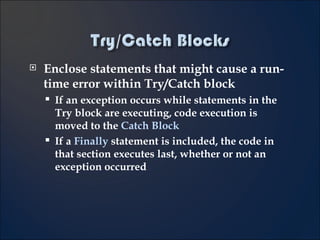
Enclose statements that might cause a run-time error within Try/Catch block If an exception occurs while statements in the Try block are executing, code execution is moved to the  Catch Block If a  Finally  statement is included, the code in that section executes last, whether or not an exception occurred 3-
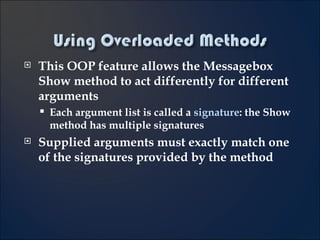
This OOP feature allows the Messagebox Show method to act differently for different arguments Each argument list is called a  signature : the Show method has multiple signatures Supplied arguments must exactly match one of the signatures provided by the method 3-
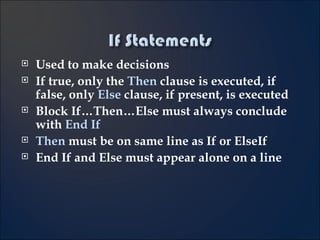
Used to make decisions If true, only the  Then  clause is executed, if false, only  Else  clause, if present, is executed Block If…Then…Else must always conclude with  End If Then  must be on same line as If or ElseIf End If and Else must appear alone on a line 4-
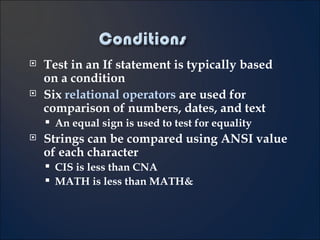
Test in an If statement is typically based on a condition Six  relational operators  are used for comparison of numbers, dates, and text An equal sign is used to test for equality Strings can be compared using ANSI value of each character CIS is less than CNA MATH is less than MATH& 4-
Compound conditions can combine multiple logical conditions And  describes conditions where both tests are true Or  describes conditions where either or both tests are true When both And and Or are evaluated And is evaluated before the Or Use parenthesis to change the order of evaluation 4-
Check to see if valid values were entered or available  Can check for a range of values (often called “reasonableness”) If Integer.Parse(scoreTextBox.Text) >= 0 Then ‘  Code to perform calculations…. Check for a required field (not blank) If studentIDTextBox.Text <> &quot;&quot; Then ... 4-
Use Select Case to test one value for different matches (“cases”) Usually simpler and clearer than nested If No limit to number of statements that follow a Case statement When using a relational operator must use the word Is Use the word “To” to indicate a range with two endpoints 4-
Add object/event combinations to the Handles clause at the top of an event procedure Allows the procedure to be associated with different events or other controls Sender  argument identifies which object had the event happen Cast (convert)  sender  to a specific object type using the  CType function 4-
Calling an event procedure allows reuse of code [Call] ProcedureName ( arguments ) Keyword Call is optional and rarely used Examples Call clearButton_Click (sender, e) --OR-- clearButton_Click (sender, e) 4-
Breakpoints allow you to follow the execution of your code while program is running Can hover the cursor over a variable or property to see the current value in the current procedure Can execute each line, skip procedures Can use Console.Writeline to output values to track code execution Variables and property values can be seen in different windows (autos, locals) while code is executing 5-
A general procedure is reusable code which can be called from multiple procedures Useful for breaking down large sections of code into smaller units Two types Sub Procedure performs actions Function Procedure performs actions AND returns a value (the  return value )
If a procedure includes an argument, any call to the procedure must supply a value for the argument Number of arguments, sequence and data type must match Arguments are passed one of two ways: ByVal  – Sends a copy of the argument’s value, original cannot be altered ByRef   - Sends a reference to the memory location where the original is stored and the procedure may change the argument’s original value If not specified, arguments are passed by value 5-
Show  method displays a form as  modeless   - means that both forms are open and the user can move from one form to the other ShowDialog  method displays a new form as  modal  - the user must close the form in order to return to the original form No other program code can execute until the user responds to and hides or closes the modal form 6-
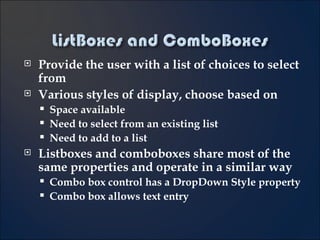
Provide the user with a list of choices to select from Various styles of display, choose based on Space available Need to select from an existing list Need to add to a list Listboxes and comboboxes share most of the same properties and operate in a similar way Combo box control has a DropDown Style property Combo box allows text entry
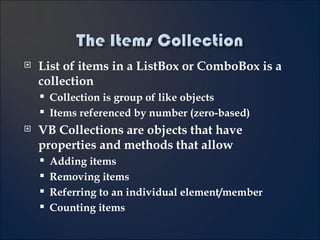
List of items in a ListBox or ComboBox is a collection Collection is group of like objects Items referenced by number (zero-based) VB Collections are objects that have properties and methods that allow Adding items Removing items Referring to an individual element/member Counting items
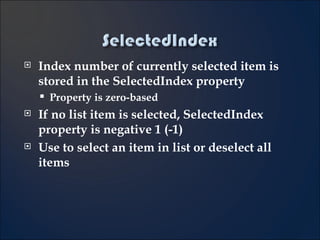
Index number of currently selected item is stored in the SelectedIndex property Property is zero-based If no list item is selected, SelectedIndex property is negative 1 (-1) Use to select an item in list or deselect all items
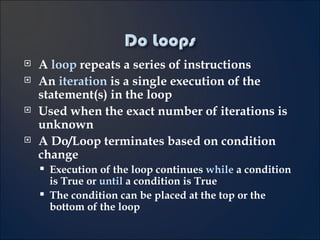
A  loop  repeats a series of instructions An  iteration  is a single execution of the statement(s) in the loop Used when the exact number of iterations is unknown A Do/Loop terminates based on condition change Execution of the loop continues  while  a condition is True or  until  a condition is True The condition can be placed at the top or the bottom of the loop
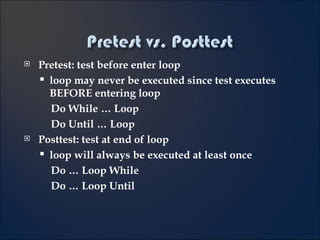
Pretest: test before enter loop loop may never be executed since test executes BEFORE entering loop Do While … Loop  Do Until … Loop Posttest: test at end of loop loop will always be executed at least once  Do … Loop While  Do … Loop Until
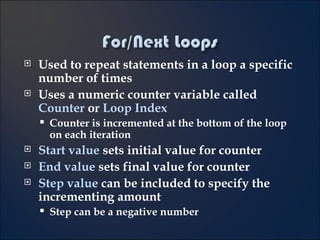
Used to repeat statements in a loop a specific number of times Uses a numeric counter variable called  Counter  or  Loop Index Counter is incremented at the bottom of the loop on each iteration Start value  sets initial value for counter End value  sets final value for counter Step value  can be included to specify the incrementing amount  Step can be a negative number
Used to repeat statements for each member of a group A reference variable is used to “point” to each item Must be the data type of each item in group
In some situations you may need to exit the loop prematurely Use the  Exit For  or  Exit Do  statement inside the loop structure Generally used within an If statement (something must be evaluated to determine whether or not to exit the loop)

Cis160 Final Review

  • 1.
    100 points Openbook, open notes True/false, multiple choice, fill-in, short answer
  • 2.
    Variable Memory locationsthat hold data that can be changed during project execution Example: customer’s name Named Constant Memory locations that hold data that cannot be changed during project execution Example: sales tax rate 3-
  • 3.
    In Visual Basicwhen you declare a Variable or Named Constant An area of memory is reserved A name is assigned called an Identifier Use Declaration Statements to create Variables and Constants Assign name and data type Not executable unless a value is assigned on same line 3-
  • 4.
    Must follow VisualBasic Naming Rules Cannot use reserved words or keywords that Basic has assigned a meaning such as print, name, and value Must begin with a letter and no spaces or periods Should follow Naming Conventions Names should be meaningful Include class (data type) of variable (intQuota or Quota_Integer) Use mixed case for variables and uppercase for constants 3-
  • 5.
    Visibility of avariable is its scope Where is that identifier valid? Scope may be Namespace : throughout project Module : within current form/class Local : within a procedure Block : within a portion of a procedure Lifetime of a variable is the period of time the variable exists 3-
  • 6.
    Use static to declare local and block level variables that need to retain their value Variable will not be initialized next time procedure runs, and will have last value assigned If the variable is used in multiple procedures, declare it at the module level with private 6-
  • 7.
    Use Parse methodsto convert a string to its numeric value before it’s used in a calculation Each numeric data type class has a Parse method Parse method returns a value that can be used in calculations Parse method fails if user enters nonnumeric data, leaves data blank, or entry exceeds data type size 3-
  • 8.
    Enclose statements thatmight cause a run-time error within Try/Catch block If an exception occurs while statements in the Try block are executing, code execution is moved to the Catch Block If a Finally statement is included, the code in that section executes last, whether or not an exception occurred 3-
  • 9.
    This OOP featureallows the Messagebox Show method to act differently for different arguments Each argument list is called a signature : the Show method has multiple signatures Supplied arguments must exactly match one of the signatures provided by the method 3-
  • 10.
    Used to makedecisions If true, only the Then clause is executed, if false, only Else clause, if present, is executed Block If…Then…Else must always conclude with End If Then must be on same line as If or ElseIf End If and Else must appear alone on a line 4-
  • 11.
    Test in anIf statement is typically based on a condition Six relational operators are used for comparison of numbers, dates, and text An equal sign is used to test for equality Strings can be compared using ANSI value of each character CIS is less than CNA MATH is less than MATH& 4-
  • 12.
    Compound conditions cancombine multiple logical conditions And describes conditions where both tests are true Or describes conditions where either or both tests are true When both And and Or are evaluated And is evaluated before the Or Use parenthesis to change the order of evaluation 4-
  • 13.
    Check to seeif valid values were entered or available Can check for a range of values (often called “reasonableness”) If Integer.Parse(scoreTextBox.Text) >= 0 Then ‘ Code to perform calculations…. Check for a required field (not blank) If studentIDTextBox.Text <> &quot;&quot; Then ... 4-
  • 14.
    Use Select Caseto test one value for different matches (“cases”) Usually simpler and clearer than nested If No limit to number of statements that follow a Case statement When using a relational operator must use the word Is Use the word “To” to indicate a range with two endpoints 4-
  • 15.
    Add object/event combinationsto the Handles clause at the top of an event procedure Allows the procedure to be associated with different events or other controls Sender argument identifies which object had the event happen Cast (convert) sender to a specific object type using the CType function 4-
  • 16.
    Calling an eventprocedure allows reuse of code [Call] ProcedureName ( arguments ) Keyword Call is optional and rarely used Examples Call clearButton_Click (sender, e) --OR-- clearButton_Click (sender, e) 4-
  • 17.
    Breakpoints allow youto follow the execution of your code while program is running Can hover the cursor over a variable or property to see the current value in the current procedure Can execute each line, skip procedures Can use Console.Writeline to output values to track code execution Variables and property values can be seen in different windows (autos, locals) while code is executing 5-
  • 18.
    A general procedureis reusable code which can be called from multiple procedures Useful for breaking down large sections of code into smaller units Two types Sub Procedure performs actions Function Procedure performs actions AND returns a value (the return value )
  • 19.
    If a procedureincludes an argument, any call to the procedure must supply a value for the argument Number of arguments, sequence and data type must match Arguments are passed one of two ways: ByVal – Sends a copy of the argument’s value, original cannot be altered ByRef - Sends a reference to the memory location where the original is stored and the procedure may change the argument’s original value If not specified, arguments are passed by value 5-
  • 20.
    Show methoddisplays a form as modeless - means that both forms are open and the user can move from one form to the other ShowDialog method displays a new form as modal - the user must close the form in order to return to the original form No other program code can execute until the user responds to and hides or closes the modal form 6-
  • 21.
    Provide the userwith a list of choices to select from Various styles of display, choose based on Space available Need to select from an existing list Need to add to a list Listboxes and comboboxes share most of the same properties and operate in a similar way Combo box control has a DropDown Style property Combo box allows text entry
  • 22.
    List of itemsin a ListBox or ComboBox is a collection Collection is group of like objects Items referenced by number (zero-based) VB Collections are objects that have properties and methods that allow Adding items Removing items Referring to an individual element/member Counting items
  • 23.
    Index number ofcurrently selected item is stored in the SelectedIndex property Property is zero-based If no list item is selected, SelectedIndex property is negative 1 (-1) Use to select an item in list or deselect all items
  • 24.
    A loop repeats a series of instructions An iteration is a single execution of the statement(s) in the loop Used when the exact number of iterations is unknown A Do/Loop terminates based on condition change Execution of the loop continues while a condition is True or until a condition is True The condition can be placed at the top or the bottom of the loop
  • 25.
    Pretest: test beforeenter loop loop may never be executed since test executes BEFORE entering loop Do While … Loop Do Until … Loop Posttest: test at end of loop loop will always be executed at least once Do … Loop While Do … Loop Until
  • 26.
    Used to repeatstatements in a loop a specific number of times Uses a numeric counter variable called Counter or Loop Index Counter is incremented at the bottom of the loop on each iteration Start value sets initial value for counter End value sets final value for counter Step value can be included to specify the incrementing amount Step can be a negative number
  • 27.
    Used to repeatstatements for each member of a group A reference variable is used to “point” to each item Must be the data type of each item in group
  • 28.
    In some situationsyou may need to exit the loop prematurely Use the Exit For or Exit Do statement inside the loop structure Generally used within an If statement (something must be evaluated to determine whether or not to exit the loop)

Editor's Notes

  • #2 CIS-160 Final Review 12/4/2008
  • #3 CIS-160 Final Review 12/4/2008
  • #4 CIS-160 Final Review 12/4/2008
  • #5 CIS-160 Final Review 12/4/2008
  • #6 CIS-160 Final Review 12/4/2008
  • #7 CIS-160 Final Review 12/4/2008
  • #8 CIS-160 Final Review 12/4/2008
  • #9 CIS-160 Final Review 12/4/2008
  • #11 CIS-160 Final Review 12/4/2008
  • #14 CIS-160 Final Review 12/4/2008
  • #15 CIS-160 Final Review 12/4/2008
  • #16 CIS-160 Final Review 12/4/2008
  • #17 CIS-160 Final Review 12/4/2008
  • #18 CIS-160 Final Review 12/4/2008
  • #20 CIS-160 Final Review 12/4/2008
  • #21 CIS-160 Final Review 12/4/2008
  • #29 CIS-160 Final Review 12/4/2008