1
Design test case technique
Equivalence partitioning
And Boundary value analysis
Estimated Time: 120 mins
Trainer: Tran Thanh Tuan
At the end of this course, you are
going to know:
To provide an approach to design test
case.
Understand how to apply equivalence
partitioning and boundary to design
test case.
PurposePurpose
1.Introduction
2.What is equivalence partitioning?
3.Identify equivalence classes
4.Define the test cases
5.Combining with boundary analyze to
choose data
6.Examples
7.Q&A
OutlineOutline
IntroductionIntroduction
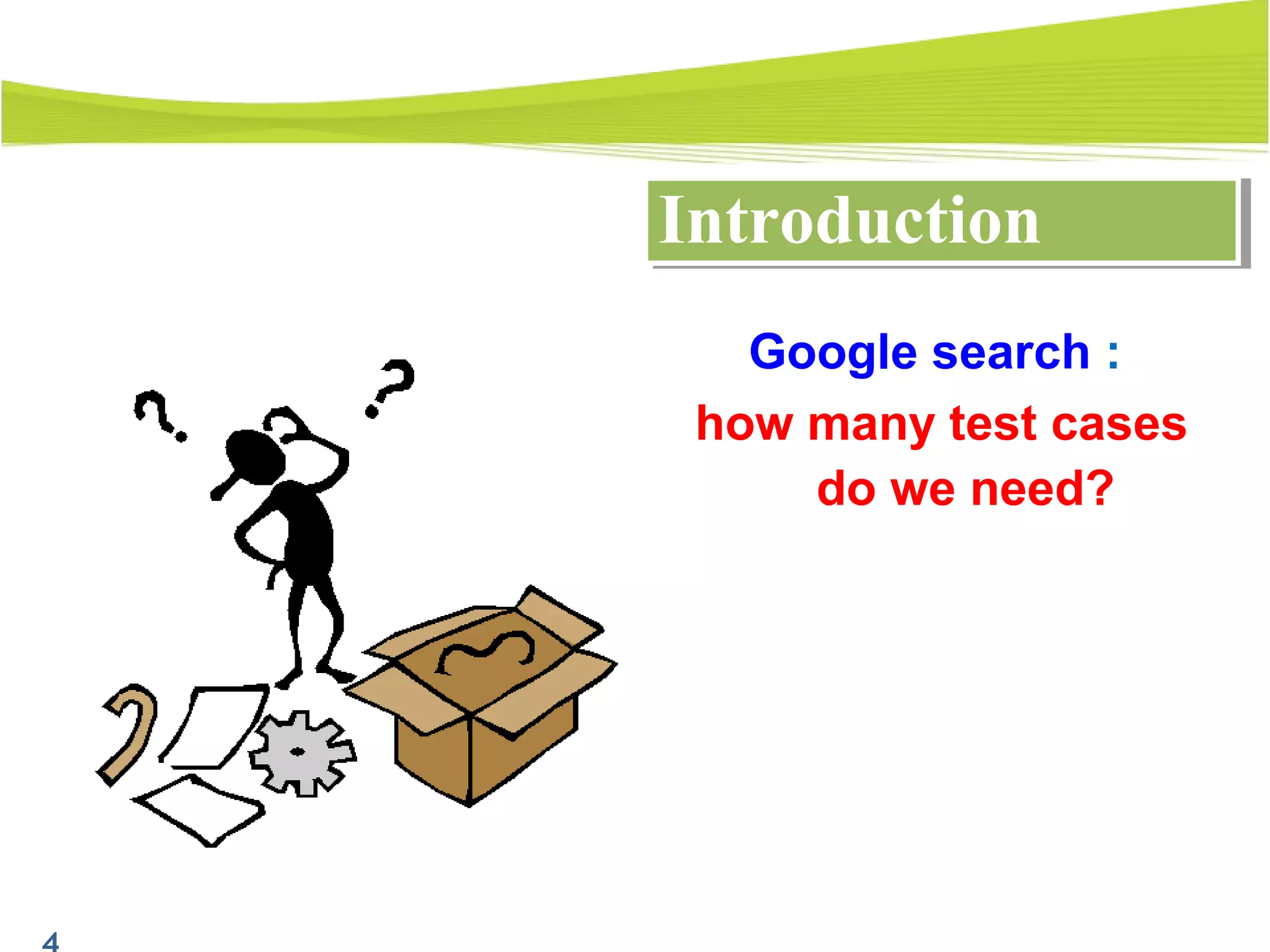
Google search :
how many test cases
do we need?
Advantages of EPAdvantages of EP
- To reduce the number of test cases to a
necessary minimum
- To select the right test cases to cover all
possible scenarios ( of course not to be
absolutely sure)
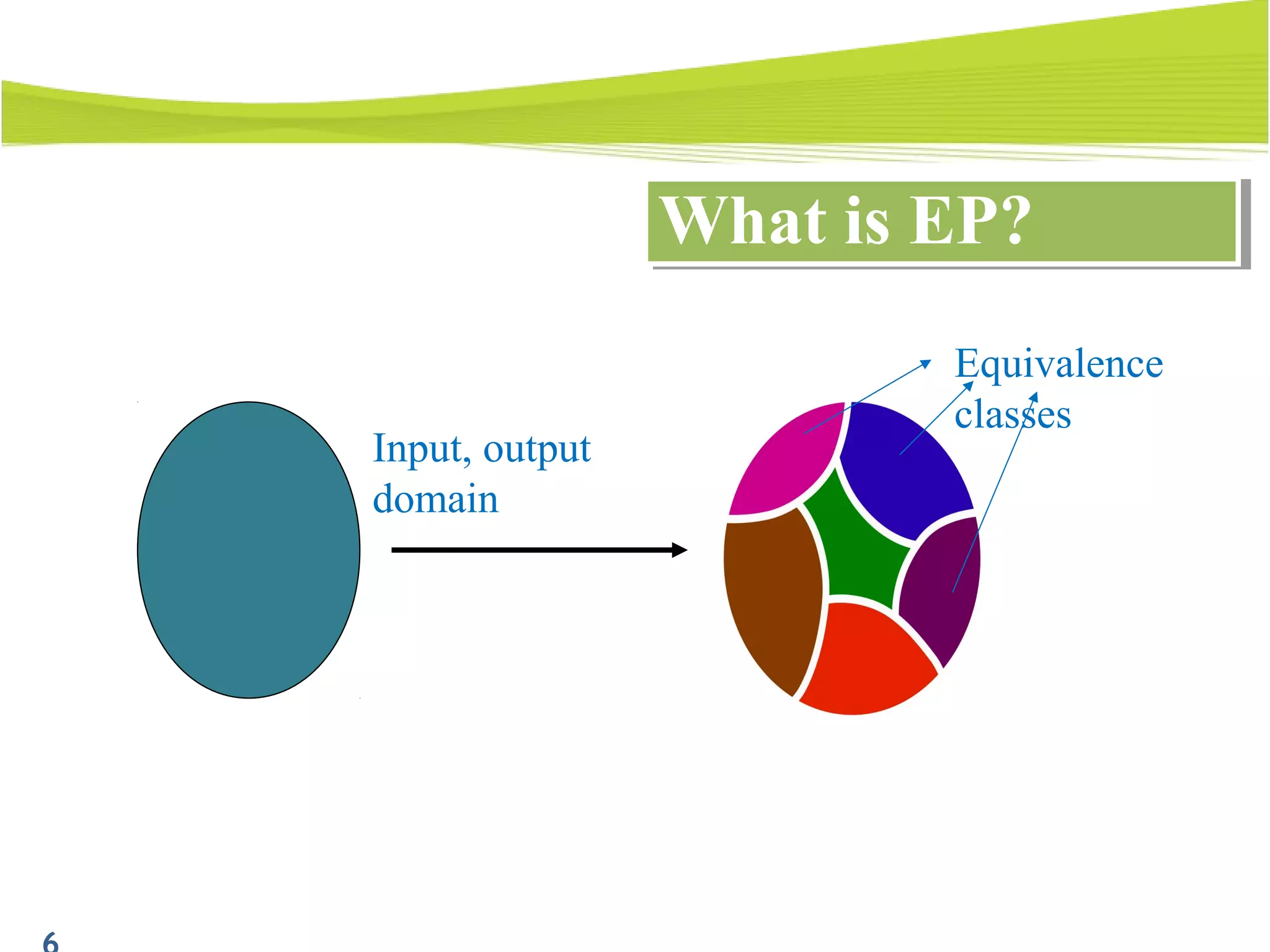
What is EP?What is EP?
Input, output
domain
Equivalence
classes
How to use to design testcaseHow to use to design testcase
Test case design by EP proceeds into 2 steps:
- Identify equivalence classes
- Define the test cases
1. Introduction
2. What is equivalence partitioning ?
3. Identify equivalence class
4. Define the test case
5. Combining with boundary analyze to
choose data
6. Examples
7. Q&A
OutlineOutline
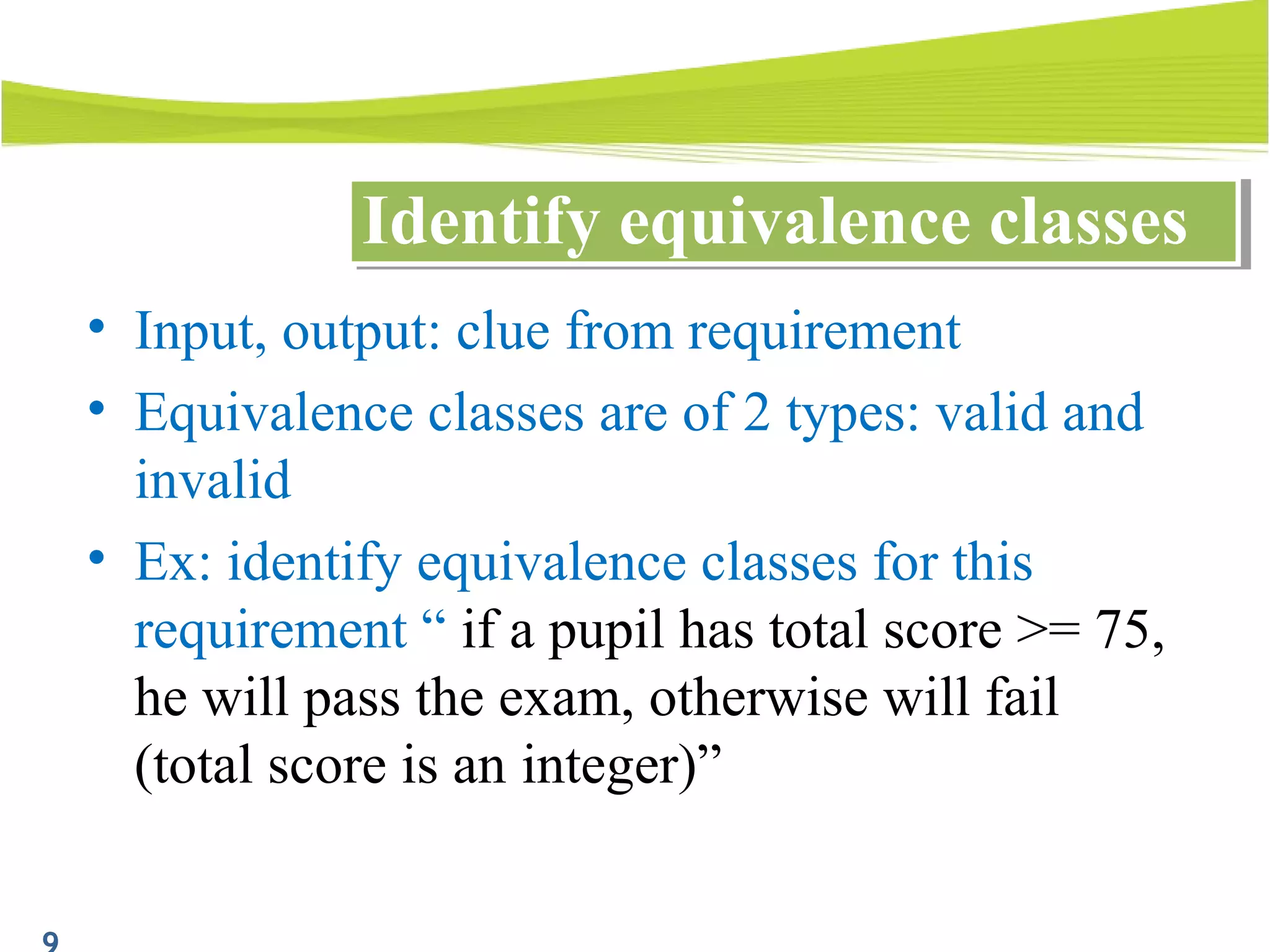
• Input, output: clue from requirement
• Equivalence classes are of 2 types: valid and
invalid
• Ex: identify equivalence classes for this
requirement “ if a pupil has total score >= 75,
he will pass the exam, otherwise will fail
(total score is an integer)”
Identify equivalence classesIdentify equivalence classes
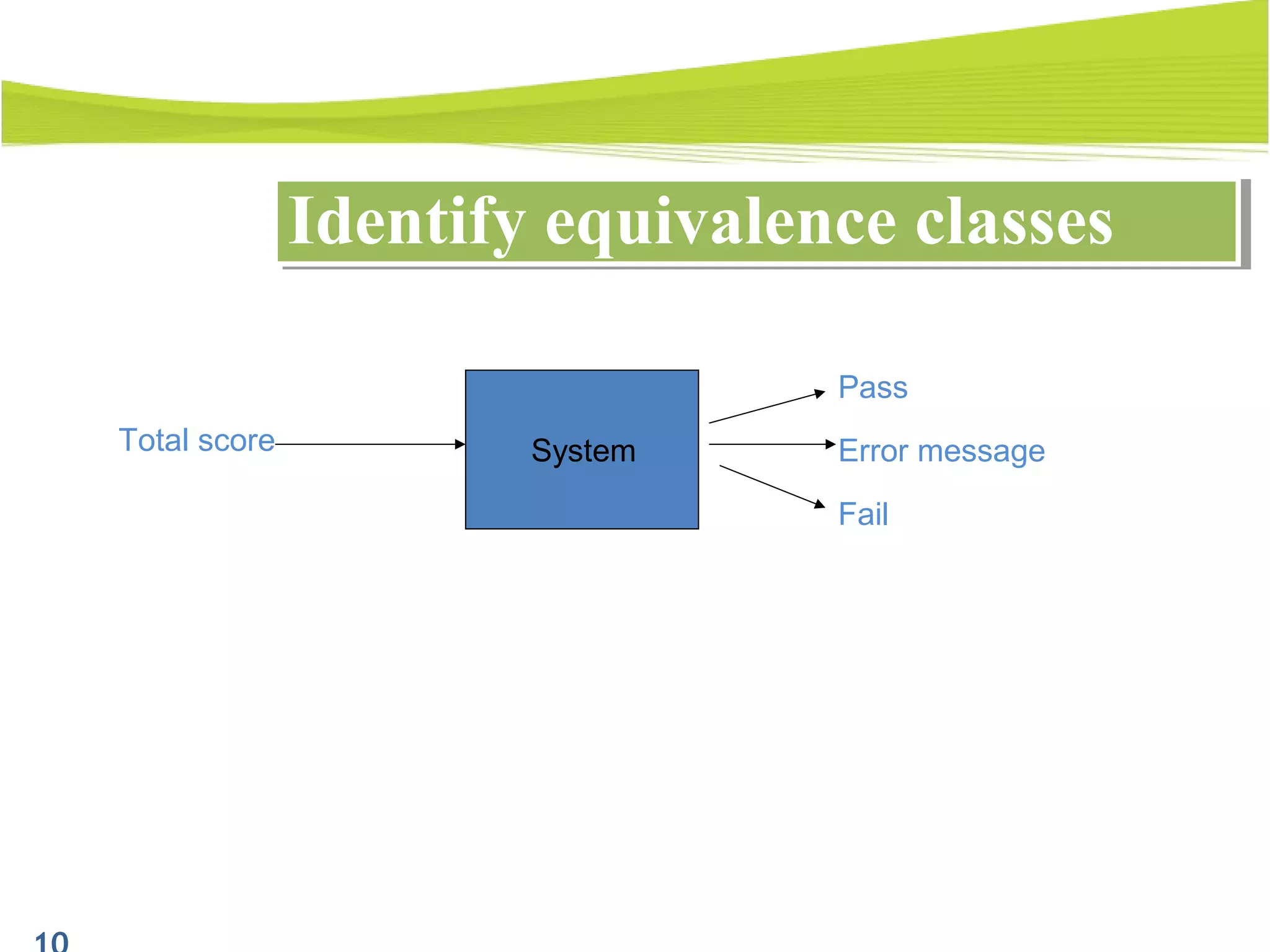
Total score Error messageSystem
Fail
Pass
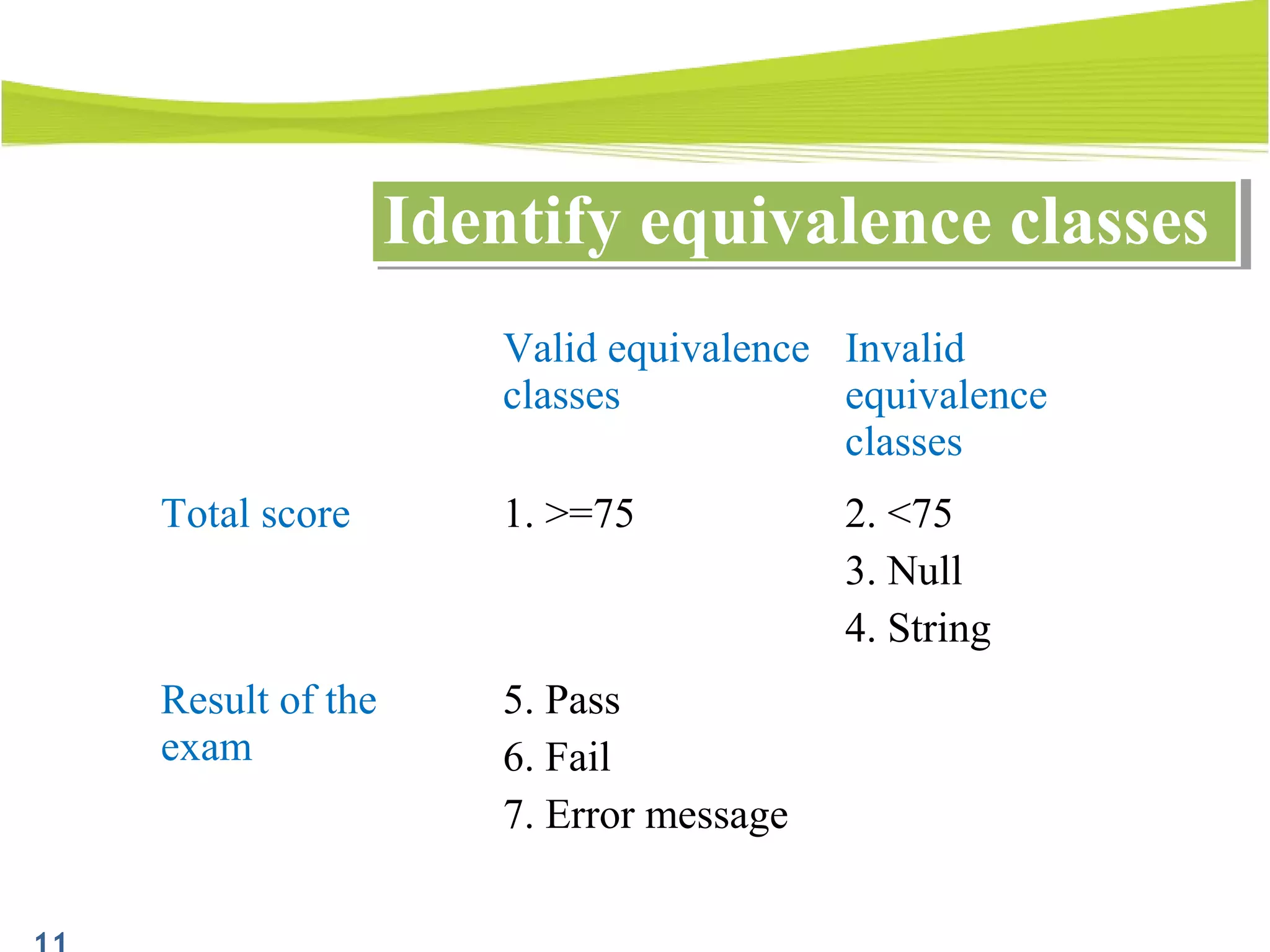
Valid equivalence
classes
Invalid
equivalence
classes
Total score 1. >=75 2. <75
3. Null
4. String
Result of the
exam
5. Pass
6. Fail
7. Error message
Identify equivalence classesIdentify equivalence classes
1. Introduction
2. What is equivalence partitioning ?
3. Identify equivalence class
4. Define the test case
5. Combining with boundary analyze to
choose data
6. Examples
7. Q&A
OutlineOutline
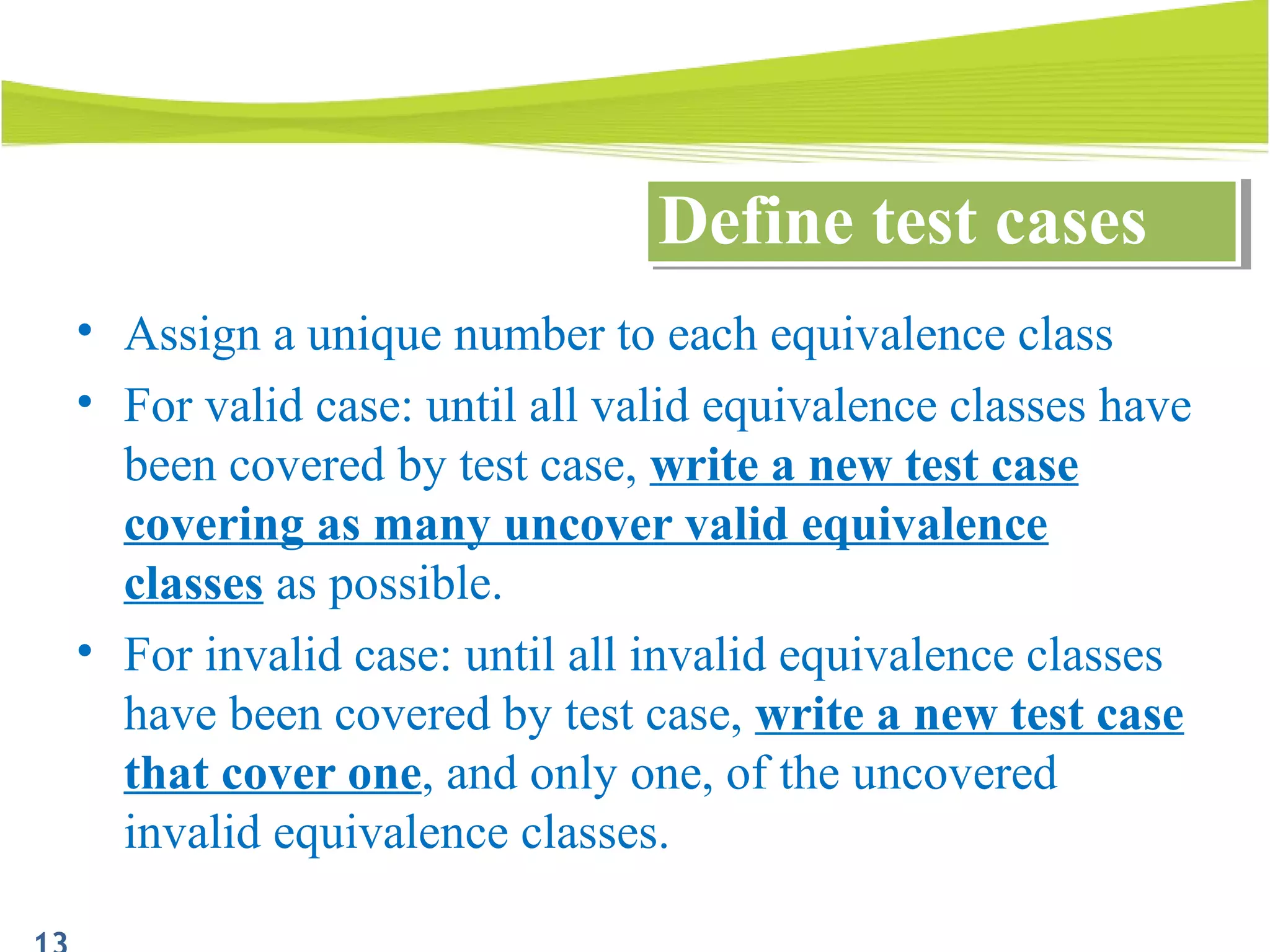
• Assign a unique number to each equivalence class
• For valid case: until all valid equivalence classes have
been covered by test case, write a new test case
covering as many uncover valid equivalence
classes as possible.
• For invalid case: until all invalid equivalence classes
have been covered by test case, write a new test case
that cover one, and only one, of the uncovered
invalid equivalence classes.
Define test casesDefine test cases
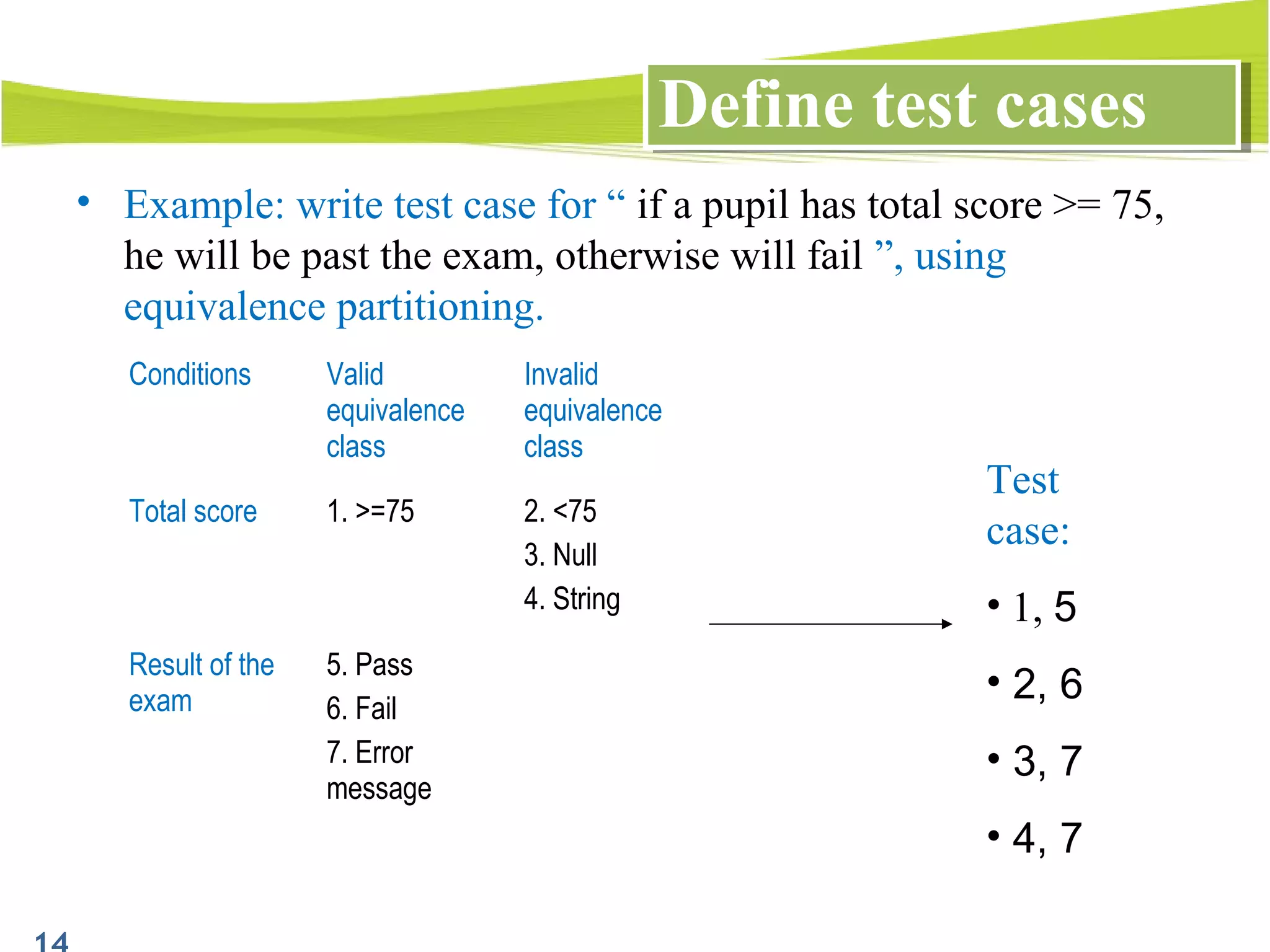
• Example: write test case for “ if a pupil has total score >= 75,
he will be past the exam, otherwise will fail ”, using
equivalence partitioning.
Define test casesDefine test cases
Conditions Valid
equivalence
class
Invalid
equivalence
class
Total score 1. >=75 2. <75
3. Null
4. String
Result of the
exam
5. Pass
6. Fail
7. Error
message
Test
case:
• 1, 5
• 2, 6
• 3, 7
• 4, 7
1. Introduction
2. What is equivalence partitioning?
3. Identify equivalence classes
4. Define the test cases
5. Combining with boundary analyze to choose
data
6. Examples
7. Q&A
OutlineOutline
Boundary analyze and EPBoundary analyze and EP
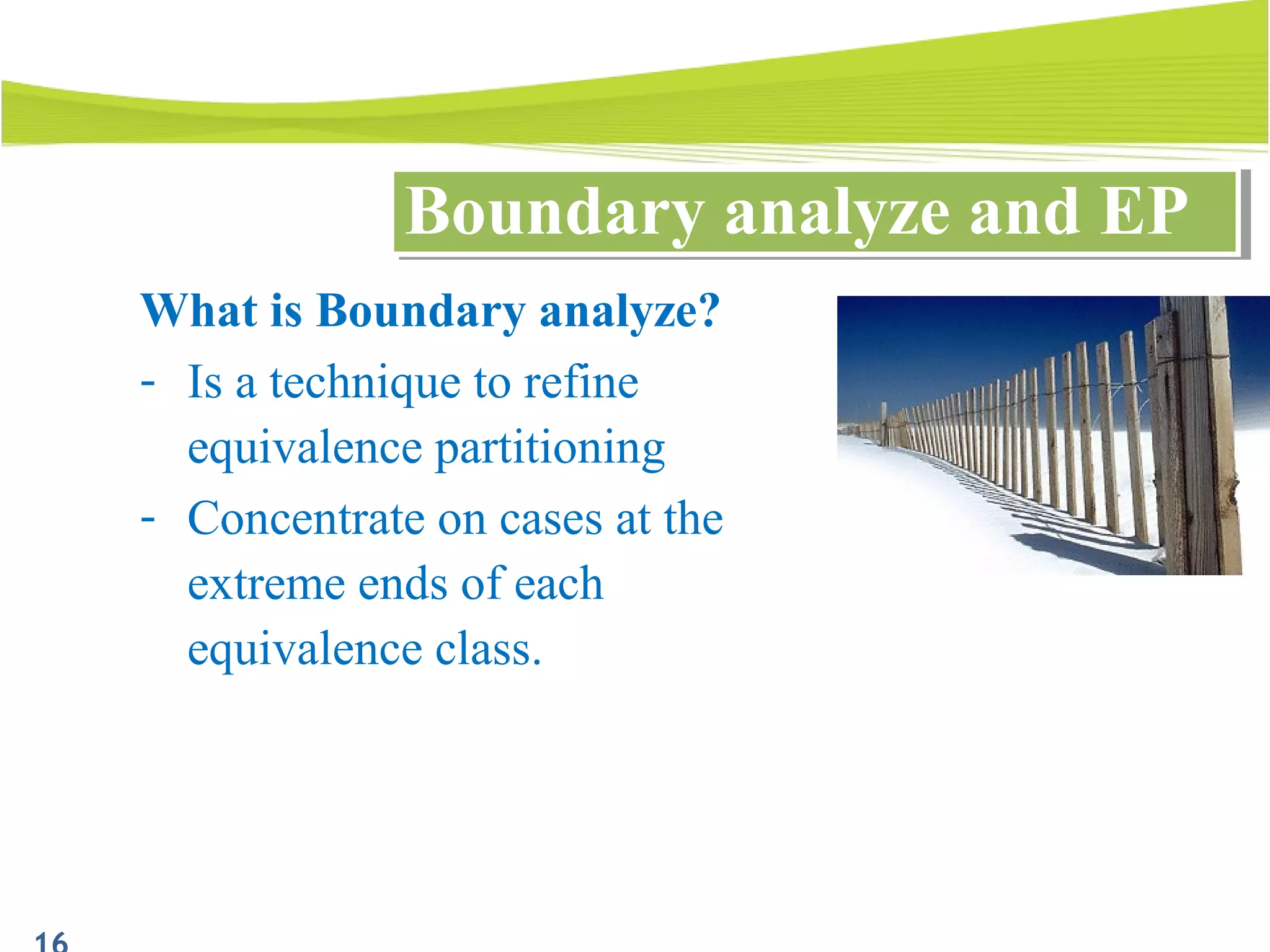
What is Boundary analyze?
- Is a technique to refine
equivalence partitioning
- Concentrate on cases at the
extreme ends of each
equivalence class.
Boundary analyze and EPBoundary analyze and EP
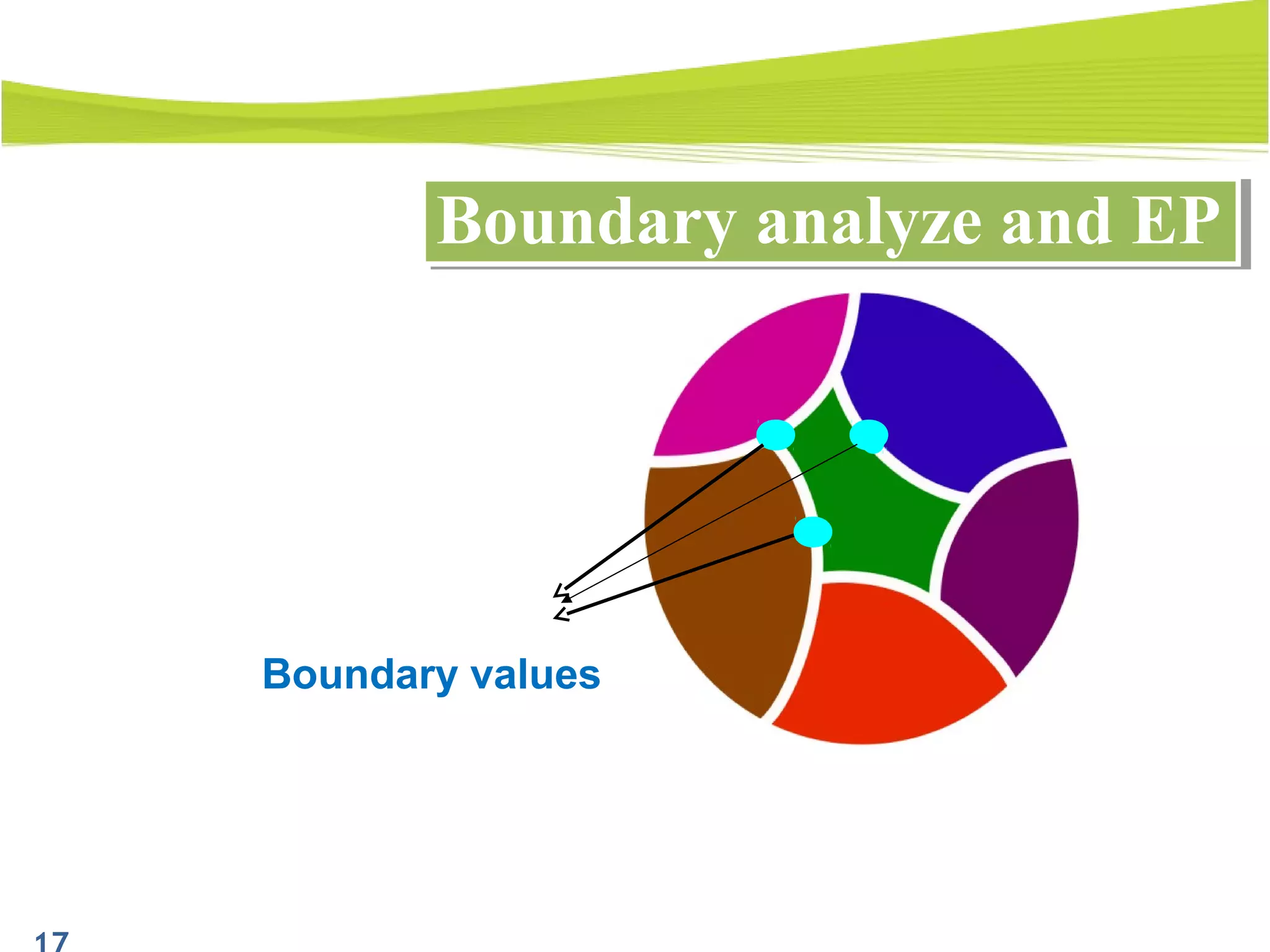
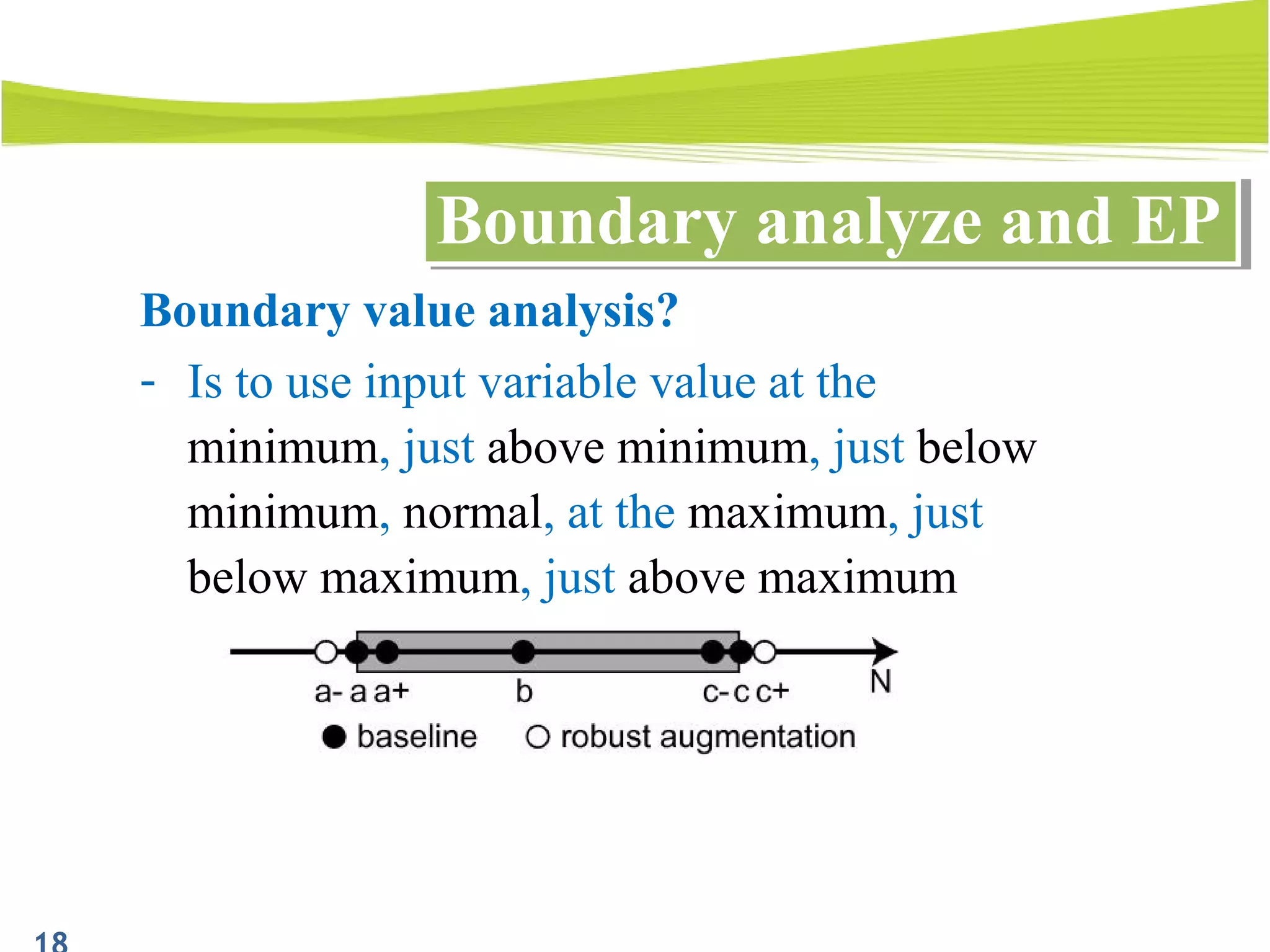
Boundary values
Boundary analyze and EPBoundary analyze and EP
Boundary value analysis?
- Is to use input variable value at the
minimum, just above minimum, just below
minimum, normal, at the maximum, just
below maximum, just above maximum
Boundary analyze and EPBoundary analyze and EP
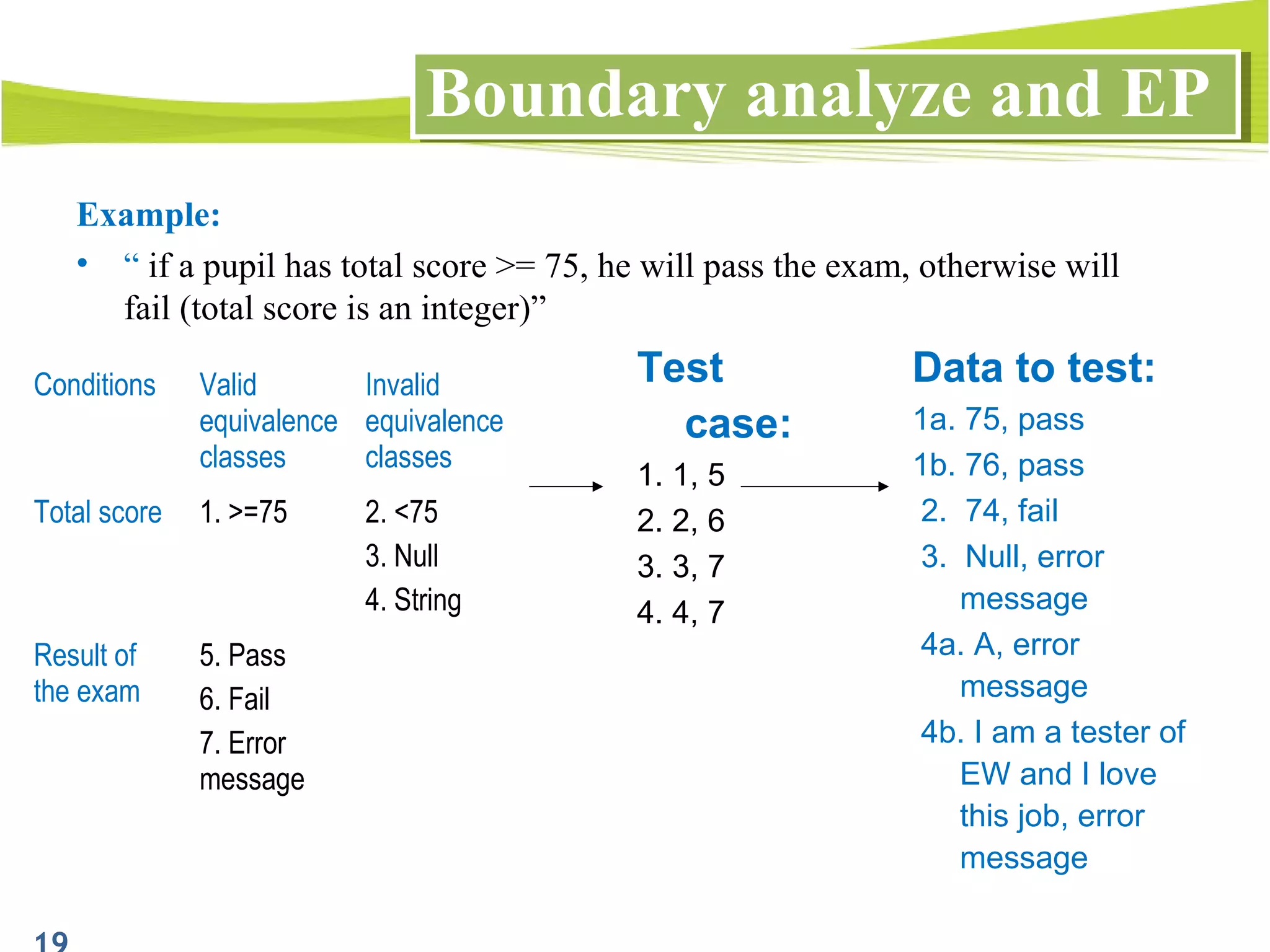
Example:
• “ if a pupil has total score >= 75, he will pass the exam, otherwise will
fail (total score is an integer)”
Conditions Valid
equivalence
classes
Invalid
equivalence
classes
Total score 1. >=75 2. <75
3. Null
4. String
Result of
the exam
5. Pass
6. Fail
7. Error
message
Test
case:
1. 1, 5
2. 2, 6
3. 3, 7
4. 4, 7
Data to test:
1a. 75, pass
1b. 76, pass
2. 74, fail
3. Null, error
message
4a. A, error
message
4b. I am a tester of
EW and I love
this job, error
message
1. Introduction
2. What is equivalence partitioning?
3. Identify equivalence classes
4. Define the test cases
5. Combining with boundary analyze to choose
data
6. Examples
7. Q&A
OutlineOutline
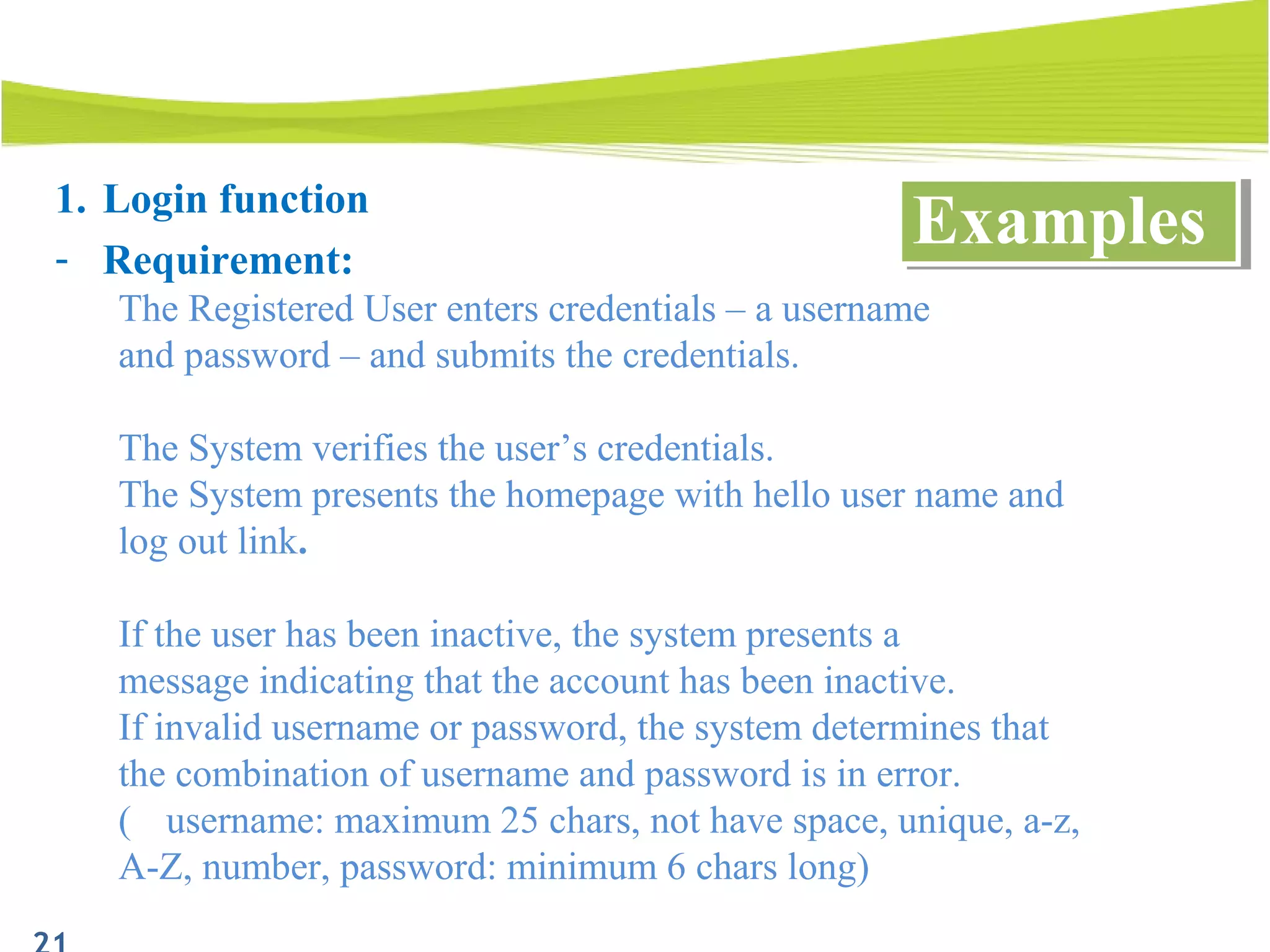
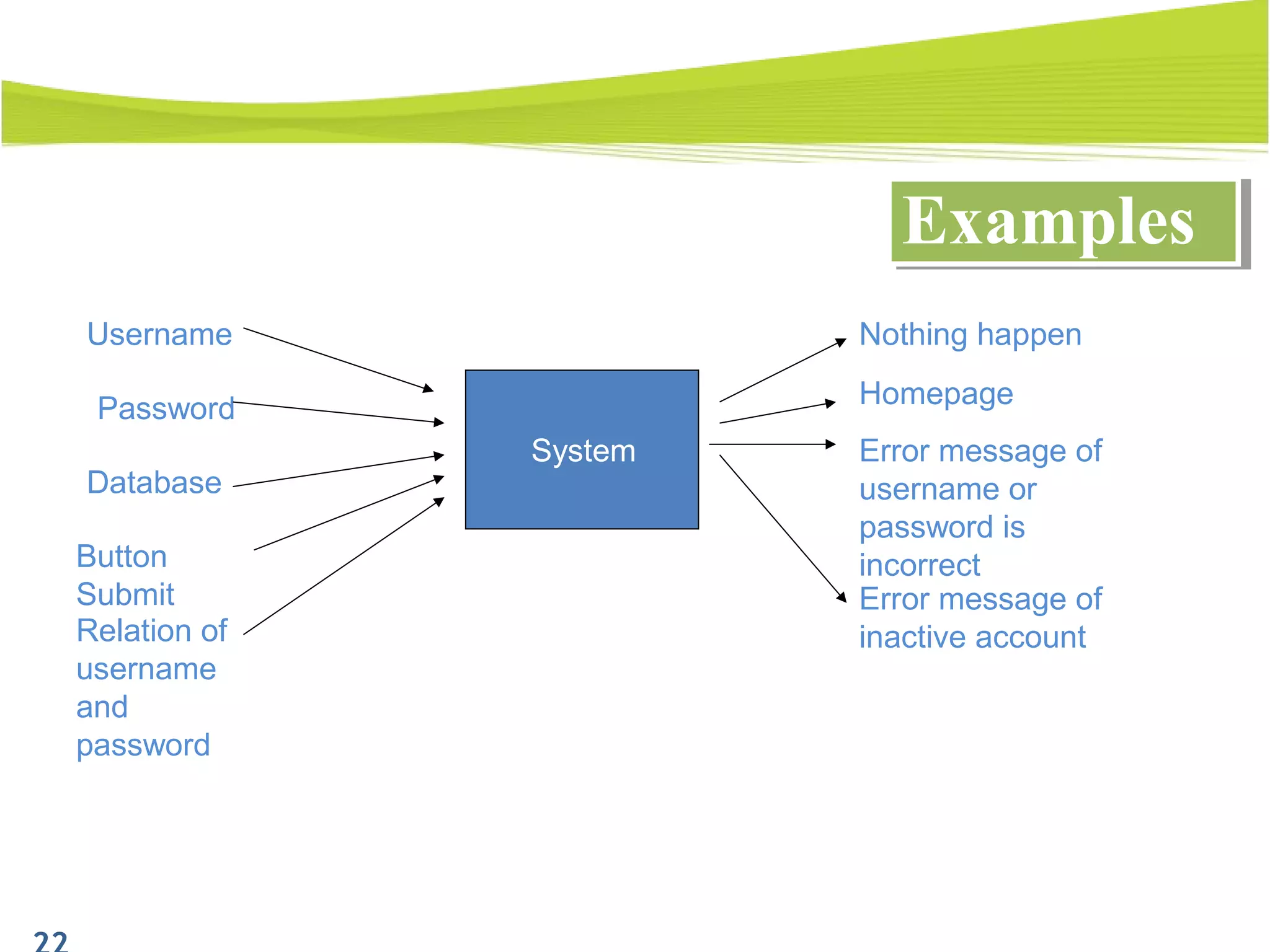
1. Login function
- Requirement:
The Registered User enters credentials – a username
and password – and submits the credentials.
The System verifies the user’s credentials.
The System presents the homepage with hello user name and
log out link.
If the user has been inactive, the system presents a
message indicating that the account has been inactive.
If invalid username or password, the system determines that
the combination of username and password is in error.
( username: maximum 25 chars, not have space, unique, a-z,
A-Z, number, password: minimum 6 chars long)
ExamplesExamples
ExamplesExamples
Database
Homepage
System
Password
Username
Button
Submit
Error message of
username or
password is
incorrect
Error message of
inactive account
Nothing happen
Relation of
username
and
password
• Identify equivalence class:
ExamplesExamples
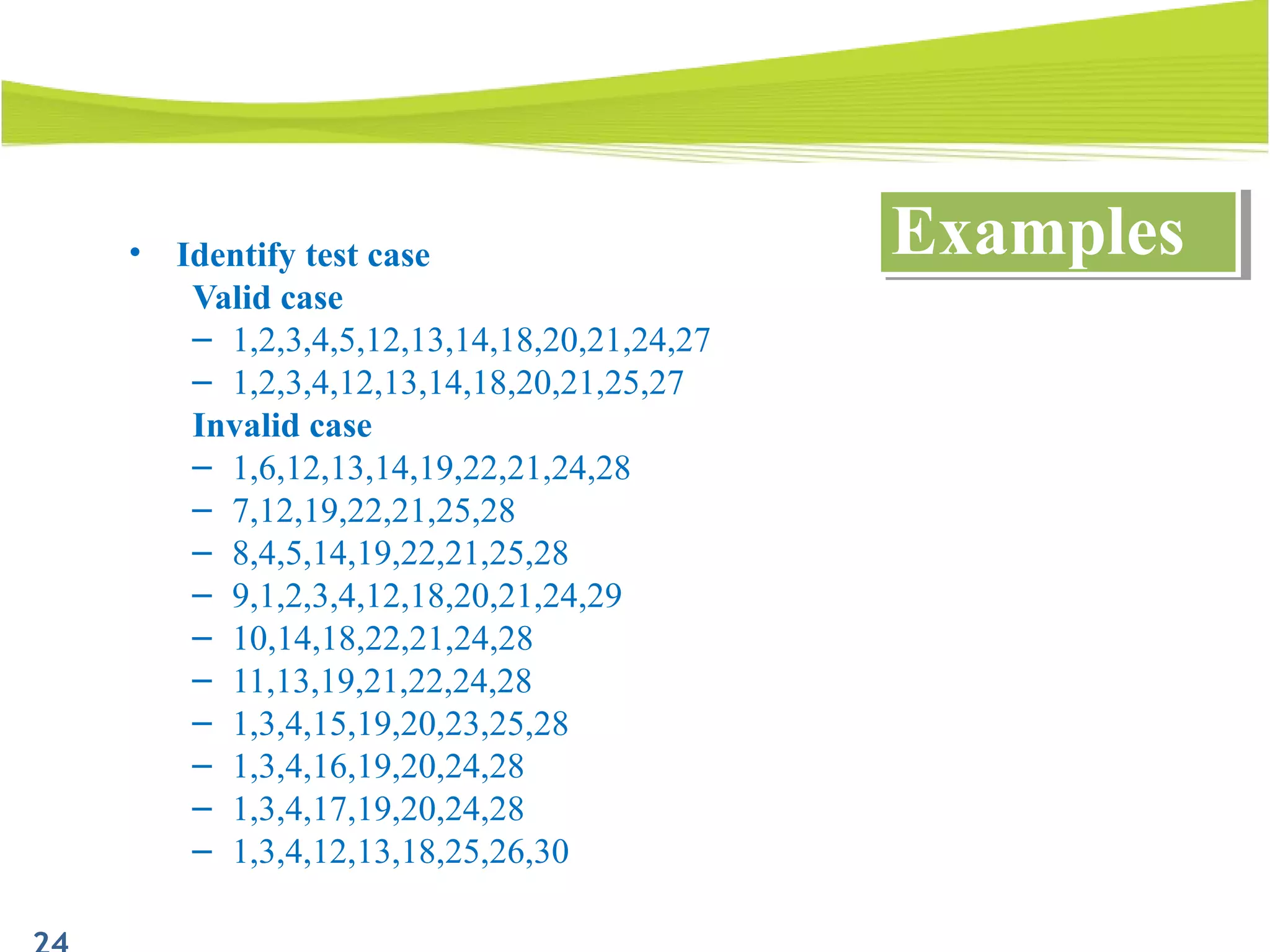
• Identify test case
Valid case
– 1,2,3,4,5,12,13,14,18,20,21,24,27
– 1,2,3,4,12,13,14,18,20,21,25,27
Invalid case
– 1,6,12,13,14,19,22,21,24,28
– 7,12,19,22,21,25,28
– 8,4,5,14,19,22,21,25,28
– 9,1,2,3,4,12,18,20,21,24,29
– 10,14,18,22,21,24,28
– 11,13,19,21,22,24,28
– 1,3,4,15,19,20,23,25,28
– 1,3,4,16,19,20,24,28
– 1,3,4,17,19,20,24,28
– 1,3,4,12,13,18,25,26,30
ExamplesExamples
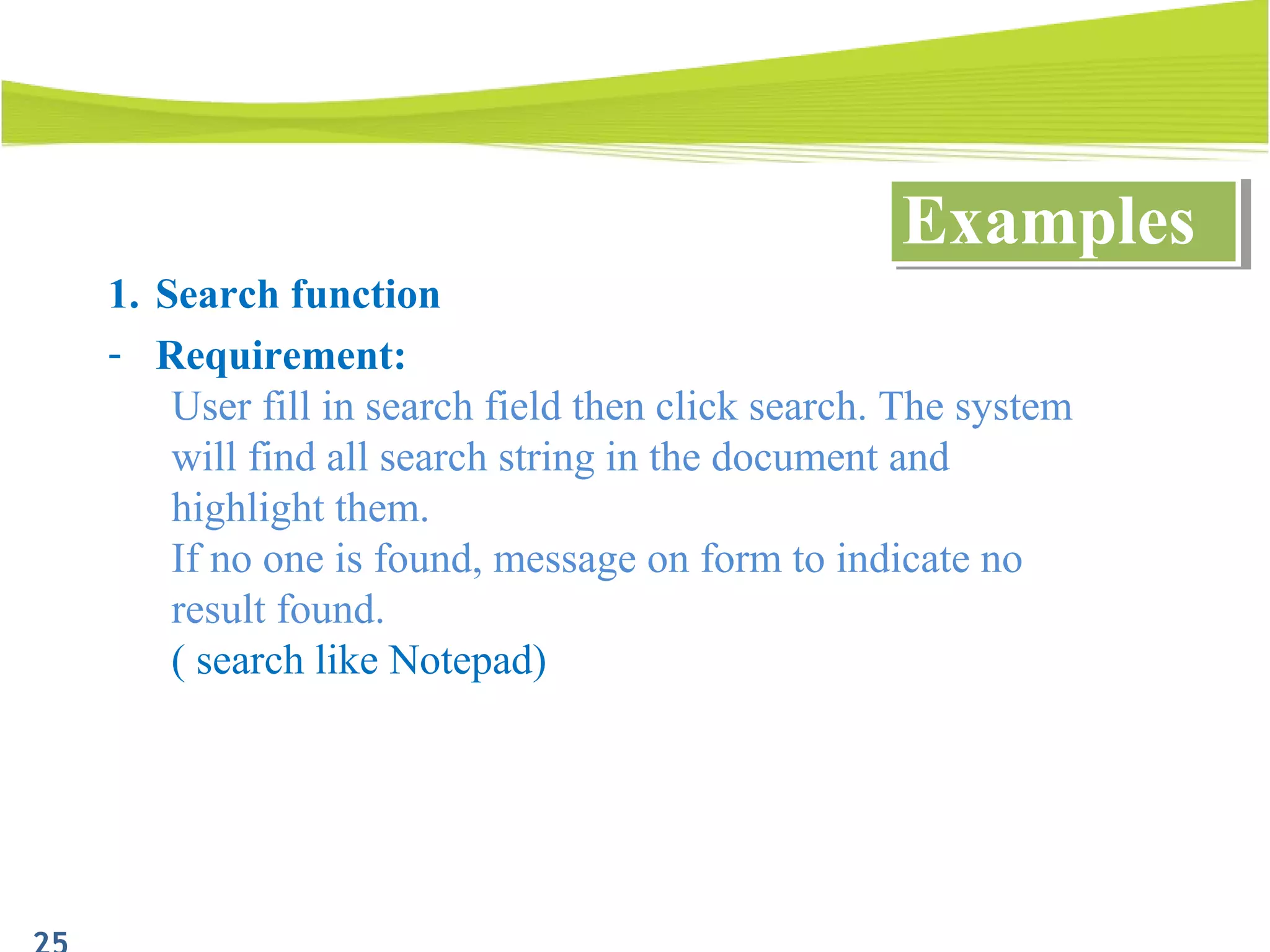
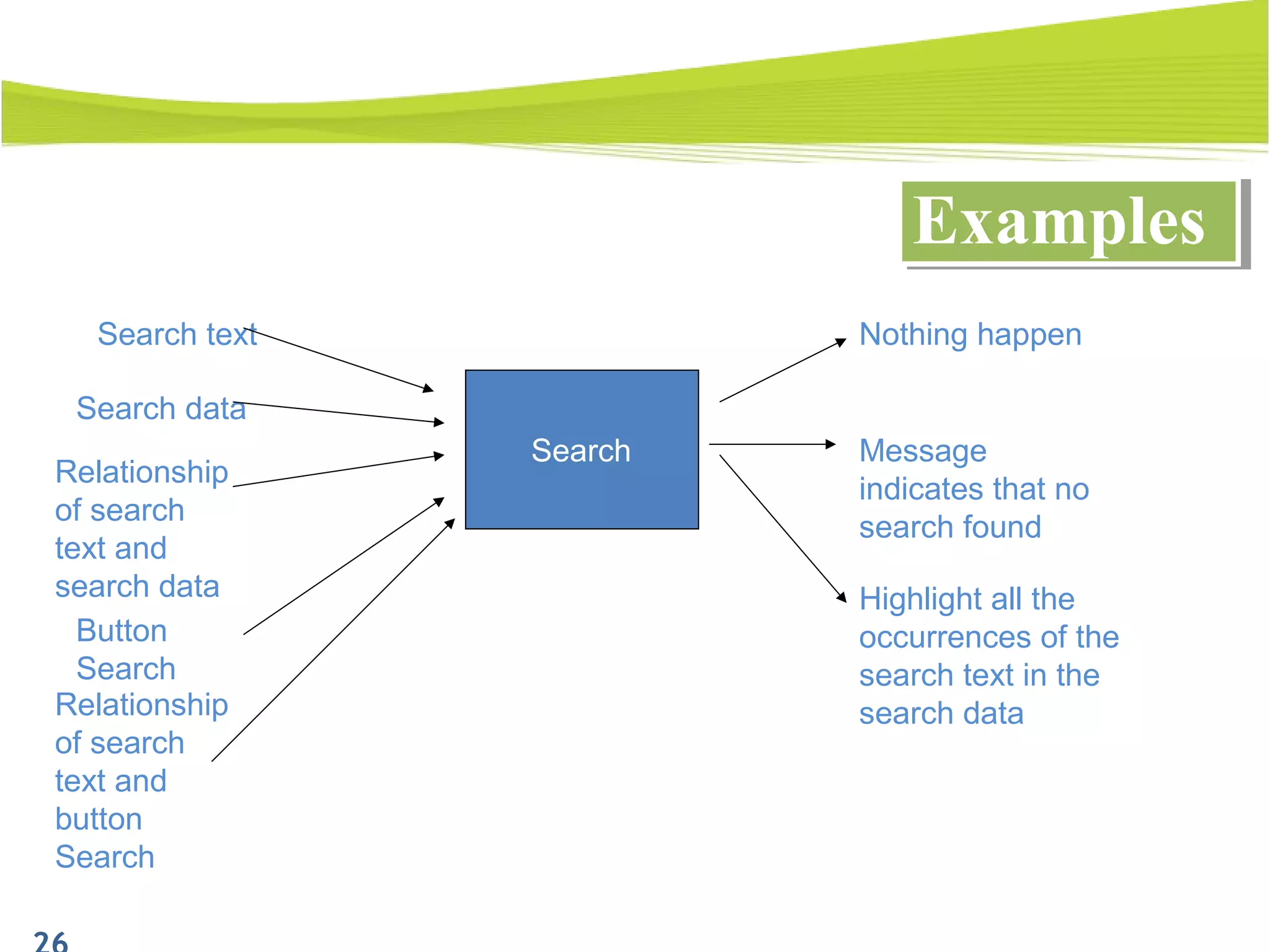
1. Search function
- Requirement:
User fill in search field then click search. The system
will find all search string in the document and
highlight them.
If no one is found, message on form to indicate no
result found.
( search like Notepad)
ExamplesExamples
ExamplesExamples
Relationship
of search
text and
search data
Search
Search data
Search text
Message
indicates that no
search found
Highlight all the
occurrences of the
search text in the
search data
Nothing happen
Button
Search
Relationship
of search
text and
button
Search
• Identify equivalence class:
ExamplesExamples
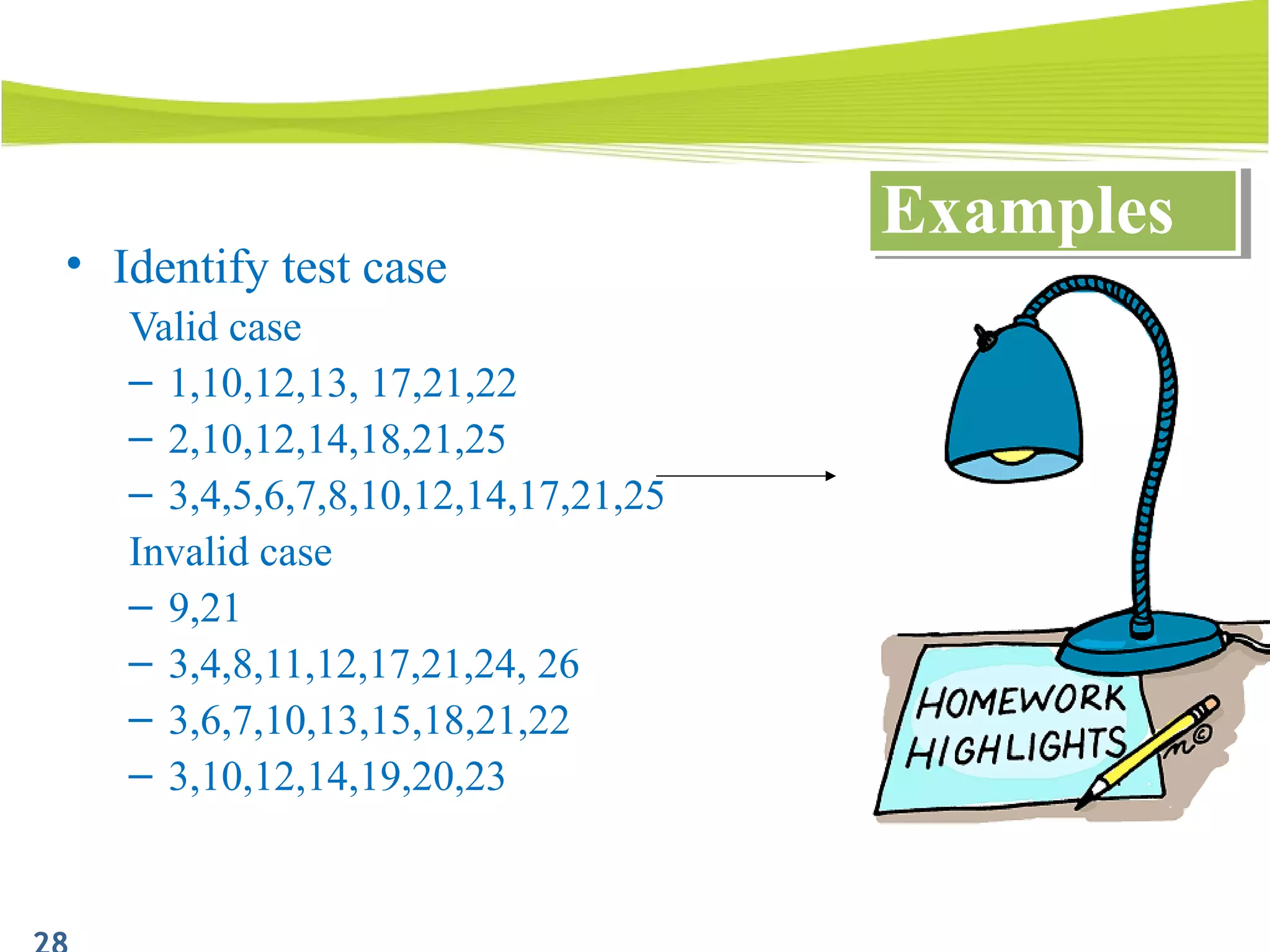
• Identify test case
Valid case
– 1,10,12,13, 17,21,22
– 2,10,12,14,18,21,25
– 3,4,5,6,7,8,10,12,14,17,21,25
Invalid case
– 9,21
– 3,4,8,11,12,17,21,24, 26
– 3,6,7,10,13,15,18,21,22
– 3,10,12,14,19,20,23
ExamplesExamples
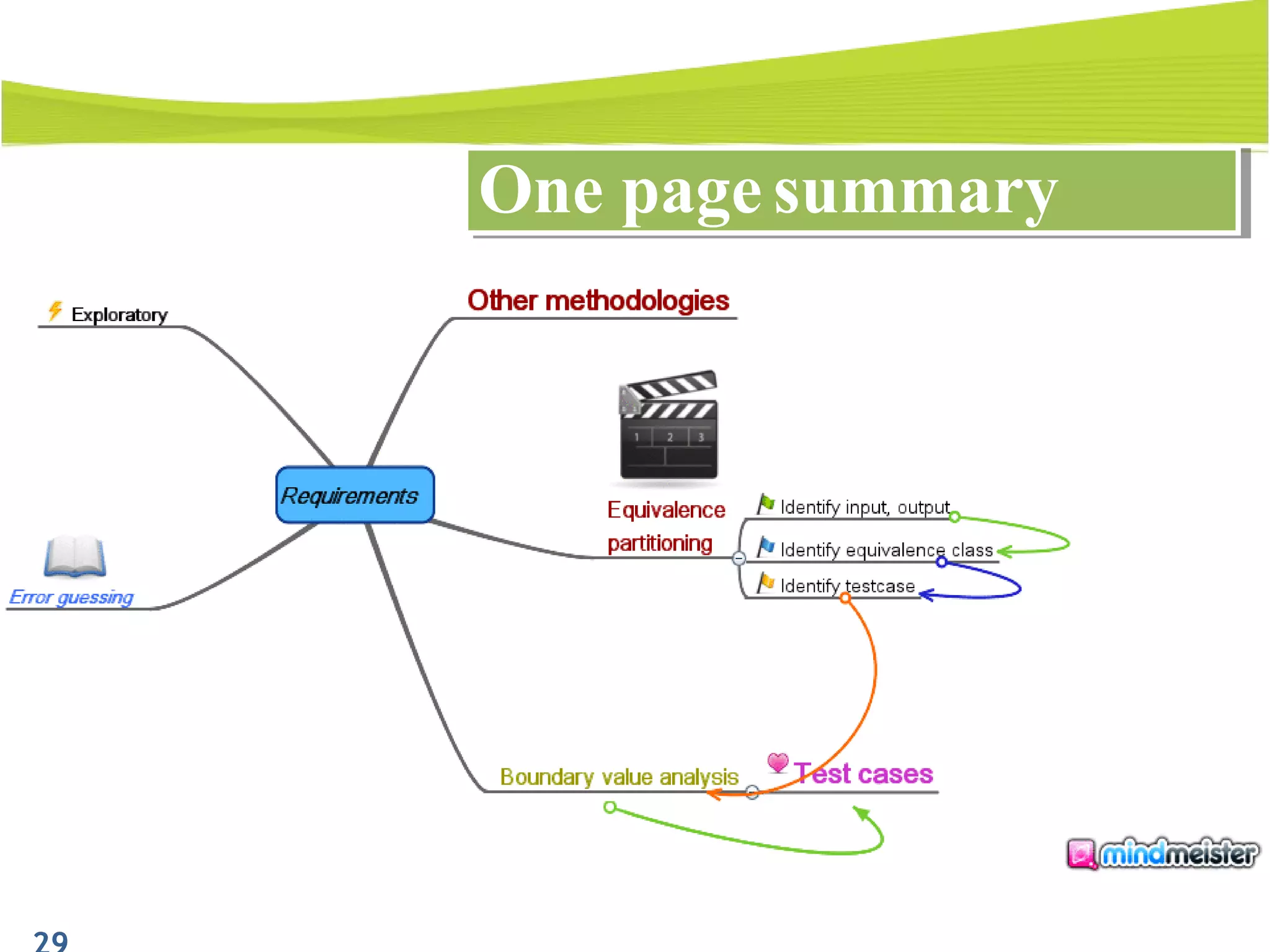
One page summaryOne page summary
• To provide an approach to design test
case 
• Understand how to apply equivalence
partitioning and boundary analysis to
design test case 
PurposePurpose
1. Introduction
2. What is equivalence partitioning?
3. Identify equivalence classes
4. Define the test cases
5. Combining with boundary analyze to choose
data
6. Examples
7. Q&A
OutlineOutline
Q&AQ&A
ReferencesReferences
• The art of software testing
• Internet
Thank you!!!

Design Test Case Technique (Equivalence partitioning And Boundary value analysis)

  • 1.
    1 Design test casetechnique Equivalence partitioning And Boundary value analysis Estimated Time: 120 mins Trainer: Tran Thanh Tuan
  • 2.
    At the endof this course, you are going to know: To provide an approach to design test case. Understand how to apply equivalence partitioning and boundary to design test case. PurposePurpose
  • 3.
    1.Introduction 2.What is equivalencepartitioning? 3.Identify equivalence classes 4.Define the test cases 5.Combining with boundary analyze to choose data 6.Examples 7.Q&A OutlineOutline
  • 4.
  • 5.
    Advantages of EPAdvantagesof EP - To reduce the number of test cases to a necessary minimum - To select the right test cases to cover all possible scenarios ( of course not to be absolutely sure)
  • 6.
    What is EP?Whatis EP? Input, output domain Equivalence classes
  • 7.
    How to useto design testcaseHow to use to design testcase Test case design by EP proceeds into 2 steps: - Identify equivalence classes - Define the test cases
  • 8.
    1. Introduction 2. Whatis equivalence partitioning ? 3. Identify equivalence class 4. Define the test case 5. Combining with boundary analyze to choose data 6. Examples 7. Q&A OutlineOutline
  • 9.
    • Input, output:clue from requirement • Equivalence classes are of 2 types: valid and invalid • Ex: identify equivalence classes for this requirement “ if a pupil has total score >= 75, he will pass the exam, otherwise will fail (total score is an integer)” Identify equivalence classesIdentify equivalence classes
  • 10.
    Identify equivalence classesIdentifyequivalence classes Total score Error messageSystem Fail Pass
  • 11.
    Valid equivalence classes Invalid equivalence classes Total score1. >=75 2. <75 3. Null 4. String Result of the exam 5. Pass 6. Fail 7. Error message Identify equivalence classesIdentify equivalence classes
  • 12.
    1. Introduction 2. Whatis equivalence partitioning ? 3. Identify equivalence class 4. Define the test case 5. Combining with boundary analyze to choose data 6. Examples 7. Q&A OutlineOutline
  • 13.
    • Assign aunique number to each equivalence class • For valid case: until all valid equivalence classes have been covered by test case, write a new test case covering as many uncover valid equivalence classes as possible. • For invalid case: until all invalid equivalence classes have been covered by test case, write a new test case that cover one, and only one, of the uncovered invalid equivalence classes. Define test casesDefine test cases
  • 14.
    • Example: writetest case for “ if a pupil has total score >= 75, he will be past the exam, otherwise will fail ”, using equivalence partitioning. Define test casesDefine test cases Conditions Valid equivalence class Invalid equivalence class Total score 1. >=75 2. <75 3. Null 4. String Result of the exam 5. Pass 6. Fail 7. Error message Test case: • 1, 5 • 2, 6 • 3, 7 • 4, 7
  • 15.
    1. Introduction 2. Whatis equivalence partitioning? 3. Identify equivalence classes 4. Define the test cases 5. Combining with boundary analyze to choose data 6. Examples 7. Q&A OutlineOutline
  • 16.
    Boundary analyze andEPBoundary analyze and EP What is Boundary analyze? - Is a technique to refine equivalence partitioning - Concentrate on cases at the extreme ends of each equivalence class.
  • 17.
    Boundary analyze andEPBoundary analyze and EP Boundary values
  • 18.
    Boundary analyze andEPBoundary analyze and EP Boundary value analysis? - Is to use input variable value at the minimum, just above minimum, just below minimum, normal, at the maximum, just below maximum, just above maximum
  • 19.
    Boundary analyze andEPBoundary analyze and EP Example: • “ if a pupil has total score >= 75, he will pass the exam, otherwise will fail (total score is an integer)” Conditions Valid equivalence classes Invalid equivalence classes Total score 1. >=75 2. <75 3. Null 4. String Result of the exam 5. Pass 6. Fail 7. Error message Test case: 1. 1, 5 2. 2, 6 3. 3, 7 4. 4, 7 Data to test: 1a. 75, pass 1b. 76, pass 2. 74, fail 3. Null, error message 4a. A, error message 4b. I am a tester of EW and I love this job, error message
  • 20.
    1. Introduction 2. Whatis equivalence partitioning? 3. Identify equivalence classes 4. Define the test cases 5. Combining with boundary analyze to choose data 6. Examples 7. Q&A OutlineOutline
  • 21.
    1. Login function -Requirement: The Registered User enters credentials – a username and password – and submits the credentials. The System verifies the user’s credentials. The System presents the homepage with hello user name and log out link. If the user has been inactive, the system presents a message indicating that the account has been inactive. If invalid username or password, the system determines that the combination of username and password is in error. ( username: maximum 25 chars, not have space, unique, a-z, A-Z, number, password: minimum 6 chars long) ExamplesExamples
  • 22.
    ExamplesExamples Database Homepage System Password Username Button Submit Error message of usernameor password is incorrect Error message of inactive account Nothing happen Relation of username and password
  • 23.
    • Identify equivalenceclass: ExamplesExamples
  • 24.
    • Identify testcase Valid case – 1,2,3,4,5,12,13,14,18,20,21,24,27 – 1,2,3,4,12,13,14,18,20,21,25,27 Invalid case – 1,6,12,13,14,19,22,21,24,28 – 7,12,19,22,21,25,28 – 8,4,5,14,19,22,21,25,28 – 9,1,2,3,4,12,18,20,21,24,29 – 10,14,18,22,21,24,28 – 11,13,19,21,22,24,28 – 1,3,4,15,19,20,23,25,28 – 1,3,4,16,19,20,24,28 – 1,3,4,17,19,20,24,28 – 1,3,4,12,13,18,25,26,30 ExamplesExamples
  • 25.
    1. Search function -Requirement: User fill in search field then click search. The system will find all search string in the document and highlight them. If no one is found, message on form to indicate no result found. ( search like Notepad) ExamplesExamples
  • 26.
    ExamplesExamples Relationship of search text and searchdata Search Search data Search text Message indicates that no search found Highlight all the occurrences of the search text in the search data Nothing happen Button Search Relationship of search text and button Search
  • 27.
    • Identify equivalenceclass: ExamplesExamples
  • 28.
    • Identify testcase Valid case – 1,10,12,13, 17,21,22 – 2,10,12,14,18,21,25 – 3,4,5,6,7,8,10,12,14,17,21,25 Invalid case – 9,21 – 3,4,8,11,12,17,21,24, 26 – 3,6,7,10,13,15,18,21,22 – 3,10,12,14,19,20,23 ExamplesExamples
  • 29.
    One page summaryOnepage summary
  • 30.
    • To providean approach to design test case  • Understand how to apply equivalence partitioning and boundary analysis to design test case  PurposePurpose
  • 31.
    1. Introduction 2. Whatis equivalence partitioning? 3. Identify equivalence classes 4. Define the test cases 5. Combining with boundary analyze to choose data 6. Examples 7. Q&A OutlineOutline
  • 32.
  • 33.
    ReferencesReferences • The artof software testing • Internet
  • 34.

Editor's Notes

  • #7 We split input and output of a function into a number of equivalence class then just test 1 or a-few representatives from each of class is well-accepted.
  • #10 Read the requirements carefully then identify all input and output, any conditions associated with their use and any of their relationship. Input contains all of parameters that affect the behavior of the function: + input data characteristic (ex: string, number, …) + environment configuration + OS platform + Peripheral devices + User profiles + everything surrounds the parameter Output: think about what kind of output may be produced Partition the set of possible values into disjoint subset Define all possible input value (that could be taken by the program) Define all possible output value - User queries: such as user want to search then to choose 1 in the results to view or user want to delete a file - Mouse picks: such as click on the right mouse, the left mouse, … - Input data values: such as user want to search for “apple”, then apple is the input data value or the file name, file path is the input data for deleting file Commands – key input such as: press enter on the keyboard, or for the service we use command line to control Response to prompt: such as when the user want to delete a file, he chooses a file then click delete button and the system ask “are you sure”. Then he click ok, then click button ok is the responses to prompt. Output is what user want to see within the result, such as if user want to delete a file, he choose a file name, file path and click delete then the output here is the file is deleted.