A First Book of ANSI C Fourth Edition Chapter 2 Getting Started in C Programming
Objectives Introduction to C Programming Programming Style Data Types Arithmetic Operations
Objectives (continued) Variables and Declarations Case Study: Temperature Conversion Common Programming and Compiler Errors
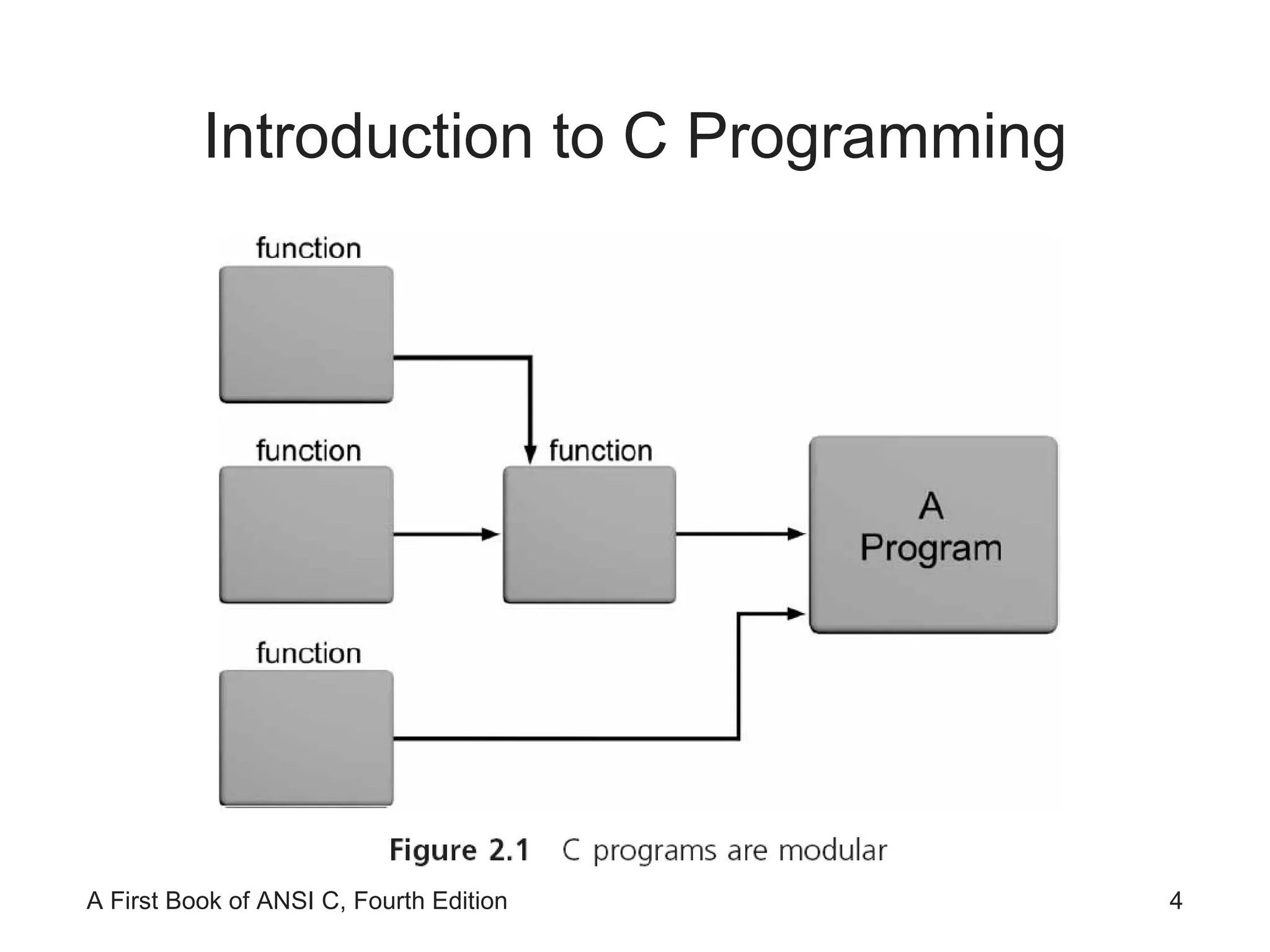
Introduction to C Programming
Introduction to C Programming (continued) C provides a comprehensive set of functions Stored in a set of files known as the standard library The standard library consists of 15 header files
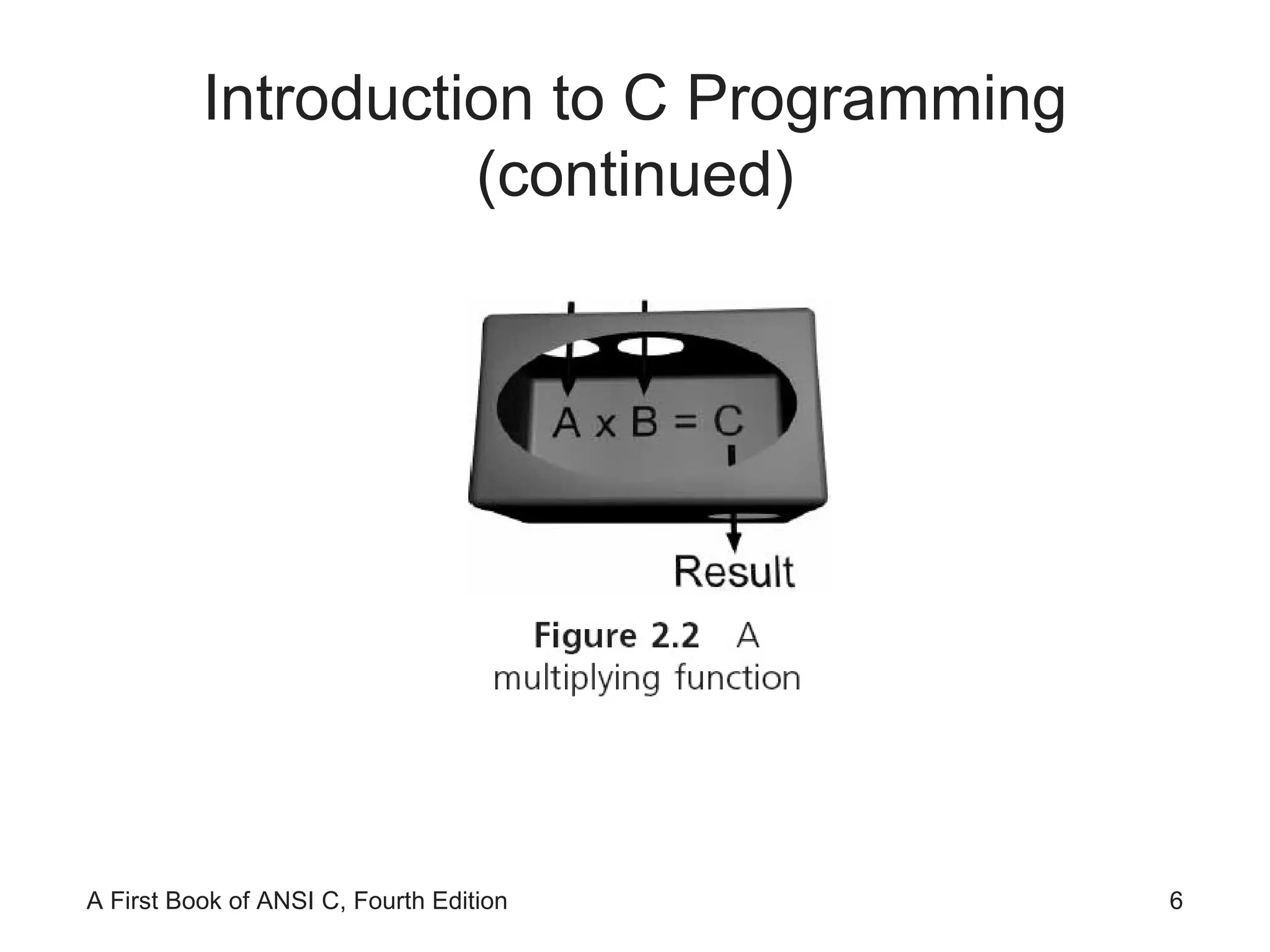
Introduction to C Programming (continued)
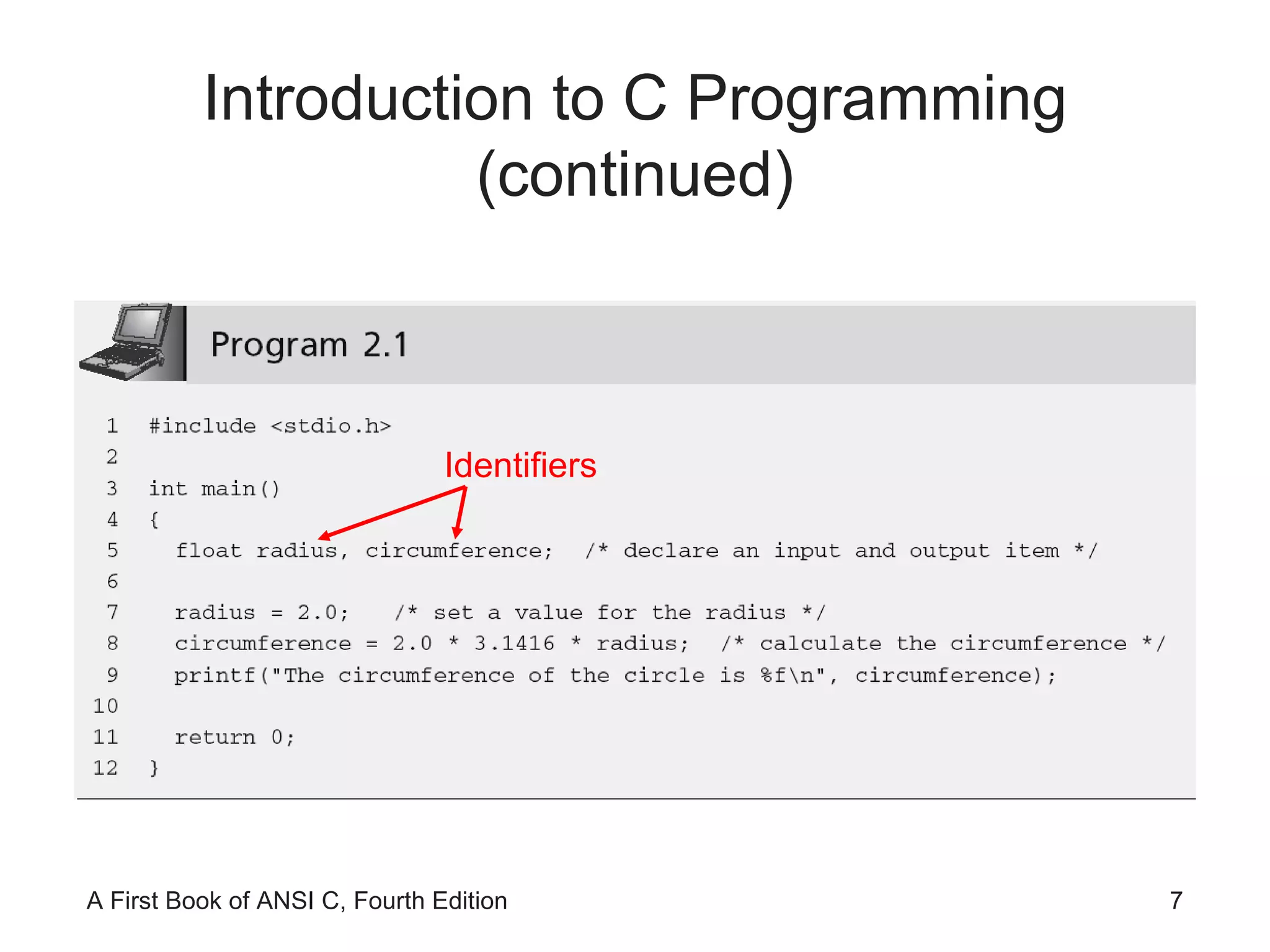
Introduction to C Programming (continued) Identifiers
Identifiers Identifiers in C consist of three types: Reserved words Standard identifiers Programmer-created identifiers
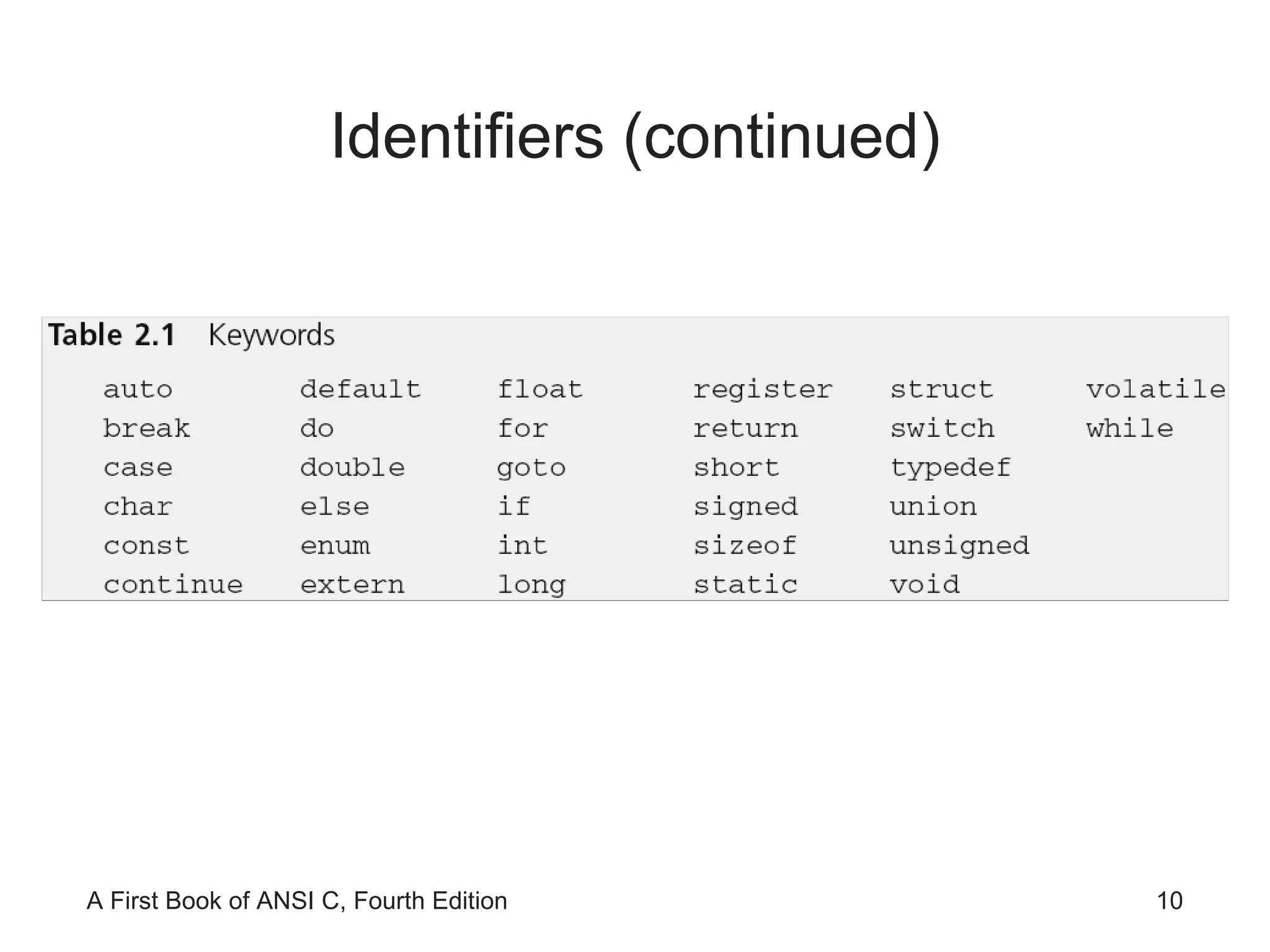
Identifiers (continued) Reserved word:  word that is predefined by the programming language for a special purpose and can only be used in a specified manner for its intended purpose Also referred to as  keywords  in C
Identifiers (continued)
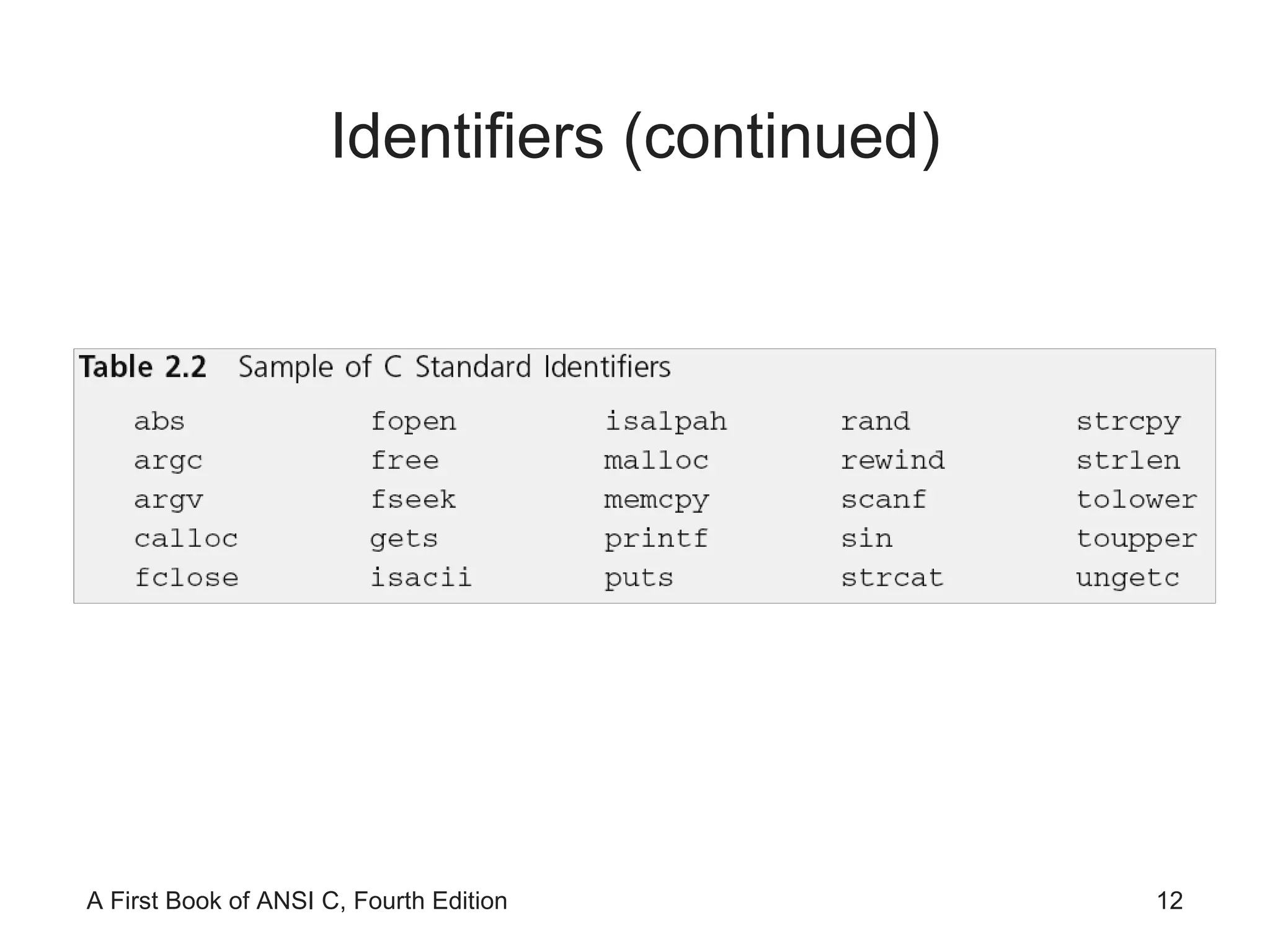
Identifiers (continued) Standard identifiers:  words predefined in C Most of the standard identifiers are the names of functions that are provided in the C standard library It is good programming practice to use standard identifiers only for their intended purpose
Identifiers (continued)
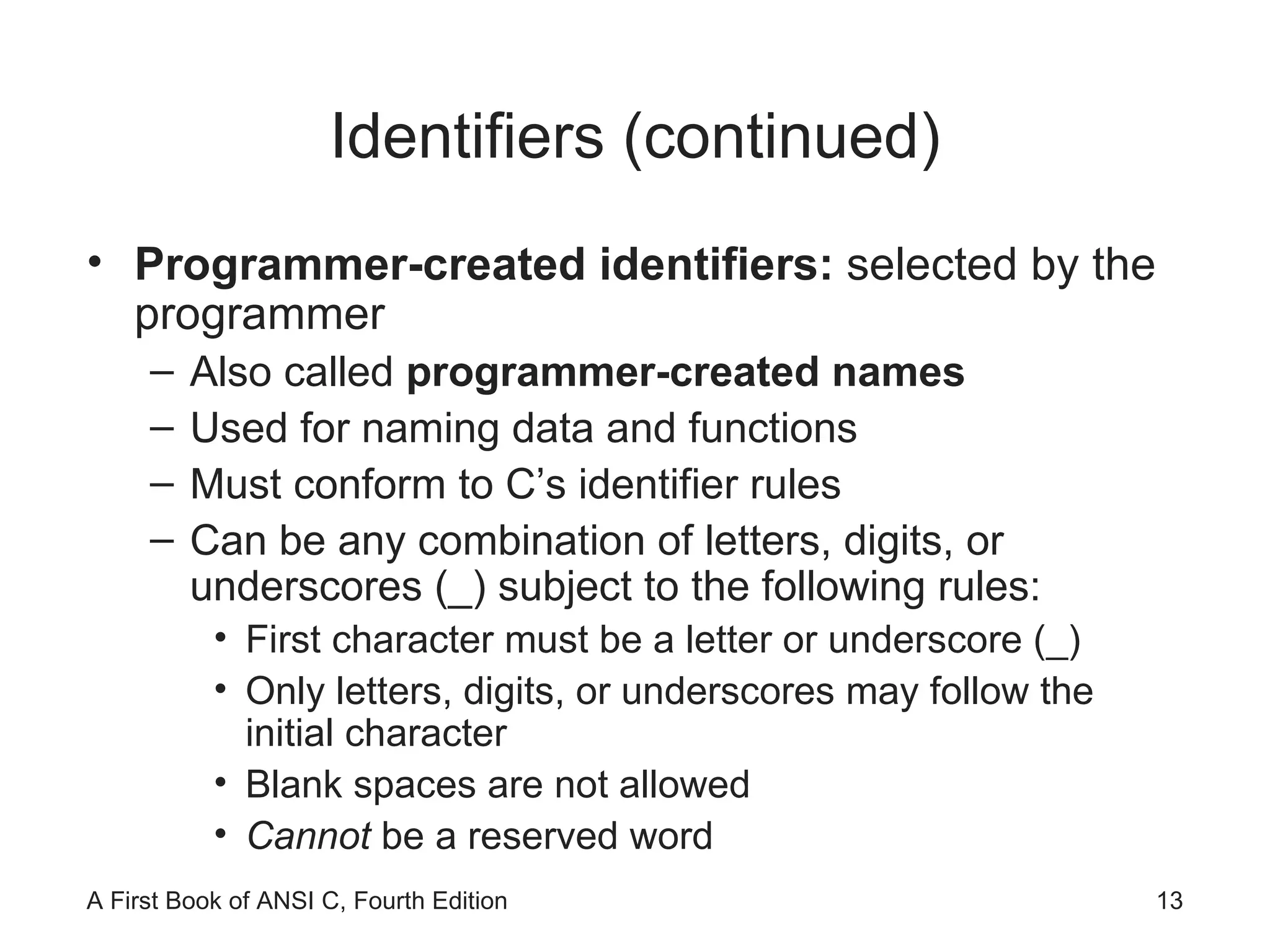
Identifiers (continued) Programmer-created identifiers:  selected by the programmer Also called  programmer-created names  Used for naming data and functions Must conform to C’s identifier rules Can be any combination of letters, digits, or underscores (_) subject to the following rules: First character must be a letter or underscore (_) Only letters, digits, or underscores may follow the initial character Blank spaces are not allowed Cannot  be a reserved word
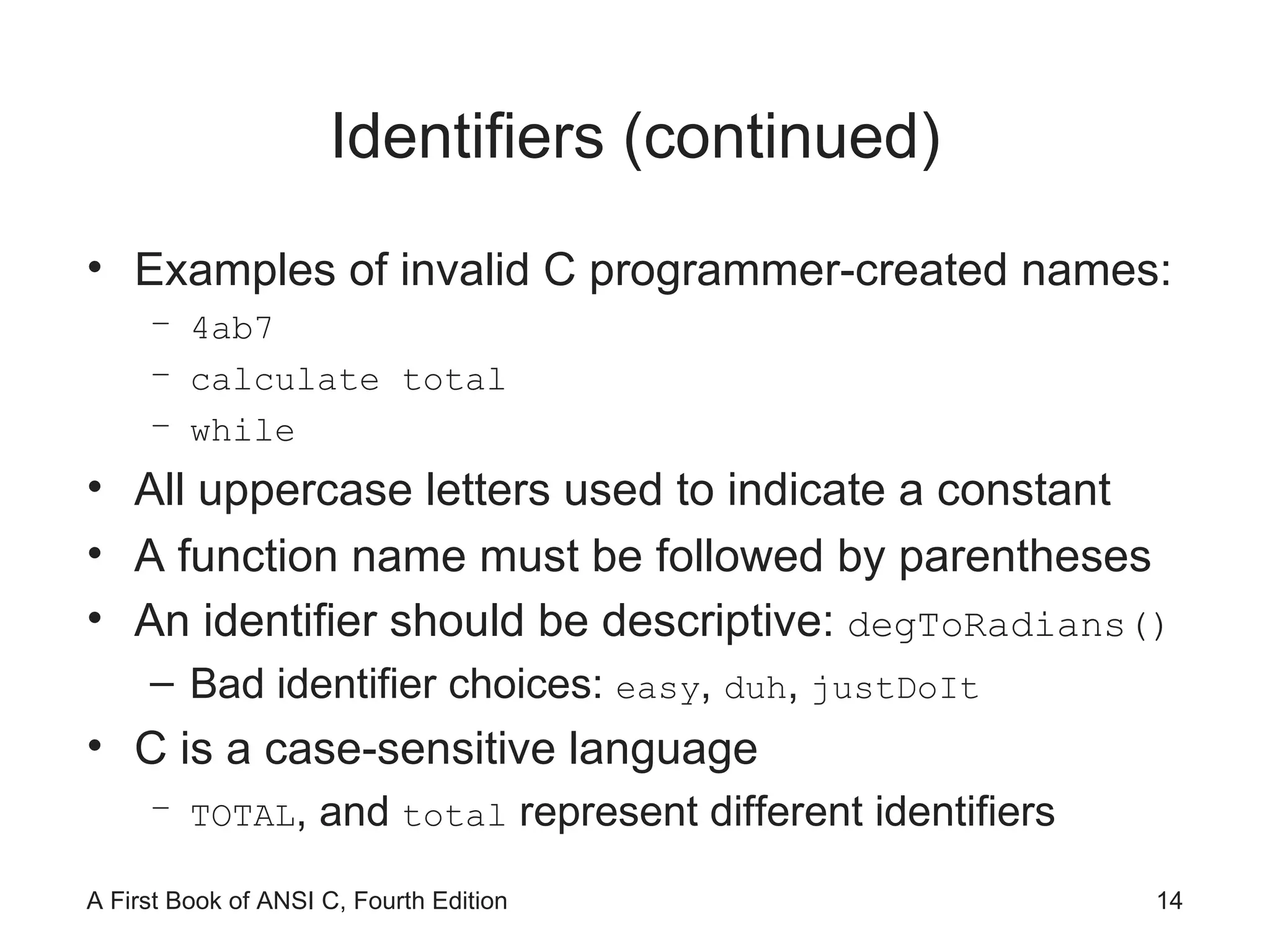
Identifiers (continued) Examples of invalid C programmer-created names: 4ab7 calculate total while All uppercase letters used to indicate a constant A function name must be followed by parentheses  An identifier should be descriptive:  degToRadians() Bad identifier choices:  easy ,  duh ,  justDoIt   C is a case-sensitive language TOTAL , and  total  represent different identifiers
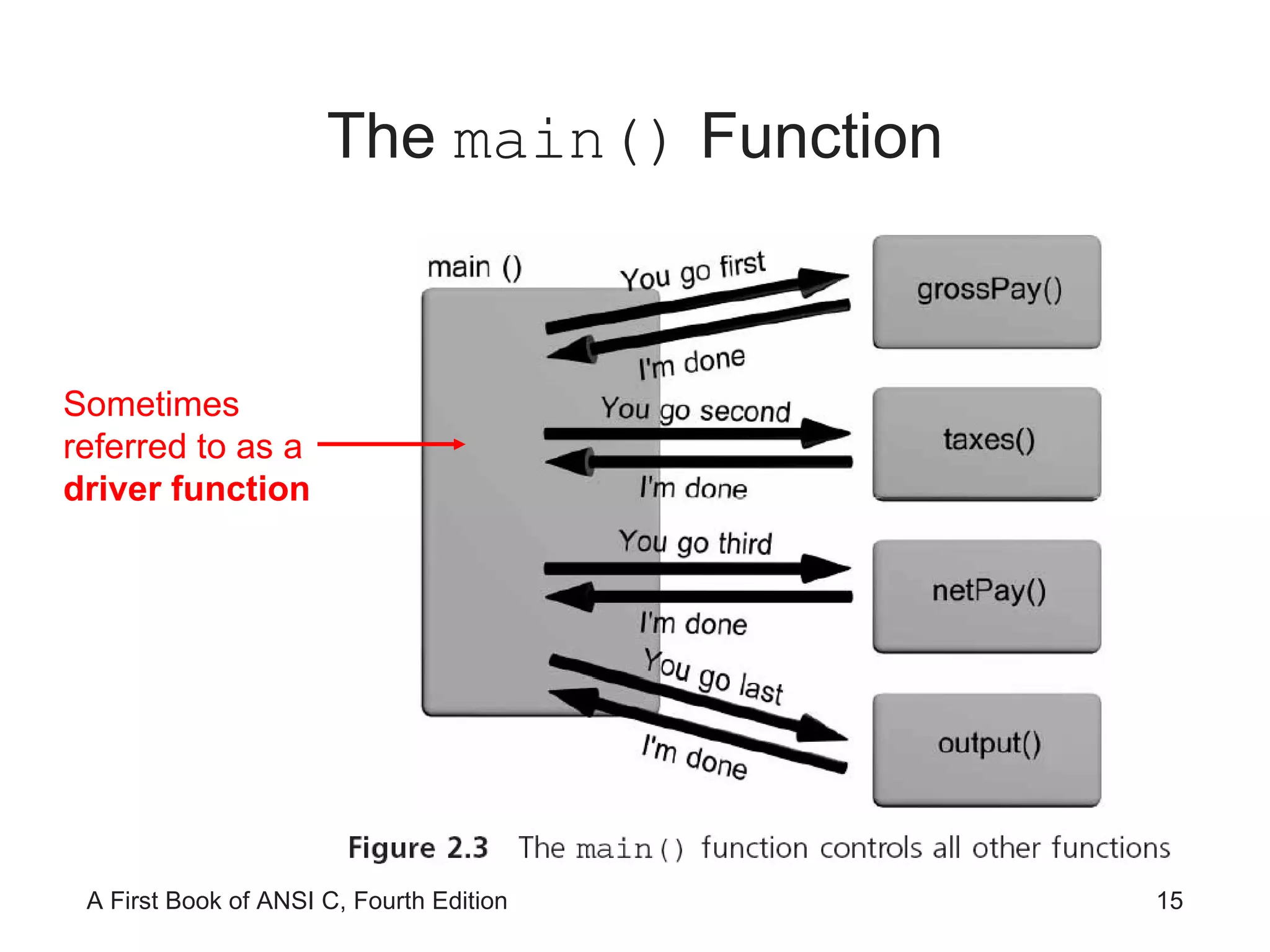
The  main()  Function Sometimes referred to as a  driver function
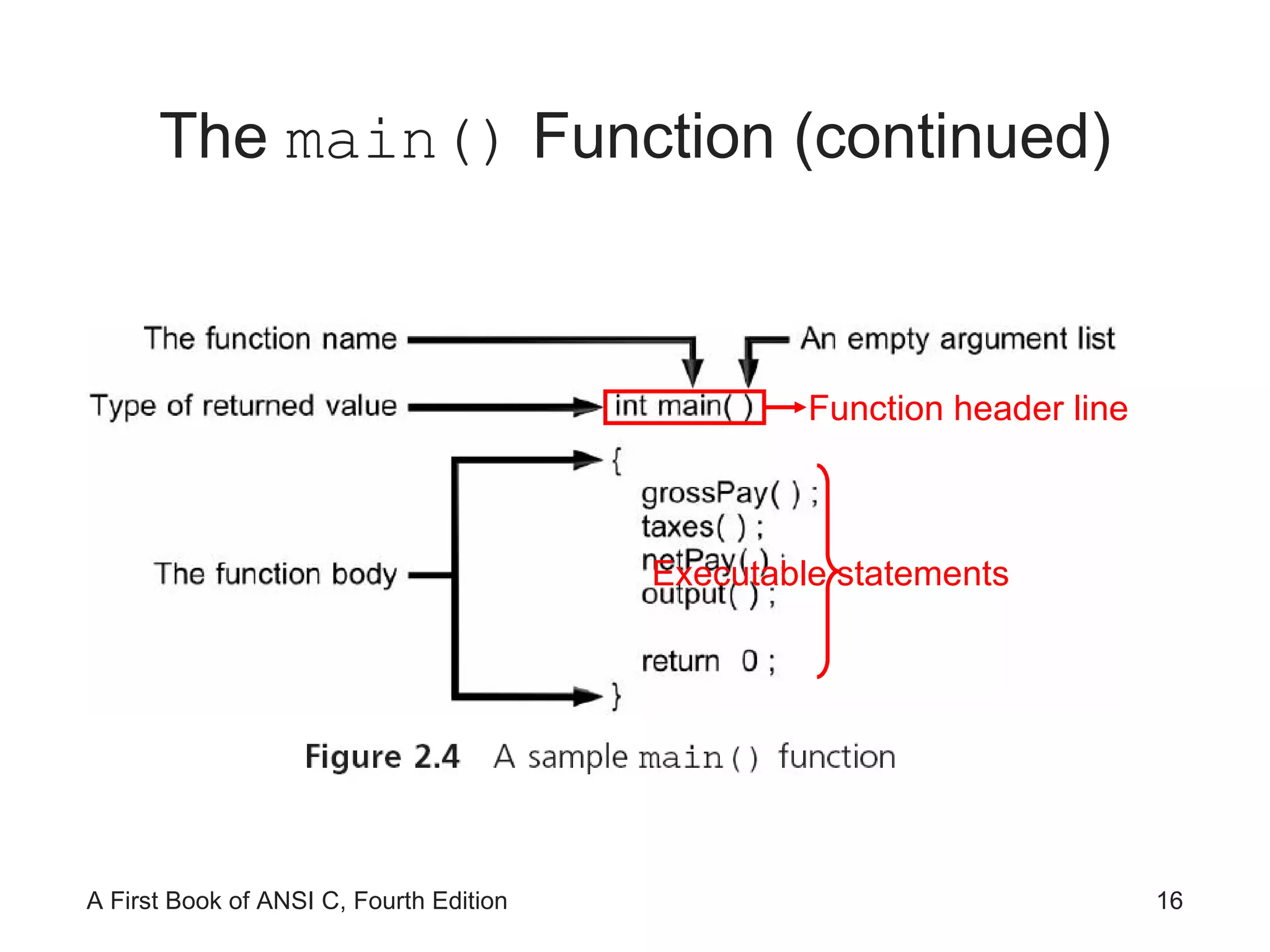
The  main()  Function (continued) Function header line Executable statements
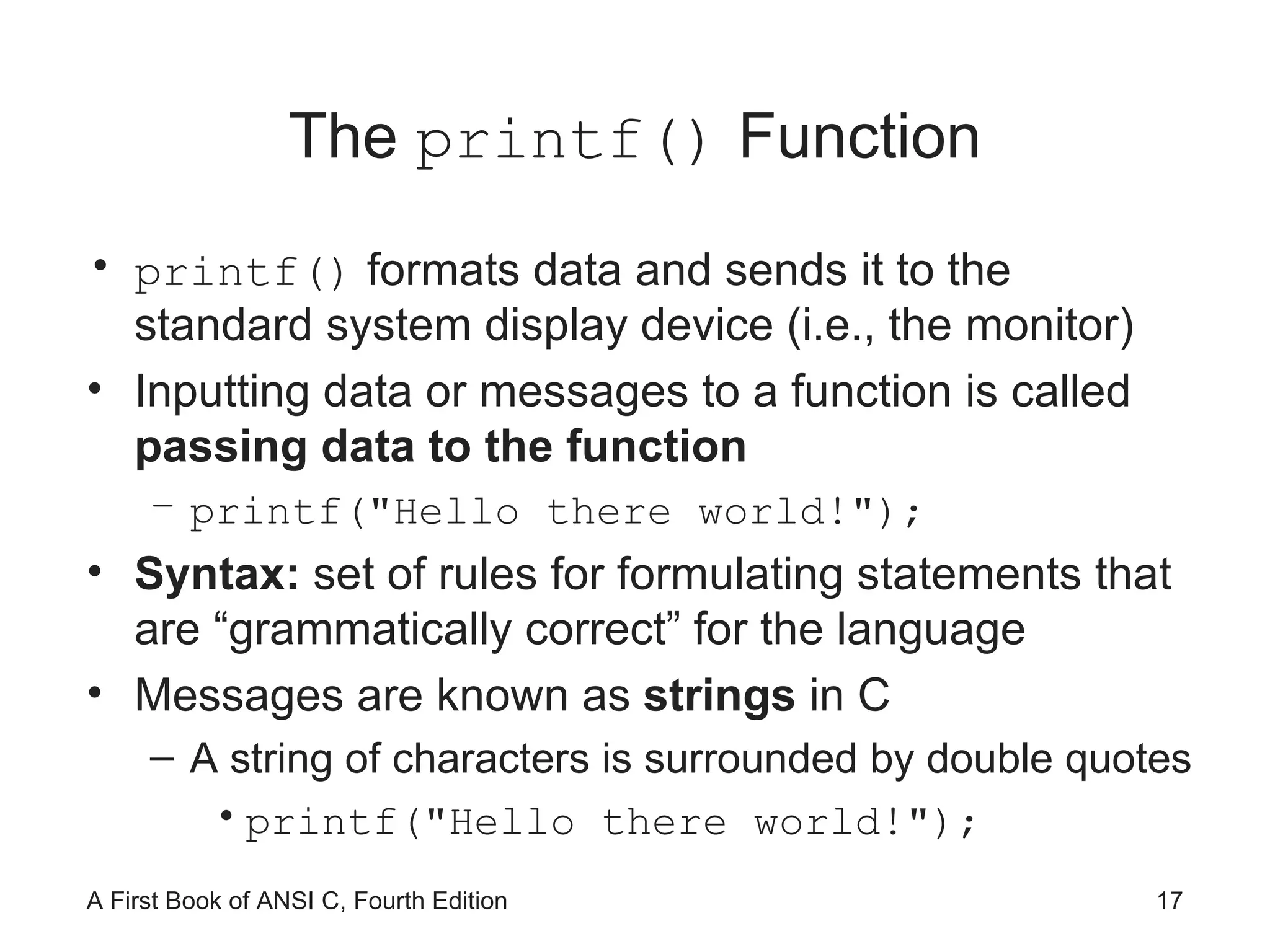
The  printf()  Function printf()  formats data and sends it to the standard system display device (i.e., the monitor) Inputting data or messages to a function is called  passing data to the function printf("Hello there world!"); Syntax:  set of rules for formulating statements that are “grammatically correct” for the language Messages are known as  strings  in C A string of characters is surrounded by double quotes printf("Hello there world!");
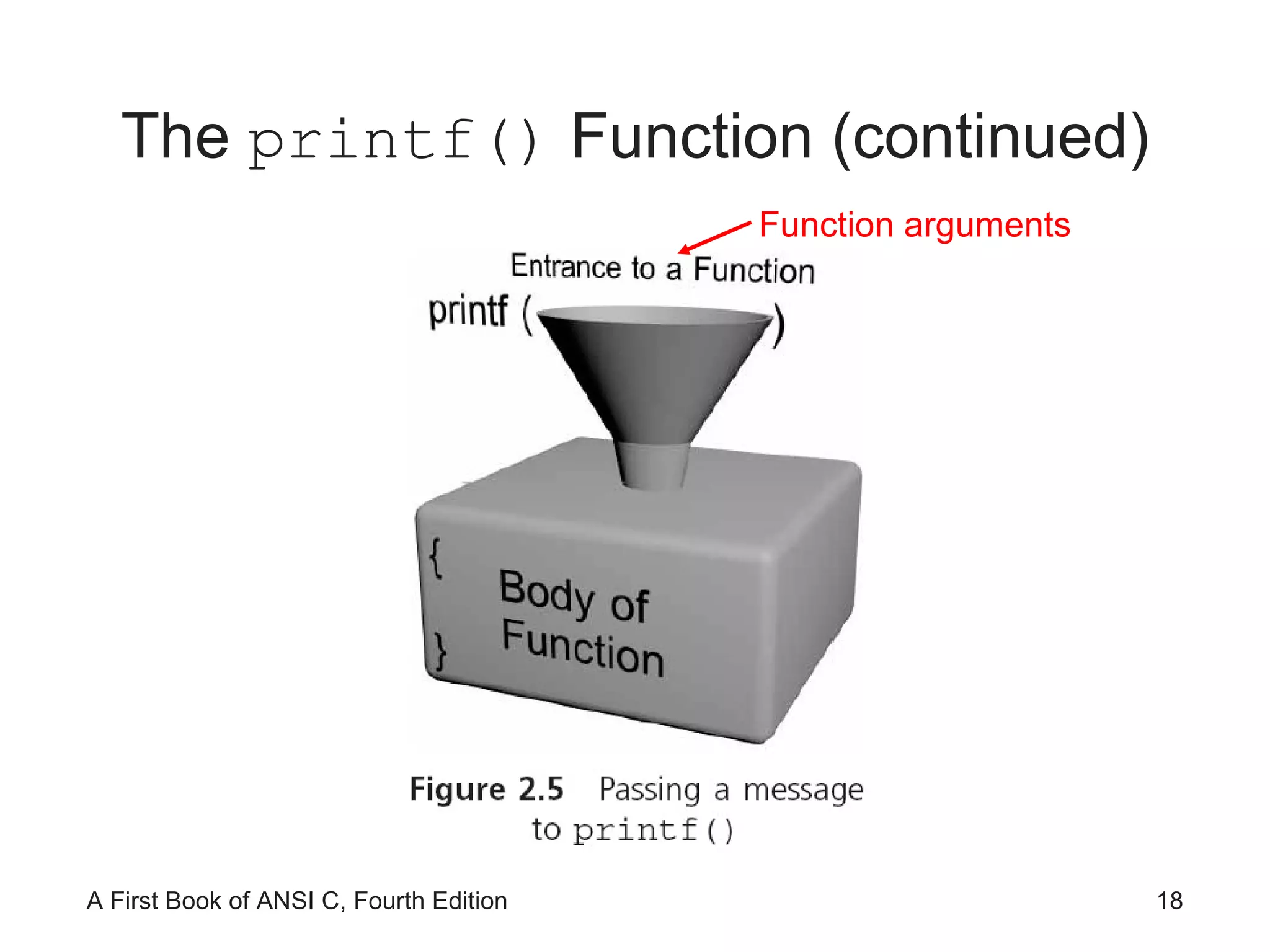
The  printf()  Function (continued) Function arguments
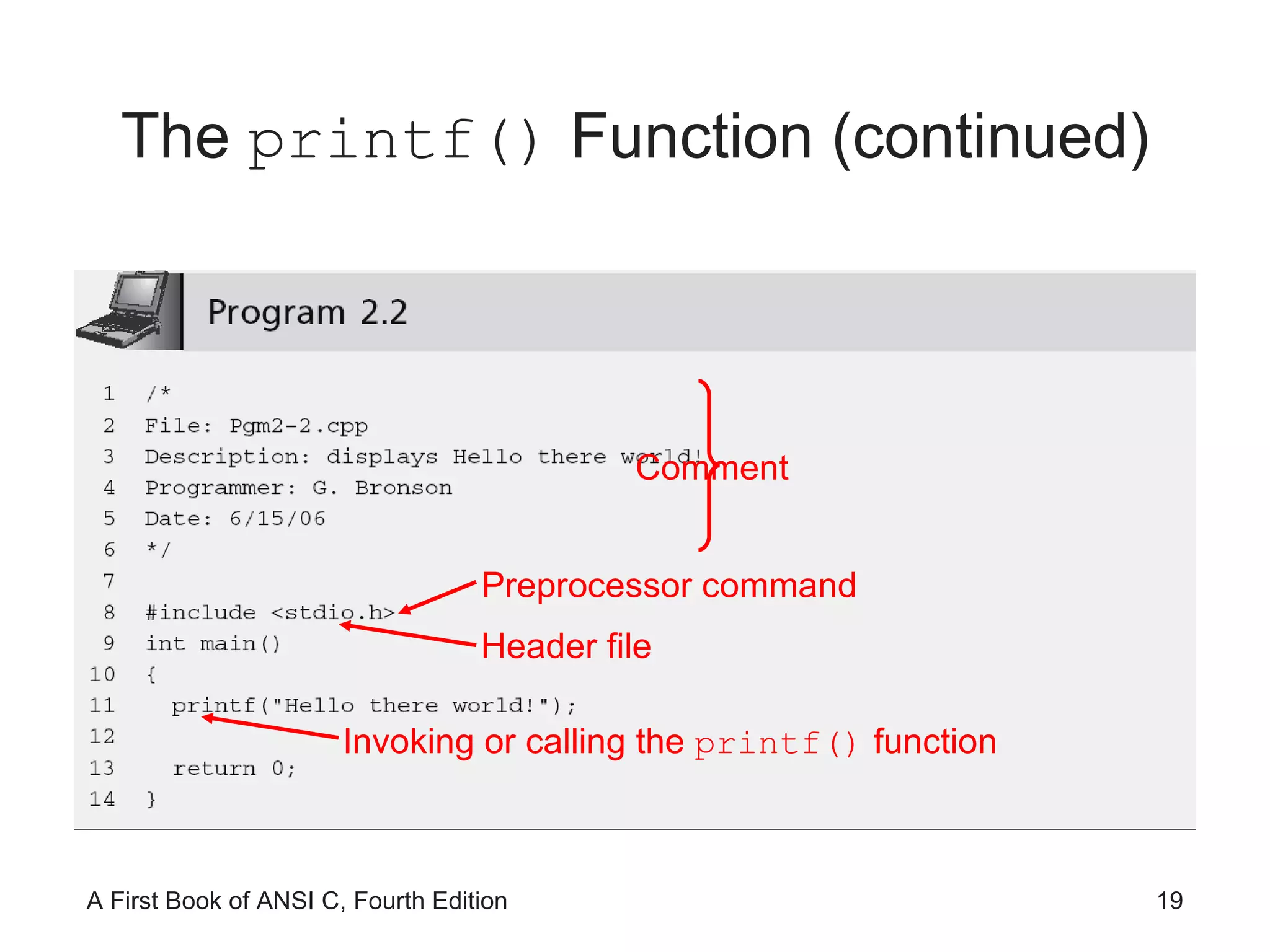
The  printf()  Function (continued) Comment Preprocessor command Header file Invoking or calling the  printf()  function
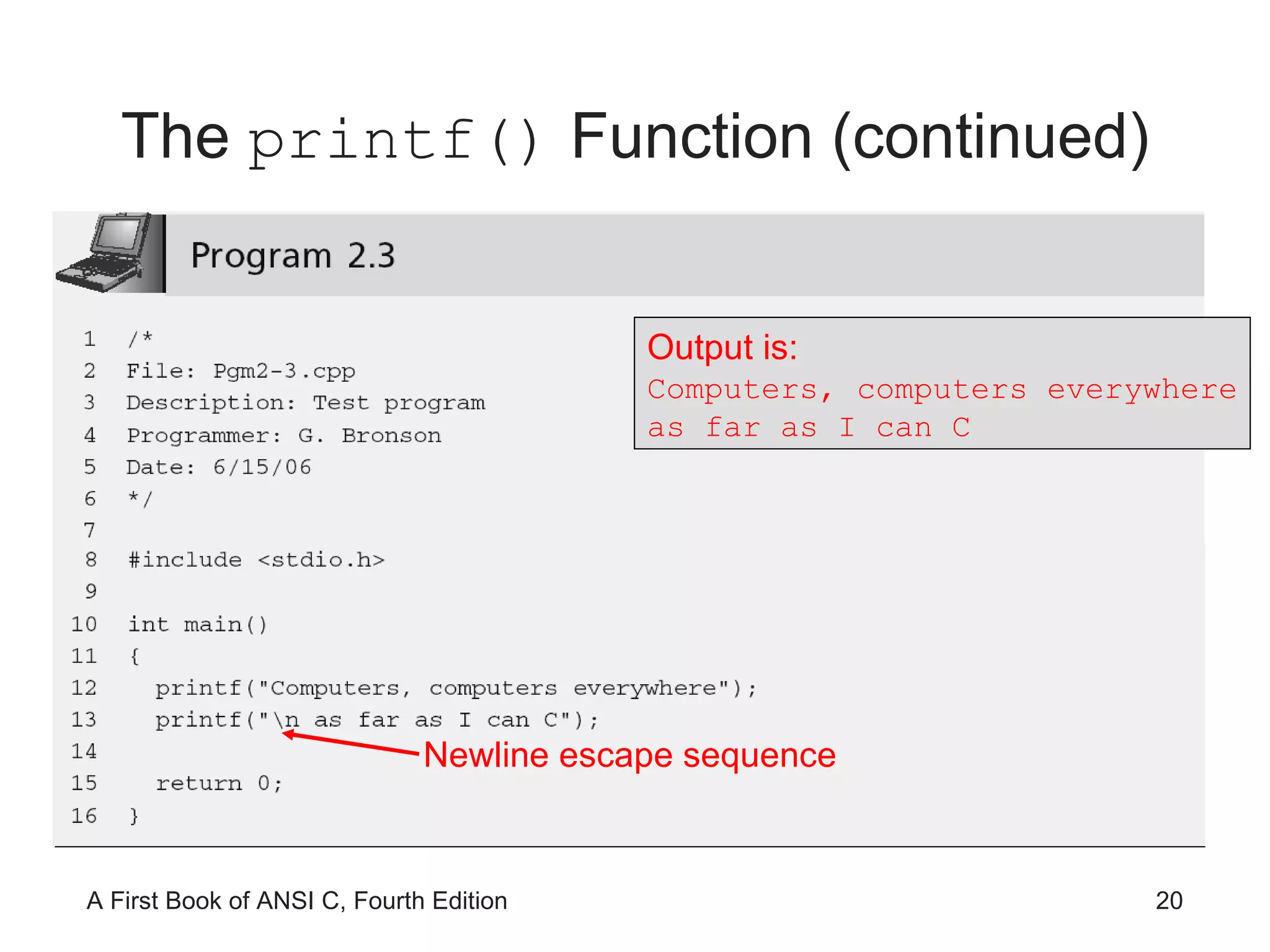
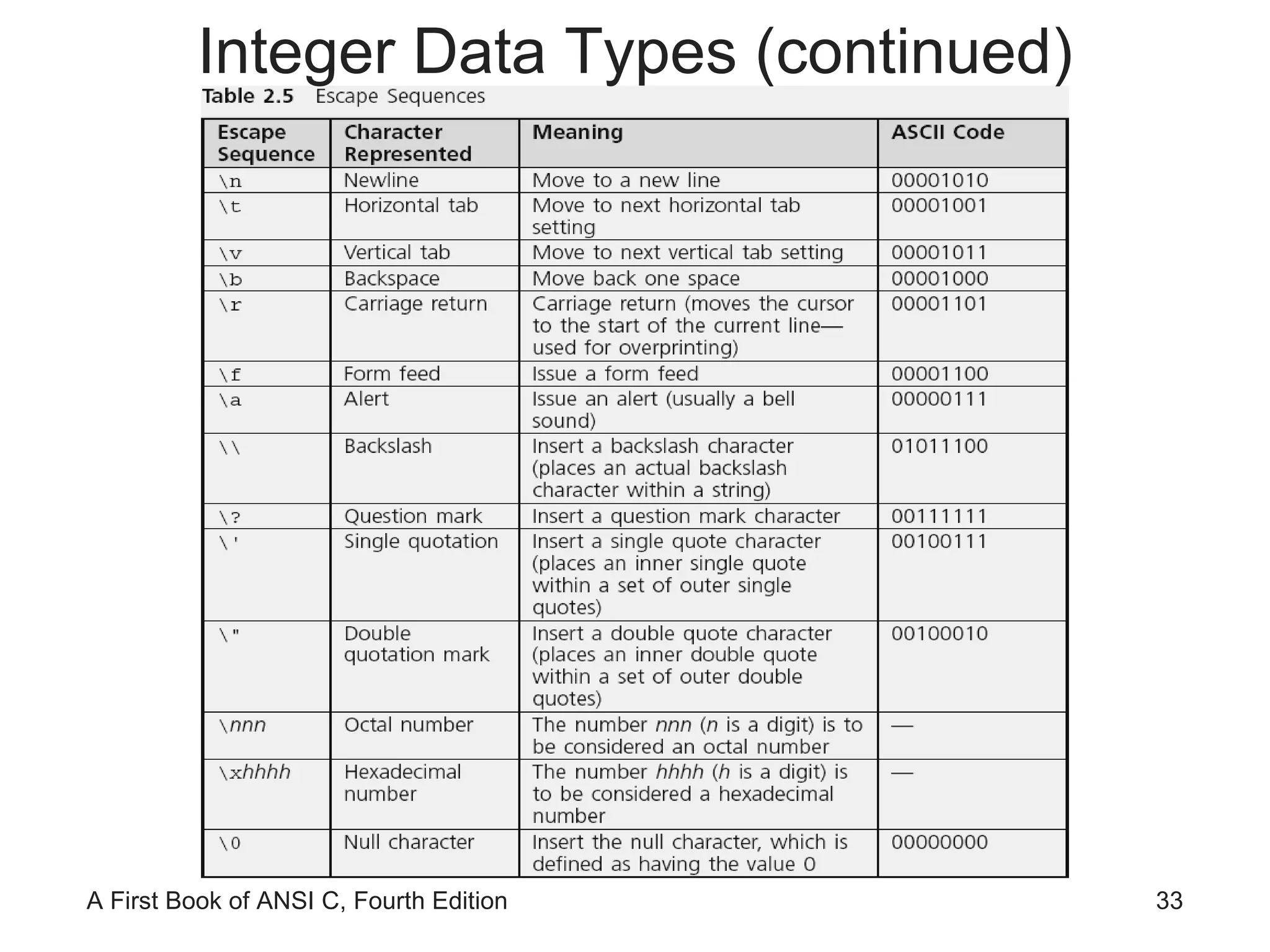
The  printf()  Function (continued) Output is: Computers, computers everywhere as far as I can C Newline escape sequence
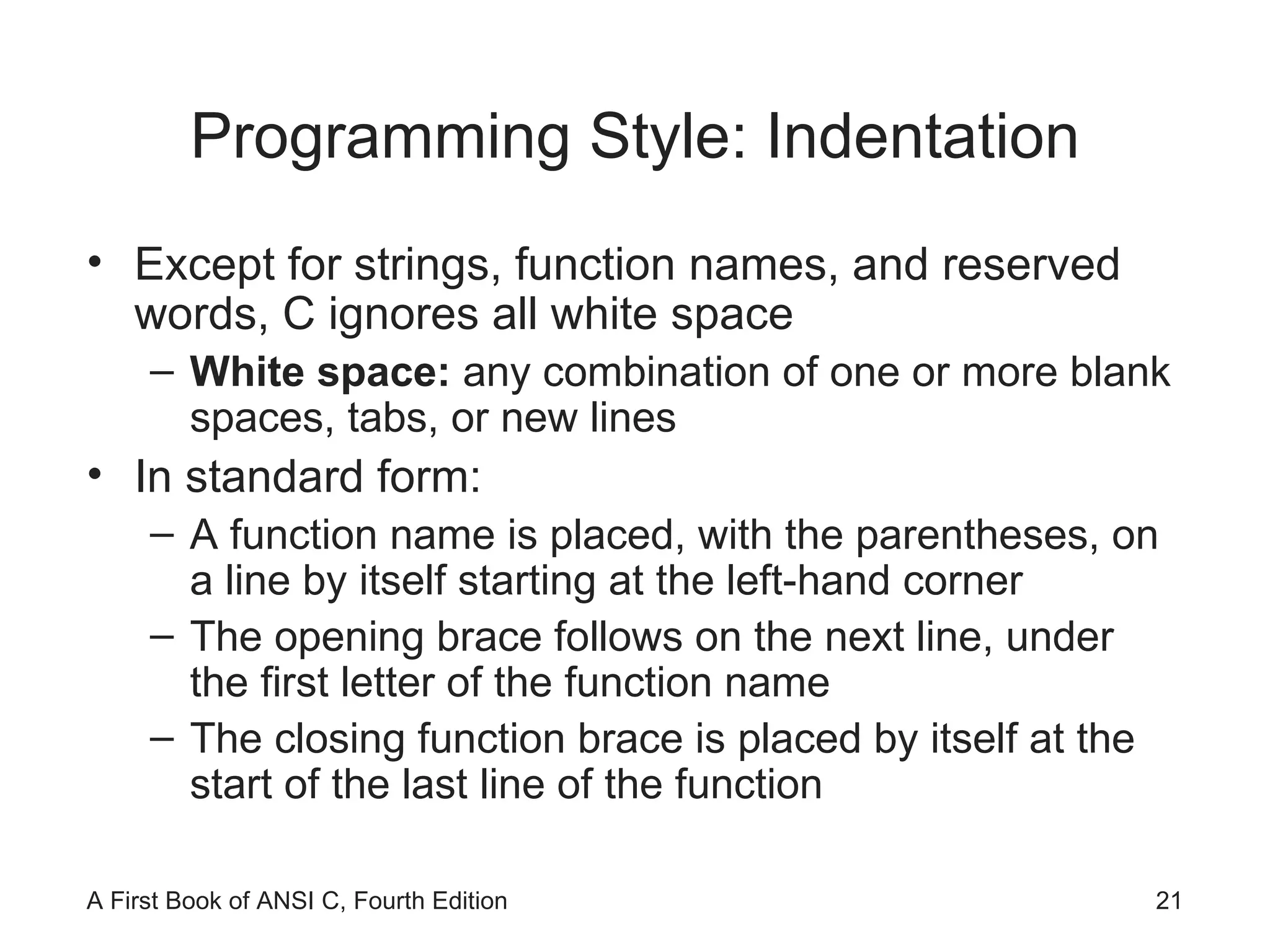
Programming Style: Indentation Except for strings, function names, and reserved words, C ignores all white space White space:  any combination of one or more blank spaces, tabs, or new lines In standard form: A function name is placed, with the parentheses, on a line by itself starting at the left-hand corner The opening brace follows on the next line, under the first letter of the function name The closing function brace is placed by itself at the start of the last line of the function
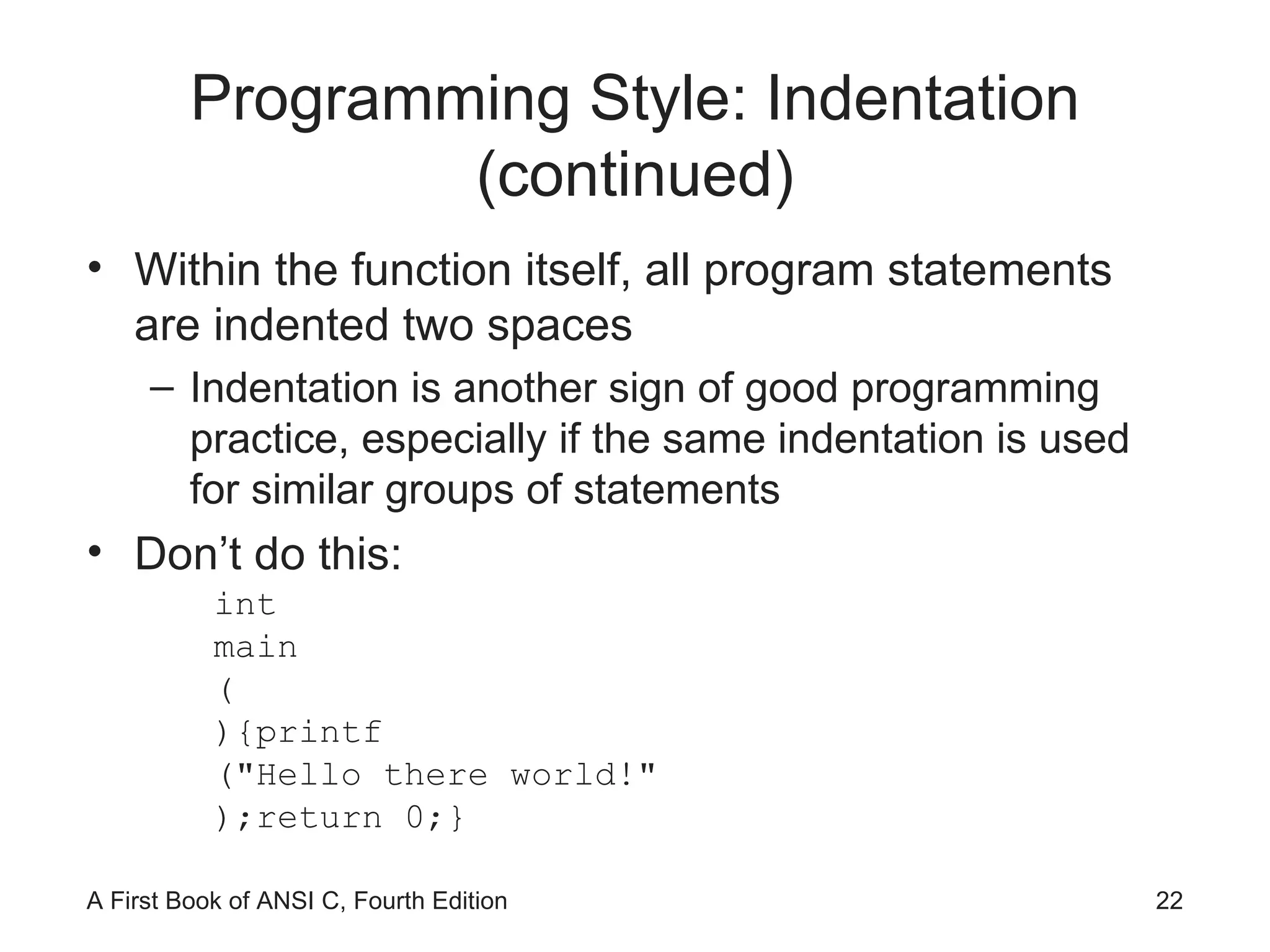
Programming Style: Indentation (continued) Within the function itself, all program statements are indented two spaces Indentation is another sign of good programming practice, especially if the same indentation is used for similar groups of statements Don’t do this: int main ( ){printf ("Hello there world!" );return 0;}
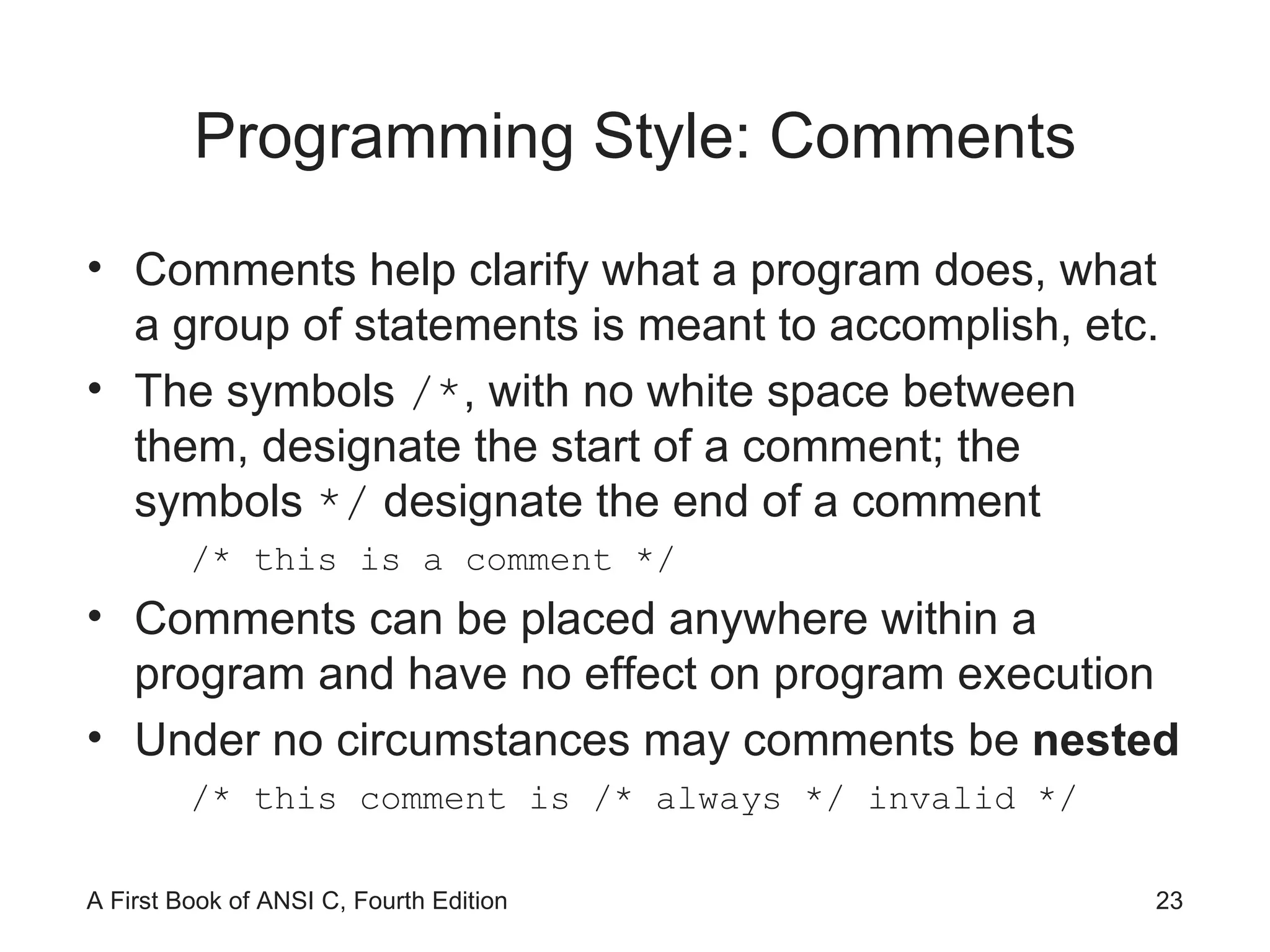
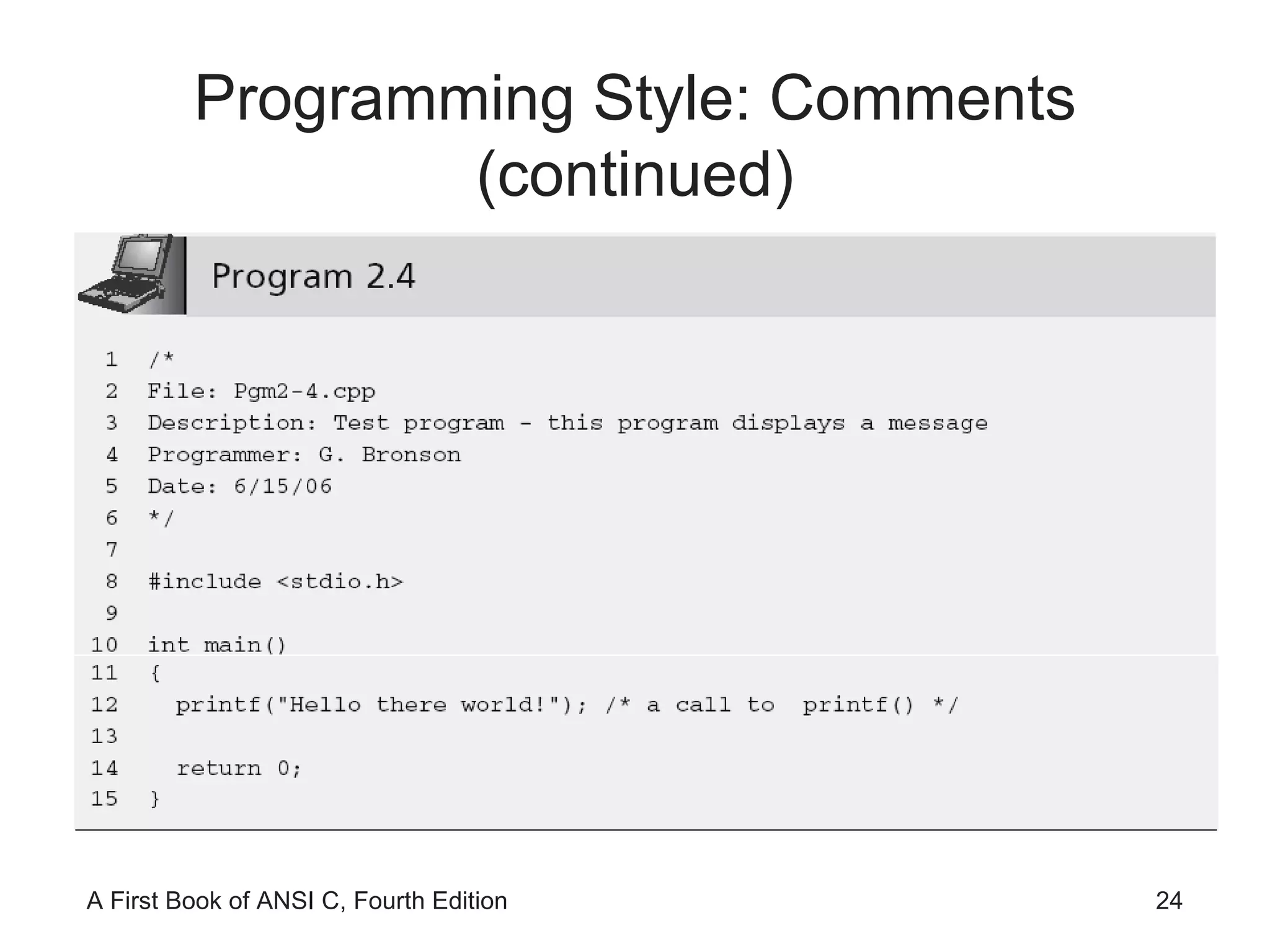
Programming Style: Comments Comments help clarify what a program does, what a group of statements is meant to accomplish, etc. The symbols  /* , with no white space between them, designate the start of a comment; the symbols  */  designate the end of a comment /* this is a comment */ Comments can be placed anywhere within a program and have no effect on program execution Under no circumstances may comments be  nested /* this comment is /* always */ invalid */
Programming Style: Comments (continued)
Data Types Data type:  set of values  and  a set of operations that can be applied to these values Built-in data type:  is provided as an integral part of the language; also known as  primitive type
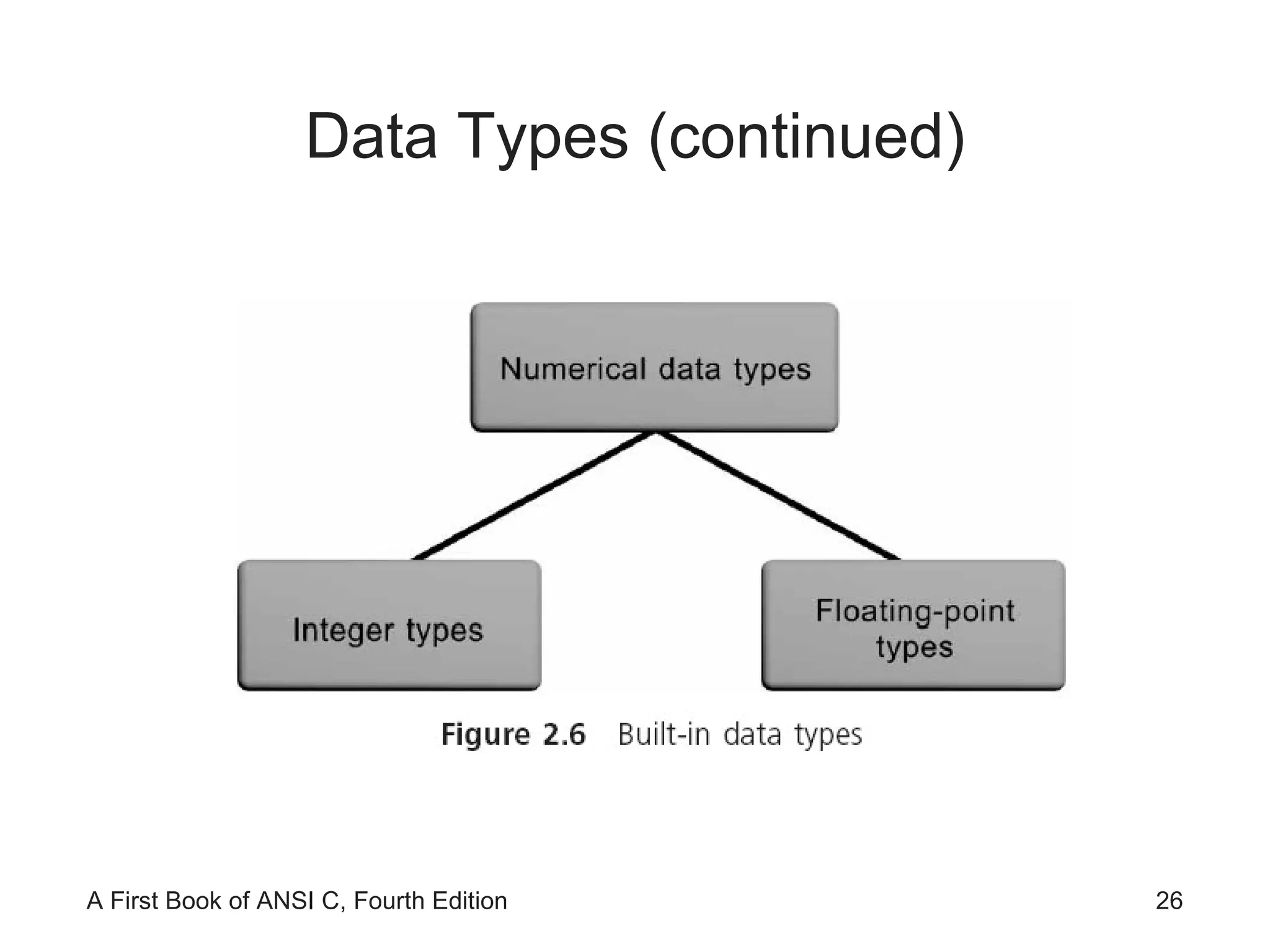
Data Types (continued)
Data Types (continued) A  literal  is an acceptable value for a data type Also called a  literal value  or  constant 2 ,  3.6 ,  −8.2 , and  "Hello World!"  are literal values because they literally display their values
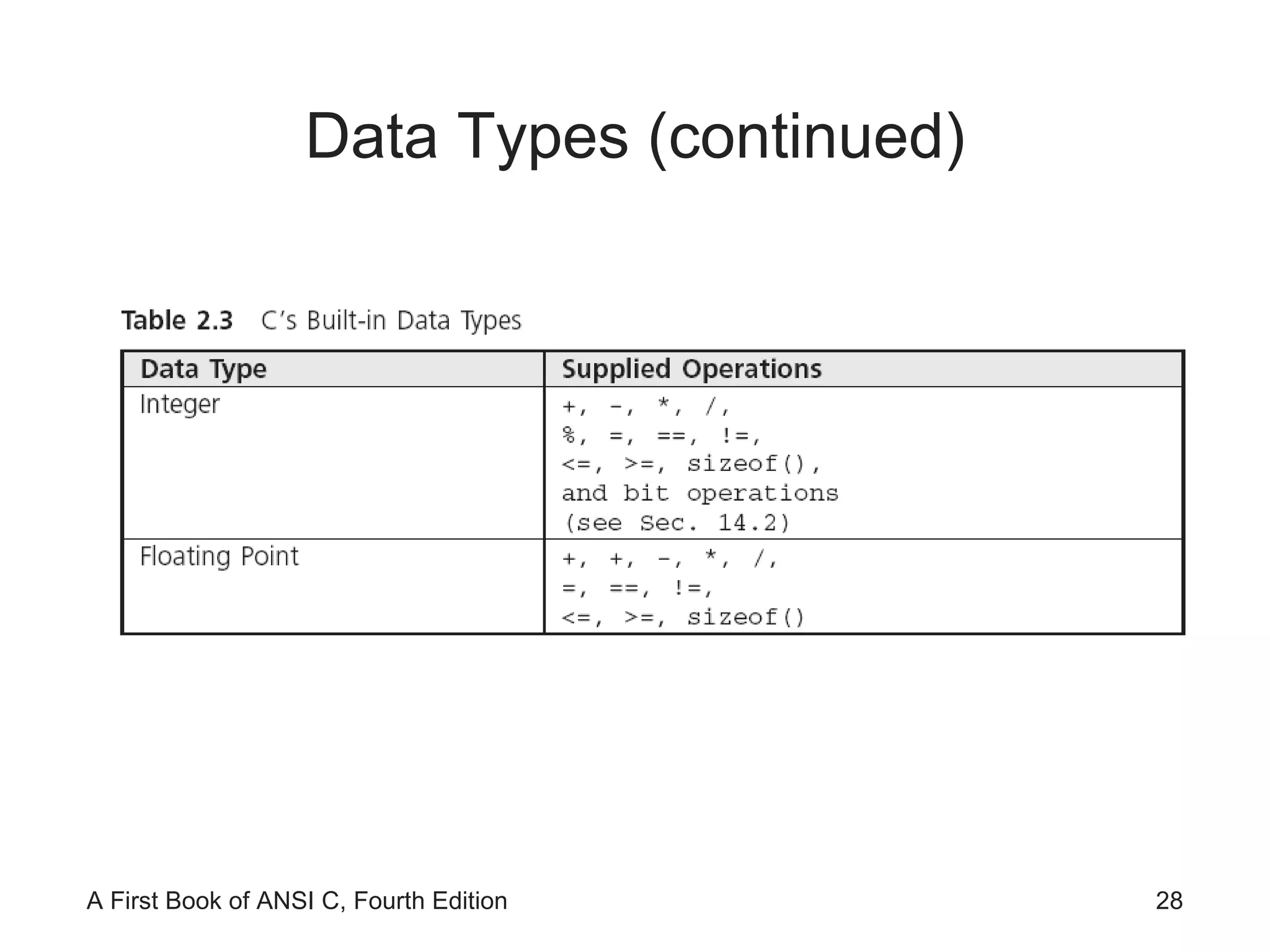
Data Types (continued)
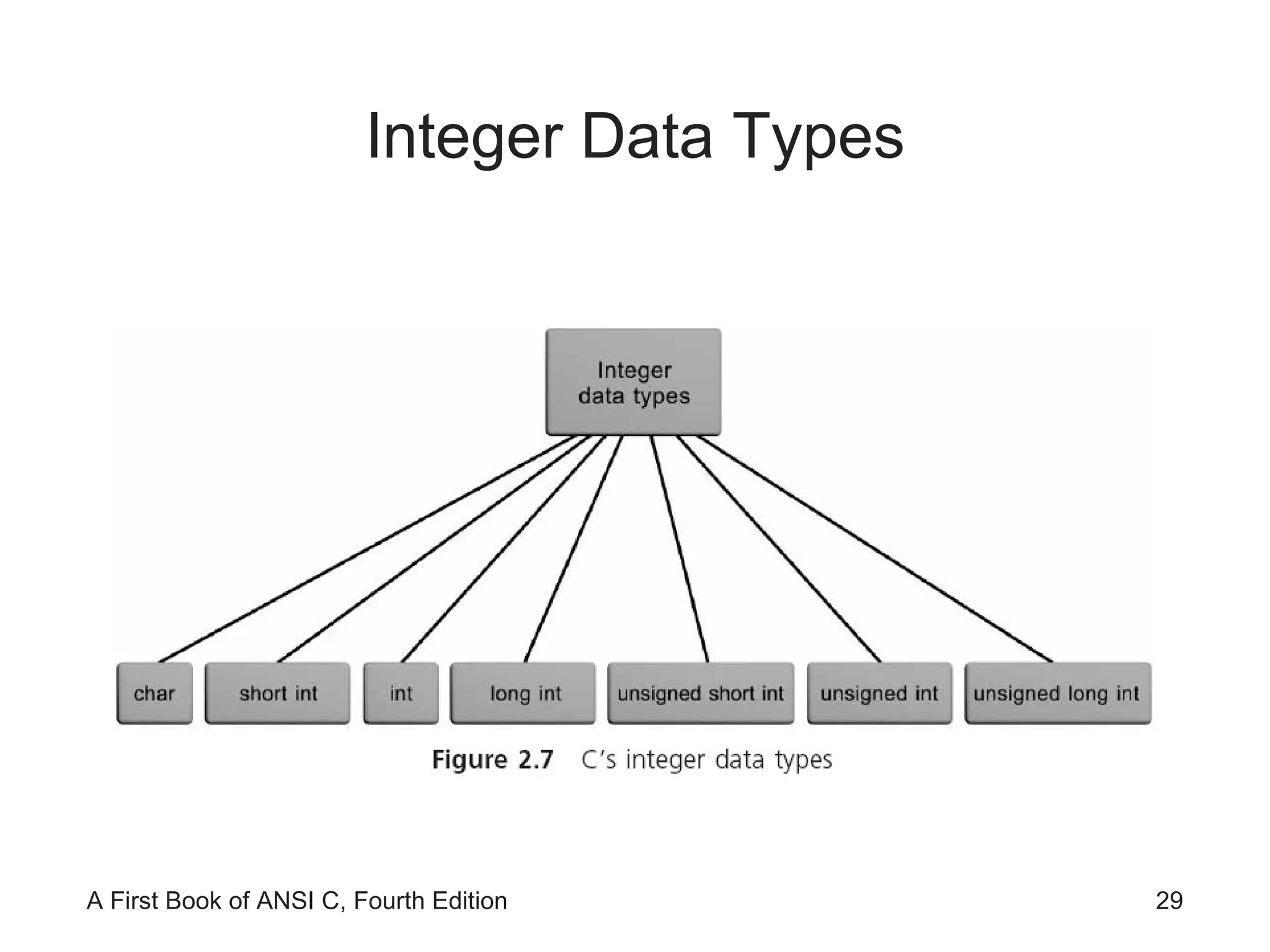
Integer Data Types
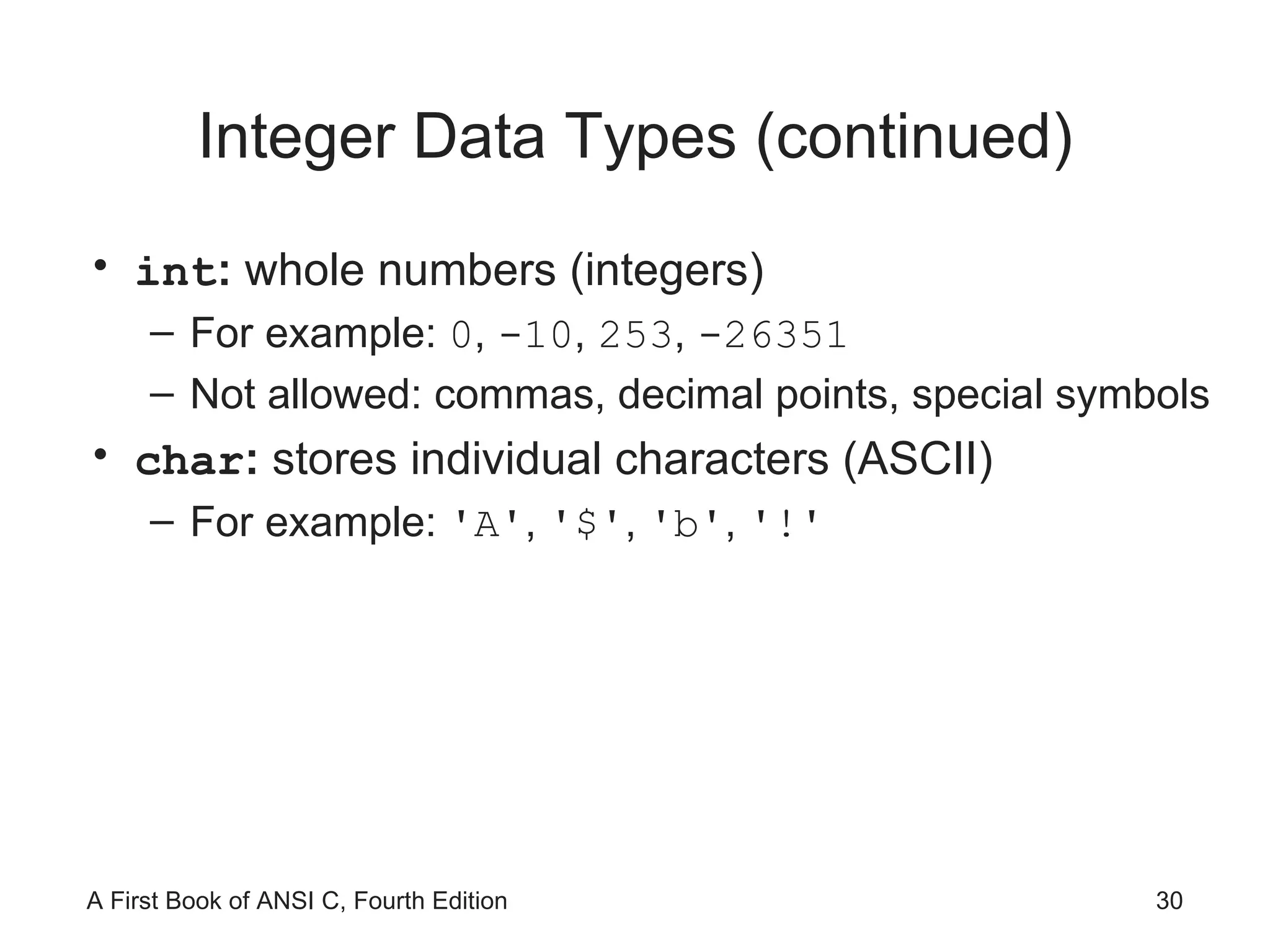
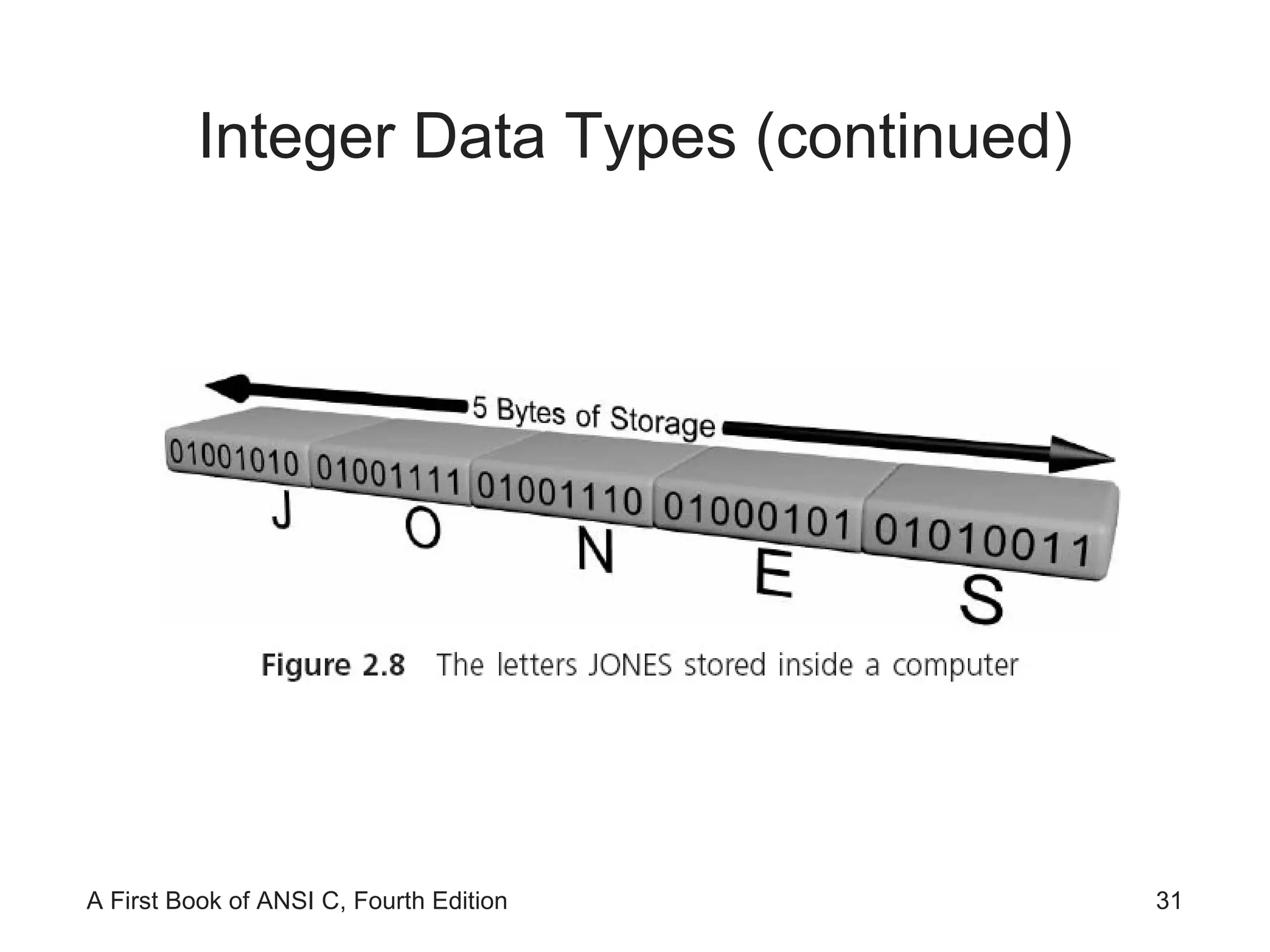
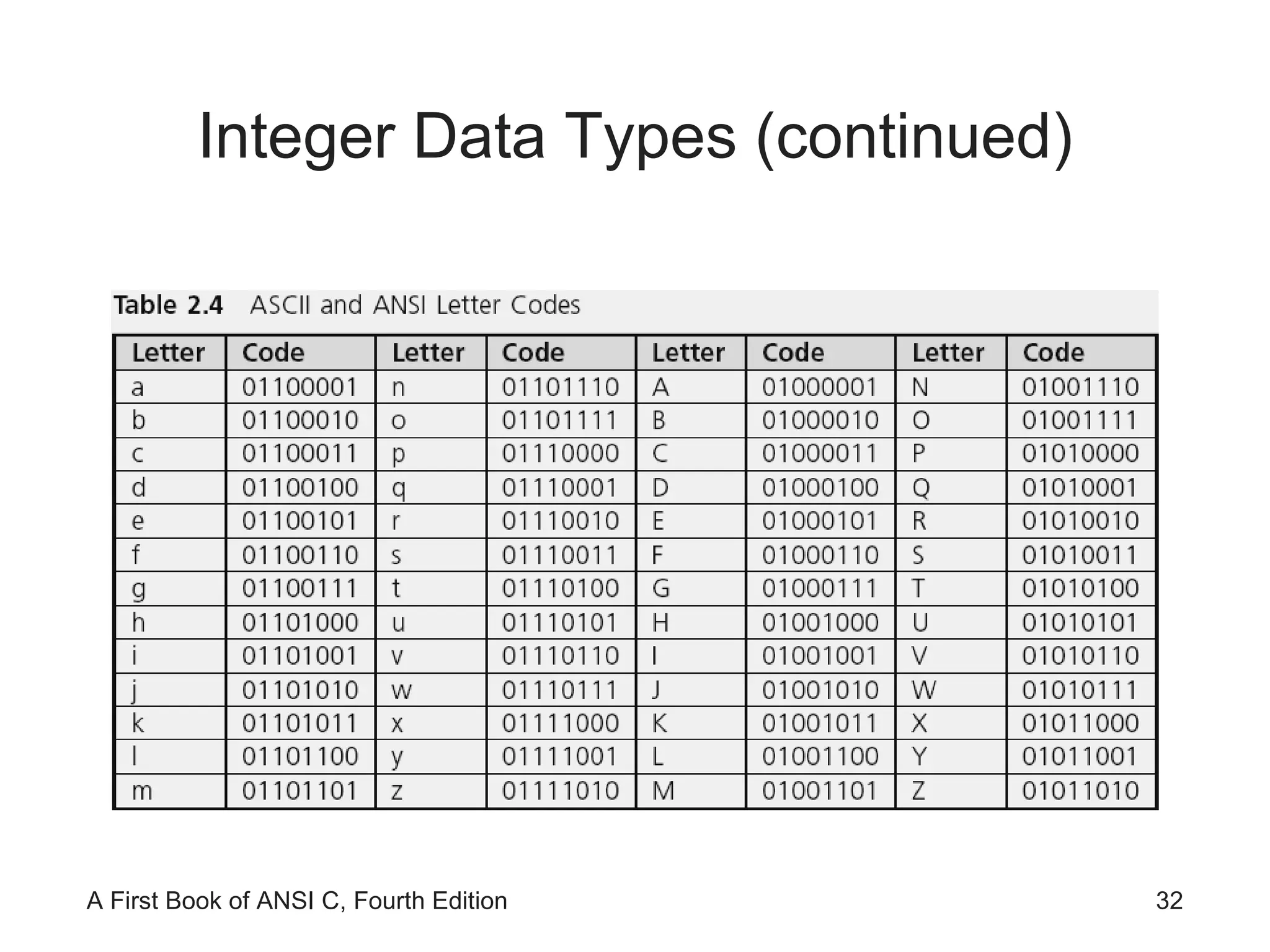
Integer Data Types (continued) int :  whole numbers (integers) For example:  0 ,  -10 ,  253 ,  -26351 Not allowed: commas, decimal points, special symbols char :  stores individual characters (ASCII) For example:  'A' ,  '$' ,  'b' ,  '!'
Integer Data Types (continued)
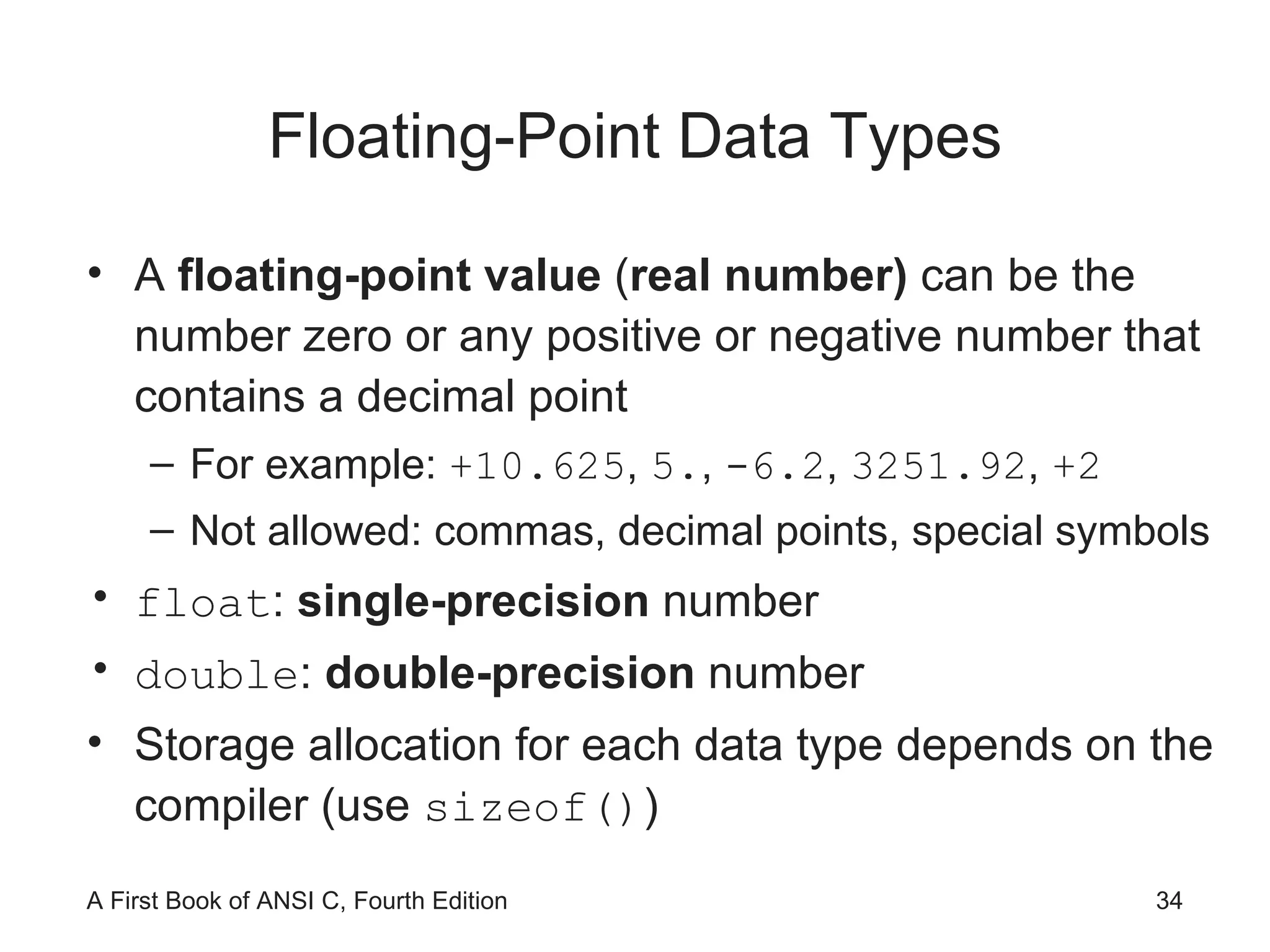
Floating-Point Data Types A  floating-point value  ( real number)  can be the number zero or any positive or negative number that contains a decimal point For example:  +10.625 ,  5. ,  -6.2 ,  3251.92 ,  +2 Not allowed: commas, decimal points, special symbols float :  single-precision  number double :  double-precision  number Storage allocation for each data type depends on the compiler (use  sizeof() )
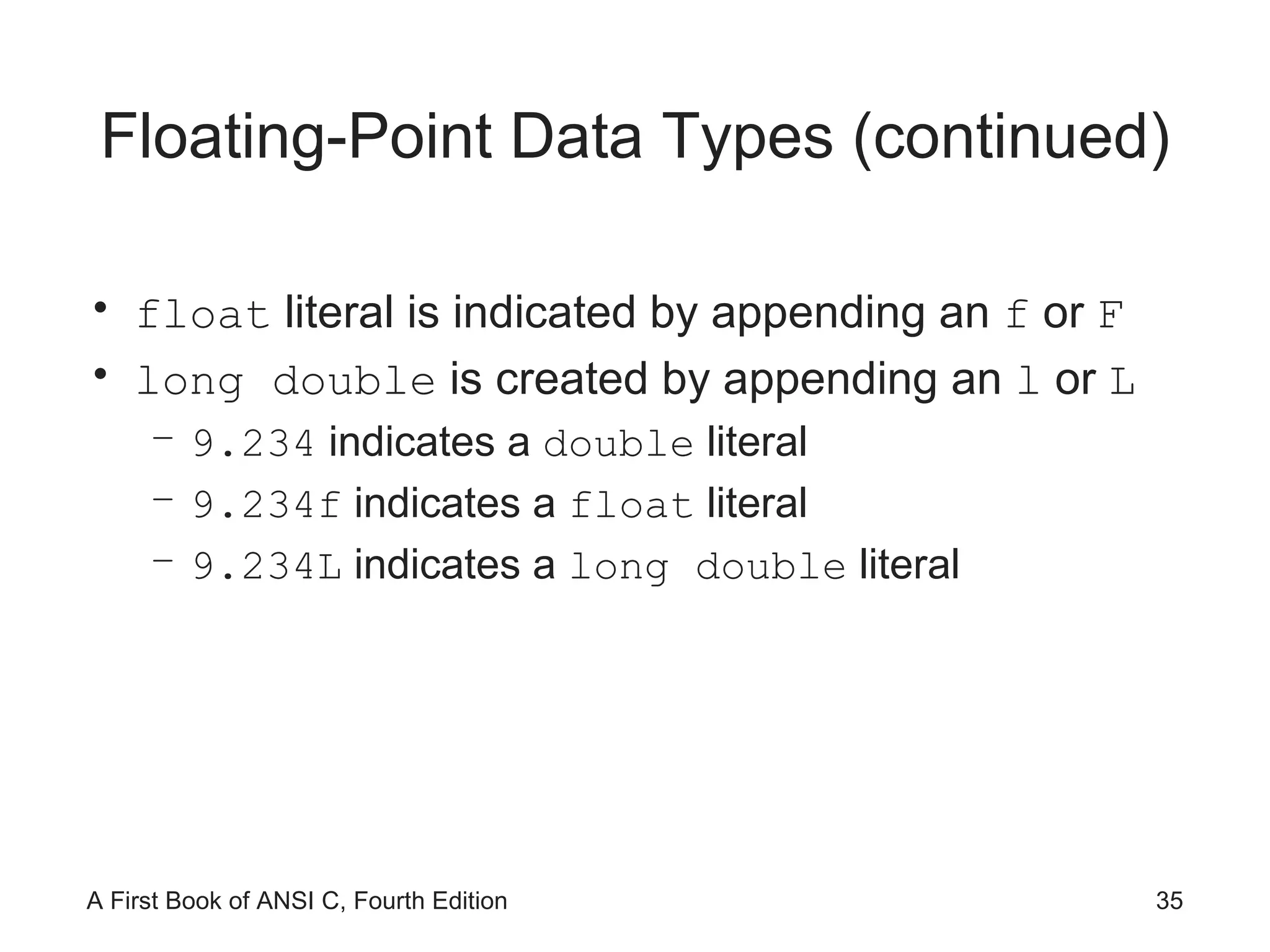
Floating-Point Data Types (continued) float  literal is indicated by appending an  f  or  F long double  is created by appending an  l  or  L 9.234  indicates a  double  literal 9.234f  indicates a  float  literal 9.234L  indicates a  long double  literal
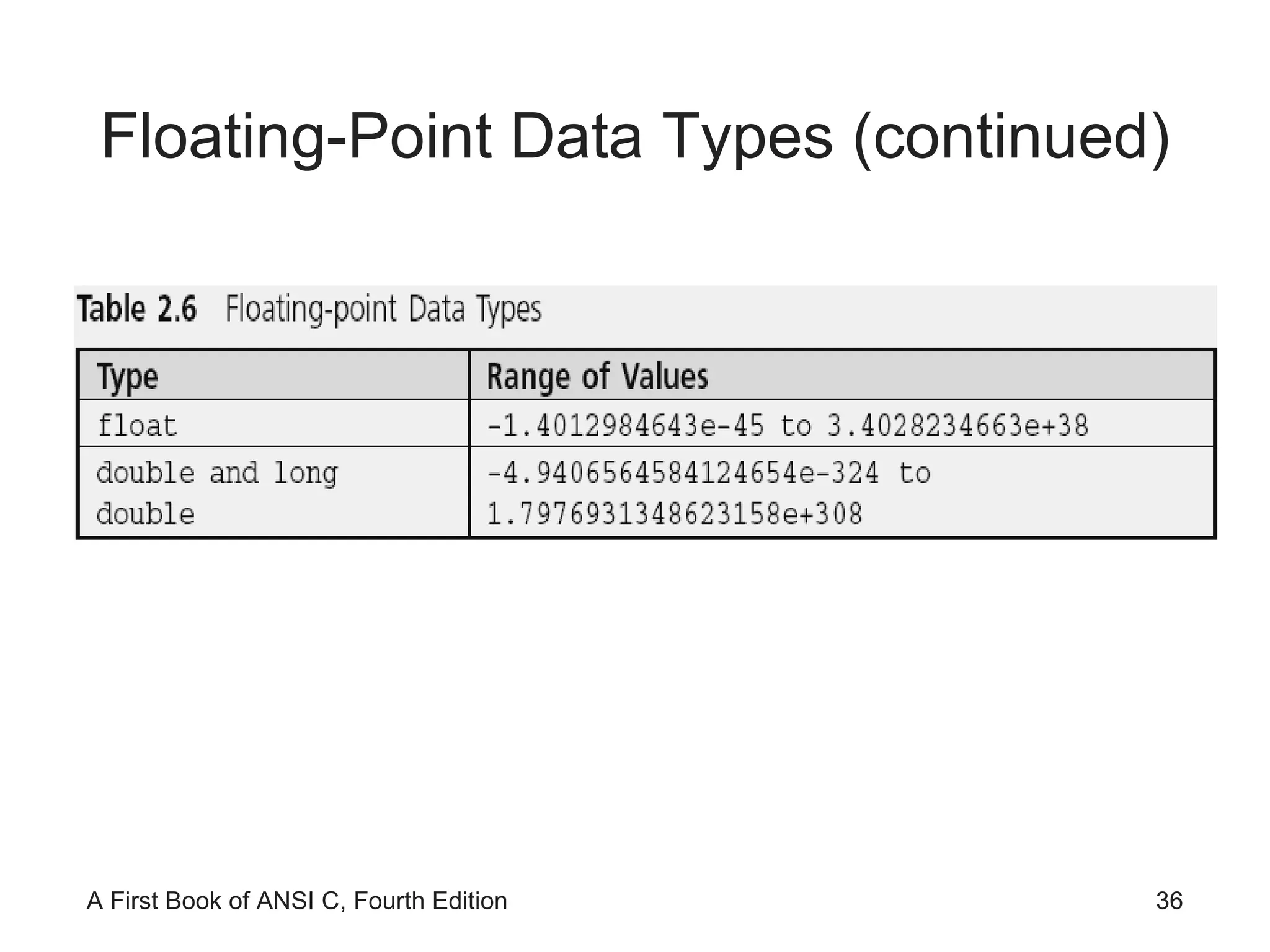
Floating-Point Data Types (continued)
Exponential Notation In numerical theory, the term  precision  typically refers to numerical accuracy
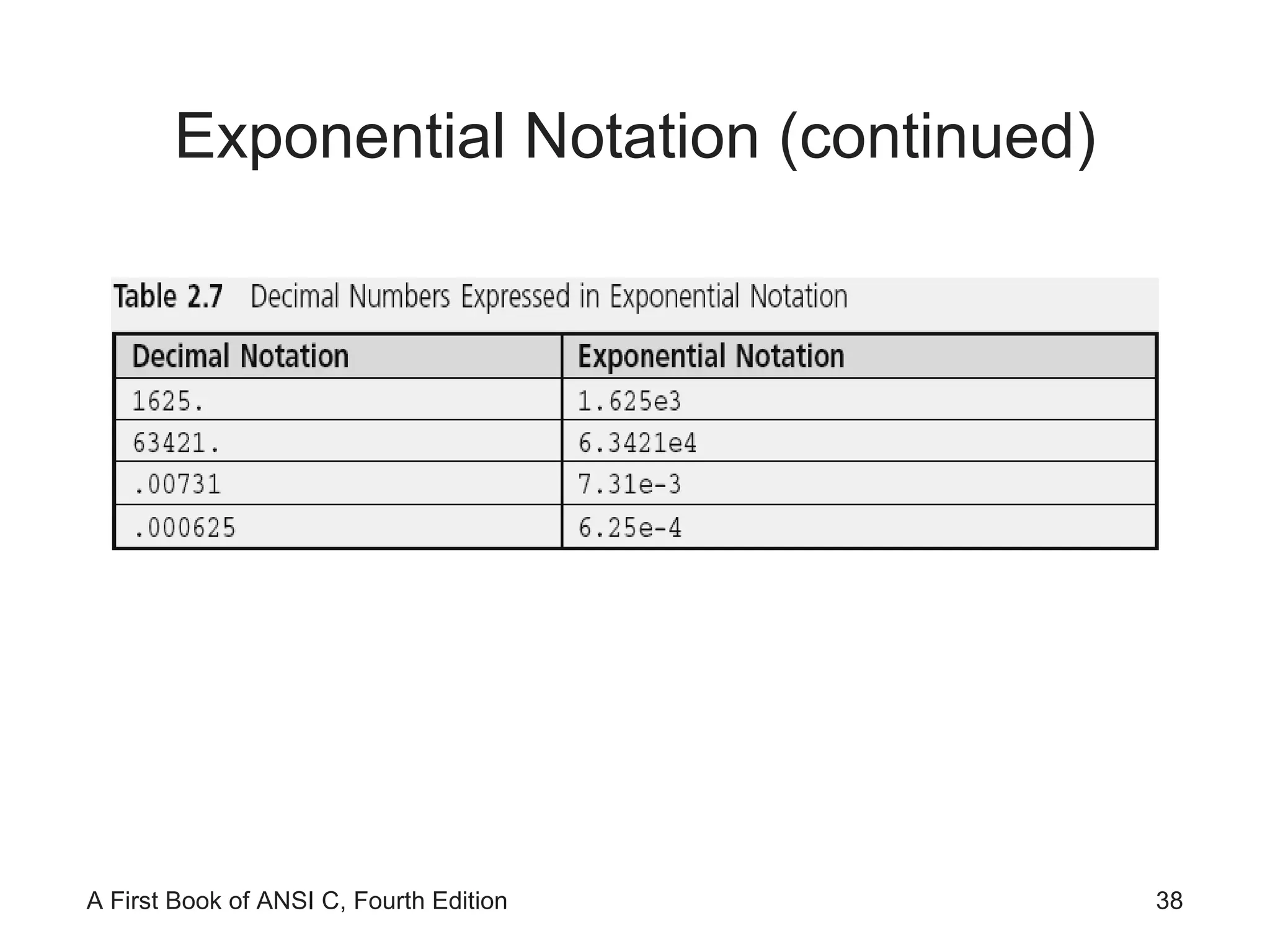
Exponential Notation (continued)
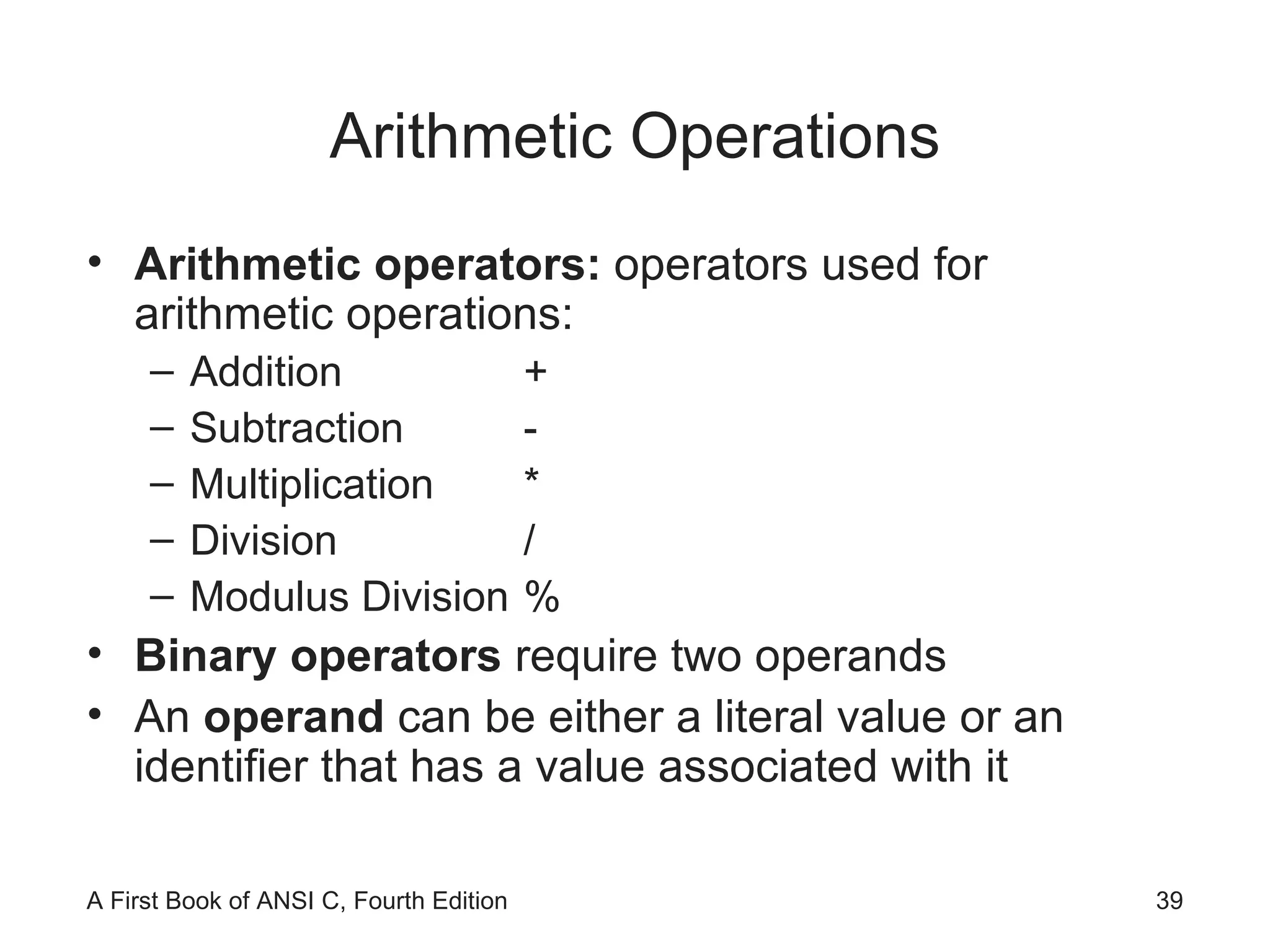
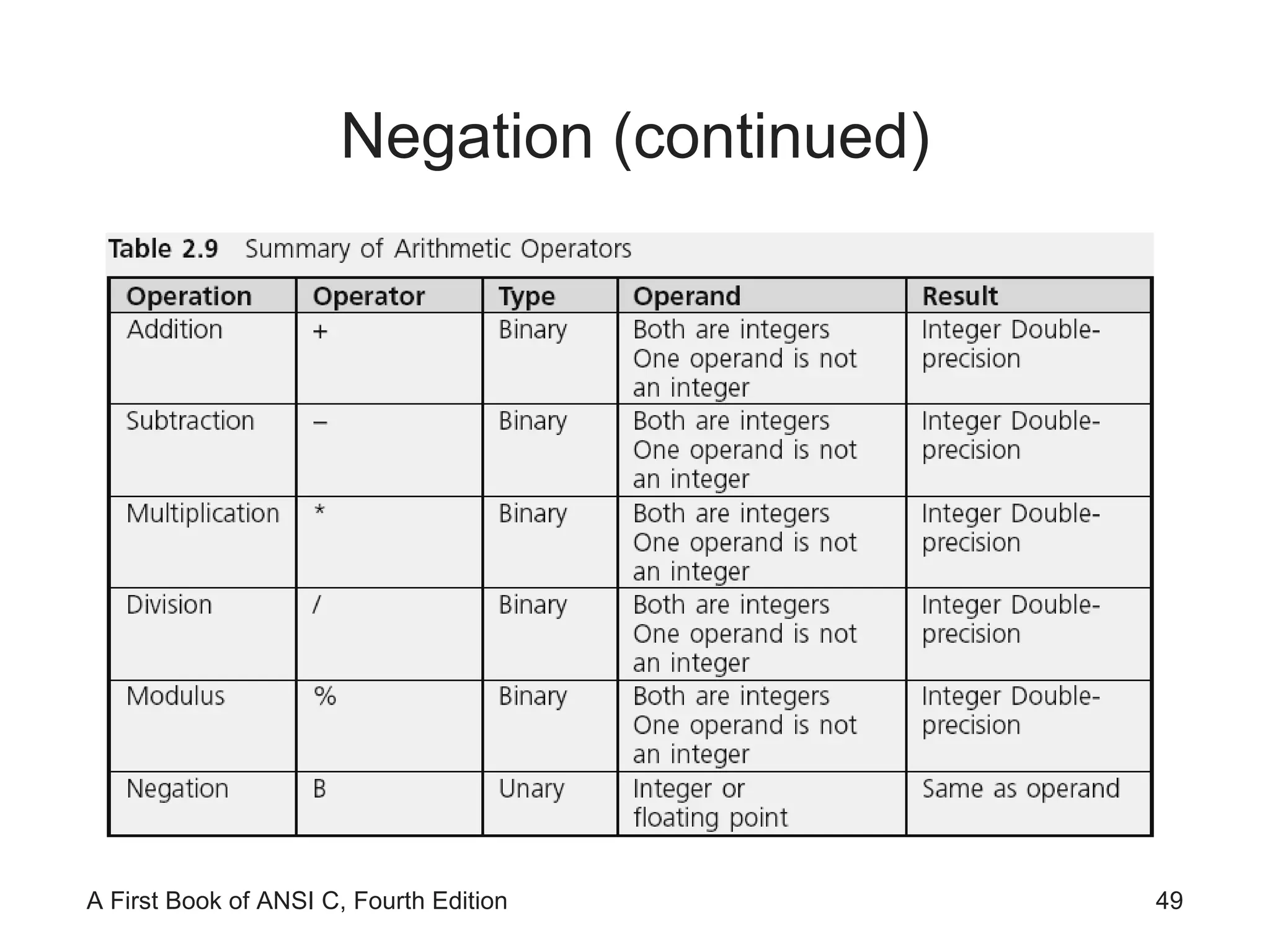
Arithmetic Operations Arithmetic operators:  operators used for arithmetic operations: Addition  + Subtraction  - Multiplication  * Division  / Modulus Division  % Binary operators  require two operands An  operand  can be either a literal value or an identifier that has a value associated with it
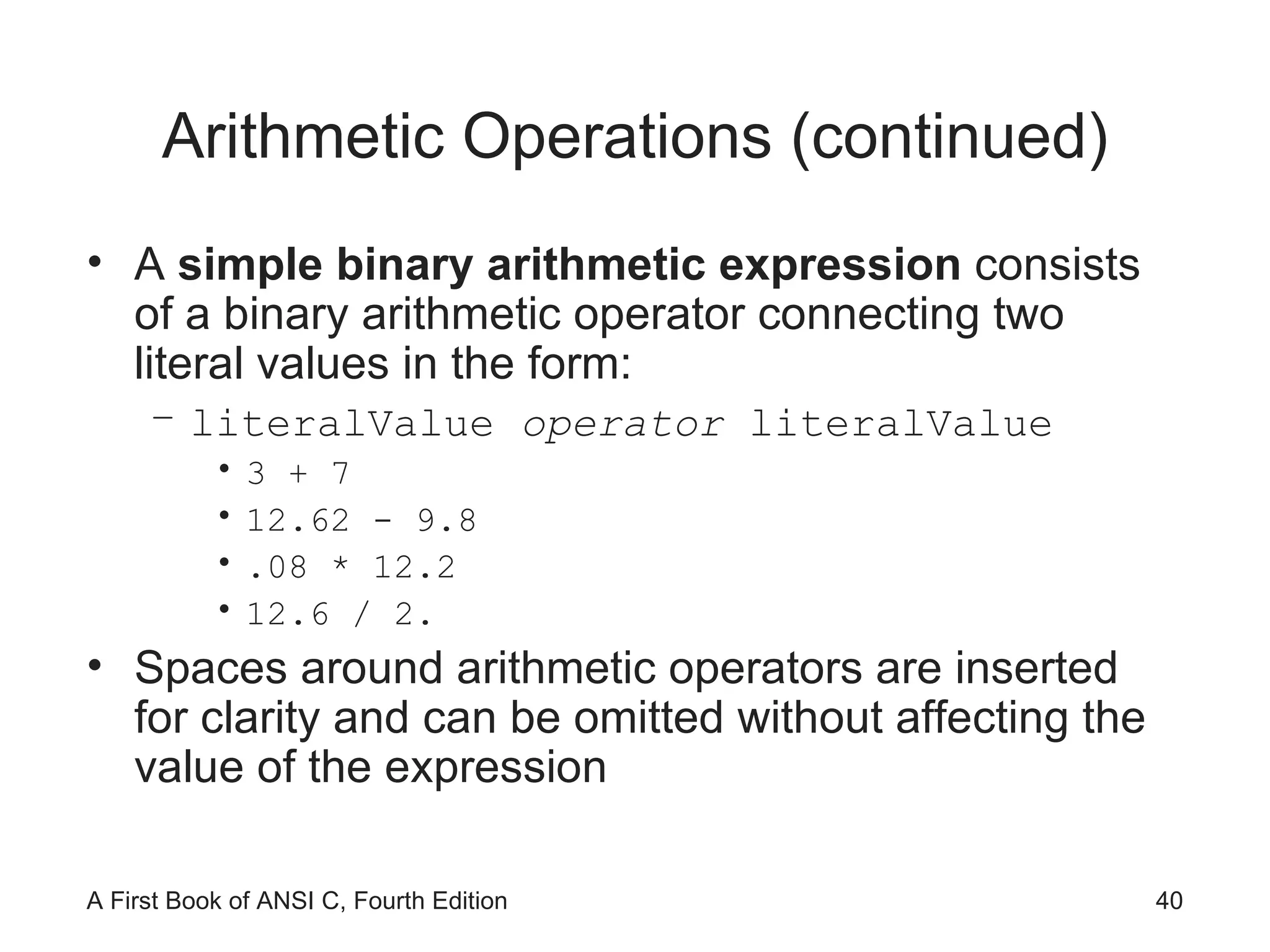
Arithmetic Operations (continued) A  simple binary arithmetic expression  consists of a binary arithmetic operator connecting two literal values in the form: literalValue  operator  literalValue 3 + 7 12.62 - 9.8 .08 * 12.2 12.6 / 2. Spaces around arithmetic operators are inserted for clarity and can be omitted without affecting the value of the expression
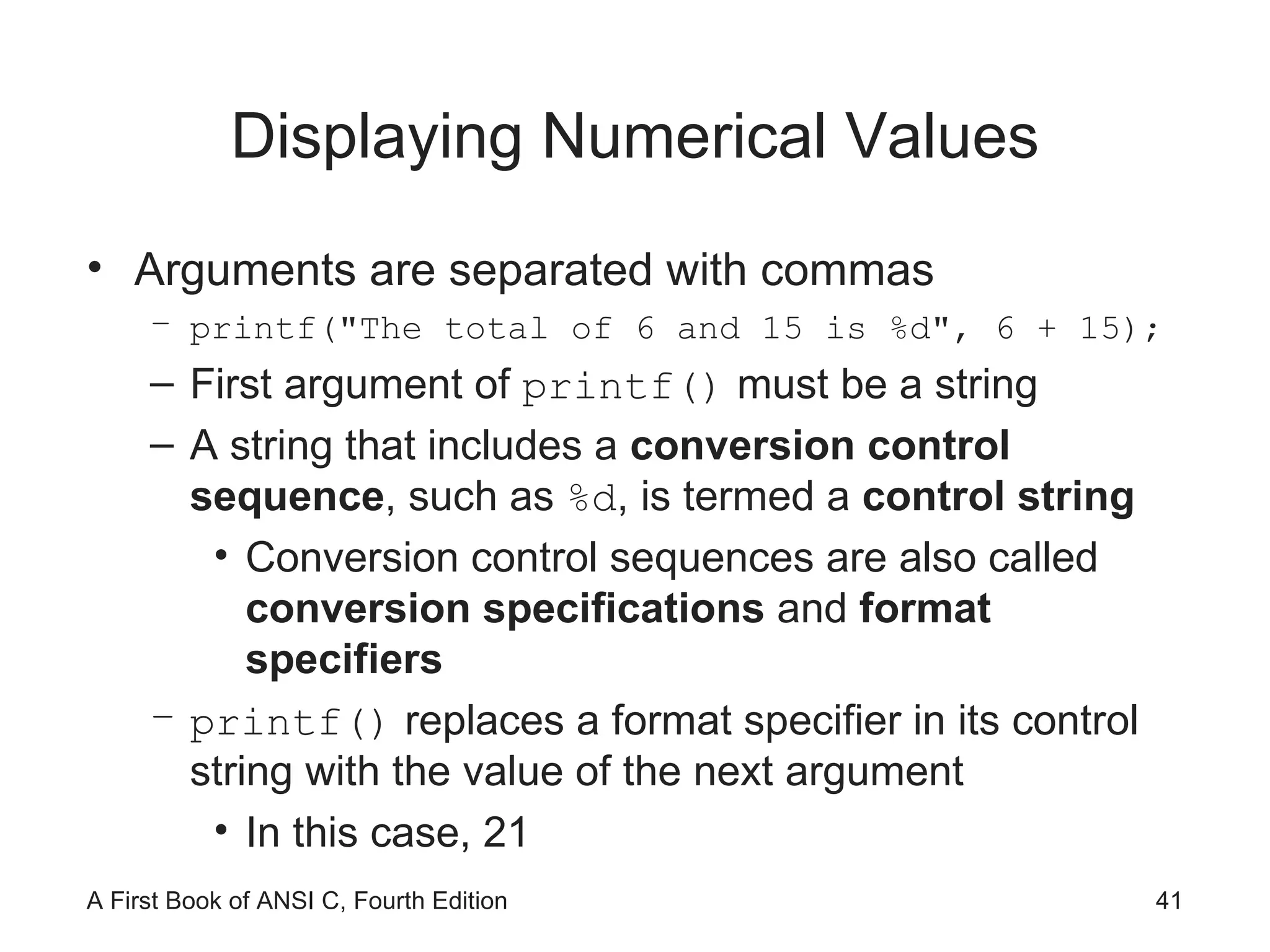
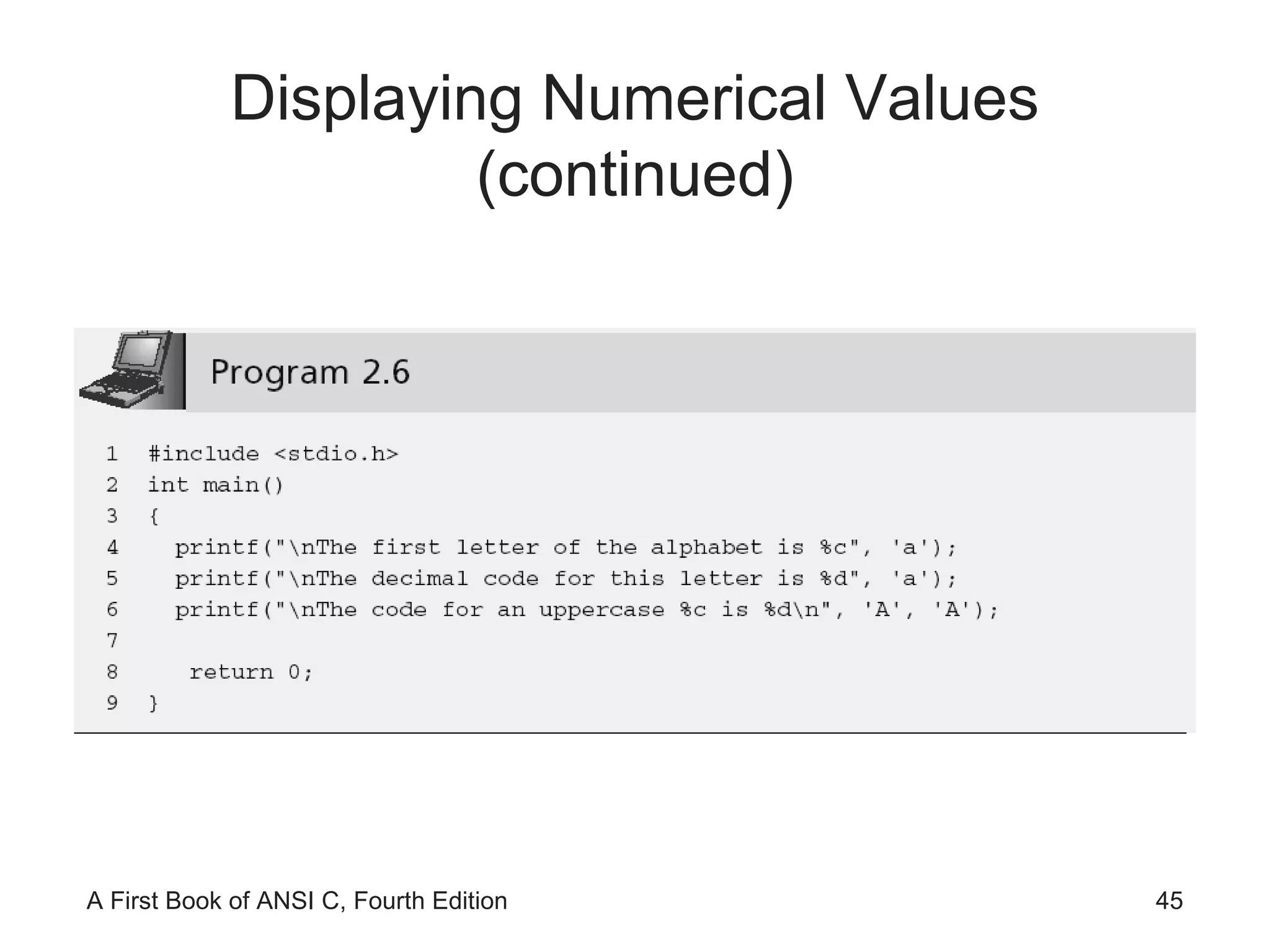
Displaying Numerical Values Arguments are separated with commas printf("The total of 6 and 15 is %d", 6 + 15); First argument of  printf()  must be a string A string that includes a  conversion control sequence , such as  %d , is termed a  control string Conversion control sequences are also called  conversion specifications  and  format specifiers printf()  replaces a format specifier in its control string with the value of the next argument In this case, 21
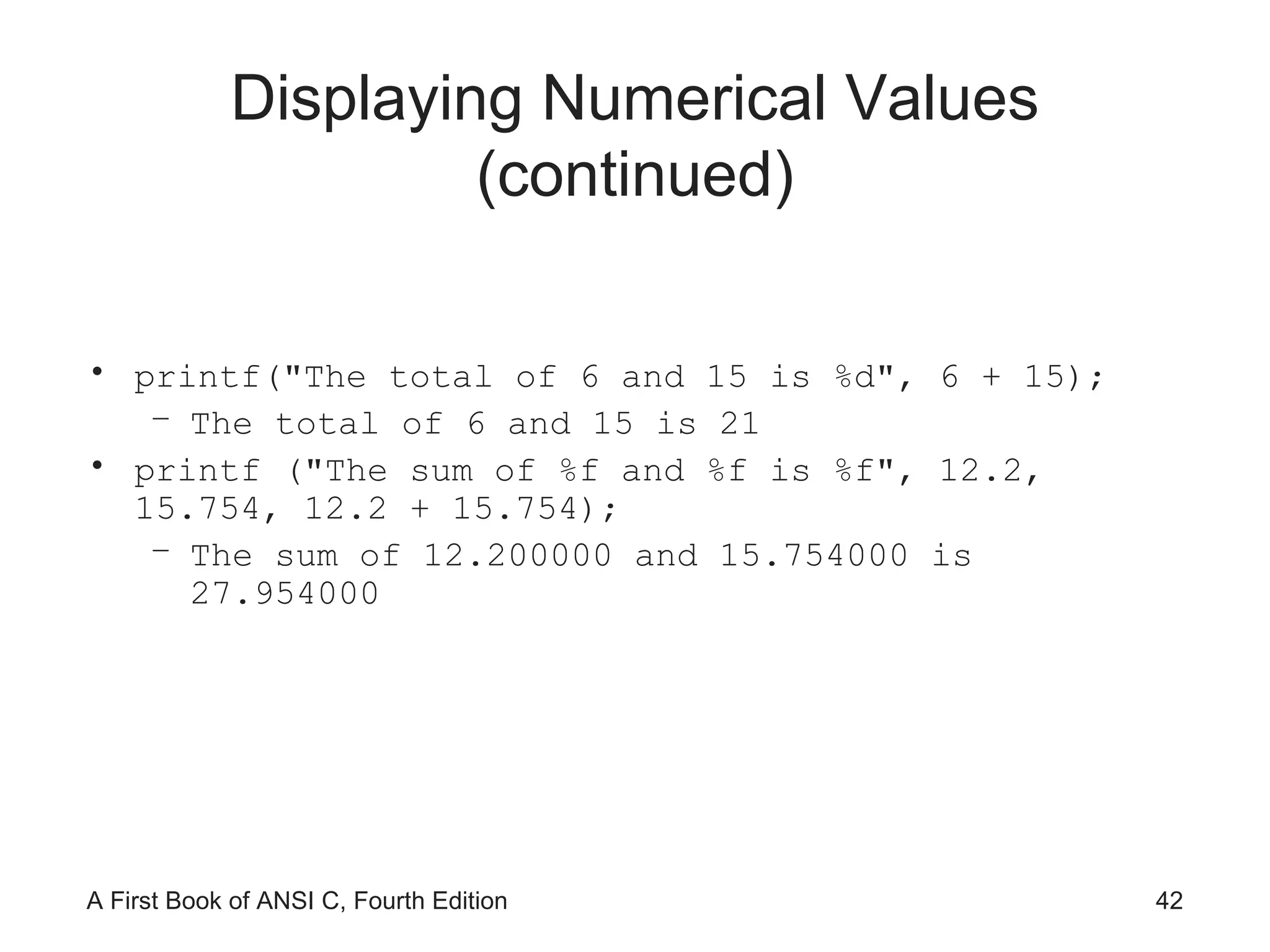
Displaying Numerical Values (continued) printf("The total of 6 and 15 is %d", 6 + 15); The total of 6 and 15 is 21 printf ("The sum of %f and %f is %f", 12.2, 15.754, 12.2 + 15.754); The sum of 12.200000 and 15.754000 is 27.954000
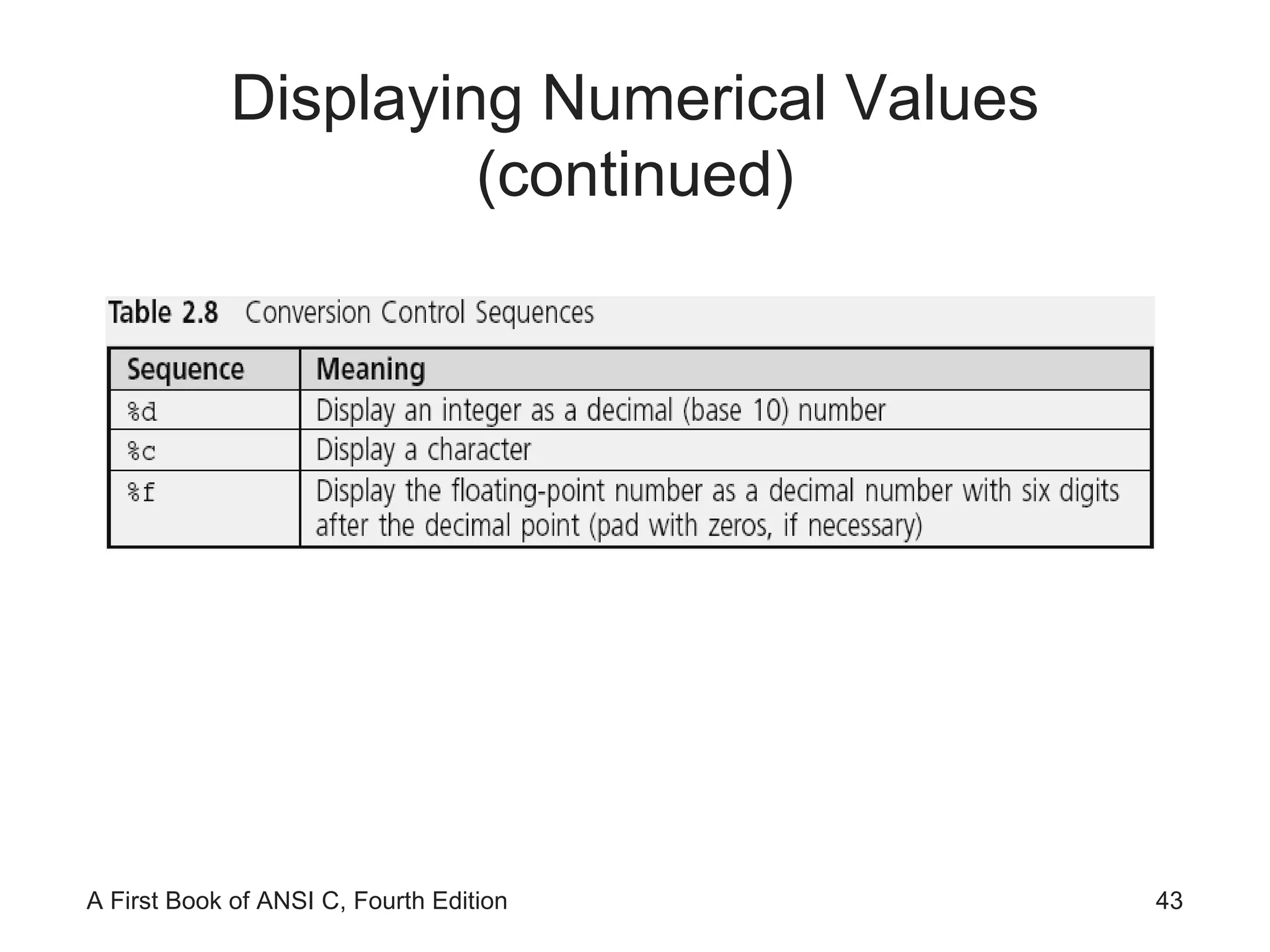
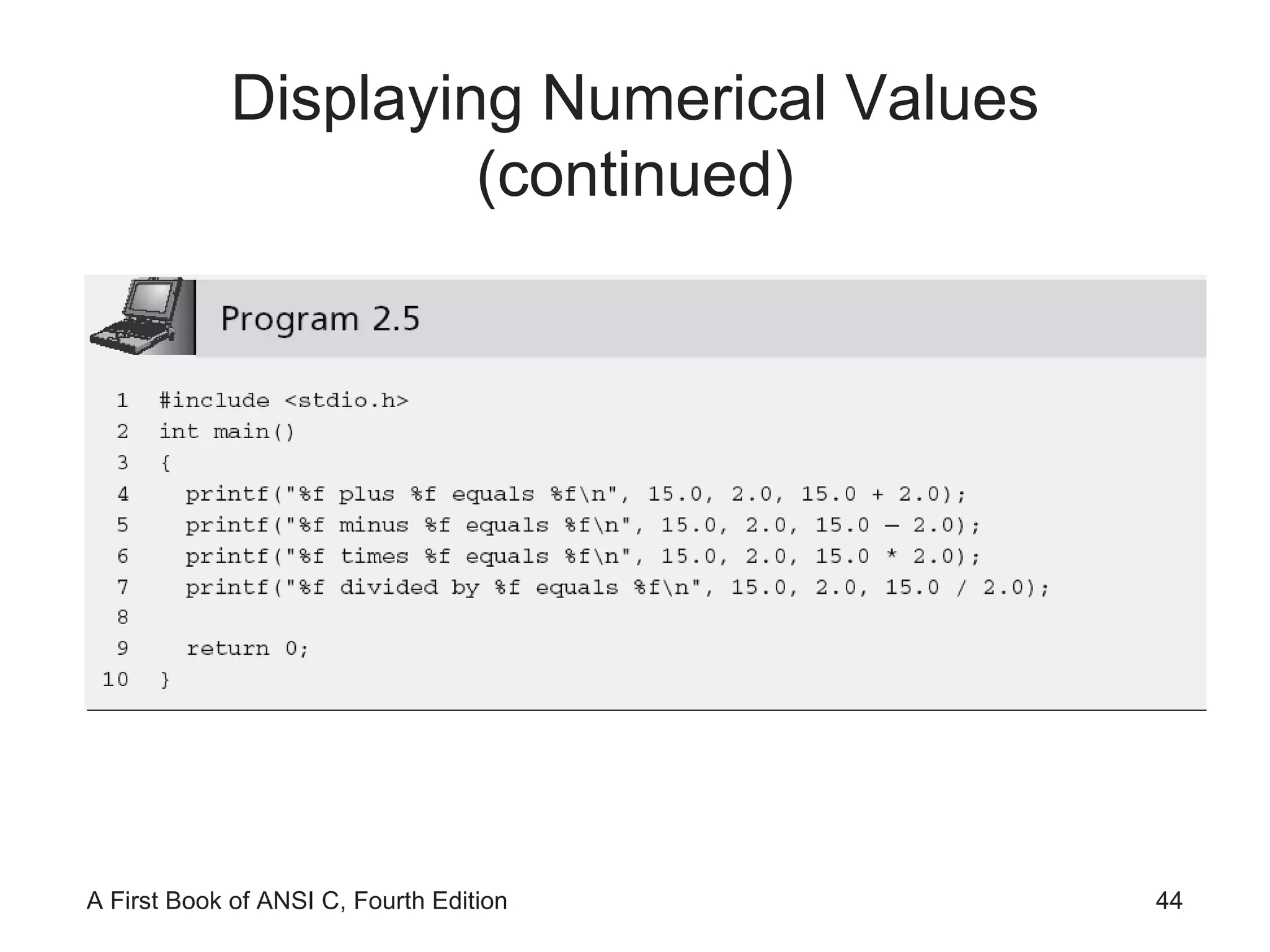
Displaying Numerical Values (continued)
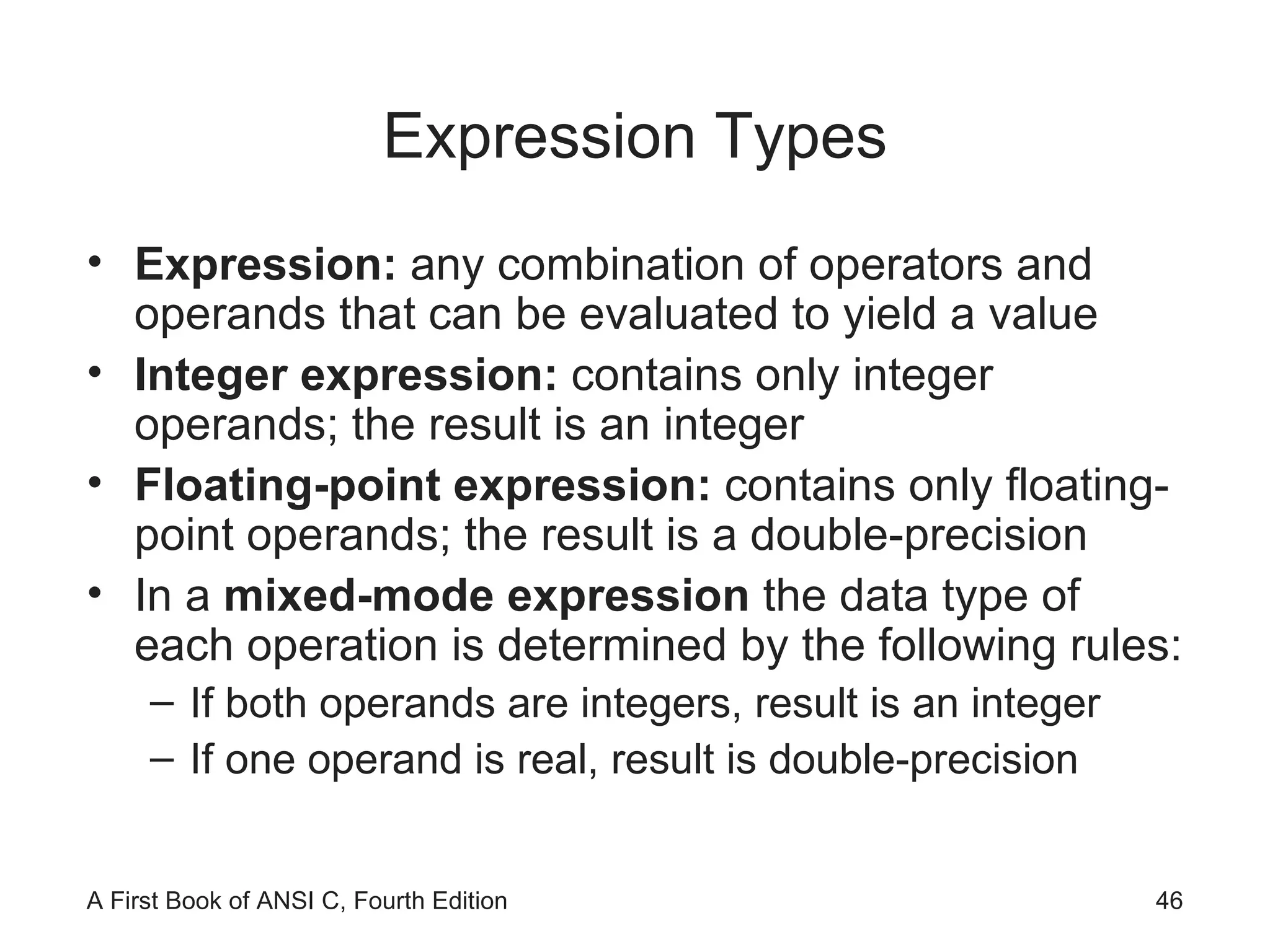
Expression Types Expression:  any combination of operators and operands that can be evaluated to yield a value Integer expression:  contains only integer operands; the result is an integer Floating-point expression:  contains only floating-point operands; the result is a double-precision In a  mixed-mode expression  the data type of each operation is determined by the following rules: If both operands are integers, result is an integer If one operand is real, result is double-precision
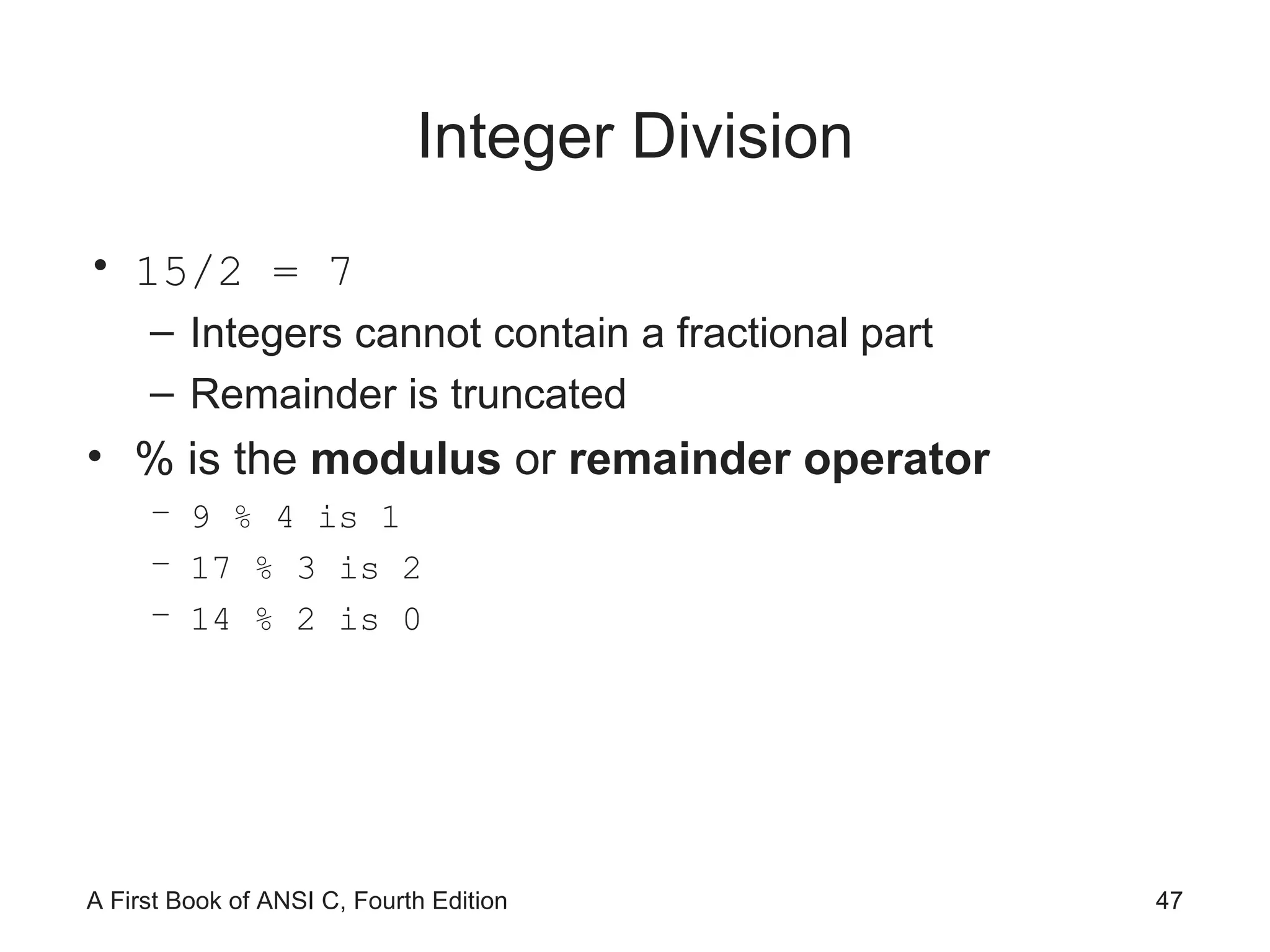
Integer Division 15/2 = 7 Integers cannot contain a fractional part Remainder is truncated % is the  modulus  or  remainder operator 9 % 4 is 1 17 % 3 is 2 14 % 2 is 0
Negation A  unary operator  is one that operates on a single operand, e.g., negation (-) The minus sign in front of a single numerical value negates (reverses the sign of) the number
Negation (continued)
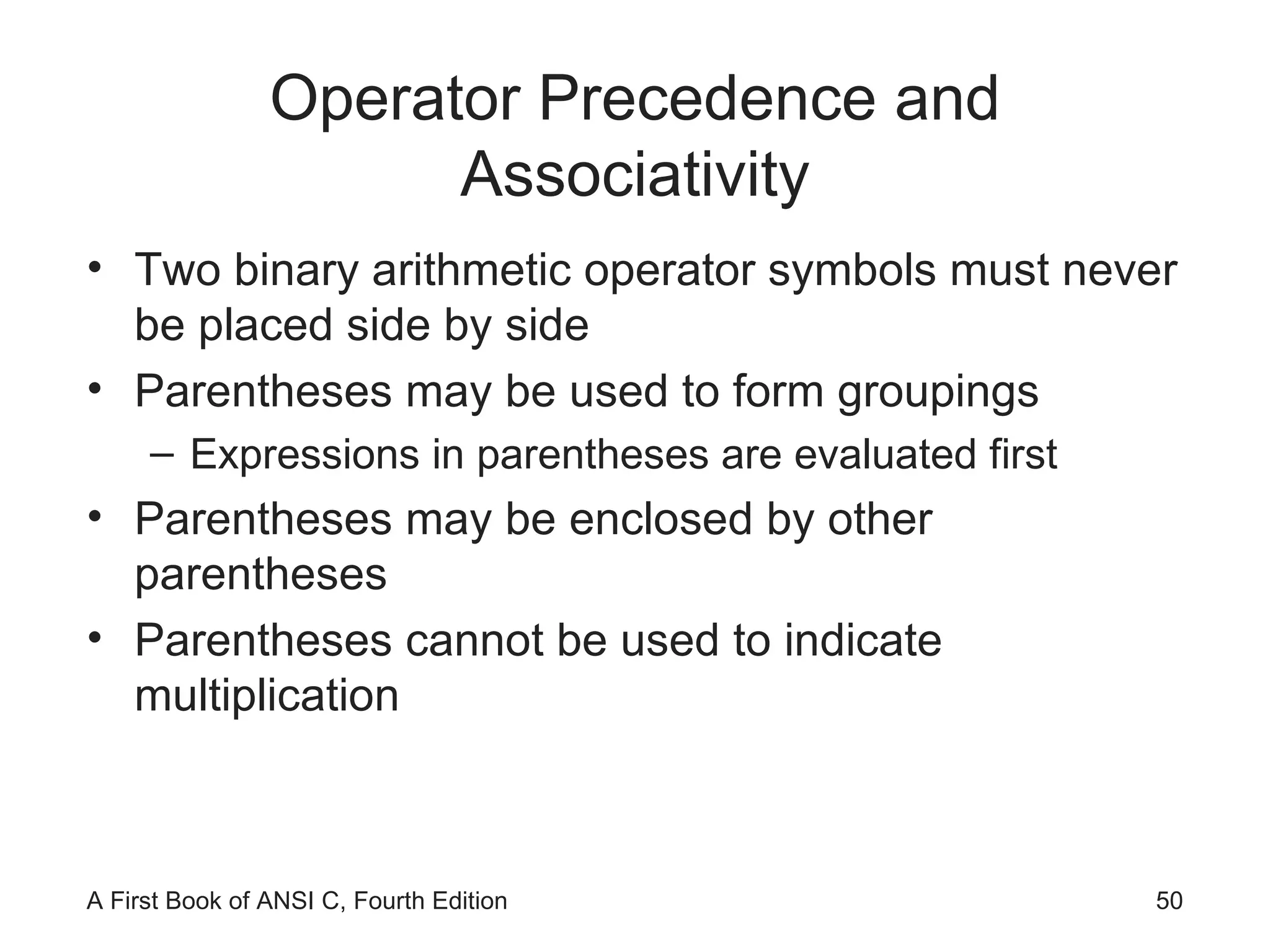
Operator Precedence and Associativity Two binary arithmetic operator symbols must never be placed side by side Parentheses may be used to form groupings Expressions in parentheses are evaluated first Parentheses may be enclosed by other parentheses Parentheses cannot be used to indicate multiplication
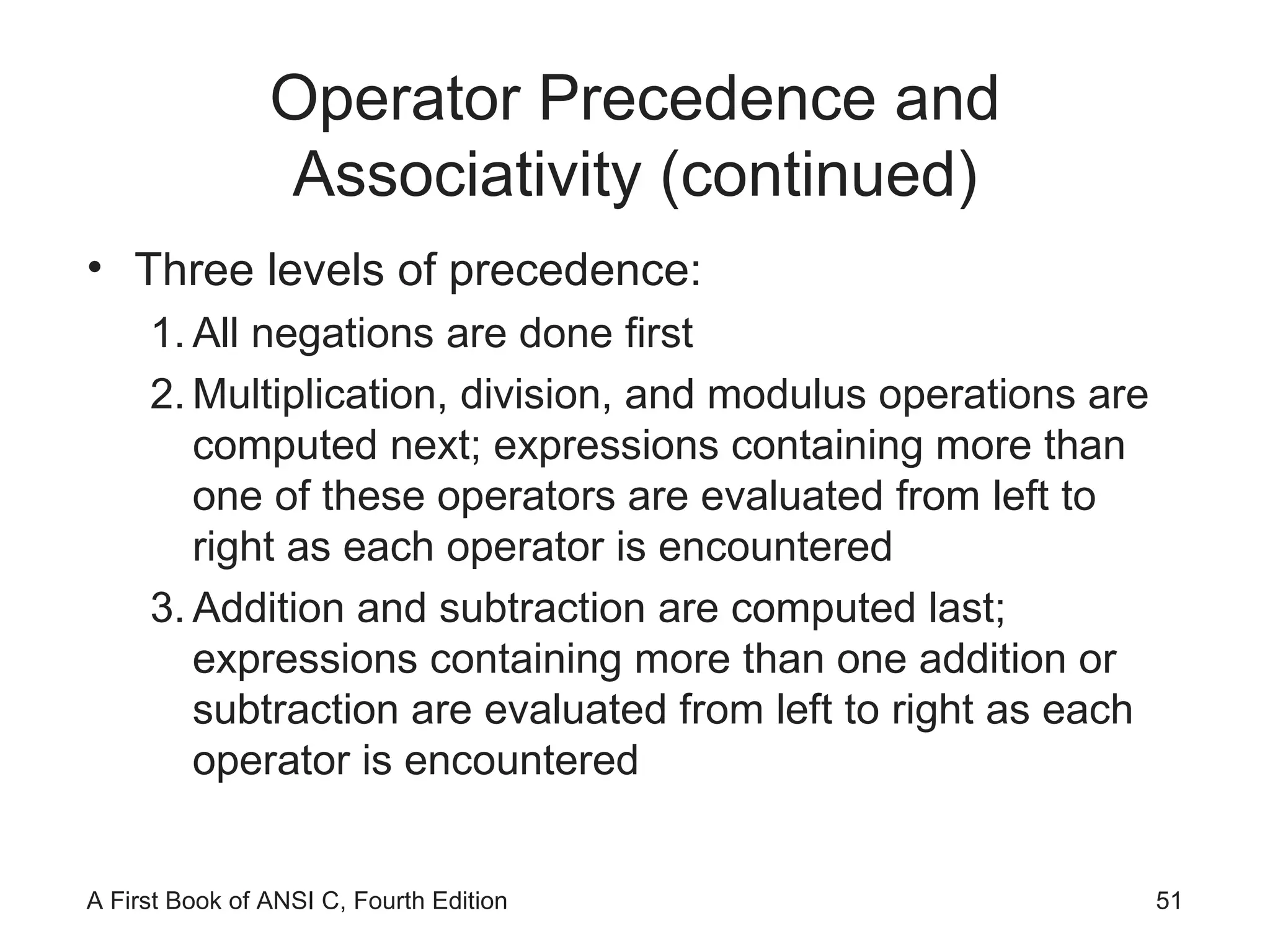
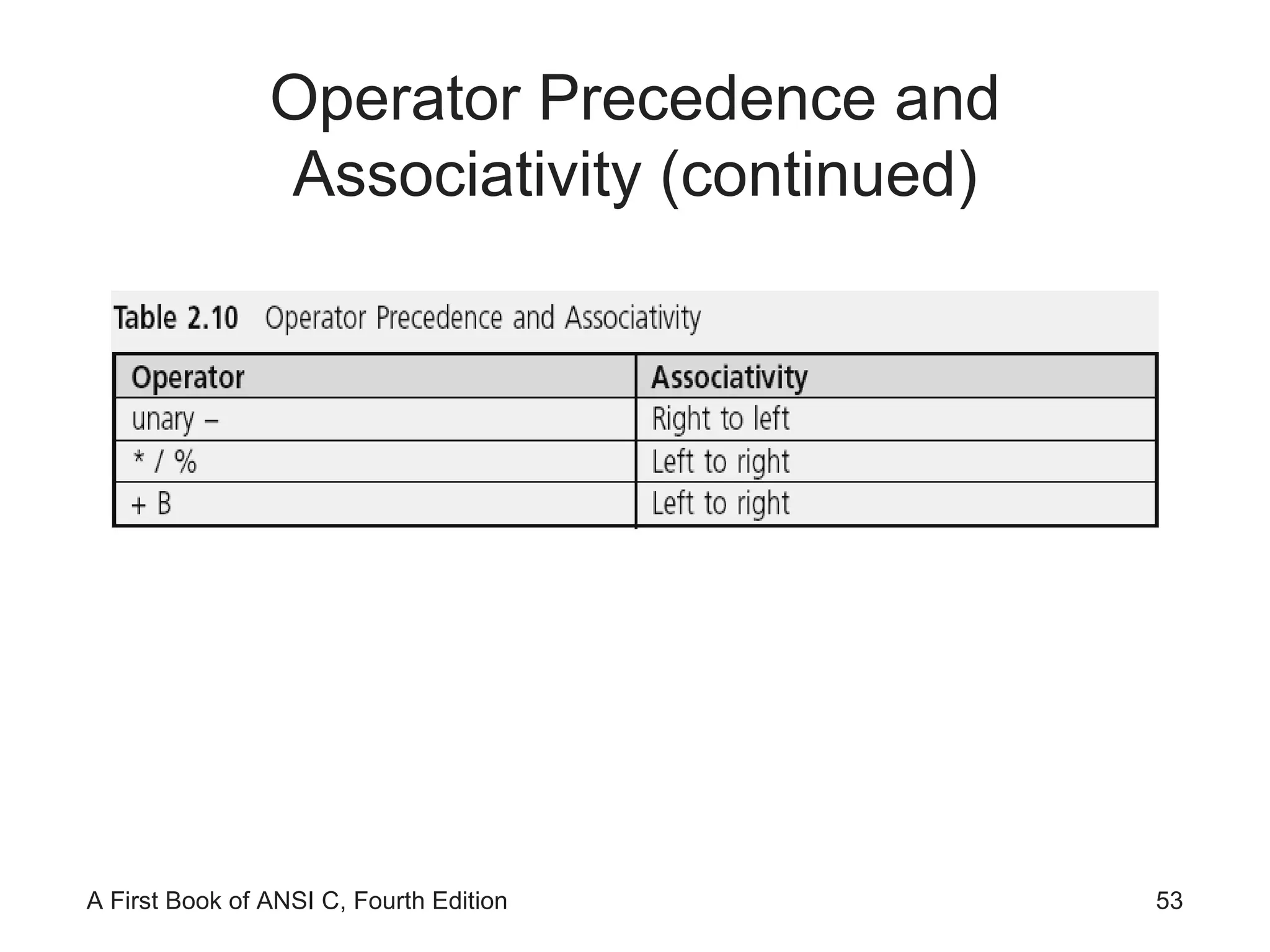
Operator Precedence and Associativity (continued) Three levels of precedence: All negations are done first Multiplication, division, and modulus operations are computed next; expressions containing more than one of these operators are evaluated from left to right as each operator is encountered Addition and subtraction are computed last; expressions containing more than one addition or subtraction are evaluated from left to right as each operator is encountered
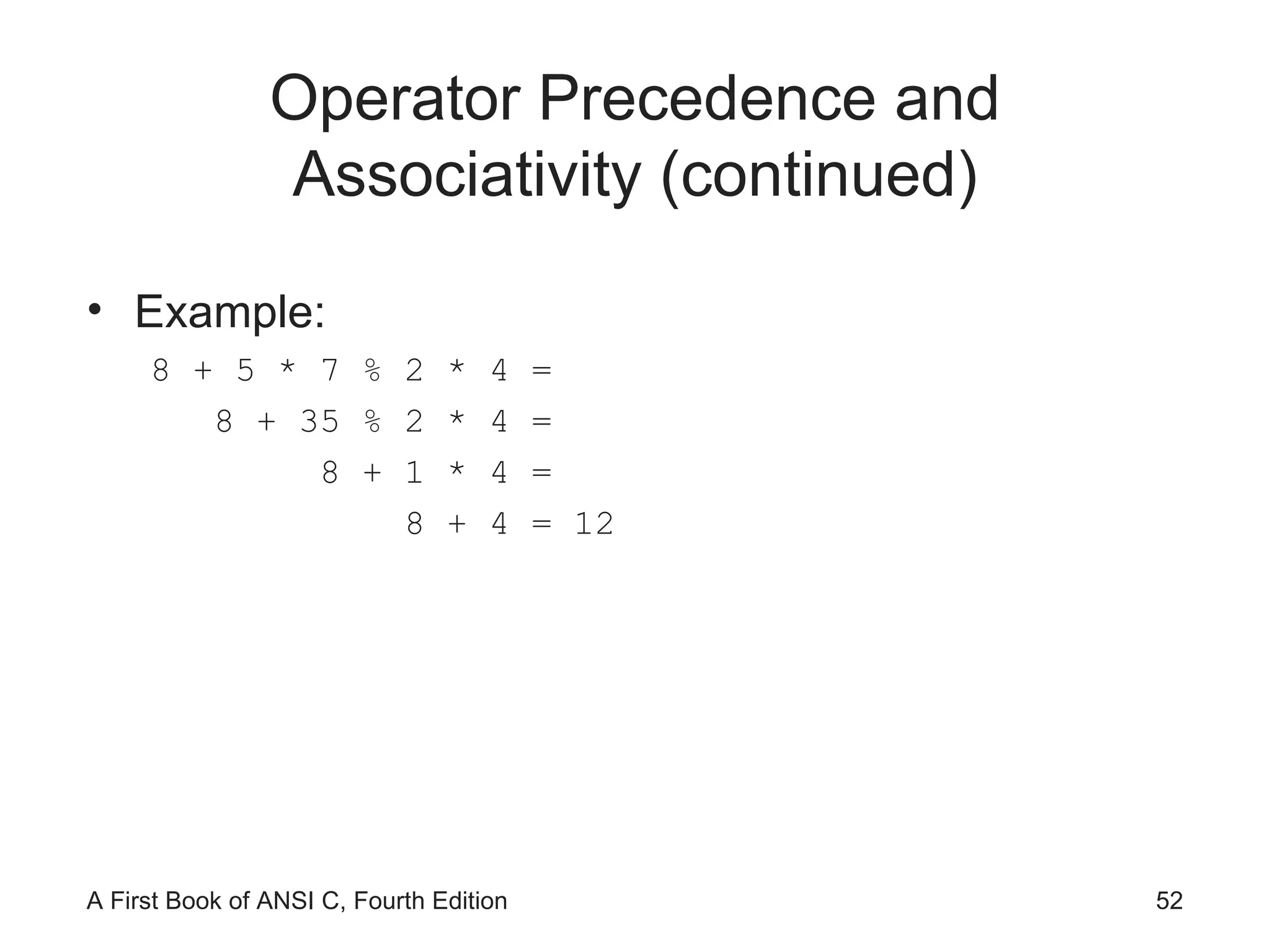
Operator Precedence and Associativity (continued) Example: 8 + 5 * 7 % 2 * 4 = 8 + 35 % 2 * 4 = 8 + 1 * 4 = 8 + 4 = 12
Operator Precedence and Associativity (continued)
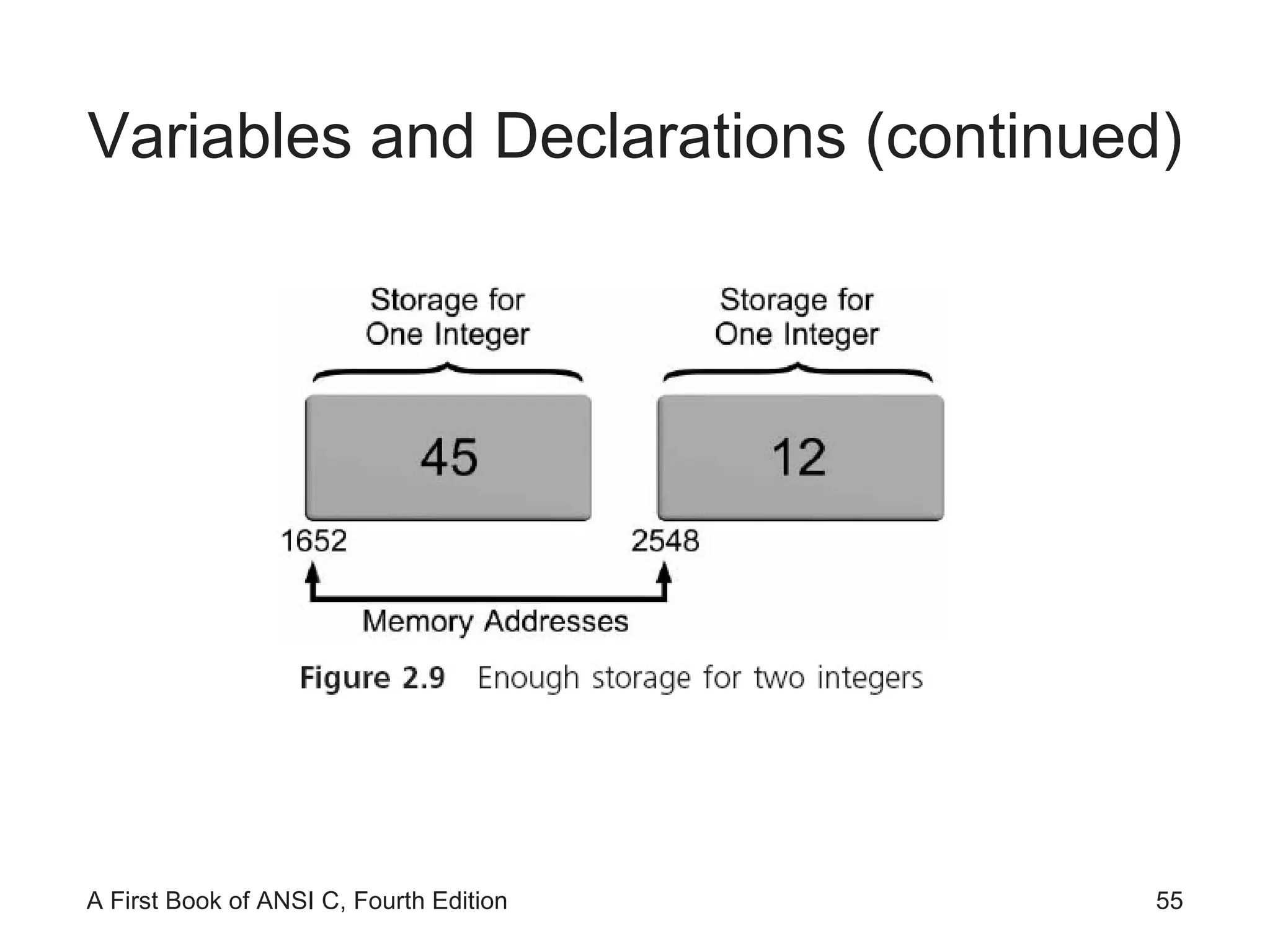
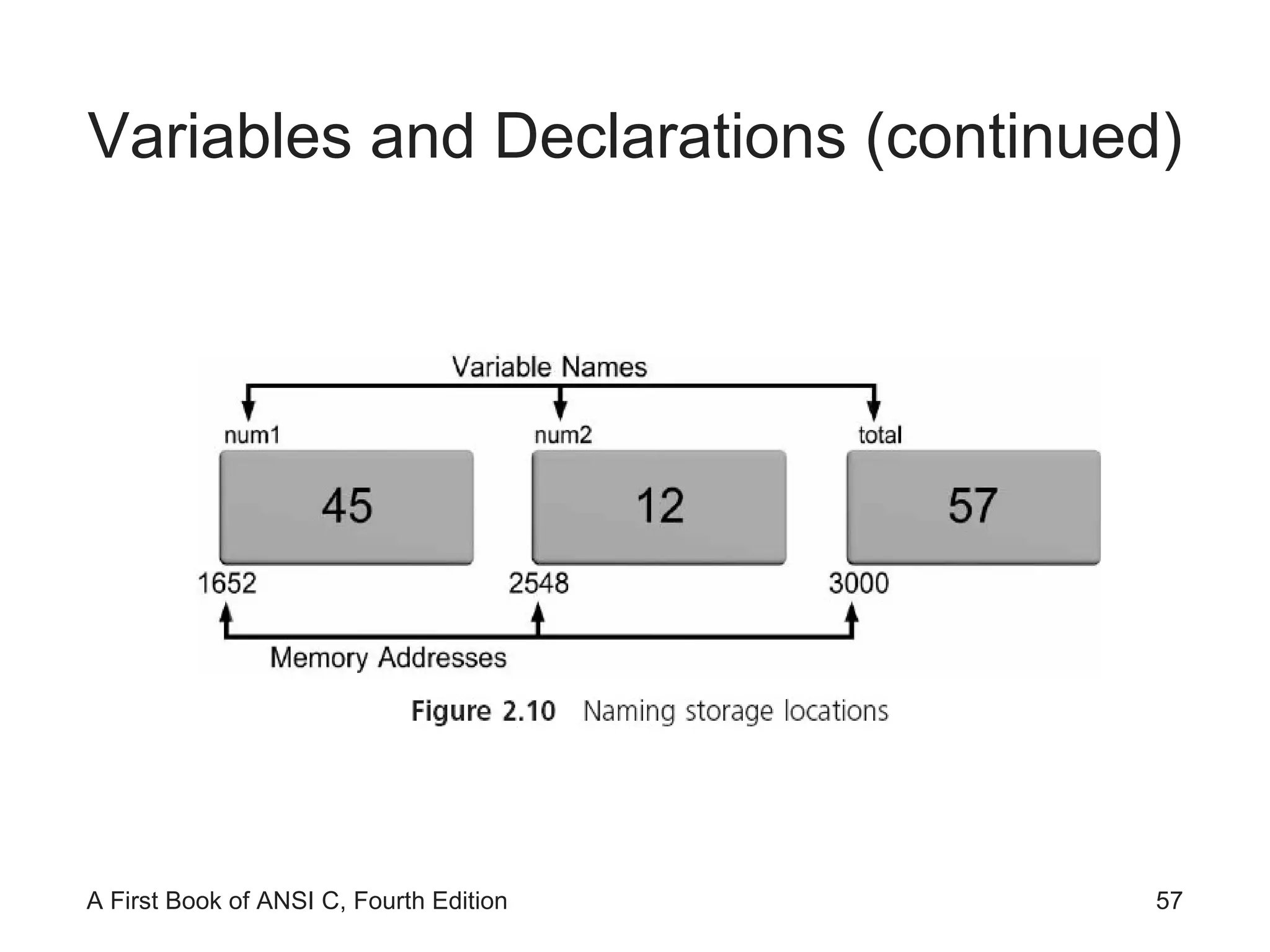
Variables and Declarations Variables  are names given by programmers to computer storage Variable name usually limited to 255 characters Variable names are case sensitive
Variables and Declarations (continued)
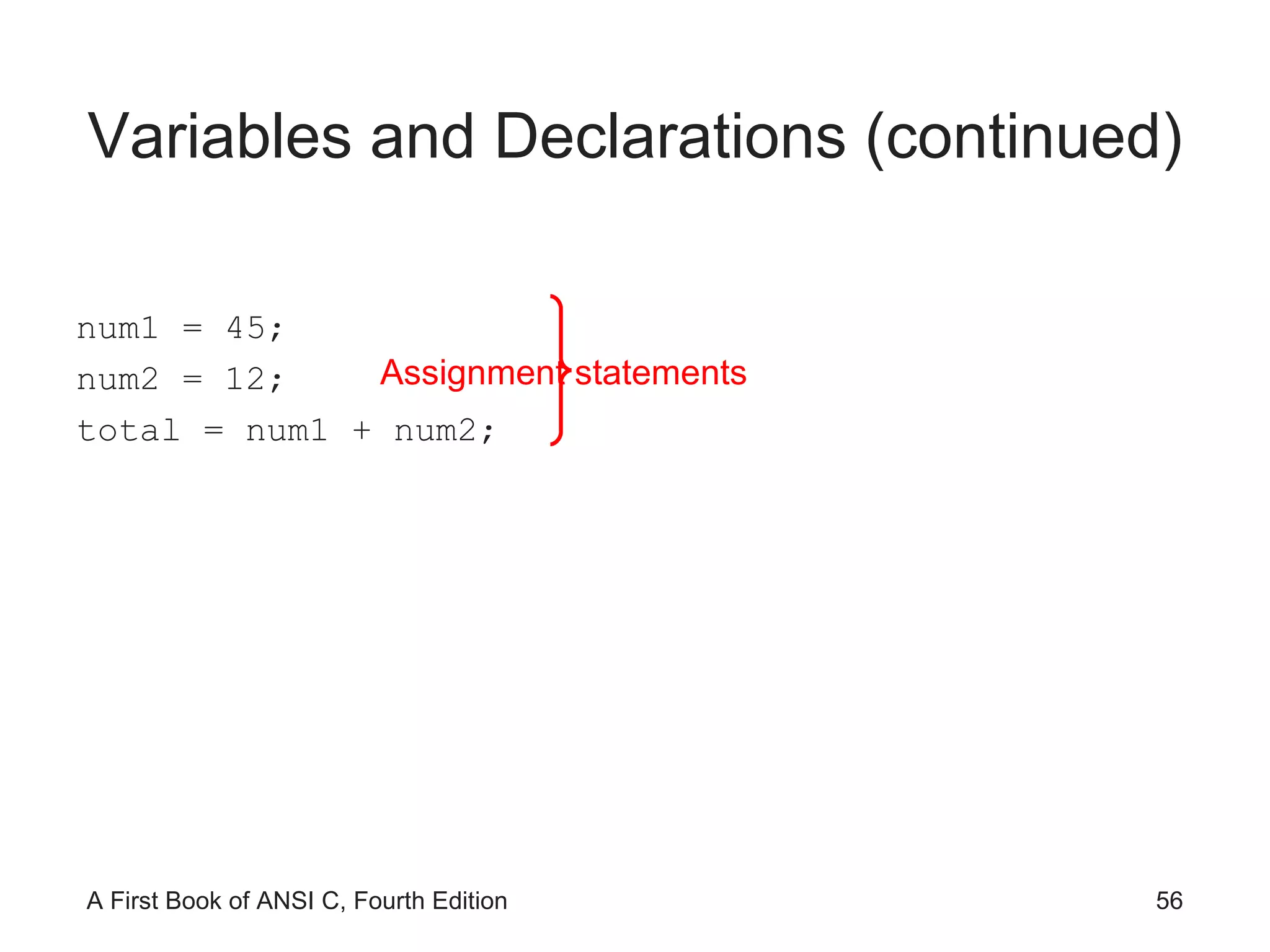
Variables and Declarations (continued) num1 = 45; num2 = 12; total = num1 + num2; Assignment statements
Variables and Declarations (continued)
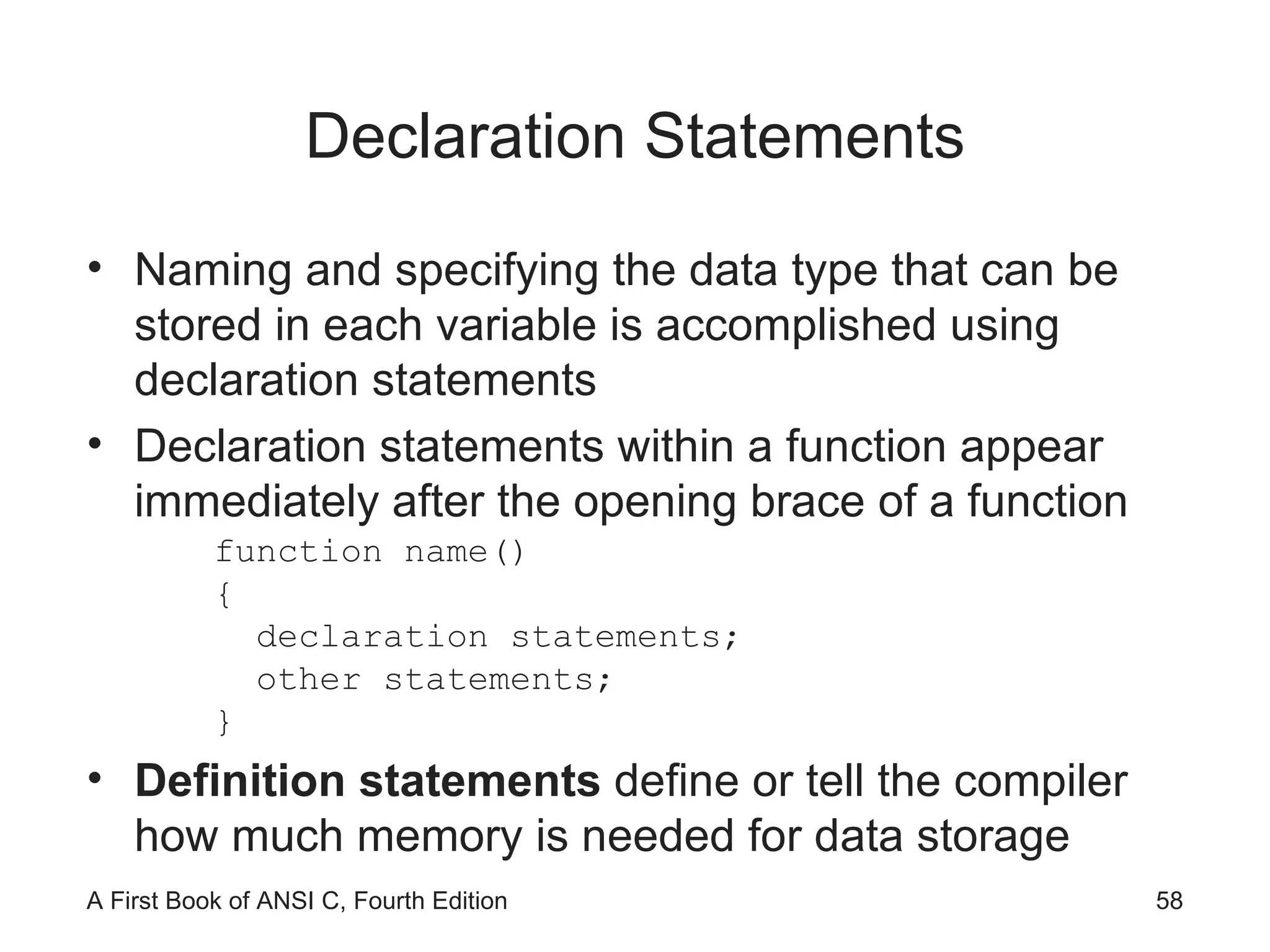
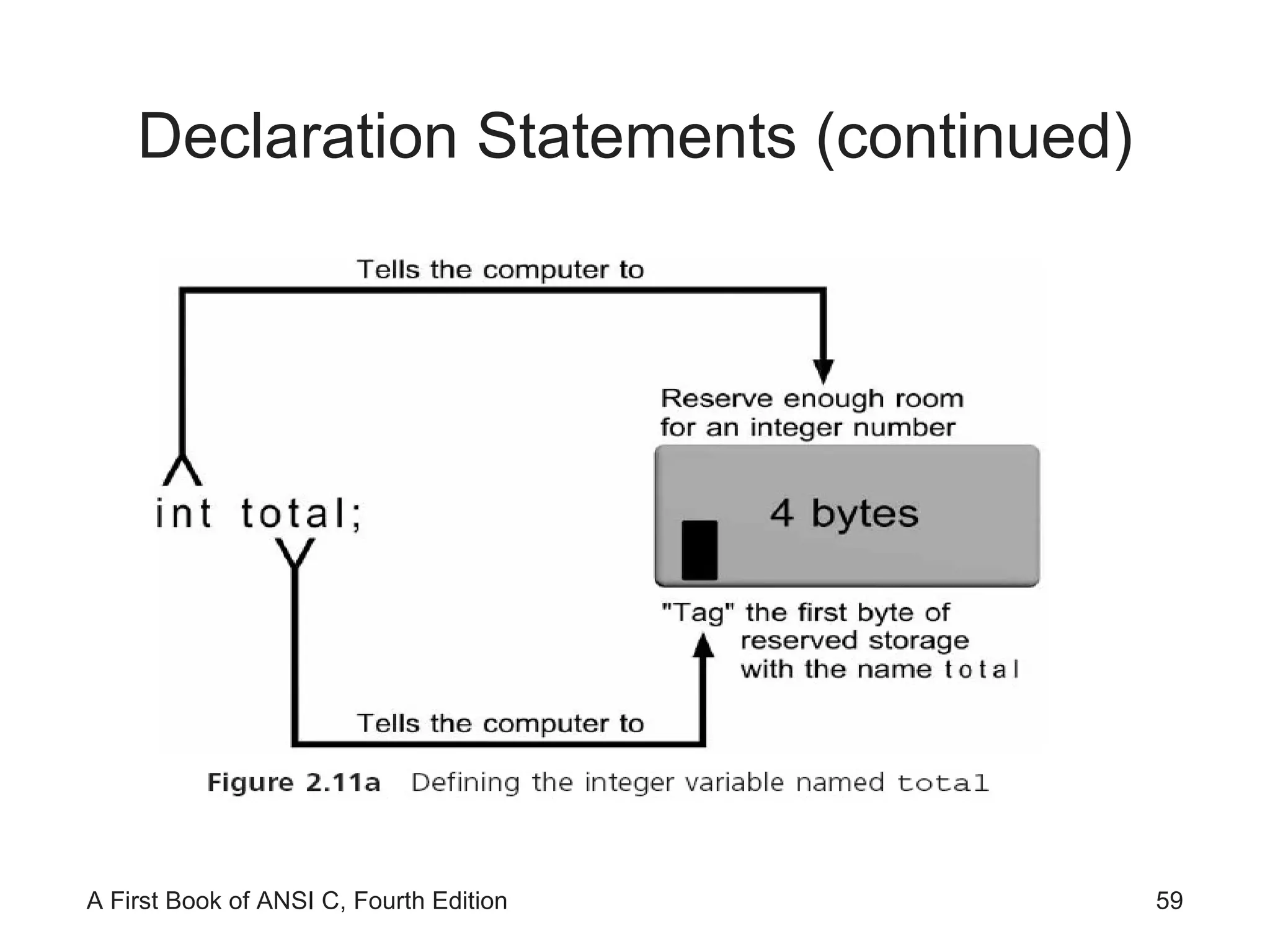
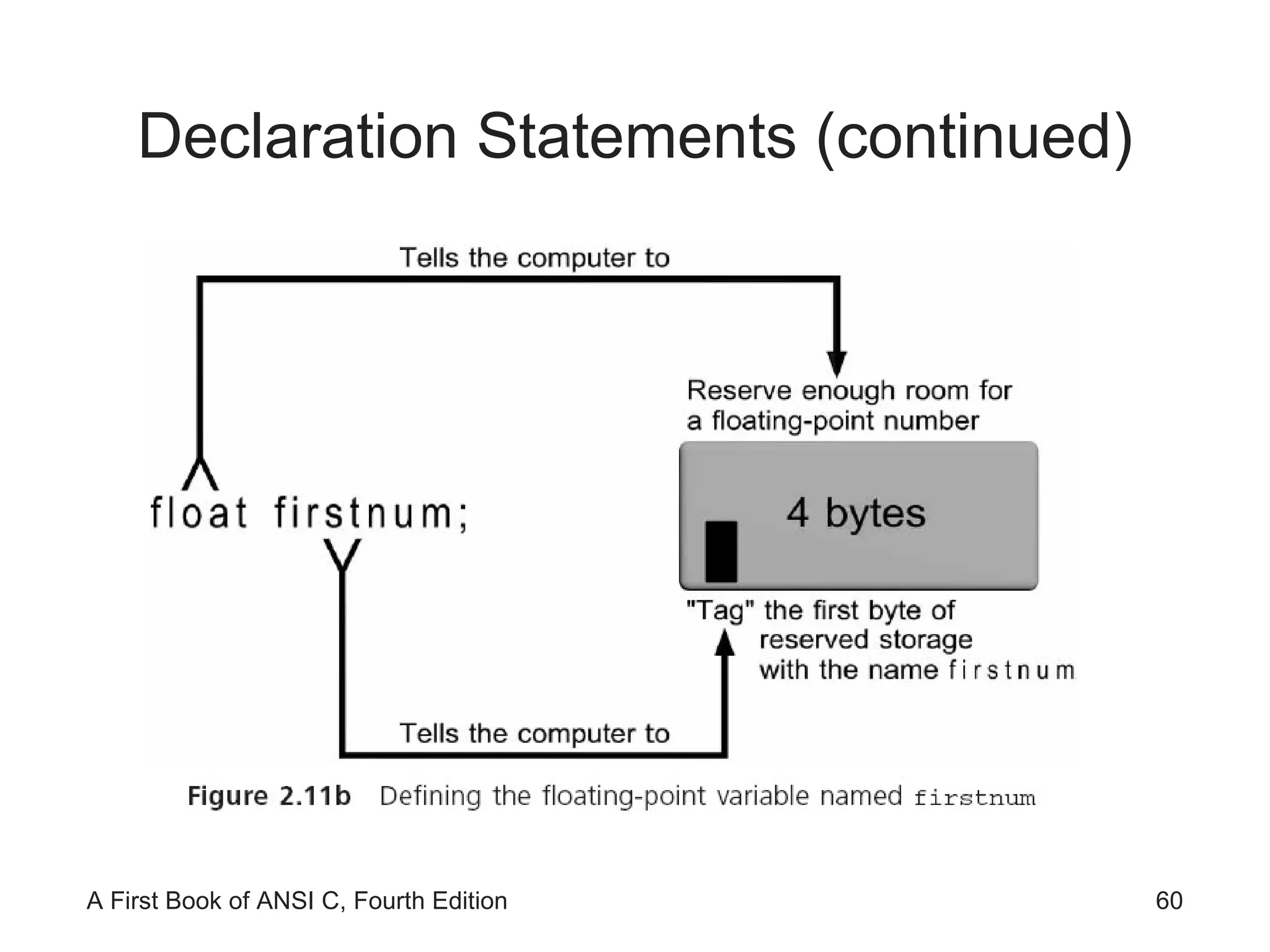
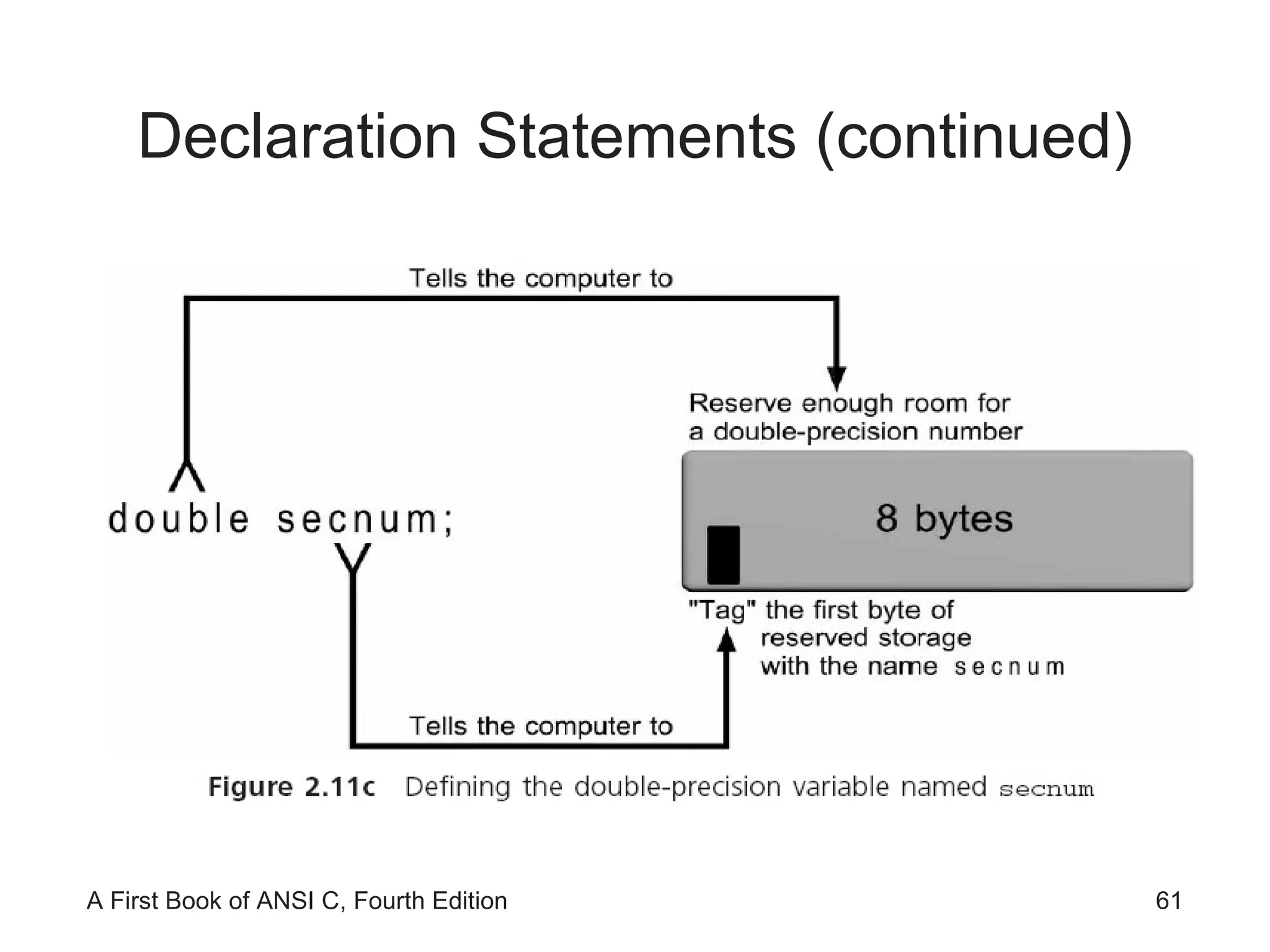
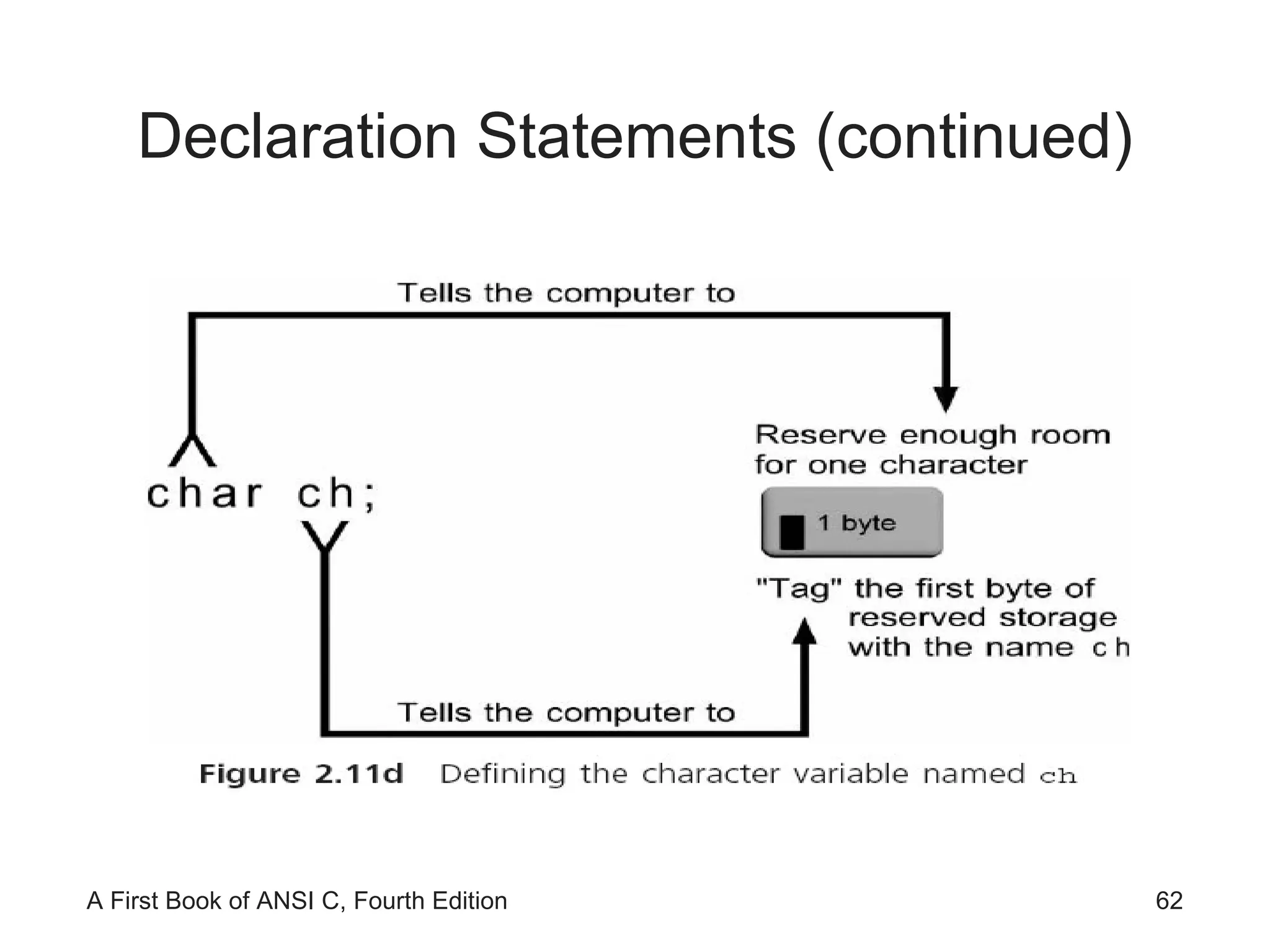
Declaration Statements Naming and specifying the data type that can be stored in each variable is accomplished using declaration statements Declaration statements within a function appear immediately after the opening brace of a function function name() { declaration statements; other statements; } Definition statements  define or tell the compiler how much memory is needed for data storage
Declaration Statements (continued)
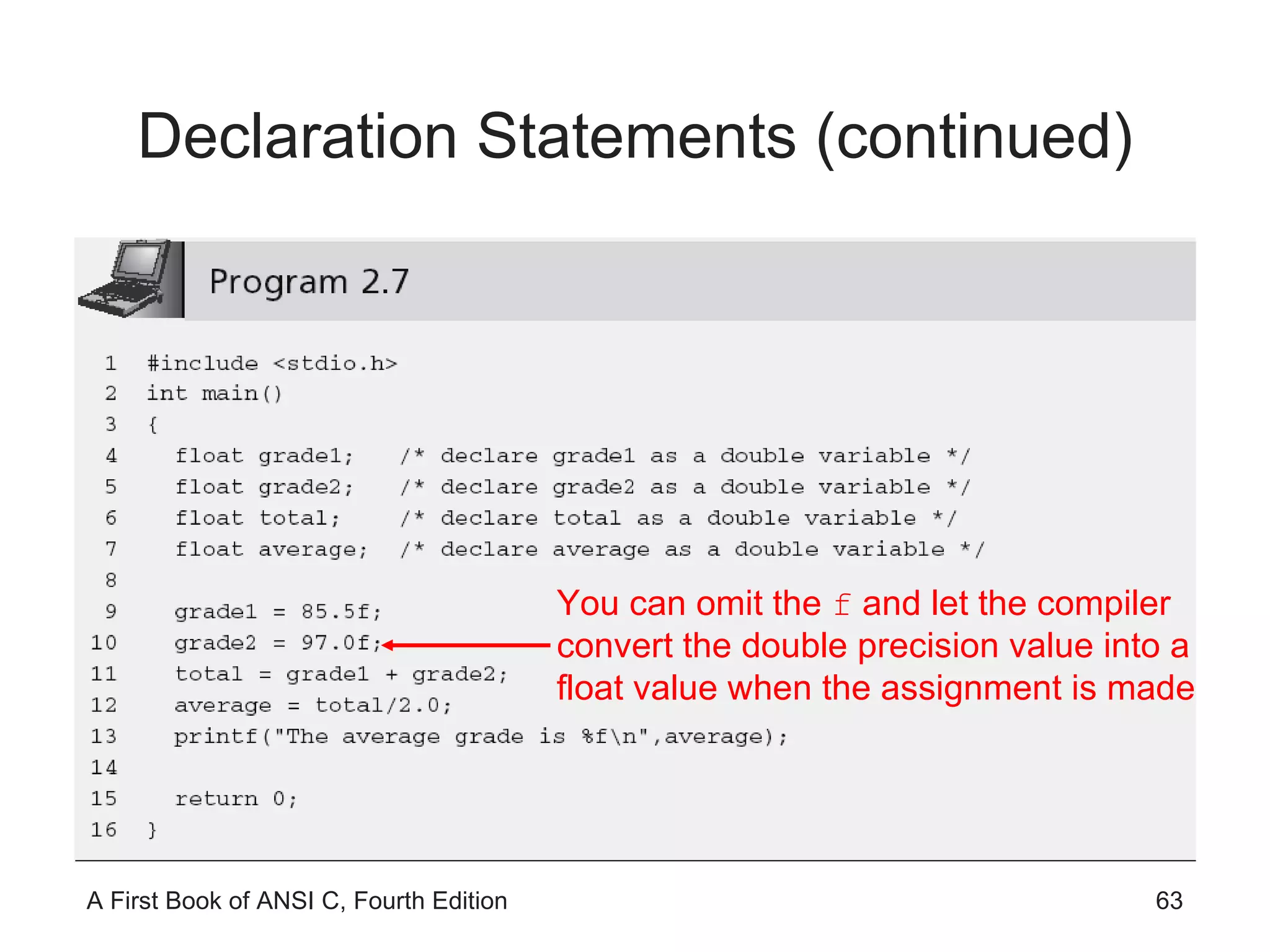
Declaration Statements (continued) You can omit the  f  and let the compiler convert the double precision value into a float value when the assignment is made
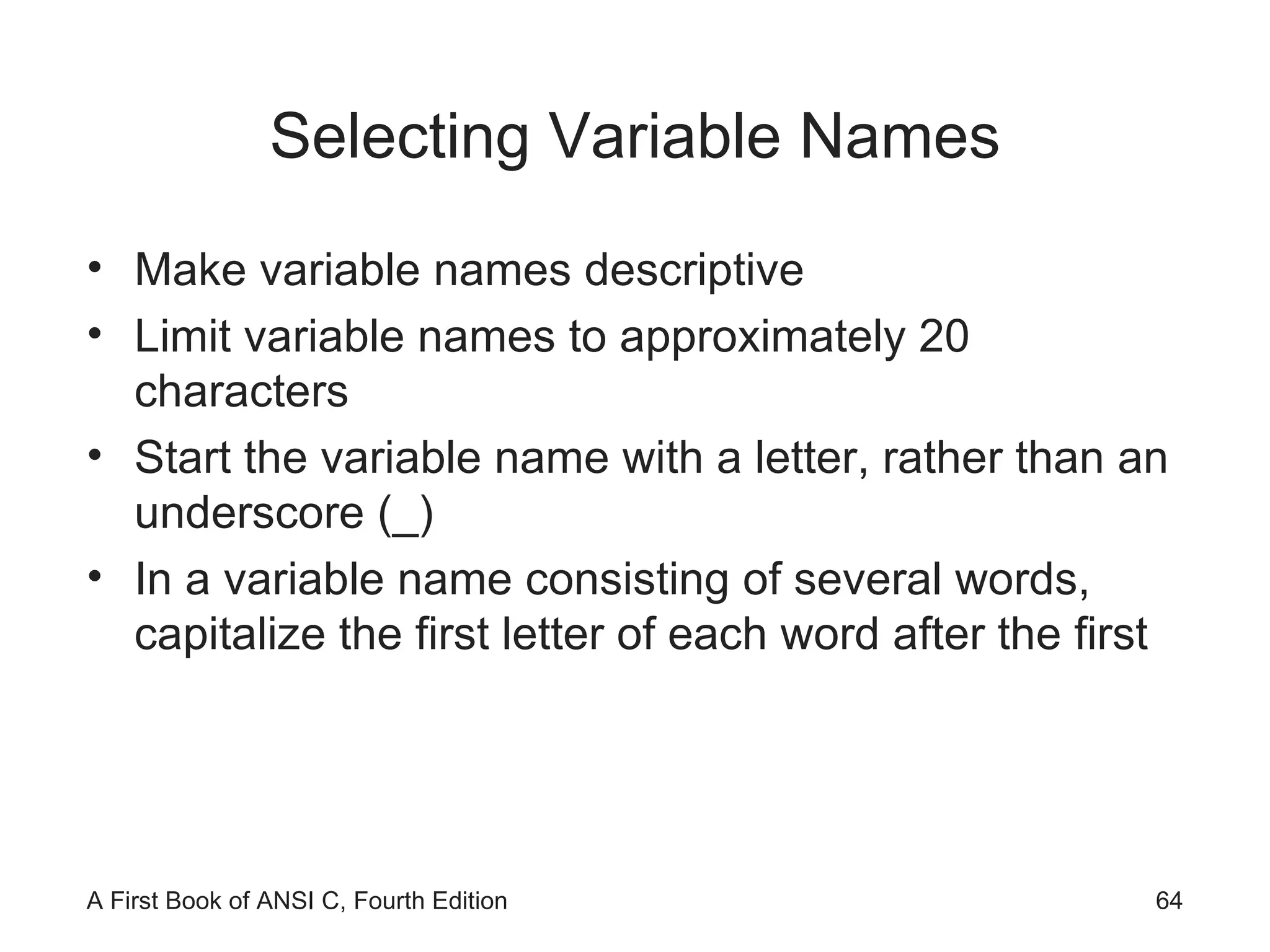
Selecting Variable Names Make variable names descriptive Limit variable names to approximately 20 characters Start the variable name with a letter, rather than an underscore (_) In a variable name consisting of several words, capitalize the first letter of each word after the first
Selecting Variable Names (continued) Use variable names that indicate  what  the variable corresponds to, rather than  how  it is computed Add qualifiers, such as  Avg ,  Min ,  Max , and  Sum  to complete a variable’s name where appropriate Use single-letter variable names, such as  i ,  j , and  k , for loop indexes
Initialization Declaration statements can be used to store an initial value into declared variables int numOne = 15; When a declaration statement provides an initial value, the variable is said to be  initialized Literals, expressions using only literals such as 87.0 + 12 − 2, and expressions using literals and previously initialized variables can all be used as initializers within a declaration statement
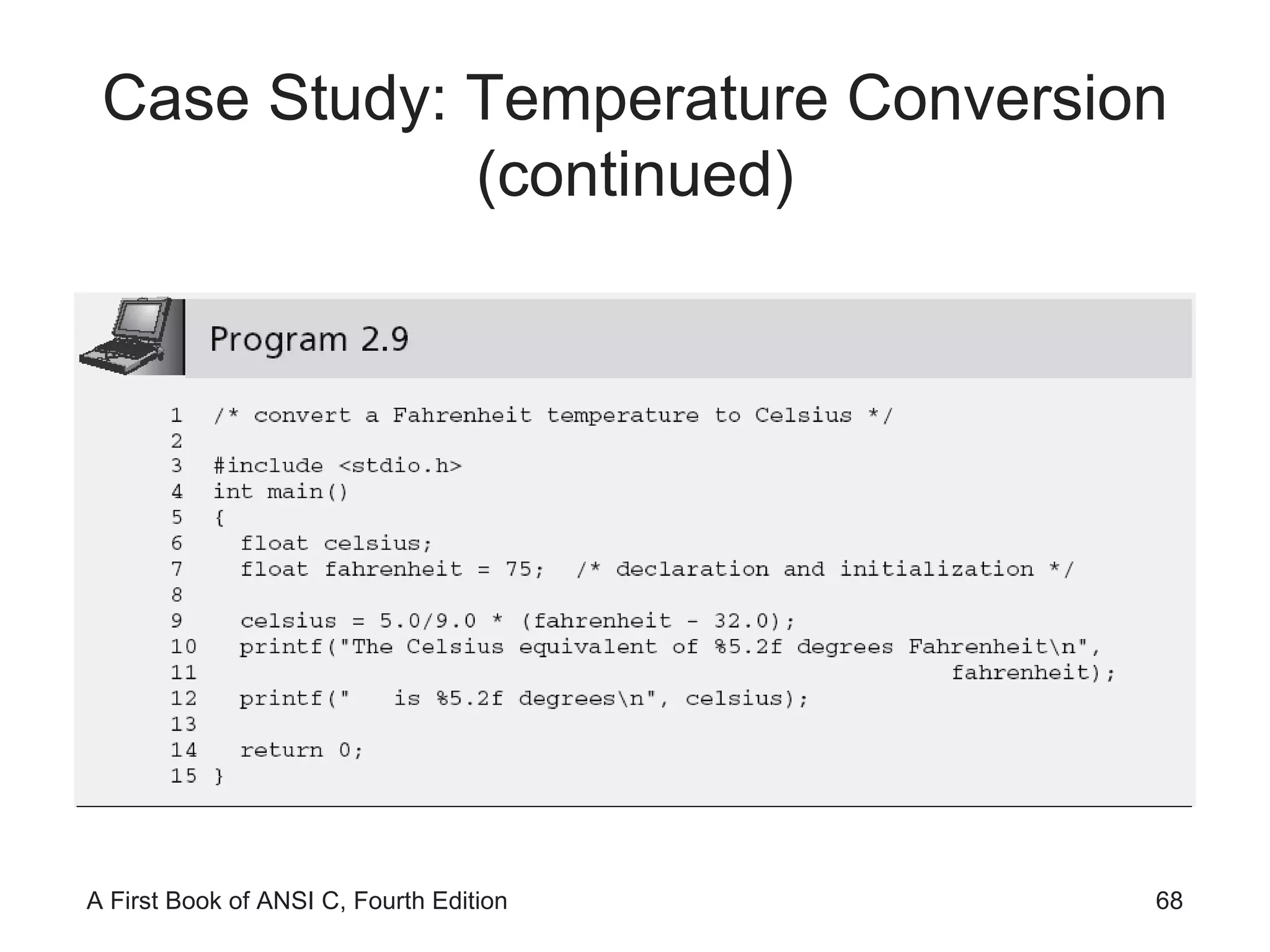
Case Study: Temperature Conversion A friend of yours is going to Spain, where temperatures are reported using the Celsius temperature scale. She has asked you to provide her with a list of temperatures in degrees Fahrenheit, and the equivalent temperature in degrees Celsius. The formula relating the two temperatures is Celsius = 5/9(Fahrenheit − 32). Initially, you are to write and test a program that correctly converts the Fahrenheit temperature of 75 degrees into its Celsius equivalent.
Case Study: Temperature Conversion (continued)
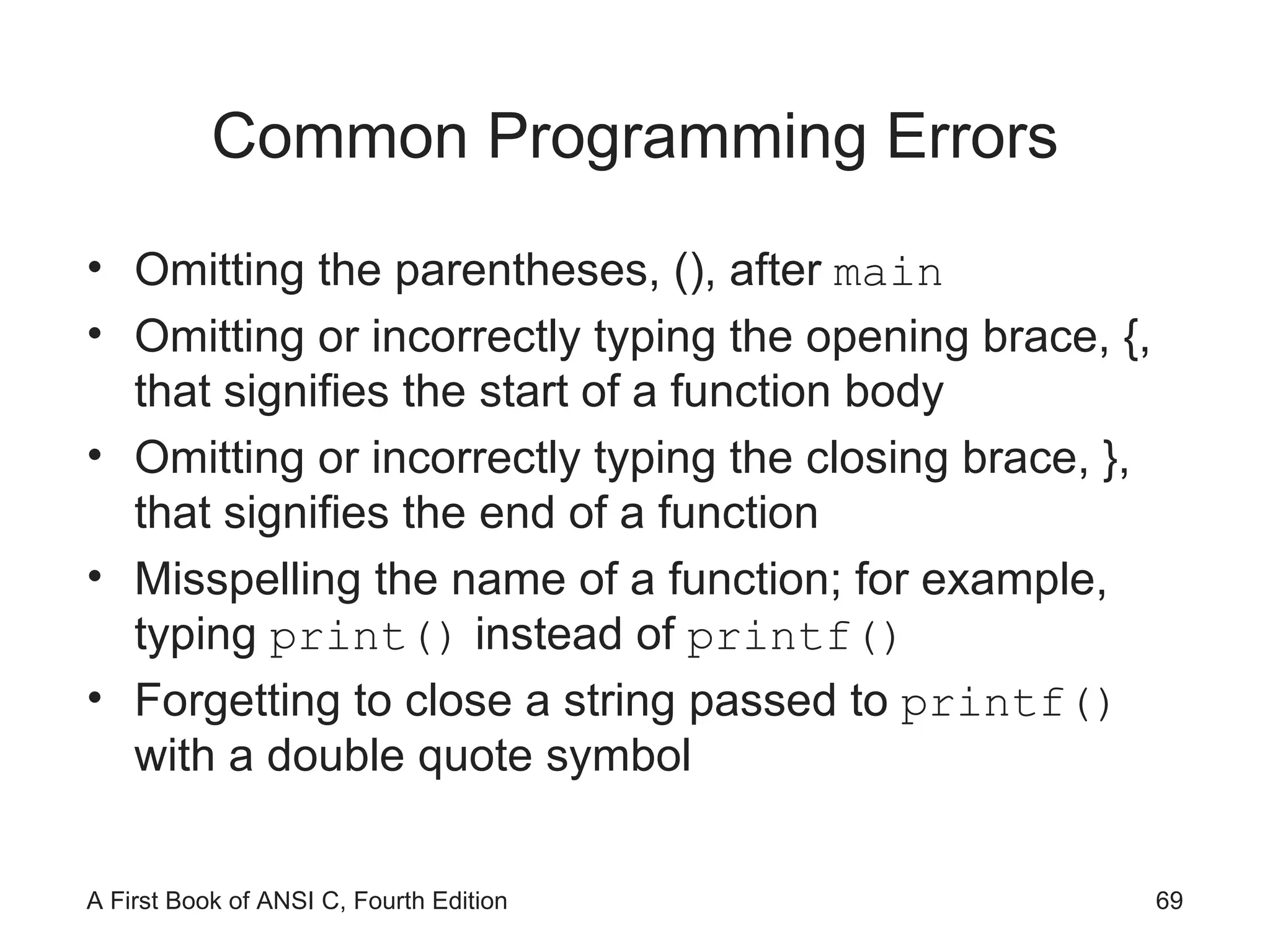
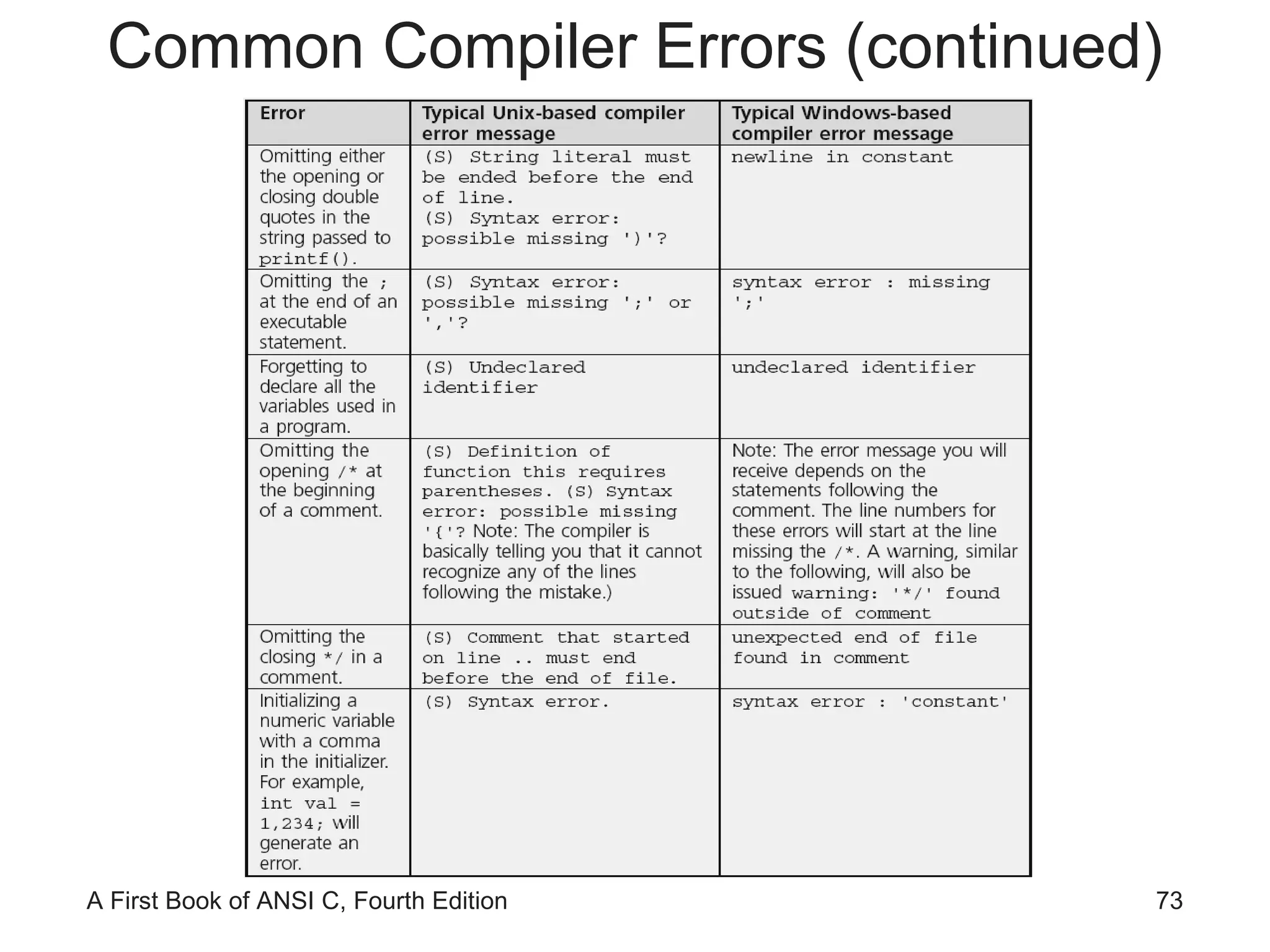
Common Programming Errors Omitting the parentheses, (), after  main Omitting or incorrectly typing the opening brace, {, that signifies the start of a function body Omitting or incorrectly typing the closing brace, }, that signifies the end of a function Misspelling the name of a function; for example, typing  print()  instead of  printf() Forgetting to close a string passed to  printf()  with a double quote symbol
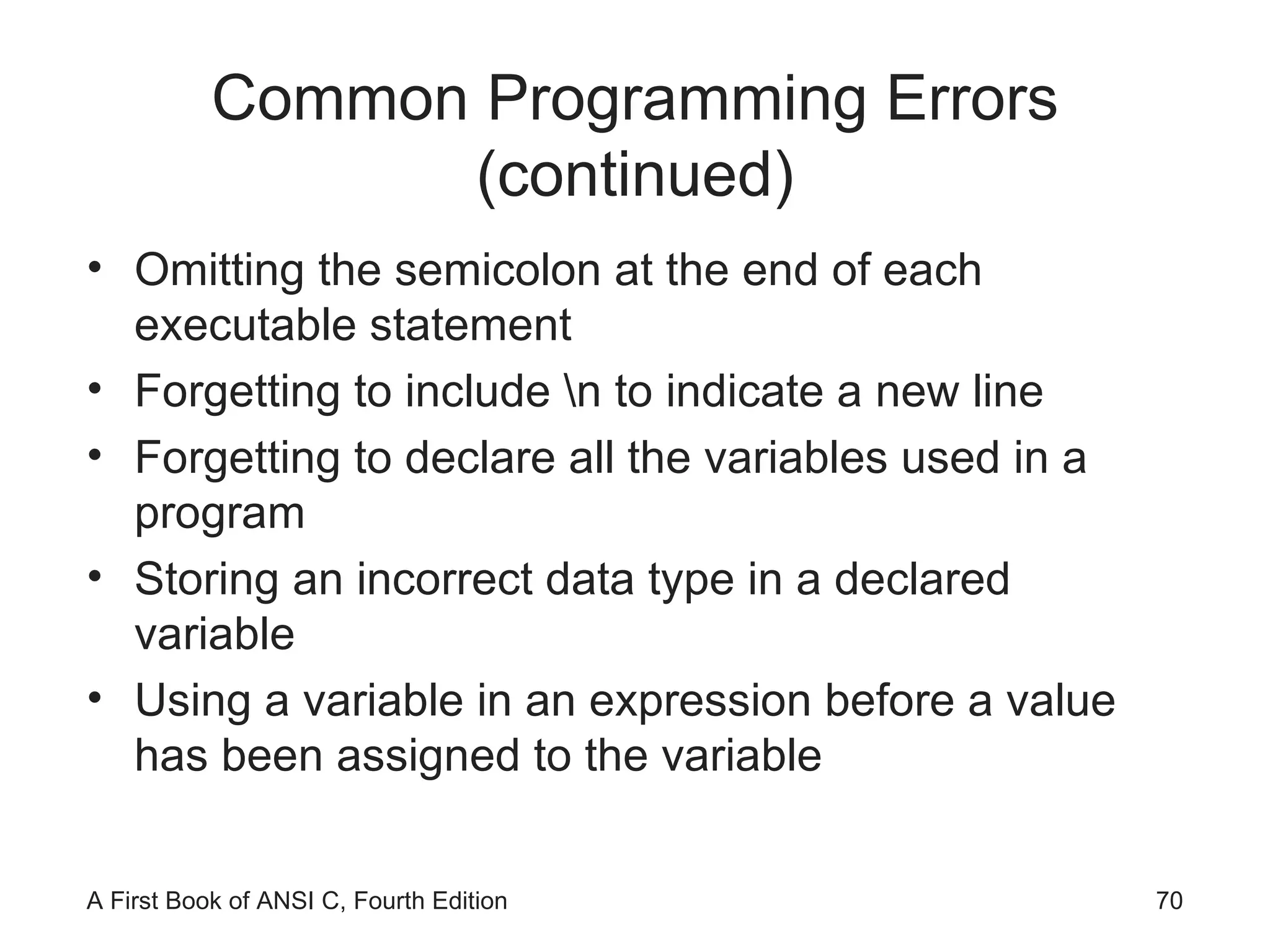
Common Programming Errors (continued) Omitting the semicolon at the end of each executable statement Forgetting to include \n to indicate a new line Forgetting to declare all the variables used in a program Storing an incorrect data type in a declared variable Using a variable in an expression before a value has been assigned to the variable
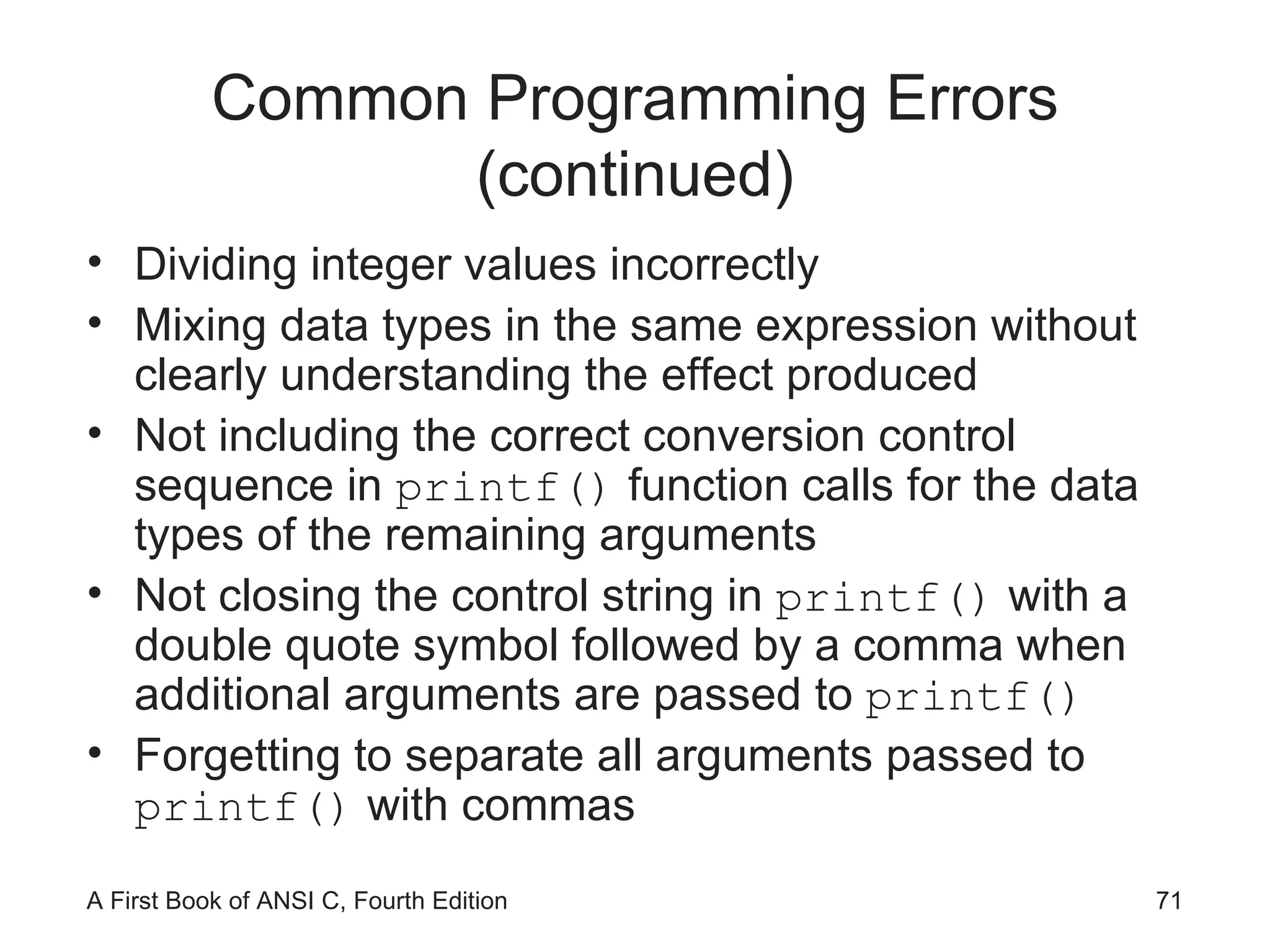
Common Programming Errors (continued) Dividing integer values incorrectly Mixing data types in the same expression without clearly understanding the effect produced Not including the correct conversion control sequence in  printf()  function calls for the data types of the remaining arguments Not closing the control string in  printf()  with a double quote symbol followed by a comma when additional arguments are passed to  printf() Forgetting to separate all arguments passed to  printf()  with commas
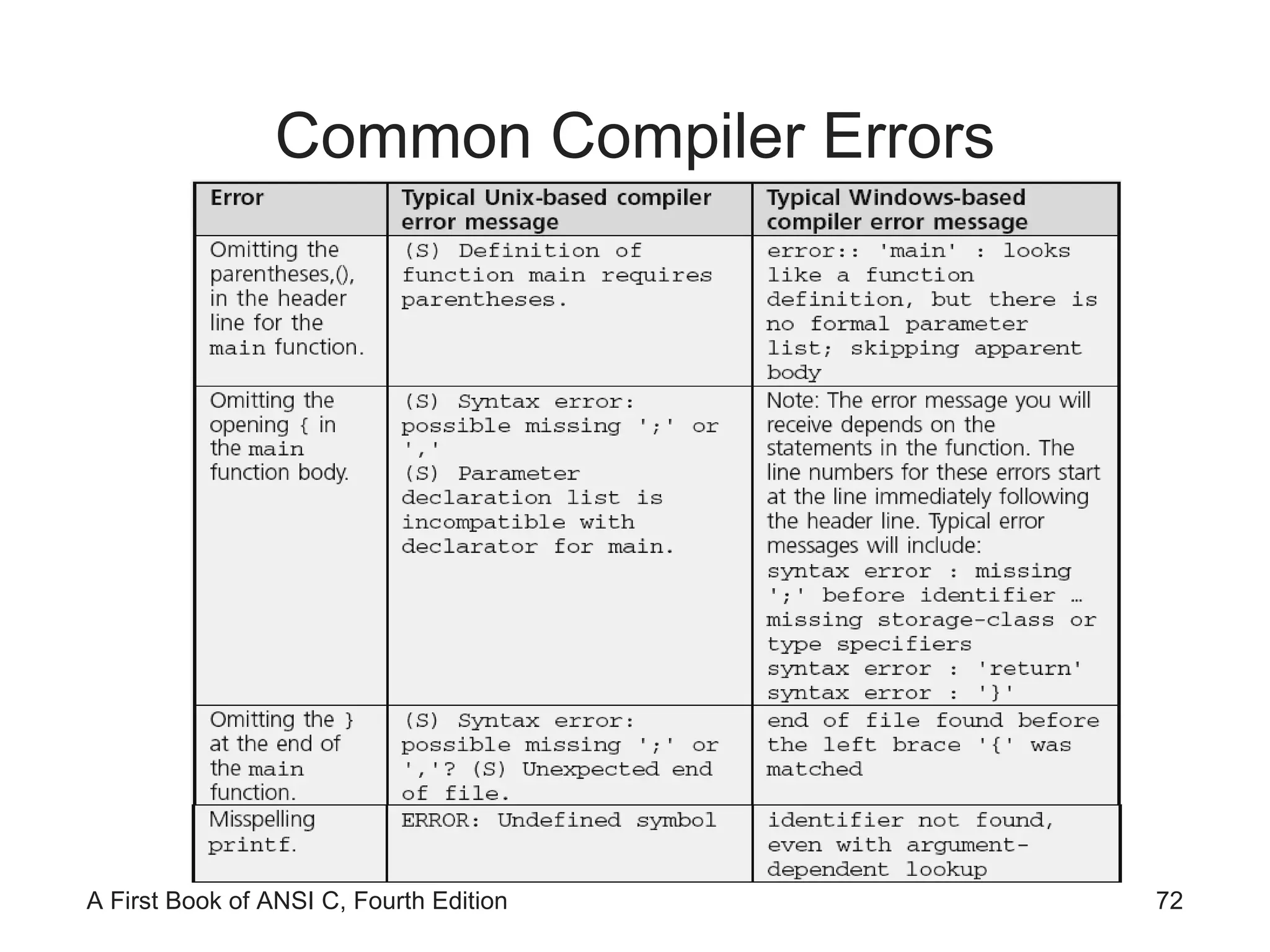
Common Compiler Errors
Common Compiler Errors (continued)
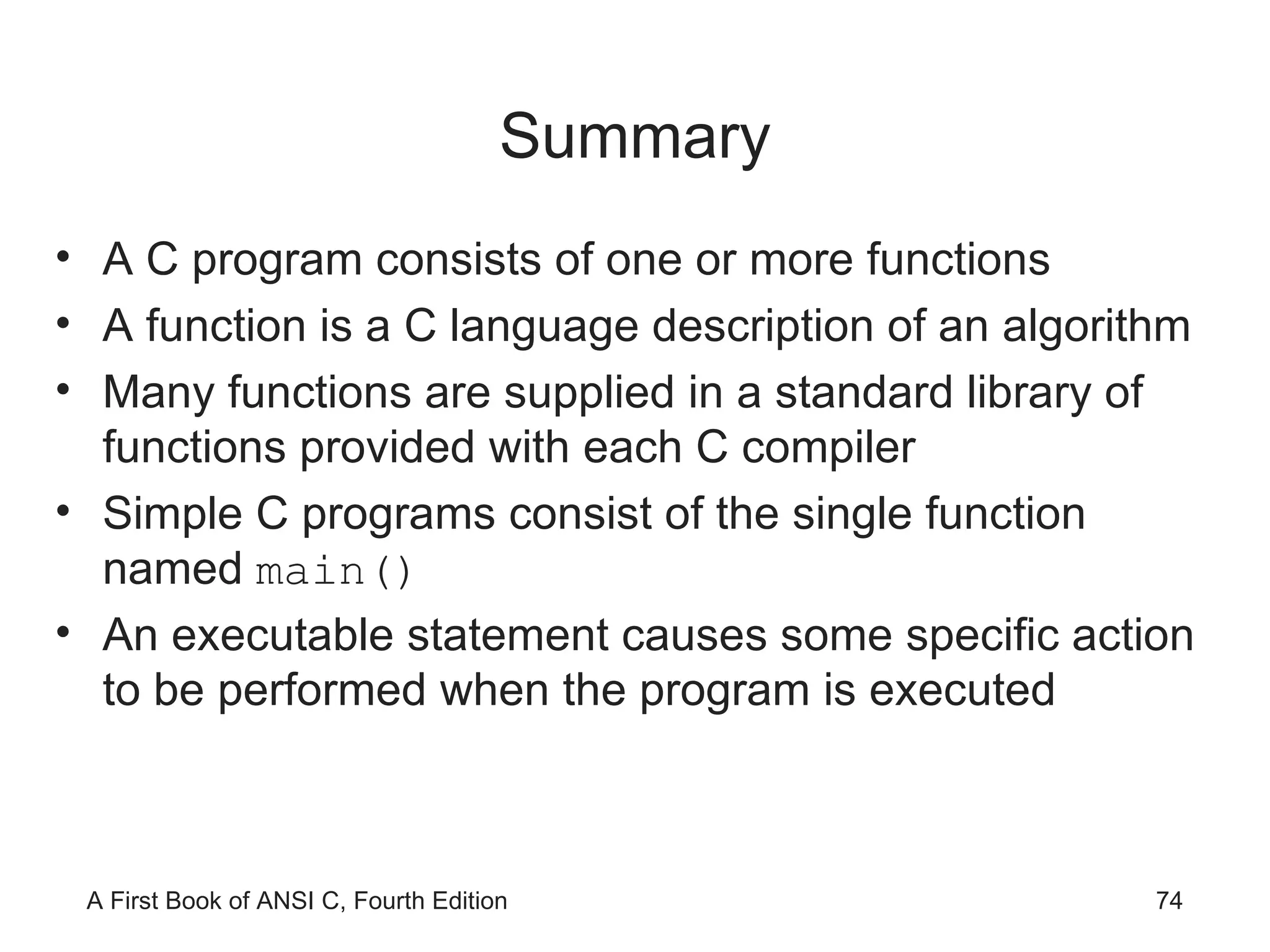
Summary A C program consists of one or more functions A function is a C language description of an algorithm Many functions are supplied in a standard library of functions provided with each C compiler Simple C programs consist of the single function named  main() An executable statement causes some specific action to be performed when the program is executed
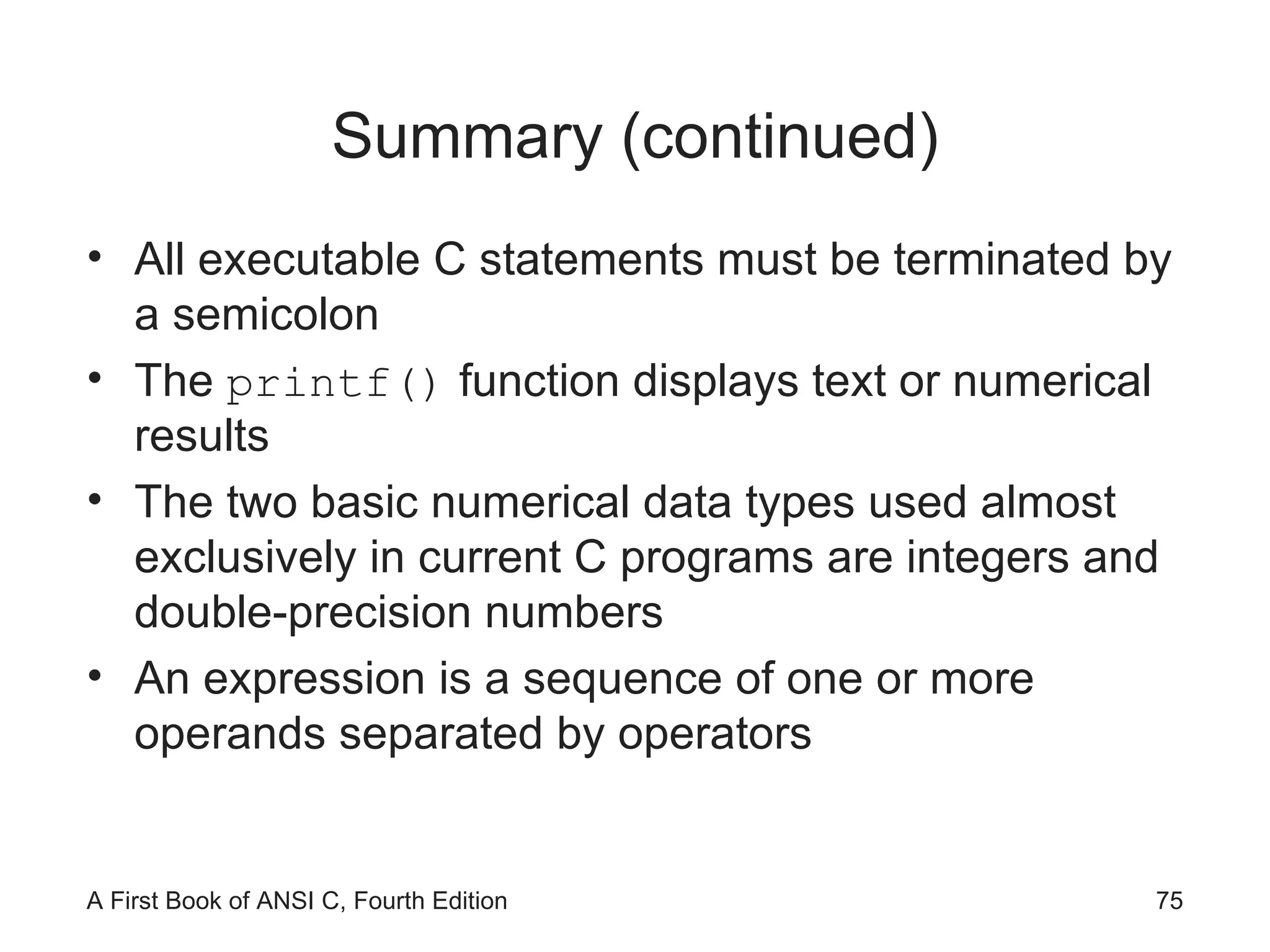
Summary (continued) All executable C statements must be terminated by a semicolon The  printf()  function displays text or numerical results The two basic numerical data types used almost exclusively in current C programs are integers and double-precision numbers An expression is a sequence of one or more operands separated by operators
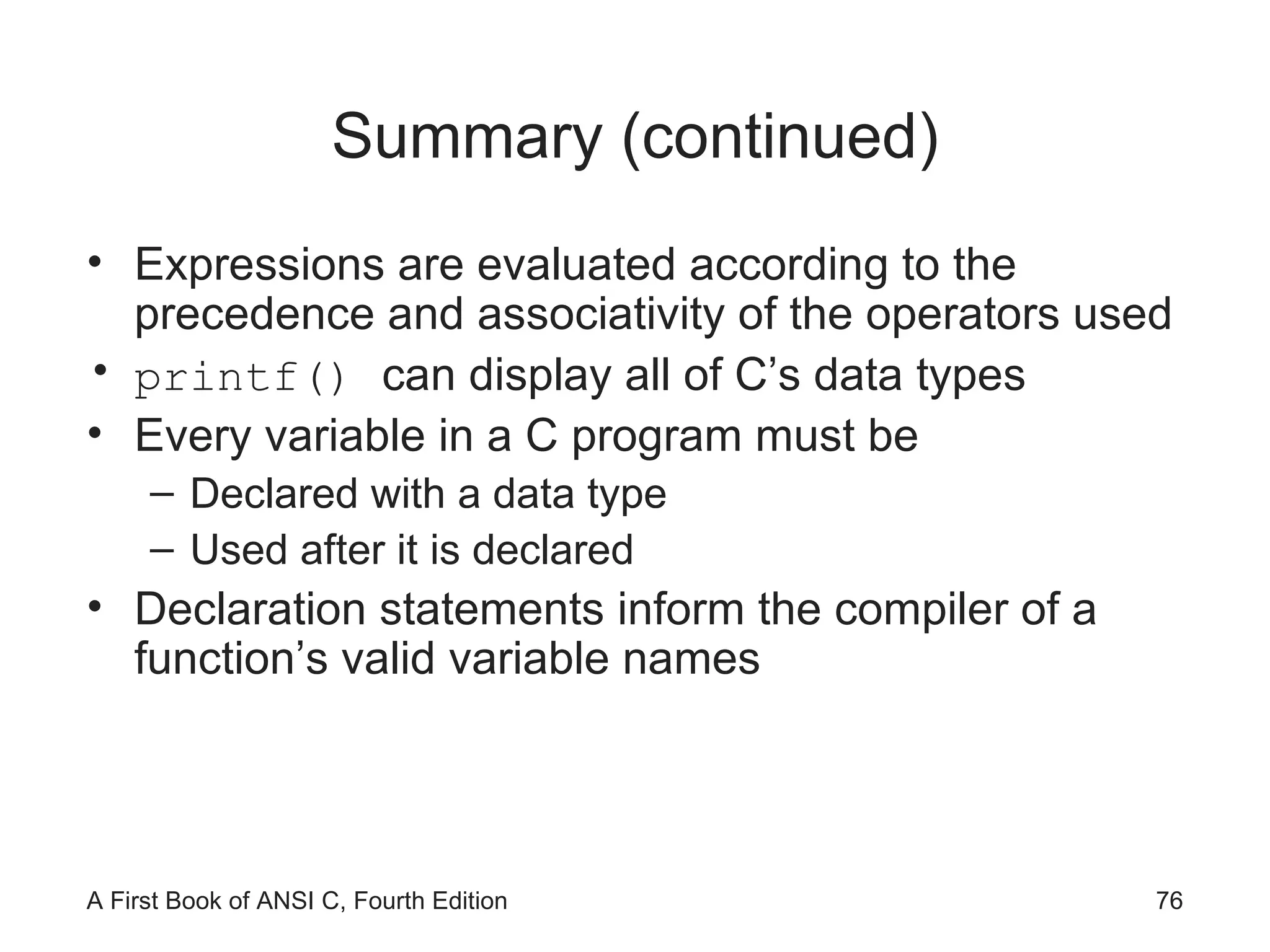
Summary (continued) Expressions are evaluated according to the precedence and associativity of the operators used printf()  can display all of C’s data types Every variable in a C program must be  Declared with a data type Used after it is declared Declaration statements inform the compiler of a function’s valid variable names

Ch02

  • 1.
    A First Bookof ANSI C Fourth Edition Chapter 2 Getting Started in C Programming
  • 2.
    Objectives Introduction toC Programming Programming Style Data Types Arithmetic Operations
  • 3.
    Objectives (continued) Variablesand Declarations Case Study: Temperature Conversion Common Programming and Compiler Errors
  • 4.
    Introduction to CProgramming
  • 5.
    Introduction to CProgramming (continued) C provides a comprehensive set of functions Stored in a set of files known as the standard library The standard library consists of 15 header files
  • 6.
    Introduction to CProgramming (continued)
  • 7.
    Introduction to CProgramming (continued) Identifiers
  • 8.
    Identifiers Identifiers inC consist of three types: Reserved words Standard identifiers Programmer-created identifiers
  • 9.
    Identifiers (continued) Reservedword: word that is predefined by the programming language for a special purpose and can only be used in a specified manner for its intended purpose Also referred to as keywords in C
  • 10.
  • 11.
    Identifiers (continued) Standardidentifiers: words predefined in C Most of the standard identifiers are the names of functions that are provided in the C standard library It is good programming practice to use standard identifiers only for their intended purpose
  • 12.
  • 13.
    Identifiers (continued) Programmer-createdidentifiers: selected by the programmer Also called programmer-created names Used for naming data and functions Must conform to C’s identifier rules Can be any combination of letters, digits, or underscores (_) subject to the following rules: First character must be a letter or underscore (_) Only letters, digits, or underscores may follow the initial character Blank spaces are not allowed Cannot be a reserved word
  • 14.
    Identifiers (continued) Examplesof invalid C programmer-created names: 4ab7 calculate total while All uppercase letters used to indicate a constant A function name must be followed by parentheses An identifier should be descriptive: degToRadians() Bad identifier choices: easy , duh , justDoIt C is a case-sensitive language TOTAL , and total represent different identifiers
  • 15.
    The main() Function Sometimes referred to as a driver function
  • 16.
    The main() Function (continued) Function header line Executable statements
  • 17.
    The printf() Function printf() formats data and sends it to the standard system display device (i.e., the monitor) Inputting data or messages to a function is called passing data to the function printf("Hello there world!"); Syntax: set of rules for formulating statements that are “grammatically correct” for the language Messages are known as strings in C A string of characters is surrounded by double quotes printf("Hello there world!");
  • 18.
    The printf() Function (continued) Function arguments
  • 19.
    The printf() Function (continued) Comment Preprocessor command Header file Invoking or calling the printf() function
  • 20.
    The printf() Function (continued) Output is: Computers, computers everywhere as far as I can C Newline escape sequence
  • 21.
    Programming Style: IndentationExcept for strings, function names, and reserved words, C ignores all white space White space: any combination of one or more blank spaces, tabs, or new lines In standard form: A function name is placed, with the parentheses, on a line by itself starting at the left-hand corner The opening brace follows on the next line, under the first letter of the function name The closing function brace is placed by itself at the start of the last line of the function
  • 22.
    Programming Style: Indentation(continued) Within the function itself, all program statements are indented two spaces Indentation is another sign of good programming practice, especially if the same indentation is used for similar groups of statements Don’t do this: int main ( ){printf ("Hello there world!" );return 0;}
  • 23.
    Programming Style: CommentsComments help clarify what a program does, what a group of statements is meant to accomplish, etc. The symbols /* , with no white space between them, designate the start of a comment; the symbols */ designate the end of a comment /* this is a comment */ Comments can be placed anywhere within a program and have no effect on program execution Under no circumstances may comments be nested /* this comment is /* always */ invalid */
  • 24.
  • 25.
    Data Types Datatype: set of values and a set of operations that can be applied to these values Built-in data type: is provided as an integral part of the language; also known as primitive type
  • 26.
  • 27.
    Data Types (continued)A literal is an acceptable value for a data type Also called a literal value or constant 2 , 3.6 , −8.2 , and "Hello World!" are literal values because they literally display their values
  • 28.
  • 29.
  • 30.
    Integer Data Types(continued) int : whole numbers (integers) For example: 0 , -10 , 253 , -26351 Not allowed: commas, decimal points, special symbols char : stores individual characters (ASCII) For example: 'A' , '$' , 'b' , '!'
  • 31.
    Integer Data Types(continued)
  • 32.
    Integer Data Types(continued)
  • 33.
    Integer Data Types(continued)
  • 34.
    Floating-Point Data TypesA floating-point value ( real number) can be the number zero or any positive or negative number that contains a decimal point For example: +10.625 , 5. , -6.2 , 3251.92 , +2 Not allowed: commas, decimal points, special symbols float : single-precision number double : double-precision number Storage allocation for each data type depends on the compiler (use sizeof() )
  • 35.
    Floating-Point Data Types(continued) float literal is indicated by appending an f or F long double is created by appending an l or L 9.234 indicates a double literal 9.234f indicates a float literal 9.234L indicates a long double literal
  • 36.
  • 37.
    Exponential Notation Innumerical theory, the term precision typically refers to numerical accuracy
  • 38.
  • 39.
    Arithmetic Operations Arithmeticoperators: operators used for arithmetic operations: Addition + Subtraction - Multiplication * Division / Modulus Division % Binary operators require two operands An operand can be either a literal value or an identifier that has a value associated with it
  • 40.
    Arithmetic Operations (continued)A simple binary arithmetic expression consists of a binary arithmetic operator connecting two literal values in the form: literalValue operator literalValue 3 + 7 12.62 - 9.8 .08 * 12.2 12.6 / 2. Spaces around arithmetic operators are inserted for clarity and can be omitted without affecting the value of the expression
  • 41.
    Displaying Numerical ValuesArguments are separated with commas printf("The total of 6 and 15 is %d", 6 + 15); First argument of printf() must be a string A string that includes a conversion control sequence , such as %d , is termed a control string Conversion control sequences are also called conversion specifications and format specifiers printf() replaces a format specifier in its control string with the value of the next argument In this case, 21
  • 42.
    Displaying Numerical Values(continued) printf("The total of 6 and 15 is %d", 6 + 15); The total of 6 and 15 is 21 printf ("The sum of %f and %f is %f", 12.2, 15.754, 12.2 + 15.754); The sum of 12.200000 and 15.754000 is 27.954000
  • 43.
  • 44.
  • 45.
  • 46.
    Expression Types Expression: any combination of operators and operands that can be evaluated to yield a value Integer expression: contains only integer operands; the result is an integer Floating-point expression: contains only floating-point operands; the result is a double-precision In a mixed-mode expression the data type of each operation is determined by the following rules: If both operands are integers, result is an integer If one operand is real, result is double-precision
  • 47.
    Integer Division 15/2= 7 Integers cannot contain a fractional part Remainder is truncated % is the modulus or remainder operator 9 % 4 is 1 17 % 3 is 2 14 % 2 is 0
  • 48.
    Negation A unary operator is one that operates on a single operand, e.g., negation (-) The minus sign in front of a single numerical value negates (reverses the sign of) the number
  • 49.
  • 50.
    Operator Precedence andAssociativity Two binary arithmetic operator symbols must never be placed side by side Parentheses may be used to form groupings Expressions in parentheses are evaluated first Parentheses may be enclosed by other parentheses Parentheses cannot be used to indicate multiplication
  • 51.
    Operator Precedence andAssociativity (continued) Three levels of precedence: All negations are done first Multiplication, division, and modulus operations are computed next; expressions containing more than one of these operators are evaluated from left to right as each operator is encountered Addition and subtraction are computed last; expressions containing more than one addition or subtraction are evaluated from left to right as each operator is encountered
  • 52.
    Operator Precedence andAssociativity (continued) Example: 8 + 5 * 7 % 2 * 4 = 8 + 35 % 2 * 4 = 8 + 1 * 4 = 8 + 4 = 12
  • 53.
    Operator Precedence andAssociativity (continued)
  • 54.
    Variables and DeclarationsVariables are names given by programmers to computer storage Variable name usually limited to 255 characters Variable names are case sensitive
  • 55.
  • 56.
    Variables and Declarations(continued) num1 = 45; num2 = 12; total = num1 + num2; Assignment statements
  • 57.
  • 58.
    Declaration Statements Namingand specifying the data type that can be stored in each variable is accomplished using declaration statements Declaration statements within a function appear immediately after the opening brace of a function function name() { declaration statements; other statements; } Definition statements define or tell the compiler how much memory is needed for data storage
  • 59.
  • 60.
  • 61.
  • 62.
  • 63.
    Declaration Statements (continued)You can omit the f and let the compiler convert the double precision value into a float value when the assignment is made
  • 64.
    Selecting Variable NamesMake variable names descriptive Limit variable names to approximately 20 characters Start the variable name with a letter, rather than an underscore (_) In a variable name consisting of several words, capitalize the first letter of each word after the first
  • 65.
    Selecting Variable Names(continued) Use variable names that indicate what the variable corresponds to, rather than how it is computed Add qualifiers, such as Avg , Min , Max , and Sum to complete a variable’s name where appropriate Use single-letter variable names, such as i , j , and k , for loop indexes
  • 66.
    Initialization Declaration statementscan be used to store an initial value into declared variables int numOne = 15; When a declaration statement provides an initial value, the variable is said to be initialized Literals, expressions using only literals such as 87.0 + 12 − 2, and expressions using literals and previously initialized variables can all be used as initializers within a declaration statement
  • 67.
    Case Study: TemperatureConversion A friend of yours is going to Spain, where temperatures are reported using the Celsius temperature scale. She has asked you to provide her with a list of temperatures in degrees Fahrenheit, and the equivalent temperature in degrees Celsius. The formula relating the two temperatures is Celsius = 5/9(Fahrenheit − 32). Initially, you are to write and test a program that correctly converts the Fahrenheit temperature of 75 degrees into its Celsius equivalent.
  • 68.
    Case Study: TemperatureConversion (continued)
  • 69.
    Common Programming ErrorsOmitting the parentheses, (), after main Omitting or incorrectly typing the opening brace, {, that signifies the start of a function body Omitting or incorrectly typing the closing brace, }, that signifies the end of a function Misspelling the name of a function; for example, typing print() instead of printf() Forgetting to close a string passed to printf() with a double quote symbol
  • 70.
    Common Programming Errors(continued) Omitting the semicolon at the end of each executable statement Forgetting to include \n to indicate a new line Forgetting to declare all the variables used in a program Storing an incorrect data type in a declared variable Using a variable in an expression before a value has been assigned to the variable
  • 71.
    Common Programming Errors(continued) Dividing integer values incorrectly Mixing data types in the same expression without clearly understanding the effect produced Not including the correct conversion control sequence in printf() function calls for the data types of the remaining arguments Not closing the control string in printf() with a double quote symbol followed by a comma when additional arguments are passed to printf() Forgetting to separate all arguments passed to printf() with commas
  • 72.
  • 73.
  • 74.
    Summary A Cprogram consists of one or more functions A function is a C language description of an algorithm Many functions are supplied in a standard library of functions provided with each C compiler Simple C programs consist of the single function named main() An executable statement causes some specific action to be performed when the program is executed
  • 75.
    Summary (continued) Allexecutable C statements must be terminated by a semicolon The printf() function displays text or numerical results The two basic numerical data types used almost exclusively in current C programs are integers and double-precision numbers An expression is a sequence of one or more operands separated by operators
  • 76.
    Summary (continued) Expressionsare evaluated according to the precedence and associativity of the operators used printf() can display all of C’s data types Every variable in a C program must be Declared with a data type Used after it is declared Declaration statements inform the compiler of a function’s valid variable names