A First Book of ANSI C Fourth Edition Chapter 9 Character Strings
Objectives String Fundamentals Library Functions Input Data Validation Formatting Strings (Optional) Case Study: Character and Word Counting Common Programming and Compiler Errors
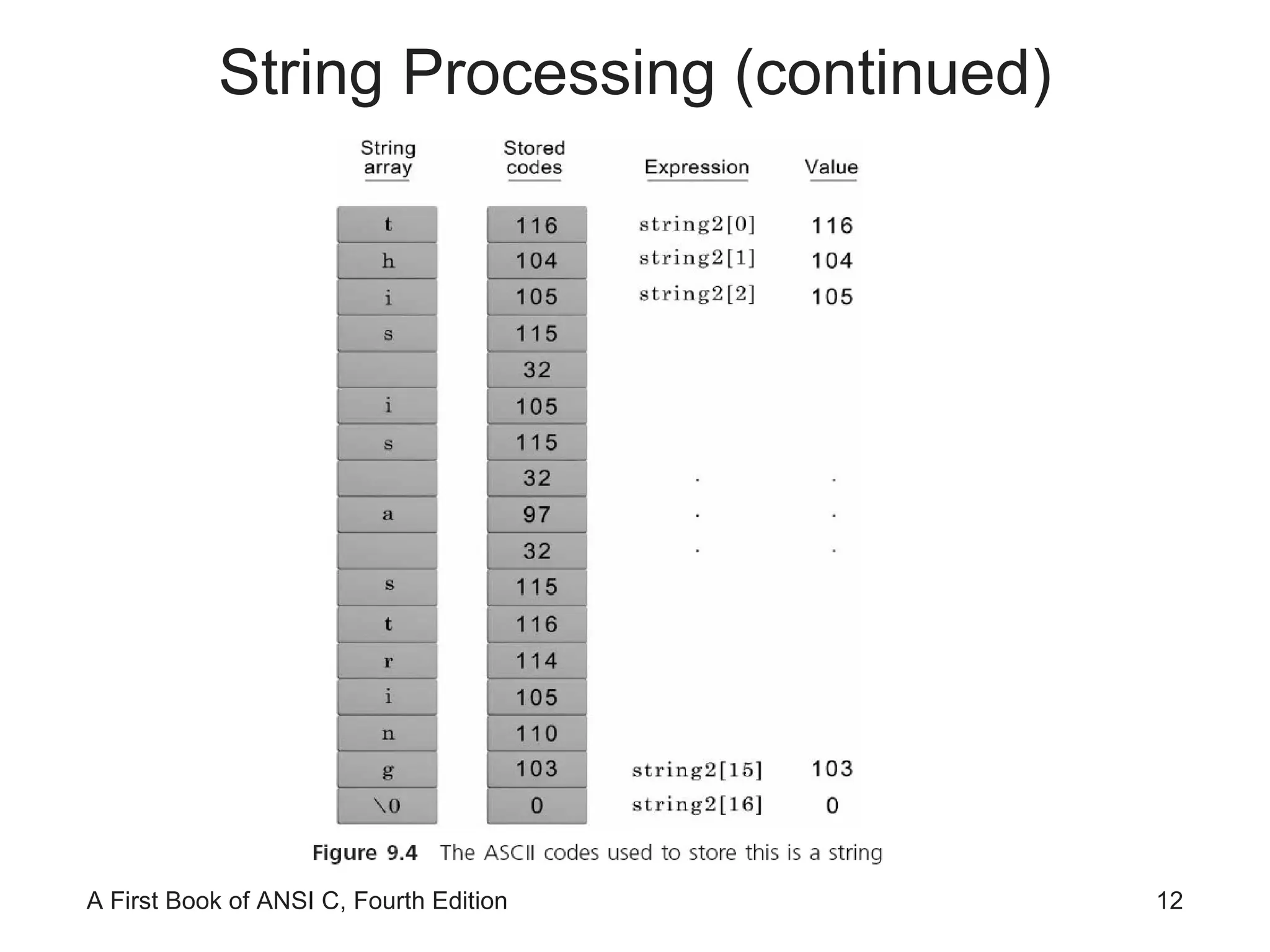
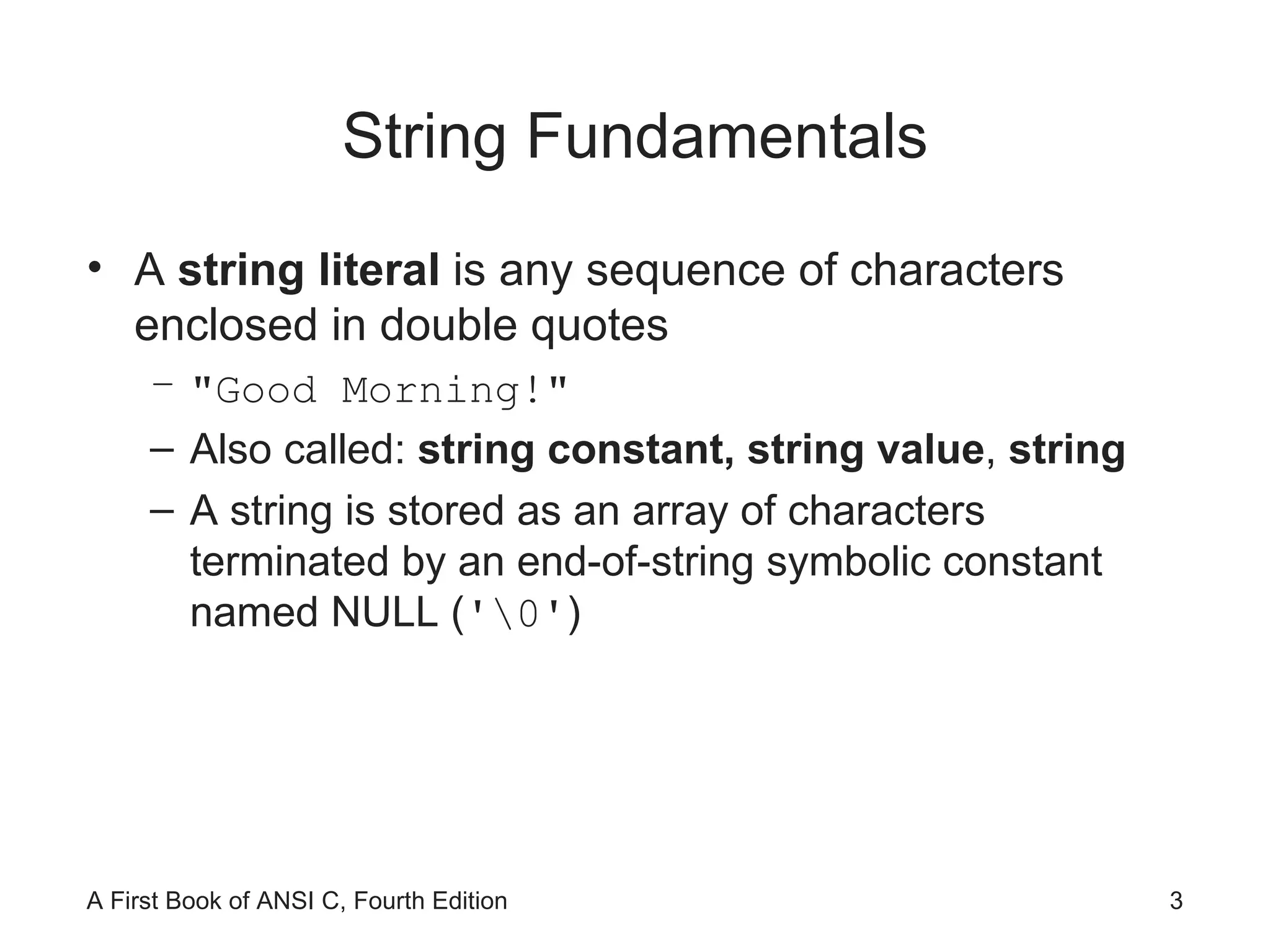
String Fundamentals A  string literal  is any sequence of characters enclosed in double quotes "Good Morning!" Also called:  string constant,   string value ,  string A string is stored as an array of characters terminated by an end-of-string symbolic constant named NULL ( '\0' )
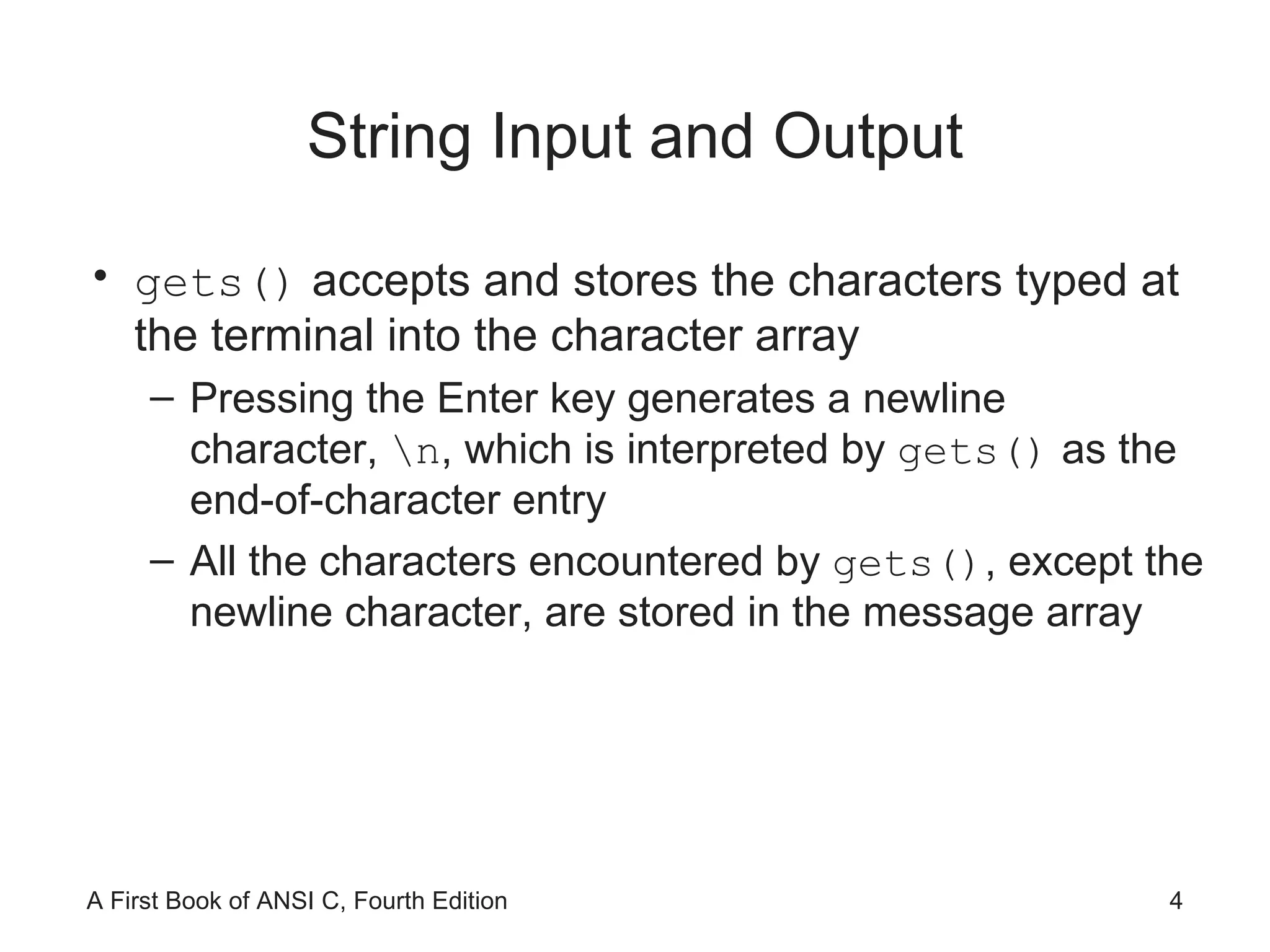
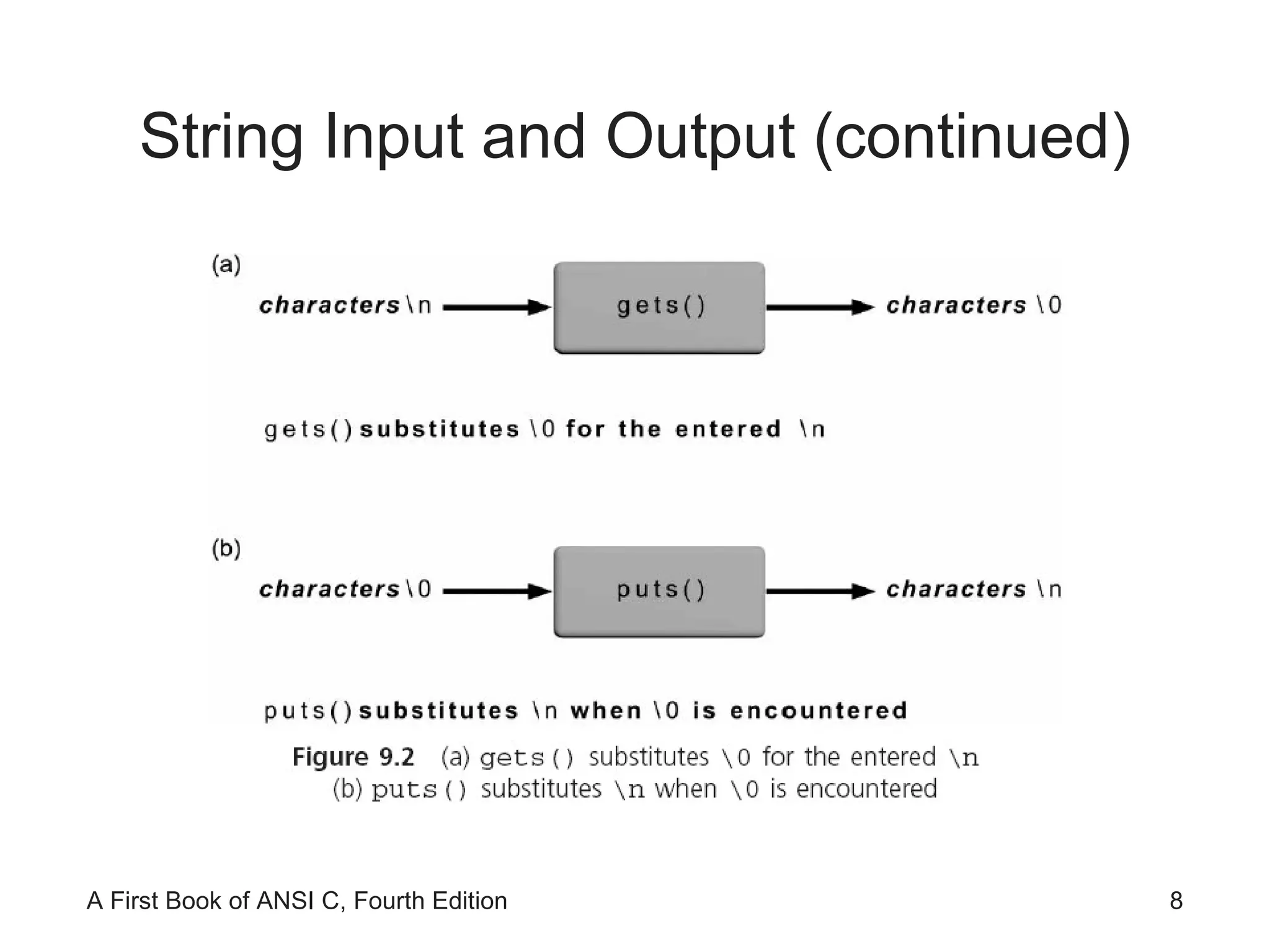
String Input and Output gets()  accepts and stores the characters typed at the terminal into the character array  Pressing the Enter key generates a newline character,  \n , which is interpreted by  gets()  as the end-of-character entry All the characters encountered by  gets() , except the newline character, are stored in the message array
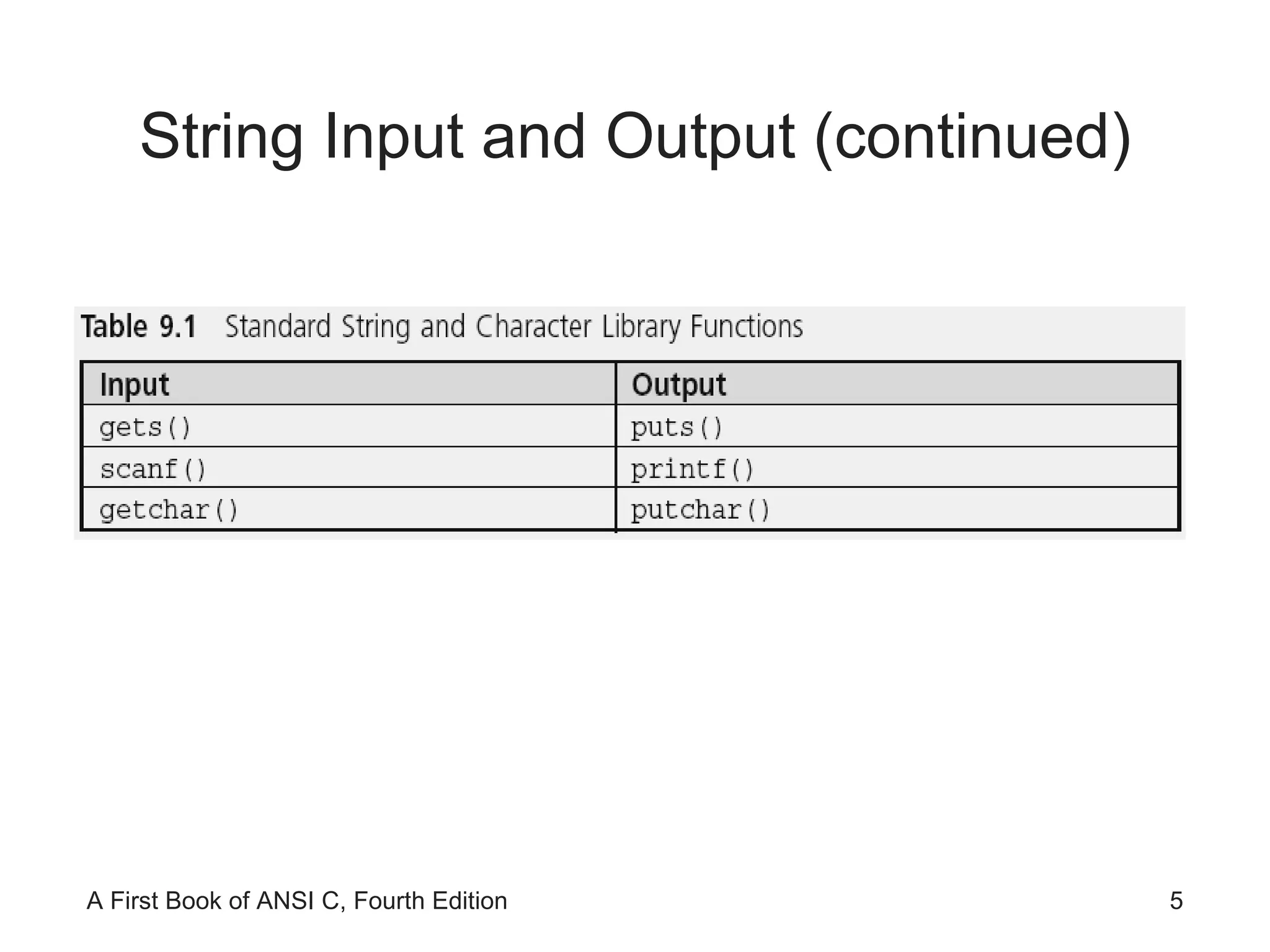
String Input and Output (continued)
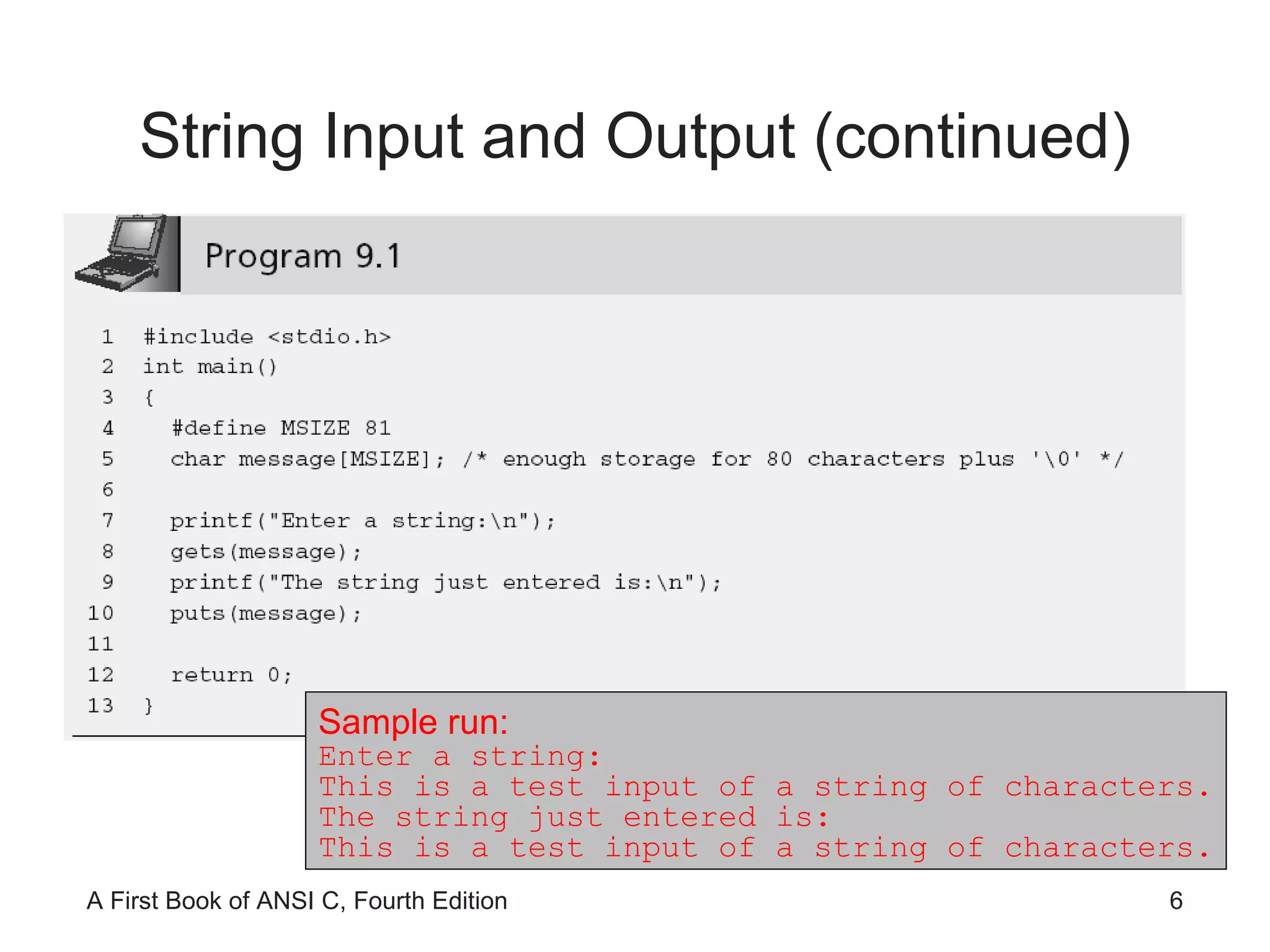
String Input and Output (continued) Sample run: Enter a string: This is a test input of a string of characters. The string just entered is: This is a test input of a string of characters.
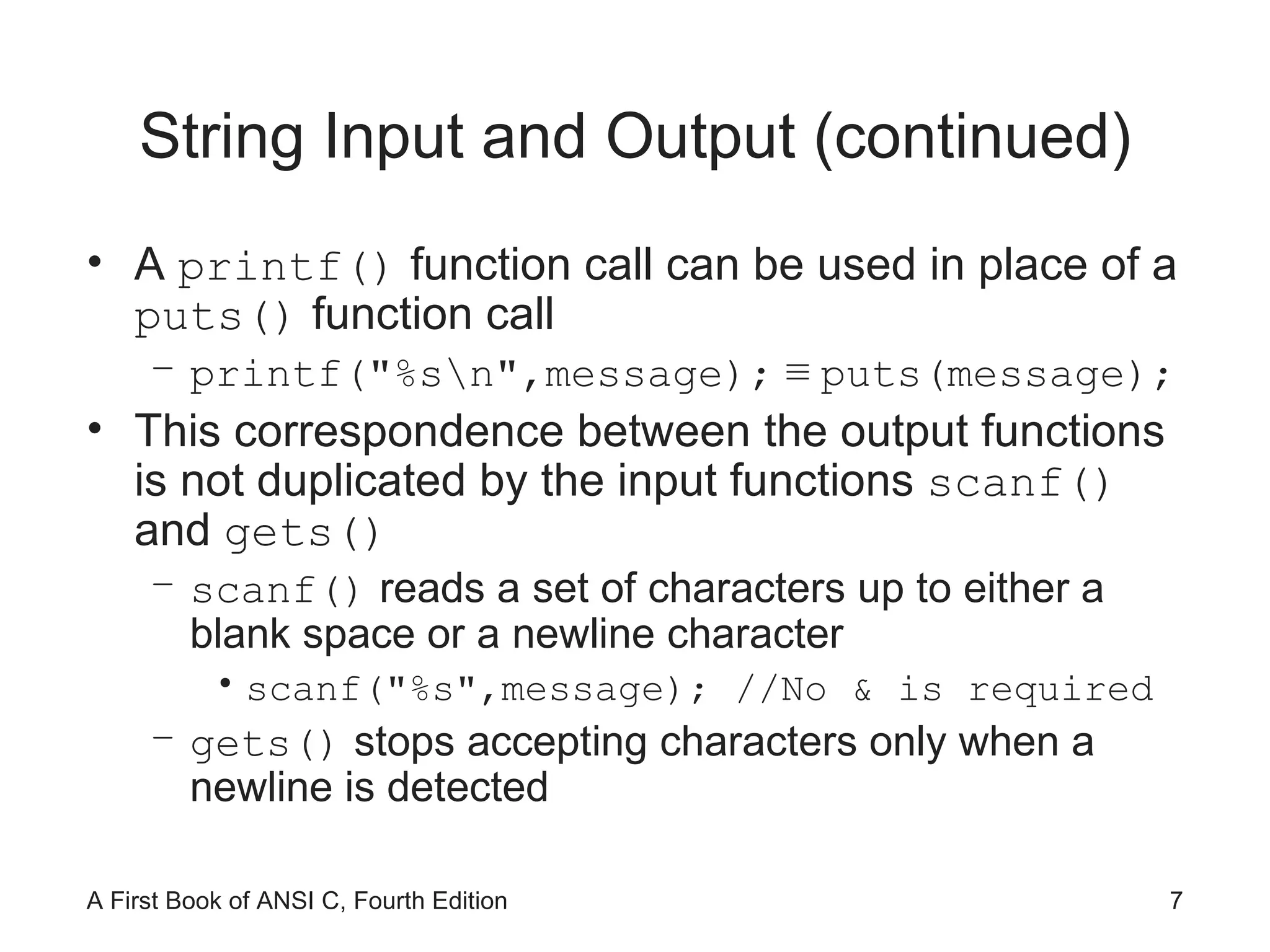
String Input and Output (continued) A  printf()  function call can be used in place of a  puts()  function call printf("%s\n",message);   ≡  puts(message); This correspondence between the output functions is not duplicated by the input functions  scanf()  and  gets() scanf()  reads a set of characters up to either a blank space or a newline character scanf("%s",message); //No & is required gets()  stops accepting characters only when a newline is detected
String Input and Output (continued)
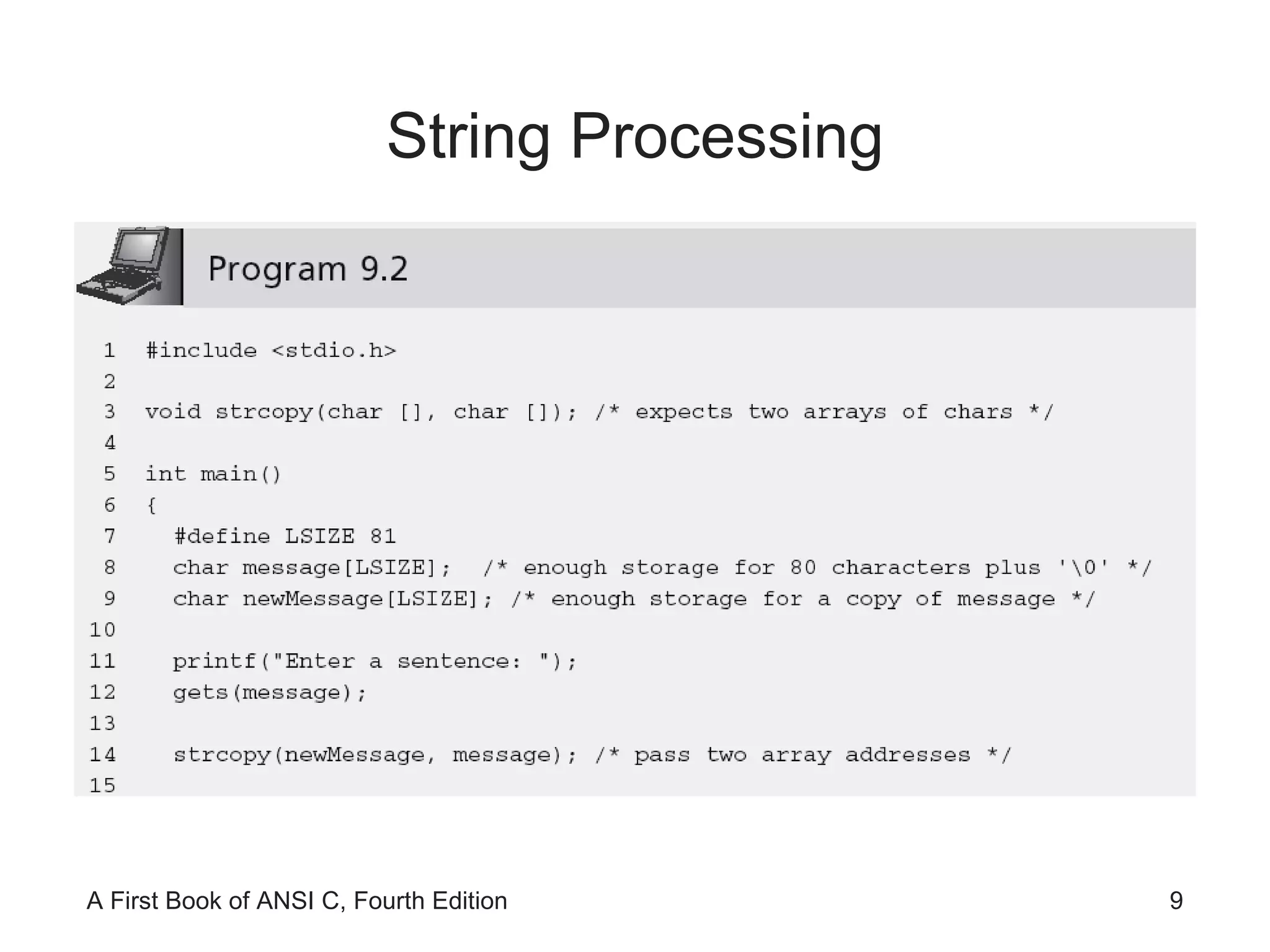
String Processing
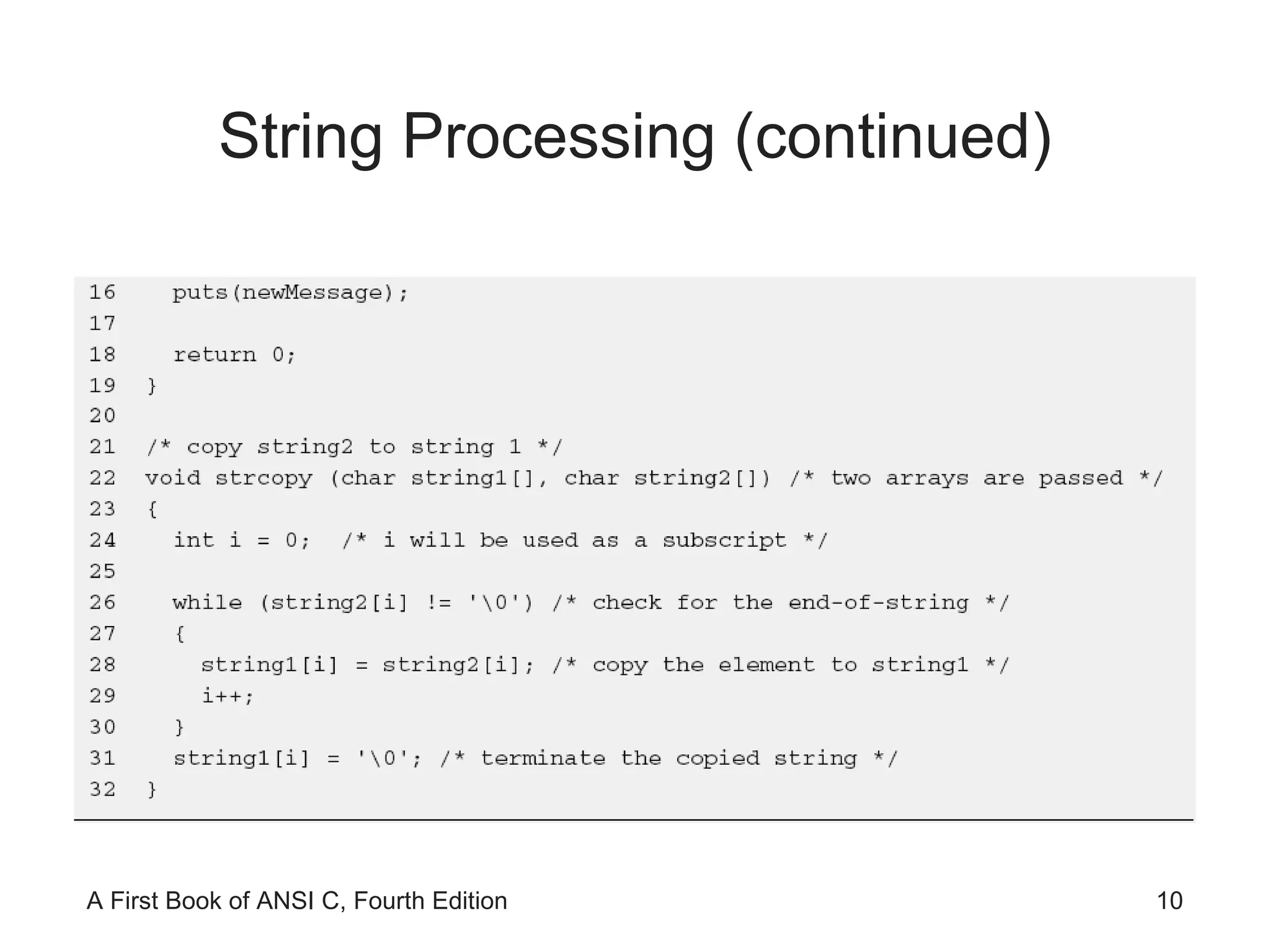
String Processing (continued)
NOTE: Because the expression  string2[i]  is only 0 at the end of a string and non-0 for every other character, the expression  while (string2[i] != '\0')  can be replaced by the simpler expression  while (string2[i]) . String Processing (continued)
String Processing (continued)
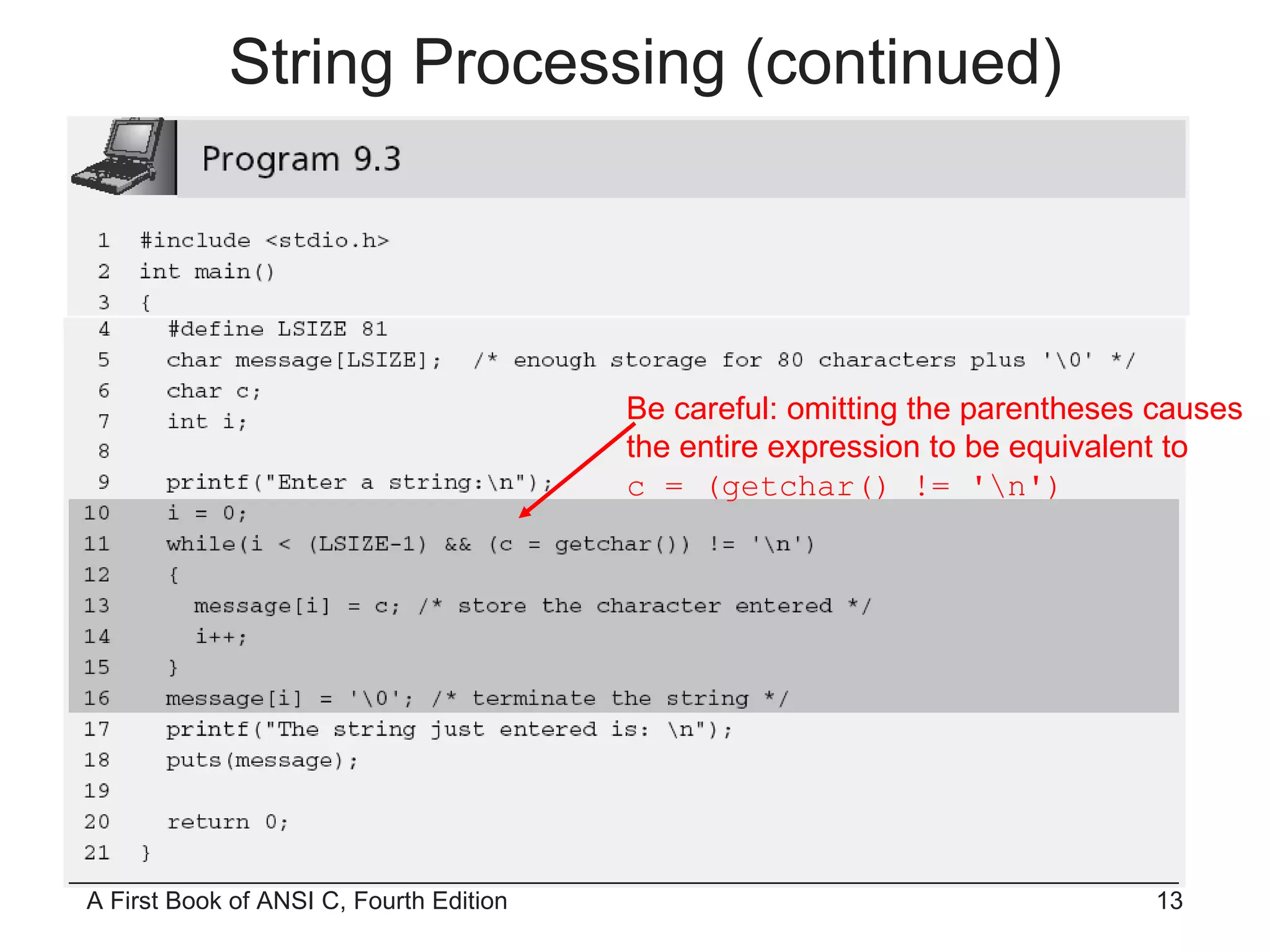
Be careful: omitting the parentheses causes the entire expression to be equivalent to c = (getchar() != '\n') String Processing (continued)
String Processing (continued)
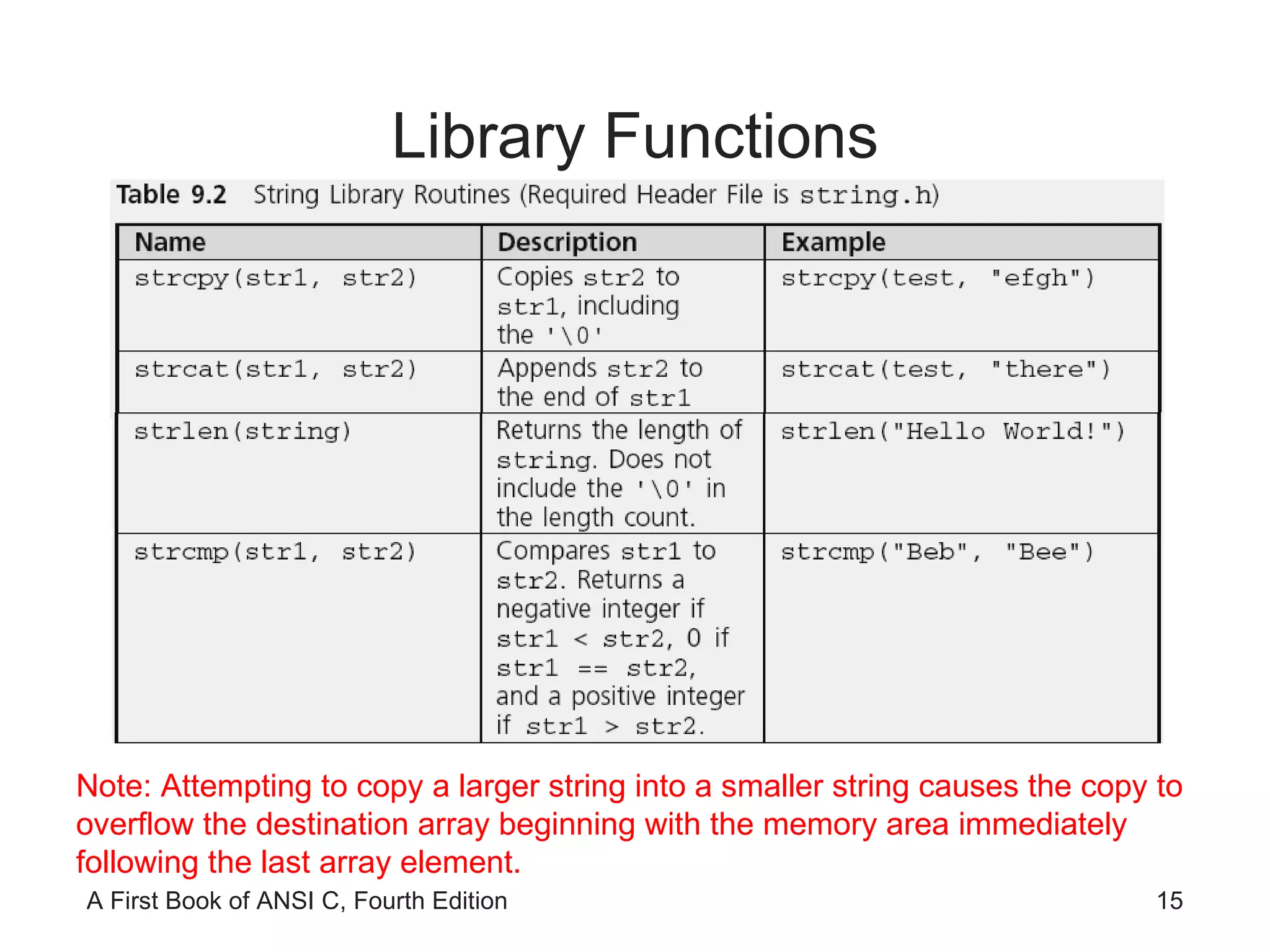
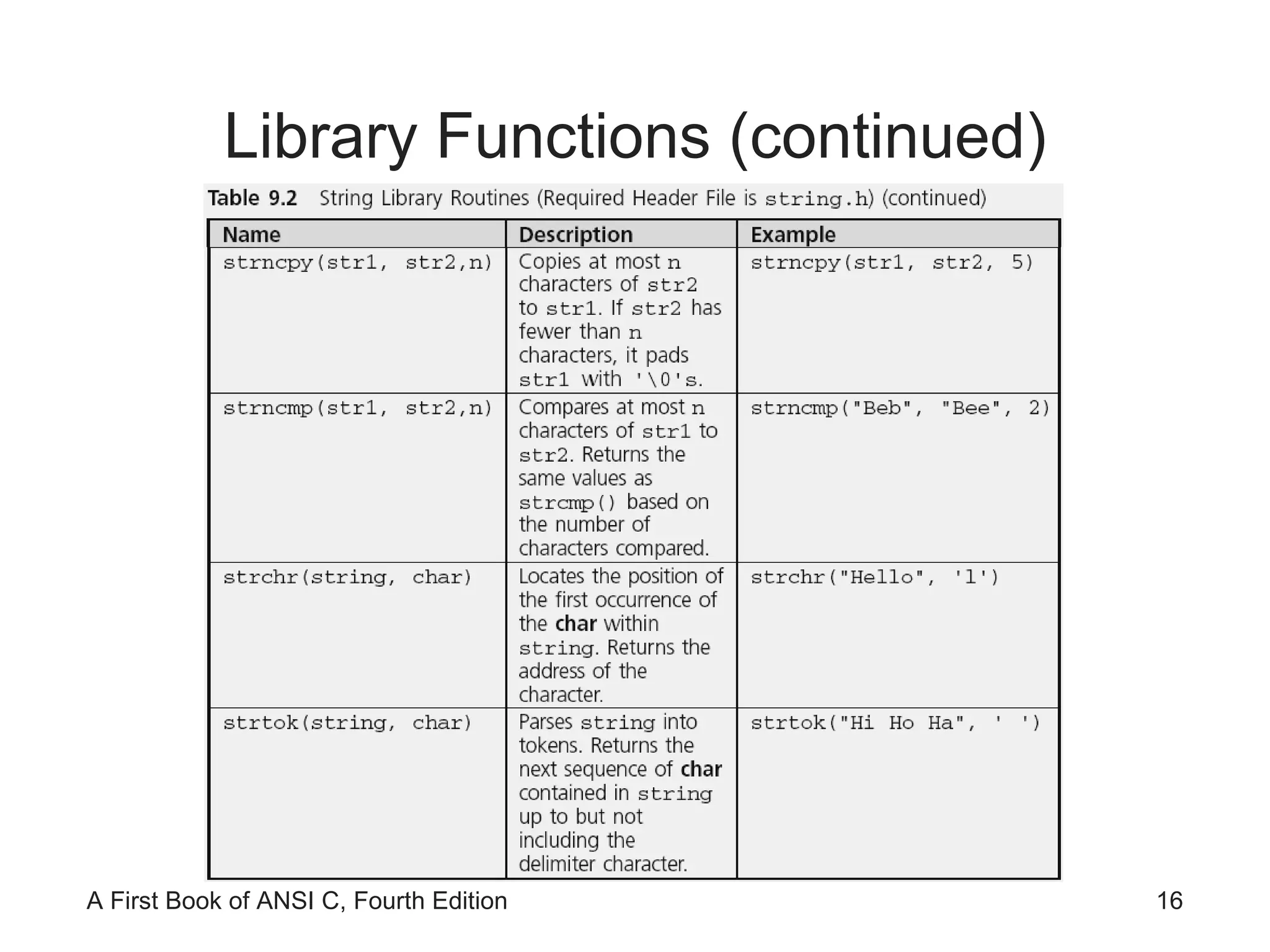
Library Functions Note: Attempting to copy a larger string into a smaller string causes the copy to overflow the destination array beginning with the memory area immediately following the last array element.
Library Functions (continued)
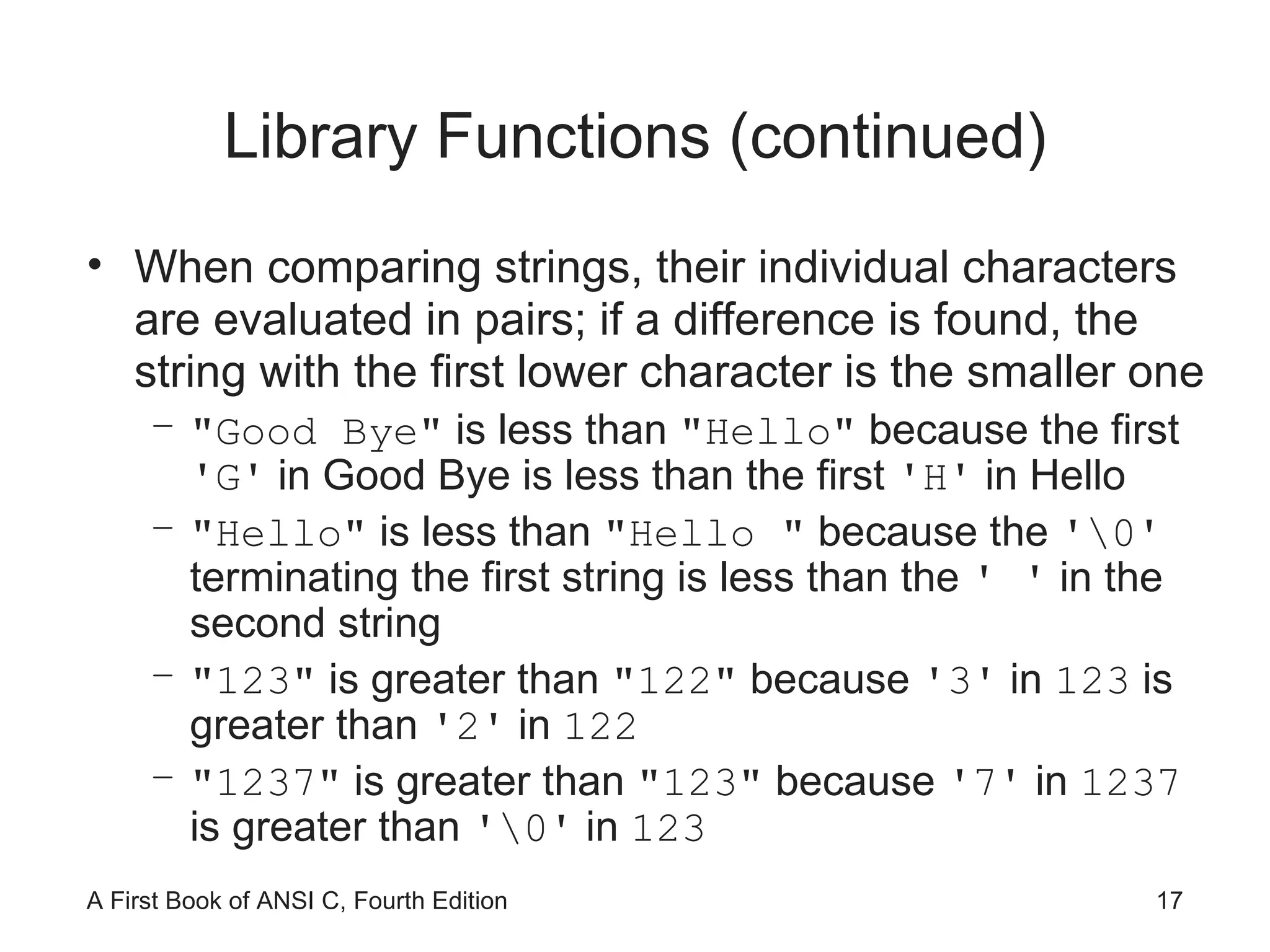
Library Functions (continued) When comparing strings, their individual characters are evaluated in pairs; if a difference is found, the string with the first lower character is the smaller one "Good Bye"  is less than  "Hello"  because the first  'G'  in Good Bye is less than the first  'H'  in Hello "Hello"  is less than  "Hello "  because the  '\0'  terminating the first string is less than the  ' '  in the second string "123"  is greater than  "122"  because  '3'  in  123  is greater than  '2'  in  122 "1237"  is greater than  "123"  because  '7'  in  1237  is greater than  '\0'  in  123
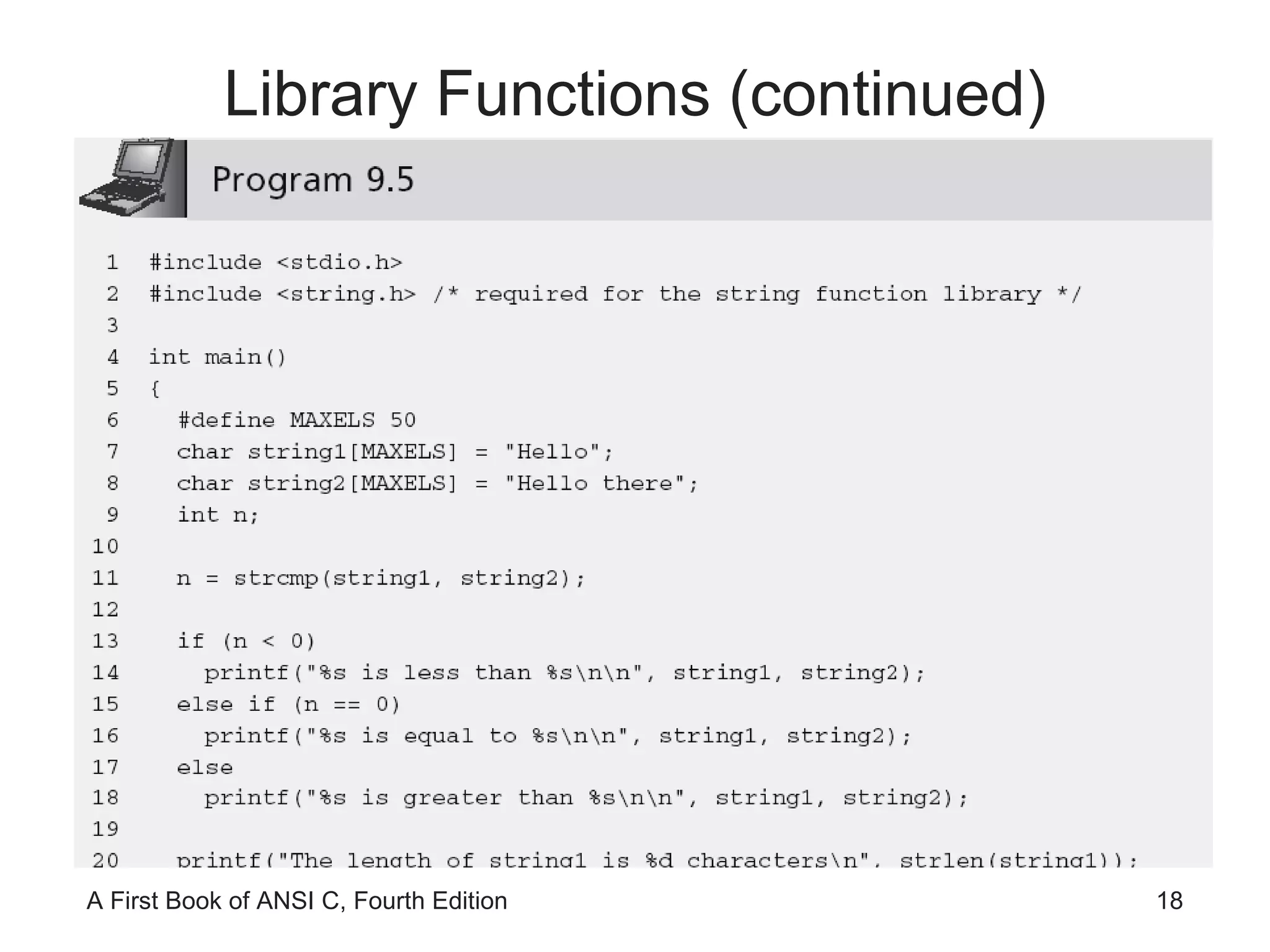
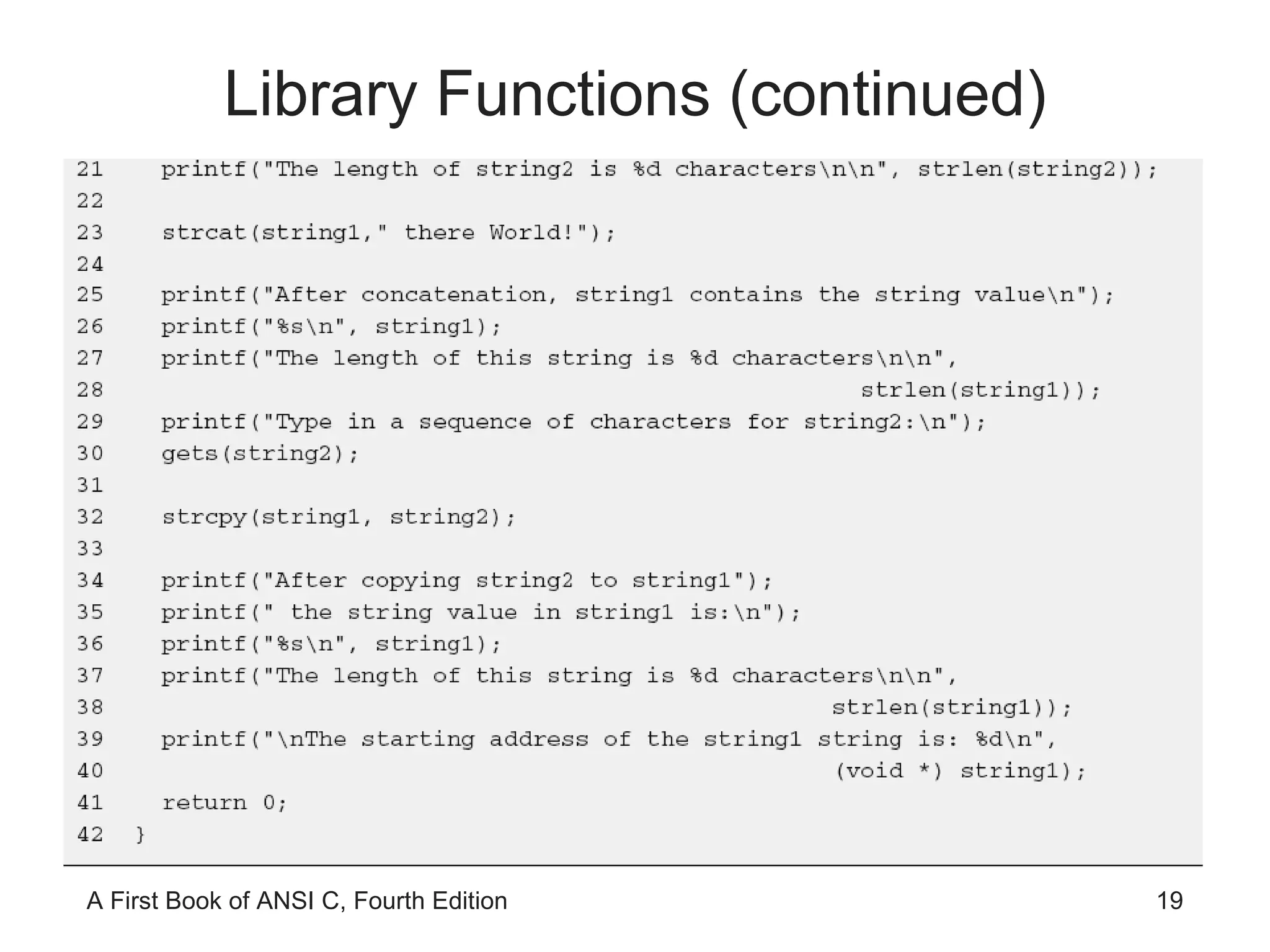
Library Functions (continued)
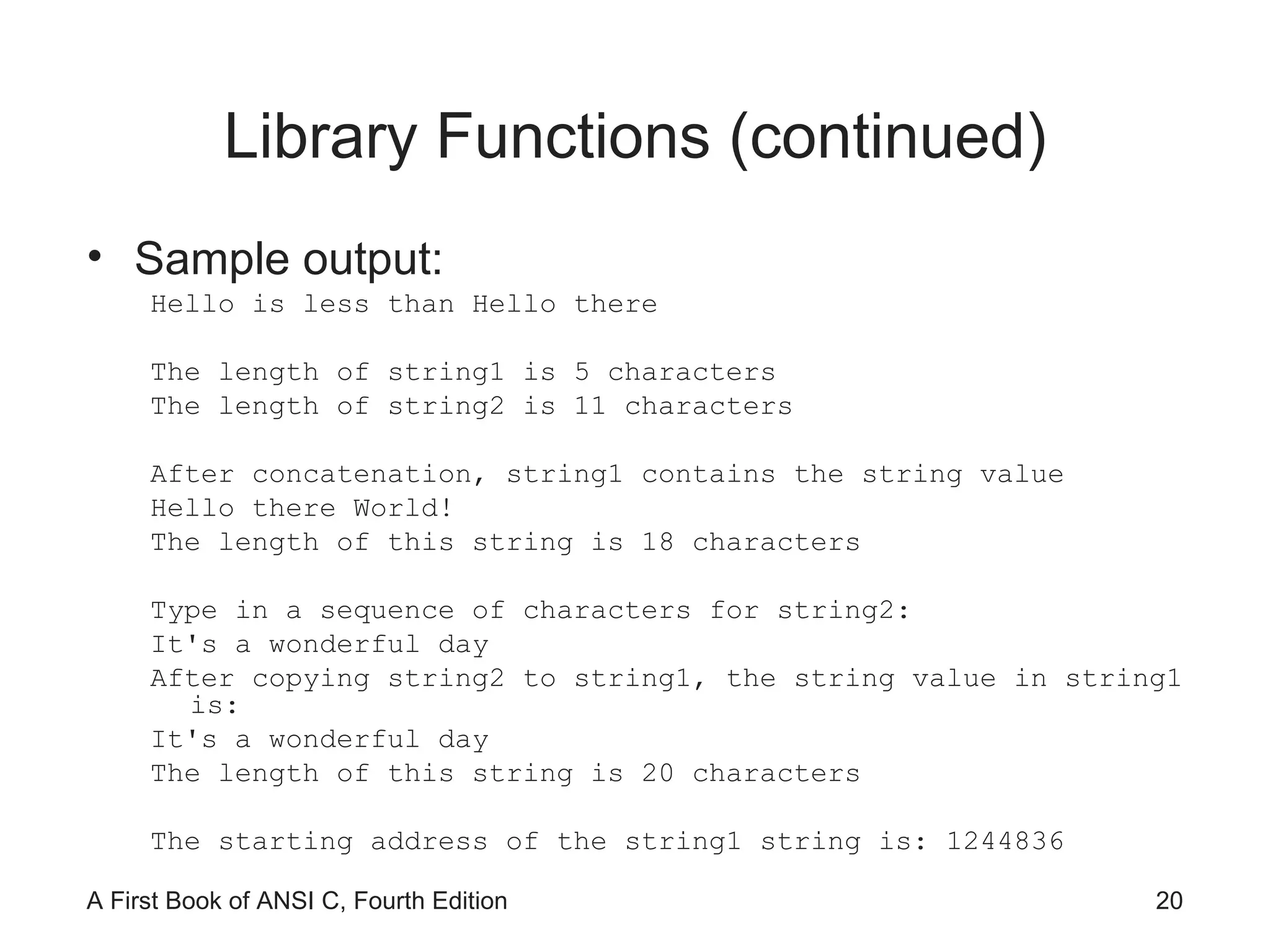
Library Functions (continued) Sample output: Hello is less than Hello there The length of string1 is 5 characters The length of string2 is 11 characters After concatenation, string1 contains the string value Hello there World! The length of this string is 18 characters Type in a sequence of characters for string2: It's a wonderful day After copying string2 to string1, the string value in string1 is: It's a wonderful day The length of this string is 20 characters The starting address of the string1 string is: 1244836
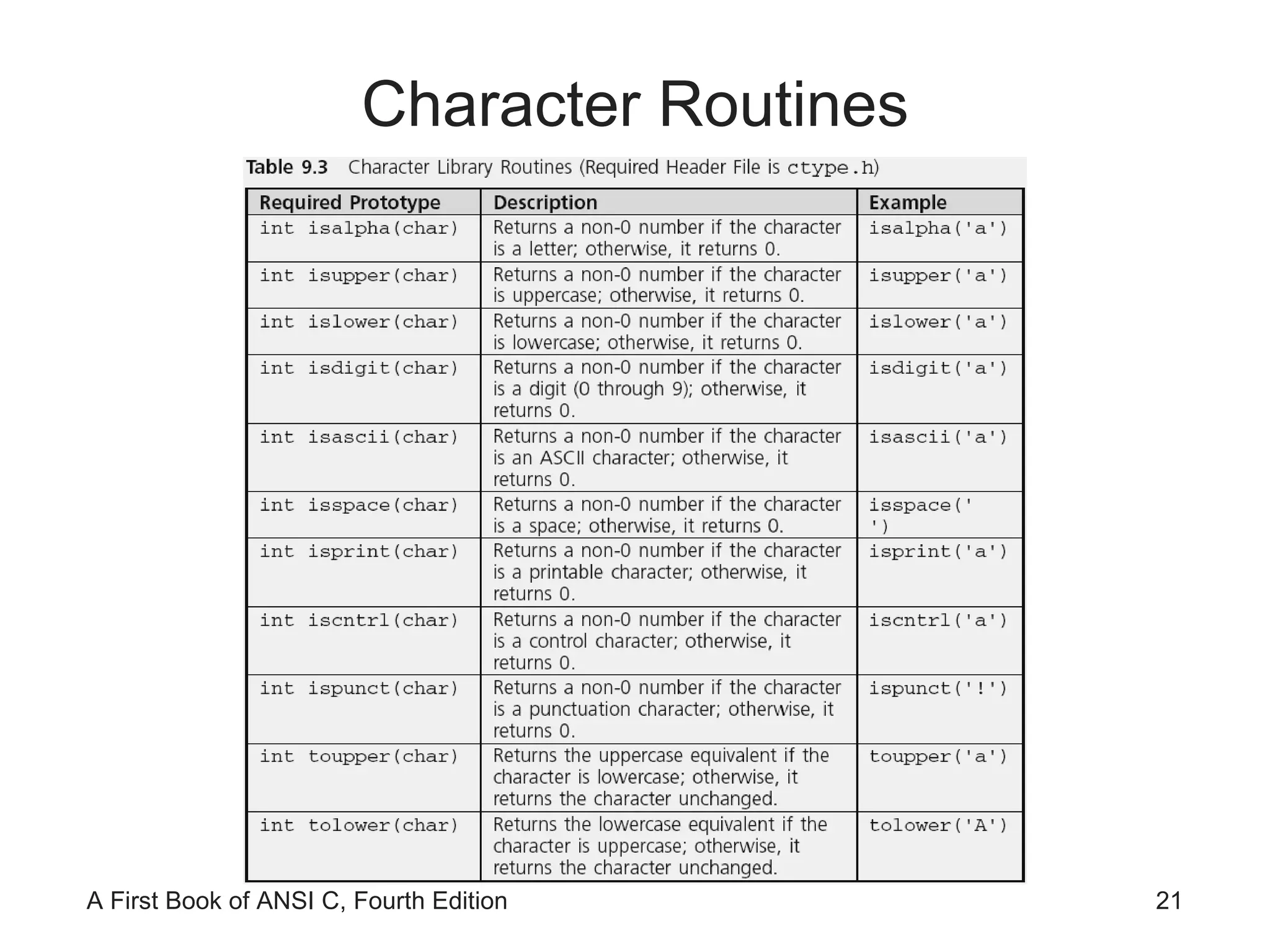
Character Routines
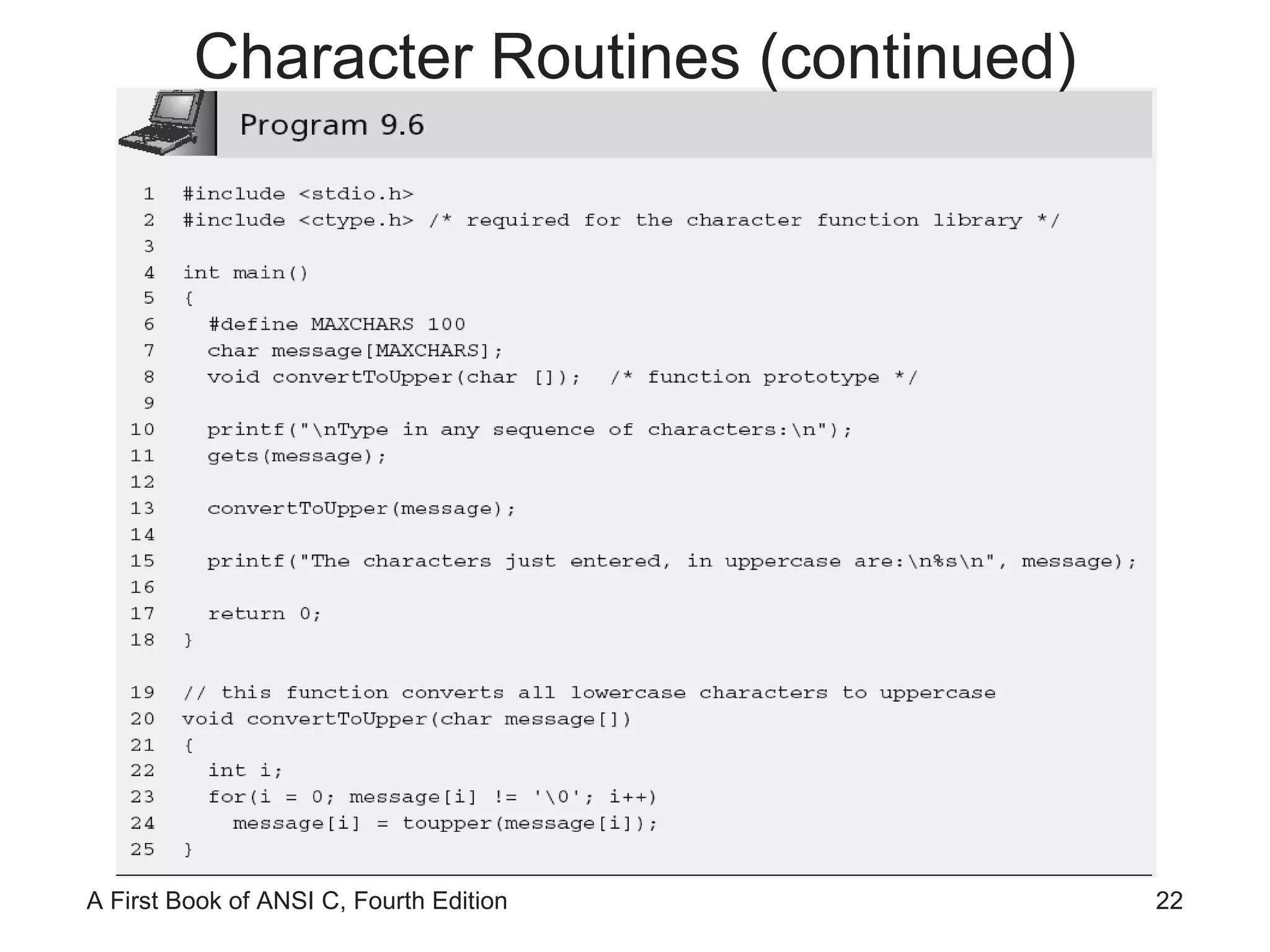
Character Routines (continued)
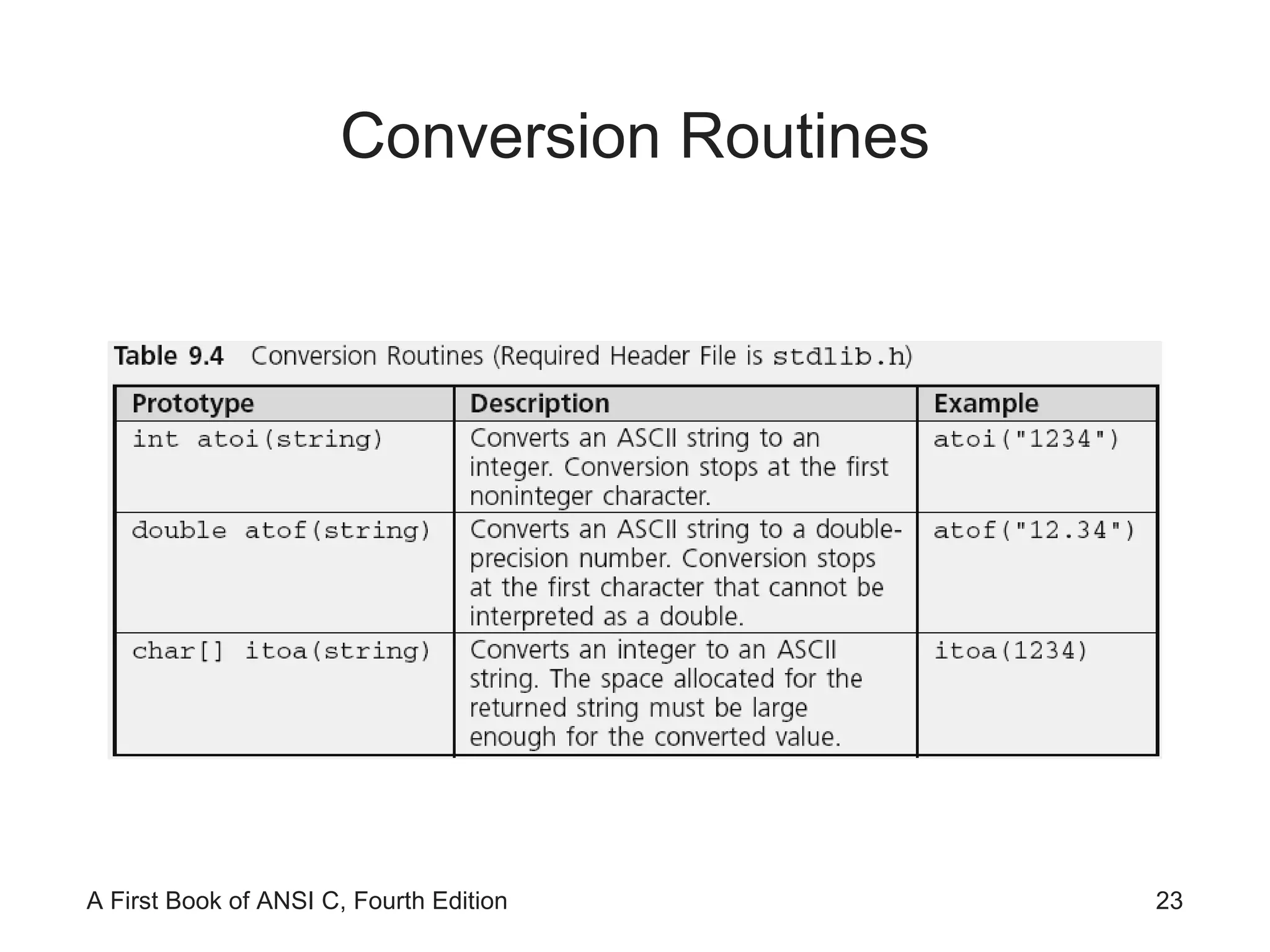
Conversion Routines
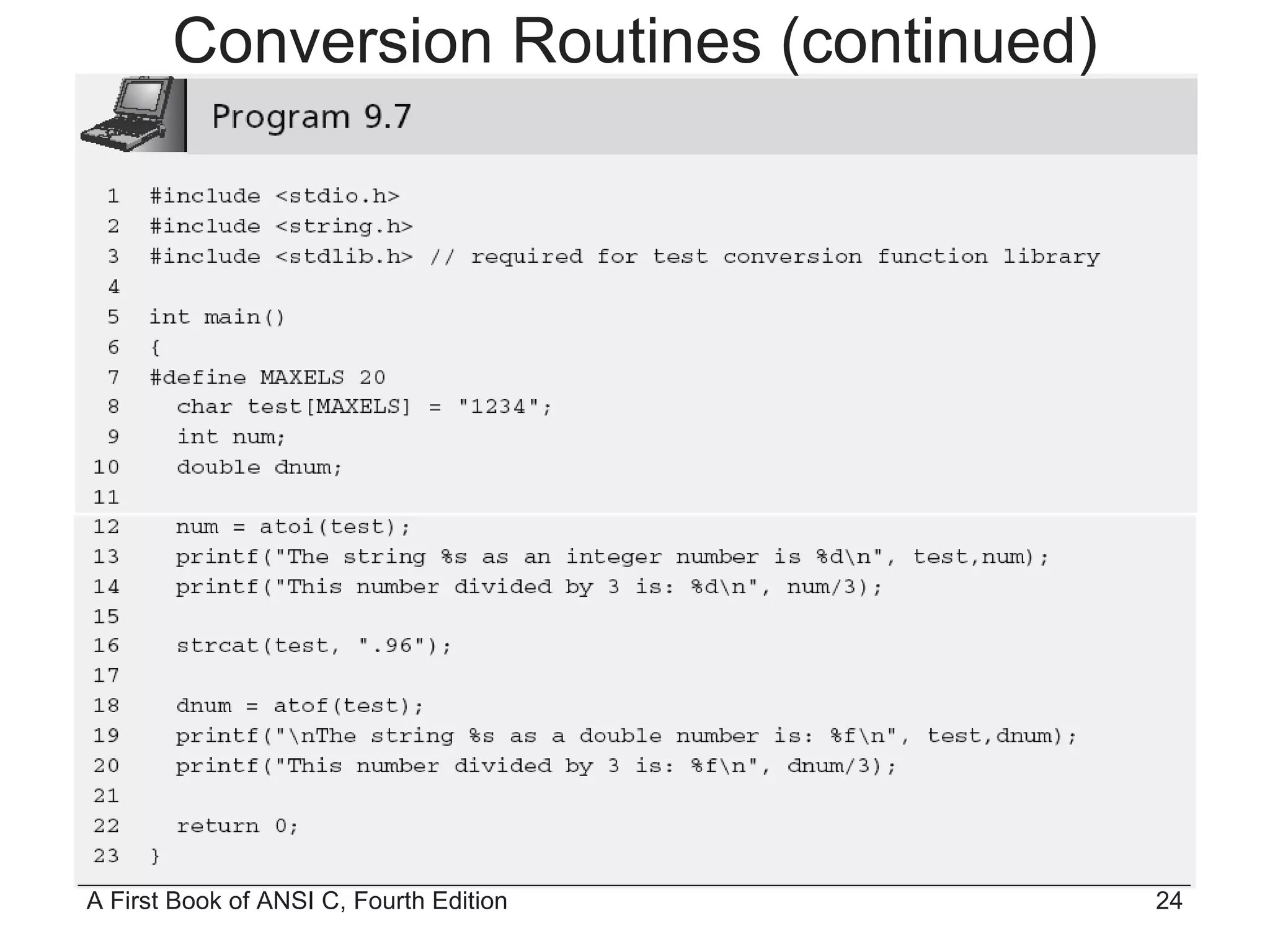
Conversion Routines (continued)
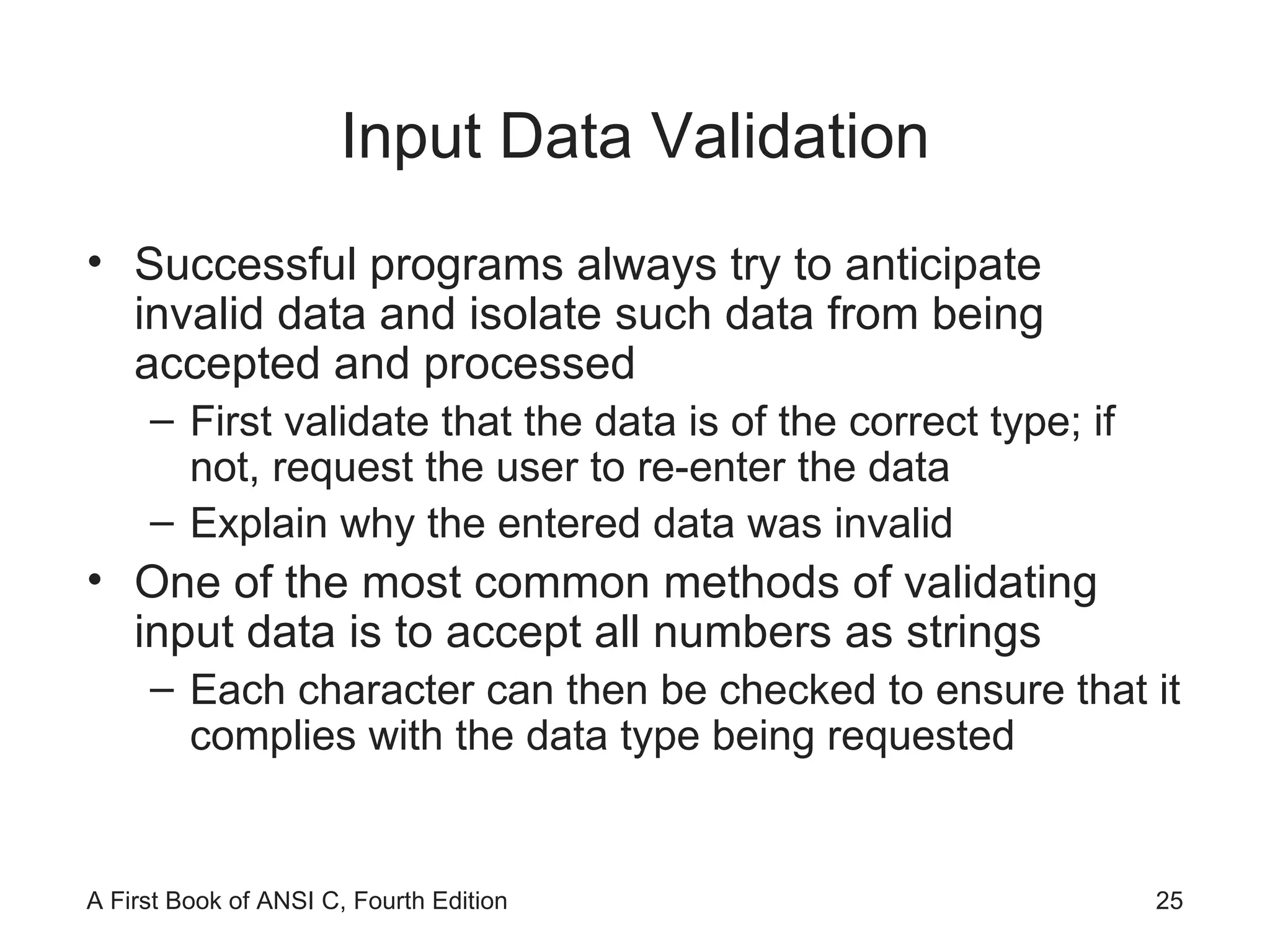
Input Data Validation Successful programs always try to anticipate invalid data and isolate such data from being accepted and processed First validate that the data is of the correct type; if not, request the user to re-enter the data Explain why the entered data was invalid One of the most common methods of validating input data is to accept all numbers as strings Each character can then be checked to ensure that it complies with the data type being requested
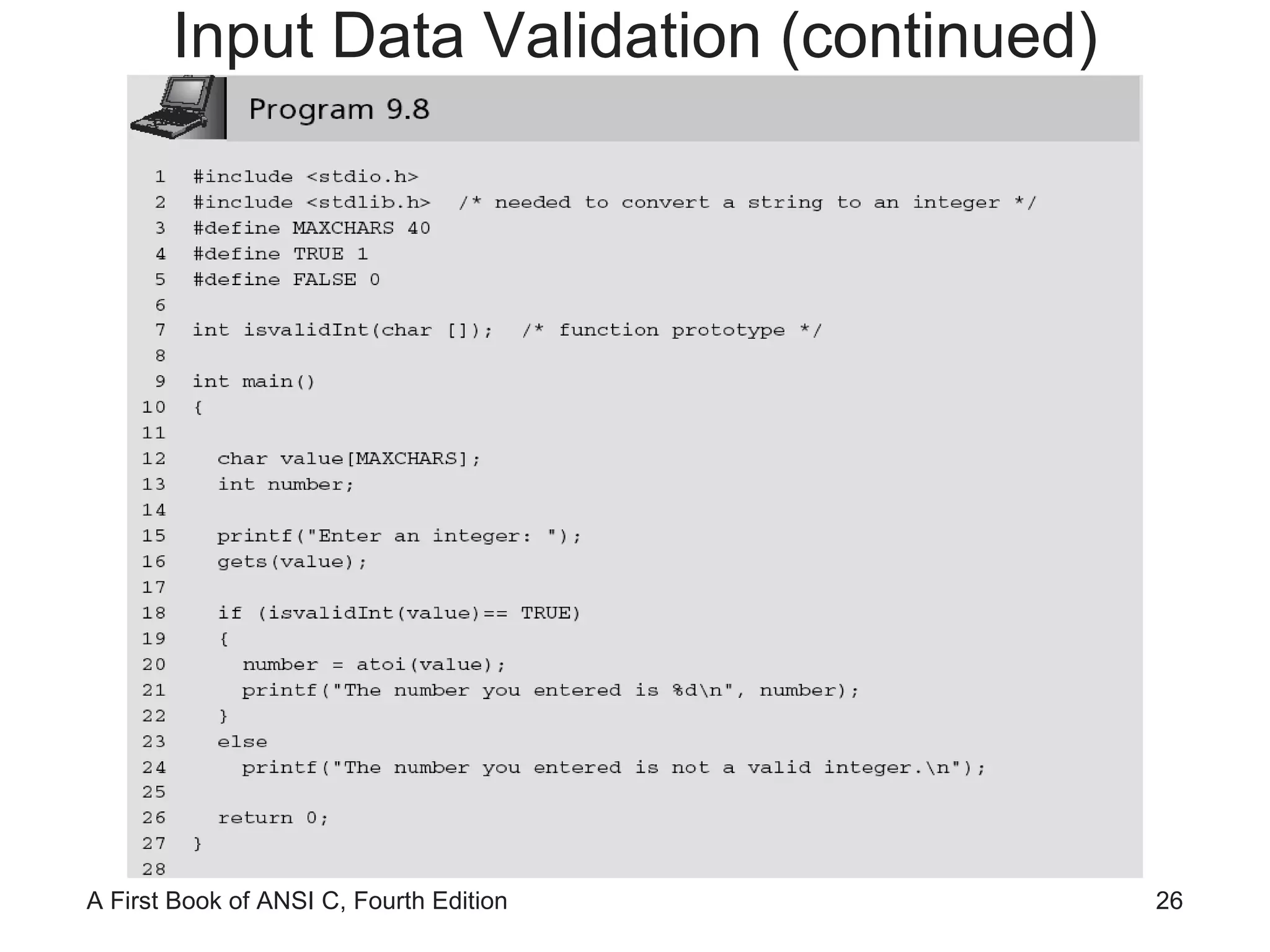
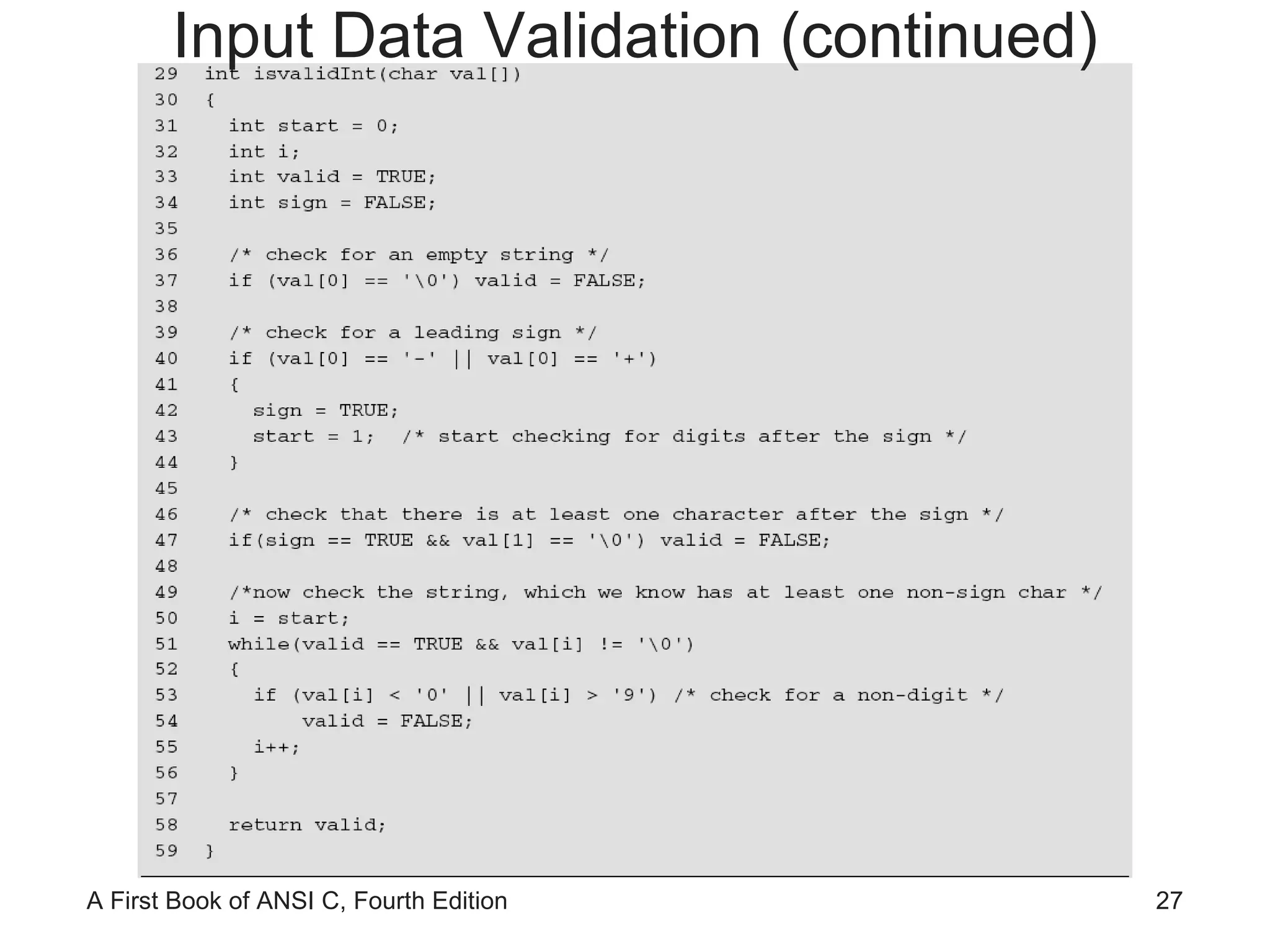
Input Data Validation (continued)
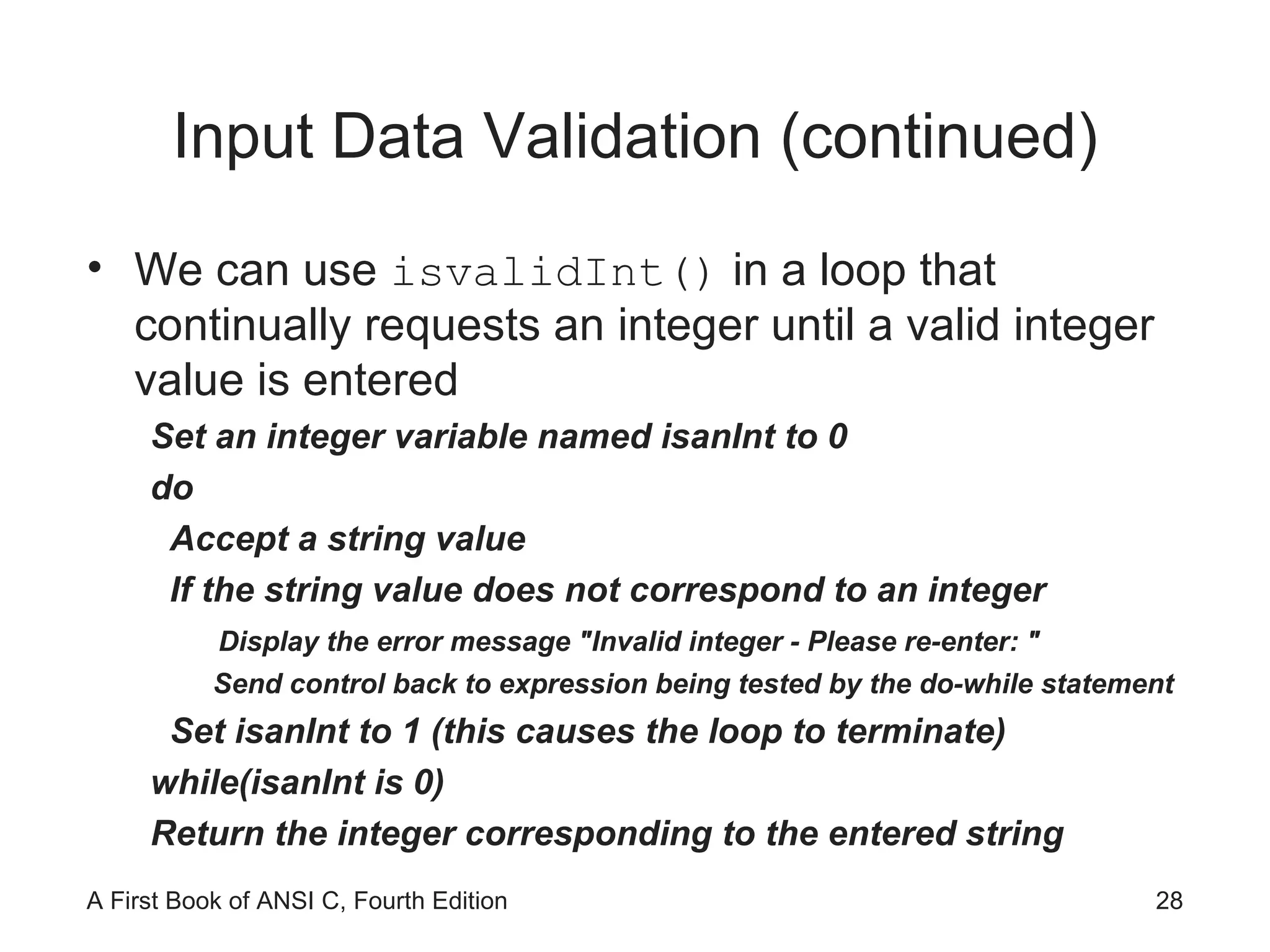
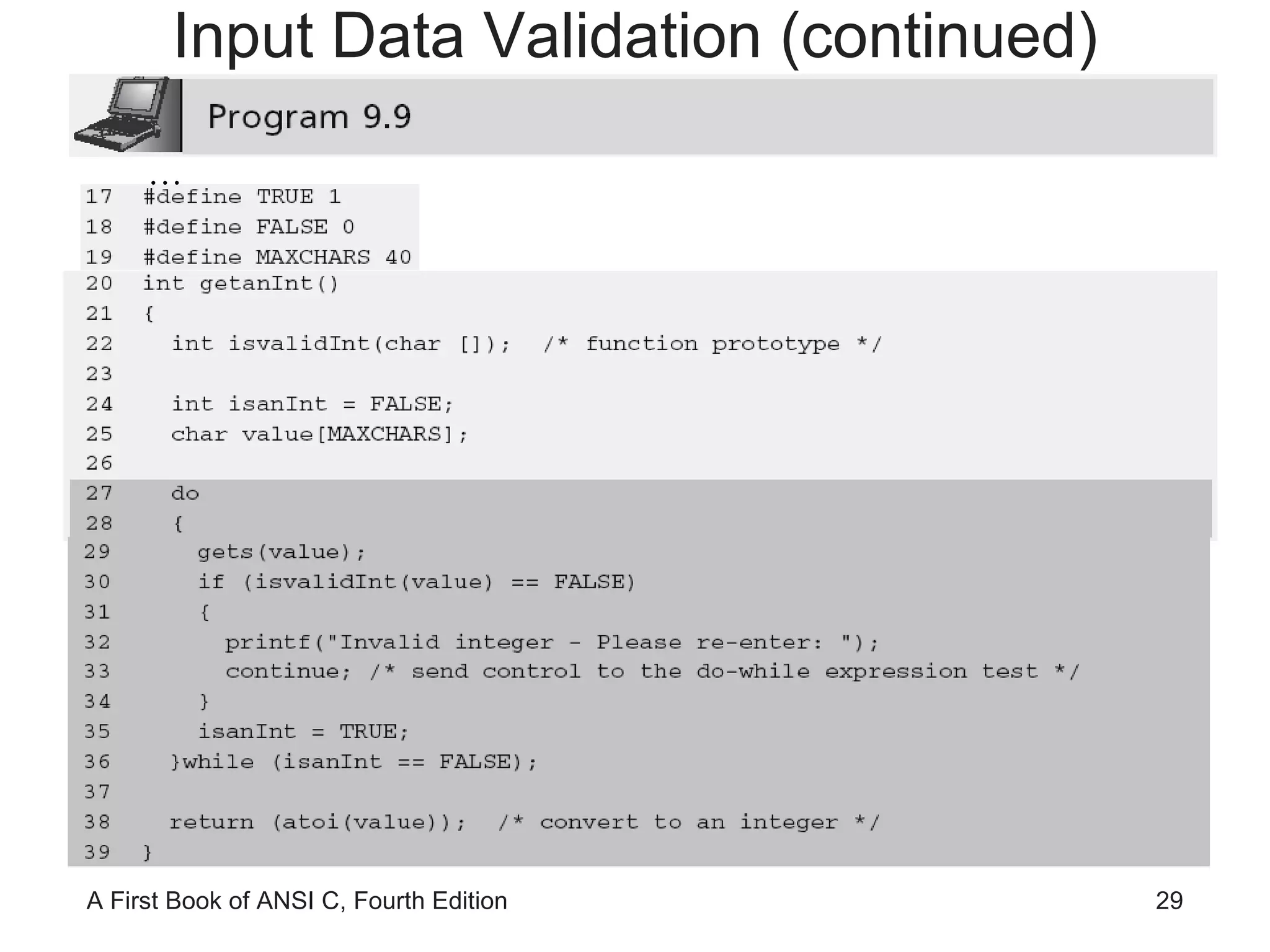
Input Data Validation (continued) We can use  isvalidInt()  in a loop that continually requests an integer until a valid integer value is entered Set an integer variable named isanInt to 0 do Accept a string value If the string value does not correspond to an integer Display the error message "Invalid integer - Please re-enter: " Send control back to expression being tested by the do-while statement Set isanInt to 1 (this causes the loop to terminate) while(isanInt is 0) Return the integer corresponding to the entered string
Input Data Validation (continued) …
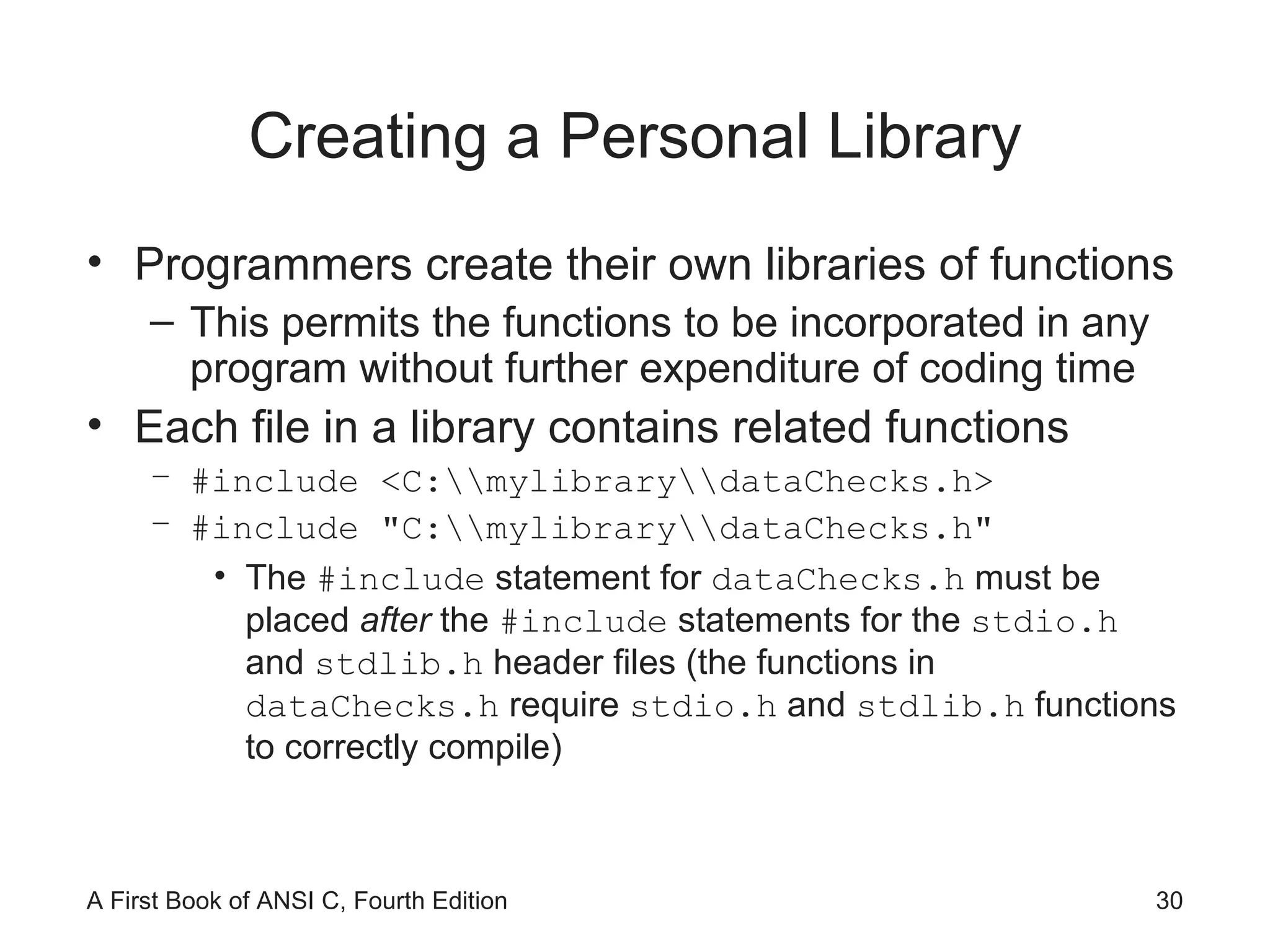
Creating a Personal Library Programmers create their own libraries of functions This permits the functions to be incorporated in any program without further expenditure of coding time Each file in a library contains related functions #include <C:\\mylibrary\\dataChecks.h> #include &quot;C:\\mylibrary\\dataChecks.h&quot; The  #include  statement for  dataChecks.h  must be placed  after  the  #include  statements for the  stdio.h  and  stdlib.h  header files (the functions in  dataChecks.h  require  stdio.h  and  stdlib.h  functions to correctly compile)
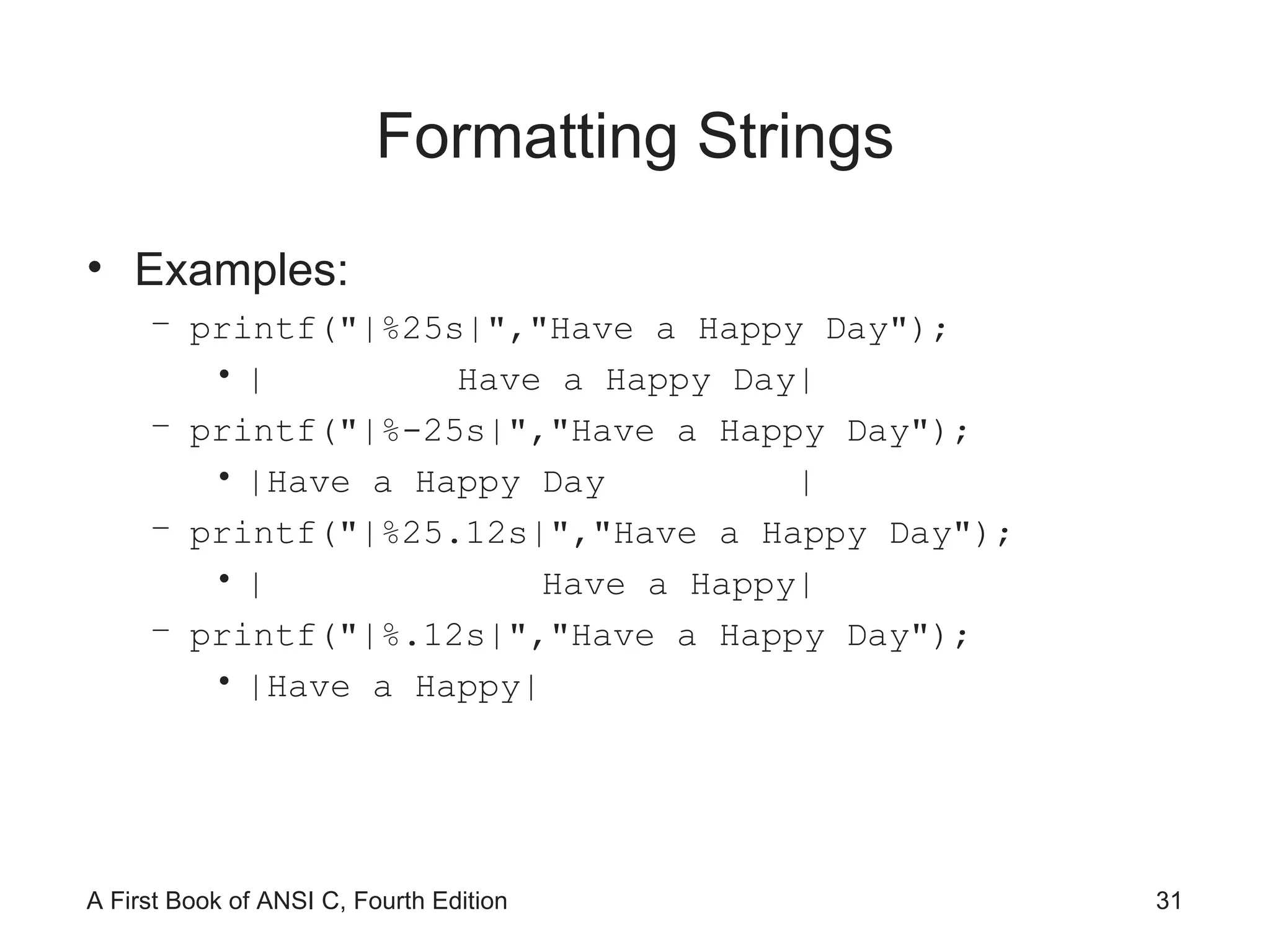
Formatting Strings Examples: printf(&quot;|%25s|&quot;,&quot;Have a Happy Day&quot;); |  Have a Happy Day| printf(&quot;|%-25s|&quot;,&quot;Have a Happy Day&quot;); |Have a Happy Day  | printf(&quot;|%25.12s|&quot;,&quot;Have a Happy Day&quot;); |  Have a Happy| printf(&quot;|%.12s|&quot;,&quot;Have a Happy Day&quot;); |Have a Happy|
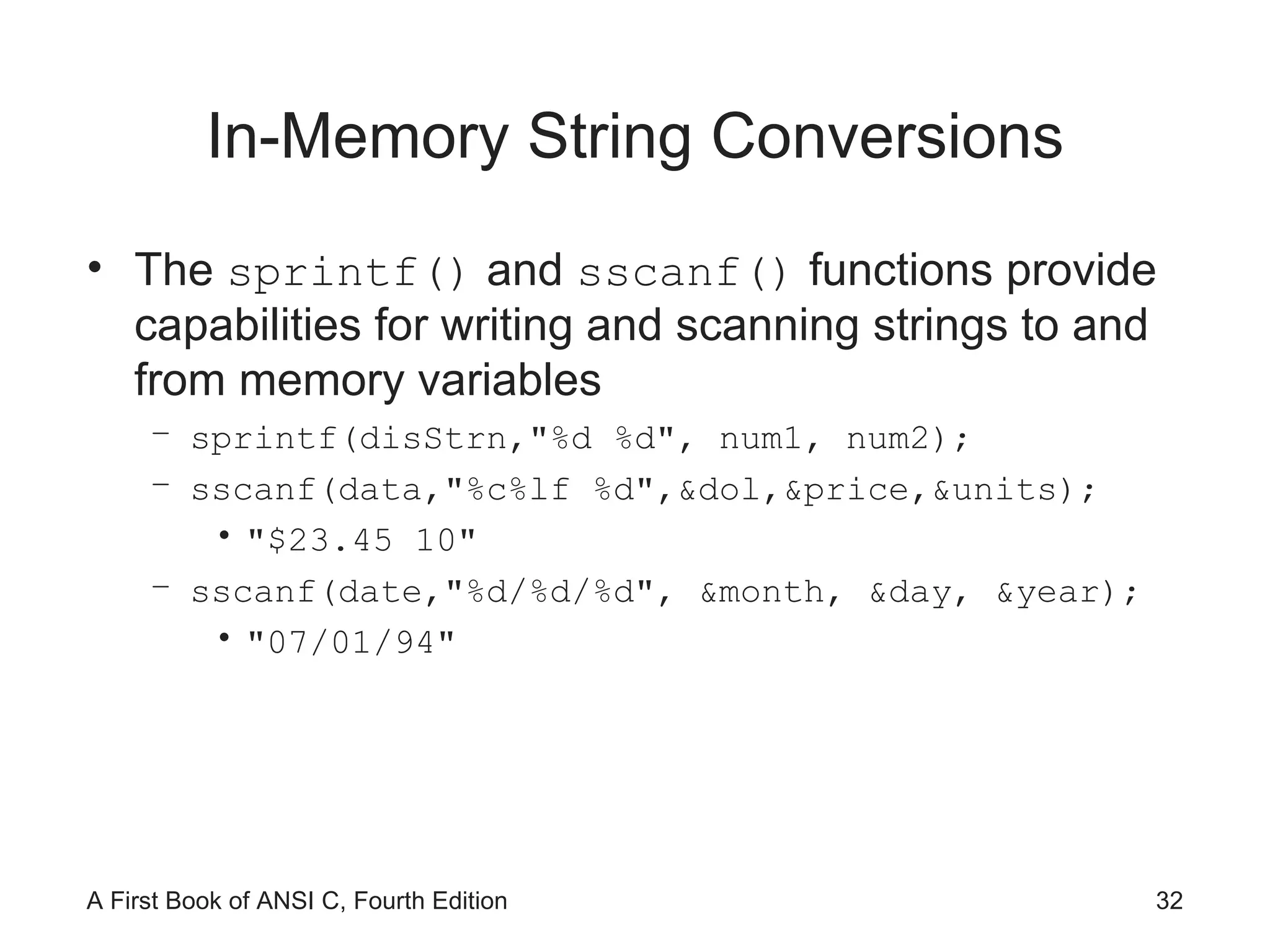
In-Memory String Conversions The  sprintf()  and  sscanf()  functions provide capabilities for writing and scanning strings to and from memory variables sprintf(disStrn,&quot;%d %d&quot;, num1, num2); sscanf(data,&quot;%c%lf %d&quot;,&dol,&price,&units); &quot;$23.45 10&quot; sscanf(date,&quot;%d/%d/%d&quot;, &month, &day, &year); &quot;07/01/94&quot;
Format Strings The control string containing the conversion control sequences need not be explicitly contained within the function printf(&quot;$%5.2f %d&quot;,num1,num2); Or, char fmat[] = &quot;$%5.2f %d&quot;; printf(fmat,num1,num2); Useful for listing format strings with other variable declarations at the beginning of a function If you need to change a format, it is easy to find the desired control string without searching to locate the appropriate  printf()  or  scanf()  function calls
Case Study: Character and Word Counting We construct two string-processing functions Count the number of characters in a string Count words in a sting What constitutes a word?
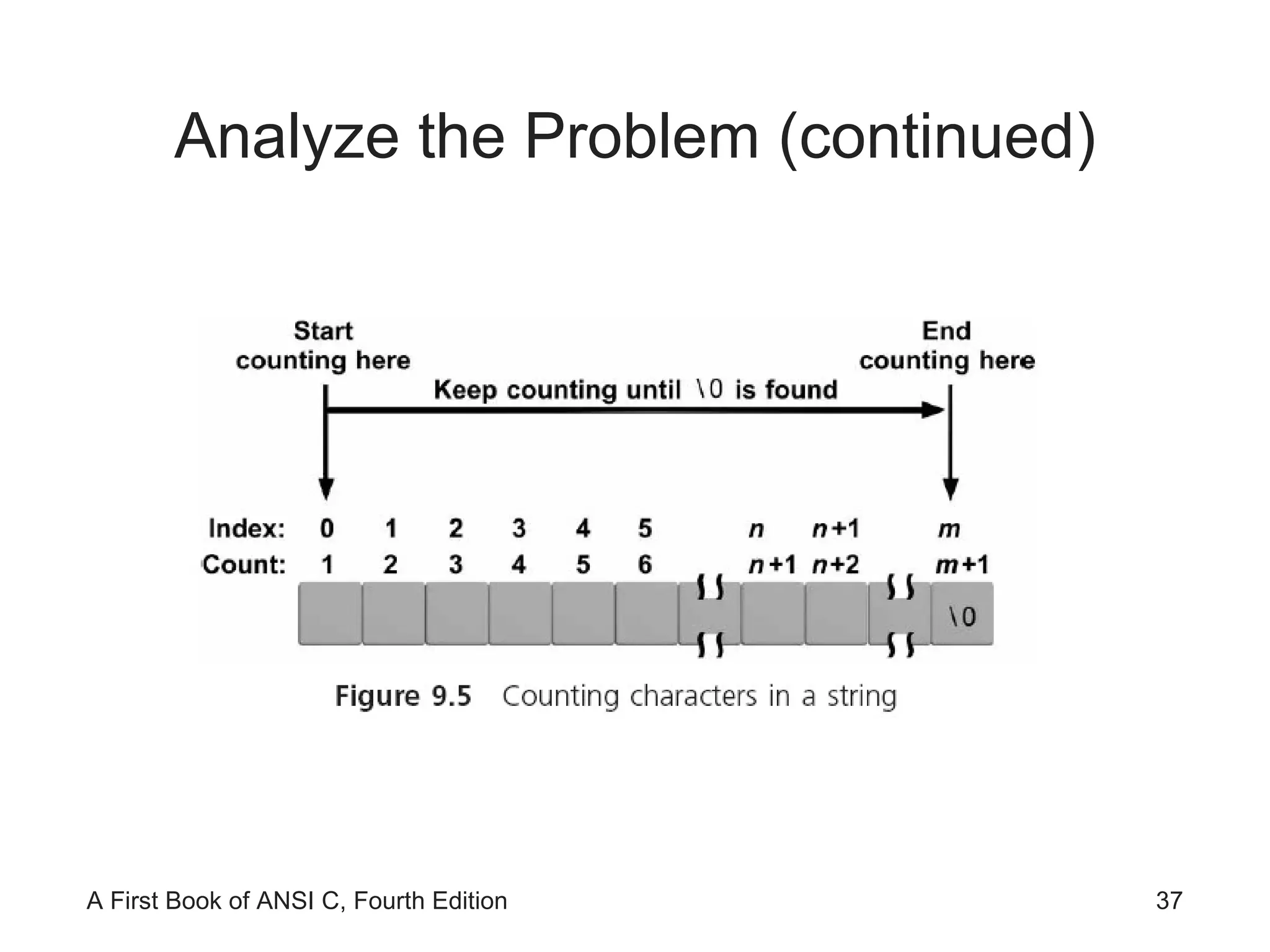
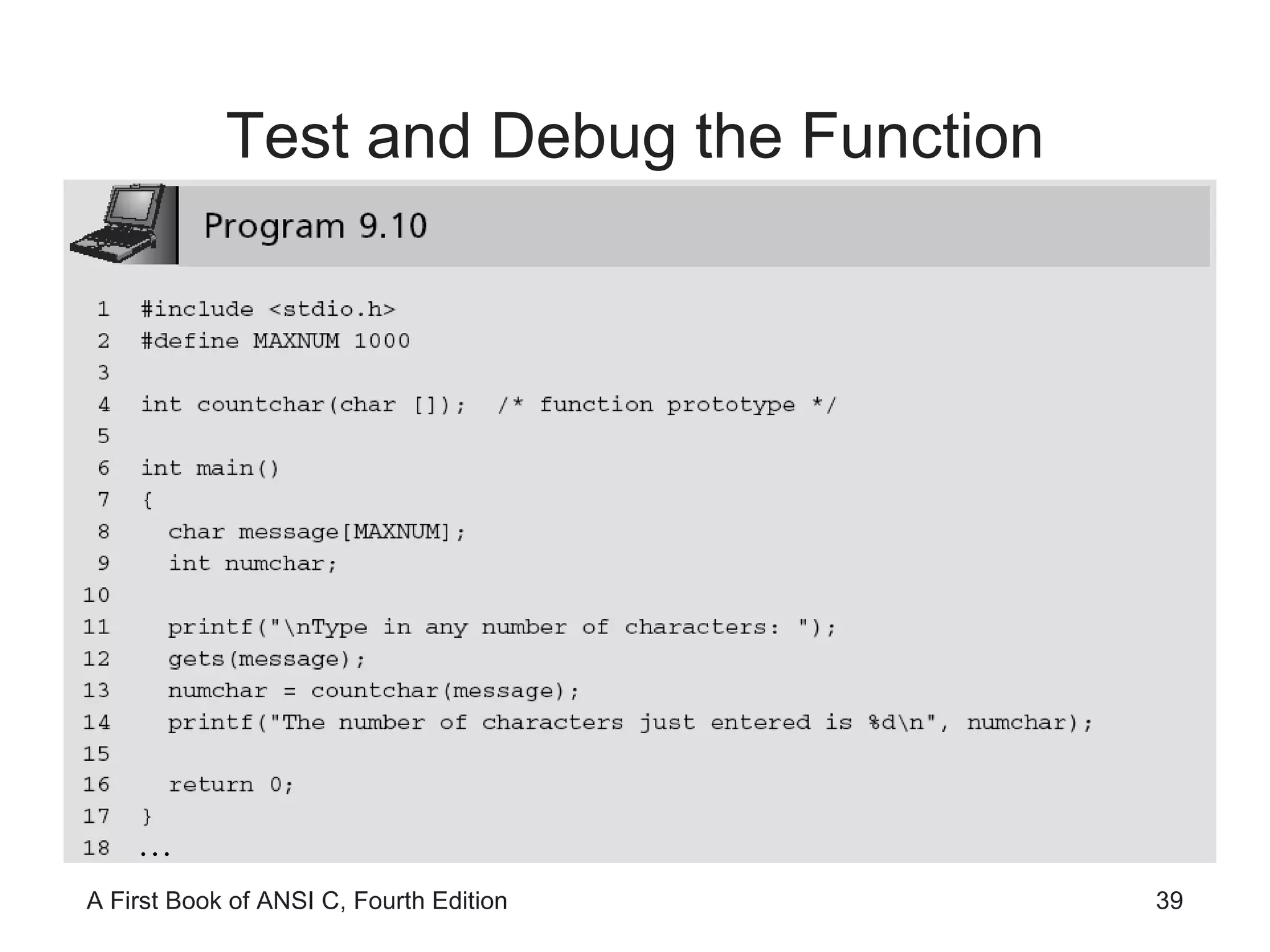
Program Requirement: Character Counting Pass a string to a function and have the function return the number of characters in the string Any character in the string (blank, printable, or nonprintable character) is to be counted The end-of-string NULL character is not to be included in the final count
Analyze the Problem Determine the input data  Determine the required outputs List the algorithm(s) relating the inputs to the outputs
Analyze the Problem (continued)
Code the Function int countchar(char list[]) { int i, count = 0; for(i = 0; list[i] != '\0'; i++) count++; return(count); }
Test and Debug the Function …
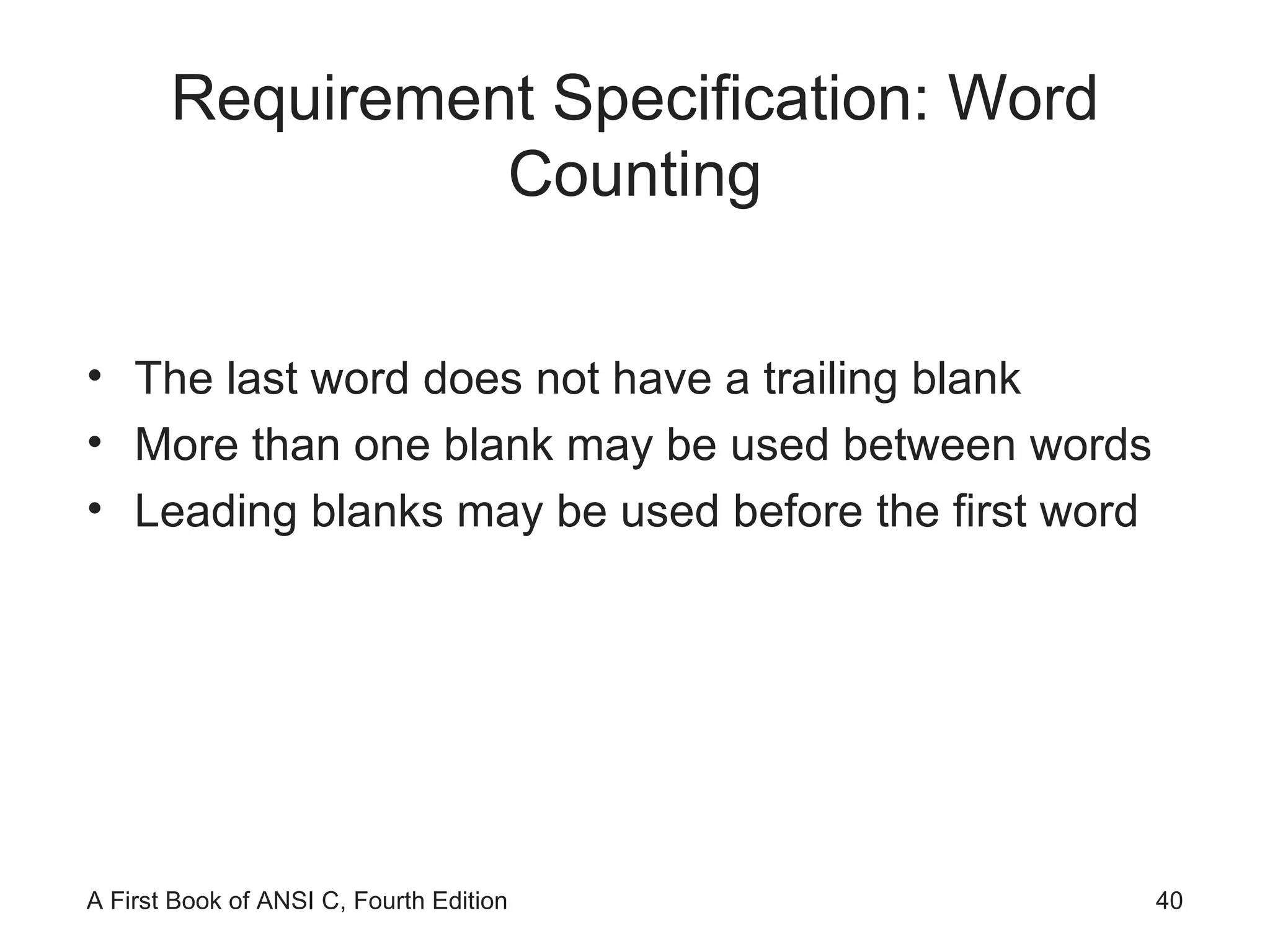
Requirement Specification: Word Counting The last word does not have a trailing blank More than one blank may be used between words Leading blanks may be used before the first word
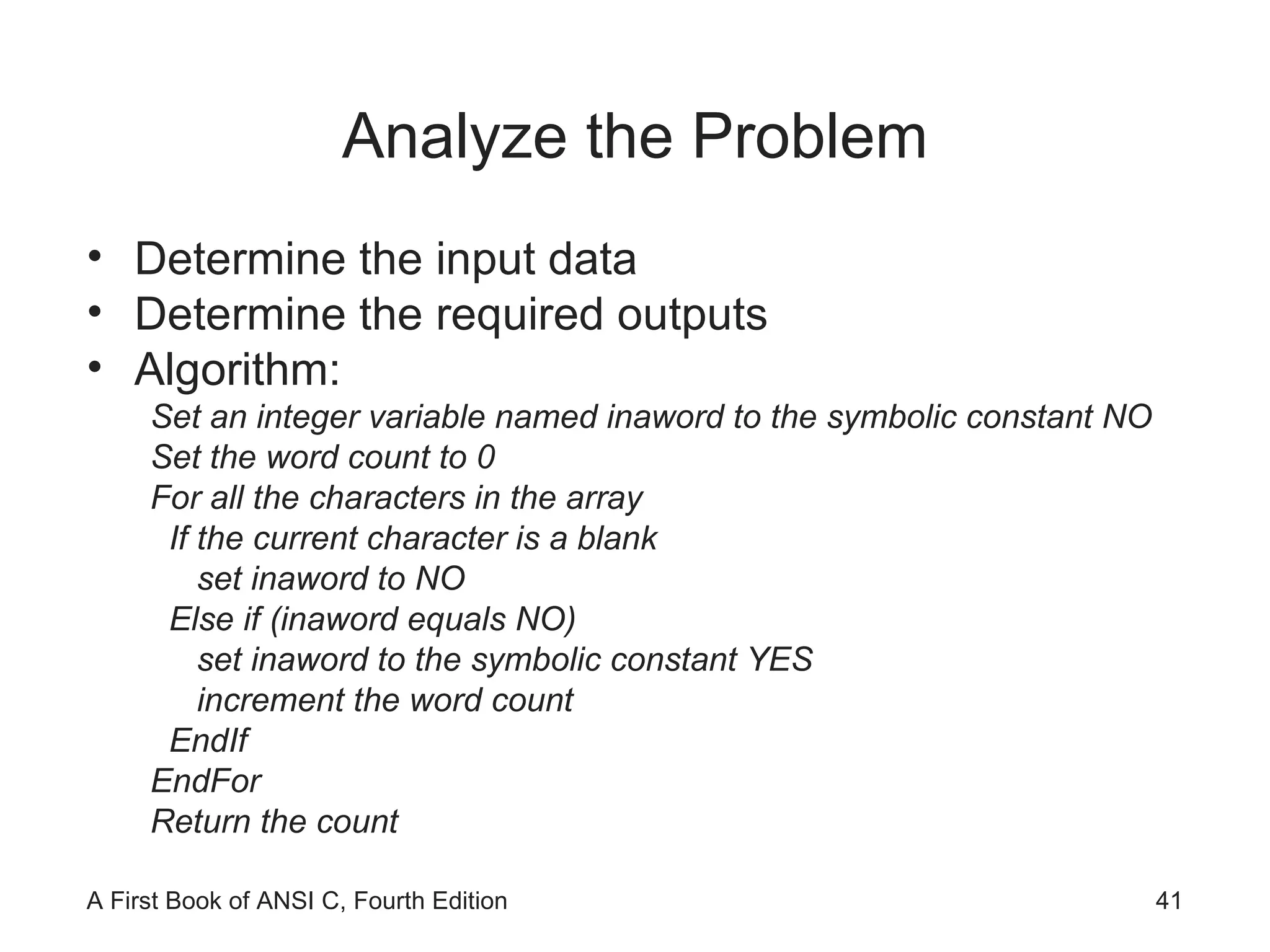
Analyze the Problem Determine the input data  Determine the required outputs Algorithm: Set an integer variable named inaword to the symbolic constant NO Set the word count to 0 For all the characters in the array If the current character is a blank set inaword to NO Else if (inaword equals NO) set inaword to the symbolic constant YES increment the word count EndIf EndFor Return the count
Code the Function int countword(char list[]) #define YES 1 #define NO 0 { int i, inaword, count = 0; inaword = NO; for(i = 0; list[i] != '\0'; i++) { if (list[i] == ' ') inaword = NO; else if (inaword == NO) { inaword = YES; count++; } } return(count); }
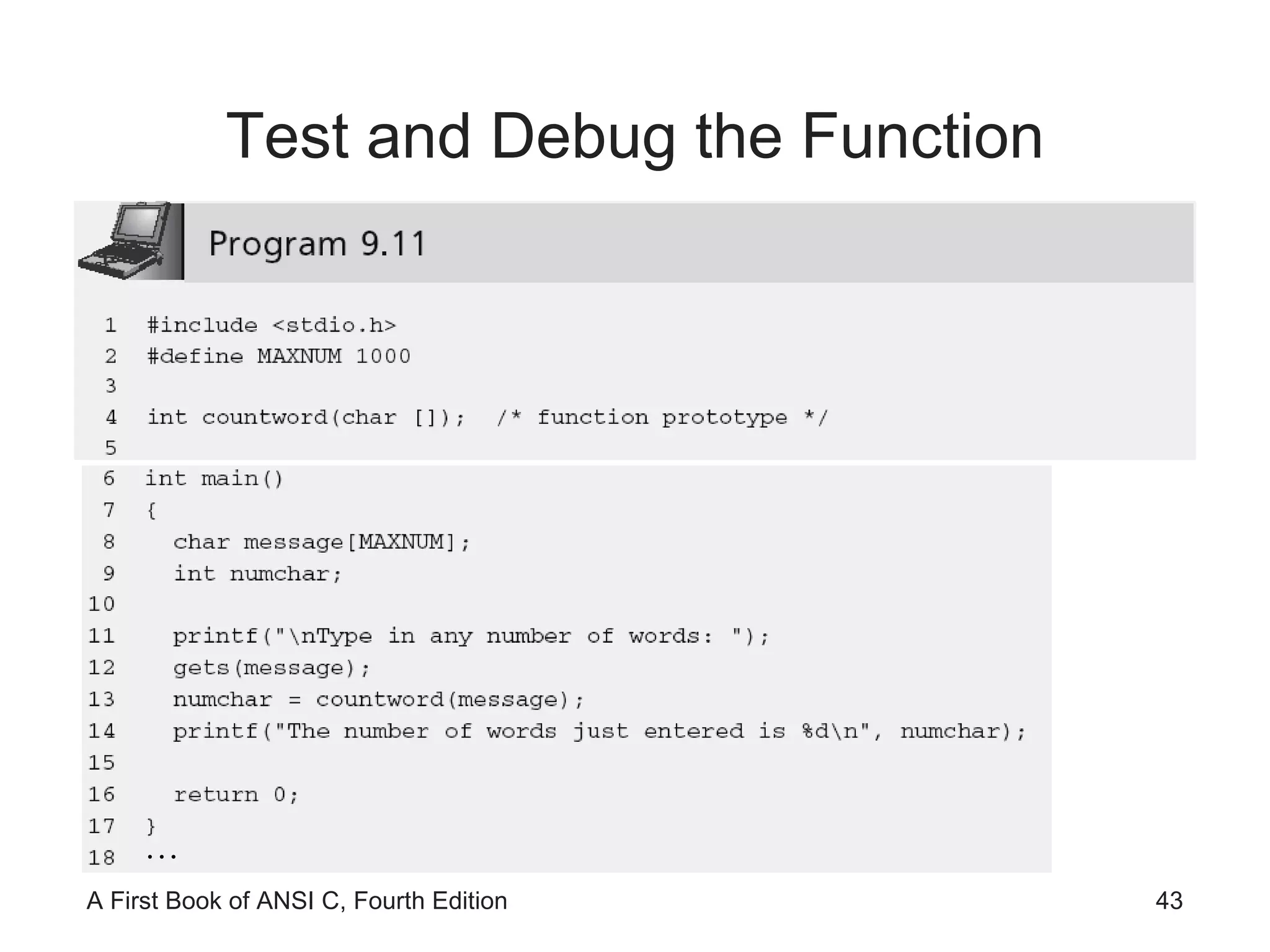
Test and Debug the Function …
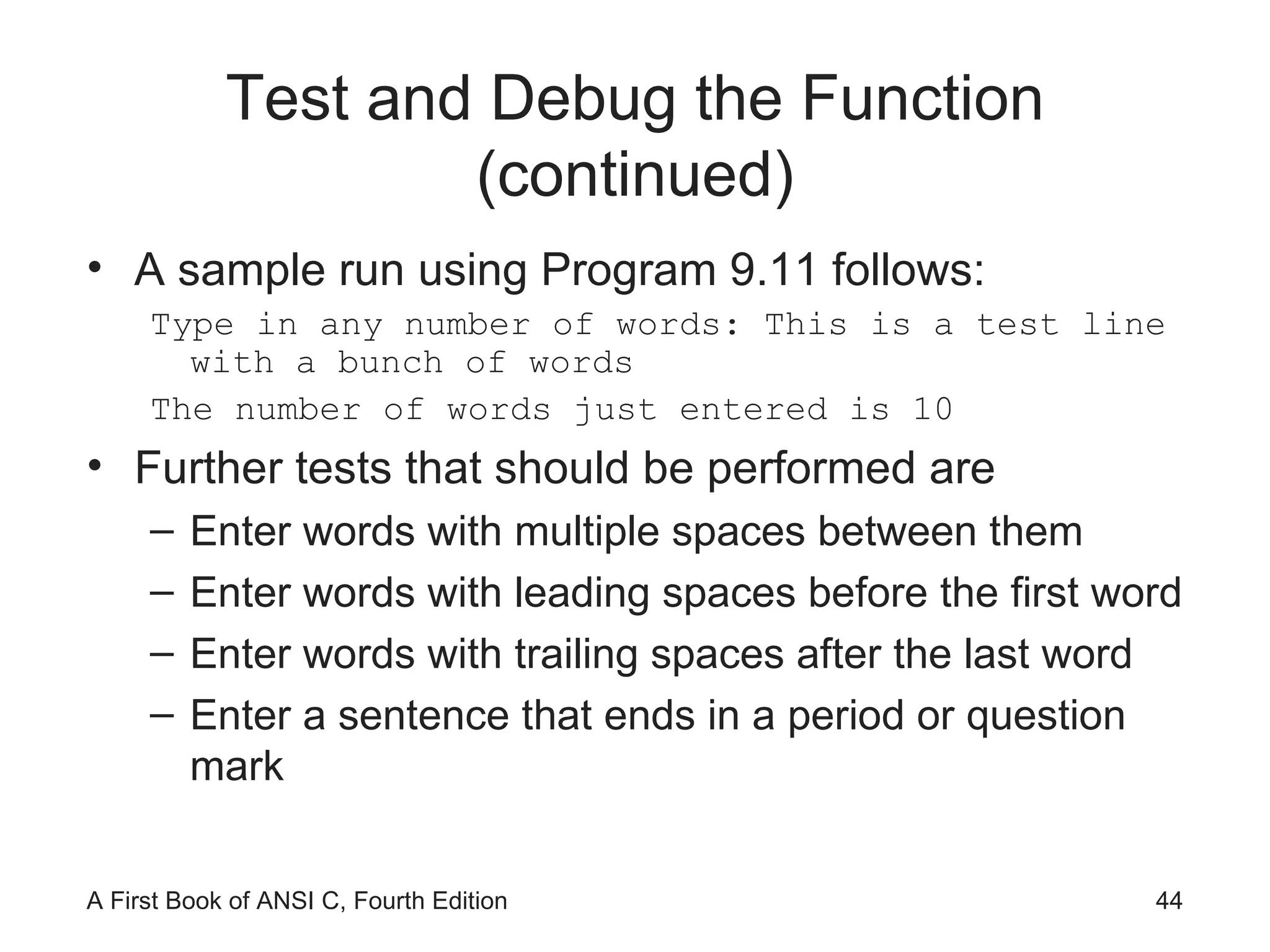
Test and Debug the Function (continued) A sample run using Program 9.11 follows: Type in any number of words: This is a test line with a bunch of words The number of words just entered is 10 Further tests that should be performed are Enter words with multiple spaces between them Enter words with leading spaces before the first word Enter words with trailing spaces after the last word Enter a sentence that ends in a period or question mark
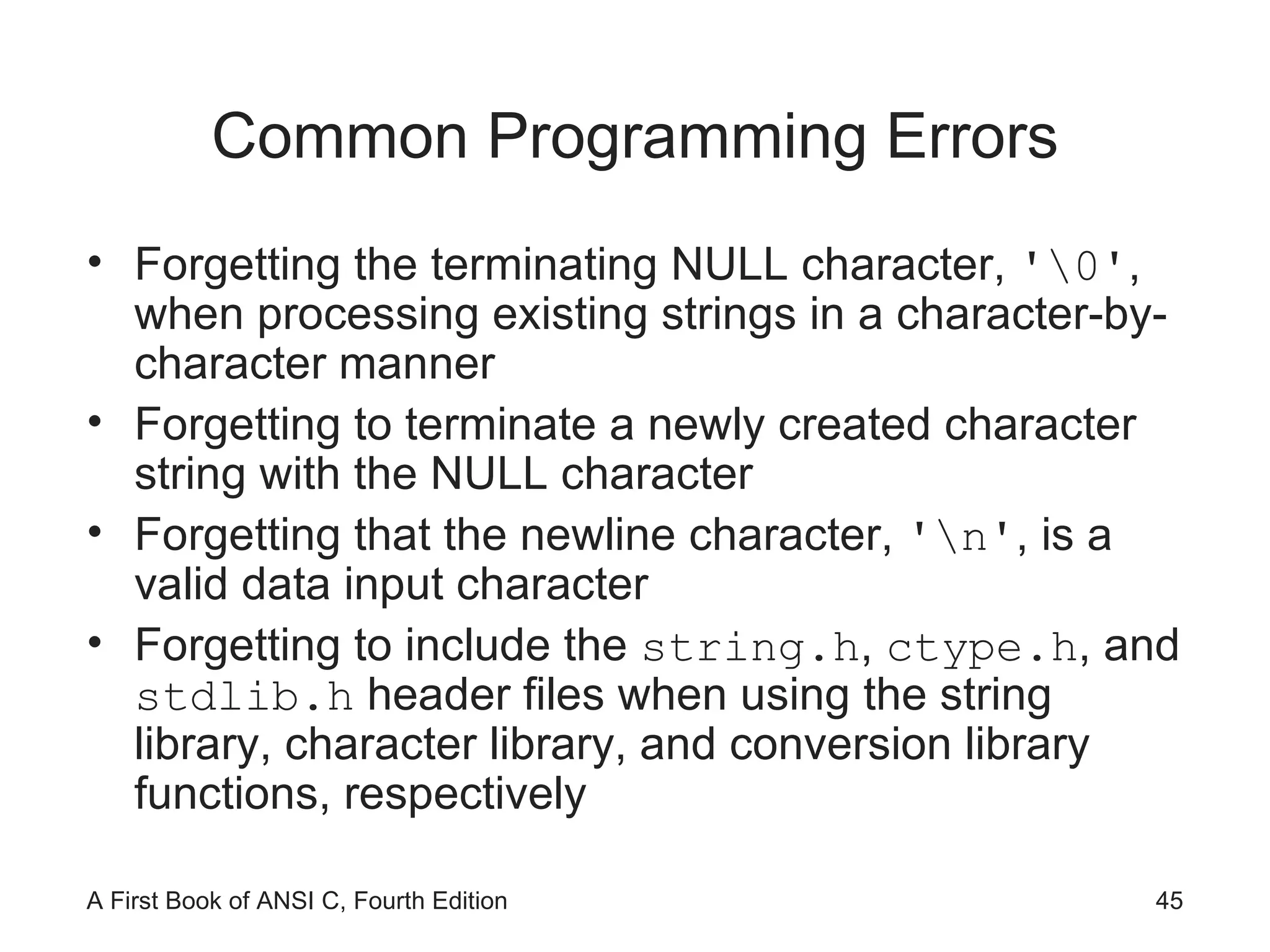
Common Programming Errors Forgetting the terminating NULL character,  '\0' , when processing existing strings in a character-by-character manner Forgetting to terminate a newly created character string with the NULL character Forgetting that the newline character,  '\n' , is a valid data input character Forgetting to include the  string.h ,  ctype.h , and  stdlib.h  header files when using the string library, character library, and conversion library functions, respectively
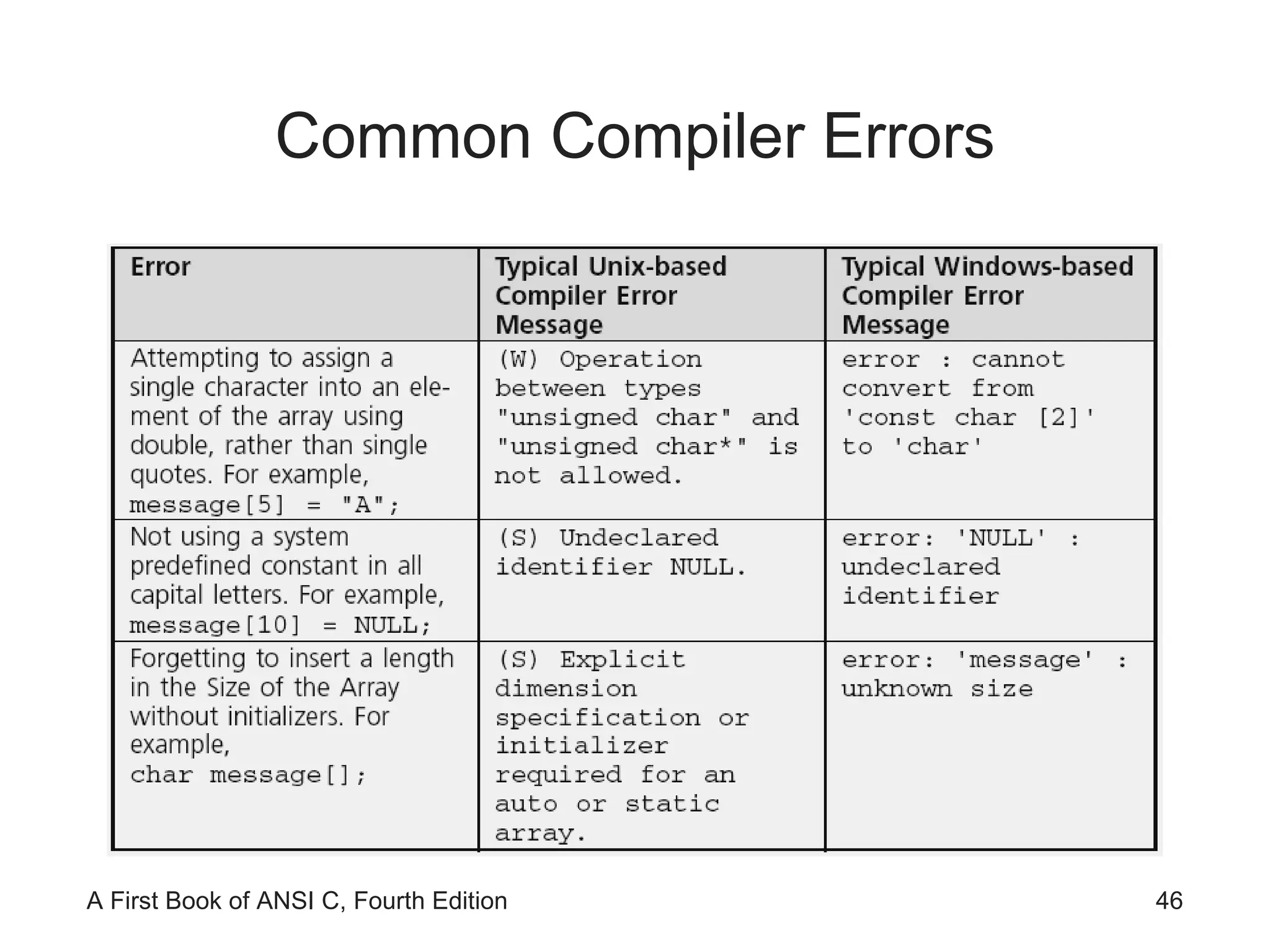
Common Compiler Errors
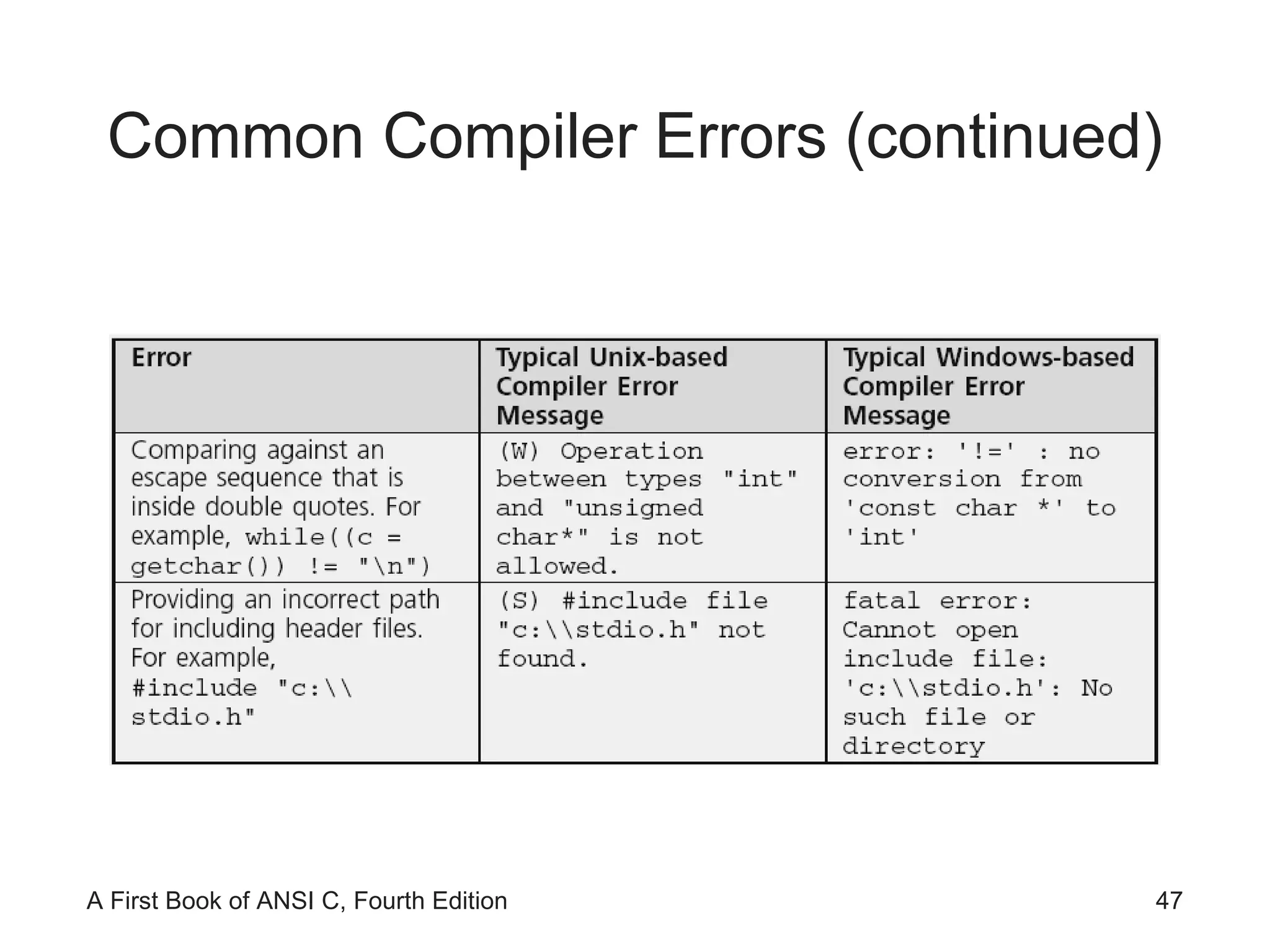
Common Compiler Errors (continued)
Summary A string is an array of characters terminated by the NULL ( '\0' ) character Character arrays can be initialized using a string assignment of the form  char arrayName[] = &quot;text&quot;; Strings can always be processed using standard array-processing techniques The  gets() ,  scanf() , and  getchar()  library functions can be used to input a string The  puts() ,  printf() , and  putchar()  functions can be used to display strings
Summary (continued) Many standard library functions exist for processing strings as a complete unit The standard C library also includes individual character-handling functions ( ctype.h) One of the major uses of strings is validating user input, which is an essential part of any program The conversion routines  atoi()  and  atof()  are provided in the  stdlib.h  header file for converting strings to integer and double-precision numeric values

Ch09

  • 1.
    A First Bookof ANSI C Fourth Edition Chapter 9 Character Strings
  • 2.
    Objectives String FundamentalsLibrary Functions Input Data Validation Formatting Strings (Optional) Case Study: Character and Word Counting Common Programming and Compiler Errors
  • 3.
    String Fundamentals A string literal is any sequence of characters enclosed in double quotes &quot;Good Morning!&quot; Also called: string constant, string value , string A string is stored as an array of characters terminated by an end-of-string symbolic constant named NULL ( '\0' )
  • 4.
    String Input andOutput gets() accepts and stores the characters typed at the terminal into the character array Pressing the Enter key generates a newline character, \n , which is interpreted by gets() as the end-of-character entry All the characters encountered by gets() , except the newline character, are stored in the message array
  • 5.
    String Input andOutput (continued)
  • 6.
    String Input andOutput (continued) Sample run: Enter a string: This is a test input of a string of characters. The string just entered is: This is a test input of a string of characters.
  • 7.
    String Input andOutput (continued) A printf() function call can be used in place of a puts() function call printf(&quot;%s\n&quot;,message); ≡ puts(message); This correspondence between the output functions is not duplicated by the input functions scanf() and gets() scanf() reads a set of characters up to either a blank space or a newline character scanf(&quot;%s&quot;,message); //No & is required gets() stops accepting characters only when a newline is detected
  • 8.
    String Input andOutput (continued)
  • 9.
  • 10.
  • 11.
    NOTE: Because theexpression string2[i] is only 0 at the end of a string and non-0 for every other character, the expression while (string2[i] != '\0') can be replaced by the simpler expression while (string2[i]) . String Processing (continued)
  • 12.
  • 13.
    Be careful: omittingthe parentheses causes the entire expression to be equivalent to c = (getchar() != '\n') String Processing (continued)
  • 14.
  • 15.
    Library Functions Note:Attempting to copy a larger string into a smaller string causes the copy to overflow the destination array beginning with the memory area immediately following the last array element.
  • 16.
  • 17.
    Library Functions (continued)When comparing strings, their individual characters are evaluated in pairs; if a difference is found, the string with the first lower character is the smaller one &quot;Good Bye&quot; is less than &quot;Hello&quot; because the first 'G' in Good Bye is less than the first 'H' in Hello &quot;Hello&quot; is less than &quot;Hello &quot; because the '\0' terminating the first string is less than the ' ' in the second string &quot;123&quot; is greater than &quot;122&quot; because '3' in 123 is greater than '2' in 122 &quot;1237&quot; is greater than &quot;123&quot; because '7' in 1237 is greater than '\0' in 123
  • 18.
  • 19.
  • 20.
    Library Functions (continued)Sample output: Hello is less than Hello there The length of string1 is 5 characters The length of string2 is 11 characters After concatenation, string1 contains the string value Hello there World! The length of this string is 18 characters Type in a sequence of characters for string2: It's a wonderful day After copying string2 to string1, the string value in string1 is: It's a wonderful day The length of this string is 20 characters The starting address of the string1 string is: 1244836
  • 21.
  • 22.
  • 23.
  • 24.
  • 25.
    Input Data ValidationSuccessful programs always try to anticipate invalid data and isolate such data from being accepted and processed First validate that the data is of the correct type; if not, request the user to re-enter the data Explain why the entered data was invalid One of the most common methods of validating input data is to accept all numbers as strings Each character can then be checked to ensure that it complies with the data type being requested
  • 26.
  • 27.
  • 28.
    Input Data Validation(continued) We can use isvalidInt() in a loop that continually requests an integer until a valid integer value is entered Set an integer variable named isanInt to 0 do Accept a string value If the string value does not correspond to an integer Display the error message &quot;Invalid integer - Please re-enter: &quot; Send control back to expression being tested by the do-while statement Set isanInt to 1 (this causes the loop to terminate) while(isanInt is 0) Return the integer corresponding to the entered string
  • 29.
    Input Data Validation(continued) …
  • 30.
    Creating a PersonalLibrary Programmers create their own libraries of functions This permits the functions to be incorporated in any program without further expenditure of coding time Each file in a library contains related functions #include <C:\\mylibrary\\dataChecks.h> #include &quot;C:\\mylibrary\\dataChecks.h&quot; The #include statement for dataChecks.h must be placed after the #include statements for the stdio.h and stdlib.h header files (the functions in dataChecks.h require stdio.h and stdlib.h functions to correctly compile)
  • 31.
    Formatting Strings Examples:printf(&quot;|%25s|&quot;,&quot;Have a Happy Day&quot;); | Have a Happy Day| printf(&quot;|%-25s|&quot;,&quot;Have a Happy Day&quot;); |Have a Happy Day | printf(&quot;|%25.12s|&quot;,&quot;Have a Happy Day&quot;); | Have a Happy| printf(&quot;|%.12s|&quot;,&quot;Have a Happy Day&quot;); |Have a Happy|
  • 32.
    In-Memory String ConversionsThe sprintf() and sscanf() functions provide capabilities for writing and scanning strings to and from memory variables sprintf(disStrn,&quot;%d %d&quot;, num1, num2); sscanf(data,&quot;%c%lf %d&quot;,&dol,&price,&units); &quot;$23.45 10&quot; sscanf(date,&quot;%d/%d/%d&quot;, &month, &day, &year); &quot;07/01/94&quot;
  • 33.
    Format Strings Thecontrol string containing the conversion control sequences need not be explicitly contained within the function printf(&quot;$%5.2f %d&quot;,num1,num2); Or, char fmat[] = &quot;$%5.2f %d&quot;; printf(fmat,num1,num2); Useful for listing format strings with other variable declarations at the beginning of a function If you need to change a format, it is easy to find the desired control string without searching to locate the appropriate printf() or scanf() function calls
  • 34.
    Case Study: Characterand Word Counting We construct two string-processing functions Count the number of characters in a string Count words in a sting What constitutes a word?
  • 35.
    Program Requirement: CharacterCounting Pass a string to a function and have the function return the number of characters in the string Any character in the string (blank, printable, or nonprintable character) is to be counted The end-of-string NULL character is not to be included in the final count
  • 36.
    Analyze the ProblemDetermine the input data Determine the required outputs List the algorithm(s) relating the inputs to the outputs
  • 37.
  • 38.
    Code the Functionint countchar(char list[]) { int i, count = 0; for(i = 0; list[i] != '\0'; i++) count++; return(count); }
  • 39.
    Test and Debugthe Function …
  • 40.
    Requirement Specification: WordCounting The last word does not have a trailing blank More than one blank may be used between words Leading blanks may be used before the first word
  • 41.
    Analyze the ProblemDetermine the input data Determine the required outputs Algorithm: Set an integer variable named inaword to the symbolic constant NO Set the word count to 0 For all the characters in the array If the current character is a blank set inaword to NO Else if (inaword equals NO) set inaword to the symbolic constant YES increment the word count EndIf EndFor Return the count
  • 42.
    Code the Functionint countword(char list[]) #define YES 1 #define NO 0 { int i, inaword, count = 0; inaword = NO; for(i = 0; list[i] != '\0'; i++) { if (list[i] == ' ') inaword = NO; else if (inaword == NO) { inaword = YES; count++; } } return(count); }
  • 43.
    Test and Debugthe Function …
  • 44.
    Test and Debugthe Function (continued) A sample run using Program 9.11 follows: Type in any number of words: This is a test line with a bunch of words The number of words just entered is 10 Further tests that should be performed are Enter words with multiple spaces between them Enter words with leading spaces before the first word Enter words with trailing spaces after the last word Enter a sentence that ends in a period or question mark
  • 45.
    Common Programming ErrorsForgetting the terminating NULL character, '\0' , when processing existing strings in a character-by-character manner Forgetting to terminate a newly created character string with the NULL character Forgetting that the newline character, '\n' , is a valid data input character Forgetting to include the string.h , ctype.h , and stdlib.h header files when using the string library, character library, and conversion library functions, respectively
  • 46.
  • 47.
  • 48.
    Summary A stringis an array of characters terminated by the NULL ( '\0' ) character Character arrays can be initialized using a string assignment of the form char arrayName[] = &quot;text&quot;; Strings can always be processed using standard array-processing techniques The gets() , scanf() , and getchar() library functions can be used to input a string The puts() , printf() , and putchar() functions can be used to display strings
  • 49.
    Summary (continued) Manystandard library functions exist for processing strings as a complete unit The standard C library also includes individual character-handling functions ( ctype.h) One of the major uses of strings is validating user input, which is an essential part of any program The conversion routines atoi() and atof() are provided in the stdlib.h header file for converting strings to integer and double-precision numeric values