Camera shots, angles, motion
     and composition.
       By Marisha Inoke.
Camera shots
•   Establishing
•   Wide shot
•   Long shot
•   Close-up shot
•   Extreme close-up shot
•   Over the shoulder shot
•   Overhead shot
•   Two shot
•   Mid/medium shot
•   Point of View (POV).
Establishing shot
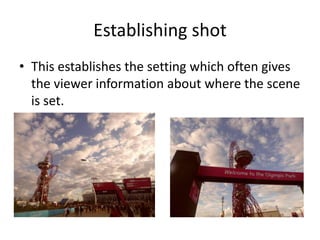
• This establishes the setting which often gives
  the viewer information about where the scene
  is set.
• E.g. Eastenders.
Wide shot
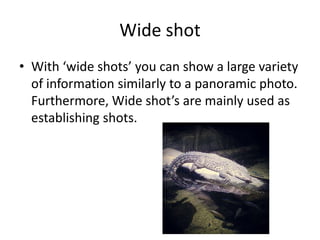
• With ‘wide shots’ you can show a large variety
  of information similarly to a panoramic photo.
  Furthermore, Wide shot’s are mainly used as
  establishing shots.
Long shot
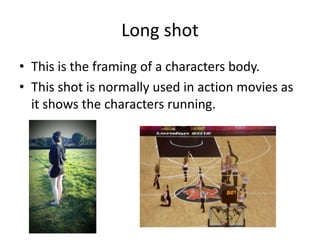
• This is the framing of a characters body.
• This shot is normally used in action movies as
  it shows the characters running.
Close-up shot
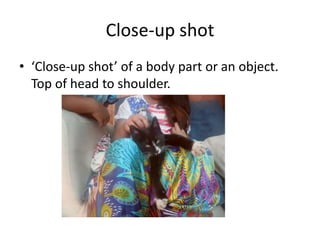
• ‘Close-up shot’ of a body part or an object.
  Top of head to shoulder.
Extreme close-up shot
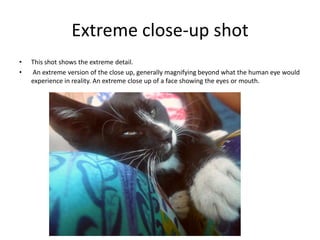
•   This shot shows the extreme detail.
•   An extreme version of the close up, generally magnifying beyond what the human eye would
    experience in reality. An extreme close up of a face showing the eyes or mouth.
Over the shoulder shot
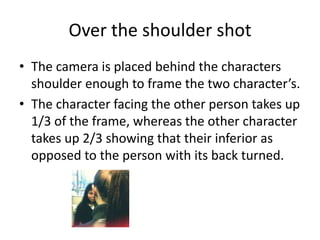
• The camera is placed behind the characters
  shoulder enough to frame the two character’s.
• The character facing the other person takes up
  1/3 of the frame, whereas the other character
  takes up 2/3 showing that their inferior as
  opposed to the person with its back turned.
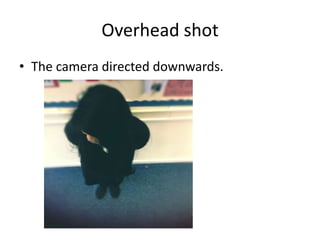
Overhead shot
• The camera directed downwards.
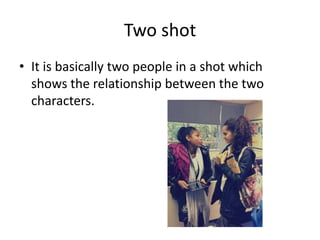
Two shot
• It is basically two people in a shot which
  shows the relationship between the two
  characters.
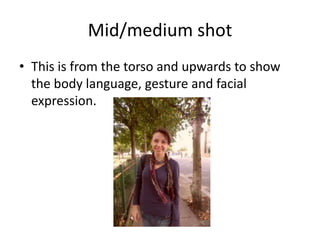
Mid/medium shot
• This is from the torso and upwards to show
  the body language, gesture and facial
  expression.
Camera Angles
• High
• Low
• Canted/oblique
High
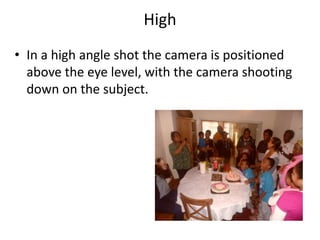
• In a high angle shot the camera is positioned
  above the eye level, with the camera shooting
  down on the subject.
Low
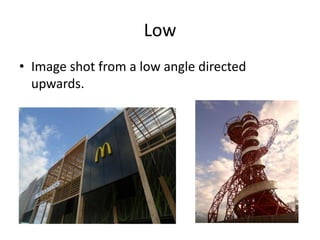
• Image shot from a low angle directed
  upwards.
Canted/oblique
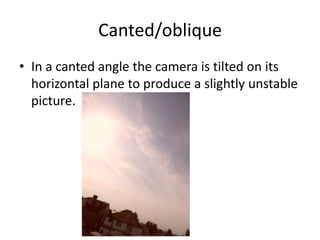
• In a canted angle the camera is tilted on its
  horizontal plane to produce a slightly unstable
  picture.
Camera movement
•   Tilt
•   Pan
•   Track
•   Dolly
•   Zoom
•   Reverse zoom
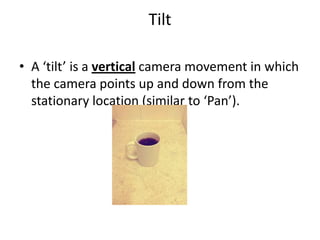
Tilt

• A ‘tilt’ is a vertical camera movement in which
  the camera points up and down from the
  stationary location (similar to ‘Pan’).
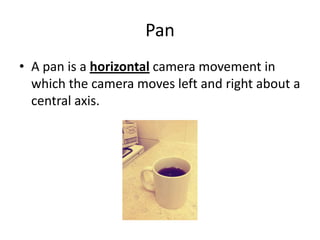
Pan
• A pan is a horizontal camera movement in
  which the camera moves left and right about a
  central axis.
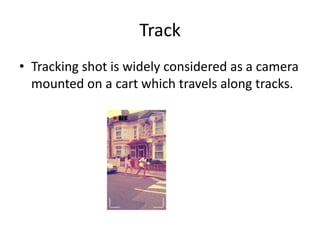
Track
• Tracking shot is widely considered as a camera
  mounted on a cart which travels along tracks.
Zoom
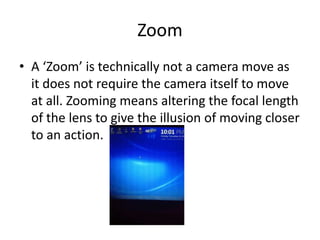
• A ‘Zoom’ is technically not a camera move as
  it does not require the camera itself to move
  at all. Zooming means altering the focal length
  of the lens to give the illusion of moving closer
  to an action.
Reverse Zoom
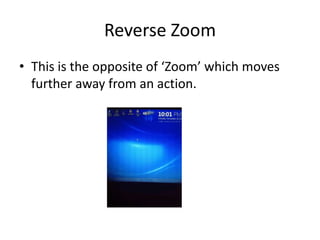
• This is the opposite of ‘Zoom’ which moves
  further away from an action.
Camera composition
•   Balance
•   Symmetry (linked to balance).
•   Asymmetry (linked to balance).
•   Shallow focus
•   Deep focus
•   Depth of field
•   Rules of Third
•   Focus pulls
Balance
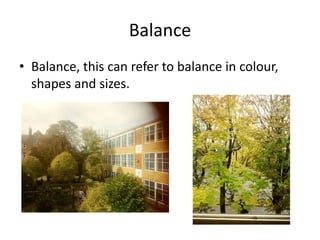
• Balance, this can refer to balance in colour,
  shapes and sizes.
Symmetry

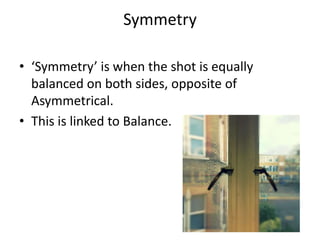
• ‘Symmetry’ is when the shot is equally
  balanced on both sides, opposite of
  Asymmetrical.
• This is linked to Balance.
Asymmetry

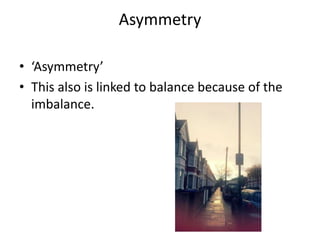
• ‘Asymmetry’
• This also is linked to balance because of the
  imbalance.
Shallow focus
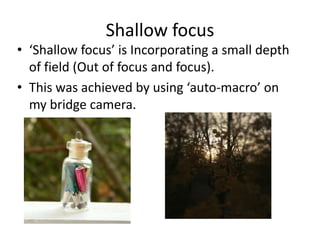
• ‘Shallow focus’ is Incorporating a small depth
  of field (Out of focus and focus).
• This was achieved by using ‘auto-macro’ on
  my bridge camera.
Deep focus
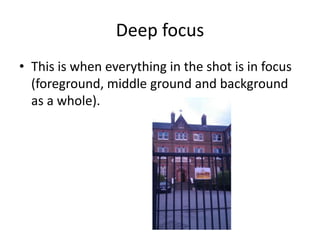
• This is when everything in the shot is in focus
  (foreground, middle ground and background
  as a whole).
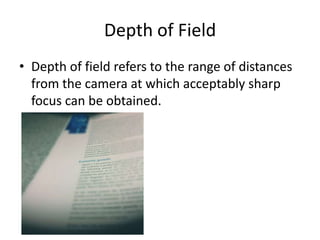
Depth of Field
• Depth of field refers to the range of distances
  from the camera at which acceptably sharp
  focus can be obtained.
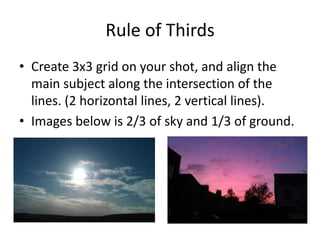
Rule of Thirds
• Create 3x3 grid on your shot, and align the
  main subject along the intersection of the
  lines. (2 horizontal lines, 2 vertical lines).
• Images below is 2/3 of sky and 1/3 of ground.
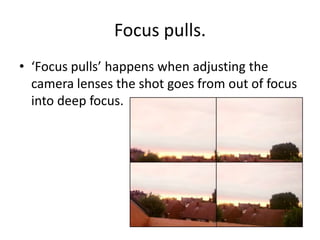
Focus pulls.
• ‘Focus pulls’ happens when adjusting the
  camera lenses the shot goes from out of focus
  into deep focus.

Camera shots, angles, motion and composition

  • 1.
    Camera shots, angles,motion and composition. By Marisha Inoke.
  • 2.
    Camera shots • Establishing • Wide shot • Long shot • Close-up shot • Extreme close-up shot • Over the shoulder shot • Overhead shot • Two shot • Mid/medium shot • Point of View (POV).
  • 3.
    Establishing shot • Thisestablishes the setting which often gives the viewer information about where the scene is set. • E.g. Eastenders.
  • 4.
    Wide shot • With‘wide shots’ you can show a large variety of information similarly to a panoramic photo. Furthermore, Wide shot’s are mainly used as establishing shots.
  • 5.
    Long shot • Thisis the framing of a characters body. • This shot is normally used in action movies as it shows the characters running.
  • 6.
    Close-up shot • ‘Close-upshot’ of a body part or an object. Top of head to shoulder.
  • 7.
    Extreme close-up shot • This shot shows the extreme detail. • An extreme version of the close up, generally magnifying beyond what the human eye would experience in reality. An extreme close up of a face showing the eyes or mouth.
  • 8.
    Over the shouldershot • The camera is placed behind the characters shoulder enough to frame the two character’s. • The character facing the other person takes up 1/3 of the frame, whereas the other character takes up 2/3 showing that their inferior as opposed to the person with its back turned.
  • 9.
    Overhead shot • Thecamera directed downwards.
  • 10.
    Two shot • Itis basically two people in a shot which shows the relationship between the two characters.
  • 11.
    Mid/medium shot • Thisis from the torso and upwards to show the body language, gesture and facial expression.
  • 12.
    Camera Angles • High •Low • Canted/oblique
  • 13.
    High • In ahigh angle shot the camera is positioned above the eye level, with the camera shooting down on the subject.
  • 14.
    Low • Image shotfrom a low angle directed upwards.
  • 15.
    Canted/oblique • In acanted angle the camera is tilted on its horizontal plane to produce a slightly unstable picture.
  • 16.
    Camera movement • Tilt • Pan • Track • Dolly • Zoom • Reverse zoom
  • 17.
    Tilt • A ‘tilt’is a vertical camera movement in which the camera points up and down from the stationary location (similar to ‘Pan’).
  • 18.
    Pan • A panis a horizontal camera movement in which the camera moves left and right about a central axis.
  • 19.
    Track • Tracking shotis widely considered as a camera mounted on a cart which travels along tracks.
  • 20.
    Zoom • A ‘Zoom’is technically not a camera move as it does not require the camera itself to move at all. Zooming means altering the focal length of the lens to give the illusion of moving closer to an action.
  • 21.
    Reverse Zoom • Thisis the opposite of ‘Zoom’ which moves further away from an action.
  • 22.
    Camera composition • Balance • Symmetry (linked to balance). • Asymmetry (linked to balance). • Shallow focus • Deep focus • Depth of field • Rules of Third • Focus pulls
  • 23.
    Balance • Balance, thiscan refer to balance in colour, shapes and sizes.
  • 24.
    Symmetry • ‘Symmetry’ iswhen the shot is equally balanced on both sides, opposite of Asymmetrical. • This is linked to Balance.
  • 25.
    Asymmetry • ‘Asymmetry’ • Thisalso is linked to balance because of the imbalance.
  • 26.
    Shallow focus • ‘Shallowfocus’ is Incorporating a small depth of field (Out of focus and focus). • This was achieved by using ‘auto-macro’ on my bridge camera.
  • 27.
    Deep focus • Thisis when everything in the shot is in focus (foreground, middle ground and background as a whole).
  • 28.
    Depth of Field •Depth of field refers to the range of distances from the camera at which acceptably sharp focus can be obtained.
  • 29.
    Rule of Thirds •Create 3x3 grid on your shot, and align the main subject along the intersection of the lines. (2 horizontal lines, 2 vertical lines). • Images below is 2/3 of sky and 1/3 of ground.
  • 30.
    Focus pulls. • ‘Focuspulls’ happens when adjusting the camera lenses the shot goes from out of focus into deep focus.