Assignment 4- Camera shots,
camera angles, camera movement
        and composition.

                   Level – Yellow
                 Ingrid De Souza
Media key terms
•   Part A: Camera shots
•   Part B: Camera angles
•   Part C: Camera movement
•   Part D: Composition
Part A – Camera Shots
•   Establishing shot
•   Wide shot
•   Long Shot
•   Mid/medium shot
•   Close up shot
•   Extreme close up
•   POV (point of view)
•   Over the shoulder
•   Two shot
•   Aerial shot
•   Overhead shot
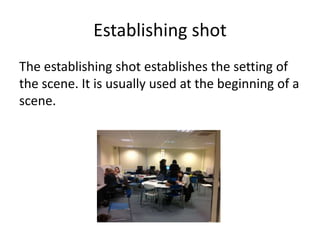
Establishing shot
The establishing shot establishes the setting of
the scene. It is usually used at the beginning of a
scene.
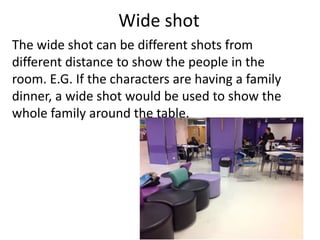
Wide shot
The wide shot can be different shots from
different distance to show the people in the
room. E.G. If the characters are having a family
dinner, a wide shot would be used to show the
whole family around the table.
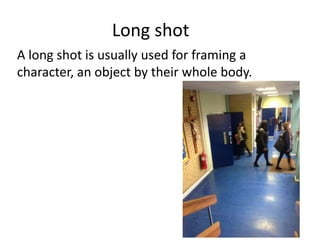
Long shot
A long shot is usually used for framing a
character, an object by their whole body.
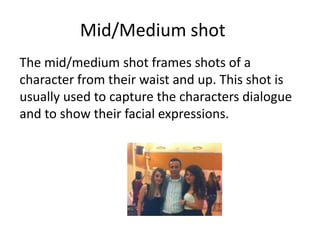
Mid/Medium shot
The mid/medium shot frames shots of a
character from their waist and up. This shot is
usually used to capture the characters dialogue
and to show their facial expressions.
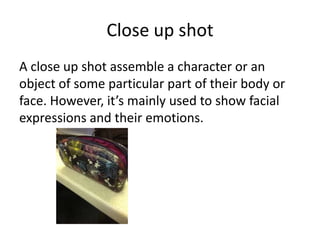
Close up shot
A close up shot assemble a character or an
object of some particular part of their body or
face. However, it’s mainly used to show facial
expressions and their emotions.
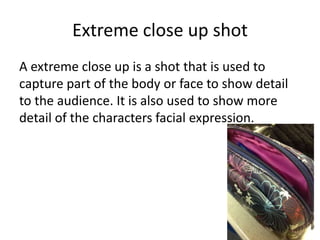
Extreme close up shot
A extreme close up is a shot that is used to
capture part of the body or face to show detail
to the audience. It is also used to show more
detail of the characters facial expression.
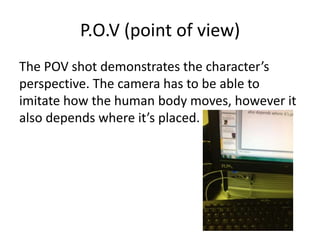
P.O.V (point of view)
The POV shot demonstrates the character’s
perspective. The camera has to be able to
imitate how the human body moves, however it
also depends where it’s placed.
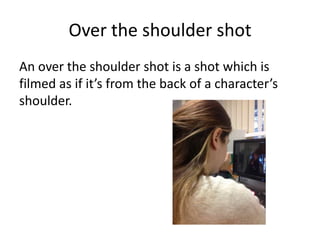
Over the shoulder shot
An over the shoulder shot is a shot which is
filmed as if it’s from the back of a character’s
shoulder.
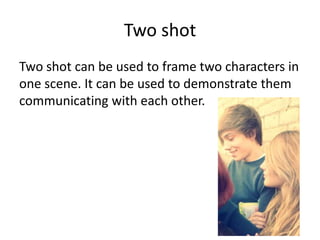
Two shot
Two shot can be used to frame two characters in
one scene. It can be used to demonstrate them
communicating with each other.
Part B: Camera Angles

• Low
• High
• Canted/Oblique
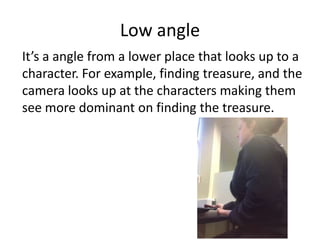
Low angle
It’s a angle from a lower place that looks up to a
character. For example, finding treasure, and the
camera looks up at the characters making them
see more dominant on finding the treasure.
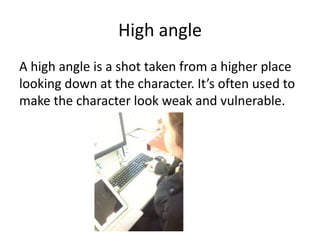
High angle
A high angle is a shot taken from a higher place
looking down at the character. It’s often used to
make the character look weak and vulnerable.
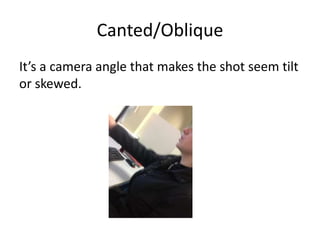
Canted/Oblique
It’s a camera angle that makes the shot seem tilt
or skewed.
Part C: Camera movment
•   Pan
•   Tilt
•   Track
•   Zoom/Reverse zoom
•   Dolly
•   Crane
•   Stedicam
•   Vertigo
Pan
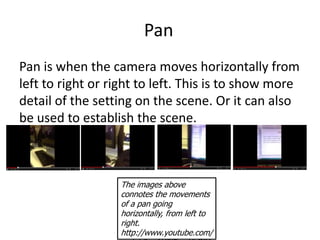
Pan is when the camera moves horizontally from
left to right or right to left. This is to show more
detail of the setting on the scene. Or it can also
be used to establish the scene.


                  The images above
                  connotes the movements
                  of a pan going
                  horizontally, from left to
                  right.
                  http://www.youtube.com/
Tilt
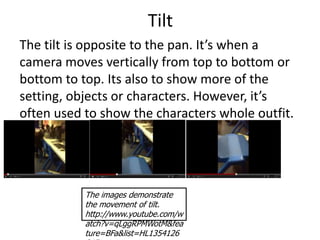
The tilt is opposite to the pan. It’s when a
camera moves vertically from top to bottom or
bottom to top. Its also to show more of the
setting, objects or characters. However, it’s
often used to show the characters whole outfit.


           The images demonstrate
           the movement of tilt.
           http://www.youtube.com/w
           atch?v=qLggRPMWotM&fea
           ture=BFa&list=HL1354126
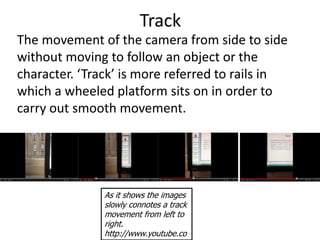
Track
The movement of the camera from side to side
without moving to follow an object or the
character. ‘Track’ is more referred to rails in
which a wheeled platform sits on in order to
carry out smooth movement.


               As it shows the images
               slowly connotes a track
               movement from left to
               right.
               http://www.youtube.co
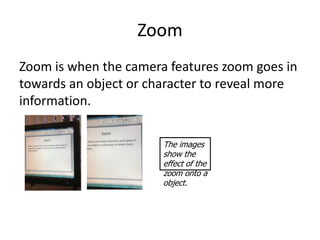
Zoom
Zoom is when the camera features zoom goes in
towards an object or character to reveal more
information.

                       The images
                       show the
                       effect of the
                       zoom onto a
                       object.
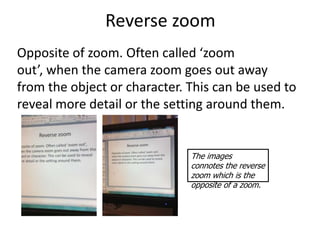
Reverse zoom
Opposite of zoom. Often called ‘zoom
out’, when the camera zoom goes out away
from the object or character. This can be used to
reveal more detail or the setting around them.


                              The images
                              connotes the reverse
                              zoom which is the
                              opposite of a zoom.
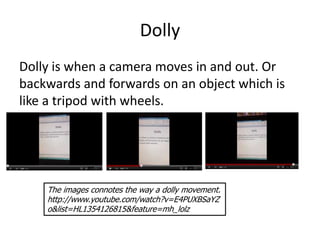
Dolly
Dolly is when a camera moves in and out. Or
backwards and forwards on an object which is
like a tripod with wheels.


    The images connotes the way a dolly movement.
    http://www.youtube.com/watch?v=E4PUXBSaYZ
    o&list=HL1354126815&feature=mh_lolz
Composition
• Balance
          - Symmetry (symmetric balance)
          - Asymmetry (asymmetric balance)
• Rule of thirds
• Depth of fields
   - Shallow focus
   - Deep focus
   - Focus pulls
Balance
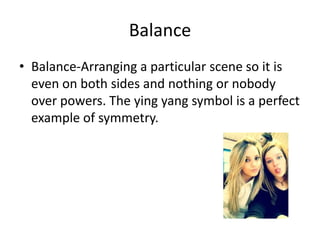
• Balance-Arranging a particular scene so it is
  even on both sides and nothing or nobody
  over powers. The ying yang symbol is a perfect
  example of symmetry.
Depth of field
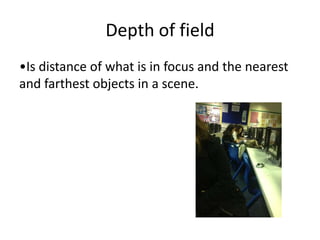
•Is distance of what is in focus and the nearest
and farthest objects in a scene.
Shallow of focus
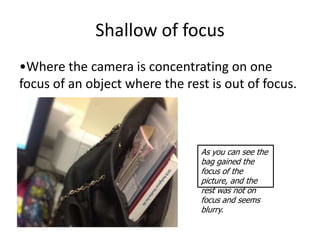
•Where the camera is concentrating on one
focus of an object where the rest is out of focus.


                                As you can see the
                                bag gained the
                                focus of the
                                picture, and the
                                rest was not on
                                focus and seems
                                blurry.
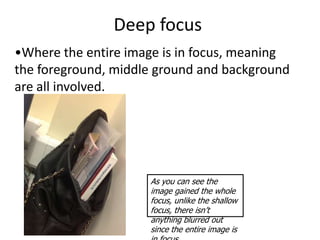
Deep focus
•Where the entire image is in focus, meaning
the foreground, middle ground and background
are all involved.


                     As you can see the
                     image gained the whole
                     focus, unlike the shallow
                     focus, there isn’t
                     anything blurred out
                     since the entire image is
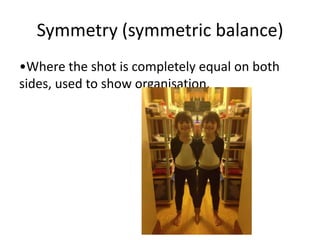
Symmetry (symmetric balance)
•Where the shot is completely equal on both
sides, used to show organisation.
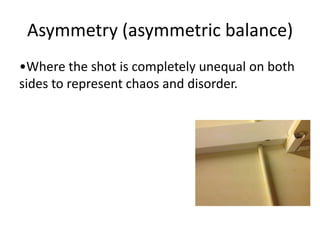
Asymmetry (asymmetric balance)
•Where the shot is completely unequal on both
sides to represent chaos and disorder.
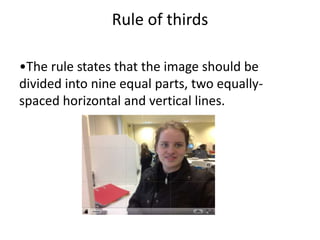
Rule of thirds

•The rule states that the image should be
divided into nine equal parts, two equally-
spaced horizontal and vertical lines.

Assignment 4 camera shots, camera angles,

  • 1.
    Assignment 4- Camerashots, camera angles, camera movement and composition. Level – Yellow Ingrid De Souza
  • 2.
    Media key terms • Part A: Camera shots • Part B: Camera angles • Part C: Camera movement • Part D: Composition
  • 3.
    Part A –Camera Shots • Establishing shot • Wide shot • Long Shot • Mid/medium shot • Close up shot • Extreme close up • POV (point of view) • Over the shoulder • Two shot • Aerial shot • Overhead shot
  • 4.
    Establishing shot The establishingshot establishes the setting of the scene. It is usually used at the beginning of a scene.
  • 5.
    Wide shot The wideshot can be different shots from different distance to show the people in the room. E.G. If the characters are having a family dinner, a wide shot would be used to show the whole family around the table.
  • 6.
    Long shot A longshot is usually used for framing a character, an object by their whole body.
  • 7.
    Mid/Medium shot The mid/mediumshot frames shots of a character from their waist and up. This shot is usually used to capture the characters dialogue and to show their facial expressions.
  • 8.
    Close up shot Aclose up shot assemble a character or an object of some particular part of their body or face. However, it’s mainly used to show facial expressions and their emotions.
  • 9.
    Extreme close upshot A extreme close up is a shot that is used to capture part of the body or face to show detail to the audience. It is also used to show more detail of the characters facial expression.
  • 10.
    P.O.V (point ofview) The POV shot demonstrates the character’s perspective. The camera has to be able to imitate how the human body moves, however it also depends where it’s placed.
  • 11.
    Over the shouldershot An over the shoulder shot is a shot which is filmed as if it’s from the back of a character’s shoulder.
  • 12.
    Two shot Two shotcan be used to frame two characters in one scene. It can be used to demonstrate them communicating with each other.
  • 13.
    Part B: CameraAngles • Low • High • Canted/Oblique
  • 14.
    Low angle It’s aangle from a lower place that looks up to a character. For example, finding treasure, and the camera looks up at the characters making them see more dominant on finding the treasure.
  • 15.
    High angle A highangle is a shot taken from a higher place looking down at the character. It’s often used to make the character look weak and vulnerable.
  • 16.
    Canted/Oblique It’s a cameraangle that makes the shot seem tilt or skewed.
  • 17.
    Part C: Cameramovment • Pan • Tilt • Track • Zoom/Reverse zoom • Dolly • Crane • Stedicam • Vertigo
  • 18.
    Pan Pan is whenthe camera moves horizontally from left to right or right to left. This is to show more detail of the setting on the scene. Or it can also be used to establish the scene. The images above connotes the movements of a pan going horizontally, from left to right. http://www.youtube.com/
  • 19.
    Tilt The tilt isopposite to the pan. It’s when a camera moves vertically from top to bottom or bottom to top. Its also to show more of the setting, objects or characters. However, it’s often used to show the characters whole outfit. The images demonstrate the movement of tilt. http://www.youtube.com/w atch?v=qLggRPMWotM&fea ture=BFa&list=HL1354126
  • 20.
    Track The movement ofthe camera from side to side without moving to follow an object or the character. ‘Track’ is more referred to rails in which a wheeled platform sits on in order to carry out smooth movement. As it shows the images slowly connotes a track movement from left to right. http://www.youtube.co
  • 21.
    Zoom Zoom is whenthe camera features zoom goes in towards an object or character to reveal more information. The images show the effect of the zoom onto a object.
  • 22.
    Reverse zoom Opposite ofzoom. Often called ‘zoom out’, when the camera zoom goes out away from the object or character. This can be used to reveal more detail or the setting around them. The images connotes the reverse zoom which is the opposite of a zoom.
  • 23.
    Dolly Dolly is whena camera moves in and out. Or backwards and forwards on an object which is like a tripod with wheels. The images connotes the way a dolly movement. http://www.youtube.com/watch?v=E4PUXBSaYZ o&list=HL1354126815&feature=mh_lolz
  • 24.
    Composition • Balance - Symmetry (symmetric balance) - Asymmetry (asymmetric balance) • Rule of thirds • Depth of fields - Shallow focus - Deep focus - Focus pulls
  • 25.
    Balance • Balance-Arranging aparticular scene so it is even on both sides and nothing or nobody over powers. The ying yang symbol is a perfect example of symmetry.
  • 26.
    Depth of field •Isdistance of what is in focus and the nearest and farthest objects in a scene.
  • 27.
    Shallow of focus •Wherethe camera is concentrating on one focus of an object where the rest is out of focus. As you can see the bag gained the focus of the picture, and the rest was not on focus and seems blurry.
  • 28.
    Deep focus •Where theentire image is in focus, meaning the foreground, middle ground and background are all involved. As you can see the image gained the whole focus, unlike the shallow focus, there isn’t anything blurred out since the entire image is
  • 29.
    Symmetry (symmetric balance) •Wherethe shot is completely equal on both sides, used to show organisation.
  • 30.
    Asymmetry (asymmetric balance) •Wherethe shot is completely unequal on both sides to represent chaos and disorder.
  • 31.
    Rule of thirds •Therule states that the image should be divided into nine equal parts, two equally- spaced horizontal and vertical lines.