Camera
shots, Angles,Movement,Comositi
                on
          assignment 4
Camera shotsshots
Establishing shot
Establishes the setting of a scene to give information
where the scene is i.e. (London postcode)


                                       This is an establishing
                                       shot as it establishes the
                                       convent of Jesus and
                                       Mary building
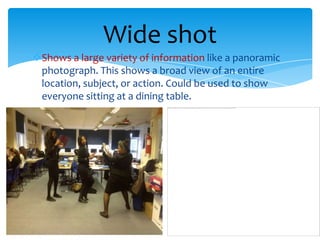
Wide shot
Shows a large variety of information like a panoramic
 photograph. This shows a broad view of an entire
 location, subject, or action. Could be used to show
 everyone sitting at a dining table.
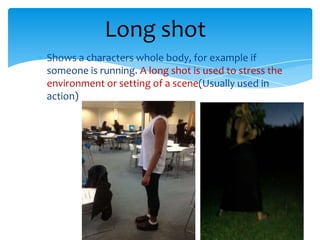
Long shot
Shows a characters whole body, for example if
someone is running. A long shot is used to stress the
environment or setting of a scene(Usually used in
action)
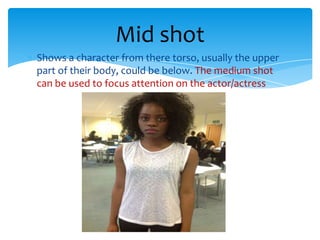
Mid shot
Shows a character from there torso, usually the upper
part of their body, could be below. The medium shot
can be used to focus attention on the actor/actress
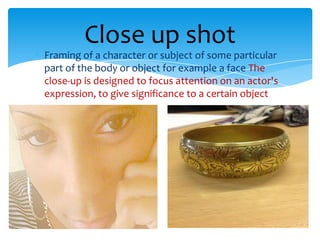
Close up shot
Framing of a character or subject of some particular
part of the body or object for example a face The
close-up is designed to focus attention on an actor's
expression, to give significance to a certain object
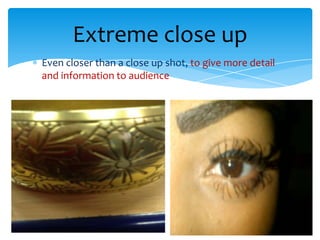
Extreme close up
Even closer than a close up shot, to give more detail
and information to audience
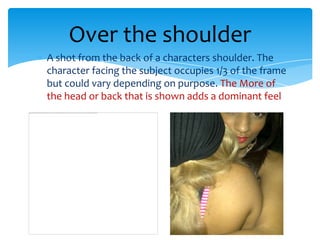
Over the shoulder
A shot from the back of a characters shoulder. The
character facing the subject occupies 1/3 of the frame
but could vary depending on purpose. The More of
the head or back that is shown adds a dominant feel
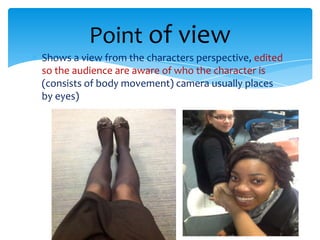
Point of view
Shows a view from the characters perspective, edited
so the audience are aware of who the character is
(consists of body movement) camera usually places
by eyes)
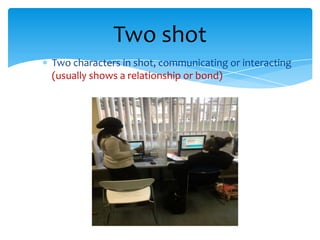
Two shot
Two characters in shot, communicating or interacting
(usually shows a relationship or bond)
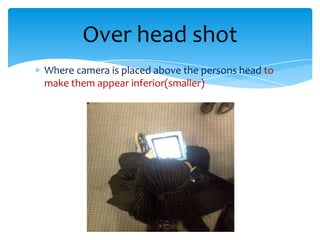
Over head shot
Where camera is placed above the persons head to
make them appear inferior(smaller)
Camera Angles
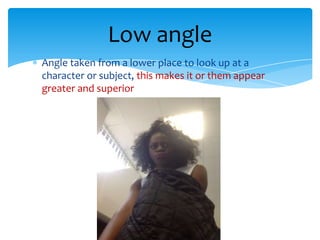
Low angle
Angle taken from a lower place to look up at a
character or subject, this makes it or them appear
greater and superior
High angle
Taken from a higher place looks down at character.
This makes character/subject appear smaller and
vulnerable
Canted or oblique angle
Makes angle appear stewed tilted sometimes used
for dramatic effect to help portray unease,
Camera movement
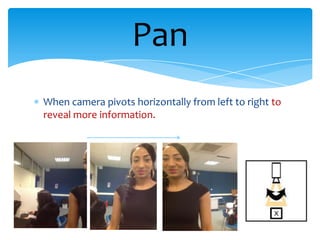
Pan
When camera pivots horizontally from left to right to
reveal more information.
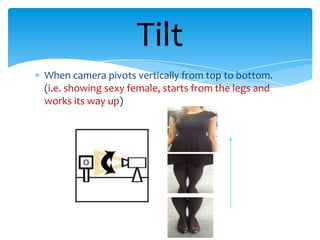
Tilt
When camera pivots vertically from top to bottom.
(i.e. showing sexy female, starts from the legs and
works its way up)
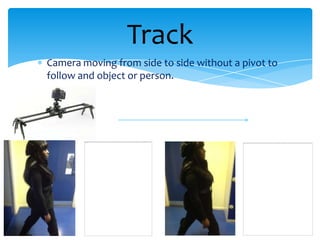
Track
Camera moving from side to side without a pivot to
follow and object or person.
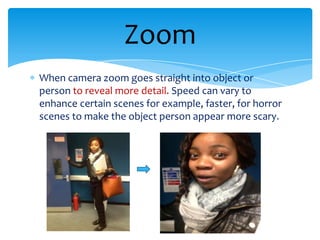
Zoom
When camera zoom goes straight into object or
person to reveal more detail. Speed can vary to
enhance certain scenes for example, faster, for horror
scenes to make the object person appear more scary.
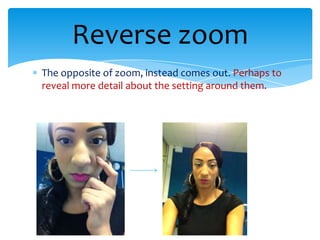
Reverse zoom
The opposite of zoom, instead comes out. Perhaps to
reveal more detail about the setting around them.
Composition
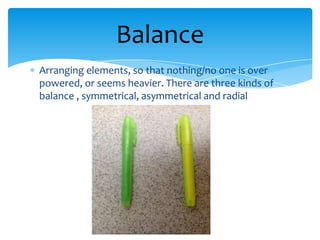
Balance
Arranging elements, so that nothing/no one is over
powered, or seems heavier. There are three kinds of
balance , symmetrical, asymmetrical and radial
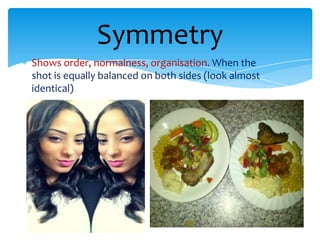
Symmetry
Shows order, normalness, organisation. When the
shot is equally balanced on both sides (look almost
identical)
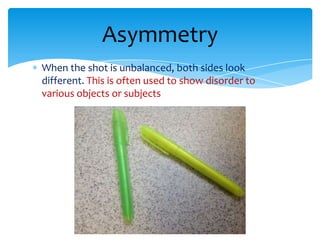
Asymmetry
When the shot is unbalanced, both sides look
different. This is often used to show disorder to
various objects or subjects
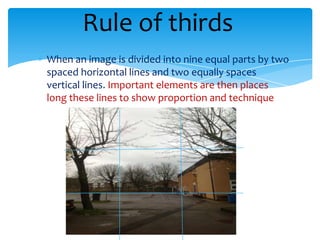
Rule of thirds
When an image is divided into nine equal parts by two
spaced horizontal lines and two equally spaces
vertical lines. Important elements are then places
long these lines to show proportion and technique
Depth of field
The distance between the nearest and furthest
objects that appear very sharp in the image. The lens
focusses on a specific part of the picture which causes
the other parts to slightly blur
Shallow focus
Like depth of field, the parts of the image which
aren't in focus are blurred. This is used to enhance the
importance of a particular part of the image
Deep focus
When the whole entire image is in focus, the
foreground, the middlegroud and the background are
all in focus. To show that everything in the image is
important
Focus pulls
An effective camera effect where you change the
focus during a shot. The adjusting from one focus
subject to another.

Cameraangles

  • 1.
  • 2.
  • 3.
    Establishing shot Establishes thesetting of a scene to give information where the scene is i.e. (London postcode) This is an establishing shot as it establishes the convent of Jesus and Mary building
  • 4.
    Wide shot Shows alarge variety of information like a panoramic photograph. This shows a broad view of an entire location, subject, or action. Could be used to show everyone sitting at a dining table.
  • 5.
    Long shot Shows acharacters whole body, for example if someone is running. A long shot is used to stress the environment or setting of a scene(Usually used in action)
  • 6.
    Mid shot Shows acharacter from there torso, usually the upper part of their body, could be below. The medium shot can be used to focus attention on the actor/actress
  • 7.
    Close up shot Framingof a character or subject of some particular part of the body or object for example a face The close-up is designed to focus attention on an actor's expression, to give significance to a certain object
  • 8.
    Extreme close up Evencloser than a close up shot, to give more detail and information to audience
  • 9.
    Over the shoulder Ashot from the back of a characters shoulder. The character facing the subject occupies 1/3 of the frame but could vary depending on purpose. The More of the head or back that is shown adds a dominant feel
  • 10.
    Point of view Showsa view from the characters perspective, edited so the audience are aware of who the character is (consists of body movement) camera usually places by eyes)
  • 11.
    Two shot Two charactersin shot, communicating or interacting (usually shows a relationship or bond)
  • 12.
    Over head shot Wherecamera is placed above the persons head to make them appear inferior(smaller)
  • 13.
  • 14.
    Low angle Angle takenfrom a lower place to look up at a character or subject, this makes it or them appear greater and superior
  • 15.
    High angle Taken froma higher place looks down at character. This makes character/subject appear smaller and vulnerable
  • 16.
    Canted or obliqueangle Makes angle appear stewed tilted sometimes used for dramatic effect to help portray unease,
  • 17.
  • 18.
    Pan When camera pivotshorizontally from left to right to reveal more information.
  • 19.
    Tilt When camera pivotsvertically from top to bottom. (i.e. showing sexy female, starts from the legs and works its way up)
  • 20.
    Track Camera moving fromside to side without a pivot to follow and object or person.
  • 21.
    Zoom When camera zoomgoes straight into object or person to reveal more detail. Speed can vary to enhance certain scenes for example, faster, for horror scenes to make the object person appear more scary.
  • 22.
    Reverse zoom The oppositeof zoom, instead comes out. Perhaps to reveal more detail about the setting around them.
  • 23.
  • 24.
    Balance Arranging elements, sothat nothing/no one is over powered, or seems heavier. There are three kinds of balance , symmetrical, asymmetrical and radial
  • 25.
    Symmetry Shows order, normalness,organisation. When the shot is equally balanced on both sides (look almost identical)
  • 26.
    Asymmetry When the shotis unbalanced, both sides look different. This is often used to show disorder to various objects or subjects
  • 27.
    Rule of thirds Whenan image is divided into nine equal parts by two spaced horizontal lines and two equally spaces vertical lines. Important elements are then places long these lines to show proportion and technique
  • 28.
    Depth of field Thedistance between the nearest and furthest objects that appear very sharp in the image. The lens focusses on a specific part of the picture which causes the other parts to slightly blur
  • 29.
    Shallow focus Like depthof field, the parts of the image which aren't in focus are blurred. This is used to enhance the importance of a particular part of the image
  • 30.
    Deep focus When thewhole entire image is in focus, the foreground, the middlegroud and the background are all in focus. To show that everything in the image is important
  • 31.
    Focus pulls An effectivecamera effect where you change the focus during a shot. The adjusting from one focus subject to another.