© 2019 NetSpeed Learning Solutions. All rights reserved. 1
Design Tips
for Virtual Facilitators
© 2019 NetSpeed Learning Solutions. All rights reserved. 2
Webinar Objectives
• Learn how to design webinars with POW!
• Use all the interaction tools in your web
platform to engage participants
• Deliver powerful virtual learning that gets on the
job results
© 2019 NetSpeed Learning Solutions. All rights reserved. 3
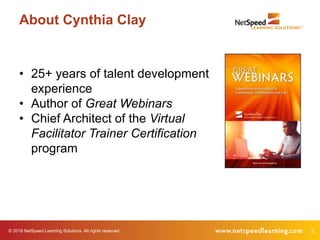
About Cynthia Clay
• 25+ years of talent development
experience
• Author of Great Webinars
• Chief Architect of the Virtual
Facilitator Trainer Certification
program
© 2019 NetSpeed Learning Solutions. All rights reserved. 4
Purpose
What is your purpose in
attending this webinar?
© 2019 NetSpeed Learning Solutions. All rights reserved. 5
Powerful Virtual Learning
© 2019 NetSpeed Learning Solutions. All rights reserved. 6
Powerful Virtual Learning
Plan for Interaction
Optimize Learning Transfer
Win Hearts and Minds
© 2019 NetSpeed Learning Solutions. All rights reserved. 7
Plan for
Interaction
Powerful Virtual Learning
© 2019 NetSpeed Learning Solutions. All rights reserved. 8
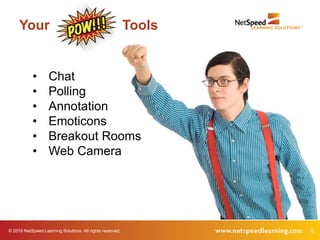
• Chat
• Polling
• Annotation
• Emoticons
• Breakout Rooms
• Web Camera
Your Tools
© 2019 NetSpeed Learning Solutions. All rights reserved. 9
Your Tools
Which one of
these power tools
is your favorite?
Why?
© 2019 NetSpeed Learning Solutions. All rights reserved. 10
Interact every two or three minutes.
Tip #1
© 2019 NetSpeed Learning Solutions. All rights reserved. 11
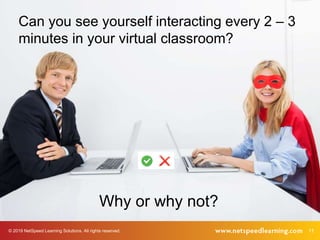
InteractionCan you see yourself interacting every 2 – 3
minutes in your virtual classroom?
Why or why not?
© 2019 NetSpeed Learning Solutions. All rights reserved. 12
Use a variety of interaction tools.
Tip #2
© 2019 NetSpeed Learning Solutions. All rights reserved. 13
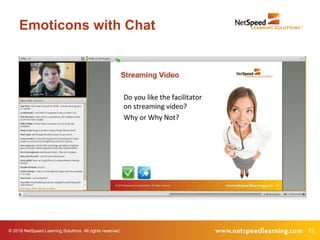
Emoticons with Chat
© 2019 NetSpeed Learning Solutions. All rights reserved. 14
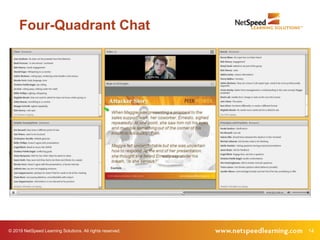
Four-Quadrant Chat
© 2019 NetSpeed Learning Solutions. All rights reserved. 15
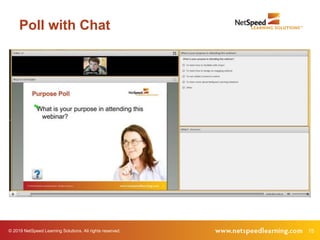
Poll with Chat
© 2019 NetSpeed Learning Solutions. All rights reserved. 16
Break the linear approach to design.
Tip #3
© 2019 NetSpeed Learning Solutions. All rights reserved. 17
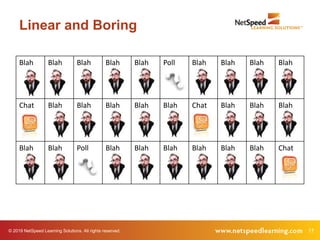
Linear and Boring
Blah Blah Blah Blah Blah Poll Blah Blah Blah Blah
Chat Blah Blah Blah Blah Blah Chat Blah Blah Blah
Blah Blah Poll Blah Blah Blah Blah Blah Blah Chat
© 2019 NetSpeed Learning Solutions. All rights reserved. 18
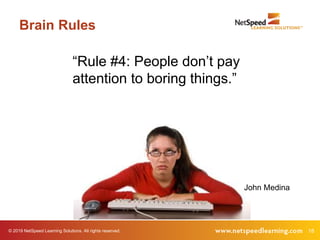
Brain Rules
“Rule #4: People don’t pay
attention to boring things.”
John Medina
© 2019 NetSpeed Learning Solutions. All rights reserved. 19
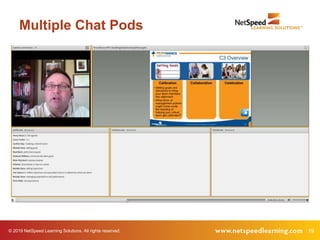
Multiple Chat Pods
© 2019 NetSpeed Learning Solutions. All rights reserved. 20
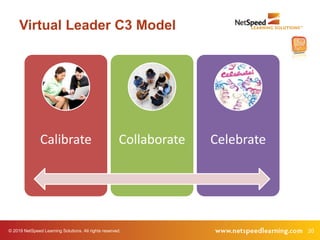
Virtual Leader C3 Model
Calibrate Collaborate Celebrate
© 2019 NetSpeed Learning Solutions. All rights reserved. 21
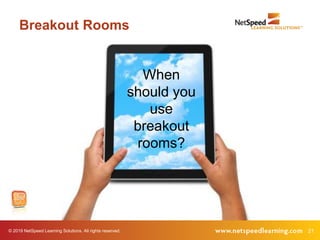
Breakout Rooms
When
should you
use
breakout
rooms?
© 2019 NetSpeed Learning Solutions. All rights reserved. 22
Collaborate on shared problems.
Tip #4
© 2019 NetSpeed Learning Solutions. All rights reserved. 23
Powerful Virtual Learning
Optimize
Learning
Transfer
© 2019 NetSpeed Learning Solutions. All rights reserved. 24
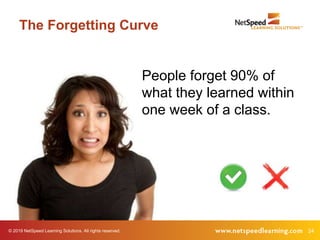
The Forgetting Curve
People forget 90% of
what they learned within
one week of a class.
© 2019 NetSpeed Learning Solutions. All rights reserved. 25
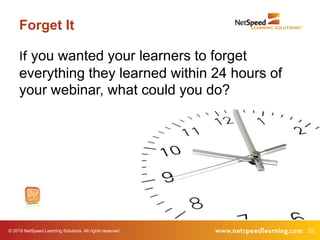
Forget It
If you wanted your learners to forget
everything they learned within 24 hours of
your webinar, what could you do?
© 2019 NetSpeed Learning Solutions. All rights reserved. 26
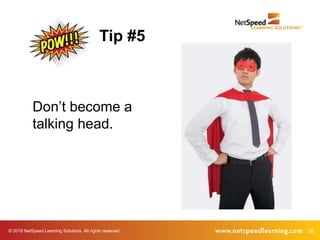
Don’t become a
talking head.
Tip #5
© 2019 NetSpeed Learning Solutions. All rights reserved. 27
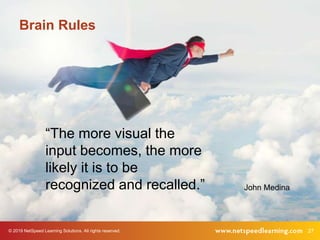
Brain Rules
“The more visual the
input becomes, the more
likely it is to be
recognized and recalled.” John Medina
© 2019 NetSpeed Learning Solutions. All rights reserved. 28
This is a visual medium.
29© 2019 NetSpeed Learning Solutions. All rights reserved.
Presentation Zen
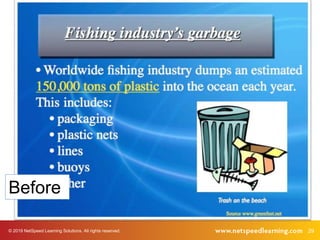
Before
30© 2019 NetSpeed Learning Solutions. All rights reserved.
Presentation Zen
Presentation Zen
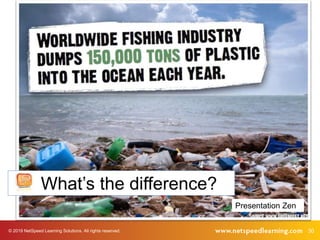
What’s the difference?
© 2019 NetSpeed Learning Solutions. All rights reserved. 31
Talk less.
Experience often.
Apply more.
Tip #6
© 2019 NetSpeed Learning Solutions. All rights reserved. 32
Frame key points with
stories.
Tip #7
© 2019 NetSpeed Learning Solutions. All rights reserved. 33
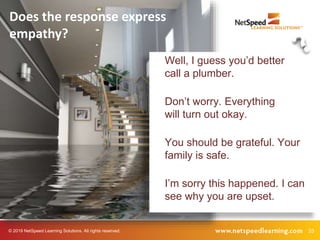
Does the response express
empathy?
Well, I guess you’d better
call a plumber.
Don’t worry. Everything
will turn out okay.
You should be grateful. Your
family is safe.
I’m sorry this happened. I can
see why you are upset.
© 2019 NetSpeed Learning Solutions. All rights reserved. 34
Brain Rules
“The more personal an example, the more
richly it becomes encoded and the more
readily it is remembered.”
John Medina
© 2019 NetSpeed Learning Solutions. All rights reserved. 35
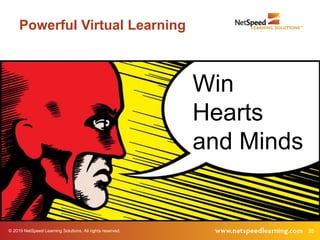
Powerful Virtual Learning
Win
Hearts
and Minds
© 2019 NetSpeed Learning Solutions. All rights reserved. 36
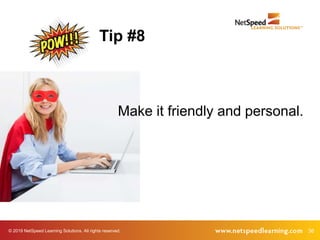
Make it friendly and personal.
Tip #8
© 2019 NetSpeed Learning Solutions. All rights reserved. 37
Virtual Classroom
How can you make the web classroom
friendly and personal?
© 2019 NetSpeed Learning Solutions. All rights reserved. 38
Chat with Them
• Use people’s names.
• Build on their comments
to make your key points.
• Praise their contributions.
• Be on camera, if possible.
© 2019 NetSpeed Learning Solutions. All rights reserved. 39
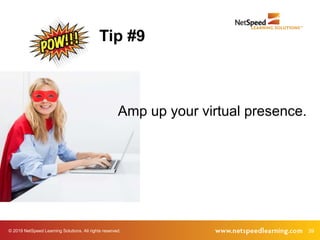
Amp up your virtual presence.
Tip #9
© 2019 NetSpeed Learning Solutions. All rights reserved. 40
Virtual Presence
The way people represent
themselves in their online
environment
The degree to which a facilitator is
perceived as a “real” person online
© 2019 NetSpeed Learning Solutions. All rights reserved. 41
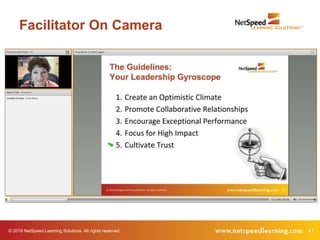
Facilitator On Camera
© 2019 NetSpeed Learning Solutions. All rights reserved. 42
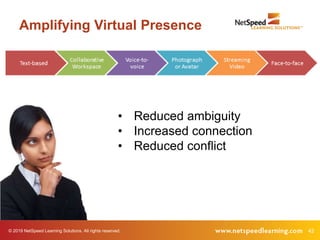
Amplifying Virtual Presence
• Reduced ambiguity
• Increased connection
• Reduced conflict
© 2019 NetSpeed Learning Solutions. All rights reserved. 43
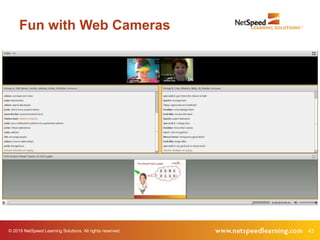
Fun with Web Cameras
© 2019 NetSpeed Learning Solutions. All rights reserved. 44
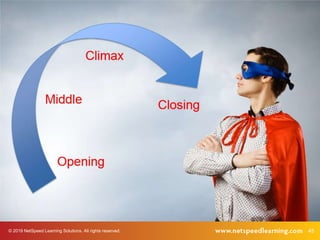
Build a natural arc in your design.
Tip #10
© 2019 NetSpeed Learning Solutions. All rights reserved. 45
© 2019 NetSpeed Learning Solutions. All rights reserved. 46
Opening
What should happen in
the first ten minutes?
© 2019 NetSpeed Learning Solutions. All rights reserved. 47
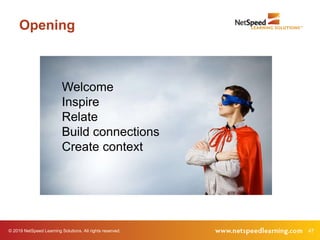
Opening
Welcome
Inspire
Relate
Build connections
Create context
© 2019 NetSpeed Learning Solutions. All rights reserved. 48
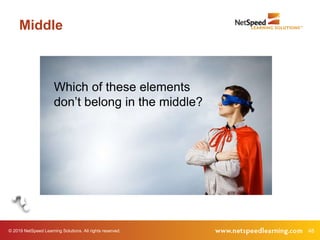
Middle
Which of these elements
don’t belong in the middle?
© 2019 NetSpeed Learning Solutions. All rights reserved. 49
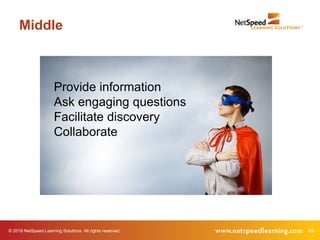
Middle
Provide information
Ask engaging questions
Facilitate discovery
Collaborate
© 2019 NetSpeed Learning Solutions. All rights reserved. 50
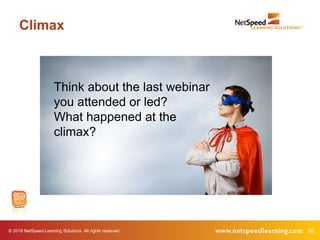
Climax
Think about the last webinar
you attended or led?
What happened at the
climax?
© 2019 NetSpeed Learning Solutions. All rights reserved. 51
Climax
Dig deeper
Demonstrate application
Move from theory to practice
Reinforce new skills
© 2019 NetSpeed Learning Solutions. All rights reserved. 52
Closing
Why should you pay
attention to the ending?
© 2019 NetSpeed Learning Solutions. All rights reserved. 53
Closing
Review
Motivate
Gain commitment to action
© 2019 NetSpeed Learning Solutions. All rights reserved. 54
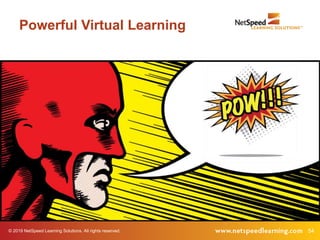
Powerful Virtual Learning
© 2019 NetSpeed Learning Solutions. All rights reserved. 55
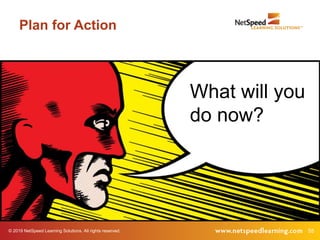
Plan for Action
What will you
do now?
© 2019 NetSpeed Learning Solutions. All rights reserved. 56
Virtual Facilitator Training
• Deep dive, comprehensive course
• Focused on virtual design and delivery
• Public courses offered six times/year
• Customized for private delivery in your web
conference platform
© 2019 NetSpeed Learning Solutions. All rights reserved. 57

Pow! Design Tips for Virtual Facilitators

  • 1.
    © 2019 NetSpeedLearning Solutions. All rights reserved. 1 Design Tips for Virtual Facilitators
  • 2.
    © 2019 NetSpeedLearning Solutions. All rights reserved. 2 Webinar Objectives • Learn how to design webinars with POW! • Use all the interaction tools in your web platform to engage participants • Deliver powerful virtual learning that gets on the job results
  • 3.
    © 2019 NetSpeedLearning Solutions. All rights reserved. 3 About Cynthia Clay • 25+ years of talent development experience • Author of Great Webinars • Chief Architect of the Virtual Facilitator Trainer Certification program
  • 4.
    © 2019 NetSpeedLearning Solutions. All rights reserved. 4 Purpose What is your purpose in attending this webinar?
  • 5.
    © 2019 NetSpeedLearning Solutions. All rights reserved. 5 Powerful Virtual Learning
  • 6.
    © 2019 NetSpeedLearning Solutions. All rights reserved. 6 Powerful Virtual Learning Plan for Interaction Optimize Learning Transfer Win Hearts and Minds
  • 7.
    © 2019 NetSpeedLearning Solutions. All rights reserved. 7 Plan for Interaction Powerful Virtual Learning
  • 8.
    © 2019 NetSpeedLearning Solutions. All rights reserved. 8 • Chat • Polling • Annotation • Emoticons • Breakout Rooms • Web Camera Your Tools
  • 9.
    © 2019 NetSpeedLearning Solutions. All rights reserved. 9 Your Tools Which one of these power tools is your favorite? Why?
  • 10.
    © 2019 NetSpeedLearning Solutions. All rights reserved. 10 Interact every two or three minutes. Tip #1
  • 11.
    © 2019 NetSpeedLearning Solutions. All rights reserved. 11 InteractionCan you see yourself interacting every 2 – 3 minutes in your virtual classroom? Why or why not?
  • 12.
    © 2019 NetSpeedLearning Solutions. All rights reserved. 12 Use a variety of interaction tools. Tip #2
  • 13.
    © 2019 NetSpeedLearning Solutions. All rights reserved. 13 Emoticons with Chat
  • 14.
    © 2019 NetSpeedLearning Solutions. All rights reserved. 14 Four-Quadrant Chat
  • 15.
    © 2019 NetSpeedLearning Solutions. All rights reserved. 15 Poll with Chat
  • 16.
    © 2019 NetSpeedLearning Solutions. All rights reserved. 16 Break the linear approach to design. Tip #3
  • 17.
    © 2019 NetSpeedLearning Solutions. All rights reserved. 17 Linear and Boring Blah Blah Blah Blah Blah Poll Blah Blah Blah Blah Chat Blah Blah Blah Blah Blah Chat Blah Blah Blah Blah Blah Poll Blah Blah Blah Blah Blah Blah Chat
  • 18.
    © 2019 NetSpeedLearning Solutions. All rights reserved. 18 Brain Rules “Rule #4: People don’t pay attention to boring things.” John Medina
  • 19.
    © 2019 NetSpeedLearning Solutions. All rights reserved. 19 Multiple Chat Pods
  • 20.
    © 2019 NetSpeedLearning Solutions. All rights reserved. 20 Virtual Leader C3 Model Calibrate Collaborate Celebrate
  • 21.
    © 2019 NetSpeedLearning Solutions. All rights reserved. 21 Breakout Rooms When should you use breakout rooms?
  • 22.
    © 2019 NetSpeedLearning Solutions. All rights reserved. 22 Collaborate on shared problems. Tip #4
  • 23.
    © 2019 NetSpeedLearning Solutions. All rights reserved. 23 Powerful Virtual Learning Optimize Learning Transfer
  • 24.
    © 2019 NetSpeedLearning Solutions. All rights reserved. 24 The Forgetting Curve People forget 90% of what they learned within one week of a class.
  • 25.
    © 2019 NetSpeedLearning Solutions. All rights reserved. 25 Forget It If you wanted your learners to forget everything they learned within 24 hours of your webinar, what could you do?
  • 26.
    © 2019 NetSpeedLearning Solutions. All rights reserved. 26 Don’t become a talking head. Tip #5
  • 27.
    © 2019 NetSpeedLearning Solutions. All rights reserved. 27 Brain Rules “The more visual the input becomes, the more likely it is to be recognized and recalled.” John Medina
  • 28.
    © 2019 NetSpeedLearning Solutions. All rights reserved. 28 This is a visual medium.
  • 29.
    29© 2019 NetSpeedLearning Solutions. All rights reserved. Presentation Zen Before
  • 30.
    30© 2019 NetSpeedLearning Solutions. All rights reserved. Presentation Zen Presentation Zen What’s the difference?
  • 31.
    © 2019 NetSpeedLearning Solutions. All rights reserved. 31 Talk less. Experience often. Apply more. Tip #6
  • 32.
    © 2019 NetSpeedLearning Solutions. All rights reserved. 32 Frame key points with stories. Tip #7
  • 33.
    © 2019 NetSpeedLearning Solutions. All rights reserved. 33 Does the response express empathy? Well, I guess you’d better call a plumber. Don’t worry. Everything will turn out okay. You should be grateful. Your family is safe. I’m sorry this happened. I can see why you are upset.
  • 34.
    © 2019 NetSpeedLearning Solutions. All rights reserved. 34 Brain Rules “The more personal an example, the more richly it becomes encoded and the more readily it is remembered.” John Medina
  • 35.
    © 2019 NetSpeedLearning Solutions. All rights reserved. 35 Powerful Virtual Learning Win Hearts and Minds
  • 36.
    © 2019 NetSpeedLearning Solutions. All rights reserved. 36 Make it friendly and personal. Tip #8
  • 37.
    © 2019 NetSpeedLearning Solutions. All rights reserved. 37 Virtual Classroom How can you make the web classroom friendly and personal?
  • 38.
    © 2019 NetSpeedLearning Solutions. All rights reserved. 38 Chat with Them • Use people’s names. • Build on their comments to make your key points. • Praise their contributions. • Be on camera, if possible.
  • 39.
    © 2019 NetSpeedLearning Solutions. All rights reserved. 39 Amp up your virtual presence. Tip #9
  • 40.
    © 2019 NetSpeedLearning Solutions. All rights reserved. 40 Virtual Presence The way people represent themselves in their online environment The degree to which a facilitator is perceived as a “real” person online
  • 41.
    © 2019 NetSpeedLearning Solutions. All rights reserved. 41 Facilitator On Camera
  • 42.
    © 2019 NetSpeedLearning Solutions. All rights reserved. 42 Amplifying Virtual Presence • Reduced ambiguity • Increased connection • Reduced conflict
  • 43.
    © 2019 NetSpeedLearning Solutions. All rights reserved. 43 Fun with Web Cameras
  • 44.
    © 2019 NetSpeedLearning Solutions. All rights reserved. 44 Build a natural arc in your design. Tip #10
  • 45.
    © 2019 NetSpeedLearning Solutions. All rights reserved. 45
  • 46.
    © 2019 NetSpeedLearning Solutions. All rights reserved. 46 Opening What should happen in the first ten minutes?
  • 47.
    © 2019 NetSpeedLearning Solutions. All rights reserved. 47 Opening Welcome Inspire Relate Build connections Create context
  • 48.
    © 2019 NetSpeedLearning Solutions. All rights reserved. 48 Middle Which of these elements don’t belong in the middle?
  • 49.
    © 2019 NetSpeedLearning Solutions. All rights reserved. 49 Middle Provide information Ask engaging questions Facilitate discovery Collaborate
  • 50.
    © 2019 NetSpeedLearning Solutions. All rights reserved. 50 Climax Think about the last webinar you attended or led? What happened at the climax?
  • 51.
    © 2019 NetSpeedLearning Solutions. All rights reserved. 51 Climax Dig deeper Demonstrate application Move from theory to practice Reinforce new skills
  • 52.
    © 2019 NetSpeedLearning Solutions. All rights reserved. 52 Closing Why should you pay attention to the ending?
  • 53.
    © 2019 NetSpeedLearning Solutions. All rights reserved. 53 Closing Review Motivate Gain commitment to action
  • 54.
    © 2019 NetSpeedLearning Solutions. All rights reserved. 54 Powerful Virtual Learning
  • 55.
    © 2019 NetSpeedLearning Solutions. All rights reserved. 55 Plan for Action What will you do now?
  • 56.
    © 2019 NetSpeedLearning Solutions. All rights reserved. 56 Virtual Facilitator Training • Deep dive, comprehensive course • Focused on virtual design and delivery • Public courses offered six times/year • Customized for private delivery in your web conference platform
  • 57.
    © 2019 NetSpeedLearning Solutions. All rights reserved. 57