“AUDIO VISUAL AIDS”

      Presented by:
      Smriti Karan
      M.A (O.B),3RD SEM
WHAT ARE A.V AIDS???
According to Kinder:
“Audio visual aids are any device which can be used to make the
learning more effective, more concrete, more realistic and more
dynamic”.
OBJECTIVES OF USING AUDIOVISUAL AIDS
• To increase the effectiveness of the teaching.
• To hold the attention span of the learner for the duration
of instruction.
• To save time.
• To make learning experiences last longer.
GUIDELINES FOR DESIGNING
               AUDIOVISUALS

•Use simplified drawings.
•Visual should be made to scale.
•Use colors and dramatic pictures with humor
• Information given should match the pace of learning
•Use titles and questions liberally.
•Make selective use of audio effects.
•Use bold face type letters.
•Design learner friendly interactive multimedia systems.
BENEFITS OF USING A.V AIDS

• They help your audience understand your ideas.
• They help the audience follow your argument, your “train” of
  thought.   In   both      oral   and   written   presentations
  readers/listeners must perceive the pattern of organization to
  comprehend effectively.
• They makes your presentation more memorable and thus
  increase the chances that what you said will be remembered.
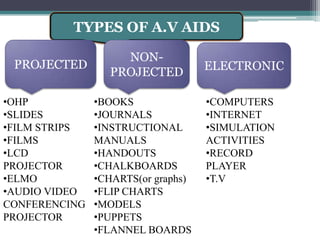
TYPES OF A.V AIDS

                   NON-
 PROJECTED                          ELECTRONIC
                 PROJECTED

•OHP           •BOOKS               •COMPUTERS
•SLIDES        •JOURNALS            •INTERNET
•FILM STRIPS   •INSTRUCTIONAL       •SIMULATION
•FILMS         MANUALS              ACTIVITIES
•LCD           •HANDOUTS            •RECORD
PROJECTOR      •CHALKBOARDS         PLAYER
•ELMO          •CHARTS(or graphs)   •T.V
•AUDIO VIDEO   •FLIP CHARTS
CONFERENCING   •MODELS
PROJECTOR      •PUPPETS
               •FLANNEL BOARDS
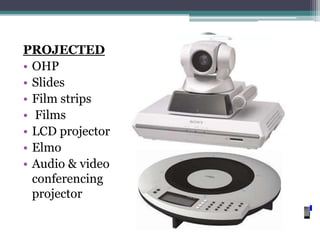
PROJECTED
• OHP
• Slides
• Film strips
• Films
• LCD projector
• Elmo
• Audio & video
  conferencing
  projector
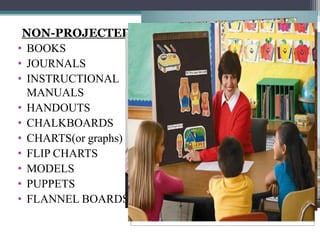
NON-PROJECTED
• BOOKS
• JOURNALS
• INSTRUCTIONAL
  MANUALS
• HANDOUTS
• CHALKBOARDS
• CHARTS(or graphs)
• FLIP CHARTS
• MODELS
• PUPPETS
• FLANNEL BOARDS
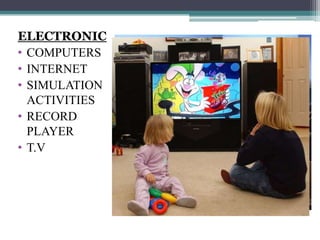
ELECTRONIC
• COMPUTERS
• INTERNET
• SIMULATION
  ACTIVITIES
• RECORD
  PLAYER
• T.V
THANK YOU FOR YOUR
PATIENCE 

Av aids

  • 1.
    “AUDIO VISUAL AIDS” Presented by: Smriti Karan M.A (O.B),3RD SEM
  • 2.
    WHAT ARE A.VAIDS??? According to Kinder: “Audio visual aids are any device which can be used to make the learning more effective, more concrete, more realistic and more dynamic”. OBJECTIVES OF USING AUDIOVISUAL AIDS • To increase the effectiveness of the teaching. • To hold the attention span of the learner for the duration of instruction. • To save time. • To make learning experiences last longer.
  • 3.
    GUIDELINES FOR DESIGNING AUDIOVISUALS •Use simplified drawings. •Visual should be made to scale. •Use colors and dramatic pictures with humor • Information given should match the pace of learning •Use titles and questions liberally. •Make selective use of audio effects. •Use bold face type letters. •Design learner friendly interactive multimedia systems.

  • 4.
    BENEFITS OF USINGA.V AIDS • They help your audience understand your ideas. • They help the audience follow your argument, your “train” of thought. In both oral and written presentations readers/listeners must perceive the pattern of organization to comprehend effectively. • They makes your presentation more memorable and thus increase the chances that what you said will be remembered.
  • 5.
    TYPES OF A.VAIDS NON- PROJECTED ELECTRONIC PROJECTED •OHP •BOOKS •COMPUTERS •SLIDES •JOURNALS •INTERNET •FILM STRIPS •INSTRUCTIONAL •SIMULATION •FILMS MANUALS ACTIVITIES •LCD •HANDOUTS •RECORD PROJECTOR •CHALKBOARDS PLAYER •ELMO •CHARTS(or graphs) •T.V •AUDIO VIDEO •FLIP CHARTS CONFERENCING •MODELS PROJECTOR •PUPPETS •FLANNEL BOARDS
  • 6.
    PROJECTED • OHP • Slides •Film strips • Films • LCD projector • Elmo • Audio & video conferencing projector
  • 7.
    NON-PROJECTED • BOOKS • JOURNALS •INSTRUCTIONAL MANUALS • HANDOUTS • CHALKBOARDS • CHARTS(or graphs) • FLIP CHARTS • MODELS • PUPPETS • FLANNEL BOARDS
  • 8.
    ELECTRONIC • COMPUTERS • INTERNET •SIMULATION ACTIVITIES • RECORD PLAYER • T.V
  • 9.
    THANK YOU FORYOUR PATIENCE 