DEFINITION
Audio-visual aids arethose sensory objects or
images which initiate or stimulate and
reinforce learning.
- Burton
Audio-visual aids are those aids which help in
completing the triangular process of learning,
i.e. motivation, classification and stimulation.
Carter. V. Good
Audio-visual aids are those devices by the use
of which communication of ideas between
persons and groups in various teaching and
training situations is helped. These are also
termed as multi-sensory materials.
- Edgar Dale
4.
PURPOSES
• Antidote tothe disease of verbal instruction
• Best motivation
• Clear Images
• Vicarious experience
• Variety
• Freedom
• Retentive
• Opportunities to handle and manipulate
• Based on maxims of teaching
• Helpful in attracting attention
• Helpful in fixing up new learning
• Saving of energy and time
• Realism
5.
PURPOSES
• Vividness
• Meetingindividual differences
• Encouragement to healthy classroom
interaction
• Spread of education on mass scale
• Promotion of scientific temper
• Development of higher faculties
• Reinforcement to learner
• Positive transfer of learning and training
• Positive environment for creative
discipline
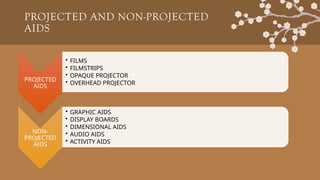
PROJECTED AND NON-PROJECTED
AIDS
PROJECTED
AIDS
•FILMS
• FILMSTRIPS
• OPAQUE PROJECTOR
• OVERHEAD PROJECTOR
NON-
PROJECTED
AIDS
• GRAPHIC AIDS
• DISPLAY BOARDS
• DIMENSIONAL AIDS
• AUDIO AIDS
• ACTIVITY AIDS
8.
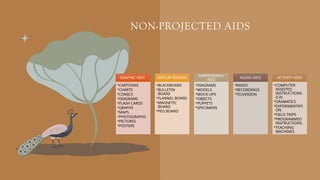
NON-PROJECTED AIDS
GRAPHIC AIDS
•CARTOONS
•CHARTS
•COMICS
•DIAGRAMS
•FLASHCARDS
•GRAPHS
•MAPS
•PHOTOGRAPHS
•PICTURES
•POSTERS
DISPLAY BOARDS
•BLACKBOARD
•BULLETIN
BOARD
•FLANNEL BOARD
•MAGNETIC
BOARD
•PEG BOARD
DIMENSIONAL
AIDS
•DIAGRAMS
•MODELS
•MOCK-UPS
•OBJECTS
•PUPPETS
•SPECIMENS
AUDIO AIDS
•RADIO
•RECORDINGS
•TELEVISION
ACTIVITY AIDS
•COMPUTER
ASSISTED
INSTRUCTIONS
(CA)
•DRAMATICS
•EXPERIMENTATI
ON
•FIELD TRIPS
•PROGRAMMED
INSTRUCTIONS
•TEACHING
MACHINES
9.
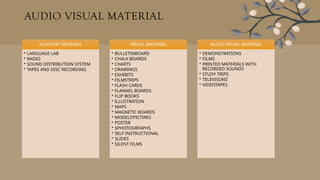
AUDIO VISUAL MATERIAL
AUDITORYMATERIAL
• LANGUAGE LAB
• RADIO
• SOUND DISTRIBUTION SYSTEM
• TAPES AND DISC RECORDING
VISUAL MATERIAL
• BULLETINBOARD
• CHALK BOARDS
• CHARTS
• DRAWINGS
• EXHIBITS
• FILMSTRIPS
• FLASH CARDS
• FLANNEL BOARDS
• FLIP BOOKS
• ILLUSTRATION
• MAPS
• MAGNETIC BOARDS
• MODELS’PICTIRES
• POSTER
• SPHOTOGRFAPHS
• SELF INSTRUCTIONAL
• SLIDES
• SILENT FILMS
AUDIO VISUAL MATERIAL
• DEMONSTRATIONS
• FILMS
• PRINTED MATERIALS WITH
RECORDED SOUNDS
• STUDY TRIPS
• TELEVISONS’
• VIDEOTAPES
10.
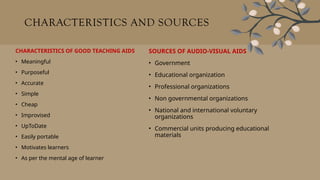
CHARACTERISTICS AND SOURCES
CHARACTERISTICSOF GOOD TEACHING AIDS
• Meaningful
• Purposeful
• Accurate
• Simple
• Cheap
• Improvised
• UpToDate
• Easily portable
• Motivates learners
• As per the mental age of learner
SOURCES OF AUDIO-VISUAL AIDS
• Government
• Educational organization
• Professional organizations
• Non governmental organizations
• National and international voluntary
organizations
• Commercial units producing educational
materials
11.
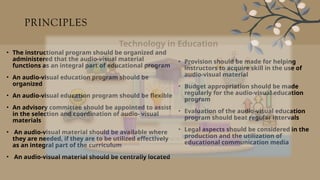
PRINCIPLES
• The instructionalprogram should be organized and
administered that the audio-visual material
functions as an integral part of educational program
• An audio-visual education program should be
organized
• An audio-visual education program should be flexible
• An advisory committee should be appointed to assist
in the selection and coordination of audio- visual
materials
• An audio-visual material should be available where
they are needed, if they are to be utilized effectively
as an integral part of the curriculum
• An audio-visual material should be centrally located
• Provision should be made for helping
instructors to acquire skill in the use of
audio-visual material
• Budget appropriation should be made
regularly for the audio-visual education
program
• Evaluation of the audio-visual education
program should beat regular intervals
• Legal aspects should be considered in the
production and the utilization of
educational communication media
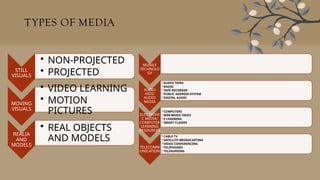
TYPES OF MEDIA
STILL
VISUALS
•NON-PROJECTED
• PROJECTED
MOVING
VISUALS
• VIDEO LEARNING
• MOTION
PICTURES
REALIA
AND
MODELS
• REAL OBJECTS
AND MODELS
MOBILE
TECHNOLO
GY
AUDIO
AIDS/
AUDIO
MEDIA
•AUDIO TAPES
•RADIO
•TAPE RECORDER
•PUBLIC ADDRESS SYSTEM
•DIGITAL AUDIO
ELECTRONI
C MEDIA/
COMPUTER
LEARNING
RESOURCES
•COMPUTERS
•WEB BASED VIDEO
•E LEARNING
•SMART CLASSES
TELECOMM
UNICATION
•CABLE TV
•SATELLITE BROADCASTING
•VIDEO CONFERENCING
•TELEPHONES
•TELENURSING
14.
STILL VISUALS NON-PROJECTED
METHODS
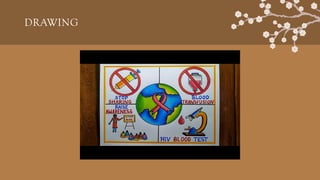
• DRAWING
• It is a type of visual art where an artist uses tools to make marks on paper or other flat surfaces.
The tools used for drawing include pencils, pens, paints, brushes, and colored pencils.
• The first "picture" originated from copying the shadows on the sand-represents one of the oldest
and most popular possibilities of graphic rendition by Greek legend.
ADVANTAGES
1. Increase the brain's activity
2. Improve creativity.
3. Improve memory.
4.Stress reliever
5. Increase positive emotions.
6. Improvement in fine motor skills.
7. Improvement in communication skills.
STILL VISUALS NON-PROJECTED
METHODS
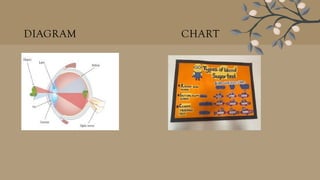
• DIAGRAM
Diagram is a simplified drawing designed to show
interrelationship primarily by means of lines, symbols
and headings. It also help to make effective learning
and making learning experiences last longer.
• STANDARDS OF GOOD DIAGRAM
1. Well, labeled and explained
2. Neat and tidy, drawn in proper proportion.
3. Technically correct.
4. Accurate and proper size.
5. Include only relevant knowledge.
• PREPARATION FOR DIAGRAM
1. Headings written in bold letters.
2. Include essential parts of diagrams with relevant
knowledge of topic.
3. Proper outlining of the diagram
4. Accurate and visible
STILL VISUALS NON-PROJECTED
METHODS
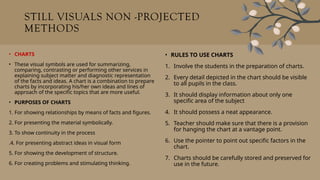
• CHARTS
• These visual symbols are used for summarizing,
comparing, contrasting or performing other services in
explaining subject matter and diagnostic representation
of the facts and ideas. A chart is a combination to prepare
charts by incorporating his/her own ideas and lines of
approach of the specific topics that are more useful.
• PURPOSES OF CHARTS
1. For showing relationships by means of facts and figures.
2. For presenting the material symbolically.
3. To show continuity in the process
.4. For presenting abstract ideas in visual form
5. For showing the development of structure.
6. For creating problems and stimulating thinking.
• RULES TO USE CHARTS
1. Involve the students in the preparation of charts.
2. Every detail depicted in the chart should be visible
to all pupils in the class.
3. It should display information about only one
specific area of the subject
4. It should possess a neat appearance.
5. Teacher should make sure that there is a provision
for hanging the chart at a vantage point.
6. Use the pointer to point out specific factors in the
chart.
7. Charts should be carefully stored and preserved for
use in the future.
19.
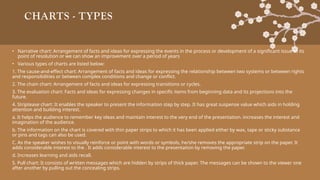
CHARTS - TYPES
•Narrative chart: Arrangement of facts and ideas for expressing the events in the process or development of a significant issue to its
point of resolution or we can show an improvement over a period of years
• Various types of charts are listed below:
1. The cause-and-effect chart: Arrangement of facts and ideas for expressing the relationship between two systems or between rights
and responsibilities or between complex conditions and change or conflict.
2. The chain chart: Arrangement of facts and ideas for expressing transitions or cycles.
3. The evaluation chart: Facts and ideas for expressing changes in specific items from beginning data and its projections into the
future.
4. Striptease chart: It enables the speaker to present the information step by step. It has great suspense value which aids in holding
attention and building interest.
a. It helps the audience to remember key ideas and maintain interest to the very end of the presentation. increases the interest and
imagination of the audience.
b. The information on the chart is covered with thin paper strips to which it has been applied either by wax, tape or sticky substance
or pins and tags can also be used.
C. As the speaker wishes to visually reinforce or point with words or symbols, he/she removes the appropriate strip on the paper. It
adds considerable interest to the . It adds considerable interest to the presentation by removing the paper.
d. Increases learning and aids recall.
5. Pull chart: It consists of written messages which are hidden by strips of thick paper. The messages can be shown to the viewer one
after another by pulling out the concealing strips.
20.
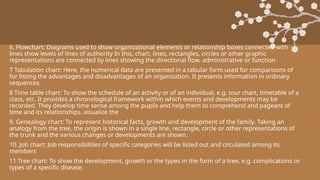
6. Flowchart: Diagramsused to show organizational elements or relationship boxes connected with
lines show levels of lines of authority In this, chart, lines, rectangles, circles or other graphic
representations are connected by lines showing the directional flow. administrative or function
7 Tabulation chart: Here, the numerical data are presented in a tabular form used for comparisons of
for listing the advantages and disadvantages of an organization. It presents information in ordinary
sequences.
8 Time table chart: To show the schedule of an activity or of an individual, e.g. tour chart, timetable of a
class, etc. It provides a chronological framework within which events and developments may be
recorded. They develop time sense among the pupils and help them to comprehend and pageant of
time and its relationships. visualize the
9. Genealogy chart: To represent historical facts, growth and development of the family. Taking an
analogy from the tree, the origin is shown in a single line, rectangle, circle or other representations of
the trunk and the various changes or developments are shown.
10. Job chart: Job responsibilities of specific categories will be listed out and circulated among its
members
11 Tree chart: To show the development, growth or the types in the form of a tree, e.g. complications or
types of a specific disease.
21.
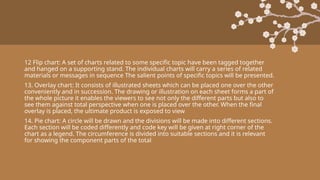
12 Flip chart:A set of charts related to some specific topic have been tagged together
and hanged on a supporting stand. The individual charts will carry a series of related
materials or messages in sequence The salient points of specific topics will be presented.
13. Overlay chart: It consists of illustrated sheets which can be placed one over the other
conveniently and in succession. The drawing or illustration on each sheet forms a part of
the whole picture it enables the viewers to see not only the different parts but also to
see them against total perspective when one is placed over the other. When the final
overlay is placed, the ultimate product is exposed to view
14. Pie chart: A circle will be drawn and the divisions will be made into different sections.
Each section will be coded differently and code key will be given at right corner of the
chart as a legend. The circumference is divided into suitable sections and it is relevant
for showing the component parts of the total
22.
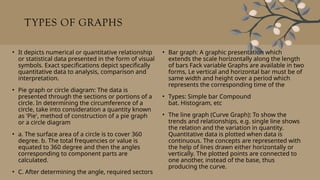
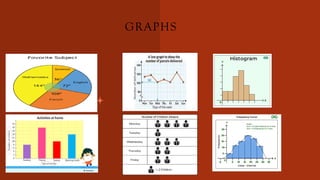
TYPES OF GRAPHS
•It depicts numerical or quantitative relationship
or statistical data presented in the form of visual
symbols. Exact specifications depict specifically
quantitative data to analysis, comparison and
interpretation.
• Pie graph or circle diagram: The data is
presented through the sections or portions of a
circle. In determining the circumference of a
circle, take into consideration a quantity known
as 'Pie', method of construction of a pie graph
or a circle diagram
• a. The surface area of a circle is to cover 360
degree. b. The total frequencies or value is
equated to 360 degree and then the angles
corresponding to component parts are
calculated.
• C. After determining the angle, required sectors
• Bar graph: A graphic presentation which
extends the scale horizontally along the length
of bars Fack variable Graphs are available in two
forms, Le vertical and horizontal bar must be of
same width and height over a period which
represents the corresponding time of the
• Types: Simple bar Compound
bat. Histogram, etc
• The line graph (Curve Graph): To show the
trends and relationships, e.g. single line shows
the relation and the variation in quantity.
Quantitative data is plotted when data is
continuous. The concepts are represented with
the help of lines drawn either horizontally or
vertically. The plotted points are connected to
one another, instead of the base, thus
producing the curve.
TYPES OF GRAPHS
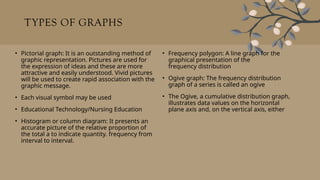
•Pictorial graph: It is an outstanding method of
graphic representation. Pictures are used for
the expression of ideas and these are more
attractive and easily understood. Vivid pictures
will be used to create rapid association with the
graphic message.
• Each visual symbol may be used
• Educational Technology/Nursing Education
• Histogram or column diagram: It presents an
accurate picture of the relative proportion of
the total a to indicate quantity. frequency from
interval to interval.
• Frequency polygon: A line graph for the
graphical presentation of the
frequency distribution
• Ogive graph: The frequency distribution
graph of a series is called an ogive
• The Ogive, a cumulative distribution graph,
illustrates data values on the horizontal
plane axis and, on the vertical axis, either
25.
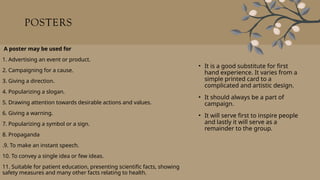
POSTERS
• It isa good substitute for first
hand experience. It varies from a
simple printed card to a
complicated and artistic design.
• It should always be a part of
campaign.
• It will serve first to inspire people
and lastly it will serve as a
remainder to the group.
A poster may be used for
1. Advertising an event or product.
2. Campaigning for a cause.
3. Giving a direction.
4. Popularizing a slogan.
5. Drawing attention towards desirable actions and values.
6. Giving a warning.
7. Popularizing a symbol or a sign.
8. Propaganda
.9. To make an instant speech.
10. To convey a single idea or few ideas.
11. Suitable for patient education, presenting scientific facts, showing
safety measures and many other facts relating to health.
26.
A good posteris said to have the following
features:
1. Simplicity in depiction
2 Dramatic action-packed short messages.
3. Colorfulness and eye-catching
figurative design.
27.
R U LE S T O P R E PA R E P O S T E R
1 P L A N N E D F O R T H E S P E C I F I E D P E O P L E .
2 . T O S U P P O R T L O C A L D E M O N S T R A T I O N S A N D L O C A L E X H I B I T S
3 I T S H O U L D S T O P T H E P E O P L E A N D M A K E T H E M T O L O O K .
4 W R I T E T H E M E S S A G E A S T O B E R E A D I N A S I N G L E G L A N C E A N D U S E B O L D
L E T T E R S ( 2 0 " X 3 0 " ) .
5 . U S E S I M P L E A N D F E W W O R D S W H I C H C O N V E Y O N E I D E A .
6 . U S E P L E A S I N G C O L O R S .
7 M U S T B E T I M E L Y
. 8 . I T C O N T A I N S :
- 1 S T D I V I S I O N : A N N O U N C E S T H E P U R P O S E O F T H E P R O J E C T
- 2 N D D I V I S I O N : S E T O U T C O N D I T I O N S .
- 3 R D D I V I S I O N : R E C O M M E N D S A C T I O N S .
9 . I T S H O U L D B E P L A C E D W H E R E P E O P L E P A S S O R G A T H E R T O G E T H E R . .
28.
C A RT O O N S
A C A R T O O N I S A H U M O R O U S C A R I C A T U R E W H I C H G I V E S A
S U B T L E M E S S A G E . I N A C A R T O O N , T H E F E A T U R E S O F O B J E C T S
A N D P E O P L E A R E E X A G G E R A T E D A L O N G W I T H G E N E R A L L Y
R E C O G N I Z E D S Y M B O L S . I N S H O R T , A C A R T O O N I S A F I G U R A T I V E
A N D S U B T L E G R A P H I C A I D
I S A M E T A P H O R I C A L P R E S E N T A T I O N O F R E A L I T Y . I T M A K E S
L E A R N I N G M O R E I N T E R E S T I N G A N D E F F E C T I V E A S I T C R E A T E S
A S T R O N G A P P E A L T O T H E E M O T I O N S . T H E C A R T O O N I S A N
I N T E R P R E T A T I V E I L L U S T R A T I O N W H I C H U S E S S Y M B O L S T O
P O R T R A Y A N O P I N I O N , A S C E N E O R A S I T U A T I O N .
29.
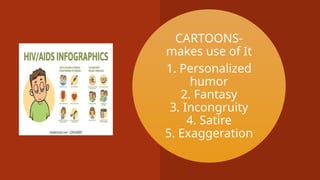
CARTOONS-
makes use ofIt
1. Personalized
humor
2. Fantasy
3. Incongruity
4. Satire
5. Exaggeration
30.
- I NS T R U C T I O N A L A D VA N T A G E S O F C A R T O O N S H AV E T H E F O L L O W I N G A D VA N T A G E S A S
A T E A C H I N G A I D :
1 . A C A R T O O N C A N B E E F F E C T I V E LY U S E D T O I N I T I A T E C E R T A I N L E S S O N S .
2 . A C A R T O O N C A N B E U S E D T O M O T I VA T E S T U D E N T S T O S T A R T A D I S C U S S I O N .
3 . A C A R T O O N C A N B E U S E D T O M A K E L E S S O N L I V E LY A N D I N T E R E S T I N G
- W H I L E U S I N G C A R T O O N S A S I N S T R U C T I O N A L A I D S , T H E T E A C H E R O U G H T T O
C H O O S E C A R T O O N S D U B I O U S LY A N D D I S C R I M I N A T E LY A S C E R T A I N C A R T O O N S C A N
I N J U R E T H E P E R S O N A L F E E L I N G S O F S T U D E N T S , E S P E C I A L LY T H E O N E S W H I C H A R E
S A R C A S T I C A N D C A U S T I C T O WA R D S C E R T A I N S O C I A L G R O U P S .
31.
BOARD DEVICES- CHALK/WHITE
BOARD
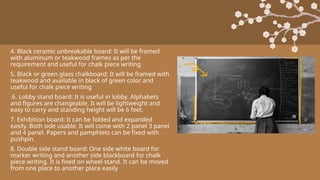
•The chalk board is the life of a classroom. It is the most commonly used visual aid by the teacher.
For providing a teaching atmosphere, the chalkboard must be in every classroom. A chalkboard is a
tremendous help to the teacher for explaining, illustrating and giving notes to his/her students. A
chalkboard is generally installed facing the class which is either built into the wall or fixed and
framed on the wall with a ledge to keep the chalk sticks and duster.
• CHARACTERISTICS OF GOOD CHALKBOARD
• These days a large variety of chalkboards are available. The ground glass chalkboard, dull surface
plastic chalkboards and vitreous coated iron chalkboards are being preferred over the traditional
wooden and cement chalkboards. The recommended size of board is 5 m × 6 m. For an effective
use of the chalkboard, the following characteristics of a board should be kept in mind
1. The surface of the chalkboard should be rough enough to hold the writing on the board.
2. The surface of the board should be dull enough to eliminate glare which hampers the visibility of
the writing on the board.
3. The writing should be easily removable with a cloth or foam duster.4. The chalkboard should be
mounted at an appropriate height within the reach of the teacher and visibility of students.
32.
TYPES OF CHALKBOARD
1.The ordinary chalkboard held by an easel:
A portable and adjustable blackboard put on a wooden easel can be taken out of the classroom
while taking the class in open, useful for teaching art subjects in small class.
It makes the lesson a dull routine.
It makes chalk powder to spread and inhaled by the teacher and students.6. Constant use of the
chalkboard makes it smooth and full of glare.
2. The roller type chalkboard with a mat surface: Made of thick canvas wrapped on a roller
3. The magnetic board: Teacher can make three-dimensional demonstration with objects on a
venial surface. Small magnets are used to hold suitable objects fixed whenever they are put on
this venical surface. The board is made up of steel on which magnets can be fixed. The creative
impulse is aroused among the students while they use it as an exercise.
33.
4. Black ceramicunbreakable board: It will be framed
with aluminum or teakwood frames as per the
requirement and useful for chalk piece writing
5. Black or green glass chalkboard: It will be framed with
teakwood and available in black of green color and
useful for chalk piece writing
.6. Lobby stand board: It is useful in lobby. Alphabets
and figures are changeable. It will be lightweight and
easy to carry and standing height will be 6 feet.
7. Exhibition board: It can be folded and expanded
easily. Both side usable. It will come with 2 panel 3 panel
and 4 panel. Papers and pamphlets can be fixed with
pushpin.
8. Double side stand board: One side white board for
marker writing and another side blackboard for chalk
piece writing. It is fixed on wheel stand. It can be moved
from one place to another place easily
34.
9. Reception board:Gold color powder coated aluminum frame. Golden letters can be
fixed on this board.
10. Tariff board: Useful for price list, reception, welcome to delegates and wedding.
11. Paging board: One side marker pen writing and one side letters interchangeable.
It is useful in public place to receive the VIPs.
12. Pressing graph perforated board: It can be used vertically, horizontally in any
place like educational institution, administration office, etc.
13. Write and wipe off white board: It can be used for marker writing and it can be
erased easily with duster or ordinary cloth.
14. Information notice board (open type): It is framed with aluminum frame, notices
can be fixed with pushpins, available in green, blue and maroon color.
35.
USES OF CHALKBOARD
1.It makes group instruction more concrete and understandable.
2. If it is used properly, it can set standards of neatness, accuracy and speed.
3. It can restore the attention of the group.
4. Many vague statements can be clarified by drawing sketches, outlines, diagrams, directions and summaries.
5. Initiates aural, visual sensations and helps in learning.
6. It can be a means of motivation and interest.
7. It can be used for recording the progress and status
8. It provides many educational opportunities in all curricular and co-curricular activities, e.g. we can present:
• a. The facts
• b. Principles
• c. Processed
• d. Procedures'
• e. Making assignments
36.
RULES IN USINGCHALKBOARD
1. Board should be kept clean always and uniform strokes with erases can be made to
clean the board.
2 The letters and drawings should be in large size.
3. Avoid spelling mistakes.
4. Writing should be in straight rows.
5. Do not talk as you write.
6. Face the group after writing and continue the discussion. Extreme lower comer of
blackboard should not be used as all the members cannot see.
7. Do not fill the board. Only salient features have to be written.
8. Do not use abbreviations.
37.
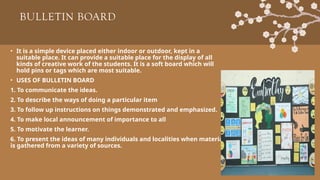
BULLETIN BOARD
• Itis a simple device placed either indoor or outdoor, kept in a
suitable place. It can provide a suitable place for the display of all
kinds of creative work of the students. It is a soft board which will
hold pins or tags which are most suitable.
• USES OF BULLETIN BOARD
1. To communicate the ideas.
2. To describe the ways of doing a particular item
3. To follow up instructions on things demonstrated and emphasized.
4. To make local announcement of importance to all
5. To motivate the learner.
6. To present the ideas of many individuals and localities when material
is gathered from a variety of sources.
38.
PRINCIPLES IN THEUSE OF A BULLETIN BOARD
1. A BOARD FOR POSTING NOTICES SHOULD BE KEPT SEPARATE FROM THOSE FOR CURRENT EVENT S AND STUDY. . A
SUGGESTED PLAN FOR PLACEMENT OF BULLETIN BOARD IS TO HAVE ONE NEAR THE EDUCATIONAL ADMINISTRATOR’S
2 OFFICE, ANO THER NEAR THE LIBRARY OR STUDY ROOM FOR MATERIAL IN RELATION CONFERENCE HALL OR MAIN WARDS
3. THE CONTENT SHOULD BE ORGANIZED AROUND A CENTRAL THEME OF CONTENT AND MATERIALS WHICH SHOULD BE
DATED TO ENSURE THAT IT DOES NOT REMAIN L ONGER THAN DESIRED.
4. THE APPEARANCE MUST BE NEAT, ORDERLY AND ATTRACTIVE.
5. THE MATERIAL SHOULD BE CHANGED FREQUENTLY AND SYSTEMATICALLY TO ENCOURAGE INTEREST
6. NOTICES SHOULD BE REMOVED AS SOON AS THEY HAVE FULFILLED THEIR PURPOSE.
7. THE CONTRIBUTIONS SHOULD BE ENCOURAGED AND USED.
8. A BULLETIN BOARD COMMITTEE SHOULD BE APPOINTED. THEY ARE RESPONSIBLE TO PROVIDE MATERIAL AND THE
RESPONSIBILIT Y FOR EDITING THE BOARD, SHOULD BE PLACED ON ONE PERSON.
9. ALL MATERIAL SHOULD BE ORGANIZED IN AN ATTRACTIVE MANNER BY DIVIDING THE BOA RD INTO SECTIONS AND EACH
ITEM PLACED UNDER A SUITABLE SECTION.
10. CROWDING OF DISPLAYS AND MATERIALS SHOULD BE AVOIDED.
39.
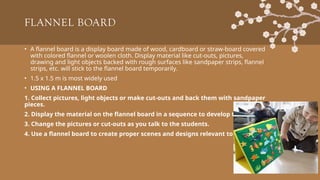
FLANNEL BOARD
• Aflannel board is a display board made of wood, cardboard or straw-board covered
with colored flannel or woolen cloth. Display material like cut-outs, pictures,
drawing and light objects backed with rough surfaces like sandpaper strips, flannel
strips, etc. will stick to the flannel board temporarily.
• 1.5 x 1.5 m is most widely used
• USING A FLANNEL BOARD
1. Collect pictures, light objects or make cut-outs and back them with sandpaper
pieces.
2. Display the material on the flannel board in a sequence to develop the lesson.
3. Change the pictures or cut-outs as you talk to the students.
4. Use a flannel board to create proper scenes and designs relevant to the lesson.
40.
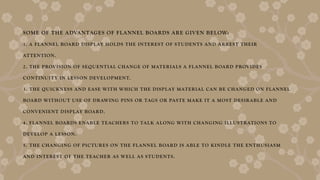
SOME OF THEADVANTAGES OF FLANNEL BOARDS ARE GIVEN BELOW:
1. A FLANNEL BOARD DISPLAY HOLDS THE INTEREST OF STUDENTS AND ARREST THEIR
ATTENTION.
2. THE PROVISION OF SEQUENTIAL CHANGE OF MATERIALS A FLANNEL BOARD PROVIDES
CONTINUITY IN LESSON DEVELOPMENT.
3. THE QUICKNESS AND EASE WITH WHICH THE DISPLAY MATERIAL CAN BE CHANGED ON FLANNEL
BOARD WITHOUT USE OF DRAWING PINS OR TAGS OR PASTE MAKE IT A MOST DESIRABLE AND
CONVENIENT DISPLAY BOARD.
4. FLANNEL BOARDS ENABLE TEACHERS TO TALK ALONG WITH CHANGING ILLUSTRATIONS TO
DEVELOP A LESSON.
5. THE CHANGING OF PICTURES ON THE FLANNEL BOARD IS ABLE TO KINDLE THE ENTHUSIASM
AND INTEREST OF THE TEACHER AS WELL AS STUDENTS.
41.
FLIP CHARTS
• Aflip chart is a book with big pages that are connected at the top. The pages are
turned or moved to the back when they are used. Flip charts are helpful tools for
teaching. They are especially useful when teaching a large group of people at once.
WHEN TO USE
1. When there is no electricity.
2. When teaching a large group of students at once.
3. When books are not accessible, rare, or too costly for individuals to own their copy.
4. When other media like overheads and slides are not accessible.
42.
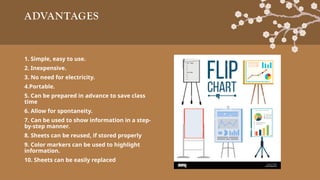
ADVANTAGES
1. Simple, easyto use.
2. Inexpensive.
3. No need for electricity.
4.Portable.
5. Can be prepared in advance to save class
time
6. Allow for spontaneity.
7. Can be used to show information in a step-
by-step manner.
8. Sheets can be reused, if stored properly
9. Color markers can be used to highlight
information.
10. Sheets can be easily replaced
43.
MAIN POINTS OFFLIP CHARTS
1. FLIP CHART STAND:A. MAKE SURE THE FLIP CHARTS FITS THE FLIP CHART STAND B. SOME HAVE
DIFFERENT SPACED HOLES AT THE TOP.
2. WRITING:A. IT IS A GOOD IDEA TO DESIGN THEM ON PAPER FIRST.B. USE DRAWINGS WHENEVER
YOU CAN. C. START BY GRAPHING THE PAPER WITH A PENCIL BEFORE WRITING ANYTHING.D.
LEAVE 4 CM MARGINS ON THE PAPER.E. WHEN READY TO WRITE THE TEXT, LIGHTLY WRITE IT IN
PENCIL FIRST BEFORE USING THE FLIP CHART MARKERS.
3. COLORS:A. AVOID YELLOW, PINK, OR ORANGE.B. EXTREMELY DIFFICULT TO SEE.C. AVOID TOO
MANY COLORS.D. ONE DARK COLOR AND TWO ACCENT COLOR WORKS BEST.E USE RED TO
HIGHLIGHT ONLY.
4. DO NOT USE ALL BLOCK LETTERS.
5. USE 7X7 RULE.
6. NO MORE THAN
7 WORDS ON EACH LINE AND NO MORE THAN 7 LINES TO A SHEET.
8. USE A POINTER TO POINT TO INFORMATION.
9. KEEP THEM FRESH AND READY TO USE EACH TIME. IN CARDBOARD BOXES. THIS WILL PROTECT
THE FLIP CHARTS AND REUSABLE.
44.
FLASH CARDS
• Flashcards are small cards of generally 25x30 cm size which are shown for a few
moments before the class to send across a message or impart an idea. The idea in the
flash card should be brief Flash cards are especially useful for drill in various subjects.
They may also be used for reviewing a lesson with students Flash cards would be used
along with the other graphic aids to make the lesson effective
PREPARATION OF FLASH CARDS
• Cut a paper and cut it into four equal parts to get the flash cards. Write the content
on it either in the free hand or using lettering stencils and sketch pen. Also, the
height of writing on the flash card is to be approximately 5 cm so that the whole class
can see the flash card properly. It is advisable to make a rough card on an ordinary
paper first and then transfer it on the chart paper or cardboard flash cards
45.
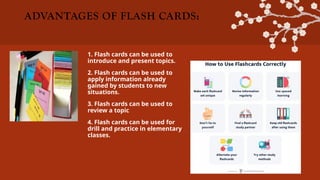
ADVANTAGES OF FLASHCARDS:
1. Flash cards can be used to
introduce and present topics.
2. Flash cards can be used to
apply information already
gained by students to new
situations.
3. Flash cards can be used to
review a topic
4. Flash cards can be used for
drill and practice in elementary
classes.
46.
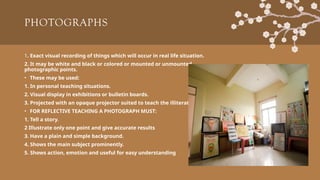
PHOTOGRAPHS
1. Exact visualrecording of things which will occur in real life situation.
2. It may be white and black or colored or mounted or unmounted
photographic points.
• These may be used:
1. In personal teaching situations.
2. Visual display in exhibitions or bulletin boards.
3. Projected with an opaque projector suited to teach the illiterate.
• FOR REFLECTIVE TEACHING A PHOTOGRAPH MUST:
1. Tell a story.
2 Illustrate only one point and give accurate results
3. Have a plain and simple background.
4. Shows the main subject prominently.
5. Shows action, emotion and useful for easy understanding
47.
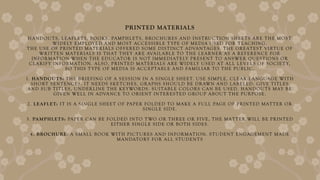
PRINTED MATERIALS
HANDOUTS, LEAFLETS,BOOKS, PAMPHLETS, BROCHURES AND INSTRUCTION SHEETS ARE THE MOST
WIDELY EMPLOYED AND MOST ACCESSIBLE T YPE OF MEDIA USED FOR TEACHING.
THE USE OF PRINTED MATERIALS OFFERED SOME DISTINCT ADVANTAGES. THE GREATEST VIRTUE OF
WRITTEN MATERIALS IS THAT THEY ARE AVAILABLE TO THE LEARNER AS A REFERENCE FOR
INFORMATION WHEN THE EDUCATOR IS NOT IMMEDIATELY PRESENT TO ANSWER QUESTIONS OR
CLARIFY INFORMATION. ALSO, PRINTED MATERIALS ARE WIDELY USED AT ALL LEVELS OF SOCIET Y,
SO THIS T YPE OF MEDIA IS ACCEPTABLE AND FAMILIAR TO THE PUBLIC.
1. HANDOUTS: THE BRIEFING OF A SESSION IN A SINGLE SHEET. USE SIMPLE, CLEAR LANGUAGE WITH
SHORT SENTENCES. IT NEEDS SKETCHES, GRAPHS SHOULD BE DRAWN AND LABELED. GIVE TITLES
AND SUB TITLES, UNDERLINE THE KEYWORDS. SUITABLE COLORS CAN BE USED. HANDOUTS MAY BE
GIVEN WELL IN ADVANCE TO ORIENT INTERESTED GROUP ABOUT THE PURPOSE.
2. LEAFLET: IT IS A SINGLE SHEET OF PAPER FOLDED TO MAKE A FULL PAGE OF PRINTED MATTER OR
SINGLE SIDE.
3. PAMPHLETS: PAPER CAN BE FOLDED INTO T WO OR THREE OR FIVE, THE MATTER WILL BE PRINTED
EITHER SINGLE SIDE OR BOTH SIDES.
4. BROCHURE: A SMALL BOOK WITH PICTURES AND INFORMATION. STUDENT ENGAGEMENT MADE
MANDATORY FOR ALL STUDENTS
48.
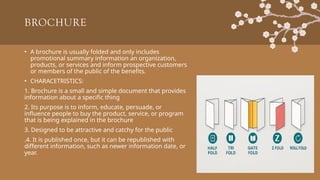
BROCHURE
• A brochureis usually folded and only includes
promotional summary information an organization,
products, or services and inform prospective customers
or members of the public of the benefits.
• CHARACETRISTICS:
1. Brochure is a small and simple document that provides
information about a specific thing
2. Its purpose is to inform, educate, persuade, or
influence people to buy the product, service, or program
that is being explained in the brochure
3. Designed to be attractive and catchy for the public
.4. It is published once, but it can be republished with
different information, such as newer information date, or
year.
49.
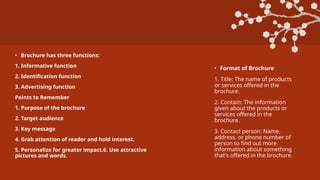
• Brochure hasthree functions:
1. Informative function
2. Identification function
3. Advertising function
Points to Remember
1. Purpose of the brochure
2. Target audience
3. Key message
4. Grab attention of reader and hold interest.
5. Personalize for greater impact.6. Use attractive
pictures and words.
• Format of Brochure
1. Title: The name of products
or services offered in the
brochure.
2. Contain: The information
given about the products or
services offered in the
brochure.
3. Contact person: Name,
address, or phone number of
person to find out more
information about something
that's offered in the brochure.
50.
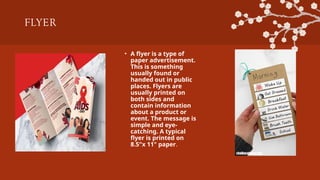
FLYER
• A flyeris a type of
paper advertisement.
This is something
usually found or
handed out in public
places. Flyers are
usually printed on
both sides and
contain information
about a product or
event. The message is
simple and eye-
catching. A typical
flyer is printed on
8.5"x 11" paper.
PROJECTED METHODS
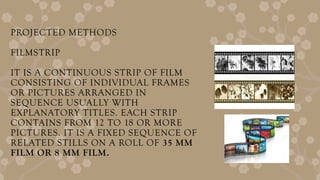
FILMSTRIP
IT ISA CONTINUOUS STRIP OF FILM
CONSISTING OF INDIVIDUAL FRAMES
OR PICTURES ARRANGED IN
SEQUENCE USUALLY WITH
EXPLANATORY TITLES. EACH STRIP
CONTAINS FROM 12 TO 18 OR MORE
PICTURES. IT IS A FIXED SEQUENCE OF
RELATED STILLS ON A ROLL OF 35 MM
FILM OR 8 MM FILM.
53.
A D VAN T A G E S
1 . I T I S A N E C O N O M I C A L V I S U A L M A T E R I A L .
2 . I T I S E A S Y T O M A K E A N D C O N V E N I E N T T O H A N D L E A N D C A R R Y .
3 . T A K E S U P L I T T L E S P A C E A N D C A N B E E A S I L Y S T O R E D .
4 . P R O V I D E S A L O G I C A L S E Q U E N C E T O T H E T E A C H I N G P R O C E D U R E A N D T H E I N D I V I D U A L P I C T U R E O N T H E
S T R I P C A N B E K E P T B E F O R E T H E S T U D E N T S F O R A L E N G T H O F T I M E .
5 . F I L M S T R I P C A N B E P R O J E C T E D O N T H E S C R E E N O R W A L L O R P A P E R S C R E E N A S T H E C O N V E N I E N C E A N D
T H E T E A C H I N G S I T U A T I O N D E M A N D S .
54.
MICROSCOPE
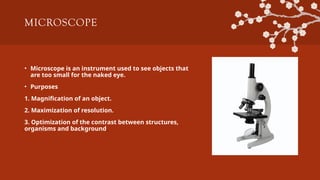
• Microscope isan instrument used to see objects that
are too small for the naked eye.
• Purposes
1. Magnification of an object.
2. Maximization of resolution.
3. Optimization of the contrast between structures,
organisms and background.
55.
POWERPOINT PRESENTATION
• APowerPoint presentation is a collection of electronic
slides that can have words, pictures, drawings, tables,
sounds, and videos. This collection can run
automatically or can be controlled by a presenter.
"POWERPOINT" is the name of a program made by
Microsoft that lets you make a presentation with lots of
slides.
• Modeled slides range in size from 2x2 or 4.5 x4 inches.
Slides can be made from photographs and pictures by
the teachers and pupils by taking photographs and
snapshots when they go on fieldtrips for historical,
geographical, literary or scientific excursions.
• Factors Affecting on PPT
1. Its size (Text)
2. Clarity
3. Simplicity
4. Content Matter
56.
I N ST R U C T I O N S
1 . A L L C A P I T A L L E T T E R S A R E D I F F I C U LT T O R E A D .
2 . U P P E R - A N D L O W E R - C A S E L E T T E R S A R E E A S I E R .
3 . I T A L I C S A R E D I F F I C U LT T O R E A D O N S C R E E N .
4 . N O R M A L O R B O L D F O N T S A R E C L E A R E R .
5 . U N D E R L I N E S M A Y S I G N I F Y H Y P E R L I N K S .
6 . U S E C O N T R A S T I N G C O L O R S .
7 . L I G H T O N D A R K V E R S U S D A R K O N L I G H T .
8 . U S E C O M P L E M E N T A R Y C O L O R S .
9 . D I F F E R E N C E S D R AW A T T E N T I O N .
1 0 . D I F F E R E N C E S M A Y I M P L Y I M P O R T A N C E
57.
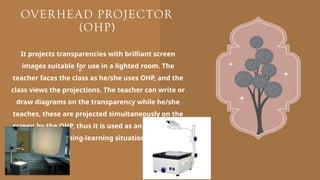
OVERHEAD PROJECTOR
(OHP)
It projectstransparencies with brilliant screen
images suitable for use in a lighted room. The
teacher faces the class as he/she uses OHP, and the
class views the projections. The teacher can write or
draw diagrams on the transparency while he/she
teaches, these are projected simultaneously on the
screen by the OHP, thus it is used as an aid and tool
in teaching-learning situations.
58.
MOVING VISUALS
• It'scrucial to use moving visuals to grab the attention, like animations and videos.
Moving visuals should have limited text, unless presenting statistics, as too many
words weaken the impact of the message.
• VIDEO
• Video is an electronic motion picture equipment which scans pictures from magnetic
tape on a cathode ray tube (CRT) screen. Video cassettes are compact aids which have
the recordings of motion pictures and sound. Because of its compact size, a video
cassette is like a motion and a sound book.
• MOVING VISUALS
• Video recording is easy to do and requires a small studio and outdoor recording can
be done without elaborate arrangements. Using a video cassette recorded, good
programs can be taped from television directly for use at appropriate time. Operating
a video is very simple as only a cassette is to be inserted into the video player and a
button is to be pressed
59.
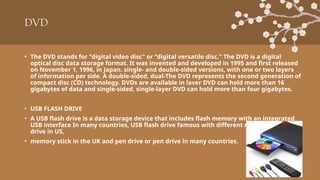
DVD
• The DVDstands for "digital video disc" or "digital versatile disc." The DVD is a digital
optical disc data storage format. It was invented and developed in 1995 and first released
on November 1, 1996, in Japan. single- and double-sided versions, with one or two layers
of information per side. A double-sided, dual-The DVD represents the second generation of
compact disc (CD) technology. DVDs are available in laver DVD can hold more than 16
gigabytes of data and single-sided, single-layer DVD can hold more than four gigabytes.
• USB FLASH DRIVE
• A USB flash drive is a data storage device that includes flash memory with an integrated
USB interface In many countries, USB flash drive famous with different names like thumb
drive in US,
• memory stick in the UK and pen drive or pen drive in many countries.
60.
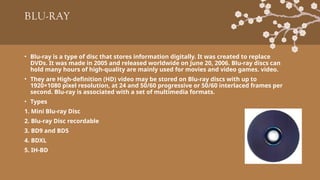
BLU-RAY
• Blu-ray isa type of disc that stores information digitally. It was created to replace
DVDs. It was made in 2005 and released worldwide on June 20, 2006. Blu-ray discs can
hold many hours of high-quality are mainly used for movies and video games. video.
• They are High-definition (HD) video may be stored on Blu-ray discs with up to
1920×1080 pixel resolution, at 24 and 50/60 progressive or 50/60 interlaced frames per
second. Blu-ray is associated with a set of multimedia formats.
• Types
1. Mini Blu-ray Disc
2. Blu-ray Disc recordable
3. BD9 and BD5
4. BDXL
5. IH-BD
61.
• DEFINITION OFA MOTION
• Motion is the change in the position or orientation of the body with time.
• DEFINITION OF MOTION PICTURE
• Motion picture is also known as film or movie. It is a series of still photos on film that
are rapidly successively projected onto film and quickly successively projected onto a
screen using light because of a light-based screen.
• Due to the optical phenomenon known as persistence of vision, actual, smooth, and
continuous movement appears to be illusioned
62.
REALIA
1. 'Realia' meansusing real objects in the classroom to
make the class more interesting.
2. Realia refers to using objects or activities in the
classroom that relate to real life, especially the lives of
the people being studied.
Real specimens such as plants, machines or tools enrich
learning and make it more concrete, authentic and
interesting as the learner is made to handle and study
these things directly.
63.
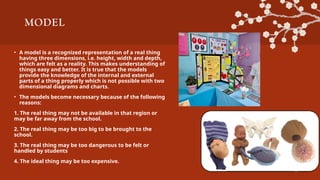
MODEL
• A modelis a recognized representation of a real thing
having three dimensions, i.e. height, width and depth,
which are felt as a reality. This makes understanding of
things easy and better. It is true that the models
provide the knowledge of the internal and external
parts of a thing properly which is not possible with two
dimensional diagrams and charts.
• The models become necessary because of the following
reasons:
1. The real thing may not be available in that region or
may be far away from the school.
2. The real thing may be too big to be brought to the
school.
3. The real thing may be too dangerous to be felt or
handled by students
4. The ideal thing may be too expensive.
64.
TYPES OF MODELS
•Solid models: A solid model is a replica of an original thing
made with some suitable material like clay, plaster of pares,
wood, iron, etc. To show the external parts and features of
the things, e.g. clay model of human, animal, vegetables,
dolls, toys, etc.
• Cut-away and X-ray models: Cut-away and X-ray models are
the replicas of the original things to 227 show internal parts
of a thing. It may be either in the form of a cross-sectional
model showing internal parts of a thing or may be
composed of detachable parts.
• Working models: These models are either actual working
things or their miniature replicas for illustrating an
operation. Working models are of great educational value.
• Sand models: These are the
graphic layouts using sand,
clay, saw dust and other
objects to show trees,
building, river, etc. Sand
models are made using
colored sand in a tray of
convenient size or on a
table. Generally, green field
is shown by covering area
with green saw dust, water
with blue cellophane,
cardboard cut-outs for
showing forests, e.g. tribal
village, a city area,
marketing complex,
forest area, etc.
65.
REAL OBJECTS AND
MODELS
ADVANTAGES:
a.Enhance student's interest and understanding
of a topic/subject.
b. Encourage students to use all their senses,
especially touch, sight and smell.
c. Help to develop the important skill of drawing
conclusions based on an examination.
d. They are ideal for generating group and
class discussions
1. Meaning: Things
that can be seen,
touched, smelled,
and heard.
2. A model is a thing
that is made
similarly with the
real object.
3. Examples: Desk,
television, bicycle.
66.
AUDIO AIDS/AUDIO MEDIA
Audioaids are instructional materials (hearing only) in which the message
can be heard only and not seen. Audio aids are models and devices that can
be heard and provide an image of something, someone, or certain situations.
AUDIO TAPES
Tape means where sound is recorded a tape-recording sound is called
audiotape. It is a form of media communication that uses audio recording
which helps in the delivery of information. These are teaching-learning
devices.
67.
AUDIO TAPES
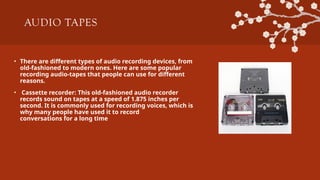
• Thereare different types of audio recording devices, from
old-fashioned to modern ones. Here are some popular
recording audio-tapes that people can use for different
reasons.
• Cassette recorder: This old-fashioned audio recorder
records sound on tapes at a speed of 1.875 inches per
second. It is commonly used for recording voices, which is
why many people have used it to record
conversations for a long time
68.
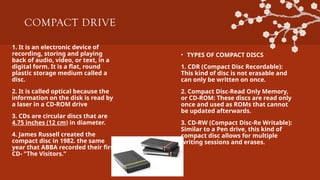
COMPACT DRIVE
1. Itis an electronic device of
recording, storing and playing
back of audio, video, or text, in a
digital form. It is a flat, round
plastic storage medium called a
disc.
2. It is called optical because the
information on the disk is read by
a laser in a CD-ROM drive
3. CDs are circular discs that are
4.75 inches (12 cm) in diameter.
4. James Russell created the
compact disc in 1982. the same
year that ABBA recorded their first
CD- "The Visitors.”
• TYPES OF COMPACT DISCS
1. CDR (Compact Disc Recordable):
This kind of disc is not erasable and
can only be written on once.
2. Compact Disc-Read Only Memory,
or CD-ROM: These discs are read only
once and used as ROMs that cannot
be updated afterwards.
3. CD-RW (Compact Disc-Re Writable):
Similar to a Pen drive, this kind of
compact disc allows for multiple
writing sessions and erases.
69.
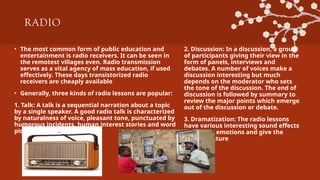
RADIO
• The mostcommon form of public education and
entertainment is radio receivers. It can be seen in
the remotest villages even. Radio transmission
serves as a vital agency of mass education, if used
effectively. These days transistorized radio
receivers are cheaply available
• Generally, three kinds of radio lessons are popular:
1. Talk: A talk is a sequential narration about a topic
by a single speaker. A good radio talk is characterized
by naturalness of voice, pleasant tone, punctuated by
humorous incidents, human interest stories and word
pictures.
2. Discussion: In a discussion, a group
of participants giving their view in the
form of panels, interviews and
debates. A number of voices make a
discussion interesting but much
depends on the moderator who sets
the tone of the discussion. The end of
discussion is followed by summary to
review the major points which emerge
out of the discussion or debate.
3. Dramatization: The radio lessons
have various interesting sound effects
to amplify emotions and give the
mental picture
70.
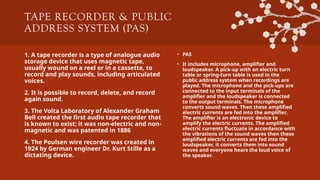
TAPE RECORDER &PUBLIC
ADDRESS SYSTEM (PAS)
1. A tape recorder is a type of analogue audio
storage device that uses magnetic tape,
usually wound on a reel or in a cassette, to
record and play sounds, including articulated
voices.
2. It is possible to record, delete, and record
again sound.
3. The Volta Laboratory of Alexander Graham
Bell created the first audio tape recorder that
is known to exist; it was non-electric and non-
magnetic and was patented in 1886
4. The Poulsen wire recorder was created in
1924 by German engineer Dr. Kurt Stille as a
dictating device.
• PAS
• It includes microphone, amplifier and
loudspeaker. A pick-up with an electric turn
table or spring-turn table is used in the
public address system when recordings are
played. The microphone and the pick-ups are
connected to the input terminals of the
amplifier and the loudspeaker is connected
to the output terminals. The microphone
converts sound waves. Then these amplified
electric currents are fed into the amplifier.
The amplifier is an electronic device to
amplify the electric currents. The amplified
electric currents fluctuate in accordance with
the vibrations of the sound waves then these
amplified electric currents are fed into the
loudspeaker, it converts them into sound
waves and everyone hears the loud voice of
the speaker.
71.
DIGITAL AUDIO
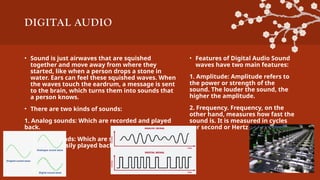
• Soundis just airwaves that are squished
together and move away from where they
started, like when a person drops a stone in
water. Ears can feel these squished waves. When
the waves touch the eardrum, a message is sent
to the brain, which turns them into sounds that
a person knows.
• There are two kinds of sounds:
1. Analog sounds: Which are recorded and played
back.
2. Digital sounds: Which are stored as numbers
and can be easily played back and changed.
• Features of Digital Audio Sound
waves have two main features:
1. Amplitude: Amplitude refers to
the power or strength of the
sound. The louder the sound, the
higher the amplitude.
2. Frequency. Frequency, on the
other hand, measures how fast the
sound is. It is measured in cycles
per second or Hertz (Hz)
72.
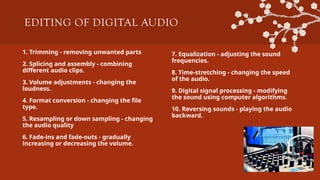
EDITING OF DIGITALAUDIO
1. Trimming - removing unwanted parts
2. Splicing and assembly - combining
different audio clips.
3. Volume adjustments - changing the
loudness.
4. Format conversion - changing the file
type.
5. Resampling or down sampling - changing
the audio quality
6. Fade-ins and fade-outs - gradually
increasing or decreasing the volume.
7. Equalization - adjusting the sound
frequencies.
8. Time-stretching - changing the speed
of the audio.
9. Digital signal processing - modifying
the sound using computer algorithms.
10. Reversing sounds - playing the audio
backward.
73.
MIDI & ELECTRONICMEDIA AND
COMPUTER LEARNING RESOURCES
• MIDI: Musical Instrument Digital Interface
• MIDI is a way to record and play music on a computer. It is popular for putting must it
uses mp3 and fast internet. MIDI makes it easy to share music electronically
• Electronic Media Electronic media is a type of mass media that uses electricity to
produce and disseminate written, visual, audio-visual, and other forms of entertaining
or educational content. Additionally, media comes in a variety of forms, including
print, digital, and electronic. So, in simple words, every media that is involved with
electrical energy and platforms is called electronic media. Examples of electrical
media are television, radio, etc.
• Computer Learning Resources
• The use of computers has improved teacher-student interaction. With the aid of
numerous computer tools, teachers can now instruct and illustrate to students the
practical applications of theories. Today's students can grasp a wide range of
challenging subjects in an engaging manner.
74.
COMPUTER AIDED INSTRUCTION
(CAI)
•When the computer is used as an aid to teaching, method of
instruction is called computer aided instruction (CAI). In
implementing the CAI, the principles of programmed learning are
used with an added advantage that the responses of the student
are instantly and permanently recorded by the computer for CAL.
• An intended subject matter is broken into small segments and fed
into the memory of the computer.
• The students interact with computer for learning, testing,
immediate feedback and reinforcement.
• The instructional spectrum with CAl can range from simple drills to
problem solving. In order to interact with a computer, the student
sits at an electronic keyboard hooked to the computer
75.
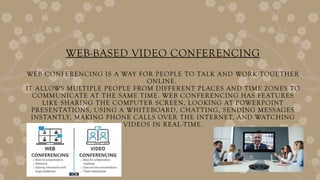
WEB-BASED VIDEO CONFERENCING
WEBCONFERENCING IS A WAY FOR PEOPLE TO TALK AND WORK TOGETHER
ONLINE.
IT ALLOWS MULTIPLE PEOPLE FROM DIFFERENT PLACES AND TIME ZONES TO
COMMUNICATE AT THE SAME TIME. WEB CONFERENCING HAS FEATURES
LIKE SHARING THE COMPUTER SCREEN, LOOKING AT POWERPOINT
PRESENTATIONS, USING A WHITEBOARD, CHATTING, SENDING MESSAGES
INSTANTLY, MAKING PHONE CALLS OVER THE INTERNET, AND WATCHING
VIDEOS IN REAL-TIME.
76.
E-LEARNING
• E-learning isa way of learning that uses electronic
resources along with formal teaching methods.
• E-learning is when skills and knowledge are taught
through the internet, and many people can learn at
the same time or at different times.
• Elliott Maisie coined the term "e-learning" in 1999,
marking the first time the phrase was used
professionally.
• Factors of E-Learning
• 1. Internet
• 2. Development of multimedia.
• 3. Affordable digital devices.
• 4. Well built learning management system.
• Benefits of E-Learning
• 1. Cost effective
• 2. Saves time
• 3. Improve performance
• 4. Improve ability
• 5. Lower environment impact
• 6. On demand
• 7. Flexibility
77.
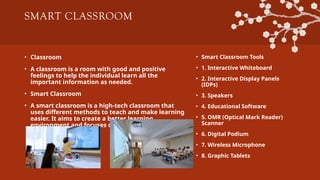
SMART CLASSROOM
• Classroom
•A classroom is a room with good and positive
feelings to help the individual learn all the
important information as needed.
• Smart Classroom
• A smart classroom is a high-tech classroom that
uses different methods to teach and make learning
easier. It aims to create a better learning
environment and focuses on making the students
interested in learning.
• Smart Classroom Tools
• 1. Interactive Whiteboard
• 2. Interactive Display Panels
(IDPs)
• 3. Speakers
• 4. Educational Software
• 5. OMR (Optical Mark Reader)
Scanner
• 6. Digital Podium
• 7. Wireless Microphone
• 8. Graphic Tablets
78.
DISTANCE EDUCATION
1. Distanceeducation connects students and
teachers who would not otherwise be able to meet
due to scheduling or distance barriers by using a
range of information technologies.
2. It emphasizes meaningful interaction to bridge
the gap between the teacher and student, as they
are not in the same classroom. For instance, Online
learning, Web-based learning, e-learning, open
learning, and distance learning.
3. Instruction in which the location and timing of the
teacher-student relationships are different.
4. Especially, those that rely on computers, audio or
video technology as the medium of delivery
• DEFINITION
• Distance learning or
education or e-
learning is a mode of
imparting education
and instructions
often to an individual
basis to a student
who is not physically
present in the class
79.
TELEVISION AND TELENURSING
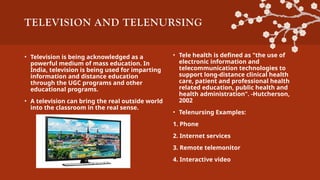
•Television is being acknowledged as a
powerful medium of mass education. In
India, television is being used for imparting
information and distance education
through the UGC programs and other
educational programs.
• A television can bring the real outside world
into the classroom in the real sense.
• Tele health is defined as "the use of
electronic information and
telecommunication technologies to
support long-distance clinical health
care, patient and professional health
related education, public health and
health administration". -Hutcherson,
2002
• Telenursing Examples:
1. Phone
2. Internet services
3. Remote telemonitor
4. Interactive video