Tech Talk:
A Terabyte of Ideas

          Ben Smith and Jared Mader
          @edtechben @rlmaderj
          www.edtechinnovators.com
Ben Smith:                    Jared Mader:
 • Physics Teacher             • Director of Technology
 • Keystone Technology         • Former Chemistry Teacher
   Integrator                  • Technology Staff Development
 • Doctoral Student in           Trainer
   Instructional Technology    • Keystone Technology
 • Making IT Happen Award        Integrator
   Winner                      • Masters in Instructional
 • ISTE Board of Directors       Technology
                               • ISTE Consultant


   About Us
Thursday
 • 8:00 – 9:30 AM – Using iPads to Create
   Innovative Scientists
 • 10:00 AM – 11:00 AM - The World of
   Google in Science
 • 1:00 – 2:30 PM – Putting Web 2.0 into the
   Science Classroom
 • 3:00 – 4:00 PM – sTem: You’ve Never
   Seen Student Technology Work Like This


 2013 Presentations
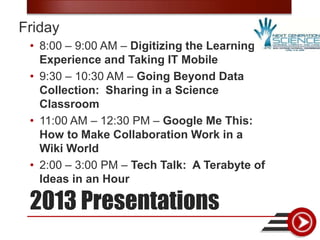
Friday
 • 8:00 – 9:00 AM – Digitizing the Learning
   Experience and Taking IT Mobile
 • 9:30 – 10:30 AM – Going Beyond Data
   Collection: Sharing in a Science
   Classroom
 • 11:00 AM – 12:30 PM – Google Me This:
   How to Make Collaboration Work in a
   Wiki World
 • 2:00 – 3:00 PM – Tech Talk: A Terabyte of
   Ideas in an Hour

 2013 Presentations
Saturday
 • 12:30 – 1:30 PM – Adding a Bit of
   Technology to a NASA Educational
   Project


 2013 Presentations
Wednesday, April 24, 2013
 • 4:00 - 5:00 PM, EST
 • Transforming the Science Classroom

 • http://iste.org/webinars


Webinars
•   How do you facilitate the “Fish Bowl” activity? – TodaysMeet
•   How do you gather information from students, real-time? – Poll
•   How do you facilitate or control the sharing media of projects? – Embedding
•   What technology tools are necessary to be addressed before “being vague”?
    – Planning Docs
•   How do you assess digital products? – Rubric Development
•   How do you recommend accounts to be setup for students? Especially
    elementary? – EULA
•   How do I begin to catch-up quickly? – Backwards Design
•   How can students narrate media that is not their own? – Using
    iMovie/MovieMaker
•   What resources are on your website? – Let’s look…
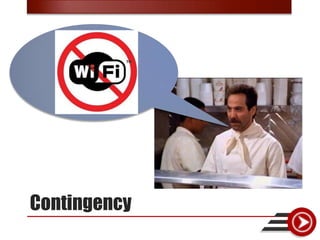
•   What happens when WiFi goes down? – Contingency
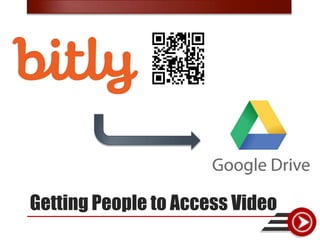
•   How do we give access to videos to people? – Truncate/QR  Drive
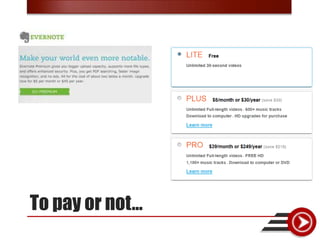
•   To pay or not to pay? – It depends
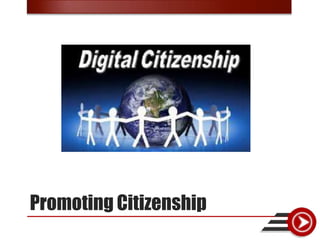
•   How do you promote digital citizenship? – Policies and procedures
•   How do you make the case for tech? – Because.
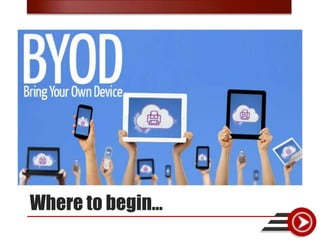
•   Where do you start when implementing BYOD? – Management and Use


Topics
•   How do you facilitate the “Fish Bowl” activity? – TodaysMeet
•   How do you gather information from students, real-time? – Poll
•   How do you facilitate or control the sharing media of projects? – Embedding
•   What technology tools are necessary to be addressed before “being vague”?
    – Planning Docs
•   How do you assess digital products? – Rubric Development
•   How do you recommend accounts to be setup for students? Especially
    elementary? – EULA
•   How do I begin to catch-up quickly? – Backwards Design
•   How can students narrate media that is not their own? – Using
    iMovie/MovieMaker
•   What resources are on your website? – Let’s look…
•   What happens when WiFi goes down? – Contingency
•   How do we give access to videos to people? – Truncate/QR  Drive
•   To pay or not to pay? – It depends
•   How do you promote digital citizenship? – Policies and procedures
•   How do you make the case for tech? – Because.
•   Where do you start when implementing BYOD? – Management and Use


Topics
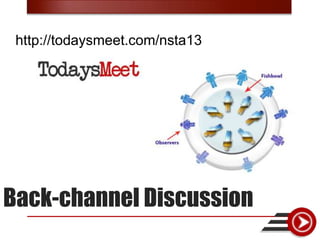
http://todaysmeet.com/nsta13


Back-channel Discussion
•   How do you facilitate the “Fish Bowl” activity? – TodaysMeet
•   How do you gather information from students, real-time? – Poll
•   How do you facilitate or control the sharing media of projects? – Embedding
•   What technology tools are necessary to be addressed before “being vague”?
    – Planning Docs
•   How do you assess digital products? – Rubric Development
•   How do you recommend accounts to be setup for students? Especially
    elementary? – EULA
•   How do I begin to catch-up quickly? – Backwards Design
•   How can students narrate media that is not their own? – Using
    iMovie/MovieMaker
•   What resources are on your website? – Let’s look…
•   What happens when WiFi goes down? – Contingency
•   How do we give access to videos to people? – Truncate/QR  Drive
•   To pay or not to pay? – It depends
•   How do you promote digital citizenship? – Policies and procedures
•   How do you make the case for tech? – Because.
•   Where do you start when implementing BYOD? – Management and Use


Topics
How to gather information?
•   How do you facilitate the “Fish Bowl” activity? – TodaysMeet
•   How do you gather information from students, real-time? – Poll
•   How do you facilitate or control the sharing media of projects? – Embedding
•   What technology tools are necessary to be addressed before “being vague”?
    – Planning Docs
•   How do you assess digital products? – Rubric Development
•   How do you recommend accounts to be setup for students? Especially
    elementary? – EULA
•   How do I begin to catch-up quickly? – Backwards Design
•   How can students narrate media that is not their own? – Using
    iMovie/MovieMaker
•   What resources are on your website? – Let’s look…
•   What happens when WiFi goes down? – Contingency
•   How do we give access to videos to people? – Truncate/QR  Drive
•   To pay or not to pay? – It depends
•   How do you promote digital citizenship? – Policies and procedures
•   How do you make the case for tech? – Because.
•   Where do you start when implementing BYOD? – Management and Use


Topics
Embedding and Controlling
Content
•   How do you facilitate the “Fish Bowl” activity? – TodaysMeet
•   How do you gather information from students, real-time? – Poll
•   How do you facilitate or control the sharing media of projects? – Embedding
•   What technology tools are necessary to be addressed before “being vague”?
    – Planning Docs
•   How do you assess digital products? – Rubric Development
•   How do you recommend accounts to be setup for students? Especially
    elementary? – EULA
•   How do I begin to catch-up quickly? – Backwards Design
•   How can students narrate media that is not their own? – Using
    iMovie/MovieMaker
•   What resources are on your website? – Let’s look…
•   What happens when WiFi goes down? – Contingency
•   How do we give access to videos to people? – Truncate/QR  Drive
•   To pay or not to pay? – It depends
•   How do you promote digital citizenship? – Policies and procedures
•   How do you make the case for tech? – Because.
•   Where do you start when implementing BYOD? – Management and Use


Topics
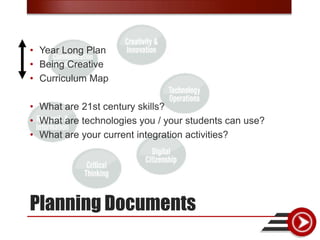
• Year Long Plan
• Being Creative
• Curriculum Map

• What are 21st century skills?
• What are technologies you / your students can use?
• What are your current integration activities?


Planning Documents
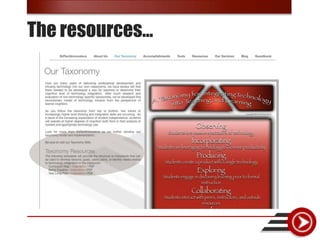
The resources…
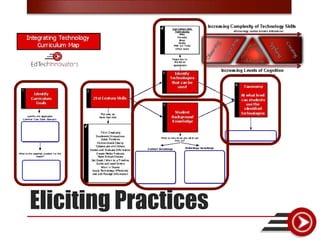
Eliciting Practices
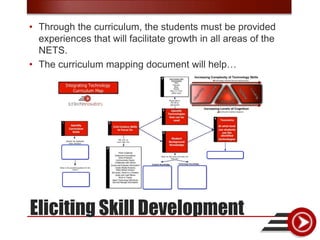
• Through the curriculum, the students must be provided
  experiences that will facilitate growth in all areas of the
  NETS.
• The curriculum mapping document will help…


Eliciting Skill Development
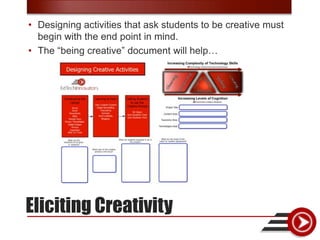
• Designing activities that ask students to be creative must
  begin with the end point in mind.
• The “being creative” document will help…


Eliciting Creativity
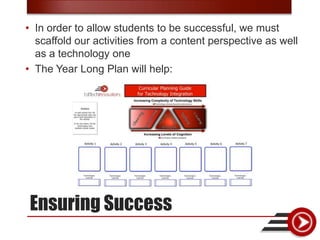
• In order to allow students to be successful, we must
  scaffold our activities from a content perspective as well
  as a technology one
• The Year Long Plan will help:


Ensuring Success
•   How do you facilitate the “Fish Bowl” activity? – TodaysMeet
•   How do you gather information from students, real-time? – Poll
•   How do you facilitate or control the sharing media of projects? – Embedding
•   What technology tools are necessary to be addressed before “being vague”?
    – Planning Docs
•   How do you assess digital products? – Rubric Development
•   How do you recommend accounts to be setup for students? Especially
    elementary? – EULA
•   How do I begin to catch-up quickly? – Backwards Design
•   How can students narrate media that is not their own? – Using
    iMovie/MovieMaker
•   What resources are on your website? – Let’s look…
•   What happens when WiFi goes down? – Contingency
•   How do we give access to videos to people? – Truncate/QR  Drive
•   To pay or not to pay? – It depends
•   How do you promote digital citizenship? – Policies and procedures
•   How do you make the case for tech? – Because.
•   Where do you start when implementing BYOD? – Management and Use


Topics
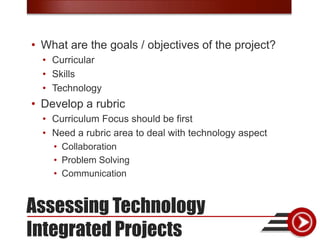
• What are the goals / objectives of the project?
  • Curricular
  • Skills
  • Technology
• Develop a rubric
  • Curriculum Focus should be first
  • Need a rubric area to deal with technology aspect
    • Collaboration
    • Problem Solving
    • Communication


Assessing Technology
Integrated Projects
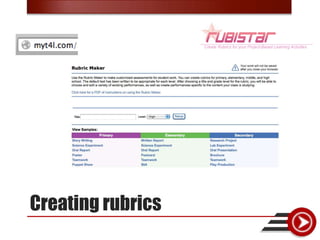
Creating rubrics
•   How do you facilitate the “Fish Bowl” activity? – TodaysMeet
•   How do you gather information from students, real-time? – Poll
•   How do you facilitate or control the sharing media of projects? – Embedding
•   What technology tools are necessary to be addressed before “being vague”?
    – Planning Docs
•   How do you assess digital products? – Rubric Development
•   How do you recommend accounts to be setup for students? Especially
    elementary? – EULA
•   How do I begin to catch-up quickly? – Backwards Design
•   How can students narrate media that is not their own? – Using
    iMovie/MovieMaker
•   What resources are on your website? – Let’s look…
•   What happens when WiFi goes down? – Contingency
•   How do we give access to videos to people? – Truncate/QR  Drive
•   To pay or not to pay? – It depends
•   How do you promote digital citizenship? – Policies and procedures
•   How do you make the case for tech? – Because.
•   Where do you start when implementing BYOD? – Management and Use


Topics
Getting Started
 Available at: http://www.google.com/apps/intl/en/terms/education_terms.html
•   How do you facilitate the “Fish Bowl” activity? – TodaysMeet
•   How do you gather information from students, real-time? – Poll
•   How do you facilitate or control the sharing media of projects? – Embedding
•   What technology tools are necessary to be addressed before “being vague”?
    – Planning Docs
•   How do you assess digital products? – Rubric Development
•   How do you recommend accounts to be setup for students? Especially
    elementary? – EULA
•   How do I begin to catch-up quickly? – Backwards Design
•   How can students narrate media that is not their own? – Using
    iMovie/MovieMaker
•   What resources are on your website? – Let’s look…
•   What happens when WiFi goes down? – Contingency
•   How do we give access to videos to people? – Truncate/QR  Drive
•   To pay or not to pay? – It depends
•   How do you promote digital citizenship? – Policies and procedures
•   How do you make the case for tech? – Because.
•   Where do you start when implementing BYOD? – Management and Use


Topics
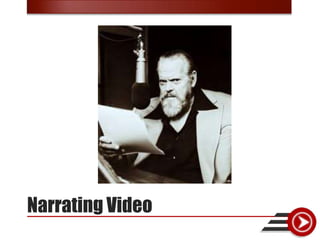
Narrating Video
•   How do you facilitate the “Fish Bowl” activity? – TodaysMeet
•   How do you gather information from students, real-time? – Poll
•   How do you facilitate or control the sharing media of projects? – Embedding
•   What technology tools are necessary to be addressed before “being vague”?
    – Planning Docs
•   How do you assess digital products? – Rubric Development
•   How do you recommend accounts to be setup for students? Especially
    elementary? – EULA
•   How do I begin to catch-up quickly? – Backwards Design
•   How can students narrate media that is not their own? – Using
    iMovie/MovieMaker
•   What resources are on your website? – Let’s look…
•   What happens when WiFi goes down? – Contingency
•   How do we give access to videos to people? – Truncate/QR  Drive
•   To pay or not to pay? – It depends
•   How do you promote digital citizenship? – Policies and procedures
•   How do you make the case for tech? – Because.
•   Where do you start when implementing BYOD? – Management and Use


Topics
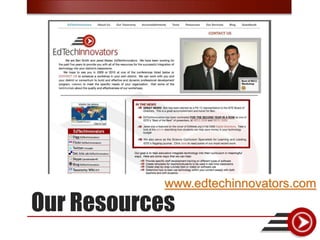
www.edtechinnovators.com
Our Resources
•   How do you facilitate the “Fish Bowl” activity? – TodaysMeet
•   How do you gather information from students, real-time? – Poll
•   How do you facilitate or control the sharing media of projects? – Embedding
•   What technology tools are necessary to be addressed before “being vague”?
    – Planning Docs
•   How do you assess digital products? – Rubric Development
•   How do you recommend accounts to be setup for students? Especially
    elementary? – EULA
•   How do I begin to catch-up quickly? – Backwards Design
•   How can students narrate media that is not their own? – Using
    iMovie/MovieMaker
•   What resources are on your website? – Let’s look…
•   What happens when WiFi goes down? – Contingency
•   How do we give access to videos to people? – Truncate/QR  Drive
•   To pay or not to pay? – It depends
•   How do you promote digital citizenship? – Policies and procedures
•   How do you make the case for tech? – Because.
•   Where do you start when implementing BYOD? – Management and Use


Topics
Contingency
•   How do you facilitate the “Fish Bowl” activity? – TodaysMeet
•   How do you gather information from students, real-time? – Poll
•   How do you facilitate or control the sharing media of projects? – Embedding
•   What technology tools are necessary to be addressed before “being vague”?
    – Planning Docs
•   How do you assess digital products? – Rubric Development
•   How do you recommend accounts to be setup for students? Especially
    elementary? – EULA
•   How do I begin to catch-up quickly? – Backwards Design
•   How can students narrate media that is not their own? – Using
    iMovie/MovieMaker
•   What resources are on your website? – Let’s look…
•   What happens when WiFi goes down? – Contingency
•   How do we give access to videos to people? – Truncate/QR  Drive
•   To pay or not to pay? – It depends
•   How do you promote digital citizenship? – Policies and procedures
•   How do you make the case for tech? – Because.
•   Where do you start when implementing BYOD? – Management and Use


Topics
Getting People to Access Video
•   How do you facilitate the “Fish Bowl” activity? – TodaysMeet
•   How do you gather information from students, real-time? – Poll
•   How do you facilitate or control the sharing media of projects? – Embedding
•   What technology tools are necessary to be addressed before “being vague”?
    – Planning Docs
•   How do you assess digital products? – Rubric Development
•   How do you recommend accounts to be setup for students? Especially
    elementary? – EULA
•   How do I begin to catch-up quickly? – Backwards Design
•   How can students narrate media that is not their own? – Using
    iMovie/MovieMaker
•   What resources are on your website? – Let’s look…
•   What happens when WiFi goes down? – Contingency
•   How do we give access to videos to people? – Truncate/QR  Drive
•   To pay or not to pay? – It depends
•   How do you promote digital citizenship? – Policies and procedures
•   How do you make the case for tech? – Because.
•   Where do you start when implementing BYOD? – Management and Use


Topics
To pay or not…
•   How do you facilitate the “Fish Bowl” activity? – TodaysMeet
•   How do you gather information from students, real-time? – Poll
•   How do you facilitate or control the sharing media of projects? – Embedding
•   What technology tools are necessary to be addressed before “being vague”?
    – Planning Docs
•   How do you assess digital products? – Rubric Development
•   How do you recommend accounts to be setup for students? Especially
    elementary? – EULA
•   How do I begin to catch-up quickly? – Backwards Design
•   How can students narrate media that is not their own? – Using
    iMovie/MovieMaker
•   What resources are on your website? – Let’s look…
•   What happens when WiFi goes down? – Contingency
•   How do we give access to videos to people? – Truncate/QR  Drive
•   To pay or not to pay? – It depends
•   How do you promote digital citizenship? – Policies and procedures
•   How do you make the case for tech? – Because.
•   Where do you start when implementing BYOD? – Management and Use


Topics
Promoting Citizenship
•   How do you facilitate the “Fish Bowl” activity? – TodaysMeet
•   How do you gather information from students, real-time? – Poll
•   How do you facilitate or control the sharing media of projects? – Embedding
•   What technology tools are necessary to be addressed before “being vague”?
    – Planning Docs
•   How do you assess digital products? – Rubric Development
•   How do you recommend accounts to be setup for students? Especially
    elementary? – EULA
•   How do I begin to catch-up quickly? – Backwards Design
•   How can students narrate media that is not their own? – Using
    iMovie/MovieMaker
•   What resources are on your website? – Let’s look…
•   What happens when WiFi goes down? – Contingency
•   How do we give access to videos to people? – Truncate/QR  Drive
•   To pay or not to pay? – It depends
•   How do you promote digital citizenship? – Policies and procedures
•   How do you make the case for tech? – Because.
•   Where do you start when implementing BYOD? – Management and Use


Topics
The Case for Technology…
•   How do you facilitate the “Fish Bowl” activity? – TodaysMeet
•   How do you gather information from students, real-time? – Poll
•   How do you facilitate or control the sharing media of projects? – Embedding
•   What technology tools are necessary to be addressed before “being vague”?
    – Planning Docs
•   How do you assess digital products? – Rubric Development
•   How do you recommend accounts to be setup for students? Especially
    elementary? – EULA
•   How do I begin to catch-up quickly? – Backwards Design
•   How can students narrate media that is not their own? – Using
    iMovie/MovieMaker
•   What resources are on your website? – Let’s look…
•   What happens when WiFi goes down? – Contingency
•   How do we give access to videos to people? – Truncate/QR  Drive
•   To pay or not to pay? – It depends
•   How do you promote digital citizenship? – Policies and procedures
•   How do you make the case for tech? – Because.
•   Where do you start when implementing BYOD? – Management and Use


Topics
Where to begin…
•   How do you facilitate the “Fish Bowl” activity? – TodaysMeet
•   How do you gather information from students, real-time? – Poll
•   How do you facilitate or control the sharing media of projects? – Embedding
•   What technology tools are necessary to be addressed before “being vague”?
    – Planning Docs
•   How do you assess digital products? – Rubric Development
•   How do you recommend accounts to be setup for students? Especially
    elementary? – EULA
•   How do I begin to catch-up quickly? – Backwards Design
•   How can students narrate media that is not their own? – Using
    iMovie/MovieMaker
•   What resources are on your website? – Let’s look…
•   What happens when WiFi goes down? – Contingency
•   How do we give access to videos to people? – Truncate/QR  Drive
•   To pay or not to pay? – It depends
•   How do you promote digital citizenship? – Policies and procedures
•   How do you make the case for tech? – Because.
•   Where do you start when implementing BYOD? – Management and Use


Topics
• Email: info@edtechinnovators.com
• Website: www.edtechinnovators.com

• Ben  @edtechben ben@edtechinnovators.com
• Jared  @rlmaderj jared@edtechinnovators.com


Questions

8 nsta tech talk

  • 1.
    Tech Talk: A Terabyteof Ideas Ben Smith and Jared Mader @edtechben @rlmaderj www.edtechinnovators.com
  • 2.
    Ben Smith: Jared Mader: • Physics Teacher • Director of Technology • Keystone Technology • Former Chemistry Teacher Integrator • Technology Staff Development • Doctoral Student in Trainer Instructional Technology • Keystone Technology • Making IT Happen Award Integrator Winner • Masters in Instructional • ISTE Board of Directors Technology • ISTE Consultant About Us
  • 3.
    Thursday • 8:00– 9:30 AM – Using iPads to Create Innovative Scientists • 10:00 AM – 11:00 AM - The World of Google in Science • 1:00 – 2:30 PM – Putting Web 2.0 into the Science Classroom • 3:00 – 4:00 PM – sTem: You’ve Never Seen Student Technology Work Like This 2013 Presentations
  • 4.
    Friday • 8:00– 9:00 AM – Digitizing the Learning Experience and Taking IT Mobile • 9:30 – 10:30 AM – Going Beyond Data Collection: Sharing in a Science Classroom • 11:00 AM – 12:30 PM – Google Me This: How to Make Collaboration Work in a Wiki World • 2:00 – 3:00 PM – Tech Talk: A Terabyte of Ideas in an Hour 2013 Presentations
  • 5.
    Saturday • 12:30– 1:30 PM – Adding a Bit of Technology to a NASA Educational Project 2013 Presentations
  • 6.
    Wednesday, April 24,2013 • 4:00 - 5:00 PM, EST • Transforming the Science Classroom • http://iste.org/webinars Webinars
  • 7.
    How do you facilitate the “Fish Bowl” activity? – TodaysMeet • How do you gather information from students, real-time? – Poll • How do you facilitate or control the sharing media of projects? – Embedding • What technology tools are necessary to be addressed before “being vague”? – Planning Docs • How do you assess digital products? – Rubric Development • How do you recommend accounts to be setup for students? Especially elementary? – EULA • How do I begin to catch-up quickly? – Backwards Design • How can students narrate media that is not their own? – Using iMovie/MovieMaker • What resources are on your website? – Let’s look… • What happens when WiFi goes down? – Contingency • How do we give access to videos to people? – Truncate/QR  Drive • To pay or not to pay? – It depends • How do you promote digital citizenship? – Policies and procedures • How do you make the case for tech? – Because. • Where do you start when implementing BYOD? – Management and Use Topics
  • 8.
    How do you facilitate the “Fish Bowl” activity? – TodaysMeet • How do you gather information from students, real-time? – Poll • How do you facilitate or control the sharing media of projects? – Embedding • What technology tools are necessary to be addressed before “being vague”? – Planning Docs • How do you assess digital products? – Rubric Development • How do you recommend accounts to be setup for students? Especially elementary? – EULA • How do I begin to catch-up quickly? – Backwards Design • How can students narrate media that is not their own? – Using iMovie/MovieMaker • What resources are on your website? – Let’s look… • What happens when WiFi goes down? – Contingency • How do we give access to videos to people? – Truncate/QR  Drive • To pay or not to pay? – It depends • How do you promote digital citizenship? – Policies and procedures • How do you make the case for tech? – Because. • Where do you start when implementing BYOD? – Management and Use Topics
  • 9.
  • 10.
    How do you facilitate the “Fish Bowl” activity? – TodaysMeet • How do you gather information from students, real-time? – Poll • How do you facilitate or control the sharing media of projects? – Embedding • What technology tools are necessary to be addressed before “being vague”? – Planning Docs • How do you assess digital products? – Rubric Development • How do you recommend accounts to be setup for students? Especially elementary? – EULA • How do I begin to catch-up quickly? – Backwards Design • How can students narrate media that is not their own? – Using iMovie/MovieMaker • What resources are on your website? – Let’s look… • What happens when WiFi goes down? – Contingency • How do we give access to videos to people? – Truncate/QR  Drive • To pay or not to pay? – It depends • How do you promote digital citizenship? – Policies and procedures • How do you make the case for tech? – Because. • Where do you start when implementing BYOD? – Management and Use Topics
  • 11.
    How to gatherinformation?
  • 12.
    How do you facilitate the “Fish Bowl” activity? – TodaysMeet • How do you gather information from students, real-time? – Poll • How do you facilitate or control the sharing media of projects? – Embedding • What technology tools are necessary to be addressed before “being vague”? – Planning Docs • How do you assess digital products? – Rubric Development • How do you recommend accounts to be setup for students? Especially elementary? – EULA • How do I begin to catch-up quickly? – Backwards Design • How can students narrate media that is not their own? – Using iMovie/MovieMaker • What resources are on your website? – Let’s look… • What happens when WiFi goes down? – Contingency • How do we give access to videos to people? – Truncate/QR  Drive • To pay or not to pay? – It depends • How do you promote digital citizenship? – Policies and procedures • How do you make the case for tech? – Because. • Where do you start when implementing BYOD? – Management and Use Topics
  • 13.
  • 14.
    How do you facilitate the “Fish Bowl” activity? – TodaysMeet • How do you gather information from students, real-time? – Poll • How do you facilitate or control the sharing media of projects? – Embedding • What technology tools are necessary to be addressed before “being vague”? – Planning Docs • How do you assess digital products? – Rubric Development • How do you recommend accounts to be setup for students? Especially elementary? – EULA • How do I begin to catch-up quickly? – Backwards Design • How can students narrate media that is not their own? – Using iMovie/MovieMaker • What resources are on your website? – Let’s look… • What happens when WiFi goes down? – Contingency • How do we give access to videos to people? – Truncate/QR  Drive • To pay or not to pay? – It depends • How do you promote digital citizenship? – Policies and procedures • How do you make the case for tech? – Because. • Where do you start when implementing BYOD? – Management and Use Topics
  • 15.
    • Year LongPlan • Being Creative • Curriculum Map • What are 21st century skills? • What are technologies you / your students can use? • What are your current integration activities? Planning Documents
  • 16.
  • 17.
  • 18.
    • Through thecurriculum, the students must be provided experiences that will facilitate growth in all areas of the NETS. • The curriculum mapping document will help… Eliciting Skill Development
  • 19.
    • Designing activitiesthat ask students to be creative must begin with the end point in mind. • The “being creative” document will help… Eliciting Creativity
  • 20.
    • In orderto allow students to be successful, we must scaffold our activities from a content perspective as well as a technology one • The Year Long Plan will help: Ensuring Success
  • 21.
    How do you facilitate the “Fish Bowl” activity? – TodaysMeet • How do you gather information from students, real-time? – Poll • How do you facilitate or control the sharing media of projects? – Embedding • What technology tools are necessary to be addressed before “being vague”? – Planning Docs • How do you assess digital products? – Rubric Development • How do you recommend accounts to be setup for students? Especially elementary? – EULA • How do I begin to catch-up quickly? – Backwards Design • How can students narrate media that is not their own? – Using iMovie/MovieMaker • What resources are on your website? – Let’s look… • What happens when WiFi goes down? – Contingency • How do we give access to videos to people? – Truncate/QR  Drive • To pay or not to pay? – It depends • How do you promote digital citizenship? – Policies and procedures • How do you make the case for tech? – Because. • Where do you start when implementing BYOD? – Management and Use Topics
  • 22.
    • What arethe goals / objectives of the project? • Curricular • Skills • Technology • Develop a rubric • Curriculum Focus should be first • Need a rubric area to deal with technology aspect • Collaboration • Problem Solving • Communication Assessing Technology Integrated Projects
  • 23.
  • 24.
    How do you facilitate the “Fish Bowl” activity? – TodaysMeet • How do you gather information from students, real-time? – Poll • How do you facilitate or control the sharing media of projects? – Embedding • What technology tools are necessary to be addressed before “being vague”? – Planning Docs • How do you assess digital products? – Rubric Development • How do you recommend accounts to be setup for students? Especially elementary? – EULA • How do I begin to catch-up quickly? – Backwards Design • How can students narrate media that is not their own? – Using iMovie/MovieMaker • What resources are on your website? – Let’s look… • What happens when WiFi goes down? – Contingency • How do we give access to videos to people? – Truncate/QR  Drive • To pay or not to pay? – It depends • How do you promote digital citizenship? – Policies and procedures • How do you make the case for tech? – Because. • Where do you start when implementing BYOD? – Management and Use Topics
  • 25.
    Getting Started Availableat: http://www.google.com/apps/intl/en/terms/education_terms.html
  • 26.
    How do you facilitate the “Fish Bowl” activity? – TodaysMeet • How do you gather information from students, real-time? – Poll • How do you facilitate or control the sharing media of projects? – Embedding • What technology tools are necessary to be addressed before “being vague”? – Planning Docs • How do you assess digital products? – Rubric Development • How do you recommend accounts to be setup for students? Especially elementary? – EULA • How do I begin to catch-up quickly? – Backwards Design • How can students narrate media that is not their own? – Using iMovie/MovieMaker • What resources are on your website? – Let’s look… • What happens when WiFi goes down? – Contingency • How do we give access to videos to people? – Truncate/QR  Drive • To pay or not to pay? – It depends • How do you promote digital citizenship? – Policies and procedures • How do you make the case for tech? – Because. • Where do you start when implementing BYOD? – Management and Use Topics
  • 27.
  • 28.
    How do you facilitate the “Fish Bowl” activity? – TodaysMeet • How do you gather information from students, real-time? – Poll • How do you facilitate or control the sharing media of projects? – Embedding • What technology tools are necessary to be addressed before “being vague”? – Planning Docs • How do you assess digital products? – Rubric Development • How do you recommend accounts to be setup for students? Especially elementary? – EULA • How do I begin to catch-up quickly? – Backwards Design • How can students narrate media that is not their own? – Using iMovie/MovieMaker • What resources are on your website? – Let’s look… • What happens when WiFi goes down? – Contingency • How do we give access to videos to people? – Truncate/QR  Drive • To pay or not to pay? – It depends • How do you promote digital citizenship? – Policies and procedures • How do you make the case for tech? – Because. • Where do you start when implementing BYOD? – Management and Use Topics
  • 29.
  • 30.
    How do you facilitate the “Fish Bowl” activity? – TodaysMeet • How do you gather information from students, real-time? – Poll • How do you facilitate or control the sharing media of projects? – Embedding • What technology tools are necessary to be addressed before “being vague”? – Planning Docs • How do you assess digital products? – Rubric Development • How do you recommend accounts to be setup for students? Especially elementary? – EULA • How do I begin to catch-up quickly? – Backwards Design • How can students narrate media that is not their own? – Using iMovie/MovieMaker • What resources are on your website? – Let’s look… • What happens when WiFi goes down? – Contingency • How do we give access to videos to people? – Truncate/QR  Drive • To pay or not to pay? – It depends • How do you promote digital citizenship? – Policies and procedures • How do you make the case for tech? – Because. • Where do you start when implementing BYOD? – Management and Use Topics
  • 31.
  • 32.
    How do you facilitate the “Fish Bowl” activity? – TodaysMeet • How do you gather information from students, real-time? – Poll • How do you facilitate or control the sharing media of projects? – Embedding • What technology tools are necessary to be addressed before “being vague”? – Planning Docs • How do you assess digital products? – Rubric Development • How do you recommend accounts to be setup for students? Especially elementary? – EULA • How do I begin to catch-up quickly? – Backwards Design • How can students narrate media that is not their own? – Using iMovie/MovieMaker • What resources are on your website? – Let’s look… • What happens when WiFi goes down? – Contingency • How do we give access to videos to people? – Truncate/QR  Drive • To pay or not to pay? – It depends • How do you promote digital citizenship? – Policies and procedures • How do you make the case for tech? – Because. • Where do you start when implementing BYOD? – Management and Use Topics
  • 33.
    Getting People toAccess Video
  • 34.
    How do you facilitate the “Fish Bowl” activity? – TodaysMeet • How do you gather information from students, real-time? – Poll • How do you facilitate or control the sharing media of projects? – Embedding • What technology tools are necessary to be addressed before “being vague”? – Planning Docs • How do you assess digital products? – Rubric Development • How do you recommend accounts to be setup for students? Especially elementary? – EULA • How do I begin to catch-up quickly? – Backwards Design • How can students narrate media that is not their own? – Using iMovie/MovieMaker • What resources are on your website? – Let’s look… • What happens when WiFi goes down? – Contingency • How do we give access to videos to people? – Truncate/QR  Drive • To pay or not to pay? – It depends • How do you promote digital citizenship? – Policies and procedures • How do you make the case for tech? – Because. • Where do you start when implementing BYOD? – Management and Use Topics
  • 35.
    To pay ornot…
  • 36.
    How do you facilitate the “Fish Bowl” activity? – TodaysMeet • How do you gather information from students, real-time? – Poll • How do you facilitate or control the sharing media of projects? – Embedding • What technology tools are necessary to be addressed before “being vague”? – Planning Docs • How do you assess digital products? – Rubric Development • How do you recommend accounts to be setup for students? Especially elementary? – EULA • How do I begin to catch-up quickly? – Backwards Design • How can students narrate media that is not their own? – Using iMovie/MovieMaker • What resources are on your website? – Let’s look… • What happens when WiFi goes down? – Contingency • How do we give access to videos to people? – Truncate/QR  Drive • To pay or not to pay? – It depends • How do you promote digital citizenship? – Policies and procedures • How do you make the case for tech? – Because. • Where do you start when implementing BYOD? – Management and Use Topics
  • 37.
  • 38.
    How do you facilitate the “Fish Bowl” activity? – TodaysMeet • How do you gather information from students, real-time? – Poll • How do you facilitate or control the sharing media of projects? – Embedding • What technology tools are necessary to be addressed before “being vague”? – Planning Docs • How do you assess digital products? – Rubric Development • How do you recommend accounts to be setup for students? Especially elementary? – EULA • How do I begin to catch-up quickly? – Backwards Design • How can students narrate media that is not their own? – Using iMovie/MovieMaker • What resources are on your website? – Let’s look… • What happens when WiFi goes down? – Contingency • How do we give access to videos to people? – Truncate/QR  Drive • To pay or not to pay? – It depends • How do you promote digital citizenship? – Policies and procedures • How do you make the case for tech? – Because. • Where do you start when implementing BYOD? – Management and Use Topics
  • 39.
    The Case forTechnology…
  • 40.
    How do you facilitate the “Fish Bowl” activity? – TodaysMeet • How do you gather information from students, real-time? – Poll • How do you facilitate or control the sharing media of projects? – Embedding • What technology tools are necessary to be addressed before “being vague”? – Planning Docs • How do you assess digital products? – Rubric Development • How do you recommend accounts to be setup for students? Especially elementary? – EULA • How do I begin to catch-up quickly? – Backwards Design • How can students narrate media that is not their own? – Using iMovie/MovieMaker • What resources are on your website? – Let’s look… • What happens when WiFi goes down? – Contingency • How do we give access to videos to people? – Truncate/QR  Drive • To pay or not to pay? – It depends • How do you promote digital citizenship? – Policies and procedures • How do you make the case for tech? – Because. • Where do you start when implementing BYOD? – Management and Use Topics
  • 41.
  • 42.
    How do you facilitate the “Fish Bowl” activity? – TodaysMeet • How do you gather information from students, real-time? – Poll • How do you facilitate or control the sharing media of projects? – Embedding • What technology tools are necessary to be addressed before “being vague”? – Planning Docs • How do you assess digital products? – Rubric Development • How do you recommend accounts to be setup for students? Especially elementary? – EULA • How do I begin to catch-up quickly? – Backwards Design • How can students narrate media that is not their own? – Using iMovie/MovieMaker • What resources are on your website? – Let’s look… • What happens when WiFi goes down? – Contingency • How do we give access to videos to people? – Truncate/QR  Drive • To pay or not to pay? – It depends • How do you promote digital citizenship? – Policies and procedures • How do you make the case for tech? – Because. • Where do you start when implementing BYOD? – Management and Use Topics
  • 43.
    • Email: info@edtechinnovators.com •Website: www.edtechinnovators.com • Ben  @edtechben ben@edtechinnovators.com • Jared  @rlmaderj jared@edtechinnovators.com Questions

Editor's Notes

  • #18 Identified by the unpacking processGenerated from the Performance Indicators
  • #24 <5-MINUTESShare the resources that are found online to generate rubrics and their metrics of success.