Kaleigh Herring
   Mark Roque
    EDUC 635
   Any activity that allows individuals to be more productive
    when consuming, interacting with, or creating
    information, mediated through a compact digital portable
    device that the individual carries on a regular basis, has
    reliable connectivity, and fits in a pocket or purse.

   Any sort of learning that happens when the learner is not
    at a fixed, predetermined location, or learning that
    happens when the learner takes advantage of the
    learning opportunities offered by mobile technologies.
   Learning with portable devices
    •   Computers
    •   MP3 players
    •   Notebooks
    •   Cell phones
    •   iPad’s
    •   Kindles
    •   Tablets

   Mobile devices go beyond the realm of PDA’s or smart
    phones; included are MP3 players, wireless notebooks and
    hand held gaming systems. Android OS devices, Blackberries,
    iPhones, and iPads are increasing in popularity for mobile
    learning, as more companies develop learning applications
    specifically designed for these devices.
 Focuses  on the learner’s ability to interact
 with technologies in order to be successful
 in a society that is dependent upon mobile
 devices for research and communication.
  •   Emails
  •   Text messaging
  •   Research
  •   Downloadable texts, video sharing, curriculums,
      etc.
   1968 - 1970’s
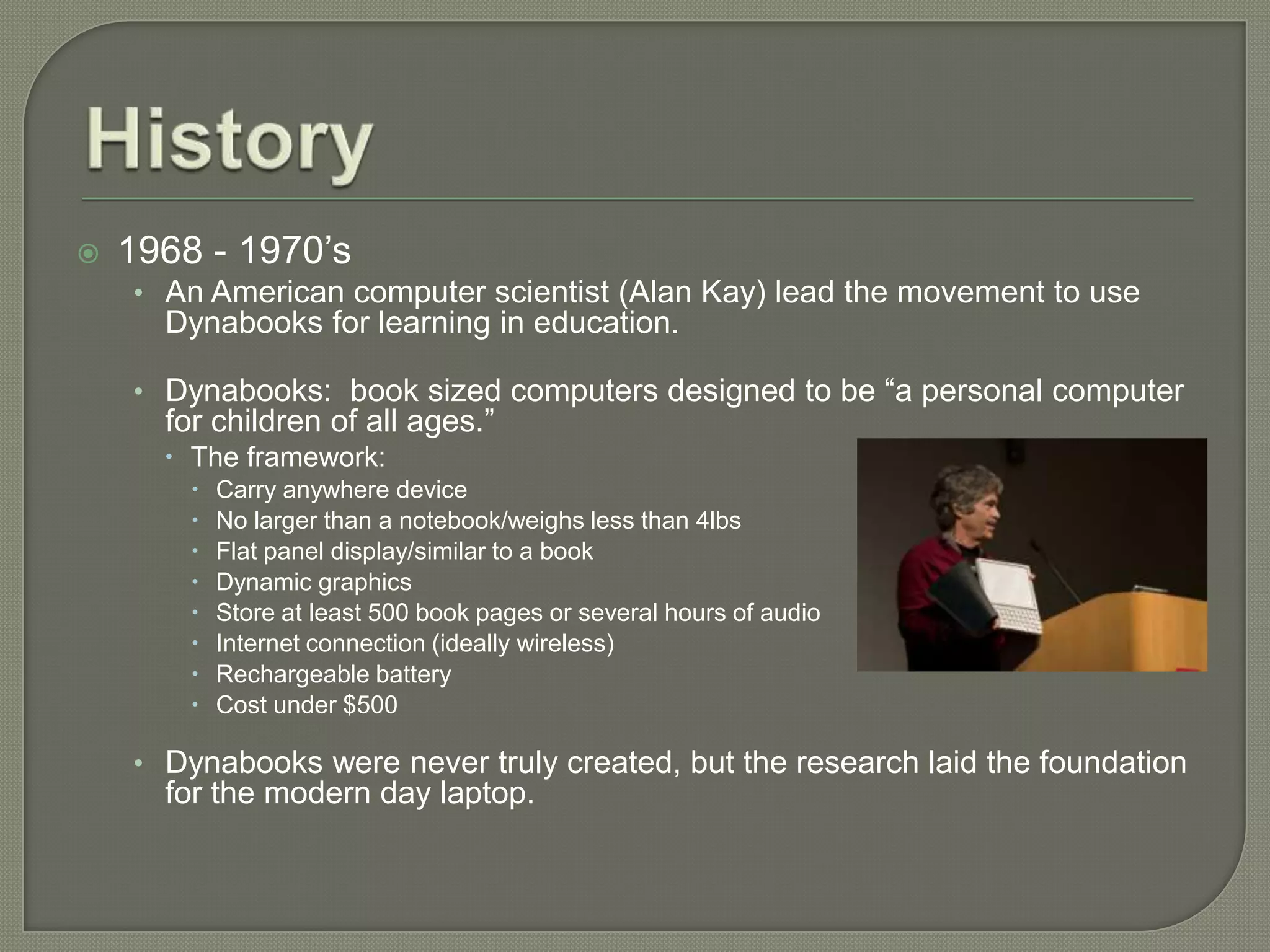
    • An American computer scientist (Alan Kay) lead the movement to use
      Dynabooks for learning in education.

    • Dynabooks: book sized computers designed to be “a personal computer
      for children of all ages.”
       The framework:
           Carry anywhere device
           No larger than a notebook/weighs less than 4lbs
           Flat panel display/similar to a book
           Dynamic graphics
           Store at least 500 book pages or several hours of audio
           Internet connection (ideally wireless)
           Rechargeable battery
           Cost under $500

    • Dynabooks were never truly created, but the research laid the foundation
      for the modern day laptop.
 1970’s   continued
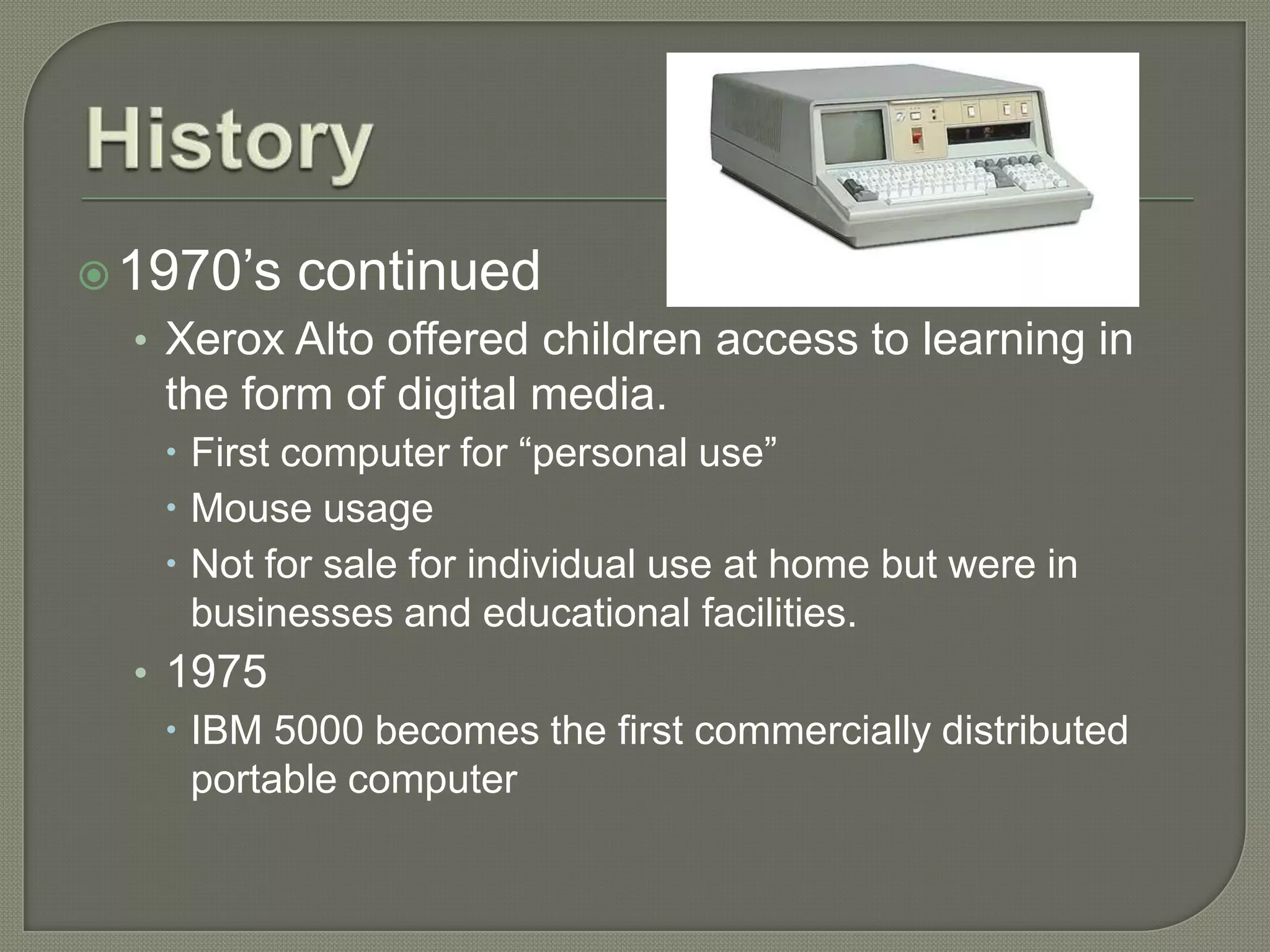
  • Xerox Alto offered children access to learning in
   the form of digital media.
    First computer for “personal use”
    Mouse usage
    Not for sale for individual use at home but were in
     businesses and educational facilities.
  • 1975
     IBM 5000 becomes the first commercially distributed
      portable computer
 1980’s    – 1990’s
  • 1984
     Macintosh launches it’s first line of personal computers
      that use a mouse and a graphical user interface instead
      of a command line.
      Better multitasking abilities
      Not necessary to memorize commands to operate
      More “extras” (fonts, icons)
    1996
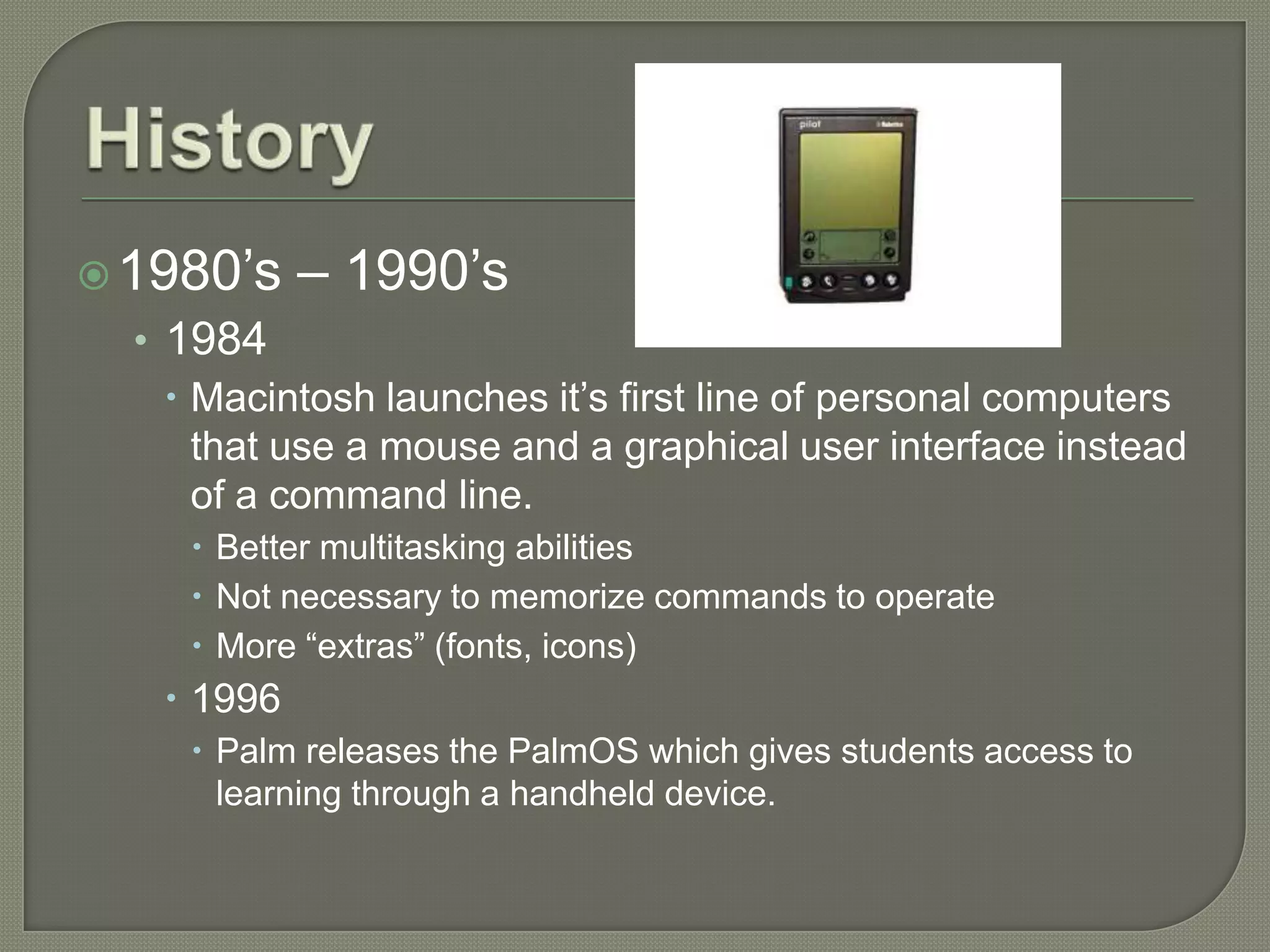
      Palm releases the PalmOS which gives students access to
       learning through a handheld device.
 2000’s
   • The Mobile Learning Project is launched to seriously
       investigate and engage in mobile learning (2001).
   •   Google announces its “Book Search” and “Google
       Scholar” which have become valuable resources in the
       mobile learning movement (2004).
   •   Quanta produces the XO laptops and sends them to
       Shanghai for the “One Laptop per Child” initiative
       (2005).
   •   Apple launches its “iTunes U” application that can be
       accessed through the various devices (iPhone, iTouch
       and iPad) (2007).
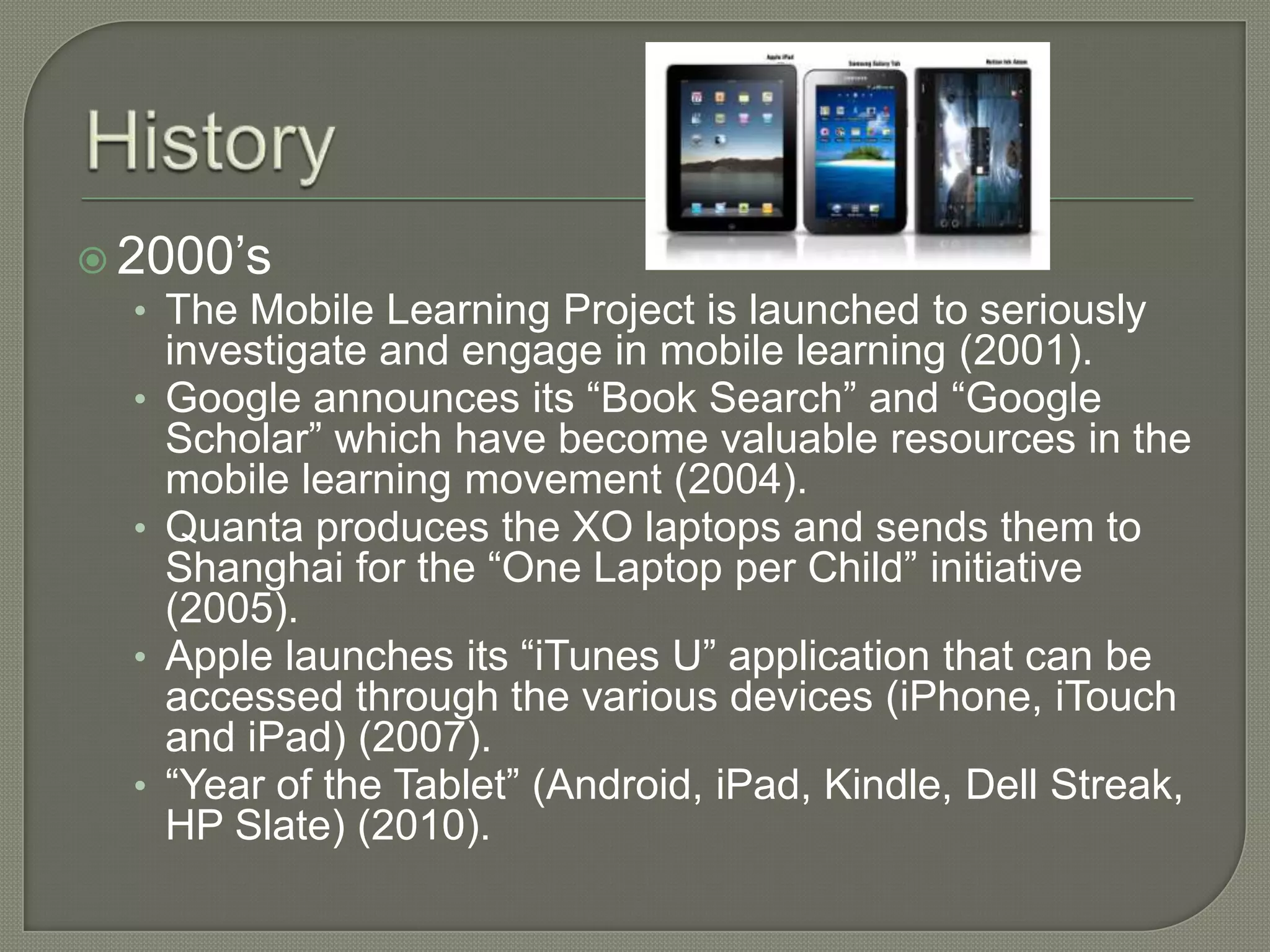
   •   “Year of the Tablet” (Android, iPad, Kindle, Dell Streak,
       HP Slate) (2010).
 The Teacher
  • Many teachers in the educational system were not
    raised or educated through use of today’s modern
    mobile devices.
  • Continued education is usually necessary for older
    teachers still in the field.
     Resistance to new technology
     Frustration with constant changing of technology
     Ability to learn information quickly while still
      comprehending the information in order to teach the
      students.
     Individuals ability to adapt
 Teachers   must adjust their style
  • Many have been teaching the same way(most
   successfully, some not so) for years.
 Many  are uncomfortable with technology, not
  being “digital natives”
 Management concerns – theft, breakage,
  misuse, inappropriate sites
  • Studies have shown this to not be as much of an issue
   as perceived
 Students   know the technology much better
 The Student
  • The students end up being able to benefit the
    most from mobile learning.
     Ability to access quick information from various sources
     Gaining the knowledge to use many of the devices that
      students will continue to see throughout their lives; not
      only school but also in the workforce.
     Not restricted to a traditional classroom setting,
      interactive learning.
     Able to collaborate with others in various locations
      around the world.
 Time  concerns – setting up, planning, etc
 Technical issues – devices that will not
  connect to wireless, certain applications
  not running, etc
 Keeping up with the rapidly changing
  technology is a challenge
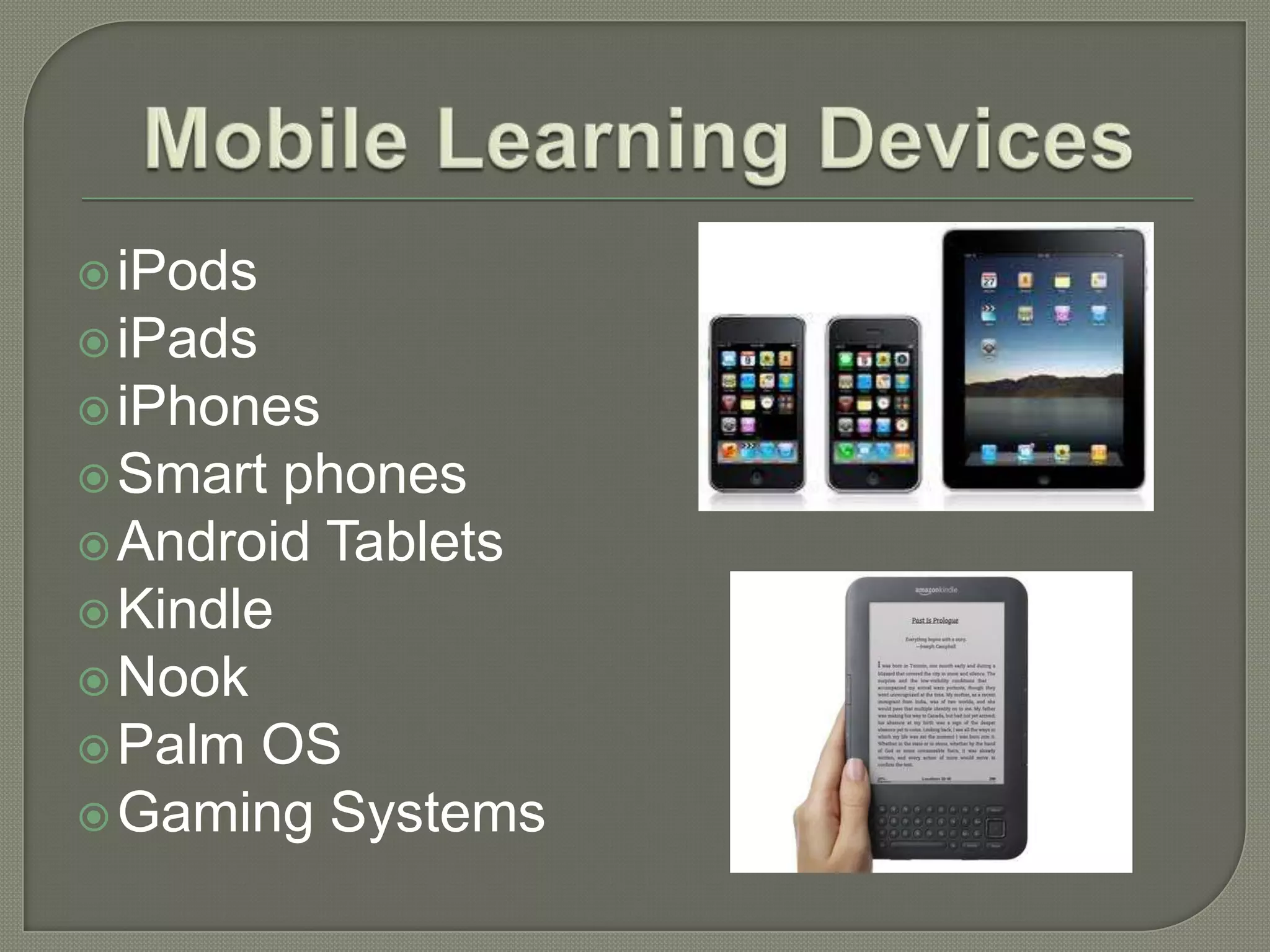
 iPods
 iPads
 iPhones
 Smart  phones
 Android Tablets
 Kindle
 Nook
 Palm OS
 Gaming Systems
 A single device can do it all!
 For the same price as a graphing calculator, a
 school district can buy handheld devices that
 can be used by students for:
  • word processing
  • online search and retrieval (including e-books)
  • testing in all subjects
  • Computation
  • data acquisition
  • visually displaying and processing information
  • genuine access to diverse languages and cultures
  (Robson, R. Mobile Learning and Handheld Devices)
   Delivers information through new media channels and
    establishes different learning styles
    • Students that excel in an interactive approach are benefiting from the ability to
      learn through mobile technologies

   Offers students a personalized approach to learning
    • Lectures, lessons and assignments can be tailored on a per student basis and
      delivered individually in a format that meets the strengths of the student’s learning
      style.
    • Students can customize the learning process by becoming adept to the
      applications in which they find the most success

   Greater interaction among students in online degree programs
    • Capturing media allows students to take pictures, videos and notes on their
      mobile devices and send them to an online forum for classmates and professors
      to view

   Obtaining information in real time
    • Field research conducted away from the computer can now be instantly recorded
      and sent to a virtual workspace. This allows the student to focus on gathering
      information and reflecting upon the research later.
 Ability
        to access wireless internet
 Charging docks for multiple
  devices/battery life
 Cost of devices/multiple devices
 Replacement/updating of technology
  • Also the cost of updating (if any)
 Tech problems/resources to resolve the
  issues
 Keeping students on task/monitoring their
  usage
   Since its beginning, mobile learning has been directly tied to online
    education as the platform for both types of education is rooted in the
    ability to learn beyond the confines of a classroom.
   More and more students are choosing online degree programs, as
    they offer flexibility to balance work and academic schedules.
   Mobile learning compliments the learner’s need for mobility by
    providing a learning platform that’s even more portable than a laptop.
   The accessibility of on-the-go education could potentially attract an
    entirely untapped group of students who may not have had interest
    in continuing their education due to inconvenience.
   The ability to offer an instant response without having to disrupt
    one’s schedule is creating new avenues and methods of learning
    that appeal to non-traditional students.
Mobile learningp pt

  • 1.
    Kaleigh Herring Mark Roque EDUC 635
  • 2.
    Any activity that allows individuals to be more productive when consuming, interacting with, or creating information, mediated through a compact digital portable device that the individual carries on a regular basis, has reliable connectivity, and fits in a pocket or purse.  Any sort of learning that happens when the learner is not at a fixed, predetermined location, or learning that happens when the learner takes advantage of the learning opportunities offered by mobile technologies.
  • 3.
    Learning with portable devices • Computers • MP3 players • Notebooks • Cell phones • iPad’s • Kindles • Tablets  Mobile devices go beyond the realm of PDA’s or smart phones; included are MP3 players, wireless notebooks and hand held gaming systems. Android OS devices, Blackberries, iPhones, and iPads are increasing in popularity for mobile learning, as more companies develop learning applications specifically designed for these devices.
  • 4.
     Focuses on the learner’s ability to interact with technologies in order to be successful in a society that is dependent upon mobile devices for research and communication. • Emails • Text messaging • Research • Downloadable texts, video sharing, curriculums, etc.
  • 5.
    1968 - 1970’s • An American computer scientist (Alan Kay) lead the movement to use Dynabooks for learning in education. • Dynabooks: book sized computers designed to be “a personal computer for children of all ages.”  The framework:  Carry anywhere device  No larger than a notebook/weighs less than 4lbs  Flat panel display/similar to a book  Dynamic graphics  Store at least 500 book pages or several hours of audio  Internet connection (ideally wireless)  Rechargeable battery  Cost under $500 • Dynabooks were never truly created, but the research laid the foundation for the modern day laptop.
  • 6.
     1970’s continued • Xerox Alto offered children access to learning in the form of digital media.  First computer for “personal use”  Mouse usage  Not for sale for individual use at home but were in businesses and educational facilities. • 1975  IBM 5000 becomes the first commercially distributed portable computer
  • 7.
     1980’s – 1990’s • 1984  Macintosh launches it’s first line of personal computers that use a mouse and a graphical user interface instead of a command line.  Better multitasking abilities  Not necessary to memorize commands to operate  More “extras” (fonts, icons)  1996  Palm releases the PalmOS which gives students access to learning through a handheld device.
  • 8.
     2000’s • The Mobile Learning Project is launched to seriously investigate and engage in mobile learning (2001). • Google announces its “Book Search” and “Google Scholar” which have become valuable resources in the mobile learning movement (2004). • Quanta produces the XO laptops and sends them to Shanghai for the “One Laptop per Child” initiative (2005). • Apple launches its “iTunes U” application that can be accessed through the various devices (iPhone, iTouch and iPad) (2007). • “Year of the Tablet” (Android, iPad, Kindle, Dell Streak, HP Slate) (2010).
  • 9.
     The Teacher • Many teachers in the educational system were not raised or educated through use of today’s modern mobile devices. • Continued education is usually necessary for older teachers still in the field.  Resistance to new technology  Frustration with constant changing of technology  Ability to learn information quickly while still comprehending the information in order to teach the students.  Individuals ability to adapt
  • 10.
     Teachers must adjust their style • Many have been teaching the same way(most successfully, some not so) for years.  Many are uncomfortable with technology, not being “digital natives”  Management concerns – theft, breakage, misuse, inappropriate sites • Studies have shown this to not be as much of an issue as perceived  Students know the technology much better
  • 11.
     The Student • The students end up being able to benefit the most from mobile learning.  Ability to access quick information from various sources  Gaining the knowledge to use many of the devices that students will continue to see throughout their lives; not only school but also in the workforce.  Not restricted to a traditional classroom setting, interactive learning.  Able to collaborate with others in various locations around the world.
  • 12.
     Time concerns – setting up, planning, etc  Technical issues – devices that will not connect to wireless, certain applications not running, etc  Keeping up with the rapidly changing technology is a challenge
  • 13.
     iPods  iPads iPhones  Smart phones  Android Tablets  Kindle  Nook  Palm OS  Gaming Systems
  • 14.
     A singledevice can do it all!  For the same price as a graphing calculator, a school district can buy handheld devices that can be used by students for: • word processing • online search and retrieval (including e-books) • testing in all subjects • Computation • data acquisition • visually displaying and processing information • genuine access to diverse languages and cultures (Robson, R. Mobile Learning and Handheld Devices)
  • 15.
    Delivers information through new media channels and establishes different learning styles • Students that excel in an interactive approach are benefiting from the ability to learn through mobile technologies  Offers students a personalized approach to learning • Lectures, lessons and assignments can be tailored on a per student basis and delivered individually in a format that meets the strengths of the student’s learning style. • Students can customize the learning process by becoming adept to the applications in which they find the most success  Greater interaction among students in online degree programs • Capturing media allows students to take pictures, videos and notes on their mobile devices and send them to an online forum for classmates and professors to view  Obtaining information in real time • Field research conducted away from the computer can now be instantly recorded and sent to a virtual workspace. This allows the student to focus on gathering information and reflecting upon the research later.
  • 16.
     Ability to access wireless internet  Charging docks for multiple devices/battery life  Cost of devices/multiple devices  Replacement/updating of technology • Also the cost of updating (if any)  Tech problems/resources to resolve the issues  Keeping students on task/monitoring their usage
  • 17.
    Since its beginning, mobile learning has been directly tied to online education as the platform for both types of education is rooted in the ability to learn beyond the confines of a classroom.  More and more students are choosing online degree programs, as they offer flexibility to balance work and academic schedules.  Mobile learning compliments the learner’s need for mobility by providing a learning platform that’s even more portable than a laptop.  The accessibility of on-the-go education could potentially attract an entirely untapped group of students who may not have had interest in continuing their education due to inconvenience.  The ability to offer an instant response without having to disrupt one’s schedule is creating new avenues and methods of learning that appeal to non-traditional students.