2012-2013-2014
 Campus-Wide      Network:
  40 Physical/Virtual HP Servers/Blades
  45 HP Pro-Curve Access Points
  HP Back-up Systems
  HP Switches and Controllers
  Sonicwall Filter
  Double Check/ISA e-mail and SPAM Filters
  AXXIS 24-hour Surveillance Camera System
  25MB of Internet Bandwidth via the ICN
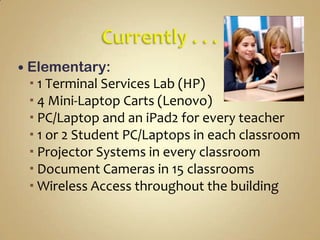
 Elementary:
  1 Terminal Services Lab (HP)
  4 Mini-Laptop Carts (Lenovo)
  PC/Laptop and an iPad2 for every teacher
  1 or 2 Student PC/Laptops in each classroom
  Projector Systems in every classroom
  Document Cameras in 15 classrooms
  Wireless Access throughout the building
 Middle School:
  1 Terminal Services Lab (HP)
  3 Laptop Carts (HP)
  PC/Laptop and an iPad2 for every teacher
  Projector Systems in every classroom
  Document Cameras in 3 classrooms
  Wireless Access throughout the building
 High School:
  3 Terminal Services Labs (HP)
  4 Laptop Carts (HP)
  PC/Laptop and an iPad2 for every teacher
  Projector Systems in every classroom
  Document Cameras in 4 classrooms
  Wireless Access throughout the building
 The future of Ed Tech is “Bring Your Own Device”
(BYOD), and schools will more than likely move away
from providing devices for students sooner than later.
While BYOD is far too radical for many school districts
at this time, it is inevitable that this is the future. The
sooner districts embrace this future and begin to plan
for it, the more effective this transition will be.
    . . . How are we going to continue to truly ban all of
this “student owned” technology in schools?
              Posted by Scott Meech on Ed Tech website (May 22, 2011)
 BYOD isn’t about the devices themselves—kids bring in
a variety of technology—it’s about creating constructive
change in teaching practices, just like kids bringing pencils
to school . . . they bring their technology to help them
whenever it is appropriate.
                 Tim Clark, Instructional Technology Specialist, Forsyth County Schools


 While BYOD is not a simple means of getting to one-to-
one, it is still the only viable, long-term solution. Are you
going to let the challenges stop BYOD from coming to
your district? By 2015, it will happen.
                 Elliot Soloway, Professor at University of Michigan, Chair of ISTE SIGML
  . . . Technology leaders at BYOD schools say, a fear of
problems such as access to inappropriate online
content, digitally enhanced cheating, and rampant classroom
distractions can lead districts to overthink, and
worse, overwrite corresponding policy adjustments to stifle
creative implementation of the devices. Early reports from the
field suggest that the simpler approach is more successful.
Districts that appear to be experiencing the smoothest
transitions from banning mobile devices to welcoming them
have undergone as little policy change as possible, striking or
heavily revising only obvious barriers such as districtwide cell
phone bans. They then issue school-level acceptable use
guidelines that reflect individual campus cultures and treat
violations of those guidelines like other behavioral issues.
                                     Ian Quillen, Digital Directions. Org
 Brent Williams, Director of Tech, Kenesaw State
University, says, “Easy answer: the iPad”
 Elliott Soloway, Professor, University of
Michigan, says, “Ahh, let me think . . . Hmmm . . . I
think . . . Personal, 24/7, networked, embedded in
your palm: Mobile Technologies.”
 Adam Bellow, Founder, eduTeacher, says, “I think of
my iPhone and Twitter as the best personalized
learning tools.”
 Kathy Schrock, Director of Tech, Nauset Public
Schools, says, “Students want to know why they
cannot use their own laptops or pads on the school’s
WiFi”
 Meg Ormiston, Professional Development
Speaker, Tech Teachers, says, “Students are
frustrated because the equipment in most schools is
old and the technology is not personal to them.”
 Stephen Velz, Teacher, Swift Creek Middle
School, says, “Dependable wireless connectivity
and, more importantly, teachers willing to employ
21st century strategies in using the devices.”
 Rushton Hurley, Executive
Director, NextVista.org, says, “Strong WiFi with
minimal filtering, and teachers prepared to help
students understand how to hold themselves to
higher standards when encountering problematic
material.”
 “Each student will have access to a device, 24/7, with internet access. I
mean every student.” --Kathy Schrock
 “We will see more districts allow outside devices into schools. Due to
shrinking budgets, we will have to welcome these devices and figure out a
way to have enough bandwidth to serve everyone.”
                                          --Meg Ormiston
 “IT departments relinquishing control. Teachers are shifting the
programs they use from local computers to online alternatives. BYOD
programs will become more prevalent. While it may seem more chaotic to
many, on an individual level it will be empowering.”
                                           --Steve Dembo, Online Manager, DE

  “I would identify three key changes: cloud computing, integration of
student-owned devices with school networks, and the development of
digitally based curriculum and textbooks by districts.”
                 --Julie Evans, CEO, Project Tomorrow
 Plan Thoroughly . . . Allot plenty of time for planning—six
months to a year is not unreasonable. The planning phase
includes an infrastructure evaluation. Internet must be
fast, reliable and available throughout campus. Wireless
coverage should be as ubiquitous as possible. At minimum, the
wireless network should cover all classrooms and common
areas such as the library and cafeteria.
 Bridge the Digital Divide . . . Plan carefully to ensure that lack
of technology access does not exclude some learners from
participation. For example, when planning a BYOD
initiative, estimate how many students lack a device and create
a pool for them to checkout. If out-of-school internet access is
required, make sure there’s a solution for students who don’t
have broadband at home.
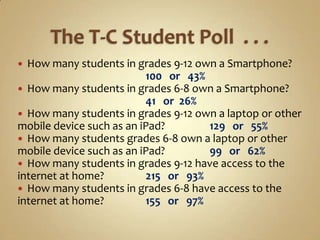
 How many students in grades 9-12 own a Smartphone?
                          100 or 43%
 How many students in grades 6-8 own a Smartphone?
                          41 or 26%
 How many students in grades 9-12 own a laptop or other
mobile device such as an iPad?       129 or 55%
 How many students grades 6-8 own a laptop or other
mobile device such as an iPad?       99 or 62%
 How many students in grades 9-12 have access to the
internet at home?         215 or 93%
 How many students in grades 6-8 have access to the
internet at home?         155 or 97%
“An institution’s wireless
network must be able to
 support the use of fixed
  computer labs, laptop
    carts, 1:1 computing
   initiatives and BYOD
        programs.”
     --Center for Digital Education 2012
“The most effective
     professional
development initiatives
          are
ongoing, collaborative,
 and integrated with
   daily teaching.”
 --The Evolving Classroom, Center for Digital Education
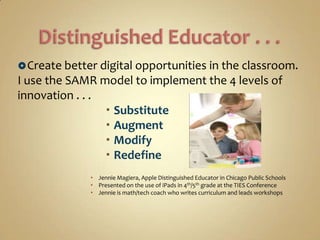
 Create better digital opportunities in the classroom.
I use the SAMR model to implement the 4 levels of
innovation . . .
                  Substitute
                  Augment
                  Modify
                  Redefine
               Jennie Magiera, Apple Distinguished Educator in Chicago Public Schools
               Presented on the use of iPads in 4th/5th grade at the TIES Conference
               Jennie is math/tech coach who writes curriculum and leads workshops
BYOD is Unstoppable                  Inevitable

Mobile Technologies are PROPELLING   Change
 •By 2015 every student in every grade in
   every school will be using a mobile
   learning device, 24/7, for curricular
                purposes.
  Sooner or later . . . You WILL go BYOD
   Planfully . . . Or not. Your Choice!!
                              --the JOURNAL, Webinar Series
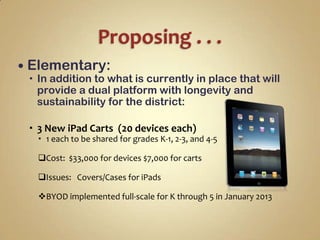
 Elementary:
  In addition to what is currently in place that will
   provide a dual platform with longevity and
   sustainability for the district:

  3 New iPad Carts (20 devices each)
   1 each to be shared for grades K-1, 2-3, and 4-5

  Cost: $33,000 for devices $7,000 for carts

  Issues: Covers/Cases for iPads

  BYOD implemented full-scale for K through 5 in January 2013
   Middle School:
     In addition to what is currently in place that will
      provide a dual platform with longevity and
      sustainability for the district:

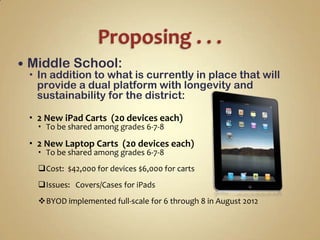
     2 New iPad Carts (20 devices each)
       To be shared among grades 6-7-8

     2 New Laptop Carts (20 devices each)
       To be shared among grades 6-7-8
      Cost: $42,000 for devices $6,000 for carts
      Issues: Covers/Cases for iPads
      BYOD implemented full-scale for 6 through 8 in August 2012
   High School:
     In addition to what is currently in place that will
      provide a dual platform with longevity and
      sustainability for the district:

     2 New iPad Carts (20 devices each)
       To be shared among grades 9-10-11-12

     2 New Laptop Carts (20 devices each)
       To be shared among grades 9-10-11-12
      Cost: $42,000 for devices $6,000 for carts
      Issues: Covers/Cases for iPads/App Costs
      BYOD implemented full-scale for 9 through 12 in August 2012
$ Costs affiliated with Apple Inc. are not
negotiable, but are most attractive when bundled in
10-packs.

$ Costs affiliated with Lenovo and HP are negotiable
and can be competitively bid for best pricing.

$ Financing can be arranged via Apple Inc., local
banks, or a hardware vendor. However, if funding is
available via fiscal budgeting then 3-year installment
plans and interest accrual can be avoided.
Continue to develop/offer this hybrid philosophy
  Implement measures during 2012-2013 school year
that will drive the decisions made for/during 2013-2014
  Maintain solid infrastructure to ensure optimization
  Monitor the industry closely for guidance on next
steps in regards to upgrades and enhancements
  Provide students/families with direction and
resources that will enable them to obtain devices and
access broadband internet at school and at home
  Keep educating our staff/students/community

Updated tri center 2012 csd technology

  • 1.
  • 2.
     Campus-Wide Network:  40 Physical/Virtual HP Servers/Blades  45 HP Pro-Curve Access Points  HP Back-up Systems  HP Switches and Controllers  Sonicwall Filter  Double Check/ISA e-mail and SPAM Filters  AXXIS 24-hour Surveillance Camera System  25MB of Internet Bandwidth via the ICN
  • 3.
     Elementary: 1 Terminal Services Lab (HP)  4 Mini-Laptop Carts (Lenovo)  PC/Laptop and an iPad2 for every teacher  1 or 2 Student PC/Laptops in each classroom  Projector Systems in every classroom  Document Cameras in 15 classrooms  Wireless Access throughout the building
  • 4.
     Middle School:  1 Terminal Services Lab (HP)  3 Laptop Carts (HP)  PC/Laptop and an iPad2 for every teacher  Projector Systems in every classroom  Document Cameras in 3 classrooms  Wireless Access throughout the building
  • 5.
     High School:  3 Terminal Services Labs (HP)  4 Laptop Carts (HP)  PC/Laptop and an iPad2 for every teacher  Projector Systems in every classroom  Document Cameras in 4 classrooms  Wireless Access throughout the building
  • 6.
     The futureof Ed Tech is “Bring Your Own Device” (BYOD), and schools will more than likely move away from providing devices for students sooner than later. While BYOD is far too radical for many school districts at this time, it is inevitable that this is the future. The sooner districts embrace this future and begin to plan for it, the more effective this transition will be. . . . How are we going to continue to truly ban all of this “student owned” technology in schools?  Posted by Scott Meech on Ed Tech website (May 22, 2011)
  • 7.
     BYOD isn’tabout the devices themselves—kids bring in a variety of technology—it’s about creating constructive change in teaching practices, just like kids bringing pencils to school . . . they bring their technology to help them whenever it is appropriate.  Tim Clark, Instructional Technology Specialist, Forsyth County Schools  While BYOD is not a simple means of getting to one-to- one, it is still the only viable, long-term solution. Are you going to let the challenges stop BYOD from coming to your district? By 2015, it will happen.  Elliot Soloway, Professor at University of Michigan, Chair of ISTE SIGML
  • 8.
     .. . Technology leaders at BYOD schools say, a fear of problems such as access to inappropriate online content, digitally enhanced cheating, and rampant classroom distractions can lead districts to overthink, and worse, overwrite corresponding policy adjustments to stifle creative implementation of the devices. Early reports from the field suggest that the simpler approach is more successful. Districts that appear to be experiencing the smoothest transitions from banning mobile devices to welcoming them have undergone as little policy change as possible, striking or heavily revising only obvious barriers such as districtwide cell phone bans. They then issue school-level acceptable use guidelines that reflect individual campus cultures and treat violations of those guidelines like other behavioral issues.  Ian Quillen, Digital Directions. Org
  • 9.
     Brent Williams,Director of Tech, Kenesaw State University, says, “Easy answer: the iPad”  Elliott Soloway, Professor, University of Michigan, says, “Ahh, let me think . . . Hmmm . . . I think . . . Personal, 24/7, networked, embedded in your palm: Mobile Technologies.”  Adam Bellow, Founder, eduTeacher, says, “I think of my iPhone and Twitter as the best personalized learning tools.”
  • 10.
     Kathy Schrock,Director of Tech, Nauset Public Schools, says, “Students want to know why they cannot use their own laptops or pads on the school’s WiFi”  Meg Ormiston, Professional Development Speaker, Tech Teachers, says, “Students are frustrated because the equipment in most schools is old and the technology is not personal to them.”
  • 11.
     Stephen Velz,Teacher, Swift Creek Middle School, says, “Dependable wireless connectivity and, more importantly, teachers willing to employ 21st century strategies in using the devices.”  Rushton Hurley, Executive Director, NextVista.org, says, “Strong WiFi with minimal filtering, and teachers prepared to help students understand how to hold themselves to higher standards when encountering problematic material.”
  • 12.
     “Each studentwill have access to a device, 24/7, with internet access. I mean every student.” --Kathy Schrock  “We will see more districts allow outside devices into schools. Due to shrinking budgets, we will have to welcome these devices and figure out a way to have enough bandwidth to serve everyone.” --Meg Ormiston  “IT departments relinquishing control. Teachers are shifting the programs they use from local computers to online alternatives. BYOD programs will become more prevalent. While it may seem more chaotic to many, on an individual level it will be empowering.” --Steve Dembo, Online Manager, DE  “I would identify three key changes: cloud computing, integration of student-owned devices with school networks, and the development of digitally based curriculum and textbooks by districts.” --Julie Evans, CEO, Project Tomorrow
  • 13.
     Plan Thoroughly. . . Allot plenty of time for planning—six months to a year is not unreasonable. The planning phase includes an infrastructure evaluation. Internet must be fast, reliable and available throughout campus. Wireless coverage should be as ubiquitous as possible. At minimum, the wireless network should cover all classrooms and common areas such as the library and cafeteria.  Bridge the Digital Divide . . . Plan carefully to ensure that lack of technology access does not exclude some learners from participation. For example, when planning a BYOD initiative, estimate how many students lack a device and create a pool for them to checkout. If out-of-school internet access is required, make sure there’s a solution for students who don’t have broadband at home.
  • 14.
     How manystudents in grades 9-12 own a Smartphone? 100 or 43%  How many students in grades 6-8 own a Smartphone? 41 or 26%  How many students in grades 9-12 own a laptop or other mobile device such as an iPad? 129 or 55%  How many students grades 6-8 own a laptop or other mobile device such as an iPad? 99 or 62%  How many students in grades 9-12 have access to the internet at home? 215 or 93%  How many students in grades 6-8 have access to the internet at home? 155 or 97%
  • 15.
    “An institution’s wireless networkmust be able to support the use of fixed computer labs, laptop carts, 1:1 computing initiatives and BYOD programs.” --Center for Digital Education 2012
  • 16.
    “The most effective professional development initiatives are ongoing, collaborative, and integrated with daily teaching.” --The Evolving Classroom, Center for Digital Education
  • 17.
     Create betterdigital opportunities in the classroom. I use the SAMR model to implement the 4 levels of innovation . . .  Substitute  Augment  Modify  Redefine  Jennie Magiera, Apple Distinguished Educator in Chicago Public Schools  Presented on the use of iPads in 4th/5th grade at the TIES Conference  Jennie is math/tech coach who writes curriculum and leads workshops
  • 18.
    BYOD is Unstoppable Inevitable Mobile Technologies are PROPELLING Change •By 2015 every student in every grade in every school will be using a mobile learning device, 24/7, for curricular purposes. Sooner or later . . . You WILL go BYOD Planfully . . . Or not. Your Choice!! --the JOURNAL, Webinar Series
  • 19.
     Elementary: In addition to what is currently in place that will provide a dual platform with longevity and sustainability for the district:  3 New iPad Carts (20 devices each)  1 each to be shared for grades K-1, 2-3, and 4-5 Cost: $33,000 for devices $7,000 for carts Issues: Covers/Cases for iPads BYOD implemented full-scale for K through 5 in January 2013
  • 20.
    Middle School:  In addition to what is currently in place that will provide a dual platform with longevity and sustainability for the district:  2 New iPad Carts (20 devices each)  To be shared among grades 6-7-8  2 New Laptop Carts (20 devices each)  To be shared among grades 6-7-8 Cost: $42,000 for devices $6,000 for carts Issues: Covers/Cases for iPads BYOD implemented full-scale for 6 through 8 in August 2012
  • 21.
    High School:  In addition to what is currently in place that will provide a dual platform with longevity and sustainability for the district:  2 New iPad Carts (20 devices each)  To be shared among grades 9-10-11-12  2 New Laptop Carts (20 devices each)  To be shared among grades 9-10-11-12 Cost: $42,000 for devices $6,000 for carts Issues: Covers/Cases for iPads/App Costs BYOD implemented full-scale for 9 through 12 in August 2012
  • 22.
    $ Costs affiliatedwith Apple Inc. are not negotiable, but are most attractive when bundled in 10-packs. $ Costs affiliated with Lenovo and HP are negotiable and can be competitively bid for best pricing. $ Financing can be arranged via Apple Inc., local banks, or a hardware vendor. However, if funding is available via fiscal budgeting then 3-year installment plans and interest accrual can be avoided.
  • 23.
    Continue to develop/offerthis hybrid philosophy Implement measures during 2012-2013 school year that will drive the decisions made for/during 2013-2014 Maintain solid infrastructure to ensure optimization Monitor the industry closely for guidance on next steps in regards to upgrades and enhancements Provide students/families with direction and resources that will enable them to obtain devices and access broadband internet at school and at home Keep educating our staff/students/community