Creativity and Integration
Creating a Digital Learning
Environment
Ben Smith
@edtechben
Why this session?
http://www.schrockguide.net/bloomin-apps.html
Data Collection Analysis
Communication
Apps Approach
Multimedia
Reference
Journaling
Content Based
Appfluency
Curricular Approach
Measuring
Annotate Cartoon Gaming
Audio & Video
Click to Move
How can students use the iPad to collect data?
Getting to Results
How did I get here?
Being Vague
Instructional Design
Culture and Tools
Building the Infrastructure
1layerone
Questions
Who is the "Answerer"
I know nothing - Socrates
Students Generate
UCC
Student Generated
Problems
Interdependence
Build Independence
Buy-In
2layertwo
Tool Chest
Example - Infographics
Lecture
Social
When is Done... Done?
Teacher as Coworker / Boss
Gamification
Rubrics
Metiri Group - learning.metiri.com
Content is NOT Enough
Differentiation
Classroom
Classroom
Classroom
Beyond the Classroom
Celebrate Success
End Product
21st Century Learning
Transformation - SAMR
Is IT Integration?
A Taxonomy for Integrating Technology
Increasing Levels of Cognition
Curriculum mastery deepens
Increasing Complexity of Technology Skills
Technology choices become autonomous
Observing
Students are passive spectators of the technology
Incorporating
Students are leveraging technology to increase productivity
Producing
Students create a product with a single technology
Exploring
Students engage in discovery learning prior to formal instruction
Collaborating
Students interact with peers, instructors, and outside resources
Applying
Students are guided to combine and integrate technologies
Creating
Students are making sound choices about the appropriate synthesis
of content and technology into a final product
Leap One
Observing to Incorporating
Observing
Students are passive spectators of the technology
Observing to Incorporating
Incorporating
Students are leveraging technology to increase productivity
Examples
Students use the interactive whiteboard to manipulate pictures in a classification activity
Students narrate a Discovery Streaming video in lieu of the “stock” narration
Using Inspiration to create chemical element cards that can be manipulated to
Create a periodic table
When writing an abstract, students must use the formatting features that are built into
Word to identify claims and substantiating facts
Students create a Diigo or or Delicious page to organize and identify supporting
evidence for an experiment or study
Observing to Incorporating
Leap Two
Incorporating to the “Triangle”
Incorporating
Students are leveraging technology to
increase productivity
Producing
Students create a product with a single technology
Exploring
Students engage in discovery learning prior to formal instruction
Collaborating
Students interact with peers, instructors, and outside resources
Examples
Students podcast observations in lieu of a data table
Post a video that displays a scientific principle to Voicethread so that the class can
comment and/or predict its law
Design an experiment in Google Docs and complete it with your lab group, online
Make a movie trailer about a chemical reaction, describing its mathematics and properties
In a dramatic or comedic way
Students explore the principles of a gas law by engaging in a simulation about that
law prior to experimentation
Incorporating to the “Triangle”
Leap Three
The “Triangle” to Creating
The “Triangle”
Students are guided to use different tools
The “Triangle” to Creating
Creating
Students are making sound choices about the appropriate
synthesis of content and technology into a final product
How to Erase Technology
• Have students move through the taxonomy
• As students acquire the skills of using a
technology….
• It becomes a tool they may choose
• The emphasis of an activity shifts from the
technology to the cognitive skills students must
employ
• Becomes invisible
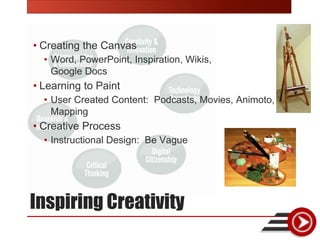
Inspiring Creativity
• Creating the Canvas
• Word, PowerPoint, Inspiration, Wikis,
Google Docs
• Learning to Paint
• User Created Content: Podcasts, Movies, Animoto,
Mapping
• Creative Process
• Instructional Design: Be Vague
Practices
What do iDo?
Practice Makes….
Created by YETC - 2012
Tools for Integration
Planning Documents
• Year Long Plan
• Being Creative
• Curriculum Map
• What are 21st century skills?
• What are technologies you / your students can use?
• What are your current integration activities?
The resources…
The NETS as a Lens
Performance Indicators
Focus Point
10,000’ View
Example
•Performance Indicator
• Students demonstrate creative thinking,
construct knowledge, and develop innovative
products and processes using technology.
• Performance Indicator
• Students interact, collaborate, and publish
with peers, experts, or others employing a
variety of digital environments and media.
• Performance Indicator
• Students locate, organize, analyze, evaluate,
synthesize, and ethically use information
from a variety of sources and media.
Example
• Moving back to the
curriculum planning
document, we see that the
designing creative activities
tool informs the curriculum
template…
Example
• Using our taxonomy tool,
determine the cognitive
level to which students will
be engaged in the activity.
Eliciting Creativity
• Designing activities that ask students to be creative must
begin with the end point in mind.
• The “being creative” document will help…
Ensuring Success
• In order to allow students to be successful, we must
scaffold our activities from a content perspective as well
as a technology one
• The Year Long Plan will help:
Assessing Technology
Integrated Projects
• What are the goals / objectives of the project?
• Curricular
• Skills
• Technology
• Develop a rubric
• Curriculum Focus should be first
• Need a rubric area to deal with technology aspect
• Collaboration
• Problem Solving
• Communication
Questions
• Email: info@edtechinnovators.com
• Website: www.edtechinnovators.com
@edtechben

Creativity and Tech Integration