Technology in the  Century                       21st

      WEB 2.0 Toolkit

                               NYSABE
     ACHIEVING A LIFETIME OF BILINGUALISM FROM

   E A R LY C H I L D H O O D T H R O U G H H I G H E R E D U C AT I O N "


                               PRESENTED BY

                     PATRICIA CHRISTIAN
             REED MIDDLE SCHOOL – CENTRAL ISLIP
               PATRICIALCHRISTIAN@GMAIL.COM

                               MARCH 9, 2012
Transforming Teaching Through Technology


                        JORDAN DISTRICT
                          PAY ATTENTION
We need to ensure            http://www.teachertube.c
 that all students            om/viewVideo.php?video
  are qualified to            _id=448&title=Pay_Atten
                              tion
 succeed in work
and life in this new         http://t4.jordandistrict.or
                              g/payattention
 global economy.
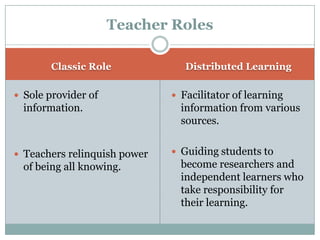
Teacher Roles

       Classic Role              Distributed Learning

 Sole provider of             Facilitator of learning
  information.                  information from various
                                sources.


 Teachers relinquish power    Guiding students to
  of being all knowing.         become researchers and
                                independent learners who
                                take responsibility for
                                their learning.
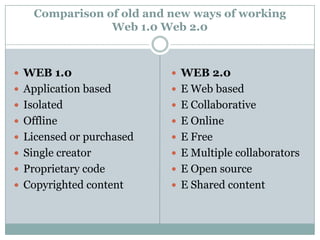
Comparison of old and new ways of working
                Web 1.0 Web 2.0


 WEB 1.0                  WEB 2.0
 Application based        E Web based
 Isolated                 E Collaborative
 Offline                  E Online
 Licensed or purchased    E Free
 Single creator           E Multiple collaborators
 Proprietary code         E Open source
 Copyrighted content      E Shared content
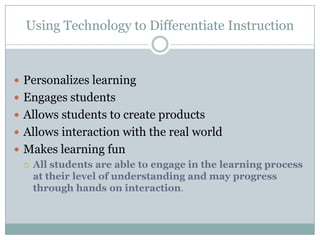
Using Technology to Differentiate Instruction


 Personalizes learning
 Engages students
 Allows students to create products
 Allows interaction with the real world
 Makes learning fun
   All students are able to engage in the learning process
    at their level of understanding and may progress
    through hands on interaction.
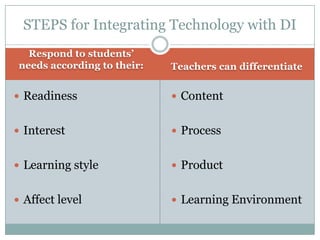
STEPS for Integrating Technology with DI
   Respond to students’
 needs according to their:   Teachers can differentiate


 Readiness                   Content


 Interest                    Process


 Learning style              Product


 Affect level                Learning Environment
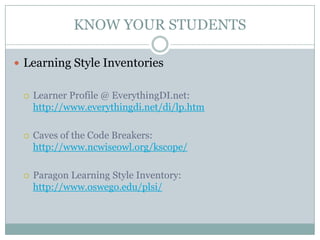
KNOW YOUR STUDENTS

 Learning Style Inventories


    Learner Profile @ EverythingDI.net:
     http://www.everythingdi.net/di/lp.htm

    Caves of the Code Breakers:
     http://www.ncwiseowl.org/kscope/

    Paragon Learning Style Inventory:
     http://www.oswego.edu/plsi/
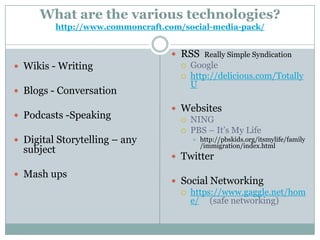
What are the various technologies?
         http://www.commoncraft.com/social-media-pack/


                                  RSS Really Simple Syndication
 Wikis - Writing                   Google
                                    http://delicious.com/Totally
                                     U
 Blogs - Conversation

                                  Websites
 Podcasts -Speaking                NING
                                    PBS – It’s My Life
 Digital Storytelling – any             http://pbskids.org/itsmylife/family
                                          /immigration/index.html
  subject
                                  Twitter

 Mash ups
                                  Social Networking
                                    https://www.gaggle.net/hom
                                     e/ (safe networking)
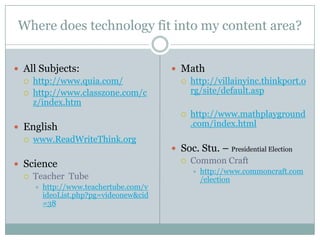
Where does technology fit into my content area?


 All Subjects:                         Math
   http://www.quia.com/                  http://villainyinc.thinkport.o
   http://www.classzone.com/c             rg/site/default.asp
    z/index.htm
                                            http://www.mathplayground
 English                                    .com/index.html
   www.ReadWriteThink.org
                                        Soc. Stu. – Presidential Election
                                          Common Craft
 Science
                                                http://www.commoncraft.com
   Teacher Tube                                 /election
       http://www.teachertube.com/v
        ideoList.php?pg=videonew&cid
        =38
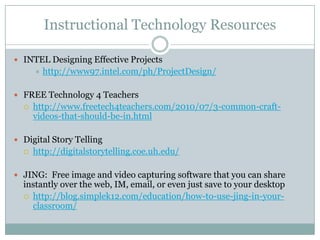
Instructional Technology Resources

 INTEL Designing Effective Projects
         http://www97.intel.com/ph/ProjectDesign/

 FREE Technology 4 Teachers
     http://www.freetech4teachers.com/2010/07/3-common-craft-
      videos-that-should-be-in.html

 Digital Story Telling
     http://digitalstorytelling.coe.uh.edu/

 JING: Free image and video capturing software that you can share
  instantly over the web, IM, email, or even just save to your desktop
   http://blog.simplek12.com/education/how-to-use-jing-in-your-
    classroom/
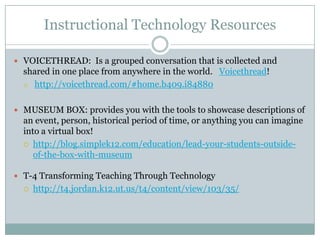
Instructional Technology Resources

 VOICETHREAD: Is a grouped conversation that is collected and
  shared in one place from anywhere in the world. Voicethread!
   http://voicethread.com/#home.b409.i84880


 MUSEUM BOX: provides you with the tools to showcase descriptions of
  an event, person, historical period of time, or anything you can imagine
  into a virtual box!
   http://blog.simplek12.com/education/lead-your-students-outside-
     of-the-box-with-museum

 T-4 Transforming Teaching Through Technology
     http://t4.jordan.k12.ut.us/t4/content/view/103/35/
Tools & Strategies for the “Understanding Style” Learner


 These sites and tools focus on the reasoning/logical
  dimension of math:

 HomeschoolMath: Logic & Proof:
     http://tinyurl.com/culdaw

 Hoagie’s Kids & Teens: Brain Teasers:
     http://www.hoagiesgifted.org/brain_teasers.htm

 Sketchcast (draw and record explanations of formulas, etc.):
     http://sketchcast.com/

 PowerPoint or Webbes to explain a concept
Literacy Websites
www.delicious.com


Primary Websites
     www.starfall.com
     www.pbskids.org
     www.brainpopjr.com
     www.storylineonline.net
     www.tumblebooks.com/library/asp/home_tumblebooks.asp
     www.sesamestreet.org
     www.jmeacham.com/
     http://auth.grolier.com/login/bookflix/login.php
Literacy Websites

Intermediate Websites
  www.readwritethink.org
  www.readprint.com
  http://rubistar.4teachers.org/
  www.brainpop.com
  www.glogster.com
  www.fodey.com
  http://hill.troy.k12.mi.us/staff/bnewingham/myweb3/index.ht
  m
Assessment Rubrics


 Technology Project Assessments
   Rubrics for Assessment Online Professional Development -
    UW Stout, Wisconsin's Polytechnic University
    http://www3.uwstout.edu/soe/profdev/instructonline.cfm
       Search left panel for information
 Teachnology
   http://www.teach-nology.com/web_tools/rubrics/
Technology Grants

 Grants:
   http://www.technologygrantnews.com/grant-index-by-type/school-grants.html

 Deadline: February Annually
  http://www.exploravision.org/
  1-800-EXPLOR9
 The ExploraVision program challenges teams of 2-4 students to research scientific
  principles and current technologies as the basis for designing innovative technologies
  that could exist in 20 years. Students on the four first-place ExploraVision winning teams
  will each receive a $10,000 U.S. Series EE Savings Bond valued at maturity. Students on
  second-place teams will each receive a $5,000 bond valued at maturity. The eight teams
  will also receive an expenses-paid trip with their families, mentor, and coach to
  Washington, DC



Professional Development

 Simple K-12:
      http://unconference.simplek12.com

 Certification for online learning:
      E-Learning and Online Teaching - UW Stout, Wisconsin's Polytechnic University

 Common Craft
      www.commoncraft.com/

 PD 360 School Improvement Network
      http://www.schoolimprovement.com/pd360-info.cfm

 ASCD - Association of Supervisory Curriculum & Development
 www.ascd.org

 ISTE International Society for Technology in Education
      http://www.iste.org/
References

 Differentiating Instruction with Technology in Middle School Classrooms
        TABLE 2:1 & TABLE 2:2 http://www.iste.org/source/orders/excerpts/diff68.pdf
  Copyright 2009, ISTE ® (International Society for Technology in Education),
  Differentiating Instruction with Technology in Middle School Classrooms, Grace E.
  Smith & Stephanie Throne. 1.800.336.5191 or 1.541.302.3777 (Int’l), iste@iste.org,
  www.iste.org. All rights reserved. Distribution and copying of this excerpt is allowed for
  educational purposes and use with full attribution to ISTE.

   Center for Applied Research in Educational Technology (CARET), a project of the
    International Society for Technology in Education in partnership with Education Support
    Systems and the Sacramento County Office of Education. Copyright 2007, ISTE ®
    (International Society for Technology in Education), Differentiating Instruction with
    Technology for K–5 Classrooms, Grace E. Smith and Stephanie Throne.
    1.800.336.5191 or 1.541.302.3777 (Int’l), iste@iste.org, www.iste.org. All rights reserved.
    Distribution and copying of this excerpt is allowed for educational purposes and use with
    full attribution to ISTE. http://www.iste.org/source/orders/excerpts/diffk5.pdf

Nysabe web 2.0 links

  • 1.
    Technology in the Century 21st WEB 2.0 Toolkit NYSABE ACHIEVING A LIFETIME OF BILINGUALISM FROM E A R LY C H I L D H O O D T H R O U G H H I G H E R E D U C AT I O N " PRESENTED BY PATRICIA CHRISTIAN REED MIDDLE SCHOOL – CENTRAL ISLIP PATRICIALCHRISTIAN@GMAIL.COM MARCH 9, 2012
  • 2.
    Transforming Teaching ThroughTechnology  JORDAN DISTRICT  PAY ATTENTION We need to ensure  http://www.teachertube.c that all students om/viewVideo.php?video are qualified to _id=448&title=Pay_Atten tion succeed in work and life in this new  http://t4.jordandistrict.or g/payattention global economy.
  • 3.
    Teacher Roles Classic Role Distributed Learning  Sole provider of  Facilitator of learning information. information from various sources.  Teachers relinquish power  Guiding students to of being all knowing. become researchers and independent learners who take responsibility for their learning.
  • 4.
    Comparison of oldand new ways of working Web 1.0 Web 2.0  WEB 1.0  WEB 2.0  Application based  E Web based  Isolated  E Collaborative  Offline  E Online  Licensed or purchased  E Free  Single creator  E Multiple collaborators  Proprietary code  E Open source  Copyrighted content  E Shared content
  • 5.
    Using Technology toDifferentiate Instruction  Personalizes learning  Engages students  Allows students to create products  Allows interaction with the real world  Makes learning fun  All students are able to engage in the learning process at their level of understanding and may progress through hands on interaction.
  • 6.
    STEPS for IntegratingTechnology with DI Respond to students’ needs according to their: Teachers can differentiate  Readiness  Content  Interest  Process  Learning style  Product  Affect level  Learning Environment
  • 7.
    KNOW YOUR STUDENTS Learning Style Inventories  Learner Profile @ EverythingDI.net: http://www.everythingdi.net/di/lp.htm  Caves of the Code Breakers: http://www.ncwiseowl.org/kscope/  Paragon Learning Style Inventory: http://www.oswego.edu/plsi/
  • 8.
    What are thevarious technologies? http://www.commoncraft.com/social-media-pack/  RSS Really Simple Syndication  Wikis - Writing  Google  http://delicious.com/Totally U  Blogs - Conversation  Websites  Podcasts -Speaking  NING  PBS – It’s My Life  Digital Storytelling – any  http://pbskids.org/itsmylife/family /immigration/index.html subject  Twitter  Mash ups  Social Networking  https://www.gaggle.net/hom e/ (safe networking)
  • 9.
    Where does technologyfit into my content area?  All Subjects:  Math  http://www.quia.com/  http://villainyinc.thinkport.o  http://www.classzone.com/c rg/site/default.asp z/index.htm  http://www.mathplayground  English .com/index.html  www.ReadWriteThink.org  Soc. Stu. – Presidential Election  Common Craft  Science  http://www.commoncraft.com  Teacher Tube /election  http://www.teachertube.com/v ideoList.php?pg=videonew&cid =38
  • 10.
    Instructional Technology Resources INTEL Designing Effective Projects  http://www97.intel.com/ph/ProjectDesign/  FREE Technology 4 Teachers  http://www.freetech4teachers.com/2010/07/3-common-craft- videos-that-should-be-in.html  Digital Story Telling  http://digitalstorytelling.coe.uh.edu/  JING: Free image and video capturing software that you can share instantly over the web, IM, email, or even just save to your desktop  http://blog.simplek12.com/education/how-to-use-jing-in-your- classroom/
  • 11.
    Instructional Technology Resources VOICETHREAD: Is a grouped conversation that is collected and shared in one place from anywhere in the world. Voicethread!  http://voicethread.com/#home.b409.i84880  MUSEUM BOX: provides you with the tools to showcase descriptions of an event, person, historical period of time, or anything you can imagine into a virtual box!  http://blog.simplek12.com/education/lead-your-students-outside- of-the-box-with-museum  T-4 Transforming Teaching Through Technology  http://t4.jordan.k12.ut.us/t4/content/view/103/35/
  • 12.
    Tools & Strategiesfor the “Understanding Style” Learner  These sites and tools focus on the reasoning/logical dimension of math:  HomeschoolMath: Logic & Proof:  http://tinyurl.com/culdaw  Hoagie’s Kids & Teens: Brain Teasers:  http://www.hoagiesgifted.org/brain_teasers.htm  Sketchcast (draw and record explanations of formulas, etc.):  http://sketchcast.com/  PowerPoint or Webbes to explain a concept
  • 13.
    Literacy Websites www.delicious.com Primary Websites www.starfall.com www.pbskids.org www.brainpopjr.com www.storylineonline.net www.tumblebooks.com/library/asp/home_tumblebooks.asp www.sesamestreet.org www.jmeacham.com/ http://auth.grolier.com/login/bookflix/login.php
  • 14.
    Literacy Websites Intermediate Websites www.readwritethink.org www.readprint.com http://rubistar.4teachers.org/ www.brainpop.com www.glogster.com www.fodey.com http://hill.troy.k12.mi.us/staff/bnewingham/myweb3/index.ht m
  • 15.
    Assessment Rubrics  TechnologyProject Assessments  Rubrics for Assessment Online Professional Development - UW Stout, Wisconsin's Polytechnic University http://www3.uwstout.edu/soe/profdev/instructonline.cfm Search left panel for information  Teachnology  http://www.teach-nology.com/web_tools/rubrics/
  • 16.
    Technology Grants  Grants:  http://www.technologygrantnews.com/grant-index-by-type/school-grants.html  Deadline: February Annually http://www.exploravision.org/ 1-800-EXPLOR9  The ExploraVision program challenges teams of 2-4 students to research scientific principles and current technologies as the basis for designing innovative technologies that could exist in 20 years. Students on the four first-place ExploraVision winning teams will each receive a $10,000 U.S. Series EE Savings Bond valued at maturity. Students on second-place teams will each receive a $5,000 bond valued at maturity. The eight teams will also receive an expenses-paid trip with their families, mentor, and coach to Washington, DC 
  • 17.
    Professional Development  SimpleK-12:  http://unconference.simplek12.com  Certification for online learning:  E-Learning and Online Teaching - UW Stout, Wisconsin's Polytechnic University  Common Craft  www.commoncraft.com/  PD 360 School Improvement Network  http://www.schoolimprovement.com/pd360-info.cfm  ASCD - Association of Supervisory Curriculum & Development  www.ascd.org  ISTE International Society for Technology in Education  http://www.iste.org/
  • 18.
    References  Differentiating Instructionwith Technology in Middle School Classrooms  TABLE 2:1 & TABLE 2:2 http://www.iste.org/source/orders/excerpts/diff68.pdf Copyright 2009, ISTE ® (International Society for Technology in Education), Differentiating Instruction with Technology in Middle School Classrooms, Grace E. Smith & Stephanie Throne. 1.800.336.5191 or 1.541.302.3777 (Int’l), iste@iste.org, www.iste.org. All rights reserved. Distribution and copying of this excerpt is allowed for educational purposes and use with full attribution to ISTE.  Center for Applied Research in Educational Technology (CARET), a project of the International Society for Technology in Education in partnership with Education Support Systems and the Sacramento County Office of Education. Copyright 2007, ISTE ® (International Society for Technology in Education), Differentiating Instruction with Technology for K–5 Classrooms, Grace E. Smith and Stephanie Throne. 1.800.336.5191 or 1.541.302.3777 (Int’l), iste@iste.org, www.iste.org. All rights reserved. Distribution and copying of this excerpt is allowed for educational purposes and use with full attribution to ISTE. http://www.iste.org/source/orders/excerpts/diffk5.pdf

Editor's Notes

  • #3 p.1
  • #5 p.23 Copyright 2007, ISTE ® (International Society for Technology in Education), Web 2.0: New Tools, New Schools, Gwen Solomon and Lynne Schrum. 1.800.336.5191 or 1.541.302.3777 (Int’l), iste@iste.org, www.iste.org. All rights reserved. Distribution and copying of this excerpt is allowed for educational purposes and use with full attribution to ISTE.