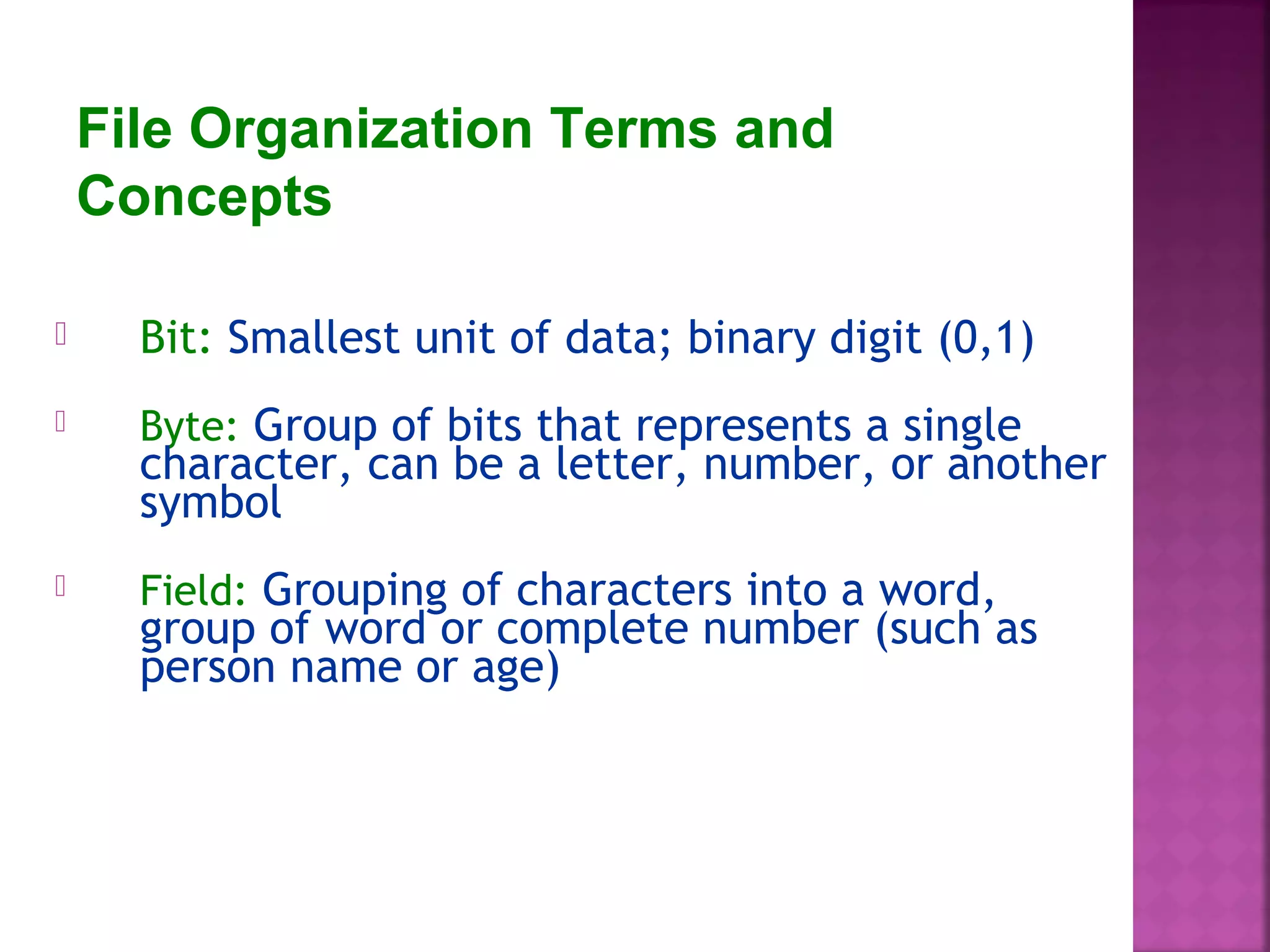
File Organization Terms and
Concepts
 Bit: Smallest unit of data; binary digit (0,1)
 Byte: Group of bits that represents a single
character, can be a letter, number, or another
symbol
 Field: Grouping of characters into a word,
group of word or complete number (such as
person name or age)
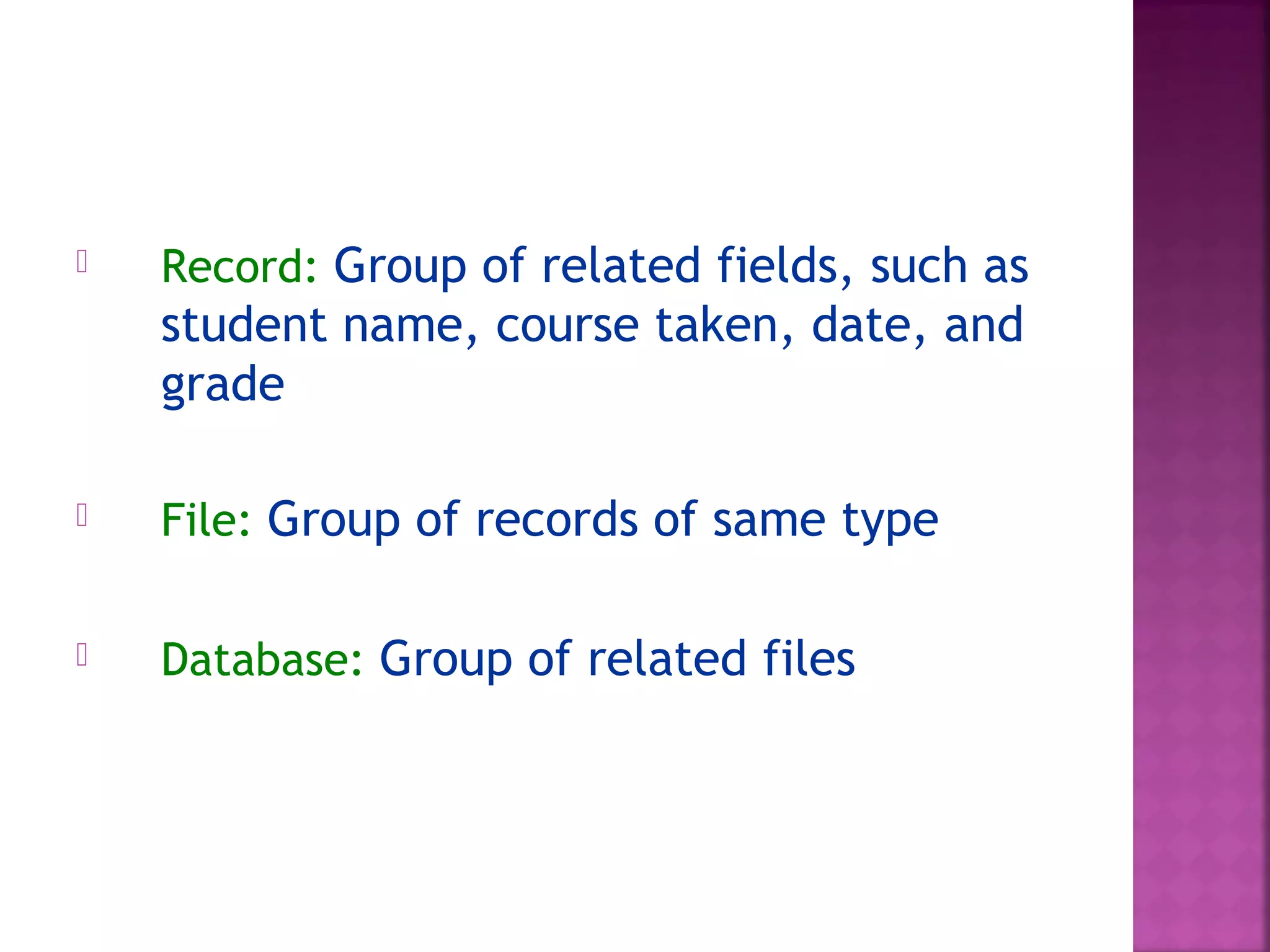
 Record: Group of related fields, such as
student name, course taken, date, and
grade
 File: Group of records of same type
 Database: Group of related files
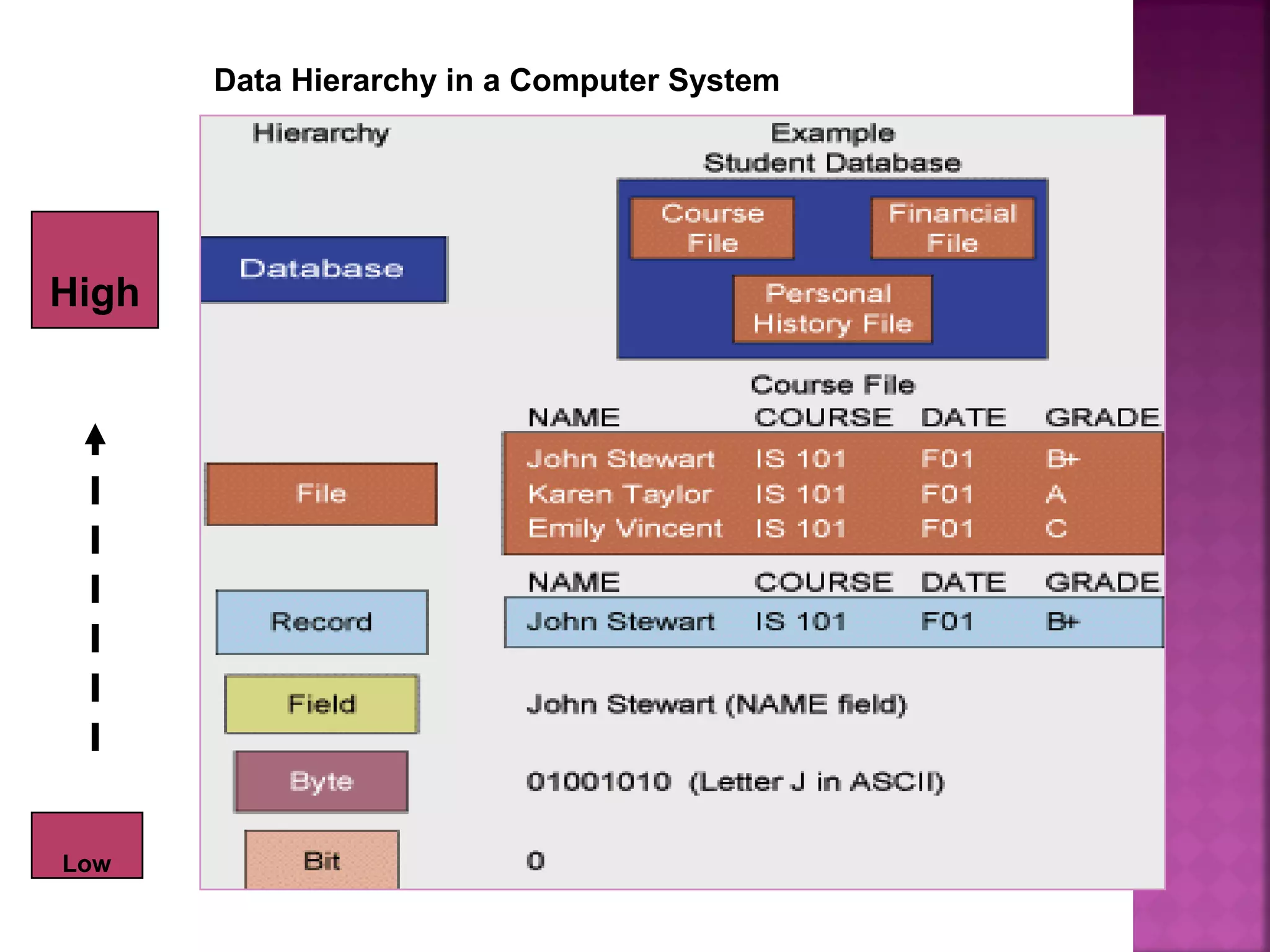
Data Hierarchy in a Computer System
Low
High
 Data redundancy
 Poor security
 Lack of data sharing and availability
Masalah dalam Lingkungan File Tradisional
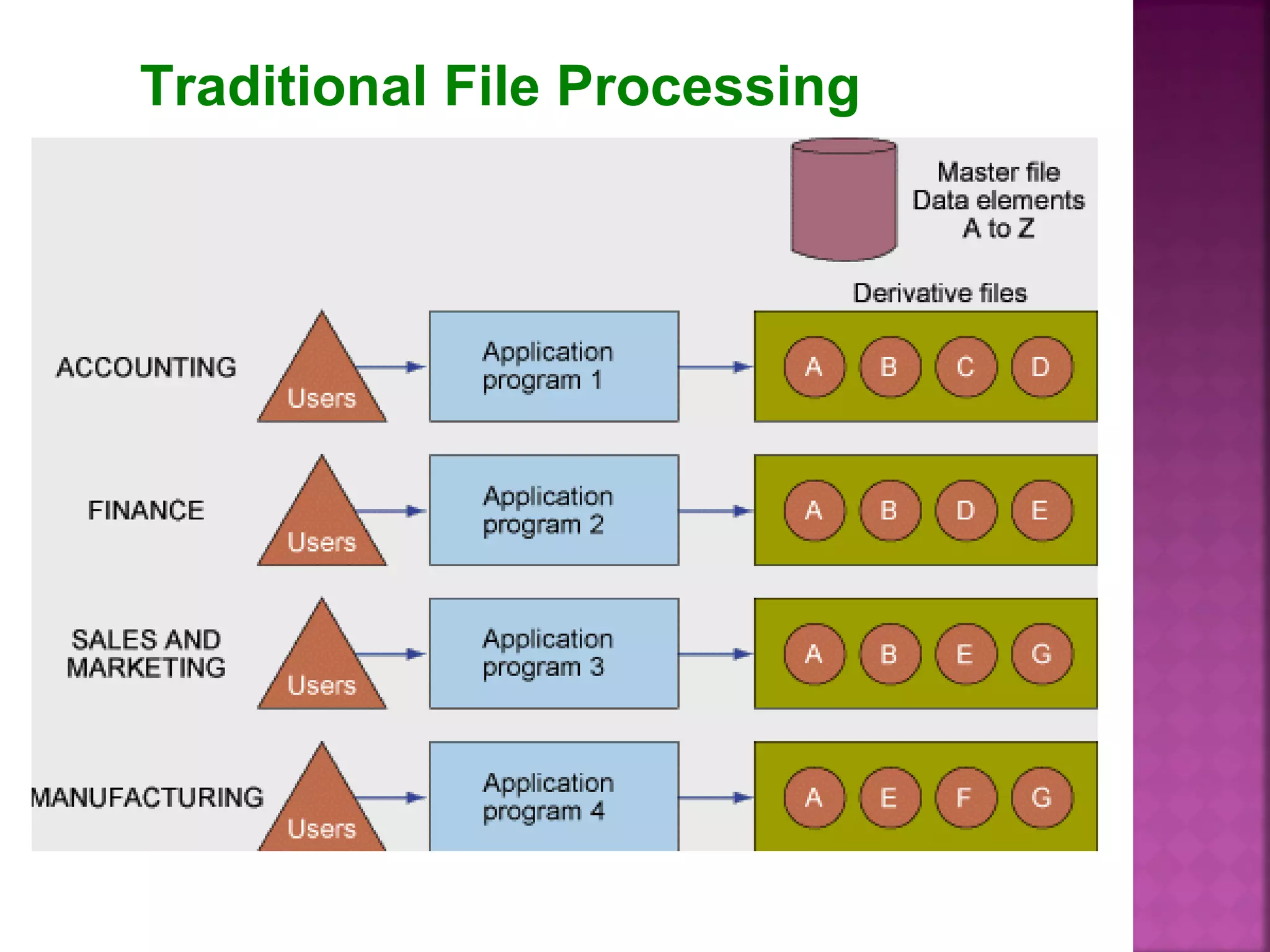
Traditional File Processing
 Data redundancy: duplicate data in multiple
data files so that the same data are stored in
more than place or location.
 Occure when different groups in an organization
independently collect the same pice of data and
sore it independently of each other.
 Lead to data inconsistency and waste storage
resource
 Poor of security
Because there is little control of data
management, who can access or
disseminate information
 Lack of data sharing and availability
Information can’t flow freely across
different functional areas or different
part of the organization
Rainer & Cegielski, 3/e, Wiley.
Edited & revised by Zhang4-10
Jessup&Valacich:
 Database – a
collection of
related data
organized in a
way to facilitate
data searches
Laudon & Laudon:
A database is
 A collection of data
 Organized to
efficiently serve many
applications
 by centralizing the
data and
 minimizing
redundant data
Rainer & Cegielski, 3/e, Wiley.
Edited & revised by Zhang4-11
 DBMS – Database Management Systems
 It is a software used to
1. create,
2. store,
3. organize,
4. update, and
5. retrieve
data, from a single database or several
databases
[in a desirable arrangement/format, that
can be specified by the users in an easy
way]
Database management system
(DBMS)
software that permits an organization
to centralize data, manage them
efficiently, and provide access to the
stored data by application program
interface between application programs
and the physical data files
Rainer & Cegielski, 3/e, Wiley. Edited & revised by Zhang 4-13
 Database management system (DBMS) provides
all users with access to all the data.
 DBMSs minimize the following problems:
 Data redundancy
 Data isolation
 Data inconsistency
 DBMSs maximize the following issues:
 Data security
 Data integrity
 Data independence
• Separates logical view and physical views of dataSeparates logical view and physical views of data
• Logical viewLogical view: information focus on how users: information focus on how users
logically access information to meet theirlogically access information to meet their
particular business needsparticular business needs
• Physical viewPhysical view: show how data actually organized: show how data actually organized
on physical storage mediaon physical storage media
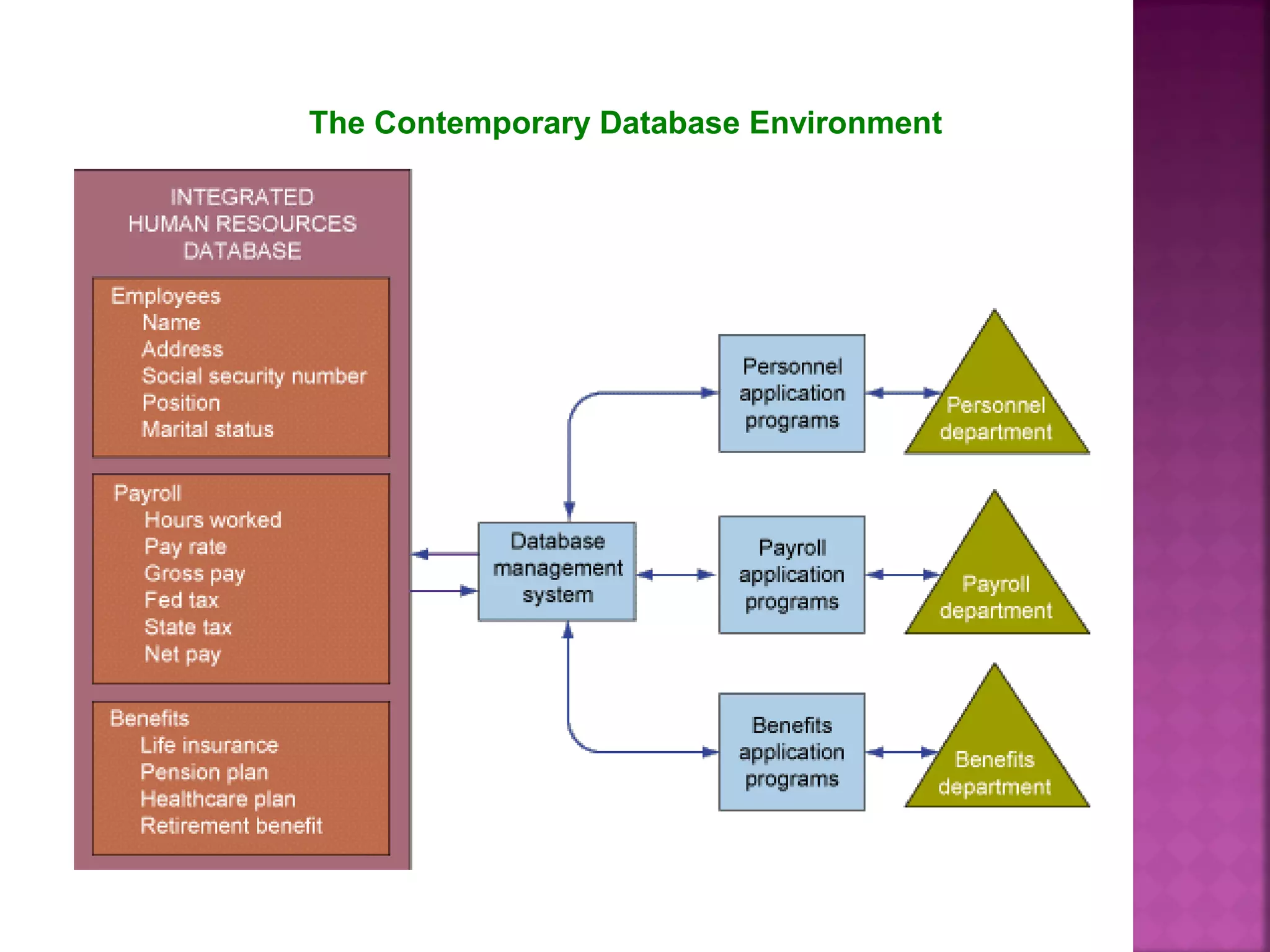
The Contemporary Database Environment
Types of Databases
• Relational DBMSRelational DBMS
• Hierarchical and Network DBMSHierarchical and Network DBMS
• Object-Oriented DatabasesObject-Oriented Databases
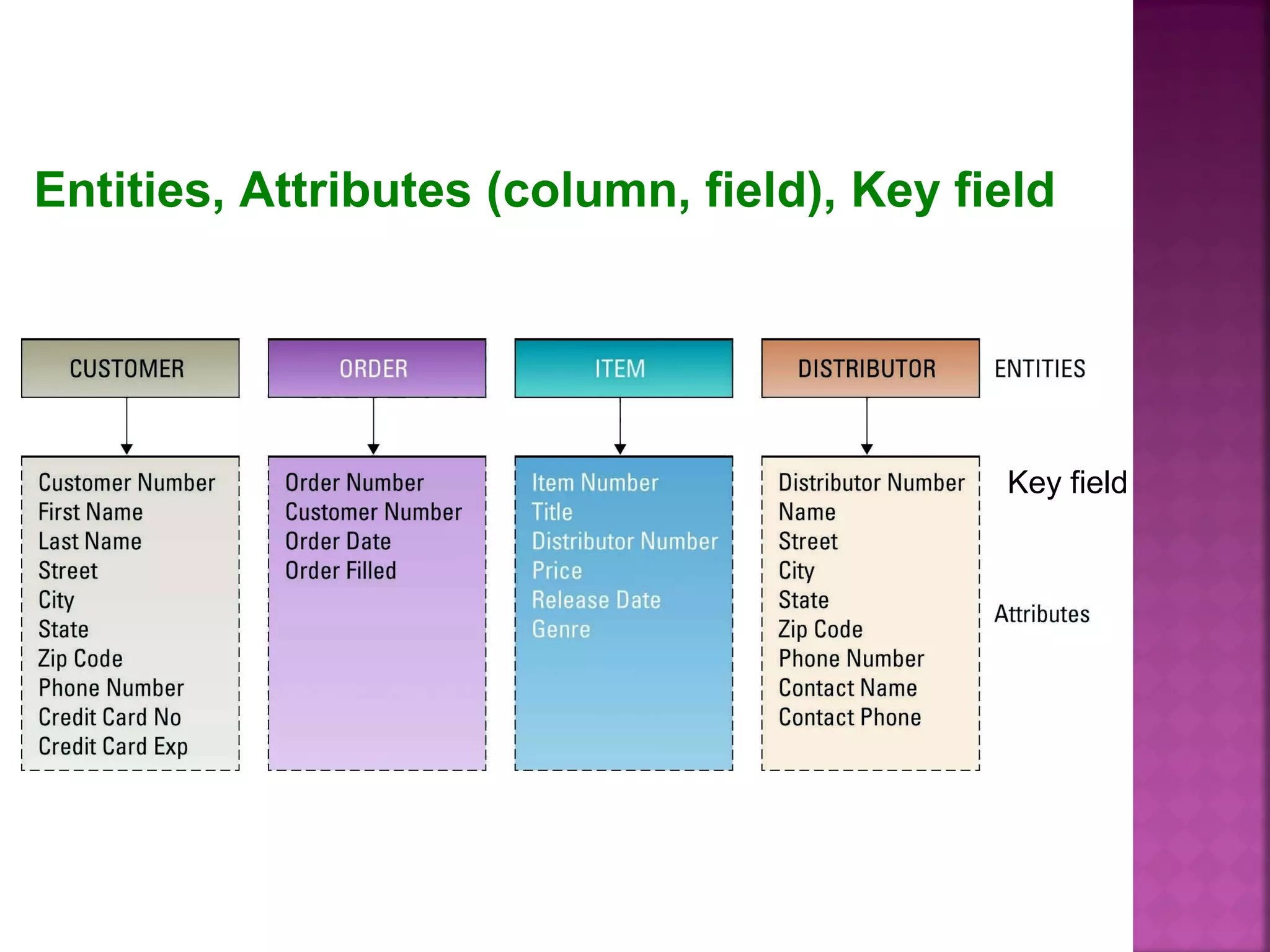
 Entity: Person, place, thing,
transaction, or event about
which information is stored
 Entity class: often called a table
is collection of similar entity
Example: A customer is an
entity
Primary Concept of RDBS
Relational DBMS
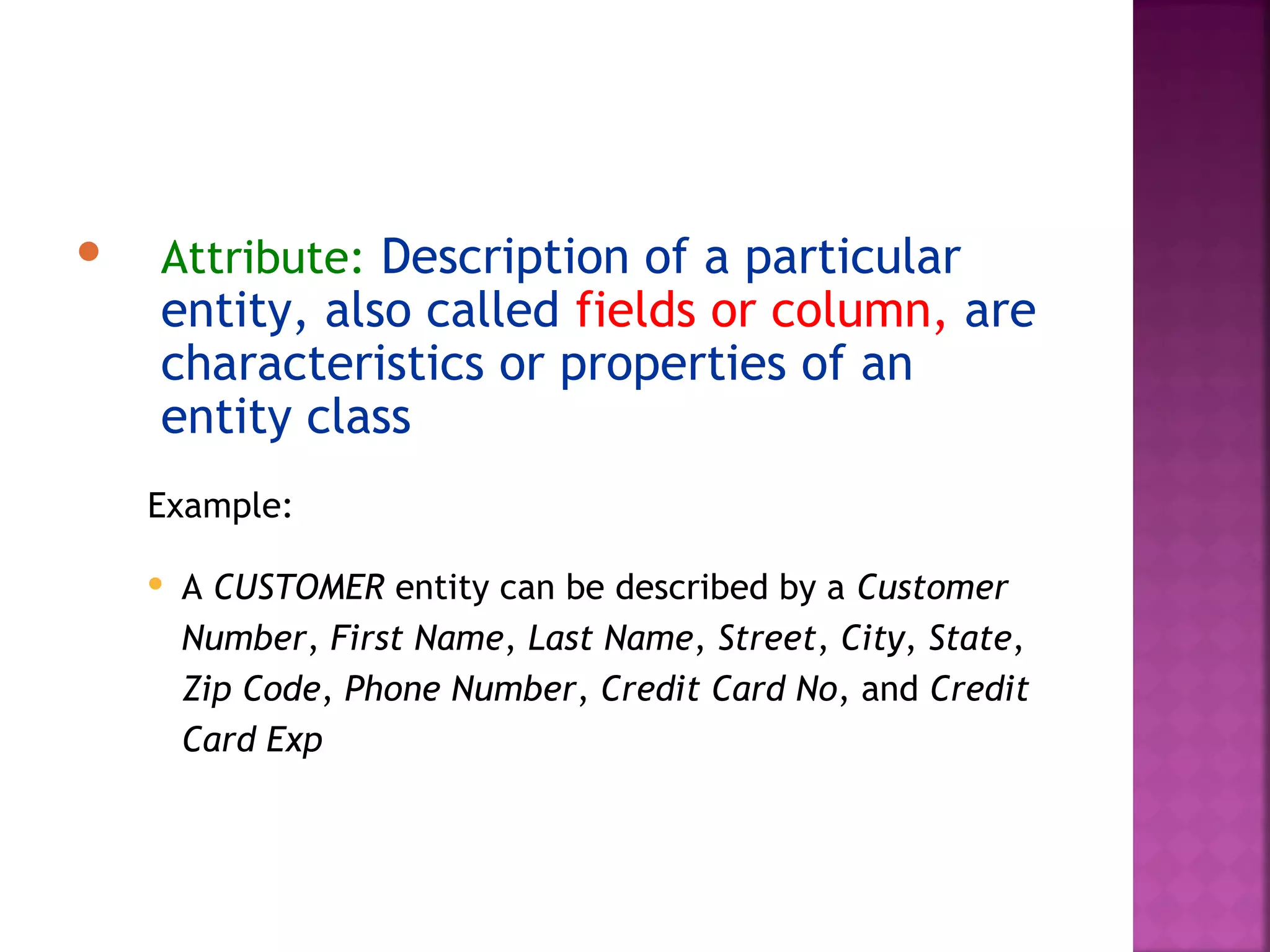
 Attribute: Description of a particular
entity, also called fields or column, are
characteristics or properties of an
entity class
Example:
 A CUSTOMER entity can be described by a Customer
Number, First Name, Last Name, Street, City, State,
Zip Code, Phone Number, Credit Card No, and Credit
Card Exp
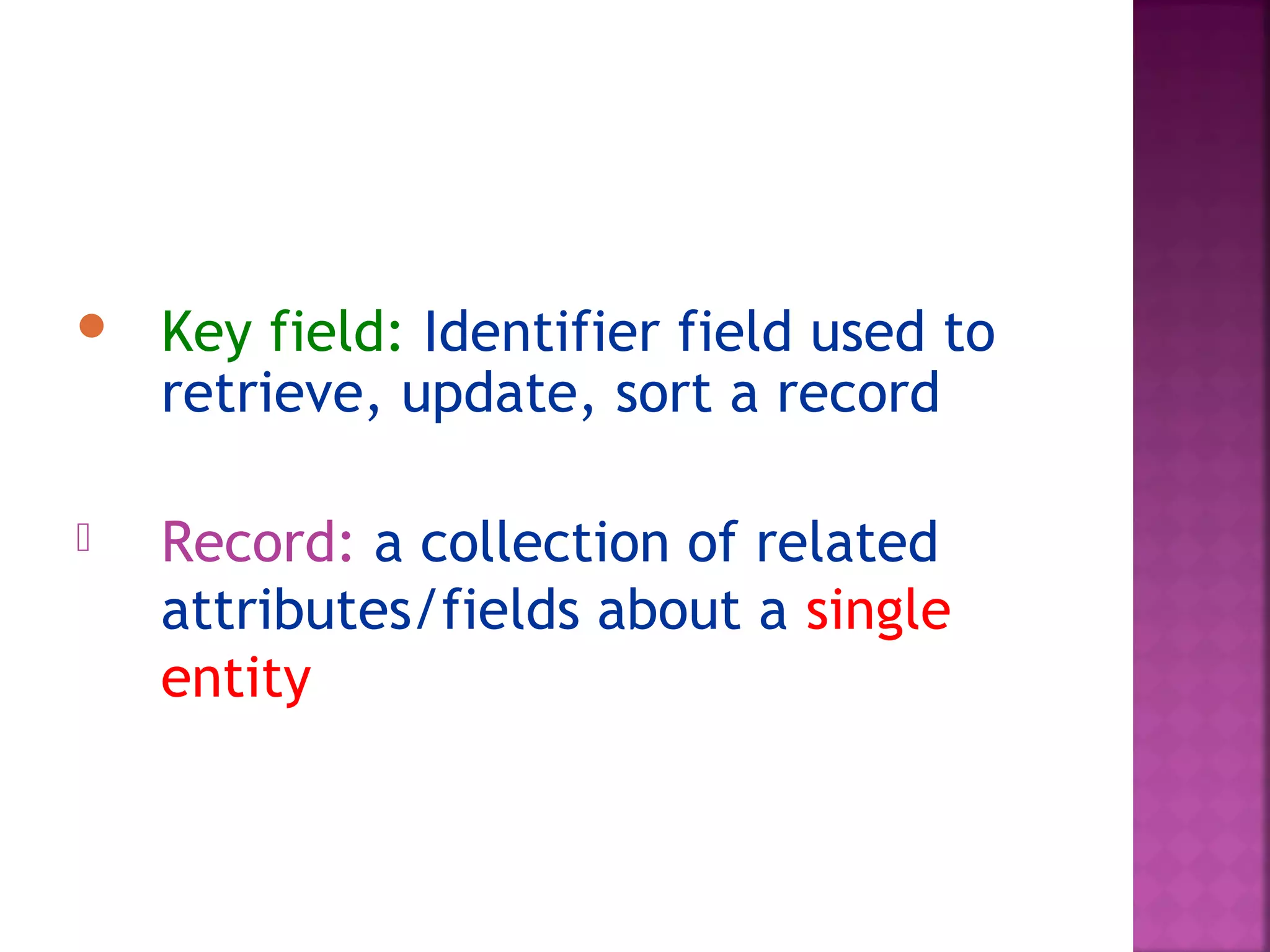
 Key field: Identifier field used to
retrieve, update, sort a record
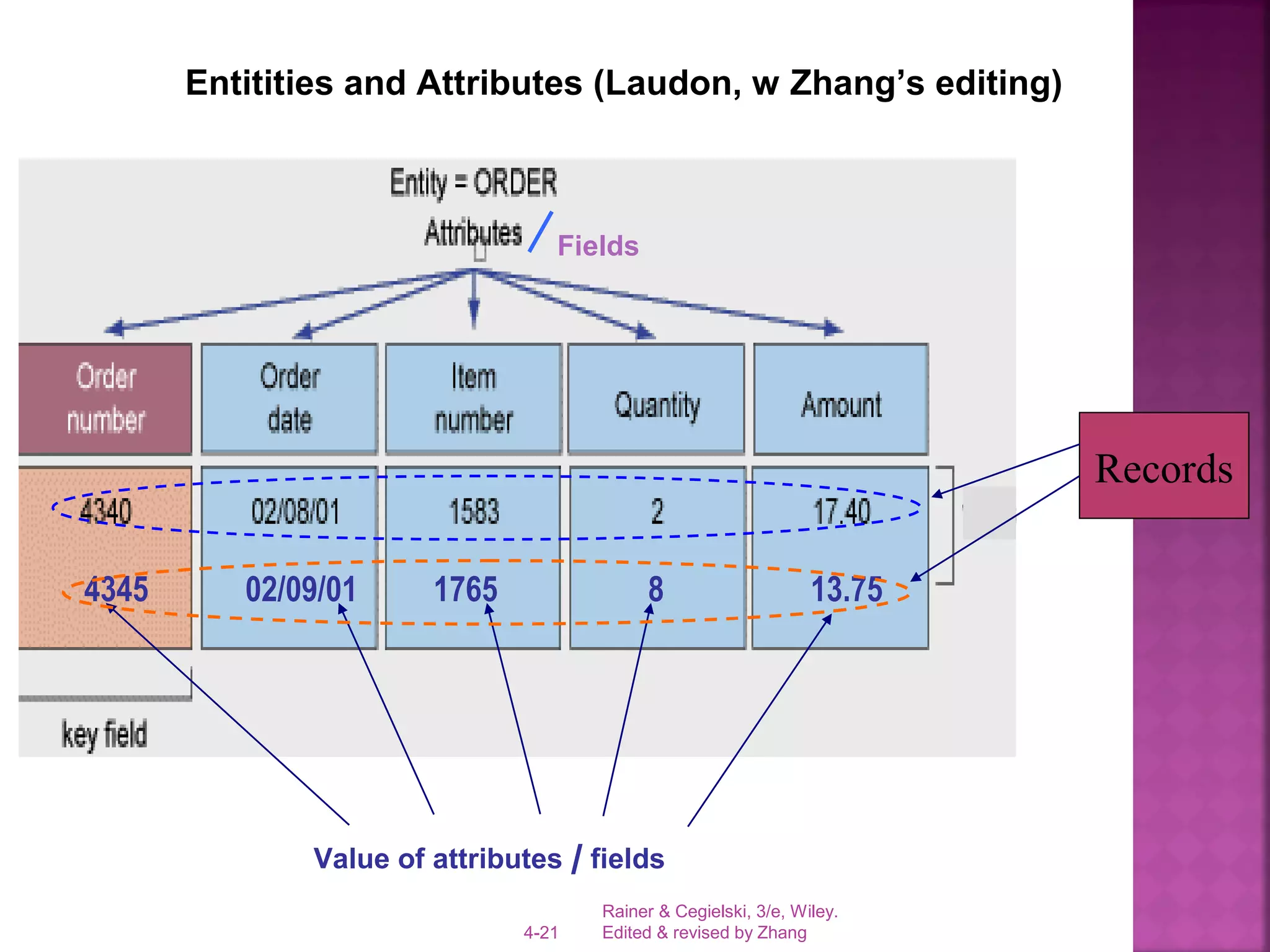
 Record: a collection of related
attributes/fields about a single
entity
Key field
Entities, Attributes (column, field), Key field
Rainer & Cegielski, 3/e, Wiley.
Edited & revised by Zhang4-21
Entitities and Attributes (Laudon, w Zhang’s editing)
Fields
Value of attributes / fields
4345 02/09/01 1765 8 13.75
Records
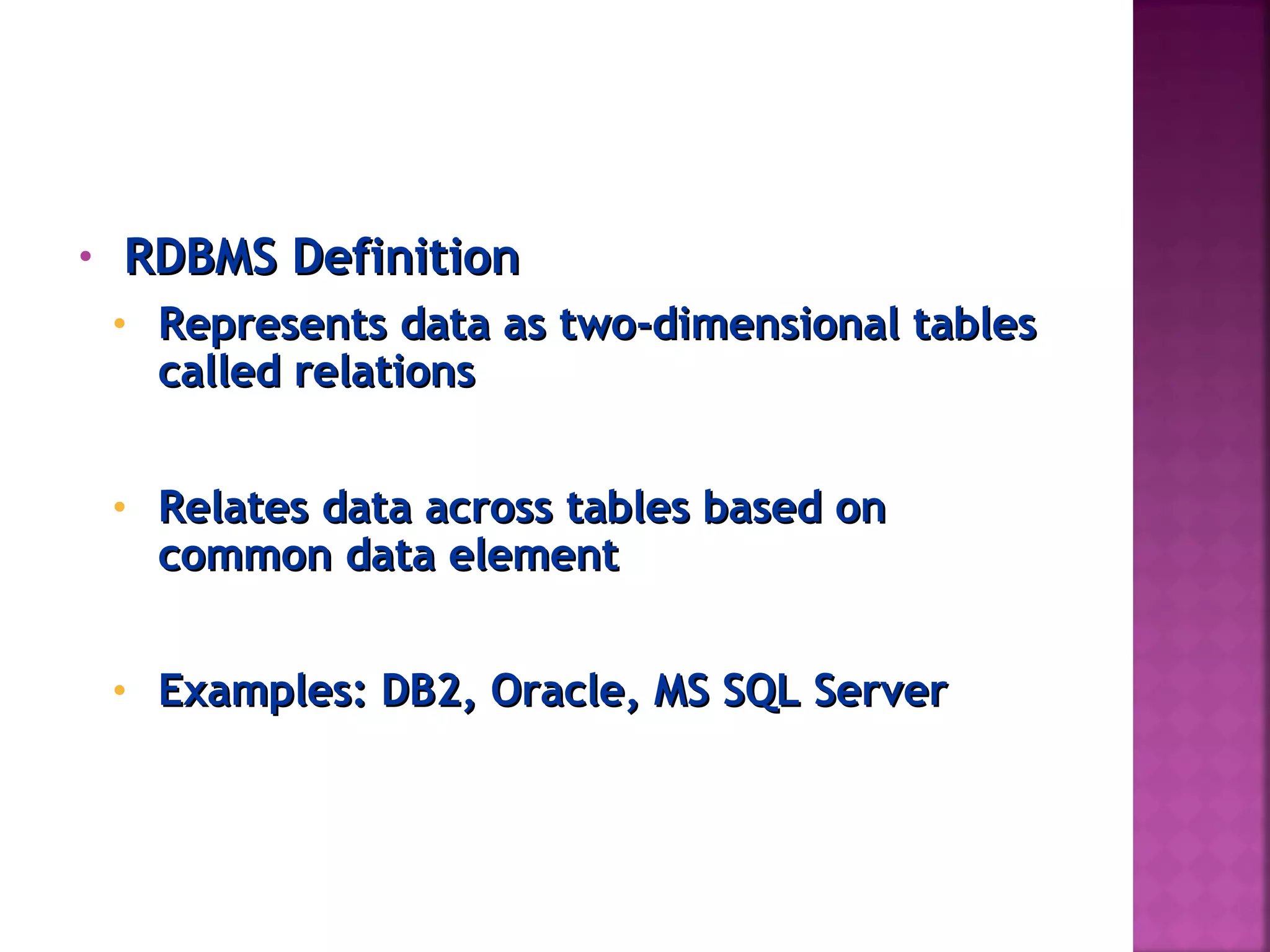
• RDBMS DefinitionRDBMS Definition
• Represents data as two-dimensional tablesRepresents data as two-dimensional tables
called relationscalled relations
• Relates data across tables based onRelates data across tables based on
common data elementcommon data element
• Examples: DB2, Oracle, MS SQL ServerExamples: DB2, Oracle, MS SQL Server
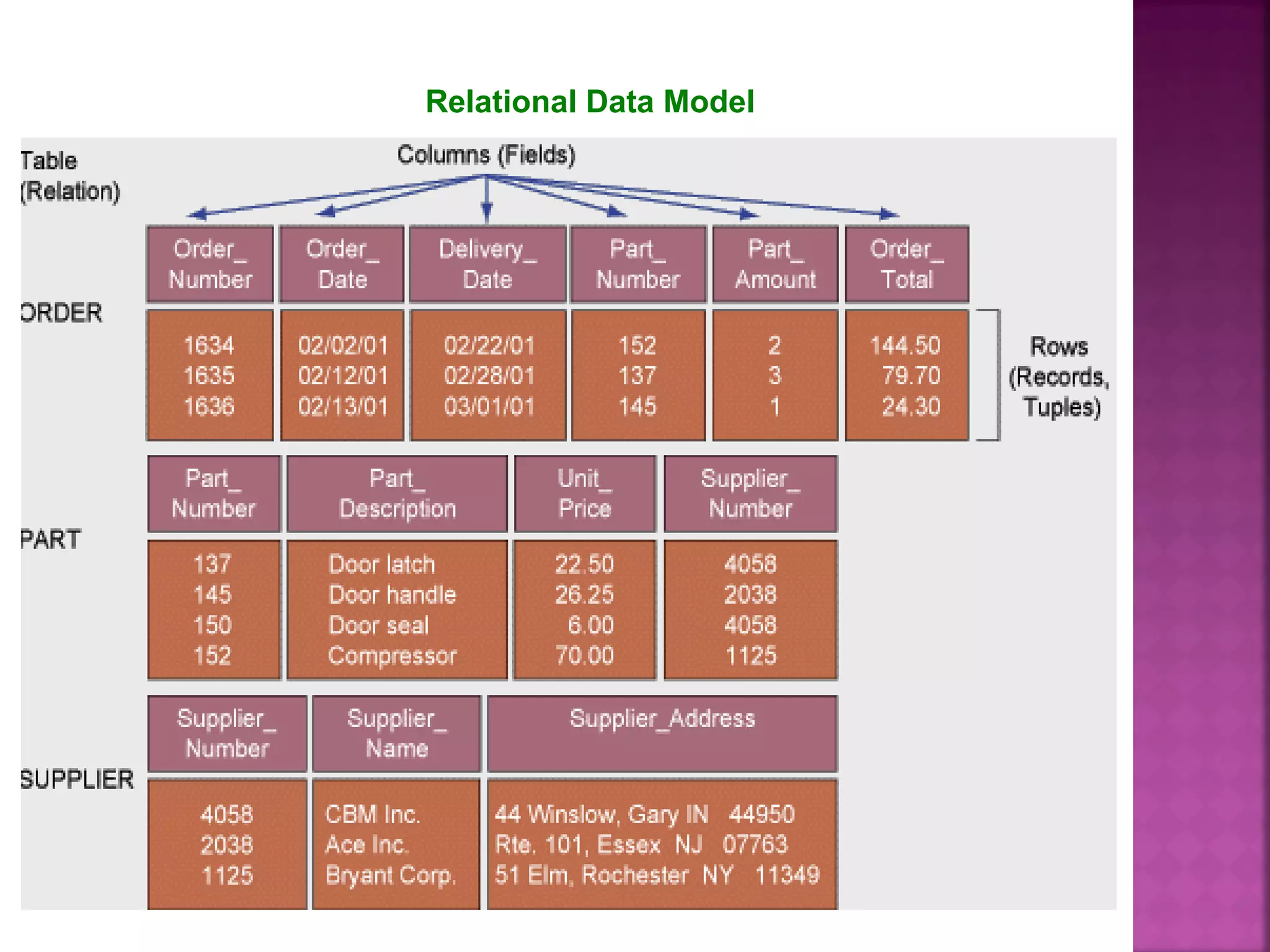
Relational Data Model
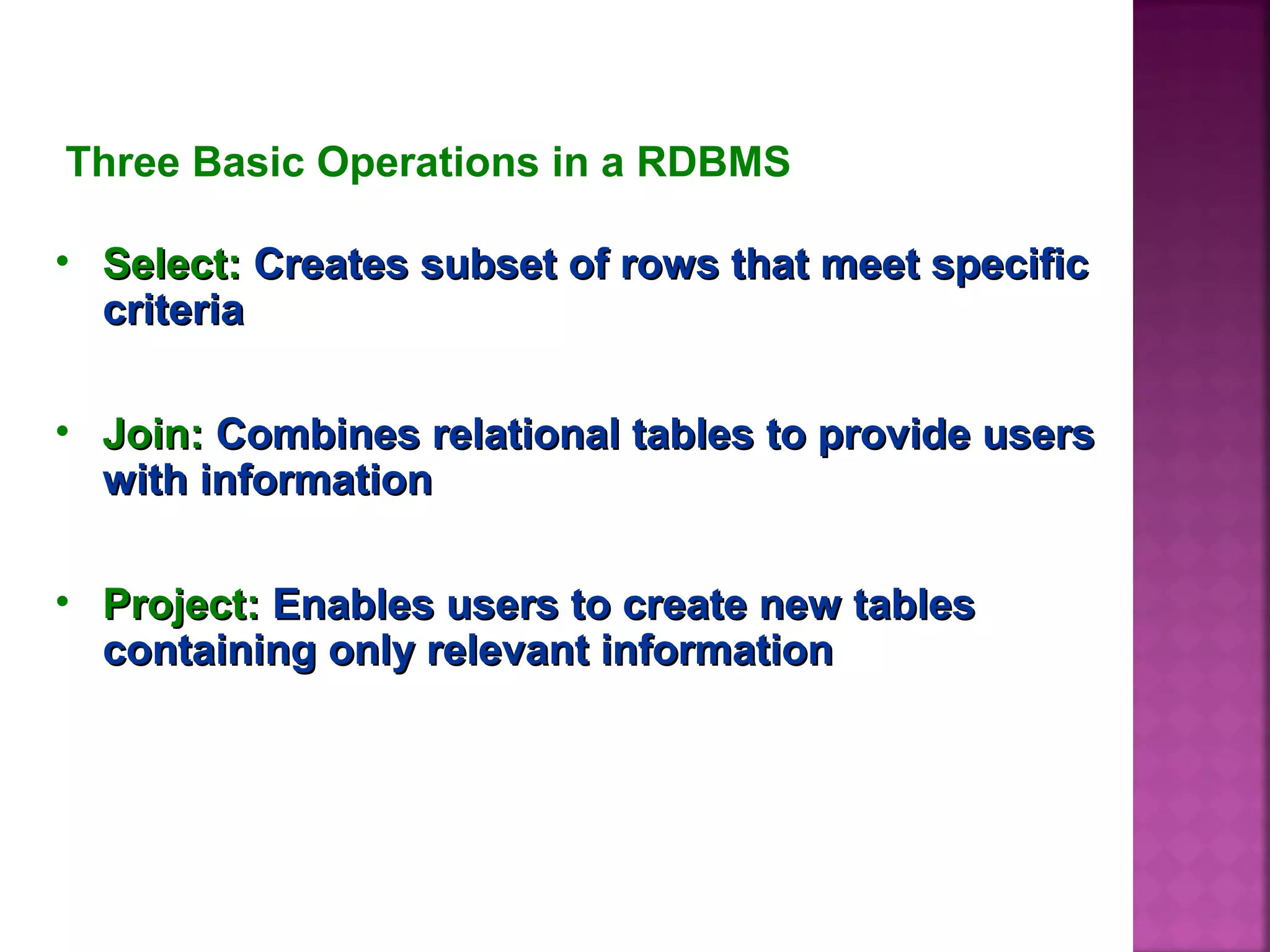
Three Basic Operations in a RDBMS
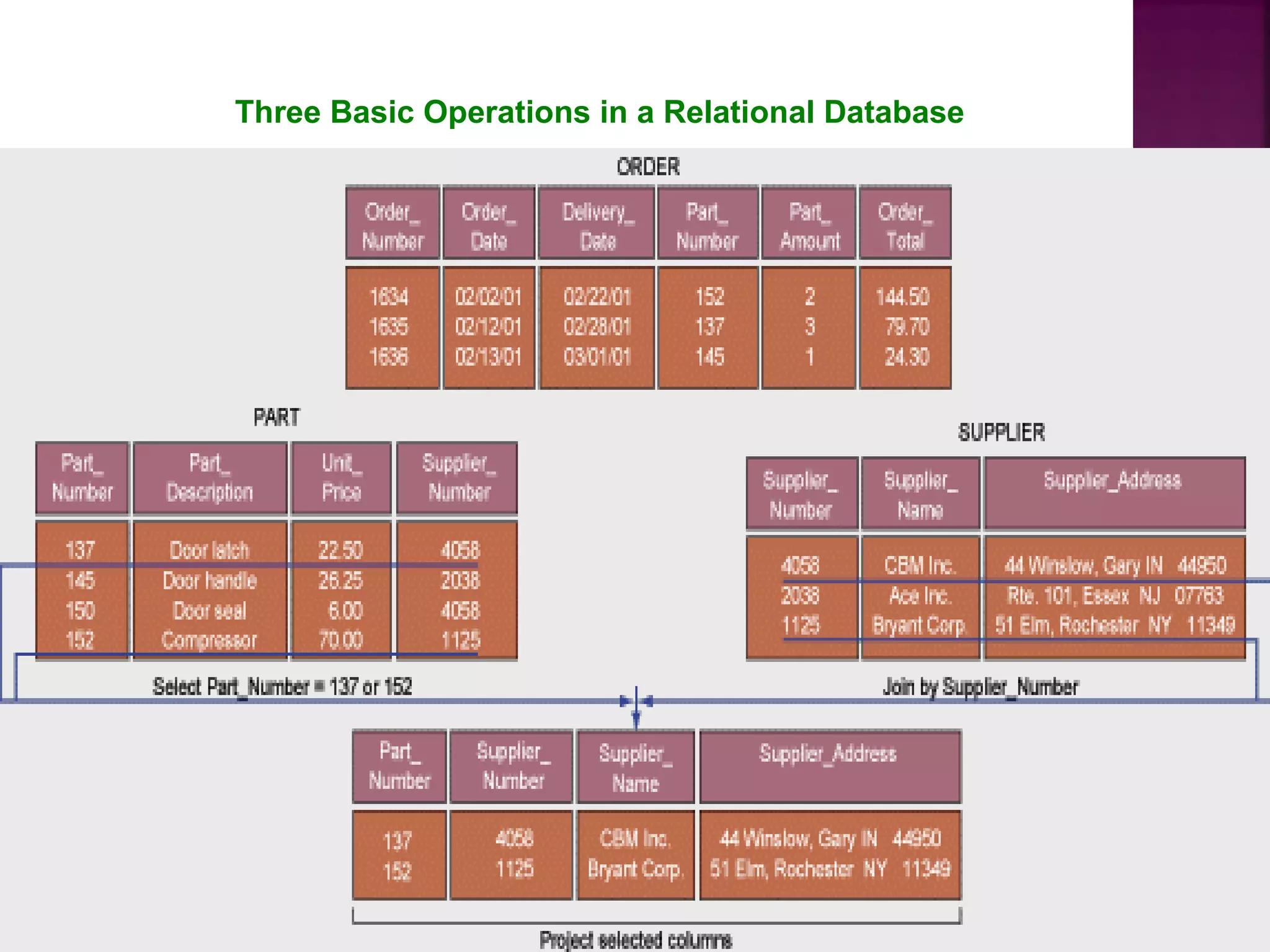
• Select:Select: Creates subset of rows that meet specificCreates subset of rows that meet specific
criteriacriteria
• Join:Join: Combines relational tables to provide usersCombines relational tables to provide users
with informationwith information
• Project:Project: Enables users to create new tablesEnables users to create new tables
containing only relevant informationcontaining only relevant information
Three Basic Operations in a Relational Database
 A row in a relation has the following
properties:
Only one value at the intersection
of a column and row - a relation
does not allow multi-valued
attributes
Uniqueness - there are no
duplicate rows in a relation
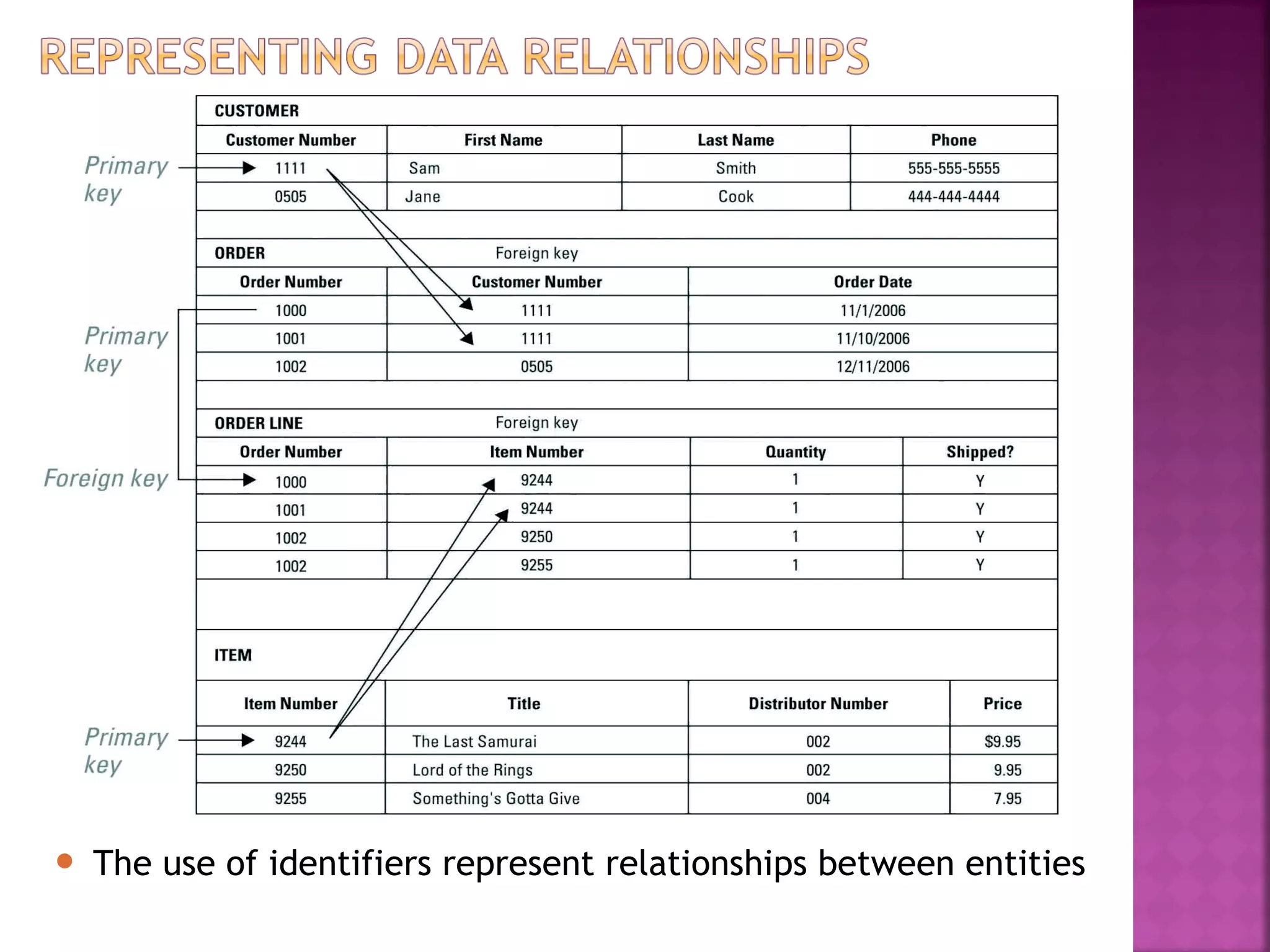
 Key field: Identifier field used to retrieve
(re-search), update, sort a record
Primary key - a field (or group of fields)
that uniquely identifies a given entity in
a table
Foreign key - a primary key of one table
that appears as an attribute in another
file and acts to provide a logical
relationship between the two files
• Primary Key
– A unique primary key makes it possible to
uniquely identify every row in a table
– Primary key are provide way of distinguishing
each entity in a table
– A primary key should never change and
cannot duplicated
• Ex.: customer number
 Foreign Key
 When a table contains a column that is the same
as the primary key of a table, the column is
called a foreign key
 Foreign key - a primary key of one table that
appears as an attribute in another file and acts
to provide a logical relationship between the two
files
 Ex.: item number
 The use of identifiers represent relationships between entities
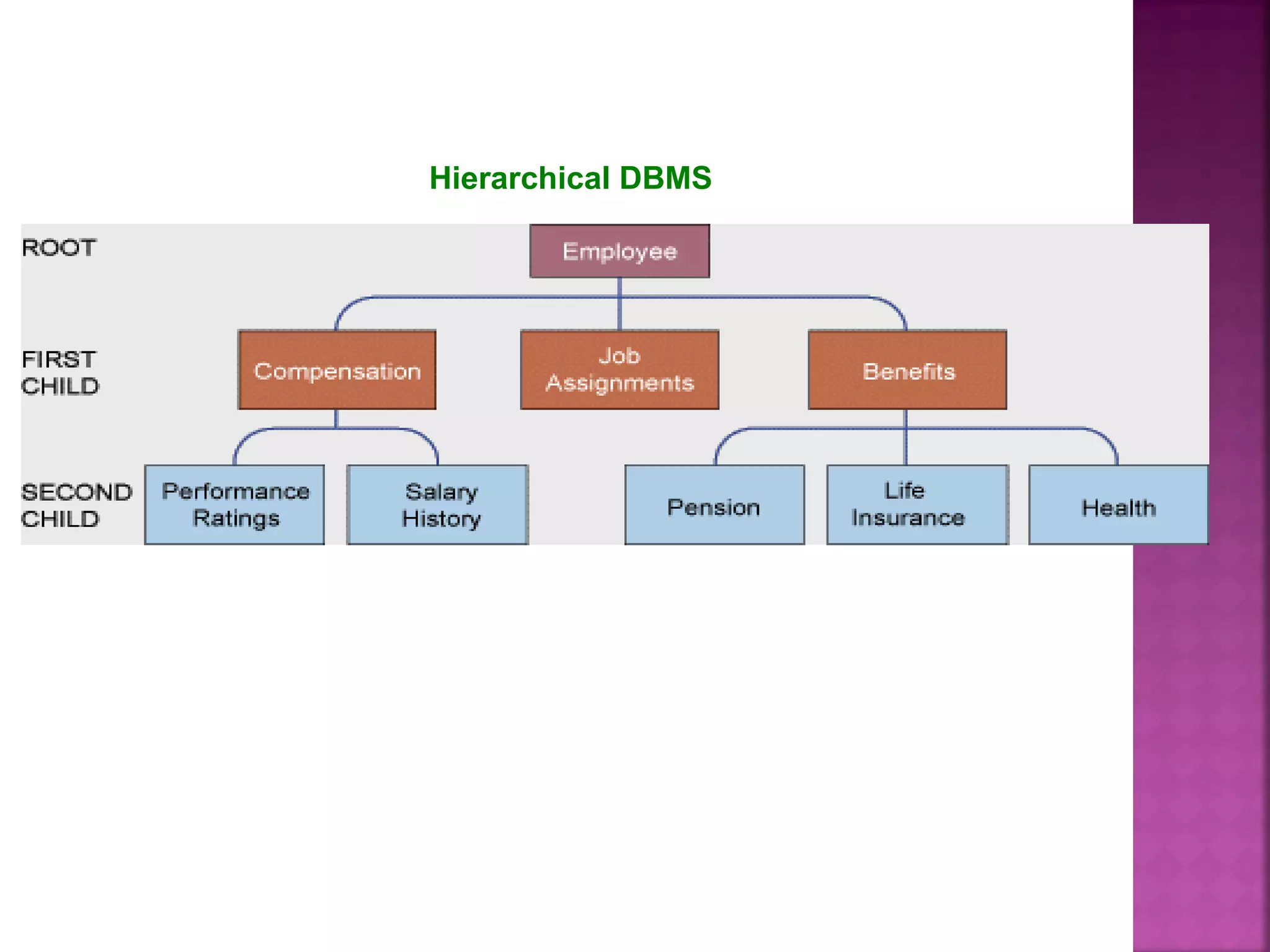
Hierarchical DBMSHierarchical DBMS
• One of type DBMSOne of type DBMS
• Organizes data in a tree-like structureOrganizes data in a tree-like structure
• Supports one-to-many parent-childSupports one-to-many parent-child
relationshipsrelationships
Hierarchical DBMS
08 sip database

08 sip database

  • 2.
    File Organization Termsand Concepts  Bit: Smallest unit of data; binary digit (0,1)  Byte: Group of bits that represents a single character, can be a letter, number, or another symbol  Field: Grouping of characters into a word, group of word or complete number (such as person name or age)
  • 3.
     Record: Groupof related fields, such as student name, course taken, date, and grade  File: Group of records of same type  Database: Group of related files
  • 4.
    Data Hierarchy ina Computer System Low High
  • 5.
     Data redundancy Poor security  Lack of data sharing and availability Masalah dalam Lingkungan File Tradisional
  • 6.
  • 7.
     Data redundancy:duplicate data in multiple data files so that the same data are stored in more than place or location.  Occure when different groups in an organization independently collect the same pice of data and sore it independently of each other.  Lead to data inconsistency and waste storage resource
  • 8.
     Poor ofsecurity Because there is little control of data management, who can access or disseminate information
  • 9.
     Lack ofdata sharing and availability Information can’t flow freely across different functional areas or different part of the organization
  • 10.
    Rainer & Cegielski,3/e, Wiley. Edited & revised by Zhang4-10 Jessup&Valacich:  Database – a collection of related data organized in a way to facilitate data searches Laudon & Laudon: A database is  A collection of data  Organized to efficiently serve many applications  by centralizing the data and  minimizing redundant data
  • 11.
    Rainer & Cegielski,3/e, Wiley. Edited & revised by Zhang4-11  DBMS – Database Management Systems  It is a software used to 1. create, 2. store, 3. organize, 4. update, and 5. retrieve data, from a single database or several databases [in a desirable arrangement/format, that can be specified by the users in an easy way]
  • 12.
    Database management system (DBMS) softwarethat permits an organization to centralize data, manage them efficiently, and provide access to the stored data by application program interface between application programs and the physical data files
  • 13.
    Rainer & Cegielski,3/e, Wiley. Edited & revised by Zhang 4-13  Database management system (DBMS) provides all users with access to all the data.  DBMSs minimize the following problems:  Data redundancy  Data isolation  Data inconsistency  DBMSs maximize the following issues:  Data security  Data integrity  Data independence
  • 14.
    • Separates logicalview and physical views of dataSeparates logical view and physical views of data • Logical viewLogical view: information focus on how users: information focus on how users logically access information to meet theirlogically access information to meet their particular business needsparticular business needs • Physical viewPhysical view: show how data actually organized: show how data actually organized on physical storage mediaon physical storage media
  • 15.
  • 16.
    Types of Databases •Relational DBMSRelational DBMS • Hierarchical and Network DBMSHierarchical and Network DBMS • Object-Oriented DatabasesObject-Oriented Databases
  • 17.
     Entity: Person,place, thing, transaction, or event about which information is stored  Entity class: often called a table is collection of similar entity Example: A customer is an entity Primary Concept of RDBS Relational DBMS
  • 18.
     Attribute: Descriptionof a particular entity, also called fields or column, are characteristics or properties of an entity class Example:  A CUSTOMER entity can be described by a Customer Number, First Name, Last Name, Street, City, State, Zip Code, Phone Number, Credit Card No, and Credit Card Exp
  • 19.
     Key field:Identifier field used to retrieve, update, sort a record  Record: a collection of related attributes/fields about a single entity
  • 20.
    Key field Entities, Attributes(column, field), Key field
  • 21.
    Rainer & Cegielski,3/e, Wiley. Edited & revised by Zhang4-21 Entitities and Attributes (Laudon, w Zhang’s editing) Fields Value of attributes / fields 4345 02/09/01 1765 8 13.75 Records
  • 22.
    • RDBMS DefinitionRDBMSDefinition • Represents data as two-dimensional tablesRepresents data as two-dimensional tables called relationscalled relations • Relates data across tables based onRelates data across tables based on common data elementcommon data element • Examples: DB2, Oracle, MS SQL ServerExamples: DB2, Oracle, MS SQL Server
  • 23.
  • 24.
    Three Basic Operationsin a RDBMS • Select:Select: Creates subset of rows that meet specificCreates subset of rows that meet specific criteriacriteria • Join:Join: Combines relational tables to provide usersCombines relational tables to provide users with informationwith information • Project:Project: Enables users to create new tablesEnables users to create new tables containing only relevant informationcontaining only relevant information
  • 25.
    Three Basic Operationsin a Relational Database
  • 26.
     A rowin a relation has the following properties: Only one value at the intersection of a column and row - a relation does not allow multi-valued attributes Uniqueness - there are no duplicate rows in a relation
  • 27.
     Key field:Identifier field used to retrieve (re-search), update, sort a record Primary key - a field (or group of fields) that uniquely identifies a given entity in a table Foreign key - a primary key of one table that appears as an attribute in another file and acts to provide a logical relationship between the two files
  • 28.
    • Primary Key –A unique primary key makes it possible to uniquely identify every row in a table – Primary key are provide way of distinguishing each entity in a table – A primary key should never change and cannot duplicated • Ex.: customer number
  • 29.
     Foreign Key When a table contains a column that is the same as the primary key of a table, the column is called a foreign key  Foreign key - a primary key of one table that appears as an attribute in another file and acts to provide a logical relationship between the two files  Ex.: item number
  • 30.
     The useof identifiers represent relationships between entities
  • 31.
    Hierarchical DBMSHierarchical DBMS •One of type DBMSOne of type DBMS • Organizes data in a tree-like structureOrganizes data in a tree-like structure • Supports one-to-many parent-childSupports one-to-many parent-child relationshipsrelationships
  • 32.

Editor's Notes

  • #14 Data redundancy : The same data are stored in many places. Data isolation : Applications cannot access data associated with other applications. Data inconsistency : Various copies of the data do not agree.