Introduction to Database Concepts
Ucc - Mwanza.
May 2006
Database Definition
A database can be defined as collection
of information organized in such a way
that it can be accessed easily.
Examples are
 Tracking customer orders
 Maintaining Employees Records.
 Maintaining Students Information
Terminologies
In studying Databases the following Terminologies
must be clear
Data
 This is the fact or facts about specific entity (person, place or thing).
Information
 This is the processed facts perceived to be useful by the user.
Field
 This is a single item of information or data in entity. E.g. employee
Name
Record
 This can be defined as data or group of fields about an
entity. E.g. employee particulars 
Subject (relation or table)
 This can be defined as a collection of records that are related
to a particular entity. For example, Records for all employees
will make up one subject.
History of Databases
Manual systems
File Processing Systems (FPS)
Database Management systems
(DBMS)
Manual systems
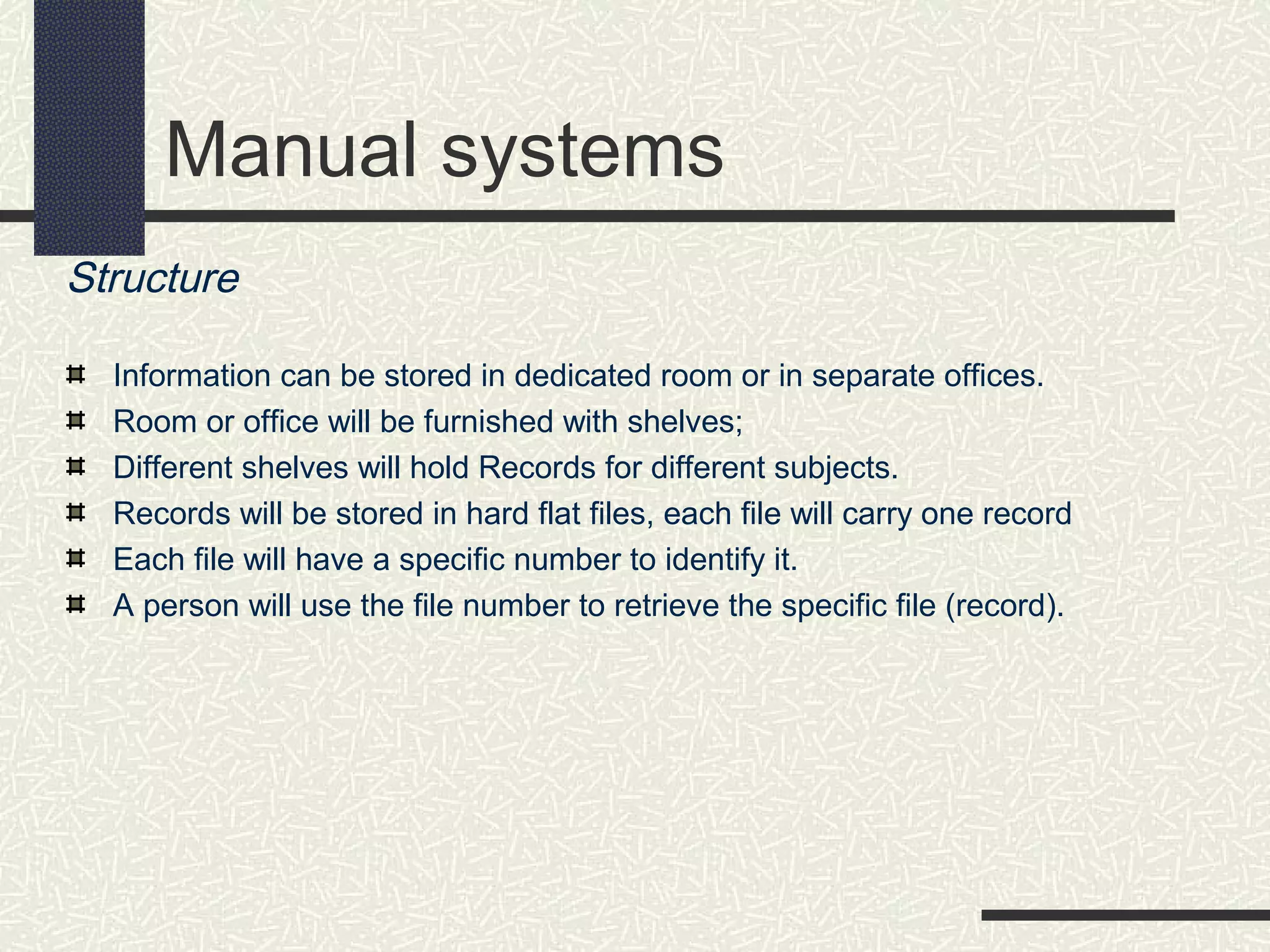
Structure
Information can be stored in dedicated room or in separate offices.
Room or office will be furnished with shelves;
Different shelves will hold Records for different subjects.
Records will be stored in hard flat files, each file will carry one record
Each file will have a specific number to identify it.
A person will use the file number to retrieve the specific file (record).
Manual systems
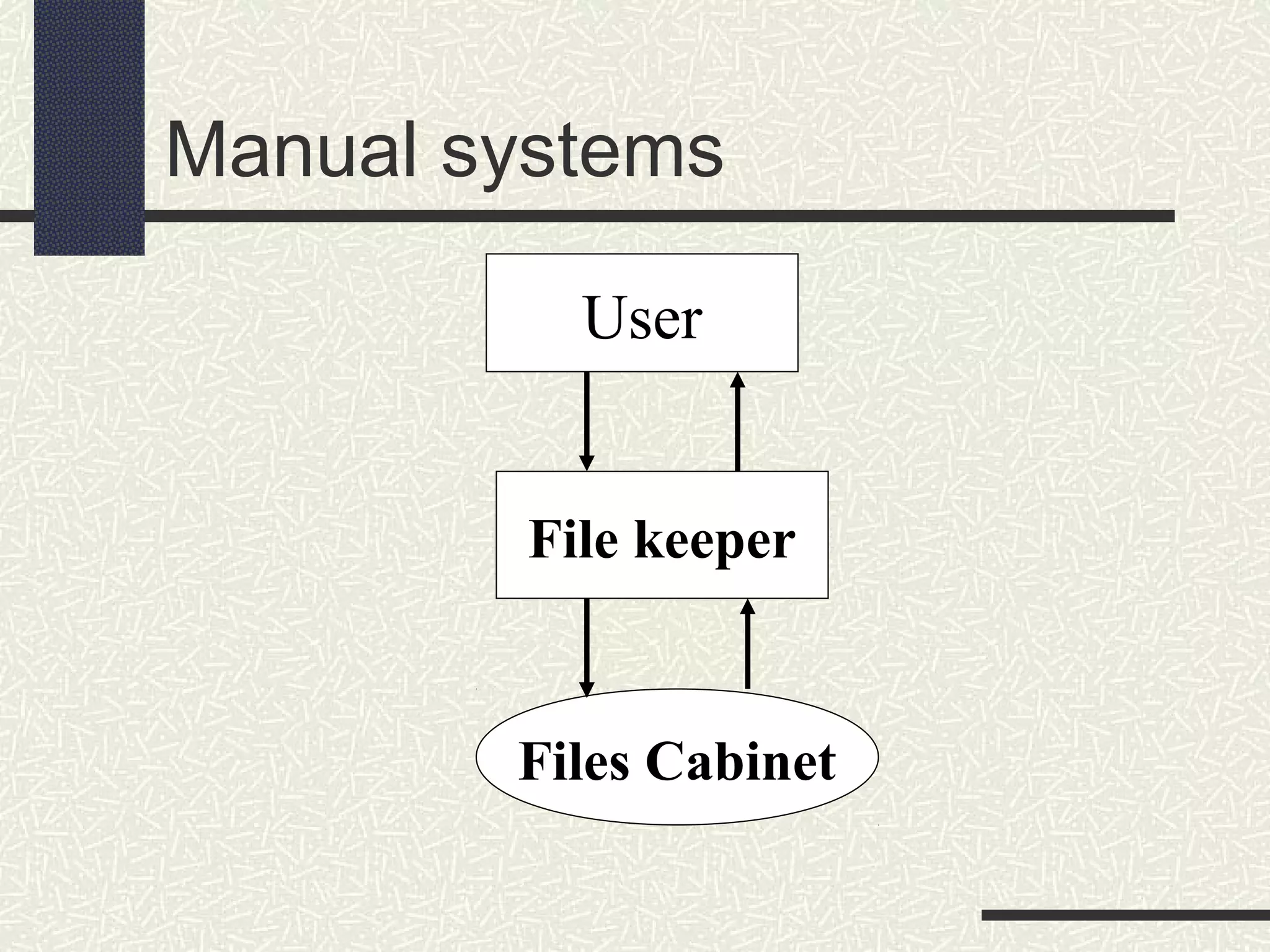
User
File keeper
Files Cabinet
File Processing Systems (FPS)
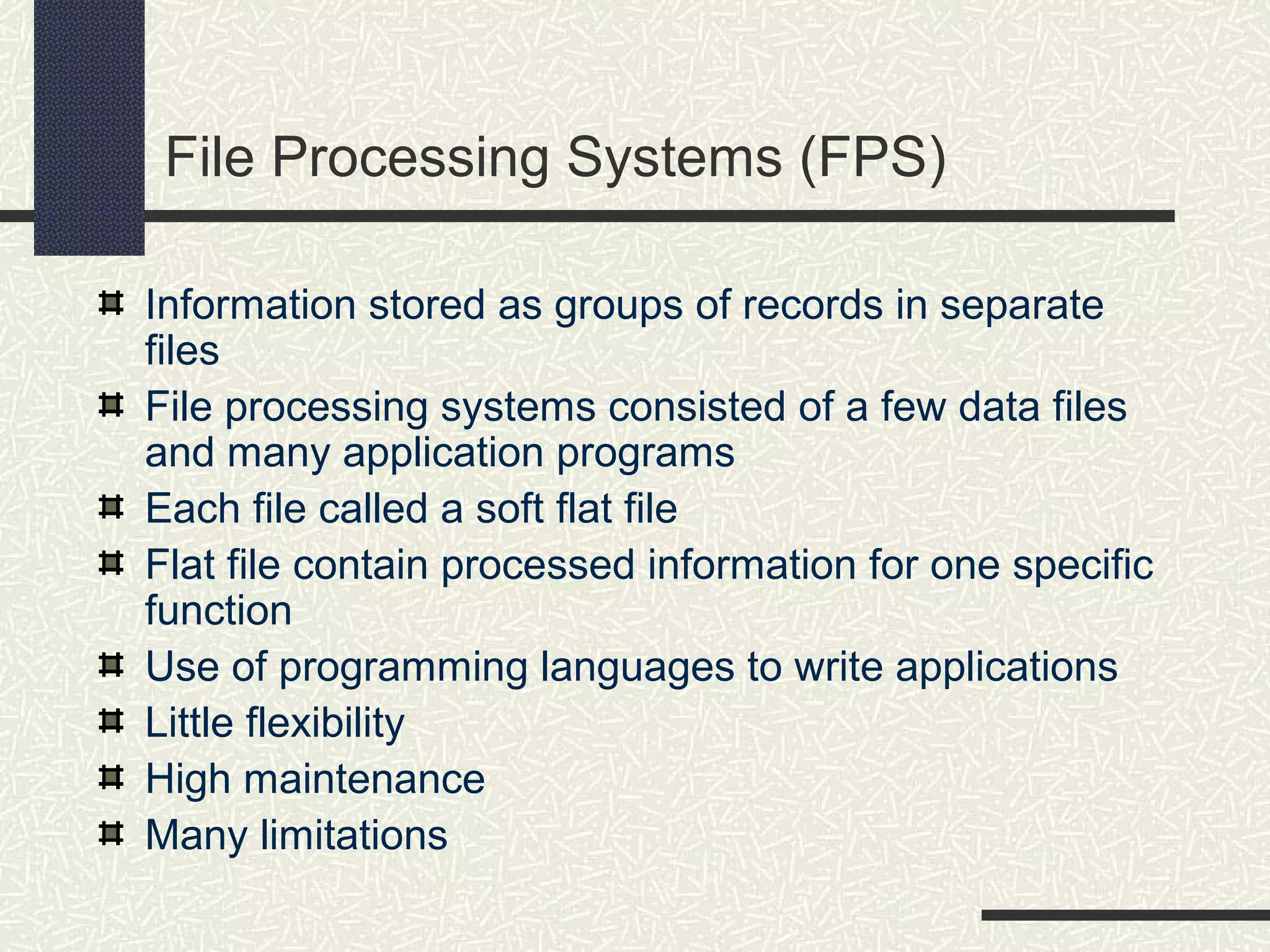
Information stored as groups of records in separate
files
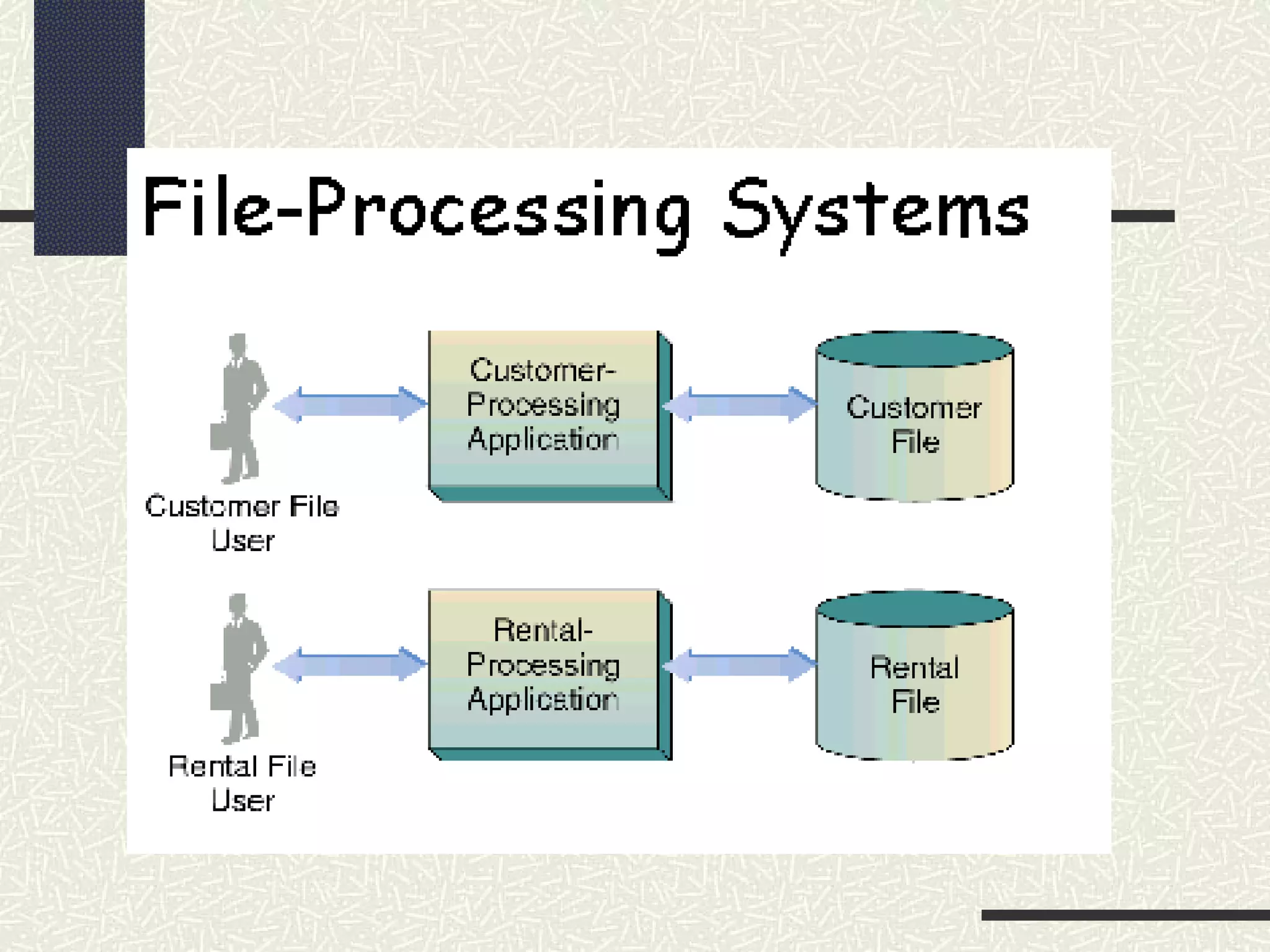
File processing systems consisted of a few data files
and many application programs
Each file called a soft flat file
Flat file contain processed information for one specific
function
Use of programming languages to write applications
Little flexibility
High maintenance
Many limitations
Limitations of File Processing Systems
Separate and isolated data
Data redundancy
Program - data interdependence
involving file formats and access
techniques
Difficulty in representing data from the
user’s view
Data inflexibility
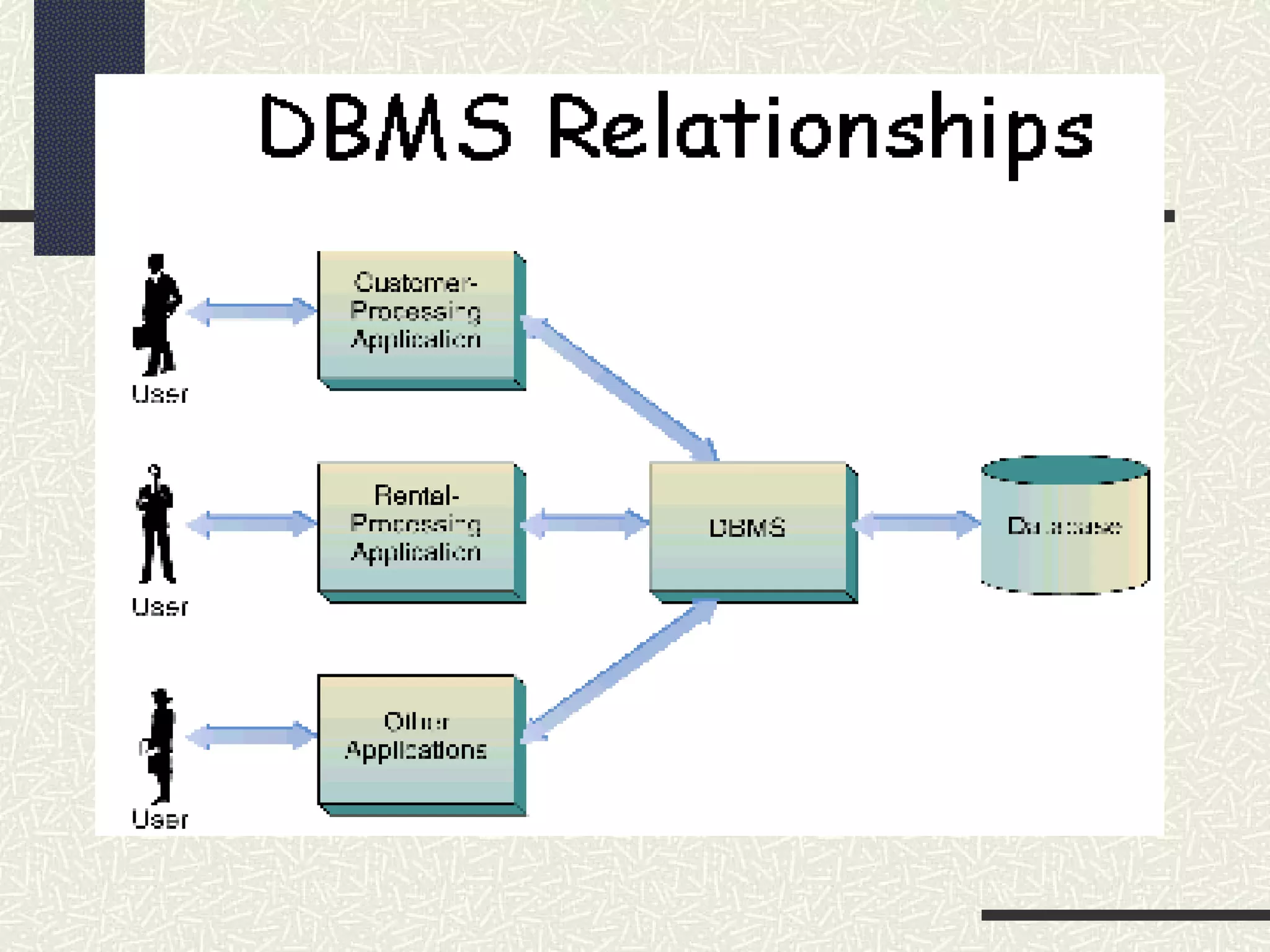
Database Management systems (DBMS)
A program that allows users to define, create, manipulate,
store, maintain, retrieve, and process the data in a
database in order to produce meaningful information.
Focus on information representation
Data stored as records in various database files that can
be combined to produce meaningful information for users
DBMS controls all functions of capturing, processing,
storing, retrieving data and generates various forms of
data output
Manages access by multiple users and multiple programs
to a common store of data
DBMS overcomes all Limitations of FPS.
Eliminates separation and isolation of data
Reduces data redundancy
Eliminates dependence between programs
and data
Allows for representation of data from user’s
view
Increases data flexibility
Superior flexibility and security over
spreadsheet applications
Characteristics of a DBMS
 Computerized record-keeping system
 Contains facilities that allow the user to:
o Add, delete files
o Insert, retrieve, update, delete data
 Collection of databases; each can be
used for separate purposes or
combined
Functions and Uses of a DBMS
To store data
To organize data
To control access to data
To protect data
To provide decision support
To provide transaction processing
Advantages and Disadvantages of a DBMS
• Advantages:
 Centralized data reduces management problems
 Data redundancy and consistency are controllable
 Program - data interdependency is diminished
 Flexibility of data is increased
• Disadvantages:
 Reduction in speed of data access time
 Requires special knowledge
 Possible dependency of application programs to specific
DBMS versions
Database Administrator
A database administrator (DBA) controls and
manages the database.
Function of a DBA
Make decisions concerning the content of the
database
Plan storage structures and access strategies.
Provides support to users
Defines security and integrity checks
Interprets backup and recovery strategies.
Types of Databases
Flat Databases
Hierarchical Database
Network Database
Relational Database
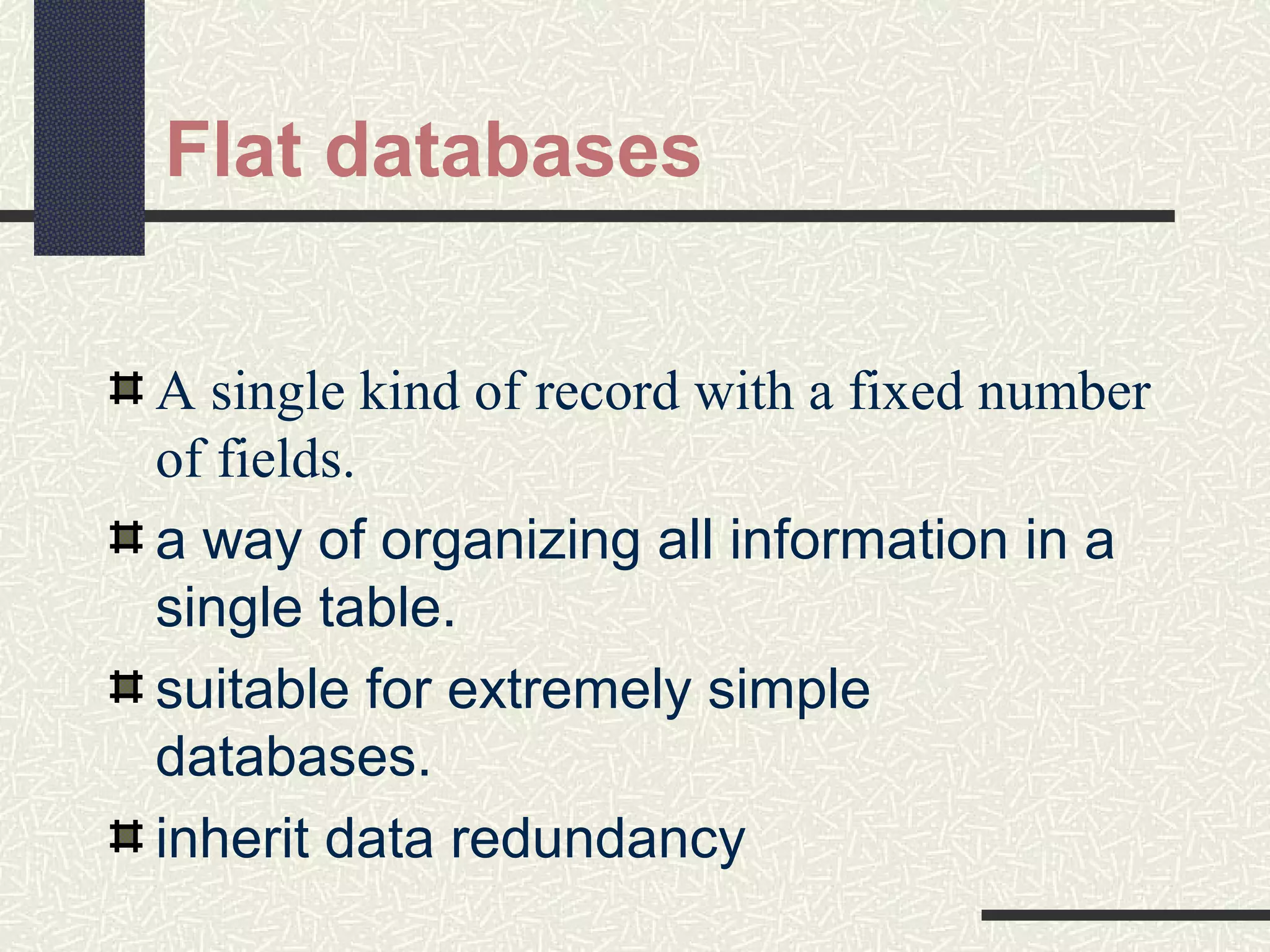
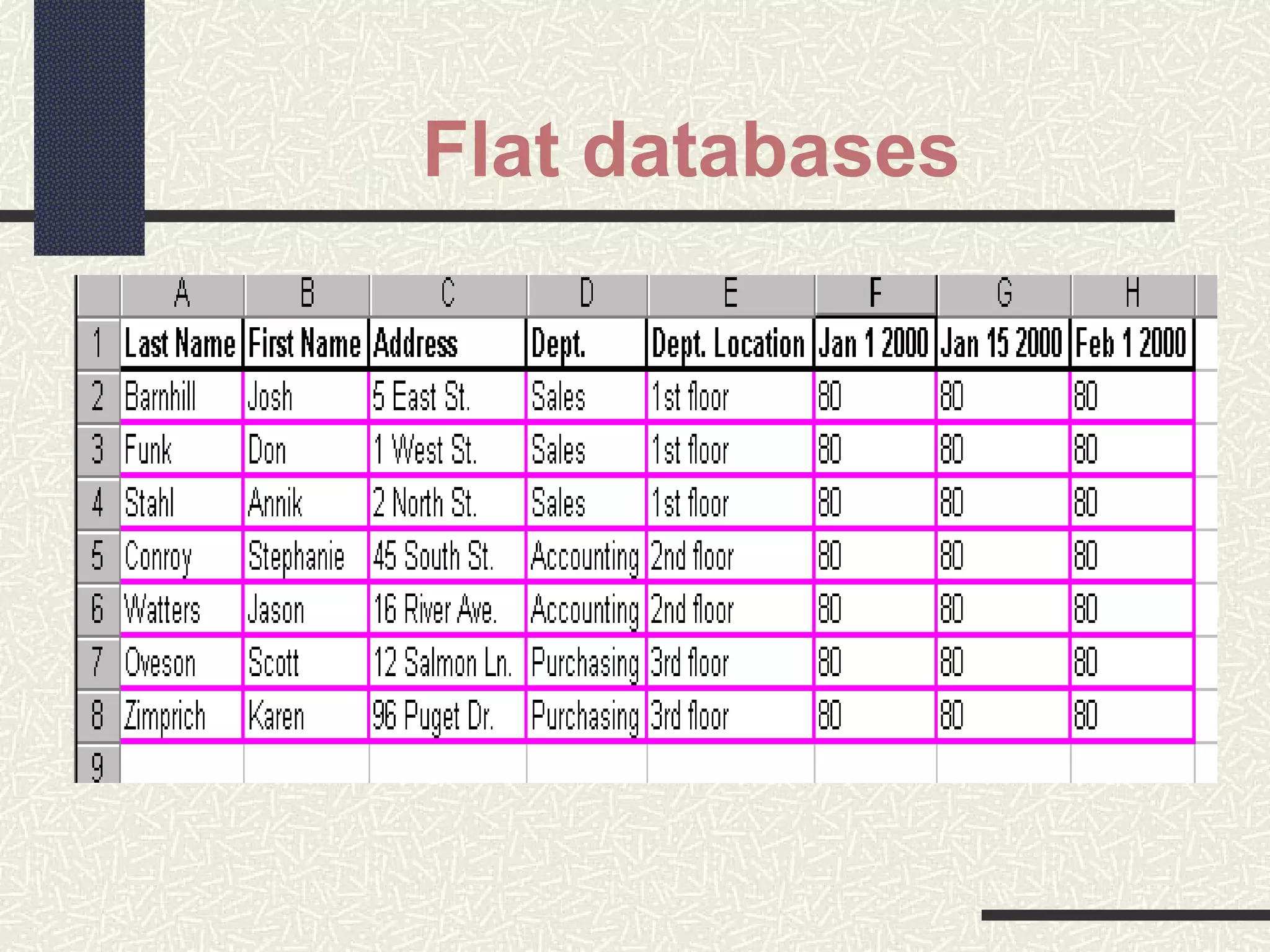
Flat databases
A single kind of record with a fixed number
of fields.
a way of organizing all information in a
single table.
suitable for extremely simple
databases.
inherit data redundancy
Flat databases
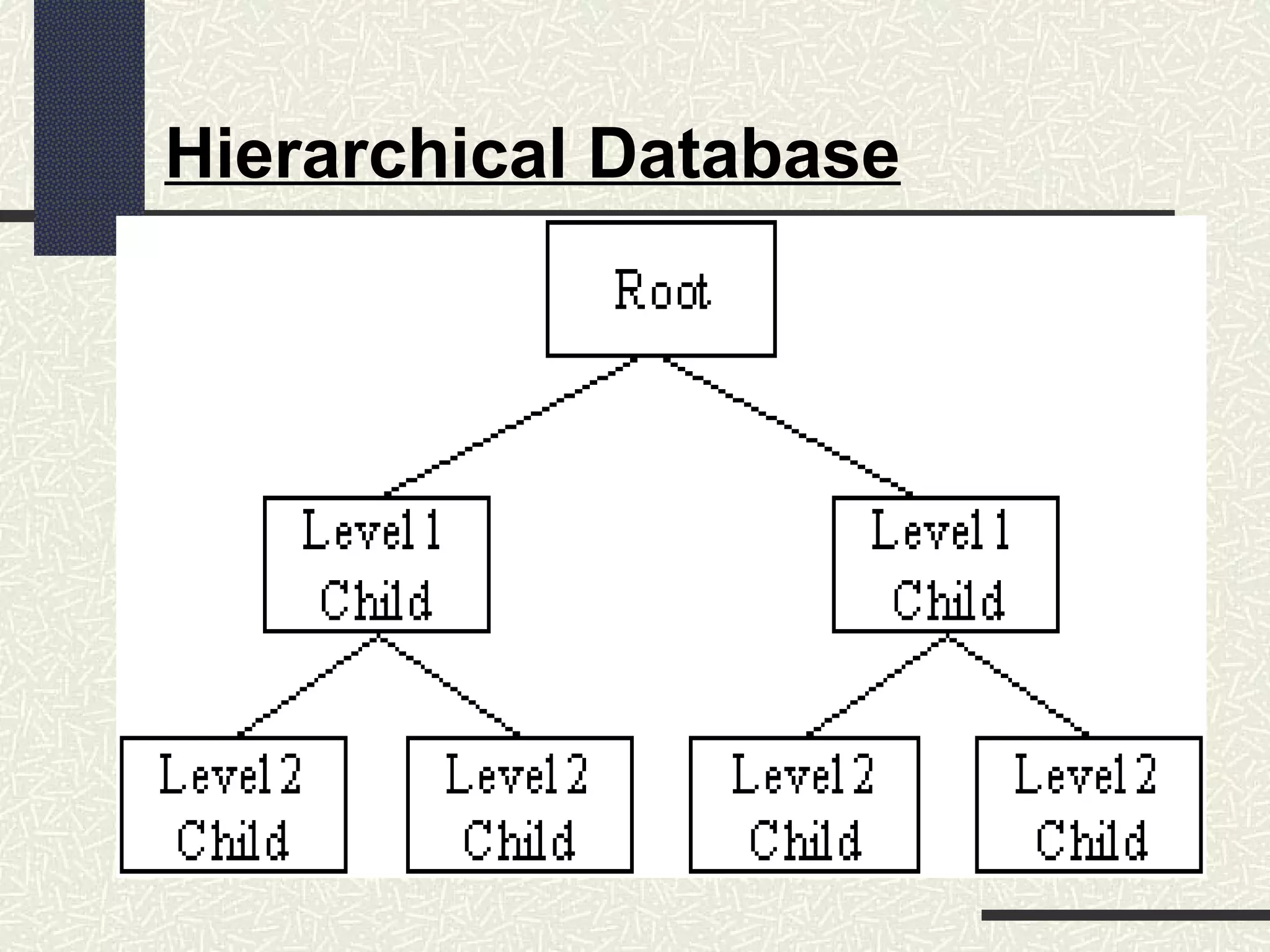
Hierarchical Database
Fields or records structured in nodes
Viewed as branches of an upside-down tree
Each item is subordinate to its parent node
Only one parent per node
The subordinate item is the child node to the parent
If parent node is deleted, all the child nodes are as well
deleted
New parent node must be created before adding a new child
node
Limited by rigid structure
No direct relationships between child nodes
Hierarchical Database
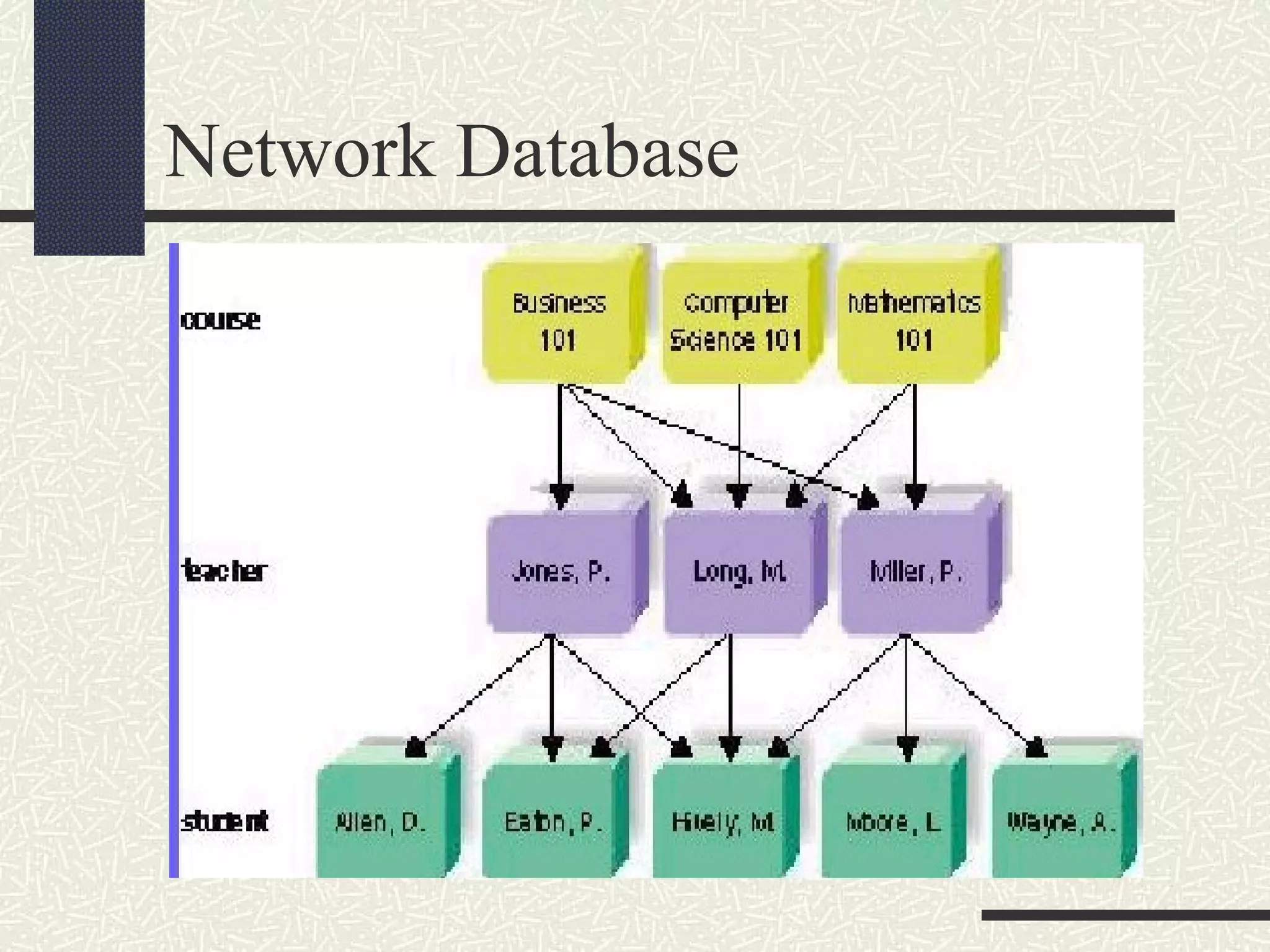
Network Database
Also has hierarchical node arrangement
But here child nodes may have more than
one parent node, or a many-to-many
relationship
The interconnected design allows for access
via multiple pathways
Network Database
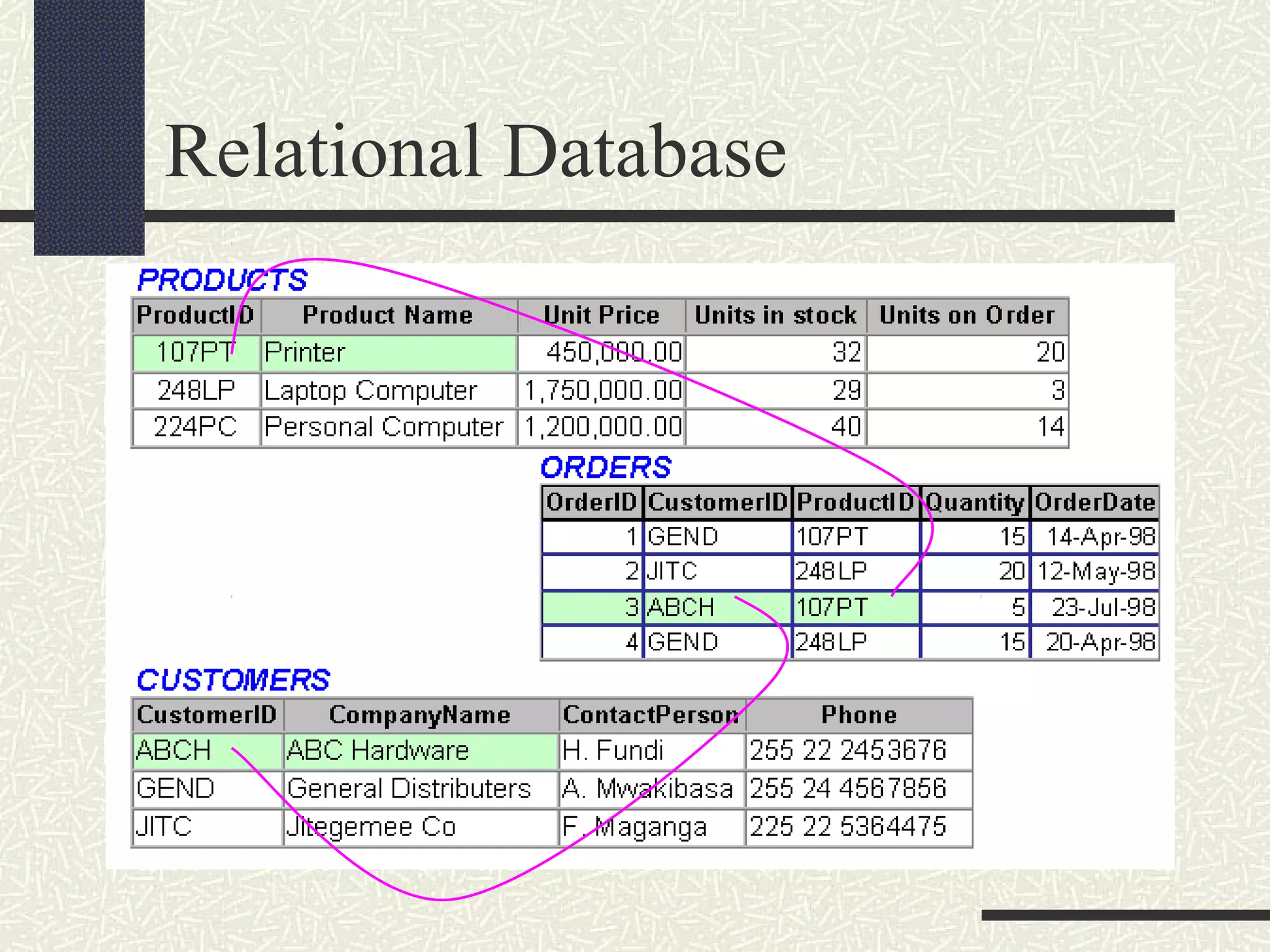
Relational Database
No pre-determined access paths
Data stored in a collection of columns and
rows called a table, or a relation
Tables may be electronically linked via a
key field containing common data
Easy to add, delete and modify the data and
the table structures
Relational Database
Relational Terminologies
Table or Relation
Null values
Duplicate Values
Changeable Values
Primary Keys
Foreign Keys
Table or Relation
Table will store information for a
particular entity
Table name must be unique
 The Table name should be descriptive
Column Name must be unique within
the Table
Rows must be unique
Null values
missing or unknown value in a column
of a table
Nulls are not the same as zeros
Most arithmetic operations can be
performed on zero values
nulls must be excluded from
mathematical manipulations
Duplicate values
A duplicate value is a value in a column
of a table that exactly matches some
other values within the same column.
Changeable values
value in a table that may vary over time.
Most values in most tables are
Changeable
You can prevent changes when it is
desirable to prevent changes in a given
column of a table
Primary keys
Uniquely identify each row of that table.
Every table must have only one
Primary key
Rules for Primary key
Must always have a value (null values
are not allowed)
Value should be unique (duplicate
values are not allowed)
Value should not change over time
Foreign keys
key which relates the rows of the Table
to other Tables
value can be null,
value can change
value can be duplicated
Rule for Foreign keys
Value must refer to the existing primary
key.

Database concepts

  • 1.
    Introduction to DatabaseConcepts Ucc - Mwanza. May 2006
  • 2.
    Database Definition A databasecan be defined as collection of information organized in such a way that it can be accessed easily. Examples are  Tracking customer orders  Maintaining Employees Records.  Maintaining Students Information
  • 3.
    Terminologies In studying Databasesthe following Terminologies must be clear Data  This is the fact or facts about specific entity (person, place or thing). Information  This is the processed facts perceived to be useful by the user. Field  This is a single item of information or data in entity. E.g. employee Name Record  This can be defined as data or group of fields about an entity. E.g. employee particulars  Subject (relation or table)  This can be defined as a collection of records that are related to a particular entity. For example, Records for all employees will make up one subject.
  • 4.
    History of Databases Manualsystems File Processing Systems (FPS) Database Management systems (DBMS)
  • 5.
    Manual systems Structure Information canbe stored in dedicated room or in separate offices. Room or office will be furnished with shelves; Different shelves will hold Records for different subjects. Records will be stored in hard flat files, each file will carry one record Each file will have a specific number to identify it. A person will use the file number to retrieve the specific file (record).
  • 6.
  • 7.
    File Processing Systems(FPS) Information stored as groups of records in separate files File processing systems consisted of a few data files and many application programs Each file called a soft flat file Flat file contain processed information for one specific function Use of programming languages to write applications Little flexibility High maintenance Many limitations
  • 9.
    Limitations of FileProcessing Systems Separate and isolated data Data redundancy Program - data interdependence involving file formats and access techniques Difficulty in representing data from the user’s view Data inflexibility
  • 10.
    Database Management systems(DBMS) A program that allows users to define, create, manipulate, store, maintain, retrieve, and process the data in a database in order to produce meaningful information. Focus on information representation Data stored as records in various database files that can be combined to produce meaningful information for users DBMS controls all functions of capturing, processing, storing, retrieving data and generates various forms of data output Manages access by multiple users and multiple programs to a common store of data
  • 12.
    DBMS overcomes allLimitations of FPS. Eliminates separation and isolation of data Reduces data redundancy Eliminates dependence between programs and data Allows for representation of data from user’s view Increases data flexibility Superior flexibility and security over spreadsheet applications
  • 13.
    Characteristics of aDBMS  Computerized record-keeping system  Contains facilities that allow the user to: o Add, delete files o Insert, retrieve, update, delete data  Collection of databases; each can be used for separate purposes or combined
  • 14.
    Functions and Usesof a DBMS To store data To organize data To control access to data To protect data To provide decision support To provide transaction processing
  • 15.
    Advantages and Disadvantagesof a DBMS • Advantages:  Centralized data reduces management problems  Data redundancy and consistency are controllable  Program - data interdependency is diminished  Flexibility of data is increased • Disadvantages:  Reduction in speed of data access time  Requires special knowledge  Possible dependency of application programs to specific DBMS versions
  • 16.
    Database Administrator A databaseadministrator (DBA) controls and manages the database. Function of a DBA Make decisions concerning the content of the database Plan storage structures and access strategies. Provides support to users Defines security and integrity checks Interprets backup and recovery strategies.
  • 17.
    Types of Databases FlatDatabases Hierarchical Database Network Database Relational Database
  • 18.
    Flat databases A singlekind of record with a fixed number of fields. a way of organizing all information in a single table. suitable for extremely simple databases. inherit data redundancy
  • 19.
  • 20.
    Hierarchical Database Fields orrecords structured in nodes Viewed as branches of an upside-down tree Each item is subordinate to its parent node Only one parent per node The subordinate item is the child node to the parent If parent node is deleted, all the child nodes are as well deleted New parent node must be created before adding a new child node Limited by rigid structure No direct relationships between child nodes
  • 21.
  • 22.
    Network Database Also hashierarchical node arrangement But here child nodes may have more than one parent node, or a many-to-many relationship The interconnected design allows for access via multiple pathways
  • 23.
  • 24.
    Relational Database No pre-determinedaccess paths Data stored in a collection of columns and rows called a table, or a relation Tables may be electronically linked via a key field containing common data Easy to add, delete and modify the data and the table structures
  • 25.
  • 26.
    Relational Terminologies Table orRelation Null values Duplicate Values Changeable Values Primary Keys Foreign Keys
  • 27.
    Table or Relation Tablewill store information for a particular entity Table name must be unique  The Table name should be descriptive Column Name must be unique within the Table Rows must be unique
  • 28.
    Null values missing orunknown value in a column of a table Nulls are not the same as zeros Most arithmetic operations can be performed on zero values nulls must be excluded from mathematical manipulations
  • 29.
    Duplicate values A duplicatevalue is a value in a column of a table that exactly matches some other values within the same column.
  • 30.
    Changeable values value ina table that may vary over time. Most values in most tables are Changeable You can prevent changes when it is desirable to prevent changes in a given column of a table
  • 31.
    Primary keys Uniquely identifyeach row of that table. Every table must have only one Primary key
  • 32.
    Rules for Primarykey Must always have a value (null values are not allowed) Value should be unique (duplicate values are not allowed) Value should not change over time
  • 33.
    Foreign keys key whichrelates the rows of the Table to other Tables value can be null, value can change value can be duplicated
  • 34.
    Rule for Foreignkeys Value must refer to the existing primary key.