Virtualization
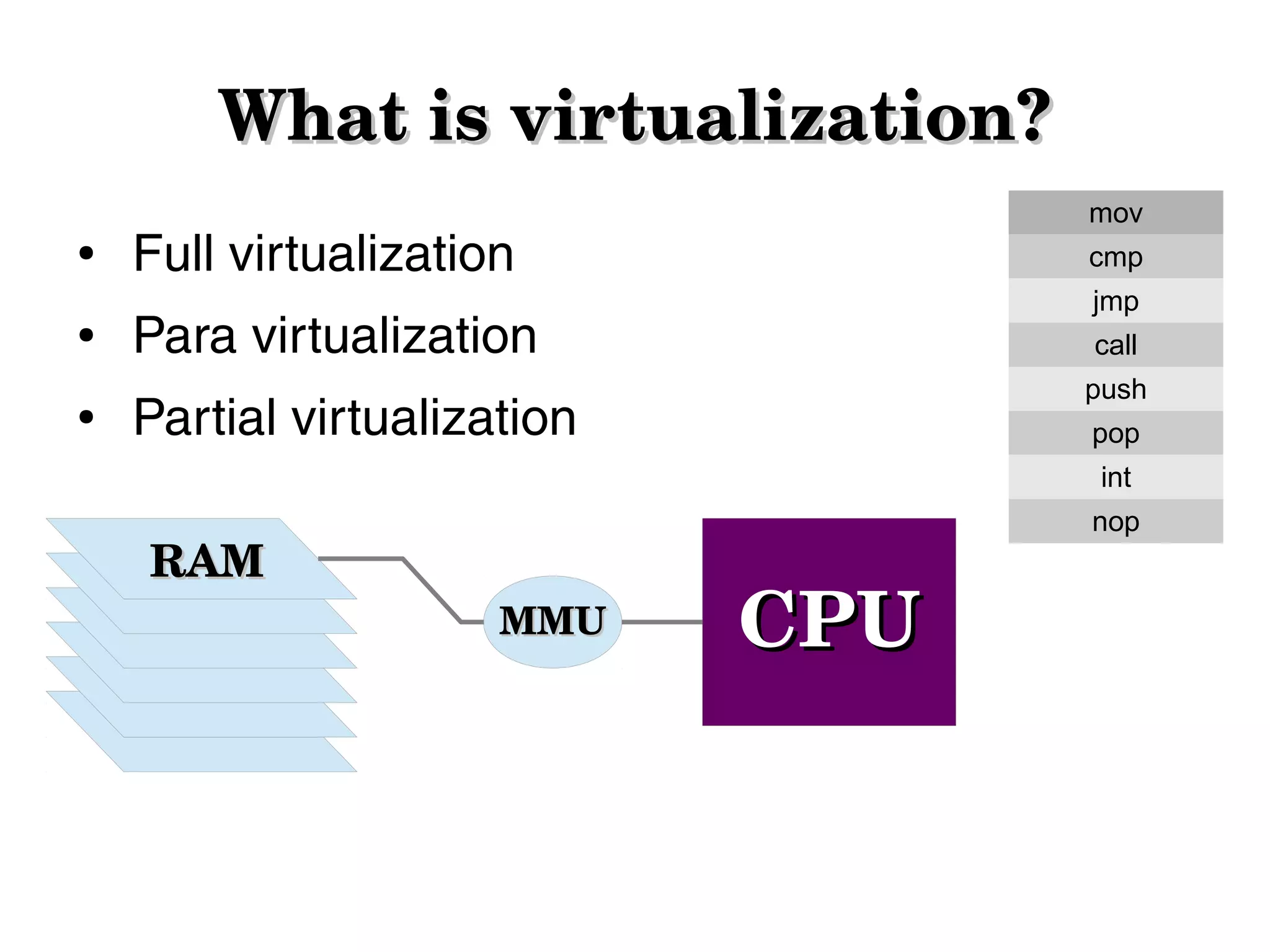
What is virtualization?
●

●

●

mov

Full virtualization

cmp
jmp

Para virtualization

call
push

Partial virtualization

pop
int

RAM

nop

MMU

CPU
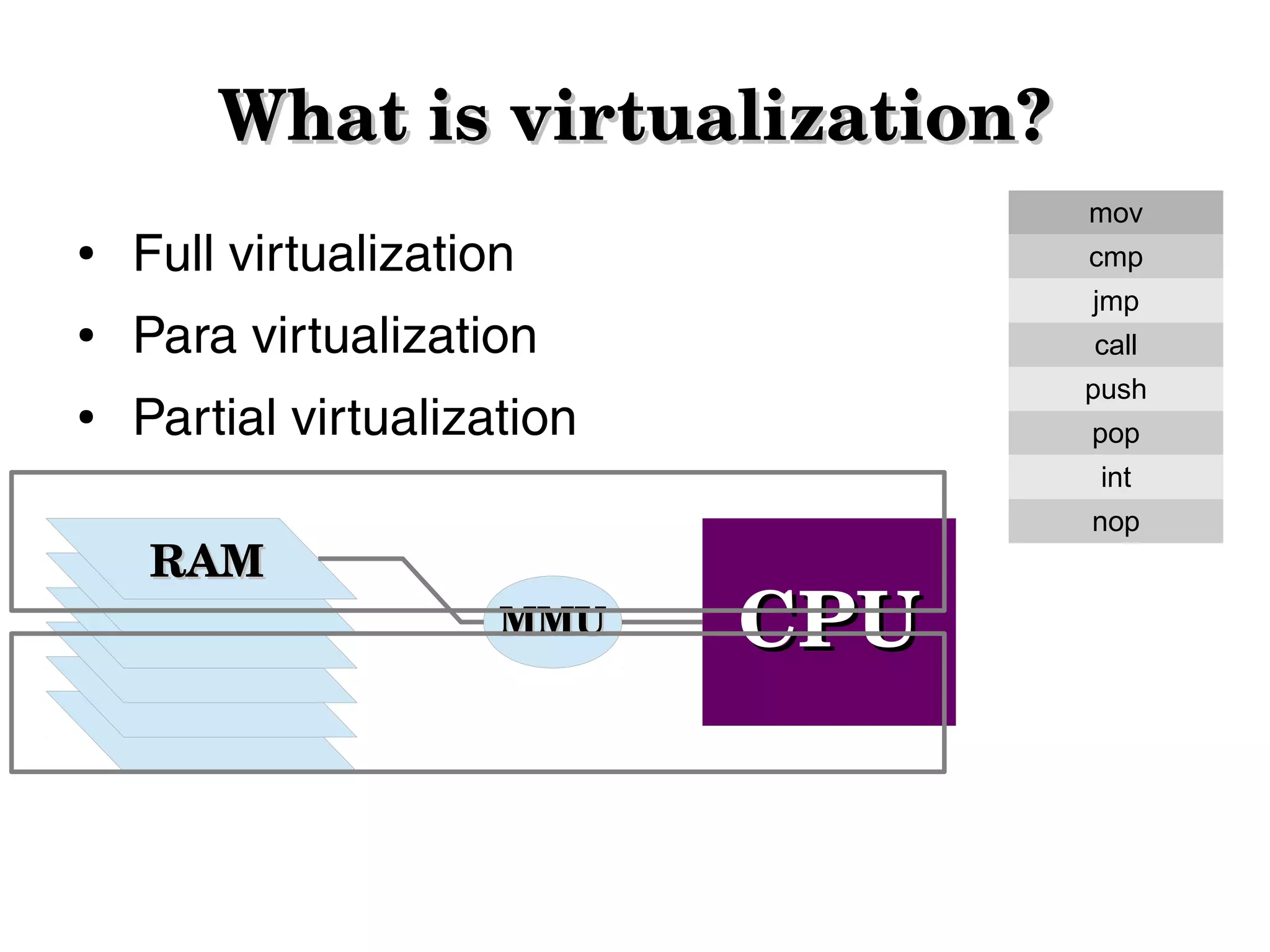
What is virtualization?
●

●

●

mov

Full virtualization

cmp
jmp

Para virtualization

call
push

Partial virtualization

pop
int

RAM

nop

MMU

CPU
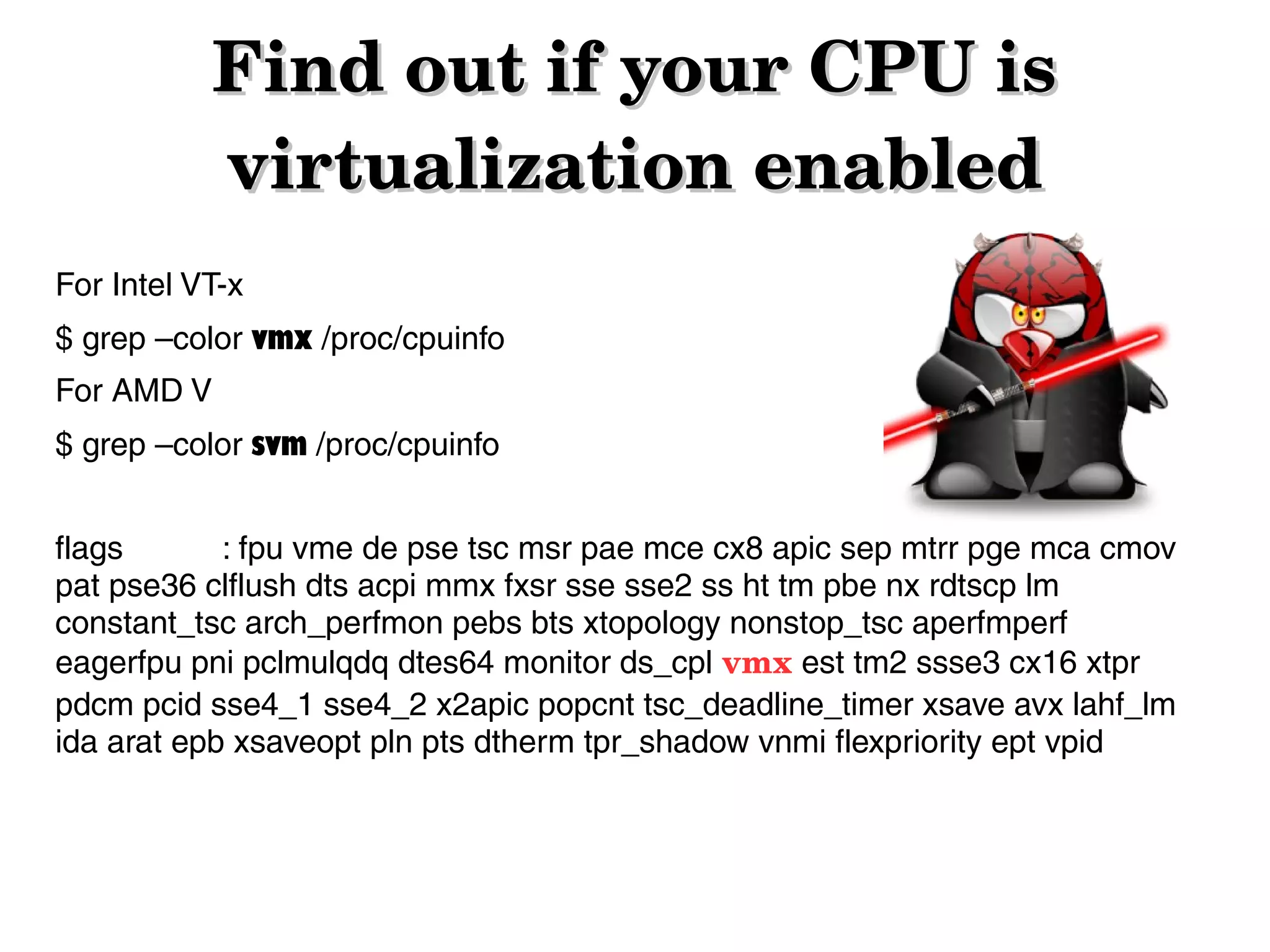
Find out if your CPU is 
virtualization enabled
For Intel VT-x
$ grep –color vmx /proc/cpuinfo
For AMD V
$ grep –color svm /proc/cpuinfo
flags
: fpu vme de pse tsc msr pae mce cx8 apic sep mtrr pge mca cmov
pat pse36 clflush dts acpi mmx fxsr sse sse2 ss ht tm pbe nx rdtscp lm
constant_tsc arch_perfmon pebs bts xtopology nonstop_tsc aperfmperf
eagerfpu pni pclmulqdq dtes64 monitor ds_cpl vmx est tm2 ssse3 cx16 xtpr
pdcm pcid sse4_1 sse4_2 x2apic popcnt tsc_deadline_timer xsave avx lahf_lm
ida arat epb xsaveopt pln pts dtherm tpr_shadow vnmi flexpriority ept vpid
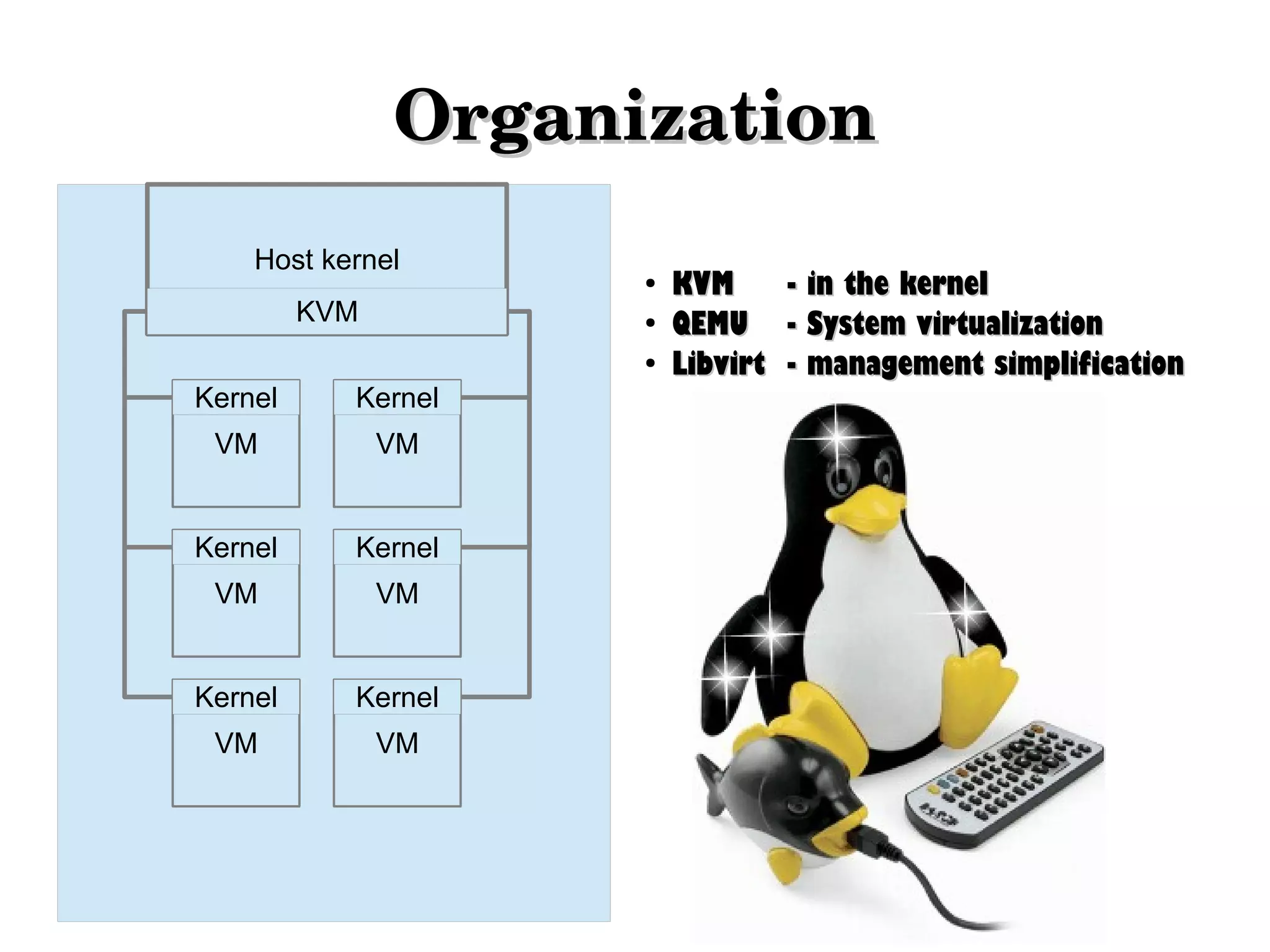
Organization
Host kernel
●

KVM

●
●

Kernel

Kernel

VM

VM

Kernel

Kernel

VM

VM

Kernel

Kernel

VM

VM

KVM
- in the kernel
QEMU - System virtualization
Libvirt - management simplification
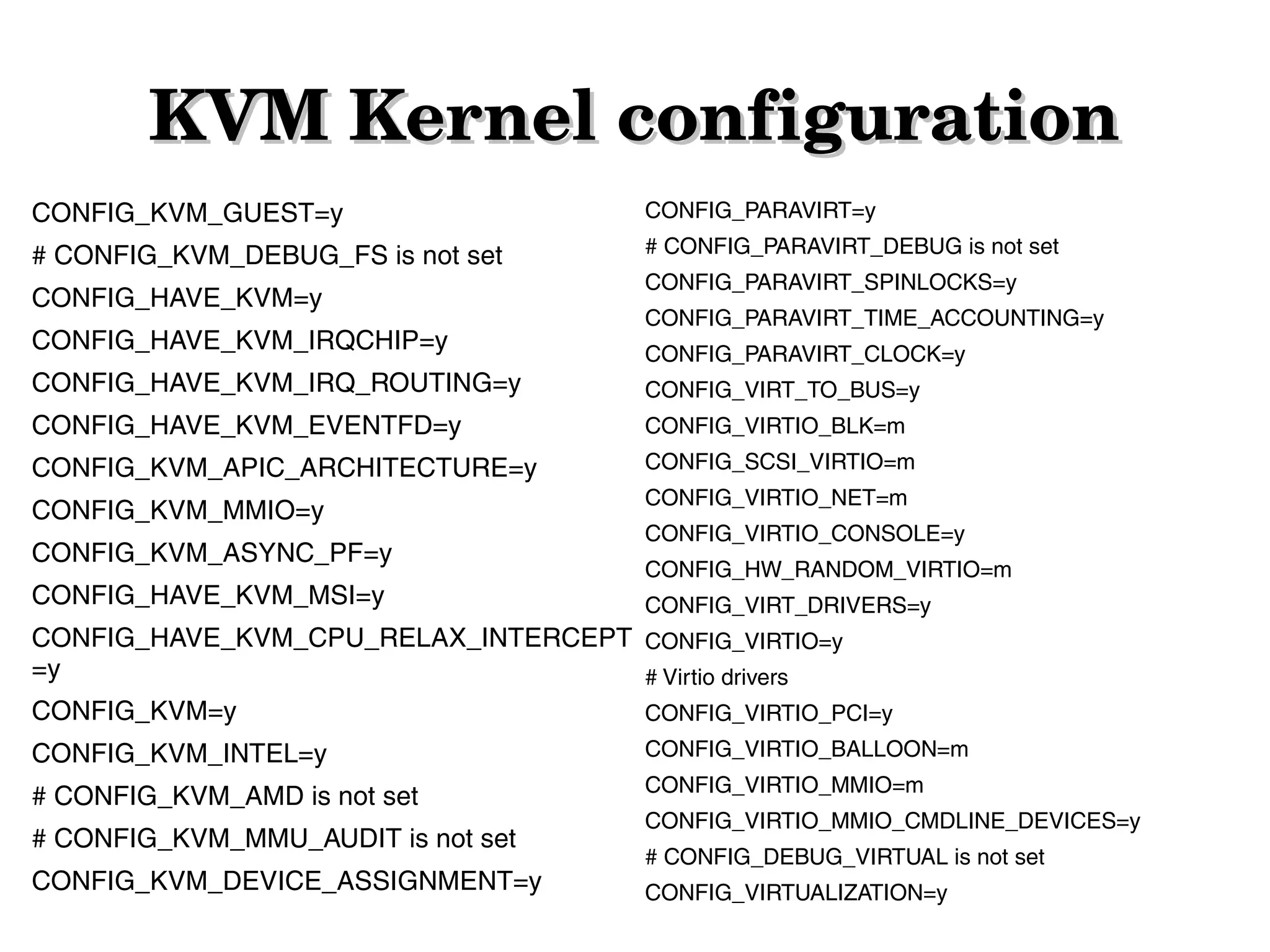
KVM Kernel configuration
CONFIG_KVM_GUEST=y

CONFIG_PARAVIRT=y

# CONFIG_KVM_DEBUG_FS is not set

# CONFIG_PARAVIRT_DEBUG is not set

CONFIG_HAVE_KVM=y
CONFIG_HAVE_KVM_IRQCHIP=y

CONFIG_PARAVIRT_SPINLOCKS=y
CONFIG_PARAVIRT_TIME_ACCOUNTING=y
CONFIG_PARAVIRT_CLOCK=y

CONFIG_HAVE_KVM_IRQ_ROUTING=y

CONFIG_VIRT_TO_BUS=y

CONFIG_HAVE_KVM_EVENTFD=y

CONFIG_VIRTIO_BLK=m

CONFIG_KVM_APIC_ARCHITECTURE=y

CONFIG_SCSI_VIRTIO=m

CONFIG_KVM_MMIO=y

CONFIG_VIRTIO_NET=m

CONFIG_KVM_ASYNC_PF=y
CONFIG_HAVE_KVM_MSI=y

CONFIG_VIRTIO_CONSOLE=y
CONFIG_HW_RANDOM_VIRTIO=m
CONFIG_VIRT_DRIVERS=y

CONFIG_HAVE_KVM_CPU_RELAX_INTERCEPT CONFIG_VIRTIO=y
=y
# Virtio drivers
CONFIG_KVM=y

CONFIG_VIRTIO_PCI=y

CONFIG_KVM_INTEL=y

CONFIG_VIRTIO_BALLOON=m

# CONFIG_KVM_AMD is not set

CONFIG_VIRTIO_MMIO=m

# CONFIG_KVM_MMU_AUDIT is not set
CONFIG_KVM_DEVICE_ASSIGNMENT=y

CONFIG_VIRTIO_MMIO_CMDLINE_DEVICES=y
# CONFIG_DEBUG_VIRTUAL is not set
CONFIG_VIRTUALIZATION=y
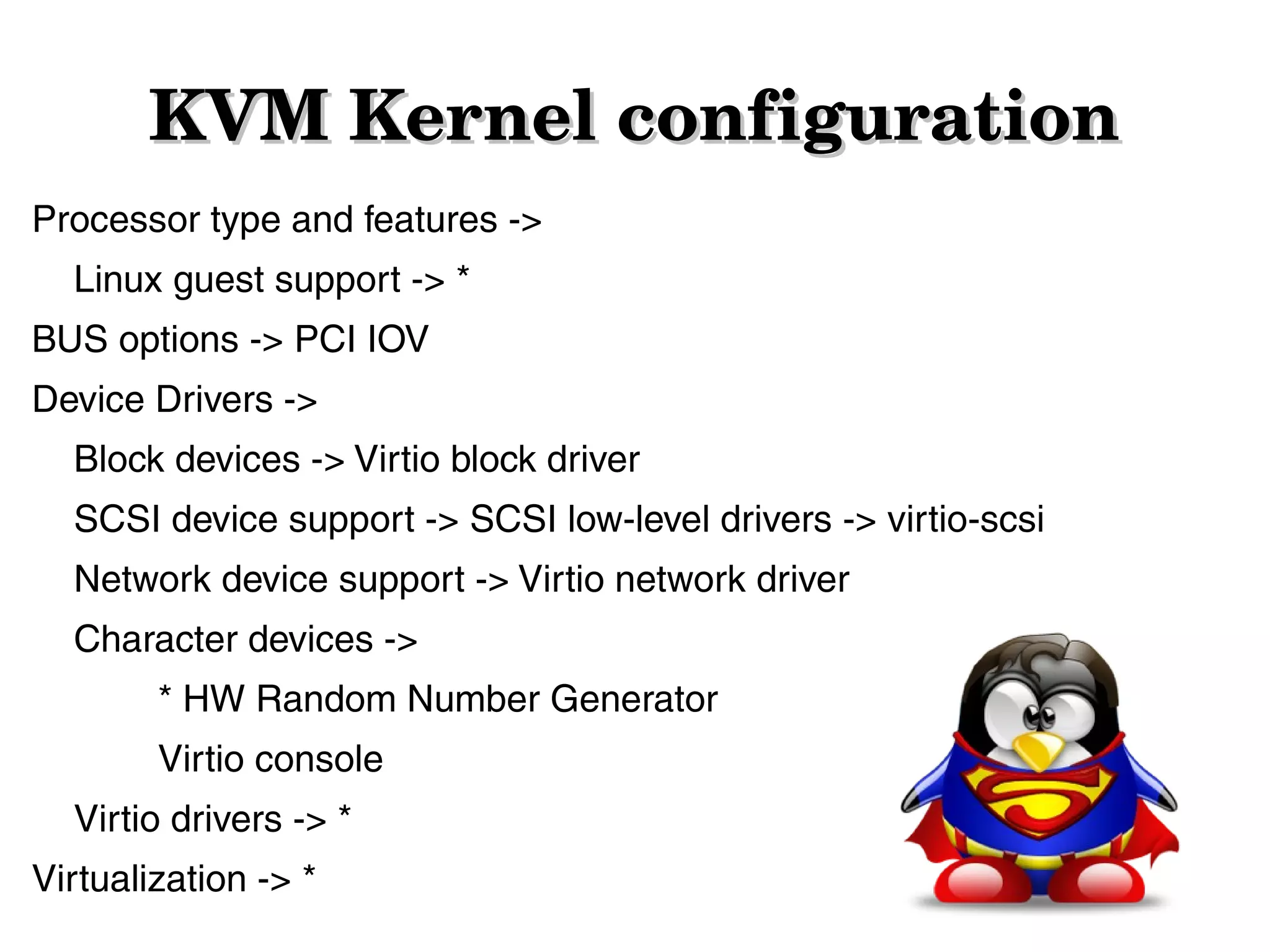
KVM Kernel configuration
Processor type and features ->
Linux guest support -> *
BUS options -> PCI IOV
Device Drivers ->
Block devices -> Virtio block driver
SCSI device support -> SCSI low-level drivers -> virtio-scsi
Network device support -> Virtio network driver
Character devices ->
* HW Random Number Generator
Virtio console
Virtio drivers -> *
Virtualization -> *
Create
● Start
● Talk to QEMU
●
KVM tools

●

virsh

●

virt-manager
KVM information
●

List VMs
–
–

●

virsh list
virsh list – all (including the suspended and stopped)

Node Information
–

virsh nodeinfo – information about the host node

–

virsh dominfo vm_name - information about the VM

–

virsh vcpuinfo vm_name - CPU info about the VM
●

Start
–

●

VM Management :)

virsh start vm_name

Stop
–

- soft shutdown

–
●

virsh shutdown vm_name
virsh destroy vm_name

- power down

Restart
–
–

virsh shutdown vm_name

–

virsh destroy vm_name

–
●

virsh reboot vm_name

virsh start vm_name

- power cycle

Suspend
–

virsh suspend vm_name

- to RAM
Hibernate
●

Save - save the VM state to a file
–
–

●

virsh save vm_name
virsh save-image-define save-file.img

Restore
–

●

virsh restore save-file.img

File location
–

/var/lib/libvirt/qemu/
Network
●

List all defined networks
–

●

Get information for predefined network
–

●

virsh net-info net_name

Activate a network on Host boot
–

●

virsh net-list

virsh net-autostart net_name

Start/Stop/Remove network
–

virsh net-start net_name

–

virsh net-destroy net_name

–

virsh net-undefine net_name
Storage pools
●

List all defined storage pools
–

●

Get information for predefined pool
–

●

virsh pool-info pool_name

Activate a storage pool on Host boot
–

●

virsh pool-list

virsh pool-autostart pool_name

Start/Stop/Remove network
–

virsh pool-start net_name

–

virsh pool-destroy net_name

–

virsh pool-undefine net_name
Storage pools
●

Create a pool
# virsh pool-create pool.xml
# virsh pool-create-as --name pesho 
--type [dir,disk,fs,logical,netfs...] 
--target (depending on the type) 

●

Refresh the files/volume in a pool
# virsh pool-refresh pool_name
Volumes
●

Create
# virsh vol-create volume.xml
# virsh vol-create-as --pool=pool_name 
--name pesho_be 
--capacity (int in Bytes) 
--format [raw,bochs,qcow,qcow2,qed,vmdk]

●

Clone
# virsh vol-clone vol_name new_name --pool pool_name

●

Delete
# virsh vol-delete vol_name --pool pool_name
Snapshots
# virsh snapshot-create-as vm_name snapshot1
"backup1" --disk-only --atomic
# virsh snapshot-list vm_name
# virsh snapshot-info vm_name 
--snapshotname snapshot1
Migration
●

Migration with shared storage
virsh migrate --live Jab2 qemu+ssh://192.168.0.5/system

●

Migration with local storage
# qemu-img info /vm/vm-test.img
image: /vm/jivko-test.img
file format: raw
virtual size: 8.0G (8589934592 bytes)
disk size: 8.0G

# qemu-img create -f raw /vm/vm-test.img 8G
Formatting '/vm/jivko-test.img', fmt=raw size=8589934592

# virsh migrate --persistent --live --copy-storage-all Jab2
qemu+ssh://192.168.0.5/system
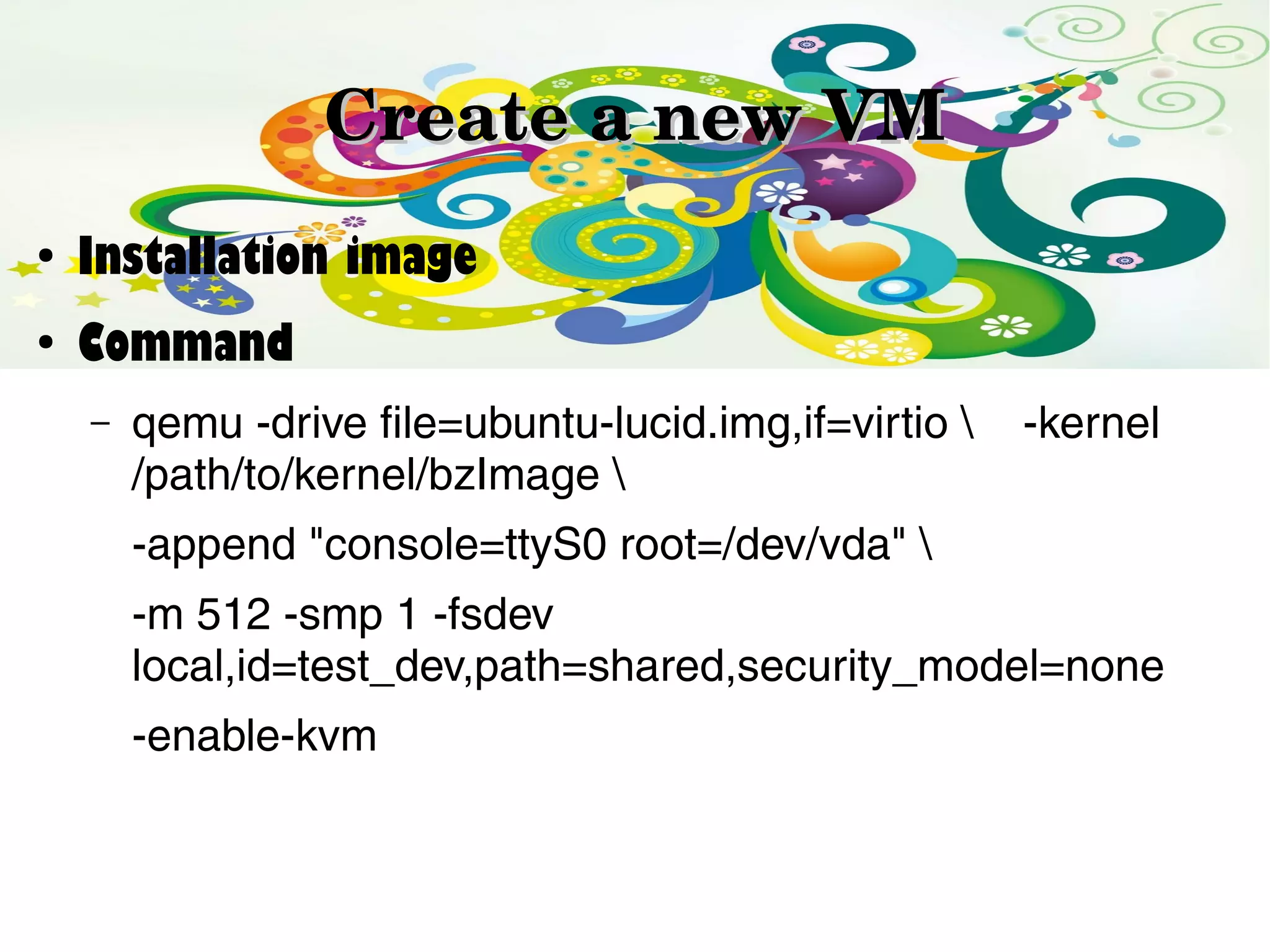
Create a new VM
●

Installation image

●

Command
–

qemu -drive file=ubuntu-lucid.img,if=virtio 
/path/to/kernel/bzImage 

-kernel

-append "console=ttyS0 root=/dev/vda" 
-m 512 -smp 1 -fsdev
local,id=test_dev,path=shared,security_model=none
-enable-kvm
Backups
Configuration
●

Fuck... it's XML based...
/etc/libvirt/qemu/vm_name.xml
/etc/libvirt/qemu/autostart
/etc/libvirt/qemu/networks
/var/lib/libvirt/images
Console & 
Debugging
●

Console
–
–

virsh console vm_name
/usr/bin/virsh -c 
'qemu+ssh://root@IP:22/system' console vm_name

–

●

Install virt-manager and setup connection to the host node,
then connect to the vm with double click :)

Debugging
# qemu -gdb tcp:127.0.0.1:1212 [...]
# gdb vmlinux-of-guest
(gdb) target remote tcp:127.0.0.1:1212
Common issues
●

Sometimes libvirt can't start some VMs
–

check if they have .save files in
●

–

check if there are files with the VM name in
●

–

/var/lib/libvirt/qemu/images
/var/lib/libvirt/qemu/save

If there are any files for that VM in either of these
dirs, remove them and the VM should start

LSA2 - 01 Virtualization with KVM

  • 1.
  • 2.
  • 3.
  • 4.
  • 5.
    Find out if your CPU is  virtualization enabled For Intel VT-x $grep –color vmx /proc/cpuinfo For AMD V $ grep –color svm /proc/cpuinfo flags : fpu vme de pse tsc msr pae mce cx8 apic sep mtrr pge mca cmov pat pse36 clflush dts acpi mmx fxsr sse sse2 ss ht tm pbe nx rdtscp lm constant_tsc arch_perfmon pebs bts xtopology nonstop_tsc aperfmperf eagerfpu pni pclmulqdq dtes64 monitor ds_cpl vmx est tm2 ssse3 cx16 xtpr pdcm pcid sse4_1 sse4_2 x2apic popcnt tsc_deadline_timer xsave avx lahf_lm ida arat epb xsaveopt pln pts dtherm tpr_shadow vnmi flexpriority ept vpid
  • 6.
    Organization Host kernel ● KVM ● ● Kernel Kernel VM VM Kernel Kernel VM VM Kernel Kernel VM VM KVM - inthe kernel QEMU - System virtualization Libvirt - management simplification
  • 7.
    KVM Kernel configuration CONFIG_KVM_GUEST=y CONFIG_PARAVIRT=y # CONFIG_KVM_DEBUG_FS isnot set # CONFIG_PARAVIRT_DEBUG is not set CONFIG_HAVE_KVM=y CONFIG_HAVE_KVM_IRQCHIP=y CONFIG_PARAVIRT_SPINLOCKS=y CONFIG_PARAVIRT_TIME_ACCOUNTING=y CONFIG_PARAVIRT_CLOCK=y CONFIG_HAVE_KVM_IRQ_ROUTING=y CONFIG_VIRT_TO_BUS=y CONFIG_HAVE_KVM_EVENTFD=y CONFIG_VIRTIO_BLK=m CONFIG_KVM_APIC_ARCHITECTURE=y CONFIG_SCSI_VIRTIO=m CONFIG_KVM_MMIO=y CONFIG_VIRTIO_NET=m CONFIG_KVM_ASYNC_PF=y CONFIG_HAVE_KVM_MSI=y CONFIG_VIRTIO_CONSOLE=y CONFIG_HW_RANDOM_VIRTIO=m CONFIG_VIRT_DRIVERS=y CONFIG_HAVE_KVM_CPU_RELAX_INTERCEPT CONFIG_VIRTIO=y =y # Virtio drivers CONFIG_KVM=y CONFIG_VIRTIO_PCI=y CONFIG_KVM_INTEL=y CONFIG_VIRTIO_BALLOON=m # CONFIG_KVM_AMD is not set CONFIG_VIRTIO_MMIO=m # CONFIG_KVM_MMU_AUDIT is not set CONFIG_KVM_DEVICE_ASSIGNMENT=y CONFIG_VIRTIO_MMIO_CMDLINE_DEVICES=y # CONFIG_DEBUG_VIRTUAL is not set CONFIG_VIRTUALIZATION=y
  • 8.
    KVM Kernel configuration Processor type andfeatures -> Linux guest support -> * BUS options -> PCI IOV Device Drivers -> Block devices -> Virtio block driver SCSI device support -> SCSI low-level drivers -> virtio-scsi Network device support -> Virtio network driver Character devices -> * HW Random Number Generator Virtio console Virtio drivers -> * Virtualization -> *
  • 9.
  • 10.
  • 11.
    KVM information ● List VMs – – ● virsh list virshlist – all (including the suspended and stopped) Node Information – virsh nodeinfo – information about the host node – virsh dominfo vm_name - information about the VM – virsh vcpuinfo vm_name - CPU info about the VM
  • 12.
    ● Start – ● VM Management :) virsh start vm_name Stop – -soft shutdown – ● virsh shutdown vm_name virsh destroy vm_name - power down Restart – – virsh shutdown vm_name – virsh destroy vm_name – ● virsh reboot vm_name virsh start vm_name - power cycle Suspend – virsh suspend vm_name - to RAM
  • 13.
    Hibernate ● Save - savethe VM state to a file – – ● virsh save vm_name virsh save-image-define save-file.img Restore – ● virsh restore save-file.img File location – /var/lib/libvirt/qemu/
  • 14.
    Network ● List all definednetworks – ● Get information for predefined network – ● virsh net-info net_name Activate a network on Host boot – ● virsh net-list virsh net-autostart net_name Start/Stop/Remove network – virsh net-start net_name – virsh net-destroy net_name – virsh net-undefine net_name
  • 15.
    Storage pools ● List all definedstorage pools – ● Get information for predefined pool – ● virsh pool-info pool_name Activate a storage pool on Host boot – ● virsh pool-list virsh pool-autostart pool_name Start/Stop/Remove network – virsh pool-start net_name – virsh pool-destroy net_name – virsh pool-undefine net_name
  • 16.
    Storage pools ● Create a pool #virsh pool-create pool.xml # virsh pool-create-as --name pesho --type [dir,disk,fs,logical,netfs...] --target (depending on the type) ● Refresh the files/volume in a pool # virsh pool-refresh pool_name
  • 17.
    Volumes ● Create # virsh vol-createvolume.xml # virsh vol-create-as --pool=pool_name --name pesho_be --capacity (int in Bytes) --format [raw,bochs,qcow,qcow2,qed,vmdk] ● Clone # virsh vol-clone vol_name new_name --pool pool_name ● Delete # virsh vol-delete vol_name --pool pool_name
  • 18.
    Snapshots # virsh snapshot-create-asvm_name snapshot1 "backup1" --disk-only --atomic # virsh snapshot-list vm_name # virsh snapshot-info vm_name --snapshotname snapshot1
  • 19.
    Migration ● Migration with sharedstorage virsh migrate --live Jab2 qemu+ssh://192.168.0.5/system ● Migration with local storage # qemu-img info /vm/vm-test.img image: /vm/jivko-test.img file format: raw virtual size: 8.0G (8589934592 bytes) disk size: 8.0G # qemu-img create -f raw /vm/vm-test.img 8G Formatting '/vm/jivko-test.img', fmt=raw size=8589934592 # virsh migrate --persistent --live --copy-storage-all Jab2 qemu+ssh://192.168.0.5/system
  • 20.
    Create a new VM ● Installation image ● Command – qemu -drivefile=ubuntu-lucid.img,if=virtio /path/to/kernel/bzImage -kernel -append "console=ttyS0 root=/dev/vda" -m 512 -smp 1 -fsdev local,id=test_dev,path=shared,security_model=none -enable-kvm
  • 21.
  • 22.
    Configuration ● Fuck... it's XMLbased... /etc/libvirt/qemu/vm_name.xml /etc/libvirt/qemu/autostart /etc/libvirt/qemu/networks /var/lib/libvirt/images
  • 23.
    Console &  Debugging ● Console – – virsh console vm_name /usr/bin/virsh-c 'qemu+ssh://root@IP:22/system' console vm_name – ● Install virt-manager and setup connection to the host node, then connect to the vm with double click :) Debugging # qemu -gdb tcp:127.0.0.1:1212 [...] # gdb vmlinux-of-guest (gdb) target remote tcp:127.0.0.1:1212
  • 24.
    Common issues ● Sometimes libvirt can'tstart some VMs – check if they have .save files in ● – check if there are files with the VM name in ● – /var/lib/libvirt/qemu/images /var/lib/libvirt/qemu/save If there are any files for that VM in either of these dirs, remove them and the VM should start