FUSE Filesystems


     William Stearns
 wstearns@pobox.com
 http://www.stearns.org
Overview
●   Adding features to filesystems
●   Fuse overview and examples
    –   Setup
    –   Sshfs, encfs, and gluster
    –   Pros and cons
●   Wrap up
Existing filesystems
●   Underlying block device
    –   Translation: partition or full drive
●   Format with filesystem
●   Kernel mounts block device with filesystem
Could we...
●   Automatically encrypt/decrypt?
●   Automatically compress/decompress?
●   Present tars and zips as directory trees?
●   Show an SQL table as a directory?
●   Set up a hierarchical filesystem?
Where do we put this code?
●   Modify each application
●   Modify existing libraries or new library
●   New filesystem layer
●   Existing filesystems
Issues with core filesystems
●   C only
    –   Limited libraries
    –   Kernel mode, more complicated
●   No access to network or other files
●   Kernel: poor place for complex features
Add features to individual FS's?
●   Different features in different fs's
    –   Give ext3 transparent decompression
    –   Give XFS ability to descend into tars
    –   Give reiserfs4 encryption and decompression
●   See the problem?
    –   What if Intel nics could send TCP only and other
        nics UDP only?
So what's the answer?
●   Applications don't have these restrictions
●   Let an application present whatever it wants
FUSE
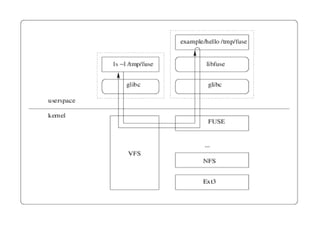
●   Filesystems in USErspace
    –   Now a program (fuse application) is responsible for
        dirs and files
    –   When file is needed, kernel asks fuse application for
        it
●   Fuse application can access anything to get
    raw data
    –   Including existing local or remote file trees
    –   Network connections
    –   Carrier Pigeon
    –   /dev/random!
Example: decompfs
●   Existing file tree /archives/
    –   .tar.gzs, .zips, .bz2s
●   Want to see uncompressed files
    –   Without having to manually compress and
        decompress
Decompfs
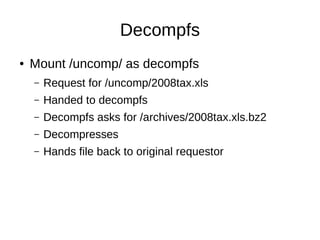
●   Mount /uncomp/ as decompfs
    –   Request for /uncomp/2008tax.xls
    –   Handed to decompfs
    –   Decompfs asks for /archives/2008tax.xls.bz2
    –   Decompresses
    –   Hands file back to original requestor
Fuse Setup
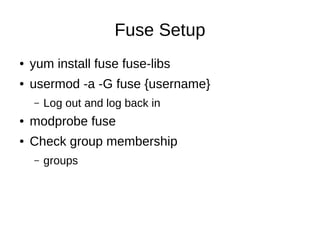
●   yum install fuse fuse-libs
●   usermod -a -G fuse {username}
    –   Log out and log back in
●   modprobe fuse
●   Check group membership
    –   groups
SSHFS Overview
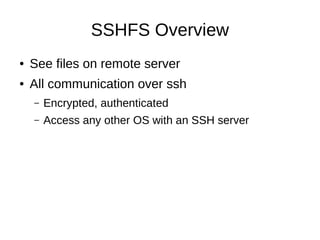
●   See files on remote server
●   All communication over ssh
    –   Encrypted, authenticated
    –   Access any other OS with an SSH server
Sshfs Install
●   yum install fuse-sshfs
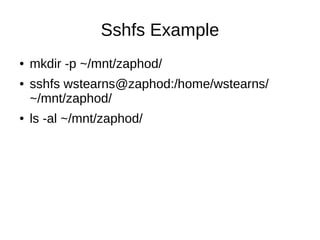
Sshfs Example
●   mkdir -p ~/mnt/zaphod/
●   sshfs wstearns@zaphod:/home/wstearns/
    ~/mnt/zaphod/
●   ls -al ~/mnt/zaphod/
Encfs Overview
●   Encrypted files live on disk
    –   Good if laptop stolen or lost
●   Encfs presents them as unencrypted
●   File by file encryption
    –   No need to create a new block device and
        preallocate space
Encfs Install
●   yum install fuse-encfs
    –   Depends on the “rlog” package
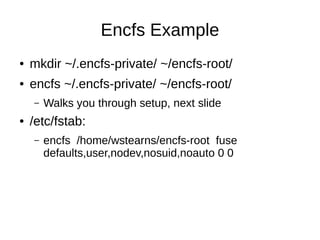
Encfs Example
●   mkdir ~/.encfs-private/ ~/encfs-root/
●   encfs ~/.encfs-private/ ~/encfs-root/
    –   Walks you through setup, next slide
●   /etc/fstab:
    –   encfs /home/wstearns/encfs-root fuse
        defaults,user,nodev,nosuid,noauto 0 0
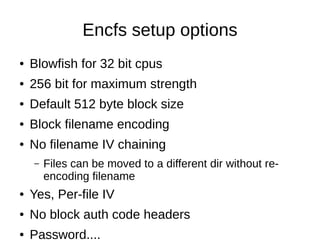
Encfs setup options
●   Blowfish for 32 bit cpus
●   256 bit for maximum strength
●   Default 512 byte block size
●   Block filename encoding
●   No filename IV chaining
    –   Files can be moved to a different dir without re-
        encoding filename
●   Yes, Per-file IV
●   No block auth code headers
●   Password....
Glusterfs Overview
●   Network filesystem
    –   TCP/IP, Infiniband
●   Parallel storage
    –   Replicate files on multiple remote servers
    –   Keep one server local too!
●   Backend storage is in native format
Glusterfs Install
●   We'll do client and server on one machine
●   yum install glusterfs-client glusterfs-server
    glusterfs-libs
●   mkdir -p ~/glusterfs-test/conf ~/glusterfs-
    test/mnt ~/glusterfs-test/brick-1-1
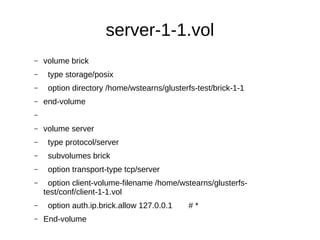
server-1-1.vol
–   volume brick
–    type storage/posix
–    option directory /home/wstearns/glusterfs-test/brick-1-1
–   end-volume
–

–   volume server
–    type protocol/server
–    subvolumes brick
–    option transport-type tcp/server
–    option client-volume-filename /home/wstearns/glusterfs-
    test/conf/client-1-1.vol
–    option auth.ip.brick.allow 127.0.0.1    #*
–   End-volume
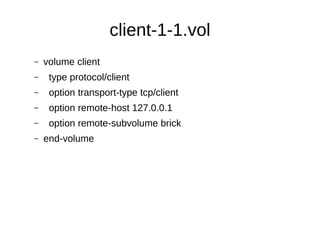
client-1-1.vol
–   volume client
–    type protocol/client
–    option transport-type tcp/client
–    option remote-host 127.0.0.1
–    option remote-subvolume brick
–   end-volume
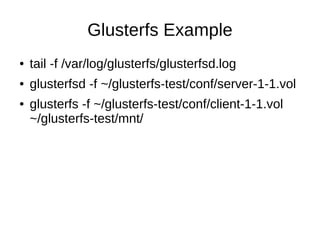
Glusterfs Example
●   tail -f /var/log/glusterfs/glusterfsd.log
●   glusterfsd -f ~/glusterfs-test/conf/server-1-1.vol
●   glusterfs -f ~/glusterfs-test/conf/client-1-1.vol
    ~/glusterfs-test/mnt/
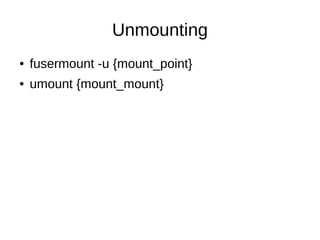
Unmounting
●   fusermount -u {mount_point}
●   umount {mount_mount}
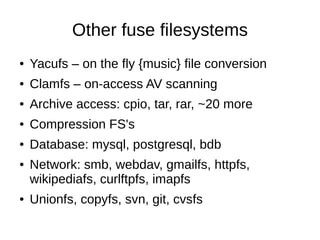
Other fuse filesystems
●   Yacufs – on the fly {music} file conversion
●   Clamfs – on-access AV scanning
●   Archive access: cpio, tar, rar, ~20 more
●   Compression FS's
●   Database: mysql, postgresql, bdb
●   Network: smb, webdav, gmailfs, httpfs,
    wikipediafs, curlftpfs, imapfs
●   Unionfs, copyfs, svn, git, cvsfs
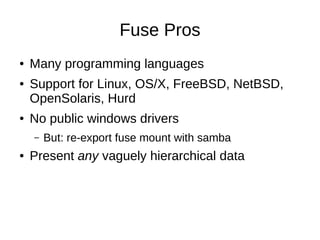
Fuse Pros
●   Many programming languages
●   Support for Linux, OS/X, FreeBSD, NetBSD,
    OpenSolaris, Hurd
●   No public windows drivers
    –   But: re-export fuse mount with samba
●   Present any vaguely hierarchical data
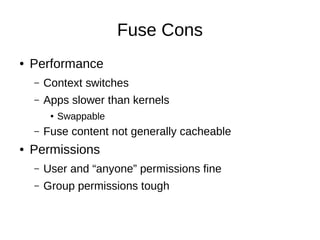
Fuse Cons
●   Performance
    –   Context switches
    –   Apps slower than kernels
         ●   Swappable
    –   Fuse content not generally cacheable
●   Permissions
    –   User and “anyone” permissions fine
    –   Group permissions tough
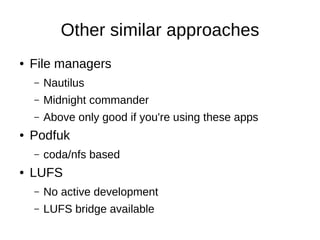
Other similar approaches
●   File managers
    –   Nautilus
    –   Midnight commander
    –   Above only good if you're using these apps
●   Podfuk
    –   coda/nfs based
●   LUFS
    –   No active development
    –   LUFS bridge available
More details
●   http://fuse.sourceforge.net
    –   Fuse diagram courtesy of this site
●   http://fuse.sf.org/sshfs.html
●   http://www.arg0.net/encfs
●   http://www.gluster.org
Questions?
●   wstearns@pobox.com

FUSE Filesystems

  • 1.
    FUSE Filesystems William Stearns wstearns@pobox.com http://www.stearns.org
  • 2.
    Overview ● Adding features to filesystems ● Fuse overview and examples – Setup – Sshfs, encfs, and gluster – Pros and cons ● Wrap up
  • 3.
    Existing filesystems ● Underlying block device – Translation: partition or full drive ● Format with filesystem ● Kernel mounts block device with filesystem
  • 4.
    Could we... ● Automatically encrypt/decrypt? ● Automatically compress/decompress? ● Present tars and zips as directory trees? ● Show an SQL table as a directory? ● Set up a hierarchical filesystem?
  • 5.
    Where do weput this code? ● Modify each application ● Modify existing libraries or new library ● New filesystem layer ● Existing filesystems
  • 6.
    Issues with corefilesystems ● C only – Limited libraries – Kernel mode, more complicated ● No access to network or other files ● Kernel: poor place for complex features
  • 7.
    Add features toindividual FS's? ● Different features in different fs's – Give ext3 transparent decompression – Give XFS ability to descend into tars – Give reiserfs4 encryption and decompression ● See the problem? – What if Intel nics could send TCP only and other nics UDP only?
  • 8.
    So what's theanswer? ● Applications don't have these restrictions ● Let an application present whatever it wants
  • 9.
    FUSE ● Filesystems in USErspace – Now a program (fuse application) is responsible for dirs and files – When file is needed, kernel asks fuse application for it ● Fuse application can access anything to get raw data – Including existing local or remote file trees – Network connections – Carrier Pigeon – /dev/random!
  • 11.
    Example: decompfs ● Existing file tree /archives/ – .tar.gzs, .zips, .bz2s ● Want to see uncompressed files – Without having to manually compress and decompress
  • 12.
    Decompfs ● Mount /uncomp/ as decompfs – Request for /uncomp/2008tax.xls – Handed to decompfs – Decompfs asks for /archives/2008tax.xls.bz2 – Decompresses – Hands file back to original requestor
  • 13.
    Fuse Setup ● yum install fuse fuse-libs ● usermod -a -G fuse {username} – Log out and log back in ● modprobe fuse ● Check group membership – groups
  • 14.
    SSHFS Overview ● See files on remote server ● All communication over ssh – Encrypted, authenticated – Access any other OS with an SSH server
  • 15.
    Sshfs Install ● yum install fuse-sshfs
  • 16.
    Sshfs Example ● mkdir -p ~/mnt/zaphod/ ● sshfs wstearns@zaphod:/home/wstearns/ ~/mnt/zaphod/ ● ls -al ~/mnt/zaphod/
  • 17.
    Encfs Overview ● Encrypted files live on disk – Good if laptop stolen or lost ● Encfs presents them as unencrypted ● File by file encryption – No need to create a new block device and preallocate space
  • 18.
    Encfs Install ● yum install fuse-encfs – Depends on the “rlog” package
  • 19.
    Encfs Example ● mkdir ~/.encfs-private/ ~/encfs-root/ ● encfs ~/.encfs-private/ ~/encfs-root/ – Walks you through setup, next slide ● /etc/fstab: – encfs /home/wstearns/encfs-root fuse defaults,user,nodev,nosuid,noauto 0 0
  • 20.
    Encfs setup options ● Blowfish for 32 bit cpus ● 256 bit for maximum strength ● Default 512 byte block size ● Block filename encoding ● No filename IV chaining – Files can be moved to a different dir without re- encoding filename ● Yes, Per-file IV ● No block auth code headers ● Password....
  • 21.
    Glusterfs Overview ● Network filesystem – TCP/IP, Infiniband ● Parallel storage – Replicate files on multiple remote servers – Keep one server local too! ● Backend storage is in native format
  • 22.
    Glusterfs Install ● We'll do client and server on one machine ● yum install glusterfs-client glusterfs-server glusterfs-libs ● mkdir -p ~/glusterfs-test/conf ~/glusterfs- test/mnt ~/glusterfs-test/brick-1-1
  • 23.
    server-1-1.vol – volume brick – type storage/posix – option directory /home/wstearns/glusterfs-test/brick-1-1 – end-volume – – volume server – type protocol/server – subvolumes brick – option transport-type tcp/server – option client-volume-filename /home/wstearns/glusterfs- test/conf/client-1-1.vol – option auth.ip.brick.allow 127.0.0.1 #* – End-volume
  • 24.
    client-1-1.vol – volume client – type protocol/client – option transport-type tcp/client – option remote-host 127.0.0.1 – option remote-subvolume brick – end-volume
  • 25.
    Glusterfs Example ● tail -f /var/log/glusterfs/glusterfsd.log ● glusterfsd -f ~/glusterfs-test/conf/server-1-1.vol ● glusterfs -f ~/glusterfs-test/conf/client-1-1.vol ~/glusterfs-test/mnt/
  • 26.
    Unmounting ● fusermount -u {mount_point} ● umount {mount_mount}
  • 27.
    Other fuse filesystems ● Yacufs – on the fly {music} file conversion ● Clamfs – on-access AV scanning ● Archive access: cpio, tar, rar, ~20 more ● Compression FS's ● Database: mysql, postgresql, bdb ● Network: smb, webdav, gmailfs, httpfs, wikipediafs, curlftpfs, imapfs ● Unionfs, copyfs, svn, git, cvsfs
  • 28.
    Fuse Pros ● Many programming languages ● Support for Linux, OS/X, FreeBSD, NetBSD, OpenSolaris, Hurd ● No public windows drivers – But: re-export fuse mount with samba ● Present any vaguely hierarchical data
  • 29.
    Fuse Cons ● Performance – Context switches – Apps slower than kernels ● Swappable – Fuse content not generally cacheable ● Permissions – User and “anyone” permissions fine – Group permissions tough
  • 30.
    Other similar approaches ● File managers – Nautilus – Midnight commander – Above only good if you're using these apps ● Podfuk – coda/nfs based ● LUFS – No active development – LUFS bridge available
  • 31.
    More details ● http://fuse.sourceforge.net – Fuse diagram courtesy of this site ● http://fuse.sf.org/sshfs.html ● http://www.arg0.net/encfs ● http://www.gluster.org
  • 32.
    Questions? ● wstearns@pobox.com