Control your service resources
with systemd
Marian Marinov <mm@yuhu.biz>
BurgasConf 2021
What problem do cGroups solve?
➢ Setting limits which were not available in the
process. Things like cpu, blkio, network.
➢ Properly limiting different resources for groups
of processes
History of cGroups
➢ cGroups have been around since 2006
➢ Initial management was done by shell scripts
➢ CGManager was born 2014 to solve this
problem
➢ systemd came out in 2010
The management problem
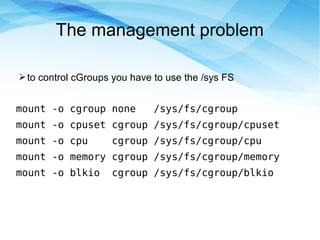
➢to control cGroups you have to use the /sys FS
mount -o cgroup none /sys/fs/cgroup
mount -o cpuset cgroup /sys/fs/cgroup/cpuset
mount -o cpu cgroup /sys/fs/cgroup/cpu
mount -o memory cgroup /sys/fs/cgroup/memory
mount -o blkio cgroup /sys/fs/cgroup/blkio
The management problem
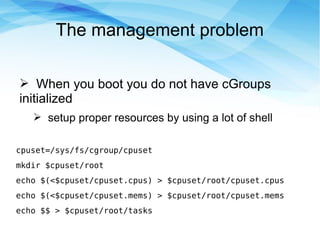
➢ When you boot you do not have cGroups
initialized
➢ setup proper resources by using a lot of shell
cpuset=/sys/fs/cgroup/cpuset
mkdir $cpuset/root
echo $(<$cpuset/cpuset.cpus) > $cpuset/root/cpuset.cpus
echo $(<$cpuset/cpuset.mems) > $cpuset/root/cpuset.mems
echo $$ > $cpuset/root/tasks
The management problem
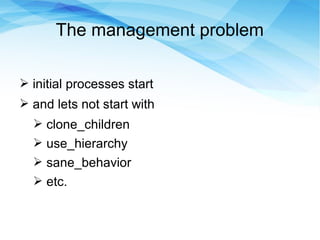
➢ initial processes start
➢ and lets not start with
➢ clone_children
➢ use_hierarchy
➢ sane_behavior
➢ etc.
CGManager
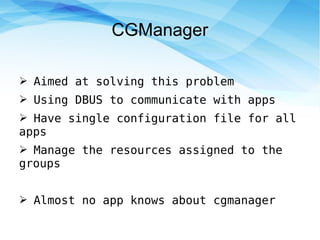
➢ Aimed at solving this problem
➢ Using DBUS to communicate with apps
➢ Have single configuration file for all
apps
➢ Manage the resources assigned to the
groups
➢ Almost no app knows about cgmanager
systemd
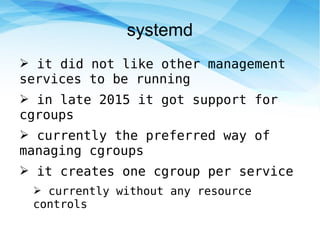
➢ it did not like other management
services to be running
➢ in late 2015 it got support for
cgroups
➢ currently the preferred way of
managing cgroups
➢ it creates one cgroup per service
➢ currently without any resource
controls
systemd concepts
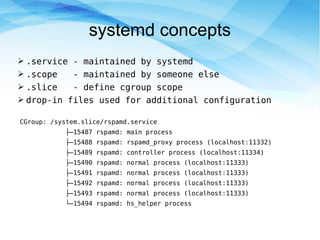
➢ .service - maintained by systemd
➢ .scope - maintained by someone else
➢ .slice - define cgroup scope
➢ drop-in files used for additional configuration
CGroup: /system.slice/rspamd.service
├─15487 rspamd: main process
├─15488 rspamd: rspamd_proxy process (localhost:11332)
├─15489 rspamd: controller process (localhost:11334)
├─15490 rspamd: normal process (localhost:11333)
├─15491 rspamd: normal process (localhost:11333)
├─15492 rspamd: normal process (localhost:11333)
├─15493 rspamd: normal process (localhost:11333)
└─15494 rspamd: hs_helper process
Configuring systemd services
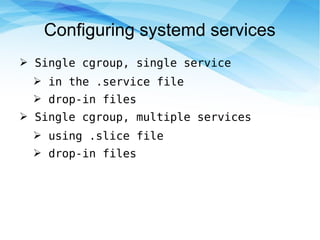
➢ Single cgroup, single service
➢ in the .service file
➢ drop-in files
➢ Single cgroup, multiple services
➢ using .slice file
➢ drop-in files
Configuring systemd services
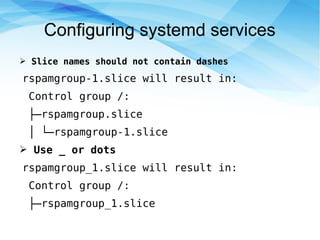
➢ Slice names should not contain dashes
rspamgroup-1.slice will result in:
Control group /:
├─rspamgroup.slice
│ └─rspamgroup-1.slice
➢ Use _ or dots
rspamgroup_1.slice will result in:
Control group /:
├─rspamgroup_1.slice
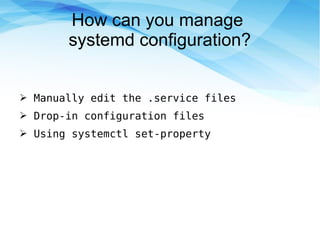
How can you manage
systemd configuration?
➢ Manually edit the .service files
➢ Drop-in configuration files
➢ Using systemctl set-property
Manually editing the .service files
➢ Get the service file location:
root@mailme:~# systemctl status rspamd
● rspamd.service - rapid spam filtering system
Loaded: loaded (/lib/systemd/system/rspamd.service;
enabled; vendor preset: enabled)
➢ Setting the memory limit:
[Service]
MemoryMax=2G
➢ Apply changes:
systemctl daemon-reload
systemctl restart rspamd
Manually editing the .service files
➢ Get the service file location:
root@mailme:~# systemctl status rspamd
● rspamd.service - rapid spam filtering system
Loaded: loaded (/lib/systemd/system/rspamd.service;
enabled; vendor preset: enabled)
➢ Setting the memory limit:
[Service]
MemoryMax=2G
➢ Apply changes:
systemctl daemon-reload
systemctl restart rspamd
For full list of the options refer to:
man systemd.resource-control
Drop-in configuration files
➢ If your service is called: rspamd.service
➢ Create directory to hold specific configs:
mkdir /etc/systemd/system/rspamd.service.d
➢ Then in that directory, create the specific configuration
files, like: memory.conf
[Service]
MemoryAccounting=1
MemoryHigh=1800M
MemoryMax=2100M
MemorySwapMax=2100M
➢ Apply changes:
systemctl daemon-reload
systemctl restart rspamd
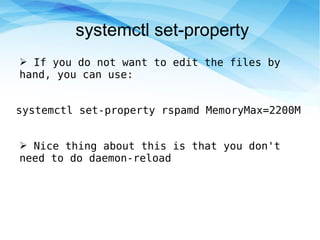
systemctl set-property
➢ If you do not want to edit the files by
hand, you can use:
systemctl set-property rspamd MemoryMax=2200M
➢ Nice thing about this is that you don't
need to do daemon-reload
slice file
➢ In /etc/systemd/system/new.slice
[Slice]
MemoryAccounting=1
MemoryHigh=1800M
MemoryMax=2100M
MemorySwapMax=2100M
CPUQuota=12%
CPUQuotaPeriodSec=2s
➢ This way you have all of your limits in one file
slice file
➢ In /etc/systemd/system/rspamd.service
[Service]
Slice=new.slice
➢ This way you will reference the slice that
you have previously created
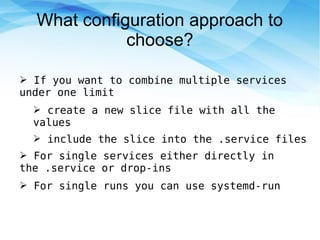
What configuration approach to
choose?
➢ If you want to combine multiple services
under one limit
➢ create a new slice file with all the
values
➢ include the slice into the .service files
➢ For single services either directly in
the .service or drop-ins
➢ For single runs you can use systemd-run
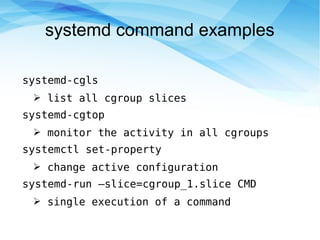
systemd command examples
systemd-cgls
➢ list all cgroup slices
systemd-cgtop
➢ monitor the activity in all cgroups
systemctl set-property
➢ change active configuration
systemd-run –slice=cgroup_1.slice CMD
➢ single execution of a command
Thank you!
BurgasConf 2021 Marian Marinov <mm@yuhu.biz>

Control your service resources with systemd

  • 1.
    Control your serviceresources with systemd Marian Marinov <mm@yuhu.biz> BurgasConf 2021
  • 2.
    What problem docGroups solve? ➢ Setting limits which were not available in the process. Things like cpu, blkio, network. ➢ Properly limiting different resources for groups of processes
  • 3.
    History of cGroups ➢cGroups have been around since 2006 ➢ Initial management was done by shell scripts ➢ CGManager was born 2014 to solve this problem ➢ systemd came out in 2010
  • 4.
    The management problem ➢tocontrol cGroups you have to use the /sys FS mount -o cgroup none /sys/fs/cgroup mount -o cpuset cgroup /sys/fs/cgroup/cpuset mount -o cpu cgroup /sys/fs/cgroup/cpu mount -o memory cgroup /sys/fs/cgroup/memory mount -o blkio cgroup /sys/fs/cgroup/blkio
  • 5.
    The management problem ➢When you boot you do not have cGroups initialized ➢ setup proper resources by using a lot of shell cpuset=/sys/fs/cgroup/cpuset mkdir $cpuset/root echo $(<$cpuset/cpuset.cpus) > $cpuset/root/cpuset.cpus echo $(<$cpuset/cpuset.mems) > $cpuset/root/cpuset.mems echo $$ > $cpuset/root/tasks
  • 6.
    The management problem ➢initial processes start ➢ and lets not start with ➢ clone_children ➢ use_hierarchy ➢ sane_behavior ➢ etc.
  • 7.
    CGManager ➢ Aimed atsolving this problem ➢ Using DBUS to communicate with apps ➢ Have single configuration file for all apps ➢ Manage the resources assigned to the groups ➢ Almost no app knows about cgmanager
  • 8.
    systemd ➢ it didnot like other management services to be running ➢ in late 2015 it got support for cgroups ➢ currently the preferred way of managing cgroups ➢ it creates one cgroup per service ➢ currently without any resource controls
  • 9.
    systemd concepts ➢ .service- maintained by systemd ➢ .scope - maintained by someone else ➢ .slice - define cgroup scope ➢ drop-in files used for additional configuration CGroup: /system.slice/rspamd.service ├─15487 rspamd: main process ├─15488 rspamd: rspamd_proxy process (localhost:11332) ├─15489 rspamd: controller process (localhost:11334) ├─15490 rspamd: normal process (localhost:11333) ├─15491 rspamd: normal process (localhost:11333) ├─15492 rspamd: normal process (localhost:11333) ├─15493 rspamd: normal process (localhost:11333) └─15494 rspamd: hs_helper process
  • 10.
    Configuring systemd services ➢Single cgroup, single service ➢ in the .service file ➢ drop-in files ➢ Single cgroup, multiple services ➢ using .slice file ➢ drop-in files
  • 11.
    Configuring systemd services ➢Slice names should not contain dashes rspamgroup-1.slice will result in: Control group /: ├─rspamgroup.slice │ └─rspamgroup-1.slice ➢ Use _ or dots rspamgroup_1.slice will result in: Control group /: ├─rspamgroup_1.slice
  • 12.
    How can youmanage systemd configuration? ➢ Manually edit the .service files ➢ Drop-in configuration files ➢ Using systemctl set-property
  • 13.
    Manually editing the.service files ➢ Get the service file location: root@mailme:~# systemctl status rspamd ● rspamd.service - rapid spam filtering system Loaded: loaded (/lib/systemd/system/rspamd.service; enabled; vendor preset: enabled) ➢ Setting the memory limit: [Service] MemoryMax=2G ➢ Apply changes: systemctl daemon-reload systemctl restart rspamd
  • 14.
    Manually editing the.service files ➢ Get the service file location: root@mailme:~# systemctl status rspamd ● rspamd.service - rapid spam filtering system Loaded: loaded (/lib/systemd/system/rspamd.service; enabled; vendor preset: enabled) ➢ Setting the memory limit: [Service] MemoryMax=2G ➢ Apply changes: systemctl daemon-reload systemctl restart rspamd For full list of the options refer to: man systemd.resource-control
  • 15.
    Drop-in configuration files ➢If your service is called: rspamd.service ➢ Create directory to hold specific configs: mkdir /etc/systemd/system/rspamd.service.d ➢ Then in that directory, create the specific configuration files, like: memory.conf [Service] MemoryAccounting=1 MemoryHigh=1800M MemoryMax=2100M MemorySwapMax=2100M ➢ Apply changes: systemctl daemon-reload systemctl restart rspamd
  • 16.
    systemctl set-property ➢ Ifyou do not want to edit the files by hand, you can use: systemctl set-property rspamd MemoryMax=2200M ➢ Nice thing about this is that you don't need to do daemon-reload
  • 17.
    slice file ➢ In/etc/systemd/system/new.slice [Slice] MemoryAccounting=1 MemoryHigh=1800M MemoryMax=2100M MemorySwapMax=2100M CPUQuota=12% CPUQuotaPeriodSec=2s ➢ This way you have all of your limits in one file
  • 18.
    slice file ➢ In/etc/systemd/system/rspamd.service [Service] Slice=new.slice ➢ This way you will reference the slice that you have previously created
  • 19.
    What configuration approachto choose? ➢ If you want to combine multiple services under one limit ➢ create a new slice file with all the values ➢ include the slice into the .service files ➢ For single services either directly in the .service or drop-ins ➢ For single runs you can use systemd-run
  • 20.
    systemd command examples systemd-cgls ➢list all cgroup slices systemd-cgtop ➢ monitor the activity in all cgroups systemctl set-property ➢ change active configuration systemd-run –slice=cgroup_1.slice CMD ➢ single execution of a command
  • 21.
    Thank you! BurgasConf 2021Marian Marinov <mm@yuhu.biz>