Sem título
Manage your virtual machines
From the shell
You can manage your VMs from the shell using virsh. You can get a list of the
available commands if you type "help". Type "help command" to get additional
infos for a particular command.
Define your new VM
Before you can manage your new VM with virsh, you must define it:
$ virsh --connect qemu:///system
Connecting to uri: qemu:///system
Welcome to virsh, the virtualization interactive terminal.
Type: 'help' for help with commands
'quit' to quit
virsh # define /etc/libvirt/qemu/newvm.xml
Domain newvm defined from /etc/libvirt/qemu/newvm.xml
Note that to list newvm, you must use 'list --inactive' or 'list --all', since
list without any options will only list currently running machines.
List your VMs
Virsh allows you to list the virtual machines available on the current host:
yhamon@paris:/etc/libvirt/qemu$ virsh --connect qemu:///system
Connecting to uri: qemu:///system
Welcome to virsh, the virtualization interactive terminal.
Type: 'help' for help with commands
'quit' to quit
virsh # help list
NAME
list - list domains
SYNOPSIS
list [--inactive | --all]
DESCRIPTION
Returns list of domains.
OPTIONS
--inactive list inactive domains
--all list inactive & active domains
virsh # list
Id Name State
----------------------------------
15 mirror running
16 vm2 running
virsh # list --all
Id Name State
----------------------------------
15 mirror running
16 vm2 running
- test5 shut off
Define, undefine, start, shutdown, destroy VMs
The VMs you see with list --all are VMs that have been "defined" from an XML
file. Every VM is configured via a XML file in /etc/libvirt/qemu. If you want to
Página 1
Sem título
remove a VM from the list of VMs, you need to undefine it:
virsh # undefine test5 # WARNING: undefine will delete your XML file!
Domain test5 has been undefined
virsh # list --all
Id Name State
----------------------------------
15 mirror running
16 vm2 running
To be able to undefine a virtual machine, it needs to be shutdown first:
virsh # shutdown mirror
Domain mirror is being shutdown
This command asks for a nice shutdown (like running shutdown in command line).
Notice: Ubuntu 10.04 server doesn't have acpid installed by default. This
package needs to be installed on the guest OS before it will listen to any
requests from the host.
You can also use "destroy", the more brutal way of shutting down a VM,
equivalent of taking the power cable off:
virsh # destroy mirror
Domain mirror destroyed
If you have made a change to the XML configuration file, you need to tell KVM to
reload it before restarting the VM:
virsh # define /etc/libvirt/qemu/mirror.xml
Domain mirror defined from /etc/libvirt/qemu/mirror.xml
Then, to restart the VM:
virsh # start mirror
Domain mirror started
Suspend and resume a Virtual Machine
Virsh allows you to easily suspend and resume a virtual machine.
virsh # suspend mirror
Domain mirror suspended
virsh # resume mirror
Domain mirror resumed
Editing the attributes of a Virtual Machine
libvirt stores it's configuration as xml in '/etc/libvirt/qemu'. The xml is easy
to understand, and is similar to VMware *.vmx files. While it is possible to
edit these files in place and restart libvirt-bin for the changes to take
affect, the recommended method for modifying the attributes of a virtual machine
is via virsh (or virt-manager, if it supports changing the hardware you want to
change). The concept is simple:
export (aka 'dump') the xml of the virtual machine you want to edit
edit the xml
import (aka 'define') the xml
For example, to edit the machine named 'foo' (you can get a list of your
machines with 'virsh list --all'), do:
$ virsh dumpxml foo > /tmp/foo.xml
(edit /tmp/foo.xml as needed)
$ virsh define /tmp/foo.xml
Página 2
Sem título
Adding CPUs
KVM allows you to create SMP guests. To allocate two CPUs to a VM, dump the xml
as above, then edit your xml to have:
<domain type='kvm'>
...
<vcpu>2</vcpu>
...
</domain>
Now define the VM as above.
Adding Memory
To change the memory allocation in a VM, dump the xml as above, then edit your
xml to have:
<domain type='kvm'>
...
<memory>262144</memory>
<currentMemory>262144</currentMemory>
...
</domain>
Now define the VM as above. Keep in mind that the memory allocation is in
kilobytes, so to allocate 512MB of memory, use 512 * 1024, or 524288.
Changing the Network Card Model
kvm and qemu currently default to using the rtl8139 NIC. Supported NICs in
Ubuntu 8.04 LTS are i82551, i82557b, i82559er, ne2k_pci, pcnet, rtl8139, e1000,
and virtio. To use an alternate NIC, dump the xml as above, then edit your xml
to have:
<domain type='kvm'>
...
<interface type='network'>
...
<model type='e1000'/>
</interface>
...
</domain>
Now define the VM as above.
Adding USB Device Pass-through
Limitations
USB protocol 1.1 only
Device must be plugged in before KVM starts
Apparmor modifications needed
Apparmor Modification
In order for a software program to access the usb device correctly the apparmor
must be changed. Edit /etc/apparmor.d/abstractions/libvirt-qemu and uncomment
some lines.:
# WARNING: uncommenting these gives the guest direct access to host hardware.
# This is required for USB pass through but is a security risk. You have been
# warned.
/sys/bus/usb/devices/ r,
/sys/devices/*/*/usb[0-9]*/** r,
/dev/bus/usb/*/[0-9]* rw,
Página 3
Sem título
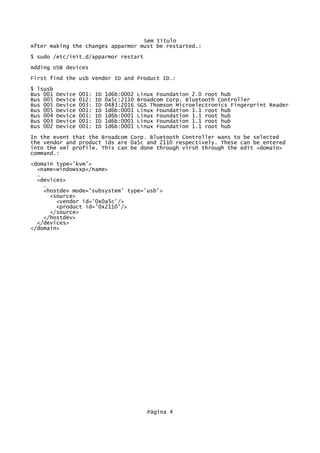
After making the changes apparmor must be restarted.:
$ sudo /etc/init.d/apparmor restart
Adding USB devices
First find the usb Vendor ID and Product ID.:
$ lsusb
Bus 001 Device 001: ID 1d6b:0002 Linux Foundation 2.0 root hub
Bus 005 Device 012: ID 0a5c:2110 Broadcom Corp. Bluetooth Controller
Bus 005 Device 003: ID 0483:2016 SGS Thomson Microelectronics Fingerprint Reader
Bus 005 Device 001: ID 1d6b:0001 Linux Foundation 1.1 root hub
Bus 004 Device 001: ID 1d6b:0001 Linux Foundation 1.1 root hub
Bus 003 Device 001: ID 1d6b:0001 Linux Foundation 1.1 root hub
Bus 002 Device 001: ID 1d6b:0001 Linux Foundation 1.1 root hub
In the event that the Broadcom Corp. Bluetooth Controller wans to be selected
the vendor and product ids are 0a5c and 2110 respectively. These can be entered
into the xml profile. This can be done through virsh through the edit <domain>
command.:
<domain type='kvm'>
<name>windowsxp</name>
…
<devices>
…
<hostdev mode='subsystem' type='usb'>
<source>
<vendor id='0x0a5c'/>
<product id='0x2110'/>
</source>
</hostdev>
</devices>
</domain>
Página 4

Alterar memória kvm virtual machine

  • 1.
    Sem título Manage yourvirtual machines From the shell You can manage your VMs from the shell using virsh. You can get a list of the available commands if you type "help". Type "help command" to get additional infos for a particular command. Define your new VM Before you can manage your new VM with virsh, you must define it: $ virsh --connect qemu:///system Connecting to uri: qemu:///system Welcome to virsh, the virtualization interactive terminal. Type: 'help' for help with commands 'quit' to quit virsh # define /etc/libvirt/qemu/newvm.xml Domain newvm defined from /etc/libvirt/qemu/newvm.xml Note that to list newvm, you must use 'list --inactive' or 'list --all', since list without any options will only list currently running machines. List your VMs Virsh allows you to list the virtual machines available on the current host: yhamon@paris:/etc/libvirt/qemu$ virsh --connect qemu:///system Connecting to uri: qemu:///system Welcome to virsh, the virtualization interactive terminal. Type: 'help' for help with commands 'quit' to quit virsh # help list NAME list - list domains SYNOPSIS list [--inactive | --all] DESCRIPTION Returns list of domains. OPTIONS --inactive list inactive domains --all list inactive & active domains virsh # list Id Name State ---------------------------------- 15 mirror running 16 vm2 running virsh # list --all Id Name State ---------------------------------- 15 mirror running 16 vm2 running - test5 shut off Define, undefine, start, shutdown, destroy VMs The VMs you see with list --all are VMs that have been "defined" from an XML file. Every VM is configured via a XML file in /etc/libvirt/qemu. If you want to Página 1
  • 2.
    Sem título remove aVM from the list of VMs, you need to undefine it: virsh # undefine test5 # WARNING: undefine will delete your XML file! Domain test5 has been undefined virsh # list --all Id Name State ---------------------------------- 15 mirror running 16 vm2 running To be able to undefine a virtual machine, it needs to be shutdown first: virsh # shutdown mirror Domain mirror is being shutdown This command asks for a nice shutdown (like running shutdown in command line). Notice: Ubuntu 10.04 server doesn't have acpid installed by default. This package needs to be installed on the guest OS before it will listen to any requests from the host. You can also use "destroy", the more brutal way of shutting down a VM, equivalent of taking the power cable off: virsh # destroy mirror Domain mirror destroyed If you have made a change to the XML configuration file, you need to tell KVM to reload it before restarting the VM: virsh # define /etc/libvirt/qemu/mirror.xml Domain mirror defined from /etc/libvirt/qemu/mirror.xml Then, to restart the VM: virsh # start mirror Domain mirror started Suspend and resume a Virtual Machine Virsh allows you to easily suspend and resume a virtual machine. virsh # suspend mirror Domain mirror suspended virsh # resume mirror Domain mirror resumed Editing the attributes of a Virtual Machine libvirt stores it's configuration as xml in '/etc/libvirt/qemu'. The xml is easy to understand, and is similar to VMware *.vmx files. While it is possible to edit these files in place and restart libvirt-bin for the changes to take affect, the recommended method for modifying the attributes of a virtual machine is via virsh (or virt-manager, if it supports changing the hardware you want to change). The concept is simple: export (aka 'dump') the xml of the virtual machine you want to edit edit the xml import (aka 'define') the xml For example, to edit the machine named 'foo' (you can get a list of your machines with 'virsh list --all'), do: $ virsh dumpxml foo > /tmp/foo.xml (edit /tmp/foo.xml as needed) $ virsh define /tmp/foo.xml Página 2
  • 3.
    Sem título Adding CPUs KVMallows you to create SMP guests. To allocate two CPUs to a VM, dump the xml as above, then edit your xml to have: <domain type='kvm'> ... <vcpu>2</vcpu> ... </domain> Now define the VM as above. Adding Memory To change the memory allocation in a VM, dump the xml as above, then edit your xml to have: <domain type='kvm'> ... <memory>262144</memory> <currentMemory>262144</currentMemory> ... </domain> Now define the VM as above. Keep in mind that the memory allocation is in kilobytes, so to allocate 512MB of memory, use 512 * 1024, or 524288. Changing the Network Card Model kvm and qemu currently default to using the rtl8139 NIC. Supported NICs in Ubuntu 8.04 LTS are i82551, i82557b, i82559er, ne2k_pci, pcnet, rtl8139, e1000, and virtio. To use an alternate NIC, dump the xml as above, then edit your xml to have: <domain type='kvm'> ... <interface type='network'> ... <model type='e1000'/> </interface> ... </domain> Now define the VM as above. Adding USB Device Pass-through Limitations USB protocol 1.1 only Device must be plugged in before KVM starts Apparmor modifications needed Apparmor Modification In order for a software program to access the usb device correctly the apparmor must be changed. Edit /etc/apparmor.d/abstractions/libvirt-qemu and uncomment some lines.: # WARNING: uncommenting these gives the guest direct access to host hardware. # This is required for USB pass through but is a security risk. You have been # warned. /sys/bus/usb/devices/ r, /sys/devices/*/*/usb[0-9]*/** r, /dev/bus/usb/*/[0-9]* rw, Página 3
  • 4.
    Sem título After makingthe changes apparmor must be restarted.: $ sudo /etc/init.d/apparmor restart Adding USB devices First find the usb Vendor ID and Product ID.: $ lsusb Bus 001 Device 001: ID 1d6b:0002 Linux Foundation 2.0 root hub Bus 005 Device 012: ID 0a5c:2110 Broadcom Corp. Bluetooth Controller Bus 005 Device 003: ID 0483:2016 SGS Thomson Microelectronics Fingerprint Reader Bus 005 Device 001: ID 1d6b:0001 Linux Foundation 1.1 root hub Bus 004 Device 001: ID 1d6b:0001 Linux Foundation 1.1 root hub Bus 003 Device 001: ID 1d6b:0001 Linux Foundation 1.1 root hub Bus 002 Device 001: ID 1d6b:0001 Linux Foundation 1.1 root hub In the event that the Broadcom Corp. Bluetooth Controller wans to be selected the vendor and product ids are 0a5c and 2110 respectively. These can be entered into the xml profile. This can be done through virsh through the edit <domain> command.: <domain type='kvm'> <name>windowsxp</name> … <devices> … <hostdev mode='subsystem' type='usb'> <source> <vendor id='0x0a5c'/> <product id='0x2110'/> </source> </hostdev> </devices> </domain> Página 4