Computer Architecture
Topic: Memory Management

SATHISH.V
VELAMMAL INSTITUTE OF TECHNOLOGY
ECE 2010-2014

CSCI 4717 – Computer Architecture

Memory Management – Page 1 of 49
Memory Management
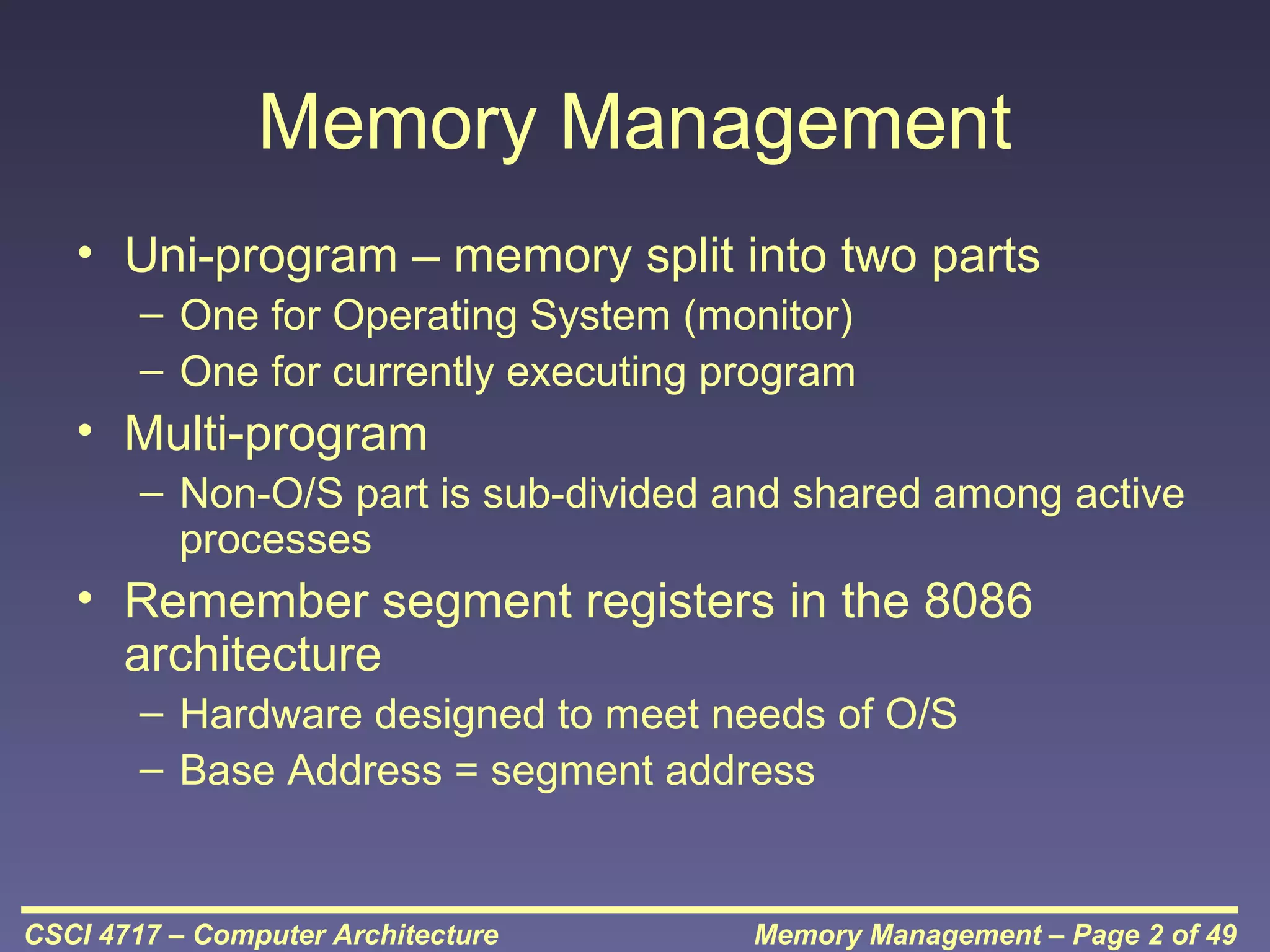
• Uni-program – memory split into two parts
– One for Operating System (monitor)
– One for currently executing program

• Multi-program
– Non-O/S part is sub-divided and shared among active
processes

• Remember segment registers in the 8086
architecture
– Hardware designed to meet needs of O/S
– Base Address = segment address

CSCI 4717 – Computer Architecture

Memory Management – Page 2 of 49
Swapping
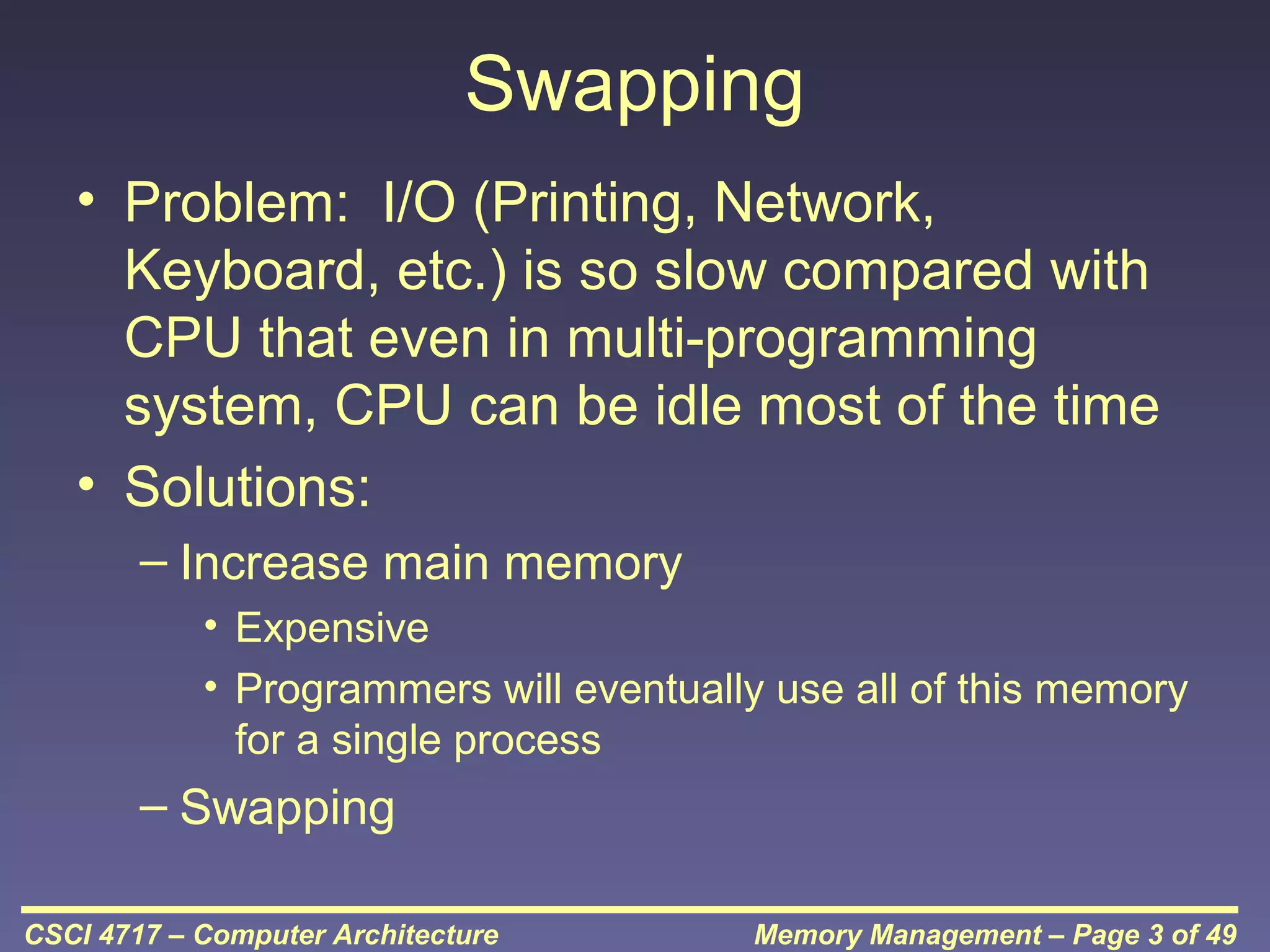
• Problem: I/O (Printing, Network,
Keyboard, etc.) is so slow compared with
CPU that even in multi-programming
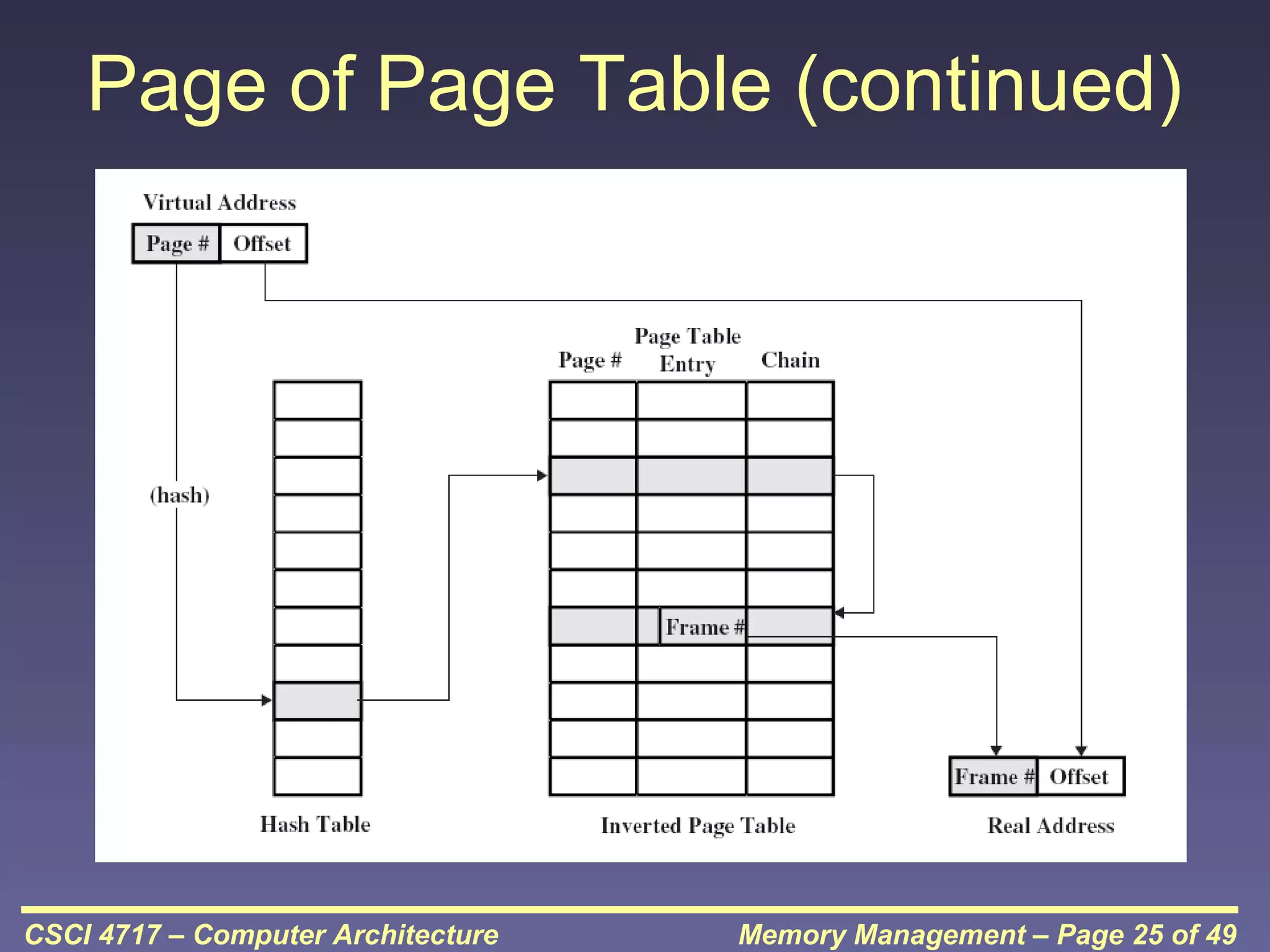
system, CPU can be idle most of the time
• Solutions:
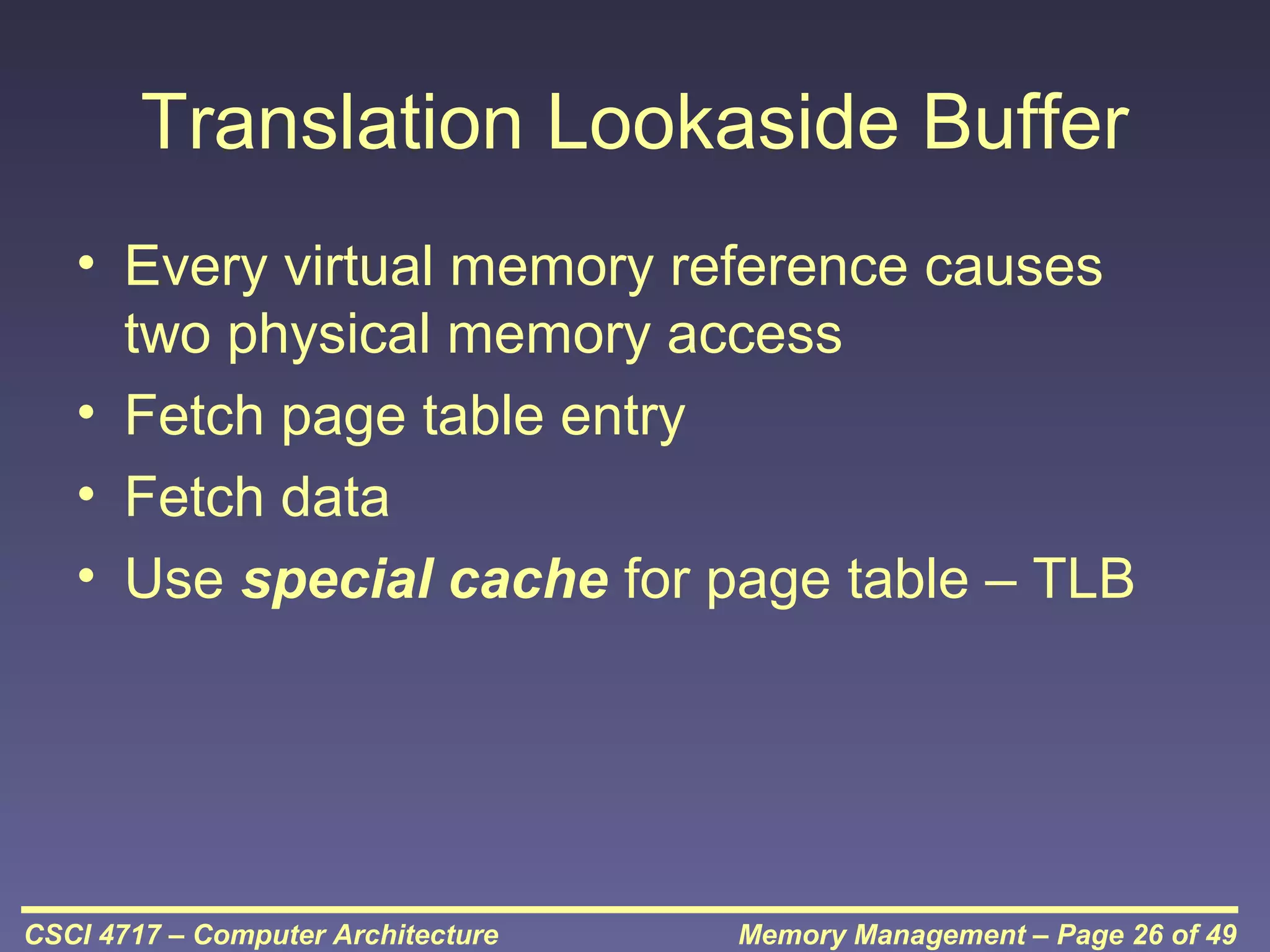
– Increase main memory
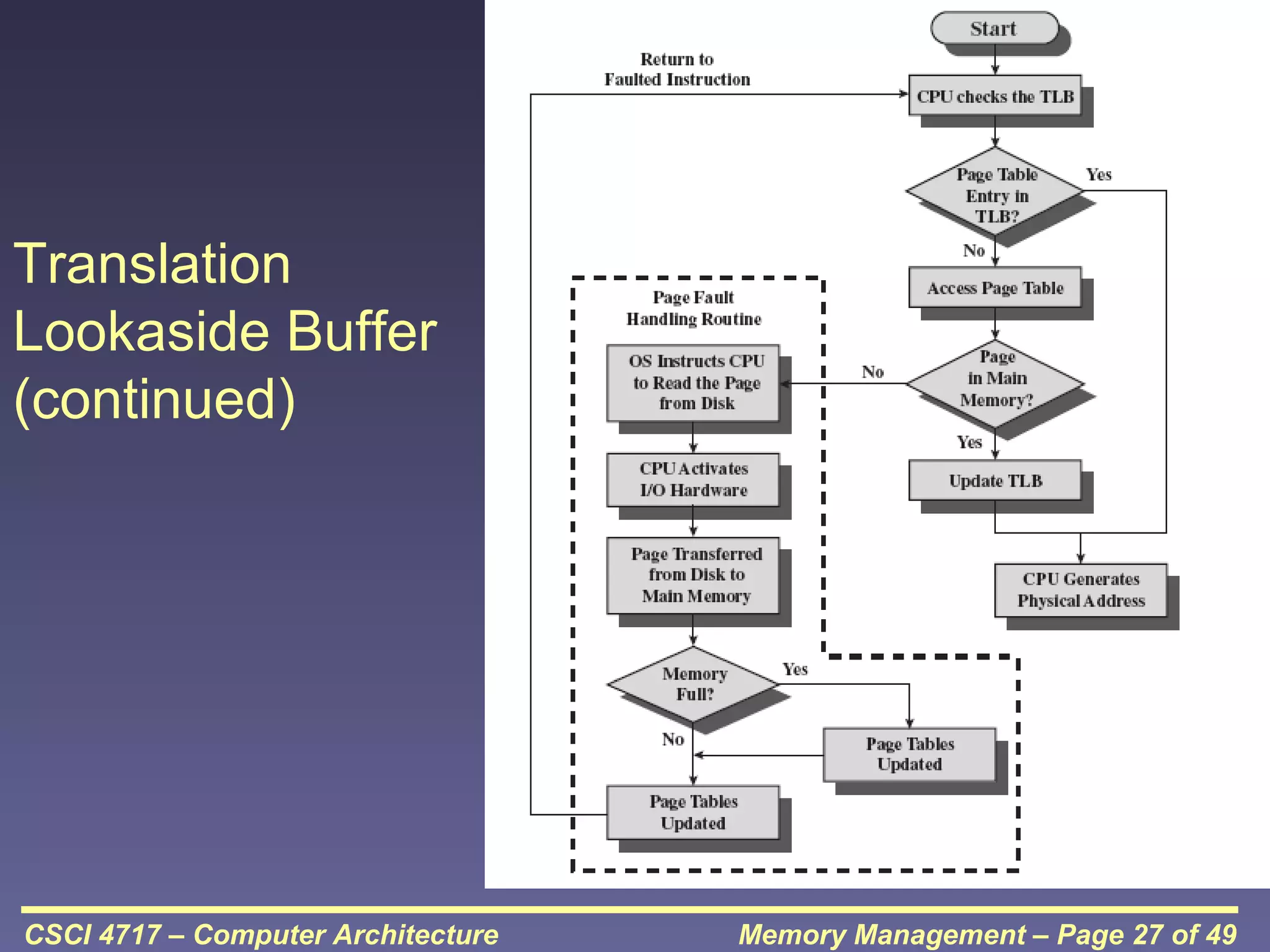
• Expensive
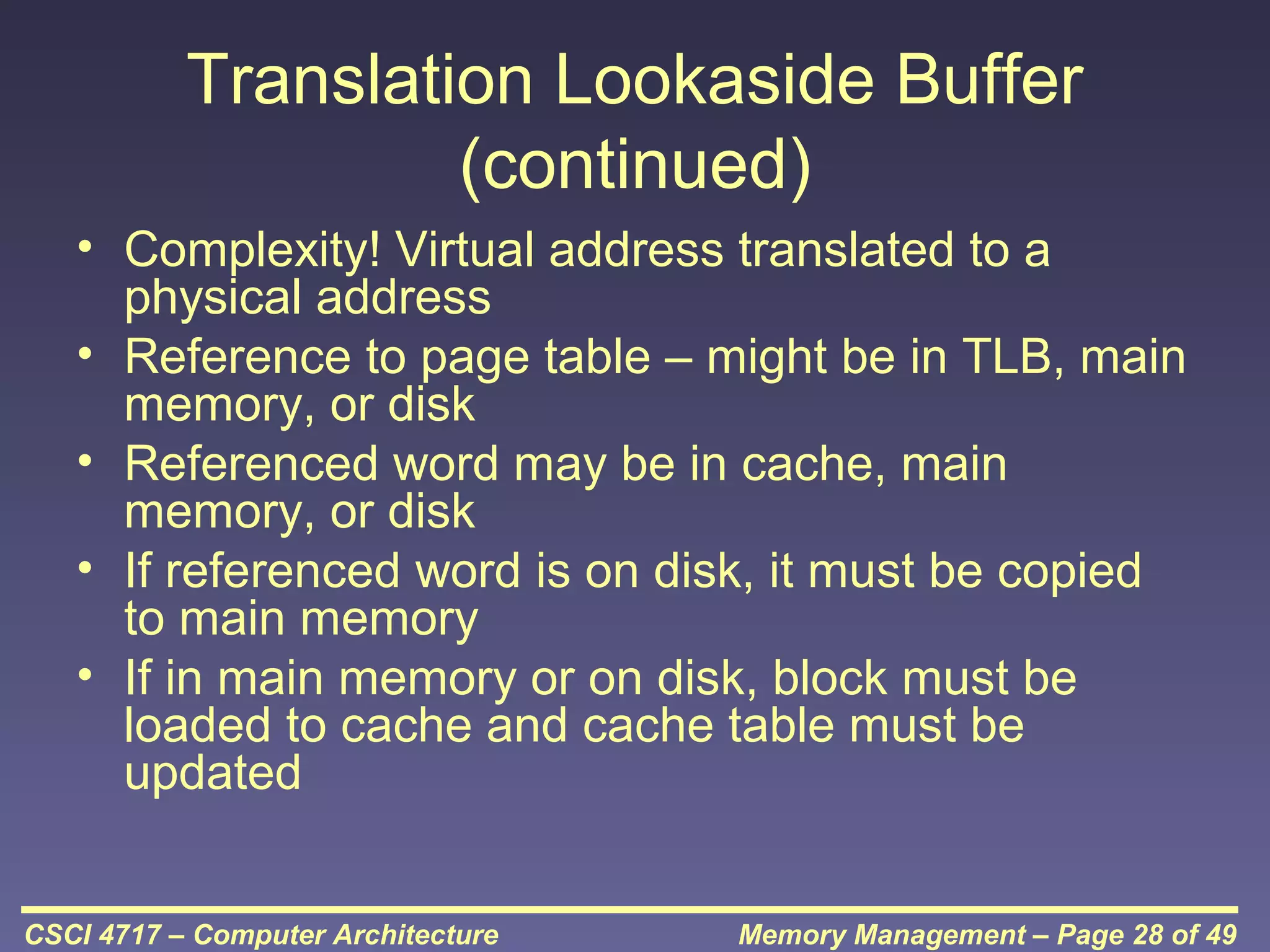
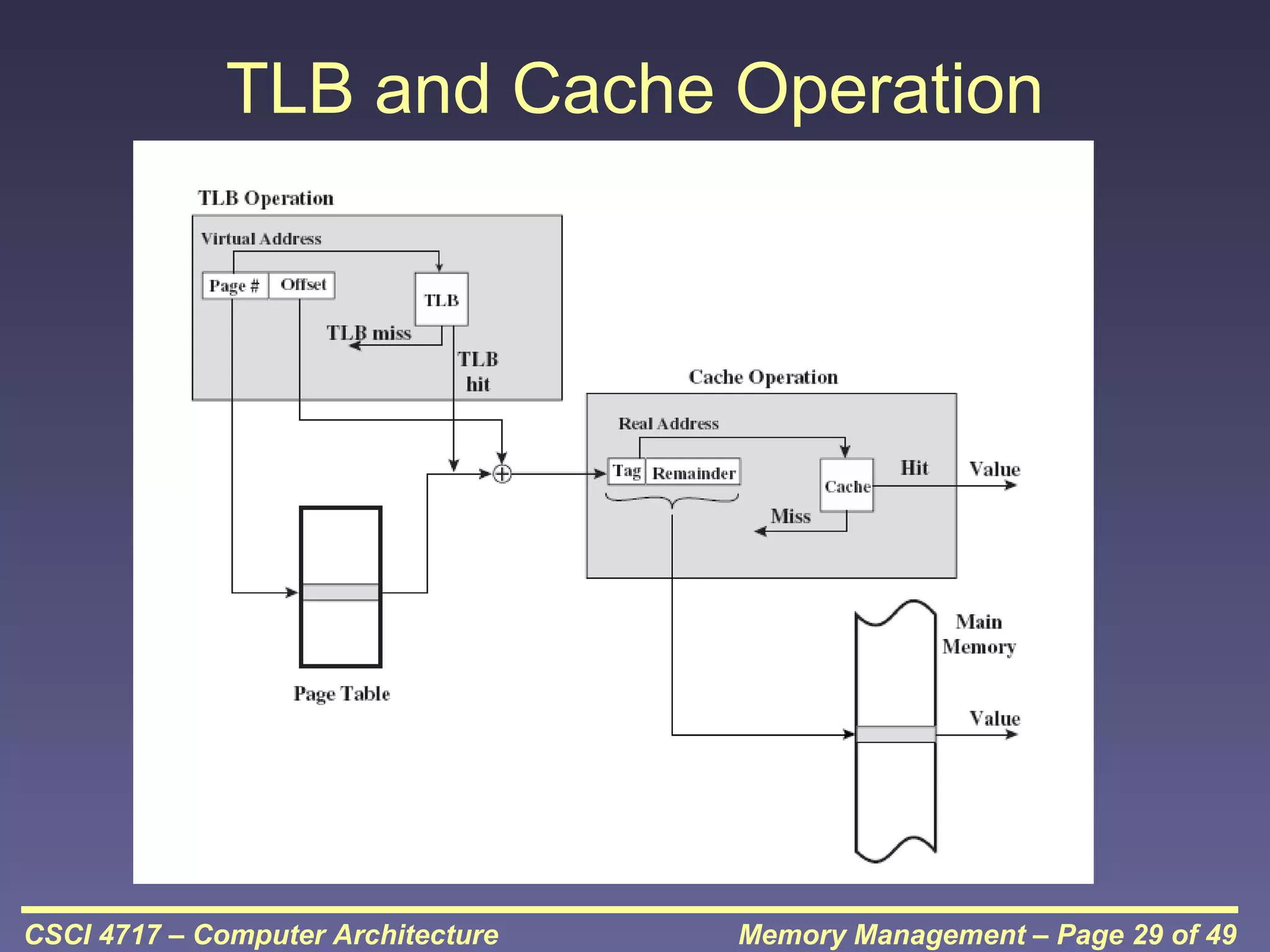
• Programmers will eventually use all of this memory
for a single process

– Swapping
CSCI 4717 – Computer Architecture

Memory Management – Page 3 of 49
What is Swapping?
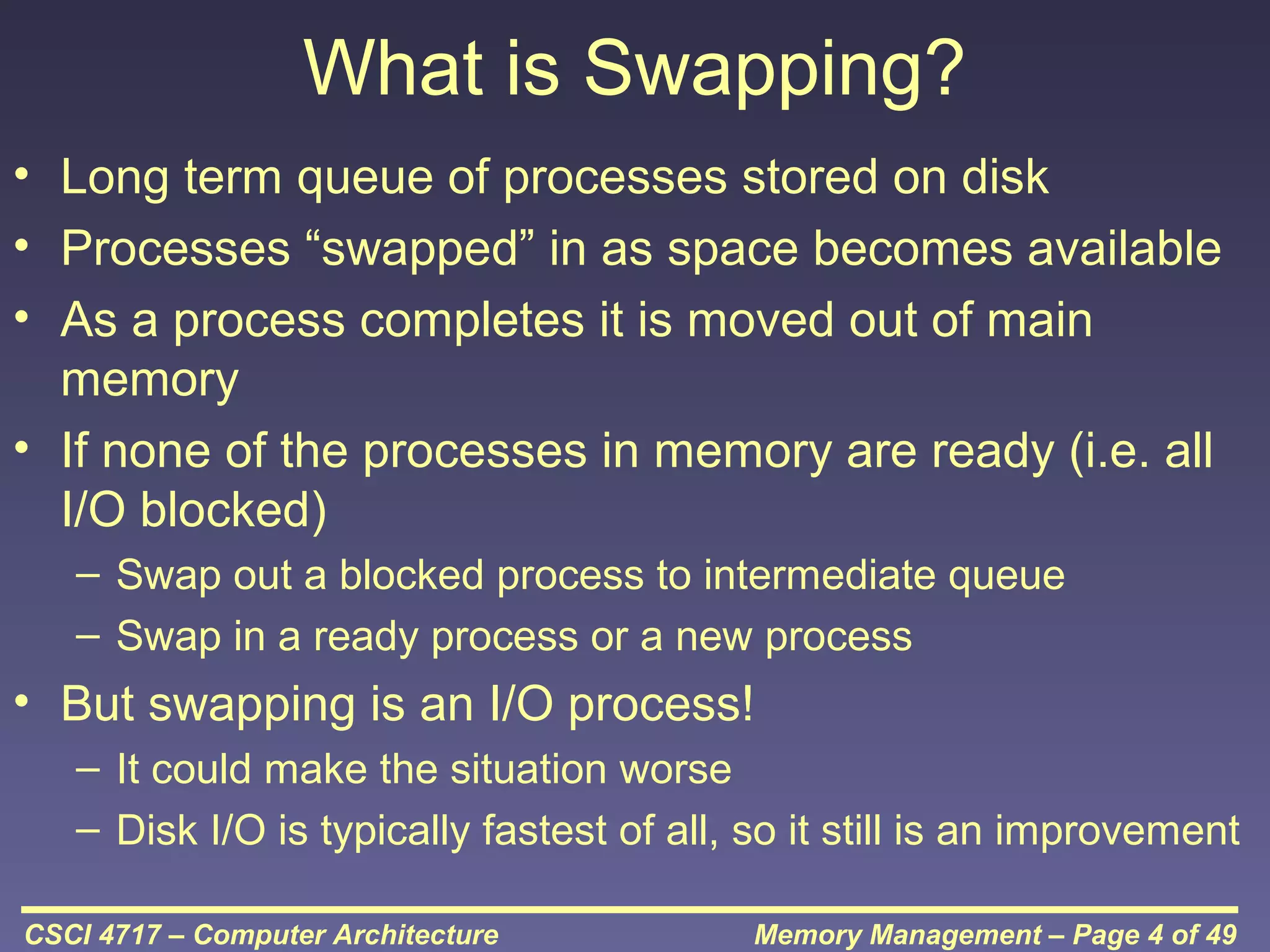
• Long term queue of processes stored on disk
• Processes “swapped” in as space becomes available
• As a process completes it is moved out of main
memory
• If none of the processes in memory are ready (i.e. all
I/O blocked)
– Swap out a blocked process to intermediate queue
– Swap in a ready process or a new process

• But swapping is an I/O process!
– It could make the situation worse
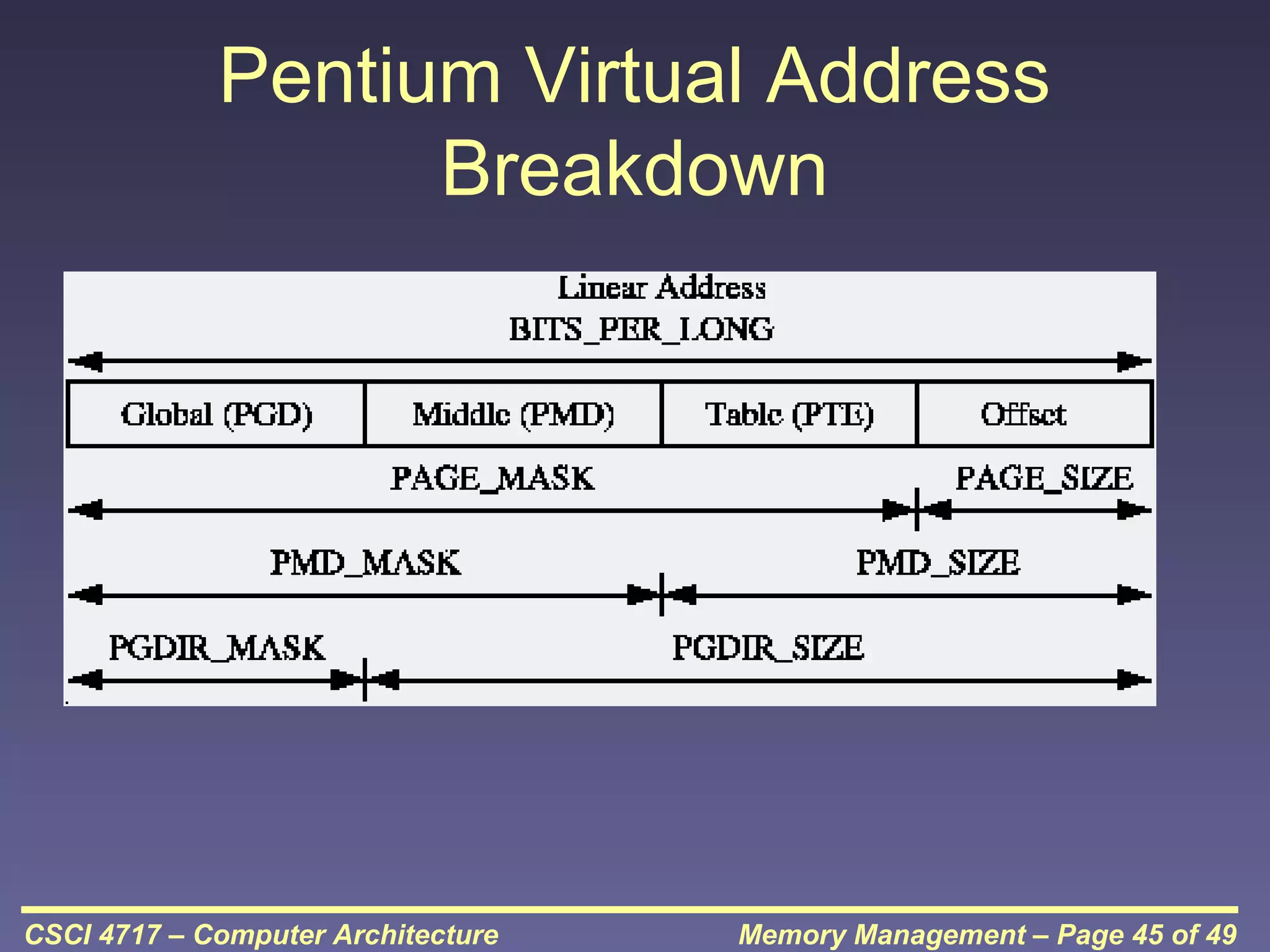
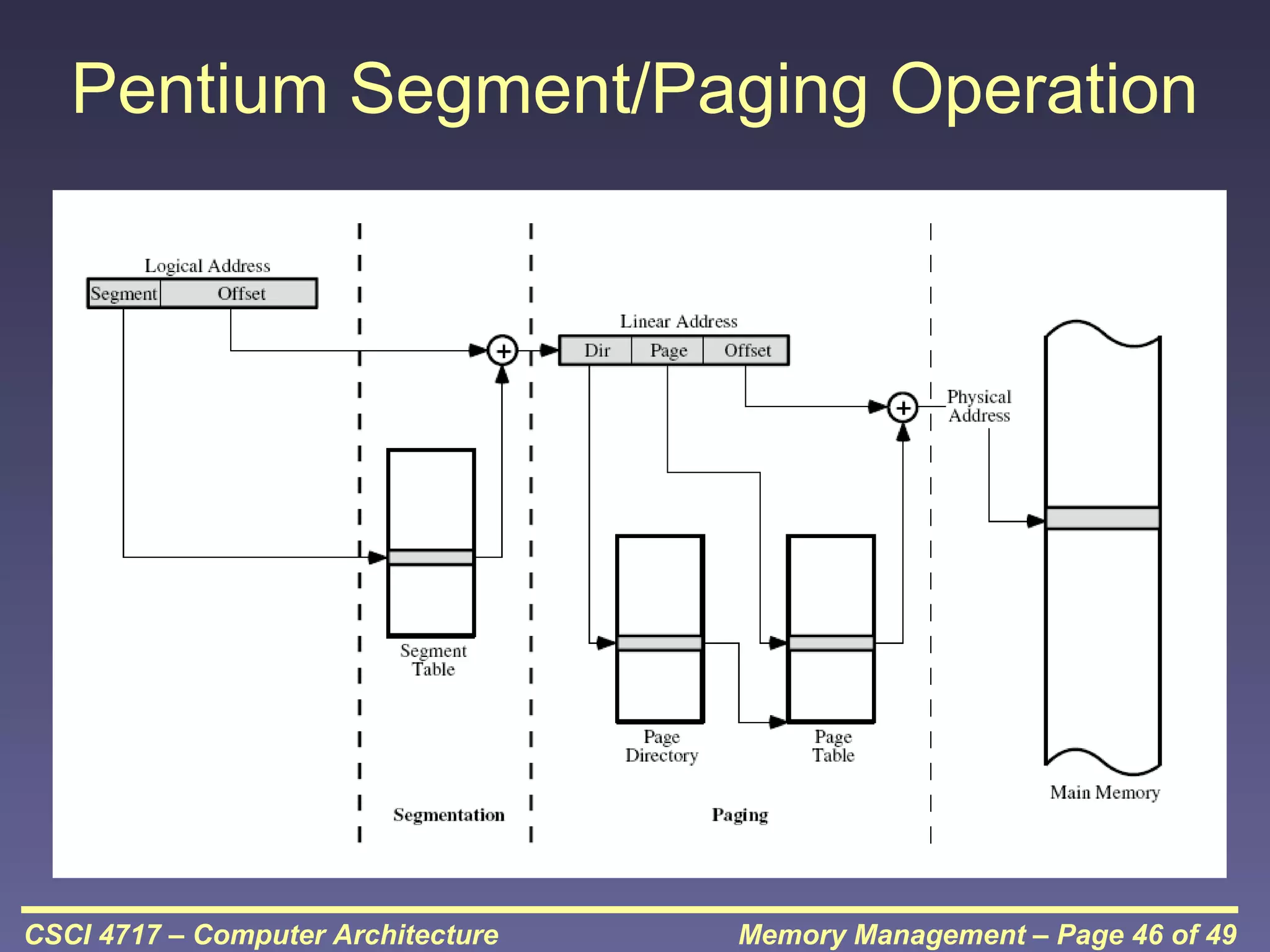
– Disk I/O is typically fastest of all, so it still is an improvement
CSCI 4717 – Computer Architecture

Memory Management – Page 4 of 49
Partitioning
• Splitting memory into sections to allocate
to processes (including Operating System)
• Two types
– Fixed-sized partitions
– Variable-sized partitions

CSCI 4717 – Computer Architecture

Memory Management – Page 5 of 49
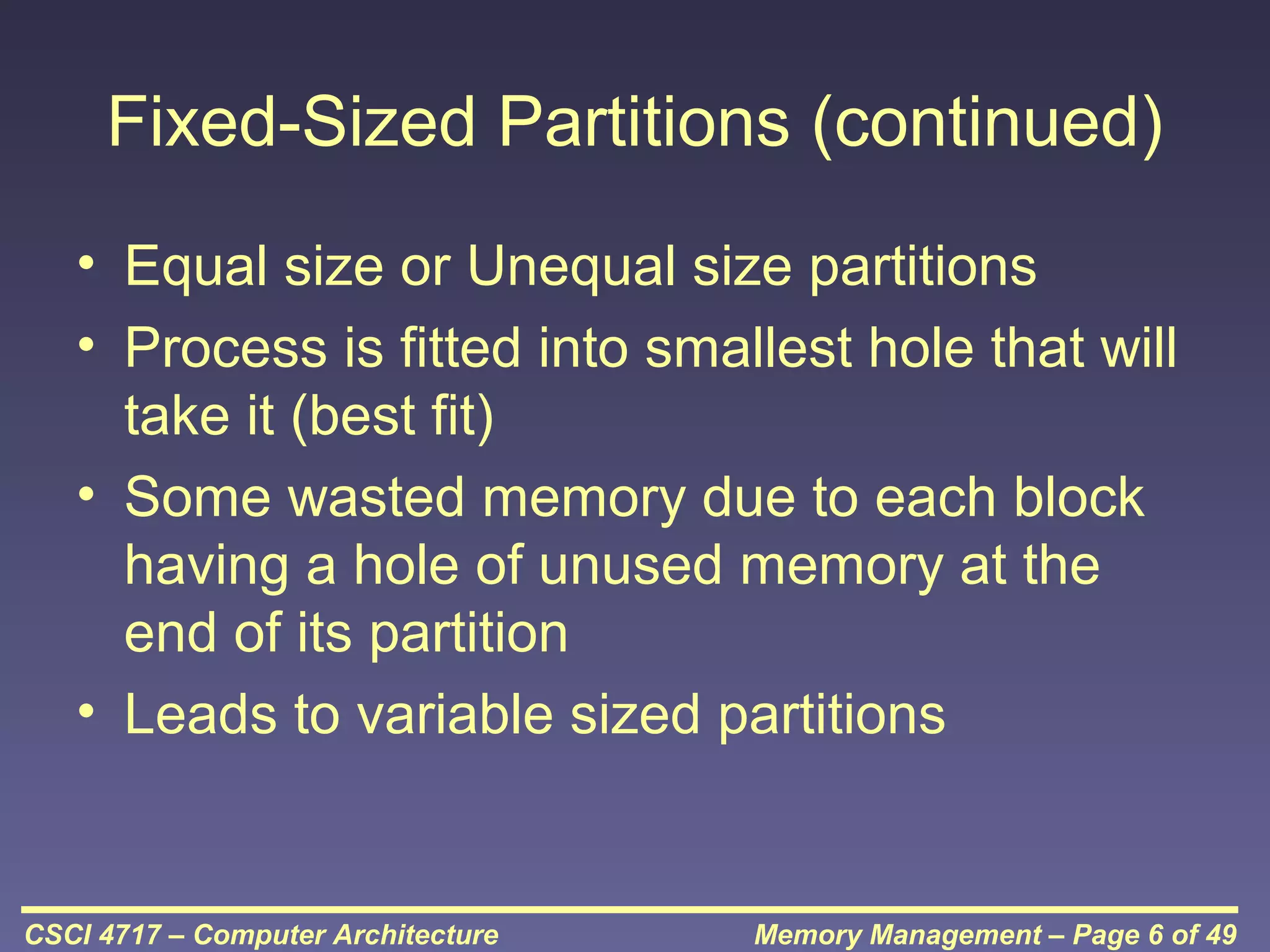
Fixed-Sized Partitions (continued)
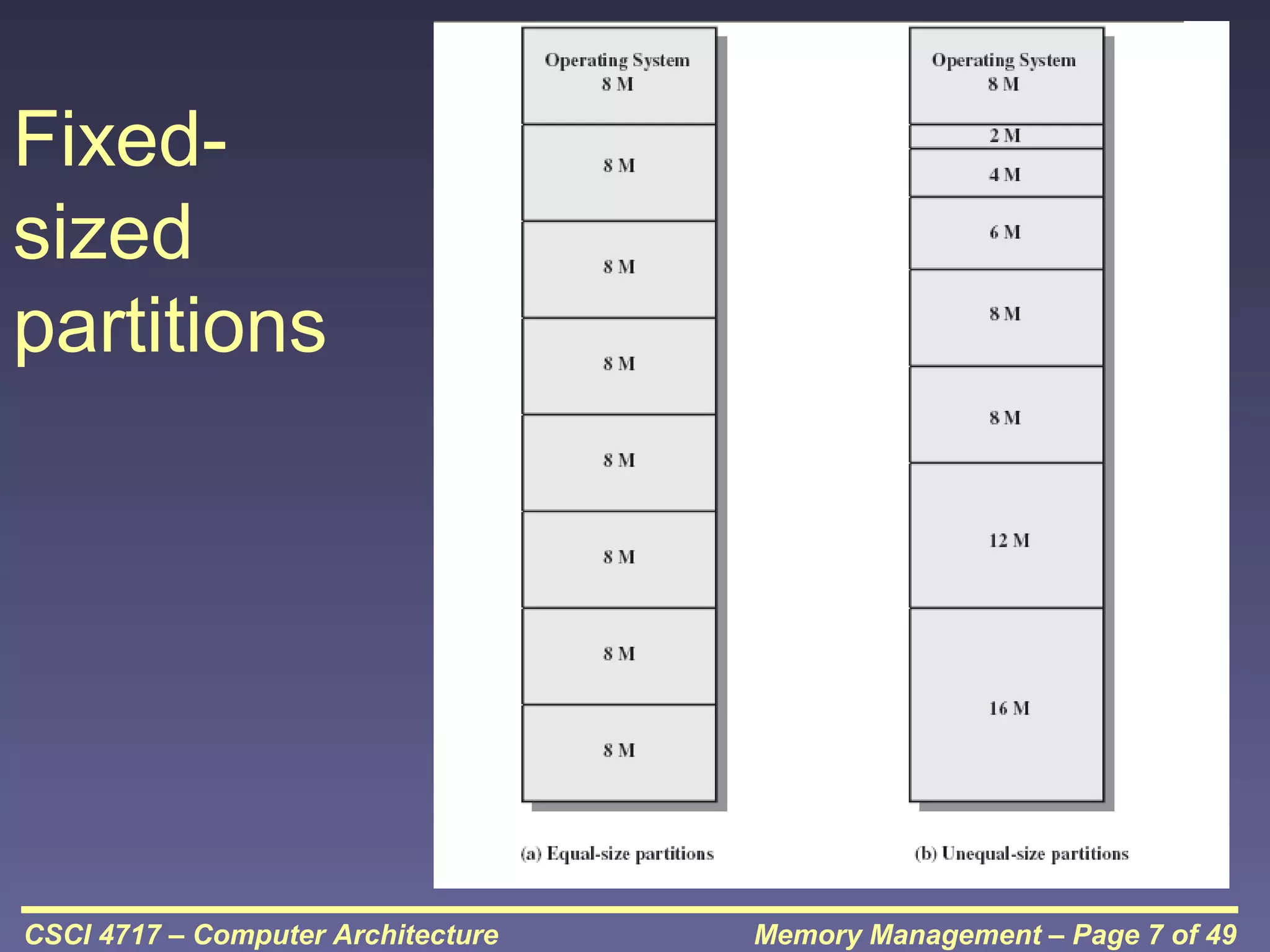
• Equal size or Unequal size partitions
• Process is fitted into smallest hole that will
take it (best fit)
• Some wasted memory due to each block
having a hole of unused memory at the
end of its partition
• Leads to variable sized partitions

CSCI 4717 – Computer Architecture

Memory Management – Page 6 of 49
Fixedsized
partitions

CSCI 4717 – Computer Architecture

Memory Management – Page 7 of 49
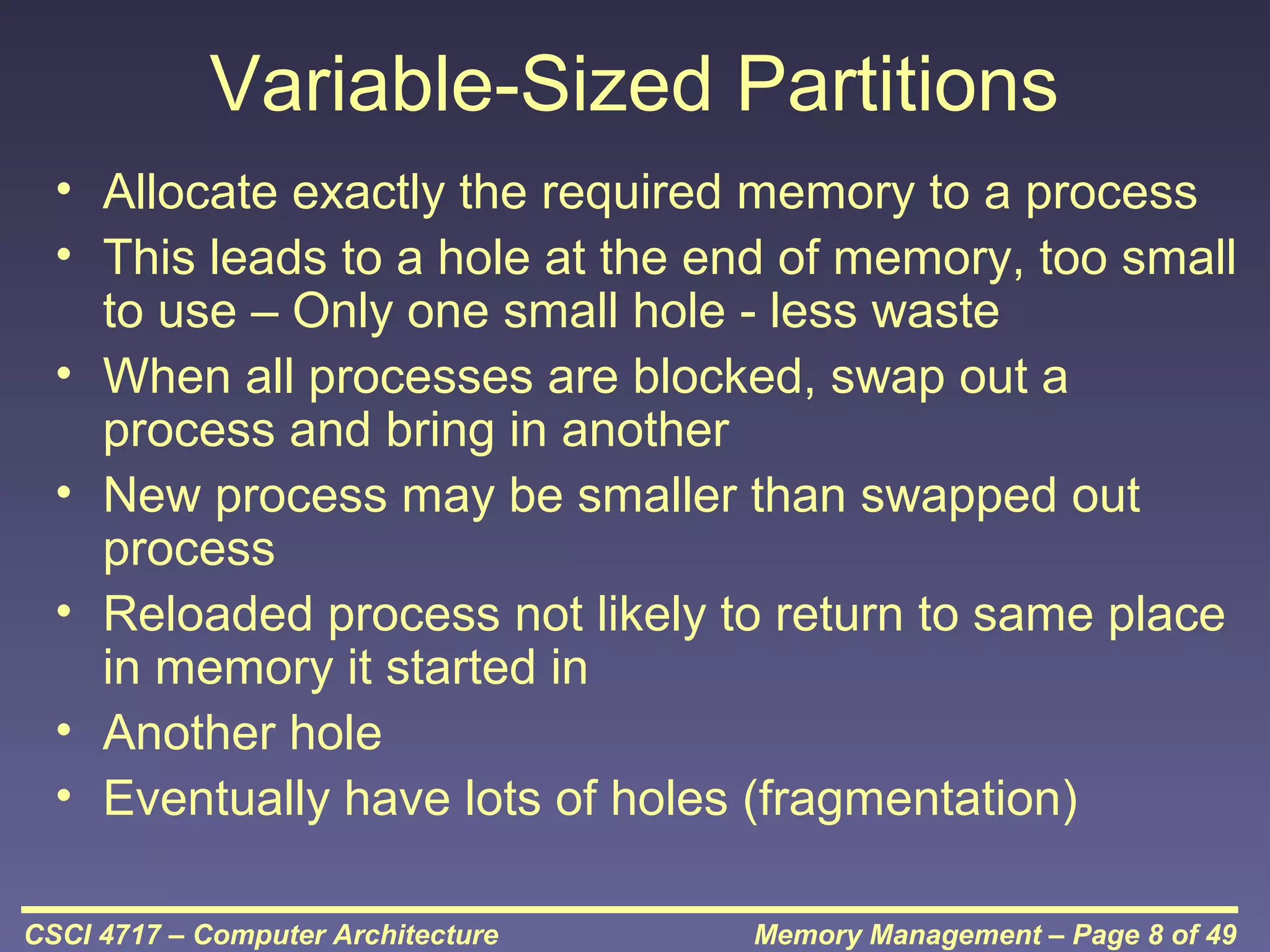
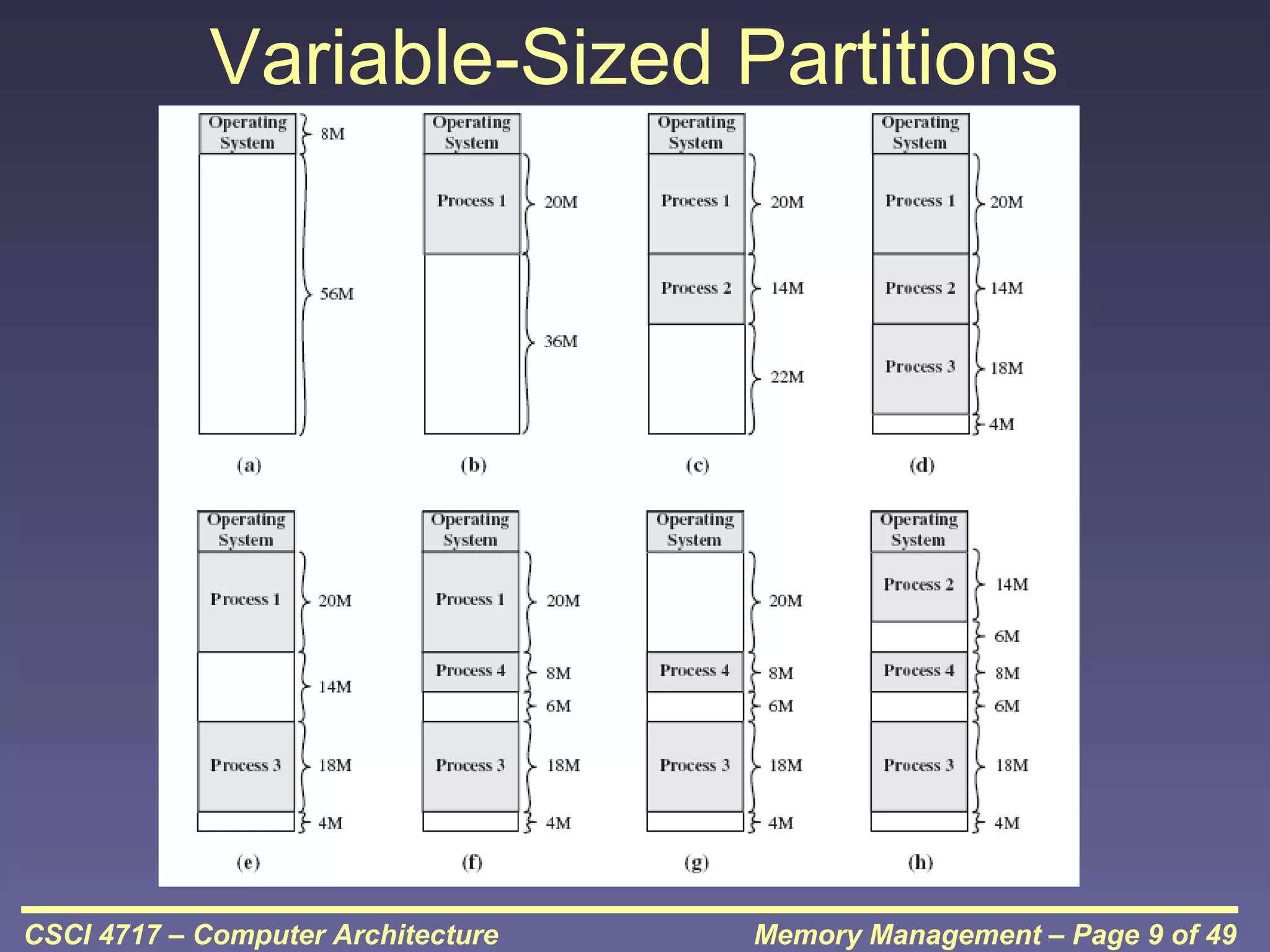
Variable-Sized Partitions
• Allocate exactly the required memory to a process
• This leads to a hole at the end of memory, too small
to use – Only one small hole - less waste
• When all processes are blocked, swap out a
process and bring in another
• New process may be smaller than swapped out
process
• Reloaded process not likely to return to same place
in memory it started in
• Another hole
• Eventually have lots of holes (fragmentation)
CSCI 4717 – Computer Architecture

Memory Management – Page 8 of 49
Variable-Sized Partitions

CSCI 4717 – Computer Architecture

Memory Management – Page 9 of 49
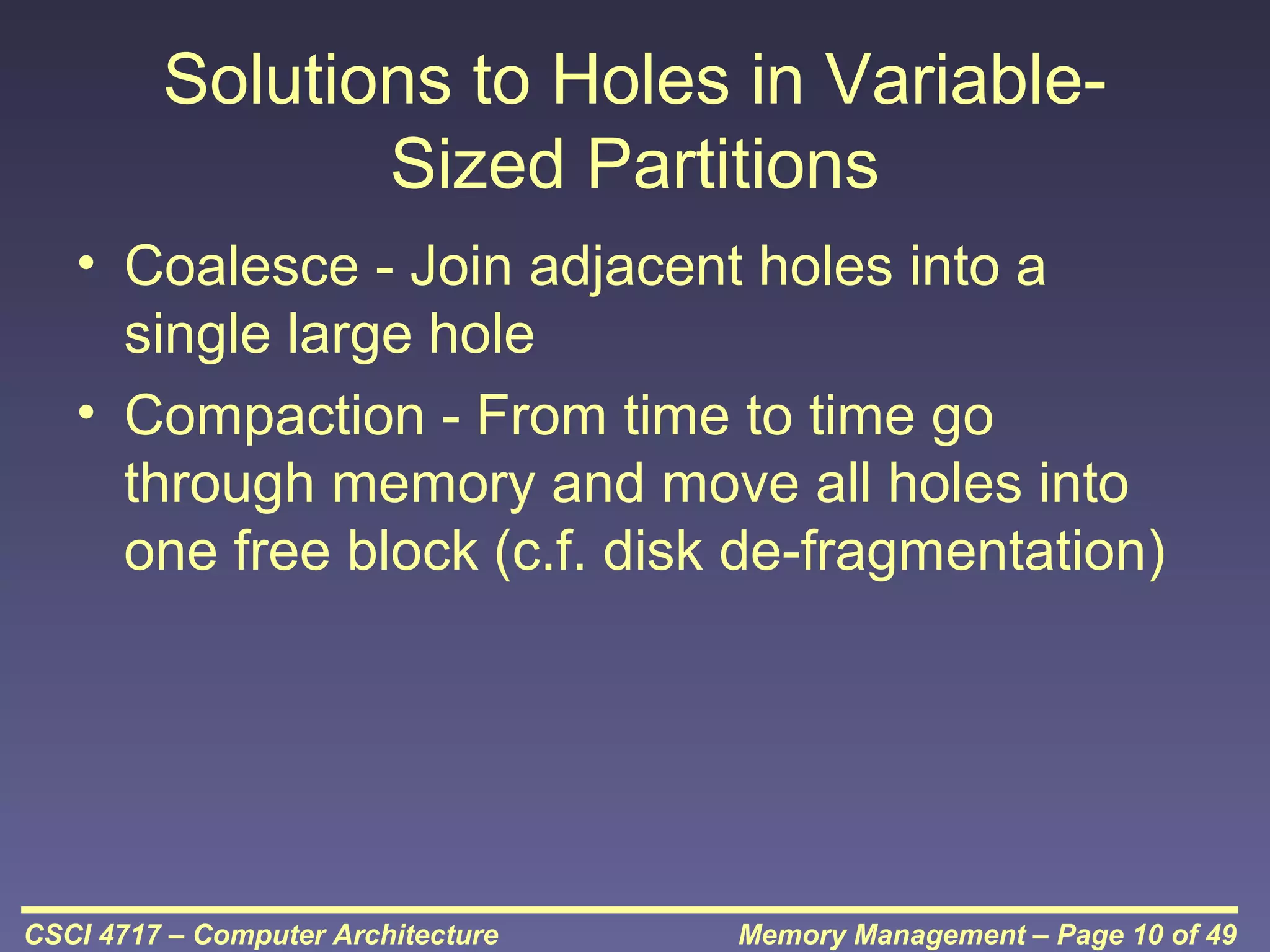
Solutions to Holes in VariableSized Partitions
• Coalesce - Join adjacent holes into a
single large hole
• Compaction - From time to time go
through memory and move all holes into
one free block (c.f. disk de-fragmentation)

CSCI 4717 – Computer Architecture

Memory Management – Page 10 of 49
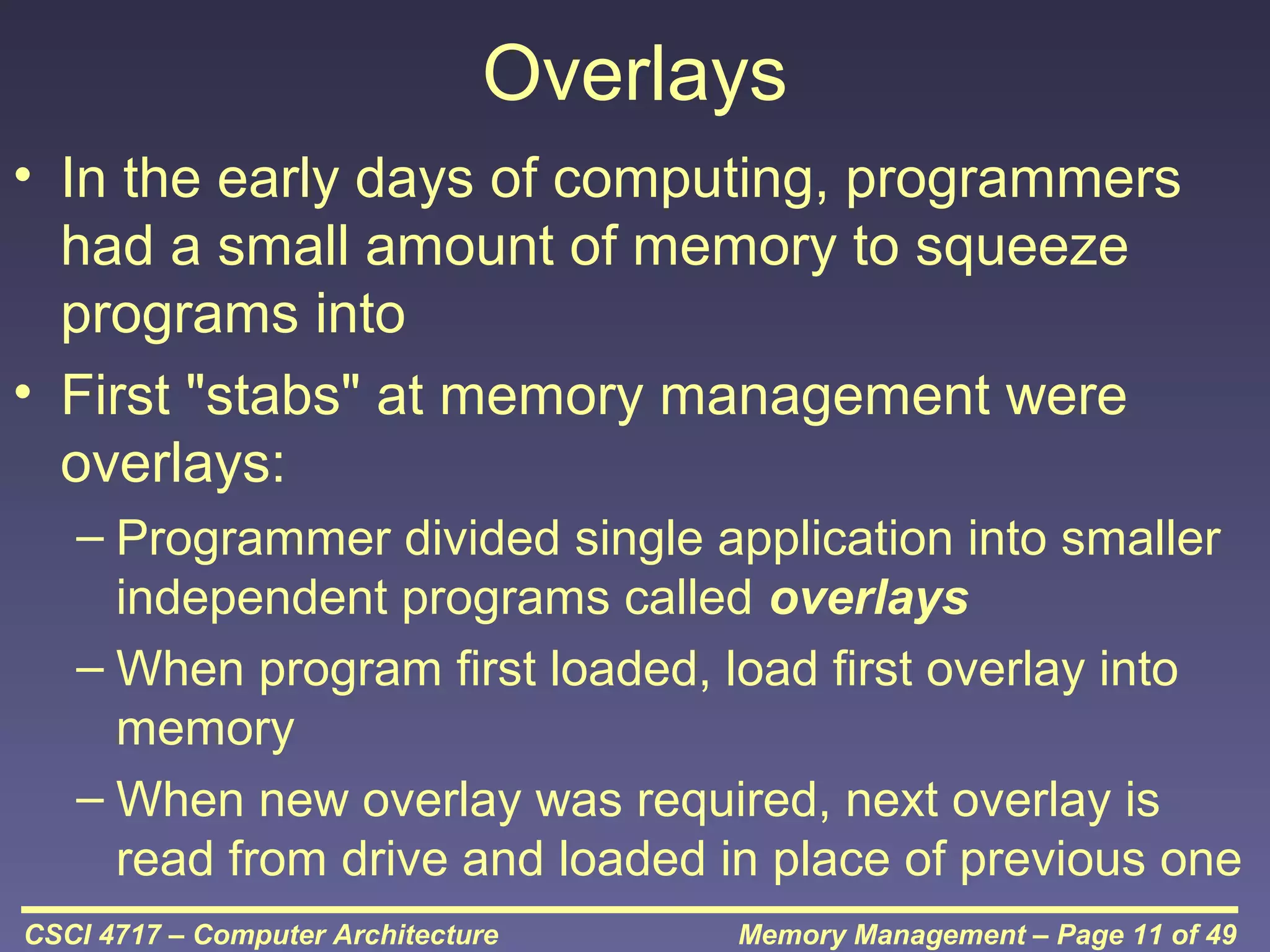
Overlays
• In the early days of computing, programmers
had a small amount of memory to squeeze
programs into
• First "stabs" at memory management were
overlays:
– Programmer divided single application into smaller
independent programs called overlays
– When program first loaded, load first overlay into
memory
– When new overlay was required, next overlay is
read from drive and loaded in place of previous one
CSCI 4717 – Computer Architecture

Memory Management – Page 11 of 49
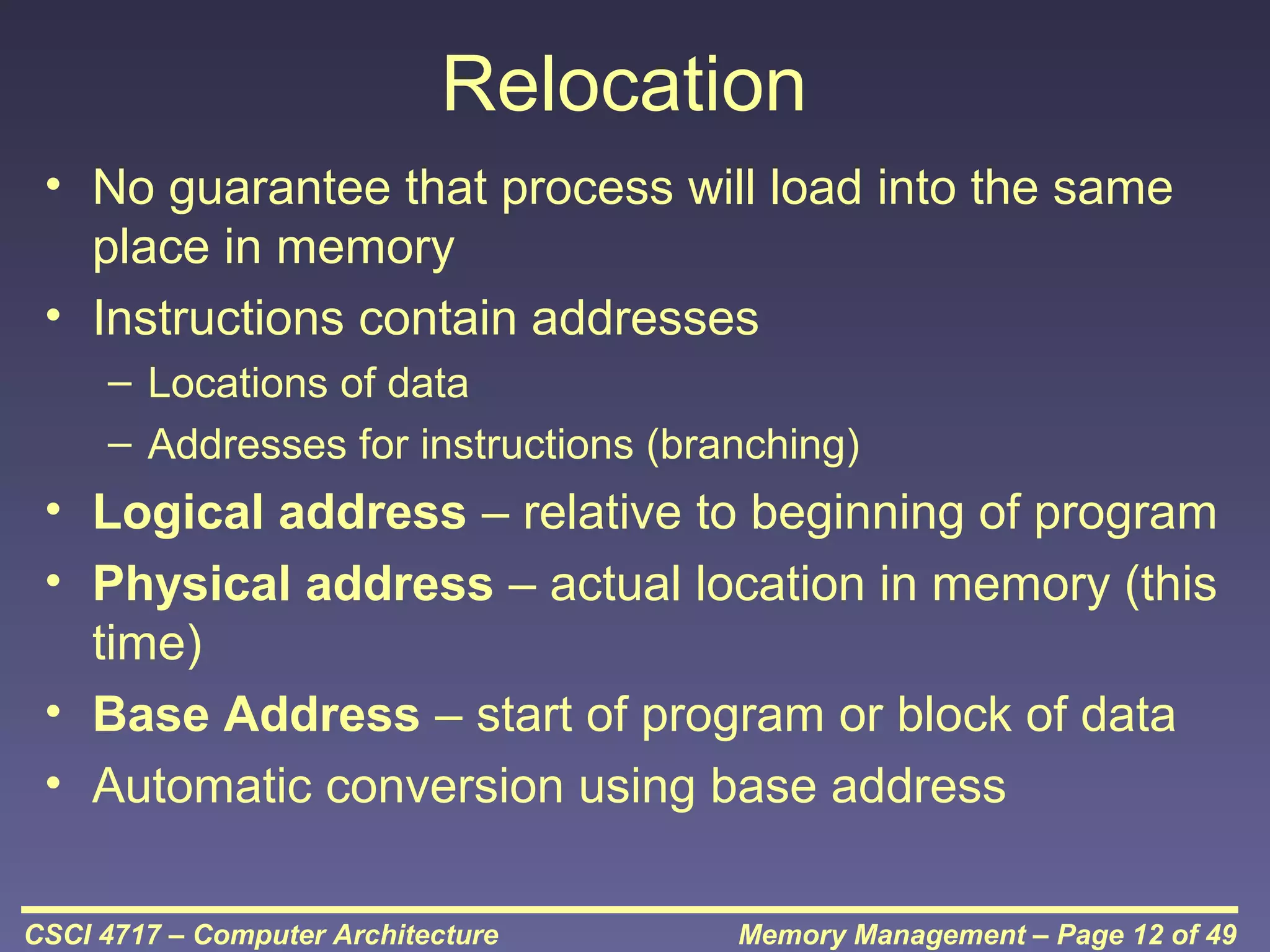
Relocation
• No guarantee that process will load into the same
place in memory
• Instructions contain addresses
– Locations of data
– Addresses for instructions (branching)

• Logical address – relative to beginning of program
• Physical address – actual location in memory (this
time)
• Base Address – start of program or block of data
• Automatic conversion using base address
CSCI 4717 – Computer Architecture

Memory Management – Page 12 of 49
Paging (continued)
• Split memory into equal sized, small
chunks -page frames
• Split programs (processes) into equal
sized small chunks – pages
• Allocate the required number page frames
to a process
• Operating System maintains list of free
frames
• A process does not require contiguous
page frames
CSCI 4717 – Computer Architecture

Memory Management – Page 13 of 49
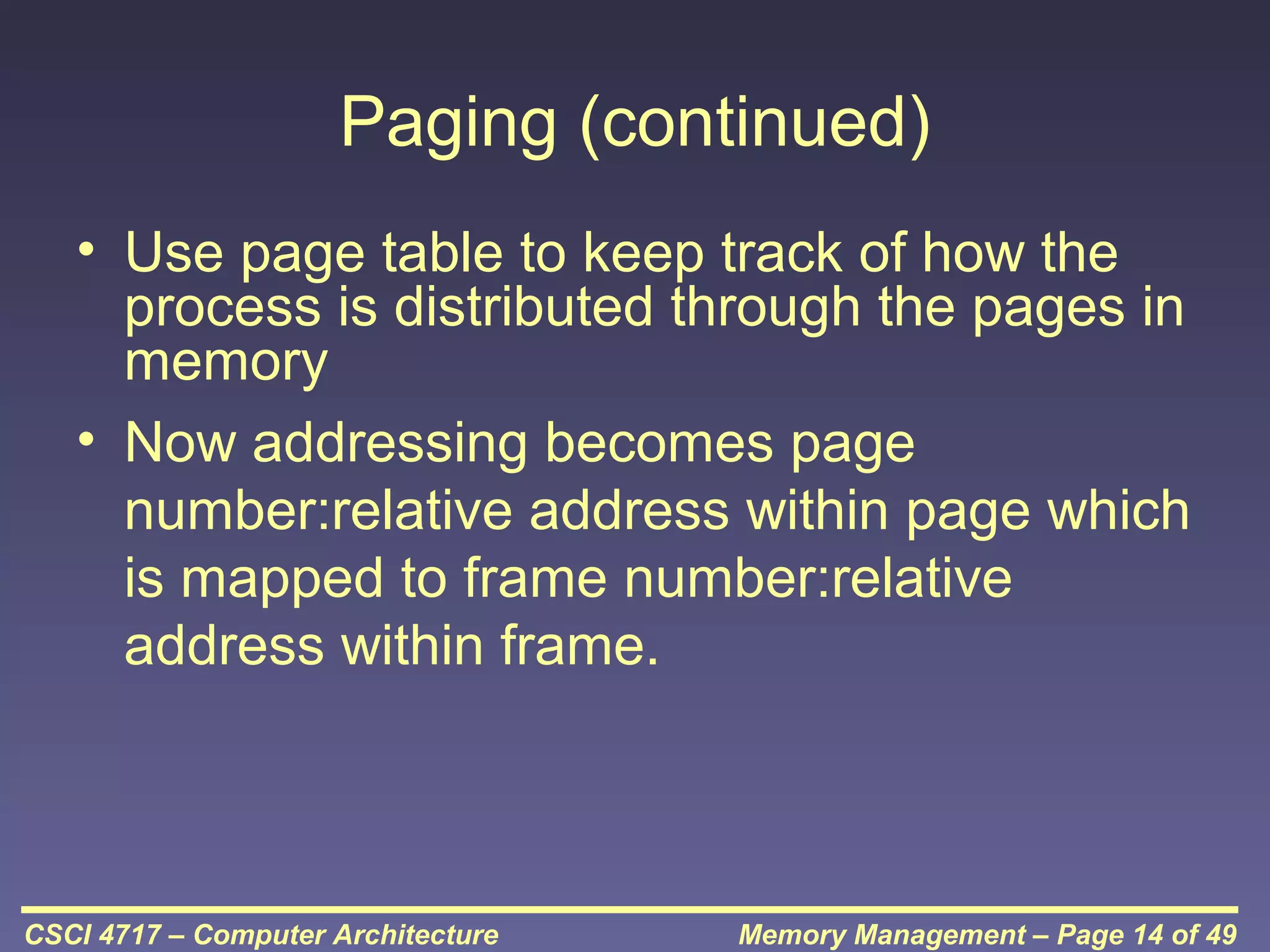
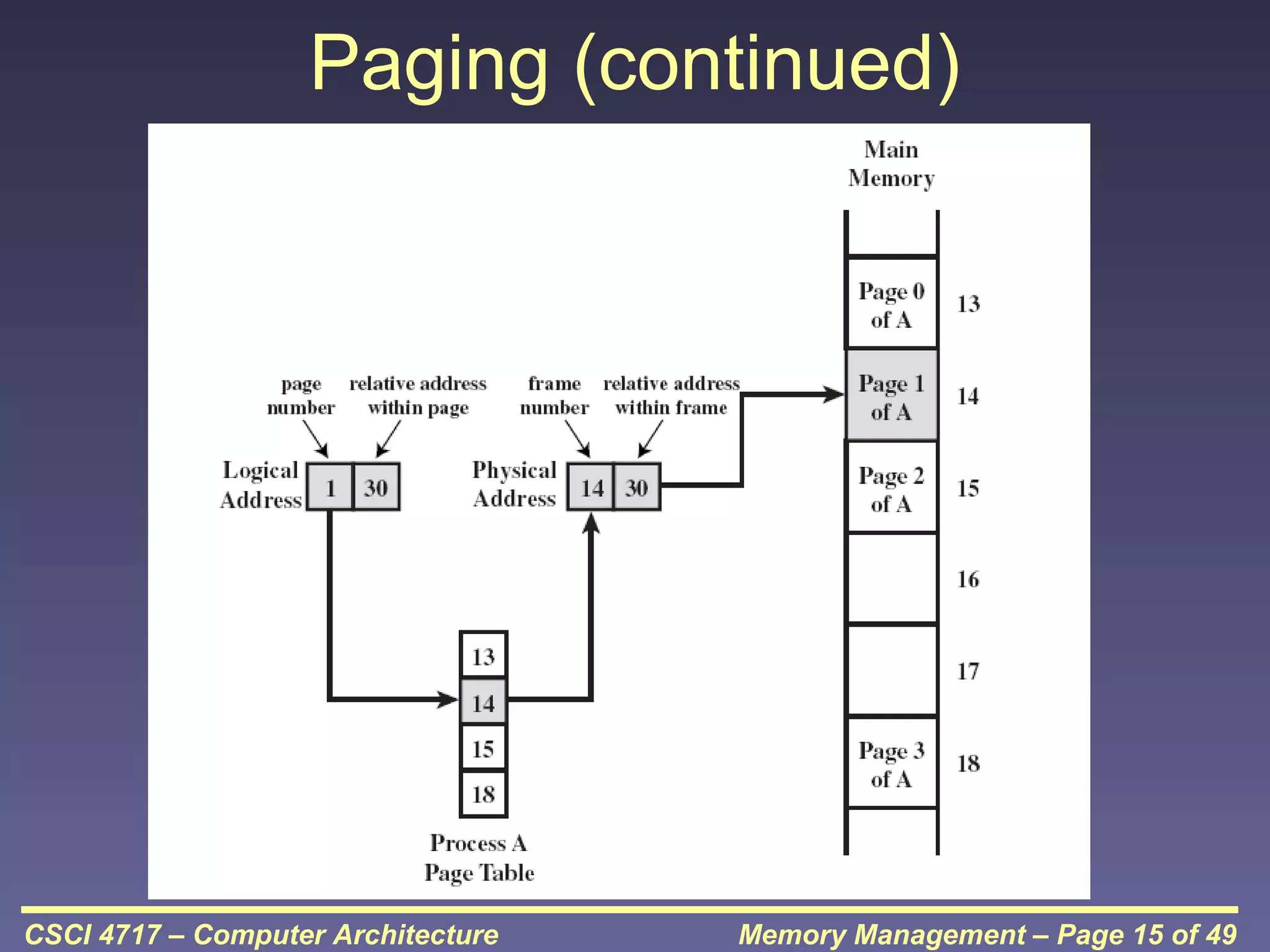
Paging (continued)
• Use page table to keep track of how the
process is distributed through the pages in
memory
• Now addressing becomes page
number:relative address within page which
is mapped to frame number:relative
address within frame.

CSCI 4717 – Computer Architecture

Memory Management – Page 14 of 49
Paging (continued)

CSCI 4717 – Computer Architecture

Memory Management – Page 15 of 49
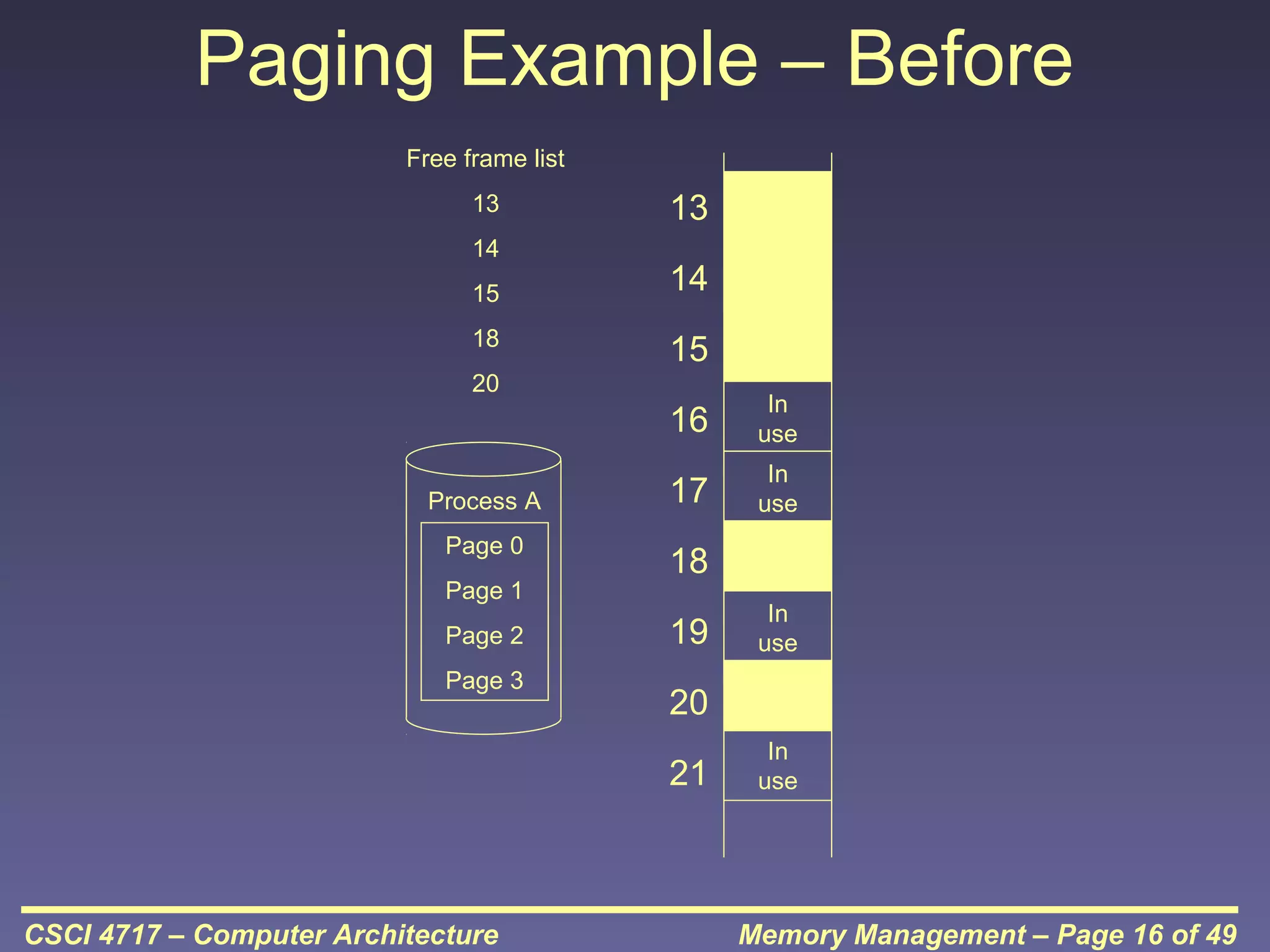
Paging Example – Before
Free frame list
13
14
15
18

13
14
15

20

16
Process A
Page 0
Page 1
Page 2
Page 3

In
use

17

In
use

18
19
20
21

CSCI 4717 – Computer Architecture

In
use

In
use

Memory Management – Page 16 of 49
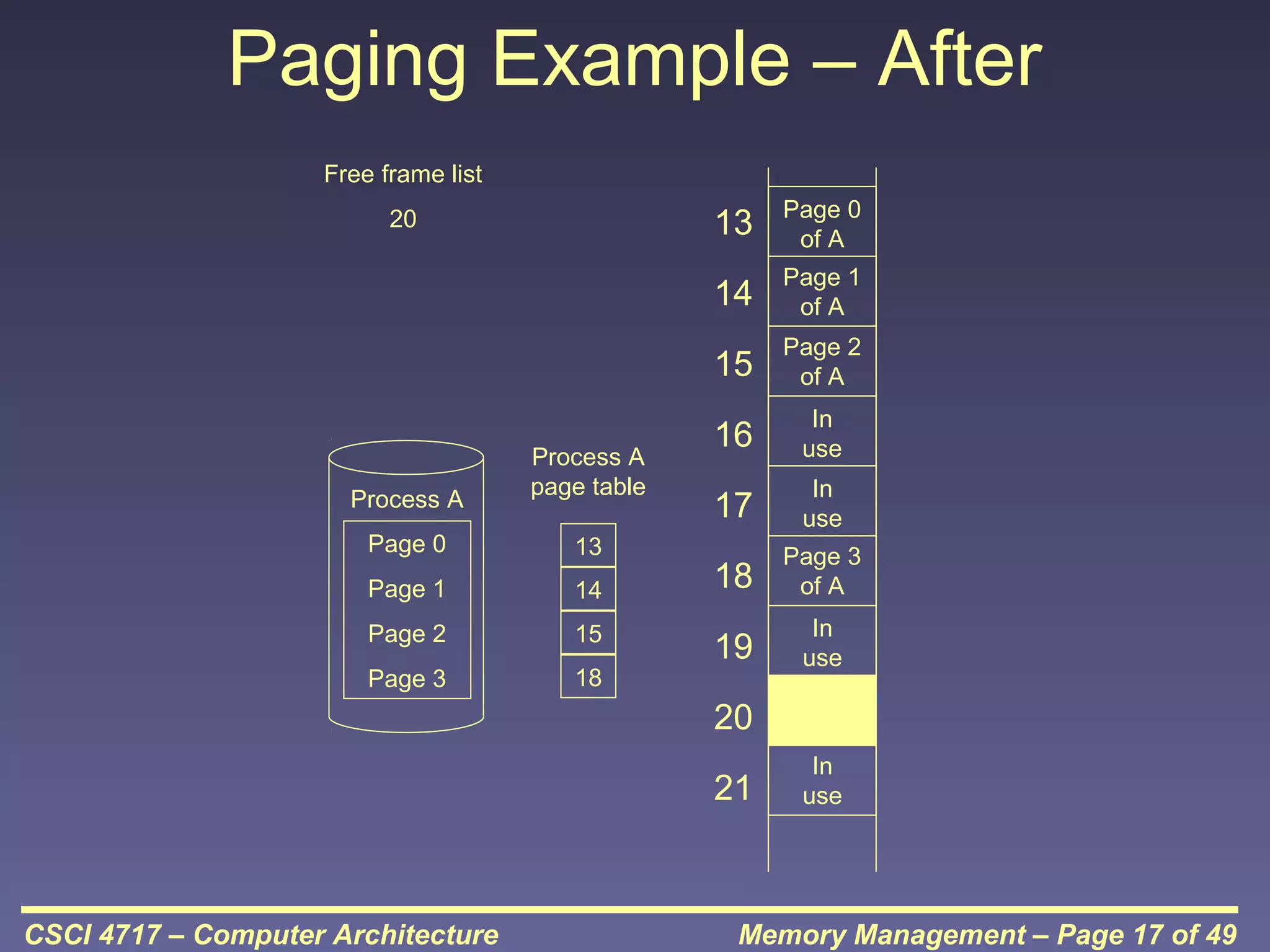
Paging Example – After
Free frame list

13

Process A
Page 0

13

Page 1

14

Page 2

15

Page 3

18

Page 1
of A

15
Process A
page table

Page 0
of A

14

20

Page 2
of A

16

In
use

17

In
use

18

Page 3
of A

19

In
use

20
21

CSCI 4717 – Computer Architecture

In
use

Memory Management – Page 17 of 49
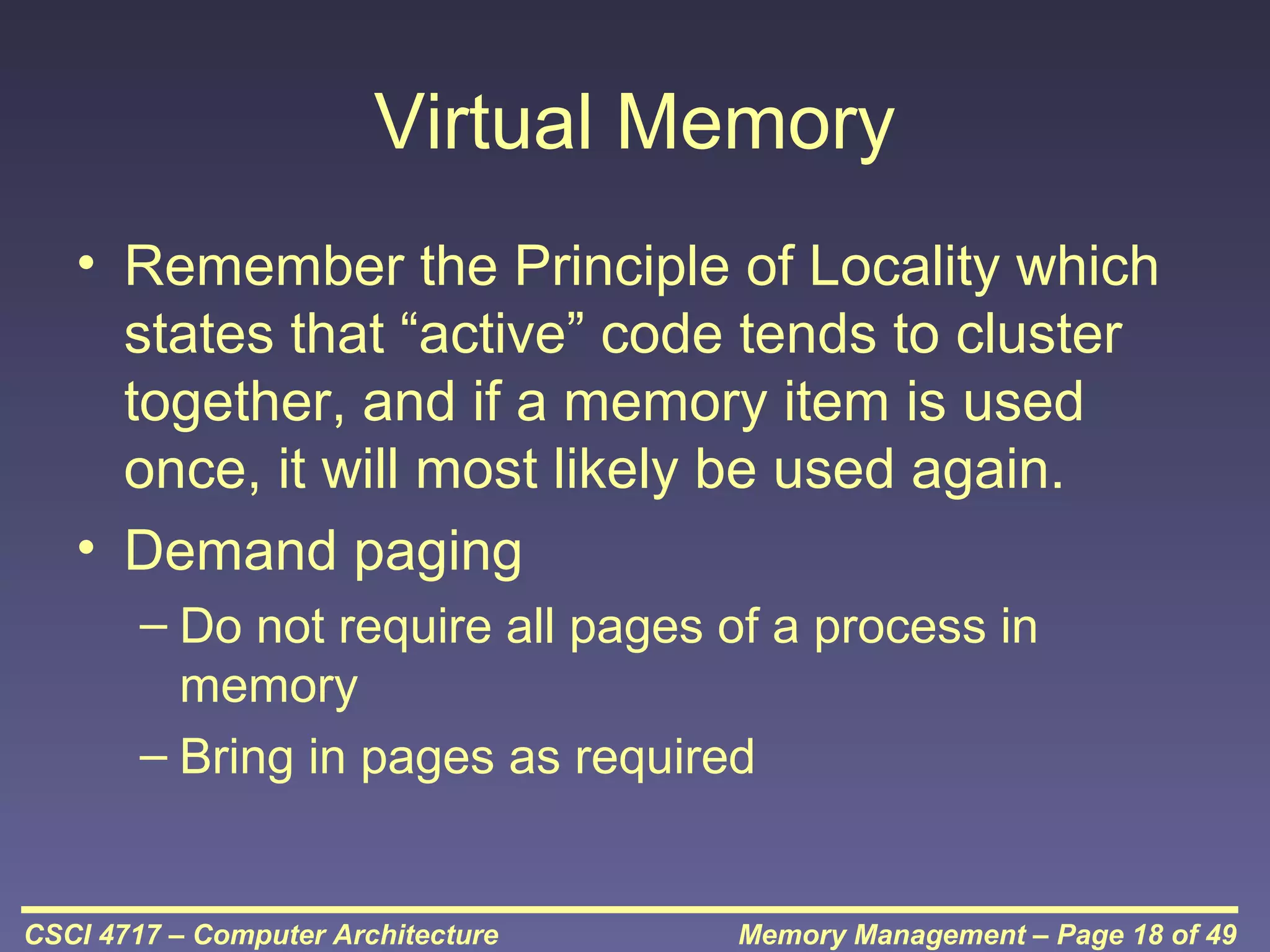
Virtual Memory
• Remember the Principle of Locality which
states that “active” code tends to cluster
together, and if a memory item is used
once, it will most likely be used again.
• Demand paging
– Do not require all pages of a process in
memory
– Bring in pages as required

CSCI 4717 – Computer Architecture

Memory Management – Page 18 of 49
Page Fault in Virtual Memory
• Required page is not in memory
• Operating System must swap in required
page
• May need to swap out a page to make
space
• Select page to throw out based on recent
history

CSCI 4717 – Computer Architecture

Memory Management – Page 19 of 49
Virtual Memory Bonus
• We do not need all of a process in
memory for it to run
• We can swap in pages as required
• So - we can now run processes that are
bigger than total memory available!
• Main memory is called real memory
• User/programmer sees much bigger
memory - virtual memory
CSCI 4717 – Computer Architecture

Memory Management – Page 20 of 49
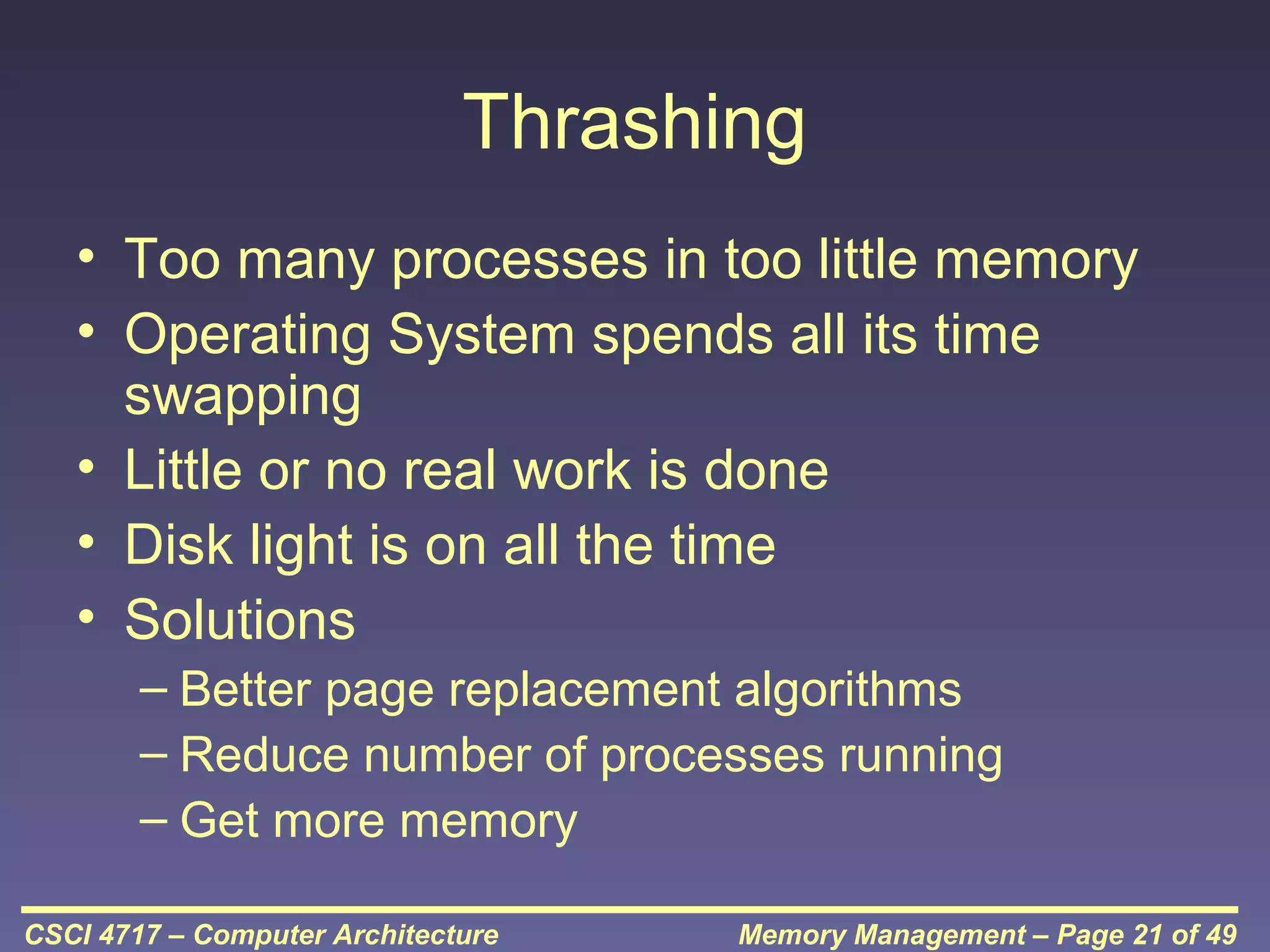
Thrashing
• Too many processes in too little memory
• Operating System spends all its time
swapping
• Little or no real work is done
• Disk light is on all the time
• Solutions
– Better page replacement algorithms
– Reduce number of processes running
– Get more memory
CSCI 4717 – Computer Architecture

Memory Management – Page 21 of 49
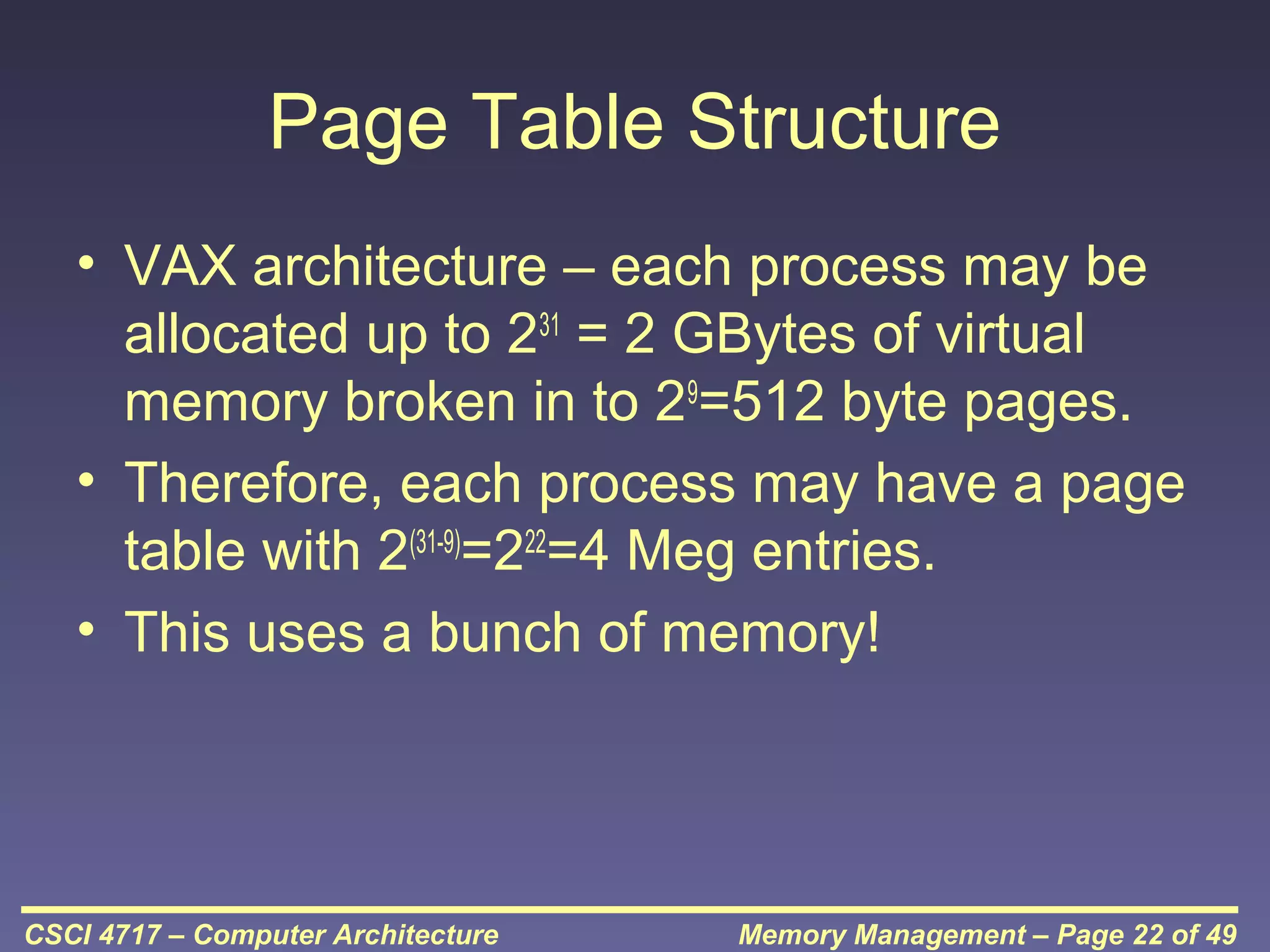
Page Table Structure
• VAX architecture – each process may be
allocated up to 231 = 2 GBytes of virtual
memory broken in to 29=512 byte pages.
• Therefore, each process may have a page
table with 2(31-9)=222=4 Meg entries.
• This uses a bunch of memory!

CSCI 4717 – Computer Architecture

Memory Management – Page 22 of 49
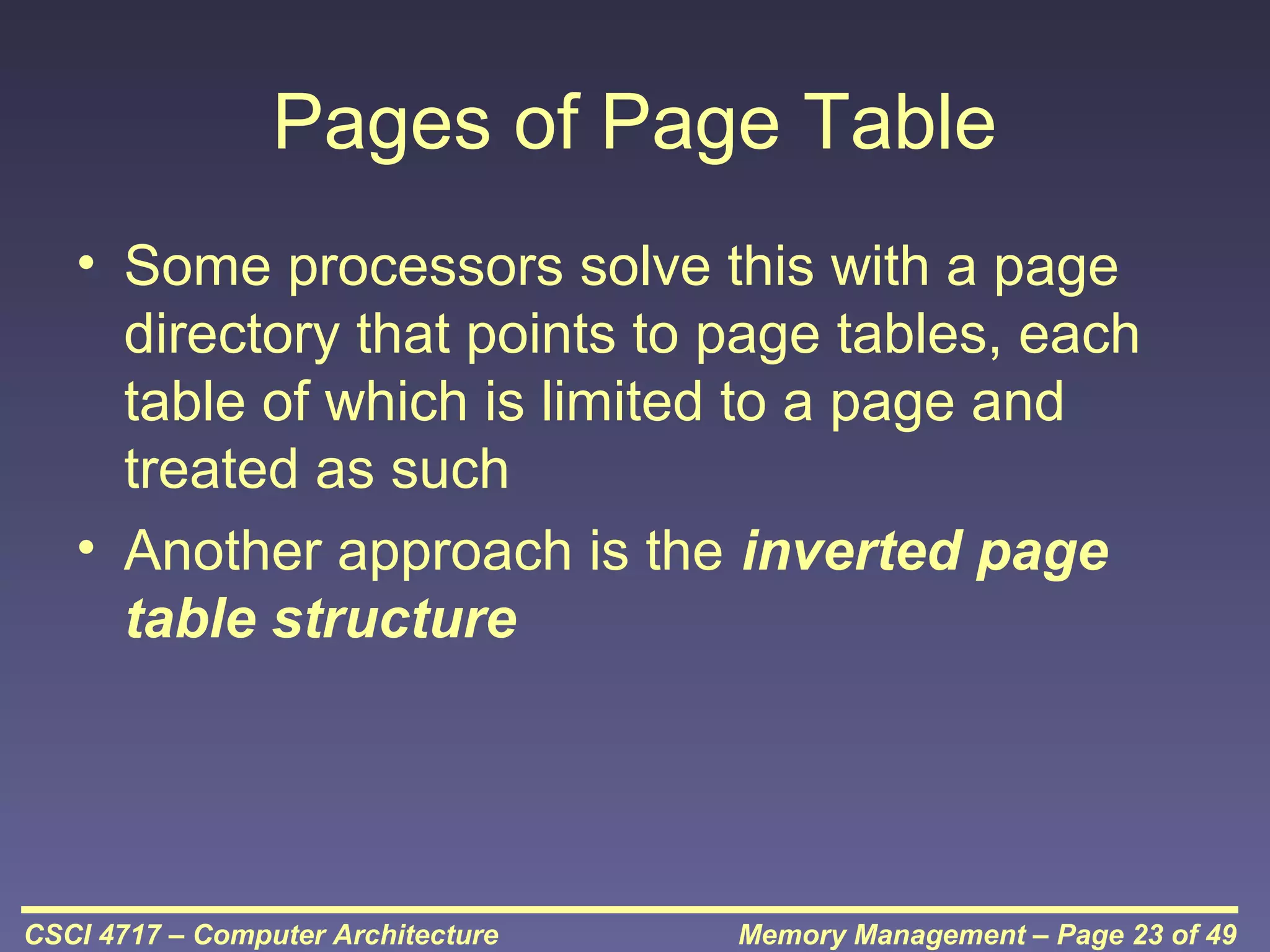
Pages of Page Table
• Some processors solve this with a page
directory that points to page tables, each
table of which is limited to a page and
treated as such
• Another approach is the inverted page
table structure

CSCI 4717 – Computer Architecture

Memory Management – Page 23 of 49
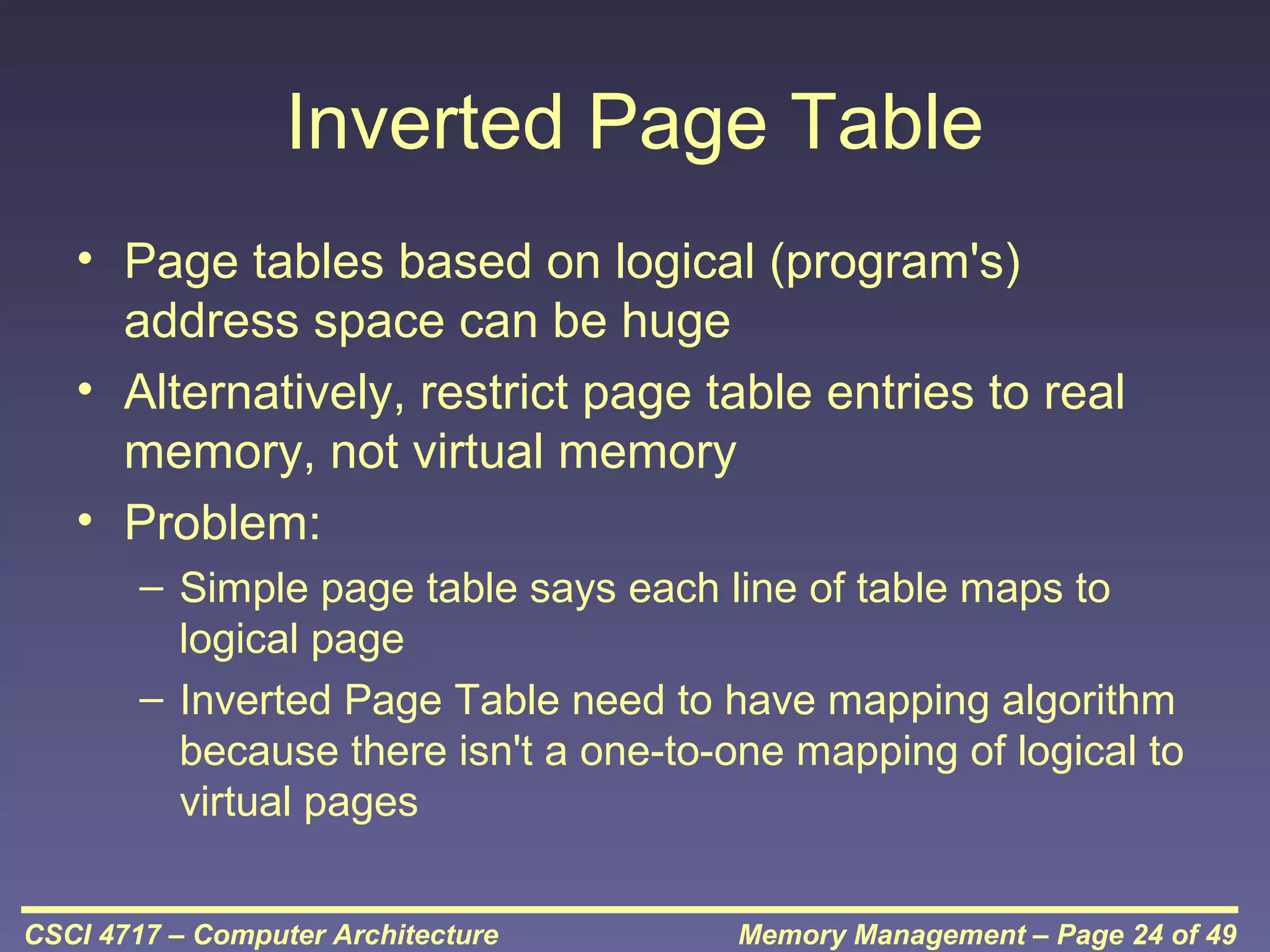
Inverted Page Table
• Page tables based on logical (program's)
address space can be huge
• Alternatively, restrict page table entries to real
memory, not virtual memory
• Problem:
– Simple page table says each line of table maps to
logical page
– Inverted Page Table need to have mapping algorithm
because there isn't a one-to-one mapping of logical to
virtual pages
CSCI 4717 – Computer Architecture

Memory Management – Page 24 of 49
Page of Page Table (continued)

CSCI 4717 – Computer Architecture

Memory Management – Page 25 of 49
Translation Lookaside Buffer
• Every virtual memory reference causes
two physical memory access
• Fetch page table entry
• Fetch data
• Use special cache for page table – TLB

CSCI 4717 – Computer Architecture

Memory Management – Page 26 of 49
Translation
Lookaside Buffer
(continued)

CSCI 4717 – Computer Architecture

Memory Management – Page 27 of 49
Translation Lookaside Buffer
(continued)
• Complexity! Virtual address translated to a
physical address
• Reference to page table – might be in TLB, main
memory, or disk
• Referenced word may be in cache, main
memory, or disk
• If referenced word is on disk, it must be copied
to main memory
• If in main memory or on disk, block must be
loaded to cache and cache table must be
updated
CSCI 4717 – Computer Architecture

Memory Management – Page 28 of 49
TLB and Cache Operation

CSCI 4717 – Computer Architecture

Memory Management – Page 29 of 49
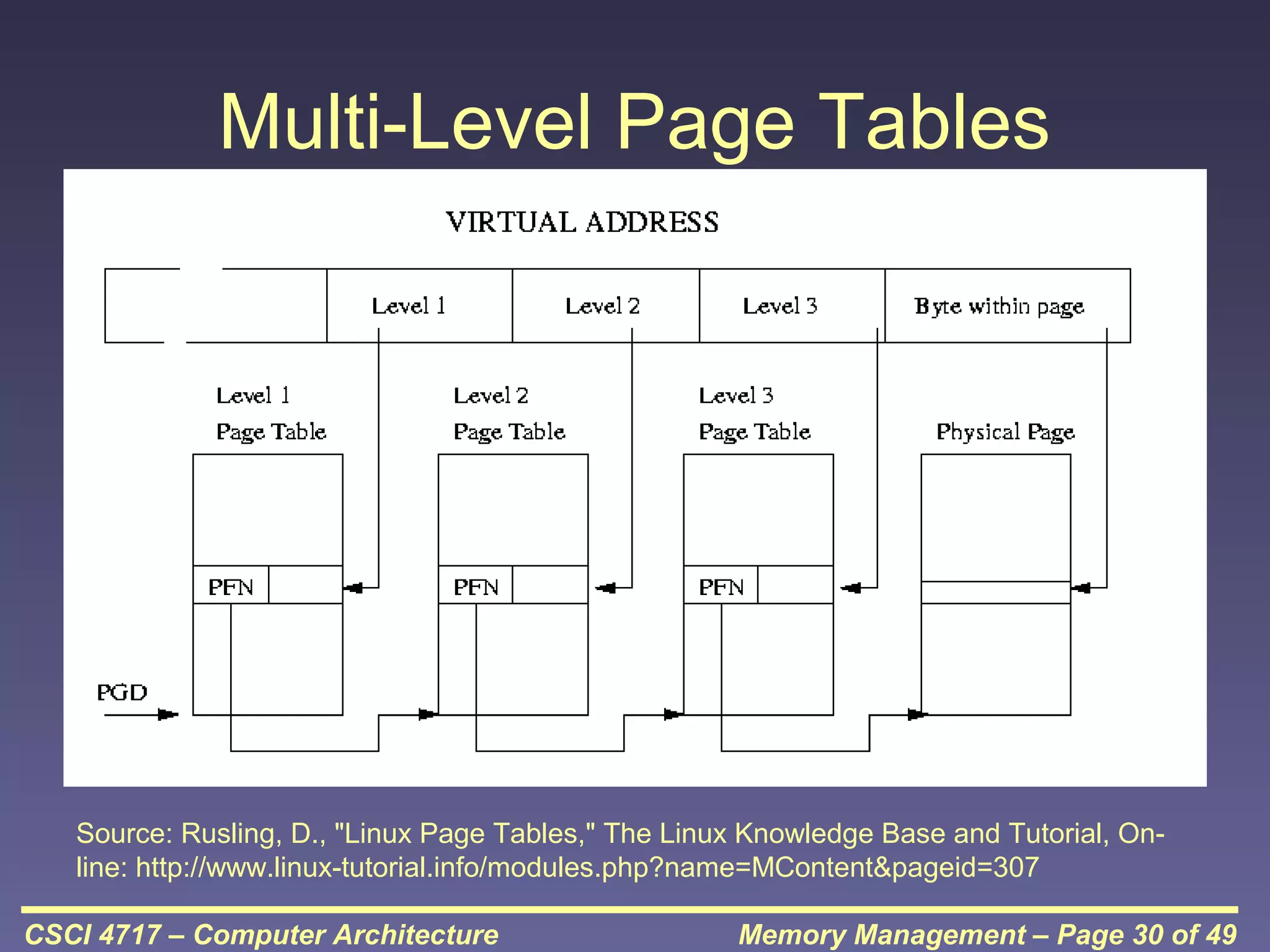
Multi-Level Page Tables

Source: Rusling, D., "Linux Page Tables," The Linux Knowledge Base and Tutorial, Online: http://www.linux-tutorial.info/modules.php?name=MContent&pageid=307
CSCI 4717 – Computer Architecture

Memory Management – Page 30 of 49
Segmentation
• Paging is not (usually) visible to the
programmer
• Segmentation is visible to the programmer
• Usually different segments allocated to
program and data
• There may be a number of program and
data segments
• Segmentation partitions memory

CSCI 4717 – Computer Architecture

Memory Management – Page 31 of 49
Advantages of Segmentation
• Simplifies handling of growing data structures –
O/S will expand or contract the segment as
needed
• Allows programs to be altered and recompiled
independently, without re-linking and re-loading
• Lends itself to sharing among processes
• Lends itself to protection since O/S can specify
certain privileges on a segment-by-segment
basis
• Some systems combine segmentation with
paging
CSCI 4717 – Computer Architecture

Memory Management – Page 32 of 49
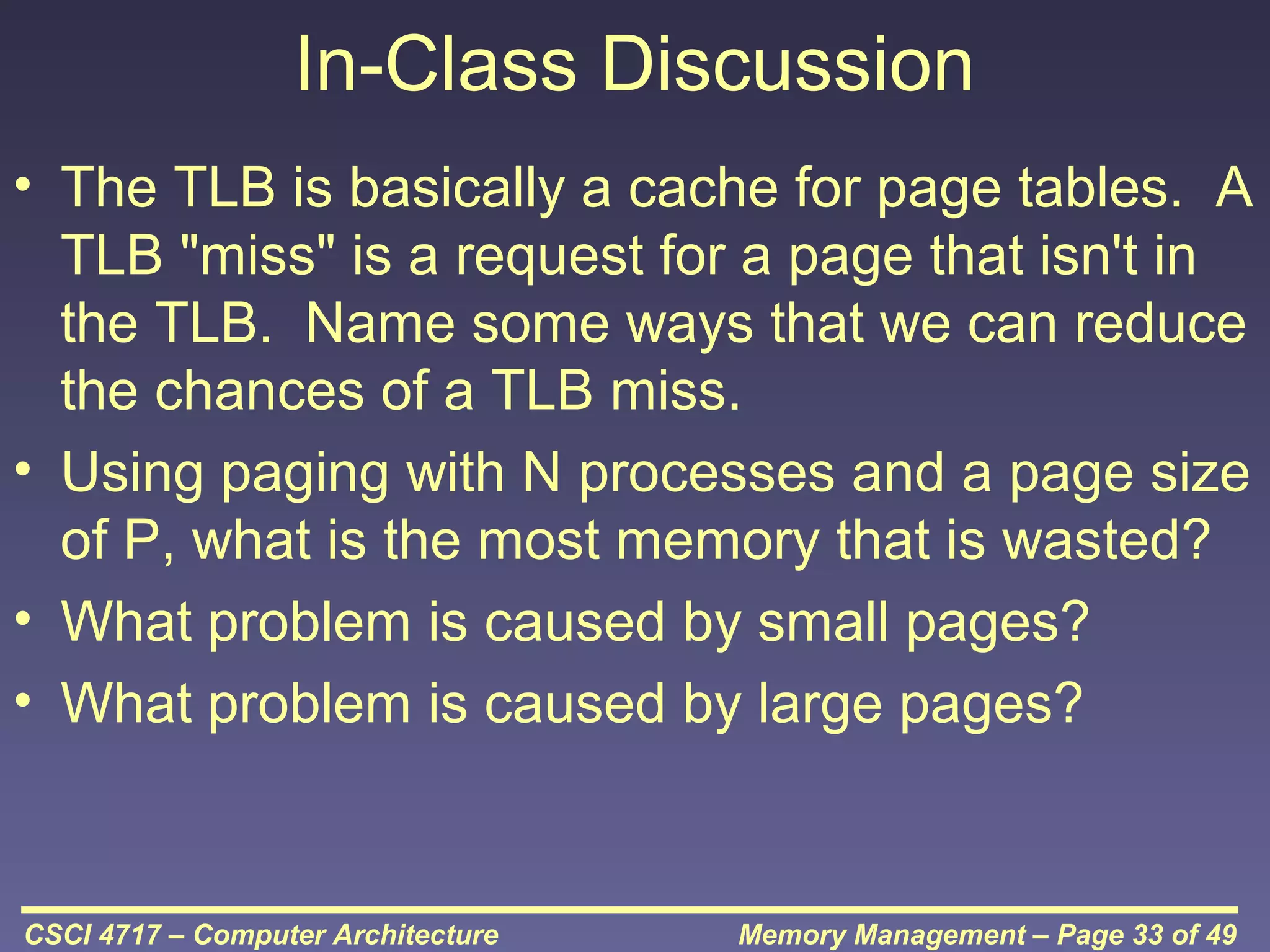
In-Class Discussion
• The TLB is basically a cache for page tables. A
TLB "miss" is a request for a page that isn't in
the TLB. Name some ways that we can reduce
the chances of a TLB miss.
• Using paging with N processes and a page size
of P, what is the most memory that is wasted?
• What problem is caused by small pages?
• What problem is caused by large pages?

CSCI 4717 – Computer Architecture

Memory Management – Page 33 of 49
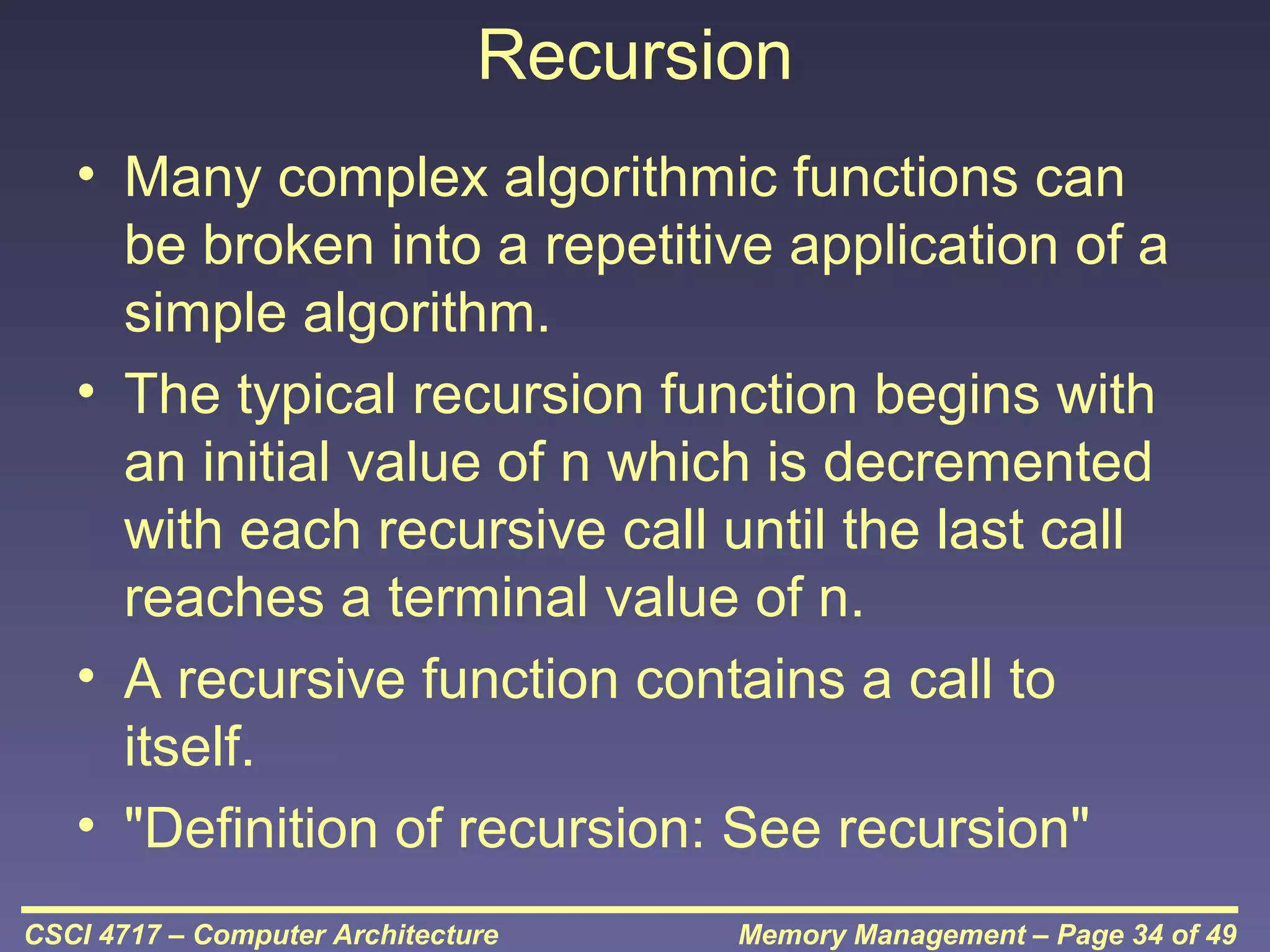
Recursion
• Many complex algorithmic functions can
be broken into a repetitive application of a
simple algorithm.
• The typical recursion function begins with
an initial value of n which is decremented
with each recursive call until the last call
reaches a terminal value of n.
• A recursive function contains a call to
itself.
• "Definition of recursion: See recursion"
CSCI 4717 – Computer Architecture

Memory Management – Page 34 of 49
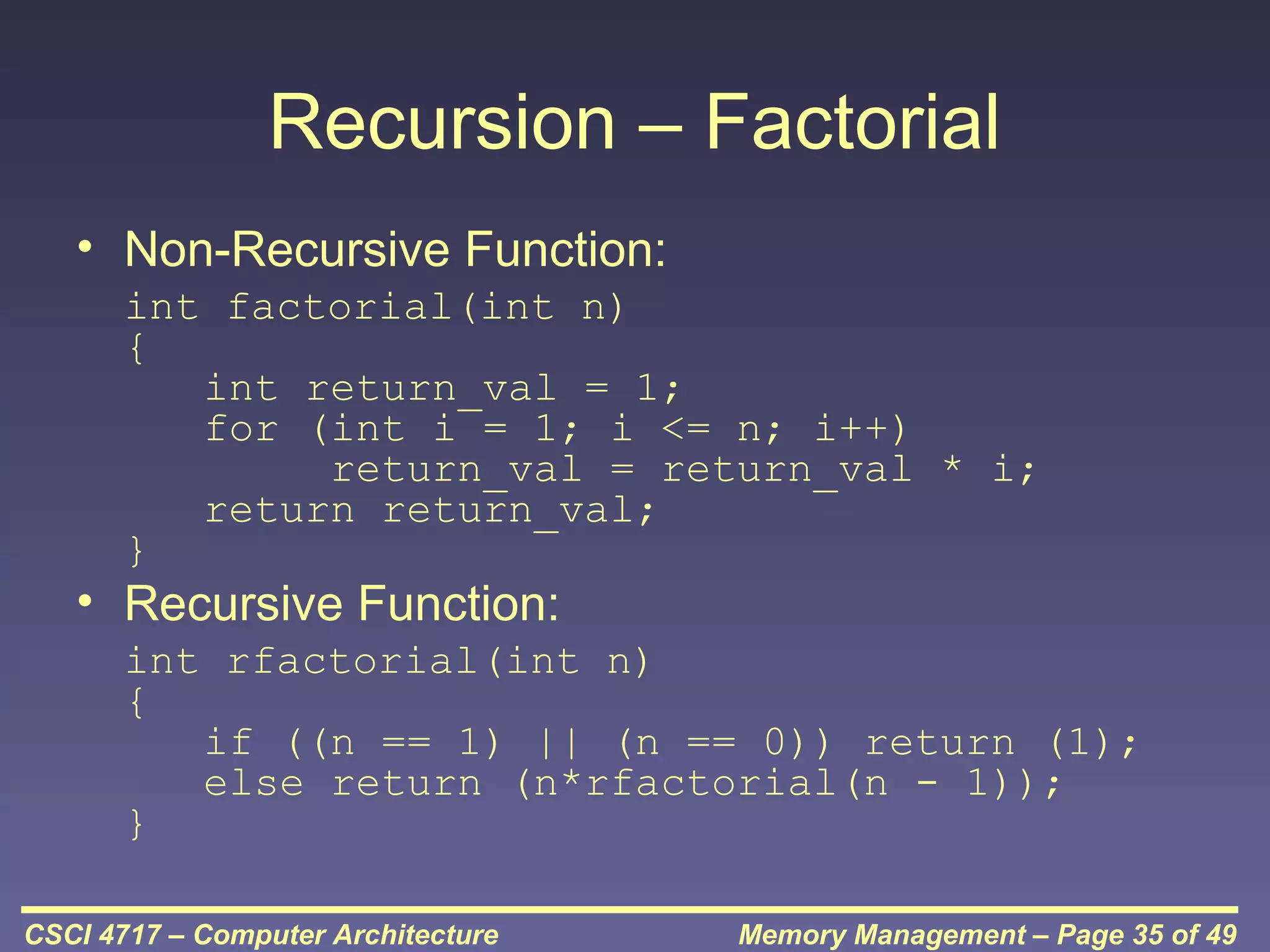
Recursion – Factorial
• Non-Recursive Function:
int factorial(int n)
{
int return_val = 1;
for (int i = 1; i <= n; i++)
return_val = return_val * i;
return return_val;
}

• Recursive Function:

int rfactorial(int n)
{
if ((n == 1) || (n == 0)) return (1);
else return (n*rfactorial(n - 1));
}
CSCI 4717 – Computer Architecture

Memory Management – Page 35 of 49
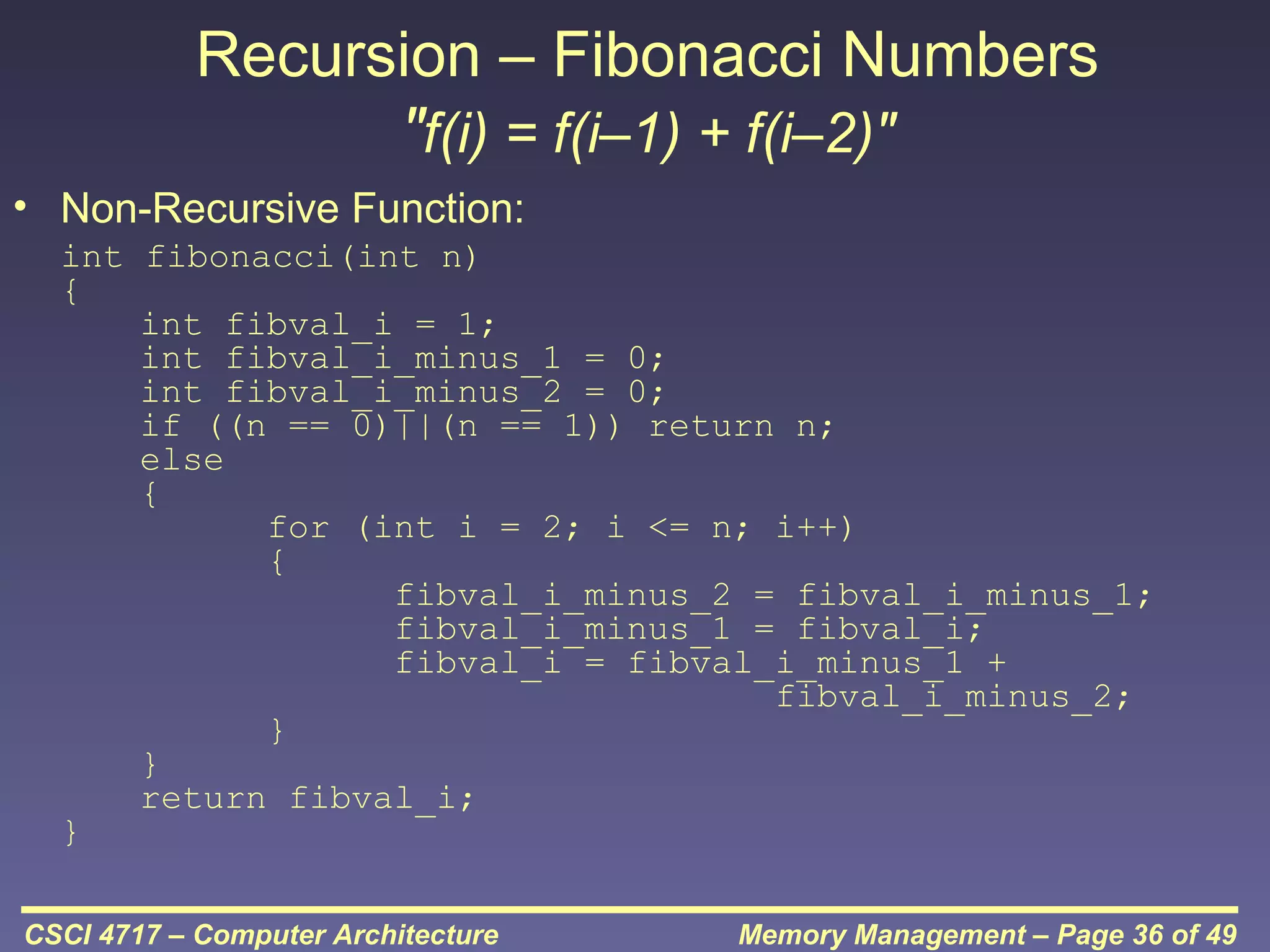
Recursion – Fibonacci Numbers
"f(i) = f(i–1) + f(i–2)"
• Non-Recursive Function:
int fibonacci(int n)
{
int fibval_i = 1;
int fibval_i_minus_1 = 0;
int fibval_i_minus_2 = 0;
if ((n == 0)||(n == 1)) return n;
else
{
for (int i = 2; i <= n; i++)
{
fibval_i_minus_2 = fibval_i_minus_1;
fibval_i_minus_1 = fibval_i;
fibval_i = fibval_i_minus_1 +
fibval_i_minus_2;
}
}
return fibval_i;
}
CSCI 4717 – Computer Architecture

Memory Management – Page 36 of 49
Recursion – Fibonacci Numbers
(continued)
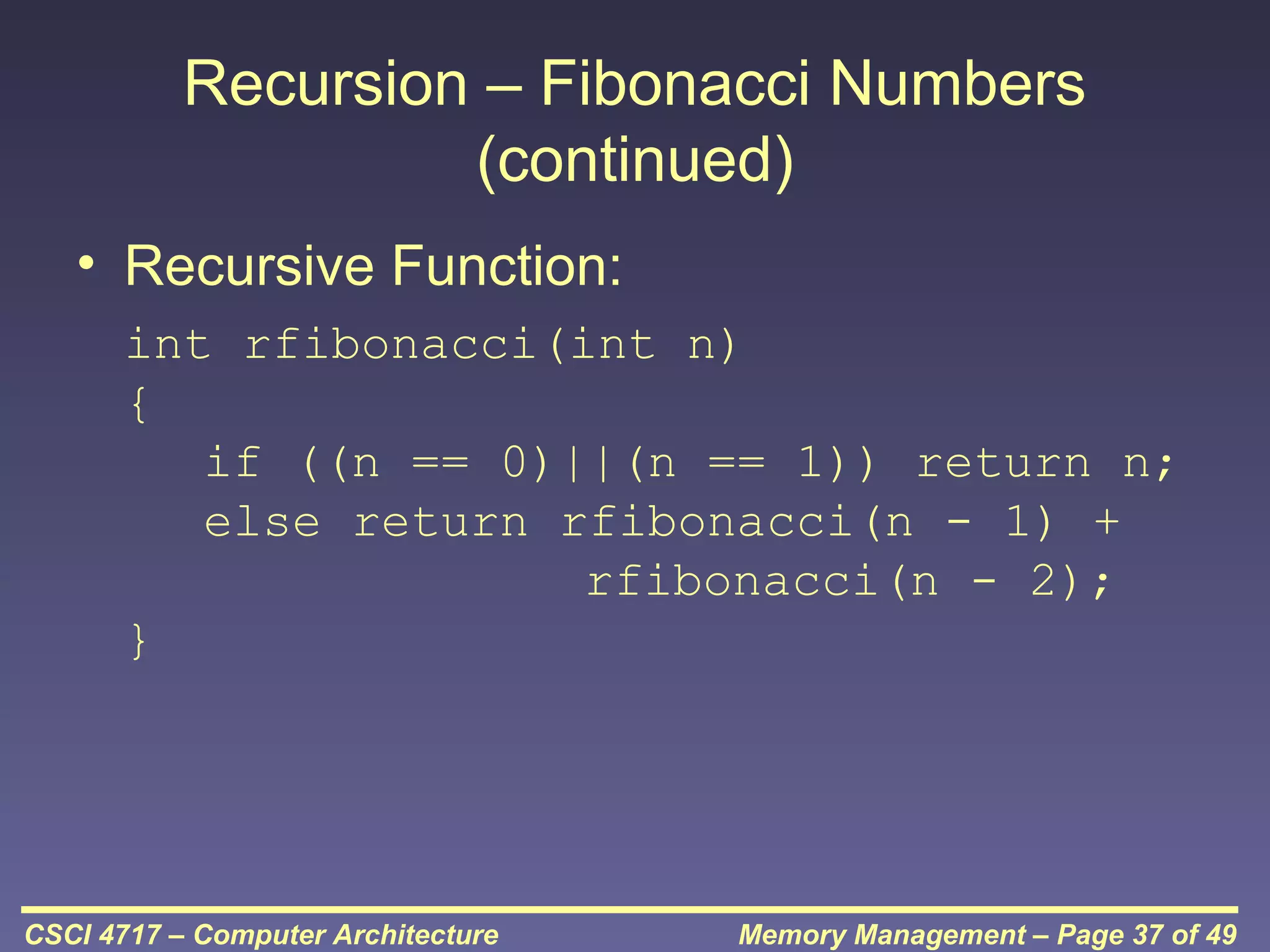
• Recursive Function:
int rfibonacci(int n)
{
if ((n == 0)||(n == 1)) return n;
else return rfibonacci(n - 1) +
rfibonacci(n - 2);
}

CSCI 4717 – Computer Architecture

Memory Management – Page 37 of 49
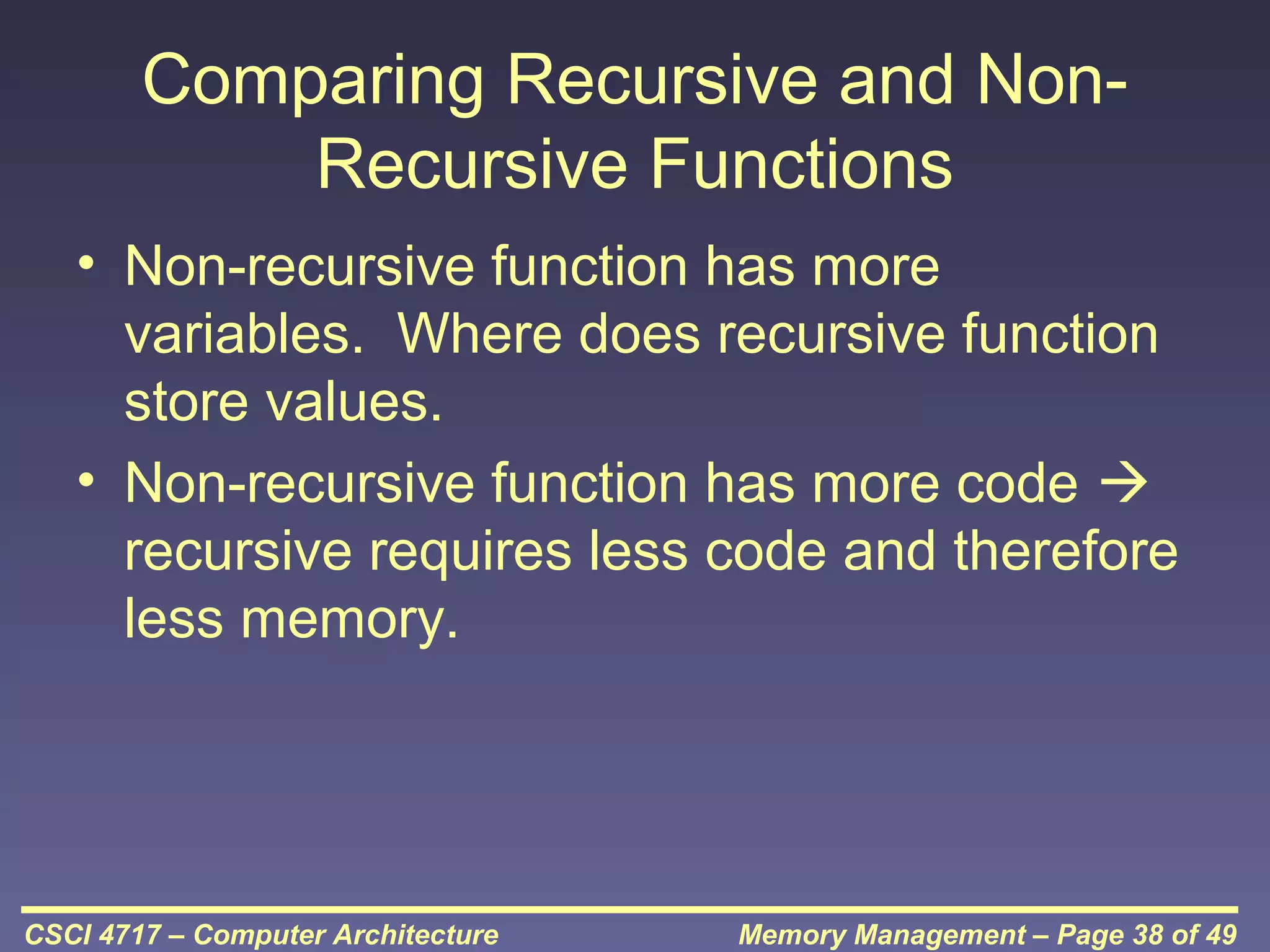
Comparing Recursive and NonRecursive Functions
• Non-recursive function has more
variables. Where does recursive function
store values.
• Non-recursive function has more code 
recursive requires less code and therefore
less memory.

CSCI 4717 – Computer Architecture

Memory Management – Page 38 of 49
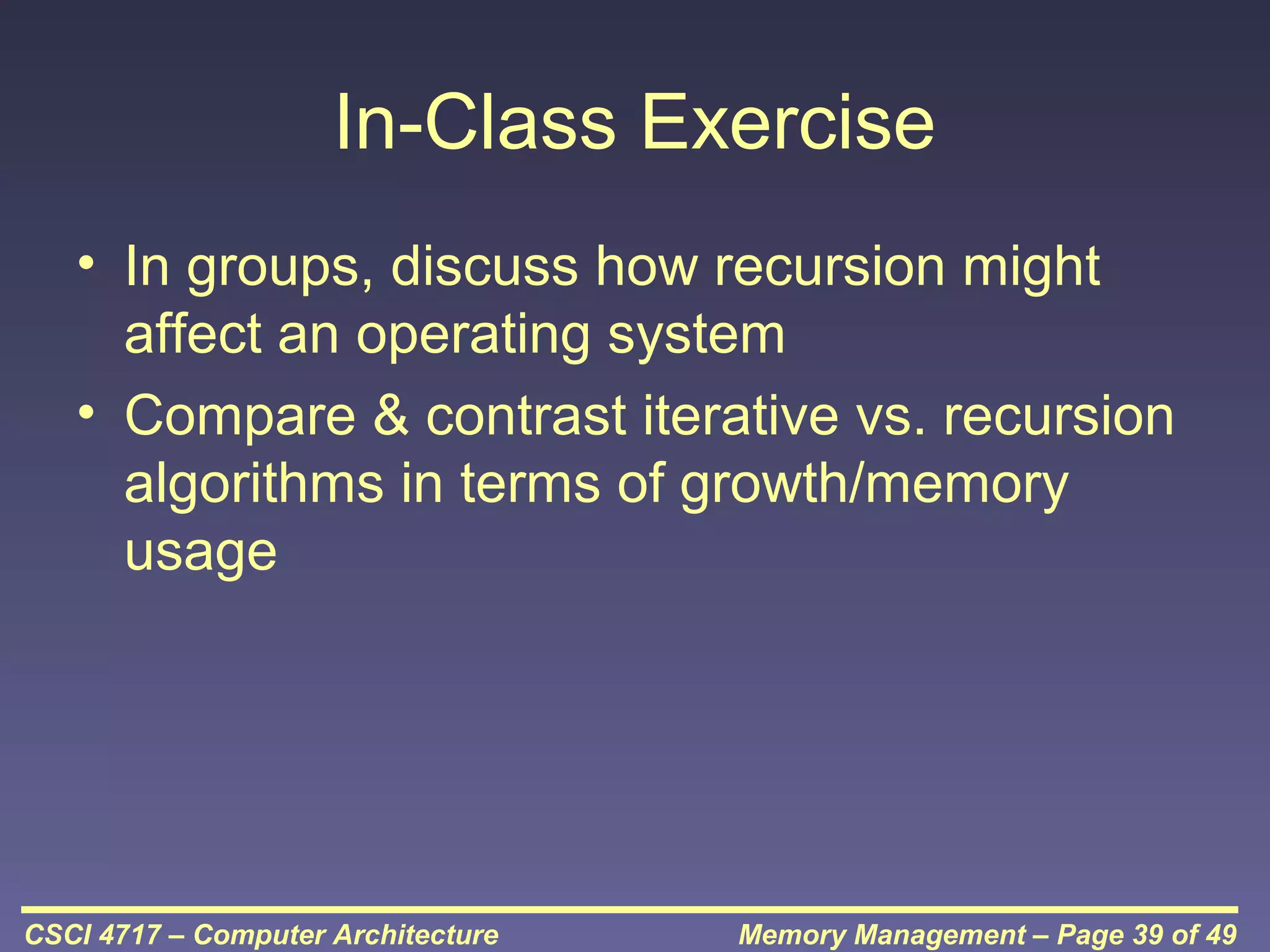
In-Class Exercise
• In groups, discuss how recursion might
affect an operating system
• Compare & contrast iterative vs. recursion
algorithms in terms of growth/memory
usage

CSCI 4717 – Computer Architecture

Memory Management – Page 39 of 49
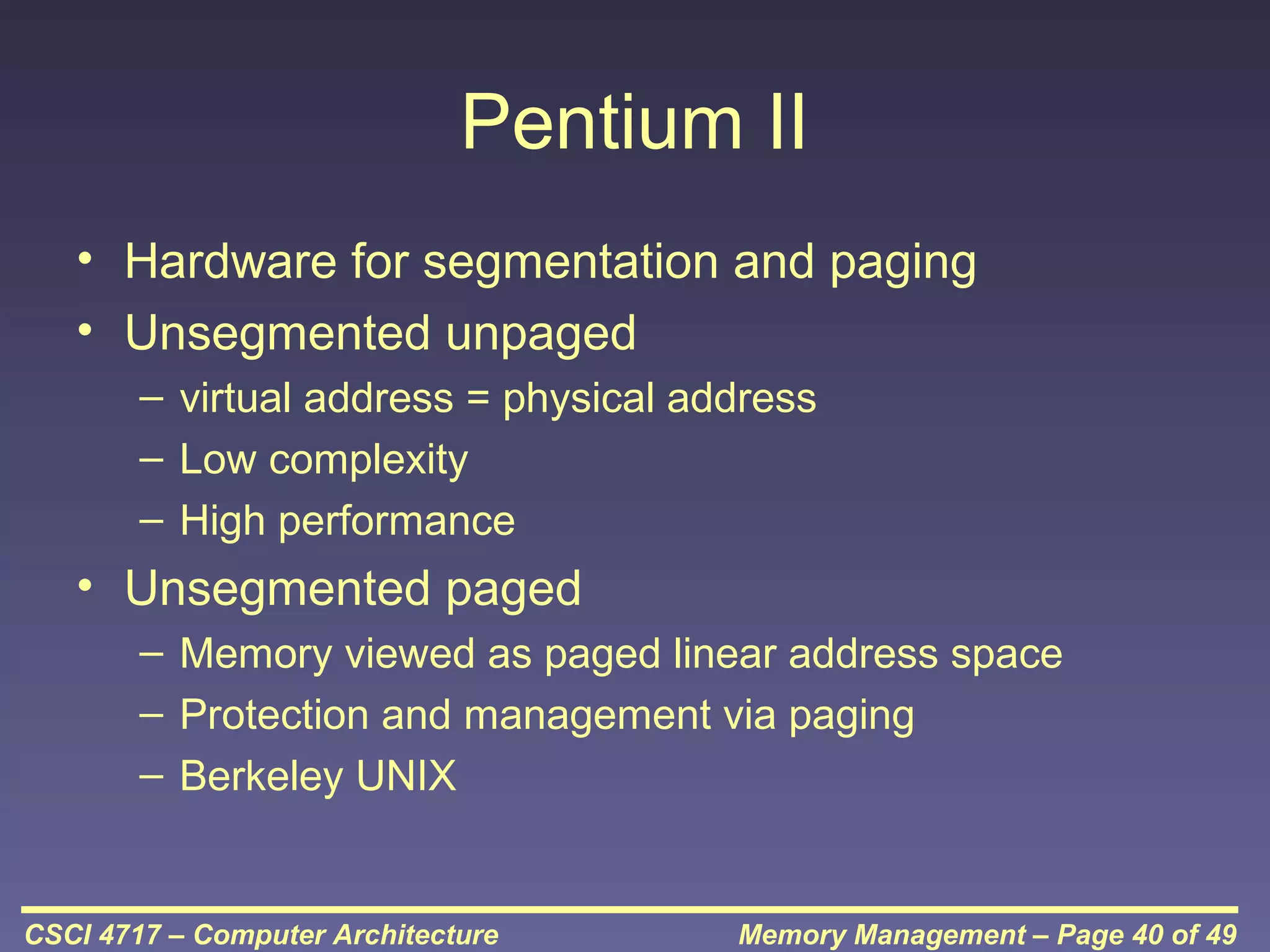
Pentium II
• Hardware for segmentation and paging
• Unsegmented unpaged
– virtual address = physical address
– Low complexity
– High performance

• Unsegmented paged
– Memory viewed as paged linear address space
– Protection and management via paging
– Berkeley UNIX

CSCI 4717 – Computer Architecture

Memory Management – Page 40 of 49
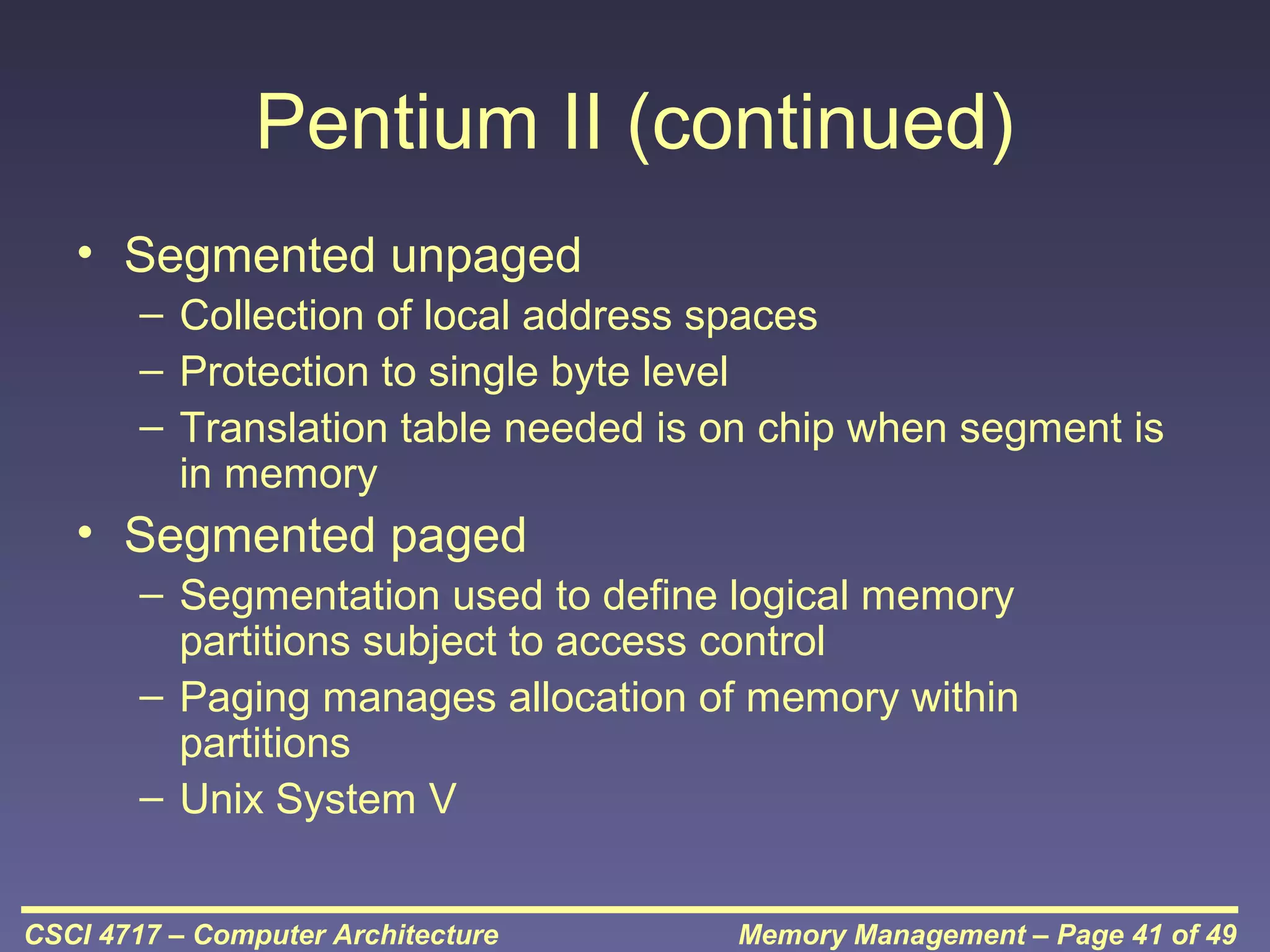
Pentium II (continued)
• Segmented unpaged
– Collection of local address spaces
– Protection to single byte level
– Translation table needed is on chip when segment is
in memory

• Segmented paged
– Segmentation used to define logical memory
partitions subject to access control
– Paging manages allocation of memory within
partitions
– Unix System V
CSCI 4717 – Computer Architecture

Memory Management – Page 41 of 49
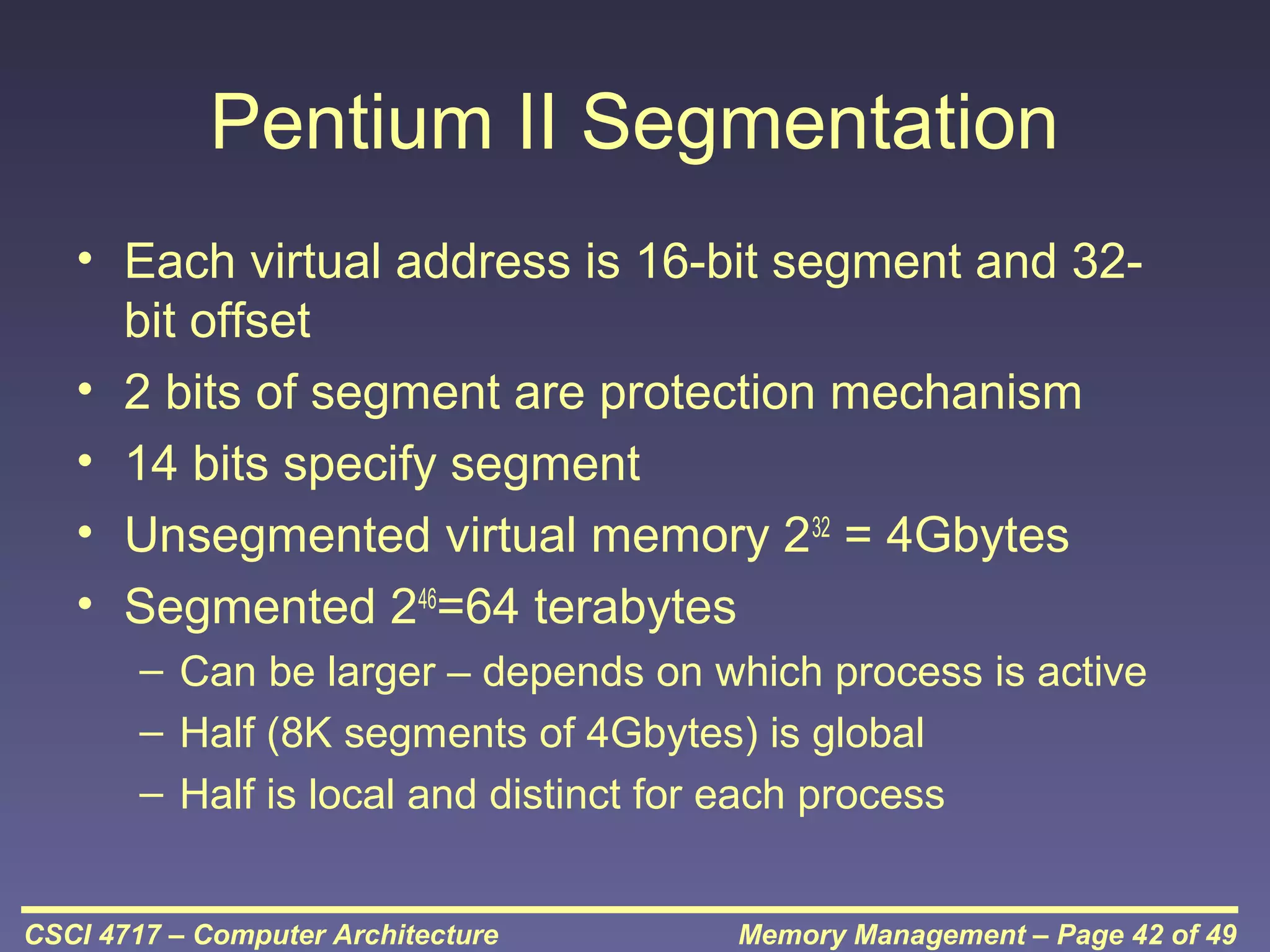
Pentium II Segmentation
• Each virtual address is 16-bit segment and 32bit offset
• 2 bits of segment are protection mechanism
• 14 bits specify segment
• Unsegmented virtual memory 232 = 4Gbytes
• Segmented 246=64 terabytes
– Can be larger – depends on which process is active
– Half (8K segments of 4Gbytes) is global
– Half is local and distinct for each process
CSCI 4717 – Computer Architecture

Memory Management – Page 42 of 49
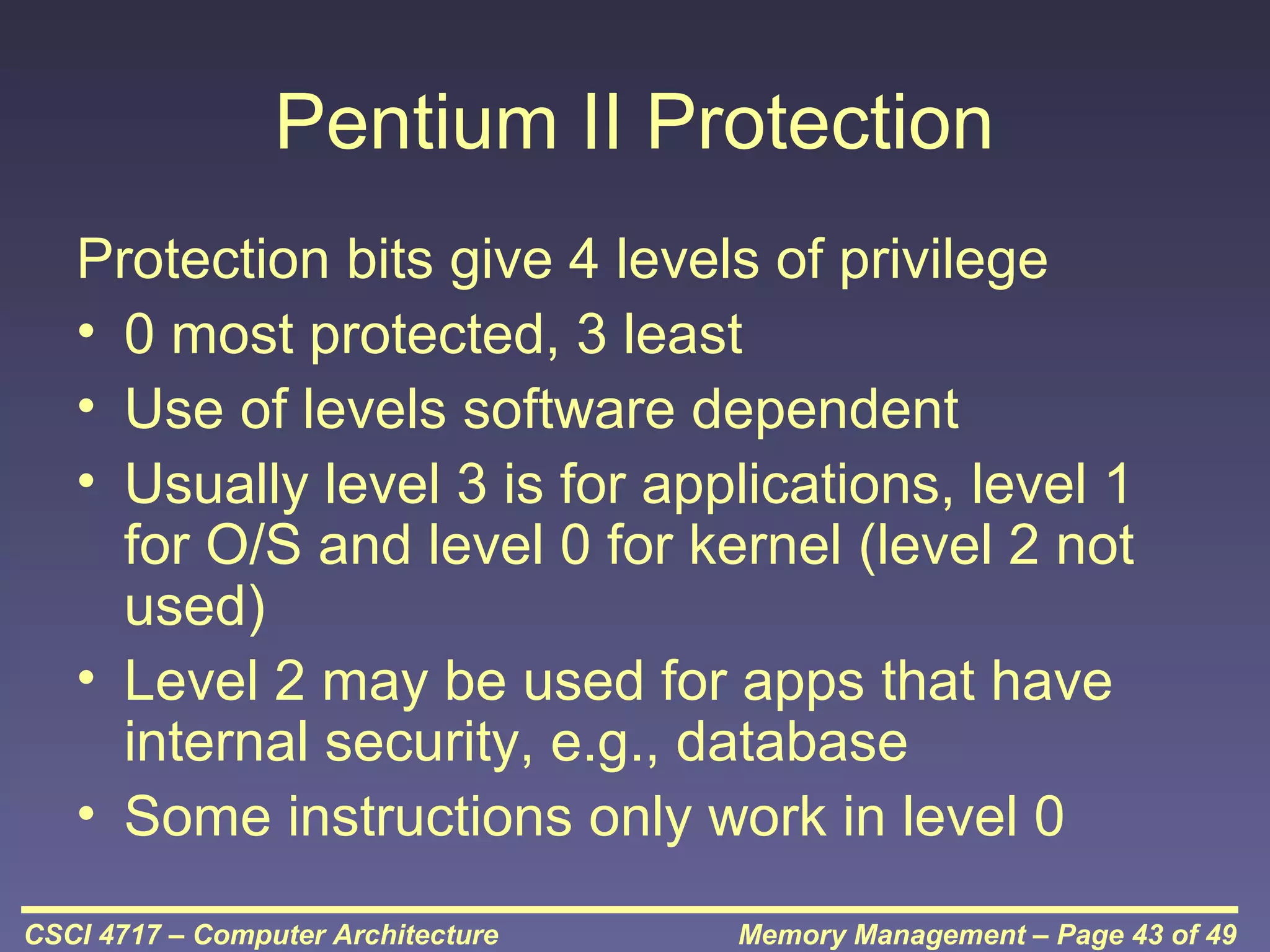
Pentium II Protection
Protection bits give 4 levels of privilege
• 0 most protected, 3 least
• Use of levels software dependent
• Usually level 3 is for applications, level 1
for O/S and level 0 for kernel (level 2 not
used)
• Level 2 may be used for apps that have
internal security, e.g., database
• Some instructions only work in level 0
CSCI 4717 – Computer Architecture

Memory Management – Page 43 of 49
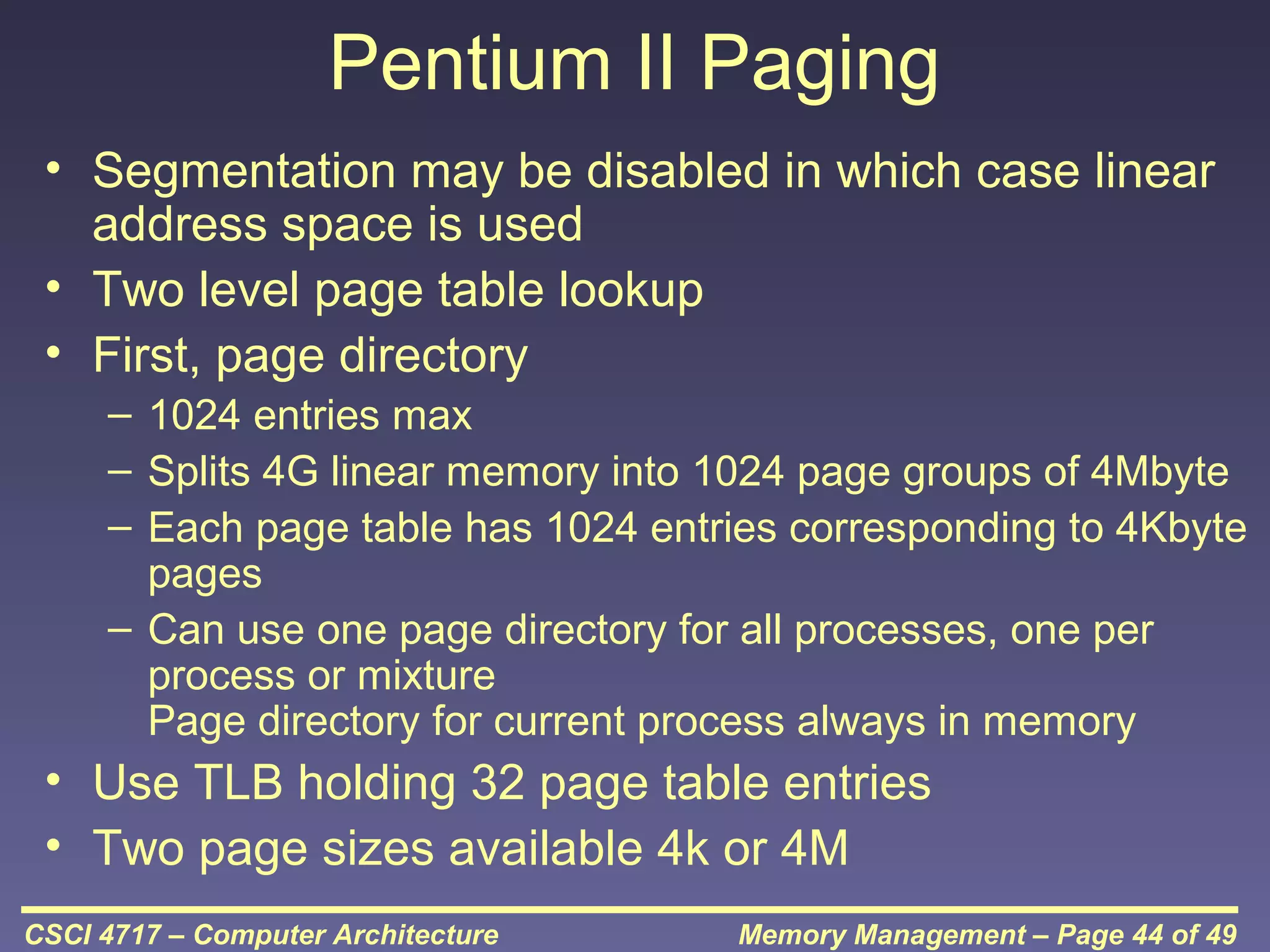
Pentium II Paging
• Segmentation may be disabled in which case linear
address space is used
• Two level page table lookup
• First, page directory
– 1024 entries max
– Splits 4G linear memory into 1024 page groups of 4Mbyte
– Each page table has 1024 entries corresponding to 4Kbyte
pages
– Can use one page directory for all processes, one per
process or mixture
Page directory for current process always in memory

• Use TLB holding 32 page table entries
• Two page sizes available 4k or 4M
CSCI 4717 – Computer Architecture

Memory Management – Page 44 of 49
Pentium Virtual Address
Breakdown

CSCI 4717 – Computer Architecture

Memory Management – Page 45 of 49
Pentium Segment/Paging Operation

CSCI 4717 – Computer Architecture

Memory Management – Page 46 of 49
PowerPC Memory Management Hardware
• 32 bit – paging with simple segmentation
– 64 bit paging with more powerful segmentation

• Or, both do block address translation
– Map 4 large blocks of instructions & 4 of memory to
bypass paging
– e.g. OS tables or graphics frame buffers

• 32 bit effective address
– 12 bit byte selector  4kbyte pages
– 16 bit page id  64k pages per segment
– 4 bits indicate one of 16 segment registers  Segment
registers under OS control
CSCI 4717 – Computer Architecture

Memory Management – Page 47 of 49
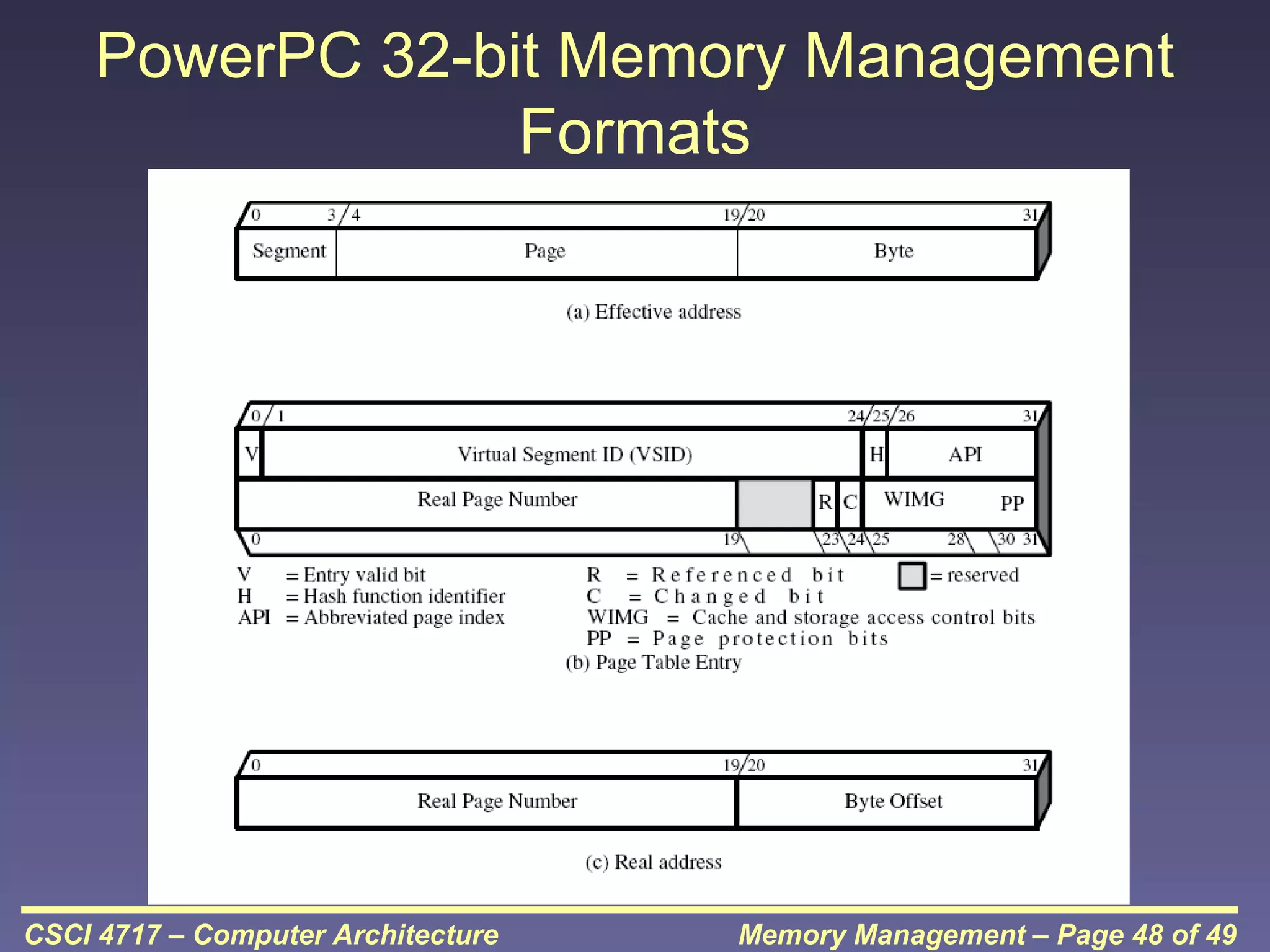
PowerPC 32-bit Memory Management
Formats

CSCI 4717 – Computer Architecture

Memory Management – Page 48 of 49
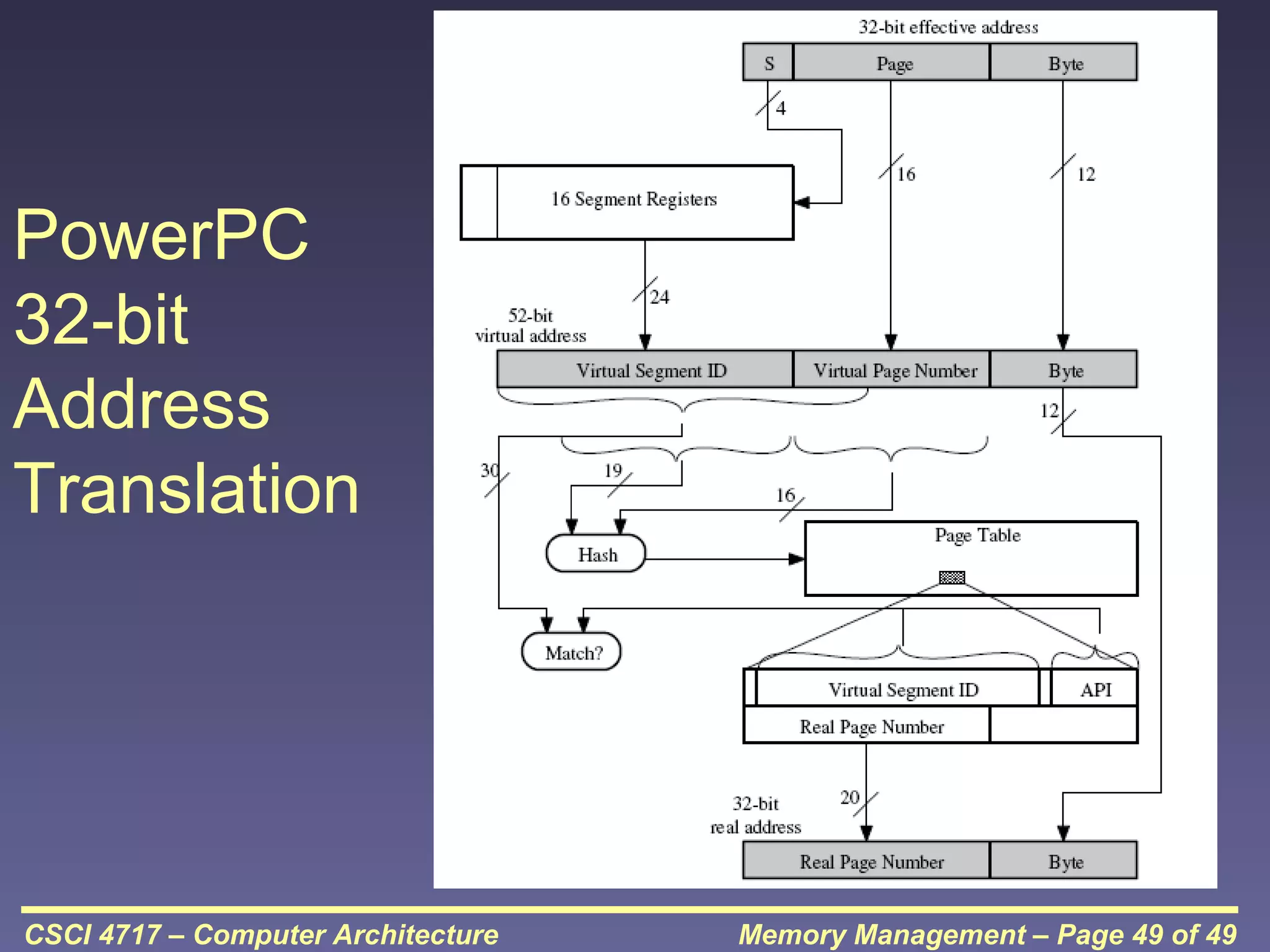
PowerPC
32-bit
Address
Translation

CSCI 4717 – Computer Architecture

Memory Management – Page 49 of 49

cache

  • 1.
    Computer Architecture Topic: MemoryManagement SATHISH.V VELAMMAL INSTITUTE OF TECHNOLOGY ECE 2010-2014 CSCI 4717 – Computer Architecture Memory Management – Page 1 of 49
  • 2.
    Memory Management • Uni-program– memory split into two parts – One for Operating System (monitor) – One for currently executing program • Multi-program – Non-O/S part is sub-divided and shared among active processes • Remember segment registers in the 8086 architecture – Hardware designed to meet needs of O/S – Base Address = segment address CSCI 4717 – Computer Architecture Memory Management – Page 2 of 49
  • 3.
    Swapping • Problem: I/O(Printing, Network, Keyboard, etc.) is so slow compared with CPU that even in multi-programming system, CPU can be idle most of the time • Solutions: – Increase main memory • Expensive • Programmers will eventually use all of this memory for a single process – Swapping CSCI 4717 – Computer Architecture Memory Management – Page 3 of 49
  • 4.
    What is Swapping? •Long term queue of processes stored on disk • Processes “swapped” in as space becomes available • As a process completes it is moved out of main memory • If none of the processes in memory are ready (i.e. all I/O blocked) – Swap out a blocked process to intermediate queue – Swap in a ready process or a new process • But swapping is an I/O process! – It could make the situation worse – Disk I/O is typically fastest of all, so it still is an improvement CSCI 4717 – Computer Architecture Memory Management – Page 4 of 49
  • 5.
    Partitioning • Splitting memoryinto sections to allocate to processes (including Operating System) • Two types – Fixed-sized partitions – Variable-sized partitions CSCI 4717 – Computer Architecture Memory Management – Page 5 of 49
  • 6.
    Fixed-Sized Partitions (continued) •Equal size or Unequal size partitions • Process is fitted into smallest hole that will take it (best fit) • Some wasted memory due to each block having a hole of unused memory at the end of its partition • Leads to variable sized partitions CSCI 4717 – Computer Architecture Memory Management – Page 6 of 49
  • 7.
    Fixedsized partitions CSCI 4717 –Computer Architecture Memory Management – Page 7 of 49
  • 8.
    Variable-Sized Partitions • Allocateexactly the required memory to a process • This leads to a hole at the end of memory, too small to use – Only one small hole - less waste • When all processes are blocked, swap out a process and bring in another • New process may be smaller than swapped out process • Reloaded process not likely to return to same place in memory it started in • Another hole • Eventually have lots of holes (fragmentation) CSCI 4717 – Computer Architecture Memory Management – Page 8 of 49
  • 9.
    Variable-Sized Partitions CSCI 4717– Computer Architecture Memory Management – Page 9 of 49
  • 10.
    Solutions to Holesin VariableSized Partitions • Coalesce - Join adjacent holes into a single large hole • Compaction - From time to time go through memory and move all holes into one free block (c.f. disk de-fragmentation) CSCI 4717 – Computer Architecture Memory Management – Page 10 of 49
  • 11.
    Overlays • In theearly days of computing, programmers had a small amount of memory to squeeze programs into • First "stabs" at memory management were overlays: – Programmer divided single application into smaller independent programs called overlays – When program first loaded, load first overlay into memory – When new overlay was required, next overlay is read from drive and loaded in place of previous one CSCI 4717 – Computer Architecture Memory Management – Page 11 of 49
  • 12.
    Relocation • No guaranteethat process will load into the same place in memory • Instructions contain addresses – Locations of data – Addresses for instructions (branching) • Logical address – relative to beginning of program • Physical address – actual location in memory (this time) • Base Address – start of program or block of data • Automatic conversion using base address CSCI 4717 – Computer Architecture Memory Management – Page 12 of 49
  • 13.
    Paging (continued) • Splitmemory into equal sized, small chunks -page frames • Split programs (processes) into equal sized small chunks – pages • Allocate the required number page frames to a process • Operating System maintains list of free frames • A process does not require contiguous page frames CSCI 4717 – Computer Architecture Memory Management – Page 13 of 49
  • 14.
    Paging (continued) • Usepage table to keep track of how the process is distributed through the pages in memory • Now addressing becomes page number:relative address within page which is mapped to frame number:relative address within frame. CSCI 4717 – Computer Architecture Memory Management – Page 14 of 49
  • 15.
    Paging (continued) CSCI 4717– Computer Architecture Memory Management – Page 15 of 49
  • 16.
    Paging Example –Before Free frame list 13 14 15 18 13 14 15 20 16 Process A Page 0 Page 1 Page 2 Page 3 In use 17 In use 18 19 20 21 CSCI 4717 – Computer Architecture In use In use Memory Management – Page 16 of 49
  • 17.
    Paging Example –After Free frame list 13 Process A Page 0 13 Page 1 14 Page 2 15 Page 3 18 Page 1 of A 15 Process A page table Page 0 of A 14 20 Page 2 of A 16 In use 17 In use 18 Page 3 of A 19 In use 20 21 CSCI 4717 – Computer Architecture In use Memory Management – Page 17 of 49
  • 18.
    Virtual Memory • Rememberthe Principle of Locality which states that “active” code tends to cluster together, and if a memory item is used once, it will most likely be used again. • Demand paging – Do not require all pages of a process in memory – Bring in pages as required CSCI 4717 – Computer Architecture Memory Management – Page 18 of 49
  • 19.
    Page Fault inVirtual Memory • Required page is not in memory • Operating System must swap in required page • May need to swap out a page to make space • Select page to throw out based on recent history CSCI 4717 – Computer Architecture Memory Management – Page 19 of 49
  • 20.
    Virtual Memory Bonus •We do not need all of a process in memory for it to run • We can swap in pages as required • So - we can now run processes that are bigger than total memory available! • Main memory is called real memory • User/programmer sees much bigger memory - virtual memory CSCI 4717 – Computer Architecture Memory Management – Page 20 of 49
  • 21.
    Thrashing • Too manyprocesses in too little memory • Operating System spends all its time swapping • Little or no real work is done • Disk light is on all the time • Solutions – Better page replacement algorithms – Reduce number of processes running – Get more memory CSCI 4717 – Computer Architecture Memory Management – Page 21 of 49
  • 22.
    Page Table Structure •VAX architecture – each process may be allocated up to 231 = 2 GBytes of virtual memory broken in to 29=512 byte pages. • Therefore, each process may have a page table with 2(31-9)=222=4 Meg entries. • This uses a bunch of memory! CSCI 4717 – Computer Architecture Memory Management – Page 22 of 49
  • 23.
    Pages of PageTable • Some processors solve this with a page directory that points to page tables, each table of which is limited to a page and treated as such • Another approach is the inverted page table structure CSCI 4717 – Computer Architecture Memory Management – Page 23 of 49
  • 24.
    Inverted Page Table •Page tables based on logical (program's) address space can be huge • Alternatively, restrict page table entries to real memory, not virtual memory • Problem: – Simple page table says each line of table maps to logical page – Inverted Page Table need to have mapping algorithm because there isn't a one-to-one mapping of logical to virtual pages CSCI 4717 – Computer Architecture Memory Management – Page 24 of 49
  • 25.
    Page of PageTable (continued) CSCI 4717 – Computer Architecture Memory Management – Page 25 of 49
  • 26.
    Translation Lookaside Buffer •Every virtual memory reference causes two physical memory access • Fetch page table entry • Fetch data • Use special cache for page table – TLB CSCI 4717 – Computer Architecture Memory Management – Page 26 of 49
  • 27.
    Translation Lookaside Buffer (continued) CSCI 4717– Computer Architecture Memory Management – Page 27 of 49
  • 28.
    Translation Lookaside Buffer (continued) •Complexity! Virtual address translated to a physical address • Reference to page table – might be in TLB, main memory, or disk • Referenced word may be in cache, main memory, or disk • If referenced word is on disk, it must be copied to main memory • If in main memory or on disk, block must be loaded to cache and cache table must be updated CSCI 4717 – Computer Architecture Memory Management – Page 28 of 49
  • 29.
    TLB and CacheOperation CSCI 4717 – Computer Architecture Memory Management – Page 29 of 49
  • 30.
    Multi-Level Page Tables Source:Rusling, D., "Linux Page Tables," The Linux Knowledge Base and Tutorial, Online: http://www.linux-tutorial.info/modules.php?name=MContent&pageid=307 CSCI 4717 – Computer Architecture Memory Management – Page 30 of 49
  • 31.
    Segmentation • Paging isnot (usually) visible to the programmer • Segmentation is visible to the programmer • Usually different segments allocated to program and data • There may be a number of program and data segments • Segmentation partitions memory CSCI 4717 – Computer Architecture Memory Management – Page 31 of 49
  • 32.
    Advantages of Segmentation •Simplifies handling of growing data structures – O/S will expand or contract the segment as needed • Allows programs to be altered and recompiled independently, without re-linking and re-loading • Lends itself to sharing among processes • Lends itself to protection since O/S can specify certain privileges on a segment-by-segment basis • Some systems combine segmentation with paging CSCI 4717 – Computer Architecture Memory Management – Page 32 of 49
  • 33.
    In-Class Discussion • TheTLB is basically a cache for page tables. A TLB "miss" is a request for a page that isn't in the TLB. Name some ways that we can reduce the chances of a TLB miss. • Using paging with N processes and a page size of P, what is the most memory that is wasted? • What problem is caused by small pages? • What problem is caused by large pages? CSCI 4717 – Computer Architecture Memory Management – Page 33 of 49
  • 34.
    Recursion • Many complexalgorithmic functions can be broken into a repetitive application of a simple algorithm. • The typical recursion function begins with an initial value of n which is decremented with each recursive call until the last call reaches a terminal value of n. • A recursive function contains a call to itself. • "Definition of recursion: See recursion" CSCI 4717 – Computer Architecture Memory Management – Page 34 of 49
  • 35.
    Recursion – Factorial •Non-Recursive Function: int factorial(int n) { int return_val = 1; for (int i = 1; i <= n; i++) return_val = return_val * i; return return_val; } • Recursive Function: int rfactorial(int n) { if ((n == 1) || (n == 0)) return (1); else return (n*rfactorial(n - 1)); } CSCI 4717 – Computer Architecture Memory Management – Page 35 of 49
  • 36.
    Recursion – FibonacciNumbers "f(i) = f(i–1) + f(i–2)" • Non-Recursive Function: int fibonacci(int n) { int fibval_i = 1; int fibval_i_minus_1 = 0; int fibval_i_minus_2 = 0; if ((n == 0)||(n == 1)) return n; else { for (int i = 2; i <= n; i++) { fibval_i_minus_2 = fibval_i_minus_1; fibval_i_minus_1 = fibval_i; fibval_i = fibval_i_minus_1 + fibval_i_minus_2; } } return fibval_i; } CSCI 4717 – Computer Architecture Memory Management – Page 36 of 49
  • 37.
    Recursion – FibonacciNumbers (continued) • Recursive Function: int rfibonacci(int n) { if ((n == 0)||(n == 1)) return n; else return rfibonacci(n - 1) + rfibonacci(n - 2); } CSCI 4717 – Computer Architecture Memory Management – Page 37 of 49
  • 38.
    Comparing Recursive andNonRecursive Functions • Non-recursive function has more variables. Where does recursive function store values. • Non-recursive function has more code  recursive requires less code and therefore less memory. CSCI 4717 – Computer Architecture Memory Management – Page 38 of 49
  • 39.
    In-Class Exercise • Ingroups, discuss how recursion might affect an operating system • Compare & contrast iterative vs. recursion algorithms in terms of growth/memory usage CSCI 4717 – Computer Architecture Memory Management – Page 39 of 49
  • 40.
    Pentium II • Hardwarefor segmentation and paging • Unsegmented unpaged – virtual address = physical address – Low complexity – High performance • Unsegmented paged – Memory viewed as paged linear address space – Protection and management via paging – Berkeley UNIX CSCI 4717 – Computer Architecture Memory Management – Page 40 of 49
  • 41.
    Pentium II (continued) •Segmented unpaged – Collection of local address spaces – Protection to single byte level – Translation table needed is on chip when segment is in memory • Segmented paged – Segmentation used to define logical memory partitions subject to access control – Paging manages allocation of memory within partitions – Unix System V CSCI 4717 – Computer Architecture Memory Management – Page 41 of 49
  • 42.
    Pentium II Segmentation •Each virtual address is 16-bit segment and 32bit offset • 2 bits of segment are protection mechanism • 14 bits specify segment • Unsegmented virtual memory 232 = 4Gbytes • Segmented 246=64 terabytes – Can be larger – depends on which process is active – Half (8K segments of 4Gbytes) is global – Half is local and distinct for each process CSCI 4717 – Computer Architecture Memory Management – Page 42 of 49
  • 43.
    Pentium II Protection Protectionbits give 4 levels of privilege • 0 most protected, 3 least • Use of levels software dependent • Usually level 3 is for applications, level 1 for O/S and level 0 for kernel (level 2 not used) • Level 2 may be used for apps that have internal security, e.g., database • Some instructions only work in level 0 CSCI 4717 – Computer Architecture Memory Management – Page 43 of 49
  • 44.
    Pentium II Paging •Segmentation may be disabled in which case linear address space is used • Two level page table lookup • First, page directory – 1024 entries max – Splits 4G linear memory into 1024 page groups of 4Mbyte – Each page table has 1024 entries corresponding to 4Kbyte pages – Can use one page directory for all processes, one per process or mixture Page directory for current process always in memory • Use TLB holding 32 page table entries • Two page sizes available 4k or 4M CSCI 4717 – Computer Architecture Memory Management – Page 44 of 49
  • 45.
    Pentium Virtual Address Breakdown CSCI4717 – Computer Architecture Memory Management – Page 45 of 49
  • 46.
    Pentium Segment/Paging Operation CSCI4717 – Computer Architecture Memory Management – Page 46 of 49
  • 47.
    PowerPC Memory ManagementHardware • 32 bit – paging with simple segmentation – 64 bit paging with more powerful segmentation • Or, both do block address translation – Map 4 large blocks of instructions & 4 of memory to bypass paging – e.g. OS tables or graphics frame buffers • 32 bit effective address – 12 bit byte selector  4kbyte pages – 16 bit page id  64k pages per segment – 4 bits indicate one of 16 segment registers  Segment registers under OS control CSCI 4717 – Computer Architecture Memory Management – Page 47 of 49
  • 48.
    PowerPC 32-bit MemoryManagement Formats CSCI 4717 – Computer Architecture Memory Management – Page 48 of 49
  • 49.
    PowerPC 32-bit Address Translation CSCI 4717 –Computer Architecture Memory Management – Page 49 of 49