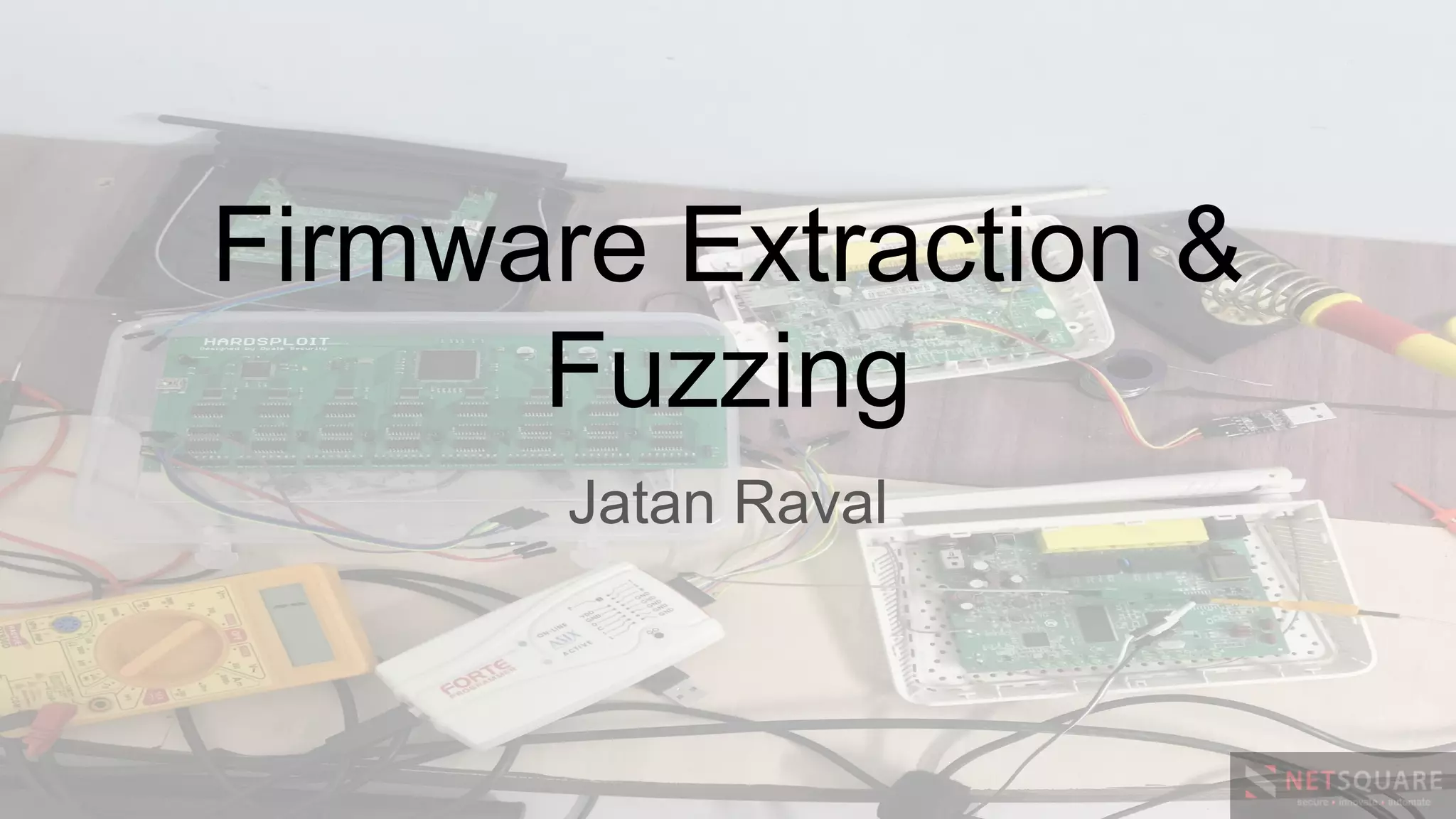
Firmware Extraction &
Fuzzing
Jatan Raval
INTRODUCTION
In this workshop you will learn the different
ways of extracting the firmware and analysing
the firmware.
We will also cover the basic concepts of
remote and guided fuzzing.
My #firmware details
● Jatan K Raval
● Trainer
● M.Tech. in Cyber Security & Incident Response,
GFSU.
● OSCP, OSCE
● Twitter: @jatankraval
WHY DO WE NEED FIRMWARE?
Firmware is a core part which provide
integral functions for the hardware.
It reveals the device architecture and the
process to access the hardware
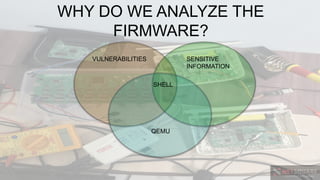
WHY DO WE ANALYZE THE
FIRMWARE?
VULNERABILITIES SENSITIVE
INFORMATION
QEMU
SHELL
Firmware Extraction
● Serial Console
● Bin file dump
● SSH & Telnet
SERIAL CONSOLE
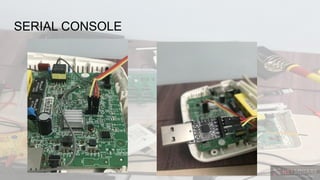
● Identify the debug pins: Tx, Rx
● Usually the serial console pins are left
for the debug purpose.
● It is used to catch the boot process and
shell.
SERIAL CONSOLE
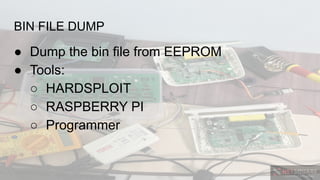
BIN FILE DUMP
● Dump the bin file from EEPROM
● Tools:
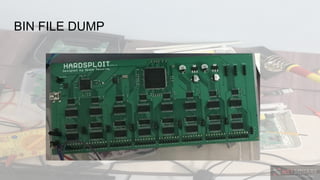
○ HARDSPLOIT
○ RASPBERRY PI
○ Programmer
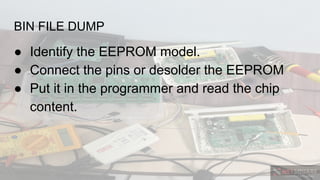
BIN FILE DUMP
● Identify the EEPROM model.
● Connect the pins or desolder the EEPROM
● Put it in the programmer and read the chip
content.
BIN FILE DUMP
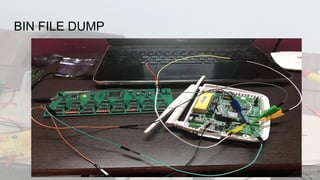
BIN FILE DUMP
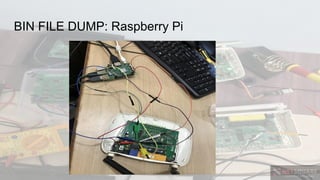
BIN FILE DUMP: Raspberry Pi
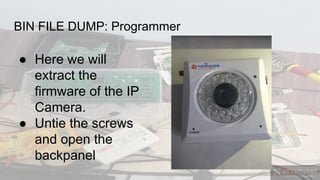
BIN FILE DUMP: Programmer
● Here we will
extract the
firmware of the IP
Camera.
● Untie the screws
and open the
backpanel
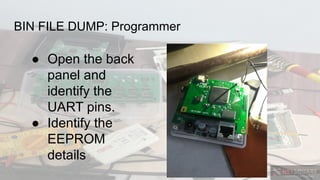
BIN FILE DUMP: Programmer
● Open the back
panel and
identify the
UART pins.
● Identify the
EEPROM
details
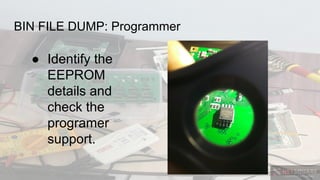
BIN FILE DUMP: Programmer
● Identify the
EEPROM
details and
check the
programer
support.
BIN FILE DUMP: Programmer
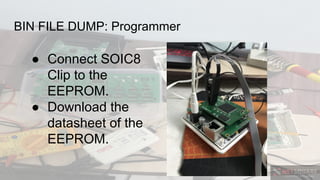
● Connect SOIC8
Clip to the
EEPROM.
● Download the
datasheet of the
EEPROM.
BIN FILE DUMP: Programmer
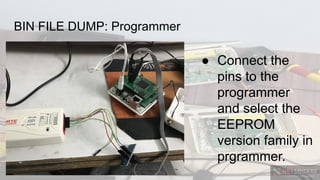
● Connect the
pins to the
programmer
and select the
EEPROM
version family in
prgrammer.
BIN FILE DUMP: Programmer
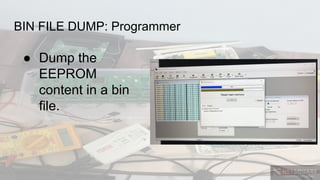
● Dump the
EEPROM
content in a bin
file.
BIN FILE DUMP: Programmer
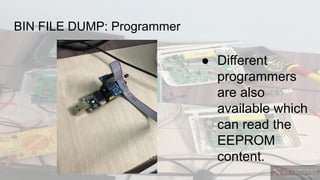
● Different
programmers
are also
available which
can read the
EEPROM
content.
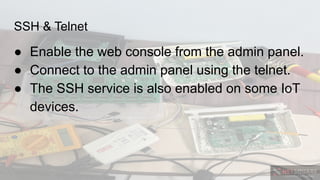
SSH & Telnet
● Enable the web console from the admin panel.
● Connect to the admin panel using the telnet.
● The SSH service is also enabled on some IoT
devices.

Firmware Extraction & Fuzzing - Jatan Raval

  • 1.
  • 2.
    INTRODUCTION In this workshopyou will learn the different ways of extracting the firmware and analysing the firmware. We will also cover the basic concepts of remote and guided fuzzing.
  • 3.
    My #firmware details ●Jatan K Raval ● Trainer ● M.Tech. in Cyber Security & Incident Response, GFSU. ● OSCP, OSCE ● Twitter: @jatankraval
  • 4.
    WHY DO WENEED FIRMWARE? Firmware is a core part which provide integral functions for the hardware. It reveals the device architecture and the process to access the hardware
  • 5.
    WHY DO WEANALYZE THE FIRMWARE? VULNERABILITIES SENSITIVE INFORMATION QEMU SHELL
  • 6.
    Firmware Extraction ● SerialConsole ● Bin file dump ● SSH & Telnet
  • 7.
    SERIAL CONSOLE ● Identifythe debug pins: Tx, Rx ● Usually the serial console pins are left for the debug purpose. ● It is used to catch the boot process and shell.
  • 8.
  • 9.
    BIN FILE DUMP ●Dump the bin file from EEPROM ● Tools: ○ HARDSPLOIT ○ RASPBERRY PI ○ Programmer
  • 10.
    BIN FILE DUMP ●Identify the EEPROM model. ● Connect the pins or desolder the EEPROM ● Put it in the programmer and read the chip content.
  • 11.
  • 12.
  • 13.
    BIN FILE DUMP:Raspberry Pi
  • 14.
    BIN FILE DUMP:Programmer ● Here we will extract the firmware of the IP Camera. ● Untie the screws and open the backpanel
  • 15.
    BIN FILE DUMP:Programmer ● Open the back panel and identify the UART pins. ● Identify the EEPROM details
  • 16.
    BIN FILE DUMP:Programmer ● Identify the EEPROM details and check the programer support.
  • 17.
    BIN FILE DUMP:Programmer ● Connect SOIC8 Clip to the EEPROM. ● Download the datasheet of the EEPROM.
  • 18.
    BIN FILE DUMP:Programmer ● Connect the pins to the programmer and select the EEPROM version family in prgrammer.
  • 19.
    BIN FILE DUMP:Programmer ● Dump the EEPROM content in a bin file.
  • 20.
    BIN FILE DUMP:Programmer ● Different programmers are also available which can read the EEPROM content.
  • 21.
    SSH & Telnet ●Enable the web console from the admin panel. ● Connect to the admin panel using the telnet. ● The SSH service is also enabled on some IoT devices.