WHAT IS MALWARE?
 Malware short for ‘malicious software’.
 Software programs designed to inflict damage or perform
other unwanted actions on a computer system.
 In Spanish, ‘mal’ is a prefix that means ‘bad’, making the
term ‘badware’.
 Common examples of malware
include viruses, worms, trojan horses and spyware.
 To hurt others and make money, usually by affecting important information
adversely.
 Stealing, encrypting or deleting sensitive data.
 Altering or hijacking core computing functions.
 Monitoring users’ computer activity without their permission.
 To steal personal, financial, or business information from individuals & govs.
PURPOSE
HISTORY
 People first started writing malware in the 1970s and early 1980s. They were written
as experiments or pranks for fun.
 ‘Creeper Virus’ created in 1971. Created as an experiment, Creeper did not cause
damage - but did foretell the future of malware with its quick spread through systems.
‘Reaper’ was created to hunt and destroy Creeper - one of the first examples of an
‘anti-virus’ program.
 Term ‘malware’ coined in 1990.
 Use of malware increased in the early 2000s.
 Experts believe that 31.5% of the world's computers have some type of malware
installed today.
HOW DOES MALWARE WORK?
 Delivered physically to a system through a
USB flash drives or external hard drives.
 Drive-by-Downloads via the Internet.
 Spam E-mails and Phishing Attacks.
 Bundled with other software.
 Accessing hacked or compromised webpages.
5 STAGE MALWARE ATTACK
ENTRY
DISTRIBUTION
EXPLOITINFECTION
EXECUTION
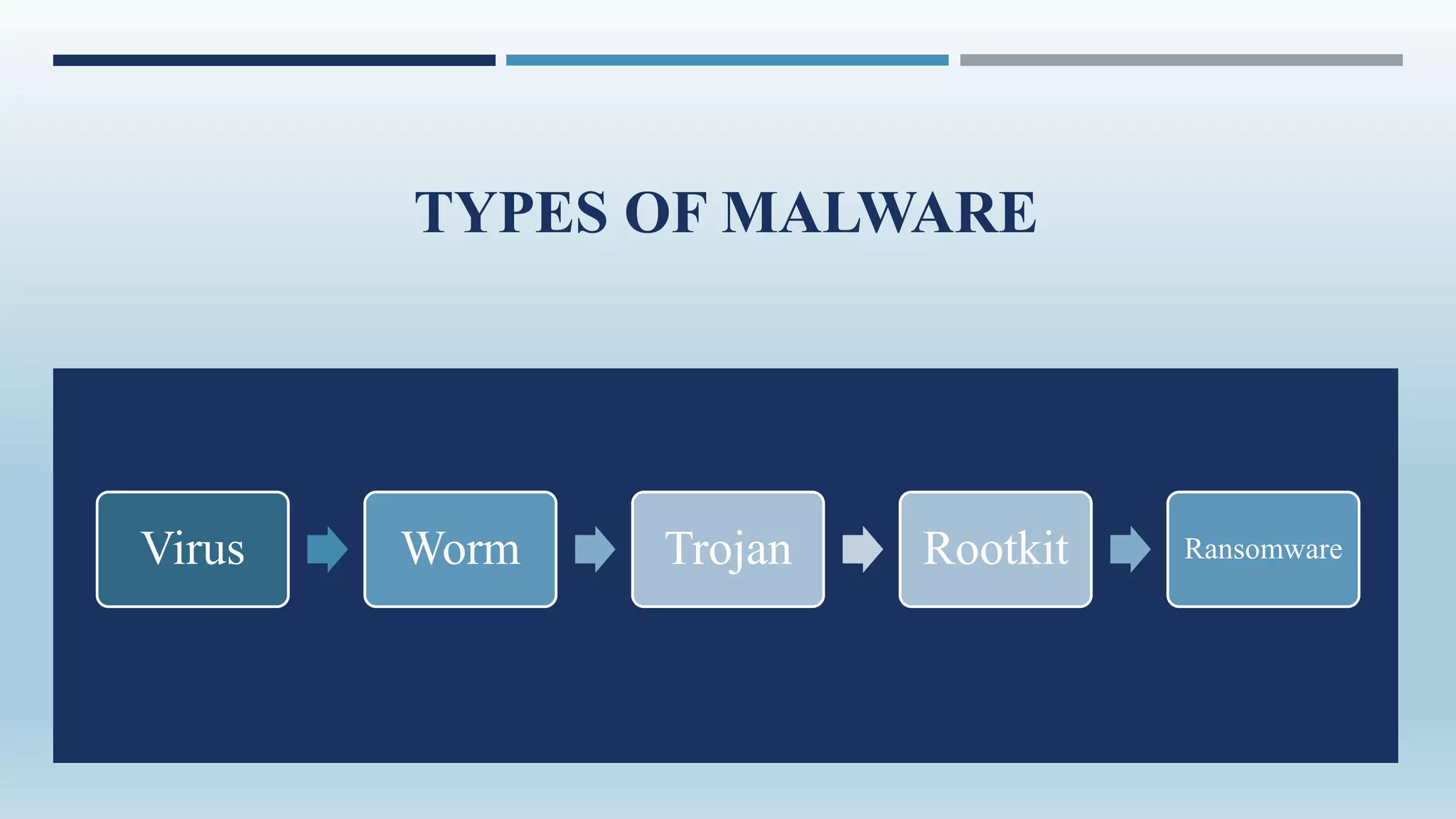
TYPES OF MALWARE
Virus Worm Trojan Rootkit Ransomware
VIRUS
 A virus is a piece of code written with malicious intention to harm a
computer or a computer system.
 A virus may effect in following ways :
• Deleting the existing files
• Corrupting the running application
• Harming the boot sector of the HDD
• Replication of files
• Engaging the CPU
VIRUS PHASES
TYPES OF VIRUSES
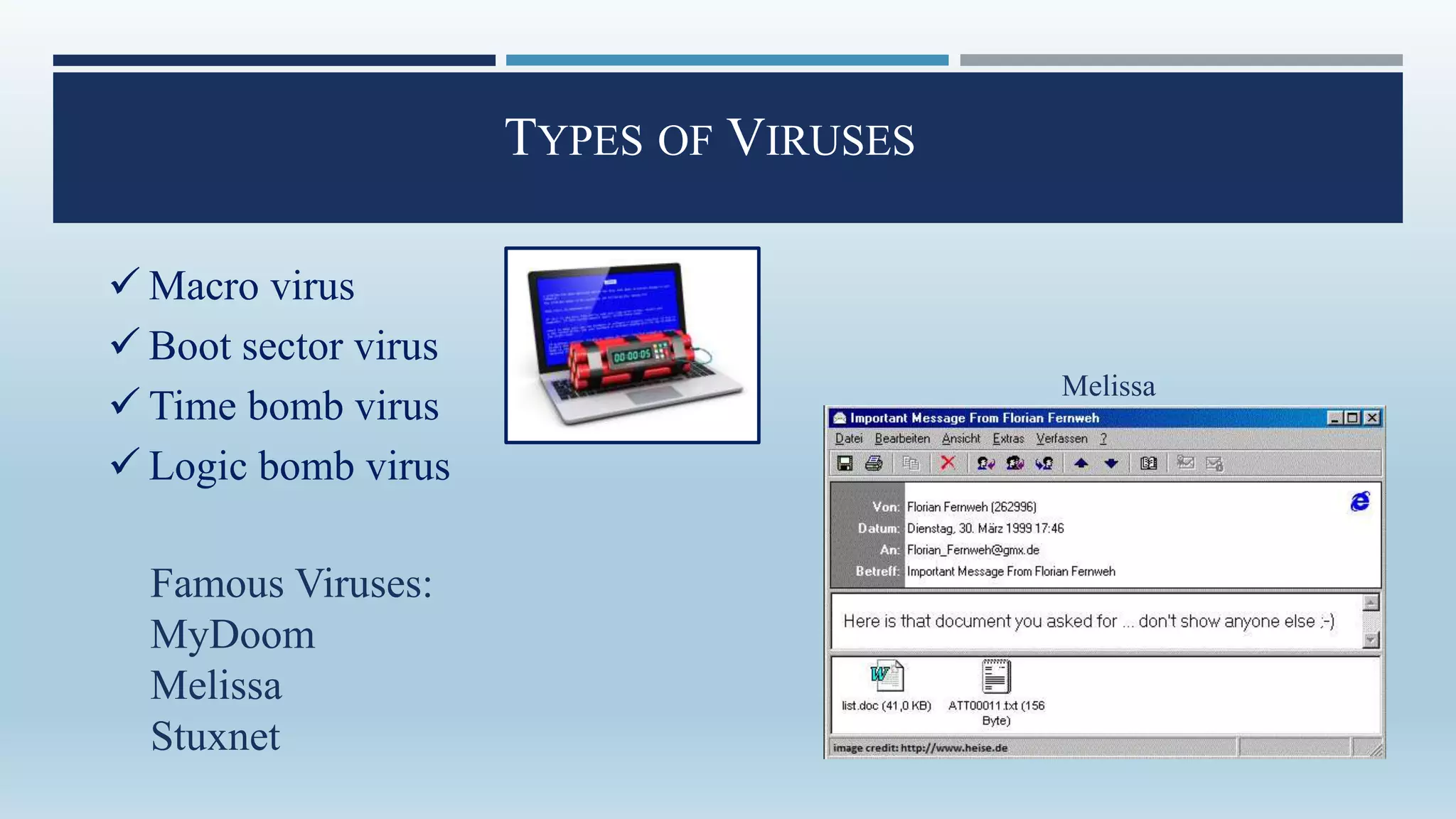
 Macro virus
 Boot sector virus
 Time bomb virus
 Logic bomb virus
Famous Viruses:
MyDoom
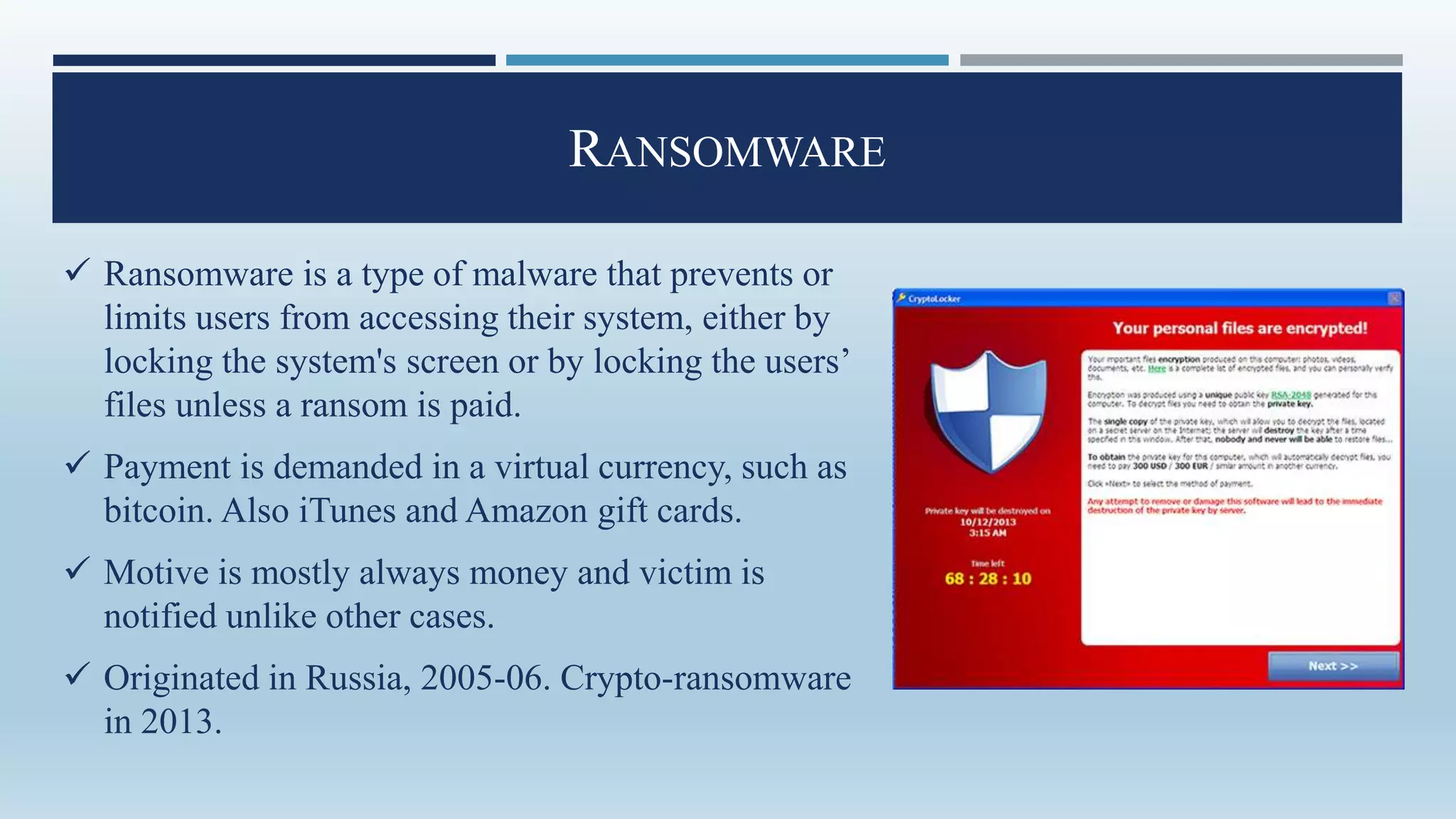
Melissa
Stuxnet
Melissa
WORM
 A computer worm is a standalone malware computer program
that replicates itself in order to spread to other computers.
• It doesn't affect other files
• Rather copies itself to other network computers
• The worm will do this repeatedly
• Can cause slowness or even block network transmissions
 Worms exploit a computer's security
holes :
a. Out of date updates
b. No anti-virus
 They attack the weakened points in a
network.
 Worms can be very difficult to
quarantine.
Famous Worms:
• MSBlaster
• Sasser and Netsky
MSBlaster
TROJANS
 There are a wide variety of Trojan viruses on the Internet landscape that can
perform an array of tasks. Most Trojans are typically aimed at taking control of a
user’s computer, stealing data and inserting more malware on to a victim’s
computer.
• Backdoor Trojan (Eg:Storm Worm)
• Downloader Trojan
• Infostealer Trojan
• Remote Access Trojan
• Distributed Denial of Service (DDoS) Attack Trojan
ROOTKIT
 It is a computer program designed to provide continued
privileged access to a computer while actively hiding
its presence.
 Originally, a rootkit was a collection of tools that
enabled administrator-level access to a computer or
network.
 Once a rootkit has been installed, the controller of the
rootkit has the ability to remotely execute files and
change system configurations on the host machine.
 A rootkit on an infected computer can also access log
files and spy on the legitimate computer owner’s usage.
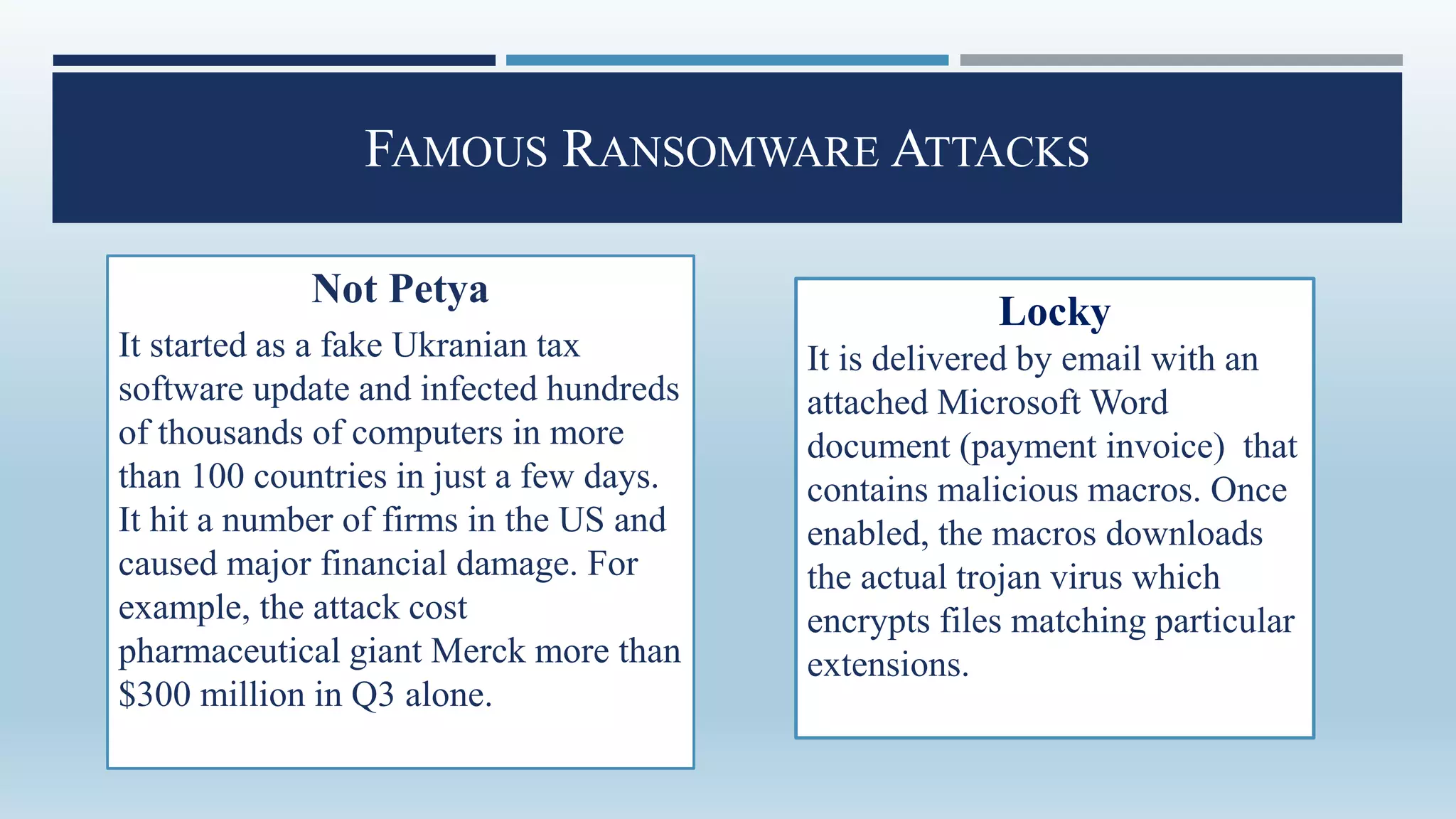
RANSOMWARE
 Ransomware is a type of malware that prevents or
limits users from accessing their system, either by
locking the system's screen or by locking the users’
files unless a ransom is paid.
 Payment is demanded in a virtual currency, such as
bitcoin. Also iTunes and Amazon gift cards.
 Motive is mostly always money and victim is
notified unlike other cases.
 Originated in Russia, 2005-06. Crypto-ransomware
in 2013.
FAMOUS RANSOMWARE ATTACKS
Not Petya
It started as a fake Ukranian tax
software update and infected hundreds
of thousands of computers in more
than 100 countries in just a few days.
It hit a number of firms in the US and
caused major financial damage. For
example, the attack cost
pharmaceutical giant Merck more than
$300 million in Q3 alone.
Locky
It is delivered by email with an
attached Microsoft Word
document (payment invoice) that
contains malicious macros. Once
enabled, the macros downloads
the actual trojan virus which
encrypts files matching particular
extensions.
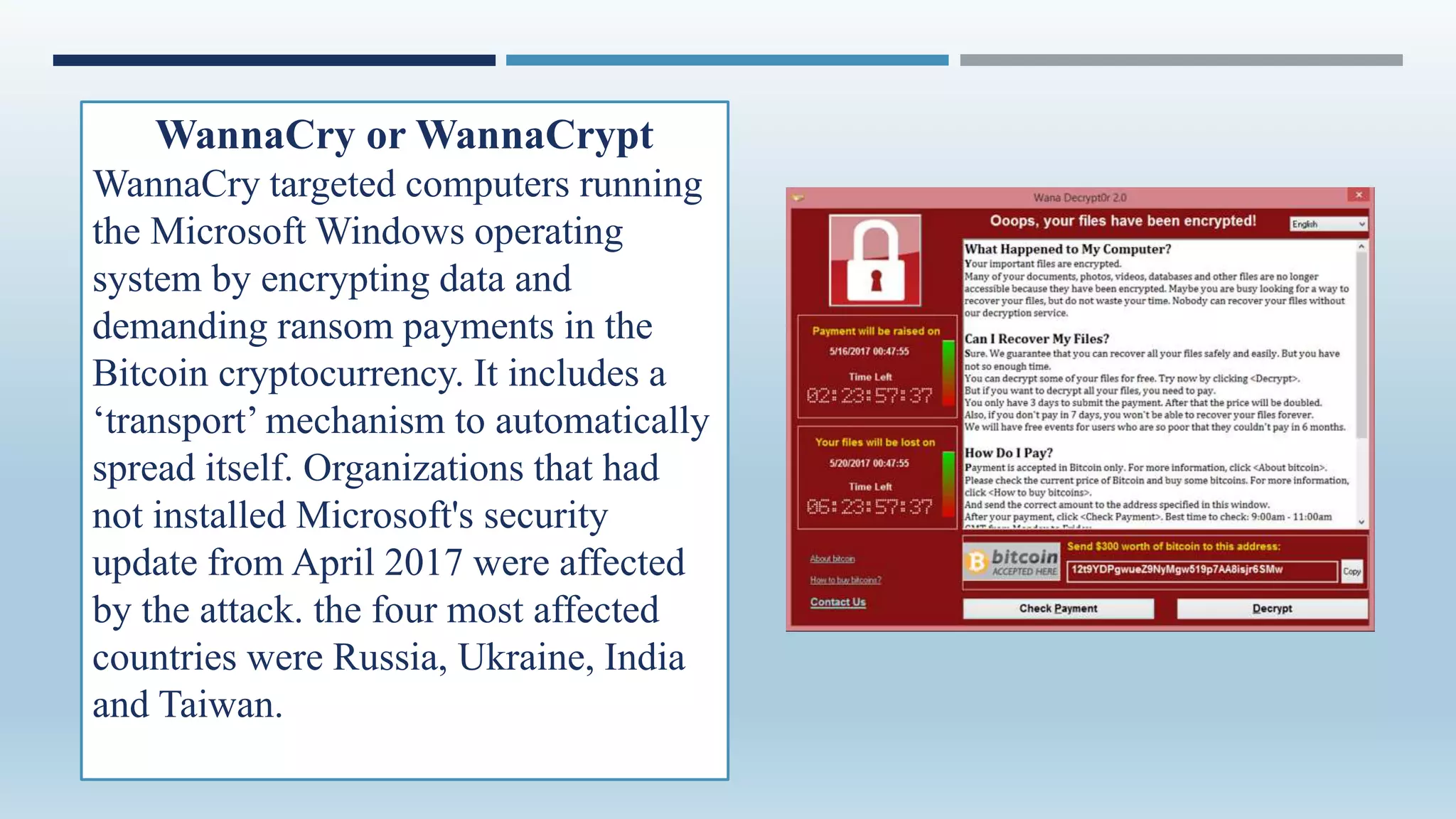
WannaCry or WannaCrypt
WannaCry targeted computers running
the Microsoft Windows operating
system by encrypting data and
demanding ransom payments in the
Bitcoin cryptocurrency. It includes a
‘transport’ mechanism to automatically
spread itself. Organizations that had
not installed Microsoft's security
update from April 2017 were affected
by the attack. the four most affected
countries were Russia, Ukraine, India
and Taiwan.
PROTECTION AGAINST MALWARE
 The two most effective ways to fight against malware are:
Personal vigilance and protective tools.
 Malware security protection provides that second vital layer
of protection for your computer or network.
 A robust antivirus software package is the primary
component of technological defenses that every personal
and business computer system should have.
 No protection is absolute. But a combination of personal
awareness and well-designed protective tools will make
your computer as safe as it can be.
MALWARE PROTECTION LAWS
 The relevant laws in India dealing with protection against malware fall under the
following sections of the Indian Information Technology Act, 2000:
• Section 72A - deals with punishment for disclosure of information in breach of
lawful contract. Simply stated, this section provides for protection against illegal or
uninformed release of personal information for wrongful purposes caused due to
malware attacks in this case.
• Section 43 – deals with penalty and compensation for damage to computer, computer
system, etc. This section directly mentions that if anyone introduces or causes to be
introduced any computer contaminant or computer virus into any computer,
computer system or computer network; is punishable by law.
THANK YOU!

Malware

  • 2.
    WHAT IS MALWARE? Malware short for ‘malicious software’.  Software programs designed to inflict damage or perform other unwanted actions on a computer system.  In Spanish, ‘mal’ is a prefix that means ‘bad’, making the term ‘badware’.  Common examples of malware include viruses, worms, trojan horses and spyware.
  • 3.
     To hurtothers and make money, usually by affecting important information adversely.  Stealing, encrypting or deleting sensitive data.  Altering or hijacking core computing functions.  Monitoring users’ computer activity without their permission.  To steal personal, financial, or business information from individuals & govs. PURPOSE
  • 4.
    HISTORY  People firststarted writing malware in the 1970s and early 1980s. They were written as experiments or pranks for fun.  ‘Creeper Virus’ created in 1971. Created as an experiment, Creeper did not cause damage - but did foretell the future of malware with its quick spread through systems. ‘Reaper’ was created to hunt and destroy Creeper - one of the first examples of an ‘anti-virus’ program.  Term ‘malware’ coined in 1990.  Use of malware increased in the early 2000s.  Experts believe that 31.5% of the world's computers have some type of malware installed today.
  • 5.
    HOW DOES MALWAREWORK?  Delivered physically to a system through a USB flash drives or external hard drives.  Drive-by-Downloads via the Internet.  Spam E-mails and Phishing Attacks.  Bundled with other software.  Accessing hacked or compromised webpages.
  • 6.
    5 STAGE MALWAREATTACK ENTRY DISTRIBUTION EXPLOITINFECTION EXECUTION
  • 7.
    TYPES OF MALWARE VirusWorm Trojan Rootkit Ransomware
  • 8.
    VIRUS  A virusis a piece of code written with malicious intention to harm a computer or a computer system.  A virus may effect in following ways : • Deleting the existing files • Corrupting the running application • Harming the boot sector of the HDD • Replication of files • Engaging the CPU
  • 9.
  • 10.
    TYPES OF VIRUSES Macro virus  Boot sector virus  Time bomb virus  Logic bomb virus Famous Viruses: MyDoom Melissa Stuxnet Melissa
  • 11.
    WORM  A computerworm is a standalone malware computer program that replicates itself in order to spread to other computers. • It doesn't affect other files • Rather copies itself to other network computers • The worm will do this repeatedly • Can cause slowness or even block network transmissions
  • 12.
     Worms exploita computer's security holes : a. Out of date updates b. No anti-virus  They attack the weakened points in a network.  Worms can be very difficult to quarantine. Famous Worms: • MSBlaster • Sasser and Netsky MSBlaster
  • 13.
    TROJANS  There area wide variety of Trojan viruses on the Internet landscape that can perform an array of tasks. Most Trojans are typically aimed at taking control of a user’s computer, stealing data and inserting more malware on to a victim’s computer. • Backdoor Trojan (Eg:Storm Worm) • Downloader Trojan • Infostealer Trojan • Remote Access Trojan • Distributed Denial of Service (DDoS) Attack Trojan
  • 14.
    ROOTKIT  It isa computer program designed to provide continued privileged access to a computer while actively hiding its presence.  Originally, a rootkit was a collection of tools that enabled administrator-level access to a computer or network.  Once a rootkit has been installed, the controller of the rootkit has the ability to remotely execute files and change system configurations on the host machine.  A rootkit on an infected computer can also access log files and spy on the legitimate computer owner’s usage.
  • 15.
    RANSOMWARE  Ransomware isa type of malware that prevents or limits users from accessing their system, either by locking the system's screen or by locking the users’ files unless a ransom is paid.  Payment is demanded in a virtual currency, such as bitcoin. Also iTunes and Amazon gift cards.  Motive is mostly always money and victim is notified unlike other cases.  Originated in Russia, 2005-06. Crypto-ransomware in 2013.
  • 16.
    FAMOUS RANSOMWARE ATTACKS NotPetya It started as a fake Ukranian tax software update and infected hundreds of thousands of computers in more than 100 countries in just a few days. It hit a number of firms in the US and caused major financial damage. For example, the attack cost pharmaceutical giant Merck more than $300 million in Q3 alone. Locky It is delivered by email with an attached Microsoft Word document (payment invoice) that contains malicious macros. Once enabled, the macros downloads the actual trojan virus which encrypts files matching particular extensions.
  • 17.
    WannaCry or WannaCrypt WannaCrytargeted computers running the Microsoft Windows operating system by encrypting data and demanding ransom payments in the Bitcoin cryptocurrency. It includes a ‘transport’ mechanism to automatically spread itself. Organizations that had not installed Microsoft's security update from April 2017 were affected by the attack. the four most affected countries were Russia, Ukraine, India and Taiwan.
  • 18.
    PROTECTION AGAINST MALWARE The two most effective ways to fight against malware are: Personal vigilance and protective tools.  Malware security protection provides that second vital layer of protection for your computer or network.  A robust antivirus software package is the primary component of technological defenses that every personal and business computer system should have.  No protection is absolute. But a combination of personal awareness and well-designed protective tools will make your computer as safe as it can be.
  • 19.
    MALWARE PROTECTION LAWS The relevant laws in India dealing with protection against malware fall under the following sections of the Indian Information Technology Act, 2000: • Section 72A - deals with punishment for disclosure of information in breach of lawful contract. Simply stated, this section provides for protection against illegal or uninformed release of personal information for wrongful purposes caused due to malware attacks in this case. • Section 43 – deals with penalty and compensation for damage to computer, computer system, etc. This section directly mentions that if anyone introduces or causes to be introduced any computer contaminant or computer virus into any computer, computer system or computer network; is punishable by law.
  • 20.