Introduction To IoT Reverse
Engineering
with an example on a home router
Valerio Di Giampietro
Linux enthusiast since 1993
http://va.ler.io
v@ler.io
@valerio
©Valerio Di Giampietro - This work is licensed under a Creative Commons Attribution 4.0 International License
• Introduction
• Information gathering
• Emulation environment using QEMU
• Analyze how the device works
• Modify the firmware
What we will talk about …
Firenze, December 3rd 2018 – Pag. 2● ○ ○ ○ ○ - Introduction
Firenze, December 3rd 2018 – Pag. 2
● ○ ○ ○ ○ - Introduction
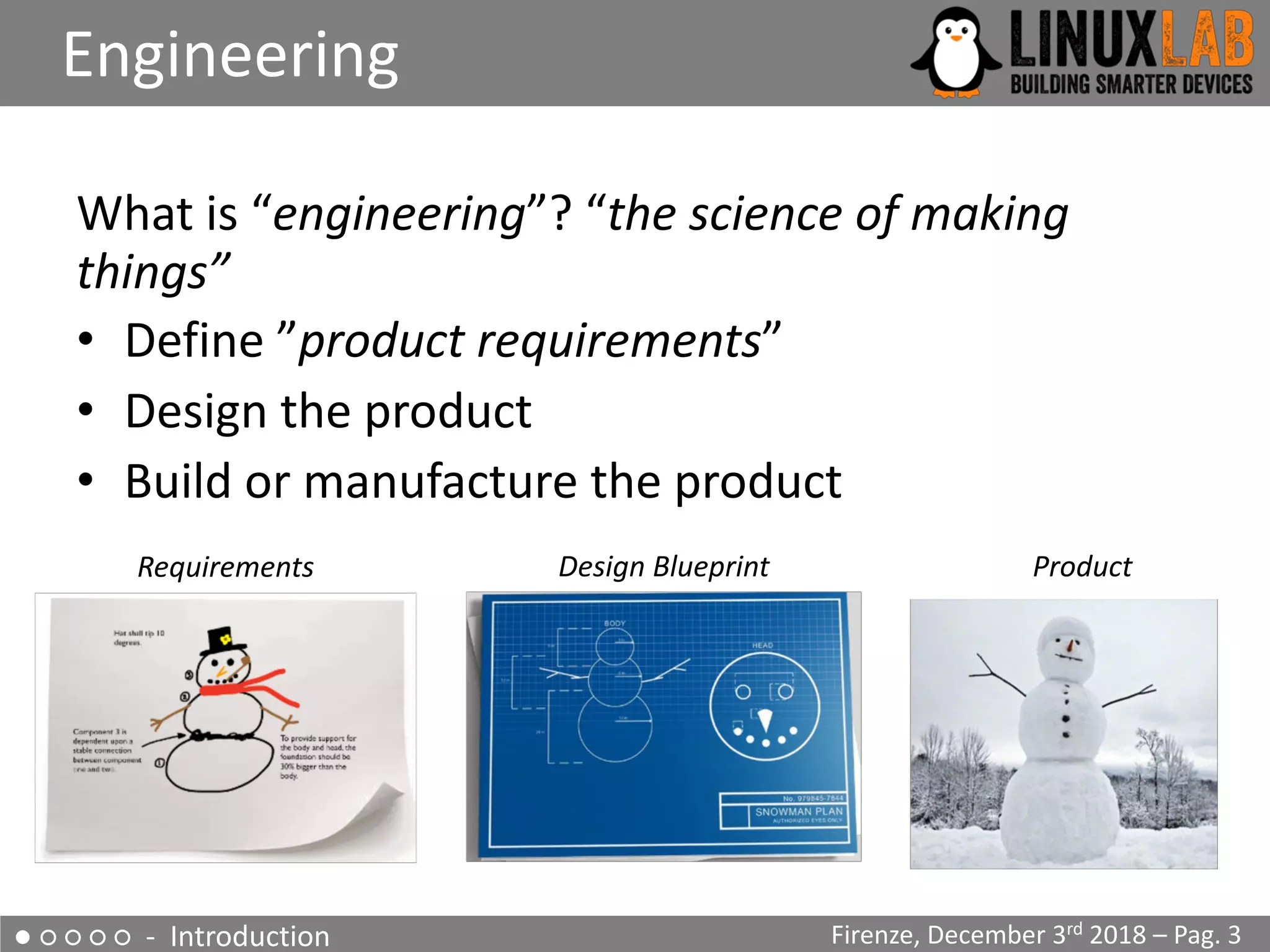
What is “engineering”? “the science of making
things”
• Define ”product requirements”
• Design the product
• Build or manufacture the product
Engineering
Firenze, December 3rd 2018 – Pag. 3
Requirements Design Blueprint Product
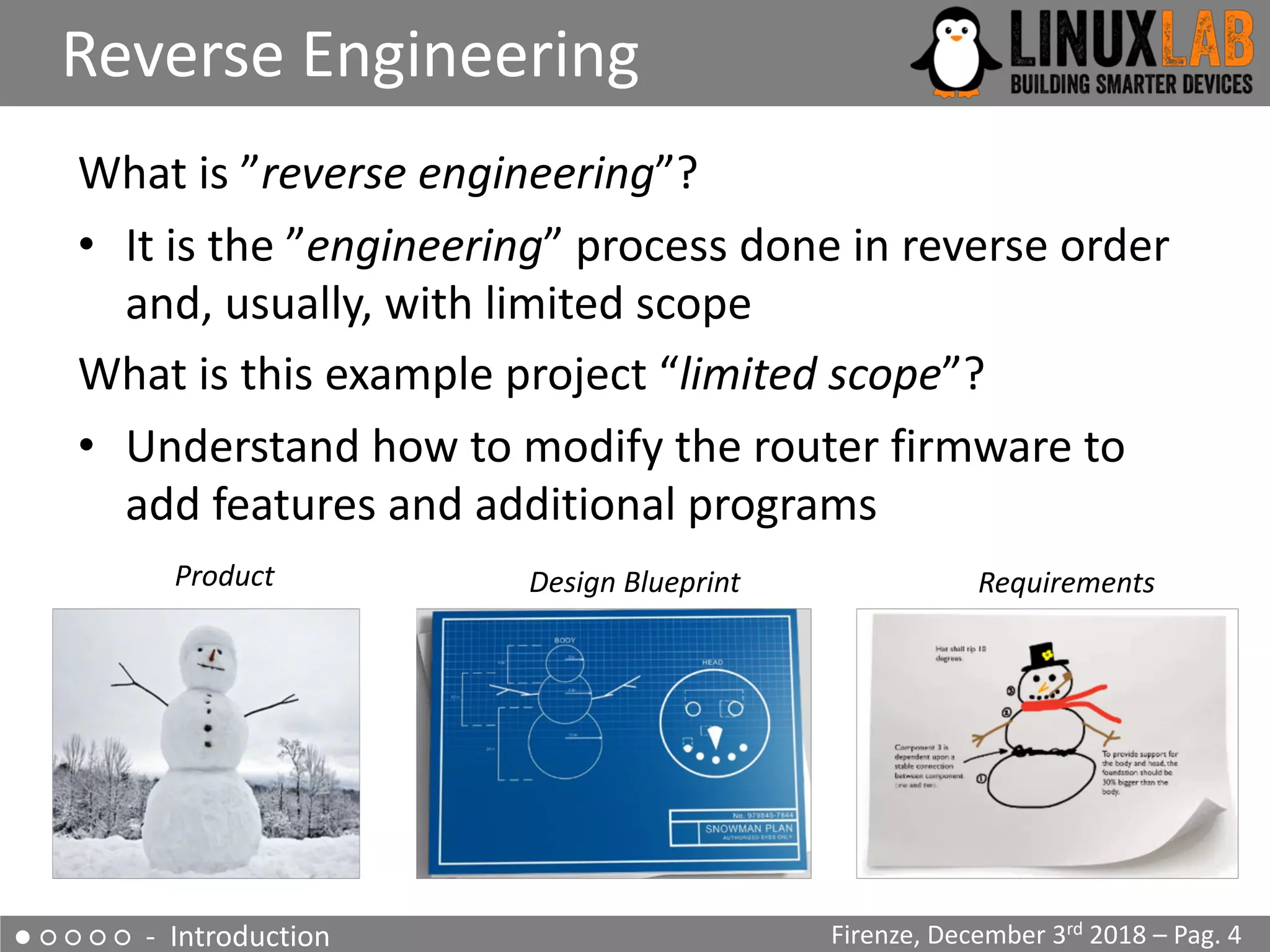
What is ”reverse engineering”?
• It is the ”engineering” process done in reverse order
and, usually, with limited scope
What is this example project “limited scope”?
• Understand how to modify the router firmware to
add features and additional programs
● ○ ○ ○ ○ - Introduction
Reverse Engineering
Firenze, December 3rd 2018 – Pag. 4
RequirementsDesign BlueprintProduct
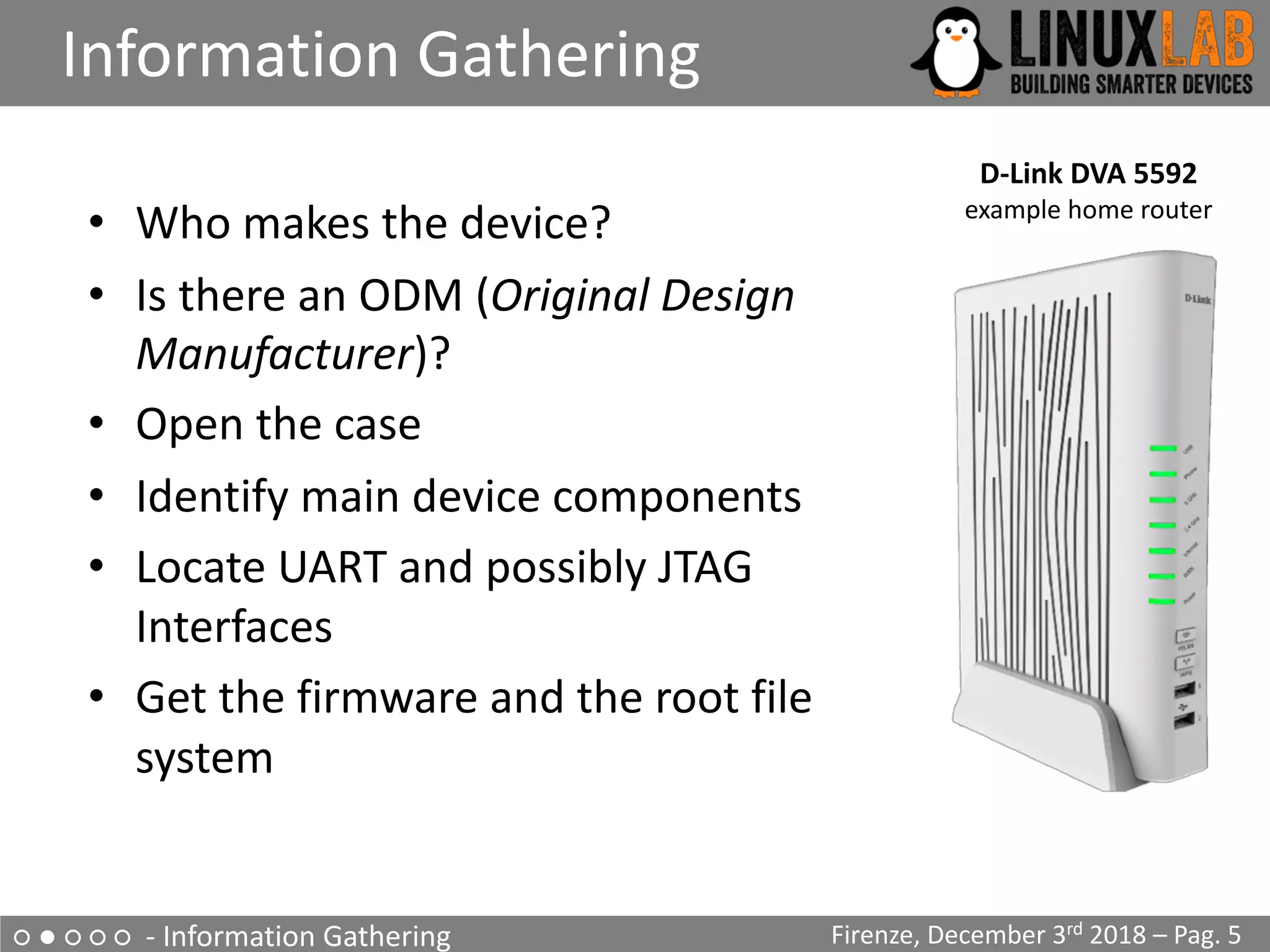
• Who makes the device?
• Is there an ODM (Original Design
Manufacturer)?
• Open the case
• Identify main device components
• Locate UART and possibly JTAG
Interfaces
• Get the firmware and the root file
system
○ ● ○ ○ ○ - Information Gathering
Information Gathering
Firenze, December 3rd 2018 – Pag. 5
D-Link DVA 5592
example home router
○ ● ○ ○ ○ - Information Gathering
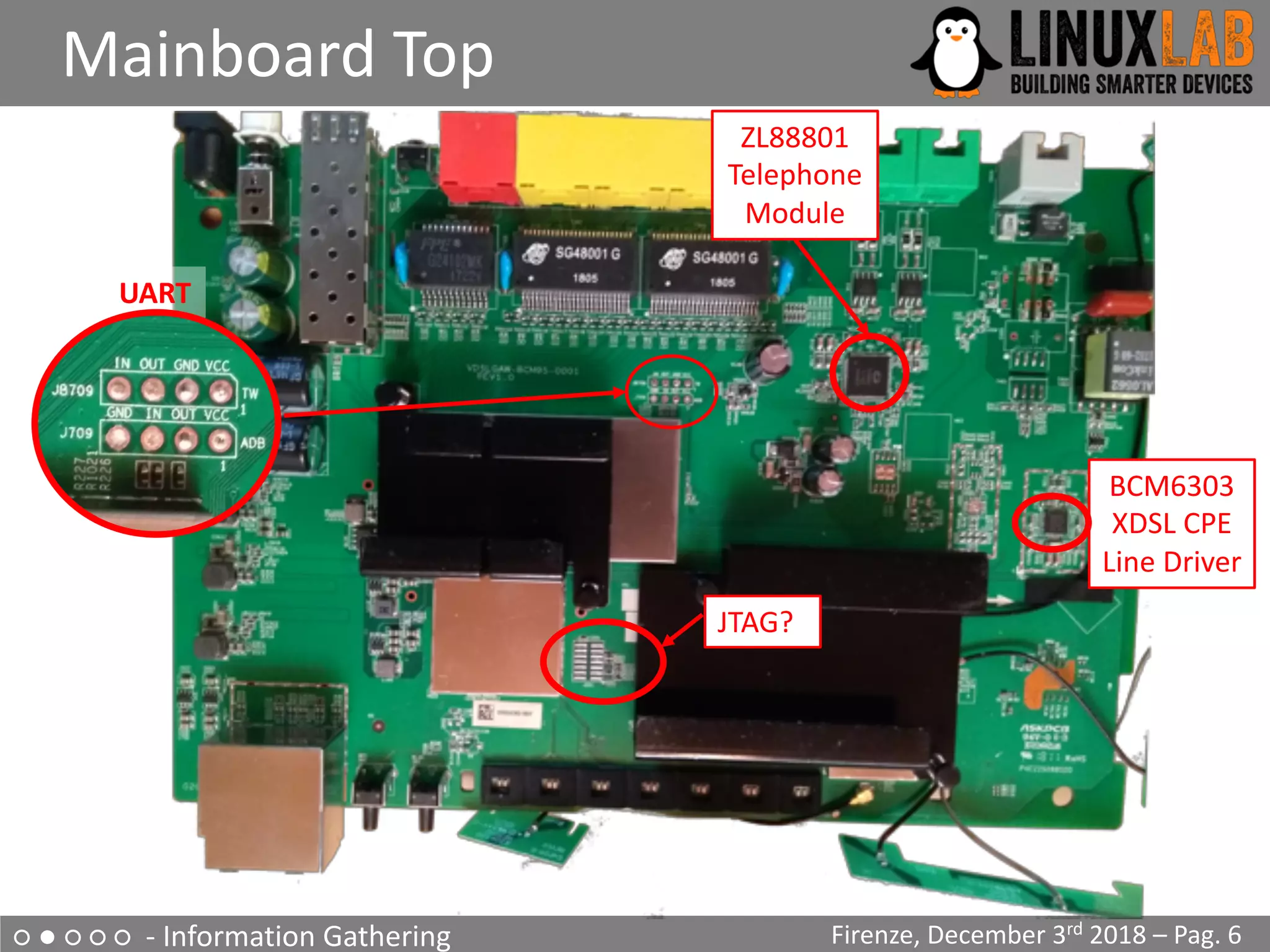
Mainboard Top
Firenze, December 3rd 2018 – Pag. 6
JTAG?
BCM6303
XDSL CPE
Line Driver
ZL88801
Telephone
Module
UART
○ ● ○ ○ ○ - Information Gathering
Mainboard Bottom
Firenze, December 3rd 2018 – Pag. 7
MX30LF2G18AC
Nand Flash 256Mb
BCM43217
WiFi Module
CPU?
○ ● ○ ○ ○ - Information Gathering
Locate the UART interface
Firenze, December 3rd 2018 – Pag. 8
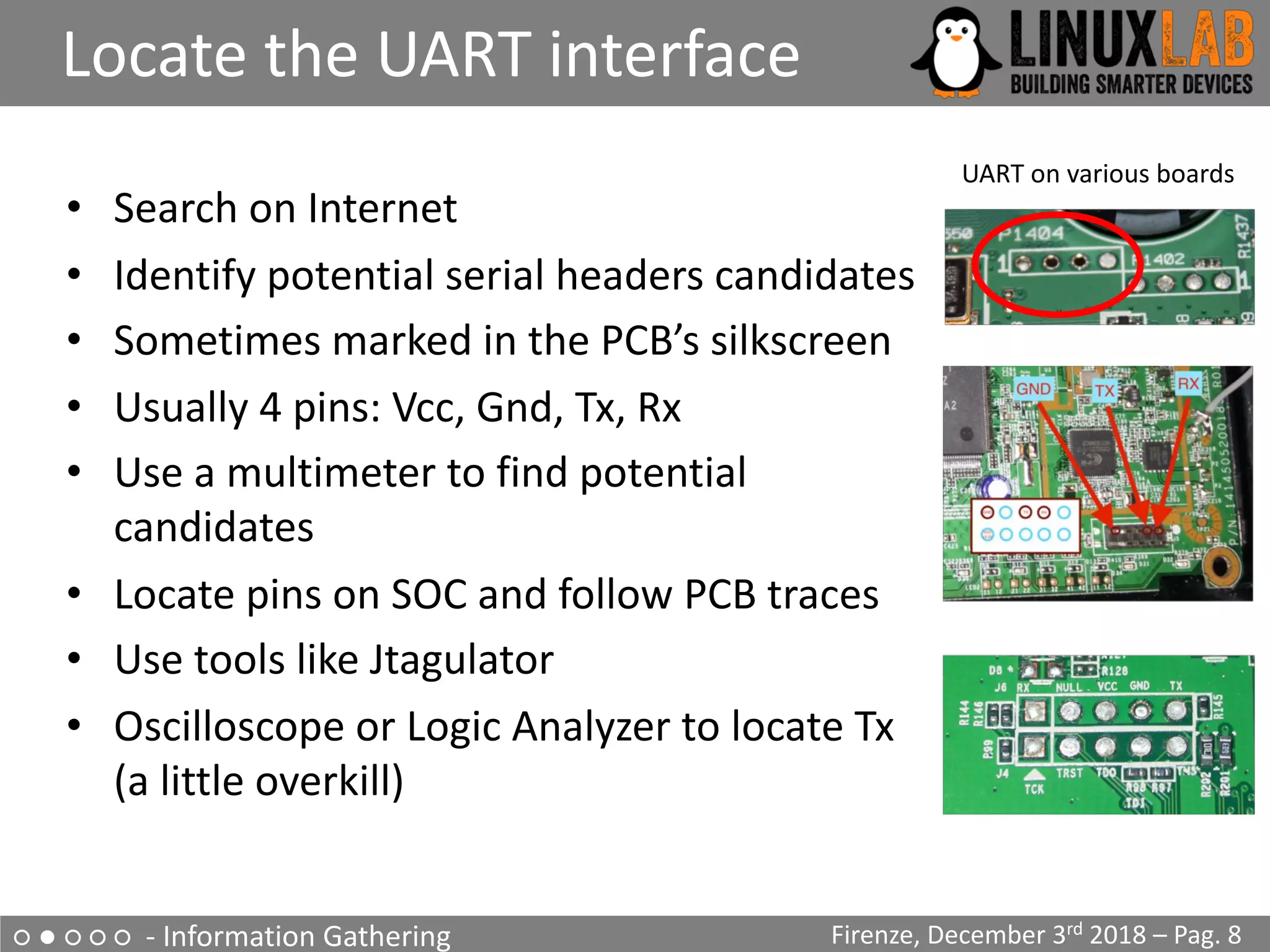
• Search on Internet
• Identify potential serial headers candidates
• Sometimes marked in the PCB’s silkscreen
• Usually 4 pins: Vcc, Gnd, Tx, Rx
• Use a multimeter to find potential
candidates
• Locate pins on SOC and follow PCB traces
• Use tools like Jtagulator
• Oscilloscope or Logic Analyzer to locate Tx
(a little overkill)
UART on various boards
○ ● ○ ○ ○ - Information Gathering
The JTAG interface
Firenze, December 3rd 2018 – Pag. 9
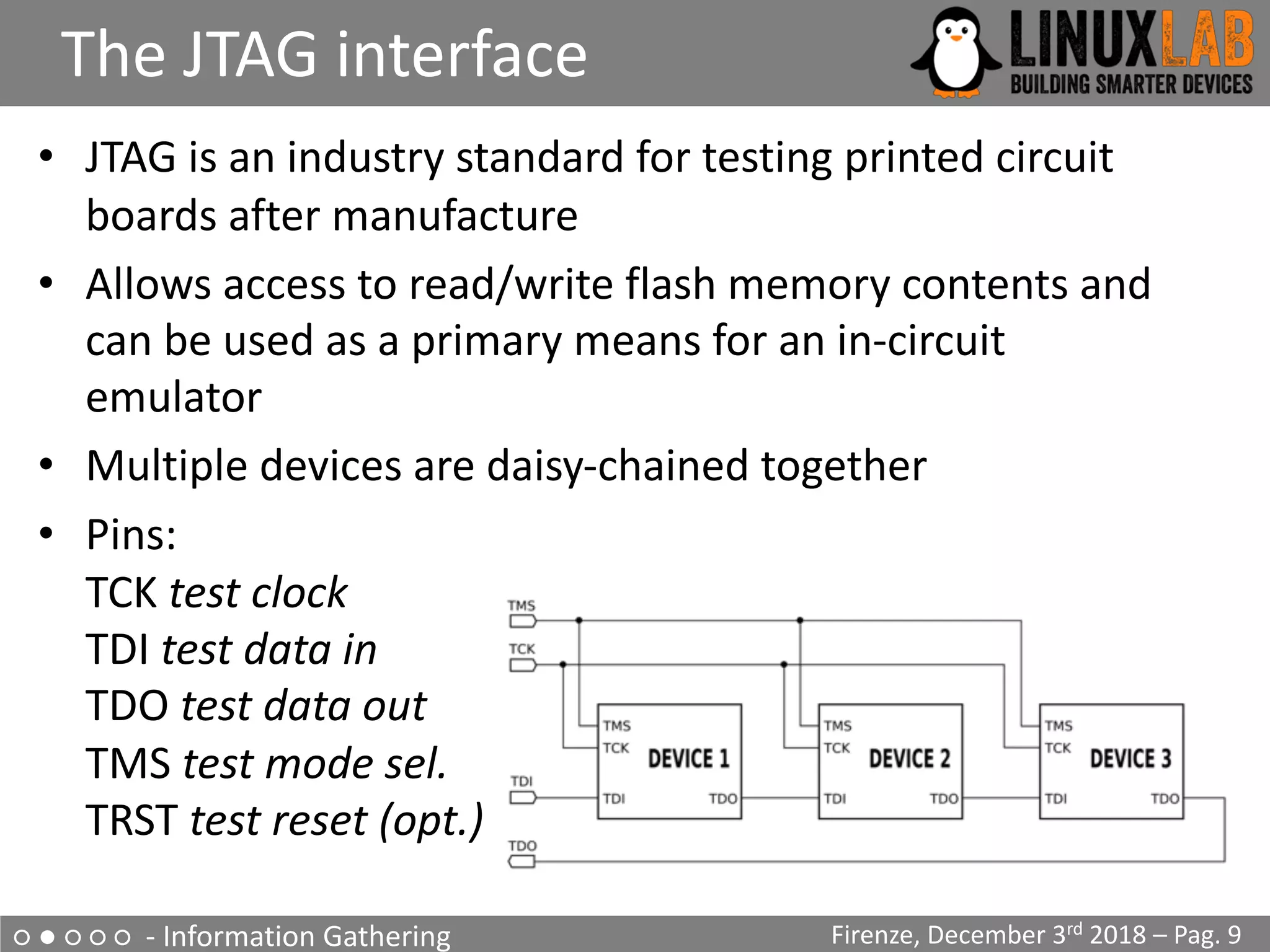
• JTAG is an industry standard for testing printed circuit
boards after manufacture
• Allows access to read/write flash memory contents and
can be used as a primary means for an in-circuit
emulator
• Multiple devices are daisy-chained together
• Pins:
TCK test clock
TDI test data in
TDO test data out
TMS test mode sel.
TRST test reset (opt.)
○ ● ○ ○ ○ - Information Gathering
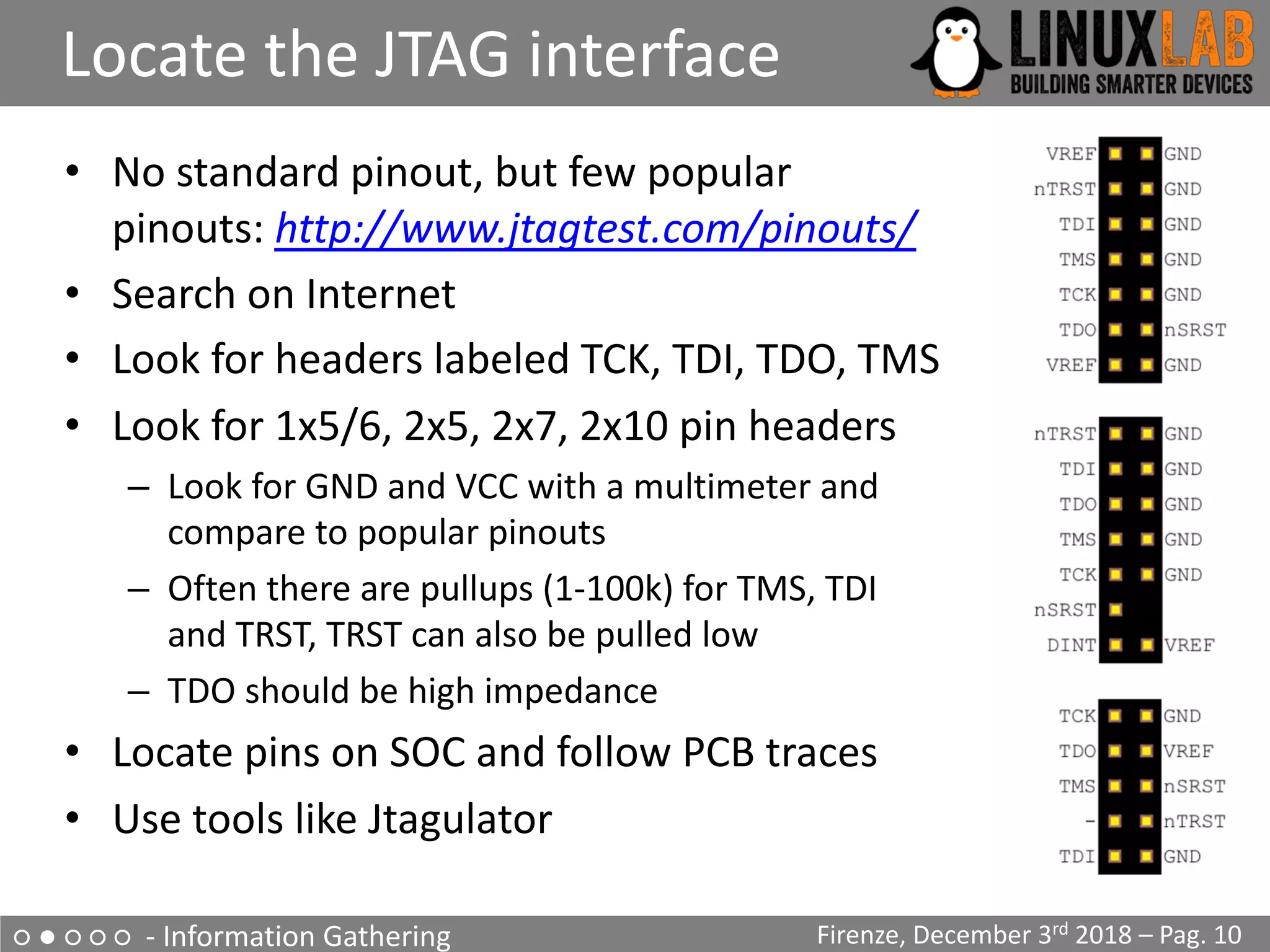
Locate the JTAG interface
Firenze, December 3rd 2018 – Pag. 10
• No standard pinout, but few popular
pinouts: http://www.jtagtest.com/pinouts/
• Search on Internet
• Look for headers labeled TCK, TDI, TDO, TMS
• Look for 1x5/6, 2x5, 2x7, 2x10 pin headers
– Look for GND and VCC with a multimeter and
compare to popular pinouts
– Often there are pullups (1-100k) for TMS, TDI
and TRST, TRST can also be pulled low
– TDO should be high impedance
• Locate pins on SOC and follow PCB traces
• Use tools like Jtagulator
○ ● ○ ○ ○ - Information Gathering
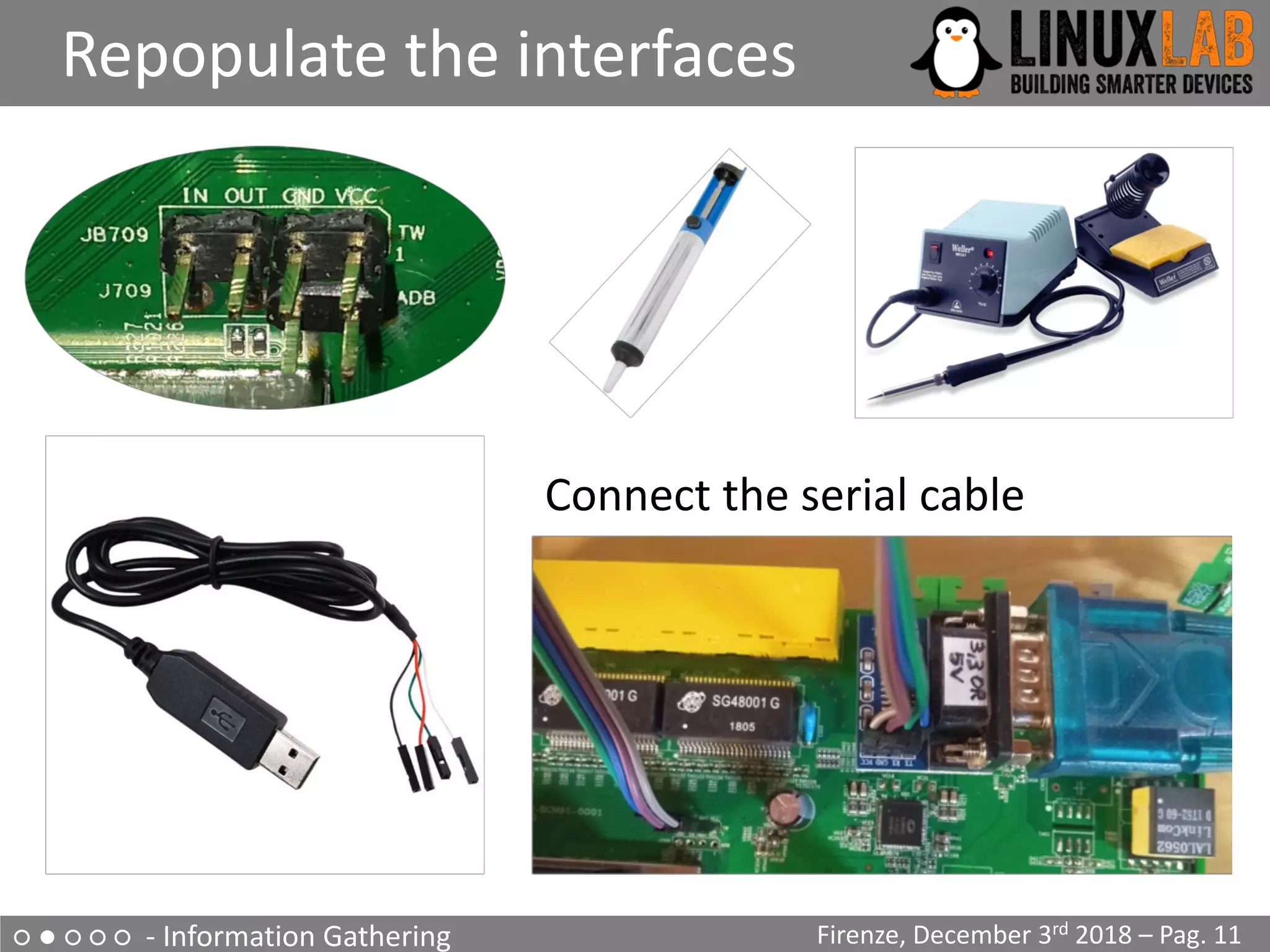
Repopulate the interfaces
Firenze, December 3rd 2018 – Pag. 11
Connect the serial cable
○ ● ○ ○ ○ - Information Gathering
Why repopulate the interfaces?
Firenze, December 3rd 2018 – Pag. 12
• UART (Serial Interface)
– Watch what is printed on the serial console during the boot cycle
and find bootloader and OS version
– Watch the firmware upgrade cycle
– Use a USB TTL serial adapter and a terminal emulator on the PC
• JTAG
– Be able to read the firmware out of the flash eeprom
– Be able to break into the boot cycle and use JTAG as a means to
do ”in circuit debugging”
– Attach an interface board, like Bus Pirate, to the JTAG interface
– Use software, as OpenOCD, to dump flash eeprom and to do ”in
circuit debugging”
○ ● ○ ○ ○ - Information Gathering
Getting the firmware file
Firenze, December 3rd 2018 – Pag. 13
• Follow the easiest path first
• If the supplier has a website with firmware updates
go and download the firmware file
• If the firmware update can be downloaded directly
only by the device, sniff the communication with
wireshark and get the firmware file
• If the above steps are not available, download the
eeprom image through the JTAG connector using Bus
Pirate and OpenOCD
○ ● ○ ○ ○ - Information Gathering
Get info from the firmware
Firenze, December 3rd 2018 – Pag. 14
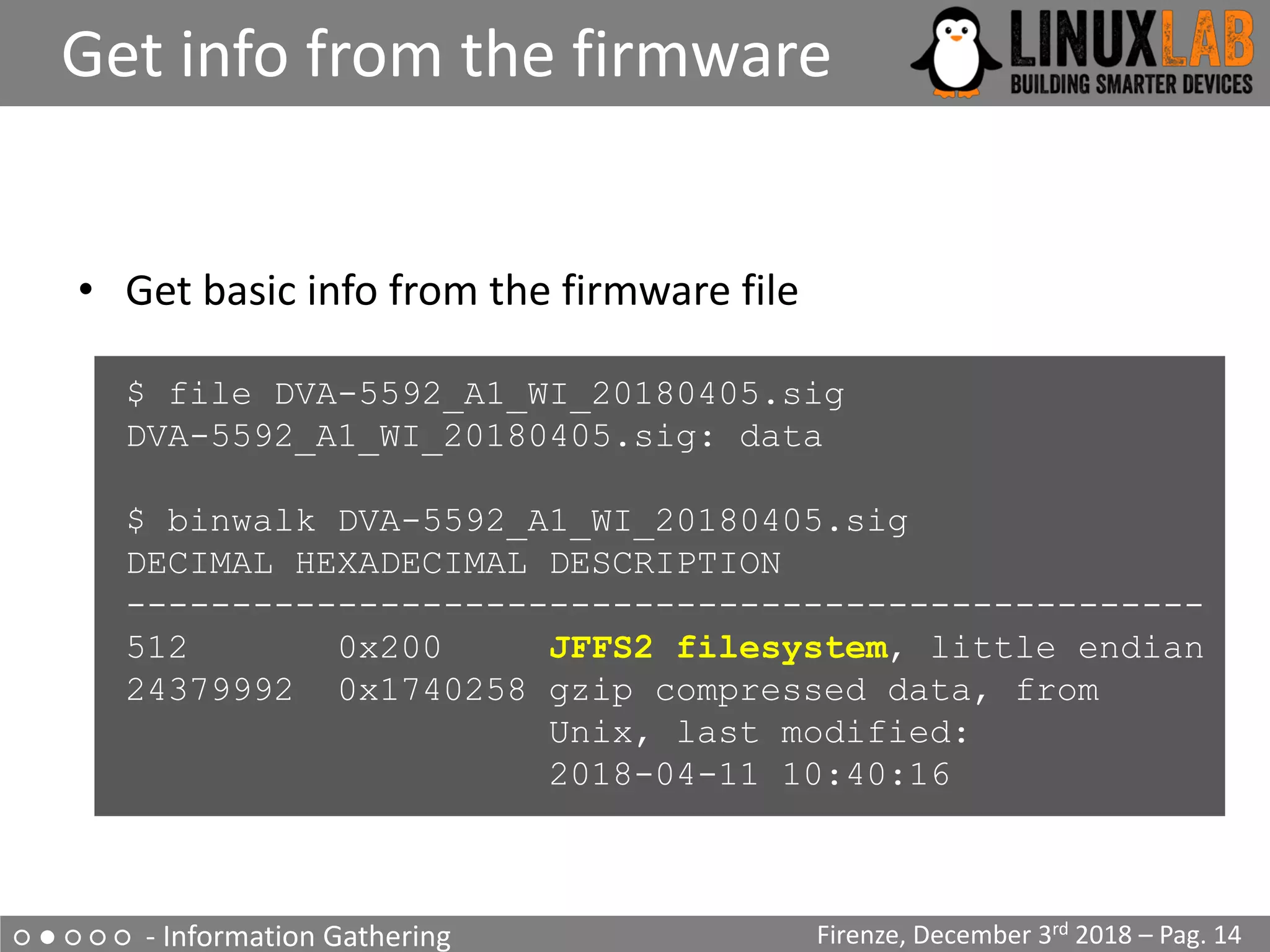
• Get basic info from the firmware file
$ file DVA-5592_A1_WI_20180405.sig
DVA-5592_A1_WI_20180405.sig: data
$ binwalk DVA-5592_A1_WI_20180405.sig
DECIMAL HEXADECIMAL DESCRIPTION
---------------------------------------------------
512 0x200 JFFS2 filesystem, little endian
24379992 0x1740258 gzip compressed data, from
Unix, last modified:
2018-04-11 10:40:16
○ ● ○ ○ ○ - Information Gathering
Extract content from firmware
Firenze, December 3rd 2018 – Pag. 15
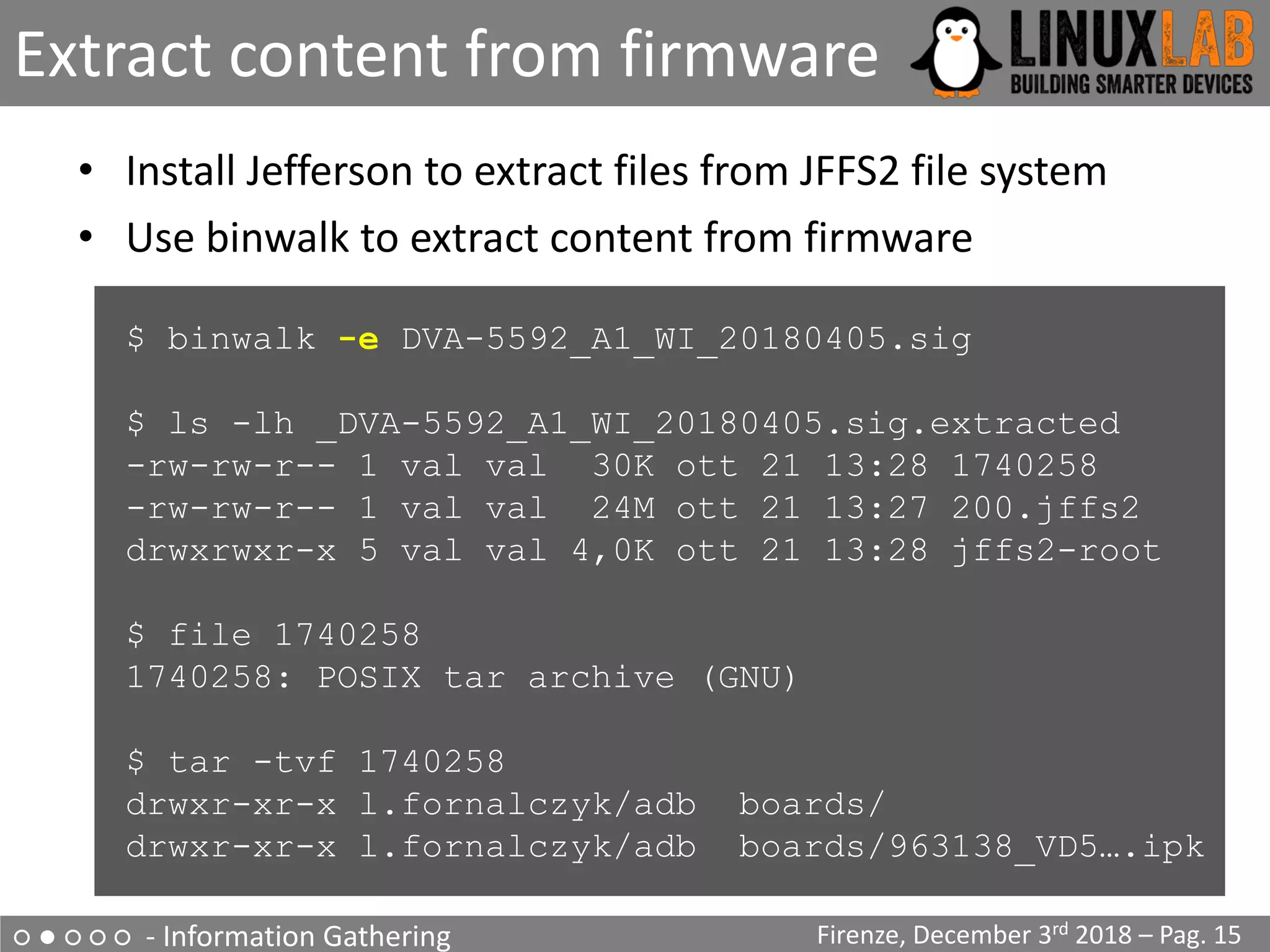
• Install Jefferson to extract files from JFFS2 file system
• Use binwalk to extract content from firmware
$ binwalk -e DVA-5592_A1_WI_20180405.sig
$ ls -lh _DVA-5592_A1_WI_20180405.sig.extracted
-rw-rw-r-- 1 val val 30K ott 21 13:28 1740258
-rw-rw-r-- 1 val val 24M ott 21 13:27 200.jffs2
drwxrwxr-x 5 val val 4,0K ott 21 13:28 jffs2-root
$ file 1740258
1740258: POSIX tar archive (GNU)
$ tar -tvf 1740258
drwxr-xr-x l.fornalczyk/adb boards/
drwxr-xr-x l.fornalczyk/adb boards/963138_VD5….ipk
○ ● ○ ○ ○ - Information Gathering
Looking at the extracted files
Firenze, December 3rd 2018 – Pag. 16
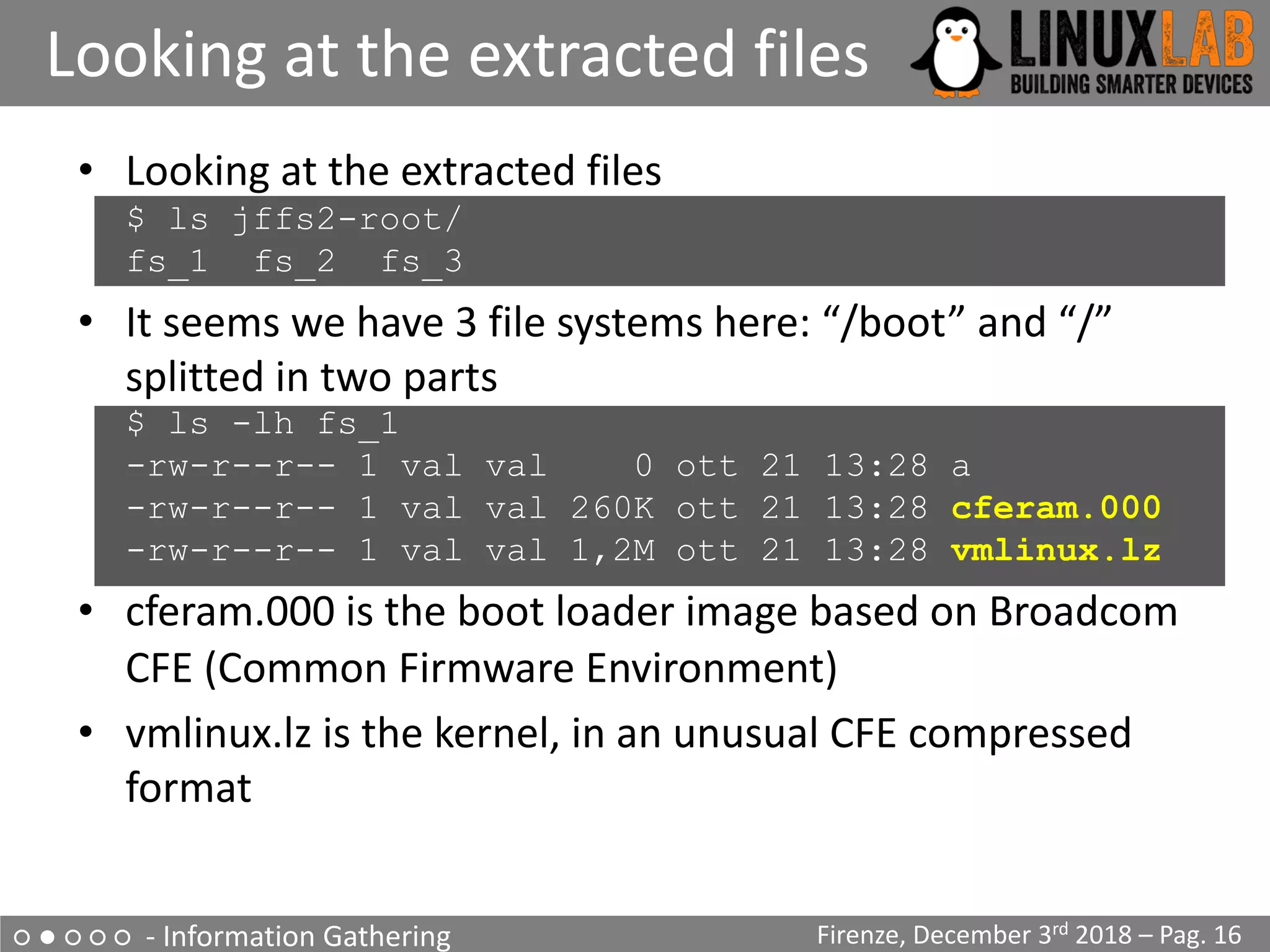
• Looking at the extracted files
$ ls jffs2-root/
fs_1 fs_2 fs_3
• It seems we have 3 file systems here: “/boot” and “/”
splitted in two parts
$ ls -lh fs_1
-rw-r--r-- 1 val val 0 ott 21 13:28 a
-rw-r--r-- 1 val val 260K ott 21 13:28 cferam.000
-rw-r--r-- 1 val val 1,2M ott 21 13:28 vmlinux.lz
• cferam.000 is the boot loader image based on Broadcom
CFE (Common Firmware Environment)
• vmlinux.lz is the kernel, in an unusual CFE compressed
format
○ ● ○ ○ ○ - Information Gathering
Looking at other files
Firenze, December 3rd 2018 – Pag. 17
• /sbin/init is missing (but it’s not true), busybox is there
$ ls -lh fs_2/bin/busybox
-rwsr-sr-x 1 val val 382K fs_2/bin/busybox
$ strings fs_2/bin/busybox
…
BusyBox v1.17.3 (2018-04-11 12:29:54 CEST)
…
$ arm-linux-readelf -a fs_2/bin/busybox
…
… program interpreter: /lib/ld-uClibc.so.0]
$ ls -lh fs_2/lib/ld-uClibc*
-rwxr-xr-x ld-uClibc-0.9.33.2.so
lrwxrwxrwx ld-uClibc.so.0 -> ld-uClibc-0.9.33.2.so
$ ls -l fs_3/lib/libgcrypt.so.11*
lrwxrwxrwx libgcrypt.so.11 -> libgcrypt.so.11.5.3
-rwxr-xr-x libgcrypt.so.11.5.3
○ ● ○ ○ ○ - Information Gathering
Boot output on serial console
Firenze, December 3rd 2018 – Pag. 18
• Output on serial console during boot
...
CFE version 1.0.38-118.3-S for BCM963138 (32bit,SP,LE)
generic
...
Chip ID: BCM63136B0, ARM Cortex A9 Dual Core: 1000MHz
Total Memory: 268435456 bytes (256MB)
NAND ECC BCH-4, page size 0x800 bytes, spare size 64 bytes
NAND flash device: , id 0xc2da block 128KB size 262144KB
...
Linux version 3.4.11-rt19 (l.fornalczyk@quelo) (gcc version
4.5.4 20120306 (prerelease) (Linaro GCC 4.5-2012.03) )
...
CPU: ARMv7 Processor [414fc091] revision 1 (ARMv7)
...
jffs2: version 2.2 (NAND) (SUMMARY) (ZLIB) (LZMA) (RTIME)
...
○ ● ○ ○ ○ - Information Gathering
Boot output on serial console
Firenze, December 3rd 2018 – Pag. 19
• Output on serial console during boot (part 2)
...
[2.502000] Found YAPS PartitionSplit Marker at 0x080FFF00
[2.503000] Creating 8 MTD partitions on "brcmnand.0":
[2.504000] 0x000000000000-0x000000020000 : "CFE”
[2.506000] 0x000007f00000-0x000008100000 : "bootfs_1”
[2.508000] 0x000008100000-0x00000fbc0000 : "rootfs_1”
[2.510000] 0x000000020000-0x000007ce0000 : "upgrade”
[2.512000] 0x00000fbc0000-0x00000fdc0000 : "conf_fs”
[2.513000] 0x00000fdc0000-0x00000fe00000 : "conf_factory”
[2.515000] 0x00000fe00000-0x000010000000 : "bbt”
[2.517000] 0x000000000000-0x000010000000 : "flash”
...
Init started: BusyBox v1.17.3 (2018-04-11 12:29:54 CEST)
starting pid 235, tty '': '/etc/init.d/rcS S boot’
Starting boot.sh ...
Restore passwd ....
Restore group ....
Starting /etc/rc.d/S11services.sh ...
Starting Configuration Manager (B)
/etc/inittab
::sysinit:/etc/init.d/rcS S boot
::shutdown:/etc/init.d/rcS K shutdown
tts/0::askfirst:/bin/login
ttyS0::askfirst:/bin/login
○ ● ○ ○ ○ - Information Gathering
Boot output on serial console
Firenze, December 3rd 2018 – Pag. 20
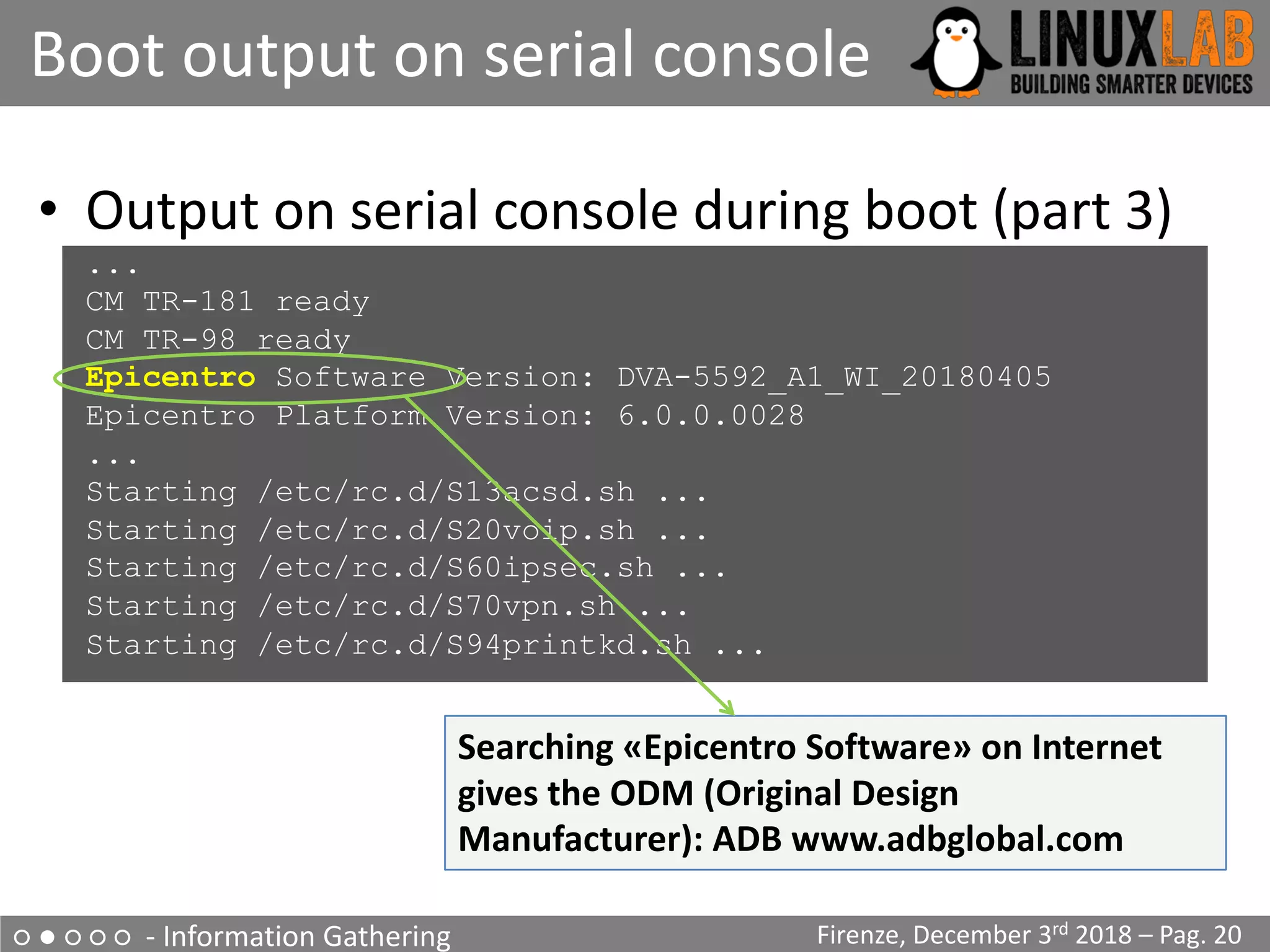
• Output on serial console during boot (part 3)
...
CM TR-181 ready
CM TR-98 ready
Epicentro Software Version: DVA-5592_A1_WI_20180405
Epicentro Platform Version: 6.0.0.0028
...
Starting /etc/rc.d/S13acsd.sh ...
Starting /etc/rc.d/S20voip.sh ...
Starting /etc/rc.d/S60ipsec.sh ...
Starting /etc/rc.d/S70vpn.sh ...
Starting /etc/rc.d/S94printkd.sh ...
Searching «Epicentro Software» on Internet
gives the ODM (Original Design
Manufacturer): ADB www.adbglobal.com
○ ● ○ ○ ○ - Information Gathering
What was found
Firenze, December 3rd 2018 – Pag. 21
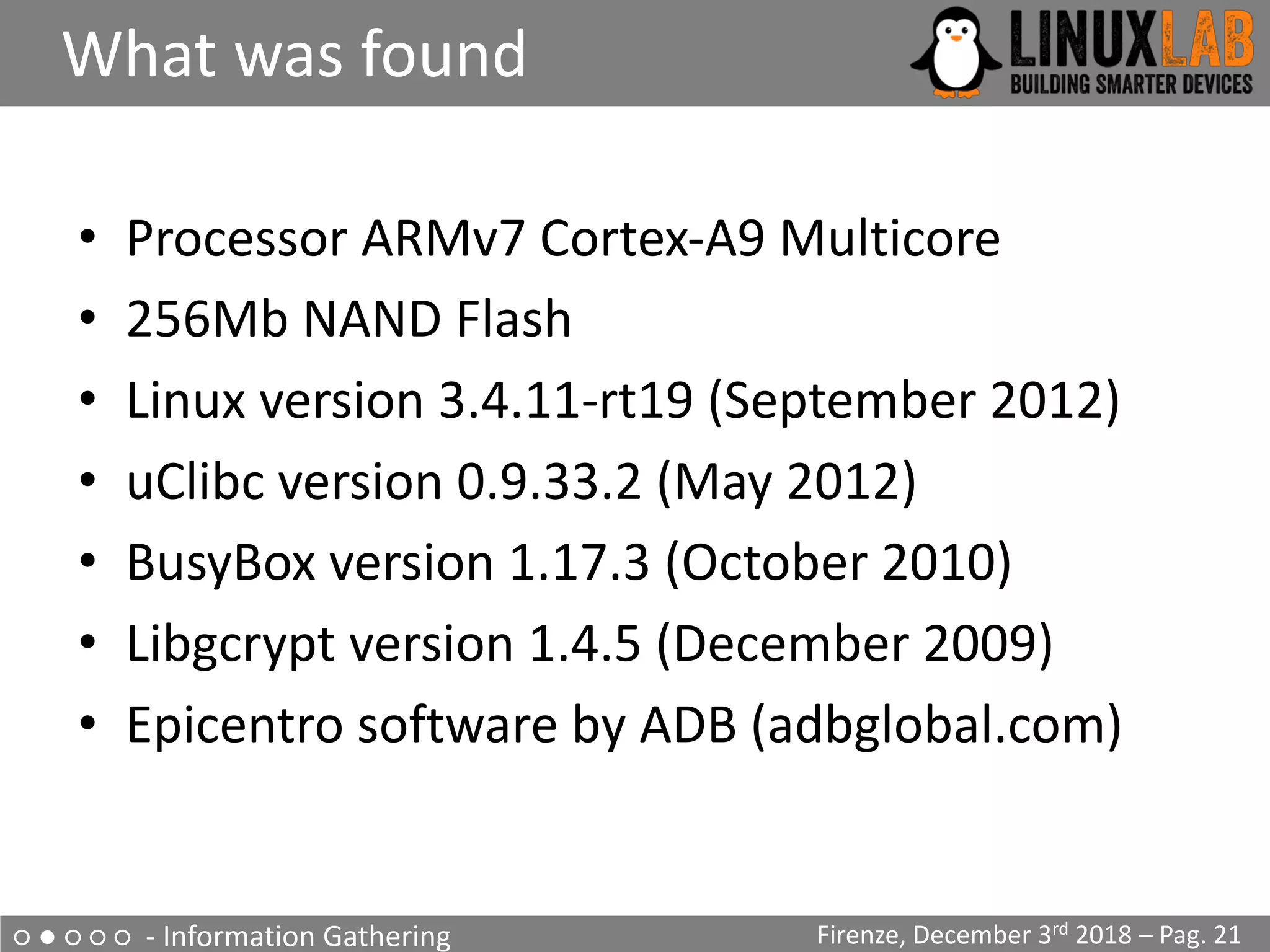
• Processor ARMv7 Cortex-A9 Multicore
• 256Mb NAND Flash
• Linux version 3.4.11-rt19 (September 2012)
• uClibc version 0.9.33.2 (May 2012)
• BusyBox version 1.17.3 (October 2010)
• Libgcrypt version 1.4.5 (December 2009)
• Epicentro software by ADB (adbglobal.com)
○ ○ ● ○ ○ - Emulation Environment using QEMU
QEMU Emulation
Firenze, December 3rd 2018 – Pag. 22
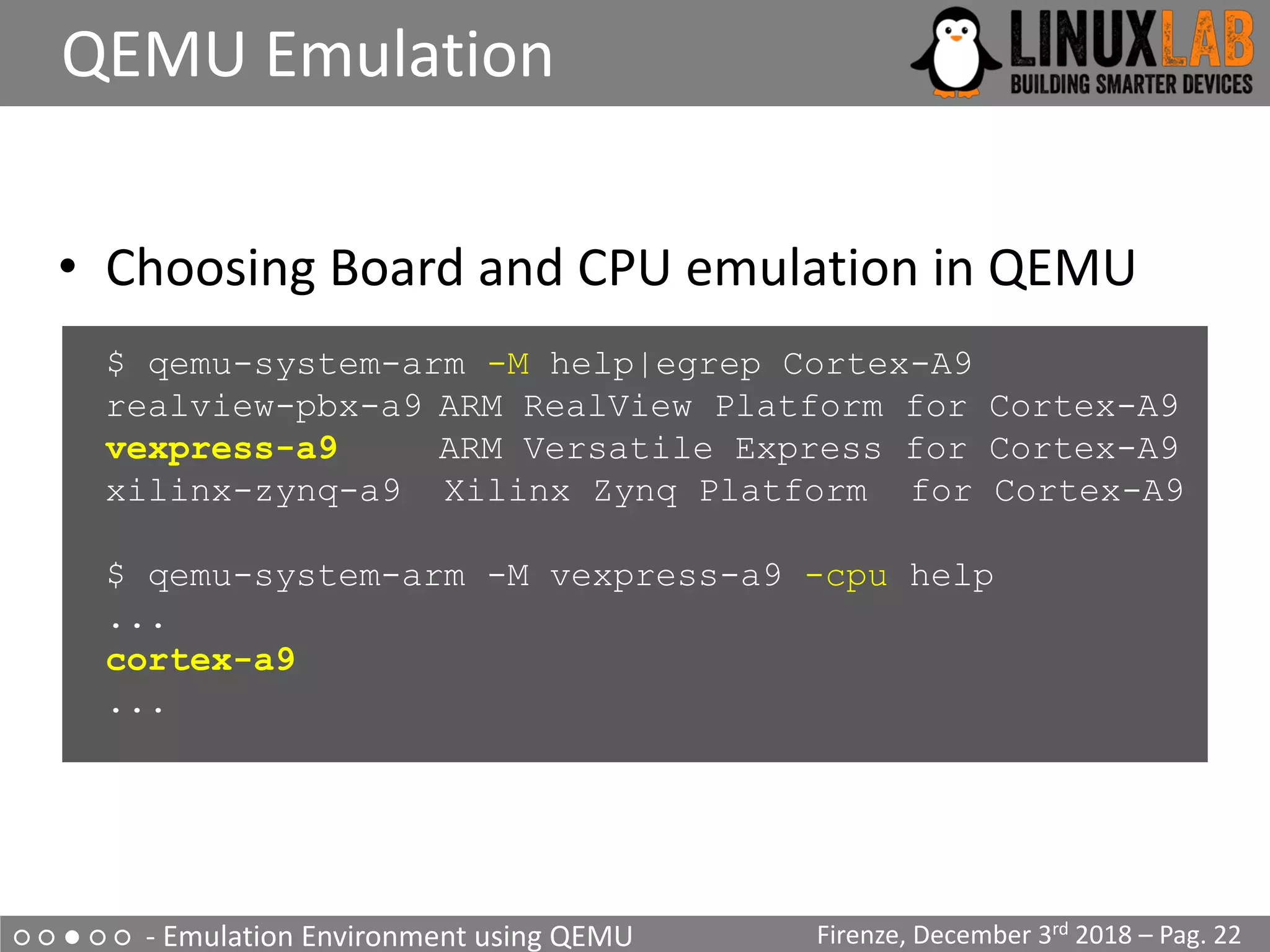
• Choosing Board and CPU emulation in QEMU
$ qemu-system-arm -M help|egrep Cortex-A9
realview-pbx-a9 ARM RealView Platform for Cortex-A9
vexpress-a9 ARM Versatile Express for Cortex-A9
xilinx-zynq-a9 Xilinx Zynq Platform for Cortex-A9
$ qemu-system-arm -M vexpress-a9 -cpu help
...
cortex-a9
...
○ ○ ● ○ ○ - Emulation Environment using QEMU
Choosing a Build System
Firenze, December 3rd 2018 – Pag. 23
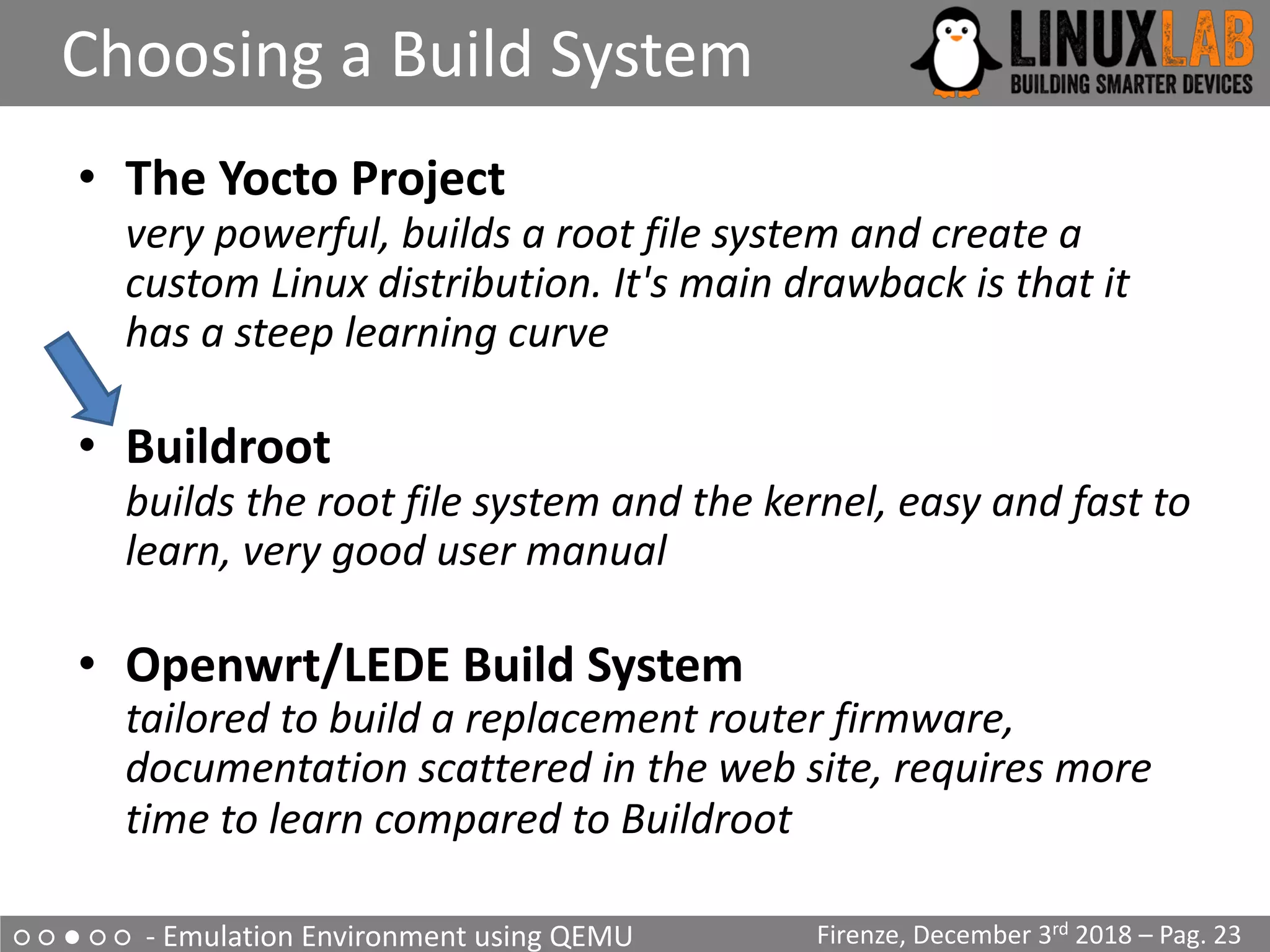
• The Yocto Project
very powerful, builds a root file system and create a
custom Linux distribution. It's main drawback is that it
has a steep learning curve
• Buildroot
builds the root file system and the kernel, easy and fast to
learn, very good user manual
• Openwrt/LEDE Build System
tailored to build a replacement router firmware,
documentation scattered in the web site, requires more
time to learn compared to Buildroot
○ ○ ● ○ ○ - Emulation Environment using QEMU
Choosing a Buildroot version
Firenze, December 3rd 2018 – Pag. 24
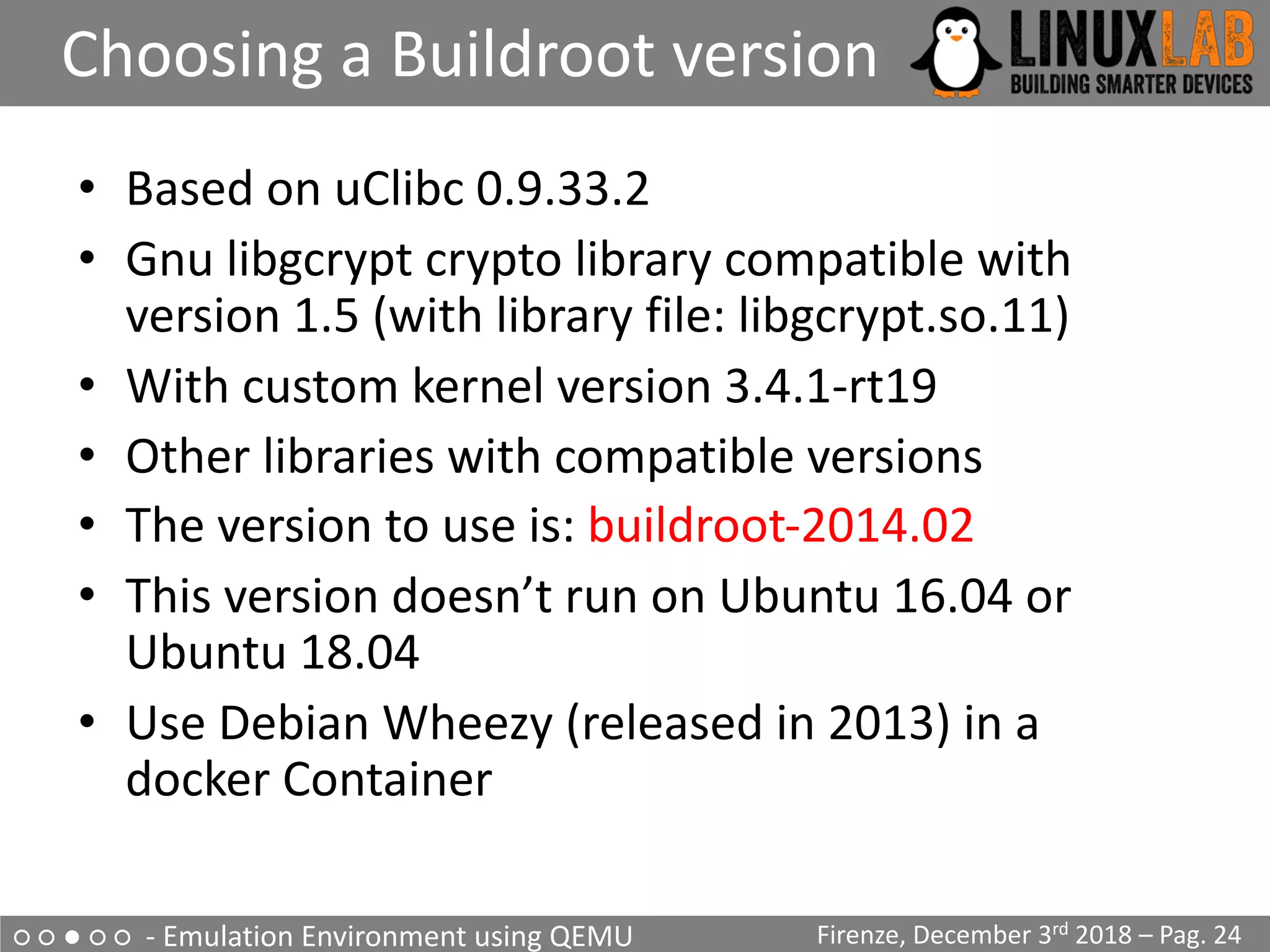
• Based on uClibc 0.9.33.2
• Gnu libgcrypt crypto library compatible with
version 1.5 (with library file: libgcrypt.so.11)
• With custom kernel version 3.4.1-rt19
• Other libraries with compatible versions
• The version to use is: buildroot-2014.02
• This version doesn’t run on Ubuntu 16.04 or
Ubuntu 18.04
• Use Debian Wheezy (released in 2013) in a
docker Container
○ ○ ● ○ ○ - Emulation Environment using QEMU
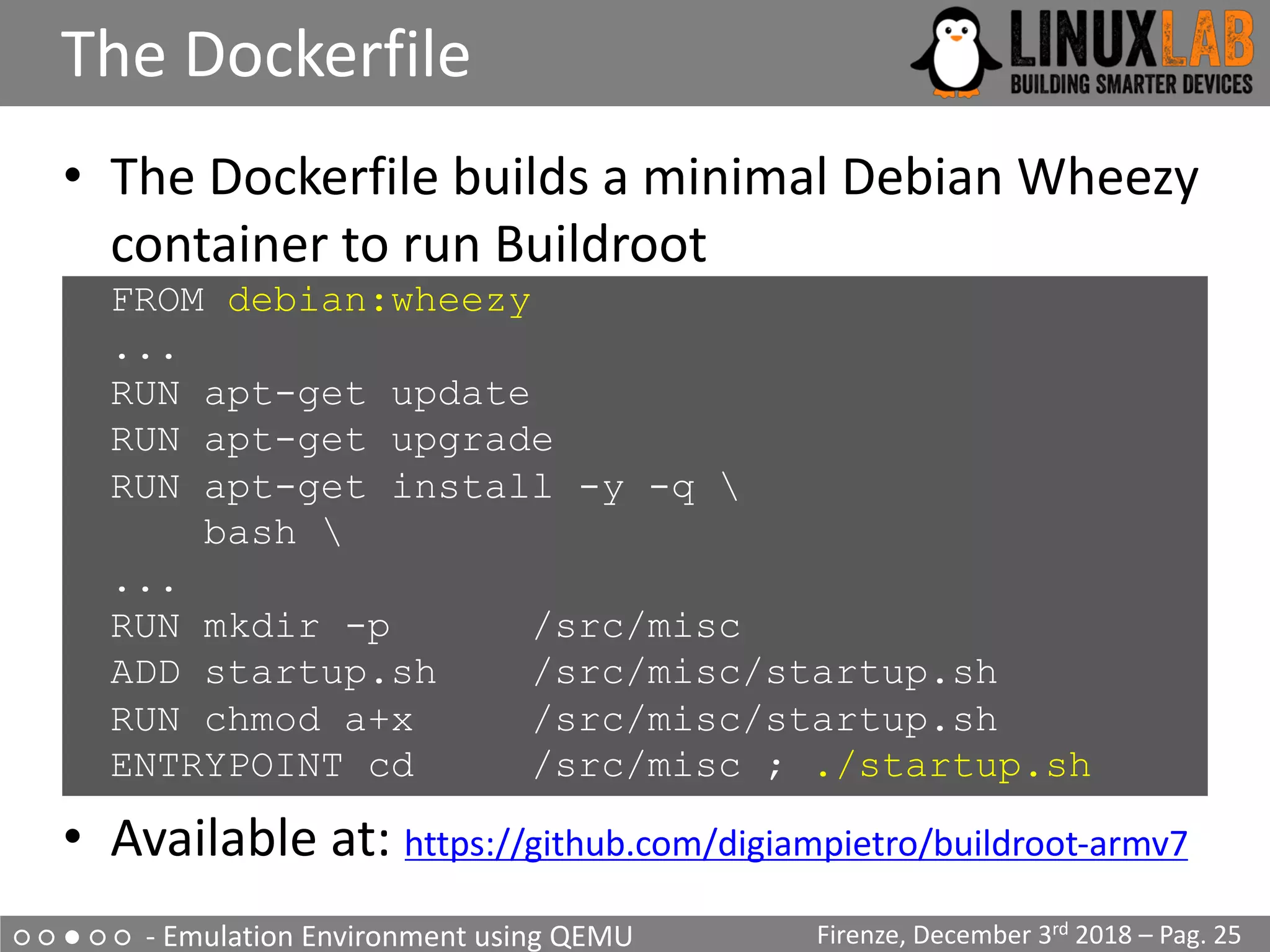
The Dockerfile
Firenze, December 3rd 2018 – Pag. 25
• The Dockerfile builds a minimal Debian Wheezy
container to run Buildroot
FROM debian:wheezy
...
RUN apt-get update
RUN apt-get upgrade
RUN apt-get install -y -q 
bash 
...
RUN mkdir -p /src/misc
ADD startup.sh /src/misc/startup.sh
RUN chmod a+x /src/misc/startup.sh
ENTRYPOINT cd /src/misc ; ./startup.sh
• Available at: https://github.com/digiampietro/buildroot-armv7
○ ○ ● ○ ○ - Emulation Environment using QEMU
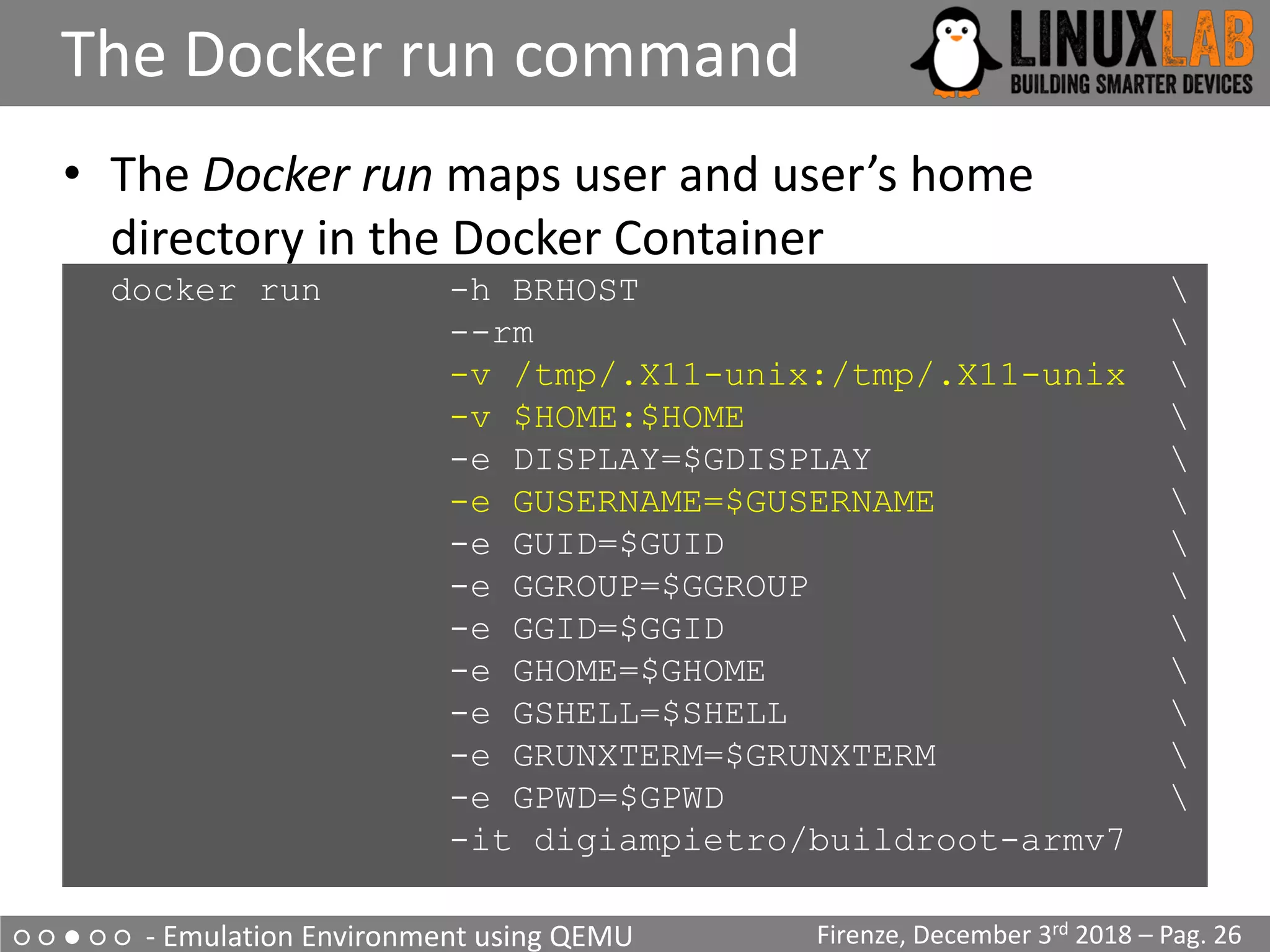
The Docker run command
Firenze, December 3rd 2018 – Pag. 26
• The Docker run maps user and user’s home
directory in the Docker Container
docker run -h BRHOST 
--rm 
-v /tmp/.X11-unix:/tmp/.X11-unix 
-v $HOME:$HOME 
-e DISPLAY=$GDISPLAY 
-e GUSERNAME=$GUSERNAME 
-e GUID=$GUID 
-e GGROUP=$GGROUP 
-e GGID=$GGID 
-e GHOME=$GHOME 
-e GSHELL=$SHELL 
-e GRUNXTERM=$GRUNXTERM 
-e GPWD=$GPWD 
-it digiampietro/buildroot-armv7
○ ○ ● ○ ○ - Emulation Environment using QEMU
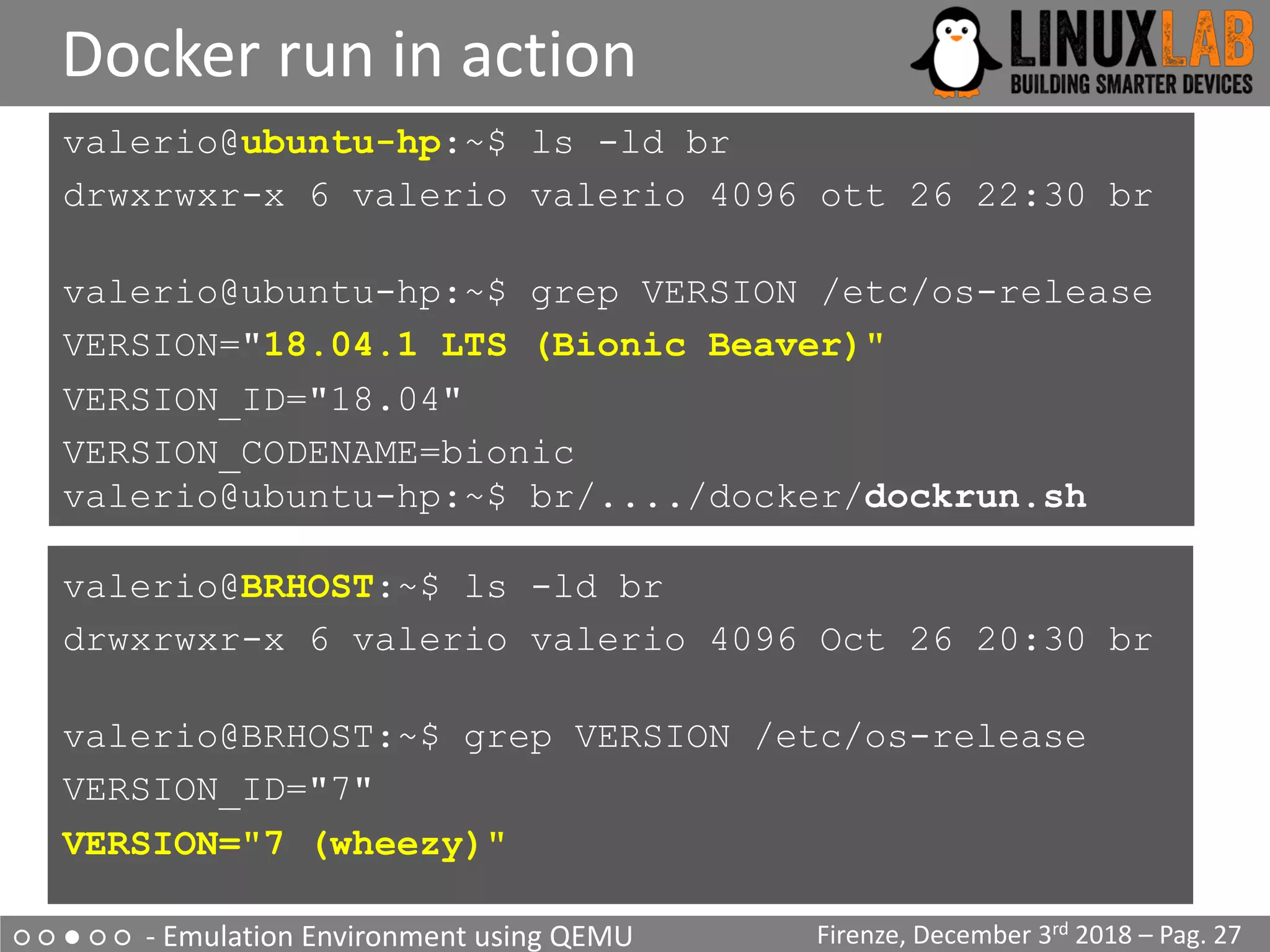
Docker run in action
Firenze, December 3rd 2018 – Pag. 27
valerio@ubuntu-hp:~$ ls -ld br
drwxrwxr-x 6 valerio valerio 4096 ott 26 22:30 br
valerio@ubuntu-hp:~$ grep VERSION /etc/os-release
VERSION="18.04.1 LTS (Bionic Beaver)"
VERSION_ID="18.04"
VERSION_CODENAME=bionic
valerio@ubuntu-hp:~$ br/..../docker/dockrun.sh
valerio@BRHOST:~$ ls -ld br
drwxrwxr-x 6 valerio valerio 4096 Oct 26 20:30 br
valerio@BRHOST:~$ grep VERSION /etc/os-release
VERSION_ID="7"
VERSION="7 (wheezy)"
○ ○ ● ○ ○ - Emulation Environment using QEMU
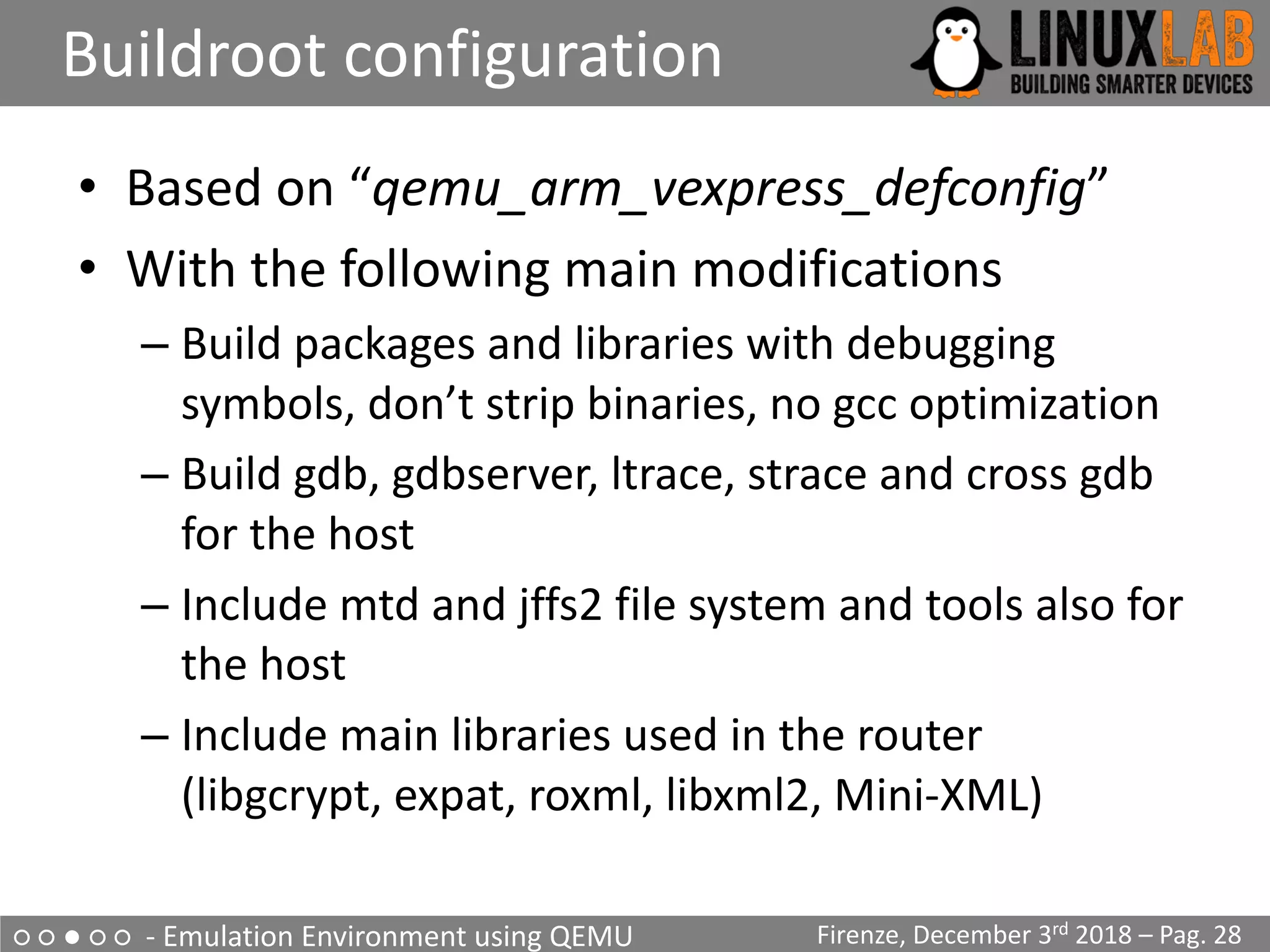
Buildroot configuration
Firenze, December 3rd 2018 – Pag. 28
• Based on “qemu_arm_vexpress_defconfig”
• With the following main modifications
– Build packages and libraries with debugging
symbols, don’t strip binaries, no gcc optimization
– Build gdb, gdbserver, ltrace, strace and cross gdb
for the host
– Include mtd and jffs2 file system and tools also for
the host
– Include main libraries used in the router
(libgcrypt, expat, roxml, libxml2, Mini-XML)
○ ○ ● ○ ○ - Emulation Environment using QEMU
Linux kernel configuration
Firenze, December 3rd 2018 – Pag. 29
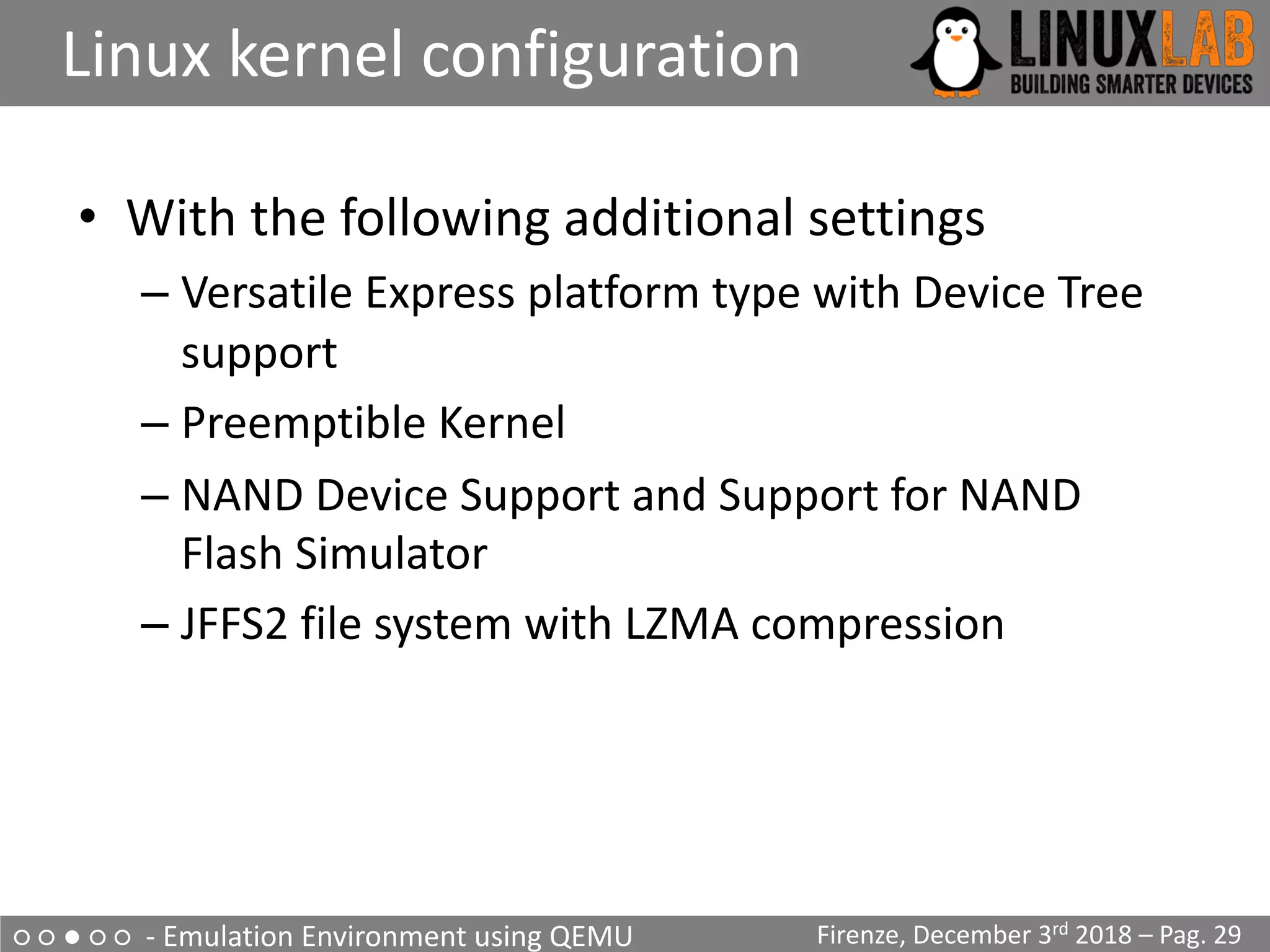
• With the following additional settings
– Versatile Express platform type with Device Tree
support
– Preemptible Kernel
– NAND Device Support and Support for NAND
Flash Simulator
– JFFS2 file system with LZMA compression
○ ○ ● ○ ○ - Emulation Environment using QEMU
uClibc configuration
Firenze, December 3rd 2018 – Pag. 30
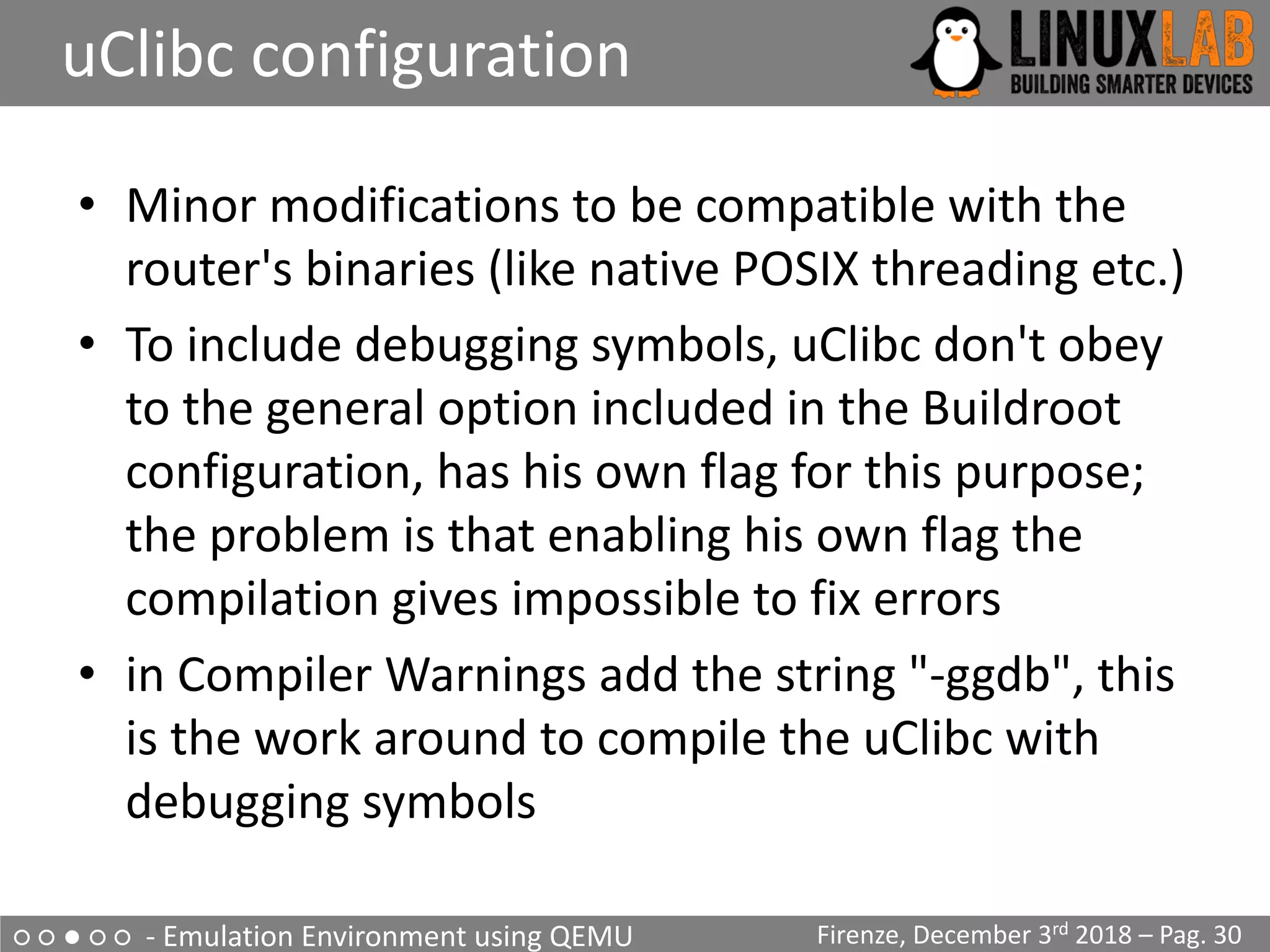
• Minor modifications to be compatible with the
router's binaries (like native POSIX threading etc.)
• To include debugging symbols, uClibc don't obey
to the general option included in the Buildroot
configuration, has his own flag for this purpose;
the problem is that enabling his own flag the
compilation gives impossible to fix errors
• in Compiler Warnings add the string "-ggdb", this
is the work around to compile the uClibc with
debugging symbols
○ ○ ○ ● ○ - Analyze how the device works
The upgrade process
• Analyzing the upgrade process on the UART output (1 of 2)
Start pid 4 /usr/sbin/upgrade-prepare.sh cwmp
...
/usr/sbin/upgrade.sh
Signature OK
...
/usr/sbin/flash_eraseall 
-j -p 0 -l 8 /dev/mtd3
...
Writing boot & root filesystems...
dd if=/tmp/upgrade/fw.bin bs=256 skip=514 count=94720
| /usr/sbin/nandwrite -s 524288 /dev/mtd3 –
...
[…] Found YAPS PartitionSplit Marker at 0x080FFF00
[…] Creating 2 MTD partitions on "brcmnand.0":
[…] 0x000007f00000-0x000008100000 : "bootfs_2”
[…] 0x000008100000-0x00000fcc0000 : "rootfs_2"
Firenze, December 3rd 2018 – Pag. 31
Boot and
Root file
system
FIRMWARE FILE
514 * 256
(514+94720)*256
○ ○ ○ ● ○ - Analyze how the device works
The upgrade process
Firenze, December 3rd 2018 – Pag. 32
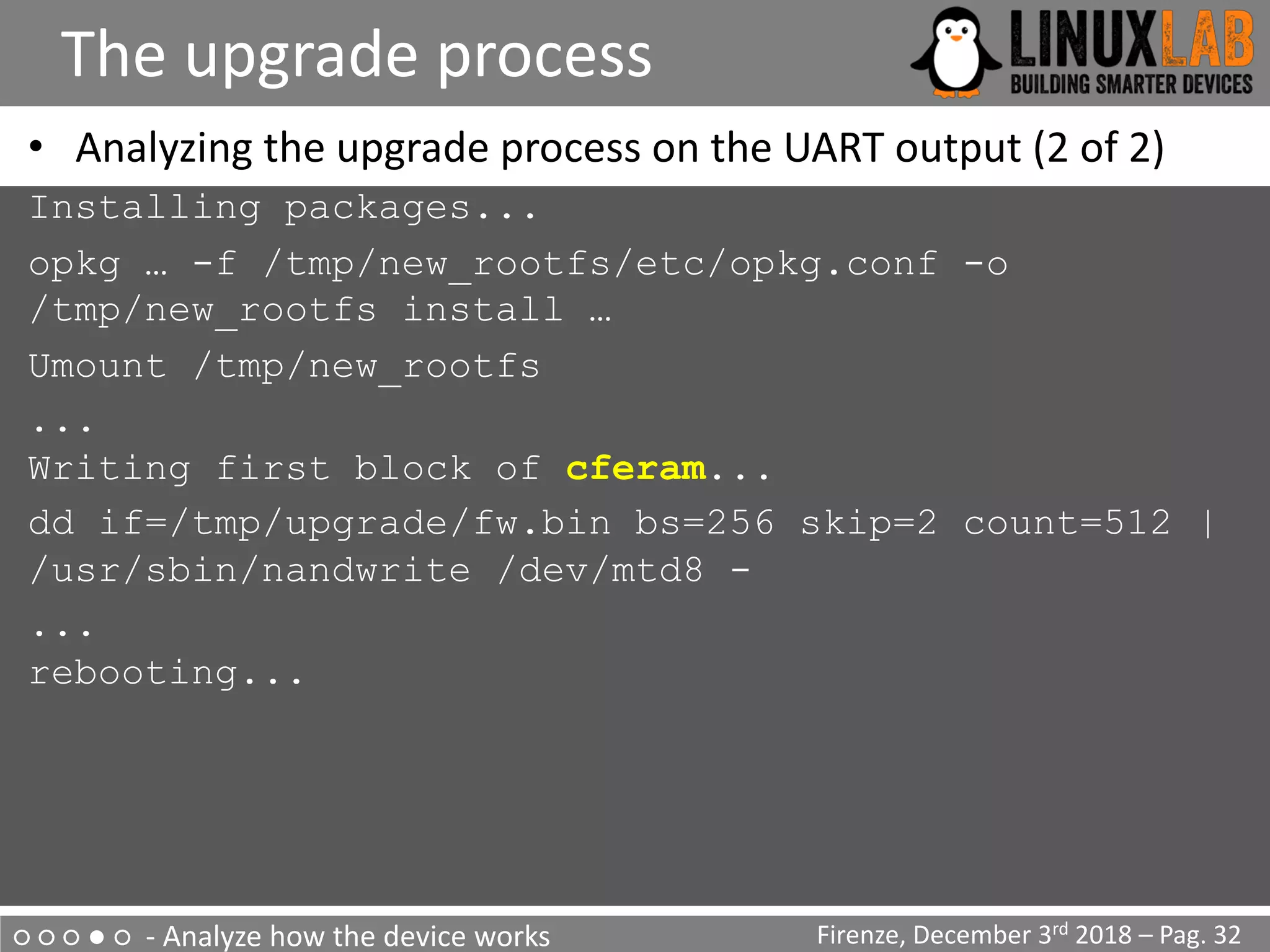
• Analyzing the upgrade process on the UART output (2 of 2)
Installing packages...
opkg … -f /tmp/new_rootfs/etc/opkg.conf -o
/tmp/new_rootfs install …
Umount /tmp/new_rootfs
...
Writing first block of cferam...
dd if=/tmp/upgrade/fw.bin bs=256 skip=2 count=512 |
/usr/sbin/nandwrite /dev/mtd8 -
...
rebooting...
○ ○ ○ ● ○ - Analyze how the device works
The upgrade process - summary
Firenze, December 3rd 2018 – Pag. 33
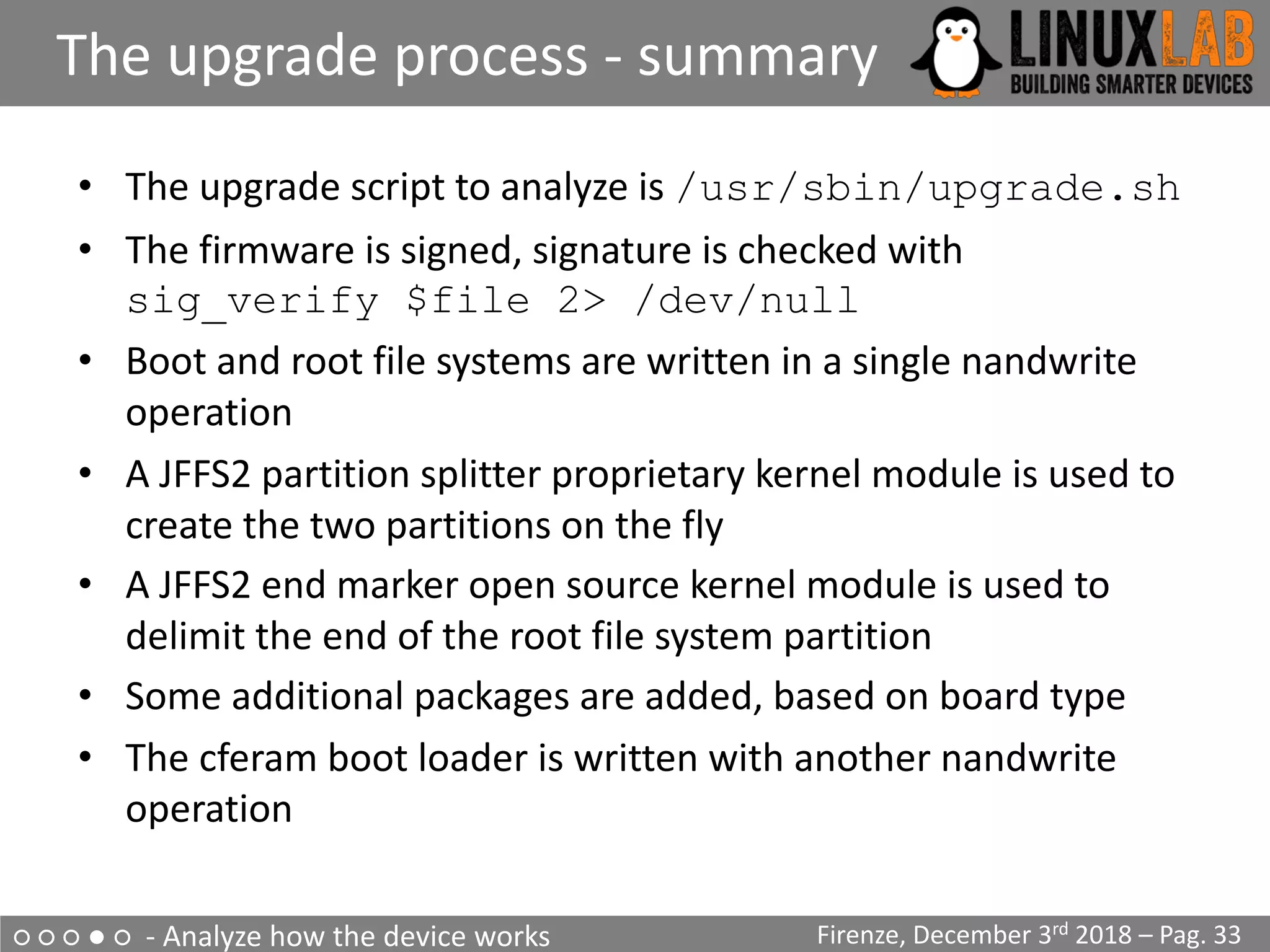
• The upgrade script to analyze is /usr/sbin/upgrade.sh
• The firmware is signed, signature is checked with
sig_verify $file 2> /dev/null
• Boot and root file systems are written in a single nandwrite
operation
• A JFFS2 partition splitter proprietary kernel module is used to
create the two partitions on the fly
• A JFFS2 end marker open source kernel module is used to
delimit the end of the root file system partition
• Some additional packages are added, based on board type
• The cferam boot loader is written with another nandwrite
operation
○ ○ ○ ● ○ - Analyze how the device works
Reverse engineering sig_verify
Firenze, December 3rd 2018 – Pag. 34
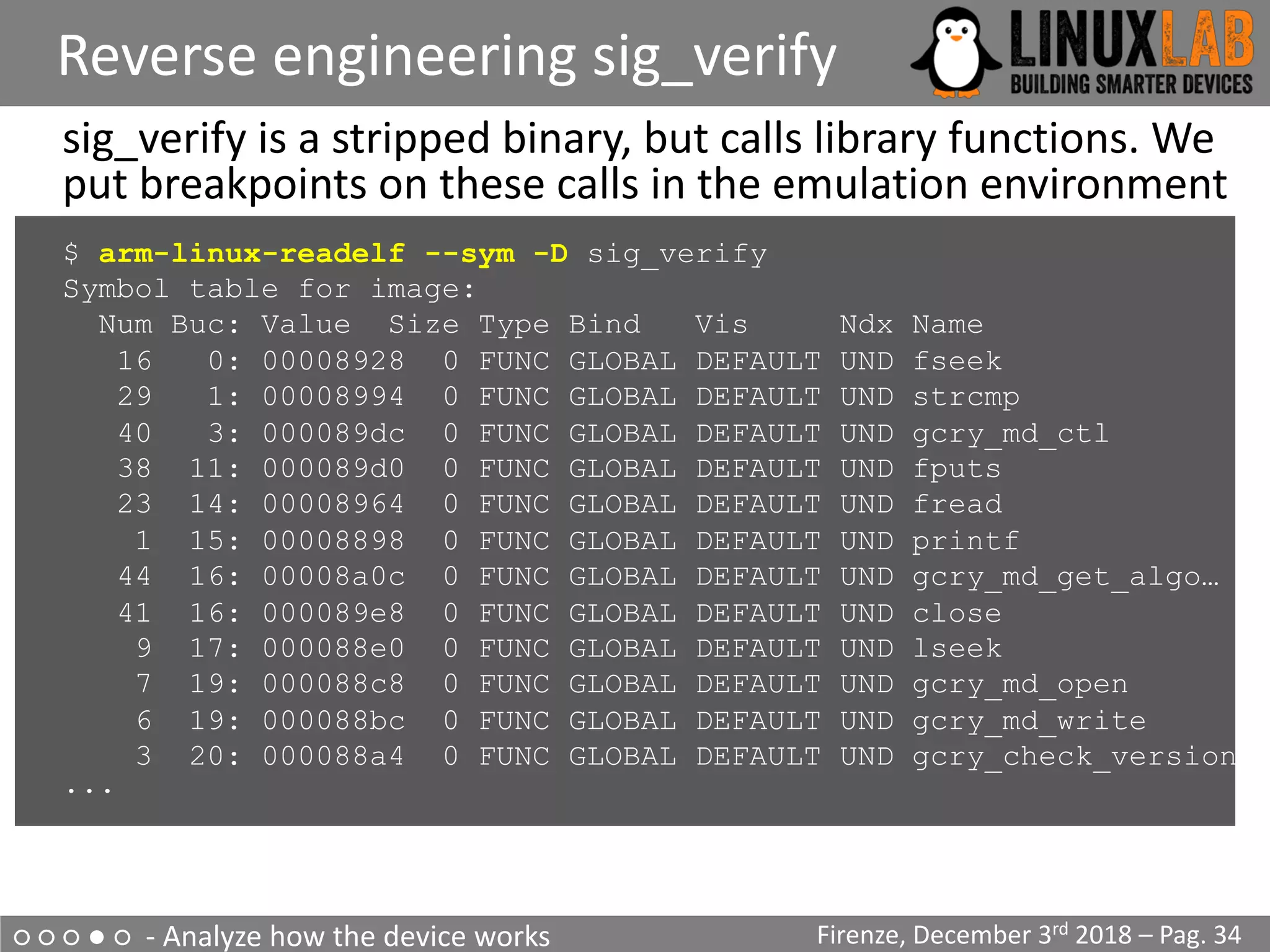
sig_verify is a stripped binary, but calls library functions. We
put breakpoints on these calls in the emulation environment
$ arm-linux-readelf --sym -D sig_verify
Symbol table for image:
Num Buc: Value Size Type Bind Vis Ndx Name
16 0: 00008928 0 FUNC GLOBAL DEFAULT UND fseek
29 1: 00008994 0 FUNC GLOBAL DEFAULT UND strcmp
40 3: 000089dc 0 FUNC GLOBAL DEFAULT UND gcry_md_ctl
38 11: 000089d0 0 FUNC GLOBAL DEFAULT UND fputs
23 14: 00008964 0 FUNC GLOBAL DEFAULT UND fread
1 15: 00008898 0 FUNC GLOBAL DEFAULT UND printf
44 16: 00008a0c 0 FUNC GLOBAL DEFAULT UND gcry_md_get_algo…
41 16: 000089e8 0 FUNC GLOBAL DEFAULT UND close
9 17: 000088e0 0 FUNC GLOBAL DEFAULT UND lseek
7 19: 000088c8 0 FUNC GLOBAL DEFAULT UND gcry_md_open
6 19: 000088bc 0 FUNC GLOBAL DEFAULT UND gcry_md_write
3 20: 000088a4 0 FUNC GLOBAL DEFAULT UND gcry_check_version
...
○ ○ ○ ● ○ - Analyze how the device works
Running sig_verify in GDB
Firenze, December 3rd 2018 – Pag. 35
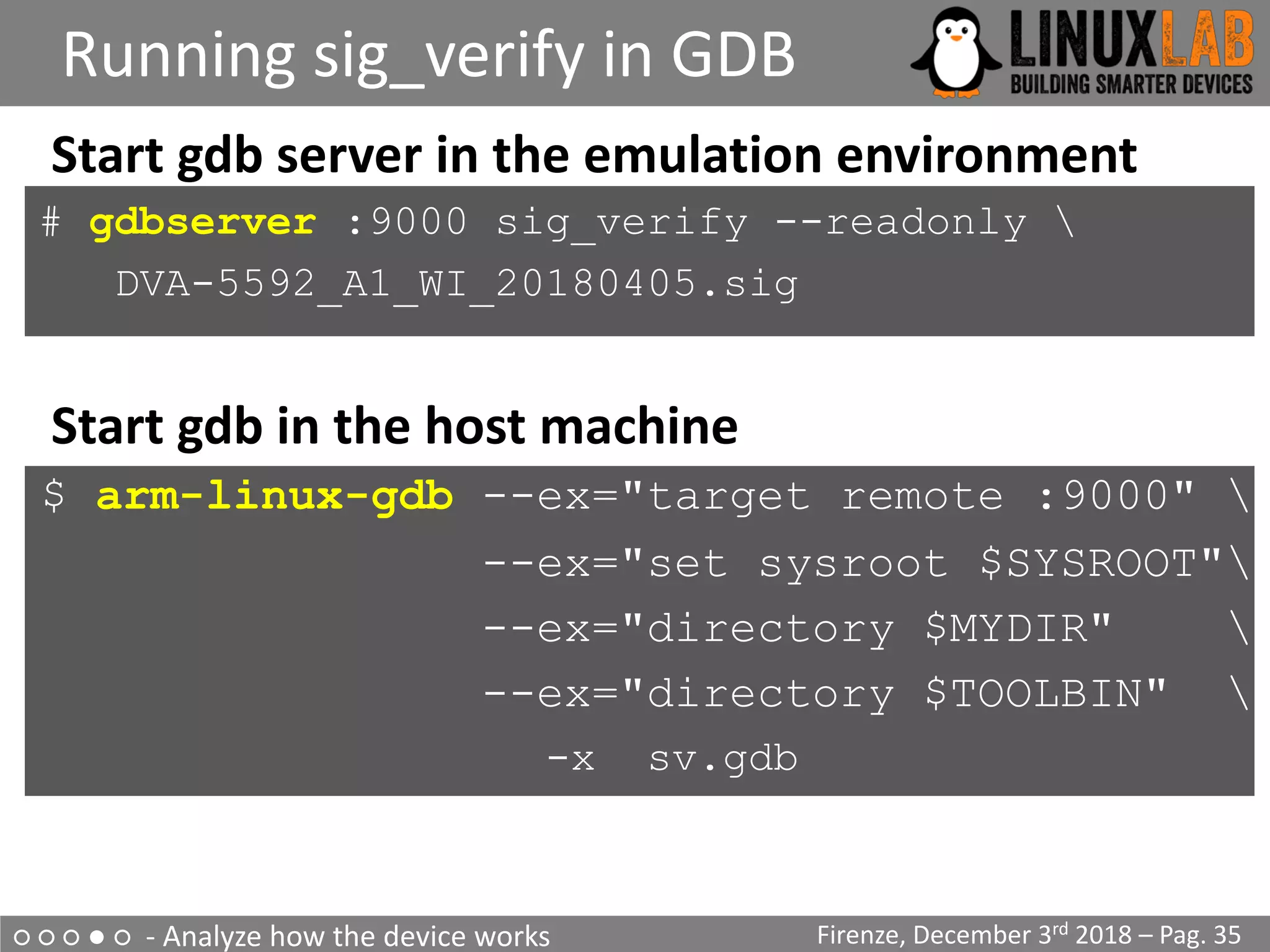
Start gdb server in the emulation environment
# gdbserver :9000 sig_verify --readonly 
DVA-5592_A1_WI_20180405.sig
Start gdb in the host machine
$ arm-linux-gdb --ex="target remote :9000" 
--ex="set sysroot $SYSROOT"
--ex="directory $MYDIR" 
--ex="directory $TOOLBIN" 
-x sv.gdb
○ ○ ○ ● ○ - Analyze how the device works
Running sig_verify in GDB
Firenze, December 3rd 2018 – Pag. 36
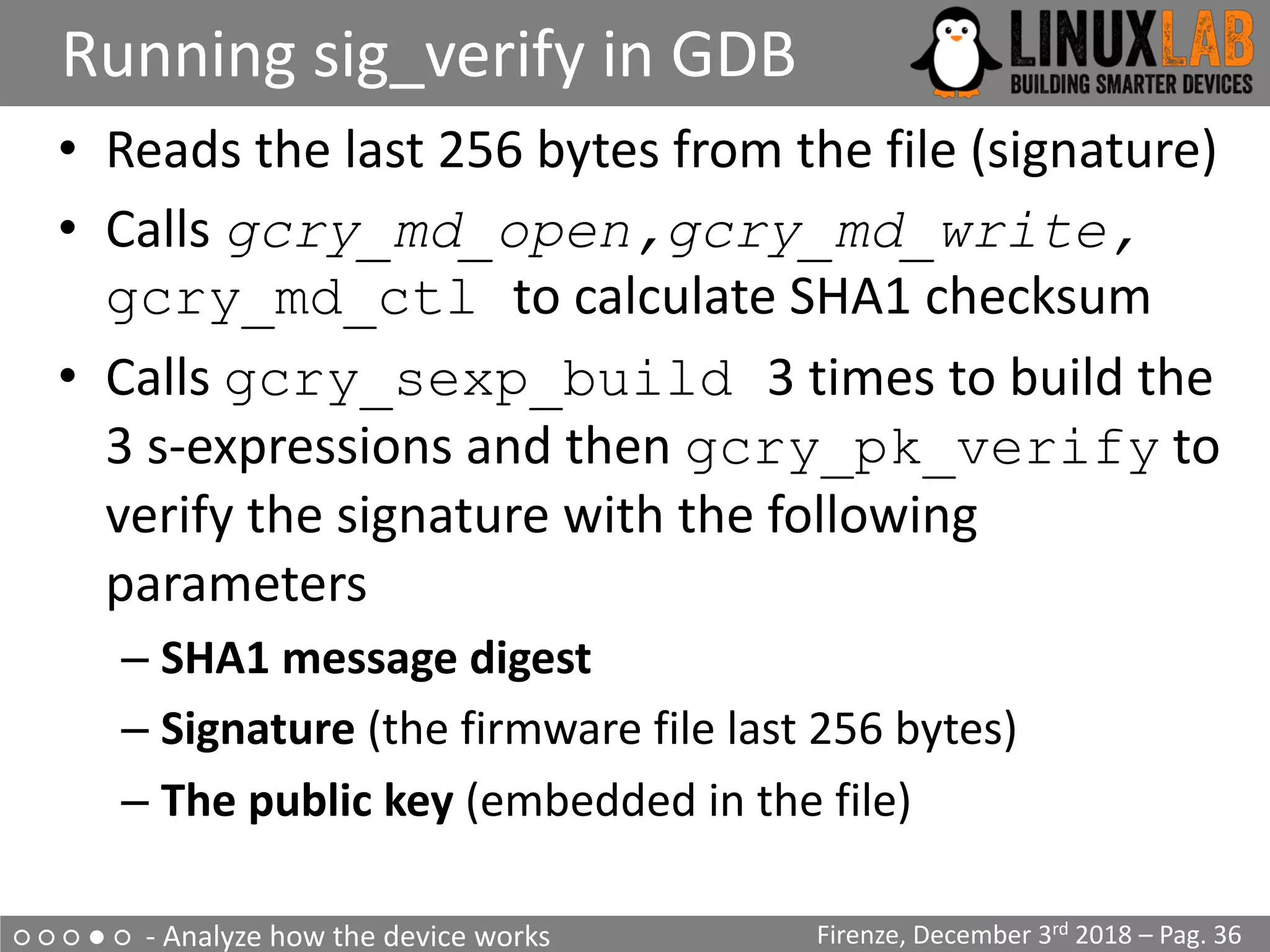
• Reads the last 256 bytes from the file (signature)
• Calls gcry_md_open,gcry_md_write,
gcry_md_ctl to calculate SHA1 checksum
• Calls gcry_sexp_build 3 times to build the
3 s-expressions and then gcry_pk_verify to
verify the signature with the following
parameters
– SHA1 message digest
– Signature (the firmware file last 256 bytes)
– The public key (embedded in the file)
○ ○ ○ ● ○ - Analyze how the device works
Running sig_verify in GDB
Firenze, December 3rd 2018 – Pag. 37
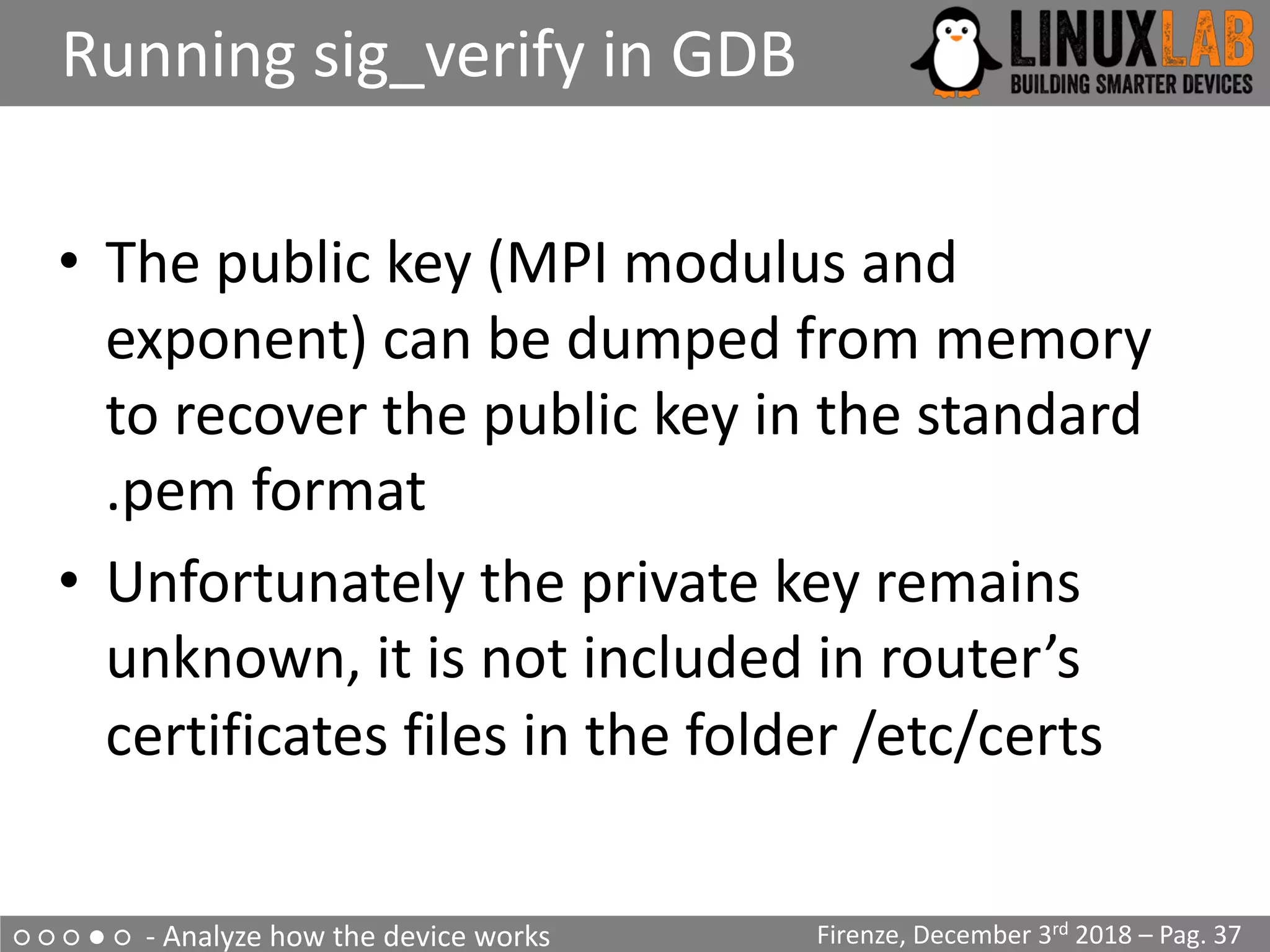
• The public key (MPI modulus and
exponent) can be dumped from memory
to recover the public key in the standard
.pem format
• Unfortunately the private key remains
unknown, it is not included in router’s
certificates files in the folder /etc/certs
○ ○ ○ ● ○ - Analyze how the device works
Restricted shell
Firenze, December 3rd 2018 – Pag. 38
• Firmware modification through the upgrade process
seems impossible
• The router allows telnet/ssh but present a Cisco-like
restricted shell
$ telnet 192.168.1.1
Connected to 192.168.1.1.
Escape character is '^]'.
Login: admin
Password:
********************************************
* D-Link *
* WARNING: Authorised Access Only *
********************************************
Welcome
DLINK#
○ ○ ○ ● ○ - Analyze how the device works
Escaping the restricted shell
Firenze, December 3rd 2018 – Pag. 39
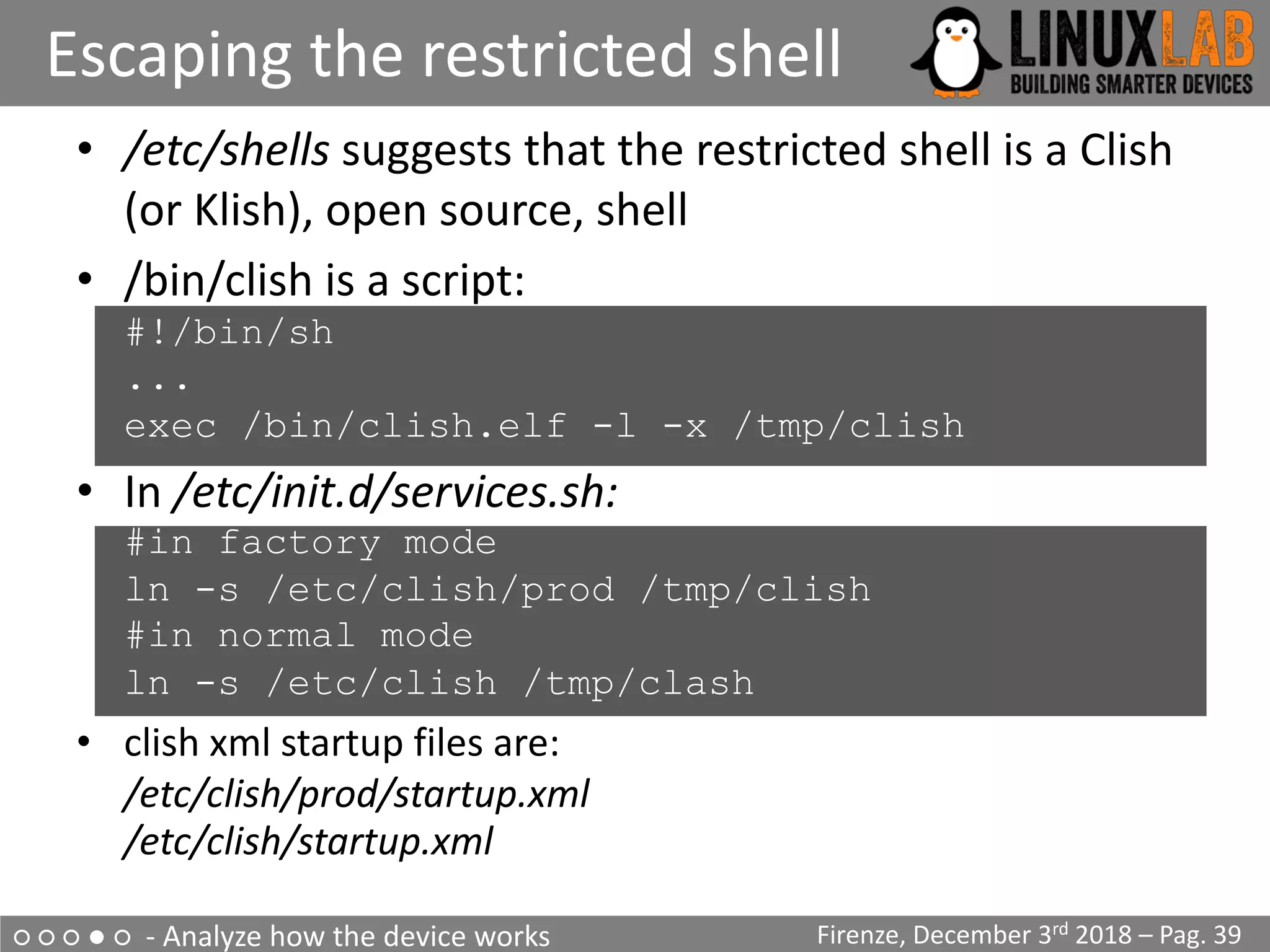
• /etc/shells suggests that the restricted shell is a Clish
(or Klish), open source, shell
• /bin/clish is a script:
#!/bin/sh
...
exec /bin/clish.elf -l -x /tmp/clish
• In /etc/init.d/services.sh:
#in factory mode
ln -s /etc/clish/prod /tmp/clish
#in normal mode
ln -s /etc/clish /tmp/clash
• clish xml startup files are:
/etc/clish/prod/startup.xml
/etc/clish/startup.xml
○ ○ ○ ● ○ - Analyze how the device works
Escaping the restricted shell
Firenze, December 3rd 2018 – Pag. 40
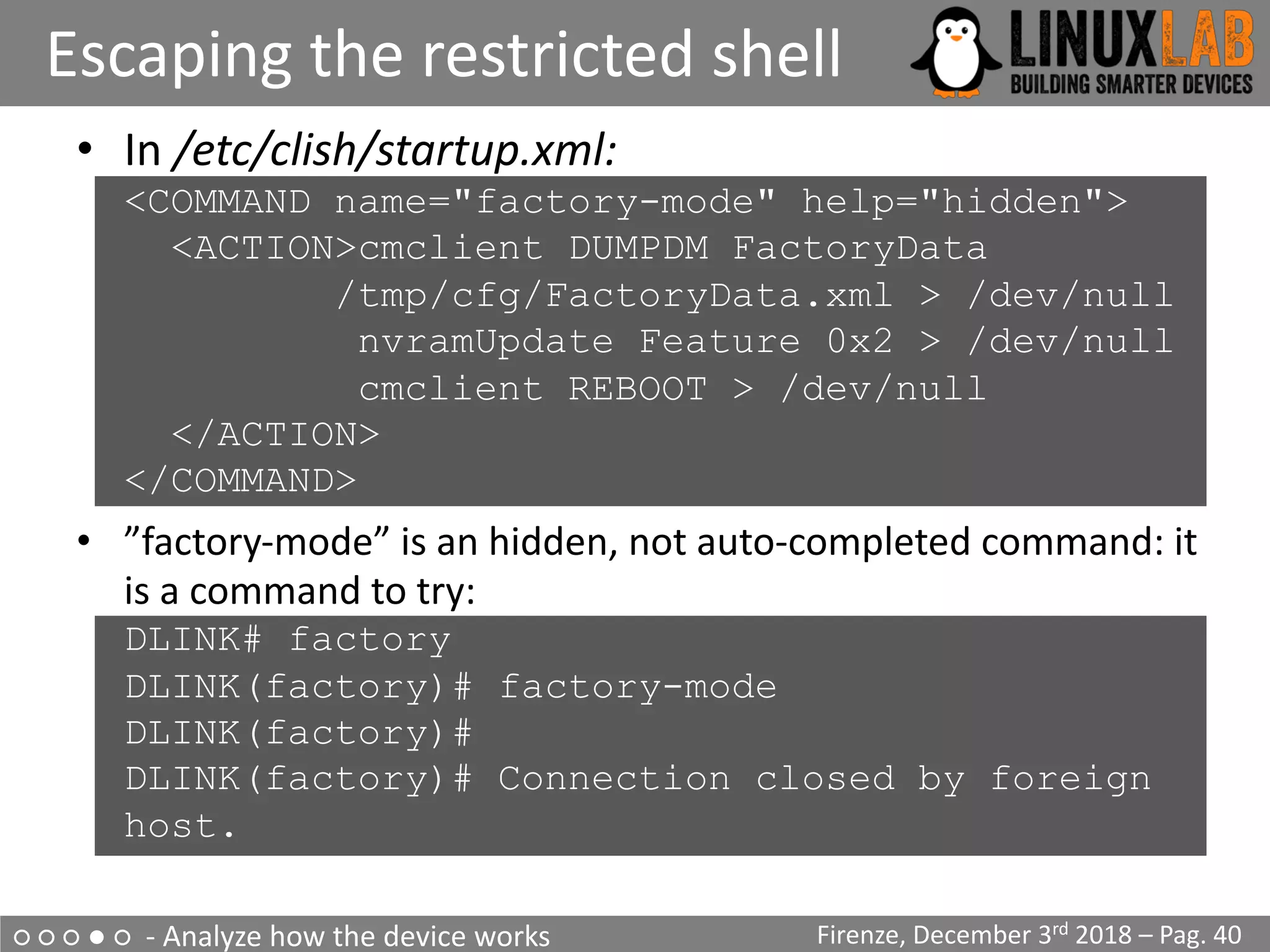
• In /etc/clish/startup.xml:
<COMMAND name="factory-mode" help="hidden">
<ACTION>cmclient DUMPDM FactoryData
/tmp/cfg/FactoryData.xml > /dev/null
nvramUpdate Feature 0x2 > /dev/null
cmclient REBOOT > /dev/null
</ACTION>
</COMMAND>
• ”factory-mode” is an hidden, not auto-completed command: it
is a command to try:
DLINK# factory
DLINK(factory)# factory-mode
DLINK(factory)#
DLINK(factory)# Connection closed by foreign
host.
○ ○ ○ ● ○ - Analyze how the device works
Escaping the restricted shell
Firenze, December 3rd 2018 – Pag. 41
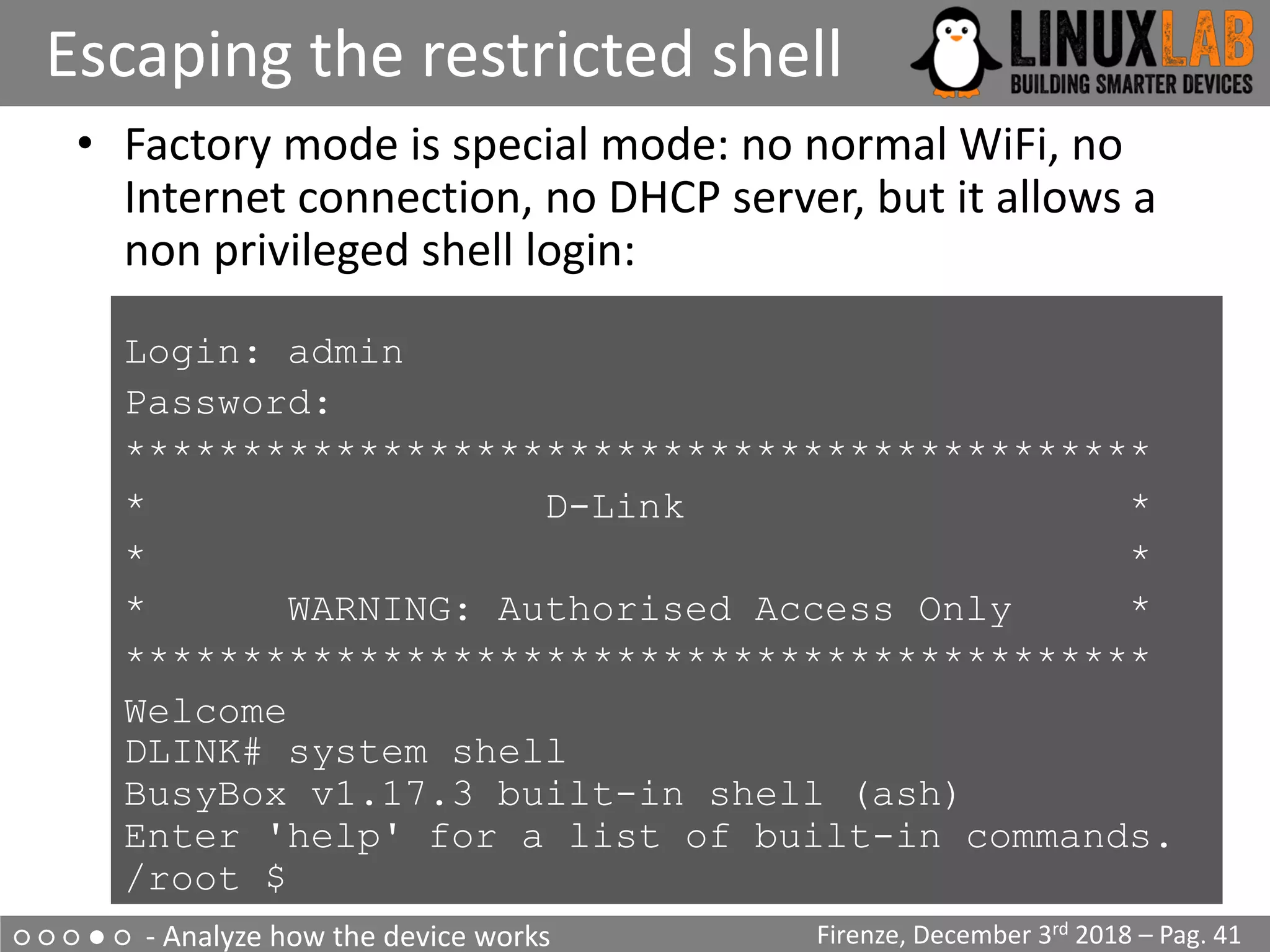
• Factory mode is special mode: no normal WiFi, no
Internet connection, no DHCP server, but it allows a
non privileged shell login:
Login: admin
• Password:
• ********************************************
• * D-Link *
• * *
• * WARNING: Authorised Access Only *
• ********************************************
• Welcome
DLINK# system shell
BusyBox v1.17.3 built-in shell (ash)
Enter 'help' for a list of built-in commands.
/root $
○ ○ ○ ● ○ - Analyze how the device works
The Quest for Root
Firenze, December 3rd 2018 – Pag. 42
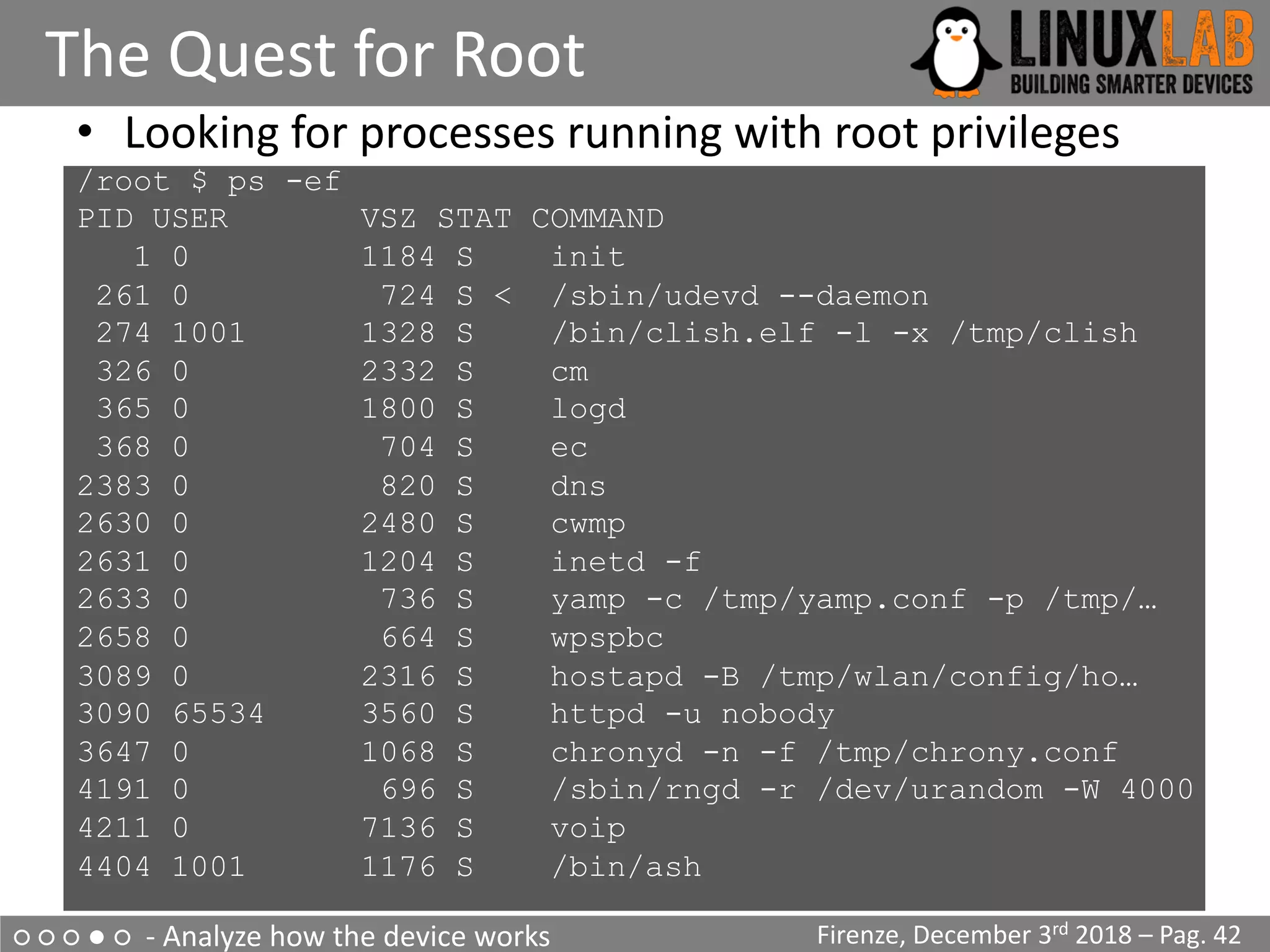
• Looking for processes running with root privileges
/root $ ps -ef
PID USER VSZ STAT COMMAND
1 0 1184 S init
261 0 724 S < /sbin/udevd --daemon
274 1001 1328 S /bin/clish.elf -l -x /tmp/clish
326 0 2332 S cm
365 0 1800 S logd
368 0 704 S ec
2383 0 820 S dns
2630 0 2480 S cwmp
2631 0 1204 S inetd -f
2633 0 736 S yamp -c /tmp/yamp.conf -p /tmp/…
2658 0 664 S wpspbc
3089 0 2316 S hostapd -B /tmp/wlan/config/ho…
3090 65534 3560 S httpd -u nobody
3647 0 1068 S chronyd -n -f /tmp/chrony.conf
4191 0 696 S /sbin/rngd -r /dev/urandom -W 4000
4211 0 7136 S voip
4404 1001 1176 S /bin/ash
○ ○ ○ ● ○ - Analyze how the device works
The Quest for Root - 1
Firenze, December 3rd 2018 – Pag. 43
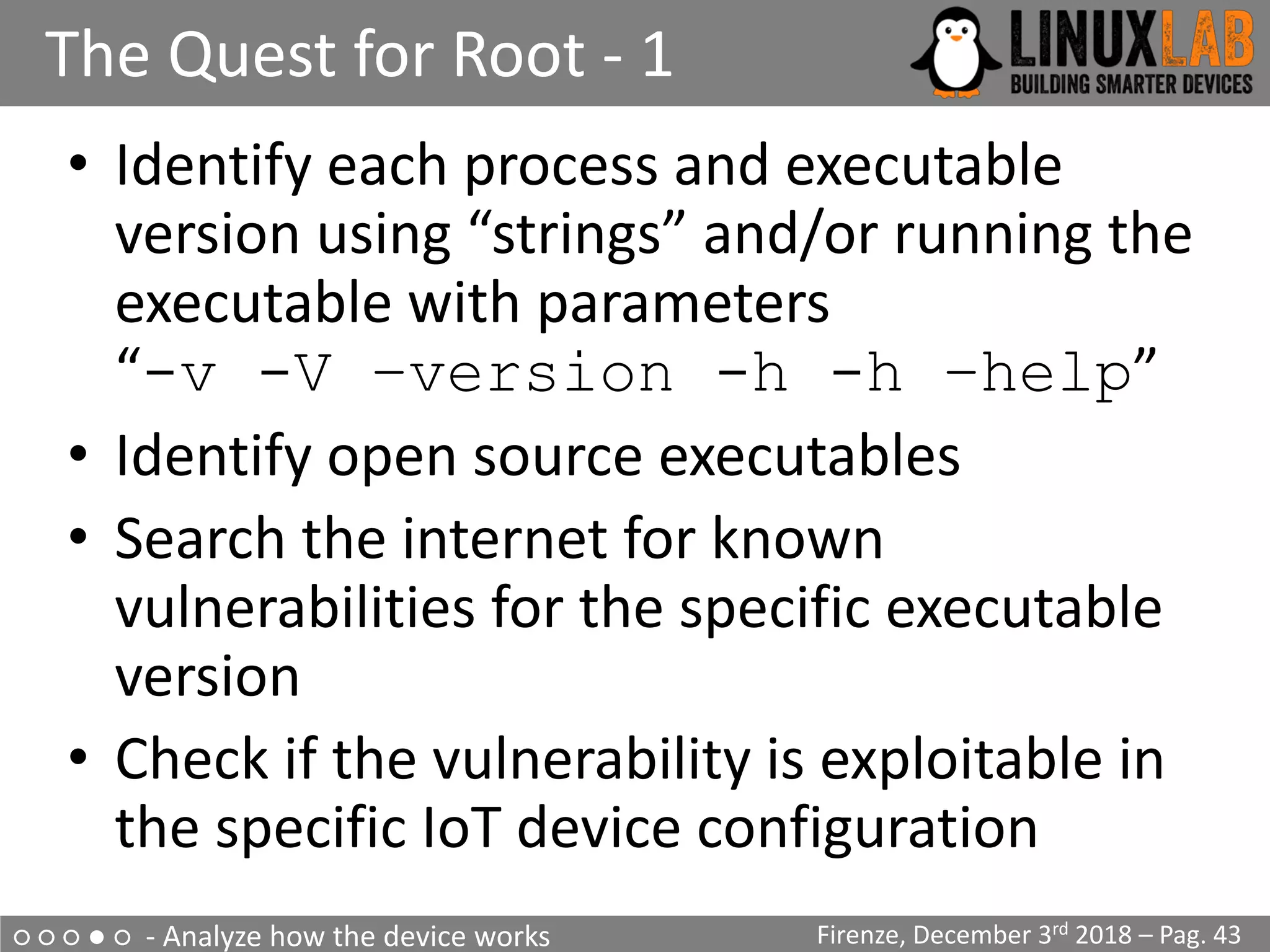
• Identify each process and executable
version using “strings” and/or running the
executable with parameters
“-v -V –version -h -h –help”
• Identify open source executables
• Search the internet for known
vulnerabilities for the specific executable
version
• Check if the vulnerability is exploitable in
the specific IoT device configuration
○ ○ ○ ● ○ - Analyze how the device works
The Quest for Root - 2
Firenze, December 3rd 2018 – Pag. 44
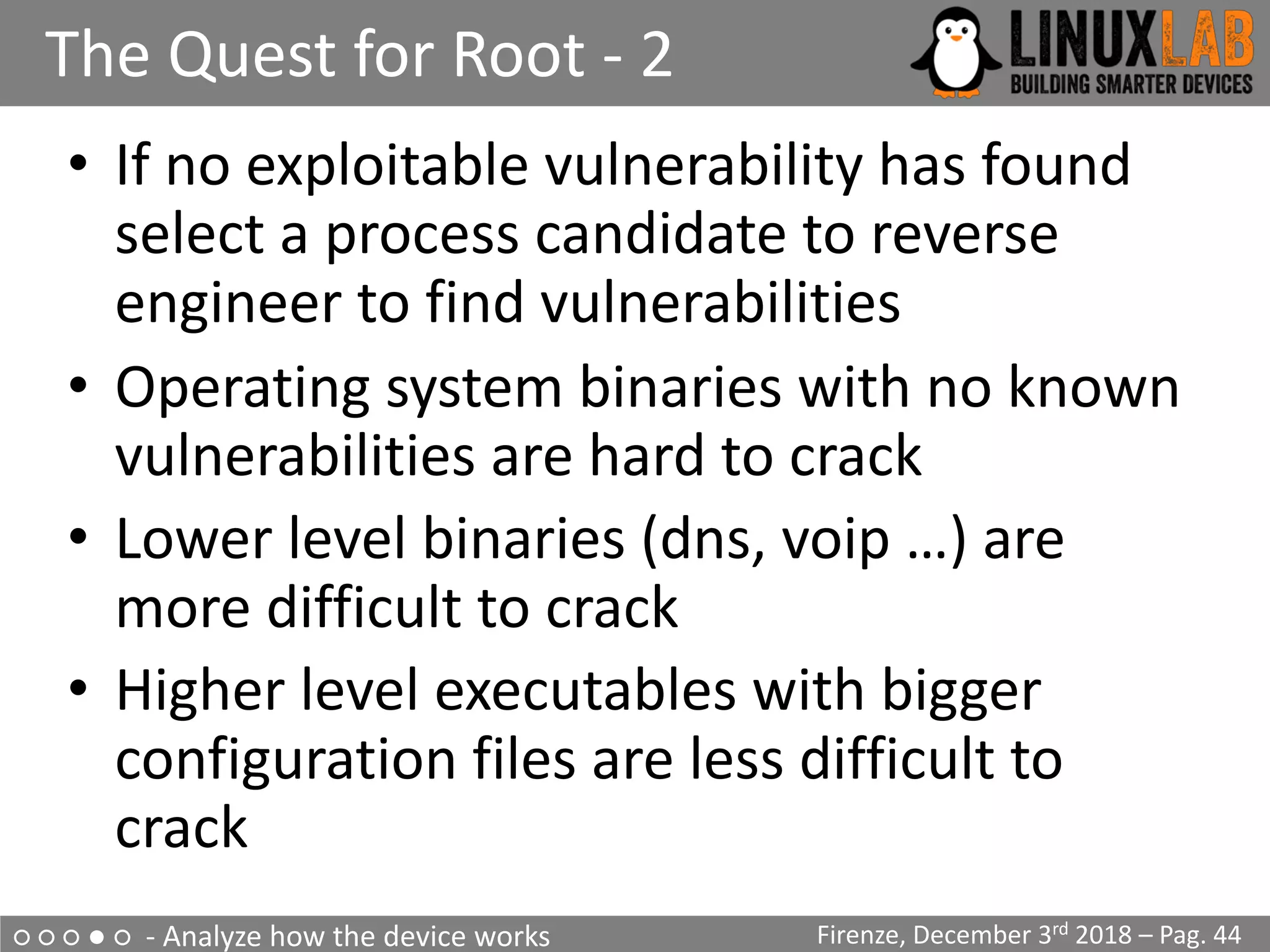
• If no exploitable vulnerability has found
select a process candidate to reverse
engineer to find vulnerabilities
• Operating system binaries with no known
vulnerabilities are hard to crack
• Lower level binaries (dns, voip …) are
more difficult to crack
• Higher level executables with bigger
configuration files are less difficult to
crack
○ ○ ○ ● ○ - Analyze how the device works
The Quest for Root - 3
Firenze, December 3rd 2018 – Pag. 45
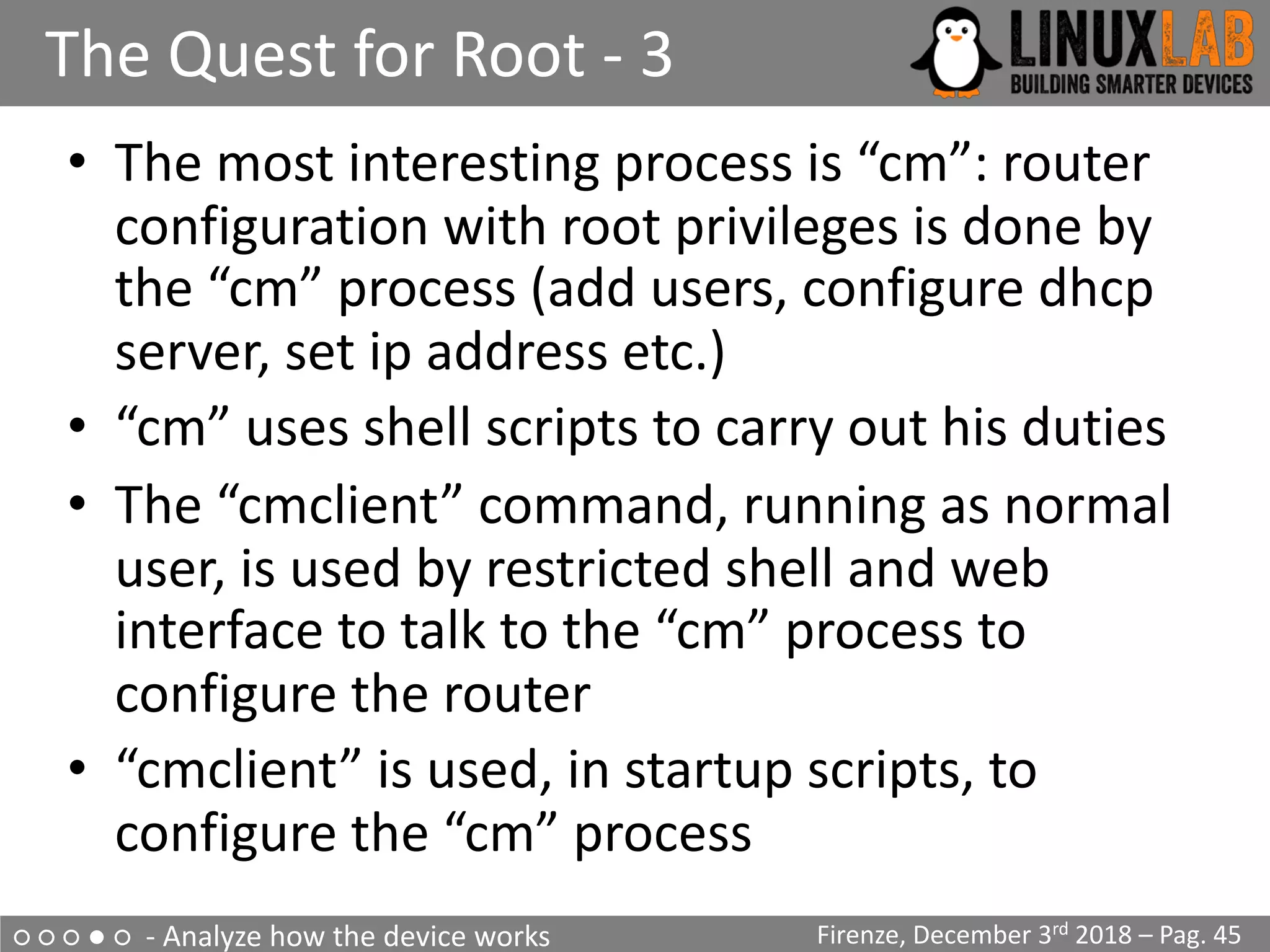
• The most interesting process is “cm”: router
configuration with root privileges is done by
the “cm” process (add users, configure dhcp
server, set ip address etc.)
• “cm” uses shell scripts to carry out his duties
• The “cmclient” command, running as normal
user, is used by restricted shell and web
interface to talk to the “cm” process to
configure the router
• “cmclient” is used, in startup scripts, to
configure the “cm” process
○ ○ ○ ● ○ - Analyze how the device works
The Quest for Root - 4
Firenze, December 3rd 2018 – Pag. 46
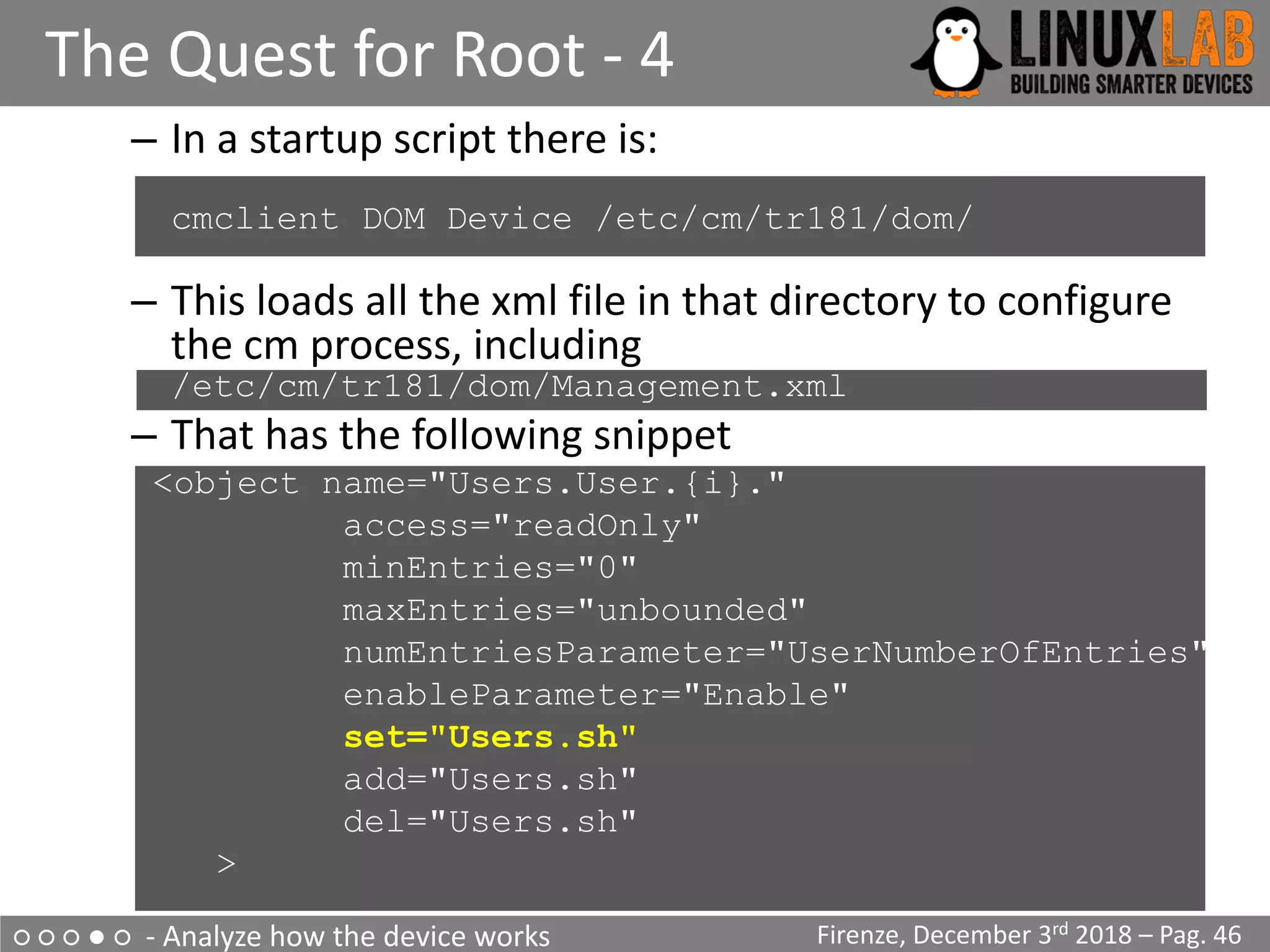
– In a startup script there is:
cmclient DOM Device /etc/cm/tr181/dom/
– This loads all the xml file in that directory to configure
the cm process, including
/etc/cm/tr181/dom/Management.xml
– That has the following snippet
<object name="Users.User.{i}."
access="readOnly"
minEntries="0"
maxEntries="unbounded"
numEntriesParameter="UserNumberOfEntries"
enableParameter="Enable"
set="Users.sh"
add="Users.sh"
del="Users.sh"
>
○ ○ ○ ● ○ - Analyze how the device works
The Quest for Root - 5
Firenze, December 3rd 2018 – Pag. 47
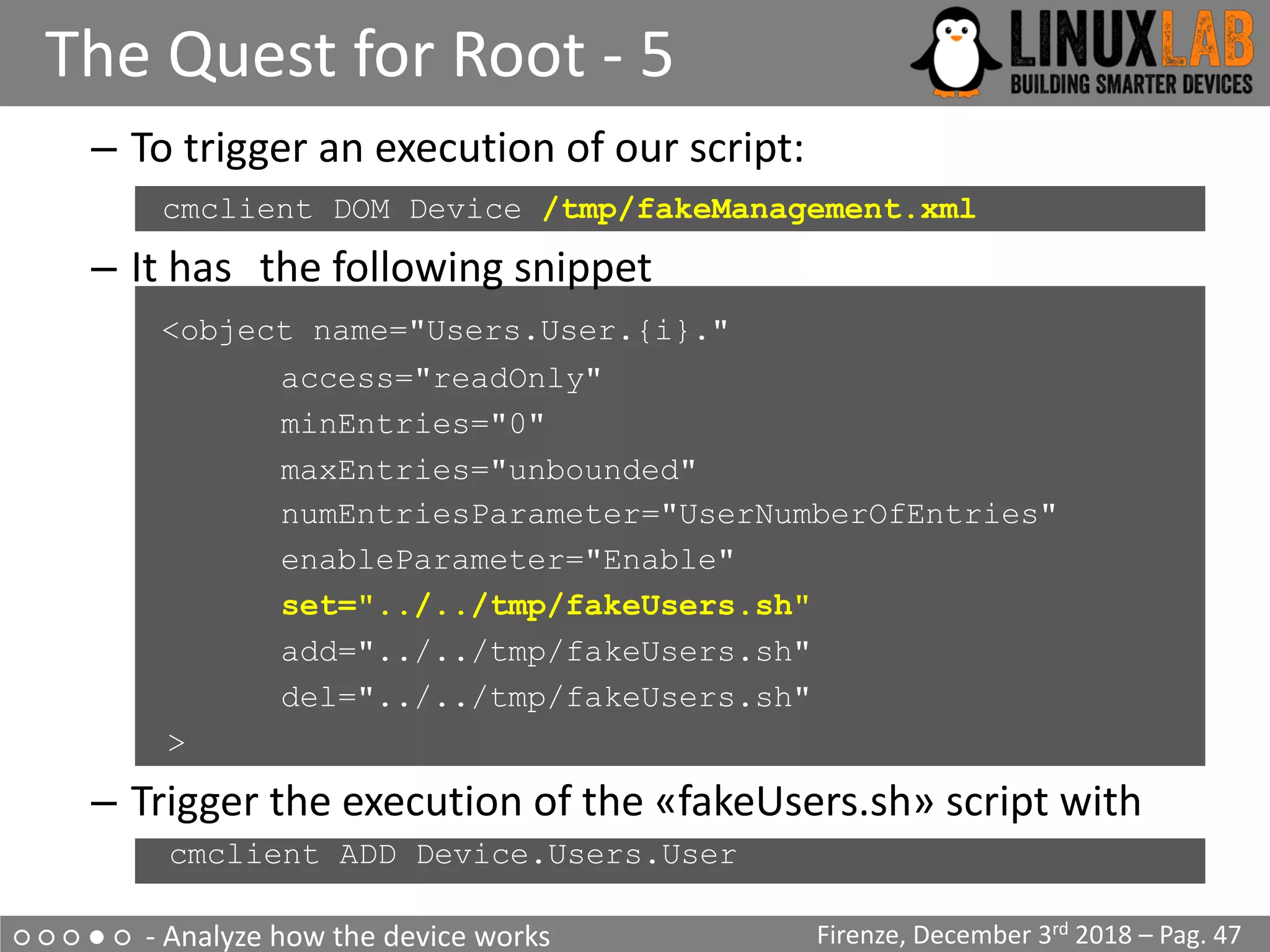
– To trigger an execution of our script:
cmclient DOM Device /tmp/fakeManagement.xml
– It has the following snippet
<object name="Users.User.{i}."
access="readOnly"
minEntries="0"
maxEntries="unbounded"
numEntriesParameter="UserNumberOfEntries"
enableParameter="Enable"
set="../../tmp/fakeUsers.sh"
add="../../tmp/fakeUsers.sh"
del="../../tmp/fakeUsers.sh"
>
– Trigger the execution of the «fakeUsers.sh» script with
– cmclient ADD Device.Users.User
○ ○ ○ ● ○ - Analyze how the device works
The Quest for Root - 7
Firenze, December 3rd 2018 – Pag. 48
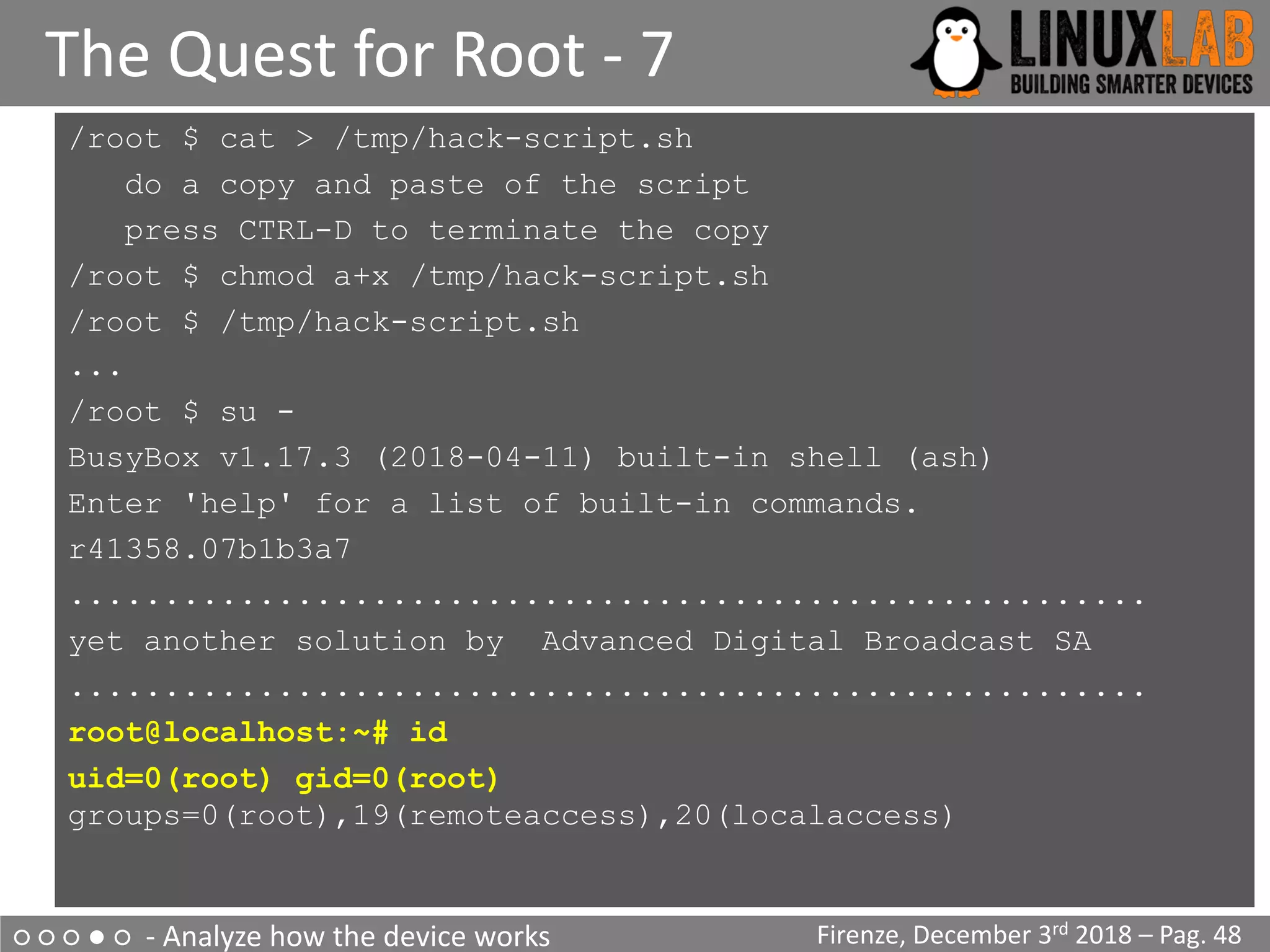
/root $ cat > /tmp/hack-script.sh
do a copy and paste of the script
press CTRL-D to terminate the copy
/root $ chmod a+x /tmp/hack-script.sh
/root $ /tmp/hack-script.sh
...
/root $ su -
BusyBox v1.17.3 (2018-04-11) built-in shell (ash)
Enter 'help' for a list of built-in commands.
r41358.07b1b3a7
.........................................................
yet another solution by Advanced Digital Broadcast SA
.........................................................
root@localhost:~# id
uid=0(root) gid=0(root)
groups=0(root),19(remoteaccess),20(localaccess)
○ ○ ○ ○ ● - Create a Firmware Modification Kit
Firmware Modification Kit - 1
Firenze, December 3rd 2018 – Pag. 49
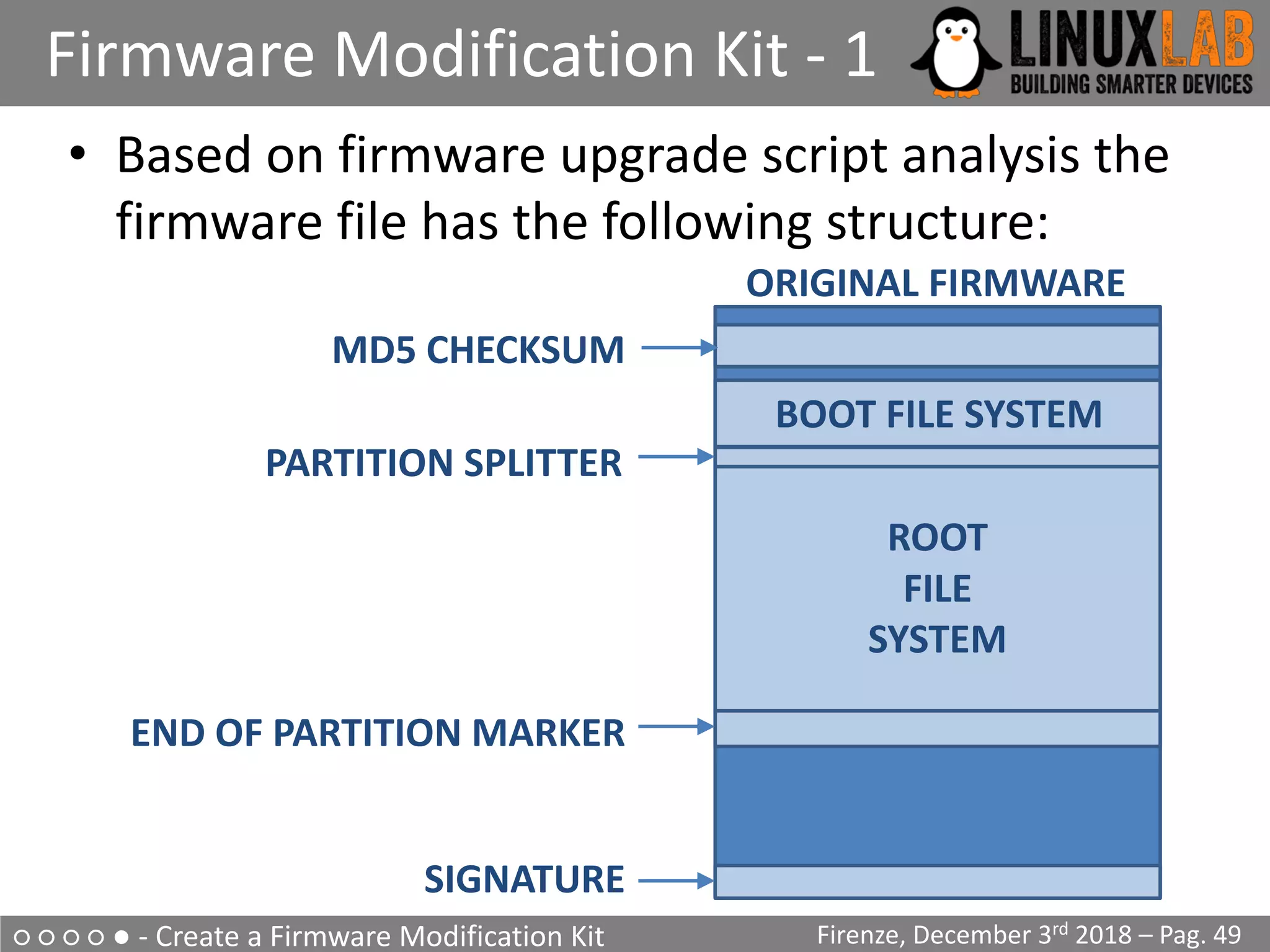
• Based on firmware upgrade script analysis the
firmware file has the following structure:
MD5 CHECKSUM
BOOT FILE SYSTEM
ROOT
FILE
SYSTEM
PARTITION SPLITTER
END OF PARTITION MARKER
SIGNATURE
ORIGINAL FIRMWARE
○ ○ ○ ○ ● - Create a Firmware Modification Kit
Firmware Modification Kit - 2
Firenze, December 3rd 2018 – Pag. 50
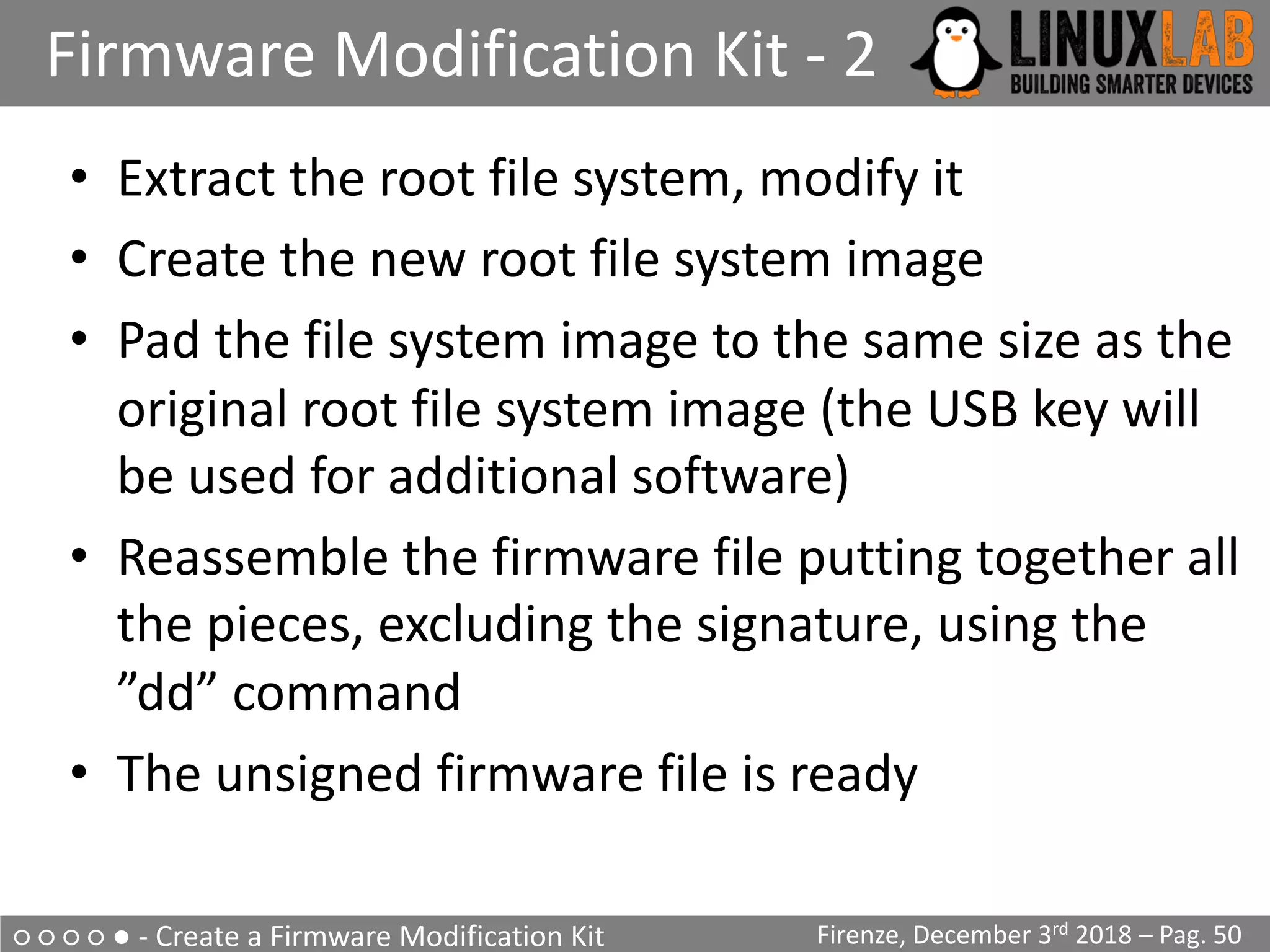
• Extract the root file system, modify it
• Create the new root file system image
• Pad the file system image to the same size as the
original root file system image (the USB key will
be used for additional software)
• Reassemble the firmware file putting together all
the pieces, excluding the signature, using the
”dd” command
• The unsigned firmware file is ready
○ ○ ○ ○ ● - Create a Firmware Modification Kit
Loading the unsigned firmware
Firenze, December 3rd 2018 – Pag. 51
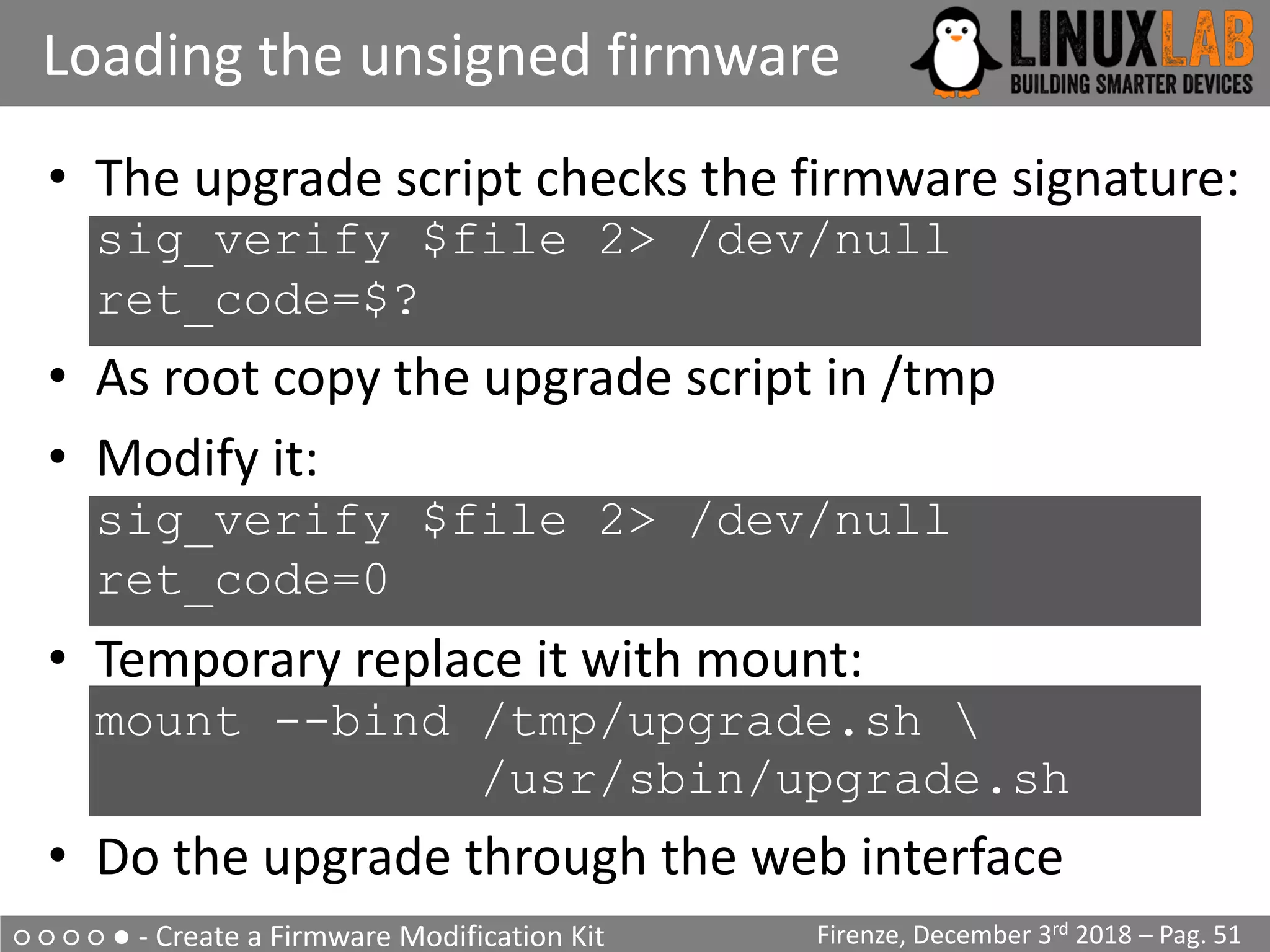
• The upgrade script checks the firmware signature:
sig_verify $file 2> /dev/null
ret_code=$?
• As root copy the upgrade script in /tmp
• Modify it:
sig_verify $file 2> /dev/null
ret_code=0
• Temporary replace it with mount:
mount --bind /tmp/upgrade.sh 
/usr/sbin/upgrade.sh
• Do the upgrade through the web interface
○ ○ ○ ○ ○ - Summary
Summary
Firenze, December 3rd 2018 – Pag. 52
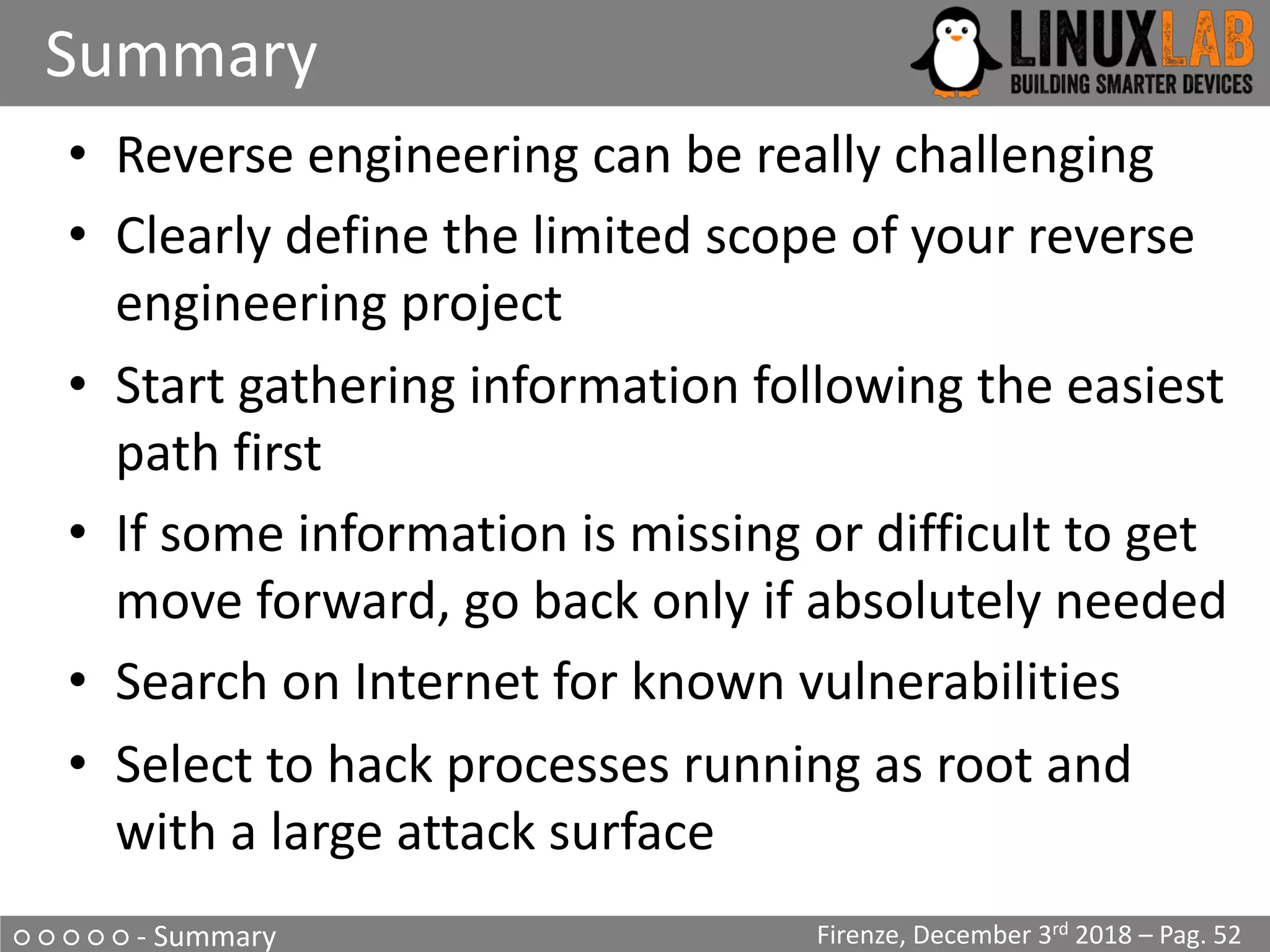
• Reverse engineering can be really challenging
• Clearly define the limited scope of your reverse
engineering project
• Start gathering information following the easiest
path first
• If some information is missing or difficult to get
move forward, go back only if absolutely needed
• Search on Internet for known vulnerabilities
• Select to hack processes running as root and
with a large attack surface
○ ○ ○ ○ ○
Useful Links & Documentation
Firenze, December 3rd 2018 – Pag. 53
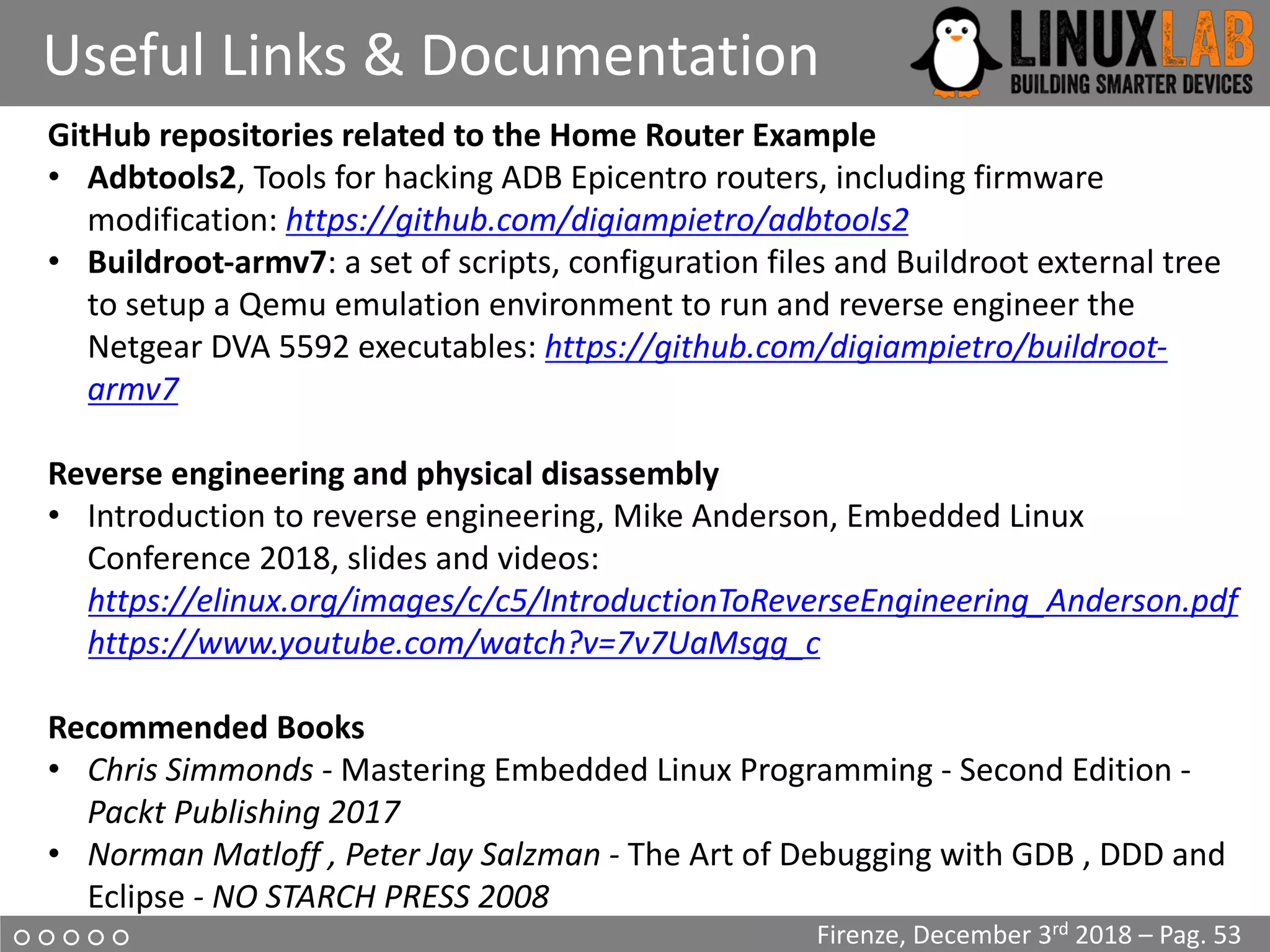
GitHub repositories related to the Home Router Example
• Adbtools2, Tools for hacking ADB Epicentro routers, including firmware
modification: https://github.com/digiampietro/adbtools2
• Buildroot-armv7: a set of scripts, configuration files and Buildroot external tree
to setup a Qemu emulation environment to run and reverse engineer the
Netgear DVA 5592 executables: https://github.com/digiampietro/buildroot-
armv7
Reverse engineering and physical disassembly
• Introduction to reverse engineering, Mike Anderson, Embedded Linux
Conference 2018, slides and videos:
https://elinux.org/images/c/c5/IntroductionToReverseEngineering_Anderson.pdf
https://www.youtube.com/watch?v=7v7UaMsgg_c
Recommended Books
• Chris Simmonds - Mastering Embedded Linux Programming - Second Edition -
Packt Publishing 2017
• Norman Matloff , Peter Jay Salzman - The Art of Debugging with GDB , DDD and
Eclipse - NO STARCH PRESS 2008
○ ○ ○ ○ ○
Useful Links & Documentation
Firenze, December 3rd 2018 – Pag. 54
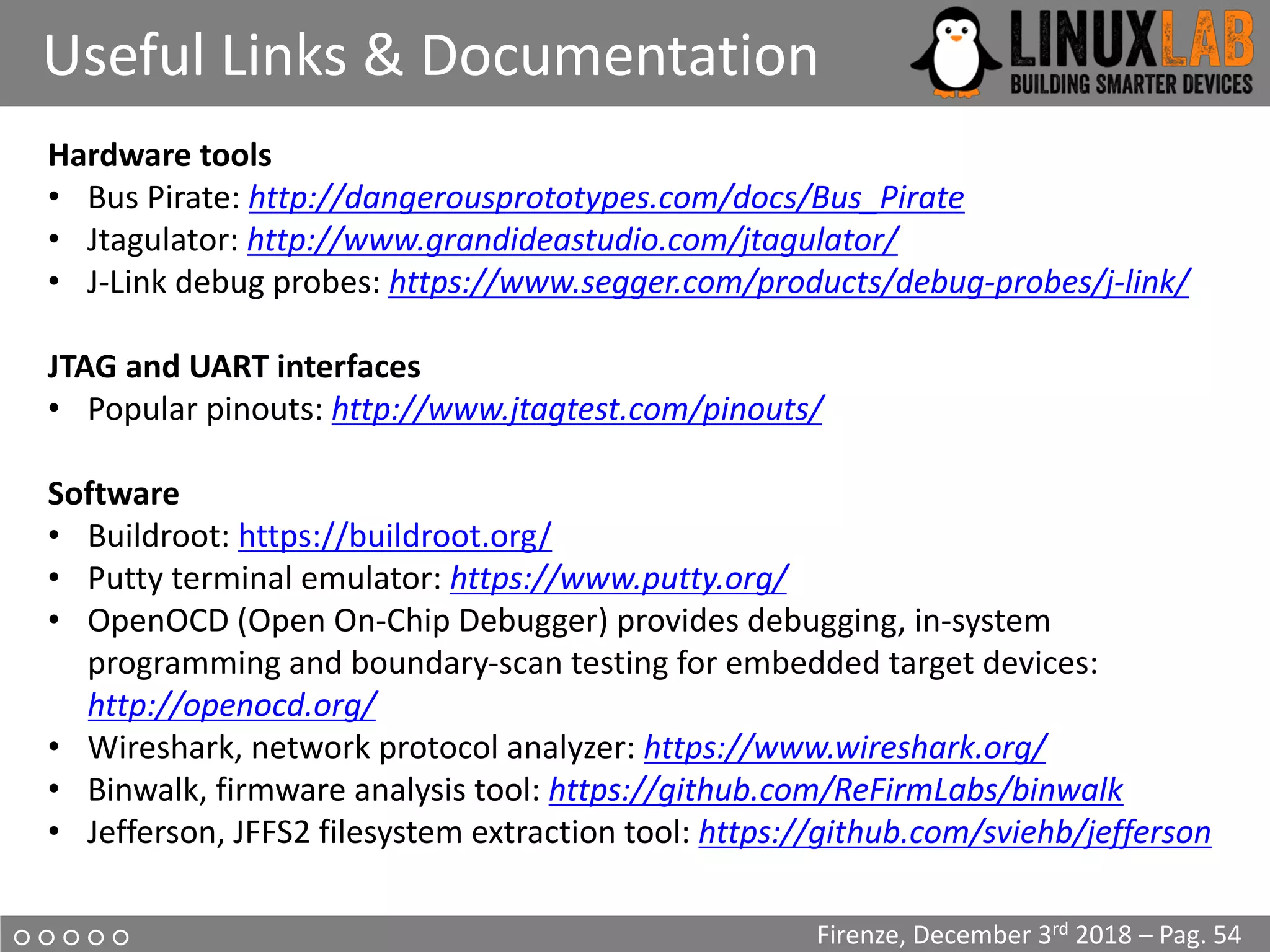
Hardware tools
• Bus Pirate: http://dangerousprototypes.com/docs/Bus_Pirate
• Jtagulator: http://www.grandideastudio.com/jtagulator/
• J-Link debug probes: https://www.segger.com/products/debug-probes/j-link/
JTAG and UART interfaces
• Popular pinouts: http://www.jtagtest.com/pinouts/
Software
• Buildroot: https://buildroot.org/
• Putty terminal emulator: https://www.putty.org/
• OpenOCD (Open On-Chip Debugger) provides debugging, in-system
programming and boundary-scan testing for embedded target devices:
http://openocd.org/
• Wireshark, network protocol analyzer: https://www.wireshark.org/
• Binwalk, firmware analysis tool: https://github.com/ReFirmLabs/binwalk
• Jefferson, JFFS2 filesystem extraction tool: https://github.com/sviehb/jefferson
○ ○ ○ ○ ○
Question Time
Firenze, December 3rd 2018 – Pag. 55
?
Question Time
○ ○ ○ ○ ○
The End
Firenze, December 3rd 2018 – Pag. 56
Thank You

Valerio Di Giampietro - Introduction To IoT Reverse Engineering with an example on a home router

  • 1.
    Introduction To IoTReverse Engineering with an example on a home router Valerio Di Giampietro Linux enthusiast since 1993 http://va.ler.io v@ler.io @valerio ©Valerio Di Giampietro - This work is licensed under a Creative Commons Attribution 4.0 International License
  • 2.
    • Introduction • Informationgathering • Emulation environment using QEMU • Analyze how the device works • Modify the firmware What we will talk about … Firenze, December 3rd 2018 – Pag. 2● ○ ○ ○ ○ - Introduction Firenze, December 3rd 2018 – Pag. 2 Firenze, December 3rd 2018 – Pag. 2
  • 3.
    ● ○ ○○ ○ - Introduction What is “engineering”? “the science of making things” • Define ”product requirements” • Design the product • Build or manufacture the product Engineering Firenze, December 3rd 2018 – Pag. 3 Requirements Design Blueprint Product
  • 4.
    What is ”reverseengineering”? • It is the ”engineering” process done in reverse order and, usually, with limited scope What is this example project “limited scope”? • Understand how to modify the router firmware to add features and additional programs ● ○ ○ ○ ○ - Introduction Reverse Engineering Firenze, December 3rd 2018 – Pag. 4 RequirementsDesign BlueprintProduct
  • 5.
    • Who makesthe device? • Is there an ODM (Original Design Manufacturer)? • Open the case • Identify main device components • Locate UART and possibly JTAG Interfaces • Get the firmware and the root file system ○ ● ○ ○ ○ - Information Gathering Information Gathering Firenze, December 3rd 2018 – Pag. 5 D-Link DVA 5592 example home router
  • 6.
    ○ ● ○○ ○ - Information Gathering Mainboard Top Firenze, December 3rd 2018 – Pag. 6 JTAG? BCM6303 XDSL CPE Line Driver ZL88801 Telephone Module UART
  • 7.
    ○ ● ○○ ○ - Information Gathering Mainboard Bottom Firenze, December 3rd 2018 – Pag. 7 MX30LF2G18AC Nand Flash 256Mb BCM43217 WiFi Module CPU?
  • 8.
    ○ ● ○○ ○ - Information Gathering Locate the UART interface Firenze, December 3rd 2018 – Pag. 8 • Search on Internet • Identify potential serial headers candidates • Sometimes marked in the PCB’s silkscreen • Usually 4 pins: Vcc, Gnd, Tx, Rx • Use a multimeter to find potential candidates • Locate pins on SOC and follow PCB traces • Use tools like Jtagulator • Oscilloscope or Logic Analyzer to locate Tx (a little overkill) UART on various boards
  • 9.
    ○ ● ○○ ○ - Information Gathering The JTAG interface Firenze, December 3rd 2018 – Pag. 9 • JTAG is an industry standard for testing printed circuit boards after manufacture • Allows access to read/write flash memory contents and can be used as a primary means for an in-circuit emulator • Multiple devices are daisy-chained together • Pins: TCK test clock TDI test data in TDO test data out TMS test mode sel. TRST test reset (opt.)
  • 10.
    ○ ● ○○ ○ - Information Gathering Locate the JTAG interface Firenze, December 3rd 2018 – Pag. 10 • No standard pinout, but few popular pinouts: http://www.jtagtest.com/pinouts/ • Search on Internet • Look for headers labeled TCK, TDI, TDO, TMS • Look for 1x5/6, 2x5, 2x7, 2x10 pin headers – Look for GND and VCC with a multimeter and compare to popular pinouts – Often there are pullups (1-100k) for TMS, TDI and TRST, TRST can also be pulled low – TDO should be high impedance • Locate pins on SOC and follow PCB traces • Use tools like Jtagulator
  • 11.
    ○ ● ○○ ○ - Information Gathering Repopulate the interfaces Firenze, December 3rd 2018 – Pag. 11 Connect the serial cable
  • 12.
    ○ ● ○○ ○ - Information Gathering Why repopulate the interfaces? Firenze, December 3rd 2018 – Pag. 12 • UART (Serial Interface) – Watch what is printed on the serial console during the boot cycle and find bootloader and OS version – Watch the firmware upgrade cycle – Use a USB TTL serial adapter and a terminal emulator on the PC • JTAG – Be able to read the firmware out of the flash eeprom – Be able to break into the boot cycle and use JTAG as a means to do ”in circuit debugging” – Attach an interface board, like Bus Pirate, to the JTAG interface – Use software, as OpenOCD, to dump flash eeprom and to do ”in circuit debugging”
  • 13.
    ○ ● ○○ ○ - Information Gathering Getting the firmware file Firenze, December 3rd 2018 – Pag. 13 • Follow the easiest path first • If the supplier has a website with firmware updates go and download the firmware file • If the firmware update can be downloaded directly only by the device, sniff the communication with wireshark and get the firmware file • If the above steps are not available, download the eeprom image through the JTAG connector using Bus Pirate and OpenOCD
  • 14.
    ○ ● ○○ ○ - Information Gathering Get info from the firmware Firenze, December 3rd 2018 – Pag. 14 • Get basic info from the firmware file $ file DVA-5592_A1_WI_20180405.sig DVA-5592_A1_WI_20180405.sig: data $ binwalk DVA-5592_A1_WI_20180405.sig DECIMAL HEXADECIMAL DESCRIPTION --------------------------------------------------- 512 0x200 JFFS2 filesystem, little endian 24379992 0x1740258 gzip compressed data, from Unix, last modified: 2018-04-11 10:40:16
  • 15.
    ○ ● ○○ ○ - Information Gathering Extract content from firmware Firenze, December 3rd 2018 – Pag. 15 • Install Jefferson to extract files from JFFS2 file system • Use binwalk to extract content from firmware $ binwalk -e DVA-5592_A1_WI_20180405.sig $ ls -lh _DVA-5592_A1_WI_20180405.sig.extracted -rw-rw-r-- 1 val val 30K ott 21 13:28 1740258 -rw-rw-r-- 1 val val 24M ott 21 13:27 200.jffs2 drwxrwxr-x 5 val val 4,0K ott 21 13:28 jffs2-root $ file 1740258 1740258: POSIX tar archive (GNU) $ tar -tvf 1740258 drwxr-xr-x l.fornalczyk/adb boards/ drwxr-xr-x l.fornalczyk/adb boards/963138_VD5….ipk
  • 16.
    ○ ● ○○ ○ - Information Gathering Looking at the extracted files Firenze, December 3rd 2018 – Pag. 16 • Looking at the extracted files $ ls jffs2-root/ fs_1 fs_2 fs_3 • It seems we have 3 file systems here: “/boot” and “/” splitted in two parts $ ls -lh fs_1 -rw-r--r-- 1 val val 0 ott 21 13:28 a -rw-r--r-- 1 val val 260K ott 21 13:28 cferam.000 -rw-r--r-- 1 val val 1,2M ott 21 13:28 vmlinux.lz • cferam.000 is the boot loader image based on Broadcom CFE (Common Firmware Environment) • vmlinux.lz is the kernel, in an unusual CFE compressed format
  • 17.
    ○ ● ○○ ○ - Information Gathering Looking at other files Firenze, December 3rd 2018 – Pag. 17 • /sbin/init is missing (but it’s not true), busybox is there $ ls -lh fs_2/bin/busybox -rwsr-sr-x 1 val val 382K fs_2/bin/busybox $ strings fs_2/bin/busybox … BusyBox v1.17.3 (2018-04-11 12:29:54 CEST) … $ arm-linux-readelf -a fs_2/bin/busybox … … program interpreter: /lib/ld-uClibc.so.0] $ ls -lh fs_2/lib/ld-uClibc* -rwxr-xr-x ld-uClibc-0.9.33.2.so lrwxrwxrwx ld-uClibc.so.0 -> ld-uClibc-0.9.33.2.so $ ls -l fs_3/lib/libgcrypt.so.11* lrwxrwxrwx libgcrypt.so.11 -> libgcrypt.so.11.5.3 -rwxr-xr-x libgcrypt.so.11.5.3
  • 18.
    ○ ● ○○ ○ - Information Gathering Boot output on serial console Firenze, December 3rd 2018 – Pag. 18 • Output on serial console during boot ... CFE version 1.0.38-118.3-S for BCM963138 (32bit,SP,LE) generic ... Chip ID: BCM63136B0, ARM Cortex A9 Dual Core: 1000MHz Total Memory: 268435456 bytes (256MB) NAND ECC BCH-4, page size 0x800 bytes, spare size 64 bytes NAND flash device: , id 0xc2da block 128KB size 262144KB ... Linux version 3.4.11-rt19 (l.fornalczyk@quelo) (gcc version 4.5.4 20120306 (prerelease) (Linaro GCC 4.5-2012.03) ) ... CPU: ARMv7 Processor [414fc091] revision 1 (ARMv7) ... jffs2: version 2.2 (NAND) (SUMMARY) (ZLIB) (LZMA) (RTIME) ...
  • 19.
    ○ ● ○○ ○ - Information Gathering Boot output on serial console Firenze, December 3rd 2018 – Pag. 19 • Output on serial console during boot (part 2) ... [2.502000] Found YAPS PartitionSplit Marker at 0x080FFF00 [2.503000] Creating 8 MTD partitions on "brcmnand.0": [2.504000] 0x000000000000-0x000000020000 : "CFE” [2.506000] 0x000007f00000-0x000008100000 : "bootfs_1” [2.508000] 0x000008100000-0x00000fbc0000 : "rootfs_1” [2.510000] 0x000000020000-0x000007ce0000 : "upgrade” [2.512000] 0x00000fbc0000-0x00000fdc0000 : "conf_fs” [2.513000] 0x00000fdc0000-0x00000fe00000 : "conf_factory” [2.515000] 0x00000fe00000-0x000010000000 : "bbt” [2.517000] 0x000000000000-0x000010000000 : "flash” ... Init started: BusyBox v1.17.3 (2018-04-11 12:29:54 CEST) starting pid 235, tty '': '/etc/init.d/rcS S boot’ Starting boot.sh ... Restore passwd .... Restore group .... Starting /etc/rc.d/S11services.sh ... Starting Configuration Manager (B) /etc/inittab ::sysinit:/etc/init.d/rcS S boot ::shutdown:/etc/init.d/rcS K shutdown tts/0::askfirst:/bin/login ttyS0::askfirst:/bin/login
  • 20.
    ○ ● ○○ ○ - Information Gathering Boot output on serial console Firenze, December 3rd 2018 – Pag. 20 • Output on serial console during boot (part 3) ... CM TR-181 ready CM TR-98 ready Epicentro Software Version: DVA-5592_A1_WI_20180405 Epicentro Platform Version: 6.0.0.0028 ... Starting /etc/rc.d/S13acsd.sh ... Starting /etc/rc.d/S20voip.sh ... Starting /etc/rc.d/S60ipsec.sh ... Starting /etc/rc.d/S70vpn.sh ... Starting /etc/rc.d/S94printkd.sh ... Searching «Epicentro Software» on Internet gives the ODM (Original Design Manufacturer): ADB www.adbglobal.com
  • 21.
    ○ ● ○○ ○ - Information Gathering What was found Firenze, December 3rd 2018 – Pag. 21 • Processor ARMv7 Cortex-A9 Multicore • 256Mb NAND Flash • Linux version 3.4.11-rt19 (September 2012) • uClibc version 0.9.33.2 (May 2012) • BusyBox version 1.17.3 (October 2010) • Libgcrypt version 1.4.5 (December 2009) • Epicentro software by ADB (adbglobal.com)
  • 22.
    ○ ○ ●○ ○ - Emulation Environment using QEMU QEMU Emulation Firenze, December 3rd 2018 – Pag. 22 • Choosing Board and CPU emulation in QEMU $ qemu-system-arm -M help|egrep Cortex-A9 realview-pbx-a9 ARM RealView Platform for Cortex-A9 vexpress-a9 ARM Versatile Express for Cortex-A9 xilinx-zynq-a9 Xilinx Zynq Platform for Cortex-A9 $ qemu-system-arm -M vexpress-a9 -cpu help ... cortex-a9 ...
  • 23.
    ○ ○ ●○ ○ - Emulation Environment using QEMU Choosing a Build System Firenze, December 3rd 2018 – Pag. 23 • The Yocto Project very powerful, builds a root file system and create a custom Linux distribution. It's main drawback is that it has a steep learning curve • Buildroot builds the root file system and the kernel, easy and fast to learn, very good user manual • Openwrt/LEDE Build System tailored to build a replacement router firmware, documentation scattered in the web site, requires more time to learn compared to Buildroot
  • 24.
    ○ ○ ●○ ○ - Emulation Environment using QEMU Choosing a Buildroot version Firenze, December 3rd 2018 – Pag. 24 • Based on uClibc 0.9.33.2 • Gnu libgcrypt crypto library compatible with version 1.5 (with library file: libgcrypt.so.11) • With custom kernel version 3.4.1-rt19 • Other libraries with compatible versions • The version to use is: buildroot-2014.02 • This version doesn’t run on Ubuntu 16.04 or Ubuntu 18.04 • Use Debian Wheezy (released in 2013) in a docker Container
  • 25.
    ○ ○ ●○ ○ - Emulation Environment using QEMU The Dockerfile Firenze, December 3rd 2018 – Pag. 25 • The Dockerfile builds a minimal Debian Wheezy container to run Buildroot FROM debian:wheezy ... RUN apt-get update RUN apt-get upgrade RUN apt-get install -y -q bash ... RUN mkdir -p /src/misc ADD startup.sh /src/misc/startup.sh RUN chmod a+x /src/misc/startup.sh ENTRYPOINT cd /src/misc ; ./startup.sh • Available at: https://github.com/digiampietro/buildroot-armv7
  • 26.
    ○ ○ ●○ ○ - Emulation Environment using QEMU The Docker run command Firenze, December 3rd 2018 – Pag. 26 • The Docker run maps user and user’s home directory in the Docker Container docker run -h BRHOST --rm -v /tmp/.X11-unix:/tmp/.X11-unix -v $HOME:$HOME -e DISPLAY=$GDISPLAY -e GUSERNAME=$GUSERNAME -e GUID=$GUID -e GGROUP=$GGROUP -e GGID=$GGID -e GHOME=$GHOME -e GSHELL=$SHELL -e GRUNXTERM=$GRUNXTERM -e GPWD=$GPWD -it digiampietro/buildroot-armv7
  • 27.
    ○ ○ ●○ ○ - Emulation Environment using QEMU Docker run in action Firenze, December 3rd 2018 – Pag. 27 valerio@ubuntu-hp:~$ ls -ld br drwxrwxr-x 6 valerio valerio 4096 ott 26 22:30 br valerio@ubuntu-hp:~$ grep VERSION /etc/os-release VERSION="18.04.1 LTS (Bionic Beaver)" VERSION_ID="18.04" VERSION_CODENAME=bionic valerio@ubuntu-hp:~$ br/..../docker/dockrun.sh valerio@BRHOST:~$ ls -ld br drwxrwxr-x 6 valerio valerio 4096 Oct 26 20:30 br valerio@BRHOST:~$ grep VERSION /etc/os-release VERSION_ID="7" VERSION="7 (wheezy)"
  • 28.
    ○ ○ ●○ ○ - Emulation Environment using QEMU Buildroot configuration Firenze, December 3rd 2018 – Pag. 28 • Based on “qemu_arm_vexpress_defconfig” • With the following main modifications – Build packages and libraries with debugging symbols, don’t strip binaries, no gcc optimization – Build gdb, gdbserver, ltrace, strace and cross gdb for the host – Include mtd and jffs2 file system and tools also for the host – Include main libraries used in the router (libgcrypt, expat, roxml, libxml2, Mini-XML)
  • 29.
    ○ ○ ●○ ○ - Emulation Environment using QEMU Linux kernel configuration Firenze, December 3rd 2018 – Pag. 29 • With the following additional settings – Versatile Express platform type with Device Tree support – Preemptible Kernel – NAND Device Support and Support for NAND Flash Simulator – JFFS2 file system with LZMA compression
  • 30.
    ○ ○ ●○ ○ - Emulation Environment using QEMU uClibc configuration Firenze, December 3rd 2018 – Pag. 30 • Minor modifications to be compatible with the router's binaries (like native POSIX threading etc.) • To include debugging symbols, uClibc don't obey to the general option included in the Buildroot configuration, has his own flag for this purpose; the problem is that enabling his own flag the compilation gives impossible to fix errors • in Compiler Warnings add the string "-ggdb", this is the work around to compile the uClibc with debugging symbols
  • 31.
    ○ ○ ○● ○ - Analyze how the device works The upgrade process • Analyzing the upgrade process on the UART output (1 of 2) Start pid 4 /usr/sbin/upgrade-prepare.sh cwmp ... /usr/sbin/upgrade.sh Signature OK ... /usr/sbin/flash_eraseall -j -p 0 -l 8 /dev/mtd3 ... Writing boot & root filesystems... dd if=/tmp/upgrade/fw.bin bs=256 skip=514 count=94720 | /usr/sbin/nandwrite -s 524288 /dev/mtd3 – ... […] Found YAPS PartitionSplit Marker at 0x080FFF00 […] Creating 2 MTD partitions on "brcmnand.0": […] 0x000007f00000-0x000008100000 : "bootfs_2” […] 0x000008100000-0x00000fcc0000 : "rootfs_2" Firenze, December 3rd 2018 – Pag. 31 Boot and Root file system FIRMWARE FILE 514 * 256 (514+94720)*256
  • 32.
    ○ ○ ○● ○ - Analyze how the device works The upgrade process Firenze, December 3rd 2018 – Pag. 32 • Analyzing the upgrade process on the UART output (2 of 2) Installing packages... opkg … -f /tmp/new_rootfs/etc/opkg.conf -o /tmp/new_rootfs install … Umount /tmp/new_rootfs ... Writing first block of cferam... dd if=/tmp/upgrade/fw.bin bs=256 skip=2 count=512 | /usr/sbin/nandwrite /dev/mtd8 - ... rebooting...
  • 33.
    ○ ○ ○● ○ - Analyze how the device works The upgrade process - summary Firenze, December 3rd 2018 – Pag. 33 • The upgrade script to analyze is /usr/sbin/upgrade.sh • The firmware is signed, signature is checked with sig_verify $file 2> /dev/null • Boot and root file systems are written in a single nandwrite operation • A JFFS2 partition splitter proprietary kernel module is used to create the two partitions on the fly • A JFFS2 end marker open source kernel module is used to delimit the end of the root file system partition • Some additional packages are added, based on board type • The cferam boot loader is written with another nandwrite operation
  • 34.
    ○ ○ ○● ○ - Analyze how the device works Reverse engineering sig_verify Firenze, December 3rd 2018 – Pag. 34 sig_verify is a stripped binary, but calls library functions. We put breakpoints on these calls in the emulation environment $ arm-linux-readelf --sym -D sig_verify Symbol table for image: Num Buc: Value Size Type Bind Vis Ndx Name 16 0: 00008928 0 FUNC GLOBAL DEFAULT UND fseek 29 1: 00008994 0 FUNC GLOBAL DEFAULT UND strcmp 40 3: 000089dc 0 FUNC GLOBAL DEFAULT UND gcry_md_ctl 38 11: 000089d0 0 FUNC GLOBAL DEFAULT UND fputs 23 14: 00008964 0 FUNC GLOBAL DEFAULT UND fread 1 15: 00008898 0 FUNC GLOBAL DEFAULT UND printf 44 16: 00008a0c 0 FUNC GLOBAL DEFAULT UND gcry_md_get_algo… 41 16: 000089e8 0 FUNC GLOBAL DEFAULT UND close 9 17: 000088e0 0 FUNC GLOBAL DEFAULT UND lseek 7 19: 000088c8 0 FUNC GLOBAL DEFAULT UND gcry_md_open 6 19: 000088bc 0 FUNC GLOBAL DEFAULT UND gcry_md_write 3 20: 000088a4 0 FUNC GLOBAL DEFAULT UND gcry_check_version ...
  • 35.
    ○ ○ ○● ○ - Analyze how the device works Running sig_verify in GDB Firenze, December 3rd 2018 – Pag. 35 Start gdb server in the emulation environment # gdbserver :9000 sig_verify --readonly DVA-5592_A1_WI_20180405.sig Start gdb in the host machine $ arm-linux-gdb --ex="target remote :9000" --ex="set sysroot $SYSROOT" --ex="directory $MYDIR" --ex="directory $TOOLBIN" -x sv.gdb
  • 36.
    ○ ○ ○● ○ - Analyze how the device works Running sig_verify in GDB Firenze, December 3rd 2018 – Pag. 36 • Reads the last 256 bytes from the file (signature) • Calls gcry_md_open,gcry_md_write, gcry_md_ctl to calculate SHA1 checksum • Calls gcry_sexp_build 3 times to build the 3 s-expressions and then gcry_pk_verify to verify the signature with the following parameters – SHA1 message digest – Signature (the firmware file last 256 bytes) – The public key (embedded in the file)
  • 37.
    ○ ○ ○● ○ - Analyze how the device works Running sig_verify in GDB Firenze, December 3rd 2018 – Pag. 37 • The public key (MPI modulus and exponent) can be dumped from memory to recover the public key in the standard .pem format • Unfortunately the private key remains unknown, it is not included in router’s certificates files in the folder /etc/certs
  • 38.
    ○ ○ ○● ○ - Analyze how the device works Restricted shell Firenze, December 3rd 2018 – Pag. 38 • Firmware modification through the upgrade process seems impossible • The router allows telnet/ssh but present a Cisco-like restricted shell $ telnet 192.168.1.1 Connected to 192.168.1.1. Escape character is '^]'. Login: admin Password: ******************************************** * D-Link * * WARNING: Authorised Access Only * ******************************************** Welcome DLINK#
  • 39.
    ○ ○ ○● ○ - Analyze how the device works Escaping the restricted shell Firenze, December 3rd 2018 – Pag. 39 • /etc/shells suggests that the restricted shell is a Clish (or Klish), open source, shell • /bin/clish is a script: #!/bin/sh ... exec /bin/clish.elf -l -x /tmp/clish • In /etc/init.d/services.sh: #in factory mode ln -s /etc/clish/prod /tmp/clish #in normal mode ln -s /etc/clish /tmp/clash • clish xml startup files are: /etc/clish/prod/startup.xml /etc/clish/startup.xml
  • 40.
    ○ ○ ○● ○ - Analyze how the device works Escaping the restricted shell Firenze, December 3rd 2018 – Pag. 40 • In /etc/clish/startup.xml: <COMMAND name="factory-mode" help="hidden"> <ACTION>cmclient DUMPDM FactoryData /tmp/cfg/FactoryData.xml > /dev/null nvramUpdate Feature 0x2 > /dev/null cmclient REBOOT > /dev/null </ACTION> </COMMAND> • ”factory-mode” is an hidden, not auto-completed command: it is a command to try: DLINK# factory DLINK(factory)# factory-mode DLINK(factory)# DLINK(factory)# Connection closed by foreign host.
  • 41.
    ○ ○ ○● ○ - Analyze how the device works Escaping the restricted shell Firenze, December 3rd 2018 – Pag. 41 • Factory mode is special mode: no normal WiFi, no Internet connection, no DHCP server, but it allows a non privileged shell login: Login: admin • Password: • ******************************************** • * D-Link * • * * • * WARNING: Authorised Access Only * • ******************************************** • Welcome DLINK# system shell BusyBox v1.17.3 built-in shell (ash) Enter 'help' for a list of built-in commands. /root $
  • 42.
    ○ ○ ○● ○ - Analyze how the device works The Quest for Root Firenze, December 3rd 2018 – Pag. 42 • Looking for processes running with root privileges /root $ ps -ef PID USER VSZ STAT COMMAND 1 0 1184 S init 261 0 724 S < /sbin/udevd --daemon 274 1001 1328 S /bin/clish.elf -l -x /tmp/clish 326 0 2332 S cm 365 0 1800 S logd 368 0 704 S ec 2383 0 820 S dns 2630 0 2480 S cwmp 2631 0 1204 S inetd -f 2633 0 736 S yamp -c /tmp/yamp.conf -p /tmp/… 2658 0 664 S wpspbc 3089 0 2316 S hostapd -B /tmp/wlan/config/ho… 3090 65534 3560 S httpd -u nobody 3647 0 1068 S chronyd -n -f /tmp/chrony.conf 4191 0 696 S /sbin/rngd -r /dev/urandom -W 4000 4211 0 7136 S voip 4404 1001 1176 S /bin/ash
  • 43.
    ○ ○ ○● ○ - Analyze how the device works The Quest for Root - 1 Firenze, December 3rd 2018 – Pag. 43 • Identify each process and executable version using “strings” and/or running the executable with parameters “-v -V –version -h -h –help” • Identify open source executables • Search the internet for known vulnerabilities for the specific executable version • Check if the vulnerability is exploitable in the specific IoT device configuration
  • 44.
    ○ ○ ○● ○ - Analyze how the device works The Quest for Root - 2 Firenze, December 3rd 2018 – Pag. 44 • If no exploitable vulnerability has found select a process candidate to reverse engineer to find vulnerabilities • Operating system binaries with no known vulnerabilities are hard to crack • Lower level binaries (dns, voip …) are more difficult to crack • Higher level executables with bigger configuration files are less difficult to crack
  • 45.
    ○ ○ ○● ○ - Analyze how the device works The Quest for Root - 3 Firenze, December 3rd 2018 – Pag. 45 • The most interesting process is “cm”: router configuration with root privileges is done by the “cm” process (add users, configure dhcp server, set ip address etc.) • “cm” uses shell scripts to carry out his duties • The “cmclient” command, running as normal user, is used by restricted shell and web interface to talk to the “cm” process to configure the router • “cmclient” is used, in startup scripts, to configure the “cm” process
  • 46.
    ○ ○ ○● ○ - Analyze how the device works The Quest for Root - 4 Firenze, December 3rd 2018 – Pag. 46 – In a startup script there is: cmclient DOM Device /etc/cm/tr181/dom/ – This loads all the xml file in that directory to configure the cm process, including /etc/cm/tr181/dom/Management.xml – That has the following snippet <object name="Users.User.{i}." access="readOnly" minEntries="0" maxEntries="unbounded" numEntriesParameter="UserNumberOfEntries" enableParameter="Enable" set="Users.sh" add="Users.sh" del="Users.sh" >
  • 47.
    ○ ○ ○● ○ - Analyze how the device works The Quest for Root - 5 Firenze, December 3rd 2018 – Pag. 47 – To trigger an execution of our script: cmclient DOM Device /tmp/fakeManagement.xml – It has the following snippet <object name="Users.User.{i}." access="readOnly" minEntries="0" maxEntries="unbounded" numEntriesParameter="UserNumberOfEntries" enableParameter="Enable" set="../../tmp/fakeUsers.sh" add="../../tmp/fakeUsers.sh" del="../../tmp/fakeUsers.sh" > – Trigger the execution of the «fakeUsers.sh» script with – cmclient ADD Device.Users.User
  • 48.
    ○ ○ ○● ○ - Analyze how the device works The Quest for Root - 7 Firenze, December 3rd 2018 – Pag. 48 /root $ cat > /tmp/hack-script.sh do a copy and paste of the script press CTRL-D to terminate the copy /root $ chmod a+x /tmp/hack-script.sh /root $ /tmp/hack-script.sh ... /root $ su - BusyBox v1.17.3 (2018-04-11) built-in shell (ash) Enter 'help' for a list of built-in commands. r41358.07b1b3a7 ......................................................... yet another solution by Advanced Digital Broadcast SA ......................................................... root@localhost:~# id uid=0(root) gid=0(root) groups=0(root),19(remoteaccess),20(localaccess)
  • 49.
    ○ ○ ○○ ● - Create a Firmware Modification Kit Firmware Modification Kit - 1 Firenze, December 3rd 2018 – Pag. 49 • Based on firmware upgrade script analysis the firmware file has the following structure: MD5 CHECKSUM BOOT FILE SYSTEM ROOT FILE SYSTEM PARTITION SPLITTER END OF PARTITION MARKER SIGNATURE ORIGINAL FIRMWARE
  • 50.
    ○ ○ ○○ ● - Create a Firmware Modification Kit Firmware Modification Kit - 2 Firenze, December 3rd 2018 – Pag. 50 • Extract the root file system, modify it • Create the new root file system image • Pad the file system image to the same size as the original root file system image (the USB key will be used for additional software) • Reassemble the firmware file putting together all the pieces, excluding the signature, using the ”dd” command • The unsigned firmware file is ready
  • 51.
    ○ ○ ○○ ● - Create a Firmware Modification Kit Loading the unsigned firmware Firenze, December 3rd 2018 – Pag. 51 • The upgrade script checks the firmware signature: sig_verify $file 2> /dev/null ret_code=$? • As root copy the upgrade script in /tmp • Modify it: sig_verify $file 2> /dev/null ret_code=0 • Temporary replace it with mount: mount --bind /tmp/upgrade.sh /usr/sbin/upgrade.sh • Do the upgrade through the web interface
  • 52.
    ○ ○ ○○ ○ - Summary Summary Firenze, December 3rd 2018 – Pag. 52 • Reverse engineering can be really challenging • Clearly define the limited scope of your reverse engineering project • Start gathering information following the easiest path first • If some information is missing or difficult to get move forward, go back only if absolutely needed • Search on Internet for known vulnerabilities • Select to hack processes running as root and with a large attack surface
  • 53.
    ○ ○ ○○ ○ Useful Links & Documentation Firenze, December 3rd 2018 – Pag. 53 GitHub repositories related to the Home Router Example • Adbtools2, Tools for hacking ADB Epicentro routers, including firmware modification: https://github.com/digiampietro/adbtools2 • Buildroot-armv7: a set of scripts, configuration files and Buildroot external tree to setup a Qemu emulation environment to run and reverse engineer the Netgear DVA 5592 executables: https://github.com/digiampietro/buildroot- armv7 Reverse engineering and physical disassembly • Introduction to reverse engineering, Mike Anderson, Embedded Linux Conference 2018, slides and videos: https://elinux.org/images/c/c5/IntroductionToReverseEngineering_Anderson.pdf https://www.youtube.com/watch?v=7v7UaMsgg_c Recommended Books • Chris Simmonds - Mastering Embedded Linux Programming - Second Edition - Packt Publishing 2017 • Norman Matloff , Peter Jay Salzman - The Art of Debugging with GDB , DDD and Eclipse - NO STARCH PRESS 2008
  • 54.
    ○ ○ ○○ ○ Useful Links & Documentation Firenze, December 3rd 2018 – Pag. 54 Hardware tools • Bus Pirate: http://dangerousprototypes.com/docs/Bus_Pirate • Jtagulator: http://www.grandideastudio.com/jtagulator/ • J-Link debug probes: https://www.segger.com/products/debug-probes/j-link/ JTAG and UART interfaces • Popular pinouts: http://www.jtagtest.com/pinouts/ Software • Buildroot: https://buildroot.org/ • Putty terminal emulator: https://www.putty.org/ • OpenOCD (Open On-Chip Debugger) provides debugging, in-system programming and boundary-scan testing for embedded target devices: http://openocd.org/ • Wireshark, network protocol analyzer: https://www.wireshark.org/ • Binwalk, firmware analysis tool: https://github.com/ReFirmLabs/binwalk • Jefferson, JFFS2 filesystem extraction tool: https://github.com/sviehb/jefferson
  • 55.
    ○ ○ ○○ ○ Question Time Firenze, December 3rd 2018 – Pag. 55 ? Question Time
  • 56.
    ○ ○ ○○ ○ The End Firenze, December 3rd 2018 – Pag. 56 Thank You