Downloaded 45 times

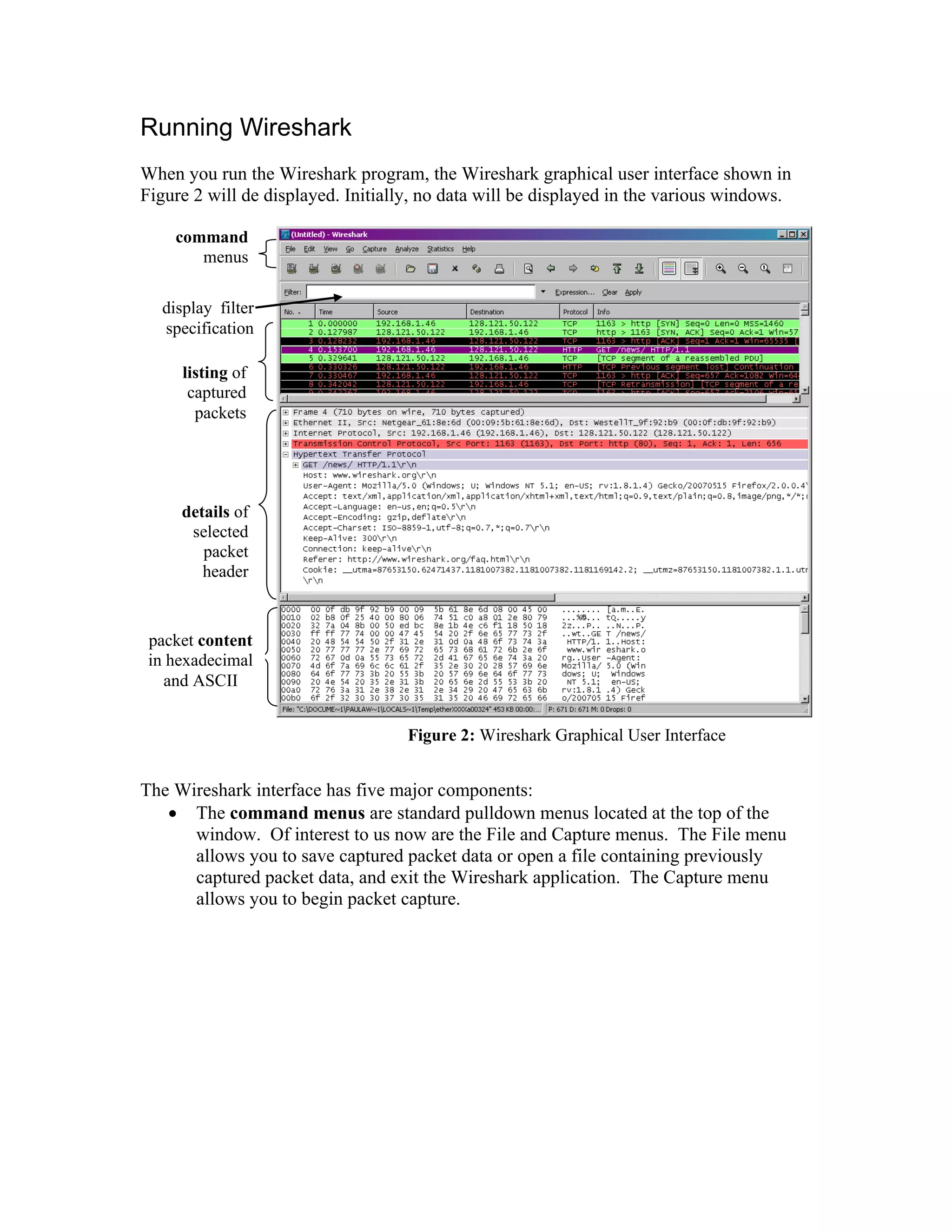

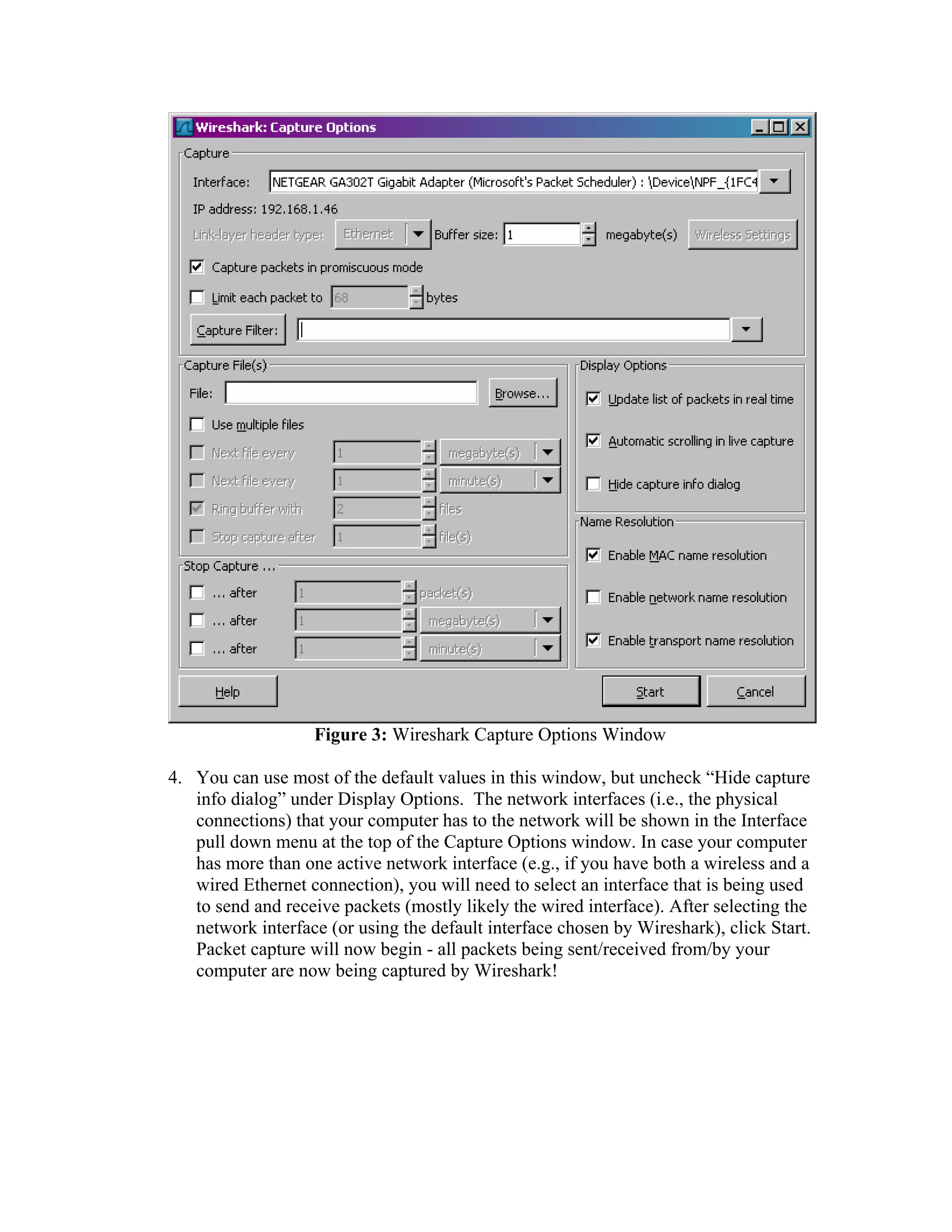
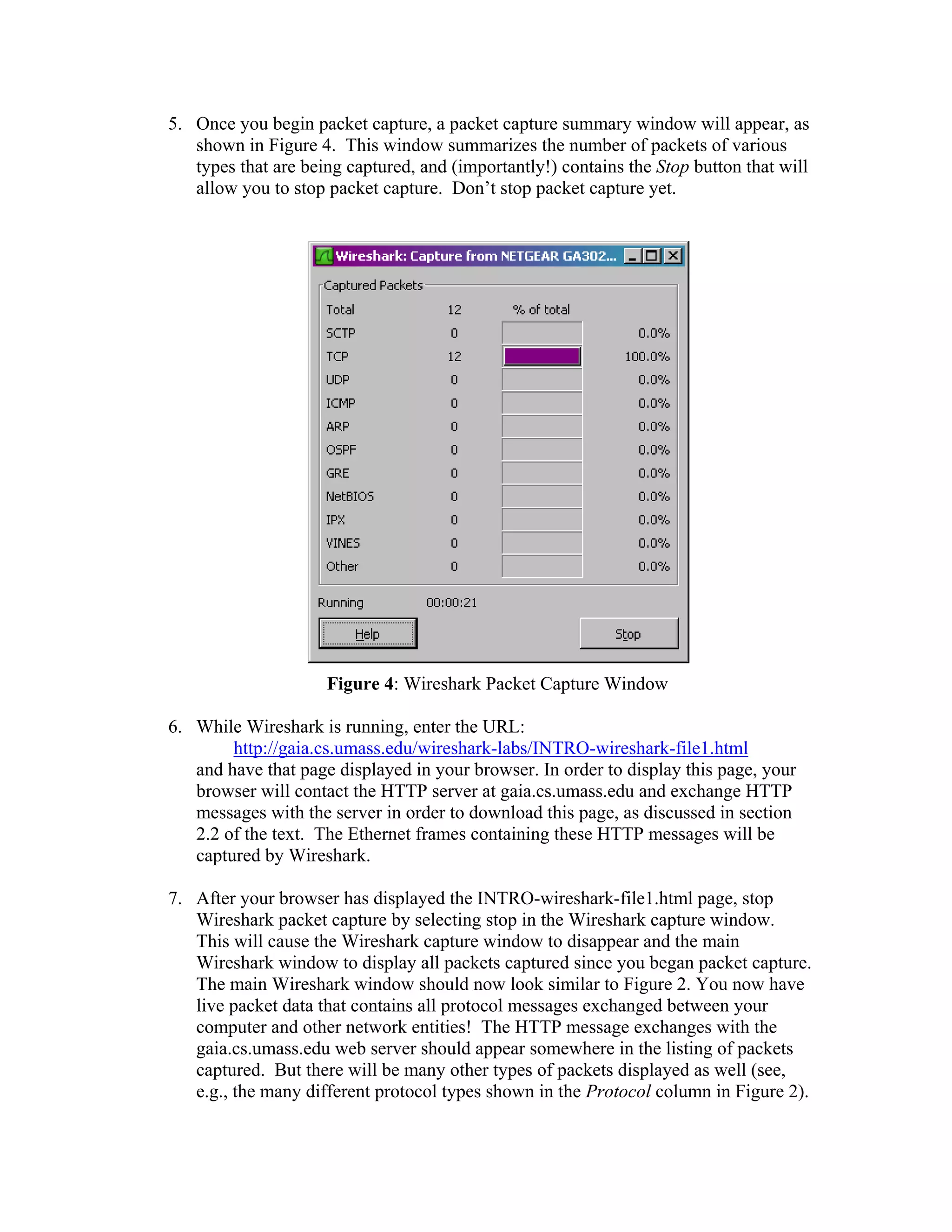

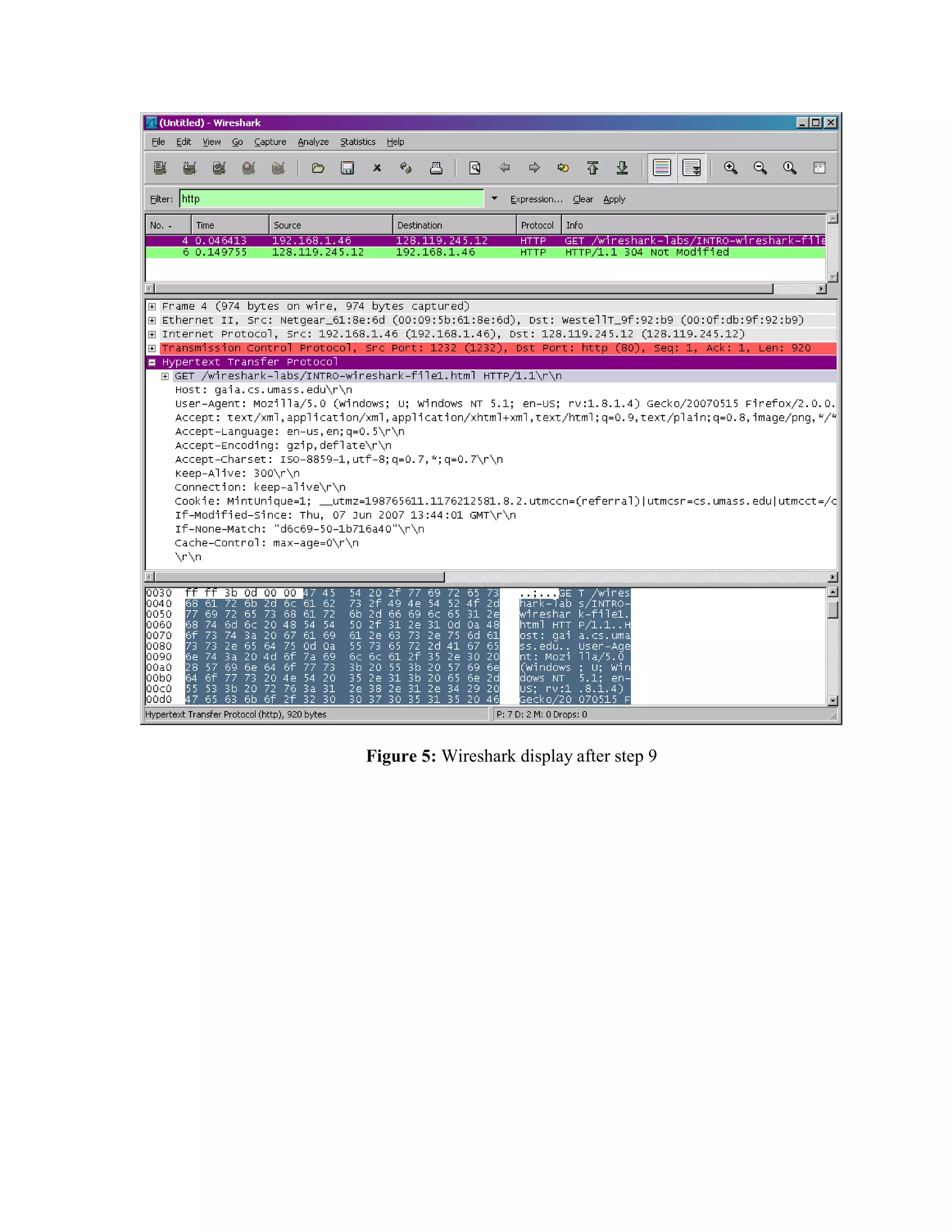

This document provides instructions for using the Wireshark network analysis tool to capture and analyze network packet data. It describes how to install Wireshark, start a packet capture to observe network traffic from browsing a website, filter the captured packets to show only HTTP traffic, and examine the details of an HTTP request packet. The key steps are to start Wireshark, begin capturing packets from a network interface, load a web page to generate network activity, stop the capture, and use Wireshark to inspect the captured HTTP packets in more detail.


