Downloaded 61 times
![Security Labs, Angelos Stavrou Wireshark Lab.
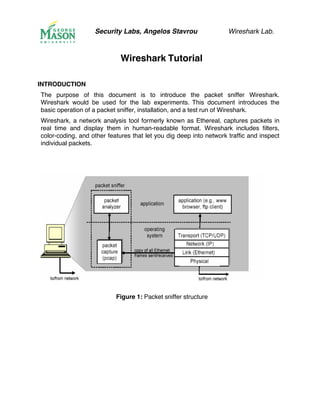
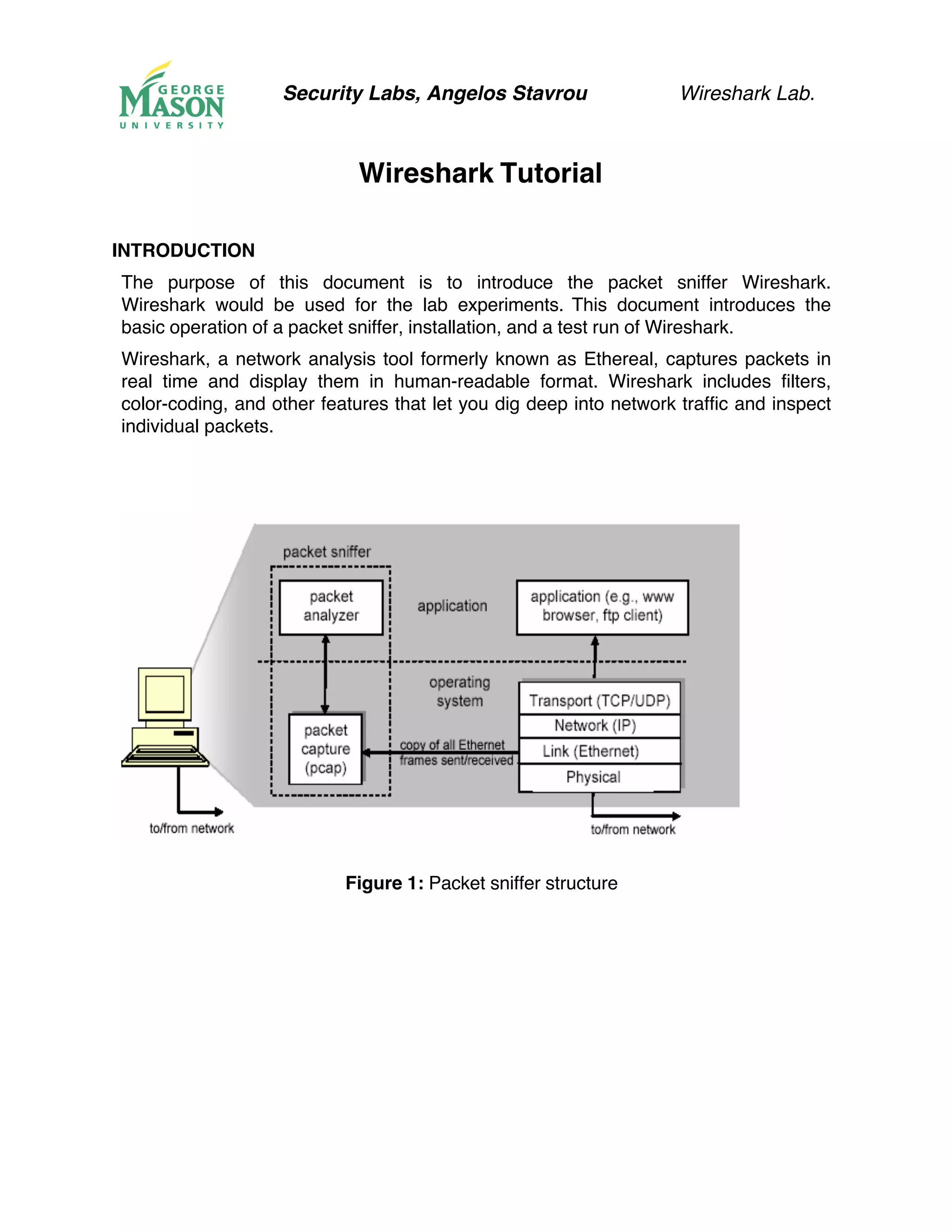
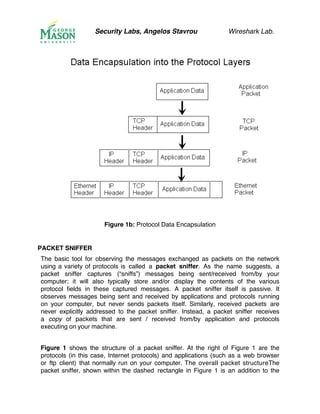
usual software in your computer, and consists of two parts. The packet capture
library receives a copy of every link-layer frame that is sent from or received by your
computer. Messages exchanged by higher layer protocols such as HTTP, FTP, TCP,
UDP, DNS, or IP all are eventually encapsulated in link-layer frames that are
transmitted over physical media such as an Ethernet cable. In Figure 1, the
assumed physical media is an Ethernet, and so all upper-layer protocols are
eventually encapsulated within an Ethernet frame. Capturing all link-layer frames thus
gives you access to all messages sent/received from/by all protocols and
applications executing in your computer.
The second component of a packet sniffer is the packet analyzer, which displays
the contents of all fields within a protocol message. In order to do so, the packet
analyzer must “understand” the structure of all messages exchanged by protocols.
For example, suppose we are interested in displaying the various fields in messages
exchanged by the HTTP protocol in Figure 1. The packet analyzer understands
the format of Ethernet frames, and so can identify the IP datagram within an Ethernet
frame. It also understands the IP datagram format, so that it can extract the TCP
segment within the IP datagram. Finally, it understands the TCP segment structure,
so it can extract the HTTP message contained in the TCP segment. Finally, it
understands the HTTP protocol and so, for example, knows that the first bytes of an
HTTP message will contain the string “GET,” “POST,” or “HEAD”.
We will be using the Wireshark packet sniffer [http://www.wireshark.org/] for these labs,
allowing us to display the contents of messages being sent/received from/by protocols
at different levels of the protocol stack. (Technically speaking, Wireshark is a packet
analyzer that uses a packet capture library in your computer). Wireshark is a free
network protocol analyzer that runs on Windows, Linux/Unix, and Mac computers.
It’s an ideal packet analyzer for our labs – it is stable, has a large user base and
well-documented support that includes a user-guide:
http://www.wireshark.org/docs/wsug_html_chunked/), a set of well crafted man pages
at (http://www.wireshark.org/docs/man-pages/), and a list of very detailed FAQ
(http://www.wireshark.org/faq.html), rich functionality that includes the capability to
analyze hundreds of protocols, and a well-designed user interface. It operates in
computers using Ethernet, Token-Ring, FDDI, serial (PPP and SLIP), 802.11
wireless LANs, and ATM connections (if the OS on which it's running allows
Wireshark to do so).](https://image.slidesharecdn.com/wireshark-tutorial-170212063739/85/Wireshark-tutorial-3-320.jpg)
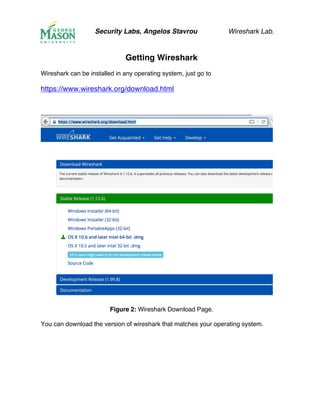
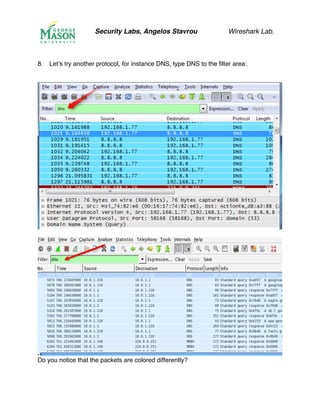
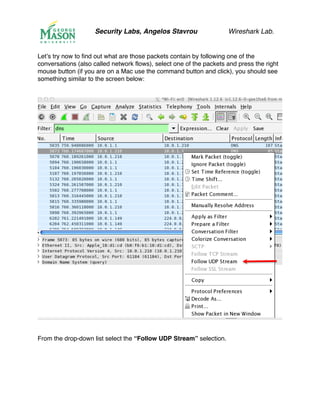
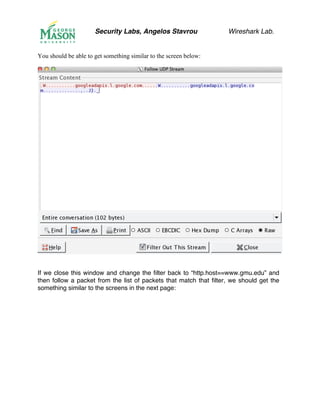
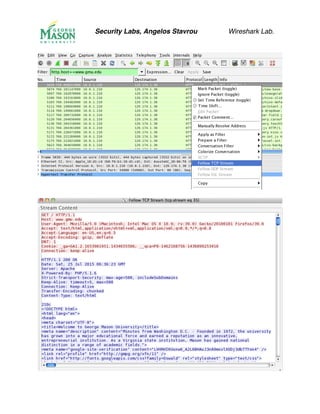
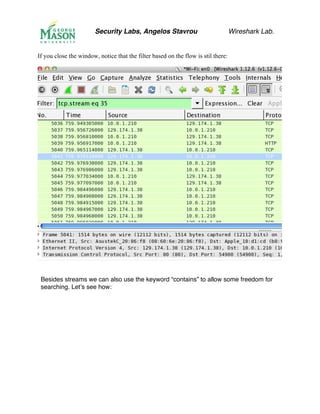
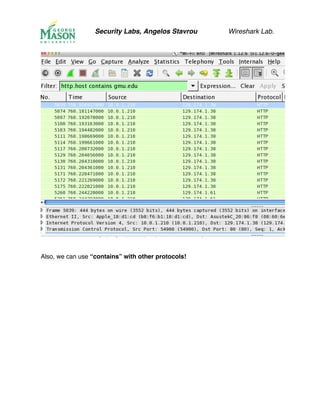
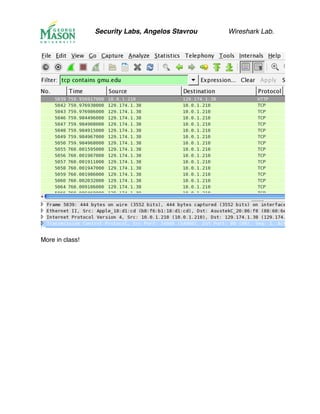

This document introduces the network analysis tool Wireshark and provides instructions for downloading, installing, and using it. Wireshark is free software that allows users to capture network traffic in real time and view the contents of packets. The document explains what a packet sniffer is and how it works, describing that it passively observes and records network packets without sending any itself. It also provides screenshots and explanations of Wireshark's graphical user interface and how to use various features like filtering packets by protocol.


