
Web 2.0 In The Enterprise March 2009
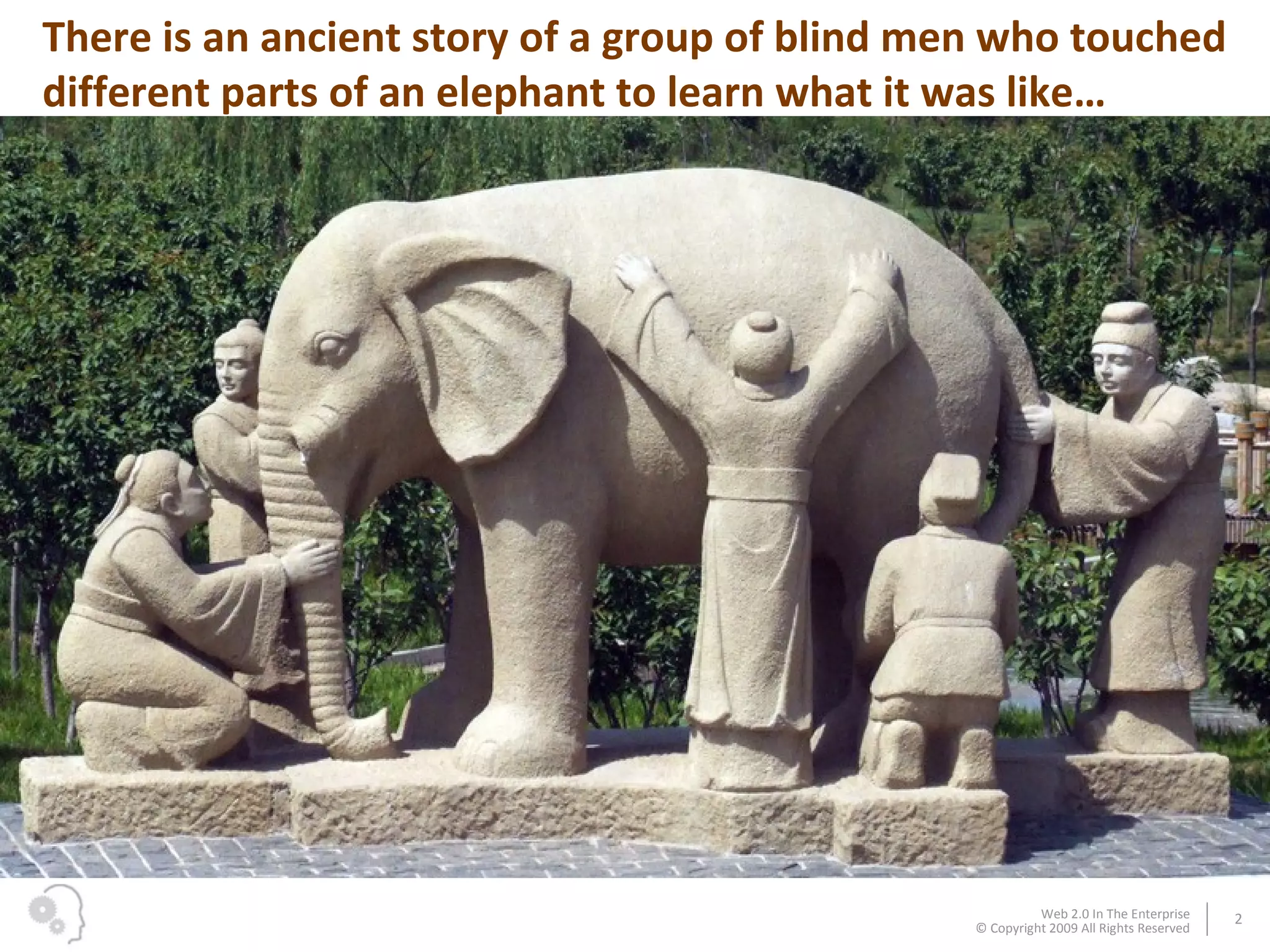
There is an ancient story of a group of blind men who touched different parts of an elephant to learn what it was like…
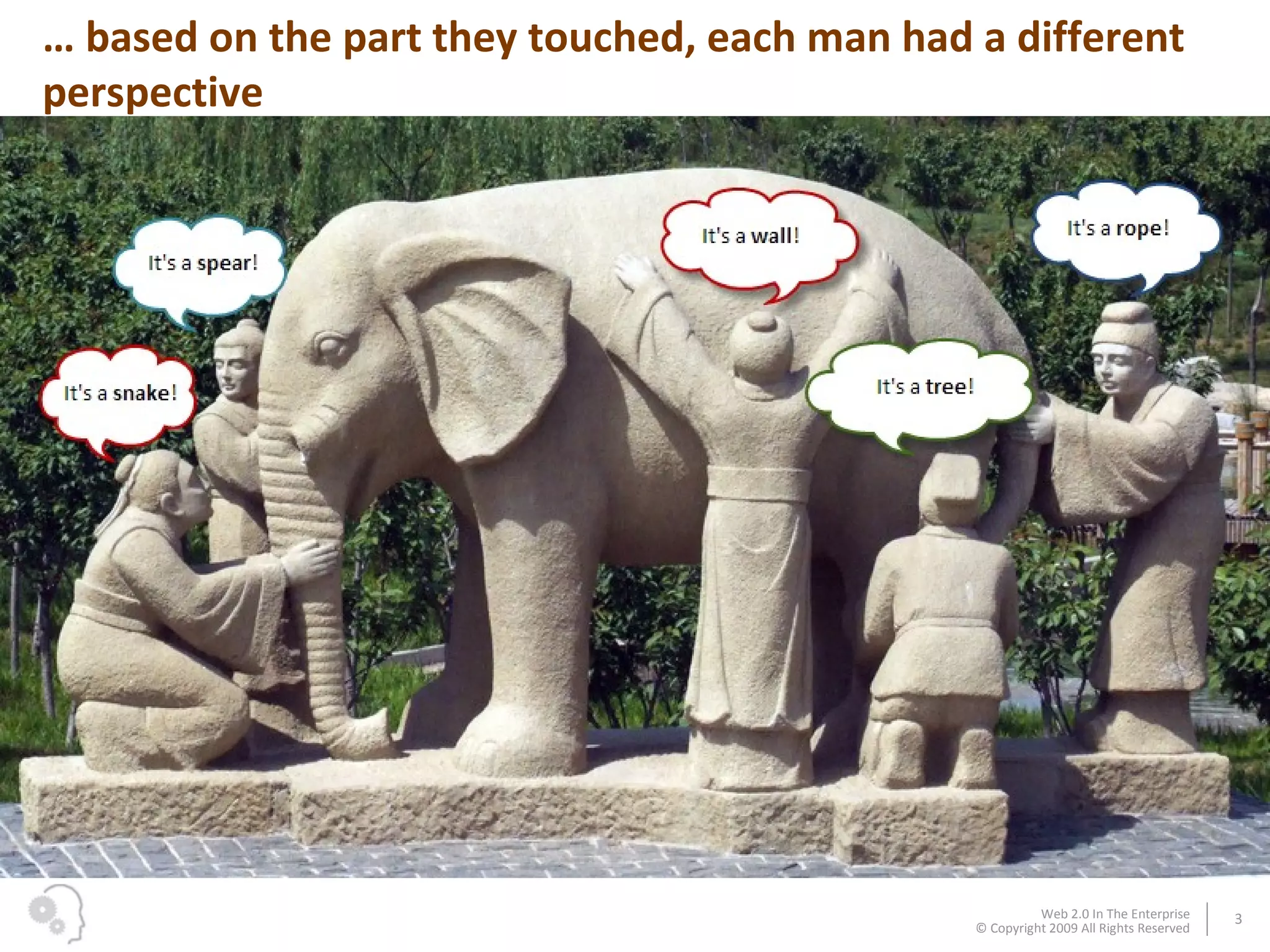
…  based on the part they touched, each man had a different perspective
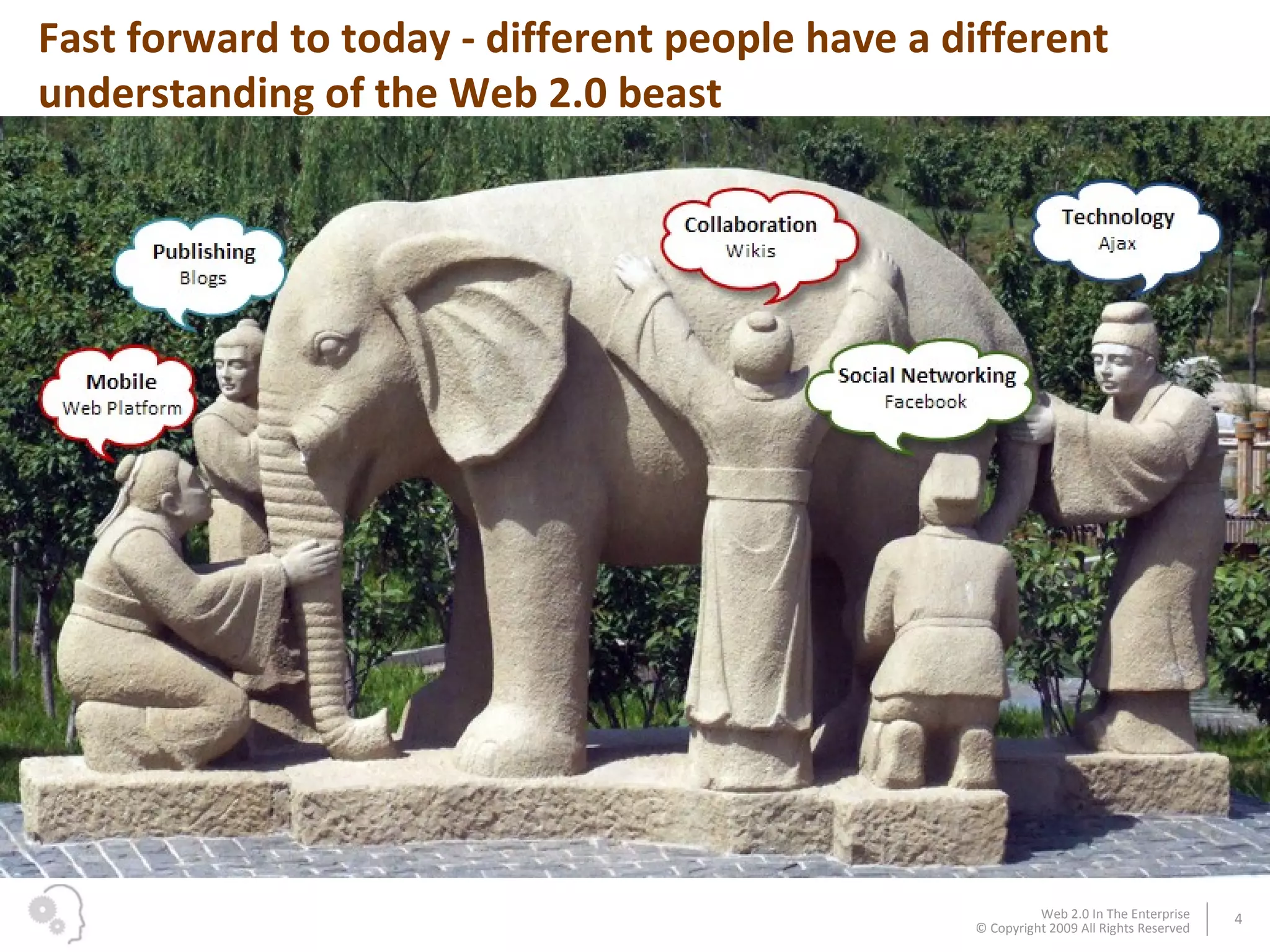
Fast forward to today - different people have a different understanding of the Web 2.0 beast
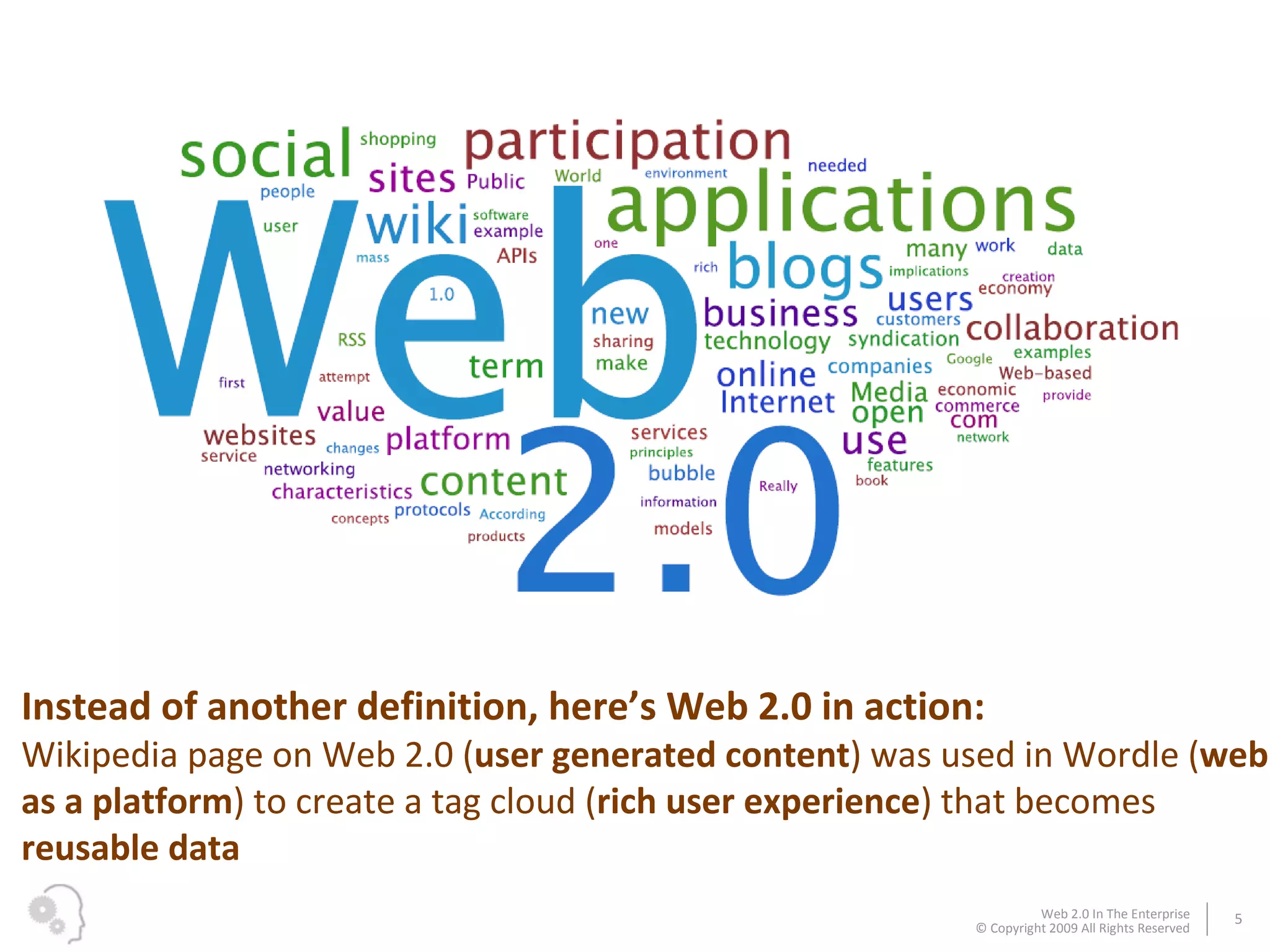
Instead of another definition, here’s Web 2.0 in action:  Wikipedia page on Web 2.0 ( user generated content ) was used in Wordle ( web as a platform ) to create a tag cloud ( rich user experience ) that becomes  reusable data
These recognizable brands highlight different aspects of Web 2.0… …  but how does Web 2.0 apply to business?
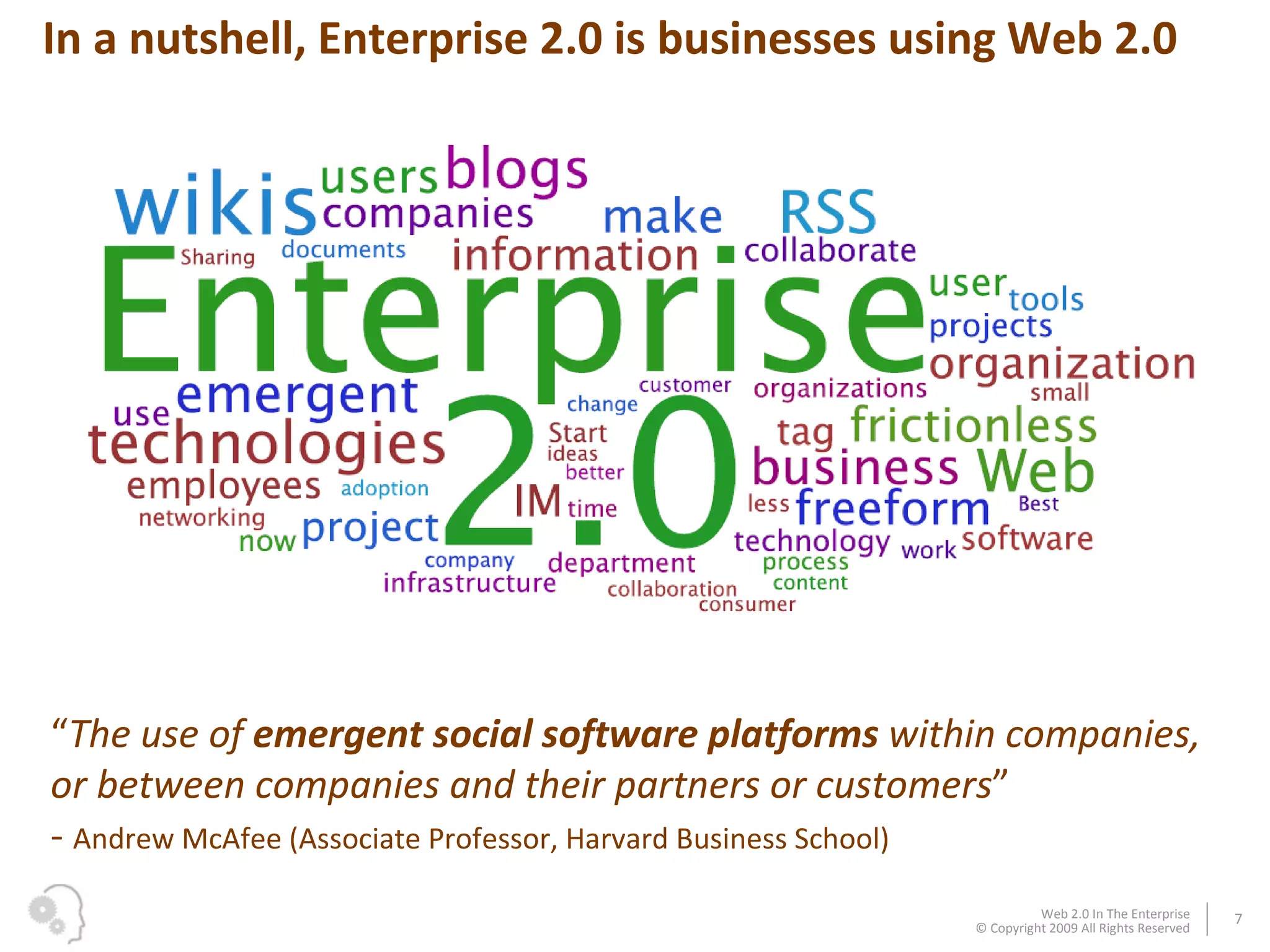
“ The use of  emergent social software platforms  within companies, or between companies and their partners or customers ”   -  Andrew McAfee (Associate Professor, Harvard Business School) In a nutshell, Enterprise 2.0 is businesses using Web 2.0
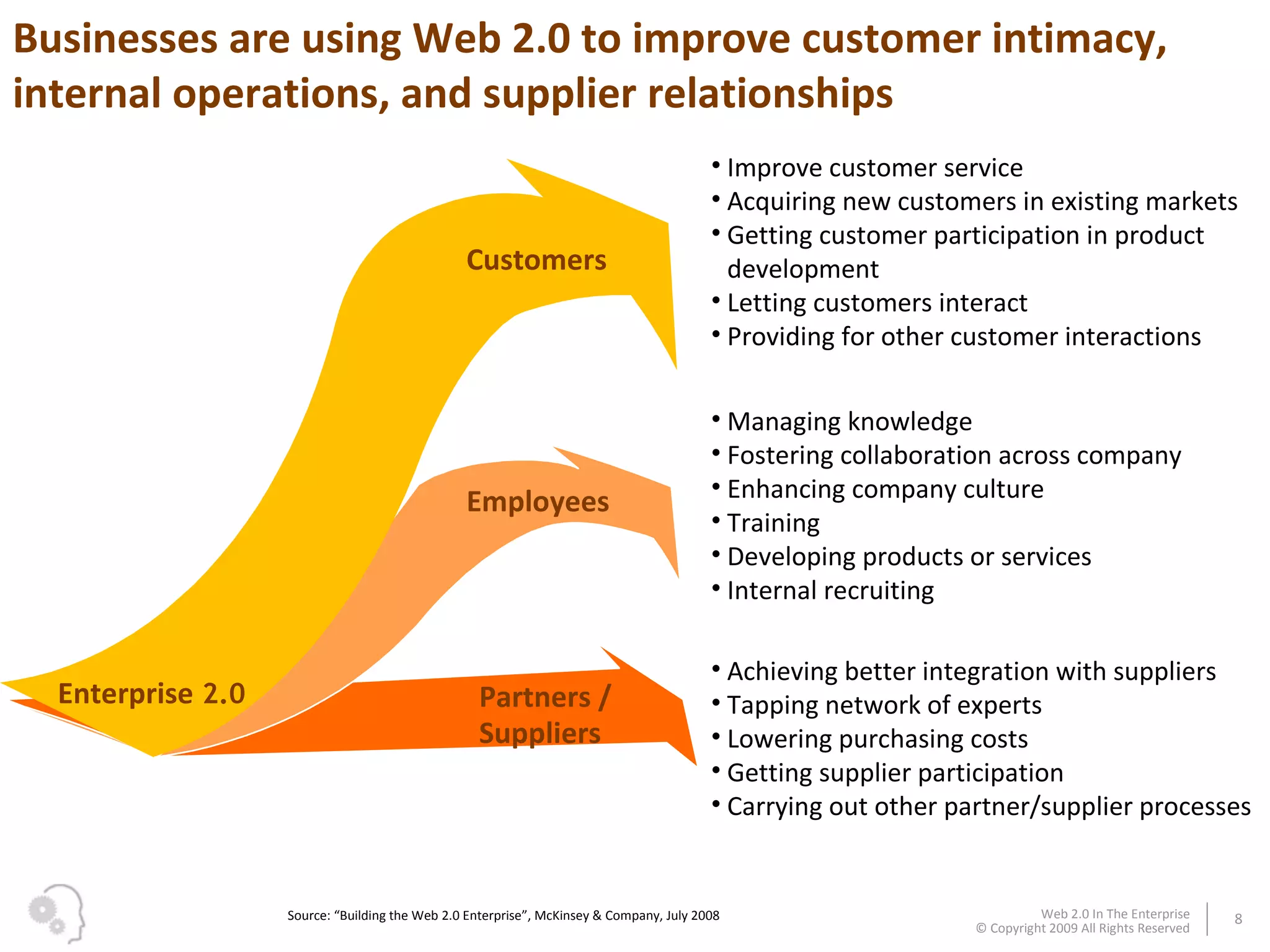
Customers Employees Partners / Suppliers Improve customer service Acquiring new customers in existing markets Getting customer participation in product development Letting customers interact Providing for other customer interactions Enterprise  2.0 Achieving better integration with suppliers Tapping network of experts Lowering purchasing costs  Getting supplier participation Carrying out other partner/supplier processes Managing knowledge  Fostering collaboration across company Enhancing company culture Training  Developing products or services Internal recruiting  Source: “Building the Web 2.0 Enterprise”, McKinsey & Company, July 2008 Businesses are using Web 2.0 to improve customer intimacy, internal operations, and supplier relationships
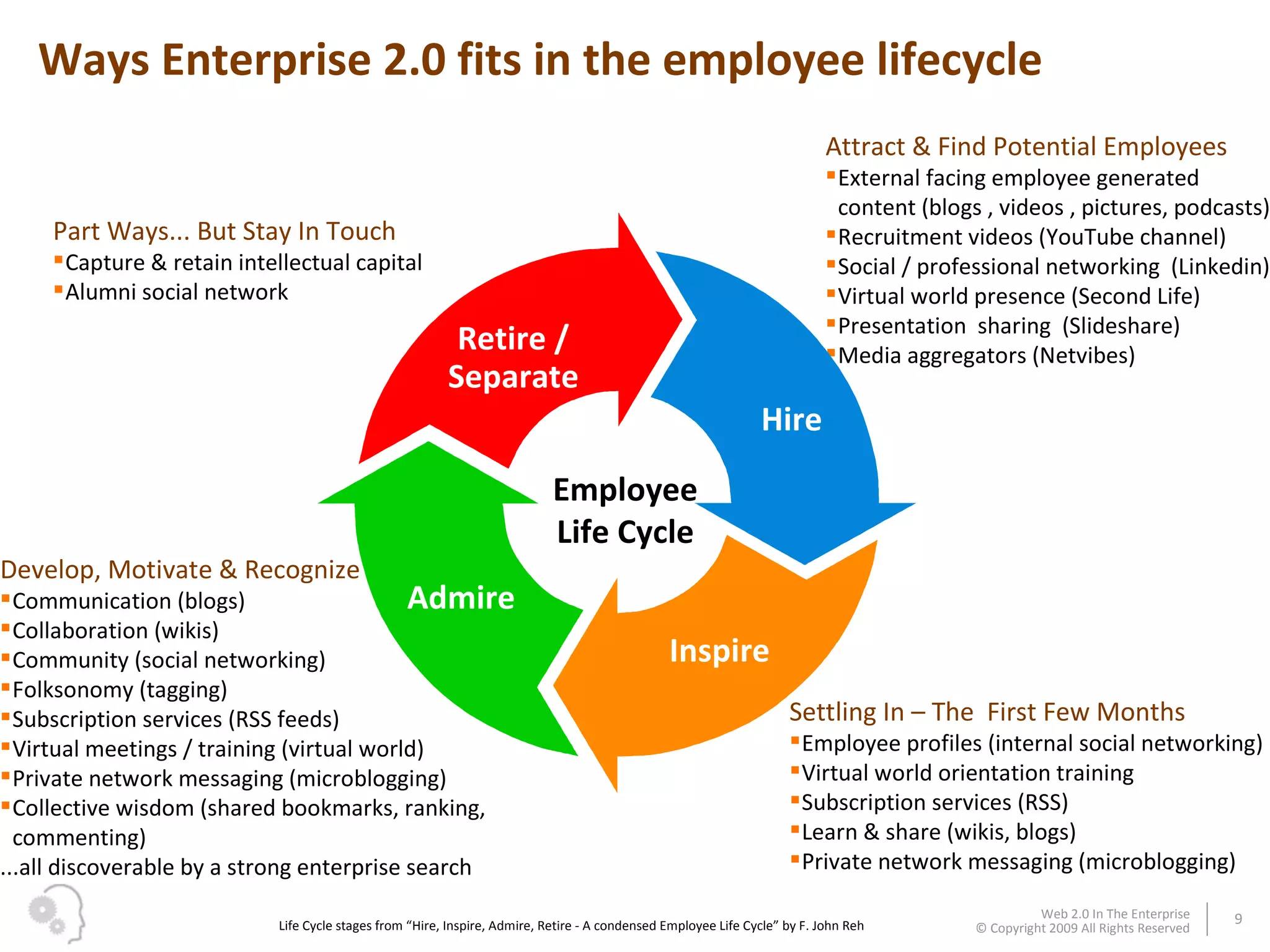
Ways Enterprise 2.0 fits in the employee lifecycle Attract & Find Potential Employees External facing employee generated content (blogs , videos , pictures, podcasts) Recruitment videos (YouTube channel) Social / professional networking  (Linkedin) Virtual world presence (Second Life) Presentation  sharing  (Slideshare) Media aggregators (Netvibes) Settling In – The  First Few Months Employee profiles (internal social networking)  Virtual world orientation training Subscription services (RSS) Learn & share (wikis, blogs) Private network messaging (microblogging) Develop, Motivate & Recognize Communication (blogs) Collaboration (wikis) Community (social networking) Folksonomy (tagging) Subscription services (RSS feeds) Virtual meetings / training (virtual world) Private network messaging (microblogging) Collective wisdom (shared bookmarks, ranking, commenting) ...all discoverable by a strong enterprise search  Part Ways... But Stay In Touch Capture & retain intellectual capital Alumni social network Life Cycle stages from “Hire, Inspire, Admire, Retire - A condensed Employee Life Cycle” by F. John Reh Hire Inspire Admire Retire / Separate Employee Life Cycle
Michael  Brown “ Architecting IT for business ” Over the past 9 years as an Enterprise Architect, Michael successfully aligned the IT strategy and business goals for a large telecommunications company. Mike recently landed a new job at an IT giant, with professional networking  tools playing a large role in the recruitment. Businessman photographs courtesy vierdrie.nl Let’s follow Michael as he starts his new job…
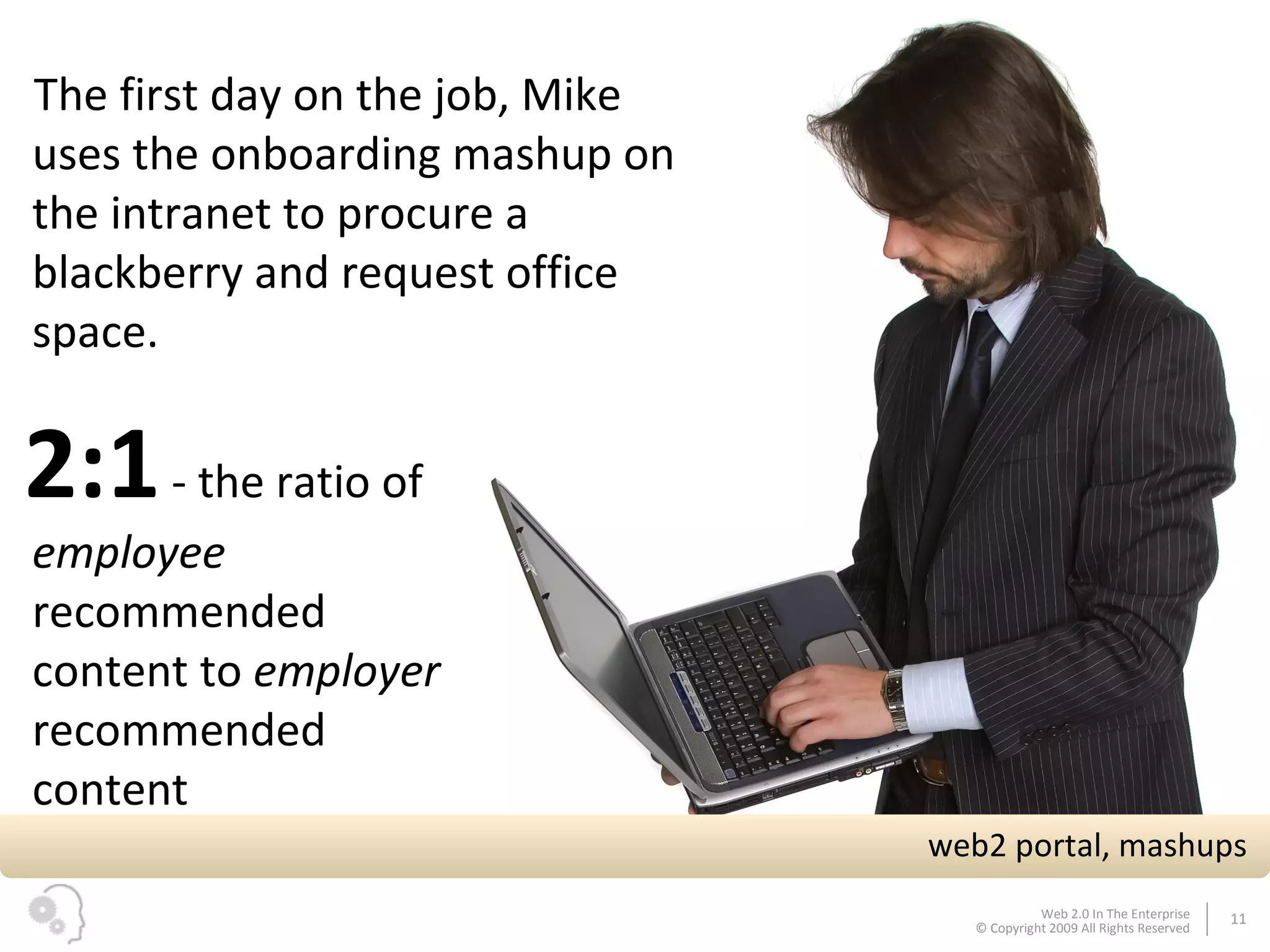
2:1  - the ratio of  employee  recommended content to  employer  recommended content web2 portal, mashups The first day on the job, Mike uses the onboarding mashup on the intranet to procure a blackberry and request office space.
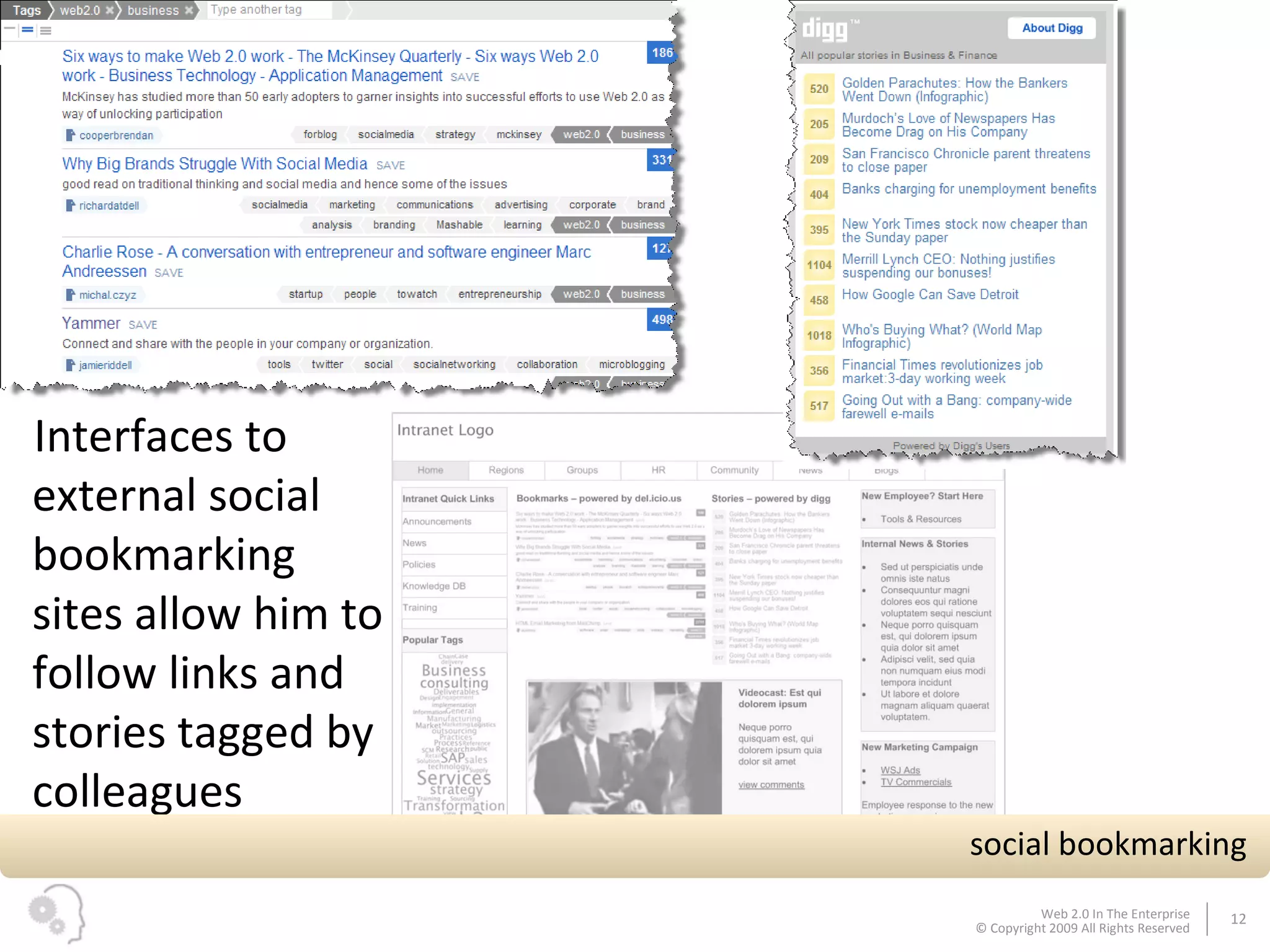
Interfaces to external social bookmarking sites allow him to follow links and stories tagged by colleagues social bookmarking
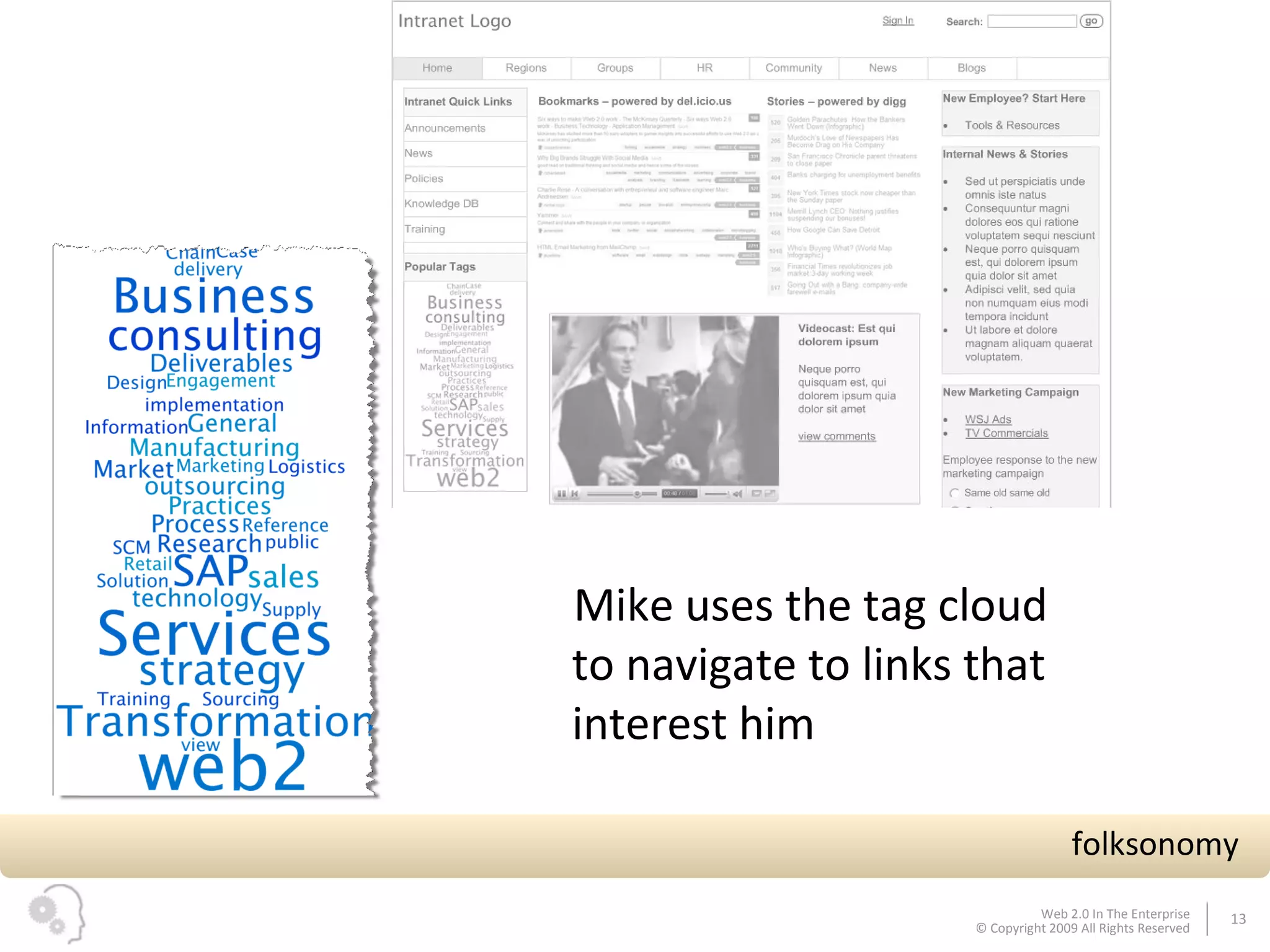
Mike uses the tag cloud to navigate to links that interest him folksonomy
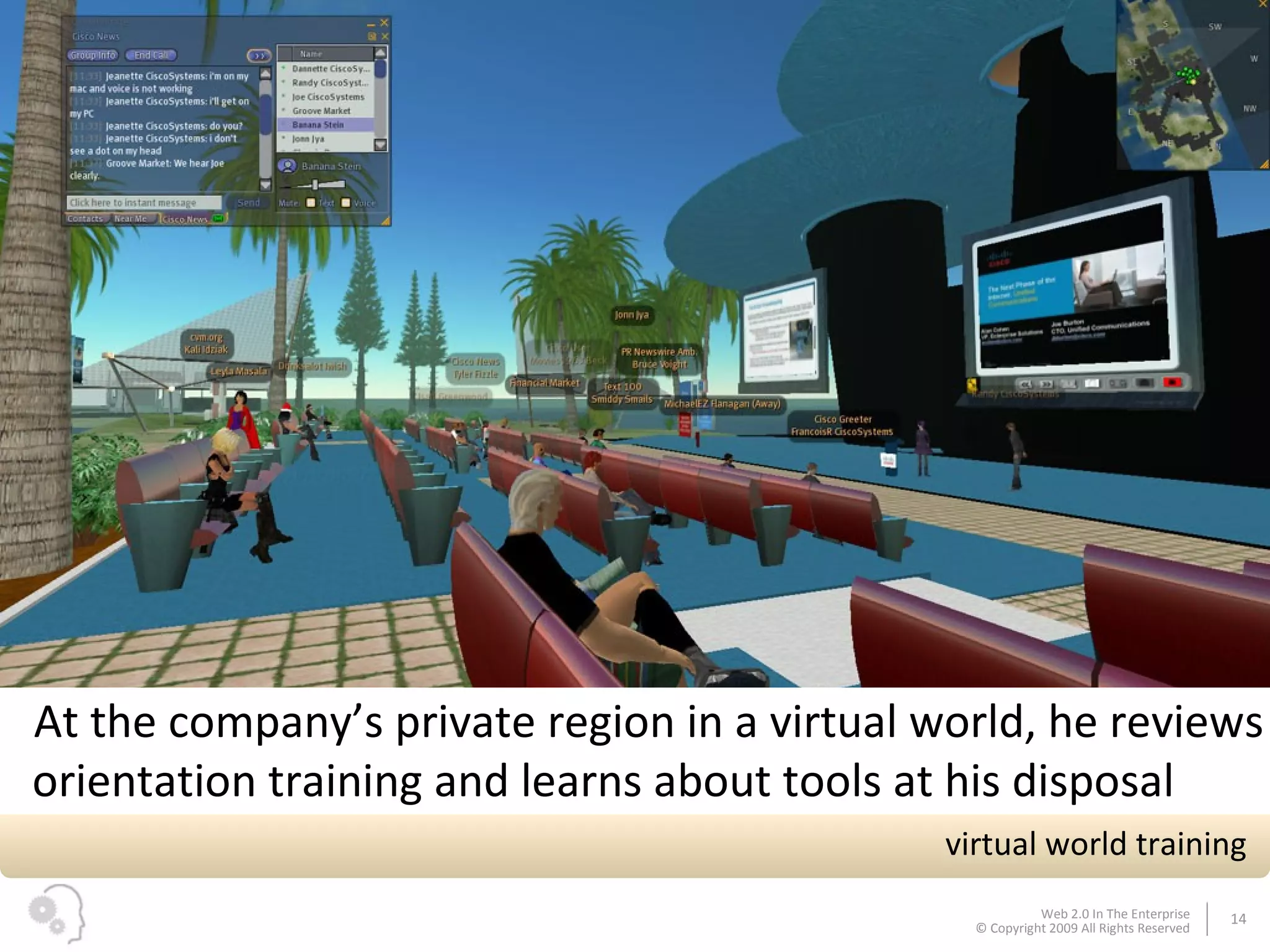
At the company’s private region in a virtual world, he reviews orientation training and learns about tools at his disposal virtual world training
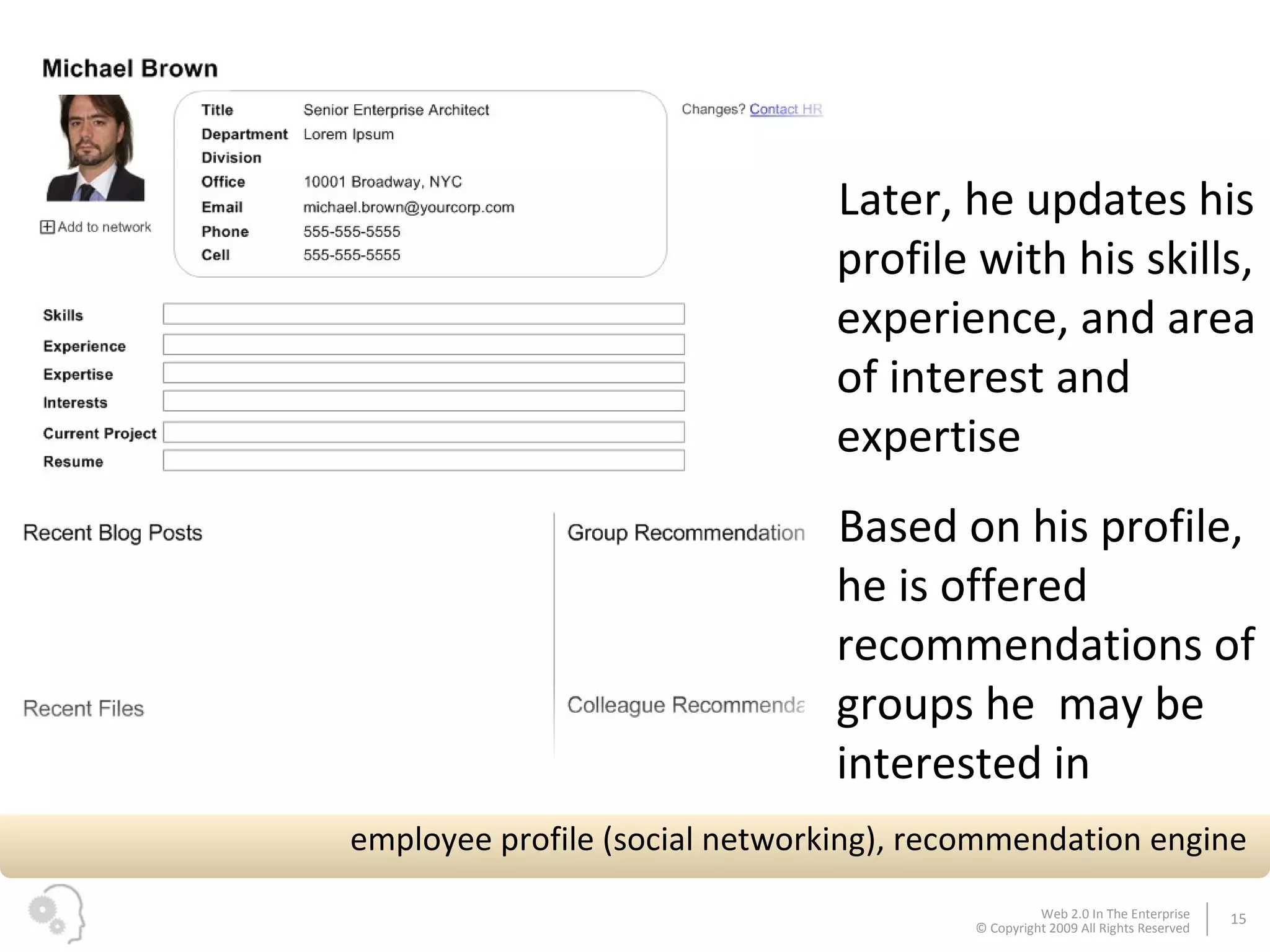
Later, he updates his profile with his skills, experience, and area of interest and expertise Based on his profile, he is offered recommendations of groups he  may be interested in employee profile (social networking), recommendation engine
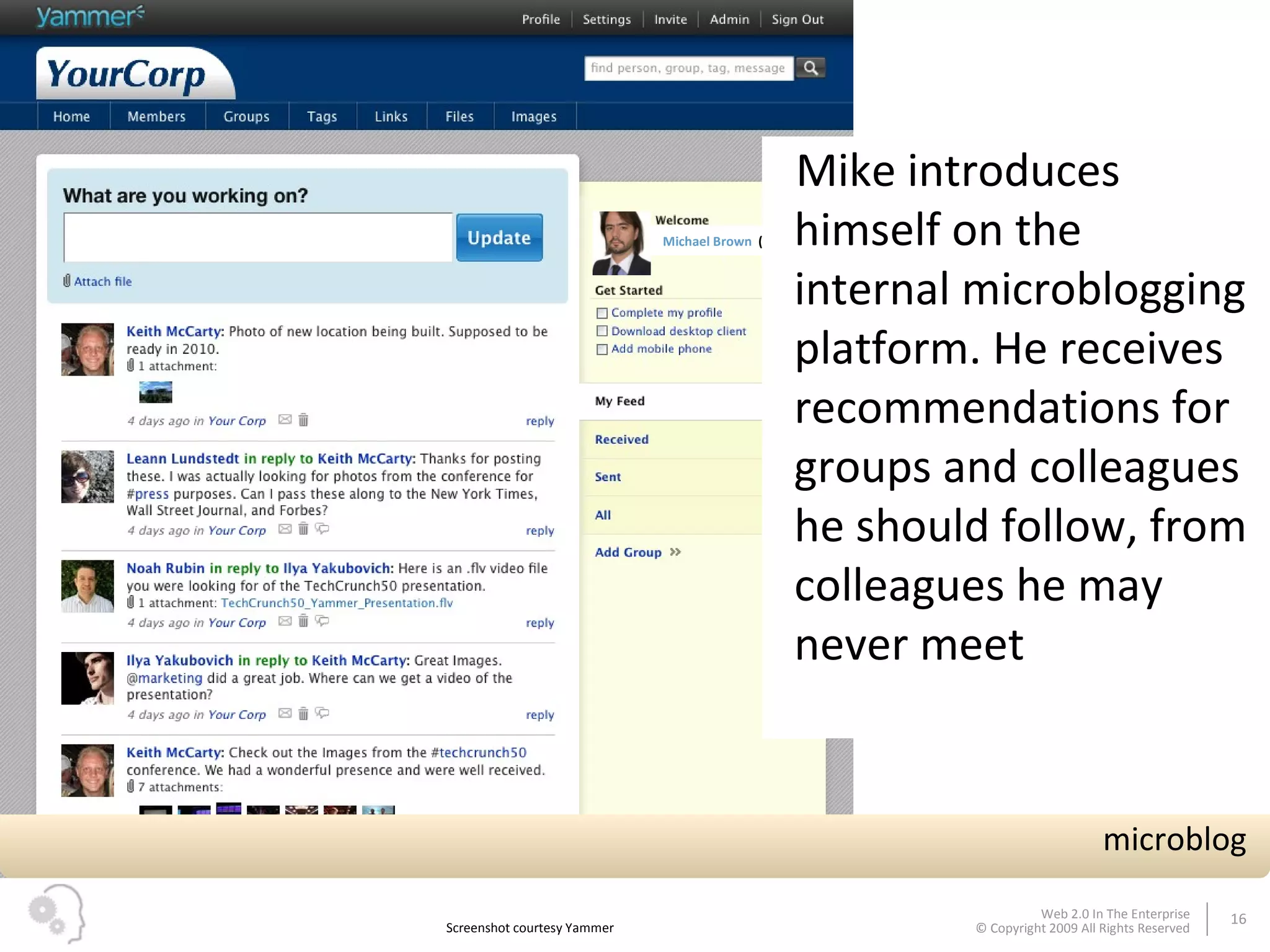
Michael Brown  ( edit ) Mike introduces himself on the internal microblogging platform. He receives recommendations for groups and colleagues he should follow, from colleagues he may never meet Screenshot courtesy Yammer microblog
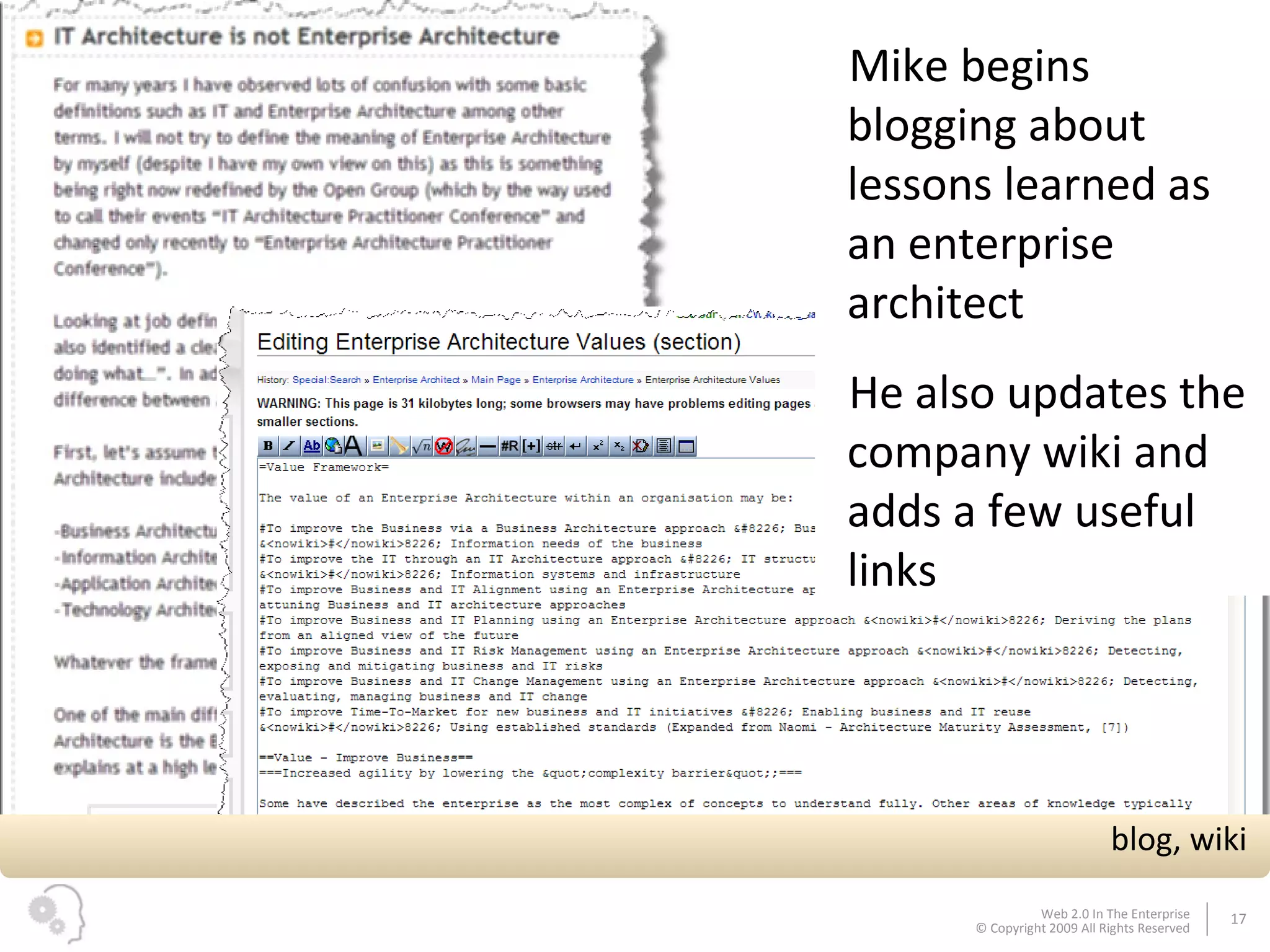
Mike begins blogging about lessons learned as an enterprise architect  He also updates the company wiki and adds a few useful links blog, wiki
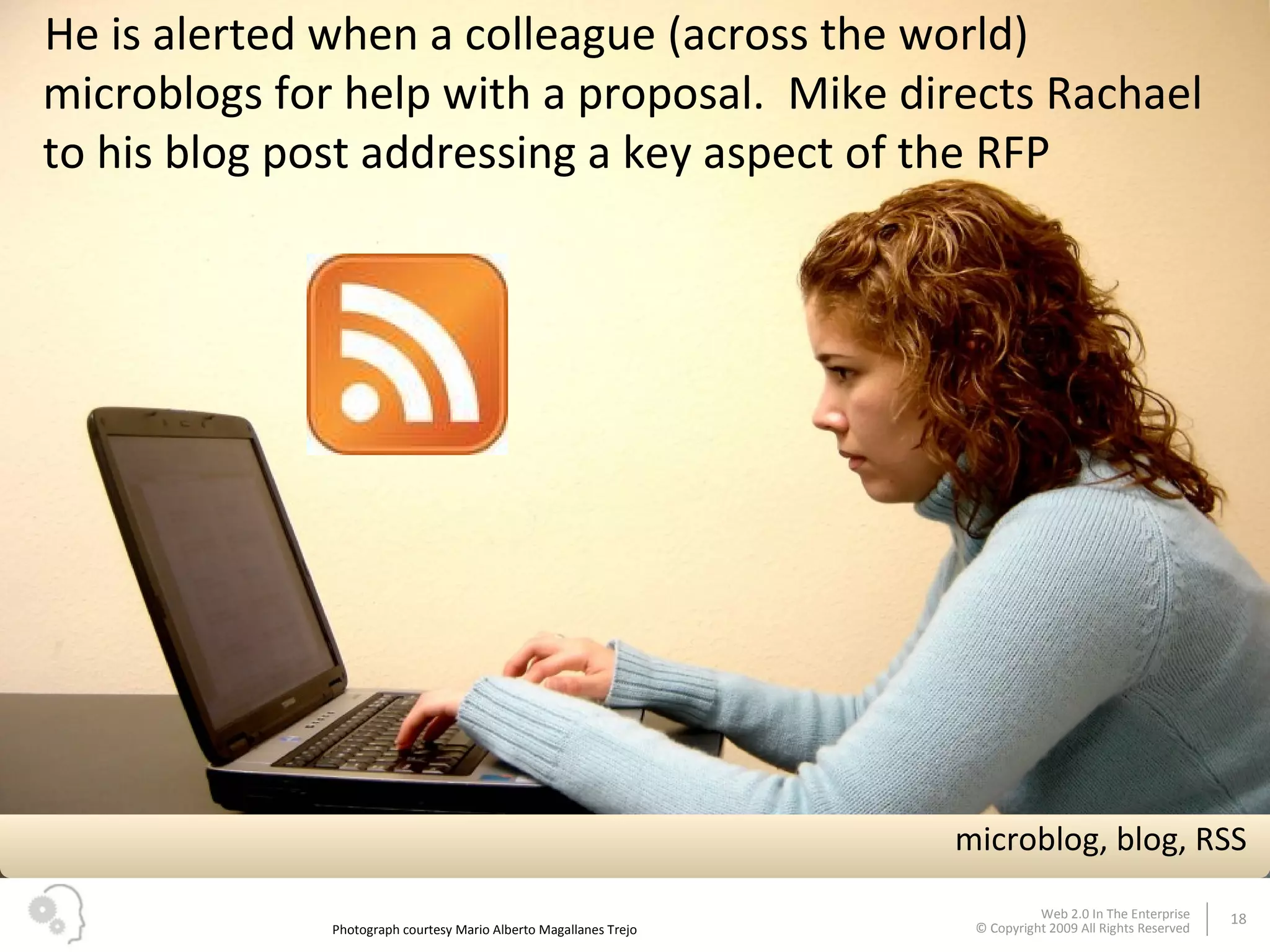
He is alerted when a colleague (across the world) microblogs for help with a proposal.  Mike directs Rachael to his blog post addressing a key aspect of the RFP Photograph courtesy Mario Alberto Magallanes Trejo microblog, blog, RSS
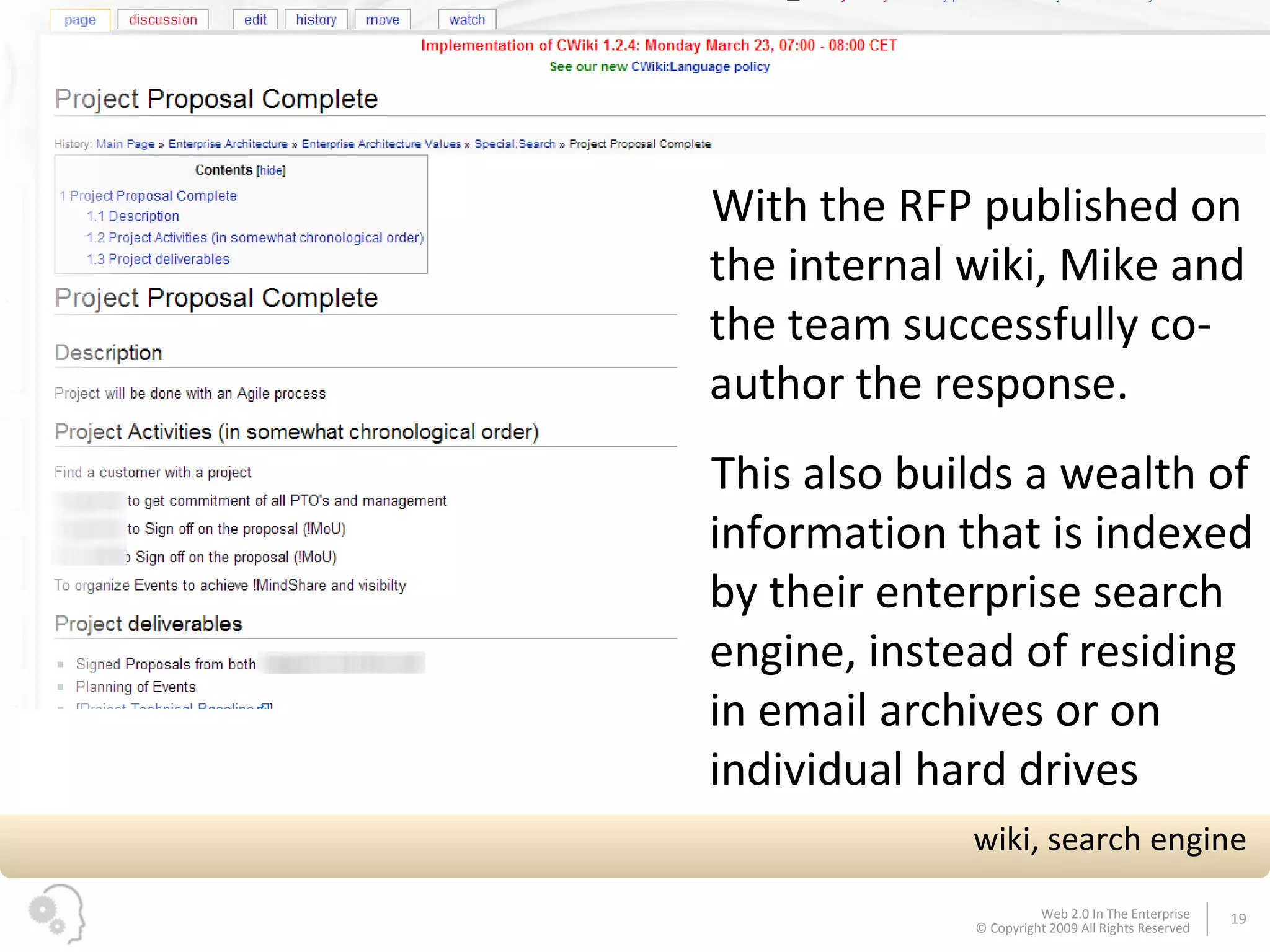
With the RFP published on the internal wiki, Mike and the team successfully co-author the response.  This also builds a wealth of information that is indexed by their enterprise search engine, instead of residing in email archives or on individual hard drives wiki, search engine
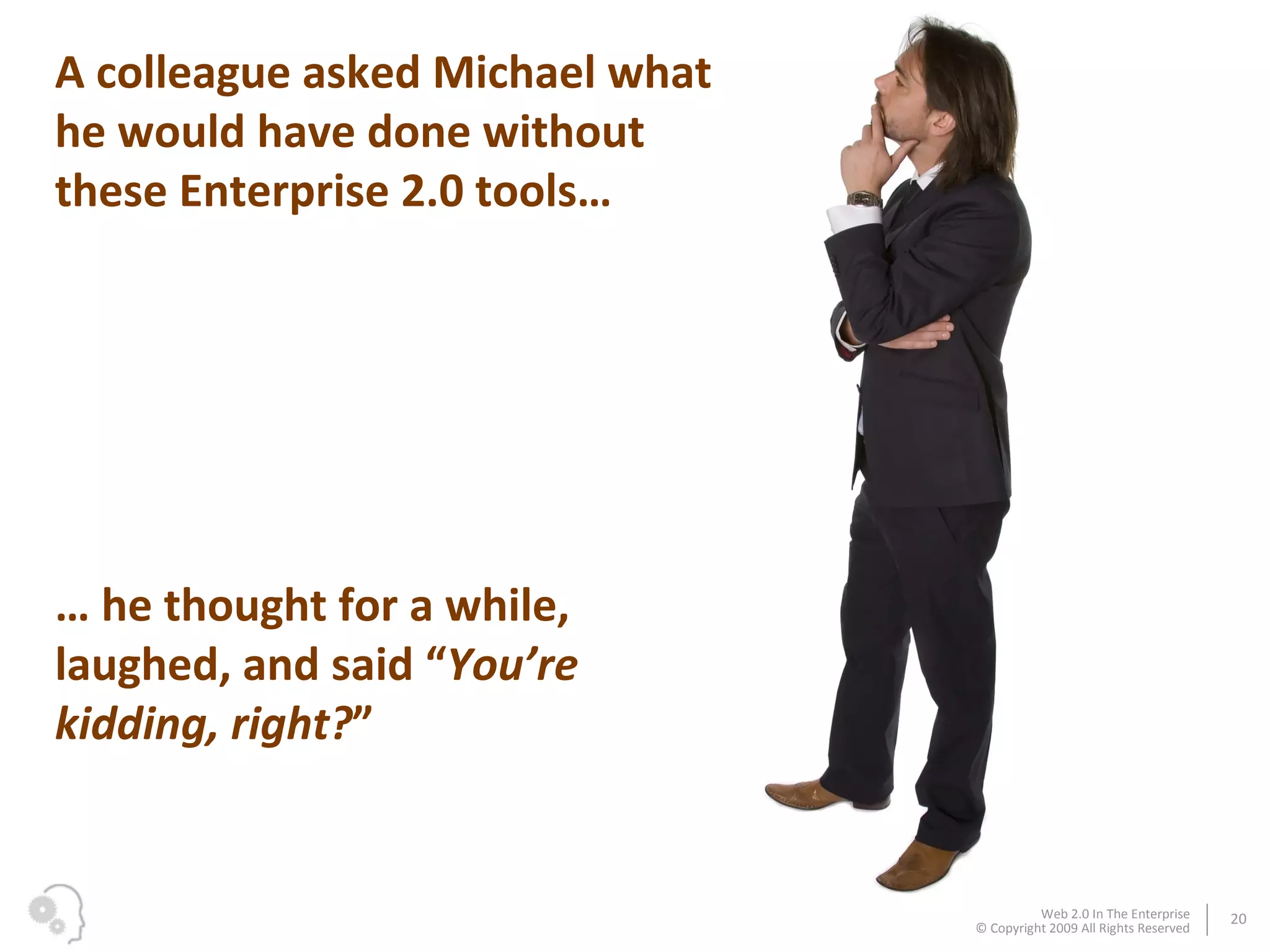
A colleague asked Michael what he would have done without these Enterprise 2.0 tools… …  he thought for a while, laughed, and said “ You’re kidding, right? ”
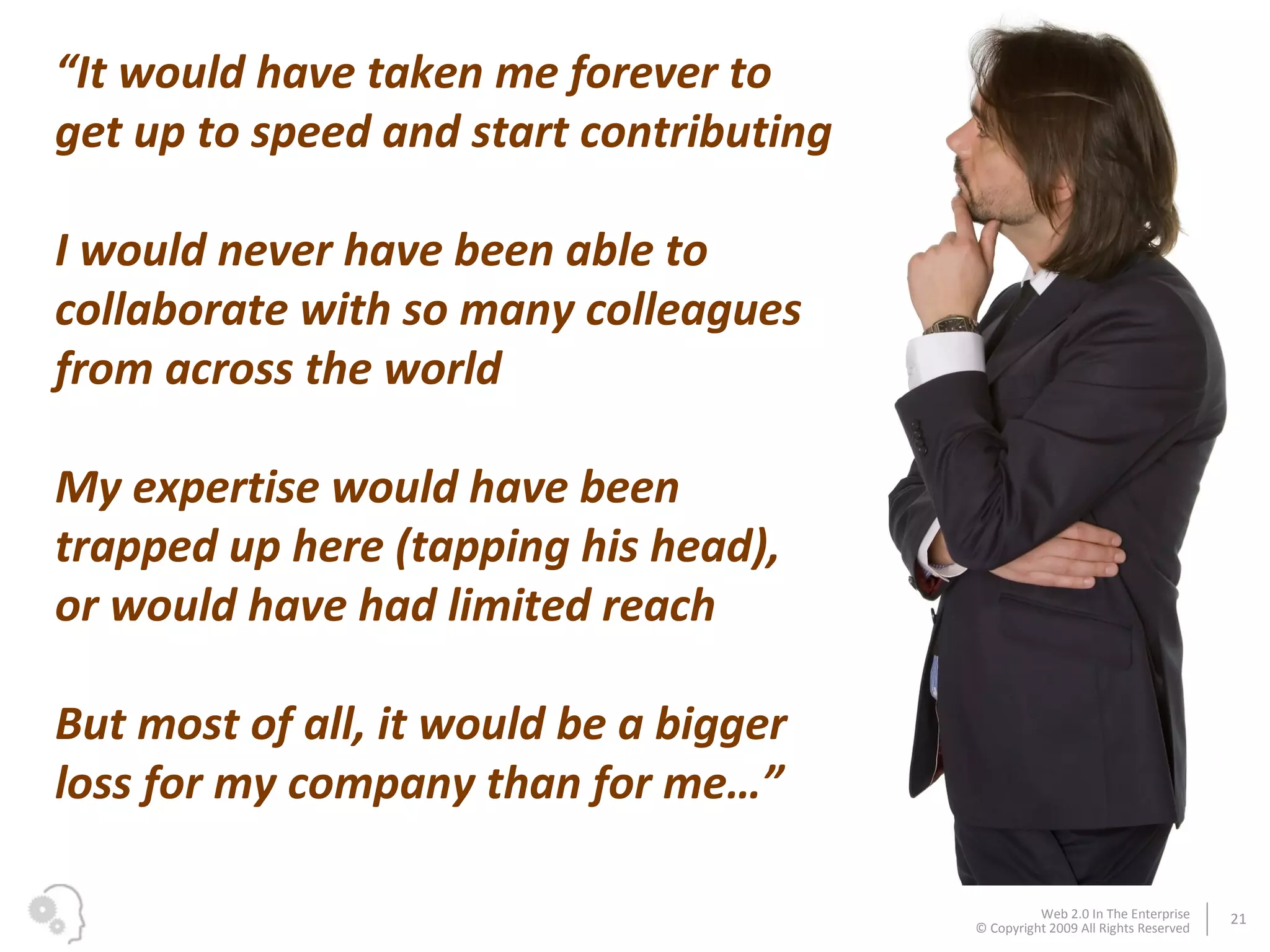
“ It would have taken me forever to get up to speed and start contributing I would never have been able to collaborate with so many colleagues from across the world My expertise would have been trapped up here (tapping his head), or would have had limited reach But most of all, it would be a bigger loss for my company than for me…”
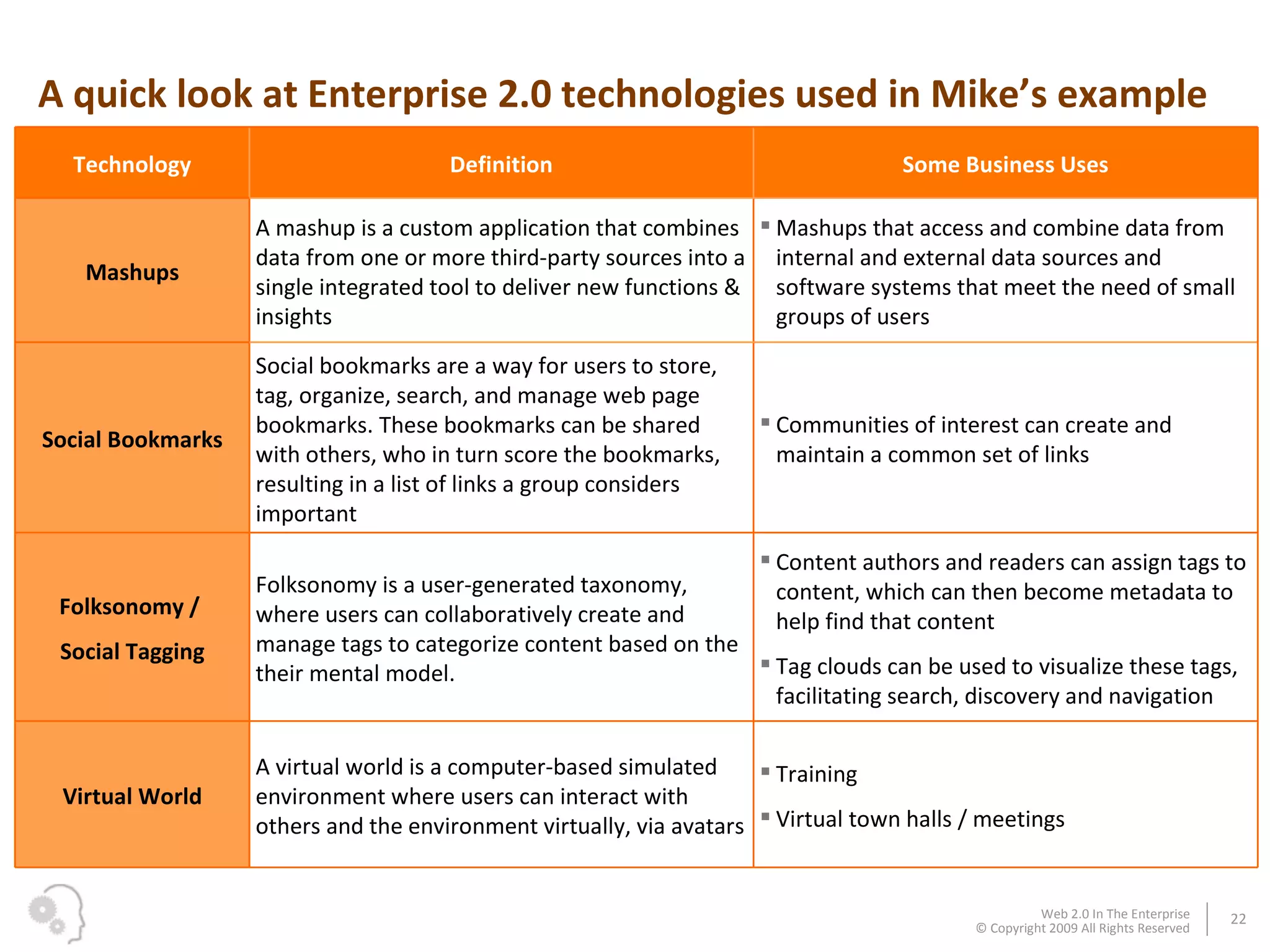
A quick look at Enterprise 2.0 technologies used in Mike’s example Technology Definition Some Business Uses Mashups A mashup is a custom application that combines data from one or more third-party sources into a single integrated tool to deliver new functions & insights  Mashups that access and combine data from internal and external data sources and software systems that meet the need of small groups of users  Social Bookmarks Social bookmarks are a way for users to store, tag, organize, search, and manage web page bookmarks. These bookmarks can be shared with others, who in turn score the bookmarks, resulting in a list of links a group considers important Communities of interest can create and maintain a common set of links Folksonomy /  Social Tagging Folksonomy is a user-generated taxonomy, where users can collaboratively create and manage tags to categorize content based on the their mental model.  Content authors and readers can assign tags to content, which can then become metadata to help find that content Tag clouds can be used to visualize these tags, facilitating search, discovery and navigation Virtual World A virtual world is a computer-based simulated environment where users can interact with others and the environment virtually, via avatars Training Virtual town halls / meetings
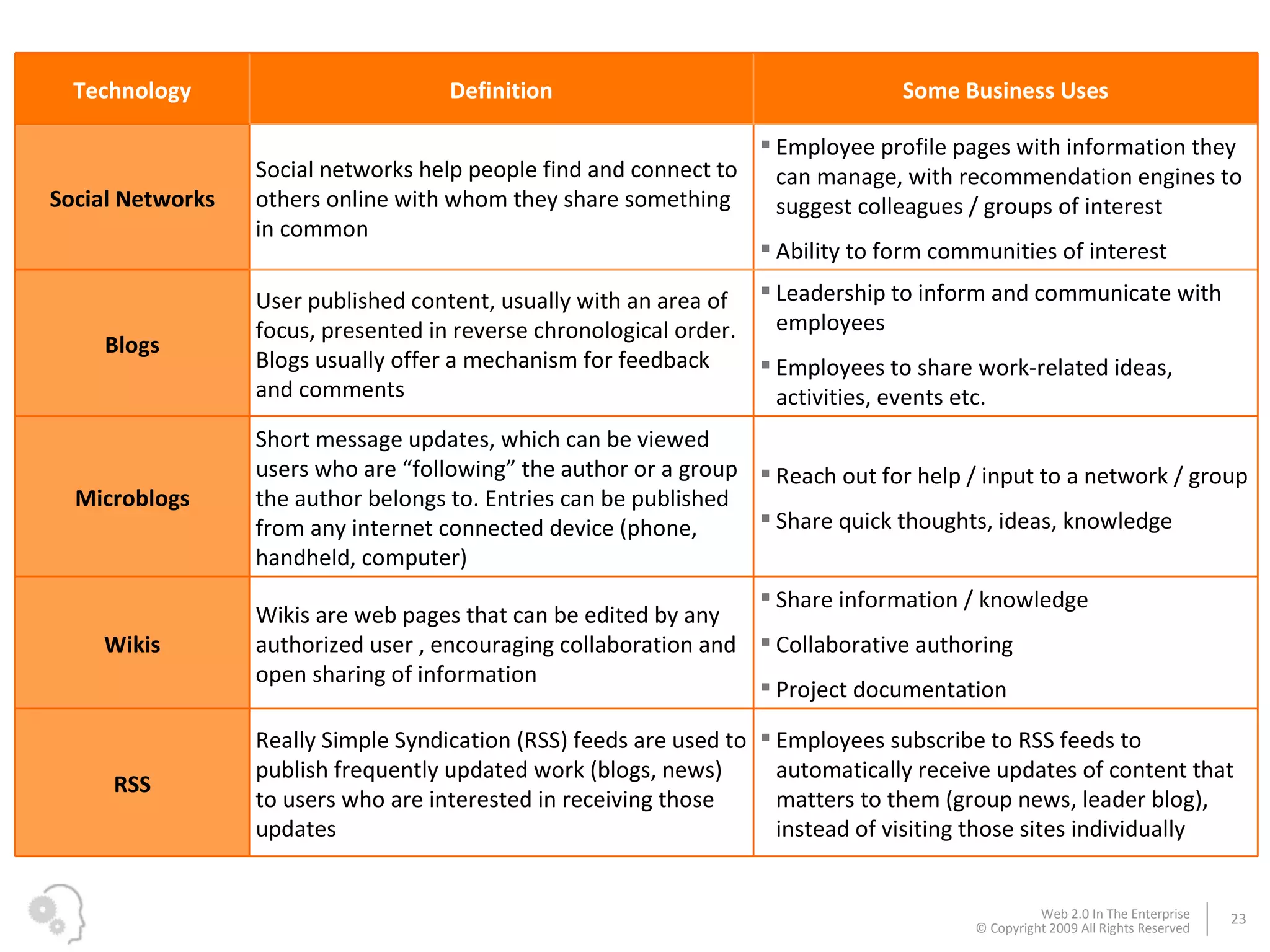
Technology Definition Some Business Uses Social Networks Social networks help people find and connect to others online with whom they share something in common Employee profile pages with information they can manage, with recommendation engines to suggest colleagues / groups of interest Ability to form communities of interest Blogs User published content, usually with an area of focus, presented in reverse chronological order. Blogs usually offer a mechanism for feedback and comments Leadership to inform and communicate with employees Employees to share work-related ideas, activities, events etc. Microblogs Short message updates, which can be viewed users who are “following” the author or a group the author belongs to. Entries can be published from any internet connected device (phone, handheld, computer) Reach out for help / input to a network / group Share quick thoughts, ideas, knowledge Wikis Wikis are web pages that can be edited by any authorized user , encouraging collaboration and open sharing of information  Share information / knowledge Collaborative authoring  Project documentation RSS Really Simple Syndication (RSS) feeds are used to publish frequently updated work (blogs, news) to users who are interested in receiving those updates Employees subscribe to RSS feeds to automatically receive updates of content that matters to them (group news, leader blog), instead of visiting those sites individually
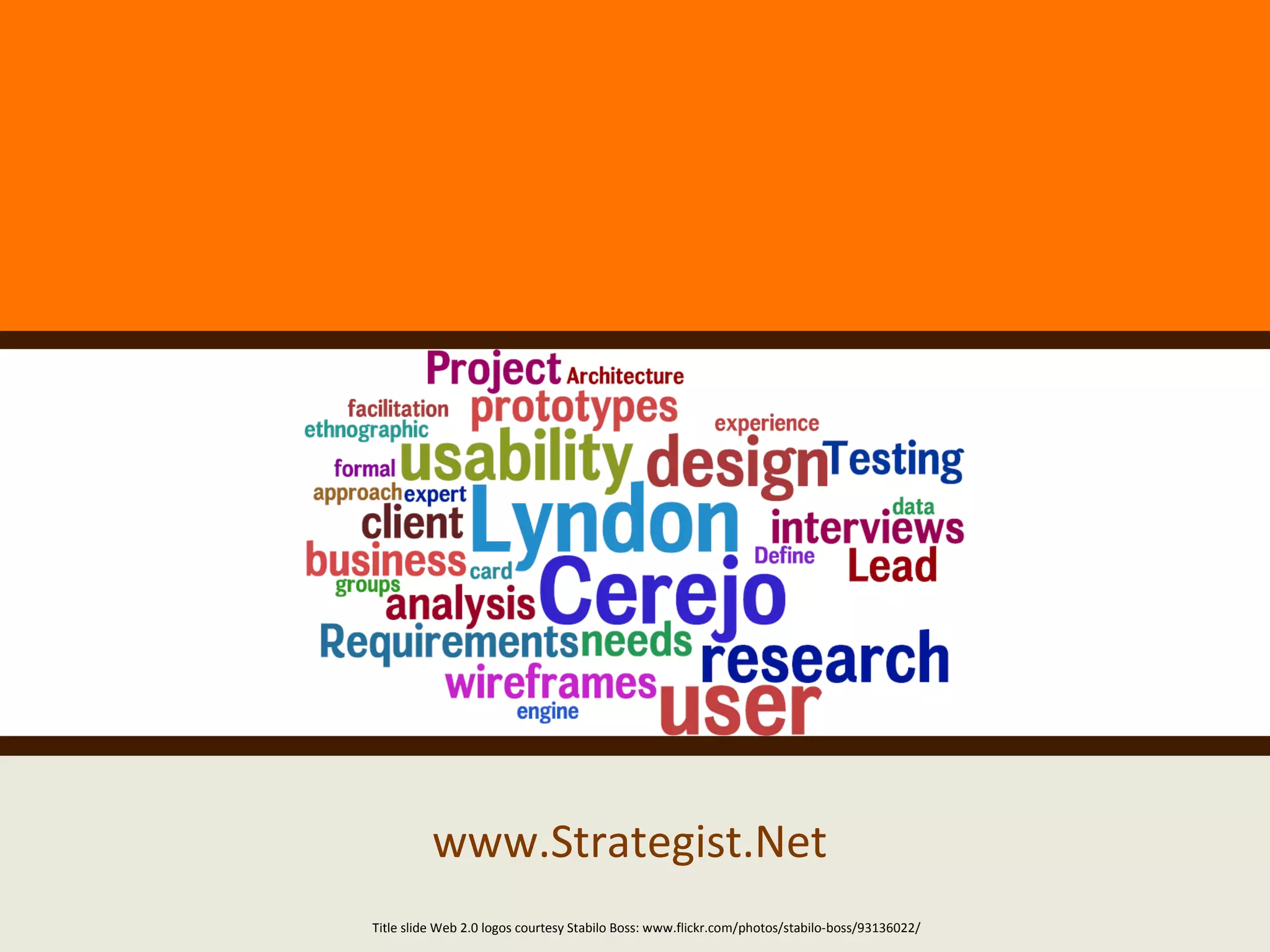
www.Strategist.Net Title slide Web 2.0 logos courtesy Stabilo Boss: www.flickr.com/photos/stabilo-boss/93136022/

Web 2.0 In The Enterprise

  • 1.
    Web 2.0 InThe Enterprise March 2009
  • 2.
    There is anancient story of a group of blind men who touched different parts of an elephant to learn what it was like…
  • 3.
    … basedon the part they touched, each man had a different perspective
  • 4.
    Fast forward totoday - different people have a different understanding of the Web 2.0 beast
  • 5.
    Instead of anotherdefinition, here’s Web 2.0 in action: Wikipedia page on Web 2.0 ( user generated content ) was used in Wordle ( web as a platform ) to create a tag cloud ( rich user experience ) that becomes reusable data
  • 6.
    These recognizable brandshighlight different aspects of Web 2.0… … but how does Web 2.0 apply to business?
  • 7.
    “ The useof emergent social software platforms within companies, or between companies and their partners or customers ” - Andrew McAfee (Associate Professor, Harvard Business School) In a nutshell, Enterprise 2.0 is businesses using Web 2.0
  • 8.
    Customers Employees Partners/ Suppliers Improve customer service Acquiring new customers in existing markets Getting customer participation in product development Letting customers interact Providing for other customer interactions Enterprise 2.0 Achieving better integration with suppliers Tapping network of experts Lowering purchasing costs Getting supplier participation Carrying out other partner/supplier processes Managing knowledge Fostering collaboration across company Enhancing company culture Training Developing products or services Internal recruiting Source: “Building the Web 2.0 Enterprise”, McKinsey & Company, July 2008 Businesses are using Web 2.0 to improve customer intimacy, internal operations, and supplier relationships
  • 9.
    Ways Enterprise 2.0fits in the employee lifecycle Attract & Find Potential Employees External facing employee generated content (blogs , videos , pictures, podcasts) Recruitment videos (YouTube channel) Social / professional networking (Linkedin) Virtual world presence (Second Life) Presentation sharing (Slideshare) Media aggregators (Netvibes) Settling In – The First Few Months Employee profiles (internal social networking) Virtual world orientation training Subscription services (RSS) Learn & share (wikis, blogs) Private network messaging (microblogging) Develop, Motivate & Recognize Communication (blogs) Collaboration (wikis) Community (social networking) Folksonomy (tagging) Subscription services (RSS feeds) Virtual meetings / training (virtual world) Private network messaging (microblogging) Collective wisdom (shared bookmarks, ranking, commenting) ...all discoverable by a strong enterprise search Part Ways... But Stay In Touch Capture & retain intellectual capital Alumni social network Life Cycle stages from “Hire, Inspire, Admire, Retire - A condensed Employee Life Cycle” by F. John Reh Hire Inspire Admire Retire / Separate Employee Life Cycle
  • 10.
    Michael Brown“ Architecting IT for business ” Over the past 9 years as an Enterprise Architect, Michael successfully aligned the IT strategy and business goals for a large telecommunications company. Mike recently landed a new job at an IT giant, with professional networking tools playing a large role in the recruitment. Businessman photographs courtesy vierdrie.nl Let’s follow Michael as he starts his new job…
  • 11.
    2:1 -the ratio of employee recommended content to employer recommended content web2 portal, mashups The first day on the job, Mike uses the onboarding mashup on the intranet to procure a blackberry and request office space.
  • 12.
    Interfaces to externalsocial bookmarking sites allow him to follow links and stories tagged by colleagues social bookmarking
  • 13.
    Mike uses thetag cloud to navigate to links that interest him folksonomy
  • 14.
    At the company’sprivate region in a virtual world, he reviews orientation training and learns about tools at his disposal virtual world training
  • 15.
    Later, he updateshis profile with his skills, experience, and area of interest and expertise Based on his profile, he is offered recommendations of groups he may be interested in employee profile (social networking), recommendation engine
  • 16.
    Michael Brown ( edit ) Mike introduces himself on the internal microblogging platform. He receives recommendations for groups and colleagues he should follow, from colleagues he may never meet Screenshot courtesy Yammer microblog
  • 17.
    Mike begins bloggingabout lessons learned as an enterprise architect He also updates the company wiki and adds a few useful links blog, wiki
  • 18.
    He is alertedwhen a colleague (across the world) microblogs for help with a proposal. Mike directs Rachael to his blog post addressing a key aspect of the RFP Photograph courtesy Mario Alberto Magallanes Trejo microblog, blog, RSS
  • 19.
    With the RFPpublished on the internal wiki, Mike and the team successfully co-author the response. This also builds a wealth of information that is indexed by their enterprise search engine, instead of residing in email archives or on individual hard drives wiki, search engine
  • 20.
    A colleague askedMichael what he would have done without these Enterprise 2.0 tools… … he thought for a while, laughed, and said “ You’re kidding, right? ”
  • 21.
    “ It wouldhave taken me forever to get up to speed and start contributing I would never have been able to collaborate with so many colleagues from across the world My expertise would have been trapped up here (tapping his head), or would have had limited reach But most of all, it would be a bigger loss for my company than for me…”
  • 22.
    A quick lookat Enterprise 2.0 technologies used in Mike’s example Technology Definition Some Business Uses Mashups A mashup is a custom application that combines data from one or more third-party sources into a single integrated tool to deliver new functions & insights Mashups that access and combine data from internal and external data sources and software systems that meet the need of small groups of users Social Bookmarks Social bookmarks are a way for users to store, tag, organize, search, and manage web page bookmarks. These bookmarks can be shared with others, who in turn score the bookmarks, resulting in a list of links a group considers important Communities of interest can create and maintain a common set of links Folksonomy / Social Tagging Folksonomy is a user-generated taxonomy, where users can collaboratively create and manage tags to categorize content based on the their mental model. Content authors and readers can assign tags to content, which can then become metadata to help find that content Tag clouds can be used to visualize these tags, facilitating search, discovery and navigation Virtual World A virtual world is a computer-based simulated environment where users can interact with others and the environment virtually, via avatars Training Virtual town halls / meetings
  • 23.
    Technology Definition SomeBusiness Uses Social Networks Social networks help people find and connect to others online with whom they share something in common Employee profile pages with information they can manage, with recommendation engines to suggest colleagues / groups of interest Ability to form communities of interest Blogs User published content, usually with an area of focus, presented in reverse chronological order. Blogs usually offer a mechanism for feedback and comments Leadership to inform and communicate with employees Employees to share work-related ideas, activities, events etc. Microblogs Short message updates, which can be viewed users who are “following” the author or a group the author belongs to. Entries can be published from any internet connected device (phone, handheld, computer) Reach out for help / input to a network / group Share quick thoughts, ideas, knowledge Wikis Wikis are web pages that can be edited by any authorized user , encouraging collaboration and open sharing of information Share information / knowledge Collaborative authoring Project documentation RSS Really Simple Syndication (RSS) feeds are used to publish frequently updated work (blogs, news) to users who are interested in receiving those updates Employees subscribe to RSS feeds to automatically receive updates of content that matters to them (group news, leader blog), instead of visiting those sites individually
  • 24.
    www.Strategist.Net Title slideWeb 2.0 logos courtesy Stabilo Boss: www.flickr.com/photos/stabilo-boss/93136022/