The VLE @ GSA:
collaboration tools
Today’s session:


       Overview
       Course Tools
       Discussion boards
       Blogs
       Wikis
       Journals


    2
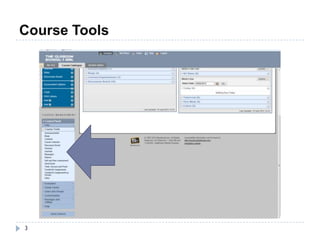
Course Tools


3
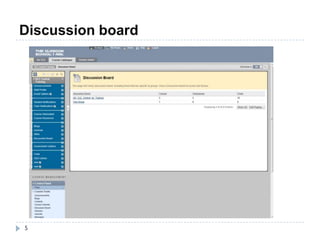
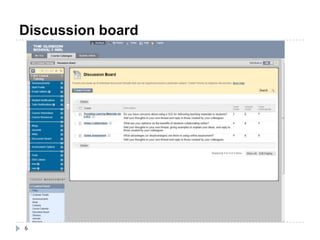
Discussion board

       Create in Control Panel, the Create Tool Link in course
        menu.
       Useful for themed discussions in student/ user groups.
       Individual fora may have multiple threads.
       Postings can be anonymous or have a name attached.
       Can include multimedia.
       Can be difficult to get students to engage.
       Unread content will be flagged up (in bold).


    4
Discussion board


5
Discussion board


6
Blogs

   Blog - visible to all students. All students can post and
    see each others posts.
   Journal - private to all students, all students can post.
    Students only see their own posts

   Group blog - visible to all students, members of the group
    can post. Students not in the group can see it.
   Group journal - visible to members of the group,
    members of the group can post. Students not in the
    group can NOT see it.


    7
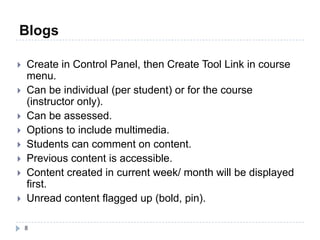
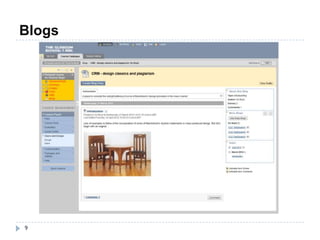
Blogs

   Create in Control Panel, then Create Tool Link in course
    menu.
   Can be individual (per student) or for the course
    (instructor only).
   Can be assessed.
   Options to include multimedia.
   Students can comment on content.
   Previous content is accessible.
   Content created in current week/ month will be displayed
    first.
   Unread content flagged up (bold, pin).

    8
Blogs


9
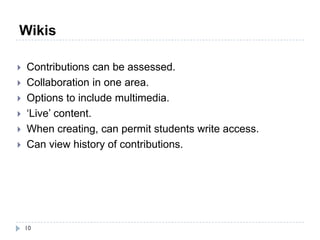
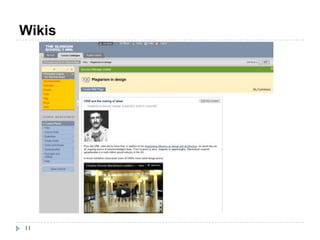
Wikis

   Contributions can be assessed.
   Collaboration in one area.
   Options to include multimedia.
   ‘Live’ content.
   When creating, can permit students write access.
   Can view history of contributions.


    10
Wikis


11
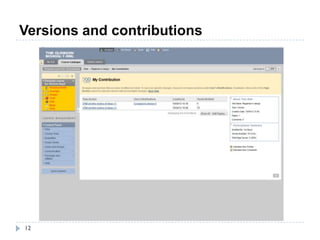
Versions and contributions


12
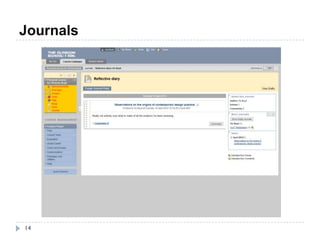
Journals

   Contributions can be assessed.
   Collaboration in one area.
   Options to include multimedia.
   ‘Live’ content.
   When creating, can permit students write access.
   Can view history of contributions.


    13
Journals


14
Summary

    Lots of different ways to collaborate/ communicate in the
     VLE – consider which one may work best for you.
    Think about what the purpose of the communication will
     be – is it informal? Assessed? What media will you use?
    Give students clear instructions and make the purpose of
     your use of the collaboration tool obvious.
    Lots of resources in VLE Help course or please contact
     me: v.boyd@gsa.ac.uk


    15
The VLE @ GSA:
collaboration tools

VLE collaboration tools

  • 1.
    The VLE @GSA: collaboration tools
  • 2.
    Today’s session:  Overview  Course Tools  Discussion boards  Blogs  Wikis  Journals 2
  • 3.
  • 4.
    Discussion board  Create in Control Panel, the Create Tool Link in course menu.  Useful for themed discussions in student/ user groups.  Individual fora may have multiple threads.  Postings can be anonymous or have a name attached.  Can include multimedia.  Can be difficult to get students to engage.  Unread content will be flagged up (in bold). 4
  • 5.
  • 6.
  • 7.
    Blogs  Blog - visible to all students. All students can post and see each others posts.  Journal - private to all students, all students can post. Students only see their own posts  Group blog - visible to all students, members of the group can post. Students not in the group can see it.  Group journal - visible to members of the group, members of the group can post. Students not in the group can NOT see it. 7
  • 8.
    Blogs  Create in Control Panel, then Create Tool Link in course menu.  Can be individual (per student) or for the course (instructor only).  Can be assessed.  Options to include multimedia.  Students can comment on content.  Previous content is accessible.  Content created in current week/ month will be displayed first.  Unread content flagged up (bold, pin). 8
  • 9.
  • 10.
    Wikis  Contributions can be assessed.  Collaboration in one area.  Options to include multimedia.  ‘Live’ content.  When creating, can permit students write access.  Can view history of contributions. 10
  • 11.
  • 12.
  • 13.
    Journals  Contributions can be assessed.  Collaboration in one area.  Options to include multimedia.  ‘Live’ content.  When creating, can permit students write access.  Can view history of contributions. 13
  • 14.
  • 15.
    Summary  Lots of different ways to collaborate/ communicate in the VLE – consider which one may work best for you.  Think about what the purpose of the communication will be – is it informal? Assessed? What media will you use?  Give students clear instructions and make the purpose of your use of the collaboration tool obvious.  Lots of resources in VLE Help course or please contact me: v.boyd@gsa.ac.uk 15
  • 16.
    The VLE @GSA: collaboration tools