www.Wikis
You may be wondering: What is a wiki? What does it look like? Why use a wiki? How do I use a wiki? Awareness Rationale Pedagogy Possibilities Technical Skills
What is a wiki? A wiki is an editable web-page. Users can asynchronously edit the content that is visible on the page. A wiki can be public or private. Changes made by users are tracked so that anyone can see who made what changes when. A wiki can be as simple as one webpage, or it can be a complex structure of multiple webpages and weblinks. Wikis are frequently used for collaborative projects. Commoncraft video:  What is a wiki? http://www.commoncraft.com/video-wikis-plain-englishhttp://www.commoncraft.com/video-wikis-plain-english Pbwiki video:  Helping Educators Educate http://www.youtube.com/watch?v=av2yofWSdU0&feature=related
Why wiki? A wiki is a medium in which a  group of individuals  can work together asynchronously  on an idea and easily capture the essence in a  reusable format.  Technically, a wiki is a  collection of hyperlinked  Web pages that are assembled with wiki software. With wikis, the line between  reader and contributor  is intentionally blurred. Further, wiki use reflects the view of an instructor as one who  facilitates information sharing among learners rather than simply transmitting knowledge  from themselves to their students. . . .  Wikis can be can be used for a variety of tasks ranging from signup sheet for students to self organize, to undertaking business analyses, to analyzing policy positions;  Instructor support and facilitation is key; and  Ease-of-use issues are present but do not preclude success. ( Communications of Association for Information Systems, http:// cais.aisnet.org/articles/default.asp?vol =18&art=1 )
Educators have found a variety of creative applications  for the wiki format based on a constructivist foundation  including:  brainstorming, lists, categorizing, prioritizing,  quick informational website publishing (synthesis of found information),  collaborative website posting (student as creators of information),  peer reviews, group projects, collaborative discussion notes (student-created), problem-solving,  focused discussions,  interdisciplinary projects (between programs, schools, cities, states, or nations),  community-building among students,  practice with collaboration skills,  and more. (http://tecfa.unige.ch/guides/tie/html/wikis/wikis-2.html)
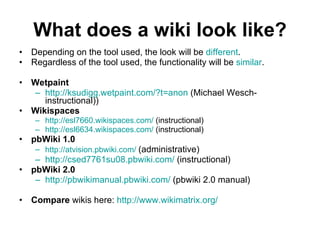
What does a wiki look like? Depending on the tool used, the look will be  different .  Regardless of the tool used, the functionality will be  similar .  Wetpaint   http://ksudigg.wetpaint.com/?t=anon  (Michael Wesch- instructional)) Wikispaces   http://esl7660.wikispaces.com/  (instructional) http://esl6634.wikispaces.com/  (instructional) pbWiki 1.0   http://atvision.pbwiki.com/   (administrative) http://csed7761su08.pbwiki.com/  (instructional) pbWiki 2.0   http://pbwikimanual.pbwiki.com/  (pbwiki 2.0 manual) Compare  wikis here:  http:// www.wikimatrix.org /
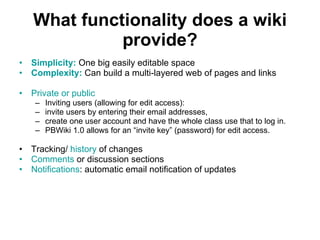
What functionality does a wiki provide? Simplicity:  One big easily editable space Complexity:  Can build a multi-layered web of pages and links Private or public Inviting users (allowing for edit access):  invite users by entering their email addresses,  create one user account and have the whole class use that to log in. PBWiki 1.0 allows for an “invite key” (password) for edit access. Tracking/  history  of changes Comments  or discussion sections Notifications : automatic email notification of updates
Your turn : Why use a wiki? Instructional Administrative Marketing Publishing Other uses?
Wiki challenges? Asynchronous editing (ie must take turns(except googledocs)). Logging in:  depending on the tool used, this has been a challenge for students.  FIX: Clear instructions, tutorials, help for students.  Other challenges?
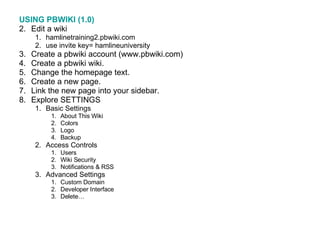
USING PBWIKI (1.0) Edit a wiki  hamlinetraining2.pbwiki.com use invite key= hamlineuniversity Create a pbwiki account (www.pbwiki.com) Create a pbwiki wiki. Change the homepage text.  Create a new page.  Link the new page into your sidebar.  Explore SETTINGS Basic Settings About This Wiki Colors Logo Backup Access Controls Users Wiki Security Notifications & RSS Advanced Settings Custom Domain Developer Interface Delete…
Next steps? Additional workshops Drop-in labs One-on-one assistance User group conversations Peer mentors Other?

Wiki Workshop

  • 1.
  • 2.
    You may bewondering: What is a wiki? What does it look like? Why use a wiki? How do I use a wiki? Awareness Rationale Pedagogy Possibilities Technical Skills
  • 3.
    What is awiki? A wiki is an editable web-page. Users can asynchronously edit the content that is visible on the page. A wiki can be public or private. Changes made by users are tracked so that anyone can see who made what changes when. A wiki can be as simple as one webpage, or it can be a complex structure of multiple webpages and weblinks. Wikis are frequently used for collaborative projects. Commoncraft video: What is a wiki? http://www.commoncraft.com/video-wikis-plain-englishhttp://www.commoncraft.com/video-wikis-plain-english Pbwiki video: Helping Educators Educate http://www.youtube.com/watch?v=av2yofWSdU0&feature=related
  • 4.
    Why wiki? Awiki is a medium in which a group of individuals can work together asynchronously on an idea and easily capture the essence in a reusable format. Technically, a wiki is a collection of hyperlinked Web pages that are assembled with wiki software. With wikis, the line between reader and contributor is intentionally blurred. Further, wiki use reflects the view of an instructor as one who facilitates information sharing among learners rather than simply transmitting knowledge from themselves to their students. . . . Wikis can be can be used for a variety of tasks ranging from signup sheet for students to self organize, to undertaking business analyses, to analyzing policy positions; Instructor support and facilitation is key; and Ease-of-use issues are present but do not preclude success. ( Communications of Association for Information Systems, http:// cais.aisnet.org/articles/default.asp?vol =18&art=1 )
  • 5.
    Educators have founda variety of creative applications for the wiki format based on a constructivist foundation including: brainstorming, lists, categorizing, prioritizing, quick informational website publishing (synthesis of found information), collaborative website posting (student as creators of information), peer reviews, group projects, collaborative discussion notes (student-created), problem-solving, focused discussions, interdisciplinary projects (between programs, schools, cities, states, or nations), community-building among students, practice with collaboration skills, and more. (http://tecfa.unige.ch/guides/tie/html/wikis/wikis-2.html)
  • 6.
    What does awiki look like? Depending on the tool used, the look will be different . Regardless of the tool used, the functionality will be similar . Wetpaint http://ksudigg.wetpaint.com/?t=anon (Michael Wesch- instructional)) Wikispaces http://esl7660.wikispaces.com/ (instructional) http://esl6634.wikispaces.com/ (instructional) pbWiki 1.0 http://atvision.pbwiki.com/ (administrative) http://csed7761su08.pbwiki.com/ (instructional) pbWiki 2.0 http://pbwikimanual.pbwiki.com/ (pbwiki 2.0 manual) Compare wikis here: http:// www.wikimatrix.org /
  • 7.
    What functionality doesa wiki provide? Simplicity: One big easily editable space Complexity: Can build a multi-layered web of pages and links Private or public Inviting users (allowing for edit access): invite users by entering their email addresses, create one user account and have the whole class use that to log in. PBWiki 1.0 allows for an “invite key” (password) for edit access. Tracking/ history of changes Comments or discussion sections Notifications : automatic email notification of updates
  • 8.
    Your turn :Why use a wiki? Instructional Administrative Marketing Publishing Other uses?
  • 9.
    Wiki challenges? Asynchronousediting (ie must take turns(except googledocs)). Logging in: depending on the tool used, this has been a challenge for students. FIX: Clear instructions, tutorials, help for students. Other challenges?
  • 10.
    USING PBWIKI (1.0)Edit a wiki hamlinetraining2.pbwiki.com use invite key= hamlineuniversity Create a pbwiki account (www.pbwiki.com) Create a pbwiki wiki. Change the homepage text. Create a new page. Link the new page into your sidebar. Explore SETTINGS Basic Settings About This Wiki Colors Logo Backup Access Controls Users Wiki Security Notifications & RSS Advanced Settings Custom Domain Developer Interface Delete…
  • 11.
    Next steps? Additionalworkshops Drop-in labs One-on-one assistance User group conversations Peer mentors Other?