Collaboration with Wikis
Webinar PlanWhat is a Wiki?Why use a wiki?How do wikis meet the NET*S?Explore educational uses of wikisOverview of  PbWorksCreate a basic PBWorks wiki
Wikis Defined….What is a wiki? How would you describe a wiki?Type your definitions or descriptions in the chat box…
What is a Wiki?Ward Cunningham created the “wiki” in 1994.A wiki is software that allows users to collaboratively create, edit, link, organize, and publish a website without any knowledge of HTML or special technical skills.
Three step process: Click edit. Make changes. Click save.Benefits of Wikis…Wikis permit asynchronous communication and group collaboration.Wikis provide users with both author and editor privileges; the overall organization of contributions can be edited as well as the content itself.Wikis  allow students to present information in a variety of formats; such as  video, pictures, chat programs, polls, interactive posters, tables, etc.Wikis have a complete revision history and audit trail to track every change made to the wiki for easy assessment of the student.Post any other benefits in the chat box…
NET*S National Education Technology Standardswww.iste.org/AM/Template.cfm?Section=NETS Creativity and InnovationCommunication and CollaborationResearch and Information FluencyCritical Thinking, Problem Solving, and Decision MakingDigital CitizenshipTechnology Operations and ConceptsFosters 21st Century Skills  http://www.p21.org
Challenges of Wikis…Privacy/security needs of minorsPersonal attachment to contentReluctance to post	-Lack of confidence in writing skills	-fear of not receiving credit for contribution	-don’t like to edit other’s ideas or have their ideas edited	-information accuracyPost any other challenges to chat box….
Wikis: Product or ProcessWikis can be a product or a process!Product: Users tend to use the wiki as a consumer, as a reference or a resource. Process: Users tend to contribute to the wiki, collaborating with other contributors to create a dynamic product.
Wiki as a ProductUsers tend to use the wiki as a consumer as a reference or a resource.WikipediaCollection of Resources on Dinosaurs, Civil Rights Movement, etc.Calendar of School EventsCurriculum Meeting NotesThese can all be accessed as a reference and can have multiple contributors creating these products.
Wiki as a ProcessUsers tend to contribute to the wiki, collaborating with other contributors to create a dynamic product. Students can:CreatePublishCommentConversePost IdeasRespondShareEditCollaborateEngage
Wiki ExamplesRetapedia Wiki: retapedia.pbworks.com/Collaboration-with-WikisResource Collection-Science Enquirer: scienceinquirer.wikispaces.com/freestuffTeacher Collaboration wikisineducation.wetpaint.com/page/Teacher+Peer+WikisGlobal Collaboration -Flat Classroom Project 2010: flatclassroom10-1.flatclassroomproject.org/Check out our K-12 Educational Community at:http://educationalwikis.wikispaces.com/Examples+of+educational+wikis50 Ways to use Wikis for a Collaborative & Interactive Class  www.smartteaching.org/blog/2008/08/50-ways-to-use-wikis-for-a-more-collaborative-and-interactive-classroom/
How can you use Wikis in the classroom?  Sharing these educational wiki examples can generate ideas of how YOU can use wikis in the classroom. In the chat box, brainstorm how you can use wikis                                                           in the classroom….
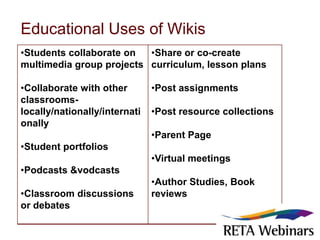
Educational Uses of Wikis
Engaging Students in Wiki CollaborationCreate guidelines for behavior, content, deletion, and editing. Utilize your school AUP for wiki use.Establish a forum for problems should they arise. Be PROACTIVE not REACTIVE.Model examples of collaborative activities.Assign meaningful and authentic activities.Provide explicit directions and expectations for your activity.Define student expectations, roles, assignments, and assessment.Be patient and create a culture of trust.Post reminders and have checkpoints- short term deadlines- before final deadlines.
Resources        on NetiquetteWikipediahttp://en.wikipedia.org/wiki/Wikipedia:EtiquetteDigital Citizenship by Gerald Baily & Mike Ribble http://www.digitalcitizenship.net/
Comparison Chart for WikisComparison Matrix: http://www.wikimatrix.org
Important Features…Access Controls: PermissionsWho can edit?  Who can view?A public wiki allows anyone to see your content-- password required to edit.A private wiki is not accessible to the public-- password required to edit. PBworks includes workspace-wide access levels (Reader, Writer, Editor, and Administrator)Features you can embed or link : Bubbleshare, Slideshare, Vokis, TeacherTube, Clustrmaps, Bubble.Us, Videos, Podcasts, Blogs, live chat and more widget ideas at:http://retapedia.pbworks.com/collaboration-with-wikis

Wiki Webinar

  • 1.
  • 2.
    Webinar PlanWhat isa Wiki?Why use a wiki?How do wikis meet the NET*S?Explore educational uses of wikisOverview of PbWorksCreate a basic PBWorks wiki
  • 3.
    Wikis Defined….What isa wiki? How would you describe a wiki?Type your definitions or descriptions in the chat box…
  • 4.
    What is aWiki?Ward Cunningham created the “wiki” in 1994.A wiki is software that allows users to collaboratively create, edit, link, organize, and publish a website without any knowledge of HTML or special technical skills.
  • 5.
    Three step process:Click edit. Make changes. Click save.Benefits of Wikis…Wikis permit asynchronous communication and group collaboration.Wikis provide users with both author and editor privileges; the overall organization of contributions can be edited as well as the content itself.Wikis allow students to present information in a variety of formats; such as video, pictures, chat programs, polls, interactive posters, tables, etc.Wikis have a complete revision history and audit trail to track every change made to the wiki for easy assessment of the student.Post any other benefits in the chat box…
  • 6.
    NET*S National EducationTechnology Standardswww.iste.org/AM/Template.cfm?Section=NETS Creativity and InnovationCommunication and CollaborationResearch and Information FluencyCritical Thinking, Problem Solving, and Decision MakingDigital CitizenshipTechnology Operations and ConceptsFosters 21st Century Skills http://www.p21.org
  • 7.
    Challenges of Wikis…Privacy/securityneeds of minorsPersonal attachment to contentReluctance to post -Lack of confidence in writing skills -fear of not receiving credit for contribution -don’t like to edit other’s ideas or have their ideas edited -information accuracyPost any other challenges to chat box….
  • 8.
    Wikis: Product orProcessWikis can be a product or a process!Product: Users tend to use the wiki as a consumer, as a reference or a resource. Process: Users tend to contribute to the wiki, collaborating with other contributors to create a dynamic product.
  • 9.
    Wiki as aProductUsers tend to use the wiki as a consumer as a reference or a resource.WikipediaCollection of Resources on Dinosaurs, Civil Rights Movement, etc.Calendar of School EventsCurriculum Meeting NotesThese can all be accessed as a reference and can have multiple contributors creating these products.
  • 10.
    Wiki as aProcessUsers tend to contribute to the wiki, collaborating with other contributors to create a dynamic product. Students can:CreatePublishCommentConversePost IdeasRespondShareEditCollaborateEngage
  • 11.
    Wiki ExamplesRetapedia Wiki:retapedia.pbworks.com/Collaboration-with-WikisResource Collection-Science Enquirer: scienceinquirer.wikispaces.com/freestuffTeacher Collaboration wikisineducation.wetpaint.com/page/Teacher+Peer+WikisGlobal Collaboration -Flat Classroom Project 2010: flatclassroom10-1.flatclassroomproject.org/Check out our K-12 Educational Community at:http://educationalwikis.wikispaces.com/Examples+of+educational+wikis50 Ways to use Wikis for a Collaborative & Interactive Class www.smartteaching.org/blog/2008/08/50-ways-to-use-wikis-for-a-more-collaborative-and-interactive-classroom/
  • 12.
    How can youuse Wikis in the classroom? Sharing these educational wiki examples can generate ideas of how YOU can use wikis in the classroom. In the chat box, brainstorm how you can use wikis in the classroom….
  • 13.
  • 14.
    Engaging Students inWiki CollaborationCreate guidelines for behavior, content, deletion, and editing. Utilize your school AUP for wiki use.Establish a forum for problems should they arise. Be PROACTIVE not REACTIVE.Model examples of collaborative activities.Assign meaningful and authentic activities.Provide explicit directions and expectations for your activity.Define student expectations, roles, assignments, and assessment.Be patient and create a culture of trust.Post reminders and have checkpoints- short term deadlines- before final deadlines.
  • 15.
    Resources on NetiquetteWikipediahttp://en.wikipedia.org/wiki/Wikipedia:EtiquetteDigital Citizenship by Gerald Baily & Mike Ribble http://www.digitalcitizenship.net/
  • 16.
    Comparison Chart forWikisComparison Matrix: http://www.wikimatrix.org
  • 17.
    Important Features…Access Controls:PermissionsWho can edit?  Who can view?A public wiki allows anyone to see your content-- password required to edit.A private wiki is not accessible to the public-- password required to edit. PBworks includes workspace-wide access levels (Reader, Writer, Editor, and Administrator)Features you can embed or link : Bubbleshare, Slideshare, Vokis, TeacherTube, Clustrmaps, Bubble.Us, Videos, Podcasts, Blogs, live chat and more widget ideas at:http://retapedia.pbworks.com/collaboration-with-wikis

Editor's Notes

  • #5 It can be pictures, texxt, audio, video, with calendars, canput together a very comprehensive site without html or programming..