


INTRODUCTION TO VIDEO
   PRODUCTION WITH DIGITAL
CAMERAS, “POCKET” CAMCORDERS
      AND SMARTPHONES


         April 17, 2012
Introduction Activity


 Turn your camera on

 Ask the person to your right:
       * What is your name?
       * What organization do you work at?
       * What are you most passionate about doing
       with video?

 Make sure everyone at your table has a chance to
 answer and videotape!
Agenda

• Welcome and Introductions

• Using Video Storytelling for Health

• Video Production Best Practices

• Scavenger Hunt

• Editing Basics

• Uploading Videos Online
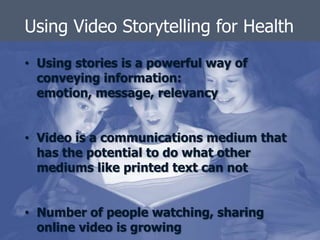
Using Video Storytelling for Health
• Using stories is a powerful way of
  conveying information:
  emotion, message, relevancy


• Video is a communications medium that
  has the potential to do what other
  mediums like printed text can not


• Number of people watching, sharing
  online video is growing
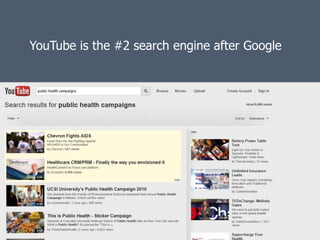
YouTube is the #2 search engine after Google
How relevant for work in public health?


•   Fundraising
•   Document the difference you’re making
•   Build relationships
•   Advocacy
•   Catalyze action
•   Public education
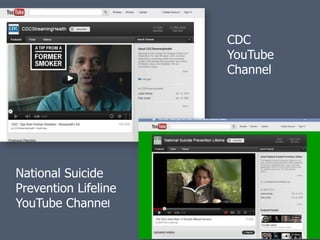
CDC
                      YouTube
                      Channel


National Suicide
Prevention Lifeline
YouTube Channel
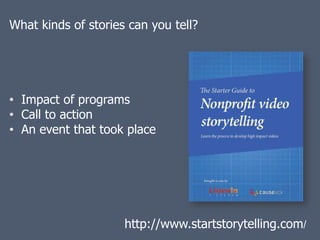
What kinds of stories can you tell?


• Impact of programs
• Call to action
• An event that took place


                     http://www.startstorytelling.com/
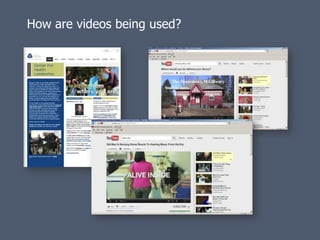
How are videos being used?
Issues of consent
• Are you shooting in a public space?
• How do you intend to use the video?
• Working with technology
  is inherently challenging

• View them as happy
  accidents

• Get comfortable being a
  learner

• Practice, practice, practice
  !

• Build a community of
  support
You’re drawing on many skills
you already possess:


 Planning

 Logistics

 Building relationships

 Creativity

 Expression

 Managerial
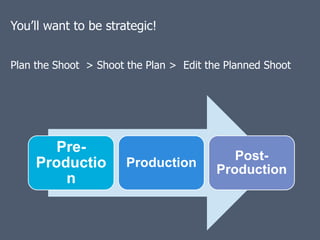
You’ll want to be strategic!


Plan the Shoot > Shoot the Plan > Edit the Planned Shoot


        Pre-
                                            Post-
     Productio         Production
                                         Production
         n
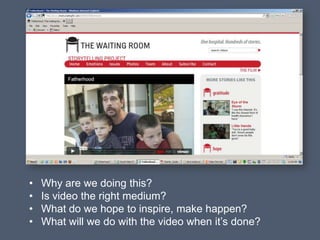
•   Why are we doing this?
•   Is video the right medium?
•   What do we hope to inspire, make happen?
•   What will we do with the video when it’s done?
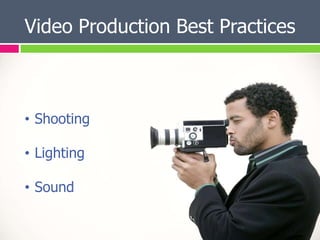
Video Production Best Practices


• Shooting

• Lighting

• Sound
Shooting Activity Cards:


• You may already be familiar with these!

• Work as a group and match the visual card
  with a corresponding name card
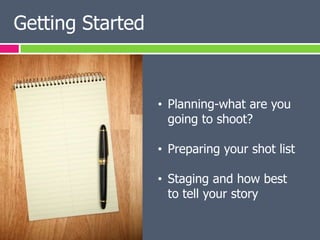
Getting Started


                  • Planning-what are you
                    going to shoot?

                  • Preparing your shot list

                  • Staging and how best
                    to tell your story
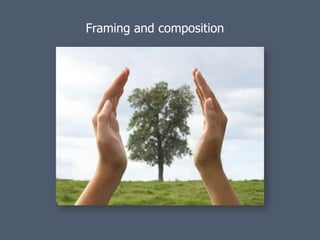
Framing and composition


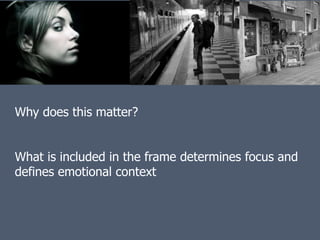
Why does this matter?


What is included in the frame determines focus and
defines emotional context
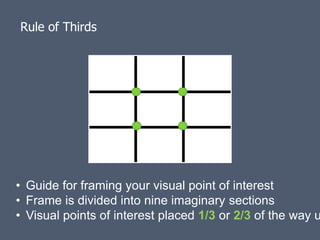
Rule of Thirds


• Guide for framing your visual point of interest
• Frame is divided into nine imaginary sections
• Visual points of interest placed 1/3 or 2/3 of the way u
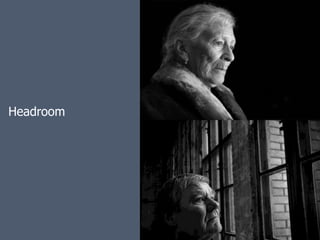
Headroom
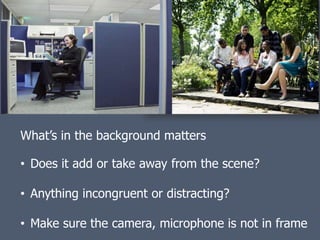
What’s in the background matters

• Does it add or take away from the scene?

• Anything incongruent or distracting?

• Make sure the camera, microphone is not in frame
Camera Shots


 • Tell a story with the shots you choose

 • Use a combination of shots

 • Look at the shots in the handout and the
   Field Guide

 • Think back to the card activity
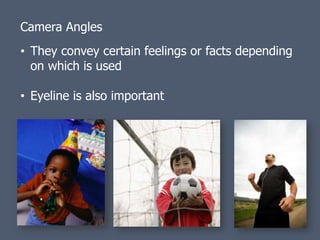
Camera Angles
• They convey certain feelings or facts depending
  on which is used

• Eyeline is also important
Camera Movement


  • Pans

  • Zooms

  • Tilts

  • When is movement ok and not appropriate
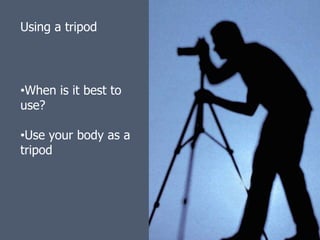
Using a tripod


•When is it best to
use?

•Use your body as a
tripod
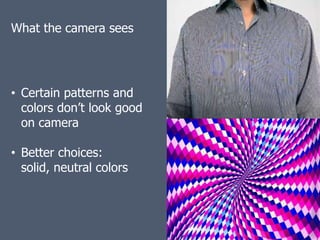
What the camera sees


• Certain patterns and
  colors don’t look good
  on camera

• Better choices:
  solid, neutral colors
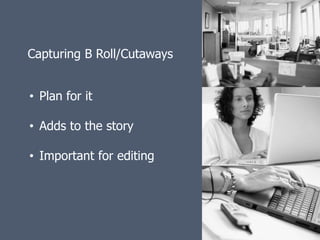
Capturing B Roll/Cutaways


• Plan for it

• Adds to the story

• Important for editing
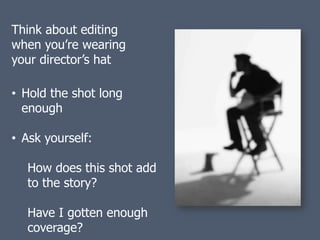
Think about editing
when you’re wearing
your director’s hat

• Hold the shot long
  enough

• Ask yourself:

  How does this shot add
  to the story?

  Have I gotten enough
  coverage?
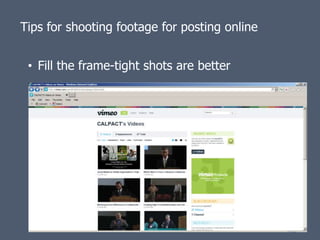
Tips for shooting footage for posting online


 • Fill the frame-tight shots are better
Tips for shooting footage for posting online

                                   • Limit pans and
                                     zooms

                                   • Unnecessary
                                     movement can
                                     slow down the
                                     video stream

                                   • Shorter videos are
                                     better-under 5
                                     minutes
Lighting Best Practices Activity:


• There are a bundle of Lighting Activity
  Cards on your table. Each visual card has a
  matching card labeled with the name of the
  specific lighting tip, practice captured

• Take a few minutes and work as a group at
  your table to match the visual card with a
  name card that looks like the best match
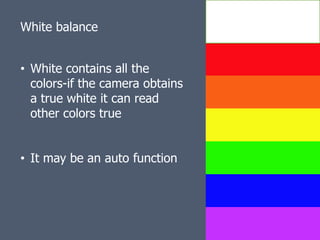
White balance


• White contains all the
  colors-if the camera obtains
  a true white it can read
  other colors true


• It may be an auto function
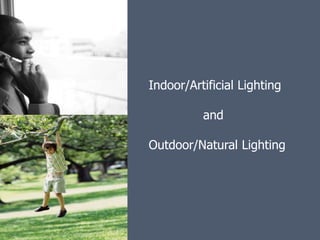
Indoor/Artificial Lighting

          and

Outdoor/Natural Lighting
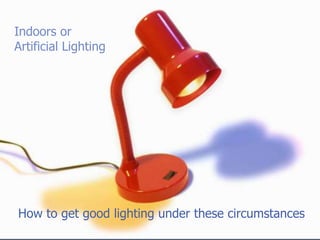
Indoors or
Artificial Lighting


How to get good lighting under these circumstances
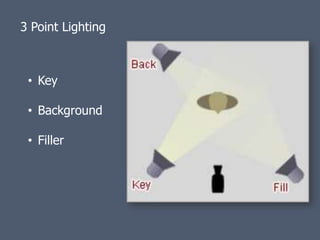
3 Point Lighting


 • Key

 • Background

 • Filler
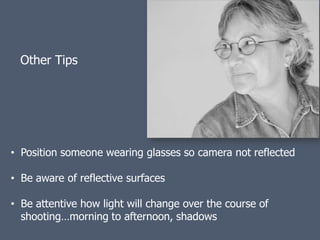
Other Tips


• Position someone wearing glasses so camera not reflected

• Be aware of reflective surfaces

• Be attentive how light will change over the course of
  shooting…morning to afternoon, shadows
Anything to note?


Take a couple minutes
and jot down a tip that
was really helpful

         OR

Write down something
you’d like to learn more
about
Getting Good Sound/Audio


  • Very important

  • Do a preview of the location-any noisy
    equipment, ambient noises, fans, etc?

  • Do you need to change location?
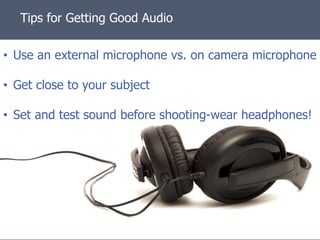
Tips for Getting Good Audio

• Use an external microphone vs. on camera microphone

• Get close to your subject

• Set and test sound before shooting-wear headphones!
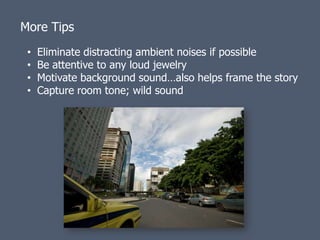
More Tips
 •   Eliminate distracting ambient noises if possible
 •   Be attentive to any loud jewelry
 •   Motivate background sound…also helps frame the story
 •   Capture room tone; wild sound
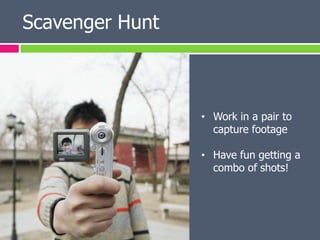
Scavenger Hunt


                 • Work in a pair to
                   capture footage

                 • Have fun getting a
                   combo of shots!
Editing Basics

• We’ll have two breakout groups for PC and Mac
  users

• You’ll work on learning the basics of editing with
  sample footage

• The footage you’ve gathered today will be
  perfect to continue honing your new editing
  skills after the class!
Congratulations!
You’ve just crossed the bridge into new creative territory!
Uploading Videos Online


   • YouTube

   • Vimeo

   • Facebook
• Nearly 500 million unique users a month on
  YouTube

• With YouTube Insight, can run analytics on
  viewers of your videos
• Create an account

• Get familiar with the account settings and
  recommendations

• If account is for your organization, do not
  use a personal email address

• Set up a channel!
Informed consent and posting videos online


   Disclosure
   Voluntariness
   Comprehension
   Competence


Tips from the WITNESS Online Video Advocacy Guide online at:
http://videoforchange.wordpress.com/3-film/top-15-interview-
tips/informed-consent-process-tips-and-suggestions/
Thank You!!


Lisa Peterson
lisapeterson@berkeley.edu

Chihiro Wimbush
chihiro_wimbush@yahoo.com

Video Storytelling Part 1: Introduction to Video Production with Digital Cameras

  • 1.
    INTRODUCTION TO VIDEO PRODUCTION WITH DIGITAL CAMERAS, “POCKET” CAMCORDERS AND SMARTPHONES April 17, 2012
  • 2.
    Introduction Activity Turnyour camera on Ask the person to your right: * What is your name? * What organization do you work at? * What are you most passionate about doing with video? Make sure everyone at your table has a chance to answer and videotape!
  • 3.
    Agenda • Welcome andIntroductions • Using Video Storytelling for Health • Video Production Best Practices • Scavenger Hunt • Editing Basics • Uploading Videos Online
  • 4.
    Using Video Storytellingfor Health • Using stories is a powerful way of conveying information: emotion, message, relevancy • Video is a communications medium that has the potential to do what other mediums like printed text can not • Number of people watching, sharing online video is growing
  • 5.
    YouTube is the#2 search engine after Google
  • 6.
    How relevant forwork in public health? • Fundraising • Document the difference you’re making • Build relationships • Advocacy • Catalyze action • Public education
  • 7.
    CDC YouTube Channel National Suicide Prevention Lifeline YouTube Channel
  • 8.
    What kinds ofstories can you tell? • Impact of programs • Call to action • An event that took place http://www.startstorytelling.com/
  • 9.
    How are videosbeing used?
  • 10.
    Issues of consent •Are you shooting in a public space? • How do you intend to use the video?
  • 11.
    • Working withtechnology is inherently challenging • View them as happy accidents • Get comfortable being a learner • Practice, practice, practice ! • Build a community of support
  • 12.
    You’re drawing onmany skills you already possess:  Planning  Logistics  Building relationships  Creativity  Expression  Managerial
  • 13.
    You’ll want tobe strategic! Plan the Shoot > Shoot the Plan > Edit the Planned Shoot Pre- Post- Productio Production Production n
  • 14.
    Why are we doing this? • Is video the right medium? • What do we hope to inspire, make happen? • What will we do with the video when it’s done?
  • 15.
    Video Production BestPractices • Shooting • Lighting • Sound
  • 16.
    Shooting Activity Cards: •You may already be familiar with these! • Work as a group and match the visual card with a corresponding name card
  • 17.
    Getting Started • Planning-what are you going to shoot? • Preparing your shot list • Staging and how best to tell your story
  • 18.
  • 19.
    Framing and composition Whydoes this matter? What is included in the frame determines focus and defines emotional context
  • 20.
    Rule of Thirds •Guide for framing your visual point of interest • Frame is divided into nine imaginary sections • Visual points of interest placed 1/3 or 2/3 of the way u
  • 22.
  • 23.
    What’s in thebackground matters • Does it add or take away from the scene? • Anything incongruent or distracting? • Make sure the camera, microphone is not in frame
  • 24.
    Camera Shots •Tell a story with the shots you choose • Use a combination of shots • Look at the shots in the handout and the Field Guide • Think back to the card activity
  • 25.
    Camera Angles • Theyconvey certain feelings or facts depending on which is used • Eyeline is also important
  • 26.
    Camera Movement • Pans • Zooms • Tilts • When is movement ok and not appropriate
  • 27.
    Using a tripod •Whenis it best to use? •Use your body as a tripod
  • 28.
    What the camerasees • Certain patterns and colors don’t look good on camera • Better choices: solid, neutral colors
  • 29.
    Capturing B Roll/Cutaways •Plan for it • Adds to the story • Important for editing
  • 30.
    Think about editing whenyou’re wearing your director’s hat • Hold the shot long enough • Ask yourself: How does this shot add to the story? Have I gotten enough coverage?
  • 31.
    Tips for shootingfootage for posting online • Fill the frame-tight shots are better
  • 32.
    Tips for shootingfootage for posting online • Limit pans and zooms • Unnecessary movement can slow down the video stream • Shorter videos are better-under 5 minutes
  • 33.
    Lighting Best PracticesActivity: • There are a bundle of Lighting Activity Cards on your table. Each visual card has a matching card labeled with the name of the specific lighting tip, practice captured • Take a few minutes and work as a group at your table to match the visual card with a name card that looks like the best match
  • 34.
    White balance • Whitecontains all the colors-if the camera obtains a true white it can read other colors true • It may be an auto function
  • 35.
    Indoor/Artificial Lighting and Outdoor/Natural Lighting
  • 36.
    Indoors or Artificial Lighting Howto get good lighting under these circumstances
  • 37.
    3 Point Lighting • Key • Background • Filler
  • 38.
    Other Tips • Positionsomeone wearing glasses so camera not reflected • Be aware of reflective surfaces • Be attentive how light will change over the course of shooting…morning to afternoon, shadows
  • 39.
    Anything to note? Takea couple minutes and jot down a tip that was really helpful OR Write down something you’d like to learn more about
  • 40.
    Getting Good Sound/Audio • Very important • Do a preview of the location-any noisy equipment, ambient noises, fans, etc? • Do you need to change location?
  • 41.
    Tips for GettingGood Audio • Use an external microphone vs. on camera microphone • Get close to your subject • Set and test sound before shooting-wear headphones!
  • 42.
    More Tips • Eliminate distracting ambient noises if possible • Be attentive to any loud jewelry • Motivate background sound…also helps frame the story • Capture room tone; wild sound
  • 43.
    Scavenger Hunt • Work in a pair to capture footage • Have fun getting a combo of shots!
  • 44.
    Editing Basics • We’llhave two breakout groups for PC and Mac users • You’ll work on learning the basics of editing with sample footage • The footage you’ve gathered today will be perfect to continue honing your new editing skills after the class!
  • 45.
    Congratulations! You’ve just crossedthe bridge into new creative territory!
  • 46.
    Uploading Videos Online • YouTube • Vimeo • Facebook
  • 47.
    • Nearly 500million unique users a month on YouTube • With YouTube Insight, can run analytics on viewers of your videos
  • 48.
    • Create anaccount • Get familiar with the account settings and recommendations • If account is for your organization, do not use a personal email address • Set up a channel!
  • 49.
    Informed consent andposting videos online  Disclosure  Voluntariness  Comprehension  Competence Tips from the WITNESS Online Video Advocacy Guide online at: http://videoforchange.wordpress.com/3-film/top-15-interview- tips/informed-consent-process-tips-and-suggestions/
  • 51.