Photo &Video
Basic Skills for Documenting Events andConstructing Narratives
Common Considerations for
Photo andVideo Before Shooting
 Have a clear idea of your assignment.
 Have a developed plan.
 For video, create a shot list (wide, medium, close-up).
 Use a storyboard if it helps.
 Take the right equipment: camera, lenses, tripod, etc.
 Be sure your camera battery is charged.Take extra batteries or charger if
necessary.
 Have enough space on your memory card.Take extra memory if necessary.
 Know your rights and responsibilities. But have a backup plan in case
your rights are violated by those who are neither moved by law nor
ethics.
 Take notes. Document enough information to write effective captions.
The Essentials
 The quality of a photo depends on these essential elements:
 Subject:The inherent qualities of what you shoot and how you
compose it
 Moment:The timing of your shot
 Light: Exposure, shadows, etc.
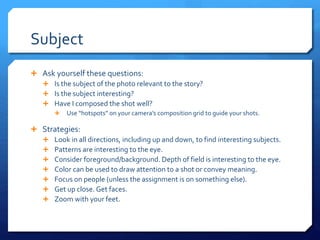
Subject
 Ask yourself these questions:
 Is the subject of the photo relevant to the story?
 Is the subject interesting?
 Have I composed the shot well?
 Use “hotspots” on your camera’s composition grid to guide your shots.
 Strategies:
 Look in all directions, including up and down, to find interesting subjects.
 Patterns are interesting to the eye.
 Consider foreground/background. Depth of field is interesting to the eye.
 Color can be used to draw attention to a shot or convey meaning.
 Focus on people (unless the assignment is on something else).
 Get up close. Get faces.
 Zoom with your feet.
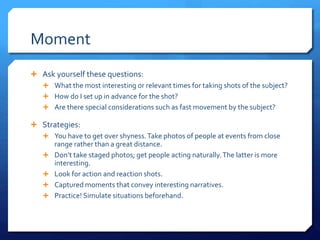
Moment
 Ask yourself these questions:
 What the most interesting or relevant times for taking shots of the subject?
 How do I set up in advance for the shot?
 Are there special considerations such as fast movement by the subject?
 Strategies:
 You have to get over shyness.Take photos of people at events from close
range rather than a great distance.
 Don’t take staged photos; get people acting naturally.The latter is more
interesting.
 Look for action and reaction shots.
 Captured moments that convey interesting narratives.
 Practice! Simulate situations beforehand.
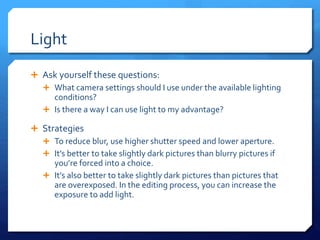
Light
 Ask yourself these questions:
 What camera settings should I use under the available lighting
conditions?
 Is there a way I can use light to my advantage?
 Strategies
 To reduce blur, use higher shutter speed and lower aperture.
 It’s better to take slightly dark pictures than blurry pictures if
you’re forced into a choice.
 It’s also better to take slightly dark pictures than pictures that
are overexposed. In the editing process, you can increase the
exposure to add light.
Diversify PresentationTypes
 Single shot
 Gallery
 Photo Illustration
 Soundslides
Video Capture
 USE ATRIPOD
 Check audio levels.
 Check white balance.
 Compose the shot well.
 Similar considerations as still shots
 No poles sticking out of people’s heads
 Give appropriate frame spacing for things like displaying lower thirds (person’s name, title,
etc.).
 Have sufficient space before and after the clip.
 Get enough b-roll.
 But don’t get so much footage that it overwhelms you in the editing process.
Editing
 Often, it’s easiest to start with the audio narrative.
 Add video footage in step with the audio.
 Create effective transitions.
 Superimpose graphics.
 Music can be obtained for free or at little cost from royalty
free sites.
 Audiojungle
 Incompetech
Other Considerations
 As with other platforms, the power of the narrative is key.
 Start with a strong lead.The viewer will give your video about 10
seconds before deciding to keep watching or move on to
something else.
 Be creative with editing.
 Shinya Kimura
Resources
 The Knight Digital Media Center is one of the most
comprehensive resources multimedia journalists.You can go
to it for tutorials and presentations on a wide array of
essential skills and issues in journalism as it continues to
rapidly evolve in the digital age.
 You can learn a lot by following multimedia experts like
Richard Koci Hernandez.
 Get inspired!
 Explore videos onVimeo.

Photo & video

  • 1.
    Photo &Video Basic Skillsfor Documenting Events andConstructing Narratives
  • 2.
    Common Considerations for PhotoandVideo Before Shooting  Have a clear idea of your assignment.  Have a developed plan.  For video, create a shot list (wide, medium, close-up).  Use a storyboard if it helps.  Take the right equipment: camera, lenses, tripod, etc.  Be sure your camera battery is charged.Take extra batteries or charger if necessary.  Have enough space on your memory card.Take extra memory if necessary.  Know your rights and responsibilities. But have a backup plan in case your rights are violated by those who are neither moved by law nor ethics.  Take notes. Document enough information to write effective captions.
  • 4.
    The Essentials  Thequality of a photo depends on these essential elements:  Subject:The inherent qualities of what you shoot and how you compose it  Moment:The timing of your shot  Light: Exposure, shadows, etc.
  • 5.
    Subject  Ask yourselfthese questions:  Is the subject of the photo relevant to the story?  Is the subject interesting?  Have I composed the shot well?  Use “hotspots” on your camera’s composition grid to guide your shots.  Strategies:  Look in all directions, including up and down, to find interesting subjects.  Patterns are interesting to the eye.  Consider foreground/background. Depth of field is interesting to the eye.  Color can be used to draw attention to a shot or convey meaning.  Focus on people (unless the assignment is on something else).  Get up close. Get faces.  Zoom with your feet.
  • 6.
    Moment  Ask yourselfthese questions:  What the most interesting or relevant times for taking shots of the subject?  How do I set up in advance for the shot?  Are there special considerations such as fast movement by the subject?  Strategies:  You have to get over shyness.Take photos of people at events from close range rather than a great distance.  Don’t take staged photos; get people acting naturally.The latter is more interesting.  Look for action and reaction shots.  Captured moments that convey interesting narratives.  Practice! Simulate situations beforehand.
  • 7.
    Light  Ask yourselfthese questions:  What camera settings should I use under the available lighting conditions?  Is there a way I can use light to my advantage?  Strategies  To reduce blur, use higher shutter speed and lower aperture.  It’s better to take slightly dark pictures than blurry pictures if you’re forced into a choice.  It’s also better to take slightly dark pictures than pictures that are overexposed. In the editing process, you can increase the exposure to add light.
  • 8.
    Diversify PresentationTypes  Singleshot  Gallery  Photo Illustration  Soundslides
  • 10.
    Video Capture  USEATRIPOD  Check audio levels.  Check white balance.  Compose the shot well.  Similar considerations as still shots  No poles sticking out of people’s heads  Give appropriate frame spacing for things like displaying lower thirds (person’s name, title, etc.).  Have sufficient space before and after the clip.  Get enough b-roll.  But don’t get so much footage that it overwhelms you in the editing process.
  • 11.
    Editing  Often, it’seasiest to start with the audio narrative.  Add video footage in step with the audio.  Create effective transitions.  Superimpose graphics.  Music can be obtained for free or at little cost from royalty free sites.  Audiojungle  Incompetech
  • 12.
    Other Considerations  Aswith other platforms, the power of the narrative is key.  Start with a strong lead.The viewer will give your video about 10 seconds before deciding to keep watching or move on to something else.  Be creative with editing.  Shinya Kimura
  • 13.
    Resources  The KnightDigital Media Center is one of the most comprehensive resources multimedia journalists.You can go to it for tutorials and presentations on a wide array of essential skills and issues in journalism as it continues to rapidly evolve in the digital age.  You can learn a lot by following multimedia experts like Richard Koci Hernandez.  Get inspired!  Explore videos onVimeo.