Building Your Brand with Video:
the Basics
March 14, 2013
housekeeping


#pubtraining   @nprdigitalsvcs
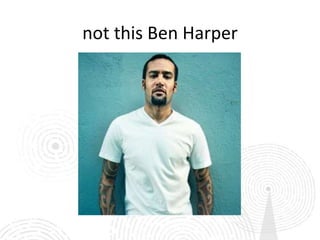
not this Ben Harper
what are our goals?


•   incorporate video into station communications
         • plan and execute video projects
      • build a video brand using social media
why video?
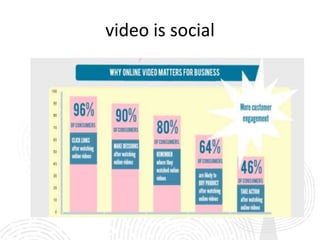
video is social
KPCC: Save The Public Radio Species
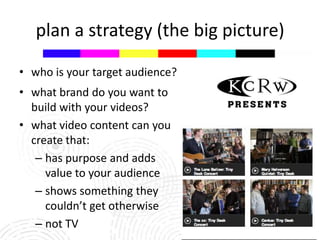
plan a strategy (the big picture)

• who is your target audience?
• what brand do you want to
  build with your videos?
• what video content can you
  create that:
   – has purpose and adds
     value to your audience
   – shows something they
     couldn’t get otherwise
   – not TV
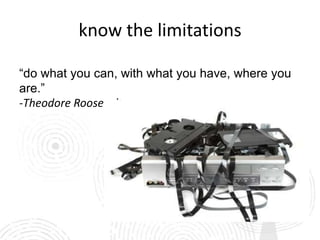
know the limitations

“do what you can, with what you have, where you
are.”
-Theodore Roosevelt
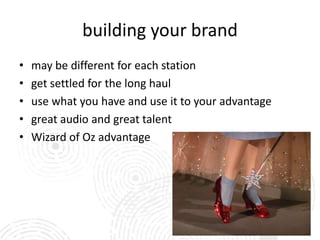
building your brand
•   may be different for each station
•   get settled for the long haul
•   use what you have and use it to your advantage
•   great audio and great talent
•   Wizard of Oz advantage
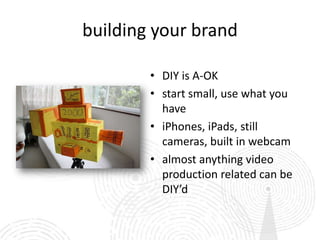
building your brand

        • DIY is A-OK
        • start small, use what you
          have
        • iPhones, iPads, still
          cameras, built in webcam
        • almost anything video
          production related can be
          DIY’d
building your brand
• take advantage of things you and your station are
  already doing

• guests/planned events/performances

• take advantage of the unexpected

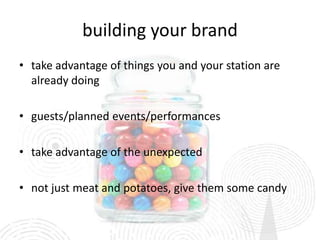
• not just meat and potatoes, give them some candy
KERA Raffle:
A Trip to Downtown Abbey
pre-production


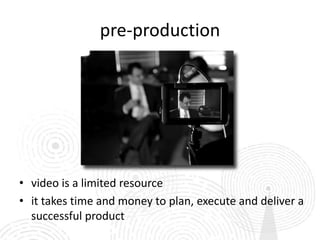
• video is a limited resource
• it takes time and money to plan, execute and deliver a
  successful product
pre-production benefits

• know the entire scope of the project

• know what “success” looks like

• correctly budget the time, resources and cost

• correctly scale expectations based on time and
   resources devoted
plan a strategy (the “now” picture)

 • who is your target audience?

 • what is your message or “call to action”?

 • audio & visual considerations
     – length of final video
     – equipment limitations
 • where is the distribution?
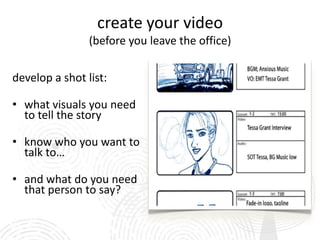
create your video
                (before you leave the office)

develop a shot list:

• what visuals you need
  to tell the story

• know who you want to
  talk to…

• and what do you need
  that person to say?
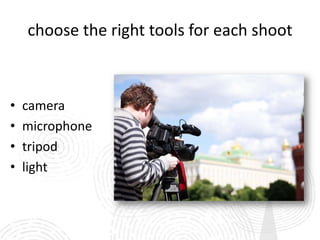
choose the right tools for each shoot


•   camera
•   microphone
•   tripod
•   light
know the limitations
        • your video production is
          always going to be easier and
          turn out better if it is the only
          thing you’re doing

        • video is always the first thing
          to suffer when multi-tasking
do’s (and don’ts!) for filming


• stay close to your subject (3 feet or less)

• better audio

• less camera “shake”

• don’t use the “digital zoom”
do’s (and don’ts!) for filming cont.
• keep it STEADY!
• move yourself, not the camera
• treat your video camera like it only takes photos
• minimize panning, move yourself into a position to
  capture the shot and hold it for 10 seconds (count to
   yourself)
• two hands are better than one
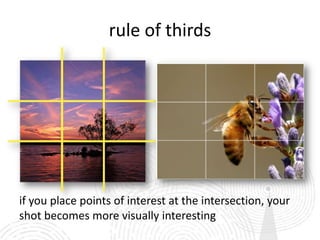
rule of thirds


if you place points of interest at the intersection, your
shot becomes more visually interesting
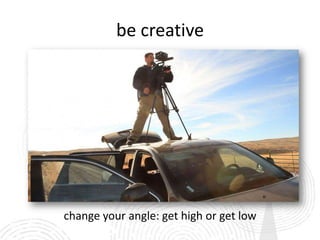
be creative


change your angle: get high or get low
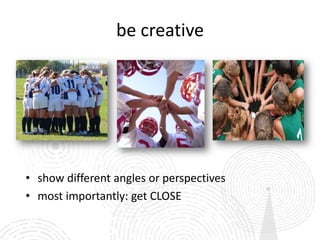
be creative


• show different angles or perspectives
• most importantly: get CLOSE
be creative
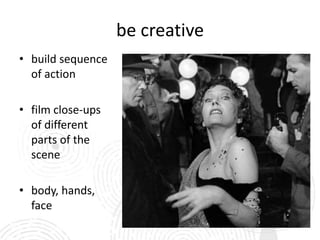
• build sequence
  of action

• film close-ups
  of different
  parts of the
  scene

• body, hands,
  face
lighting

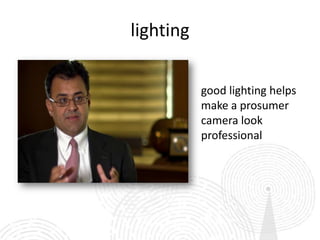
           good lighting helps
           make a prosumer
           camera look
           professional
getting proper exposure
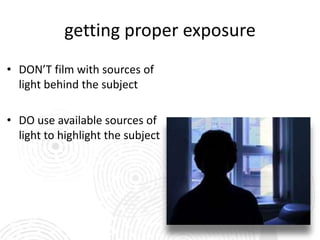
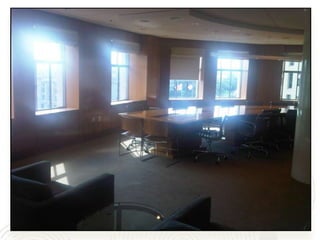
• DON’T film with sources of
  light behind the subject

• DO use available sources of
  light to highlight the subject
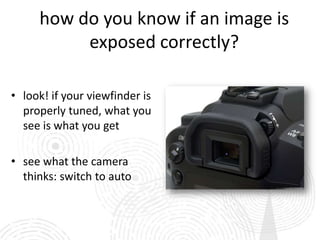
how do you know if an image is
          exposed correctly?

• look! if your viewfinder is
  properly tuned, what you
  see is what you get

• see what the camera
  thinks: switch to auto
capture good audio


•   audio is as important as video
•   good audio makes up for mediocre video quality
•   stay close!
•   film away from sources of noise (traffic, music, air
    conditioners)
•   use an external microphone whenever possible
•   use headphones to hear what you are recording
know what you need
•   remember your plan and your shot list

     don’t undershoot        don’t overshoot

     you need enough to      you will have to go
     tell an interesting     through all the footage
     visual story            and interviews before
                             you edit.
editing basics


non-linear editor programs (NLEs):
• Final Cut Pro 7
• FCP X
• Adobe Premiere ProCS6
• iMovie and Windows Movie Maker

cloud editors:
• YouTube editor
• WeVideo
editing the video:
            video storytelling tips

•   grab the viewer right away
•   make it clear what the story is about.
•   use the most compelling sound bite or visual.
•   remember your message and call to action
•   what is the story you want your audience to know
•   why is it important?
•   the difference between “something happened” and
    “why does it matter?”
video storytelling tips
is the video:
• timely
• entertaining
• focused
• short
• relatable
• inspirational or aspirational
• message or action-driven
• is the hook/message within the first 20 seconds?
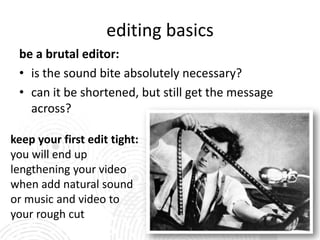
editing basics
 be a brutal editor:
 • is the sound bite absolutely necessary?
 • can it be shortened, but still get the message
   across?

keep your first edit tight:
you will end up
lengthening your video
when add natural sound
or music and video to
your rough cut
editing basics


• most audiences will watch anywhere for 30 seconds to 3
  minutes
• make sure however long they watch, they get the message
publishing basics
• where is the video going?
• embedded on facebook? tweeting a link?
• different storytelling styles may be acceptable
  for one platform vs. another
• post to YouTube (then embed), not directly to
  the Facebook uploader
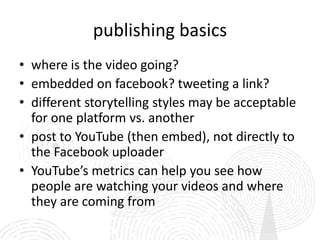
• YouTube’s metrics can help you see how
  people are watching your videos and where
  they are coming from
YouTube Metrics
YouTube Playlist
 NPR Member Station
    Promo Videos

   Facebook Group
       [private]
 NPR Member Station
      Marketers

LinkedIn Group [private]
  NPR Member Station
       Marketers
questions?
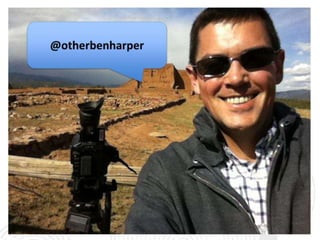
   Ben Harper
 @otherbenharper

  Kasia Podbielski
   @eskapepod
kpodbielski@npr.org

Video webinar final (march 14 2013)

  • 1.
    Building Your Brandwith Video: the Basics March 14, 2013
  • 2.
  • 3.
  • 5.
    what are ourgoals? • incorporate video into station communications • plan and execute video projects • build a video brand using social media
  • 6.
  • 7.
  • 8.
    KPCC: Save ThePublic Radio Species
  • 9.
    plan a strategy(the big picture) • who is your target audience? • what brand do you want to build with your videos? • what video content can you create that: – has purpose and adds value to your audience – shows something they couldn’t get otherwise – not TV
  • 10.
    know the limitations “dowhat you can, with what you have, where you are.” -Theodore Roosevelt
  • 11.
    building your brand • may be different for each station • get settled for the long haul • use what you have and use it to your advantage • great audio and great talent • Wizard of Oz advantage
  • 12.
    building your brand • DIY is A-OK • start small, use what you have • iPhones, iPads, still cameras, built in webcam • almost anything video production related can be DIY’d
  • 13.
    building your brand •take advantage of things you and your station are already doing • guests/planned events/performances • take advantage of the unexpected • not just meat and potatoes, give them some candy
  • 14.
    KERA Raffle: A Tripto Downtown Abbey
  • 15.
    pre-production • video isa limited resource • it takes time and money to plan, execute and deliver a successful product
  • 16.
    pre-production benefits • knowthe entire scope of the project • know what “success” looks like • correctly budget the time, resources and cost • correctly scale expectations based on time and resources devoted
  • 17.
    plan a strategy(the “now” picture) • who is your target audience? • what is your message or “call to action”? • audio & visual considerations – length of final video – equipment limitations • where is the distribution?
  • 18.
    create your video (before you leave the office) develop a shot list: • what visuals you need to tell the story • know who you want to talk to… • and what do you need that person to say?
  • 19.
    choose the righttools for each shoot • camera • microphone • tripod • light
  • 20.
    know the limitations • your video production is always going to be easier and turn out better if it is the only thing you’re doing • video is always the first thing to suffer when multi-tasking
  • 21.
    do’s (and don’ts!)for filming • stay close to your subject (3 feet or less) • better audio • less camera “shake” • don’t use the “digital zoom”
  • 22.
    do’s (and don’ts!)for filming cont. • keep it STEADY! • move yourself, not the camera • treat your video camera like it only takes photos • minimize panning, move yourself into a position to capture the shot and hold it for 10 seconds (count to yourself) • two hands are better than one
  • 23.
    rule of thirds ifyou place points of interest at the intersection, your shot becomes more visually interesting
  • 24.
    be creative change yourangle: get high or get low
  • 25.
    be creative • showdifferent angles or perspectives • most importantly: get CLOSE
  • 26.
    be creative • buildsequence of action • film close-ups of different parts of the scene • body, hands, face
  • 27.
    lighting good lighting helps make a prosumer camera look professional
  • 28.
    getting proper exposure •DON’T film with sources of light behind the subject • DO use available sources of light to highlight the subject
  • 30.
    how do youknow if an image is exposed correctly? • look! if your viewfinder is properly tuned, what you see is what you get • see what the camera thinks: switch to auto
  • 31.
    capture good audio • audio is as important as video • good audio makes up for mediocre video quality • stay close! • film away from sources of noise (traffic, music, air conditioners) • use an external microphone whenever possible • use headphones to hear what you are recording
  • 32.
    know what youneed • remember your plan and your shot list don’t undershoot don’t overshoot you need enough to you will have to go tell an interesting through all the footage visual story and interviews before you edit.
  • 33.
    editing basics non-linear editorprograms (NLEs): • Final Cut Pro 7 • FCP X • Adobe Premiere ProCS6 • iMovie and Windows Movie Maker cloud editors: • YouTube editor • WeVideo
  • 34.
    editing the video: video storytelling tips • grab the viewer right away • make it clear what the story is about. • use the most compelling sound bite or visual. • remember your message and call to action • what is the story you want your audience to know • why is it important? • the difference between “something happened” and “why does it matter?”
  • 35.
    video storytelling tips isthe video: • timely • entertaining • focused • short • relatable • inspirational or aspirational • message or action-driven • is the hook/message within the first 20 seconds?
  • 36.
    editing basics bea brutal editor: • is the sound bite absolutely necessary? • can it be shortened, but still get the message across? keep your first edit tight: you will end up lengthening your video when add natural sound or music and video to your rough cut
  • 37.
    editing basics • mostaudiences will watch anywhere for 30 seconds to 3 minutes • make sure however long they watch, they get the message
  • 38.
    publishing basics • whereis the video going? • embedded on facebook? tweeting a link? • different storytelling styles may be acceptable for one platform vs. another • post to YouTube (then embed), not directly to the Facebook uploader • YouTube’s metrics can help you see how people are watching your videos and where they are coming from
  • 39.
  • 40.
    YouTube Playlist NPRMember Station Promo Videos Facebook Group [private] NPR Member Station Marketers LinkedIn Group [private] NPR Member Station Marketers
  • 41.
    questions? Ben Harper @otherbenharper Kasia Podbielski @eskapepod kpodbielski@npr.org

Editor's Notes

  • #8 http://www.empowernetwork.com/keyannamayfield/blog/top-reasons-why-online-video-matters-for-your-business/
  • #9 http://www.youtube.com/watch?v=vM851R-9Xo4&list=UUx48cDwXZu7uF3RA_1fGwEw&index=19
  • #15 http://www.youtube.com/watch?v=g_LjEWhbft4&list=UUjIngCN57O70jAo5Ez6Kmqw&index=3
  • #38 http://www.youtube.com/watch?feature=player_embedded&v=gZrmajOcJS4