Video Mastery
    June 20 – 27 , 2012
   Texas State University
Round Rock Higher Education Center
Orientation & Overview

Introductions: Host & Presenters
Participants: Burning Questions
Orientation & Overview
Class Concept & Structure:                             Video Mastery
   • Countering the Hype & Herd Mentality              • Taught in Series with
                                                       Online, Video, Profit
        Premises Don’t Support Conclusion
                                                       • 4-Topic Areas split
        Don’t Jump Straight to Mechanics              over 2-Days
        Determine Appropriate & Relevant, ROI         • Part of an Overall
                                                       Marketing Strategy
        You Know It, That’s Why You’re Here
   • Instead
        Make Sense of it, Manage it, Make Use of it
                                                       Anywhere to Practice?
        Good Info: DIY, Hire Someone, Do Nothing
   • Presenters                                        SBDC Free Video Studio
Orientation & Overview
Why Video for Small Business?
   • Global Reach (24/7/365)
   • Search Optimization
       • Blogging / Dynamic Content
       • Metatags / Transcription
       • Youtube / Google
   • Engagement Thru Story
       • Promote, Inform, Entertain
       • Thought Leader: credible, real, authentic
       • Speed of Trust (Know, Like, Trust)
       • Efficiently Captures Attention
Orientation & Overview

Uses of Video for Small Business 
    The Talking Head                           Interviews
    Product Demo                               Instruct/Educate
    Profiles                                   Testimonials
    Branding/Promotion                         News/PR
    Revenge (Cust_Service)       Handout       Kickstarter/Bus_Plan
    Content Blogging                           Entertain/Humor
    Hiring                                     Brainstorming
Examples of a Talking Hed…
 Self-Made -> http://www.youtube.com/watch?v=_8r6ReAA_Zs&feature=g-upl
 Professional -> http://www.youtube.com/watch?v=gTKOG41xYZQ
Orientation & Overview
Before You Start – Unique Challenges of Video …
                                                        Trends
• Managing Expectations                                 • Video Itself is a Trend
    • No Turnkey / “One-Size-Fits-All” Solution         • Do-It-Yourself / Guerilla
                                                        • All about the Content
• Few Do-Overs / No Luxury of Time                      • Paradigm Shift: Information

• From End-to-End: Your Objectives Rule
     (Decision Points Along Path of Bits & Bytes)
     (Get What You Pay For: Dollars, Time, Expertise)
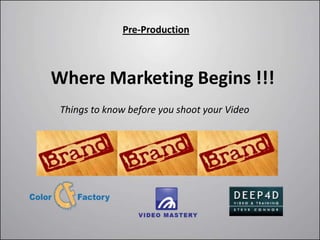
Pre-Production


Where Marketing Begins !!!
 Things to know before you shoot your Video
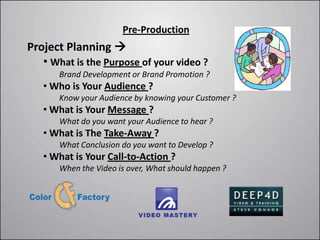
Pre-Production
Project Planning 
   • What is the Purpose of your video ?
       Brand Development or Brand Promotion ?
   • Who is Your Audience ?
       Know your Audience by knowing your Customer ?
   • What is Your Message ?
       What do you want your Audience to hear ?
   • What is The Take-Away ?
       What Conclusion do you want to Develop ?
   • What is Your Call-to-Action ?
       When the Video is over, What should happen ?
Pre-Production


Now You Can Start
       Oh, One More Thing …
Pre-Production


Now You Can Start
           Oh, One More Thing …

  DIGITAL RIGHTS: Just because it is on the
internet, does not give you the right to use it.
Pre-Production


  Budget & Cost Considerations
How much does it cost?

How much should you expect to spend?
Pre-Production


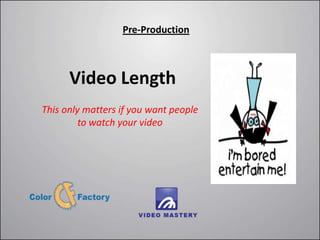
      Video Length
This only matters if you want people
         to watch your video
Pre-Production


Styles of Video-Making
Pre-Production


    Kickstarter
         What is it?
Is it Worth Learning About?

  http://www.kickstarter.com/
Pre-Production


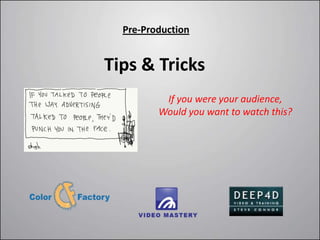
Tips & Tricks
          If you were your audience,
         Would you want to watch this?
Production

Getting Started:
        Pervasive Decisions
        Camera Options
        Shooting Recommendations
        Codecs, File Formats, Resolutions
        Audio & Microphones
        Lighting: Sources, 3-Point Lighting
        Other Considerations
Production

Business/Marketing Decisions 
      • Purpose, Audience, Message, Take-Away, Call-To-Action


Production Decisions 
      • Do it Yourself or Hire Someone?
      • Do-It-Alone, or Get Help (Behind the Camera)?
      • Produce in a Studio Environment or Live Action?
      • Do You Want to Post-Production Editing or Not?
           (Record Audio On-board the Camera or Not)
      • What is Your Budget? How Much will you Invest?
      • What Type of Camera/Equipment Do You Need?
Production

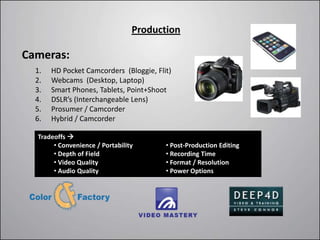
Cameras:
  1.   HD Pocket Camcorders (Bloggie, Flit)
  2.   Webcams (Desktop, Laptop)
  3.   Smart Phones, Tablets, Point+Shoot
  4.   DSLR’s (Interchangeable Lens)
  5.   Prosumer / Camcorder
  6.   Hybrid / Camcorder

  Tradeoffs 
       • Convenience / Portability       • Post-Production Editing
       • Depth of Field                  • Recording Time
       • Video Quality                   • Format / Resolution
       • Audio Quality                   • Power Options
Production

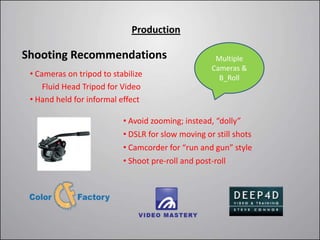
Shooting Recommendations                             Multiple
                                                    Cameras &
 • Cameras on tripod to stabilize                     B_Roll
     Fluid Head Tripod for Video
 • Hand held for informal effect

                           • Avoid zooming; instead, “dolly”
                           • DSLR for slow moving or still shots
                           • Camcorder for “run and gun” style
                           • Shoot pre-roll and post-roll
Production

File Formats:
     Codec = Compress/Decompress
      H.264 is the best codec
     File Formats
      Youtube or Vimeo: .mov/.mp4/mpeg4
     Aspect Ratios & Resolutions (SD & HD):
      16:9 aspect ratio = Widescreen
      Youtube or Vimeo: 1920x1280, 1280x720, etc.
Production
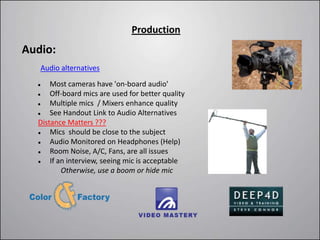
Audio:
   Audio alternatives

     Most cameras have 'on-board audio'
     Off-board mics are used for better quality
     Multiple mics / Mixers enhance quality
     See Handout Link to Audio Alternatives
  Distance Matters ???
     Mics should be close to the subject
     Audio Monitored on Headphones (Help)
     Room Noise, A/C, Fans, are all issues
     If an interview, seeing mic is acceptable
          Otherwise, use a boom or hide mic
Production

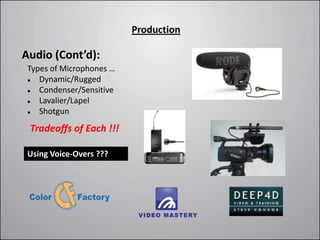
Audio (Cont’d):
 Types of Microphones …
   Dynamic/Rugged
   Condenser/Sensitive
   Lavalier/Lapel
   Shotgun
 Tradeoffs of Each !!!

 Using Voice-Overs ???
Production

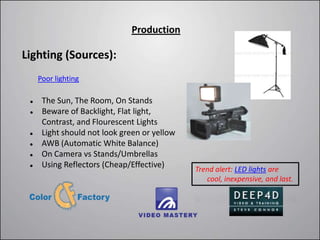
Lighting (Sources):
     Poor lighting

     The Sun, The Room, On Stands
     Beware of Backlight, Flat light,
      Contrast, and Flourescent Lights
     Light should not look green or yellow
     AWB (Automatic White Balance)
     On Camera vs Stands/Umbrellas
     Using Reflectors (Cheap/Effective)
                                              Trend alert: LED lights are
                                                 cool, inexpensive, and last.
Production

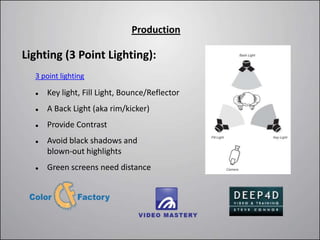
Lighting (3 Point Lighting):
  3 point lighting

     Key light, Fill Light, Bounce/Reflector
     A Back Light (aka rim/kicker)
     Provide Contrast
     Avoid black shadows and
      blown-out highlights
     Green screens need distance
Production

Other Considerations:
    Actors (Austin Actors)
    Voice Overs (Acclaim)
    Props (Austin Props)
    Set / Location / Permission
    Teleprompters & Scripts
    Wires, Power, Tape, Etc.
Wrap Up
Day Two
Video Mastery
    June 20 – 27 , 2012
   Texas State University
Round Rock Higher Education Center
Sharing Q&A
Feedback from inaugural session-one…
   • Time-Management: Material Demands
   • Registration Confusion: Series of 2 Classes
   • Interruptions, Storytelling, Moving-Around
   • Pace, Reading, Bullets, Fundamentals
   • More Video Examples & Critiques
   • 50/50 Tech-Talk vs Business-Talk (Pairing)
   • What about a Coop, or Place to Practice?

            Links: Slideshare/Handout
            Any Burning Questions ???
Post-Production / Editing

   Why Edit?                          B-roll
   Hardware / Shoot-to-Edit Pkgs      Sync Audio & Video
   Software & Freeware                Audio Editing, Music, Sound Effects
   Editing Steps                      Color & Special Effects
   Titles                             Rendering
Post-Production / Editing

Why Edit?
      Video Editing is like Writing (Can be Creative and Inspiring)
      Organizes your video/stills/audio/music into a Sequential Story
      Virtually all videos have been edited (editing determines quality output)
      Time Consuming Process (Longer than Shooting, 12-to-1)
Post-Production / Editing
Hardware?
         The First Question: Apple or PC (+ / -)
         The Video Editor Requirements
              Very Fast Processor and Lots of Hard-Disk Space
              High-End Graphics Card, Sound Card, Monitor, DVD/BDR
         Audio Editing Requirements
              Monitor Speakers, Headphones, Sound Card, Peripheral Devices
         USB 3.0

Shooting-to-Editing Packages ?
         Ipad & Iphone                      Short Learning Curve
         On-Board HD Video Camera           Ease of Use
         iMovie and Garage Band
Post-Production / Editing

Software?
    Final Cut Pro 7 and Final Cut Pro X
    Final Cut X is an approachable tool to edit on the Mac (About $300)
    After Effects is for titles, color, effects ($1,000)
    Premiere is for editing footage, long videos ($800 or CS6 $49/Mo.)
    Adobe Premiere Elements is a low cost version of Premiere ($100)
    Adobe Audition for editing audio
Post-Production / Editing

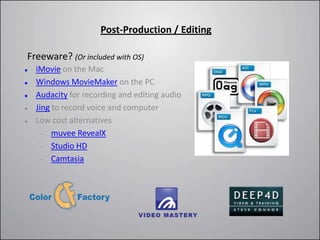
Freeware? (Or included with OS)
   iMovie on the Mac
   Windows MovieMaker on the PC
   Audacity for recording and editing audio
   Jing to record voice and computer
   Low cost alternatives
         muvee RevealX
         Studio HD
         Camtasia
Post-Production / Editing
Editing Steps (Page 1) …
    1.   Transfer Video Files to Computer (Cable, Card, Software)
          •   Tape Capture
    2.   Import Footage/File into Editing Software
    3.   Organize & Name your Project/Footage
    4.   Sequence Footage into Logical Order (Like a Storyboard)
Post-Production / Editing
Editing Steps (Page 2) …
    Do the Magic 
        •   Trimming (Remove Unwanted Footage)
        •   Unlink or Remove Audio Tracks Where Needed
        •   Add-in Voice-Overs, or Music, or Separate Audio Track
        •   Transitions (cross-dissolve, simple cut, fade to/from black/white)
        •   Insert Stills, Graphics, and/or Other Photos and Headshots
        •   Keyframing (Animate Text or Graphics / Scale, Rotate, Fade)
        •   It’s all about Timing !!!
Post-Production / Editing
Titles …
  •   Include Openers, Credits, Notations, any Text
  •   After Effects Reign Supreme
        Blurs                         Video Copilot
                                       http://www.videocopilot.net/tutorials/
        Tracking & Wiggling
        Randomizing Letters
        3D Text                       Video Hive
                                       http://videohive.net/category/after-
        Text Crawls                   effects-project-files/titles
        Notations
Post-Production / Editing
B-roll …
           Footage that plays while someone is talking
           A product still, map, diagram, graphic, other video
           A wide shot or a scene for mood or place
           A reaction shot (interviews)
           Shoot your own or use royalty free

  shutterstock.com         http://www.pond5.com/stock-video-footage/1/*.html

  iStockPhoto/Video        http://www.artbeats.com/
Post-Production / Editing
Sync Video & Audio …
   Many times high quality audio and video are recorded separately
   The high quality audio then needs to be synchronized to the video
   Avoid manual syncing if whenever possible (The Clapper)
   Align wave forms - audio captured separately from video
   Multi-Mic and Multi-Camera

Plural Eyes
Post-Production / Editing
Audio Editing, Music, Sound Effects …
   Audio Editing:
                                                                Pond5 Music
      Simple adjustments can be done in the video editor       http://www.pond5.com/m
                (Adjusting decibel level, Fading in & out)      usic/1/*.html
      Remove room noise, hiss, random noises, etc.
                                                                Audio Jungle Music
                (May require separate Audio-Editing Software)   http://audiojungle.net/cate
                Examples: Adobe Audition, Audacity, etc.        gory/music
   Sound Effects:
                                                                Pond5 Sound Effects
      Video Editor, Record Your Own, Purchase from Library …   http://www.pond5.com/so
             http://www.premiumbeat.com/                       und-effects/1/*.html
             http://www.neosounds.com/
                                                                Audio Jungle Sound Effects
   Music:                                                      http://audiojungle.net/cate
      Sets the Mood of the Video                               gory/music
      Record Your Own, Royalty-Free, or Copyright
      Adjust Volumes for Narrative Sections
Post-Production / Editing
Color & Special Effects …
      Like Still Photo Editing:
           Adjust Exposure , Color, Contrast (For Dramatic Effect)
      Techniques:
           3D Motion, Particles
           Vintage Movie Effects, Light Leaks, Etc.
           After Effects Reign Supreme
                  http://videohive.net/category/after-effects-project-files

               http://videohive.net/category/after-effects-project-files

               http://www.pond5.com/after-effects/1/*.html
Post-Production / Editing
Rendering …
     After Editing is Complete, then Render
     Encodes Video to be Re-Played
     Can be Fast or Slow Depending on Effects
     Video Editors have Presets for youtube or Vimeo Rendering
     Help from Vimeo & Youtube:

       http://support.google.com/youtube/bin/static.py?hl=en&topic=17
          28573&guide=1728585&page=guide.cs

       http://vimeo.com/help/compression
Distribution


Now What Do I do with
   my Video File?
      What are your objectives.
      Hosting (Vimeo & Youtube).
      SEO Tagging & Transcribing.
Distribution


    Execute, Evaluate, Repeat
●   Social Media Channels & Syndication Engines
●   Your Newsletter / Your Customer Base
●   Press Releases, and Ezines
●   Video Blogging
●   Geo-Marketing
●   Google News
Distribution


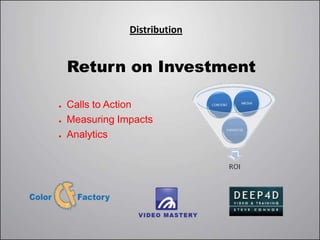
    Return on Investment

●   Calls to Action
●   Measuring Impacts
●   Analytics
Distribution


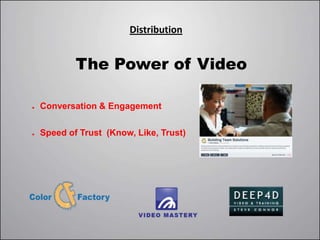
            The Power of Video

●   Conversation & Engagement

●   Speed of Trust (Know, Like, Trust)
If We Have Time
Critiques:
     Educate your customer, sell an idea    Selling Real Estate in Spain
     Get to know the CEO / the Product      Kiwi Beer
     Video Blogging
     Product Demos                          Anushka Handbags
     Member profiles                        An artist on Etsy
     Kickstarter for crowd source funding   Author of Graphic Novel
     Interview                              Author of Duct-tape Marketing
     Animation                              Commusoft
     Product demo                           BBQ Guys
     Business plan                          Student at Full Sail
     Seeking employees                      Trucking company
Wrap Up

Coming in July …

SBDC Video Studio

Video mastery 2012 series1_ver3

  • 1.
    Video Mastery June 20 – 27 , 2012 Texas State University Round Rock Higher Education Center
  • 2.
    Orientation & Overview Introductions:Host & Presenters Participants: Burning Questions
  • 3.
    Orientation & Overview ClassConcept & Structure: Video Mastery • Countering the Hype & Herd Mentality • Taught in Series with Online, Video, Profit  Premises Don’t Support Conclusion • 4-Topic Areas split  Don’t Jump Straight to Mechanics over 2-Days  Determine Appropriate & Relevant, ROI • Part of an Overall Marketing Strategy  You Know It, That’s Why You’re Here • Instead  Make Sense of it, Manage it, Make Use of it Anywhere to Practice?  Good Info: DIY, Hire Someone, Do Nothing • Presenters SBDC Free Video Studio
  • 4.
    Orientation & Overview WhyVideo for Small Business? • Global Reach (24/7/365) • Search Optimization • Blogging / Dynamic Content • Metatags / Transcription • Youtube / Google • Engagement Thru Story • Promote, Inform, Entertain • Thought Leader: credible, real, authentic • Speed of Trust (Know, Like, Trust) • Efficiently Captures Attention
  • 5.
    Orientation & Overview Usesof Video for Small Business  The Talking Head Interviews Product Demo Instruct/Educate Profiles Testimonials Branding/Promotion News/PR Revenge (Cust_Service) Handout Kickstarter/Bus_Plan Content Blogging Entertain/Humor Hiring Brainstorming Examples of a Talking Hed… Self-Made -> http://www.youtube.com/watch?v=_8r6ReAA_Zs&feature=g-upl Professional -> http://www.youtube.com/watch?v=gTKOG41xYZQ
  • 6.
    Orientation & Overview BeforeYou Start – Unique Challenges of Video … Trends • Managing Expectations • Video Itself is a Trend • No Turnkey / “One-Size-Fits-All” Solution • Do-It-Yourself / Guerilla • All about the Content • Few Do-Overs / No Luxury of Time • Paradigm Shift: Information • From End-to-End: Your Objectives Rule (Decision Points Along Path of Bits & Bytes) (Get What You Pay For: Dollars, Time, Expertise)
  • 7.
    Pre-Production Where Marketing Begins!!! Things to know before you shoot your Video
  • 8.
    Pre-Production Project Planning  • What is the Purpose of your video ? Brand Development or Brand Promotion ? • Who is Your Audience ? Know your Audience by knowing your Customer ? • What is Your Message ? What do you want your Audience to hear ? • What is The Take-Away ? What Conclusion do you want to Develop ? • What is Your Call-to-Action ? When the Video is over, What should happen ?
  • 9.
    Pre-Production Now You CanStart Oh, One More Thing …
  • 10.
    Pre-Production Now You CanStart Oh, One More Thing … DIGITAL RIGHTS: Just because it is on the internet, does not give you the right to use it.
  • 11.
    Pre-Production Budget& Cost Considerations How much does it cost? How much should you expect to spend?
  • 12.
    Pre-Production Video Length This only matters if you want people to watch your video
  • 13.
  • 14.
    Pre-Production Kickstarter What is it? Is it Worth Learning About? http://www.kickstarter.com/
  • 15.
    Pre-Production Tips & Tricks If you were your audience, Would you want to watch this?
  • 16.
    Production Getting Started:  Pervasive Decisions  Camera Options  Shooting Recommendations  Codecs, File Formats, Resolutions  Audio & Microphones  Lighting: Sources, 3-Point Lighting  Other Considerations
  • 17.
    Production Business/Marketing Decisions  • Purpose, Audience, Message, Take-Away, Call-To-Action Production Decisions  • Do it Yourself or Hire Someone? • Do-It-Alone, or Get Help (Behind the Camera)? • Produce in a Studio Environment or Live Action? • Do You Want to Post-Production Editing or Not? (Record Audio On-board the Camera or Not) • What is Your Budget? How Much will you Invest? • What Type of Camera/Equipment Do You Need?
  • 18.
    Production Cameras: 1. HD Pocket Camcorders (Bloggie, Flit) 2. Webcams (Desktop, Laptop) 3. Smart Phones, Tablets, Point+Shoot 4. DSLR’s (Interchangeable Lens) 5. Prosumer / Camcorder 6. Hybrid / Camcorder Tradeoffs  • Convenience / Portability • Post-Production Editing • Depth of Field • Recording Time • Video Quality • Format / Resolution • Audio Quality • Power Options
  • 19.
    Production Shooting Recommendations Multiple Cameras & • Cameras on tripod to stabilize B_Roll Fluid Head Tripod for Video • Hand held for informal effect • Avoid zooming; instead, “dolly” • DSLR for slow moving or still shots • Camcorder for “run and gun” style • Shoot pre-roll and post-roll
  • 20.
    Production File Formats:  Codec = Compress/Decompress H.264 is the best codec  File Formats Youtube or Vimeo: .mov/.mp4/mpeg4  Aspect Ratios & Resolutions (SD & HD): 16:9 aspect ratio = Widescreen Youtube or Vimeo: 1920x1280, 1280x720, etc.
  • 21.
    Production Audio: Audio alternatives  Most cameras have 'on-board audio'  Off-board mics are used for better quality  Multiple mics / Mixers enhance quality  See Handout Link to Audio Alternatives Distance Matters ???  Mics should be close to the subject  Audio Monitored on Headphones (Help)  Room Noise, A/C, Fans, are all issues  If an interview, seeing mic is acceptable Otherwise, use a boom or hide mic
  • 22.
    Production Audio (Cont’d): Typesof Microphones …  Dynamic/Rugged  Condenser/Sensitive  Lavalier/Lapel  Shotgun Tradeoffs of Each !!! Using Voice-Overs ???
  • 23.
    Production Lighting (Sources): Poor lighting  The Sun, The Room, On Stands  Beware of Backlight, Flat light, Contrast, and Flourescent Lights  Light should not look green or yellow  AWB (Automatic White Balance)  On Camera vs Stands/Umbrellas  Using Reflectors (Cheap/Effective) Trend alert: LED lights are cool, inexpensive, and last.
  • 24.
    Production Lighting (3 PointLighting): 3 point lighting  Key light, Fill Light, Bounce/Reflector  A Back Light (aka rim/kicker)  Provide Contrast  Avoid black shadows and blown-out highlights  Green screens need distance
  • 25.
    Production Other Considerations: Actors (Austin Actors) Voice Overs (Acclaim) Props (Austin Props) Set / Location / Permission Teleprompters & Scripts Wires, Power, Tape, Etc.
  • 26.
  • 27.
  • 28.
    Video Mastery June 20 – 27 , 2012 Texas State University Round Rock Higher Education Center
  • 29.
    Sharing Q&A Feedback frominaugural session-one… • Time-Management: Material Demands • Registration Confusion: Series of 2 Classes • Interruptions, Storytelling, Moving-Around • Pace, Reading, Bullets, Fundamentals • More Video Examples & Critiques • 50/50 Tech-Talk vs Business-Talk (Pairing) • What about a Coop, or Place to Practice? Links: Slideshare/Handout Any Burning Questions ???
  • 30.
    Post-Production / Editing  Why Edit?  B-roll  Hardware / Shoot-to-Edit Pkgs  Sync Audio & Video  Software & Freeware  Audio Editing, Music, Sound Effects  Editing Steps  Color & Special Effects  Titles  Rendering
  • 31.
    Post-Production / Editing WhyEdit?  Video Editing is like Writing (Can be Creative and Inspiring)  Organizes your video/stills/audio/music into a Sequential Story  Virtually all videos have been edited (editing determines quality output)  Time Consuming Process (Longer than Shooting, 12-to-1)
  • 32.
    Post-Production / Editing Hardware?  The First Question: Apple or PC (+ / -)  The Video Editor Requirements  Very Fast Processor and Lots of Hard-Disk Space  High-End Graphics Card, Sound Card, Monitor, DVD/BDR  Audio Editing Requirements  Monitor Speakers, Headphones, Sound Card, Peripheral Devices  USB 3.0 Shooting-to-Editing Packages ?  Ipad & Iphone Short Learning Curve  On-Board HD Video Camera Ease of Use  iMovie and Garage Band
  • 33.
    Post-Production / Editing Software?  Final Cut Pro 7 and Final Cut Pro X  Final Cut X is an approachable tool to edit on the Mac (About $300)  After Effects is for titles, color, effects ($1,000)  Premiere is for editing footage, long videos ($800 or CS6 $49/Mo.)  Adobe Premiere Elements is a low cost version of Premiere ($100)  Adobe Audition for editing audio
  • 34.
    Post-Production / Editing Freeware?(Or included with OS)  iMovie on the Mac  Windows MovieMaker on the PC  Audacity for recording and editing audio  Jing to record voice and computer  Low cost alternatives muvee RevealX Studio HD Camtasia
  • 35.
    Post-Production / Editing EditingSteps (Page 1) … 1. Transfer Video Files to Computer (Cable, Card, Software) • Tape Capture 2. Import Footage/File into Editing Software 3. Organize & Name your Project/Footage 4. Sequence Footage into Logical Order (Like a Storyboard)
  • 36.
    Post-Production / Editing EditingSteps (Page 2) … Do the Magic  • Trimming (Remove Unwanted Footage) • Unlink or Remove Audio Tracks Where Needed • Add-in Voice-Overs, or Music, or Separate Audio Track • Transitions (cross-dissolve, simple cut, fade to/from black/white) • Insert Stills, Graphics, and/or Other Photos and Headshots • Keyframing (Animate Text or Graphics / Scale, Rotate, Fade) • It’s all about Timing !!!
  • 37.
    Post-Production / Editing Titles… • Include Openers, Credits, Notations, any Text • After Effects Reign Supreme  Blurs Video Copilot http://www.videocopilot.net/tutorials/  Tracking & Wiggling  Randomizing Letters  3D Text Video Hive http://videohive.net/category/after-  Text Crawls effects-project-files/titles  Notations
  • 38.
    Post-Production / Editing B-roll… Footage that plays while someone is talking A product still, map, diagram, graphic, other video A wide shot or a scene for mood or place A reaction shot (interviews) Shoot your own or use royalty free shutterstock.com http://www.pond5.com/stock-video-footage/1/*.html iStockPhoto/Video http://www.artbeats.com/
  • 39.
    Post-Production / Editing SyncVideo & Audio …  Many times high quality audio and video are recorded separately  The high quality audio then needs to be synchronized to the video  Avoid manual syncing if whenever possible (The Clapper)  Align wave forms - audio captured separately from video  Multi-Mic and Multi-Camera Plural Eyes
  • 40.
    Post-Production / Editing AudioEditing, Music, Sound Effects …  Audio Editing: Pond5 Music  Simple adjustments can be done in the video editor http://www.pond5.com/m (Adjusting decibel level, Fading in & out) usic/1/*.html  Remove room noise, hiss, random noises, etc. Audio Jungle Music (May require separate Audio-Editing Software) http://audiojungle.net/cate Examples: Adobe Audition, Audacity, etc. gory/music  Sound Effects: Pond5 Sound Effects  Video Editor, Record Your Own, Purchase from Library … http://www.pond5.com/so  http://www.premiumbeat.com/ und-effects/1/*.html  http://www.neosounds.com/ Audio Jungle Sound Effects  Music: http://audiojungle.net/cate  Sets the Mood of the Video gory/music  Record Your Own, Royalty-Free, or Copyright  Adjust Volumes for Narrative Sections
  • 41.
    Post-Production / Editing Color& Special Effects …  Like Still Photo Editing:  Adjust Exposure , Color, Contrast (For Dramatic Effect)  Techniques:  3D Motion, Particles  Vintage Movie Effects, Light Leaks, Etc.  After Effects Reign Supreme http://videohive.net/category/after-effects-project-files http://videohive.net/category/after-effects-project-files http://www.pond5.com/after-effects/1/*.html
  • 42.
    Post-Production / Editing Rendering…  After Editing is Complete, then Render  Encodes Video to be Re-Played  Can be Fast or Slow Depending on Effects  Video Editors have Presets for youtube or Vimeo Rendering  Help from Vimeo & Youtube: http://support.google.com/youtube/bin/static.py?hl=en&topic=17 28573&guide=1728585&page=guide.cs http://vimeo.com/help/compression
  • 43.
    Distribution Now What DoI do with my Video File? What are your objectives. Hosting (Vimeo & Youtube). SEO Tagging & Transcribing.
  • 44.
    Distribution Execute, Evaluate, Repeat ● Social Media Channels & Syndication Engines ● Your Newsletter / Your Customer Base ● Press Releases, and Ezines ● Video Blogging ● Geo-Marketing ● Google News
  • 45.
    Distribution Return on Investment ● Calls to Action ● Measuring Impacts ● Analytics
  • 46.
    Distribution The Power of Video ● Conversation & Engagement ● Speed of Trust (Know, Like, Trust)
  • 47.
    If We HaveTime Critiques:  Educate your customer, sell an idea Selling Real Estate in Spain  Get to know the CEO / the Product Kiwi Beer  Video Blogging  Product Demos Anushka Handbags  Member profiles An artist on Etsy  Kickstarter for crowd source funding Author of Graphic Novel  Interview Author of Duct-tape Marketing  Animation Commusoft  Product demo BBQ Guys  Business plan Student at Full Sail  Seeking employees Trucking company
  • 48.
    Wrap Up Coming inJuly … SBDC Video Studio