Unit 6 – Effects of using ICT

          Mr Spavin
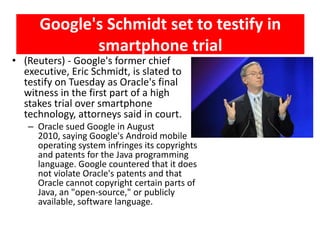
Google's Schmidt set to testify in
             smartphone trial
• (Reuters) - Google's former chief
  executive, Eric Schmidt, is slated to
  testify on Tuesday as Oracle's final
  witness in the first part of a high
  stakes trial over smartphone
  technology, attorneys said in court.
   – Oracle sued Google in August
     2010, saying Google's Android mobile
     operating system infringes its copyrights
     and patents for the Java programming
     language. Google countered that it does
     not violate Oracle's patents and that
     Oracle cannot copyright certain parts of
     Java, an "open-source," or publicly
     available, software language.
Effects of using ICT
•   Intro
•   Software copyright
•   Viruses & Hacking
•   Effects of ICT on Society
•   Impact on Employment
•   Impact of using ICT for Online Shopping & banking
•   Should the internet be Policed?
•   Information from the internet
•   Internet Developments
•   Health & Safety issues
Intro
• The use of ICT has massively effected our
  everyday life in many ways…
  – Society in general
  – Employment
  – Services
• However, in addition to providing new
  opportunities, ICT has introduced it’s own
  problem, such as issues…
  – Copyright
  – Security (companies and individuals)
  – Health and safety
Software Copyright
• Software is protected by
  copyright laws in much the same
  way as music CD’s, film DVD’s
  and articles from magazines and
  books are protected.
• When software is supplied on CD
  or DVD there are certain rules
  that must be obeyed.
  – What are they?
Rules
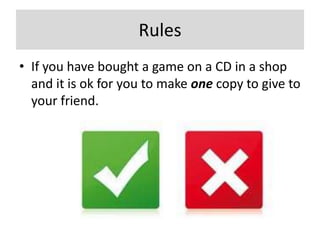
• If you have bought a game on a CD in a shop
  and it is ok for you to make one copy to give to
  your friend.
Rules
                      Rules
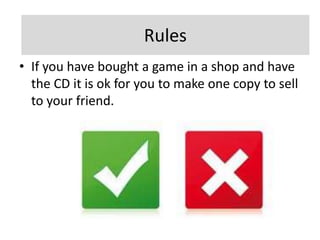
• If you have bought a game in a shop and have
  the CD it is ok for you to make one copy to sell
  to your friend.
Rules
                      Rules
• It is not legal to make a software copy and
  then sell it or give it away to a friend.
Rules
• Software can be used on a network or used in
  multiple computers if you are able to
  download it from a web site.
Rules
• Software cannot be used on a network or
  used in multiple computers unless a licence
  has been acquired to allow this to happen.
Rules
• Software can be used on a network or used in
  multiple computers when a single licence has
  been acquired to allow this to happen.
Rules
• It is not legal to use coding from the copyright
  software in your own software and then pass
  this software on or sell it as your own without
  the permission of the copyright holders.
Rules
• It is legal to use just the coding from a web
  site in your own software.
Rules
• Renting out a purchased software package.
Rules
• Renting out a purchased software package
  without permission to do so is illegal.
Rules
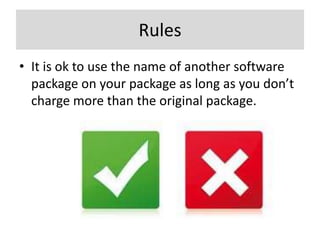
• It is ok to use the name of another software
  package on your package as long as you don’t
  charge more than the original package.
Rules
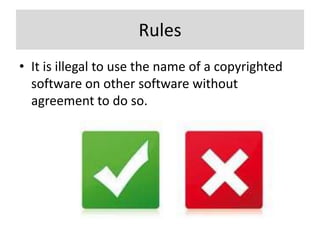
• It is illegal to use the name of a copyrighted
  software on other software without
  agreement to do so.
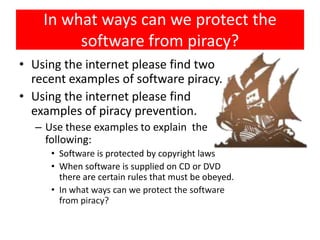
In what ways can we protect the
          software from piracy?
• When the software is installed, the user will be asked
  to key in a unique reference number (a string of letters
  & numbers) which was supplied with the original copy
• User will be advised to click OK or I Agree to the licence
  agreement
• Original software comes with ta sticker informing the
  purchaser
• Some software will only run if the original CD/DVD is in
  the drive
• Some software will only run if a dongle is plugged in to
  one of the USB ports
In what ways can we protect the
          software from piracy?
• When the software is installed, the user
  will be asked to key in a unique
  reference number (a string of letters &
  numbers) which was supplied with the
  original copy
• User will be advised to click OK or I
  Agree to the licence agreement
• Original software comes with ta sticker
  informing the purchaser
• Some software will only run if the
  original CD/DVD is in the drive
• Some software will only run if a dongle
  is plugged in to one of the USB ports
In what ways can we protect the
         software from piracy?
• Using the internet please find two
  recent examples of software piracy.
• Using the internet please find
  examples of piracy prevention.
  – Use these examples to explain the
    following:
     • Software is protected by copyright laws
     • When software is supplied on CD or DVD
       there are certain rules that must be obeyed.
     • In what ways can we protect the software
       from piracy?
Why do People Create Computer
               Viruses?
There are hundreds of thousands of viruses out
there (if not millions) and they often designed
for different objectives. Most of them fall under
the following categories:
• To take control of a computer and use it for
   specific tasks
• To generate money
• To steal sensitive information (credit card
   numbers, passwords, personal details, data
   etc.)
• To prove a point, to prove it can be done, to
   prove ones skill or for revenge purposes
• To cripple a computer or network
Viruses & Hacking
• What is a Virus?
  – A virus is a program that replicates (copies) itself
    and is designed to cause harm to a computer
    system. It often causes damage by attaching itself
    to files, leading to on or more of the following
    effects:
     • Causing the computer to crash
     • Loss of Files
     • Corruption of the data stored on files
What is a Virus?
• A computer virus is a computer program that can
  replicate itself and spread from one computer to
  another.
  – The term "virus" is also commonly, but erroneously
    used, to refer to other types of malware, including but
    not limited to adware and spyware programs that do
    not have a reproductive ability.
  – Viruses can increase their chances of spreading to
    other computers by infecting files on a network file
    system or a file system that is accessed by other
    computers.[
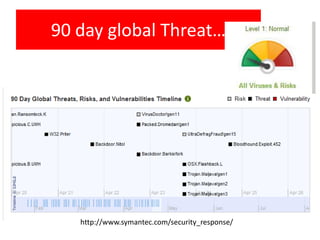
90 day global Threat…


   http://www.symantec.com/security_response/
How do they infect computers?
• Viruses infect computers through email
  attachments and through illegal software or
  downloading files from the internet that are
  infected.
• Ways of protecting systems against Viruses:
  – Use up-to-date anti-virus software
  – Do not allow illegal software to be loaded onto a
    computer and do not use from an unknown source
  – Only download software/files from a reputable source
  – Use firewalls
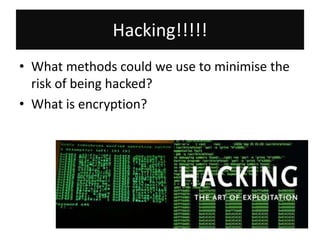
Hacking!!!!!
• What methods could we use to minimise the
  risk of being hacked?
• What is encryption?
Encryption…
• http://www.youtube.com/watch?v=3QnD2c4X
  ovk&feature

• http://infoencrypt.com/
encryption
• is the process of transforming information
  (referred to as plaintext) using an algorithm
  (called a cipher) to make it unreadable to anyone
  except those possessing special
  knowledge, usually referred to as a key. The result
  of the process is encrypted information (in
  cryptography, referred to as ciphertext). The
  reverse process, i.e., to make the encrypted
  information readable again, is referred to as
  decryption (i.e., to make it unencrypted).[citation
  needed]
Effects of ICT on Society
• The impact on employment.
  – Their introduction has led to unemployment in
    many areas such as:
     • Manufacturing
     • Computer controlled warehouses
     • Labour-intensive work
Impact on Employment
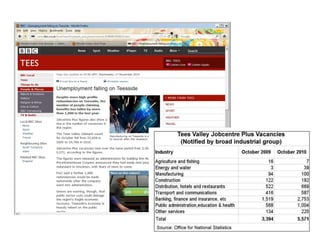
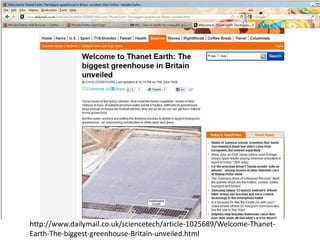
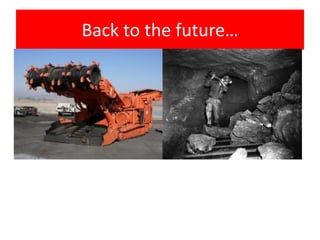
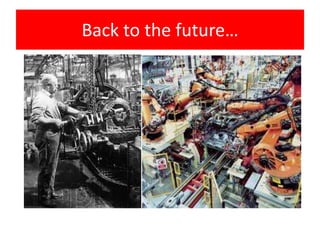
• The introduction of ICT has led to
  unemployment in many areas such as:
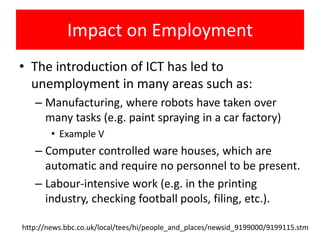
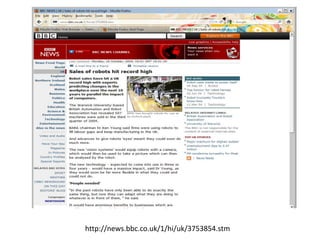
   – Manufacturing, where robots have taken over
     many tasks (e.g. paint spraying in a car factory)
        • Example V
   – Computer controlled ware houses, which are
     automatic and require no personnel to be present.
   – Labour-intensive work (e.g. in the printing
     industry, checking football pools, filing, etc.).

http://news.bbc.co.uk/local/tees/hi/people_and_places/newsid_9199000/9199115.stm
http://news.bbc.co.uk/1/hi/uk/3753854.stm
http://www.dailymail.co.uk/sciencetech/article-1025689/Welcome-Thanet-
Earth-The-biggest-greenhouse-Britain-unveiled.html
Back to the future…
Back to the future…
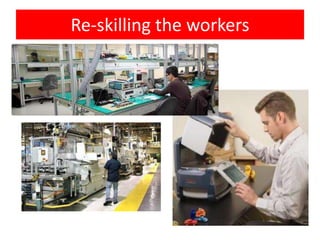
Re-skilling the workers
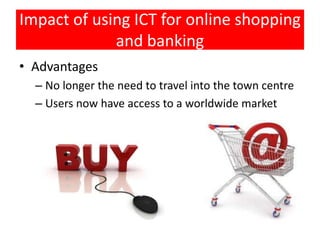
Impact of using ICT for online shopping
             and banking
• Advantages
  – No longer the need to travel into the town centre
  – Users now have access to a worldwide market
Security Issues
• Other security risks other than viruses and
  Hacking
  – Phishing
  – Pharming
  – Spam
  – Spyware
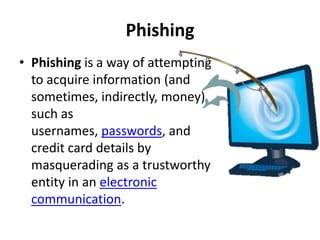
Phishing
• Phishing is a way of attempting
  to acquire information (and
  sometimes, indirectly, money)
  such as
  usernames, passwords, and
  credit card details by
  masquerading as a trustworthy
  entity in an electronic
  communication.
Pharming

• Pharming[p] is a hacker's attack intended to redirect a
  website's traffic to another, bogus site. Pharming can
  be conducted either by changing the hosts file on a
  victim's computer or by exploitation of a vulnerability
  in DNS server software. DNS servers are computers
  responsible for resolving Internet names into their real
  IP addresses. Compromised DNS servers are sometimes
  referred to as "poisoned". Pharming requires
  unprotected access to target a computer, such as
  altering a customer's home computer, rather than a
  corporate business server.
Spam
• Spam (its name a portmanteau of
  the words "Spiced" and "Ham")[1]
  is a canned precooked meat
  product made by the Hormel
  Foods Corporation, first
  introduced in 1937. The labelled
  ingredients in the classic variety
  of Spam are chopped pork
  shoulder meat, with ham meat
  added, salt, water, modified
  potato starch as a binder, and
  sodium nitrite as a preservative.
Spyware
• Spyware is a type of malware (malicious
  software) installed on computers that
  collects information about users without
  their knowledge. The presence of
  spyware is typically hidden from the
  user and can be difficult to detect.
  Spyware is often secretly installed on a
  user's personal computer without their
  knowledge. However, some spyware
  such as keyloggers may be installed by
  the owner of a shared, corporate, or
  public computer on purpose in order to
  intentionally monitor users.
   – Source: Wikipidia
• http://www.symantec.com/podcasts/detail.js
  p?podid=b-
  may_state_of_spam_phishing_2011
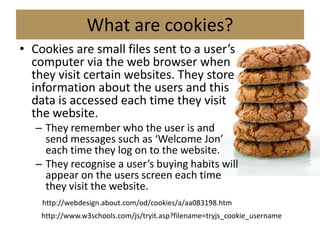
What are cookies?
• Cookies are small files sent to a user’s
  computer via the web browser when
  they visit certain websites. They store
  information about the users and this
  data is accessed each time they visit
  the website.
   – They remember who the user is and
     send messages such as ‘Welcome Jon’
     each time they log on to the website.
   – They recognise a user’s buying habits will
     appear on the users screen each time
     they visit the website.
    http://webdesign.about.com/od/cookies/a/aa083198.htm
    http://www.w3schools.com/js/tryit.asp?filename=tryjs_cookie_username
Internet developments
• Blogs
   – Personal internet journalists
• Wikis
   – Software allowing users to easily create and edit web pages.
• Digital media sharing websites
   – Allow uses to upload video clips and other media
• Social networking sites
   – Building on-line communities of users that share the same
     interests
• Folksonomies (http://delicious.com/)
   – Social bookmarking where a user can tag any webpage with
     words that describe it’s contents.
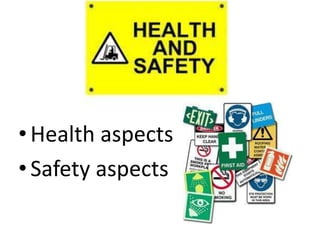
Health & Safety


• Health aspects
• Safety aspects
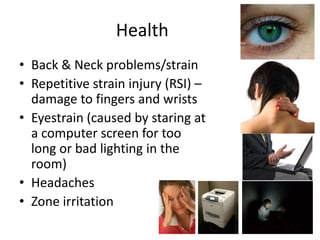
Health
• Back & Neck problems/strain
• Repetitive strain injury (RSI) –
  damage to fingers and wrists
• Eyestrain (caused by staring at
  a computer screen for too
  long or bad lighting in the
  room)
• Headaches
• Zone irritation
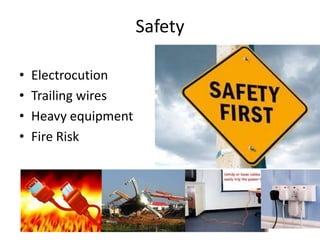
Safety

•   Electrocution
•   Trailing wires
•   Heavy equipment
•   Fire Risk

iGCSE Theory Unit 6 – Effects of Using ICT

  • 1.
    Unit 6 –Effects of using ICT Mr Spavin
  • 2.
    Google's Schmidt setto testify in smartphone trial • (Reuters) - Google's former chief executive, Eric Schmidt, is slated to testify on Tuesday as Oracle's final witness in the first part of a high stakes trial over smartphone technology, attorneys said in court. – Oracle sued Google in August 2010, saying Google's Android mobile operating system infringes its copyrights and patents for the Java programming language. Google countered that it does not violate Oracle's patents and that Oracle cannot copyright certain parts of Java, an "open-source," or publicly available, software language.
  • 3.
    Effects of usingICT • Intro • Software copyright • Viruses & Hacking • Effects of ICT on Society • Impact on Employment • Impact of using ICT for Online Shopping & banking • Should the internet be Policed? • Information from the internet • Internet Developments • Health & Safety issues
  • 4.
    Intro • The useof ICT has massively effected our everyday life in many ways… – Society in general – Employment – Services • However, in addition to providing new opportunities, ICT has introduced it’s own problem, such as issues… – Copyright – Security (companies and individuals) – Health and safety
  • 5.
    Software Copyright • Softwareis protected by copyright laws in much the same way as music CD’s, film DVD’s and articles from magazines and books are protected. • When software is supplied on CD or DVD there are certain rules that must be obeyed. – What are they?
  • 6.
    Rules • If youhave bought a game on a CD in a shop and it is ok for you to make one copy to give to your friend.
  • 7.
    Rules Rules • If you have bought a game in a shop and have the CD it is ok for you to make one copy to sell to your friend.
  • 8.
    Rules Rules • It is not legal to make a software copy and then sell it or give it away to a friend.
  • 9.
    Rules • Software canbe used on a network or used in multiple computers if you are able to download it from a web site.
  • 10.
    Rules • Software cannotbe used on a network or used in multiple computers unless a licence has been acquired to allow this to happen.
  • 11.
    Rules • Software canbe used on a network or used in multiple computers when a single licence has been acquired to allow this to happen.
  • 12.
    Rules • It isnot legal to use coding from the copyright software in your own software and then pass this software on or sell it as your own without the permission of the copyright holders.
  • 13.
    Rules • It islegal to use just the coding from a web site in your own software.
  • 14.
    Rules • Renting outa purchased software package.
  • 15.
    Rules • Renting outa purchased software package without permission to do so is illegal.
  • 16.
    Rules • It isok to use the name of another software package on your package as long as you don’t charge more than the original package.
  • 17.
    Rules • It isillegal to use the name of a copyrighted software on other software without agreement to do so.
  • 18.
    In what wayscan we protect the software from piracy? • When the software is installed, the user will be asked to key in a unique reference number (a string of letters & numbers) which was supplied with the original copy • User will be advised to click OK or I Agree to the licence agreement • Original software comes with ta sticker informing the purchaser • Some software will only run if the original CD/DVD is in the drive • Some software will only run if a dongle is plugged in to one of the USB ports
  • 19.
    In what wayscan we protect the software from piracy? • When the software is installed, the user will be asked to key in a unique reference number (a string of letters & numbers) which was supplied with the original copy • User will be advised to click OK or I Agree to the licence agreement • Original software comes with ta sticker informing the purchaser • Some software will only run if the original CD/DVD is in the drive • Some software will only run if a dongle is plugged in to one of the USB ports
  • 20.
    In what wayscan we protect the software from piracy? • Using the internet please find two recent examples of software piracy. • Using the internet please find examples of piracy prevention. – Use these examples to explain the following: • Software is protected by copyright laws • When software is supplied on CD or DVD there are certain rules that must be obeyed. • In what ways can we protect the software from piracy?
  • 21.
    Why do PeopleCreate Computer Viruses? There are hundreds of thousands of viruses out there (if not millions) and they often designed for different objectives. Most of them fall under the following categories: • To take control of a computer and use it for specific tasks • To generate money • To steal sensitive information (credit card numbers, passwords, personal details, data etc.) • To prove a point, to prove it can be done, to prove ones skill or for revenge purposes • To cripple a computer or network
  • 22.
    Viruses & Hacking •What is a Virus? – A virus is a program that replicates (copies) itself and is designed to cause harm to a computer system. It often causes damage by attaching itself to files, leading to on or more of the following effects: • Causing the computer to crash • Loss of Files • Corruption of the data stored on files
  • 23.
    What is aVirus? • A computer virus is a computer program that can replicate itself and spread from one computer to another. – The term "virus" is also commonly, but erroneously used, to refer to other types of malware, including but not limited to adware and spyware programs that do not have a reproductive ability. – Viruses can increase their chances of spreading to other computers by infecting files on a network file system or a file system that is accessed by other computers.[
  • 24.
    90 day globalThreat… http://www.symantec.com/security_response/
  • 25.
    How do theyinfect computers? • Viruses infect computers through email attachments and through illegal software or downloading files from the internet that are infected. • Ways of protecting systems against Viruses: – Use up-to-date anti-virus software – Do not allow illegal software to be loaded onto a computer and do not use from an unknown source – Only download software/files from a reputable source – Use firewalls
  • 26.
    Hacking!!!!! • What methodscould we use to minimise the risk of being hacked? • What is encryption?
  • 27.
    Encryption… • http://www.youtube.com/watch?v=3QnD2c4X ovk&feature • http://infoencrypt.com/
  • 28.
    encryption • is theprocess of transforming information (referred to as plaintext) using an algorithm (called a cipher) to make it unreadable to anyone except those possessing special knowledge, usually referred to as a key. The result of the process is encrypted information (in cryptography, referred to as ciphertext). The reverse process, i.e., to make the encrypted information readable again, is referred to as decryption (i.e., to make it unencrypted).[citation needed]
  • 29.
    Effects of ICTon Society • The impact on employment. – Their introduction has led to unemployment in many areas such as: • Manufacturing • Computer controlled warehouses • Labour-intensive work
  • 30.
    Impact on Employment •The introduction of ICT has led to unemployment in many areas such as: – Manufacturing, where robots have taken over many tasks (e.g. paint spraying in a car factory) • Example V – Computer controlled ware houses, which are automatic and require no personnel to be present. – Labour-intensive work (e.g. in the printing industry, checking football pools, filing, etc.). http://news.bbc.co.uk/local/tees/hi/people_and_places/newsid_9199000/9199115.stm
  • 31.
  • 33.
  • 34.
    Back to thefuture…
  • 35.
    Back to thefuture…
  • 36.
  • 37.
    Impact of usingICT for online shopping and banking • Advantages – No longer the need to travel into the town centre – Users now have access to a worldwide market
  • 38.
    Security Issues • Othersecurity risks other than viruses and Hacking – Phishing – Pharming – Spam – Spyware
  • 39.
    Phishing • Phishing isa way of attempting to acquire information (and sometimes, indirectly, money) such as usernames, passwords, and credit card details by masquerading as a trustworthy entity in an electronic communication.
  • 40.
    Pharming • Pharming[p] isa hacker's attack intended to redirect a website's traffic to another, bogus site. Pharming can be conducted either by changing the hosts file on a victim's computer or by exploitation of a vulnerability in DNS server software. DNS servers are computers responsible for resolving Internet names into their real IP addresses. Compromised DNS servers are sometimes referred to as "poisoned". Pharming requires unprotected access to target a computer, such as altering a customer's home computer, rather than a corporate business server.
  • 41.
    Spam • Spam (itsname a portmanteau of the words "Spiced" and "Ham")[1] is a canned precooked meat product made by the Hormel Foods Corporation, first introduced in 1937. The labelled ingredients in the classic variety of Spam are chopped pork shoulder meat, with ham meat added, salt, water, modified potato starch as a binder, and sodium nitrite as a preservative.
  • 42.
    Spyware • Spyware isa type of malware (malicious software) installed on computers that collects information about users without their knowledge. The presence of spyware is typically hidden from the user and can be difficult to detect. Spyware is often secretly installed on a user's personal computer without their knowledge. However, some spyware such as keyloggers may be installed by the owner of a shared, corporate, or public computer on purpose in order to intentionally monitor users. – Source: Wikipidia
  • 43.
    • http://www.symantec.com/podcasts/detail.js p?podid=b- may_state_of_spam_phishing_2011
  • 44.
    What are cookies? •Cookies are small files sent to a user’s computer via the web browser when they visit certain websites. They store information about the users and this data is accessed each time they visit the website. – They remember who the user is and send messages such as ‘Welcome Jon’ each time they log on to the website. – They recognise a user’s buying habits will appear on the users screen each time they visit the website. http://webdesign.about.com/od/cookies/a/aa083198.htm http://www.w3schools.com/js/tryit.asp?filename=tryjs_cookie_username
  • 45.
    Internet developments • Blogs – Personal internet journalists • Wikis – Software allowing users to easily create and edit web pages. • Digital media sharing websites – Allow uses to upload video clips and other media • Social networking sites – Building on-line communities of users that share the same interests • Folksonomies (http://delicious.com/) – Social bookmarking where a user can tag any webpage with words that describe it’s contents.
  • 46.
    Health & Safety •Health aspects • Safety aspects
  • 47.
    Health • Back &Neck problems/strain • Repetitive strain injury (RSI) – damage to fingers and wrists • Eyestrain (caused by staring at a computer screen for too long or bad lighting in the room) • Headaches • Zone irritation
  • 48.
    Safety • Electrocution • Trailing wires • Heavy equipment • Fire Risk