COMPUTER ETHICS
Prepared by:
Mr. Joshua A. Casas
COMPUTER USAGE
• Nowadays, computers are used quite extensively in almost all
activities of life, so this age is also called the age of computers.
• Computers are used in education, business, manufacturing,
designing, entertainment, homes, schools, shops, offices,
hospitals and airport.
• But when the computer is used by bad people with bad intention,
they can cause harm to information and technology.
COMPUTER ETHICS
• Ethics are beliefs and rules. These rules guide us to what is right
and what is wrong.
• An ethic is something a person develops over a period of time. Due
to this reason, parents and elders are supposed to supervise and
exercise some authority over their children.
• Good behavior pleases and help others and is also approved by the
society.
NTELLECTUAL PROPERTY RIGHTS
• A property is something you own. You have rights over your
property and Law protects it.
• Similarly, law also protects ideas and thinking produced by the
mind. It is illegal to use them without the permission of the owner
or producer.
• The rights related to the literacy or artistic work, invention,
discoveries, etc. are called intellectual property rights.
COPYRIGHTS
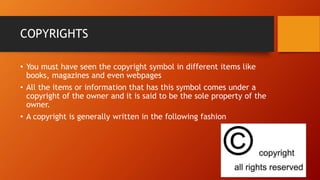
• You must have seen the copyright symbol in different items like
books, magazines and even webpages
• All the items or information that has this symbol comes under a
copyright of the owner and it is said to be the sole property of the
owner.
• A copyright is generally written in the following fashion
WHY SHOULD AN ITEM BE PROTECTED UNDER
A COPYRIGHT LAW?
• The copyright is legally applied to the item to enable the owner of the
item to receive a certain amount of income or royalty.
• If the same item is illegally reproduced, the owners will be deprived of
their share of income for continuing the hard work to develop such
material.
• So, to enable the owners to keep exploring, thinking and inventing new
ideas and efforts, they must be protected by the law.
• If a certain material is easily available on the Internet and you want to
use it, then you should be honest and not you the material illegally.
• You should take the permission of the author/owner. This is called
referencing.
SOFTWARE PIRACY
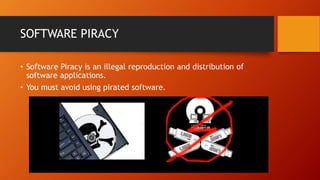
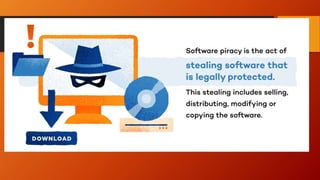
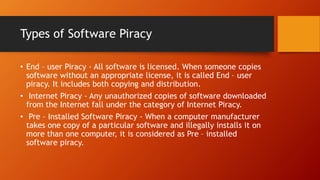
• Software Piracy is an illegal reproduction and distribution of
software applications.
• You must avoid using pirated software.
Types of Software Piracy
• End – user Piracy - All software is licensed. When someone copies
software without an appropriate license, it is called End – user
piracy. It includes both copying and distribution.
• Internet Piracy - Any unauthorized copies of software downloaded
from the Internet fall under the category of Internet Piracy.
• Pre – Installed Software Piracy - When a computer manufacturer
takes one copy of a particular software and illegally installs it on
more than one computer, it is considered as Pre – installed
software piracy.
Limitations of pirated software
• Quality
Pirated software often does not have various key elements.
Also it cannot be upgraded.
• Viruses
Some people may put dangerous viruses in pirated software.
This may damage your hard disk and erase all valuable data.
• Privacy
Some times the viruses in the pirated software can also
access the private data which is stored in your computer.
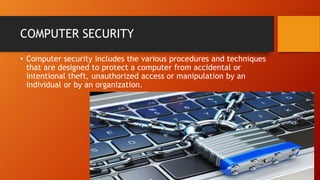
COMPUTER SECURITY
• Computer security includes the various procedures and techniques
that are designed to protect a computer from accidental or
intentional theft, unauthorized access or manipulation by an
individual or by an organization.
SECURITY BREACHES
• Hardware Breaches
It can be both intentional and accidental.
Cables, modems, phone lines are often
vulnerable to security breaches.
• Software Breaches
It includes computer viruses, password cracking,
various sniffer programs etc.
SECURITY BREACHES
• Networks
Network are vulnerable to security breaches.
• Natural Disasters
These can cause security violation which may lead to
operational problems in a computer system.
Hurricanes, earthquakes, floods etc. may prove devastating
for companies.
COMPUTER SECURITY CONTROLS
• Computer security controls are established and implemented to
reduce security breaches.
• There are many types of controls:
• Application control
• Development control
• Access control
• Physical security control
• Personal control
COMPUTER CRIMES
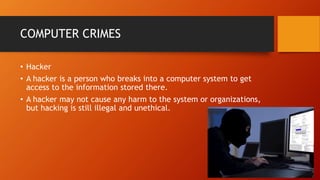
• Hacker
• A hacker is a person who breaks into a computer system to get
access to the information stored there.
• A hacker may not cause any harm to the system or organizations,
but hacking is still illegal and unethical.
COMPUTER CRIMES
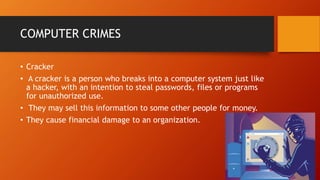
• Cracker
• A cracker is a person who breaks into a computer system just like
a hacker, with an intention to steal passwords, files or programs
for unauthorized use.
• They may sell this information to some other people for money.
• They cause financial damage to an organization.
COMPUTER CRIMES
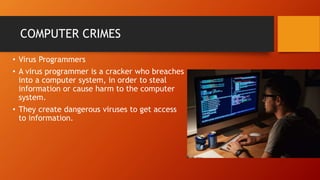
• Virus Programmers
• A virus programmer is a cracker who breaches
into a computer system, in order to steal
information or cause harm to the computer
system.
• They create dangerous viruses to get access
to information.
L2 COMPUTER  ETHICS  PPT [Autosaved].pptx

L2 COMPUTER ETHICS PPT [Autosaved].pptx

  • 7.
  • 8.
    COMPUTER USAGE • Nowadays,computers are used quite extensively in almost all activities of life, so this age is also called the age of computers. • Computers are used in education, business, manufacturing, designing, entertainment, homes, schools, shops, offices, hospitals and airport. • But when the computer is used by bad people with bad intention, they can cause harm to information and technology.
  • 9.
    COMPUTER ETHICS • Ethicsare beliefs and rules. These rules guide us to what is right and what is wrong. • An ethic is something a person develops over a period of time. Due to this reason, parents and elders are supposed to supervise and exercise some authority over their children. • Good behavior pleases and help others and is also approved by the society.
  • 10.
    NTELLECTUAL PROPERTY RIGHTS •A property is something you own. You have rights over your property and Law protects it. • Similarly, law also protects ideas and thinking produced by the mind. It is illegal to use them without the permission of the owner or producer. • The rights related to the literacy or artistic work, invention, discoveries, etc. are called intellectual property rights.
  • 11.
    COPYRIGHTS • You musthave seen the copyright symbol in different items like books, magazines and even webpages • All the items or information that has this symbol comes under a copyright of the owner and it is said to be the sole property of the owner. • A copyright is generally written in the following fashion
  • 12.
    WHY SHOULD ANITEM BE PROTECTED UNDER A COPYRIGHT LAW? • The copyright is legally applied to the item to enable the owner of the item to receive a certain amount of income or royalty. • If the same item is illegally reproduced, the owners will be deprived of their share of income for continuing the hard work to develop such material. • So, to enable the owners to keep exploring, thinking and inventing new ideas and efforts, they must be protected by the law. • If a certain material is easily available on the Internet and you want to use it, then you should be honest and not you the material illegally. • You should take the permission of the author/owner. This is called referencing.
  • 13.
    SOFTWARE PIRACY • SoftwarePiracy is an illegal reproduction and distribution of software applications. • You must avoid using pirated software.
  • 15.
    Types of SoftwarePiracy • End – user Piracy - All software is licensed. When someone copies software without an appropriate license, it is called End – user piracy. It includes both copying and distribution. • Internet Piracy - Any unauthorized copies of software downloaded from the Internet fall under the category of Internet Piracy. • Pre – Installed Software Piracy - When a computer manufacturer takes one copy of a particular software and illegally installs it on more than one computer, it is considered as Pre – installed software piracy.
  • 16.
    Limitations of piratedsoftware • Quality Pirated software often does not have various key elements. Also it cannot be upgraded. • Viruses Some people may put dangerous viruses in pirated software. This may damage your hard disk and erase all valuable data. • Privacy Some times the viruses in the pirated software can also access the private data which is stored in your computer.
  • 17.
    COMPUTER SECURITY • Computersecurity includes the various procedures and techniques that are designed to protect a computer from accidental or intentional theft, unauthorized access or manipulation by an individual or by an organization.
  • 18.
    SECURITY BREACHES • HardwareBreaches It can be both intentional and accidental. Cables, modems, phone lines are often vulnerable to security breaches. • Software Breaches It includes computer viruses, password cracking, various sniffer programs etc.
  • 19.
    SECURITY BREACHES • Networks Networkare vulnerable to security breaches. • Natural Disasters These can cause security violation which may lead to operational problems in a computer system. Hurricanes, earthquakes, floods etc. may prove devastating for companies.
  • 20.
    COMPUTER SECURITY CONTROLS •Computer security controls are established and implemented to reduce security breaches. • There are many types of controls: • Application control • Development control • Access control • Physical security control • Personal control
  • 21.
    COMPUTER CRIMES • Hacker •A hacker is a person who breaks into a computer system to get access to the information stored there. • A hacker may not cause any harm to the system or organizations, but hacking is still illegal and unethical.
  • 22.
    COMPUTER CRIMES • Cracker •A cracker is a person who breaks into a computer system just like a hacker, with an intention to steal passwords, files or programs for unauthorized use. • They may sell this information to some other people for money. • They cause financial damage to an organization.
  • 23.
    COMPUTER CRIMES • VirusProgrammers • A virus programmer is a cracker who breaches into a computer system, in order to steal information or cause harm to the computer system. • They create dangerous viruses to get access to information.

Editor's Notes

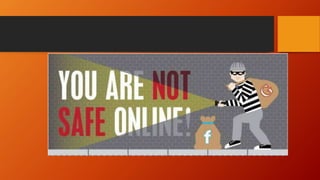
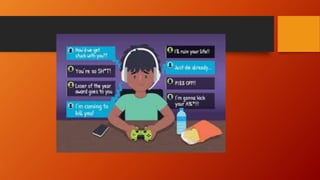
  • #2 ONLINE SAFETY AND SECURITY, ETHICS AND NETIQUETTES! BEING SAFE ONLINE! IN ORDER FOR US TO KEEP SAFE WHILE SURFING FROM THE INTERNET/WEB, WE SHOULD AVOID THOSE ONLINE THREATS, LIKE SUSPICIOUS UNKNOWN FILES AND ONLINE THREATS.
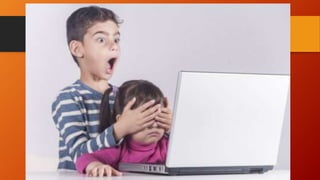
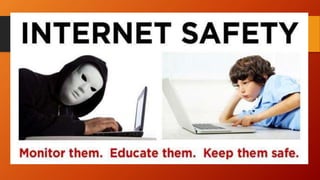
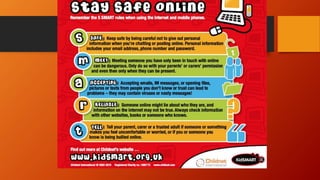
  • #4  HOW ARE YOU GOING TO MAKE YOURSELF SAFE WHILE SURFING THE WEB?