Topic -Anatomy of Computer
Presented BY :- Pragati Kachhi
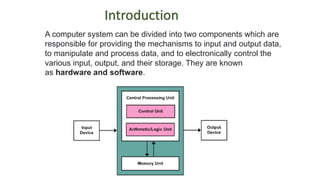
A computer system can be divided into two components which are
responsible for providing the mechanisms to input and output data,
to manipulate and process data, and to electronically control the
various input, output, and their storage. They are known
as hardware and software.
Introduction
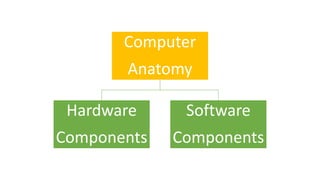
Computer
Anatomy
Hardware
Components
Software
Components
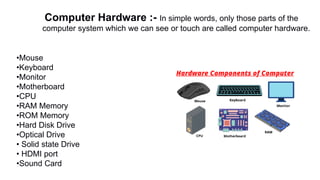
•Mouse
•Keyboard
•Monitor
•Motherboard
•CPU
•RAM Memory
•ROM Memory
•Hard Disk Drive
•Optical Drive
• Solid state Drive
• HDMI port
•Sound Card
Computer Hardware :- In simple words, only those parts of the
computer system which we can see or touch are called computer hardware.
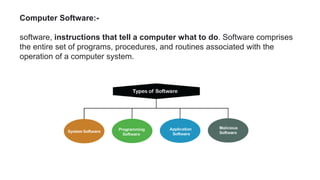
Computer Software:-
software, instructions that tell a computer what to do. Software comprises
the entire set of programs, procedures, and routines associated with the
operation of a computer system.
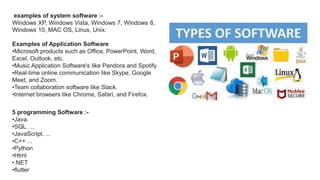
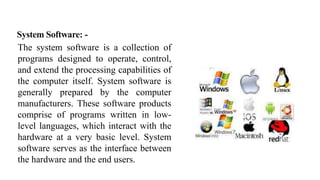
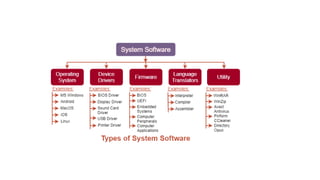
examples of system software :-
Windows XP, Windows Vista, Windows 7, Windows 8,
Windows 10, MAC OS, Linus, Unix.
Examples of Application Software
•Microsoft products such as Office, PowerPoint, Word,
Excel, Outlook, etc.
•Music Application Software's like Pandora and Spotify.
•Real-time online communication like Skype, Google
Meet, and Zoom.
•Team collaboration software like Slack.
•Internet browsers like Chrome, Safari, and Firefox.
5 programming Software :-
•Java.
•SQL. ...
•JavaScript. ...
•C++ ...
•Python
•Html
•.NET
•flutter
Classification of computer
1. Based on size & Capacity
Micro
Mini
Mainframe
Super computer
2. Based on working principle
Analog
Digital
Hybrid
Based on size & capacity
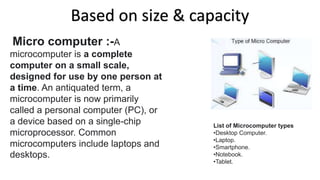
Micro computer :-A
microcomputer is a complete
computer on a small scale,
designed for use by one person at
a time. An antiquated term, a
microcomputer is now primarily
called a personal computer (PC), or
a device based on a single-chip
microprocessor. Common
microcomputers include laptops and
desktops.
List of Microcomputer types
•Desktop Computer.
•Laptop.
•Smartphone.
•Notebook.
•Tablet.
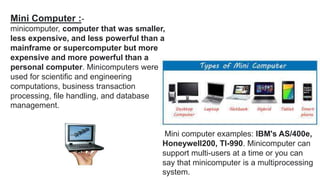
Mini Computer :-
minicomputer, computer that was smaller,
less expensive, and less powerful than a
mainframe or supercomputer but more
expensive and more powerful than a
personal computer. Minicomputers were
used for scientific and engineering
computations, business transaction
processing, file handling, and database
management.
Mini computer examples: IBM's AS/400e,
Honeywell200, TI-990. Minicomputer can
support multi-users at a time or you can
say that minicomputer is a multiprocessing
system.
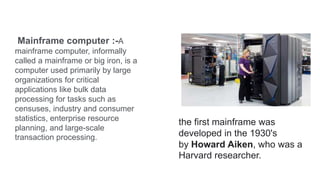
Mainframe computer :-A
mainframe computer, informally
called a mainframe or big iron, is a
computer used primarily by large
organizations for critical
applications like bulk data
processing for tasks such as
censuses, industry and consumer
statistics, enterprise resource
planning, and large-scale
transaction processing.
the first mainframe was
developed in the 1930's
by Howard Aiken, who was a
Harvard researcher.
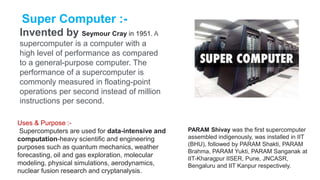
Super Computer :-
Invented by Seymour Cray in 1951. A
supercomputer is a computer with a
high level of performance as compared
to a general-purpose computer. The
performance of a supercomputer is
commonly measured in floating-point
operations per second instead of million
instructions per second.
Uses & Purpose :-
Supercomputers are used for data-intensive and
computation-heavy scientific and engineering
purposes such as quantum mechanics, weather
forecasting, oil and gas exploration, molecular
modeling, physical simulations, aerodynamics,
nuclear fusion research and cryptanalysis.
PARAM Shivay was the first supercomputer
assembled indigenously, was installed in IIT
(BHU), followed by PARAM Shakti, PARAM
Brahma, PARAM Yukti, PARAM Sanganak at
IIT-Kharagpur IISER, Pune, JNCASR,
Bengaluru and IIT Kanpur respectively.
Based On Working Principle
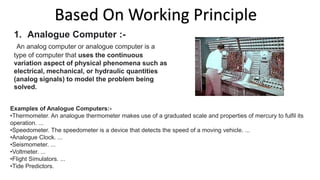
1. Analogue Computer :-
An analog computer or analogue computer is a
type of computer that uses the continuous
variation aspect of physical phenomena such as
electrical, mechanical, or hydraulic quantities
(analog signals) to model the problem being
solved.
Examples of Analogue Computers:-
•Thermometer. An analogue thermometer makes use of a graduated scale and properties of mercury to fulfil its
operation. ...
•Speedometer. The speedometer is a device that detects the speed of a moving vehicle. ...
•Analogue Clock. ...
•Seismometer. ...
•Voltmeter. ...
•Flight Simulators. ...
•Tide Predictors.
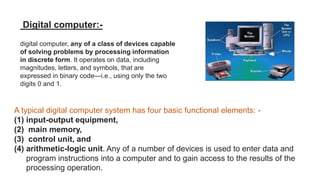
Digital computer:-
digital computer, any of a class of devices capable
of solving problems by processing information
in discrete form. It operates on data, including
magnitudes, letters, and symbols, that are
expressed in binary code—i.e., using only the two
digits 0 and 1.
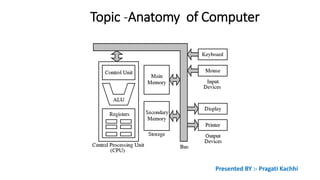
A typical digital computer system has four basic functional elements: -
(1) input-output equipment,
(2) main memory,
(3) control unit, and
(4) arithmetic-logic unit. Any of a number of devices is used to enter data and
program instructions into a computer and to gain access to the results of the
processing operation.
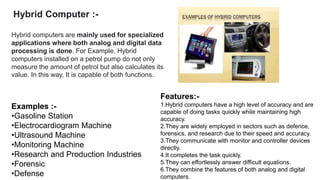
Hybrid Computer :-
Hybrid computers are mainly used for specialized
applications where both analog and digital data
processing is done. For Example, Hybrid
computers installed on a petrol pump do not only
measure the amount of petrol but also calculates its
value. In this way, It is capable of both functions.
Features:-
1.Hybrid computers have a high level of accuracy and are
capable of doing tasks quickly while maintaining high
accuracy.
2.They are widely employed in sectors such as defence,
forensics, and research due to their speed and accuracy.
3.They communicate with monitor and controller devices
directly.
4.It completes the task quickly.
5.They can effortlessly answer difficult equations.
6.They combine the features of both analog and digital
computers.
Examples :-
•Gasoline Station
•Electrocardiogram Machine
•Ultrasound Machine
•Monitoring Machine
•Research and Production Industries
•Forensic
•Defense
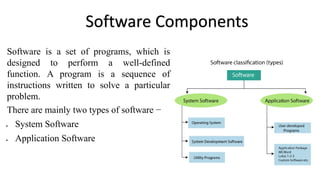
Software Components
Software is a set of programs, which is
designed to perform a well-defined
function. A program is a sequence of
instructions written to solve a particular
problem.
There are mainly two types of software −
 System Software
 Application Software
System Software: -
The system software is a collection of
programs designed to operate, control,
and extend the processing capabilities of
the computer itself. System software is
generally prepared by the computer
manufacturers. These software products
comprise of programs written in low-
level languages, which interact with the
hardware at a very basic level. System
software serves as the interface between
the hardware and the end users.
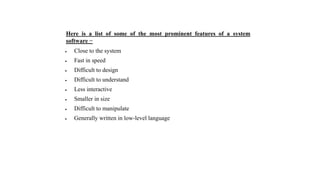
Here is a list of some of the most prominent features of a system
software −
 Close to the system
 Fast in speed
 Difficult to design
 Difficult to understand
 Less interactive
 Smaller in size
 Difficult to manipulate
 Generally written in low-level language
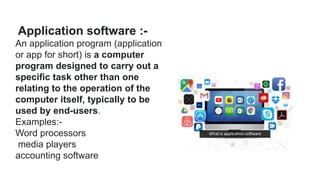
Application software :-
An application program (application
or app for short) is a computer
program designed to carry out a
specific task other than one
relating to the operation of the
computer itself, typically to be
used by end-users.
Examples:-
Word processors
media players
accounting software
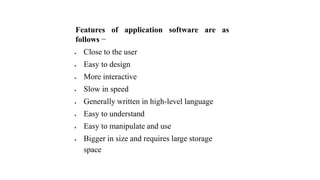
Features of application software are as
follows −
 Close to the user
 Easy to design
 More interactive
 Slow in speed
 Generally written in high-level language
 Easy to understand
 Easy to manipulate and use
 Bigger in size and requires large storage
space
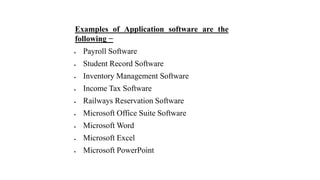
Examples of Application software are the
following −
 Payroll Software
 Student Record Software
 Inventory Management Software
 Income Tax Software
 Railways Reservation Software
 Microsoft Office Suite Software
 Microsoft Word
 Microsoft Excel
 Microsoft PowerPoint
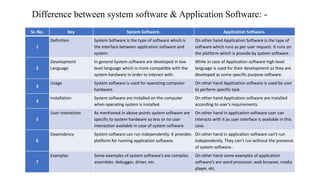
Sr. No. Key System Software. Application Software.
1
Definition System Software is the type of software which is
the interface between application software and
system.
On other hand Application Software is the type of
software which runs as per user request. It runs on
the platform which is provide by system software.
2
Development
Language
In general System software are developed in low
level language which is more compatible with the
system hardware in order to interact with.
While in case of Application software high level
language is used for their development as they are
developed as some specific purpose software.
3
Usage System software is used for operating computer
hardware.
On other hand Application software is used by user
to perform specific task.
4
Installation System software are installed on the computer
when operating system is installed.
On other hand Application software are installed
according to user’s requirements.
5
User interaction As mentioned in above points system software are
specific to system hardware so less or no user
interaction available in case of system software.
On other hand in application software user can
interacts with it as user interface is available in this
case.
6
Dependency System software can run independently. It provides
platform for running application software.
On other hand in application software can’t run
independently. They can’t run without the presence
of system software..
7
Examples Some examples of system software’s are compiler,
assembler, debugger, driver, etc.
On other hand some examples of application
software’s are word processor, web browser, media
player, etc.
Difference between system software & Application Software: -
Any Question ?
For more notes lets connect on YouTube

Topic -Anatomy of Computer.pptx

  • 1.
    Topic -Anatomy ofComputer Presented BY :- Pragati Kachhi
  • 2.
    A computer systemcan be divided into two components which are responsible for providing the mechanisms to input and output data, to manipulate and process data, and to electronically control the various input, output, and their storage. They are known as hardware and software. Introduction
  • 3.
  • 4.
    •Mouse •Keyboard •Monitor •Motherboard •CPU •RAM Memory •ROM Memory •HardDisk Drive •Optical Drive • Solid state Drive • HDMI port •Sound Card Computer Hardware :- In simple words, only those parts of the computer system which we can see or touch are called computer hardware.
  • 5.
    Computer Software:- software, instructionsthat tell a computer what to do. Software comprises the entire set of programs, procedures, and routines associated with the operation of a computer system.
  • 6.
    examples of systemsoftware :- Windows XP, Windows Vista, Windows 7, Windows 8, Windows 10, MAC OS, Linus, Unix. Examples of Application Software •Microsoft products such as Office, PowerPoint, Word, Excel, Outlook, etc. •Music Application Software's like Pandora and Spotify. •Real-time online communication like Skype, Google Meet, and Zoom. •Team collaboration software like Slack. •Internet browsers like Chrome, Safari, and Firefox. 5 programming Software :- •Java. •SQL. ... •JavaScript. ... •C++ ... •Python •Html •.NET •flutter
  • 7.
    Classification of computer 1.Based on size & Capacity Micro Mini Mainframe Super computer 2. Based on working principle Analog Digital Hybrid
  • 8.
    Based on size& capacity Micro computer :-A microcomputer is a complete computer on a small scale, designed for use by one person at a time. An antiquated term, a microcomputer is now primarily called a personal computer (PC), or a device based on a single-chip microprocessor. Common microcomputers include laptops and desktops. List of Microcomputer types •Desktop Computer. •Laptop. •Smartphone. •Notebook. •Tablet.
  • 9.
    Mini Computer :- minicomputer,computer that was smaller, less expensive, and less powerful than a mainframe or supercomputer but more expensive and more powerful than a personal computer. Minicomputers were used for scientific and engineering computations, business transaction processing, file handling, and database management. Mini computer examples: IBM's AS/400e, Honeywell200, TI-990. Minicomputer can support multi-users at a time or you can say that minicomputer is a multiprocessing system.
  • 10.
    Mainframe computer :-A mainframecomputer, informally called a mainframe or big iron, is a computer used primarily by large organizations for critical applications like bulk data processing for tasks such as censuses, industry and consumer statistics, enterprise resource planning, and large-scale transaction processing. the first mainframe was developed in the 1930's by Howard Aiken, who was a Harvard researcher.
  • 11.
    Super Computer :- Inventedby Seymour Cray in 1951. A supercomputer is a computer with a high level of performance as compared to a general-purpose computer. The performance of a supercomputer is commonly measured in floating-point operations per second instead of million instructions per second. Uses & Purpose :- Supercomputers are used for data-intensive and computation-heavy scientific and engineering purposes such as quantum mechanics, weather forecasting, oil and gas exploration, molecular modeling, physical simulations, aerodynamics, nuclear fusion research and cryptanalysis. PARAM Shivay was the first supercomputer assembled indigenously, was installed in IIT (BHU), followed by PARAM Shakti, PARAM Brahma, PARAM Yukti, PARAM Sanganak at IIT-Kharagpur IISER, Pune, JNCASR, Bengaluru and IIT Kanpur respectively.
  • 12.
    Based On WorkingPrinciple 1. Analogue Computer :- An analog computer or analogue computer is a type of computer that uses the continuous variation aspect of physical phenomena such as electrical, mechanical, or hydraulic quantities (analog signals) to model the problem being solved. Examples of Analogue Computers:- •Thermometer. An analogue thermometer makes use of a graduated scale and properties of mercury to fulfil its operation. ... •Speedometer. The speedometer is a device that detects the speed of a moving vehicle. ... •Analogue Clock. ... •Seismometer. ... •Voltmeter. ... •Flight Simulators. ... •Tide Predictors.
  • 13.
    Digital computer:- digital computer,any of a class of devices capable of solving problems by processing information in discrete form. It operates on data, including magnitudes, letters, and symbols, that are expressed in binary code—i.e., using only the two digits 0 and 1. A typical digital computer system has four basic functional elements: - (1) input-output equipment, (2) main memory, (3) control unit, and (4) arithmetic-logic unit. Any of a number of devices is used to enter data and program instructions into a computer and to gain access to the results of the processing operation.
  • 14.
    Hybrid Computer :- Hybridcomputers are mainly used for specialized applications where both analog and digital data processing is done. For Example, Hybrid computers installed on a petrol pump do not only measure the amount of petrol but also calculates its value. In this way, It is capable of both functions. Features:- 1.Hybrid computers have a high level of accuracy and are capable of doing tasks quickly while maintaining high accuracy. 2.They are widely employed in sectors such as defence, forensics, and research due to their speed and accuracy. 3.They communicate with monitor and controller devices directly. 4.It completes the task quickly. 5.They can effortlessly answer difficult equations. 6.They combine the features of both analog and digital computers. Examples :- •Gasoline Station •Electrocardiogram Machine •Ultrasound Machine •Monitoring Machine •Research and Production Industries •Forensic •Defense
  • 15.
    Software Components Software isa set of programs, which is designed to perform a well-defined function. A program is a sequence of instructions written to solve a particular problem. There are mainly two types of software −  System Software  Application Software
  • 16.
    System Software: - Thesystem software is a collection of programs designed to operate, control, and extend the processing capabilities of the computer itself. System software is generally prepared by the computer manufacturers. These software products comprise of programs written in low- level languages, which interact with the hardware at a very basic level. System software serves as the interface between the hardware and the end users.
  • 18.
    Here is alist of some of the most prominent features of a system software −  Close to the system  Fast in speed  Difficult to design  Difficult to understand  Less interactive  Smaller in size  Difficult to manipulate  Generally written in low-level language
  • 19.
    Application software :- Anapplication program (application or app for short) is a computer program designed to carry out a specific task other than one relating to the operation of the computer itself, typically to be used by end-users. Examples:- Word processors media players accounting software
  • 20.
    Features of applicationsoftware are as follows −  Close to the user  Easy to design  More interactive  Slow in speed  Generally written in high-level language  Easy to understand  Easy to manipulate and use  Bigger in size and requires large storage space
  • 21.
    Examples of Applicationsoftware are the following −  Payroll Software  Student Record Software  Inventory Management Software  Income Tax Software  Railways Reservation Software  Microsoft Office Suite Software  Microsoft Word  Microsoft Excel  Microsoft PowerPoint
  • 22.
    Sr. No. KeySystem Software. Application Software. 1 Definition System Software is the type of software which is the interface between application software and system. On other hand Application Software is the type of software which runs as per user request. It runs on the platform which is provide by system software. 2 Development Language In general System software are developed in low level language which is more compatible with the system hardware in order to interact with. While in case of Application software high level language is used for their development as they are developed as some specific purpose software. 3 Usage System software is used for operating computer hardware. On other hand Application software is used by user to perform specific task. 4 Installation System software are installed on the computer when operating system is installed. On other hand Application software are installed according to user’s requirements. 5 User interaction As mentioned in above points system software are specific to system hardware so less or no user interaction available in case of system software. On other hand in application software user can interacts with it as user interface is available in this case. 6 Dependency System software can run independently. It provides platform for running application software. On other hand in application software can’t run independently. They can’t run without the presence of system software.. 7 Examples Some examples of system software’s are compiler, assembler, debugger, driver, etc. On other hand some examples of application software’s are word processor, web browser, media player, etc. Difference between system software & Application Software: -
  • 23.
  • 24.
    For more noteslets connect on YouTube