What is System?
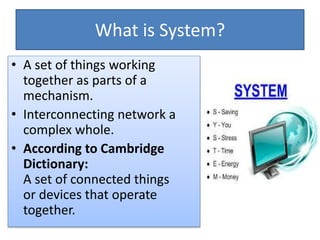
• A set of things working
together as parts of a
mechanism.
• Interconnecting network a
complex whole.
• According to Cambridge
Dictionary:
A set of ​connected things
or ​devices that ​operate
together.
Common characteristics of a System
• A system has structure.
• A system has behaviour.
• A system has interconnectivity.
Types of System
• Open systems
• Closed systems
What is Computer?
• The term Computer comes from the word “Compute”.
• Compute means “To calculate”.
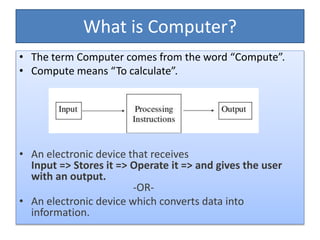
• An electronic device that receives
Input => Stores it => Operate it => and gives the user
with an output.
-OR-
• An electronic device which converts data into
information.
What is Computer System?
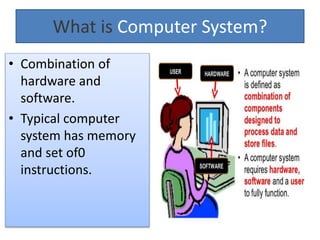
• Combination of
hardware and
software.
• Typical computer
system has memory
and set of0
instructions.
TYPES OF COMPUTERS
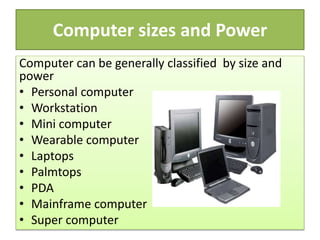
Computer sizes and Power
Computer can be generally classified by size and
power
• Personal computer
• Workstation
• Mini computer
• Wearable computer
• Laptops
• Palmtops
• PDA
• Mainframe computer
• Super computer
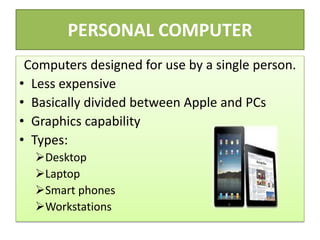
PERSONAL COMPUTER
Computers designed for use by a single person.
• Less expensive
• Basically divided between Apple and PCs
• Graphics capability
• Types:
Desktop
Laptop
Smart phones
Workstations
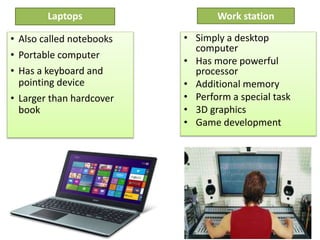
Work station
• Simply a desktop
computer
• Has more powerful
processor
• Additional memory
• Perform a special task
• 3D graphics
• Game development
• Also called notebooks
• Portable computer
• Has a keyboard and
pointing device
• Larger than hardcover
book
Laptops
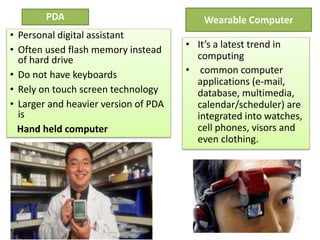
Wearable Computer
• It’s a latest trend in
computing
• common computer
applications (e-mail,
database, multimedia,
calendar/scheduler) are
integrated into watches,
cell phones, visors and
even clothing.
PDA
• Personal digital assistant
• Often used flash memory instead
of hard drive
• Do not have keyboards
• Rely on touch screen technology
• Larger and heavier version of PDA
is
Hand held computer
COMPUTERS FOR ORGANIZATIONS
Mainframe Computer
• Used in early days of
computing
• Used in large companies
• Store large amount of data
POPULAR MAINFRAME
Fujitsu’s ICL VME
Hitachi’s Z800
Super Computers
• The primary storage capacity
• Speed of processing data,
and
• Ability to support different
input, output and mass
storage devices such as
printers, tape drives, etc.
• Quite expensive
Components of Computer Systems
1. Hardware
2. Software
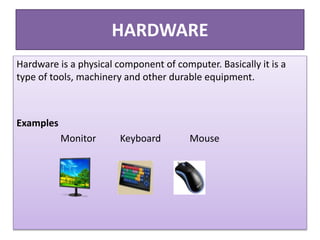
HARDWARE
Hardware is a physical component of computer. Basically it is a
type of tools, machinery and other durable equipment.
Examples
Monitor Keyboard Mouse
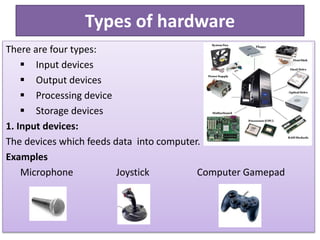
Types of hardware
There are four types:
 Input devices
 Output devices
 Processing device
 Storage devices
1. Input devices:
The devices which feeds data into computer.
Examples
Microphone Joystick Computer Gamepad
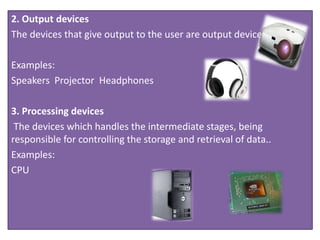
2. Output devices
The devices that give output to the user are output devices.
Examples:
Speakers Projector Headphones
3. Processing devices
The devices which handles the intermediate stages, being
responsible for controlling the storage and retrieval of data..
Examples:
CPU
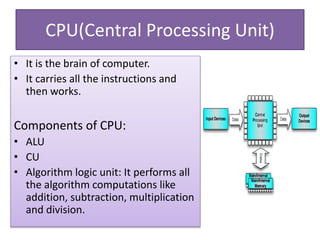
CPU(Central Processing Unit)
• It is the brain of computer.
• It carries all the instructions and
then works.
Components of CPU:
• ALU
• CU
• Algorithm logic unit: It performs all
the algorithm computations like
addition, subtraction, multiplication
and division.
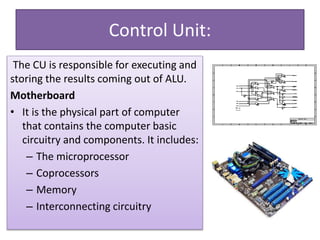
Control Unit:
The CU is responsible for executing and
storing the results coming out of ALU.
Motherboard
• It is the physical part of computer
that contains the computer basic
circuitry and components. It includes:
– The microprocessor
– Coprocessors
– Memory
– Interconnecting circuitry
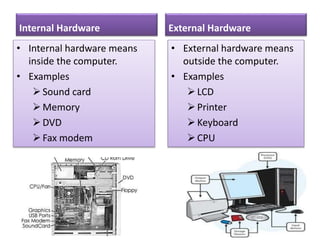
Internal Hardware
• Internal hardware means
inside the computer.
• Examples
Sound card
Memory
DVD
Fax modem
External Hardware
• External hardware means
outside the computer.
• Examples
LCD
Printer
Keyboard
CPU
SOFTWARE
Software
means computer
instructions or data.
Anything that can
be stored
electronically is
software.
CATEGORIES OF SOFTWARE
Software is divided
into two categories:
• System Software
• Application
Software
SYSTEM SOFTWARE
System software is computer
software designed to operate and
control the computer hardware and
to provide a platform for
running application software.
System software can be separated
into two different categories.
Operating System
Utility software
OPERATING SYSTEM
The operating
system allows the
parts of a
computer to work
together by
performing
different tasks.
UTILITY SOFTWARE
Utility software helps to analyze,
configure, optimize and maintain
the computer. It is used to
support the computer
infrastructure.
EXAMPLE:
• Antivirus
• Backup software
• Data compression
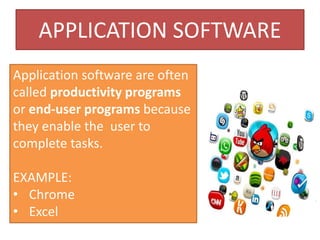
APPLICATION SOFTWARE
Application software are often
called productivity programs
or end-user programs because
they enable the user to
complete tasks.
EXAMPLE:
• Chrome
• Excel
Journey to the centre of a
computer system
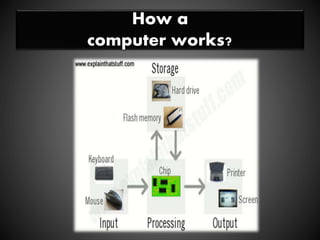
How a
computer works?
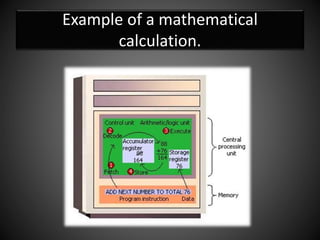
Example of a mathematical
calculation.
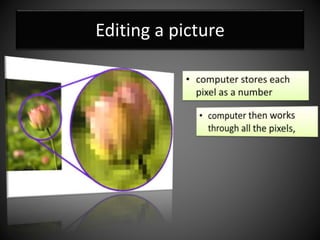
Editing a picture
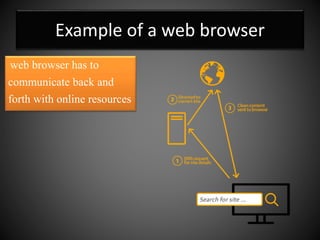
Example of a web browser
web browser has to
communicate back and
forth with online resources
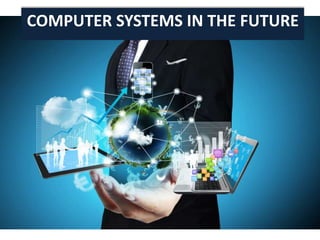
COMPUTER SYSTEMS IN THE FUTURE
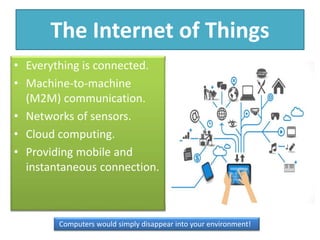
The Internet of Things
• Everything is connected.
• Machine-to-machine
(M2M) communication.
• Networks of sensors.
• Cloud computing.
• Providing mobile and
instantaneous connection.
Computers would simply disappear into your environment!
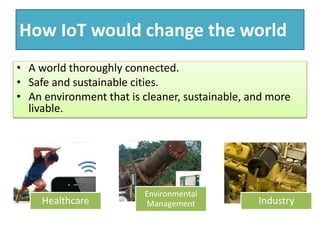
How IoT would change the world
• A world thoroughly connected.
• Safe and sustainable cities.
• An environment that is cleaner, sustainable, and more
livable.
Healthcare
Environmental
Management Industry
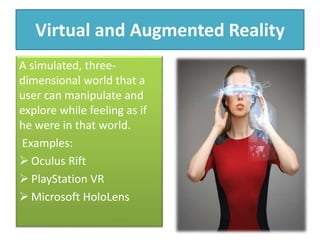
Virtual and Augmented Reality
A simulated, three-
dimensional world that a
user can manipulate and
explore while feeling as if
he were in that world.
Examples:
 Oculus Rift
 PlayStation VR
 Microsoft HoloLens
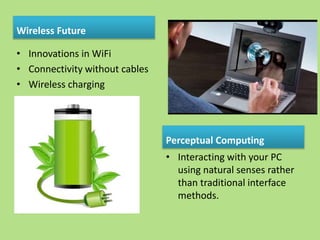
Wireless Future
• Innovations in WiFi
• Connectivity without cables
• Wireless charging
Perceptual Computing
• Interacting with your PC
using natural senses rather
than traditional interface
methods.

A walk through the computer system

  • 1.
    What is System? •A set of things working together as parts of a mechanism. • Interconnecting network a complex whole. • According to Cambridge Dictionary: A set of ​connected things or ​devices that ​operate together.
  • 2.
    Common characteristics ofa System • A system has structure. • A system has behaviour. • A system has interconnectivity. Types of System • Open systems • Closed systems
  • 3.
    What is Computer? •The term Computer comes from the word “Compute”. • Compute means “To calculate”. • An electronic device that receives Input => Stores it => Operate it => and gives the user with an output. -OR- • An electronic device which converts data into information.
  • 4.
    What is ComputerSystem? • Combination of hardware and software. • Typical computer system has memory and set of0 instructions.
  • 5.
  • 6.
    Computer sizes andPower Computer can be generally classified by size and power • Personal computer • Workstation • Mini computer • Wearable computer • Laptops • Palmtops • PDA • Mainframe computer • Super computer
  • 7.
    PERSONAL COMPUTER Computers designedfor use by a single person. • Less expensive • Basically divided between Apple and PCs • Graphics capability • Types: Desktop Laptop Smart phones Workstations
  • 8.
    Work station • Simplya desktop computer • Has more powerful processor • Additional memory • Perform a special task • 3D graphics • Game development • Also called notebooks • Portable computer • Has a keyboard and pointing device • Larger than hardcover book Laptops
  • 9.
    Wearable Computer • It’sa latest trend in computing • common computer applications (e-mail, database, multimedia, calendar/scheduler) are integrated into watches, cell phones, visors and even clothing. PDA • Personal digital assistant • Often used flash memory instead of hard drive • Do not have keyboards • Rely on touch screen technology • Larger and heavier version of PDA is Hand held computer
  • 10.
    COMPUTERS FOR ORGANIZATIONS MainframeComputer • Used in early days of computing • Used in large companies • Store large amount of data POPULAR MAINFRAME Fujitsu’s ICL VME Hitachi’s Z800 Super Computers • The primary storage capacity • Speed of processing data, and • Ability to support different input, output and mass storage devices such as printers, tape drives, etc. • Quite expensive
  • 11.
    Components of ComputerSystems 1. Hardware 2. Software
  • 12.
    HARDWARE Hardware is aphysical component of computer. Basically it is a type of tools, machinery and other durable equipment. Examples Monitor Keyboard Mouse
  • 13.
    Types of hardware Thereare four types:  Input devices  Output devices  Processing device  Storage devices 1. Input devices: The devices which feeds data into computer. Examples Microphone Joystick Computer Gamepad
  • 14.
    2. Output devices Thedevices that give output to the user are output devices. Examples: Speakers Projector Headphones 3. Processing devices The devices which handles the intermediate stages, being responsible for controlling the storage and retrieval of data.. Examples: CPU
  • 15.
    CPU(Central Processing Unit) •It is the brain of computer. • It carries all the instructions and then works. Components of CPU: • ALU • CU • Algorithm logic unit: It performs all the algorithm computations like addition, subtraction, multiplication and division.
  • 16.
    Control Unit: The CUis responsible for executing and storing the results coming out of ALU. Motherboard • It is the physical part of computer that contains the computer basic circuitry and components. It includes: – The microprocessor – Coprocessors – Memory – Interconnecting circuitry
  • 17.
    Internal Hardware • Internalhardware means inside the computer. • Examples Sound card Memory DVD Fax modem External Hardware • External hardware means outside the computer. • Examples LCD Printer Keyboard CPU
  • 18.
    SOFTWARE Software means computer instructions ordata. Anything that can be stored electronically is software.
  • 19.
    CATEGORIES OF SOFTWARE Softwareis divided into two categories: • System Software • Application Software
  • 20.
    SYSTEM SOFTWARE System softwareis computer software designed to operate and control the computer hardware and to provide a platform for running application software. System software can be separated into two different categories. Operating System Utility software
  • 21.
    OPERATING SYSTEM The operating systemallows the parts of a computer to work together by performing different tasks.
  • 22.
    UTILITY SOFTWARE Utility softwarehelps to analyze, configure, optimize and maintain the computer. It is used to support the computer infrastructure. EXAMPLE: • Antivirus • Backup software • Data compression
  • 23.
    APPLICATION SOFTWARE Application softwareare often called productivity programs or end-user programs because they enable the user to complete tasks. EXAMPLE: • Chrome • Excel
  • 24.
    Journey to thecentre of a computer system
  • 25.
  • 26.
    Example of amathematical calculation.
  • 27.
  • 28.
    Example of aweb browser web browser has to communicate back and forth with online resources
  • 29.
  • 30.
    The Internet ofThings • Everything is connected. • Machine-to-machine (M2M) communication. • Networks of sensors. • Cloud computing. • Providing mobile and instantaneous connection. Computers would simply disappear into your environment!
  • 31.
    How IoT wouldchange the world • A world thoroughly connected. • Safe and sustainable cities. • An environment that is cleaner, sustainable, and more livable. Healthcare Environmental Management Industry
  • 32.
    Virtual and AugmentedReality A simulated, three- dimensional world that a user can manipulate and explore while feeling as if he were in that world. Examples:  Oculus Rift  PlayStation VR  Microsoft HoloLens
  • 33.
    Wireless Future • Innovationsin WiFi • Connectivity without cables • Wireless charging Perceptual Computing • Interacting with your PC using natural senses rather than traditional interface methods.