Lecture 1 Intro, types, generation and architecture
1.
Topics
• What iscomputer
• Information processing cycle
• Computer system
• Types of computer
• Generations of computer
• Uses of computer
• Importance of computer
• Limitations of computer
4/26/2018 1
2.
What is computer
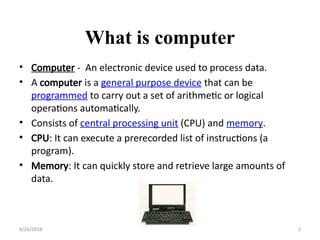
•Computer - An electronic device used to process data.
• A computer is a general purpose device that can be
programmed to carry out a set of arithmetic or logical
operations automatically.
• Consists of central processing unit (CPU) and memory.
• CPU: It can execute a prerecorded list of instructions (a
program).
• Memory: It can quickly store and retrieve large amounts of
data.
4/26/2018 2
Functionalities of acomputer
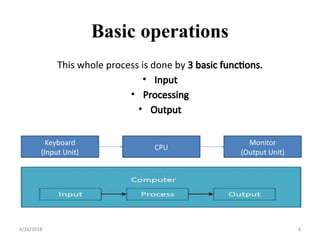
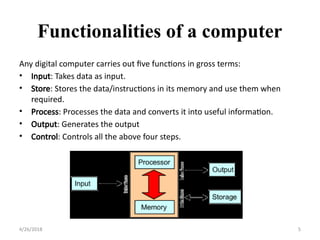
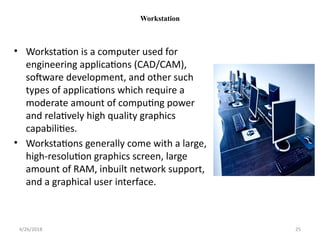
Any digital computer carries out five functions in gross terms:
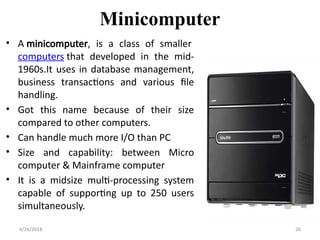
• Input: Takes data as input.
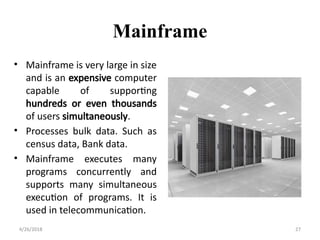
• Store: Stores the data/instructions in its memory and use them when
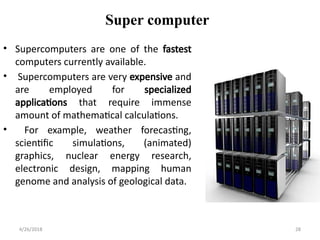
required.
• Process: Processes the data and converts it into useful information.
• Output: Generates the output
• Control: Controls all the above four steps.
4/26/2018 5
6.
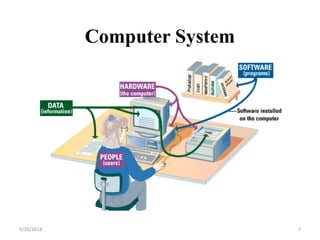
• Hardware -Physical parts of the computer
• Software – Sequence of instructions to the computer
• Data - Raw facts the computer can manipulate
• People – Can be system analyst, programmer, computer
operator
Computer System
4/26/2018 6
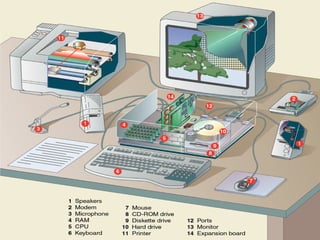
Any part ofthe computer you can touch. It consists of
interconnected electronic devices.
• Processor
• Memory
• Input and Output Devices
• Storage Devices
Hardware
4/26/2018 8
•Brain of computer
•Followsfetch – decode – execution cycle instruction
•Consists of Chips
•It is placed into the motherboard
•Speed is controlled by system clock
•Speed is measured by MHz, GHz etc.
Processor
4/26/2018 10
11.
•Consists of one/morechips
•Stores data and/ or programs
•Example: RAM & ROM
•The CPU can find any piece of data in RAM, when it needs
it for processing.
Memory
4/26/2018 11
12.
• Input devicesaccept data and instructions from the
user or from another computer system. The keyboard
and mouse are examples of input devices.
• Output devices return processed data back to the
user or to another computer system. The printer and
monitor are examples.
• Communications devices (such as modems and
network interface cards) perform both input and
output, allowing computers to share information.
Input and Output Devices
4/26/2018 12
13.
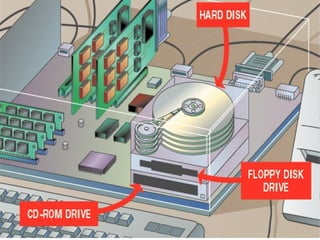
• Storage deviceshold data not currently being used
by the CPU.
• 2 types of storage: magnetic or optical disk. Each
type uses a special medium for storing data on its
surface.
• A disk drive is a device that reads data from and
writes data to a disk. Magnetic Disk: floppy disk
drive, hard disk drive
• The most common optical storage devices are CD-
ROM and DVD-ROM drives.
Storage Devices
4/26/2018 13
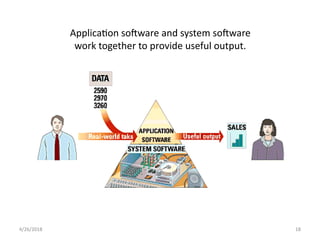
Sequence of instructionswhich directs a computer to
perform certain functions. Also known as programs.
2 types of software:
• System Software
• Application Software
Software
4/26/2018 15
16.
Consists of programsthat help to use a computer.
Tasks:
•Organizing and maintaining data files
•Translating programs
•Scheduling jobs
Example:
❑Operating Systems
• Windows 10
• Windows 7
• Linux
❑Network Operating System
❑Disk Utilities
System Software
4/26/2018 16
17.
Application Software
• WordProcessing
• Spreadsheets
• Graphics
• Databases
• Entertainment
• Educational
• Communications
• Presentation
4/26/2018 17
Performs user applications.
Tasks:
•Performs a particular type of task
System vs. ApplicationSoftware
4/26/2018 19
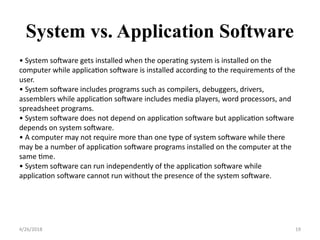
• System software gets installed when the operating system is installed on the
computer while application software is installed according to the requirements of the
user.
• System software includes programs such as compilers, debuggers, drivers,
assemblers while application software includes media players, word processors, and
spreadsheet programs.
• System software does not depend on application software but application software
depends on system software.
• A computer may not require more than one type of system software while there
may be a number of application software programs installed on the computer at the
same time.
• System software can run independently of the application software while
application software cannot run without the presence of the system software.
20.
Data
4/26/2018 20
• Dataconsists of raw facts, which the computer can
manipulate and process into information that is
useful to people.
• Computerized data is digital, meaning that it has
been reduced to digits, or numbers. The computer
stores and reads all data as numbers.
• Although computers use data in digital form, they
convert data into forms that people can understand,
such as text, numerals, sounds, and images.
21.
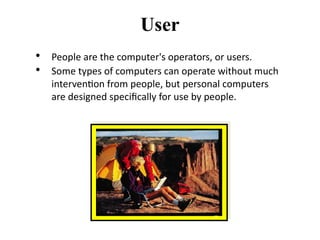
• People arethe computer's operators, or users.
• Some types of computers can operate without much
intervention from people, but personal computers
are designed specifically for use by people.
User
22.
Types of computer
Computerscan be generally classified by size and power as
follows, though there is considerable overlap:
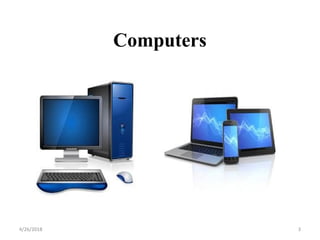
• Personal computer
• Workstation
• Minicomputer
• Mainframe
• Supercomputer
4/26/2018 22
23.
Types of computer
•PC (Personal Computer)-It is a single user computer system having
moderately powerful microprocessor
• WorkStation-It is also a single user computer system which is similar to
personal computer but have more powerful microprocessor.
• Mini Computer-It is a midsize multi-processing system capable of supporting
up to 250 users simultaneously.
• Main Frame-Mainframe is very large in size and is an expensive computer
capable of supporting hundreds or even thousands of users simultaneously.
• Supercomputer-It is an extremely fast computer which can execute
hundreds of millions of instructions per second.
4/26/2018 23
24.
PC
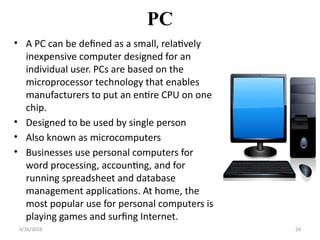
• A PCcan be defined as a small, relatively
inexpensive computer designed for an
individual user. PCs are based on the
microprocessor technology that enables
manufacturers to put an entire CPU on one
chip.
• Designed to be used by single person
• Also known as microcomputers
• Businesses use personal computers for
word processing, accounting, and for
running spreadsheet and database
management applications. At home, the
most popular use for personal computers is
playing games and surfing Internet.
4/26/2018 24
25.
Workstation
• Workstation isa computer used for
engineering applications (CAD/CAM),
software development, and other such
types of applications which require a
moderate amount of computing power
and relatively high quality graphics
capabilities.
• Workstations generally come with a large,
high-resolution graphics screen, large
amount of RAM, inbuilt network support,
and a graphical user interface.
4/26/2018 25
26.
Minicomputer
• A minicomputer,is a class of smaller
computers that developed in the mid-
1960s.It uses in database management,
business transactions and various file
handling.
• Got this name because of their size
compared to other computers.
• Can handle much more I/O than PC
• Size and capability: between Micro
computer & Mainframe computer
• It is a midsize multi-processing system
capable of supporting up to 250 users
simultaneously.
4/26/2018 26
27.
Mainframe
• Mainframe isvery large in size
and is an expensive computer
capable of supporting
hundreds or even thousands
of users simultaneously.
• Processes bulk data. Such as
census data, Bank data.
• Mainframe executes many
programs concurrently and
supports many simultaneous
execution of programs. It is
used in telecommunication.
4/26/2018 27
28.
Super computer
• Supercomputersare one of the fastest
computers currently available.
• Supercomputers are very expensive and
are employed for specialized
applications that require immense
amount of mathematical calculations.
• For example, weather forecasting,
scientific simulations, (animated)
graphics, nuclear energy research,
electronic design, mapping human
genome and analysis of geological data.
4/26/2018 28
29.
Generations of computer
•First Generation
The period of first generation: 1946-1959. Vacuum tube based.
• Second Generation
The period of second generation: 1959-1965. Transistor based.
• Third Generation
The period of third generation: 1965-1971. Integrated Circuit
based.
• Fourth Generation
The period of fourth generation: 1971-1980. VLSI microprocessor
based.
• Fifth Generation
The period of fifth generation: 1980-onwards. ULSI
microprocessor based
4/26/2018 29
30.
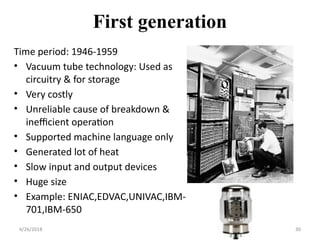
First generation
Time period:1946-1959
• Vacuum tube technology: Used as
circuitry & for storage
• Very costly
• Unreliable cause of breakdown &
inefficient operation
• Supported machine language only
• Generated lot of heat
• Slow input and output devices
• Huge size
• Example: ENIAC,EDVAC,UNIVAC,IBM-
701,IBM-650
4/26/2018 30
31.
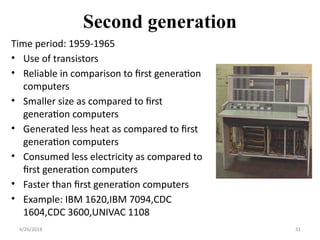
Second generation
Time period:1959-1965
• Use of transistors
• Reliable in comparison to first generation
computers
• Smaller size as compared to first
generation computers
• Generated less heat as compared to first
generation computers
• Consumed less electricity as compared to
first generation computers
• Faster than first generation computers
• Example: IBM 1620,IBM 7094,CDC
1604,CDC 3600,UNIVAC 1108
4/26/2018 31
32.
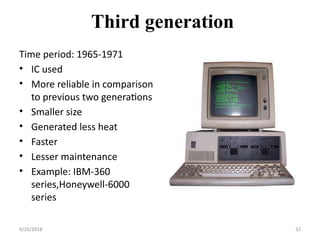
Third generation
Time period:1965-1971
• IC used
• More reliable in comparison
to previous two generations
• Smaller size
• Generated less heat
• Faster
• Lesser maintenance
• Example: IBM-360
series,Honeywell-6000
series
4/26/2018 32
33.
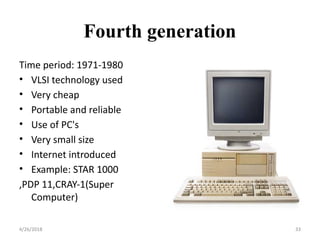
Fourth generation
Time period:1971-1980
• VLSI technology used
• Very cheap
• Portable and reliable
• Use of PC's
• Very small size
• Internet introduced
• Example: STAR 1000
,PDP 11,CRAY-1(Super
Computer)
4/26/2018 33
34.
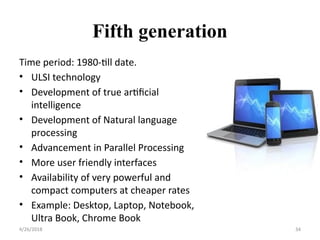
Fifth generation
Time period:1980-till date.
• ULSI technology
• Development of true artificial
intelligence
• Development of Natural language
processing
• Advancement in Parallel Processing
• More user friendly interfaces
• Availability of very powerful and
compact computers at cheaper rates
• Example: Desktop, Laptop, Notebook,
Ultra Book, Chrome Book
4/26/2018 34
35.
Uses of computer
•Bank
• Health & Medical
• Education
• Business
• Recreation and Entertainment
• Government
• Defense etc.
4/26/2018 35
36.
Advantages of computer
•Volume of data: Can handle large amount of data
• Accuracy: Ensures high degree of accuracy
• Repetitiveness: Can automatically perform a task as many
time as required
• Complexity: Performs complex calculation
• Speed: Works so fast
• Common data: One item can be used for different procedures.
4/26/2018 36
37.
Limitations of computer
•A computer cannot take any decision on its own.
• It functions as per a user’s instruction, so it is fully dependent
on human being
• It can’t do any adjustment as being can do.
• Can not Think
• Can not do anything Without Instructions
• Can not make any Judgment
4/26/2018 37



![[DSC Europe 25] Tali Fulman - Guild Meetings, Then What? Building Data Commun...](https://cdn.slidesharecdn.com/ss_thumbnails/fgohhi33rwmhqdowdj5k-tali-fulman-guild-meetings-then-what-building-data-communities-that-actually-ch-260120105855-528492c3-thumbnail.jpg?width=640&height=640&fit=bounds)

![[DSC Europe 25] Andrzej Kowalczyk - AI - how to start small and grow in the f...](https://cdn.slidesharecdn.com/ss_thumbnails/oy1zmo94qv6vpcqjvno2-andrzej-kowalczyk-ai-how-to-start-small-and-grow-in-the-future-1-260119121559-cf093b23-thumbnail.jpg?width=640&height=640&fit=bounds)
![[DSC Europe 25] Bojan Djuricic - Predictive Design Process.pdf](https://cdn.slidesharecdn.com/ss_thumbnails/5awdrbedqdek3gqu2ezy-4-the-predictive-design-bojan-djuricic-260120105856-6c399e9b-thumbnail.jpg?width=640&height=640&fit=bounds)
![[DSC Europe 25] Marcos Heidemann - Beyond the Hype: Making AI Coding Assistan...](https://cdn.slidesharecdn.com/ss_thumbnails/eexkhvldrjsopspdjbur-marcos-heidemann-beyond-the-hype-getting-real-value-out-of-ai-assisted-coding-260121115910-7e9d41ec-thumbnail.jpg?width=640&height=640&fit=bounds)
![[DSC Europe 25] Laila Kakar - Leveraging AI for Strategic Excellence: Enhanci...](https://cdn.slidesharecdn.com/ss_thumbnails/eykmhrtsqmaaftwkexh7-dsc-lailakakar-1-260119101520-5f3b5616-thumbnail.jpg?width=640&height=640&fit=bounds)


![[DSC Europe 25] Egor Krasheninnikov - The Control Stack: Building Guardrails ...](https://cdn.slidesharecdn.com/ss_thumbnails/3lzcz7hxqmo51mtalv4u-the-control-stack-260119101520-ea90841a-thumbnail.jpg?width=640&height=640&fit=bounds)


![[DSC Europe 25] Srdj Stanisic - Local and Private AI in UX.pdf](https://cdn.slidesharecdn.com/ss_thumbnails/vwmetykqmztgmokmmkfa-3-srdjan-stanisic-local-and-small-ai-in-ux-260120105855-55a31869-thumbnail.jpg?width=640&height=640&fit=bounds)


![[DSC Europe 25] Tamas Srancsik - How To Teach Your AI Football? An Argument f...](https://cdn.slidesharecdn.com/ss_thumbnails/bcjh1m9xtbosv20ucftb-tamas-srancsik-how-to-teach-your-ai-football-260121115910-08b53e9e-thumbnail.jpg?width=640&height=640&fit=bounds)


![[DSC Europe 25] Dubravko Culibrk - Deep Learning for Mammography.pptx](https://cdn.slidesharecdn.com/ss_thumbnails/yiscimuktacgqoiu4dkp-deep-learning-for-mammography-260119121559-aad59182-thumbnail.jpg?width=640&height=640&fit=bounds)