
Presented By:-
MAYANK MULCHANDANI
Presented To:-
Dr. Mukesh Prowal
INPUT DEVICES
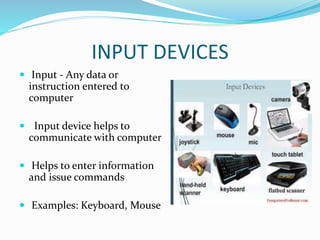
 Input - Any data or
instruction entered to
computer
 Input device helps to
communicate with computer
 Helps to enter information
and issue commands
 Examples: Keyboard, Mouse
KEYBOARD
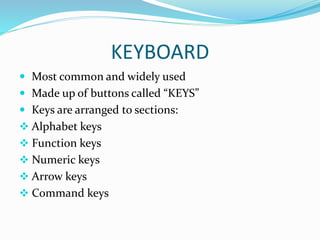
 Most common and widely used
 Made up of buttons called “KEYS”
 Keys are arranged to sections:
 Alphabet keys
 Function keys
 Numeric keys
 Arrow keys
 Command keys
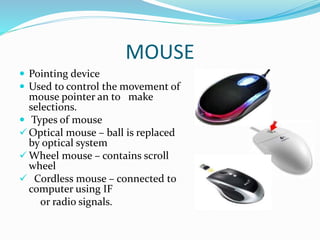
MOUSE
 Pointing device
 Used to control the movement of
mouse pointer an to make
selections.
 Types of mouse
 Optical mouse – ball is replaced
by optical system
 Wheel mouse – contains scroll
wheel
 Cordless mouse – connected to
computer using IF
or radio signals.
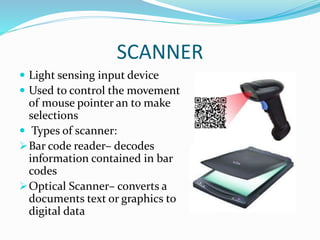
SCANNER
 Light sensing input device
 Used to control the movement
of mouse pointer an to make
selections
 Types of scanner:
Bar code reader– decodes
information contained in bar
codes
Optical Scanner– converts a
documents text or graphics to
digital data
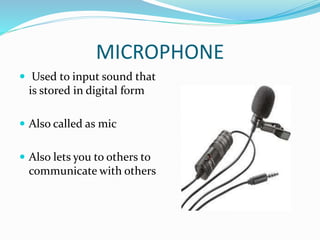
MICROPHONE
 Used to input sound that
is stored in digital form
 Also called as mic
 Also lets you to others to
communicate with others
JOYSTICK
 Pointing device that works on
principle of trackball
 Function is same as mouse
 It is a stick having spherical balls
at both upper and lower ends
 Can be moved in four directions
OUTPUT DEVICES
 Input - Any piece of
computer hardware
equipment used to
communicate
 the results of data
processing
 Converts the electronically
generated information into
human-readable form.
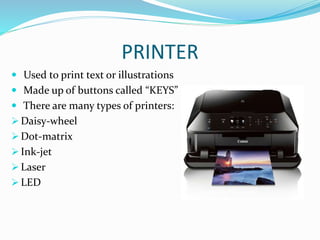
PRINTER
 Used to print text or illustrations
 Made up of buttons called “KEYS”
 There are many types of printers:
 Daisy-wheel
 Dot-matrix
 Ink-jet
 Laser
 LED
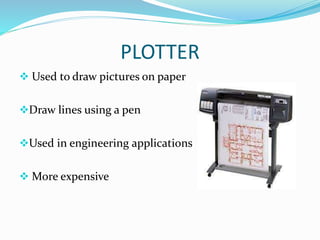
PLOTTER
 Used to draw pictures on paper
Draw lines using a pen
Used in engineering applications
 More expensive
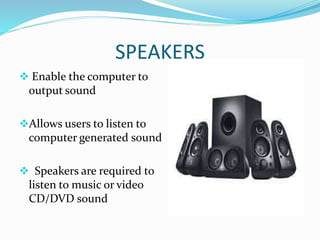
SPEAKERS
 Enable the computer to
output sound
Allows users to listen to
computer generated sound
 Speakers are required to
listen to music or video
CD/DVD sound
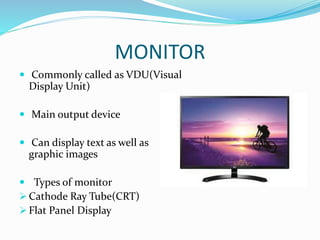
MONITOR
 Commonly called as VDU(Visual
Display Unit)
 Main output device
 Can display text as well as
graphic images
 Types of monitor
 Cathode Ray Tube(CRT)
 Flat Panel Display
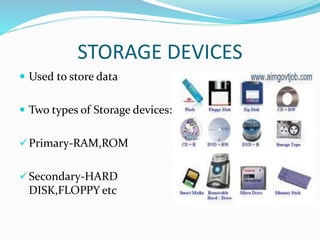
STORAGE DEVICES
 Used to store data
 Two types of Storage devices:
Primary-RAM,ROM
Secondary-HARD
DISK,FLOPPY etc
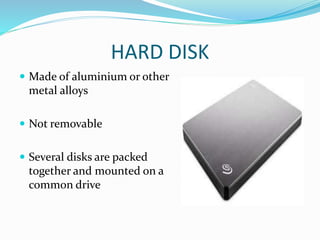
HARD DISK
 Made of aluminium or other
metal alloys
 Not removable
 Several disks are packed
together and mounted on a
common drive
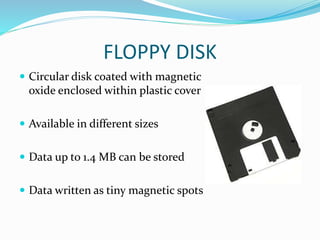
FLOPPY DISK
 Circular disk coated with magnetic
oxide enclosed within plastic cover
 Available in different sizes
 Data up to 1.4 MB can be stored
 Data written as tiny magnetic spots
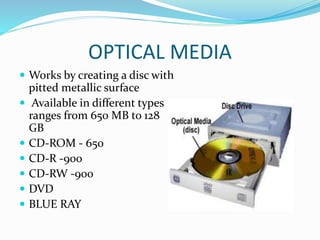
OPTICAL MEDIA
 Works by creating a disc with
pitted metallic surface
 Available in different types
ranges from 650 MB to 128
GB
 CD-ROM - 650
 CD-R -900
 CD-RW -900
 DVD
 BLUE RAY
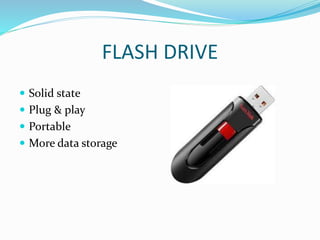
FLASH DRIVE
 Solid state
 Plug & play
 Portable
 More data storage
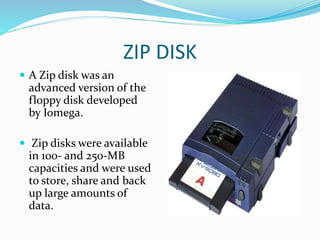
ZIP DISK
 A Zip disk was an
advanced version of the
floppy disk developed
by Iomega.
 Zip disks were available
in 100- and 250-MB
capacities and were used
to store, share and back
up large amounts of
data.
Input,output & storage device ppt

Input,output & storage device ppt

  • 1.
  • 2.
    INPUT DEVICES  Input- Any data or instruction entered to computer  Input device helps to communicate with computer  Helps to enter information and issue commands  Examples: Keyboard, Mouse
  • 3.
    KEYBOARD  Most commonand widely used  Made up of buttons called “KEYS”  Keys are arranged to sections:  Alphabet keys  Function keys  Numeric keys  Arrow keys  Command keys
  • 5.
    MOUSE  Pointing device Used to control the movement of mouse pointer an to make selections.  Types of mouse  Optical mouse – ball is replaced by optical system  Wheel mouse – contains scroll wheel  Cordless mouse – connected to computer using IF or radio signals.
  • 6.
    SCANNER  Light sensinginput device  Used to control the movement of mouse pointer an to make selections  Types of scanner: Bar code reader– decodes information contained in bar codes Optical Scanner– converts a documents text or graphics to digital data
  • 7.
    MICROPHONE  Used toinput sound that is stored in digital form  Also called as mic  Also lets you to others to communicate with others
  • 8.
    JOYSTICK  Pointing devicethat works on principle of trackball  Function is same as mouse  It is a stick having spherical balls at both upper and lower ends  Can be moved in four directions
  • 9.
    OUTPUT DEVICES  Input- Any piece of computer hardware equipment used to communicate  the results of data processing  Converts the electronically generated information into human-readable form.
  • 10.
    PRINTER  Used toprint text or illustrations  Made up of buttons called “KEYS”  There are many types of printers:  Daisy-wheel  Dot-matrix  Ink-jet  Laser  LED
  • 11.
    PLOTTER  Used todraw pictures on paper Draw lines using a pen Used in engineering applications  More expensive
  • 12.
    SPEAKERS  Enable thecomputer to output sound Allows users to listen to computer generated sound  Speakers are required to listen to music or video CD/DVD sound
  • 13.
    MONITOR  Commonly calledas VDU(Visual Display Unit)  Main output device  Can display text as well as graphic images  Types of monitor  Cathode Ray Tube(CRT)  Flat Panel Display
  • 14.
    STORAGE DEVICES  Usedto store data  Two types of Storage devices: Primary-RAM,ROM Secondary-HARD DISK,FLOPPY etc
  • 15.
    HARD DISK  Madeof aluminium or other metal alloys  Not removable  Several disks are packed together and mounted on a common drive
  • 16.
    FLOPPY DISK  Circulardisk coated with magnetic oxide enclosed within plastic cover  Available in different sizes  Data up to 1.4 MB can be stored  Data written as tiny magnetic spots
  • 17.
    OPTICAL MEDIA  Worksby creating a disc with pitted metallic surface  Available in different types ranges from 650 MB to 128 GB  CD-ROM - 650  CD-R -900  CD-RW -900  DVD  BLUE RAY
  • 18.
    FLASH DRIVE  Solidstate  Plug & play  Portable  More data storage
  • 19.
    ZIP DISK  AZip disk was an advanced version of the floppy disk developed by Iomega.  Zip disks were available in 100- and 250-MB capacities and were used to store, share and back up large amounts of data.