Introduction of Computer &
Fundamental
 Computer is an Electronic Device .
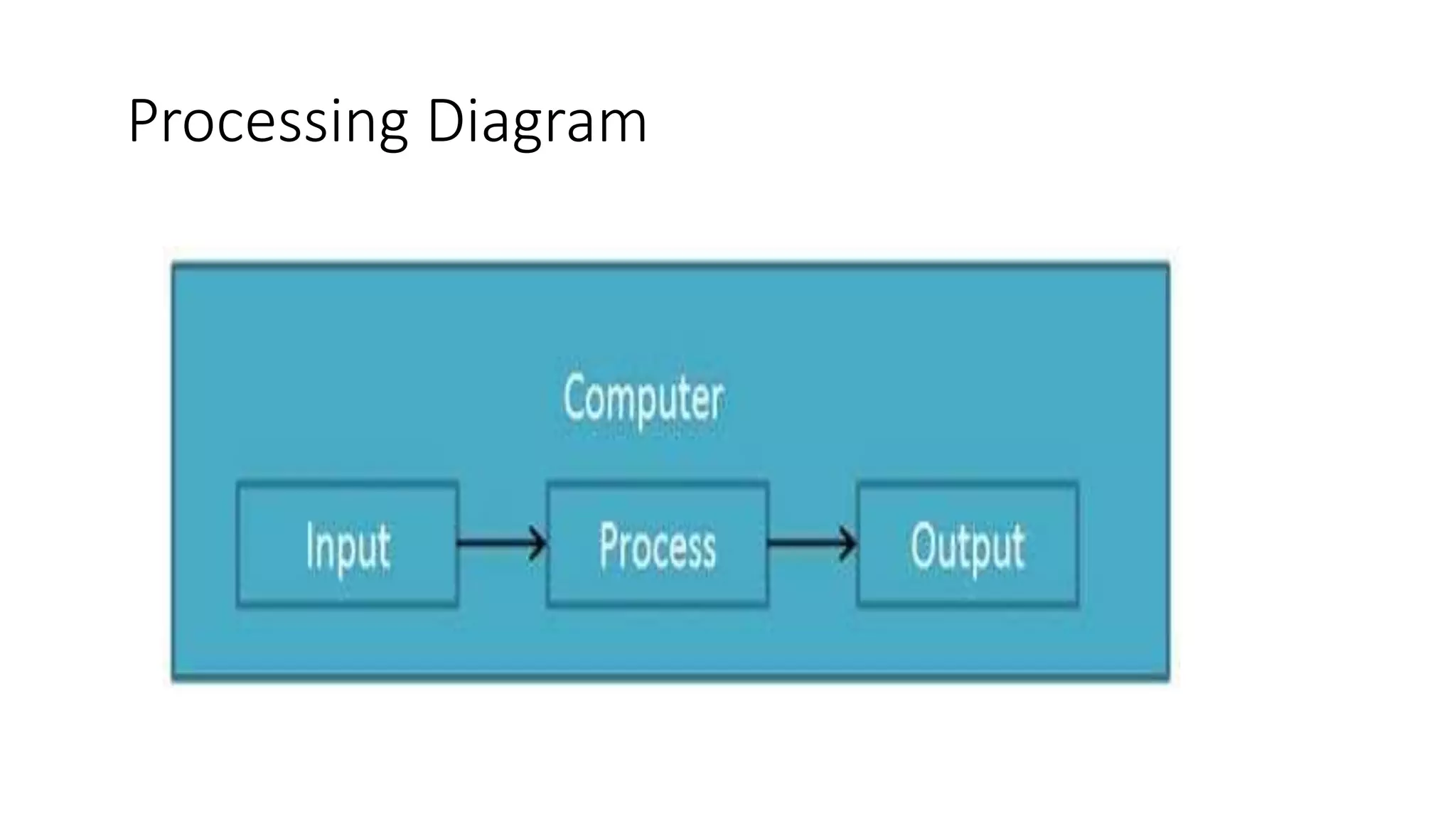
 That takes raw data as an input from the user and processes it under the
control of a set of instructions (called program), produces a result (output),
and saves it for future use .
Processing Diagram
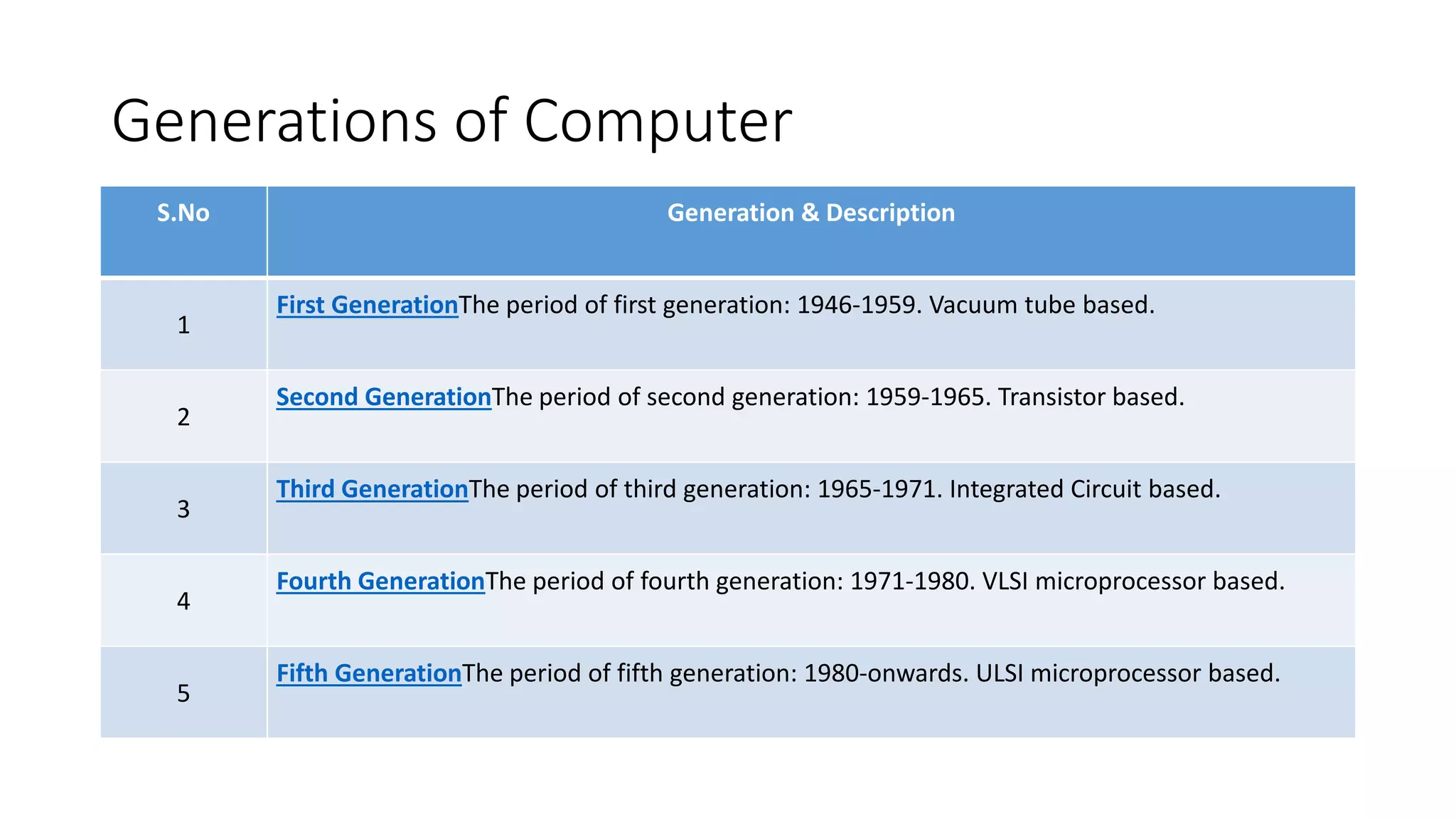
Generations of Computer
S.No Generation & Description
1
First GenerationThe period of first generation: 1946-1959. Vacuum tube based.
2
Second GenerationThe period of second generation: 1959-1965. Transistor based.
3
Third GenerationThe period of third generation: 1965-1971. Integrated Circuit based.
4
Fourth GenerationThe period of fourth generation: 1971-1980. VLSI microprocessor based.
5
Fifth GenerationThe period of fifth generation: 1980-onwards. ULSI microprocessor based.
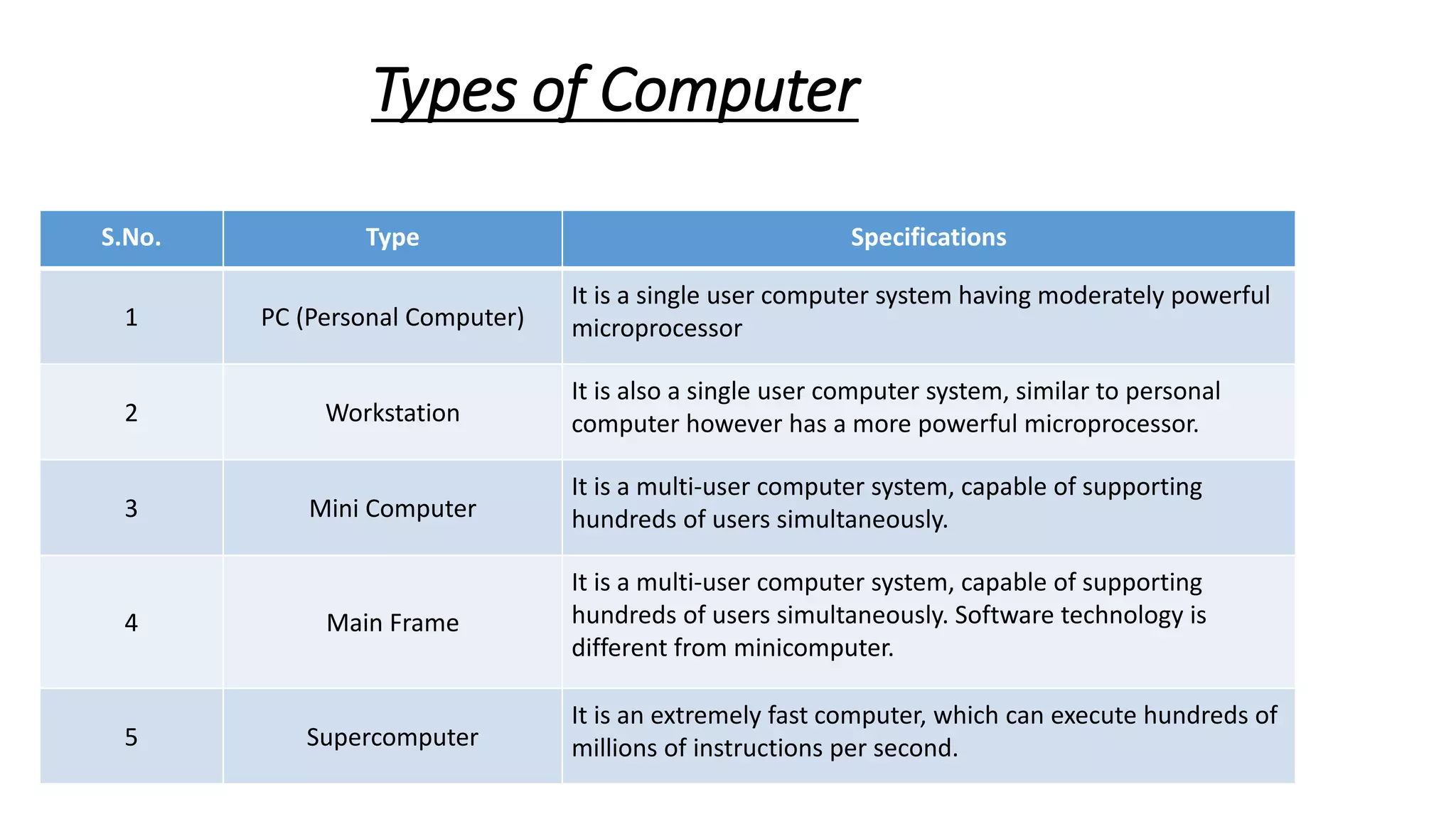
Types of Computer
S.No. Type Specifications
1 PC (Personal Computer)
It is a single user computer system having moderately powerful
microprocessor
2 Workstation
It is also a single user computer system, similar to personal
computer however has a more powerful microprocessor.
3 Mini Computer
It is a multi-user computer system, capable of supporting
hundreds of users simultaneously.
4 Main Frame
It is a multi-user computer system, capable of supporting
hundreds of users simultaneously. Software technology is
different from minicomputer.
5 Supercomputer
It is an extremely fast computer, which can execute hundreds of
millions of instructions per second.
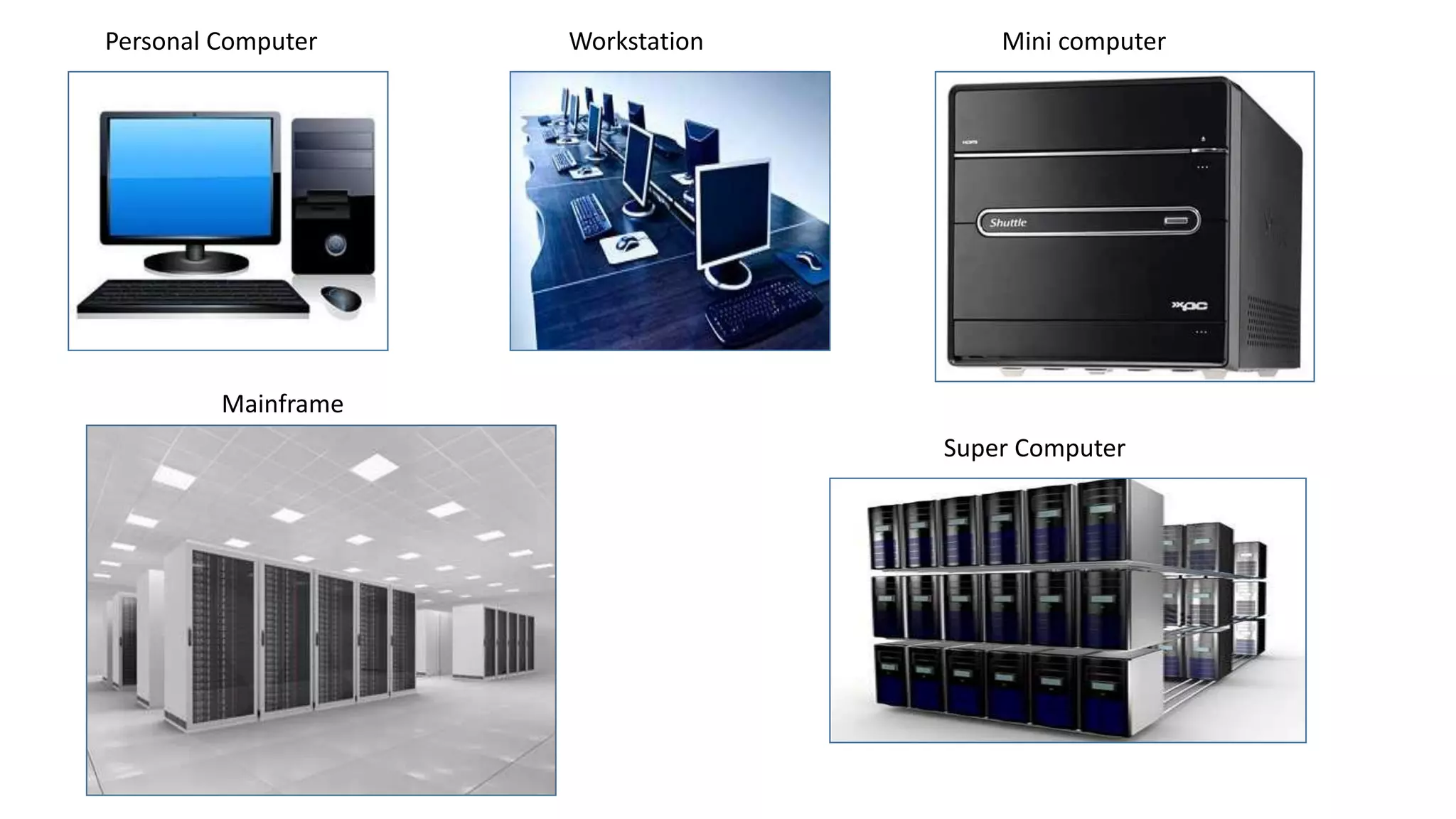
Personal Computer Workstation Mini computer
Mainframe
Super Computer
Basic Components of Computer
•Hardware
•Software
•Network & Networking
Computer Hardware
• Hardware represents the physical and tangible components of a
computer, i.e. the components that can be seen and touched.
• Examples of Hardware are the following −
• Input devices − keyboard, mouse, etc.
• Output devices − printer, monitor, etc.
• Secondary storage devices − Hard disk, CD, DVD, etc.
• Internal components − CPU, motherboard, RAM, etc.
Hardware Component
• MicroProcessor
• Memory –RAM,HDD,CD/DVD etc.
• Motherboard
• SMPS(Switched Mode Power Supply).
• Hard Disk Drives(HDD)
• Optical Disk Drives(ODD)
• Keyboard & Mouse
• Monitor
• BIOS
Computer Software
• Software is a set of programs, which is designed to perform a well-
defined function. A program is a sequence of instructions written to
solve a particular problem.
• There are two types of software −
1. System Software
2. Application Software
System Software
The system software is a collection of programs designed to operate,
control, and extend the processing capabilities of the computer itself.
System software is generally prepared by the computer manufacturers.
written in low-level languages.
System software serves as the interface between the hardware and the
end users.
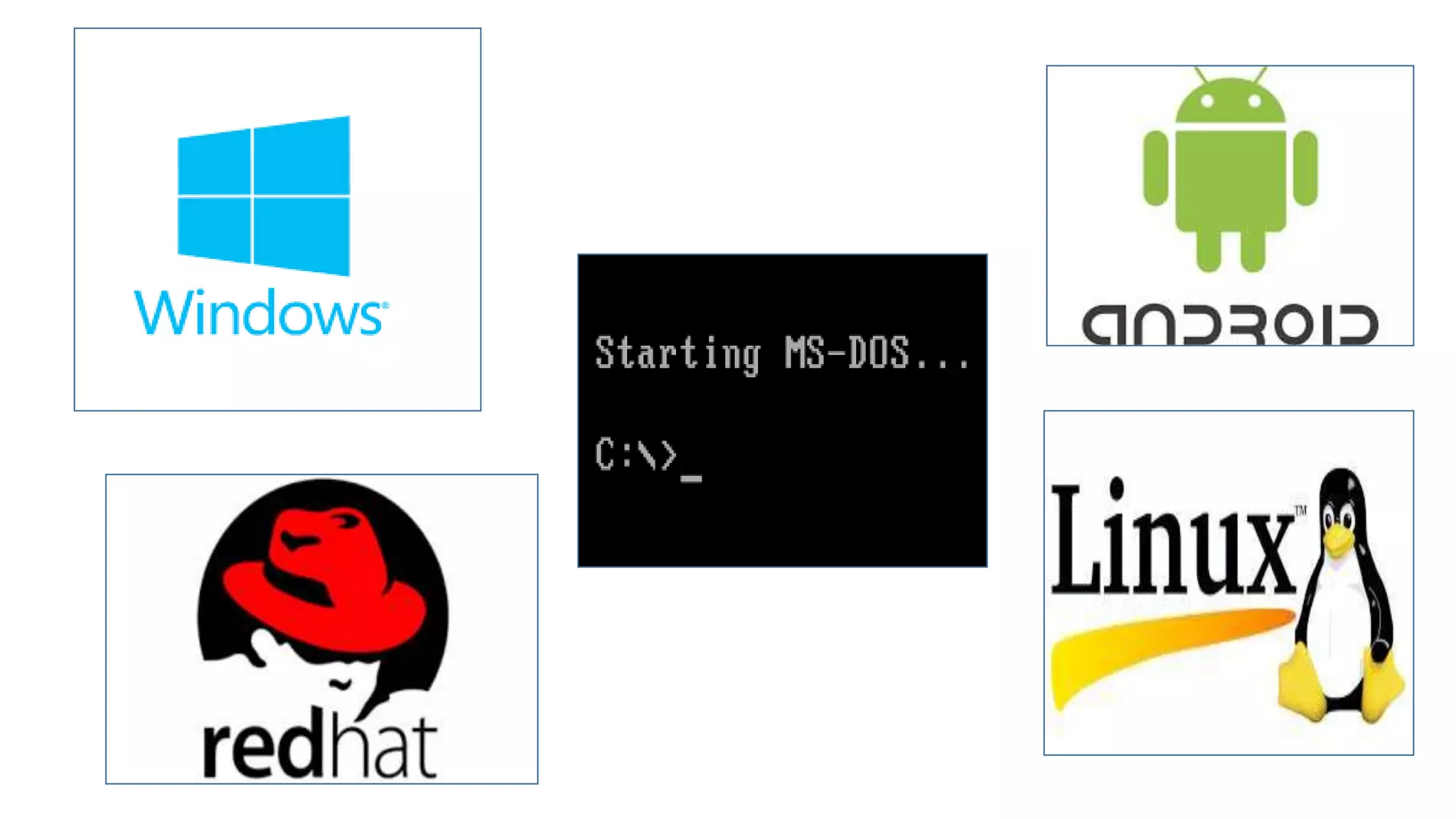
Some examples of system software are Operating System, Compilers,
Interpreter, Assemblers, etc.
Features
• Close to the system
• Fast in speed
• Difficult to design
• Difficult to understand
• Less interactive
• Smaller in size
• Difficult to manipulate
• Generally written in low-level language
Application Software
Application software products are designed to satisfy a particular need of a
particular environment.
Application software may consist of a single program, such as Microsoft's
notepad for writing and editing a simple text.
Examples:-
i. Payroll Software
ii. Student Record SoftwareInventory
iii. Management Software
iv. Income Tax Software
v. Railways Reservation Software
vi. Microsoft Office Suite Software
vii. Microsoft Word
viii. Microsoft Excel
ix. Microsoft PowerPoint
Features
• Close to the user
• Easy to design
• More interactive
• Slow in speed
• Generally written in high-level language
• Easy to understand
• Easy to manipulate and use
• Bigger in size and requires large storage space
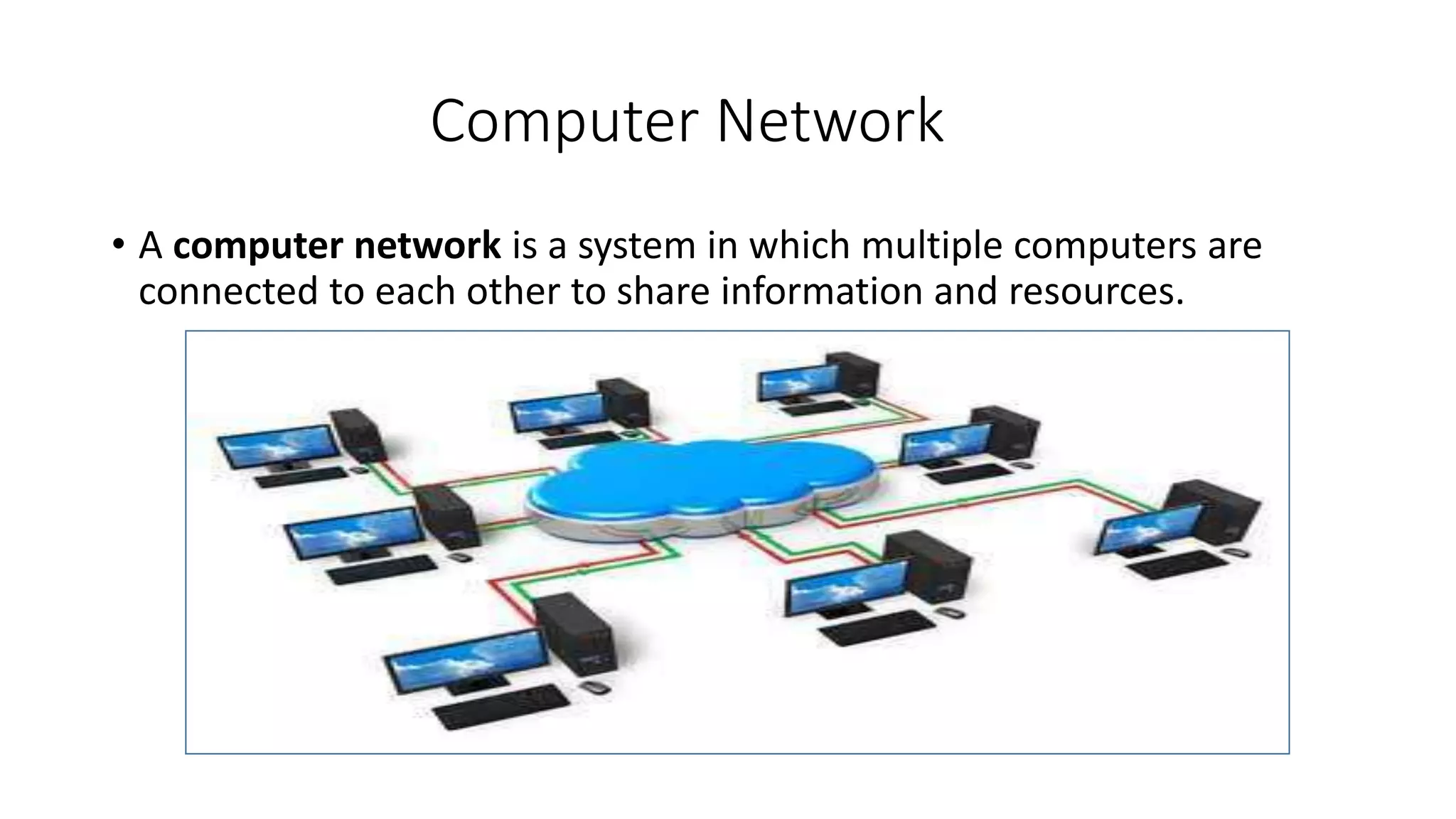
Computer Network
• A computer network is a system in which multiple computers are
connected to each other to share information and resources.
The End
• Prepared By:
Er. Anand Tiwari (MCA)
Co:+919451100030
Mail: anandtiwari004@gmail.com

Introduction of computer & fundamental

  • 1.
    Introduction of Computer& Fundamental  Computer is an Electronic Device .  That takes raw data as an input from the user and processes it under the control of a set of instructions (called program), produces a result (output), and saves it for future use .
  • 2.
  • 3.
    Generations of Computer S.NoGeneration & Description 1 First GenerationThe period of first generation: 1946-1959. Vacuum tube based. 2 Second GenerationThe period of second generation: 1959-1965. Transistor based. 3 Third GenerationThe period of third generation: 1965-1971. Integrated Circuit based. 4 Fourth GenerationThe period of fourth generation: 1971-1980. VLSI microprocessor based. 5 Fifth GenerationThe period of fifth generation: 1980-onwards. ULSI microprocessor based.
  • 4.
    Types of Computer S.No.Type Specifications 1 PC (Personal Computer) It is a single user computer system having moderately powerful microprocessor 2 Workstation It is also a single user computer system, similar to personal computer however has a more powerful microprocessor. 3 Mini Computer It is a multi-user computer system, capable of supporting hundreds of users simultaneously. 4 Main Frame It is a multi-user computer system, capable of supporting hundreds of users simultaneously. Software technology is different from minicomputer. 5 Supercomputer It is an extremely fast computer, which can execute hundreds of millions of instructions per second.
  • 5.
    Personal Computer WorkstationMini computer Mainframe Super Computer
  • 6.
    Basic Components ofComputer •Hardware •Software •Network & Networking
  • 7.
    Computer Hardware • Hardwarerepresents the physical and tangible components of a computer, i.e. the components that can be seen and touched. • Examples of Hardware are the following − • Input devices − keyboard, mouse, etc. • Output devices − printer, monitor, etc. • Secondary storage devices − Hard disk, CD, DVD, etc. • Internal components − CPU, motherboard, RAM, etc.
  • 8.
    Hardware Component • MicroProcessor •Memory –RAM,HDD,CD/DVD etc. • Motherboard • SMPS(Switched Mode Power Supply). • Hard Disk Drives(HDD) • Optical Disk Drives(ODD) • Keyboard & Mouse • Monitor • BIOS
  • 9.
    Computer Software • Softwareis a set of programs, which is designed to perform a well- defined function. A program is a sequence of instructions written to solve a particular problem. • There are two types of software − 1. System Software 2. Application Software
  • 10.
    System Software The systemsoftware is a collection of programs designed to operate, control, and extend the processing capabilities of the computer itself. System software is generally prepared by the computer manufacturers. written in low-level languages. System software serves as the interface between the hardware and the end users. Some examples of system software are Operating System, Compilers, Interpreter, Assemblers, etc.
  • 12.
    Features • Close tothe system • Fast in speed • Difficult to design • Difficult to understand • Less interactive • Smaller in size • Difficult to manipulate • Generally written in low-level language
  • 13.
    Application Software Application softwareproducts are designed to satisfy a particular need of a particular environment. Application software may consist of a single program, such as Microsoft's notepad for writing and editing a simple text. Examples:- i. Payroll Software ii. Student Record SoftwareInventory iii. Management Software iv. Income Tax Software v. Railways Reservation Software vi. Microsoft Office Suite Software vii. Microsoft Word viii. Microsoft Excel ix. Microsoft PowerPoint
  • 15.
    Features • Close tothe user • Easy to design • More interactive • Slow in speed • Generally written in high-level language • Easy to understand • Easy to manipulate and use • Bigger in size and requires large storage space
  • 16.
    Computer Network • Acomputer network is a system in which multiple computers are connected to each other to share information and resources.
  • 17.
    The End • PreparedBy: Er. Anand Tiwari (MCA) Co:+919451100030 Mail: anandtiwari004@gmail.com