&ACTIVECOLLABORATIVELEARNING IN THE CLASSROOMComplemented with e-LearningLeandre Andres S. DacanayUniversity of Santo TomasPhilippine eLearning Society
Character SurveyCreativeIntelligentPreoccupied withLateral Thinkerand SexSin
SITUATIONEREnvironment
Transportation
Communication
EducationABNKKBSNPLAKO?!
Para sa mga bagong e-teachers Nagtuturo Turo nang Turo Turong-turoAyaw MagturoWalang maituro.
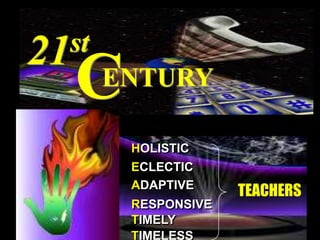
21stCENTURYHOLISTICECLECTICADAPTIVETEACHERSRESPONSIVETIMELYTIMELESS
If you don’t know where you’re going, 					any road will do.-- The White Rabbit 	   (Alice in Wonderland)
Pedagogy      =       paid    +    agogus	                    (child)  +  (leader of)Andragogy    =      aner    +    agogus                            (adult)   +  (leader of)
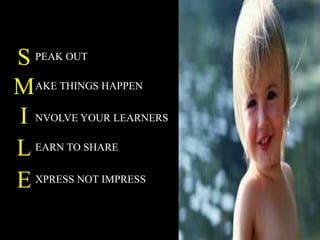
SPEAK OUTMAKE THINGS HAPPENINVOLVE YOUR LEARNERSLEARN TO SHAREEXPRESS NOT IMPRESS
Students are NOT materials to work on but PERSONS to work with
?
Do You Still Have                   The Time To Prepare ?
Are You Happy With What    You Are Doing Right Now ?
Are you Really 		Performing 	At 		Your Level Best ?
Is It Worth Preparing Everyday ?
Do You Think There Is Still	Something Better You 		Can Actually Deliver ?
We Learn 1       %      thru     TASTE1.5    %      thru     TOUCH3.5    %      thru     SMELL11     %      thru     HEARING83     %      thru     SIGHT
We Remember10% of what we read20% of what we hear30% of what we see50% of what we see and hear80% of what we see and say90% of what we say as we do a thing
Guiding PrinciplesALAN GLATHORNWhat is a teacher?- A guide, not a guard.What is learning?- A journey, not a destination.What is discovery?- Questioning the answer.
Guiding PrinciplesALAN GLATHORNWhat is the process?- Discovering ideas, not covering content.What is the goal?- Open minds, not close issues.What is the test?- Being and becoming, not remembering and reviewing.What is a school?- Whatever we choose to make it.
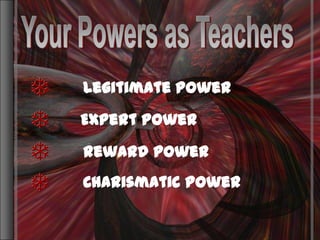
Your Powers as TeachersYour Powers as TeachersLegitimate PowerExpert PowerReward PowerCharismatic Power
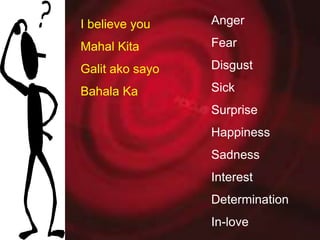
AngerFearDisgustSick SurpriseHappinessSadnessInterestDeterminationIn-love I believe youMahal KitaGalit ako sayoBahala Ka
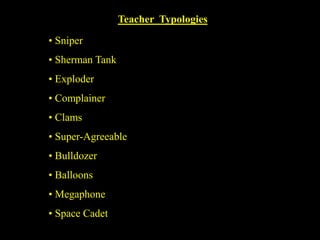
Teacher  Typologies Sniper
 Sherman Tank
 Exploder
 Complainer
 Clams
 Super-Agreeable
 Bulldozer
 Balloons
 Megaphone
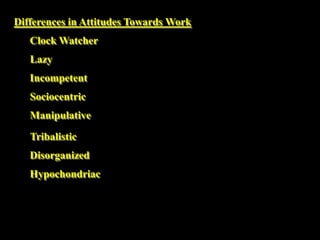
 Space CadetDifferences in Attitudes Towards WorkClock WatcherLazyIncompetentSociocentricManipulativeTribalisticDisorganizedHypochondriac
Imagination List* What shape is a wish?* What does happiness look like?* What color is today?* What does purple taste like?* What does your self-image sound like?* What does a rainbow feel like?* What color is the smell of your favorite perfume?* What is the distance of your life?* What is your favorite sense?* What color is your favorite song?* What texture is your favorite perfume scent ?* What does inspiration taste like?* What is the shape of  violin music?* What is the texture of your faculty room?* What is the texture of your dean’s office?* What color is the fragrance of your co-teacher?* What does a cloud sound like?* What is the weight of your anger?* What is the shape of your imagination?* What is educational technology?
What is Educational Technology?Not a collection of machines and devicesNot a product Not a software Not about learning how to use a hardware and software
Educational TechnologyAn evolving definitionA combination of the processes and tools involved in addressing educational needs and challenges with emphasis on applying the most current tools: computers, and their related technologies.
What is Educational Media ?
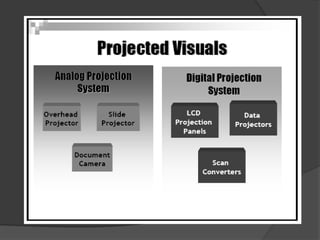
VISUAL DISPLAYSNon - Projected Projected
What is the requirement for the Information Age?
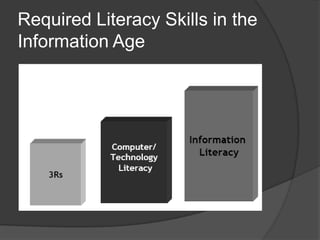
Required Literacy Skills in the Information Age
Information LiteracyAn understanding and set of abilities enabling individuals to ‘recognize when information is needed and have the capacity to locate, evaluate, and use effectively the needed information.
Enables learners to engage critically with content and extend their investigations, become more self-directed, and assume greater control over their own learning.Advantage vs. Disadvantage
As Teachers or Educators we need to be CREATIVE
I8I over ate
MoneyBirthCash on Delivery
StandingMISSOne big misunderstanding
Space for one more
1010The Heat1010The heat is intense
noon SundaySunday After noon
No one there.
Worry------------------------Worry over nothing
Jan Feb MarDUE3 months over due
Prior Planning              prevents       				                            Poor Performance
Mastery StageConsolidation StageBeginning SurvivalDevelopmental Stages in Teaching
Teaching is 99% perspiration    	and 1% INSPIRATION
Teaching is ¼ preparation   	and ¾ theater
Variety is the spice of teachingFamiliarity breeds boredom John Amos Comenius
What to TeachHow to Teach
SCIENCEC.+ART
IMPACT
VISION:To teachMISSION:To teach well
Instructional Episodes
Preparatory Activity5 - 10 MinutesDevelopmental Activity30 - 40 MinutesConcluding/Closure Activity5 - 10 Minutes
Effective Teaching Strategies
Teacher : Teaching StrategiesStudents : Learning Experiences
My Teaching Approach
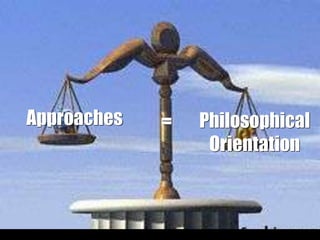
ApproachesPhilosophical Orientation=
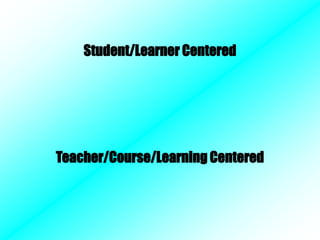
Student/Learner CenteredTeacher/Course/Learning Centered
(5-10)Closure Activity(30-40)Development Activity(5-10)Preparatory ActivityMethodologies=Procedural Dimension of Teaching
Strategies=Specific ActivitiesStrategiesExpositoryEnabling
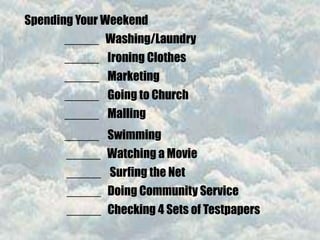
Spending Your Weekend_____   Washing/Laundry_____    Ironing Clothes_____    Marketing_____    Going to Church_____    Malling_____    Swimming  _____   Watching a Movie _____    Surfing the Net _____   Doing Community Service _____   Checking 4 Sets of Testpapers
Learning Content: Synoptic Gospel?Learning Experiences:DiadQuestion & AnswerPuzzleMatrix AnalysisGospel Reading Writing a Reflection DebateGraded Recitation Lecture-DiscussionPassage Interpretation
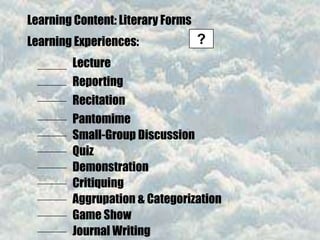
Learning Content: Literary Forms?Learning Experiences:LectureReportingRecitationPantomimeSmall-Group Discussion Quiz DemonstrationCritiquingAggrupation & CategorizationGame ShowJournal Writing
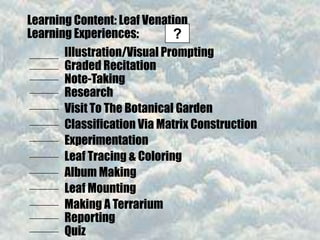
Learning Content: Leaf VenationLearning Experiences:?Illustration/Visual PromptingGraded RecitationNote-TakingResearchVisit To The Botanical Garden Classification Via Matrix ConstructionExperimentationLeaf Tracing & ColoringAlbum MakingLeaf MountingMaking A TerrariumReportingQuiz
Brainstorming then Reporting
Demonstration* Process* Product
Field Trip
ProjectConstructionEnjoymentLearning
Role PlayingDramatizationSocio-Drama
Discussion WebDiscussion WebDiscussion WebDiscussion Web
Discussion WebDiscussion WebDiscussion WebDiscussion WebChurchStateWhich is sovereign?The Church over the Stateor the Stateover the Church?
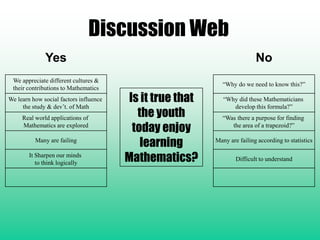
Discussion WebYesNoWe appreciate different cultures &their contributions to Mathematics“Why do we need to know this?”Is it true that the youth today enjoy learning Mathematics?We learn how social factors influence the study & dev’t. of Math“Why did these Mathematicians develop this formula?”Real world applications of Mathematics are explored“Was there a purpose for finding the area of a trapezoid?”Many are failingMany are failing according to statisticsIt Sharpen our minds to think logicallyDifficult to understand
REFLECTIVE JOURNALReflective Journal    What happened?	 How do I feel about it?	       What did I learn?
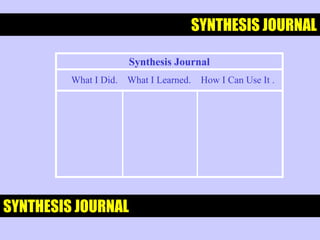
SYNTHESIS JOURNALSynthesis JournalWhat I Did.    What I Learned.    How I Can Use It .SYNTHESIS JOURNAL
DOUBLE – ENTRY JOURNAL Double - Entry JournalQuotation - A phrase or sentence                            I especially like.My thoughts about the quotation.
DIALECTIC JOURNALWhy do I find this quotation interesting or important?QuotationPage
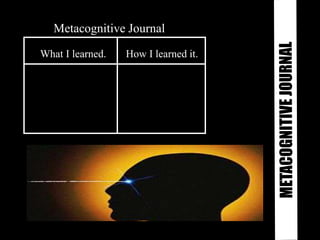
Metacognitive Journal  What I learned.How I learned it.METACOGNITIVE JOURNAL
Learning Log  Note-Taking  Note-Making   LEARNING LOG
SPECULATION  ABOUTEFFECTS JOURNALSpeculation About Effects JournalWhat Happened.What Could Happen Because of This.
StoryboardSTORYBOARD
Why Integrate Technology?Technology is everywhere and therefore should be in educationResearch has shown how and where computer-based methods are effective
Research Results on the benefits using technology in EducationMotivation		- Gaining Learner attention		- Engaging the learner through production work		- Increasing perceptions of controlUnique Instructional capabilities
Linking learners to information sources and learning tools
Helping learners visualize problems and solutions
Tracing learner progressResearch Results on the benefits using technology in EducationSupport for new instructional approaches		- Cooperative Learning		- Shared intelligence		- Problem solving-higher level skills
Research Results on the benefits using technology in EducationIncreased Teacher Productivity		- Freeing time to work with students by helping 	  their production and record keeping task		- Providing more accurate information more 	  quickly		- Allowing teachers to produce better looking, 	  more “student-friendly” materials more quickly
Research Results on the benefits using technology in EducationRequired skills for the information Age		- Technology/Computer Literacy		- Information Literacy		- Visual Literacy
Theoretical FoundationsLearning Theories and Integration Models
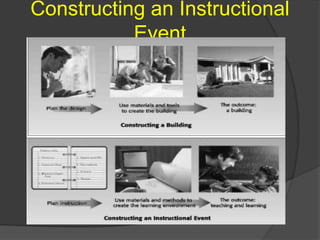
What is Learning?Learning is the human mechanism of incorporating new knowledge, behaviors, and skills into one’s individual repertoireUnderstanding learning becomes more complicated when a teacher integrates technology into an instructional event
Constructing an Instructional Event
What is TeachingA systematized, planned sequence of events that facilitates the communication of an idea, concept or skill to a learner
Requires an understanding of learning and an understanding of the individual and environmental factors that affect the learner
Every teacher has his or her own teaching style, cognitive style and dominant intellegenceTeaching StyleTeachers differ in their own style of teaching: a function of one’s personal preferences
Teachers teach the way they like to learn, think, or do
A teacher must have an awareness of his or her own teaching strategies to be able to adjust it to meet the needs of the learners
Instructional problems: results in a conflict between how one component of the teaching-learning process interact; teaching styles vs. learning styleLearning StyleRefers to conditions under which we best learn
Primary modalities for learning for learning: auditory, visual, kinesthetic and tactile
Dunn and Dunn Learning Style Inventory
Impact to the Teaching-Learning Process: 	- understanding the dominant learning styles of the students and then designing components of the instructional event consistent with their styles will make instruction significantly more effective to those learners
Learning Style (Dunn and Dunn)
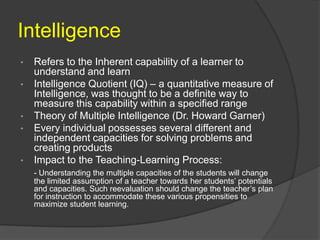
IntelligenceRefers to the Inherent capability of a learner to understand and learn
Intelligence Quotient (IQ) – a quantitative measure of Intelligence, was thought to be a definite way to measure this capability within a specified range
Theory of Multiple Intelligence (Dr. Howard Garner)
Every individual possesses several different and independent capacities for solving problems and creating products
Impact to the Teaching-Learning Process:- Understanding the multiple capacities of the students will change the limited assumption of a teacher towards her students’ potentials and capacities. Such reevaluation should change the teacher’s plan for instruction to accommodate these various propensities to maximize student learning.
Multiple Intelligence (Garner)
Learning ABOUT ComputersvsLearning WITH Computers
Learning ABOUT ComputersComputer LiteracySpecific knowledge of computer technology and terminology and using productivity tools isolated to the basic subject areas being taught in schoolsApplication of Computer Literacy: personal, scholarly or professional productivity enhancing current work tasks
Learning WITH ComputersCurriculum Technology Integration
Use of curriculum-based software (courseware) and other related technology tools to facilitate learning about any subject area such as math, science, social studies or language arts
Integrated or correlated with a particular lesson or topic in the curriculum and facilitated its use inside the classroomEducational TechnologyAn evolving definitionA combination of the processes and tools involved in addressing educational needs and problems with emphasis on applying the most current tools: computers, and their related technologies.
Education’s purpose is to replace an empty mind with an open one.- Malcolm Forbes
Why e-Learning?The World Wide Web has a vast resource of updated information for learningStudent Centered LearningExtended Interaction Beyond the ClassroomHigher Level Thinking through Web based activities (Webquests)Computer Based Student Assessment  and Analysis of PerformanceAutomatic Correction of examsOnline Gradebook
e-Learning RequirementsAn Internet-Ready  Computer SystemDesktop, Laptop/NotebookWeb BrowserInternet AccessModem, Cable (DSL), Leased LineLocal Area Network Web Site with Learning ContentInteractivity Digital Drop Box, Discussion Board, Chat, Video Conferencing, Assessment
e-Learning DefinedGeneralAny learning activity enabled by the use of Information and Communications Technology (ICT) As Applied to e-LeAPLearning Management System (LMS)Account to log-inOnline or Web-based Learning Use of the Internet and the World Wide Web in learning activities
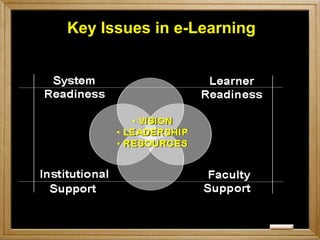
Key Issues in e-Learning
INSTITUTIONAL IMPLEMENTATIONSchool-Wide
eLearning in the PhilippinesFirst GenerationThe first generation of DE in the Philippines that was documented was the Farmers’ School on the Air (FSA). The first FSA aired in Iloilo in 1952 over a one-kilowatt radio station with 150 students. The program was entitled Tips on Farming and Community Development that was broadcasted for 6 months. The purpose of this program was to improve the standard of living of Filipino farmers.
eLearning in the PhilippinesFirst GenerationThe University of the Philippines Los Banos managed a radio station DZLB as radio for instruction in the schools-on-the-air (SOA) format. Their objective is to educated farmers, out-of-school-youth, and housewives living in the rural areas. Starting 1967, DZLB has aired more that 32 SOA topics and has graduated over 14,000 students in this mode of learning.With this mode of delivery, the power of broadcasting manage to educate people living in rural areas.
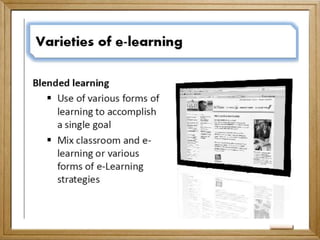
eLearning in the PhilippinesSecond GenerationSeeing the potential of distance education, various professional groups and universities started offering graduate degree programs in distance education mode. Several models were considered as blended learning a combination of print based learning materials with face to face tutorial sessions. However, during the face to face consultation, distance education students simply ask for consultation on clarifications and do not focus on the subject matter or content.
eLearning in the PhilippinesSecond GenerationThe face to face session became a venue for:Formally scheduled consultation between the university and studentsPlace for students to undertake various transactions with the university; andVenue for socialization among DE students
eLearning in the PhilippinesThird  GenerationWith ICT starting to grow in the Philippines, the third generation was the convergence of many factors: 1) growing need for flexible learning anytime, anywhere 2) increased availability and access to new ICT and 3) growing demand of geographically scattered professional seeking access to flexible, lifelong learning opportunities. 
eLearning in the PhilippinesThird  GenerationAlternative educational methods started to flourish on how lessons could be best delivered via distance mode. Audio and video production supplemented the printed learning materials as one way to enhanced learning among DE students.
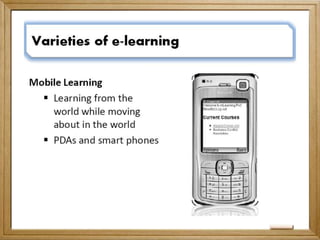
eLearning in the PhilippinesFourth  GenerationThis generation is what we have right now as the term e-Learning, in which in general definition that any learning activity enabled by the use of ICT is considered eLearning. Also with the emergence of mobile phones, several professional groups are now working on the delivery of learning materials via mobile phones (m-learning) and not to mention when everything is computerized in school and the birth of ubiquitous learning or u-learning.
eLearning in the PhilippinesFourth  GenerationThese are the characteristics  of the fourth generation of Distance education in the Philippines and so far no one knows of the future of education in the coming years.
Philippine Government Agencies involved in eLearningDepartment of Education (DepEd)Commission on Higher Education (CHED)Technical Educational Skills Development Authority (TESDA)Commission on Information and Communications Technology (CICT)National Computer Center (NCC)
Department of EducationMission:“To provide quality basic education that is equitably accessible to all and lay the foundation for life-long learning and service for the common good”.
Department of EducationThe Department of Education supports the integration of information and Communications Technology in the curriculum of basic Education. Just recently, they held a consultation of the Five-Year information and Communication Technology for Education Strategic Plan (DepED ICT4E Strategic Plan). With their vision “21st Century Education for All Filipinos, Anytime, Anywhere”. This means  an ICT-enabled education system that transforms students into dynamic life long learners and values-centered, productive and responsible citizens.
Commission on Higher EducationThe Commission on Higher Education is the governing body covering both public and private higher education institutions as well as degree-granting programs in all tertiary educational institutions in the Philippines. The CHED was established in May 18, 1994 through Republic Act 7722 or the Higher Education Act of 1994. 
Commission on Higher EducationPursuant to RA 7722, the CHED is mandated to undertake the following tasks: Promote quality educationTake appropriate steps to ensure that education shall be accessible to allEnsure and protect academic freedom for the continuing intellectual growth, the advancement of learning and research, the development of responsible and effective leadership, the education of high level professionals, and the enrichment of historical and cultural heritage.
Commission on Higher EducationThe Commission on Higher Education issued a Memorandum Order on the Updated Policies and Guidelines on Open Learning and Distance Education and define the following terms as part of Article II:Open Learning and Distance Education (OL/DE)are alternative systems of education. They emphasize the opening of opportunities by overcoming barriers that result from geographical isolation, personal or work commitments or conventional course structures which have often prevented people from realizing their educational goals.

Commission on Higher EducationOpen Learning (OL) is a philosophy of learning that is learner-centered and flexible, enabling learners to learn at the time, place and pace which satisfies their circumstances and requirements. Distance Education (DE) is a mode of educational delivery whereby teacher and learner are separated in time and space and instruction is delivered through specially designed materials and methods and supported by organizational and administrative structures and arrangements.
Commission on Higher EducationComponents of Open and Distance Learning :Curriculum DevelopmentMaterials DevelopmentDelivery Mode/StrategiesStudent AssessmentStudent Support Services
Technical Educational Skills Development Authority  (TESDA)TESDA is mandated to Integrate, coordinate and monitor skills development programsRestructure efforts to promote and develop middle-level manpowerApprove skills standards and testsDevelop an accreditation system for institutions involved in middle-level manpower developmentFund programs and projects for technical education and skills development; and Assist trainers training programs.
Technical Educational Skills Development Authority  (TESDA)Overall, TESDA formulates manpower and skills plans, sets appropriate skills standards and tests, coordinates and monitors manpower policies and programs, and provides policy directions and guidelines for resource allocation for the TVET institutions in both the private and public sectors.
Technical Educational Skills Development Authority  (TESDA)Today, TESDA has evolved into an organization that is responsive, effective and efficient in delivering myriad services to its clients. To accomplish its multi-pronged mission, the TESDA Board has been formulating strategies and programs geared towards yielding the highest impact on manpower development in various areas, industry sectors and institutions.
Commission on Information and Communications TechnologyThe CICT shall be the "primary policy, planning, coordinating, implementing, regulating, and administrative entity of the executive branch of Government that will promote, develop, and regulate integrated and strategic ICT systems and reliable and cost-efficient communication facilities and services."
Commission on Information and Communications TechnologyTo foster the widespread use and application of emerging ICT To ensure the growth of the ICT industries
National Computer CenterToday, NCC lends its full support to the administration’s ICT thrust by forging strategic alliances with the private sector, coordinating ICT activities, developing human capital, promoting ICT utilization in all sectors of the society, and advocating Philippine ICT services worldwide. Planning Policies & Standards Development Program Coordination Consultancy Services Education & Research
e-Learning OrganizationsPhilippine Society of Distance LearningPhilippine eLearning Society
Philippine Society of Distance LearningThe goal of the society is "to pursue the spirit of community among distance educators at a higher level of academic discourse."  Specific objectives include: to promote the growth and development of distance learning through knowledge exchanges, policy formulation, and advocacy;to promote professionalism in the practice of distance learning in the Philippines;
Philippine Society of Distance Learning3.    to stimulate collaboration among local and foreign professionals and practitioners of distance learning; to sponsor scientific meetings and training programs in distance learning on its own or in collaboration with other institutions, including government; to sponsor scientific meetings and training programs in distance learning on its own or in collaboration with other institutions, including government; to publish and disseminate research results, policy papers, and other scientific materials on distance learning in the Philippines.
Philippine elearning SocietyPhilippine eLearning Society (PeLS) was founded on July 30, 2003 in Manila with the objective of promoting substantive content, appropriate pedagogy, and appropriate use of technology for eLearning, guided by ongoing research activities. To date, PeLS have a total number 450 members nationwide.
Philippine elearning SocietyPeLS serves as a venue for: Promoting research on the effective use of eLearning, Sharing of eLearning experiences, Developing standards of excellence, Promoting interoperability of eLearning systems, Encouraging collaboration in the development of substantive content, Cooperating with international eLearning groups, andPromoting public awareness and appreciation of the nature and uses of eLearning.
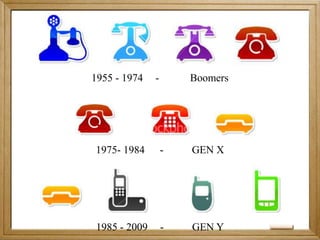
1955 - 1974	-	 Boomers 1975- 1984 	- 	GEN X - 2009 	-	GEN Y
CHANGES“The illiterates of the 21st century will not be those who cannot read and write but those who cannot learn, unlearn, and relearn” - Alvin Toffler
eLearning Development and ImplementationInstructional DesignContent DevelopmentInteractivityTechnologyProject ManagementVirtual Learning Communities
Instructional Designthe process of developing a coursethe actual design of this course
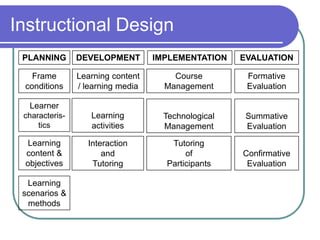
Instructional DesignPLANNINGDEVELOPMENTIMPLEMENTATIONEVALUATIONFrame conditionsLearning content / learning mediaCourse ManagementFormative Evaluation                     Learning activitiesLearner characteris- tics                    Technological Management            Summative EvaluationLearning content & objectivesInteraction      and         TutoringTutoring                        of                 Participants          Confirmative EvaluationLearning scenarios & methods
Content DevelopmentWhat is the added value of developing contents with new media?How can I define the appropriate media format for my course?How should online- and offline contents be structured and designed?How do I tell the technician what the content should look like?
InteractivityWhat possible interactions can be integrated in eLearning and what should you be aware of while planning interaction in an eLearning package? Why is tutoring an important tool of eLearning, and what are the requirements and tasks a tutor needs to fulfill? What are the tools a tutor can use to fulfill these tasks? What are their specific features, and how can they be used?
InteractivityWhat forms of feedback are there, and what rules do tutors need to bear in mind when writing feedback? What are the factors defining a culture, and what are distinguishing features of cultures?
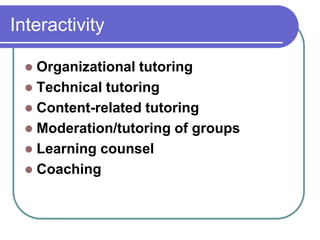
InteractivityOrganizational tutoringTechnical tutoringContent-related tutoringModeration/tutoring of groupsLearning counselCoaching
InteractivityAsynchronous tools of communication such as e-mail and discussion forums Synchronous tools of communication: chat, virtual classrooms etc.
TechnologyThe computer is the central medium of eLearning. It plays an important role, but not the only important one. However, if important elements of computer-related infrastructure are missing, eLearning is possible, only in a very limited manner.Simplifying a little, we could say that eLearning requires at least two computers. One of them is used by the institution that provides the course (here, learning content is drawn up and/or stored as well as transmitted), and one on the receiving end, used by the course participant to access the content.
eLearning Project Managementclear about the goals and the tasks of the projectto structure the project carefully from the very beginning. Continuous reports of all members of the project team on the current status and the respective updating of the original planning make sure that the progress status is evident at any point in time.Keeping the progress transparent does require some extra effort and discipline on the part of all members of the project team, but it greatly helps to make out risks at an early stage.
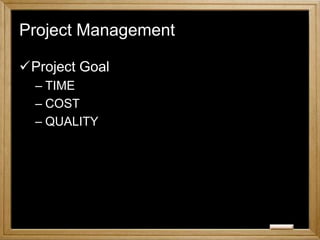
eLearning Project ManagementGOALTime: This refers to the period from kick-off to final deadline of the project. Cost: The cost of the project need to be calculated (or estimated) in advance and checked continually during project realization. Quality: This factor indicates what the results of the project should look like. Quality and function of the "end-product" of a project are the most important sub-criteria.
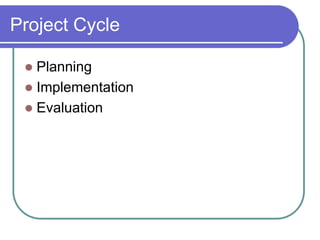
Project CyclePlanningImplementationEvaluation
Project ManagementProject GoalTIMECOSTQUALITY
Project ManagementProject CyclePlanningImplementationAssessment
Project ManagementProject CyclePlanningGathering ideasDefining goalsWork Breakdown StructureMilestonesCost Estimate
Project ManagementProject CycleImplementationInstructional DesignContent DevelopmentInteractivityeLearning TechnologyAssessmentToolQuality
Virtual Learning CommunityWhat is a              Virtual Community ?
Virtual Communitygroups build wherever people with common interests meet meet in the virtual space of the internet – and not F-to-Fcommunicate by way of computer networks discuss mutual interests, share knowledge and information and get to know each otheruse various means of communication for the exchange between their members: mailing lists, newsgroups, chat channels and forumsopen to the public; any interested person may access it and make contributions other spaces are protected: the interested party has to become a member of a community that meets for special purposes, get a password, and only then may enter communication.
Virtual CommunityLearning together, as part of a community, and knowing that other learners face the same challenges and problems increases the motivation of participants in e-learning courses. The participants constitute a group, an online learning community.
Virtual CommunityThrough regular use, the learners will get used to this new kind of knowledge assimilation and will start to appreciate the advantages of e-learning such as free time management, independency of place, and self-directed learning.
Netiquette“Always remember that there is a human being behind the computer.”You are writing to another person who has his own feelings and thoughts on the topic. Therefore you should write the message in a manner you wouldn’t mind receiving it yourself.Thoughtful! After writing your message, read it at least once before sending it. Think about whether you really expressed your original intention and whether the addressee will understand what you mean.Clear layout! Choose a fitting title that precisely sums up the content of your message.
NetiquetteStructured! Divide your message into short passages that facilitate reading. Write short and to the point, express your point in simple words.Grammatically correct! As a tutor, you are a role model. You should mind your orthography in messages to learners. However, in e-mail communication, typos and grammatical errors are no rare phenomenon, and you may tolerate them on the part of your participants (see next point!).Tolerance! Be tolerant if other people make mistakes.
NetiquetteNo capitals! CAPITALIZING A MESSAGE is interpreted as SHOUTING and should therefore be avoided.Quoting! If you are answering questions and quoting the message containing the question, be very careful to quote correctly and to relate to the original message. Use the quoting function of your e-mail software and don’t erase passages you might still need.Names! Use your real name, e.g., in chats, and avoid pseudonyms.

Teknokids Masters Are You Ready for eLearning

  • 1.
    &ACTIVECOLLABORATIVELEARNING IN THECLASSROOMComplemented with e-LearningLeandre Andres S. DacanayUniversity of Santo TomasPhilippine eLearning Society
  • 2.
  • 3.
  • 4.
  • 5.
  • 6.
  • 7.
    Para sa mgabagong e-teachers Nagtuturo Turo nang Turo Turong-turoAyaw MagturoWalang maituro.
  • 8.
  • 9.
    If you don’tknow where you’re going, any road will do.-- The White Rabbit (Alice in Wonderland)
  • 10.
    Pedagogy = paid + agogus (child) + (leader of)Andragogy = aner + agogus (adult) + (leader of)
  • 11.
    SPEAK OUTMAKE THINGSHAPPENINVOLVE YOUR LEARNERSLEARN TO SHAREEXPRESS NOT IMPRESS
  • 12.
    Students are NOTmaterials to work on but PERSONS to work with
  • 13.
  • 14.
    Do You StillHave The Time To Prepare ?
  • 15.
    Are You HappyWith What You Are Doing Right Now ?
  • 16.
    Are you Really Performing At Your Level Best ?
  • 17.
    Is It WorthPreparing Everyday ?
  • 18.
    Do You ThinkThere Is Still Something Better You Can Actually Deliver ?
  • 19.
    We Learn 1 % thru TASTE1.5 % thru TOUCH3.5 % thru SMELL11 % thru HEARING83 % thru SIGHT
  • 20.
    We Remember10% ofwhat we read20% of what we hear30% of what we see50% of what we see and hear80% of what we see and say90% of what we say as we do a thing
  • 21.
    Guiding PrinciplesALAN GLATHORNWhatis a teacher?- A guide, not a guard.What is learning?- A journey, not a destination.What is discovery?- Questioning the answer.
  • 22.
    Guiding PrinciplesALAN GLATHORNWhatis the process?- Discovering ideas, not covering content.What is the goal?- Open minds, not close issues.What is the test?- Being and becoming, not remembering and reviewing.What is a school?- Whatever we choose to make it.
  • 23.
    Your Powers asTeachersYour Powers as TeachersLegitimate PowerExpert PowerReward PowerCharismatic Power
  • 24.
  • 25.
  • 26.
  • 27.
  • 28.
  • 29.
  • 30.
  • 31.
  • 32.
  • 33.
  • 34.
    Space CadetDifferencesin Attitudes Towards WorkClock WatcherLazyIncompetentSociocentricManipulativeTribalisticDisorganizedHypochondriac
  • 35.
    Imagination List* Whatshape is a wish?* What does happiness look like?* What color is today?* What does purple taste like?* What does your self-image sound like?* What does a rainbow feel like?* What color is the smell of your favorite perfume?* What is the distance of your life?* What is your favorite sense?* What color is your favorite song?* What texture is your favorite perfume scent ?* What does inspiration taste like?* What is the shape of violin music?* What is the texture of your faculty room?* What is the texture of your dean’s office?* What color is the fragrance of your co-teacher?* What does a cloud sound like?* What is the weight of your anger?* What is the shape of your imagination?* What is educational technology?
  • 36.
    What is EducationalTechnology?Not a collection of machines and devicesNot a product Not a software Not about learning how to use a hardware and software
  • 37.
    Educational TechnologyAn evolvingdefinitionA combination of the processes and tools involved in addressing educational needs and challenges with emphasis on applying the most current tools: computers, and their related technologies.
  • 38.
  • 39.
    VISUAL DISPLAYSNon -Projected Projected
  • 42.
    What is therequirement for the Information Age?
  • 43.
    Required Literacy Skillsin the Information Age
  • 44.
    Information LiteracyAn understandingand set of abilities enabling individuals to ‘recognize when information is needed and have the capacity to locate, evaluate, and use effectively the needed information.
  • 45.
    Enables learners toengage critically with content and extend their investigations, become more self-directed, and assume greater control over their own learning.Advantage vs. Disadvantage
  • 46.
    As Teachers orEducators we need to be CREATIVE
  • 47.
  • 48.
  • 49.
  • 50.
  • 51.
  • 52.
  • 53.
  • 54.
  • 55.
    Jan Feb MarDUE3months over due
  • 56.
    Prior Planning prevents Poor Performance
  • 57.
    Mastery StageConsolidation StageBeginningSurvivalDevelopmental Stages in Teaching
  • 58.
    Teaching is 99%perspiration and 1% INSPIRATION
  • 59.
    Teaching is ¼preparation and ¾ theater
  • 60.
    Variety is thespice of teachingFamiliarity breeds boredom John Amos Comenius
  • 61.
  • 62.
  • 63.
  • 64.
  • 65.
  • 66.
    Preparatory Activity5 -10 MinutesDevelopmental Activity30 - 40 MinutesConcluding/Closure Activity5 - 10 Minutes
  • 67.
  • 68.
    Teacher : TeachingStrategiesStudents : Learning Experiences
  • 69.
  • 70.
  • 71.
  • 72.
    (5-10)Closure Activity(30-40)Development Activity(5-10)PreparatoryActivityMethodologies=Procedural Dimension of Teaching
  • 73.
  • 74.
    Spending Your Weekend_____ Washing/Laundry_____ Ironing Clothes_____ Marketing_____ Going to Church_____ Malling_____ Swimming _____ Watching a Movie _____ Surfing the Net _____ Doing Community Service _____ Checking 4 Sets of Testpapers
  • 75.
    Learning Content: SynopticGospel?Learning Experiences:DiadQuestion & AnswerPuzzleMatrix AnalysisGospel Reading Writing a Reflection DebateGraded Recitation Lecture-DiscussionPassage Interpretation
  • 76.
    Learning Content: LiteraryForms?Learning Experiences:LectureReportingRecitationPantomimeSmall-Group Discussion Quiz DemonstrationCritiquingAggrupation & CategorizationGame ShowJournal Writing
  • 77.
    Learning Content: LeafVenationLearning Experiences:?Illustration/Visual PromptingGraded RecitationNote-TakingResearchVisit To The Botanical Garden Classification Via Matrix ConstructionExperimentationLeaf Tracing & ColoringAlbum MakingLeaf MountingMaking A TerrariumReportingQuiz
  • 78.
  • 79.
  • 80.
  • 81.
  • 82.
  • 83.
  • 84.
    Discussion WebDiscussion WebDiscussionWebDiscussion WebChurchStateWhich is sovereign?The Church over the Stateor the Stateover the Church?
  • 85.
    Discussion WebYesNoWe appreciatedifferent cultures &their contributions to Mathematics“Why do we need to know this?”Is it true that the youth today enjoy learning Mathematics?We learn how social factors influence the study & dev’t. of Math“Why did these Mathematicians develop this formula?”Real world applications of Mathematics are explored“Was there a purpose for finding the area of a trapezoid?”Many are failingMany are failing according to statisticsIt Sharpen our minds to think logicallyDifficult to understand
  • 86.
    REFLECTIVE JOURNALReflective Journal What happened? How do I feel about it? What did I learn?
  • 87.
    SYNTHESIS JOURNALSynthesis JournalWhatI Did. What I Learned. How I Can Use It .SYNTHESIS JOURNAL
  • 88.
    DOUBLE – ENTRYJOURNAL Double - Entry JournalQuotation - A phrase or sentence I especially like.My thoughts about the quotation.
  • 89.
    DIALECTIC JOURNALWhy doI find this quotation interesting or important?QuotationPage
  • 90.
    Metacognitive Journal What I learned.How I learned it.METACOGNITIVE JOURNAL
  • 91.
    Learning Log Note-Taking Note-Making LEARNING LOG
  • 92.
    SPECULATION ABOUTEFFECTSJOURNALSpeculation About Effects JournalWhat Happened.What Could Happen Because of This.
  • 93.
  • 94.
    Why Integrate Technology?Technologyis everywhere and therefore should be in educationResearch has shown how and where computer-based methods are effective
  • 95.
    Research Results onthe benefits using technology in EducationMotivation - Gaining Learner attention - Engaging the learner through production work - Increasing perceptions of controlUnique Instructional capabilities
  • 96.
    Linking learners toinformation sources and learning tools
  • 97.
    Helping learners visualizeproblems and solutions
  • 98.
    Tracing learner progressResearchResults on the benefits using technology in EducationSupport for new instructional approaches - Cooperative Learning - Shared intelligence - Problem solving-higher level skills
  • 99.
    Research Results onthe benefits using technology in EducationIncreased Teacher Productivity - Freeing time to work with students by helping their production and record keeping task - Providing more accurate information more quickly - Allowing teachers to produce better looking, more “student-friendly” materials more quickly
  • 100.
    Research Results onthe benefits using technology in EducationRequired skills for the information Age - Technology/Computer Literacy - Information Literacy - Visual Literacy
  • 101.
  • 102.
    What is Learning?Learningis the human mechanism of incorporating new knowledge, behaviors, and skills into one’s individual repertoireUnderstanding learning becomes more complicated when a teacher integrates technology into an instructional event
  • 103.
  • 104.
    What is TeachingAsystematized, planned sequence of events that facilitates the communication of an idea, concept or skill to a learner
  • 105.
    Requires an understandingof learning and an understanding of the individual and environmental factors that affect the learner
  • 106.
    Every teacher hashis or her own teaching style, cognitive style and dominant intellegenceTeaching StyleTeachers differ in their own style of teaching: a function of one’s personal preferences
  • 107.
    Teachers teach theway they like to learn, think, or do
  • 108.
    A teacher musthave an awareness of his or her own teaching strategies to be able to adjust it to meet the needs of the learners
  • 109.
    Instructional problems: resultsin a conflict between how one component of the teaching-learning process interact; teaching styles vs. learning styleLearning StyleRefers to conditions under which we best learn
  • 110.
    Primary modalities forlearning for learning: auditory, visual, kinesthetic and tactile
  • 111.
    Dunn and DunnLearning Style Inventory
  • 112.
    Impact to theTeaching-Learning Process: - understanding the dominant learning styles of the students and then designing components of the instructional event consistent with their styles will make instruction significantly more effective to those learners
  • 113.
  • 114.
    IntelligenceRefers to theInherent capability of a learner to understand and learn
  • 115.
    Intelligence Quotient (IQ)– a quantitative measure of Intelligence, was thought to be a definite way to measure this capability within a specified range
  • 116.
    Theory of MultipleIntelligence (Dr. Howard Garner)
  • 117.
    Every individual possessesseveral different and independent capacities for solving problems and creating products
  • 118.
    Impact to theTeaching-Learning Process:- Understanding the multiple capacities of the students will change the limited assumption of a teacher towards her students’ potentials and capacities. Such reevaluation should change the teacher’s plan for instruction to accommodate these various propensities to maximize student learning.
  • 119.
  • 120.
  • 121.
    Learning ABOUT ComputersComputerLiteracySpecific knowledge of computer technology and terminology and using productivity tools isolated to the basic subject areas being taught in schoolsApplication of Computer Literacy: personal, scholarly or professional productivity enhancing current work tasks
  • 122.
    Learning WITH ComputersCurriculumTechnology Integration
  • 123.
    Use of curriculum-basedsoftware (courseware) and other related technology tools to facilitate learning about any subject area such as math, science, social studies or language arts
  • 124.
    Integrated or correlatedwith a particular lesson or topic in the curriculum and facilitated its use inside the classroomEducational TechnologyAn evolving definitionA combination of the processes and tools involved in addressing educational needs and problems with emphasis on applying the most current tools: computers, and their related technologies.
  • 125.
    Education’s purpose isto replace an empty mind with an open one.- Malcolm Forbes
  • 126.
    Why e-Learning?The WorldWide Web has a vast resource of updated information for learningStudent Centered LearningExtended Interaction Beyond the ClassroomHigher Level Thinking through Web based activities (Webquests)Computer Based Student Assessment and Analysis of PerformanceAutomatic Correction of examsOnline Gradebook
  • 127.
    e-Learning RequirementsAn Internet-Ready Computer SystemDesktop, Laptop/NotebookWeb BrowserInternet AccessModem, Cable (DSL), Leased LineLocal Area Network Web Site with Learning ContentInteractivity Digital Drop Box, Discussion Board, Chat, Video Conferencing, Assessment
  • 128.
    e-Learning DefinedGeneralAny learningactivity enabled by the use of Information and Communications Technology (ICT) As Applied to e-LeAPLearning Management System (LMS)Account to log-inOnline or Web-based Learning Use of the Internet and the World Wide Web in learning activities
  • 129.
    Key Issues ine-Learning
  • 130.
  • 131.
    eLearning in thePhilippinesFirst GenerationThe first generation of DE in the Philippines that was documented was the Farmers’ School on the Air (FSA). The first FSA aired in Iloilo in 1952 over a one-kilowatt radio station with 150 students. The program was entitled Tips on Farming and Community Development that was broadcasted for 6 months. The purpose of this program was to improve the standard of living of Filipino farmers.
  • 132.
    eLearning in thePhilippinesFirst GenerationThe University of the Philippines Los Banos managed a radio station DZLB as radio for instruction in the schools-on-the-air (SOA) format. Their objective is to educated farmers, out-of-school-youth, and housewives living in the rural areas. Starting 1967, DZLB has aired more that 32 SOA topics and has graduated over 14,000 students in this mode of learning.With this mode of delivery, the power of broadcasting manage to educate people living in rural areas.
  • 133.
    eLearning in thePhilippinesSecond GenerationSeeing the potential of distance education, various professional groups and universities started offering graduate degree programs in distance education mode. Several models were considered as blended learning a combination of print based learning materials with face to face tutorial sessions. However, during the face to face consultation, distance education students simply ask for consultation on clarifications and do not focus on the subject matter or content.
  • 134.
    eLearning in thePhilippinesSecond GenerationThe face to face session became a venue for:Formally scheduled consultation between the university and studentsPlace for students to undertake various transactions with the university; andVenue for socialization among DE students
  • 135.
    eLearning in thePhilippinesThird GenerationWith ICT starting to grow in the Philippines, the third generation was the convergence of many factors: 1) growing need for flexible learning anytime, anywhere 2) increased availability and access to new ICT and 3) growing demand of geographically scattered professional seeking access to flexible, lifelong learning opportunities. 
  • 136.
    eLearning in thePhilippinesThird GenerationAlternative educational methods started to flourish on how lessons could be best delivered via distance mode. Audio and video production supplemented the printed learning materials as one way to enhanced learning among DE students.
  • 137.
    eLearning in thePhilippinesFourth GenerationThis generation is what we have right now as the term e-Learning, in which in general definition that any learning activity enabled by the use of ICT is considered eLearning. Also with the emergence of mobile phones, several professional groups are now working on the delivery of learning materials via mobile phones (m-learning) and not to mention when everything is computerized in school and the birth of ubiquitous learning or u-learning.
  • 138.
    eLearning in thePhilippinesFourth GenerationThese are the characteristics of the fourth generation of Distance education in the Philippines and so far no one knows of the future of education in the coming years.
  • 139.
    Philippine Government Agenciesinvolved in eLearningDepartment of Education (DepEd)Commission on Higher Education (CHED)Technical Educational Skills Development Authority (TESDA)Commission on Information and Communications Technology (CICT)National Computer Center (NCC)
  • 140.
    Department of EducationMission:“Toprovide quality basic education that is equitably accessible to all and lay the foundation for life-long learning and service for the common good”.
  • 141.
    Department of EducationTheDepartment of Education supports the integration of information and Communications Technology in the curriculum of basic Education. Just recently, they held a consultation of the Five-Year information and Communication Technology for Education Strategic Plan (DepED ICT4E Strategic Plan). With their vision “21st Century Education for All Filipinos, Anytime, Anywhere”. This means an ICT-enabled education system that transforms students into dynamic life long learners and values-centered, productive and responsible citizens.
  • 142.
    Commission on HigherEducationThe Commission on Higher Education is the governing body covering both public and private higher education institutions as well as degree-granting programs in all tertiary educational institutions in the Philippines. The CHED was established in May 18, 1994 through Republic Act 7722 or the Higher Education Act of 1994. 
  • 143.
    Commission on HigherEducationPursuant to RA 7722, the CHED is mandated to undertake the following tasks: Promote quality educationTake appropriate steps to ensure that education shall be accessible to allEnsure and protect academic freedom for the continuing intellectual growth, the advancement of learning and research, the development of responsible and effective leadership, the education of high level professionals, and the enrichment of historical and cultural heritage.
  • 144.
    Commission on HigherEducationThe Commission on Higher Education issued a Memorandum Order on the Updated Policies and Guidelines on Open Learning and Distance Education and define the following terms as part of Article II:Open Learning and Distance Education (OL/DE)are alternative systems of education. They emphasize the opening of opportunities by overcoming barriers that result from geographical isolation, personal or work commitments or conventional course structures which have often prevented people from realizing their educational goals.
  • 145.
    Commission on HigherEducationOpen Learning (OL) is a philosophy of learning that is learner-centered and flexible, enabling learners to learn at the time, place and pace which satisfies their circumstances and requirements. Distance Education (DE) is a mode of educational delivery whereby teacher and learner are separated in time and space and instruction is delivered through specially designed materials and methods and supported by organizational and administrative structures and arrangements.
  • 146.
    Commission on HigherEducationComponents of Open and Distance Learning :Curriculum DevelopmentMaterials DevelopmentDelivery Mode/StrategiesStudent AssessmentStudent Support Services
  • 147.
    Technical Educational SkillsDevelopment Authority (TESDA)TESDA is mandated to Integrate, coordinate and monitor skills development programsRestructure efforts to promote and develop middle-level manpowerApprove skills standards and testsDevelop an accreditation system for institutions involved in middle-level manpower developmentFund programs and projects for technical education and skills development; and Assist trainers training programs.
  • 148.
    Technical Educational SkillsDevelopment Authority (TESDA)Overall, TESDA formulates manpower and skills plans, sets appropriate skills standards and tests, coordinates and monitors manpower policies and programs, and provides policy directions and guidelines for resource allocation for the TVET institutions in both the private and public sectors.
  • 149.
    Technical Educational SkillsDevelopment Authority (TESDA)Today, TESDA has evolved into an organization that is responsive, effective and efficient in delivering myriad services to its clients. To accomplish its multi-pronged mission, the TESDA Board has been formulating strategies and programs geared towards yielding the highest impact on manpower development in various areas, industry sectors and institutions.
  • 150.
    Commission on Informationand Communications TechnologyThe CICT shall be the "primary policy, planning, coordinating, implementing, regulating, and administrative entity of the executive branch of Government that will promote, develop, and regulate integrated and strategic ICT systems and reliable and cost-efficient communication facilities and services."
  • 151.
    Commission on Informationand Communications TechnologyTo foster the widespread use and application of emerging ICT To ensure the growth of the ICT industries
  • 152.
    National Computer CenterToday,NCC lends its full support to the administration’s ICT thrust by forging strategic alliances with the private sector, coordinating ICT activities, developing human capital, promoting ICT utilization in all sectors of the society, and advocating Philippine ICT services worldwide. Planning Policies & Standards Development Program Coordination Consultancy Services Education & Research
  • 153.
    e-Learning OrganizationsPhilippine Societyof Distance LearningPhilippine eLearning Society
  • 154.
    Philippine Society ofDistance LearningThe goal of the society is "to pursue the spirit of community among distance educators at a higher level of academic discourse."  Specific objectives include: to promote the growth and development of distance learning through knowledge exchanges, policy formulation, and advocacy;to promote professionalism in the practice of distance learning in the Philippines;
  • 155.
    Philippine Society ofDistance Learning3. to stimulate collaboration among local and foreign professionals and practitioners of distance learning; to sponsor scientific meetings and training programs in distance learning on its own or in collaboration with other institutions, including government; to sponsor scientific meetings and training programs in distance learning on its own or in collaboration with other institutions, including government; to publish and disseminate research results, policy papers, and other scientific materials on distance learning in the Philippines.
  • 156.
    Philippine elearning SocietyPhilippineeLearning Society (PeLS) was founded on July 30, 2003 in Manila with the objective of promoting substantive content, appropriate pedagogy, and appropriate use of technology for eLearning, guided by ongoing research activities. To date, PeLS have a total number 450 members nationwide.
  • 157.
    Philippine elearning SocietyPeLSserves as a venue for: Promoting research on the effective use of eLearning, Sharing of eLearning experiences, Developing standards of excellence, Promoting interoperability of eLearning systems, Encouraging collaboration in the development of substantive content, Cooperating with international eLearning groups, andPromoting public awareness and appreciation of the nature and uses of eLearning.
  • 160.
    1955 - 1974 - Boomers 1975- 1984 - GEN X - 2009 - GEN Y
  • 170.
    CHANGES“The illiterates ofthe 21st century will not be those who cannot read and write but those who cannot learn, unlearn, and relearn” - Alvin Toffler
  • 183.
    eLearning Development andImplementationInstructional DesignContent DevelopmentInteractivityTechnologyProject ManagementVirtual Learning Communities
  • 184.
    Instructional Designthe processof developing a coursethe actual design of this course
  • 185.
    Instructional DesignPLANNINGDEVELOPMENTIMPLEMENTATIONEVALUATIONFrame conditionsLearningcontent / learning mediaCourse ManagementFormative Evaluation Learning activitiesLearner characteris- tics Technological Management Summative EvaluationLearning content & objectivesInteraction and TutoringTutoring of Participants Confirmative EvaluationLearning scenarios & methods
  • 186.
    Content DevelopmentWhat isthe added value of developing contents with new media?How can I define the appropriate media format for my course?How should online- and offline contents be structured and designed?How do I tell the technician what the content should look like?
  • 187.
    InteractivityWhat possible interactionscan be integrated in eLearning and what should you be aware of while planning interaction in an eLearning package? Why is tutoring an important tool of eLearning, and what are the requirements and tasks a tutor needs to fulfill? What are the tools a tutor can use to fulfill these tasks? What are their specific features, and how can they be used?
  • 188.
    InteractivityWhat forms offeedback are there, and what rules do tutors need to bear in mind when writing feedback? What are the factors defining a culture, and what are distinguishing features of cultures?
  • 189.
    InteractivityOrganizational tutoringTechnical tutoringContent-relatedtutoringModeration/tutoring of groupsLearning counselCoaching
  • 190.
    InteractivityAsynchronous tools ofcommunication such as e-mail and discussion forums Synchronous tools of communication: chat, virtual classrooms etc.
  • 191.
    TechnologyThe computer isthe central medium of eLearning. It plays an important role, but not the only important one. However, if important elements of computer-related infrastructure are missing, eLearning is possible, only in a very limited manner.Simplifying a little, we could say that eLearning requires at least two computers. One of them is used by the institution that provides the course (here, learning content is drawn up and/or stored as well as transmitted), and one on the receiving end, used by the course participant to access the content.
  • 192.
    eLearning Project Managementclearabout the goals and the tasks of the projectto structure the project carefully from the very beginning. Continuous reports of all members of the project team on the current status and the respective updating of the original planning make sure that the progress status is evident at any point in time.Keeping the progress transparent does require some extra effort and discipline on the part of all members of the project team, but it greatly helps to make out risks at an early stage.
  • 193.
    eLearning Project Managementclearabout the goals and the tasks of the projectto structure the project carefully from the very beginning. Continuous reports of all members of the project team on the current status and the respective updating of the original planning make sure that the progress status is evident at any point in time.Keeping the progress transparent does require some extra effort and discipline on the part of all members of the project team, but it greatly helps to make out risks at an early stage.
  • 194.
    eLearning Project ManagementGOALTime:This refers to the period from kick-off to final deadline of the project. Cost: The cost of the project need to be calculated (or estimated) in advance and checked continually during project realization. Quality: This factor indicates what the results of the project should look like. Quality and function of the "end-product" of a project are the most important sub-criteria.
  • 195.
  • 196.
  • 197.
  • 198.
    Project ManagementProject CyclePlanningGatheringideasDefining goalsWork Breakdown StructureMilestonesCost Estimate
  • 199.
    Project ManagementProject CycleImplementationInstructionalDesignContent DevelopmentInteractivityeLearning TechnologyAssessmentToolQuality
  • 200.
    Virtual Learning CommunityWhatis a Virtual Community ?
  • 201.
    Virtual Communitygroups buildwherever people with common interests meet meet in the virtual space of the internet – and not F-to-Fcommunicate by way of computer networks discuss mutual interests, share knowledge and information and get to know each otheruse various means of communication for the exchange between their members: mailing lists, newsgroups, chat channels and forumsopen to the public; any interested person may access it and make contributions other spaces are protected: the interested party has to become a member of a community that meets for special purposes, get a password, and only then may enter communication.
  • 202.
    Virtual CommunityLearning together,as part of a community, and knowing that other learners face the same challenges and problems increases the motivation of participants in e-learning courses. The participants constitute a group, an online learning community.
  • 203.
    Virtual CommunityThrough regularuse, the learners will get used to this new kind of knowledge assimilation and will start to appreciate the advantages of e-learning such as free time management, independency of place, and self-directed learning.
  • 204.
    Netiquette“Always remember thatthere is a human being behind the computer.”You are writing to another person who has his own feelings and thoughts on the topic. Therefore you should write the message in a manner you wouldn’t mind receiving it yourself.Thoughtful! After writing your message, read it at least once before sending it. Think about whether you really expressed your original intention and whether the addressee will understand what you mean.Clear layout! Choose a fitting title that precisely sums up the content of your message.
  • 205.
    NetiquetteStructured! Divide yourmessage into short passages that facilitate reading. Write short and to the point, express your point in simple words.Grammatically correct! As a tutor, you are a role model. You should mind your orthography in messages to learners. However, in e-mail communication, typos and grammatical errors are no rare phenomenon, and you may tolerate them on the part of your participants (see next point!).Tolerance! Be tolerant if other people make mistakes.
  • 206.
    NetiquetteNo capitals! CAPITALIZINGA MESSAGE is interpreted as SHOUTING and should therefore be avoided.Quoting! If you are answering questions and quoting the message containing the question, be very careful to quote correctly and to relate to the original message. Use the quoting function of your e-mail software and don’t erase passages you might still need.Names! Use your real name, e.g., in chats, and avoid pseudonyms.