June 22, 2007


I. OBJECTIVE:


   a.Learn how to open and exit MS Word
   b.Familiarize with MS Word Windows
   c.Determine the different parts of Ms Windows
   d.Recognize the function of each part.


II. SUBJECT MATTER


   MS Word Windows


III. METHODOLOGY
    Discussion, Hands On


IV. PREPARATION


   a.Prayer and greetings
   b.Attendance
   c.Review
   d.Motivation
Sing a song “ Computer parts song”
      Monitor ,I see
      CPU, my head
      Keyboard, I type
      The printer, I write
      The mouse,I point
      The disk,I store
      CD ROM, I explore
      The computer in all


IV. LESSON DEVELOPMENT
   a. Use of Ms Word
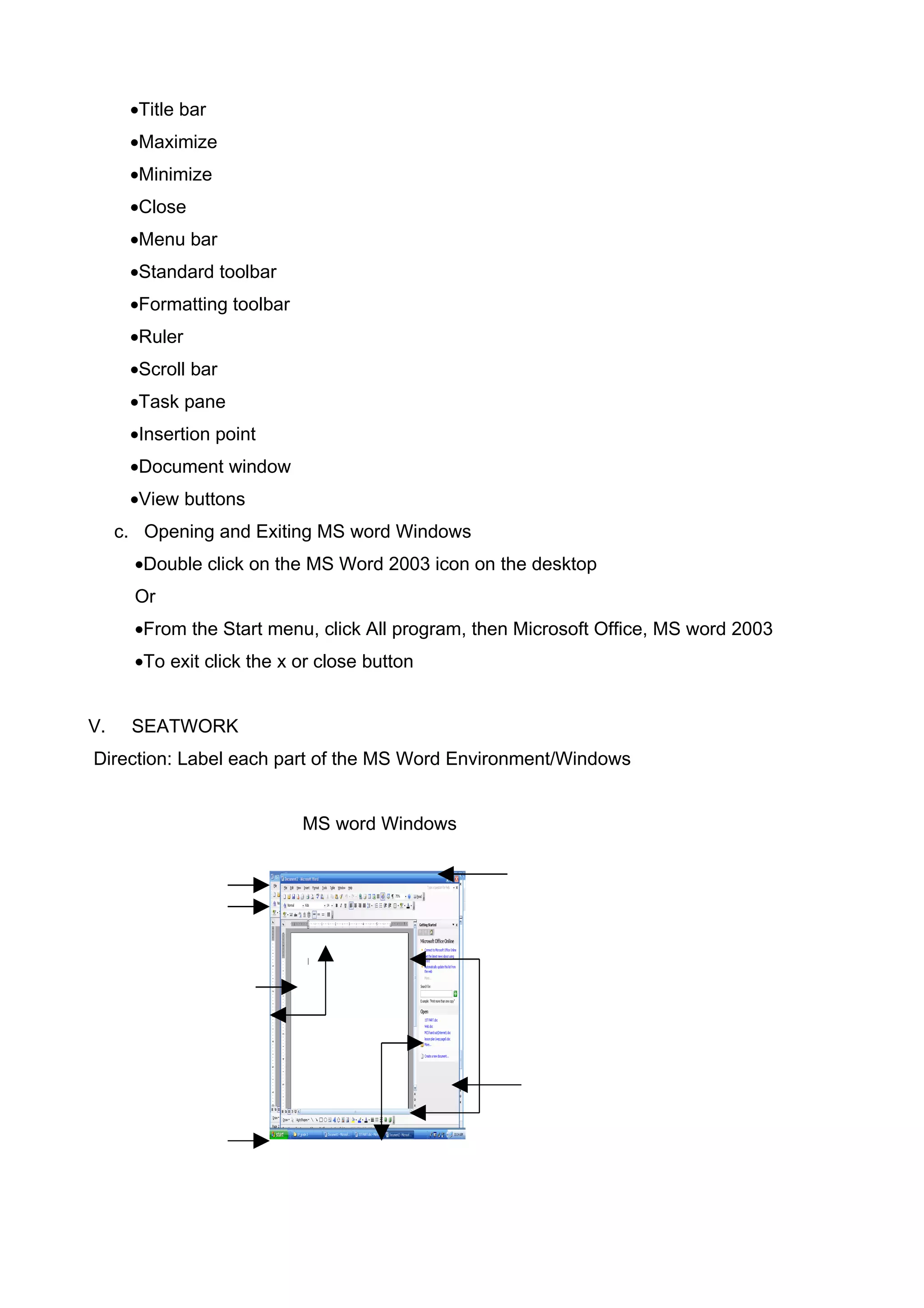
   b. Parts of MS Word Windows
•Title bar
      •Maximize
      •Minimize
      •Close
      •Menu bar
      •Standard toolbar
      •Formatting toolbar
      •Ruler
      •Scroll bar
      •Task pane
      •Insertion point
      •Document window
      •View buttons
     c. Opening and Exiting MS word Windows
       •Double click on the MS Word 2003 icon on the desktop
       Or
       •From the Start menu, click All program, then Microsoft Office, MS word 2003
       •To exit click the x or close button


V.    SEATWORK
Direction: Label each part of the MS Word Environment/Windows


                            MS word Windows
VI. ASSIGNMENT
 1. Define poetry, poet and poem
 2. Bring crayons, pencil, band paper and a sample poem.

M S Word Windows

  • 1.
    June 22, 2007 I.OBJECTIVE: a.Learn how to open and exit MS Word b.Familiarize with MS Word Windows c.Determine the different parts of Ms Windows d.Recognize the function of each part. II. SUBJECT MATTER MS Word Windows III. METHODOLOGY Discussion, Hands On IV. PREPARATION a.Prayer and greetings b.Attendance c.Review d.Motivation Sing a song “ Computer parts song” Monitor ,I see CPU, my head Keyboard, I type The printer, I write The mouse,I point The disk,I store CD ROM, I explore The computer in all IV. LESSON DEVELOPMENT a. Use of Ms Word b. Parts of MS Word Windows
  • 2.
    •Title bar •Maximize •Minimize •Close •Menu bar •Standard toolbar •Formatting toolbar •Ruler •Scroll bar •Task pane •Insertion point •Document window •View buttons c. Opening and Exiting MS word Windows •Double click on the MS Word 2003 icon on the desktop Or •From the Start menu, click All program, then Microsoft Office, MS word 2003 •To exit click the x or close button V. SEATWORK Direction: Label each part of the MS Word Environment/Windows MS word Windows
  • 3.
    VI. ASSIGNMENT 1.Define poetry, poet and poem 2. Bring crayons, pencil, band paper and a sample poem.