Technologies I Used
Emma Marshall
Blogger & the Blogger App
www.blogger.com
I used this website to write my blog. It allows
you to be creative as you can adjust and change
the template, backgrounds, fonts and colours.
I also used the Blogger App on my iPad, allowing
me quick access to Blogger. I could also upload
photos straight from my camera roll to my blog.
SlideShare
www.slideshare.net
I used SlideShare to upload my PowerPoints so I
could them embed them onto my blog.
Google & Gmail
I created a Gmail account so I could use Blogger
and YouTube.
I also used my Gmail account to send myself and
my group PowerPoint presentations and photos.
Scriptly
We used Scriptly for our scripts as it’s a useful
app which let us input the things needed for a
script, such as the dialogue, shots and scenes
and helped us put it in the correct format.
PowerPoint & Prezi
I used PowerPoint for the majority of my
assignments I did to display my information and
work.
I also used Prezi sometimes, but did not find it
as useful due to the limit on the amount of text
you can use per slide.
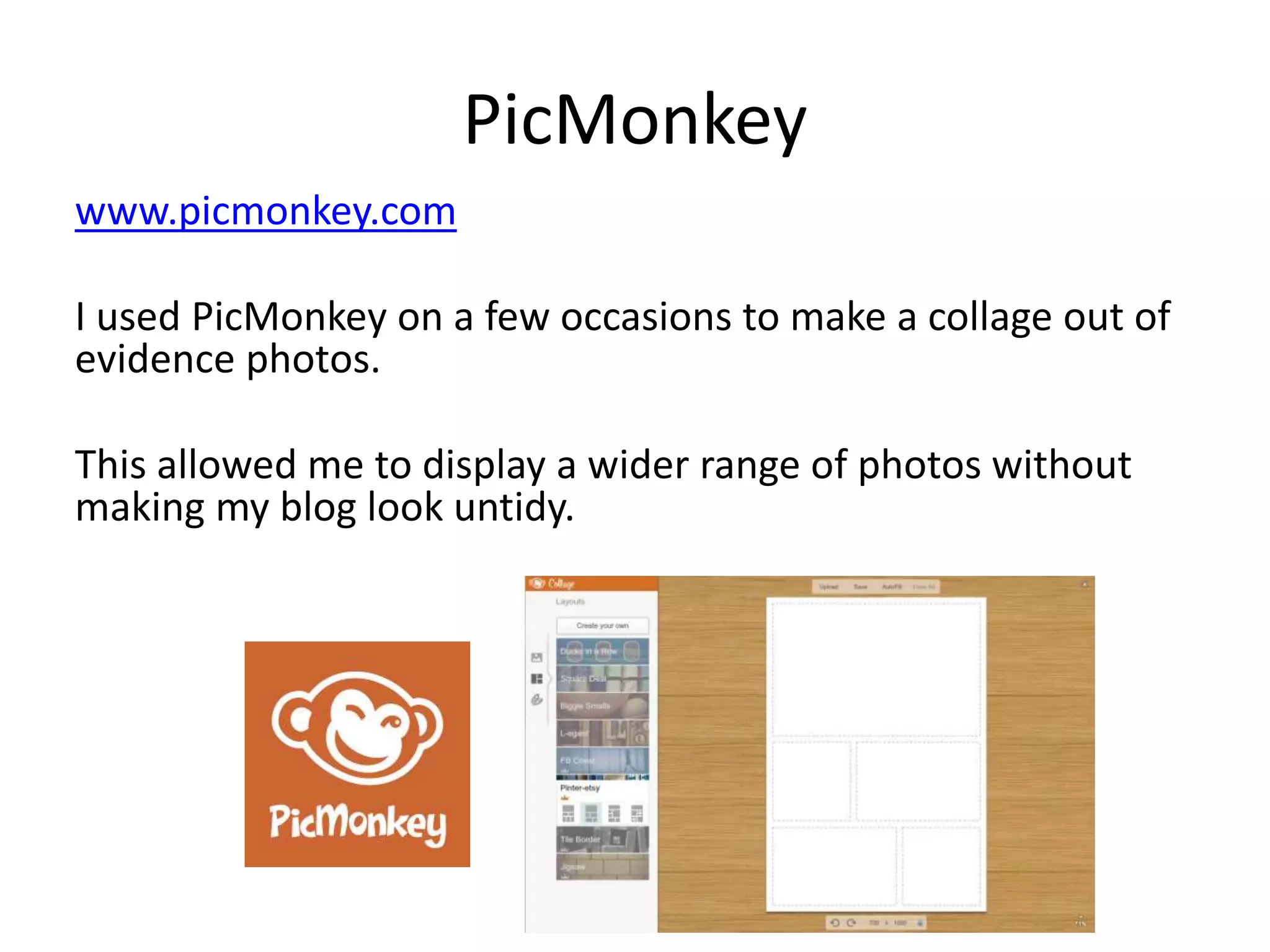
PicMonkey
www.picmonkey.com
I used PicMonkey on a few occasions to make a collage out of
evidence photos.
This allowed me to display a wider range of photos without
making my blog look untidy.
Wikipedia
www.wikipedia.org
Like IMDb, Wikipedia was used to search for
information about films.
I also used this for general research.
YouTube
www.youtube.com
I used YouTube to upload videos so I could then
embed them onto my blog (drafts, vlogs etc).
YouTube was also used to watch other student
opening sequences and tutorials on how to do
certain things.
Freeplay Music
www.freeplaymusic.com
We used this website for both inspiration for
music and for obtaining some of the sounds we
used in our opening sequence.
It was very important to make sure the sounds
we were using were royalty free or copyright
free.
Art Of The Title
www.artofthetitle.com
I used this website to watch example opening
sequences and get some inspiration from them.
BBFC
www.bbfc.co.uk
I used this website to research the ratings and
what each one meant. I was able to then classify
my own opening sequence as well as finding out
the ratings for other films in real life.
Final Cut Pro
This is the editing software which we used to
edit all of our footage together for all three
drafts.
iMovie
As well as Final Cut
Pro, we also used
iMovie to edit some
of our evaluation
questions, for
example, the news
report for question
one.
Photo Booth
We used Photo Booth on the Macs to film our
comments for evaluation question 7, about our
preliminary task and our final draft of our
opening sequence.
MediaMagazine
www.englishandmedia.co.uk
Here I read articles from MediaMagazine and I
learned a lot about the media industry from
different stories and reports featured in them.
PowToon
www.powtoon.com
I used this website to help me create my 4th
evaluation question where I wrote about the
audience for my opening sequence.
Facebook & Twitter
www.facebook.com
www.twitter.com
I used these websites as a way of getting some
feedback for our drafts.
SurveyMonkey
www.surveymonkey.com
I also used SurveyMokey for feedback and for
target audience expectations.

Technologies i used (final)

  • 1.
  • 2.
    Blogger & theBlogger App www.blogger.com I used this website to write my blog. It allows you to be creative as you can adjust and change the template, backgrounds, fonts and colours. I also used the Blogger App on my iPad, allowing me quick access to Blogger. I could also upload photos straight from my camera roll to my blog.
  • 3.
    SlideShare www.slideshare.net I used SlideShareto upload my PowerPoints so I could them embed them onto my blog.
  • 4.
    Google & Gmail Icreated a Gmail account so I could use Blogger and YouTube. I also used my Gmail account to send myself and my group PowerPoint presentations and photos.
  • 5.
    Scriptly We used Scriptlyfor our scripts as it’s a useful app which let us input the things needed for a script, such as the dialogue, shots and scenes and helped us put it in the correct format.
  • 6.
    PowerPoint & Prezi Iused PowerPoint for the majority of my assignments I did to display my information and work. I also used Prezi sometimes, but did not find it as useful due to the limit on the amount of text you can use per slide.
  • 7.
    PicMonkey www.picmonkey.com I used PicMonkeyon a few occasions to make a collage out of evidence photos. This allowed me to display a wider range of photos without making my blog look untidy.
  • 8.
    Wikipedia www.wikipedia.org Like IMDb, Wikipediawas used to search for information about films. I also used this for general research.
  • 9.
    YouTube www.youtube.com I used YouTubeto upload videos so I could then embed them onto my blog (drafts, vlogs etc). YouTube was also used to watch other student opening sequences and tutorials on how to do certain things.
  • 10.
    Freeplay Music www.freeplaymusic.com We usedthis website for both inspiration for music and for obtaining some of the sounds we used in our opening sequence. It was very important to make sure the sounds we were using were royalty free or copyright free.
  • 11.
    Art Of TheTitle www.artofthetitle.com I used this website to watch example opening sequences and get some inspiration from them.
  • 12.
    BBFC www.bbfc.co.uk I used thiswebsite to research the ratings and what each one meant. I was able to then classify my own opening sequence as well as finding out the ratings for other films in real life.
  • 13.
    Final Cut Pro Thisis the editing software which we used to edit all of our footage together for all three drafts.
  • 14.
    iMovie As well asFinal Cut Pro, we also used iMovie to edit some of our evaluation questions, for example, the news report for question one.
  • 15.
    Photo Booth We usedPhoto Booth on the Macs to film our comments for evaluation question 7, about our preliminary task and our final draft of our opening sequence.
  • 16.
    MediaMagazine www.englishandmedia.co.uk Here I readarticles from MediaMagazine and I learned a lot about the media industry from different stories and reports featured in them.
  • 17.
    PowToon www.powtoon.com I used thiswebsite to help me create my 4th evaluation question where I wrote about the audience for my opening sequence.
  • 18.
    Facebook & Twitter www.facebook.com www.twitter.com Iused these websites as a way of getting some feedback for our drafts.
  • 19.
    SurveyMonkey www.surveymonkey.com I also usedSurveyMokey for feedback and for target audience expectations.