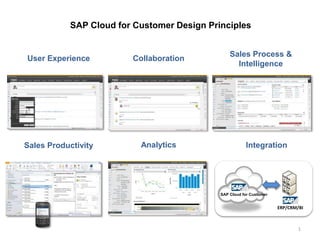
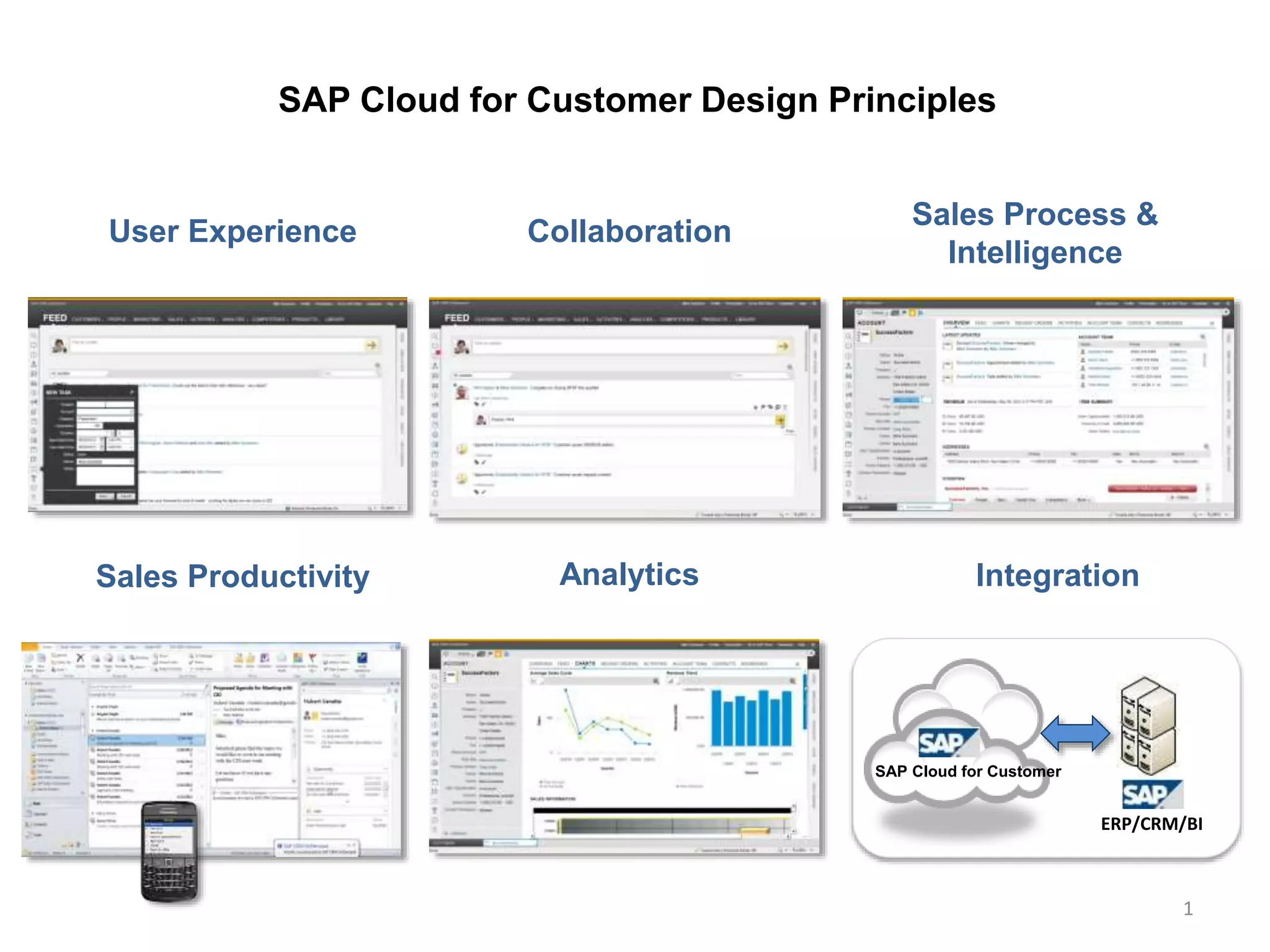
SAP Cloud for Customer Design Principles
1
SAP Cloud for Customer
ERP/CRM/BI
User Experience Collaboration
Sales Process &
Intelligence
Sales Productivity Analytics Integration
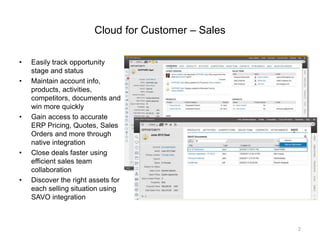
Cloud for Customer – Sales
• Easily track opportunity
stage and status
• Maintain account info,
products, activities,
competitors, documents and
win more quickly
• Gain access to accurate
ERP Pricing, Quotes, Sales
Orders and more through
native integration
• Close deals faster using
efficient sales team
collaboration
• Discover the right assets for
each selling situation using
SAVO integration
2
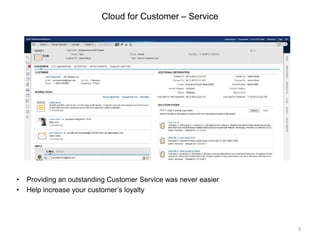
Cloud for Customer – Service
• Providing an outstanding Customer Service was never easier
• Help increase your customer’s loyalty
3
Overview for Service Ticket
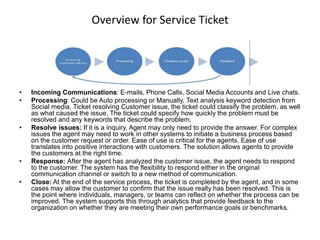
• Incoming Communications: E-mails, Phone Calls, Social Media Accounts and Live chats.
• Processing: Could be Auto processing or Manually, Text analysis keyword detection from
Social media, Ticket resolving Customer issue, the ticket could classify the problem, as well
as what caused the issue. The ticket could specify how quickly the problem must be
resolved and any keywords that describe the problem.
• Resolve issues: If it is a inquiry, Agent may only need to provide the answer. For complex
issues the agent may need to work in other systems to initiate a business process based
on the customer request or order. Ease of use is critical for the agents. Ease of use
translates into positive interactions with customers. The solution allows agents to provide
the customers at the right time.
• Response: After the agent has analyzed the customer issue, the agent needs to respond
to the customer. The system has the flexibility to respond either in the original
communication channel or switch to a new method of communication.
• Close: At the end of the service process, the ticket is completed by the agent, and in some
cases may allow the customer to confirm that the issue really has been resolved. This is
the point where individuals, managers, or teams can reflect on whether the process can be
improved. The system supports this through analytics that provide feedback to the
organization on whether they are meeting their own performance goals or benchmarks.
Ticket Overview
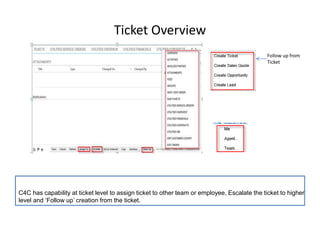
C4C has capability at ticket level to assign ticket to other team or employee, Escalate the ticket to higher
level and ‘Follow up’ creation from the ticket.
Follow up from
Ticket
Service level Agreement
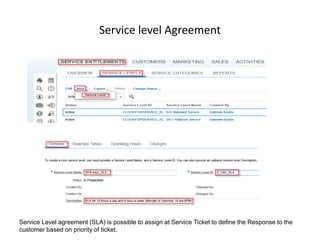
Service Level agreement (SLA) is possible to assign at Service Ticket to define the Response to the
customer based on priority of ticket.
Mobile Application
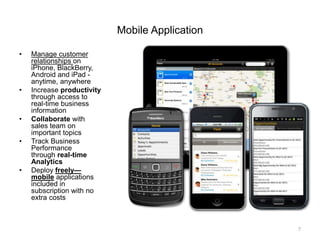
• Manage customer
relationships on
iPhone, BlackBerry,
Android and iPad -
anytime, anywhere
• Increase productivity
through access to
real-time business
information
• Collaborate with
sales team on
important topics
• Track Business
Performance
through real-time
Analytics
• Deploy freely—
mobile applications
included in
subscription with no
extra costs
7
Incident Management
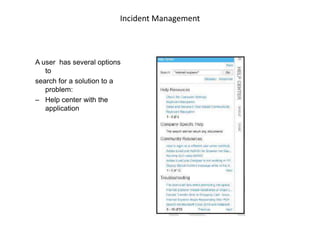
A user has several options
to
search for a solution to a
problem:
– Help center with the
application
Incident Management
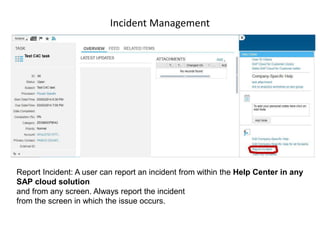
Report Incident: A user can report an incident from within the Help Center in any
SAP cloud solution
and from any screen. Always report the incident
from the screen in which the issue occurs.
Incident Management
• SAP defines an issue as an unexpected behaviour of the system
that:
• a) Interrupts the operation of a service, or
• b) Reduces the quality of a service immediately or in the near future.
• Examples of issues that can occur are:
1. An unexpected or unclear error message on the screen
2. Incorrect or missing data
3. System performance problems
• If a user encounters a problem in the application, he can search the
• knowledgebase for a solution. If no solution is available, then the
user
• can report an incident to request help solving the problem.
Generic Functionalities
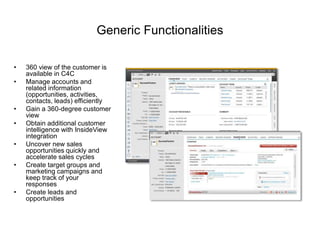
• 360 view of the customer is
available in C4C
• Manage accounts and
related information
(opportunities, activities,
contacts, leads) efficiently
• Gain a 360-degree customer
view
• Obtain additional customer
intelligence with InsideView
integration
• Uncover new sales
opportunities quickly and
accelerate sales cycles
• Create target groups and
marketing campaigns and
keep track of your
responses
• Create leads and
opportunities
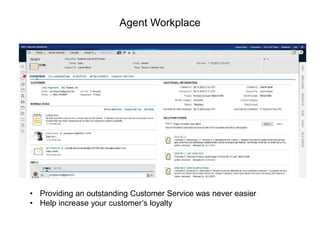
Agent Workplace
• Providing an outstanding Customer Service was never easier
• Help increase your customer’s loyalty
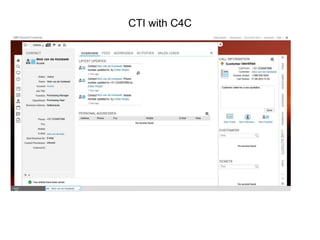
CTI with C4C
CTI Features with C4C
As an End-User, you can see a right side pane that:
• Refreshes its data in real-time as data is pushed from CTI.
• You can hover over the info to get more information in a quick preview screen
• Display ticket info.
• Display the phone activity that was automatically created from CTI push. Phone
activity data will include DNIS, ANI, call attached data, and a CTI GUID for workforce
management reporting.
• Associate the CTI phone activity to an existing ticket.
• Create a ticket from the phone activity.
• Create a customer if one is not found.
• As an Administrator you can adapt which customer, ticket and phone activity data is
shown in the side pane.
MS Outlook and Lotus Note
• Both SAP Cloud for Sales and Cloud for Service provide integration with
Microsoft Outlook and Lotus Notes (with a lower level of integration for
Lotus Notes). Integration use cases provided cover Accounts, Contacts,
Tasks, Appointments replication as well as creating links with Leads,
Opportunities and Tickets.
• Microsoft Outlook integration supports Microsoft Outlook 2007, 2010, and
2013. IBM Lotus Notes integration supports IBM Lotus Notes 8.5.x.
SAP C4C overview

SAP C4C overview

  • 1.
    SAP Cloud forCustomer Design Principles 1 SAP Cloud for Customer ERP/CRM/BI User Experience Collaboration Sales Process & Intelligence Sales Productivity Analytics Integration
  • 2.
    Cloud for Customer– Sales • Easily track opportunity stage and status • Maintain account info, products, activities, competitors, documents and win more quickly • Gain access to accurate ERP Pricing, Quotes, Sales Orders and more through native integration • Close deals faster using efficient sales team collaboration • Discover the right assets for each selling situation using SAVO integration 2
  • 3.
    Cloud for Customer– Service • Providing an outstanding Customer Service was never easier • Help increase your customer’s loyalty 3
  • 4.
    Overview for ServiceTicket • Incoming Communications: E-mails, Phone Calls, Social Media Accounts and Live chats. • Processing: Could be Auto processing or Manually, Text analysis keyword detection from Social media, Ticket resolving Customer issue, the ticket could classify the problem, as well as what caused the issue. The ticket could specify how quickly the problem must be resolved and any keywords that describe the problem. • Resolve issues: If it is a inquiry, Agent may only need to provide the answer. For complex issues the agent may need to work in other systems to initiate a business process based on the customer request or order. Ease of use is critical for the agents. Ease of use translates into positive interactions with customers. The solution allows agents to provide the customers at the right time. • Response: After the agent has analyzed the customer issue, the agent needs to respond to the customer. The system has the flexibility to respond either in the original communication channel or switch to a new method of communication. • Close: At the end of the service process, the ticket is completed by the agent, and in some cases may allow the customer to confirm that the issue really has been resolved. This is the point where individuals, managers, or teams can reflect on whether the process can be improved. The system supports this through analytics that provide feedback to the organization on whether they are meeting their own performance goals or benchmarks.
  • 5.
    Ticket Overview C4C hascapability at ticket level to assign ticket to other team or employee, Escalate the ticket to higher level and ‘Follow up’ creation from the ticket. Follow up from Ticket
  • 6.
    Service level Agreement ServiceLevel agreement (SLA) is possible to assign at Service Ticket to define the Response to the customer based on priority of ticket.
  • 7.
    Mobile Application • Managecustomer relationships on iPhone, BlackBerry, Android and iPad - anytime, anywhere • Increase productivity through access to real-time business information • Collaborate with sales team on important topics • Track Business Performance through real-time Analytics • Deploy freely— mobile applications included in subscription with no extra costs 7
  • 8.
    Incident Management A userhas several options to search for a solution to a problem: – Help center with the application
  • 9.
    Incident Management Report Incident:A user can report an incident from within the Help Center in any SAP cloud solution and from any screen. Always report the incident from the screen in which the issue occurs.
  • 10.
    Incident Management • SAPdefines an issue as an unexpected behaviour of the system that: • a) Interrupts the operation of a service, or • b) Reduces the quality of a service immediately or in the near future. • Examples of issues that can occur are: 1. An unexpected or unclear error message on the screen 2. Incorrect or missing data 3. System performance problems • If a user encounters a problem in the application, he can search the • knowledgebase for a solution. If no solution is available, then the user • can report an incident to request help solving the problem.
  • 11.
    Generic Functionalities • 360view of the customer is available in C4C • Manage accounts and related information (opportunities, activities, contacts, leads) efficiently • Gain a 360-degree customer view • Obtain additional customer intelligence with InsideView integration • Uncover new sales opportunities quickly and accelerate sales cycles • Create target groups and marketing campaigns and keep track of your responses • Create leads and opportunities
  • 12.
    Agent Workplace • Providingan outstanding Customer Service was never easier • Help increase your customer’s loyalty
  • 13.
  • 14.
    CTI Features withC4C As an End-User, you can see a right side pane that: • Refreshes its data in real-time as data is pushed from CTI. • You can hover over the info to get more information in a quick preview screen • Display ticket info. • Display the phone activity that was automatically created from CTI push. Phone activity data will include DNIS, ANI, call attached data, and a CTI GUID for workforce management reporting. • Associate the CTI phone activity to an existing ticket. • Create a ticket from the phone activity. • Create a customer if one is not found. • As an Administrator you can adapt which customer, ticket and phone activity data is shown in the side pane.
  • 15.
    MS Outlook andLotus Note • Both SAP Cloud for Sales and Cloud for Service provide integration with Microsoft Outlook and Lotus Notes (with a lower level of integration for Lotus Notes). Integration use cases provided cover Accounts, Contacts, Tasks, Appointments replication as well as creating links with Leads, Opportunities and Tickets. • Microsoft Outlook integration supports Microsoft Outlook 2007, 2010, and 2013. IBM Lotus Notes integration supports IBM Lotus Notes 8.5.x.