Microsoft
Dynamics 365
Courses
 Introduction to Microsoft Dynamics 365
 Functional
 Customer Service
 Sales Management
 Marketing
 Customization and Configuration
 Extending Microsoft Dynamics 365
CRM Basics
 What is CRM ?
 Customer relationship management
 Pre-Packaged
 Handles Sales, Service and Marketing modules
 Allows you to customize
 Written using .Net.
 Can use .Net to extend
 Upgradable
 Why do we use CRM?
 Saves time and money
 Rapid deployment
 Provides inbuilt functionality such as Unified UI, storage, security, search,
duplicate detection, auditing, multi-lingual, multi-currency, workflows, web
services
 Differences b/w CRM and ERP
 Deployment Models
 Online or Cloud
 On-Premise
Why Dynamics
365?
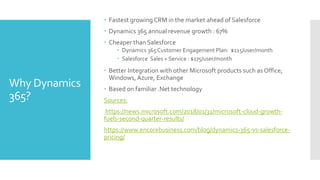
 Fastest growing CRM in the market ahead of Salesforce
 Dynamics 365 annual revenue growth : 67%
 Cheaper than Salesforce
 Dynamics 365 Customer Engagement Plan: $115/user/month
 Salesforce Sales + Service : $175/user/month
 Better Integration with other Microsoft products such as Office,
Windows,Azure, Exchange
 Based on familiar .Net technology
Sources:
https://news.microsoft.com/2018/01/31/microsoft-cloud-growth-
fuels-second-quarter-results/
https://www.encorebusiness.com/blog/dynamics-365-vs-salesforce-
pricing/
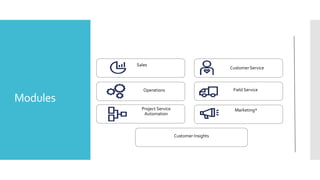
Modules
Difference between On-premise and Online deployments?
OnPremise Online
Infrastructure needs to be hosted locally on
company’s servers
Microsoft infrastrure.
In most cases costly. Cheaper only for Large
organizations having thousands of users.
Cheaper for most the firms as it avoids hardware costs,
software licensing costs, administration overheads and
maintenance
Product should be bought upfront by paying
complete amount.
Per user per month basis
More privacy as data is hosted locally within
company’s control
Privacy is the issue because data is hosted on
Microsoft servers.There can be regulatory restrictions
on hosting third party vendors.
Security should be handled by the company MS takes care of security including the OS, database
and other software
Difficult to scale, Waste of system resources if
bought early.
Easy to scale as per demand. Resource optimization as
resources are shared.
Total Cost = CRM Server Cost + No. of Users
* CAL (Client Access License for each user)
Basics
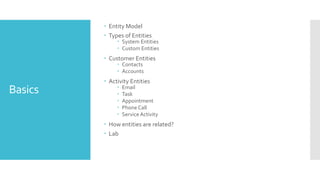
 Entity Model
 Types of Entities
 System Entities
 Custom Entities
 Customer Entities
 Contacts
 Accounts
 Activity Entities
 Email
 Task
 Appointment
 Phone Call
 Service Activity
 How entities are related?
 Lab
Basics
 Notes andAttachments
 Finding data in CRM
 Quick Find
 Advanced Find
 PersonalViews
 Global Search
 Relevance Search
 Lab
CustomerService
Service
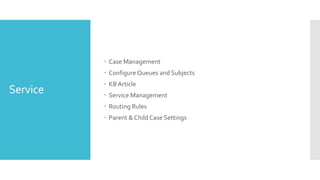
 Case Management
 Configure Queues and Subjects
 KB Article
 Service Management
 Routing Rules
 Parent & Child Case Settings
Service
 Entitlements
 SLAs
 Holiday Schedules
 Service Configuration Settings
 Introduction to Unified Service Desk
Marketing in Dynamics
365
Marketing
Entities
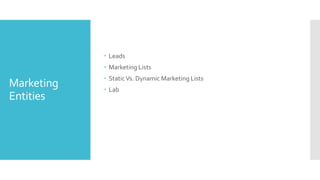
 Leads
 Marketing Lists
 StaticVs. Dynamic Marketing Lists
 Lab
Campaign
Entity
 Campaign
 CampaignActivity
 Campaign Response
 Campaign Response to Lead
 Quick Campaign
 Lab
Microsoft
Dynamics
Marketing
 Visual Campaign Designer
 Marketing Calendar
 How to integrate CRM with MDM?
 Dynamics Marketing Connector for CRM 2015
 UsingAzure Service Bus
 MDM IntegrationConfiguration
Sales Management in
Dynamics 365
Sales flow and
Business
Processes
 Lead
 Opportunity
 Product Catalog ( Unit Group, Discount List, Product, Price List)
 Quote
 Order
 Invoice
 Sales Literature etc.

Dynamics 365 introduction and functional

  • 1.
  • 2.
    Courses  Introduction toMicrosoft Dynamics 365  Functional  Customer Service  Sales Management  Marketing  Customization and Configuration  Extending Microsoft Dynamics 365
  • 3.
    CRM Basics  Whatis CRM ?  Customer relationship management  Pre-Packaged  Handles Sales, Service and Marketing modules  Allows you to customize  Written using .Net.  Can use .Net to extend  Upgradable  Why do we use CRM?  Saves time and money  Rapid deployment  Provides inbuilt functionality such as Unified UI, storage, security, search, duplicate detection, auditing, multi-lingual, multi-currency, workflows, web services  Differences b/w CRM and ERP  Deployment Models  Online or Cloud  On-Premise
  • 4.
    Why Dynamics 365?  Fastestgrowing CRM in the market ahead of Salesforce  Dynamics 365 annual revenue growth : 67%  Cheaper than Salesforce  Dynamics 365 Customer Engagement Plan: $115/user/month  Salesforce Sales + Service : $175/user/month  Better Integration with other Microsoft products such as Office, Windows,Azure, Exchange  Based on familiar .Net technology Sources: https://news.microsoft.com/2018/01/31/microsoft-cloud-growth- fuels-second-quarter-results/ https://www.encorebusiness.com/blog/dynamics-365-vs-salesforce- pricing/
  • 5.
  • 6.
    Difference between On-premiseand Online deployments? OnPremise Online Infrastructure needs to be hosted locally on company’s servers Microsoft infrastrure. In most cases costly. Cheaper only for Large organizations having thousands of users. Cheaper for most the firms as it avoids hardware costs, software licensing costs, administration overheads and maintenance Product should be bought upfront by paying complete amount. Per user per month basis More privacy as data is hosted locally within company’s control Privacy is the issue because data is hosted on Microsoft servers.There can be regulatory restrictions on hosting third party vendors. Security should be handled by the company MS takes care of security including the OS, database and other software Difficult to scale, Waste of system resources if bought early. Easy to scale as per demand. Resource optimization as resources are shared. Total Cost = CRM Server Cost + No. of Users * CAL (Client Access License for each user)
  • 7.
    Basics  Entity Model Types of Entities  System Entities  Custom Entities  Customer Entities  Contacts  Accounts  Activity Entities  Email  Task  Appointment  Phone Call  Service Activity  How entities are related?  Lab
  • 8.
    Basics  Notes andAttachments Finding data in CRM  Quick Find  Advanced Find  PersonalViews  Global Search  Relevance Search  Lab
  • 9.
  • 10.
    Service  Case Management Configure Queues and Subjects  KB Article  Service Management  Routing Rules  Parent & Child Case Settings
  • 11.
    Service  Entitlements  SLAs Holiday Schedules  Service Configuration Settings  Introduction to Unified Service Desk
  • 12.
  • 13.
    Marketing Entities  Leads  MarketingLists  StaticVs. Dynamic Marketing Lists  Lab
  • 14.
    Campaign Entity  Campaign  CampaignActivity Campaign Response  Campaign Response to Lead  Quick Campaign  Lab
  • 15.
    Microsoft Dynamics Marketing  Visual CampaignDesigner  Marketing Calendar  How to integrate CRM with MDM?  Dynamics Marketing Connector for CRM 2015  UsingAzure Service Bus  MDM IntegrationConfiguration
  • 16.
  • 17.
    Sales flow and Business Processes Lead  Opportunity  Product Catalog ( Unit Group, Discount List, Product, Price List)  Quote  Order  Invoice  Sales Literature etc.